LocaChange and UltFone iOS Location Changer are GPS spoofing tools that change your iPhone's location without a jailbreak. Open the desktop app, drop a pin anywhere in the world, and your phone reports you there. That can mean a new city for Pokémon GO, a new country for Tinder, or a new time zone for Life360.
But do they actually work? That is the question most guides skate past. We tested both tools on an iPhone 15 running iOS 18.2, with four days of teleports, virtual walks, and cooldown watching. Here is the honest, hands-on answer.
Both tools do what they promise, but behave very differently under daily use. Here we compare modes, apps, pricing, safety, and setup.
What Is LocaChange?
LocaChange is a GPS location changer with Windows, macOS, iOS, and Android apps. Its pitch is simplicity: pick a mode, connect the phone, choose a location. From there you can teleport instantly, walk a route, or loop between two points. It carries Game Mode for Pokémon GO and 50+ location-based games, and its support list runs from Tinder to Life360. Its Trustpilot rating is 4.7 out of 5, and our full LocaChange review goes deeper.
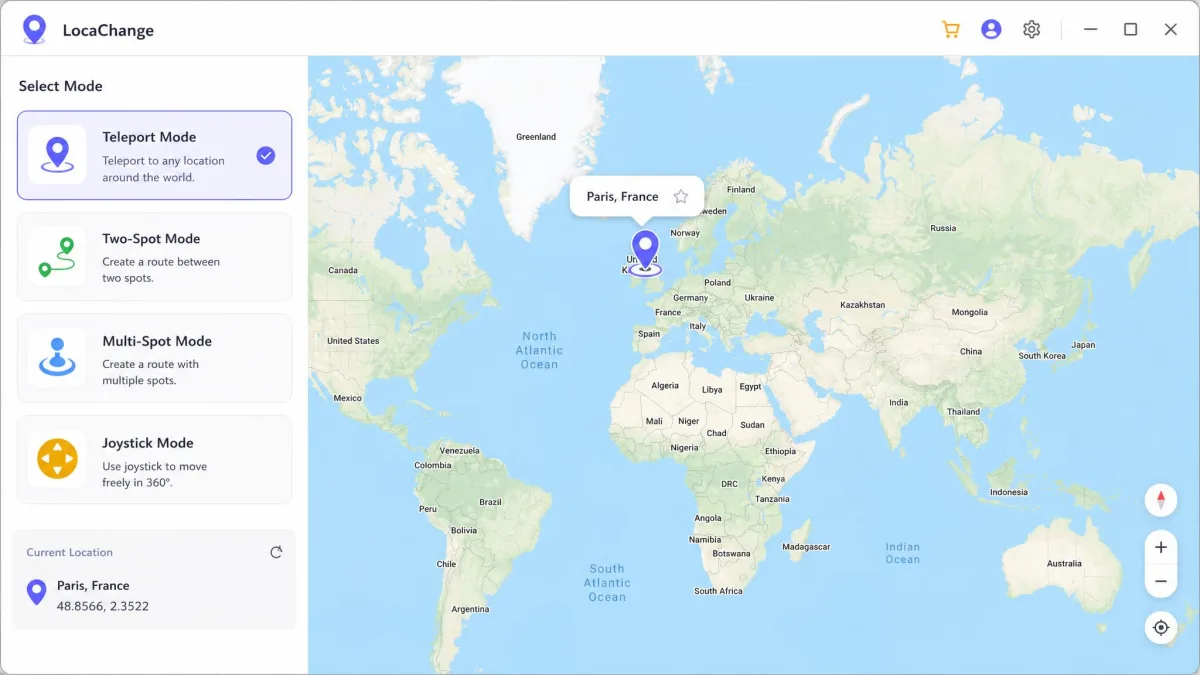
LocaChange Pros and Cons
Pros
- One-time Developer Mode setup, then wireless connections over Wi-Fi
- Explicit support for Life360, Find My, and the main dating apps
- Five movement modes plus Fluctuation Mode
- 30-day money-back guarantee with quick, helpful support
Cons
- $19.99 monthly rate sits above UltFone's sale pricing
- Free trial limits joystick use to 15 minutes
- Location stays pinned until reboot, even if you physically move
- No GPX route import or export
What Is UltFone iOS Location Changer?
UltFone iOS Location Changer is the competitor with the deeper feature sheet. Its desktop apps for Windows and macOS change your iPhone's GPS over USB, and an iOS app version works without a computer. The mode list is longer here: 1-click change, joystick simulation, single-spot and multi-spot movement, Jump Teleport, and GPX import and export. A Pokémon GO toolkit adds PokeStop Routes and AutoCatch. Its Trustpilot profile sits at 4.5 out of 5 from 43 reviews.
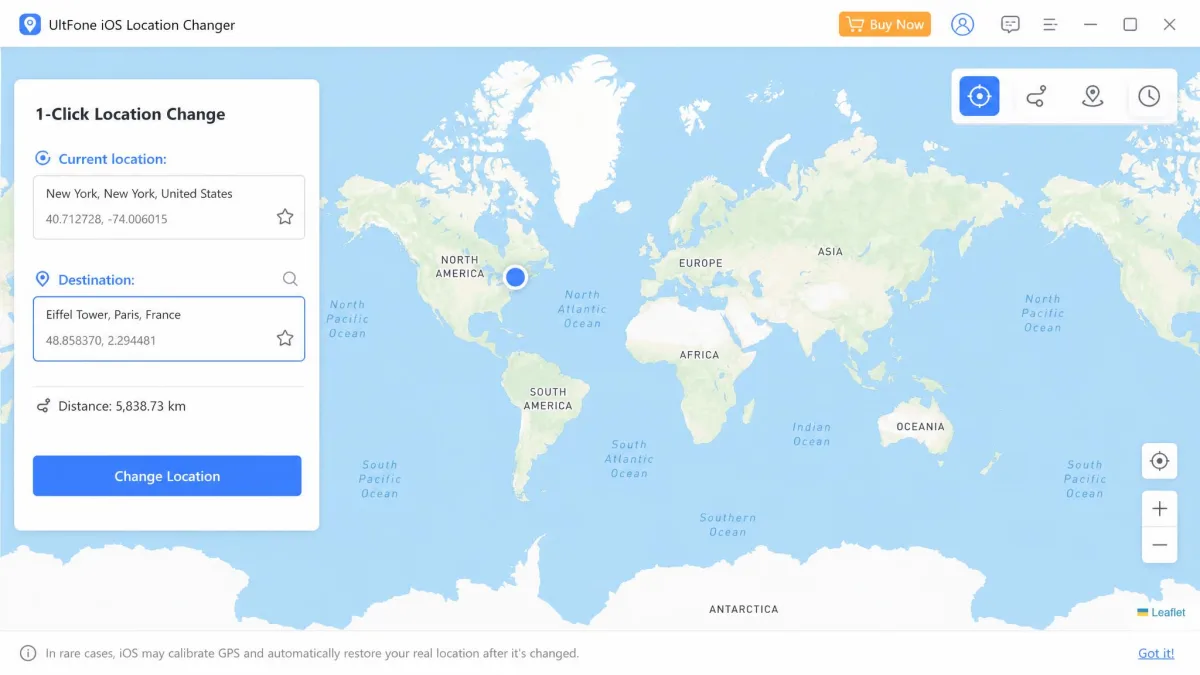
UltFone iOS Location Changer Pros and Cons
Pros
- Sale pricing undercuts LocaChange, with a $69.95 lifetime option
- Deepest Pokémon GO toolkit: PokeStop Routes, AutoCatch, Error 12 bypass
- GPX import and export plus multi-spot routes with up to 24 nodes
- 5 devices per license with free upgrades during the term
Cons
- Spoofed location reverts after 3 to 5 minutes on iOS 18
- Joystick movement can freeze the game and reset to the real location
- Life360 is not on the official support list
- Heavy battery drain while the spoof is active
Hands-On Test: We Tested Both Tools on iPhone
After four days of teleporting between Paris and Tokyo and walking virtual routes on an iPhone 15, here is what separated the two tools.
How We Tested: Setup, Modes, and Cooldown
We tested both tools on an iPhone 15 running iOS 18.2. LocaChange ran from its Mac app and connected over Wi-Fi after a one-time Developer Mode step. UltFone used a USB tether with a trust prompt. Our moves were real: a teleport to the Eiffel Tower in Paris, a jump from San Francisco to Tokyo, joystick walks, and a planned two-kilometer route. After each long move we watched the cooldown timer, then checked the result in Apple Maps, Find My, Instagram, and Pokémon GO. Neither timer enforces anything; both only advise how long to wait.
What LocaChange Got Right (and Wrong)
The Eiffel Tower test is the moment that sold us. We dropped the pin on Paris, hit teleport, and Apple Maps showed the blue dot in the middle of a city intersection. Instagram flipped its location suggestions to Paris businesses and landmarks. No lag, no reboot, and the position held clean through all four days. That reliability on current iOS is the strongest we saw from either tool.
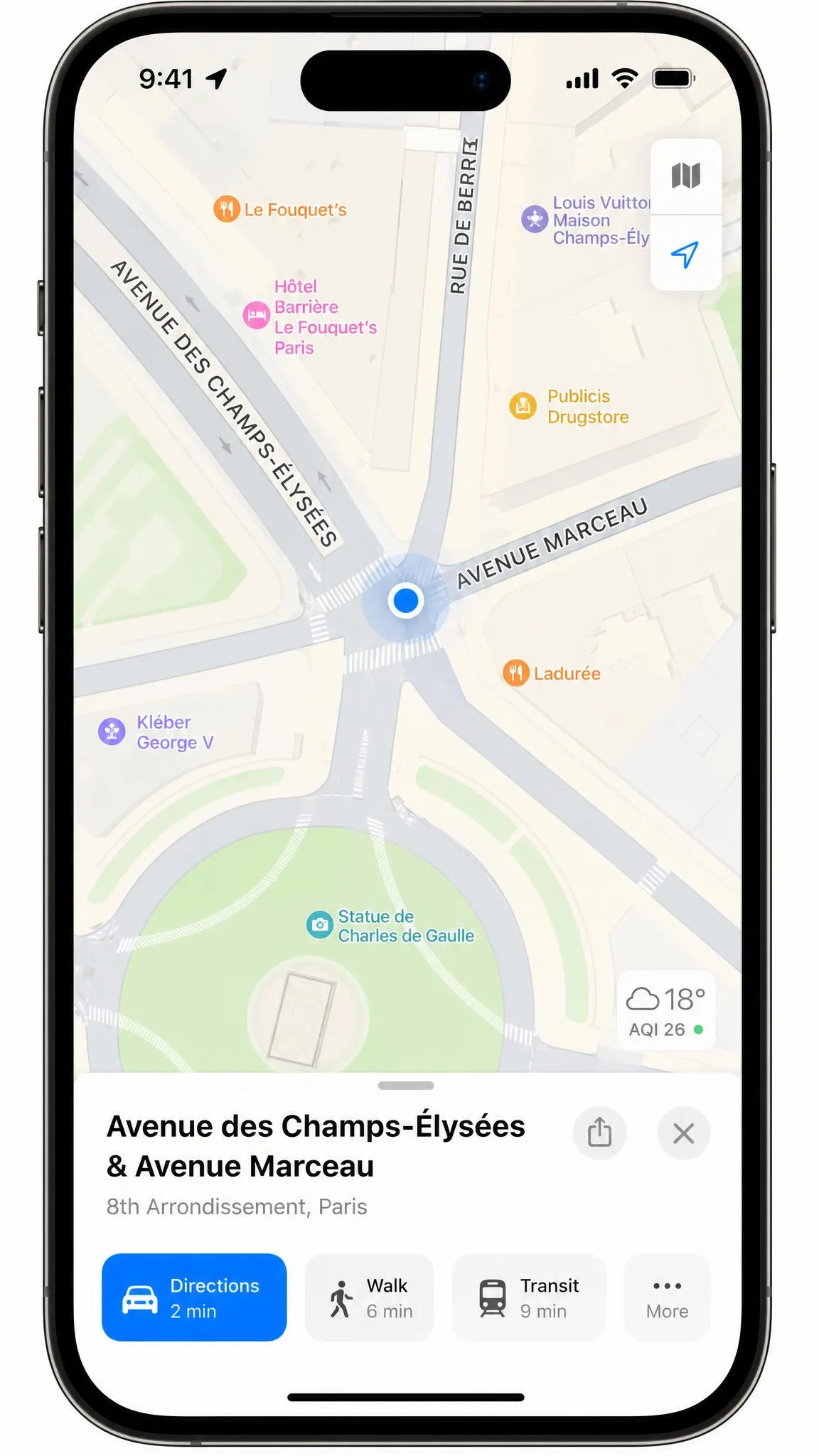
The flaws are quieter. The phone keeps the last spoofed location until you reboot it, even after you physically move, and the tool is not a VPN, so your IP-based location stays unchanged.
What UltFone Got Right (and Wrong)
UltFone's first impression is excellent. We jumped from San Francisco to Tokyo with the 1-click change, and the new location showed instantly in Find My and Apple Maps. The Mac app also ran smoothly, no bugs and no jitters. The Pokémon GO extras are genuinely useful: PokeStop and Gym scanning, 1000+ PokeStop Routes, and AutoCatch through Bluetooth.
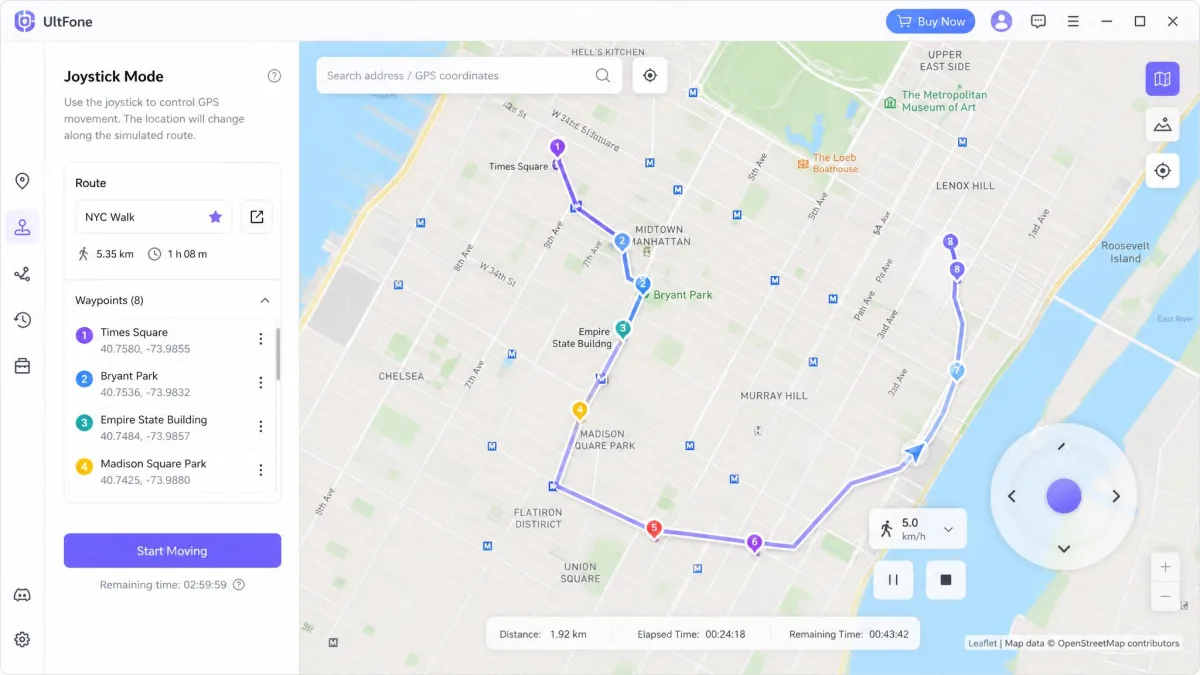
The problem is staying power. In that same Tokyo test, the spoofed location snapped back to the real one after about three to five minutes. Joystick movement was responsive at first, then the game froze and reset to the real location. A planned two-kilometer walk lasted about four minutes before the GPS connection dropped and the avatar reverted. The pattern repeated on other iOS 18 sessions, the Mac app sometimes showed the wrong current location, and the battery drained fast.
LocaChange vs UltFone: Head-to-Head Comparison
| Feature |  |
 |
|---|---|---|
| Ease of use | 3-step flow; Developer Mode once, then wireless | 3-step flow; USB connection, unlock and trust |
| Modes offered | Teleport, Jump Teleport, Joystick, Two-spot, Multi-spot | 1-click change, Joystick, Single-spot, Multi-spot, GPX routes |
| Pokémon GO support | Game Mode for 50+ games, Pokémon info search | Game Mode, PokeStop Routes, AutoCatch, Error 12 bypass |
| Dating-app support | Tinder, Bumble, Hinge, Grindr, Life360 | Tinder, Bumble and other dating apps, no Life360 |
| No-jailbreak | Yes, no jailbreak or root | Yes, no jailbreak or root |
| Cooldown timer | Smart countdown, advisory | On by default, toggleable, advisory |
| Platform support | iOS 14 to 26.4, Windows, macOS, Android, 10 devices | iOS 14 to 27, Windows, macOS, Android, 5 devices |
| Pricing | From $19.99 a month, $119.99 lifetime | From $9.95 a month on sale, $69.95 lifetime |
| Buy | Check price → | Check price |
Ease of Use and Setup (3-Step Processes)
Both tools deliver a 3-step process. LocaChange: pick a mode, connect the phone, choose a location, with Developer Mode enabled once at setup. UltFone: download, pick a mode, connect over USB, unlock the phone, trust the computer. The real difference is tethering. LocaChange's phone stays free after the first setup. UltFone's spoof reverts the moment you unplug.
Location Modes: Teleport, Joystick, Single-Spot & Multi-Spot
LocaChange offers five modes: Teleport, Jump Teleport, a 360-degree Joystick, Two-spot, and Multi-spot, plus Fluctuation Mode. UltFone answers with a 1-click change, joystick simulation, and single-spot and multi-spot movement up to 24 nodes. It adds GPX import and export, which LocaChange lacks. Speeds overlap: 3.6 to 120 km/h against 3.6 to 108 km/h.
Pokémon GO and Location-Based Games
LocaChange's Game Mode covers Pokémon GO, Monster Hunter Now, Soundmap, and 50+ location-based games. Pokémon info search and a Live Atlas round it out. UltFone counters with PokeStop and Gym scanning, 1000+ PokeStop Routes, and AutoCatch through Bluetooth. Its cooldown timer defaults on. Both are jailbreak-free. Our longer test favored LocaChange: two months of daily use with no softban. One teleport above 100 km/h finally drew a suspension notice from Niantic.
Spoofing Pokémon GO always carries ban risk; Niantic's terms forbid it. Cooldown timers are reminders, not shields. Use a secondary account, and never catch right after a long teleport.
Dating and Social Media Apps (Tinder, Life360)
LocaChange names Tinder, Bumble, Hinge, Grindr, Badoo, Instagram, Snapchat, and WhatsApp as supported apps. It adds Life360, Find My iPhone, and Apple Maps. UltFone lists Tinder, Bumble, and other dating apps, plus Facebook, WhatsApp, Snapchat, Grindr, and Find My Friends. Life360 is absent from its official page.
Platform Support and No-Jailbreak Operation
Neither tool needs a jailbreak or root; both feed the phone a fake GPS position from the desktop app, with no iOS modification. LocaChange runs on Windows 11/10/8/7, macOS 10.9 to 26, iOS 14 to 26.4, and Android 8 to 16. One license binds up to 10 devices. UltFone runs on Windows 11/10/8.1/8/7, macOS 10.10 and newer, iOS 14 to 27, and Android 16. It covers 5 devices per license.
Pricing and Plans
LocaChange keeps one flat price list: $19.99 a month, $39.99 a quarter, $79.99 a year, or $119.99 lifetime. A 30-day money-back guarantee backs every plan. A device selector covers 1 to 5 iPhones.
UltFone runs on promotions. The buy page shows $9.95 a month, $19.95 a quarter, and $39.95 a year, with a $69.95 lifetime license. Published quotes for the same licenses run higher, so expect prices to move with sales. Each license covers 5 devices. Free trials are thin on both sides, so test before you pay.
How to Change Your iPhone Location (Step-by-Step)
The flow is nearly identical on both tools.
- Install the desktop app on your PC or Mac.
- Plug your iPhone in and open the app.
- On LocaChange, enable Developer Mode once; it takes under a minute.
- On UltFone, unlock the phone and trust the computer.
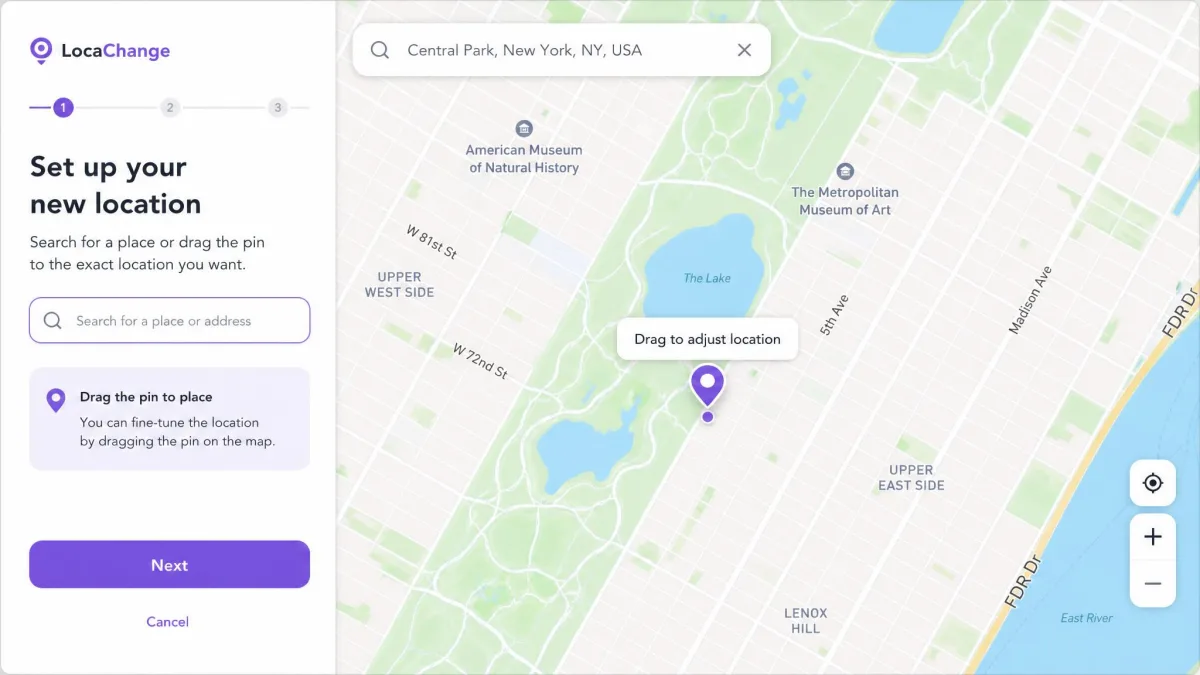
- Pick a mode, then drop a pin on the map.
- Tap Move, and watch the cooldown countdown.
- Open the game or app and check your location.
Later LocaChange sessions skip the cable; the phone connects over Wi-Fi. Expect the spoofed spot to stay pinned until you reboot the phone.
LocaChange vs UltFone: Quick Verdict
Which Should You Choose? A Verdict by Use Case
The verdict above splits cleanly by use case. On a recent iOS version with Life360 or Find My polling in the background, LocaChange fits. Setup ends after one session.
The price math favors UltFone. At $9.95 a month in current sales, it costs half of LocaChange's $19.99, and its Pokémon GO suite is the deepest here. The trade is a USB tether each session. On a strict budget with a spare account, UltFone is the smarter buy.
Alternatives Worth Considering (iMoveGo, MocPOGO, AnyTo)
Three names come up most often next to these two. WooTechy iMoveGo is the closest match on price, at $9.95 a month or $19.95 a quarter, and it simulates movement and plans routes on iOS. MocPOGO spoofs for Pokémon GO, social, and dating apps, with three movement modes on iPhone and Android. It keeps a free tier. iMyFone AnyTo adds a cooling timer to avoid tripping apps' cheating alarms, with no jailbreak. Any of the three is a fair fallback.
FAQ: LocaChange vs UltFone iOS Location Changer
What does "no jailbreak" mean in practice?
Is it safe for Pokémon GO (ban risk)?
Does it work with Tinder/Life360?
How do the modes (teleport/joystick) differ?
Does the cooldown timer matter?
What are the pricing/plans and free trial limits?
Which devices and iOS versions are supported?
Final Thoughts
Both tools carry 30-day money-back guarantees, so trying either one is low risk. Watch the cooldown timer, keep a secondary game account, and remember that no tool outruns anti-cheat rules forever. Whatever your use case, the refund policy means the real test happens on your own phone.