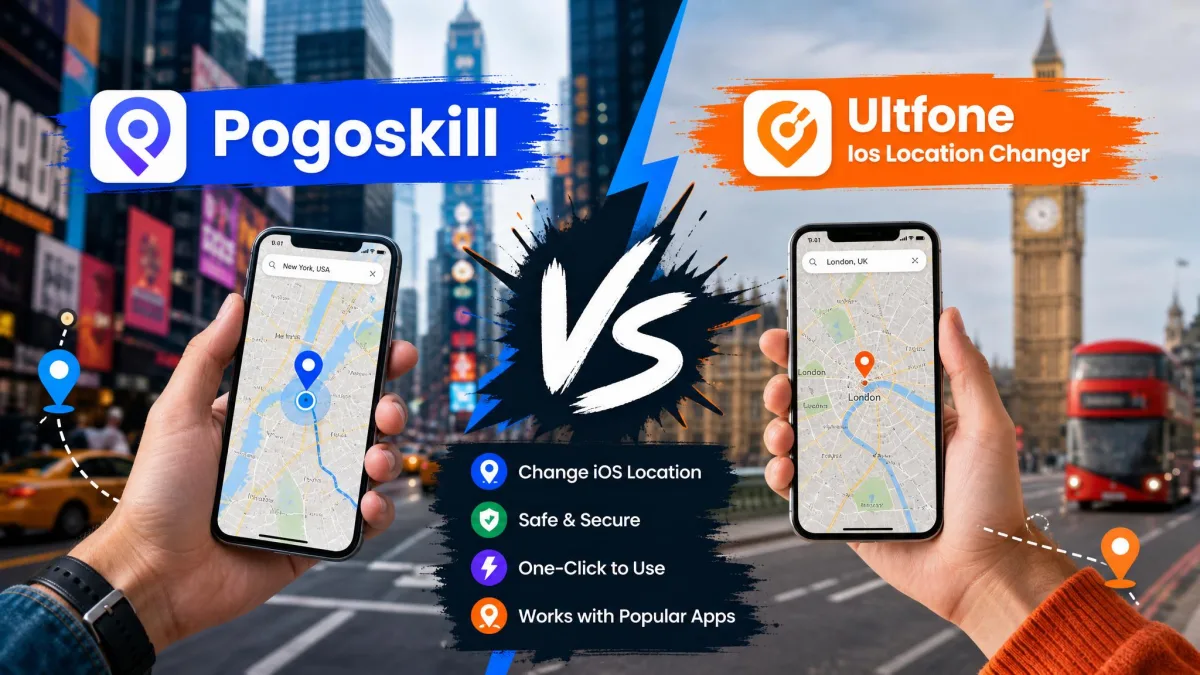
Apple's Location Services keeps your iPhone pinned to its real GPS position, and there is no built-in setting that moves it. That is why many people use third-party location changers to trick apps into thinking they are somewhere else. Location-based games, dating apps, and region-locked content all read that coordinate. PoGoskill and UltFone iOS Location Changer are two of the most popular options, and we ran both on the same iPhone, the same iOS version, and the same test route.
PoGoskill vs UltFone iOS Location Changer: At a Glance
| Feature |  |
 |
|---|---|---|
| Top pick | Better for dedicated Pokémon GO players | Our overall pick |
| Platform | iOS 12.5–26 (desktop), 14–27 (app); Windows XP–11; macOS 10.13–13 | iOS 14–27 (app); Windows 7–11; macOS 10.10+ |
| No jailbreak required | Yes | Yes |
| GPS teleport | Yes, Teleport Mode | Yes, one-click and Jump Teleport |
| Route simulation | Two-spot, Multi-spot, GPX, adjustable speed | Single-spot, Multi-spot, GPX, 3.6–108 km/h |
| Cooldown timer | Built in | Not listed on official pages |
| Price | iOS app from $14.99/month; PC from $19.95/quarter | From $9.95/month (1 PC, 5 devices); $69.95 lifetime |
| Best for | Beginners and gaming users | Simple location changes, tighter budgets |
| Buy | Check price | Check price → |
What Are PoGoskill and UltFone iOS Location Changer?
Both change the location your iPhone reports to apps without jailbreaking; they diverge on feature depth, price, and movement.
What Is PoGoskill?
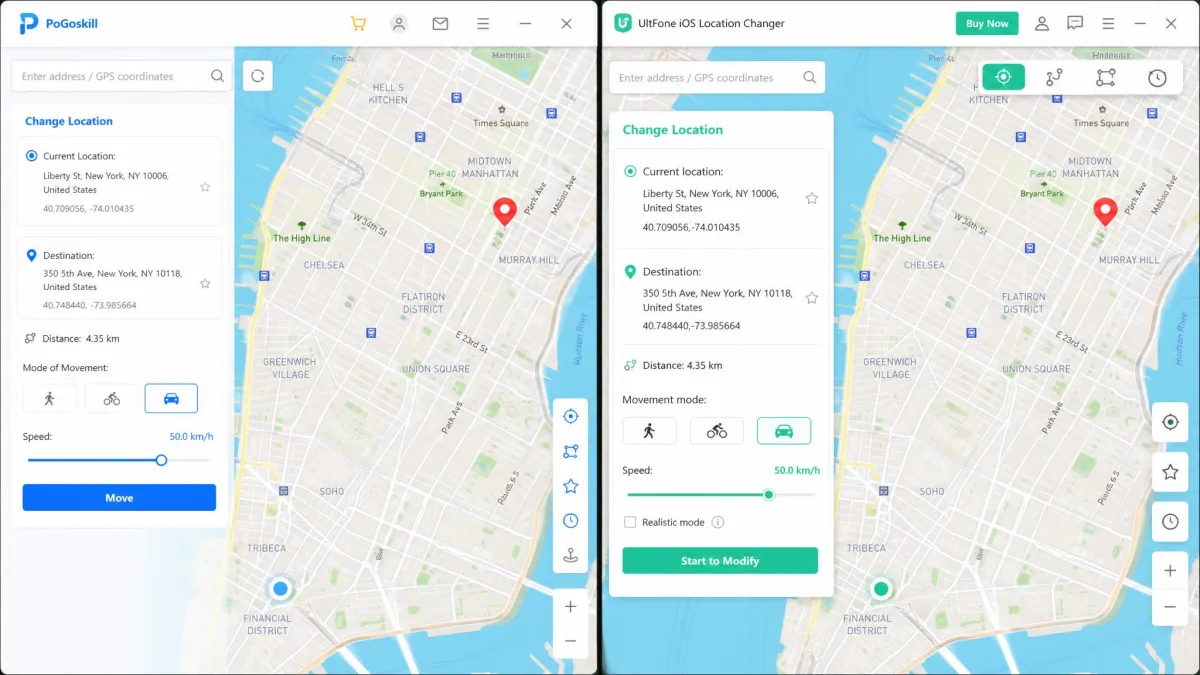
PoGoskill is built for Pokémon GO first, general spoofing second. Its desktop app connects over USB or WiFi with Teleport, Two-spot, Multi-spot, and Joystick modes, a cooldown timer, and a pogomap scanner.
What Is UltFone iOS Location Changer?
UltFone iOS Location Changer is the simpler, cheaper sibling: it changes GPS with one click or a Jump Teleport, simulates routes at 3.6 to 108 km/h, and discovers PokéStops and Gyms nearby. It ranks #4 on the same list and #8 in Geekflare's roundup.
Key Differences Between PoGoskill and UltFone
Compatibility: iOS Versions and Windows/Mac
PoGoskill's desktop app supports iOS 12.5 through iOS 18 and later (including iOS 26); its iOS app targets iOS 14–27. UltFone covers iOS 14–27, Windows 7–11, and macOS 10.10+, while PoGoskill also runs on Windows XP and macOS 10.13. A PoGoskill account can change location on 15 devices at once, versus 5 per UltFone license.
No-Jailbreak Spoofing: How Each Tool Works
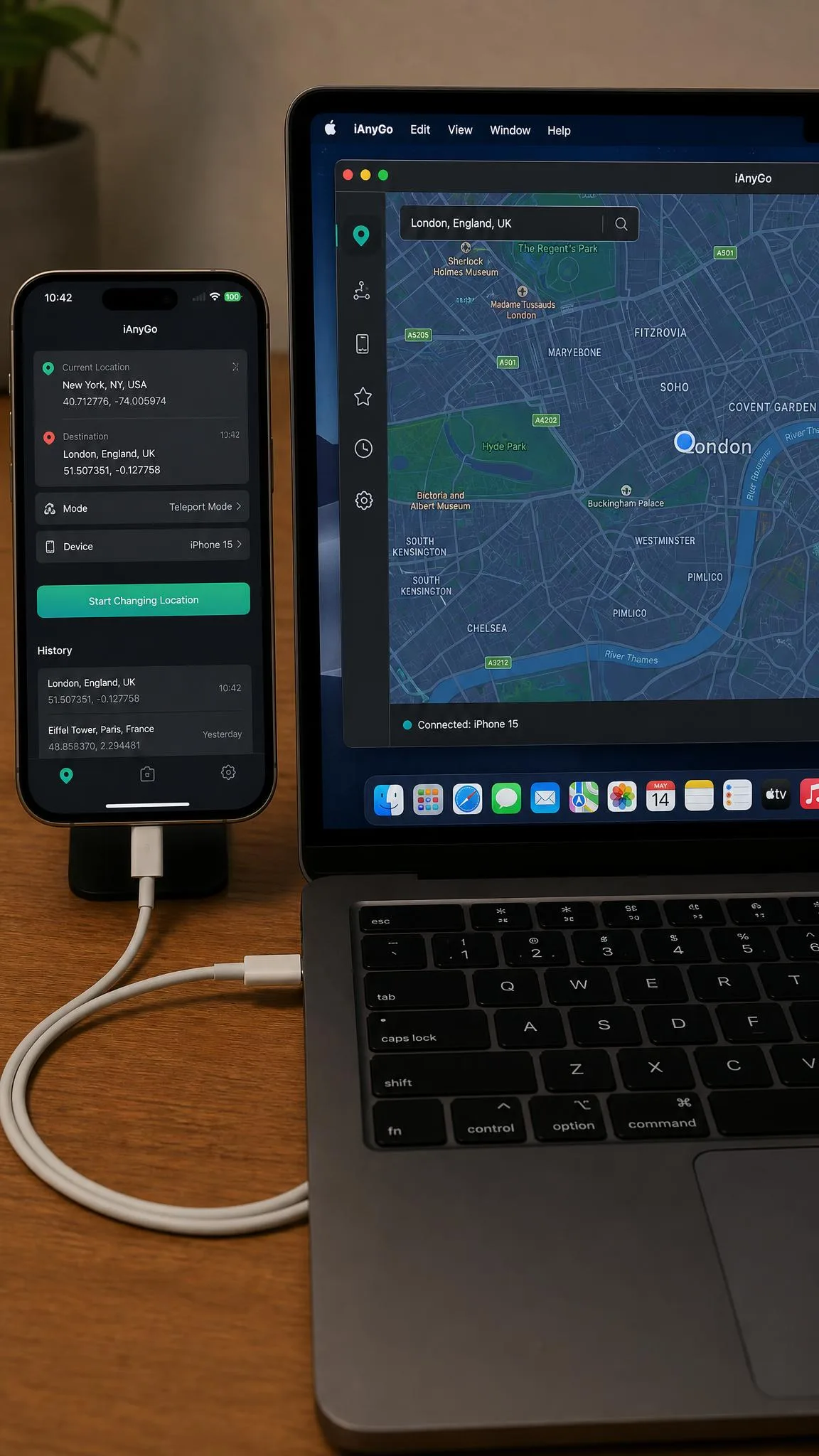
Neither requires a jailbreak or root access: both feed a virtual location into the iOS location stack, so apps read the spoofed coordinate without system modification. PoGoskill leans on a desktop app over USB or WiFi; UltFone ships an on-device iOS app that works without a computer.
Movement Modes: Teleport, Single-Spot, Multi-Spot, Joystick
Both tools can teleport your GPS location anywhere on the map in one action. PoGoskill splits the job into Teleport, Two-spot, and Multi-spot modes with GPX import/export and walking, cycling, or driving speeds. UltFone offers one-click change, Jump Teleport, Single-spot and Multi-spot movement, and Natural Simulation with mid-route pauses. Joystick movement is in both.
Cooldown Timer and Ban-Risk Handling
PoGoskill ships a built-in cooldown timer so you can see how long to wait between jumps; UltFone's official pages list none, and where one appears in third-party descriptions it is a reminder, not a safeguard. Cooldown discipline is on you.
Spoofing changes what apps think your GPS position is, and game accounts can be flagged for it. Waiting realistic travel times between jumps reduces the obvious tells, but nothing removes the risk entirely.
Ease of Use: Interface and Setup Time
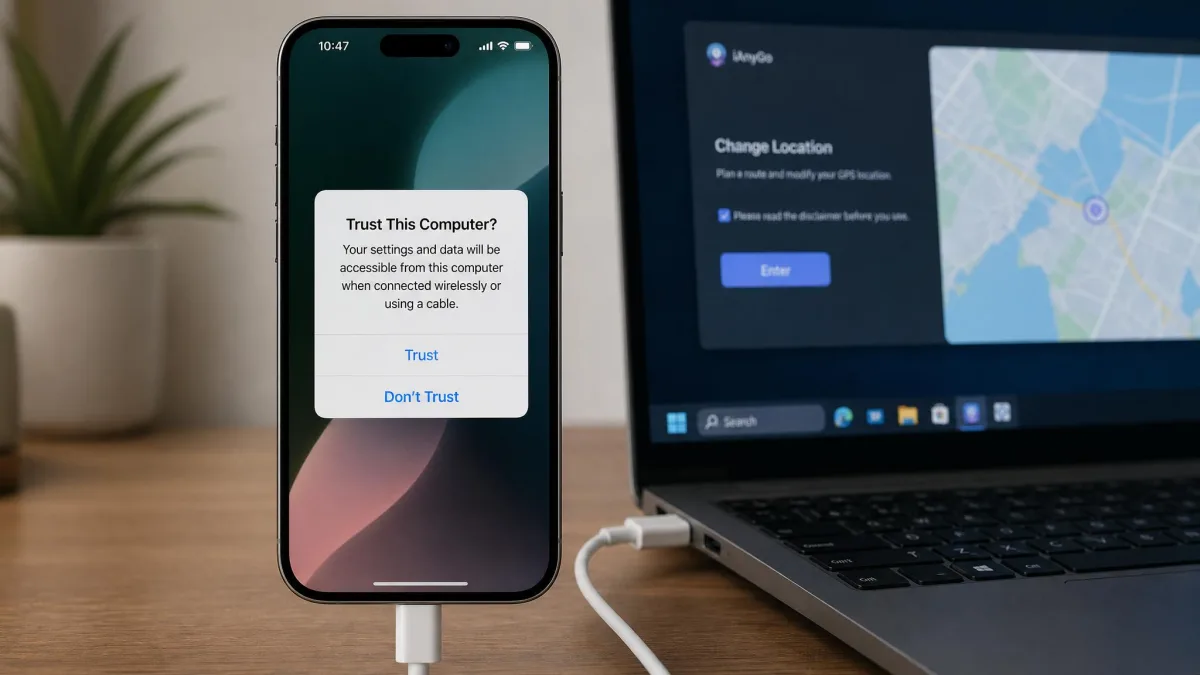
Both connect the same way: install the app, plug in the iPhone, unlock it, and tap the trust prompt. PoGoskill asks for "Trust this Computer" over USB; UltFone asks for "Trust this Device," then has you choose start and end points for the move.
Hands-On Test: PoGoskill vs UltFone
We ran both on the same iPhone 15 with the same iOS version (18.2) and the same 2 km test route.
Test 1: One-Click Location Change
Both tools changed the location on the first attempt, but the difference came next: on UltFone, the spoofed position held for roughly three to five minutes before snapping back to the real GPS location. PoGoskill had its own version of the problem on iOS 18: the location could keep resetting and jumping back, and its troubleshooting guide blames unstable Bluetooth mode, incorrect DNS settings, or OS compatibility bugs, suggesting IP Finder and Bluetooth mode as fixes.
Test 2: Route Simulation and Joystick Movement
UltFone's joystick felt responsive, but during use the game could freeze and the location reset to real GPS, a giveaway to game servers; its 2 km route ran about four minutes before dropping. PoGoskill's joystick and route modes held up across our longer runs.
Test 3: Pokémon GO Compatibility
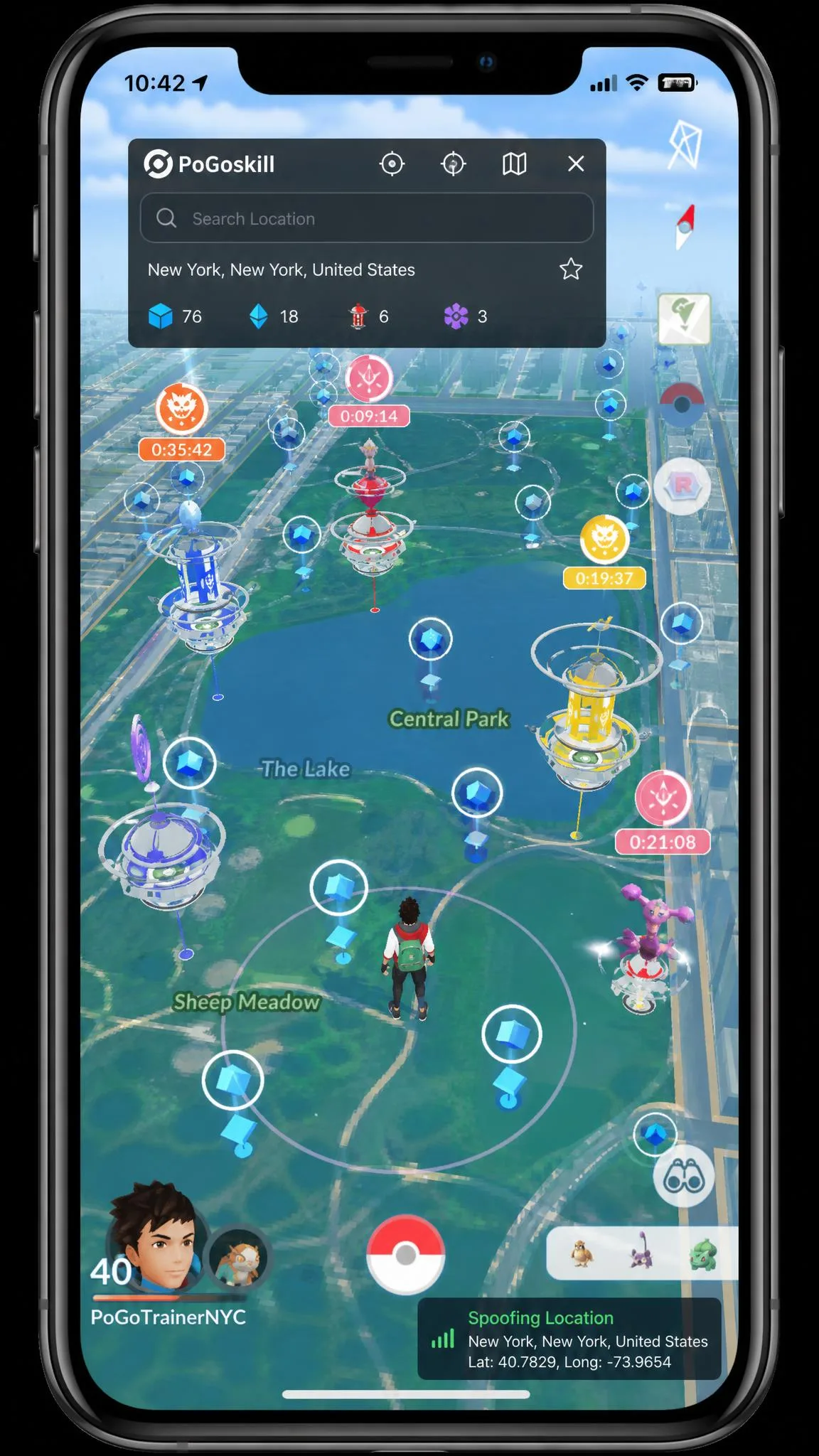
Both vendors market around Pokémon GO, and both offer a Bluetooth connection that bypasses the "Unable to detect location 12" error without modifying the app. UltFone scans nearby PokéStops and Gyms, with 1000+ in range, and auto-builds quick routes between them. PoGoskill's Android app is the weak link: about 2.3/5 on Google Play, with Error 12 failures inside the first hour of use.
Pricing Comparison
PoGoskill Pricing Plans
The iOS app costs $14.99 per month, $79.99 per year, or $99.99 for a lifetime license. The desktop version runs from $19.95 per quarter for one PC, the Android app costs $6.99 per week, and a free trial gives one hour of use plus a compatibility check.
UltFone iOS Location Changer Pricing Plans
UltFone starts lower: $9.95 per month for one PC and five devices, $19.95 per quarter, $39.95 per year, or $69.95 lifetime, with a two-PC plan at $15.95 per month, $29.95 per quarter, or $59.95 per year, all covered by a 30-day money-back guarantee. A trial exists, but terms are unpublished and conflict, so treat its length as unconfirmed.
Step-by-Step: How to Change Your Location
How to Use PoGoskill to Spoof Location
- Install the desktop app and connect your iPhone over USB or WiFi.
- Unlock the phone and tap Trust this Computer.
- Pick a mode (Teleport, Two-spot, Multi-spot, or Joystick), drop a pin, choose a speed, and tap Move.
How to Use UltFone iOS Location Changer
- Install the app and connect your iPhone.
- Unlock the phone and tap Trust this Device.
- Set start and end points or type coordinates, then tap change to teleport or pick a movement mode.
Change location the way you would travel in real life: let the cooldown timer finish and avoid jumping across the world mid-session.
Pros and Cons
PoGoskill Pros and Cons
Pros
- Deepest Pokémon GO toolkit: D-Max mode, Route Tasks, Team Go Rocket mode
- Up to 15 devices at once
- 1-hour free trial plus compatibility check
- Runs on older Windows and macOS versions
Cons
- iOS app costs more per month
- Location resets on some iOS 18 builds
- Refund terms unverified; support mixed
UltFone iOS Location Changer Pros and Cons
Pros
- Lower prices: from $9.95/month or $69.95 lifetime
- 30-day money-back guarantee on every plan
- One license covers iPhone and Android devices
- Simplest interface of the two
Cons
- Location snapped back to real GPS within minutes in our iOS 18 tests
- Trial terms unconfirmed
- Battery drain is noticeable during extended use
Verdict: Which One Should You Choose?
Both tools aim at different buyers: PoGoskill at dedicated Pokémon GO players, UltFone at everyone else.

Frequently Asked Questions
Is it safe to spoof my iPhone GPS location?
Do PoGoskill and UltFone require jailbreak?
Can I get banned from Pokémon GO for using these tools?
Which is better for Pokémon GO: PoGoskill or UltFone?
Do these tools work on Android too?
Final Thoughts
Confirm your iOS version, use the trial to see how the location holds, and decide if Pokémon GO depth is worth the extra cost. Both are capable; pick the one you will actually use.