Trying to decide between iMyFone AnyTo and UltFone iOS Location Changer? We tested both on iPhone and Android: iMyFone AnyTo on an iPhone 14 running iOS 17 and a Galaxy S23 on Android 14, and UltFone on an iPhone 15 running iOS 18.2.
Both apps move your phone's virtual location anywhere in the world from the comfort of your home, without a jailbreak, for Pokémon GO, dating apps, or plain privacy. The differences live in the details.
Below are the modes, our test results, the prices, and our pick.
iMyFone AnyTo vs UltFone iOS Location Changer at a Glance
Both tools share the same core: a desktop app drives your phone over USB.
Quick Comparison Table (features, platforms, pricing, best for)
| Feature | iMyFone AnyTo | UltFone iOS Location Changer |
|---|---|---|
| Platforms | iOS + Android; iOS app variant | Desktop app + standalone iOS app; partial Android |
| Jailbreak required | No | No |
| Teleport mode | Yes, one click | Yes, one click |
| Joystick mode | Yes, 360-degree | Yes |
| Multi-spot | Yes, up to 100 waypoints | Yes |
| Route simulation (GPX) | Two-Spot + GPX import/export | Multi-Spot + GPX import/export |
| Cooldown timer | Yes, with jump teleport | Yes, reminder only |
| Speed control | 3.6-120 km/h | 3.6-108 km/h |
| Pricing | From $14.99/month list, heavy promos | From $9.95/month; lifetime $69.95 |
| Free trial | Limited (Teleport capped, Joystick 15 min on PC) | Limited (route length and duration capped) |
| Refund | 30-day money-back | 30-day money-back |
| Best for | Cross-platform users, AR gaming | iOS-first users, Pokémon GO Error 12 fix |
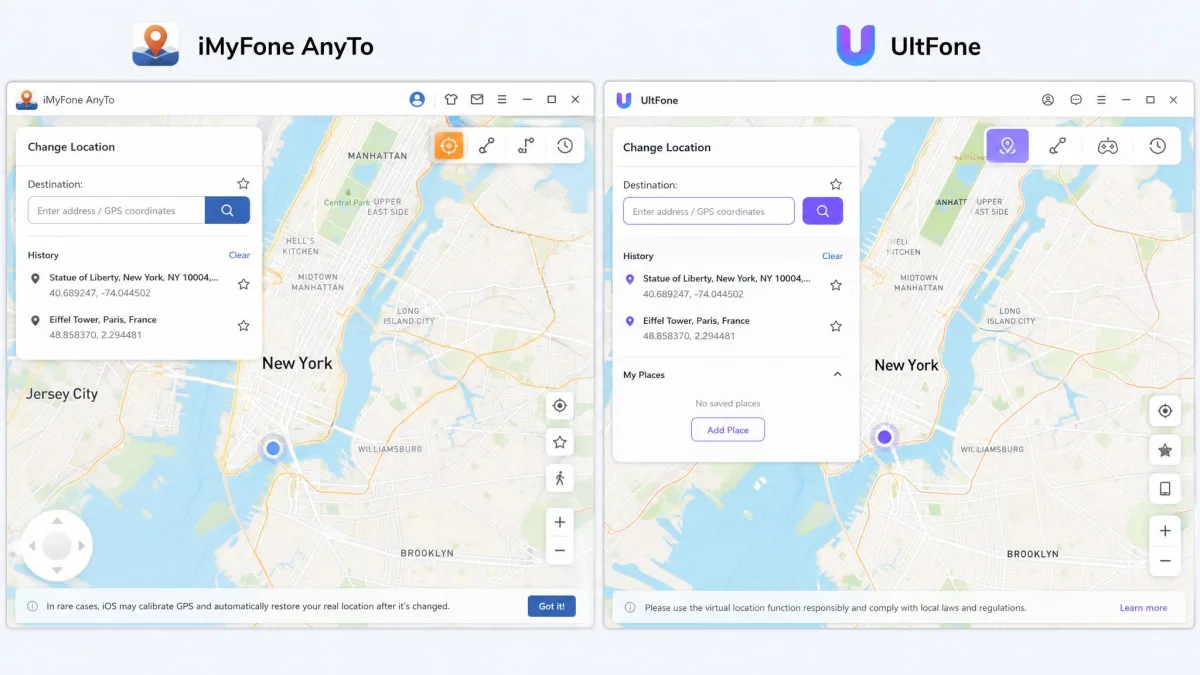
iMyFone AnyTo: Overview, Features & Hands-On Test
iMyFone AnyTo is the broader tool. It covers iOS and Android with no jailbreak and no root, bundling one-click teleport, GPX routes, and a no-PC iOS app variant.
Teleport, Two-Spot, Joystick & Multi-Spot Modes
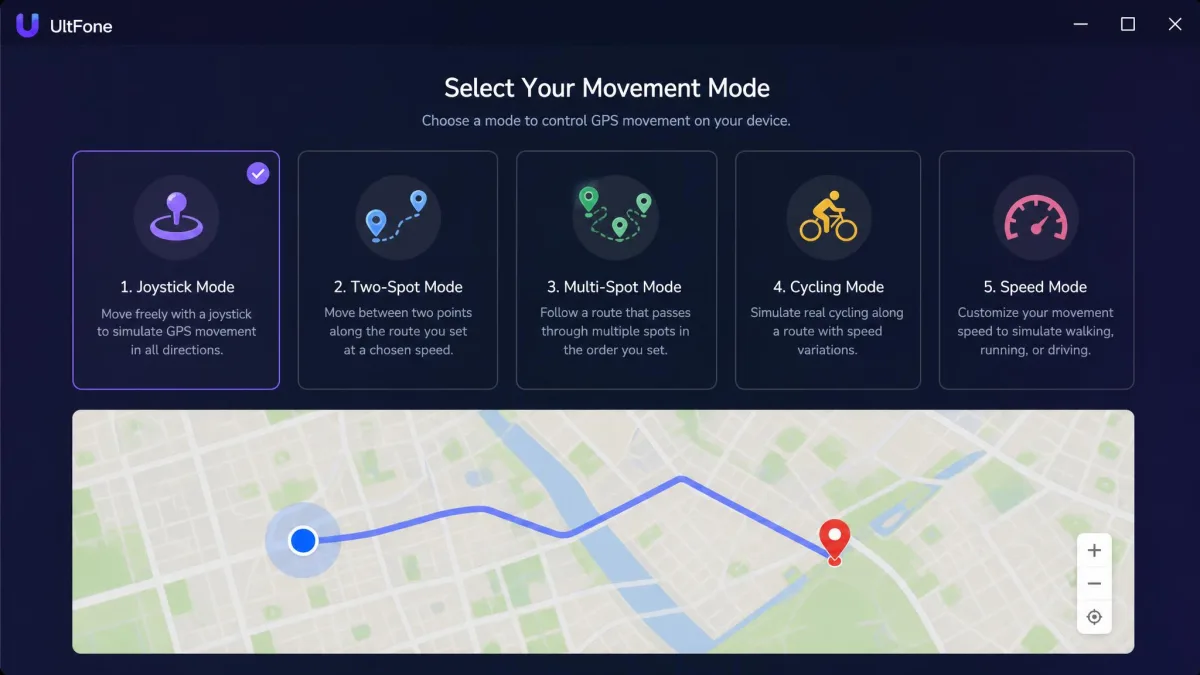
AnyTo has four movement modes. Teleport is the one-click jump. Two-Spot walks a road-based route between two points. Joystick steers in real time, 360 degrees. Multi-Spot chains up to 100 waypoints with GPX import and export. Add speed simulation from 3.6 to 120 km/h, a jump-teleport cooldown, 10-device sync, and pro-gamer tools like an auto catcher and IV scanner.
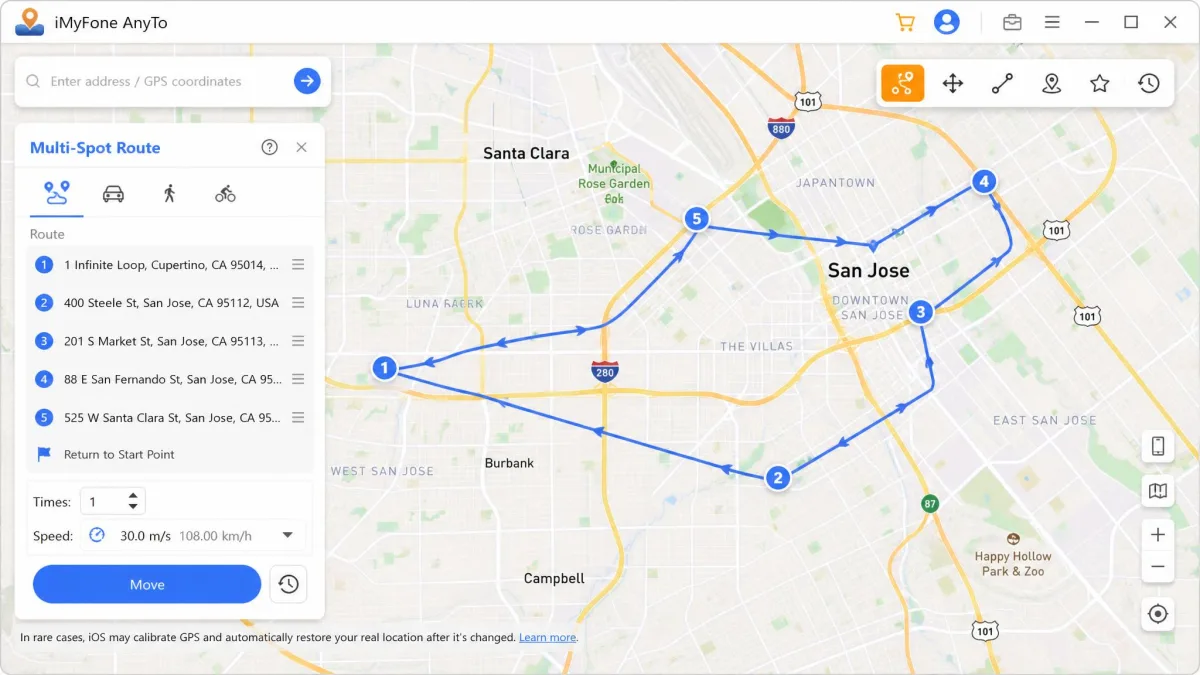
Our Hands-On Test Results (stability, detection risk)
Setup took two to three minutes: install on a PC, connect by USB, enable Developer Mode where needed. The trial table caps Teleport at one use and Joystick at 15 minutes on PC. On Android, the app hits a paywall right after signup despite the "try free" messaging, and the Play Store rating sits at 2.9 stars. In our Android run, the spoofed position updated inside AnyTo's own map while other apps kept showing the real location.
On detection risk, be clear-eyed: a joystick session that snaps back mid-game is an obvious signal, and the jump cooldown is a reminder, not a shield.
What moved the needle: AnyTo's Android side is rougher than its iOS side. The map can show a location other apps never pick up, and refunds are not always honored smoothly.
Pricing & Free Trial
AnyTo lists at $14.99 a month, though rotating promos have recently put quarterly at about $10, yearly at $20, and lifetime at $30. The free tier is heavily limited: Teleport once, Joystick 15 minutes on PC. Paid plans carry a 30-day money-back guarantee.
UltFone iOS Location Changer: Overview, Features & Hands-On Test
Where AnyTo is the cross-platform all-rounder, UltFone iOS Location Changer is the iOS-first specialist. A Windows or macOS desktop app drives your iPhone over USB. It is jailbreak-free like its rival, but Android support is partial.
Single-Spot, Multi-Spot & Jump Teleport Modes
UltFone's modes cover the essentials: Single-Spot, Multi-Spot, Jump Teleport with a cooldown reminder, and Joystick. Routes save and share via GPX. Pokémon GO extras include a PokeStop and Gym scanner, 1000+ PokeStop routes, coordinate search, and a Bluetooth method that fixes Error 12 without modifying the app. One license covers up to 5 devices.
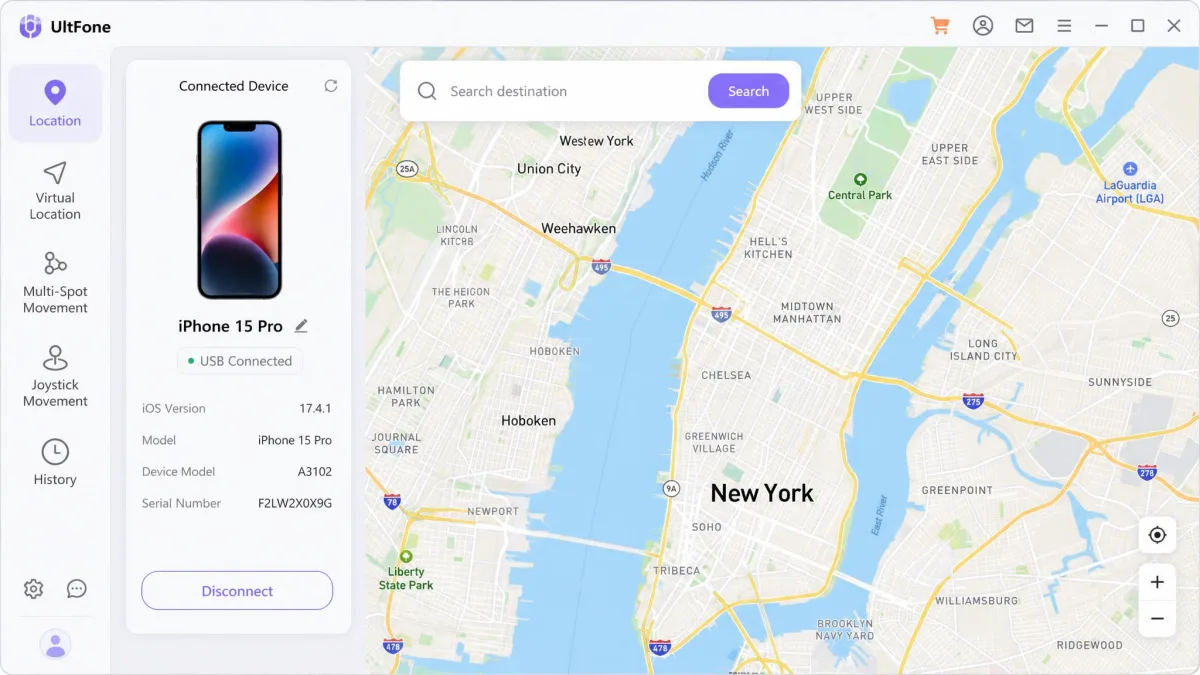
Our Hands-On Test Results (stability, detection risk)
Here is where the two tools split. On the iPhone 15 running iOS 18.2, a teleported location held for about three to five minutes before snapping back. Find My and Apple Maps picked up the fake coordinates, then flipped back. A simulated 2 km walking route ran about four minutes before the GPS connection failed. An earlier cable-connected Mac run was stable with no crashes, though the location shown was sometimes wrong, so the instability looks tied to newer iOS versions. Joystick movement responds in real time, but a snap-back mid-game is an obvious spoofing signal, and the cooldown timer is a reminder, not a safeguard.
The honest summary: UltFone is the smoother iOS experience. But the snap-back means the fake location is temporary, and the trial caps route length and duration.
Pricing
UltFone is the cheaper tool at list price: from $9.95 a month on Windows, with quarterly at $19.95, yearly at $39.95, and lifetime at $69.95. The Mac edition costs more, at $79.98 lifetime, and every plan carries a 30-day money-back guarantee.
How to Change Your Location: Step-by-Step
Both tools share one flow: install the desktop app, connect the phone, choose a mode, pick a destination.
Using iMyFone AnyTo
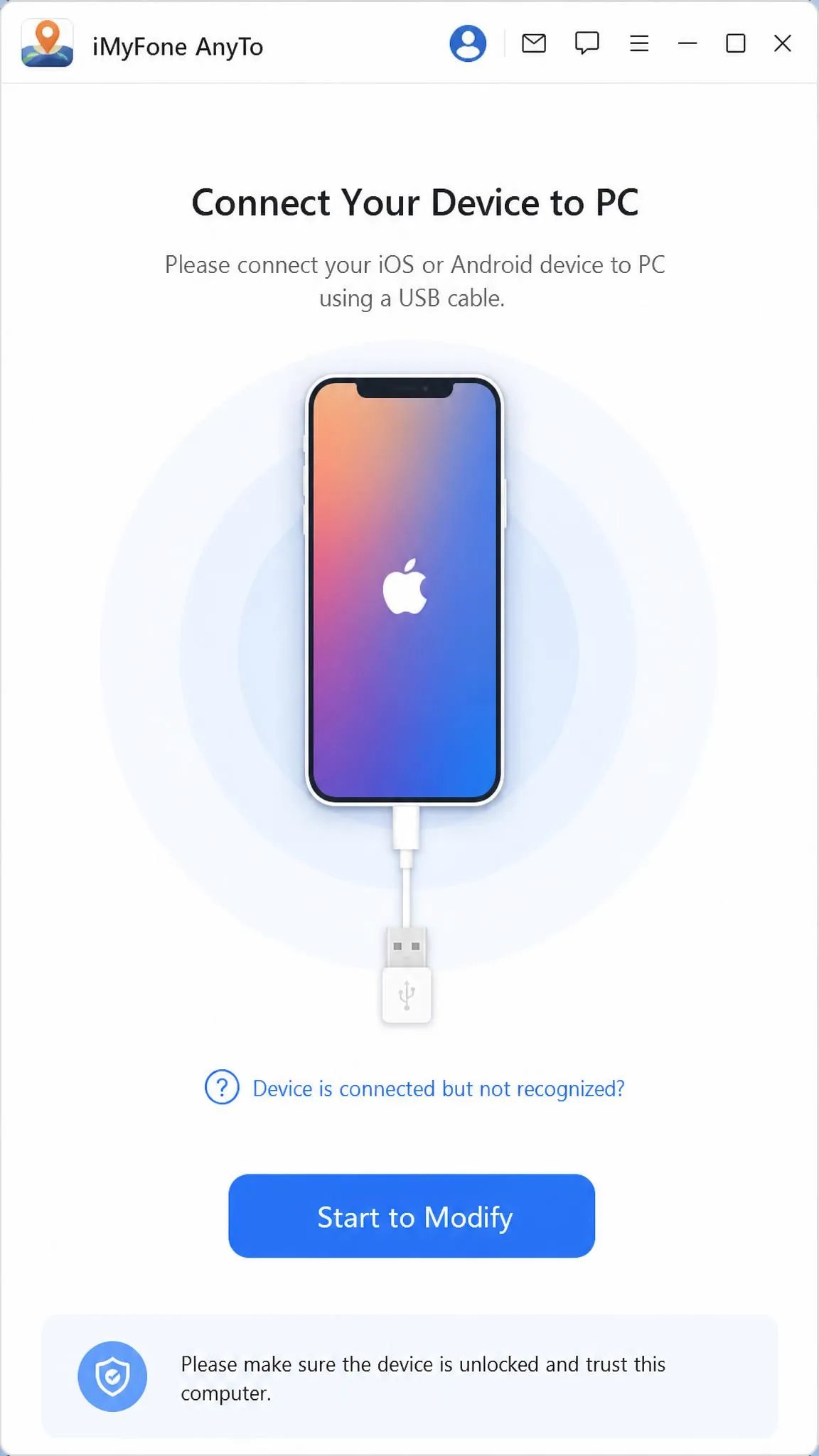
- Install AnyTo on a PC or Mac and open the desktop app.
- Connect your phone with a USB cable and trust the device connection when prompted.
- On Android, enable Developer Mode and USB debugging.
- Pick a mode: Teleport, Two-Spot, or Multi-Spot.
- Search for a destination or draw a route, then click Start to Modify.
To return to your real spot, use the one-tap reset or restart the phone.
Using UltFone iOS Location Changer
- Install the desktop app on Windows or macOS and launch it.
- Connect your iPhone over USB and trust the connection.
- Choose Teleport, Single-Spot, Multi-Spot, Jump Teleport, or Joystick.
- Enter a destination, coordinates, or a GPX route, then confirm.
Pokémon GO shows a location error? Turn on the app's Bluetooth changing method.
Side-by-Side Feature Comparison
Ease of Use
Both tools handle the basics with ease: install the desktop app, connect the phone over USB, pick a mode. AnyTo adds a Developer Mode step on Android; UltFone skips the computer entirely.
Platform Support (iOS & Android, Jailbreak-Free)
Neither app needs a jailbreak or root. AnyTo is the true cross-platform option: iOS and Android are both first-class, and the iGo variant covers newer iPhones without a PC. UltFone is iOS-first: its standalone app supports iOS 14 through iOS 27, and Android support is partial.
Gaming & AR App Performance (Pokémon GO)
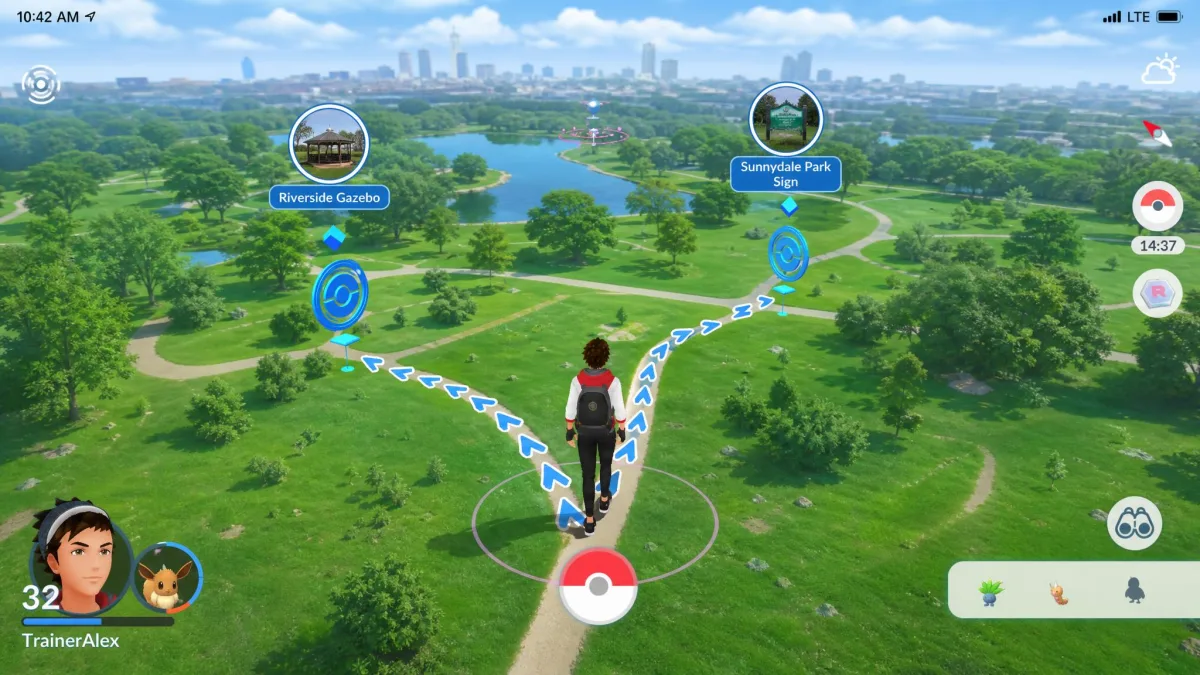
For Pokémon GO, UltFone ships the game-first extras: a PokeStop and Gym scanner and 1000+ PokeStop routes. AnyTo answers with movement quality: four modes and pro-gamer tools. Our route tests told a mixed story: UltFone's 2 km walk ran about four minutes before the GPS dropped, while AnyTo's map could show a spoofed position other apps never picked up.
Safety & Risk of Detection
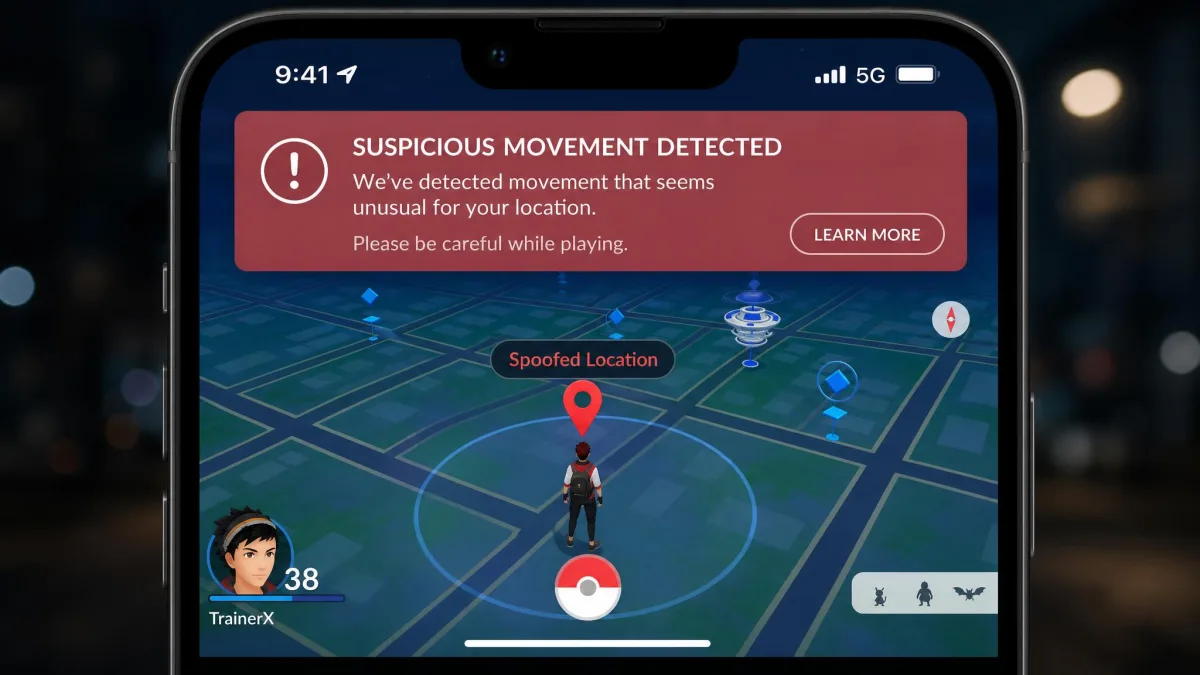
Spoofing always carries some risk, and how much depends on how you use the tools. Location-based apps can detect the spoofing in some cases. Keep jumps realistic, respect the cooldown, and do not run long joystick sessions on an account you care about.
A soft ban is temporary, but it locks you out of the game's real-world features for a stretch, and repeated flags can escalate. The cooldown timers in both apps are reminders only, so keep jumps small and speeds believable.
Pros and Cons
iMyFone AnyTo Pros & Cons
Pros
- True cross-platform: iOS and Android under one license
- No-PC iOS app variant
- Pro-gamer tools (auto catcher, IV scanner)
- Promos cut the real price below list
Cons
- Free tier: Teleport once, Joystick 15 minutes on PC
- Android app sits at 2.9 stars on Google Play
- Refunds not always honored smoothly
- "0% ban rate" claim is marketing, not a guarantee
UltFone iOS Location Changer Pros & Cons
Pros
- Cheapest entry price, with a $69.95 lifetime plan
- Smooth desktop app on Windows and macOS
- Covers iOS 14 through iOS 27
- 30-day money-back guarantee on every plan
Cons
- Location snapped back on iOS 18.2 in our test
- Cooldown timer is a reminder, not a safeguard
- Android support is partial
- Free trial caps route length and duration
Best Alternatives to Both Tools
If neither tool feels right, three other location changers do similar work. Tenorshare iAnyGo is the closest rival to AnyTo, with teleport, joystick, and multi-stop modes plus a PokeStop finder. Dr.Fone Virtual Location is a dependable all-rounder with GPX route playback. EaseUS MobiAnyGo covers similar ground on both platforms.
All three share the fundamentals: desktop app, USB connection, no jailbreak.
Which Should You Choose? (Verdict)
For most people, the iMyFone AnyTo location changer is the better buy. It treats Android as a first-class platform, its mode set is deeper, and the 10-device sync covers setups UltFone cannot match. The price gap matters if you pay list, but the store's promos close most of it.
Choose UltFone iOS Location Changer if you are iPhone-only and Pokémon GO is your main use case. It costs less on paper, its game-first extras are genuinely useful, and the standalone iOS app runs without a computer. Accept the trade-offs: Android is partial, and on iOS 18 the location snapped back after a few minutes.
Ease of use is close to a tie, and price goes to UltFone. Features and platform coverage go to AnyTo, and that axis matters most. Try the free tier first.
Frequently Asked Questions
Is iMyFone AnyTo safe to use?
Does UltFone iOS Location Changer require a jailbreak?
Which tool is better for Pokémon GO?
Does iMyFone AnyTo work on Android?
How much do they cost?
Will the fake location snap back to my real location?
Final Thoughts
Both tools are legitimate answers to the same question. Cross-platform users get more from iMyFone AnyTo. iPhone-only players who want the cheaper plan should look at UltFone. Start with the free tier, keep expectations realistic about detection risk, and treat the fake location as temporary.