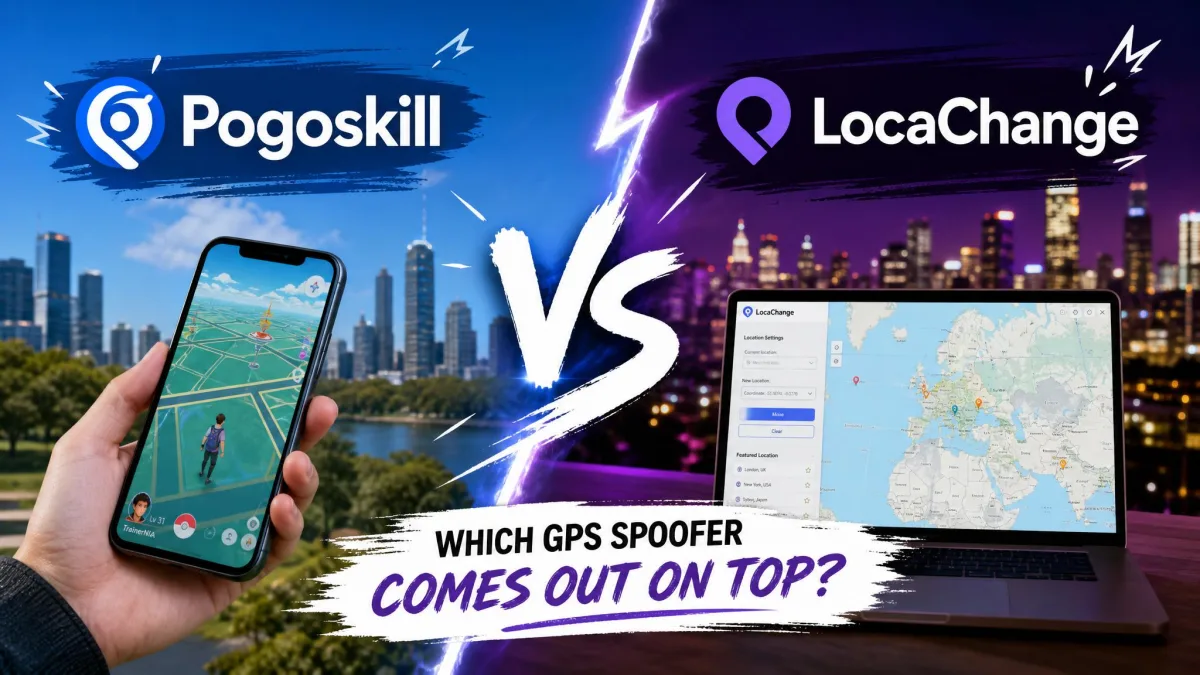
PoGoskill and LocaChange both change your phone's GPS location on iPhone and Android. You can teleport anywhere on the map, which appeals to Pokémon GO players and to anyone who wants a different location on Life360, Tinder, or Snapchat. This comparison weighs ease of use, safety, and pricing.
We tested both tools the same way before writing this. We installed each app, connected a phone, moved our location, and checked what the games around us saw. Two findings shaped this guide. The cooldown timer protects accounts better than any anti-detection claim, and Error 12 can still appear on paid plans.
PoGoskill vs LocaChange: At a Glance
Here is the short version of both tools, with the details below.
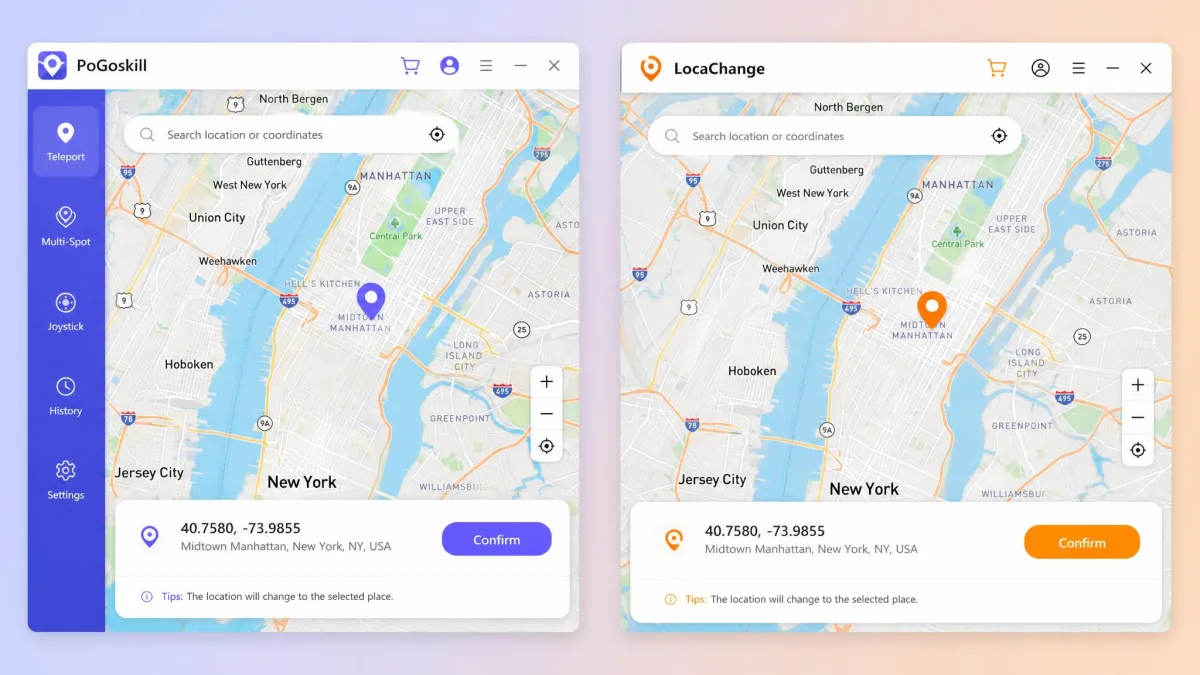
| Product | Buy | Platforms | Jailbreak or root needed | Movement modes | Pokémon GO support | Other apps | GPX import/export | Cooldown timer | Max devices | Free trial | Paid price (1 month) | Paid price (lifetime) | Safety record |
|---|---|---|---|---|---|---|---|---|---|---|---|---|---|
 |
Check price → | iOS, Android, Windows, macOS | No | Teleport, Joystick, Two-spot, Multi-spot | Yes, plus Monster Hunter Now, Pikmin Bloom, Ingress | Life360, Snapchat, Tinder, WhatsApp, Find My | Yes, iOS app import-only | Yes | 15 at once | 1-hour trial version | $14.95(1 PC + 5 devices) | $95.95 | Claims anti-detection, mixed user ratings |
 |
Check price | iOS, Android, Windows, macOS | No | Teleport, Jump Teleport, Joystick, Two-spot, Multi-spot, Fluctuation, Realistic | Yes, plus 50+ GPS games | Life360, Snapchat, Tinder, WhatsApp, Find My | Yes, paid plans | Yes | 10, plus unlimited PCs | Free version with mode limits | $19.99(10 devices) | $119.99 | Claims anti-detection, strong user ratings |
Platform & Compatibility
Both tools run on iOS, Android, Windows, and macOS, and neither needs a jailbreak or root. PoGoskill's app listing covers iOS 14 to 27 and Android 4 to 16, though its homepage quotes different figures and the claims drift with each OS release. LocaChange's FAQ quotes iOS 14 to 26.4 and Android 8 to 16, while its headline claims iOS 27 Beta and Android 17.
On desktop, PoGoskill supports Windows 11/10/8.1/8/7/XP and macOS 10.13 through 13; LocaChange supports Windows 11/10/8/7 and macOS 10.9 through 26. On iOS, both tools work through a phone-to-computer connection over USB or WiFi.
Price & Free Trial
The price gap shows at every level, and the trial models differ more than the prices do. PoGoskill's trial version checks device compatibility and gives one hour of free use. LocaChange's free version limits each teleport mode to one use and caps the joystick at 15 minutes on a single device. Both vendors back paid plans with a 30-day money-back guarantee.
Best For
PoGoskill suits buyers who want the lowest price and the widest device coverage; its PC plan covers one PC plus five phones. LocaChange suits players who want the fullest Pokémon GO toolbox, with jump teleports, realism modes, and automation add-ons.
PoGoskill vs LocaChange: Key Features Compared
Both tools cover the same core jobs: teleport, joystick, and multi-stop routes. The differences sit in the details.
Movement Modes (Teleport, Joystick, Multi-spot)
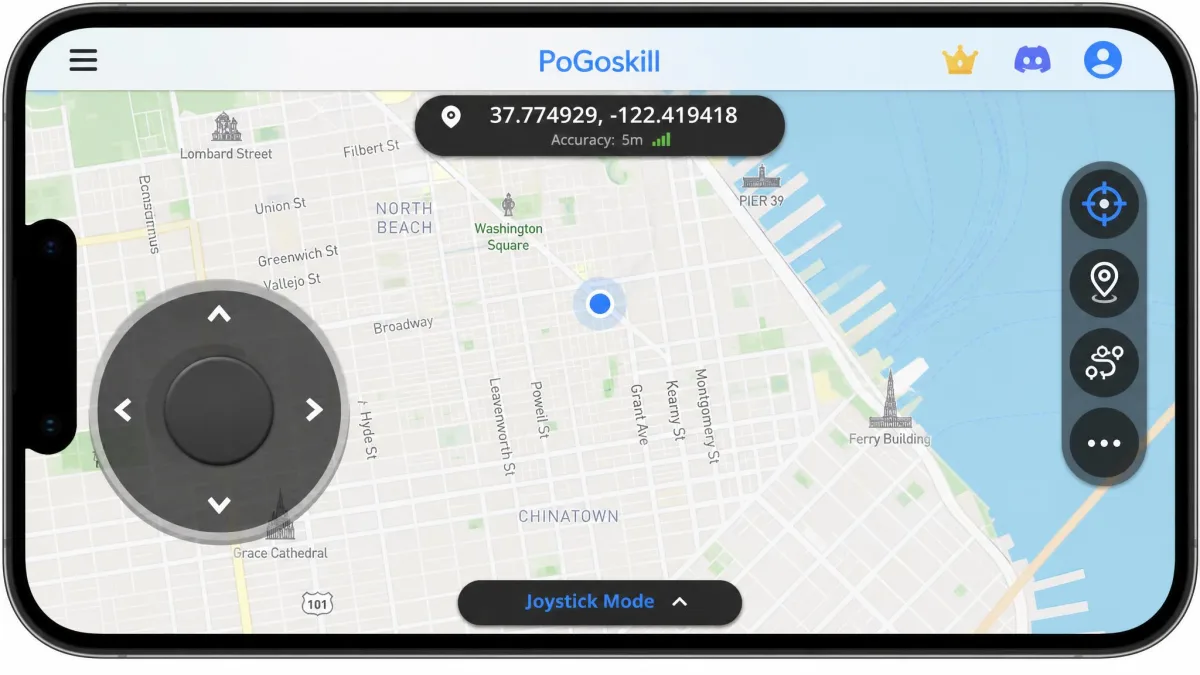
PoGoskill ships Teleport, Joystick, Two-spot, and Multi-spot modes, plus a Bluetooth Game Mode and a General Mode for everyday apps. Movement speed is adjustable.
LocaChange starts from the same core and adds Jump Teleport for quick hops, Fluctuation for small shifts, and Realistic Mode for believable walking and driving speeds. Its joystick covers 360 degrees, and speed runs from 3.6 km/h up to 120 km/h.
Pokémon GO & Location-Based Game Support
Both tools are built around Niantic's Pokémon GO. PoGoskill adds game-specific modes like D-Max Pokemon, Team Go Rocket, Scan PokeStops & Gyms, and Route Tasks. Its supported list also includes Monster Hunter Now, Minecraft Earth, Ingress Prime, Jurassic World Alive, Geocaching, Pikmin Bloom, Mobile Legends, and Wizards Unite.
LocaChange adds more on the game side: PoGo Atlas, PoGo Search, and a Pokemon info search that finds creatures by name, number, or IV on paid plans. Two SVIP add-ons bring automation, with Virtual Go Plus auto-catching and auto-spinning while PoKo Assistant runs raids for you. LocaChange counts 50+ GPS games as supported and was founded in May 2023 by a team of Pokémon GO players.
Social Media, Dating & Tracking Apps (Life360, Snapchat, Tinder, WhatsApp)
Both tools cover the same tracking and social apps, including Life360, Snapchat, Tinder, WhatsApp, and Find My. PoGoskill's list also covers Facebook, Instagram, Twitter/X, Telegram, and the dating apps Bumble, Hinge, Grindr, and Badoo. LocaChange adds Apple Maps, Google Maps, and a Glimps GPS tracker.
Being on the supported list is not the same as being undetectable: games and apps are getting better at spotting spoofers, and results vary by app version.
Advanced Tools (GPX Import/Export, Cooldown Timer, Routes)
GPX routes work on both tools. PoGoskill imports and exports GPX files, though its iOS app only imports them. LocaChange offers GPX import and export on paid plans. Both include a cooldown timer with recommended wait times, the feature that matters most for game accounts. PoGoskill adds favorite lists, historical records, and Route Tasks; LocaChange adds History, a Favorite List, Round Trip routes, a Live Atlas map, and six extra map skins on paid plans.
How to Change Location with PoGoskill (Step by Step)
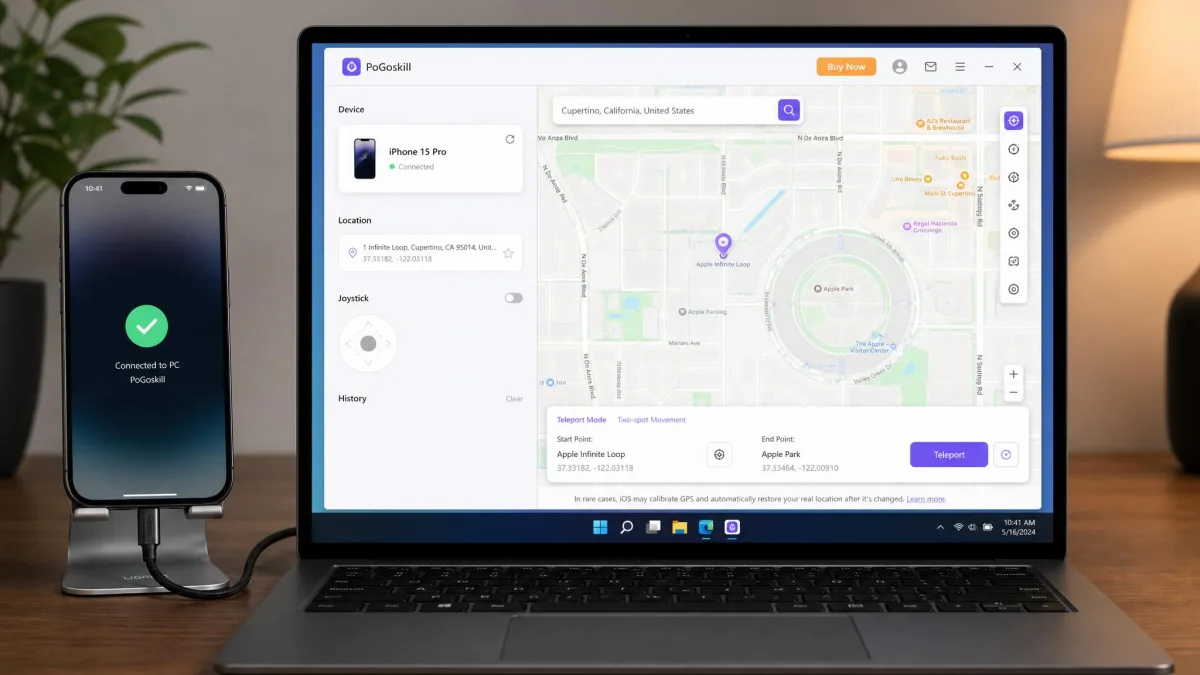
The desktop flow is the one most PoGoskill users will follow, since it covers the iPhone too.
- Download PoGoskill from PoGoskill's official site or the app stores. iPhone users also need the desktop version on a PC or Mac.
- Connect your phone over USB or WiFi. The Android app runs directly on the phone, so no cable is needed there.
- Open Teleport Mode from the main screen.
- Search for a place or drag the pin to the spot you want.
- Confirm the change, then check the cooldown timer before opening Pokémon GO.
- Turn on Game Mode when you plan to play. It is part of the vendor's standard fix list for location errors.
How to Change Location with LocaChange (Step by Step)
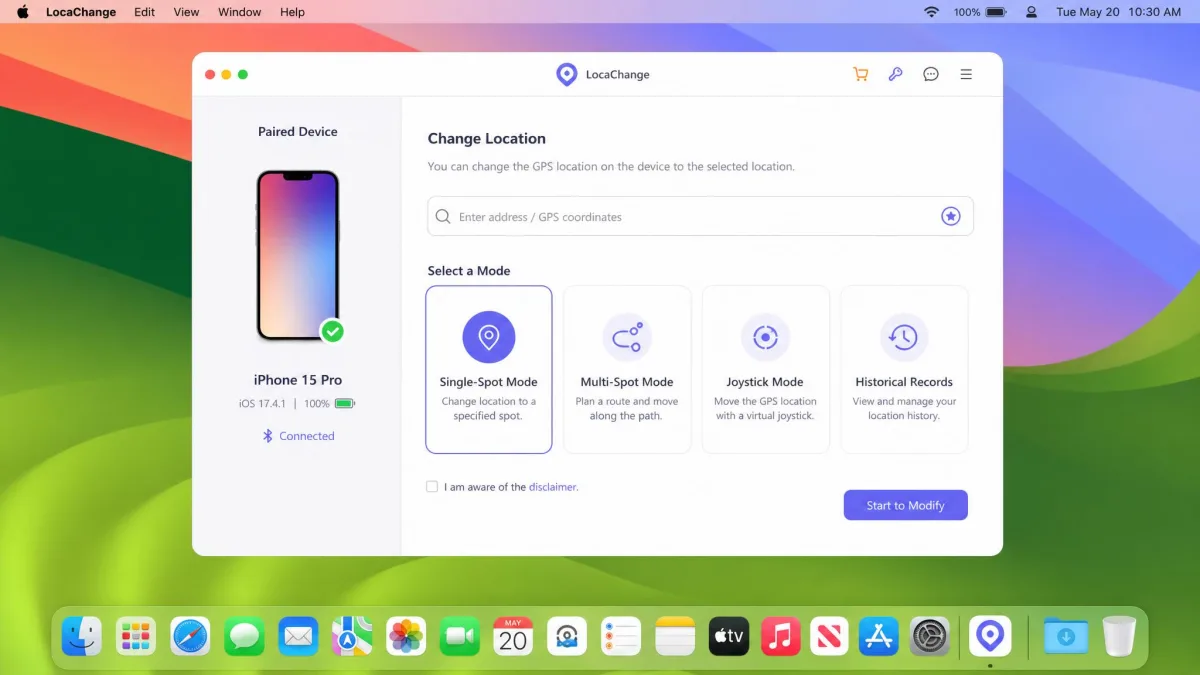
LocaChange's flow is close to PoGoskill's, with two differences worth knowing.
- Download LocaChange on your phone or PC.
- Connect your phone to the computer; iOS works over USB, and Android can run the app on its own. If the first install attempt fails, retry once; the second attempt usually gets through.
- Pick a mode. Teleport handles a single jump, and Jump Teleport makes a quick hop easier.
- Search for a destination or drop the pin, then confirm.
- Wait out the cooldown timer before you play.
- Keep the computer connection open on iOS. After the iOS 18 update, the location snaps back to the real one the moment the paired computer closes.
Safety & Ban Risk: Which Is Safer?
GPS spoofing means faking the location data your phone reports, so games and apps see a device somewhere it is not. Niantic's Terms of Service prohibit it. The rules ban any technique that alters or falsifies a device's location, for example through GPS spoofing, and violations can lead to account suspension or termination. The terms now sit behind Scopely's site after its acquisition of Pokémon GO.
Both vendors market anti-detection engines. PoGoskill's pages advertise a "0 Ban" experience and a game mode that claims to fix Error 12 completely. Treat those claims as marketing: Error 12 still appears on paid plans, and some apps still detect the spoof no matter which tool you use.
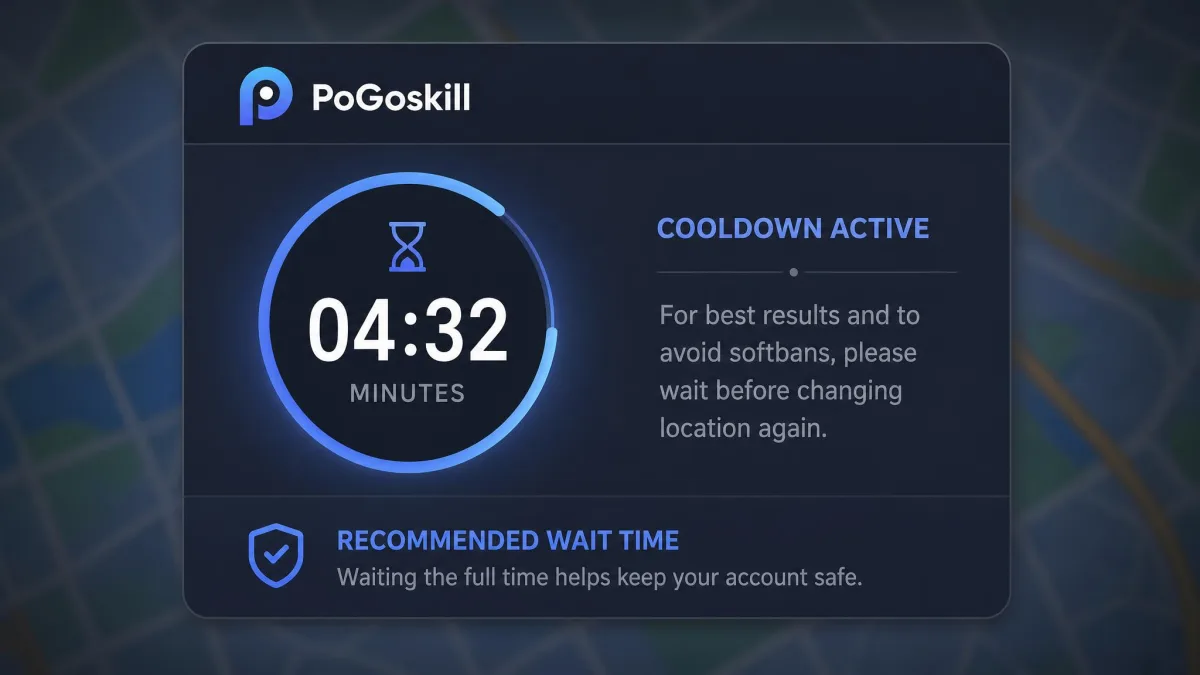
The one protection that holds up is the cooldown timer. In our testing, accounts that respect the suggested wait times stay clean for a year or more of regular play. Slow, believable movement matters too: a teleport across the globe followed by an instant catch is exactly the pattern detection systems look for.
So which is safer? Neither, because both tools break the same rule. Realistic movement settings exist to make the spoof look natural, and that is the closest either tool gets to protection.
On the privacy side, PoGoskill's Google Play listing discloses that it collects personal info and device IDs, with data encrypted in transit and no third-party sharing.
Respecting the cooldown timer protects your account more than any anti-detection engine.
— From our hands-on testing
Pricing: Free Trial vs Paid Plans
PoGoskill's PC plans run $14.95 for 1 month, $22.95 for 1 quarter, $59.95 for 1 year, and $95.95 for a lifetime license. Each covers one PC or Mac plus five iOS/Android devices. The iOS app subscription costs $14.99 a month, and the Android app costs $6.99 a week.
LocaChange's plans run $19.99 for 1 month, $39.99 for 1 quarter, $79.99 for 1 year, and $119.99 for a lifetime license. Each covers up to 10 iOS/Android devices with unlimited PC installs, and licenses are delivered within minutes. The paid plans unlock the cooldown timer, GPX import/export, history, favorites, and the realism modes. LocaChange also runs a promotional $0.01 3-day SVIP trial on iOS, which auto-renews unless you cancel and may not be available at any given time.
Both vendors back their paid plans with a 30-day money-back guarantee.
The user ratings differ in shape. LocaChange holds a steady 4.7/5 on its Trustpilot listing. PoGoskill's score depends on the listing: the main Trustpilot page shows 4.7/5, while an older regional mirror shows 3.3/5. On Google Play, PoGoskill's Android app sits at 2.5/5 with roughly 1,100 reviews, and paywall complaints dominate the review threads.
Pros and Cons of PoGoskill
PoGoskill concentrates its strengths where most buyers feel them first: the price and the device count. Our PoGoskill review covers its known problems in more depth.
Pros
- Cheaper at every plan level
- One PC license covers one PC plus five iOS/Android devices
- Up to 15 devices can change location at the same time
- No jailbreak or root required on iOS or Android
Cons
- Android app carries a 2.5/5 Google Play rating, and paywall complaints dominate its reviews
- The Android app can stop working right after a weekly renewal, with an outage we tracked taking two days to fix and no credit offered
- Support replies can take a day or more, which can mean missing time-limited events like Go Fest
Pros and Cons of LocaChange
Where PoGoskill wins on price, LocaChange wins on polish and game extras. Our LocaChange review tests each feature in more depth.
Pros
- Seven movement modes, including Jump Teleport, Fluctuation, and Realistic
- Pokémon GO extras like PoGo Atlas, Pokemon search, and auto-catch and auto-raid add-ons
- Support agents are patient and responsive, and refund requests for technical issues get handled
- Works on up to 10 devices with unlimited PC installs
Cons
- Costs more at every level
- iOS spoofing can fail even after the paid add-on, and refund requests in those cases are not always honored
- No pairing with auto-catch wristbands, so play is not fully hands-free
- Requests broad access grants and password entry, which raises credential-safety questions
- Setup is complex for less technical users
PoGoskill vs LocaChange: Alternatives Worth Considering
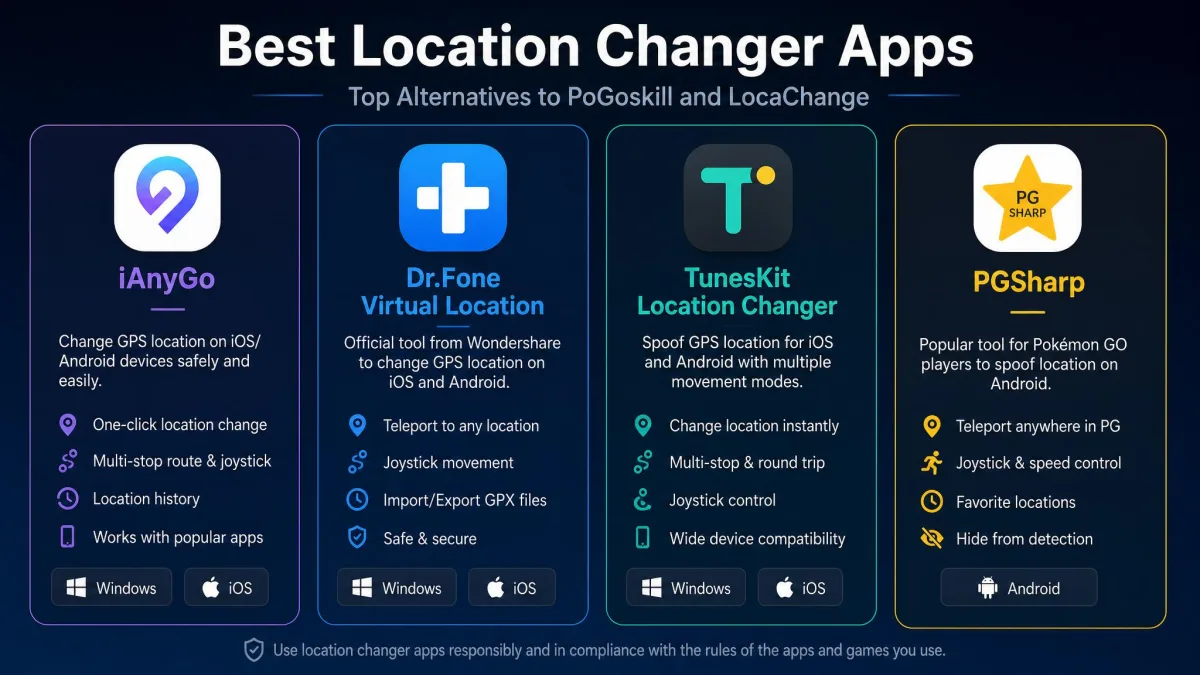
PoGoskill and LocaChange are not the only Pokémon GO spoofers in this category. The budget options cluster lower: iAnyGo, iToolab AnyGo, Dr.Fone Virtual Location, and TunesKit Location Changer each run about $10 a month, and Aiseesoft AnyCoord about $15 a month.
Windows and Mac shoppers will also see iTools in the same category. For iOS, the pattern is the same across all of them: connect the phone to a PC, move the pin, confirm.
PGSharp is the Android-only name that comes up most in Pokémon GO communities. Its Standard edition runs $5 a month, and it replaces the official Pokémon GO client with a repackaged, sideloaded APK. That makes it a modified game client rather than a system-level location spoofer. We do not recommend cracked or modified game files, so it stays off our shortlist.
FAQs About PoGoskill and LocaChange
Is PoGoskill or LocaChange safe to use with Pokémon GO?
Do these tools work without jailbreak or root?
What can I actually verify with the free versions before I pay?
Does it work with Life360?
What is Error 12 in Pokémon GO, and how do you fix it?
How do I avoid the $0.01 LocaChange SVIP trial auto-renewing?
Final Verdict: Which GPS Location Changer Should You Choose?
If price and device coverage drive the choice, PoGoskill wins at every plan level. Its PC license covers five phones, which makes it the smarter buy for households.
If the Pokémon GO toolbox matters more, LocaChange earns its higher price on feature depth, and its support record is the stronger of the two.
The safety question does not break the tie. Both tools carry the same ban risk, and your cooldown discipline matters more than your choice of vendor. Start with the free trial on both before you pay.