Monitoring WhatsApp means seeing activity from a phone you have a legal right to check: message content, contacts, call logs, media and online status. It does not mean intercepting messages in transit. WhatsApp encrypts messages, calls and media end to end, so capture has to happen on a device someone can physically reach.
That fact decides which tool you need. If you can hold the target phone, your options are wide. If you cannot, you are limited to what the account exposes: linked device sessions, last seen and cloud backups. Anything promising remote access from a phone number alone is selling you a guess.
Here are the six methods that work in practice, least invasive first, with the legal rules and the apps we would actually pay for.
What You Can and Cannot Monitor on WhatsApp
What monitoring apps can actually see
An app on the target device reads WhatsApp after decryption, where messages are drawn on screen. That gives you chat text, timestamps, the contact list, media, call logs and, on some tools, notification history for messages deleted moments after arriving. Location and browser history come bundled, because these are general phone monitoring products with WhatsApp support attached.
What end-to-end encryption still protects
No product can decrypt a message it did not capture on a phone. Call audio is protected the same way, which is why call recording appears on so few feature lists. Cloud backups are a separate surface: chats backed up to iCloud or Google Drive can be pulled with account credentials, but only up to the last backup, and only if backup encryption is off.
Is It Legal to Monitor WhatsApp?
Legality turns on two things: who owns the device, and who knows about the monitoring.
Monitoring your own child's device
A parent monitoring a minor child's phone is the clearest lawful case in most of the US and much of Europe, especially on a device the parent pays for. Courts increasingly weigh a teenager's reasonable expectation of privacy, so age matters. Telling your child what you check and why is the safer legal position, and it works better than covert tracking.
Monitoring an employee-owned vs company-owned phone
On a company-owned phone, monitoring is generally permitted with a written, signed policy naming what is collected. On an employee's personal phone it generally is not, whatever the BYOD agreement says.
When monitoring becomes illegal
Monitoring a partner or any other adult without their knowledge and consent is where this stops being a grey area. In 2019 the FTC brought its first enforcement action against stalkerware apps, settling with a developer over 3 covert products: MobileSpy, PhoneSheriff and TeenShield. The order forced the company to stop selling covert apps and destroy the data it held. Part of the case was security, since hackers reached unencrypted user credentials on those services in 2017 and again the year after.
Consent is not a formality. Recording or intercepting another adult's communications without permission can breach federal and state wiretapping law in the US, and equivalent statutes elsewhere. If the person is not your minor child or an employee on a company device with a signed policy, do not install anything.
Method 1: WhatsApp's Built-In Parental and Privacy Controls
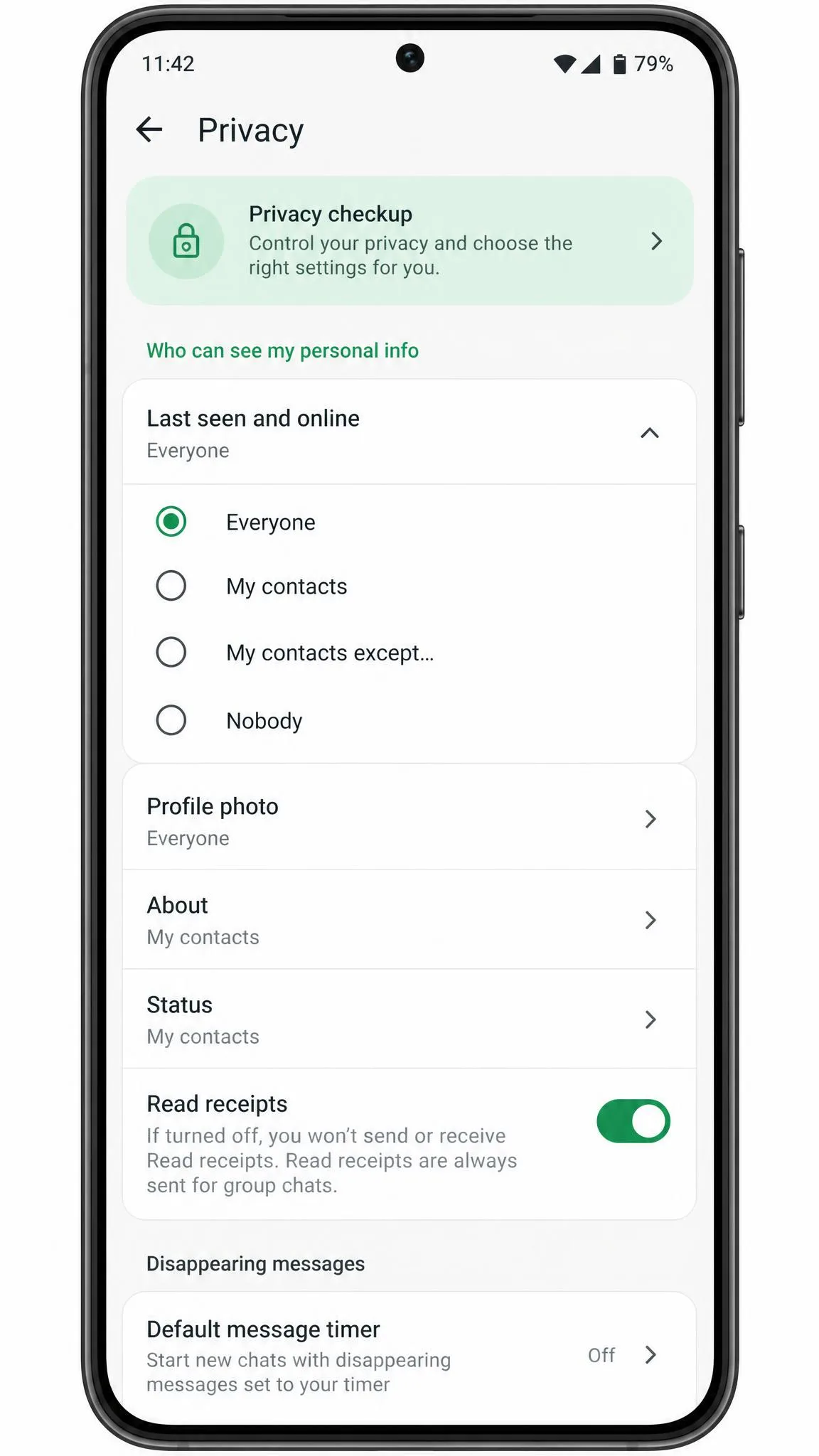
Start here, because it costs nothing. Open WhatsApp on the child's phone, tap Settings, then Privacy, and lock down who can see last seen, profile photo, About and status. Set Groups so only contacts can add the account.
WhatsApp's own controls stop at account-level privacy settings and give no view of message content. They reduce who can reach your child. They do not tell you what was said.
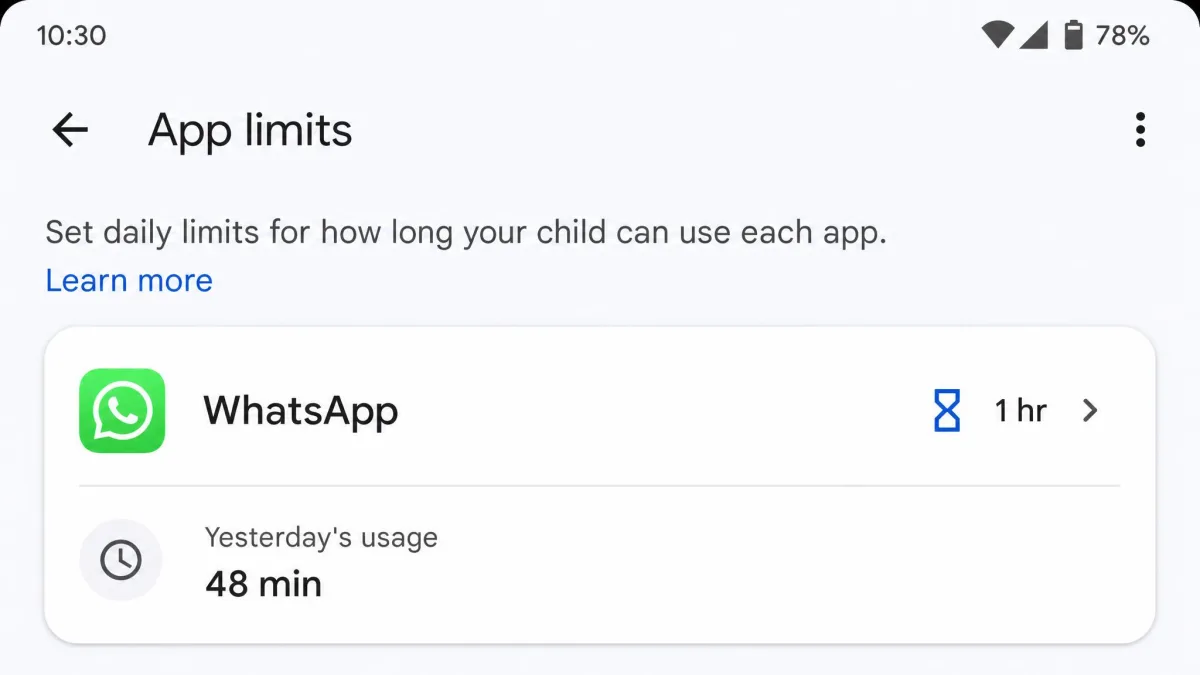
Pair this with Screen Time or Family Link so WhatsApp has a daily time limit. Restricting when the app can be opened is often more useful than reading every chat.
Method 2: WhatsApp Web, Linked Devices and Notification Mirroring
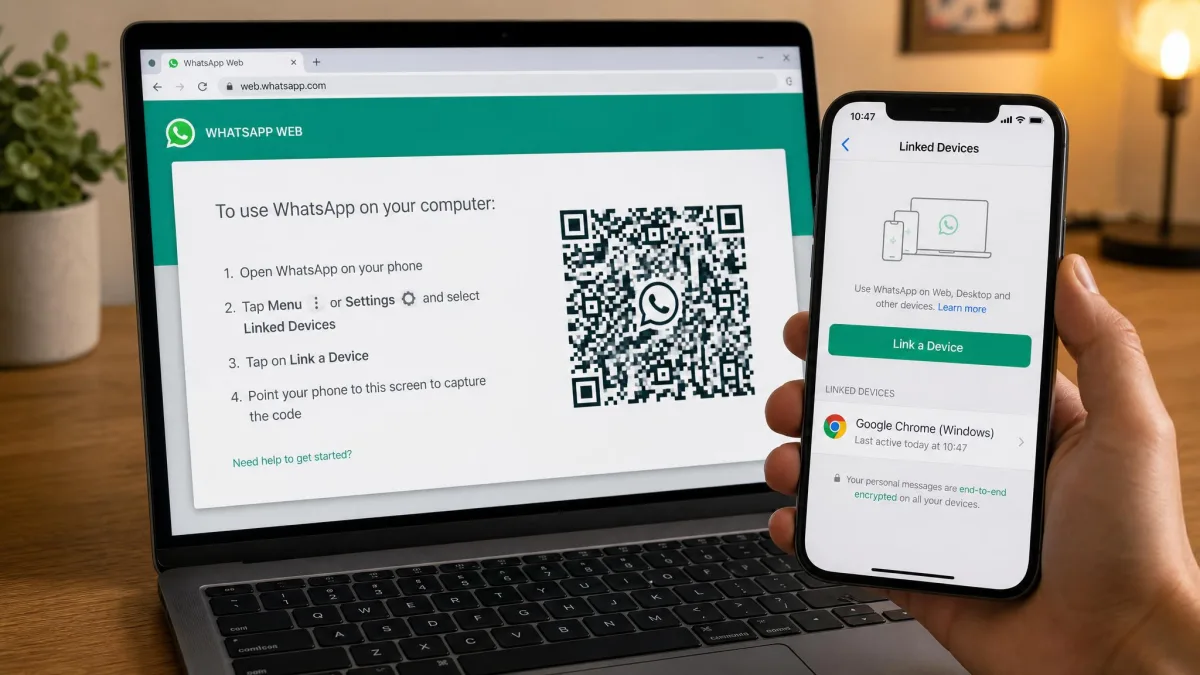
WhatsApp Web mirrors an account to a browser after you scan a QR code from the phone. One account can run on up to 4 linked companion devices at a time, and a linked device is logged out automatically if the primary phone goes unused for more than 14 days.
This is what most people mean by monitoring without an app. It needs one moment of physical access, and it is not hidden: the session shows in Linked Devices with a last-active timestamp. Notification mirroring is the same idea at lower resolution, since Android's notification history and paired computers or watches surface incoming message previews, including some later deleted. You get fragments, not threads.
Method 3: iCloud or iTunes Backup Extraction (iPhone)
On iPhone, WhatsApp chats back up to iCloud, and that backup is what most iOS monitoring tools actually read. With the Apple ID, password and two-factor code, an extraction tool pulls chat history, contacts and attachments as of the last sync. A local backup made in Finder or iTunes works the same way without cloud credentials.
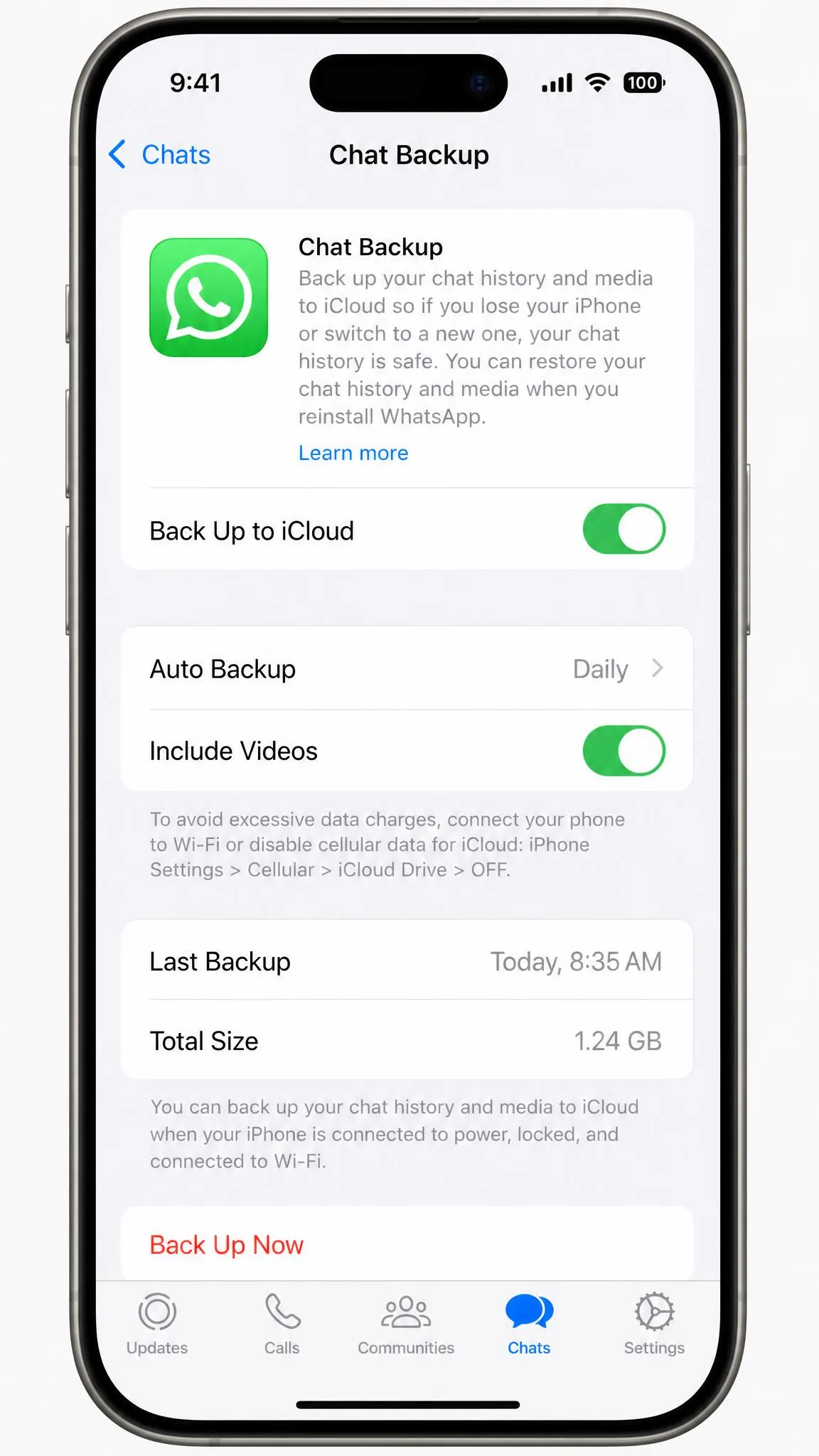
Two limits matter. You only see data as fresh as the last backup, so an overnight sync leaves you a day behind. And if encrypted backup is on, the archive is unreadable without the 64-digit key. Combine this with Apple Screen Time if what you need is limits rather than transcripts.
Method 4: Android Screen Time and Google Family Link
Google Family Link is the free, above-board option for a child's Android phone. Set it up from a parent account to approve app installs, cap WhatsApp to a daily limit, see how long the app is used and locate the device. It does not read messages, by design. For a younger child, app-level control plus an agreed check of the phone together is often all the oversight you need.
Method 5: Dedicated WhatsApp Monitoring Apps
How these apps work
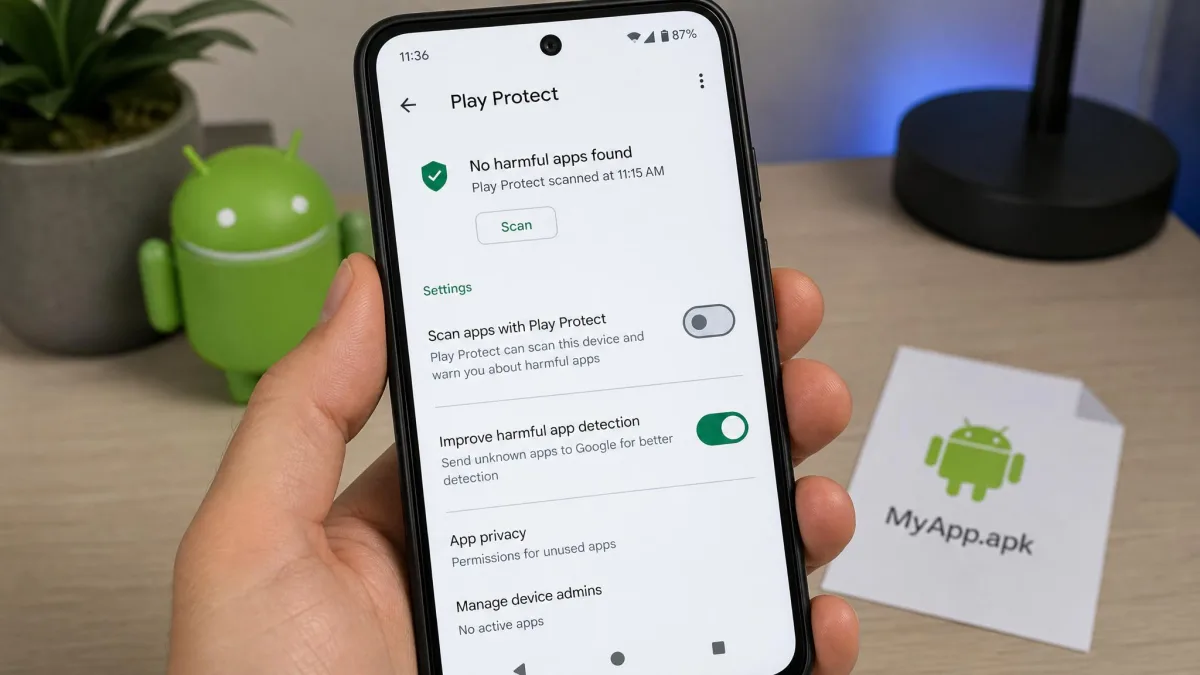
A monitoring app installs on the target phone, reads WhatsApp on the device, then uploads what it captures to a web dashboard. On Android that means an APK installed by hand with Play Protect switched off. On iOS most tools skip the install and sync from the iCloud backup instead, which is why iOS coverage is thinner. Two expectations need resetting: dashboards refresh on a polling cycle rather than instantly, so a message can take roughly a quarter of an hour to appear, and battery drain climbs noticeably on Android once full permissions and location polling are on.
Installation and setup, step by step
- Buy a plan, confirm the target phone's OS version is compatible, and check the refund window before you pay.
- On Android, open Settings, turn off Play Protect, then download the installer from your welcome email. It takes about 5 minutes with the device in hand and cannot be done remotely.
- Grant every permission the wizard asks for, including accessibility and notification access. WhatsApp capture depends on both.
- On iPhone, skip the install and enter the Apple ID, password and two-factor code, then confirm iCloud backup is on and set to daily.
- Log into the dashboard and wait for the first sync. On iOS this is slow to populate after a first install, which is where most refund requests start.
- Set alerts for the keywords or contacts you care about, so you read notifications rather than trawl transcripts.
Put the cancellation date in your calendar the day you subscribe. These plans renew automatically, refund windows are tight and conditional, and vague wording about what qualifies causes friction at cancellation time.
Two warnings from practice. A phone OS update can break a monitoring install and force a reinstall with physical access. And on iOS, iCloud sync can run for a few days then quietly stop pulling new data until the Apple ID credentials are entered again.
Method 6: Last Seen and Online Status Trackers
These small tools log when an account goes online and offline, then chart the pattern. They need only the phone number and install nothing, because they repeatedly check presence data WhatsApp exposes to contacts by default.
They also breach WhatsApp's Terms of Service, which prohibit unofficial clients and scraping and allow account suspension for both. Free tracker sites that ask only for a number return online-status guesses at best, and many exist to harvest the number itself. The honest use here is checking your own privacy settings, and the fix is to set Last Seen to Nobody.
Best WhatsApp Monitoring Apps Compared
Comparison table
| Product | Platform support | Root or jailbreak | Chat capture | Call recording | Deleted messages | Stealth mode | Price |
|---|---|---|---|---|---|---|---|
 |
iOS and Android | Not needed | Content alerts only | No | No | Visible by design | $9.16/mo |
 |
iOS and Android | Jailbreak for full iOS | Yes | No | Partial | Yes | $11.67/mo |
 |
iOS and Android | Not needed | Yes | No | Yes | Yes | $7.99/mo |
 |
iOS and Android | Root for WhatsApp | Yes, rooted | No | Partial | Yes | $12.49/mo |
 |
iOS and Android | Root and jailbreak | Yes | Yes | Yes | Yes | $119 tier |
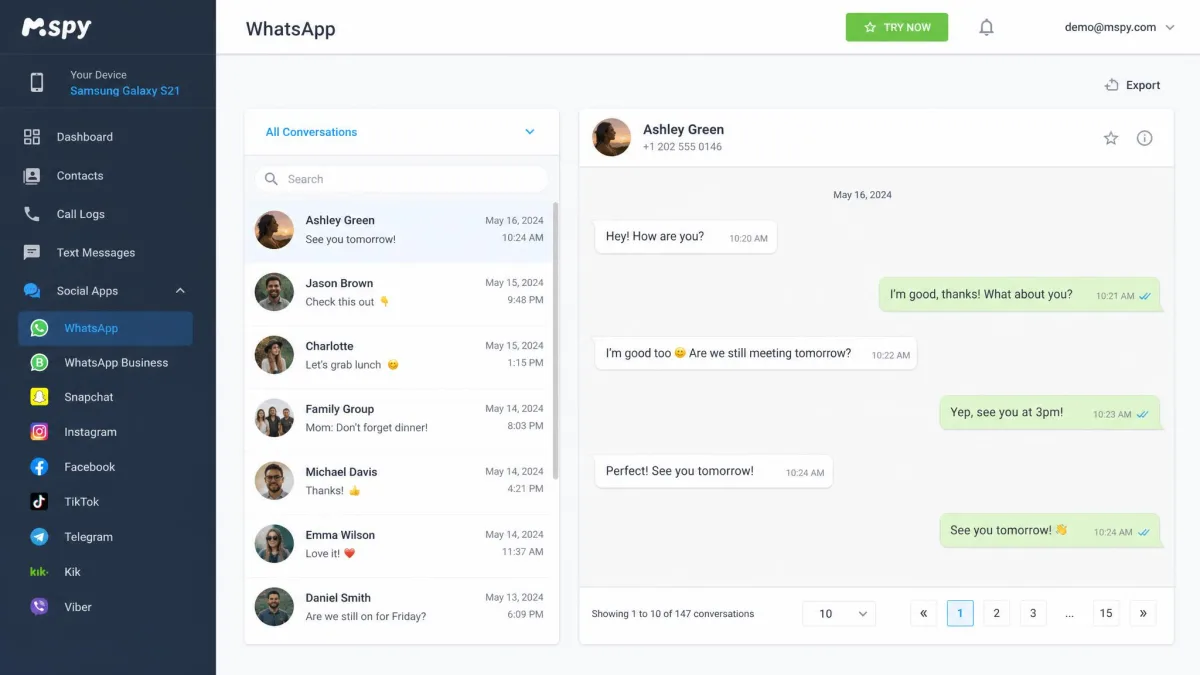
mSpy
The widest app coverage here: WhatsApp, Snapchat, Instagram and Telegram chats, call logs, GPS, keylogger, screen recorder, geofencing and browser history. Android chat capture works without root, while the full iOS feature set needs a jailbreak. A single month of Premium costs $48.99, dropping to around $11.67 a month on the 12-month plan, though that rate shifts with promotions and billing currency. The 14-day money-back guarantee is conditional rather than no-questions-asked. Our mSpy review covers its WhatsApp capture in more depth.
Eyezy
The value pick, at $7.99 a month annually and $38.39 for a single month, covering WhatsApp, Telegram, Snapchat, Instagram and Messenger, with deleted-message view, call logs, contacts, keylogger and location tracking. The catch is responsiveness: commands reach the monitored phone roughly every 15 minutes, so this is not real-time monitoring however it is marketed. Refunds are limited to unfixable technical faults inside the first 14 days. Trustpilot's community rates it Average, at 3.7 out of 5. Our Eyezy review covers its WhatsApp capture in more depth.
uMobix
Strong on general phone monitoring, with front-camera snapshots, installed-app control, SMS, call logs and GPS alongside WhatsApp, Instagram and TikTok capture. The caveat is root: basic monitoring runs without it, but messaging capture including WhatsApp needs a rooted Android, and what works unrooted differs by Android version and feature. Messaging is the thing most likely to come back empty on an unrooted phone even when calls, SMS and location all work. Pricing sits around $12.49 a month annually, varying by region and promotion, and the 30-day money-back guarantee is the most generous here. Our uMobix review covers what works unrooted in detail.
FlexiSPY
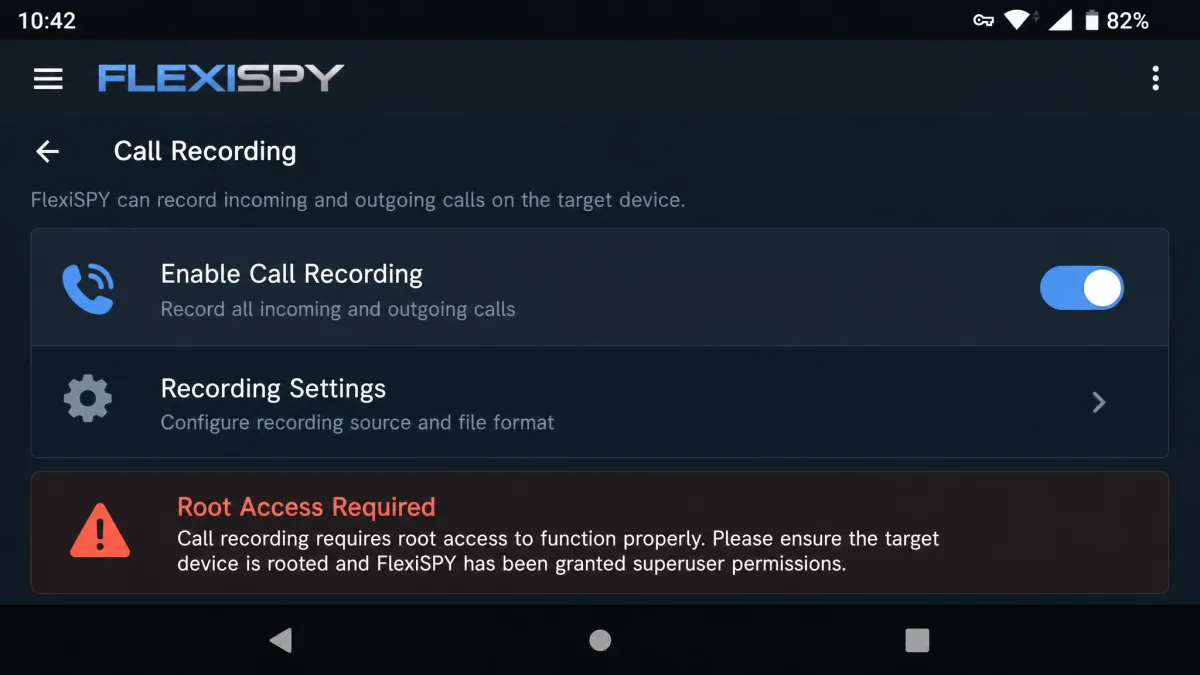
The only tool here that records calls, intercepts them live and records ambient audio. That power carries the steepest requirements: a rooted Android for call recording, and a jailbroken iPhone before it can be installed at all. Those headline features are the ones that stay locked without root or jailbreak, which is why the company sells a remote installation service for $39.99. The Extreme tier starts at $119, quoted against different billing periods depending on plan length, and no refund window is published.
Qustodio
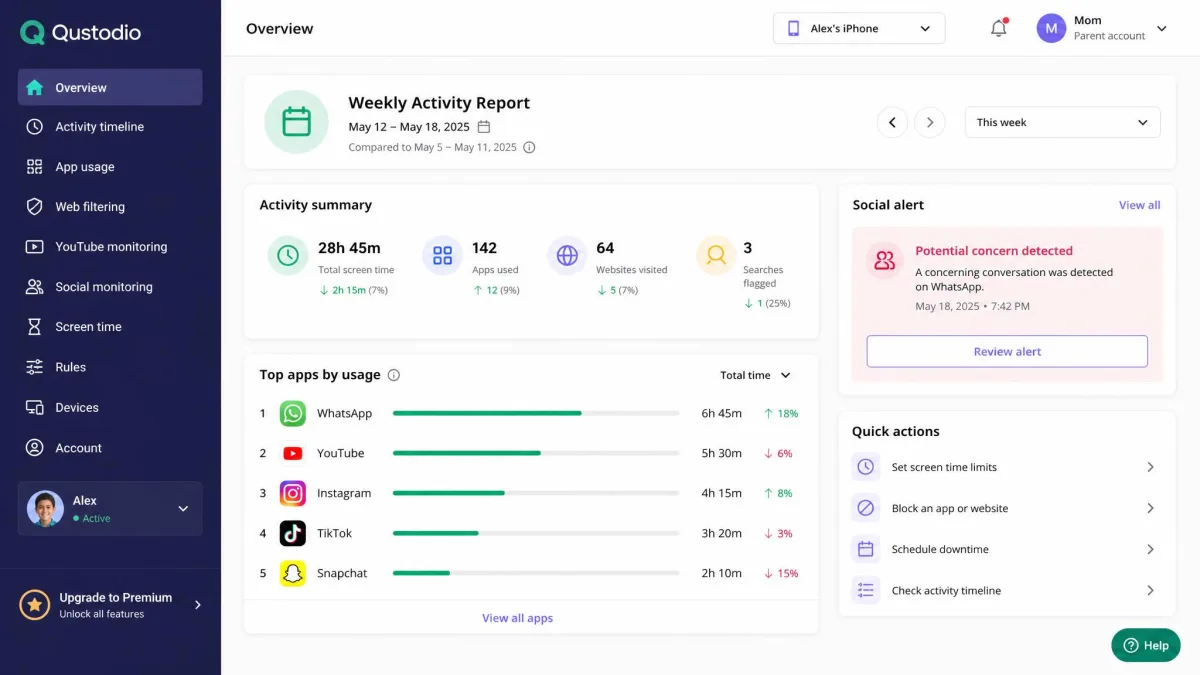
The one we would recommend to most parents, and the only tool here visible on the child's device by design. It does web filtering, app time limits, location tracking with a panic button, YouTube monitoring and weekly activity reports, plus AI social alerts that scan WhatsApp messages for concerning content rather than handing you transcripts. Coverage on iOS depends on Apple's restrictions and the plan tier: a test Instagram conversation on Android was flagged immediately, while the same test on WhatsApp on iOS only surfaced after the device was synced with a computer again. Geofencing alerts arrive 10 to 15 minutes late. The Complete plan is $9.16 a month billed annually for unlimited devices, and a free tier covers 1 device with web filtering, daily time limits and 7-day activity reports.
The pattern across every paid tool we looked at is the same: the dashboards are user-friendly, the marketing promises real-time capture, and the actual refresh runs on a timer measured in minutes. Choose on refund window and platform fit, not on the feature grid.
How to Choose the Right WhatsApp Monitoring Tool
Features that matter
Check compatibility first: the phone's OS version, and whether root or jailbreak is needed for the one feature you actually want. Then check the refund window and what voids it. After that, the features worth paying for are keyword and contact alerts, which turn a wall of chat data into something you will read, and a clear activity report you can share with your child. Think hardest about stealth mode, because a covert install is what turns lawful parental oversight into something else.
Red flags and scam apps to avoid
Walk away from any app promising WhatsApp access from a phone number alone, offering a free unlimited tier, hiding its company address or refund terms, or asking you to install an APK from a file-sharing link rather than its own domain. Sites like these often exist to collect the number and payment details you hand over, and installers from unknown hosts are a direct route to malware on your own device.
Free vs Paid: What You Actually Get for Nothing
For nothing, you get real oversight but no message content. Family Link, Screen Time, WhatsApp's privacy settings and Qustodio's free tier cover app limits, install approval, location and web filtering on one device. That is enough for a younger child.
Paid tools buy you one thing: the words. Everything else on their feature lists has a free equivalent somewhere. Decide whether reading your child's chats is what you actually need before spending $100 or more a year on it, and read our guide to monitoring without invading their privacy first.
How to Tell If Your Own WhatsApp Is Being Monitored
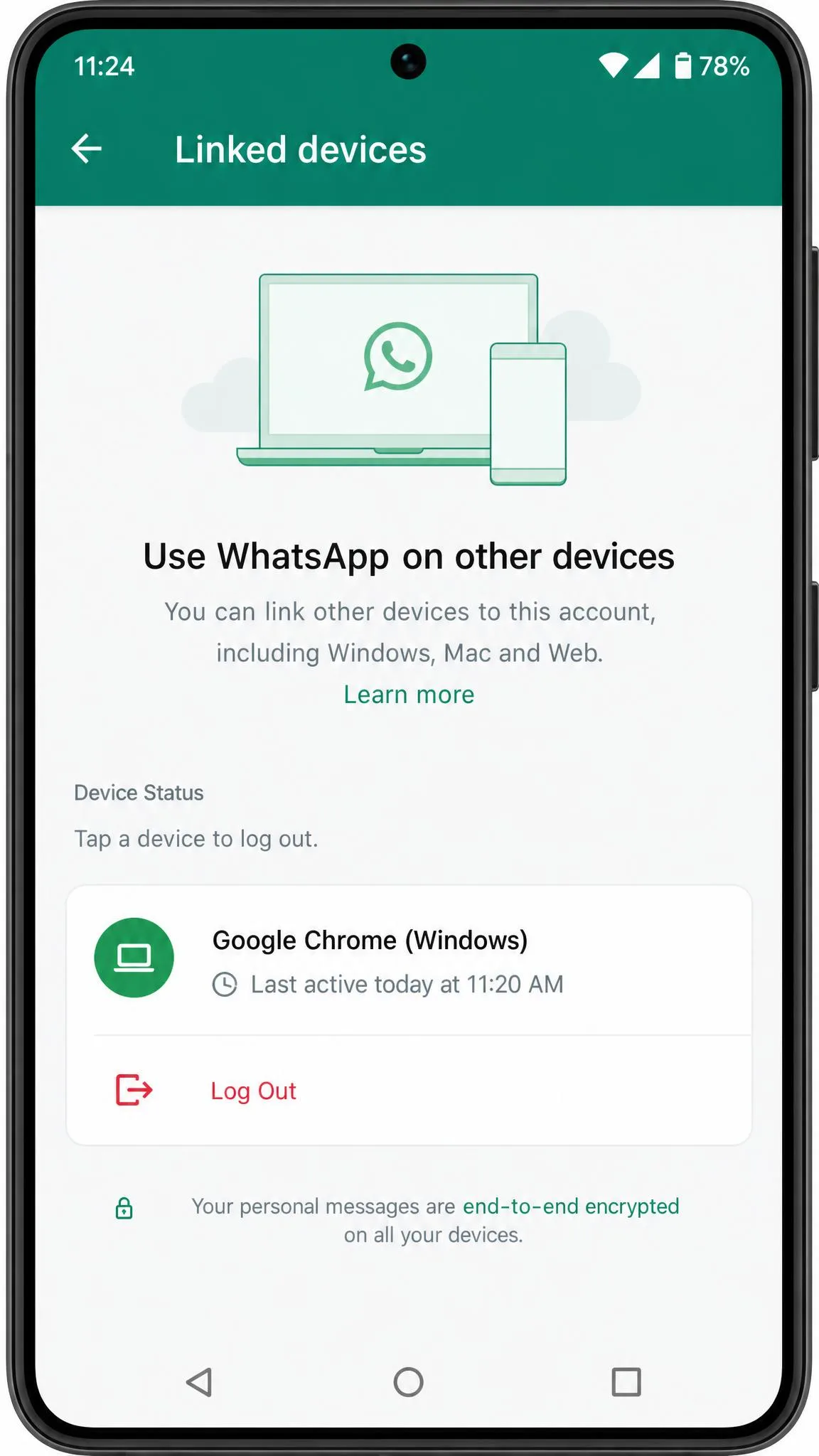
Open WhatsApp, tap Settings, then Linked Devices. That screen is the fastest self-check available: an unrecognised session there is the clearest sign an account is being mirrored, and one tap logs it out. Then look for the quieter symptoms of an app-based install: battery draining faster than it used to, the phone warm when idle, mobile data climbing without explanation, or an unfamiliar app with a generic system-sounding name.
Lock the account down afterwards. Turn on WhatsApp two-step verification, which adds a 6-digit PIN required whenever your number is registered on a new phone. Change your Apple ID or Google password, review which devices are signed in, and if you found an install you did not put there, a factory reset is the only reliable removal.
Frequently Asked Questions
Can you monitor WhatsApp without installing anything on the target phone?
Is it legal to monitor someone's WhatsApp?
Can WhatsApp monitoring recover deleted messages?
Is there a genuinely free WhatsApp monitoring app?
Can you monitor WhatsApp with just a phone number?
Will a monitoring app be visible on the target device?
Does monitoring work on both iPhone and Android?

The Bottom Line
For a parent, start with the free layer: WhatsApp's privacy settings, plus Family Link or Screen Time, and a conversation about what you check. If that is not enough, Qustodio is the tool we would pay for, because content alerts and time limits cover the actual risk without hiding anything from your child. Choose a covert capture app only with a documented legal basis, and expect polling delays, battery drain and a reinstall the next time the phone updates.
For everyone else the answer is shorter. If the person you want to monitor is an adult who has not agreed to it, there is no method on this list you can lawfully use, and the encryption is not the part standing in your way.