Instagram monitoring is the practice of watching what happens on an Instagram account: who follows it, how much time the user spends there, what kinds of content the feed serves up, and which accounts the user talks to. For parents, that usually means Instagram's own supervision tools plus, sometimes, a separate parental control app on the phone. It is not the same thing as reading every message, and that distinction is where most parents' expectations get reset. Instagram's supervision tools report patterns rather than private content, and every serious third-party app works within the same platform limits.
This guide covers what Instagram monitoring actually shows, the five methods that work in 2026, a step-by-step setup for Instagram supervision, and the legal and ethical lines you should not cross. The honest answer is that the free built-in option does more than most parents expect.
What Instagram Monitoring Actually Means
The word "monitoring" covers three very different activities, and mixing them up is where most confusion starts.
Monitoring vs. analytics vs. spying: where the lines sit
Analytics is what a business or creator does with its own account. Instagram Insights reports reach, engagement, likes, comments and story performance, and it only ever works on an account you control. Marketing guides about Instagram tracking tools come from that world, aimed at brands rather than families. You can read what the platform offers in Instagram's built-in Insights documentation.
Monitoring, in the parenting sense, means visibility into another person's account activity with their knowledge. That is what Instagram supervision provides, and what a parental control app layers on top.
Spying means covert access to someone's private communications without consent. It is a different category, legally and ethically, and this guide does not cover it.
What any third-party tool can technically read is governed by Meta's Instagram Platform documentation, which is far more restrictive than vendor marketing suggests. No approved integration hands a third party a teen's private message content in real time.
Why Parents Monitor Instagram
With those three categories separated, the motive question gets easier to answer. Most parents are not trying to catch anyone out. They want a rough sense of how much time the app is eating, who is in their child's orbit, and whether anything alarming is landing in the inbox.
The risks: DMs, disappearing content, and oversharing
Direct messages are the main risk, because that is where contact from strangers happens and where nothing is public. Stories and vanish mode add a second layer, since content disappears on a timer and leaves no trail to find later. Oversharing is the quiet third risk: location tags, school names and routines posted across dozens of posts add up to a detailed picture of a child's life. Screen time is simply the risk parents notice first.
What the data says about teen Instagram use
Instagram remains one of the most used social platforms among teenagers worldwide, a position confirmed year after year according to DataReportal and in Sprout Social's Instagram statistics roundups. Average daily Instagram use worldwide sits around 45 minutes. For US teenagers specifically, survey work puts Instagram at roughly 0.9 hours a day, behind YouTube at 1.9 hours and TikTok at 1.5 hours, though that survey was fielded in 2023 and platform mixes shift year to year, so teen Instagram time is a moving target rather than a settled number. The steadier figure is the total: US teens average 4.8 hours a day across all social platforms, rising from 4.1 hours at age 13 to 5.8 hours at age 17.
Two platform figures are firmer still. Instagram's minimum account age is 13, and supervision is built for teen accounts aged 13-17. Meta also reports that fewer than 1 in 10 teens on Instagram currently have parental supervision switched on, though that share moves as supervision rolls into more markets. Adoption, not capability, is the real gap.
How to Monitor Instagram: 5 Methods That Actually Work
Those risks map onto five practical methods. Most families end up combining two or three of them rather than relying on one.
1. Instagram's built-in Family Center (free, consent-based)
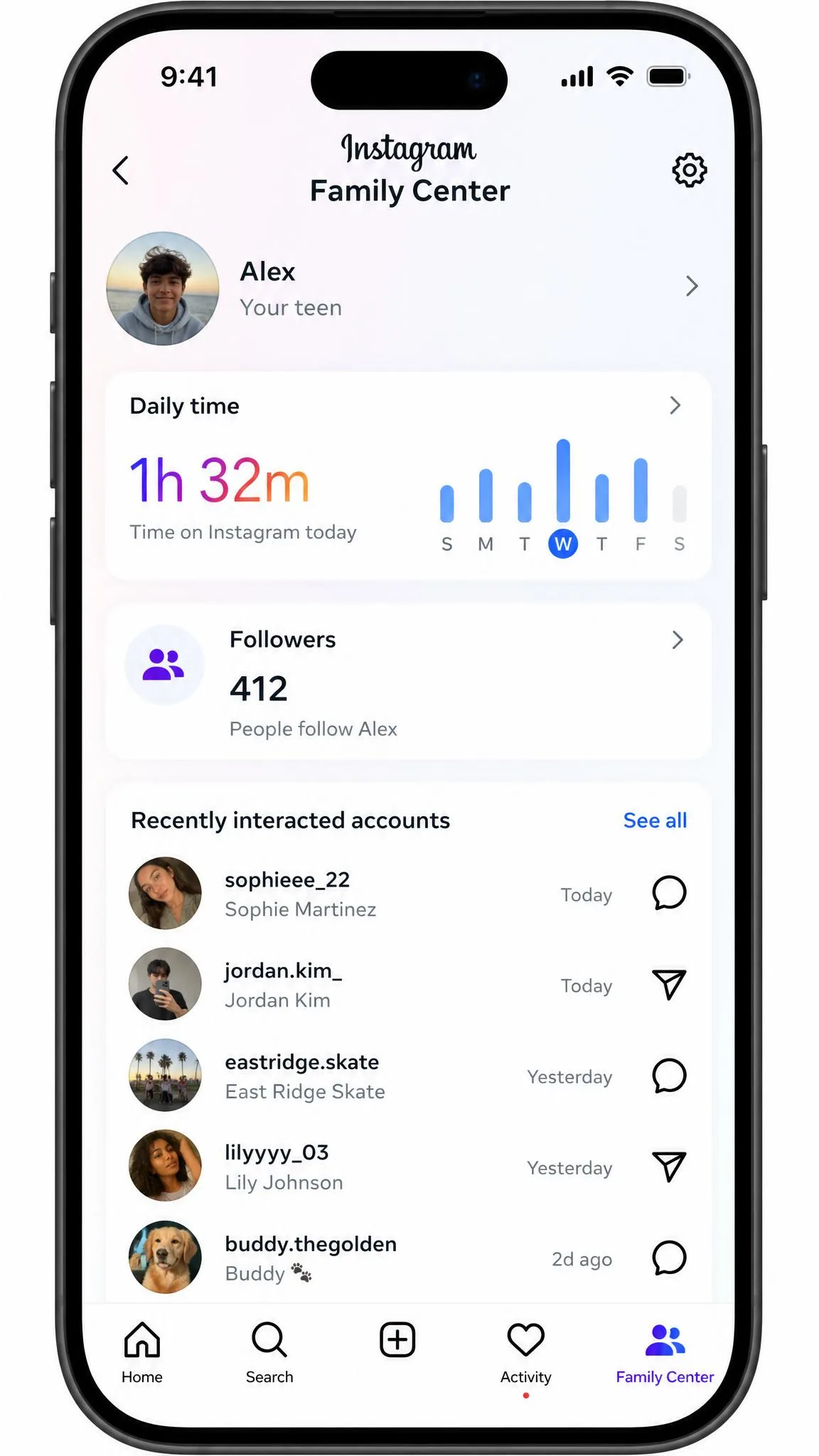
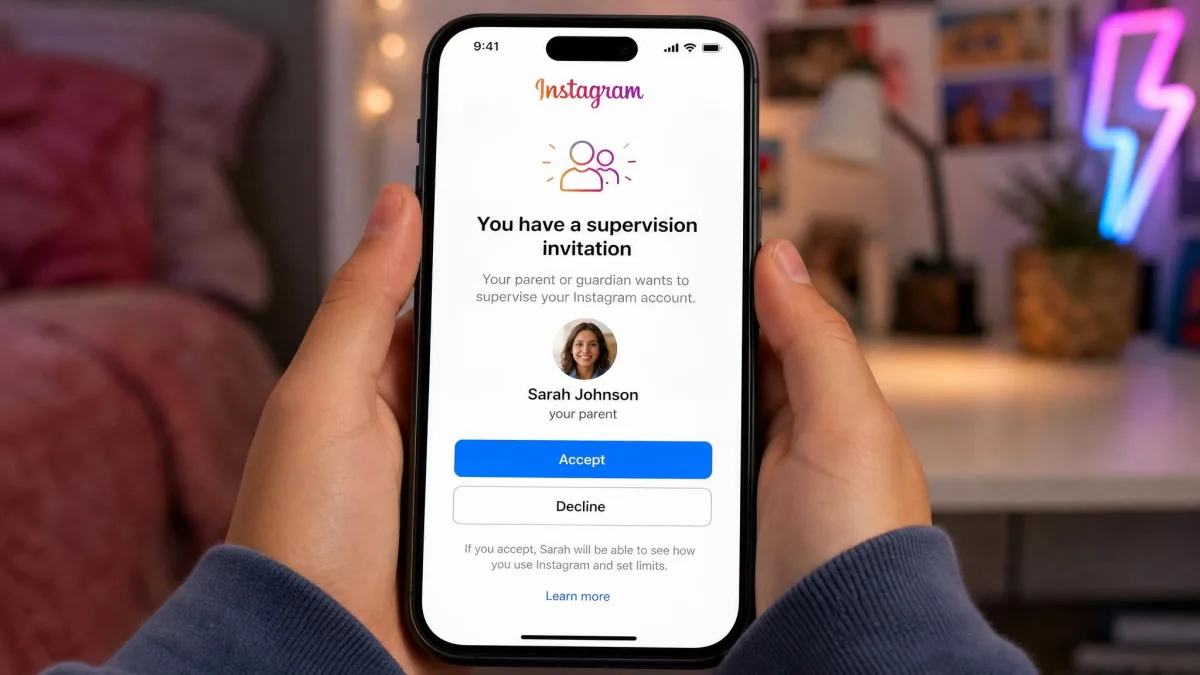
Family Center supervision is free and included with the app. It gives you following and follower lists, recently interacted accounts, daily and weekly time totals, daily time limits, sleep mode, account privacy and messaging settings, blocked accounts, report notifications, self-harm search alerts, Meta AI topic summaries and algorithm topic insights.
On May 12, 2026, Meta expanded supervision with algorithm-topic insights and a single cross-app Family Center, so one invitation now covers Instagram, Facebook, Messenger and Meta Horizon from one dashboard. Parents can also see the topics their teen asked Meta AI about in the last 7 days.
In our use, supervision shows patterns rather than content. You get the lists and the totals, but never message text, liked posts or DM history. Explore and Reels recommendations cannot be fully customised from the parent side either, which leaves time totals and topic summaries as the usable levers.
2. Device supervision and screen-time controls
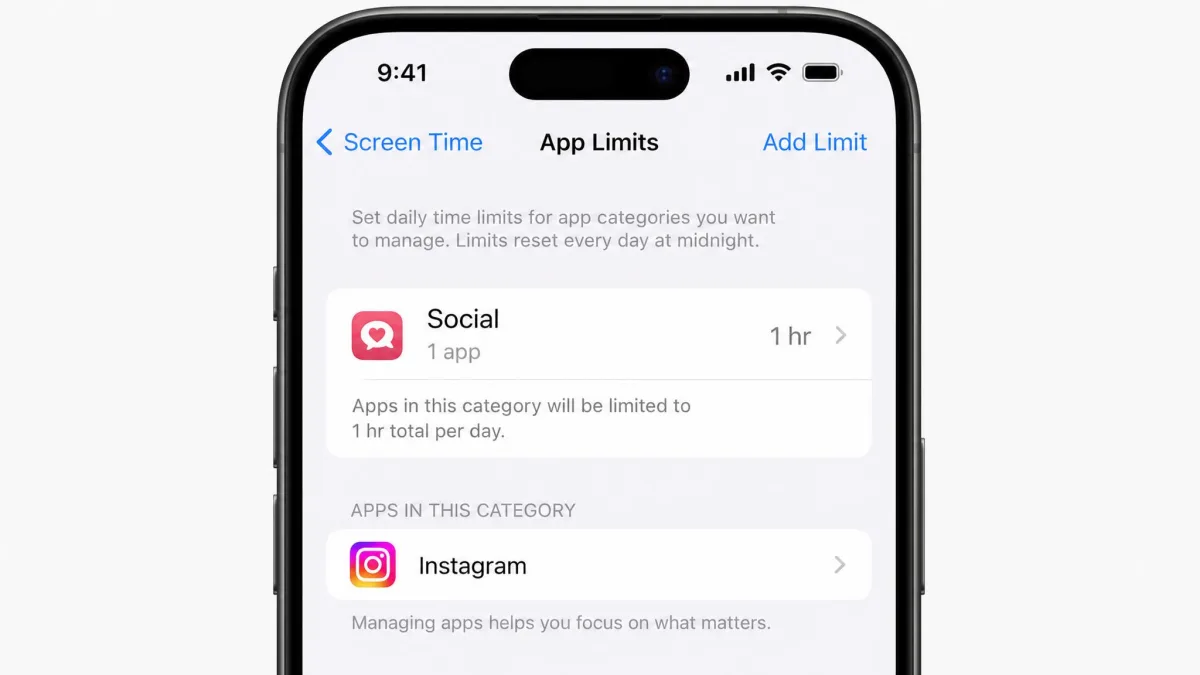
Apple Screen Time and Google Family Link are both free and operate one level below Instagram, at the device. They handle app approval, downtime and daily limits well. In our testing they go blind the moment conversation moves into Instagram DMs, Snapchat or Discord, because neither gives any visibility into message content. Family Link is also weaker on an iOS child device, where it cannot set screen time limits, block apps or enforce downtime. Use these for time, not for content.
3. Instagram's own account tools: Restrict, Close Friends, activity history
Set these up on the teen's side of the account, with them, in ten minutes. Restrict quietly limits a specific user's comments and messages without the confrontation of a block. Close Friends narrows story audiences to a chosen list. Activity history shows login sessions, past posts and interactions, which helps a teen audit their own footprint. These are teaching tools more than monitoring tools, and that is why they work.
4. Third-party parental control apps
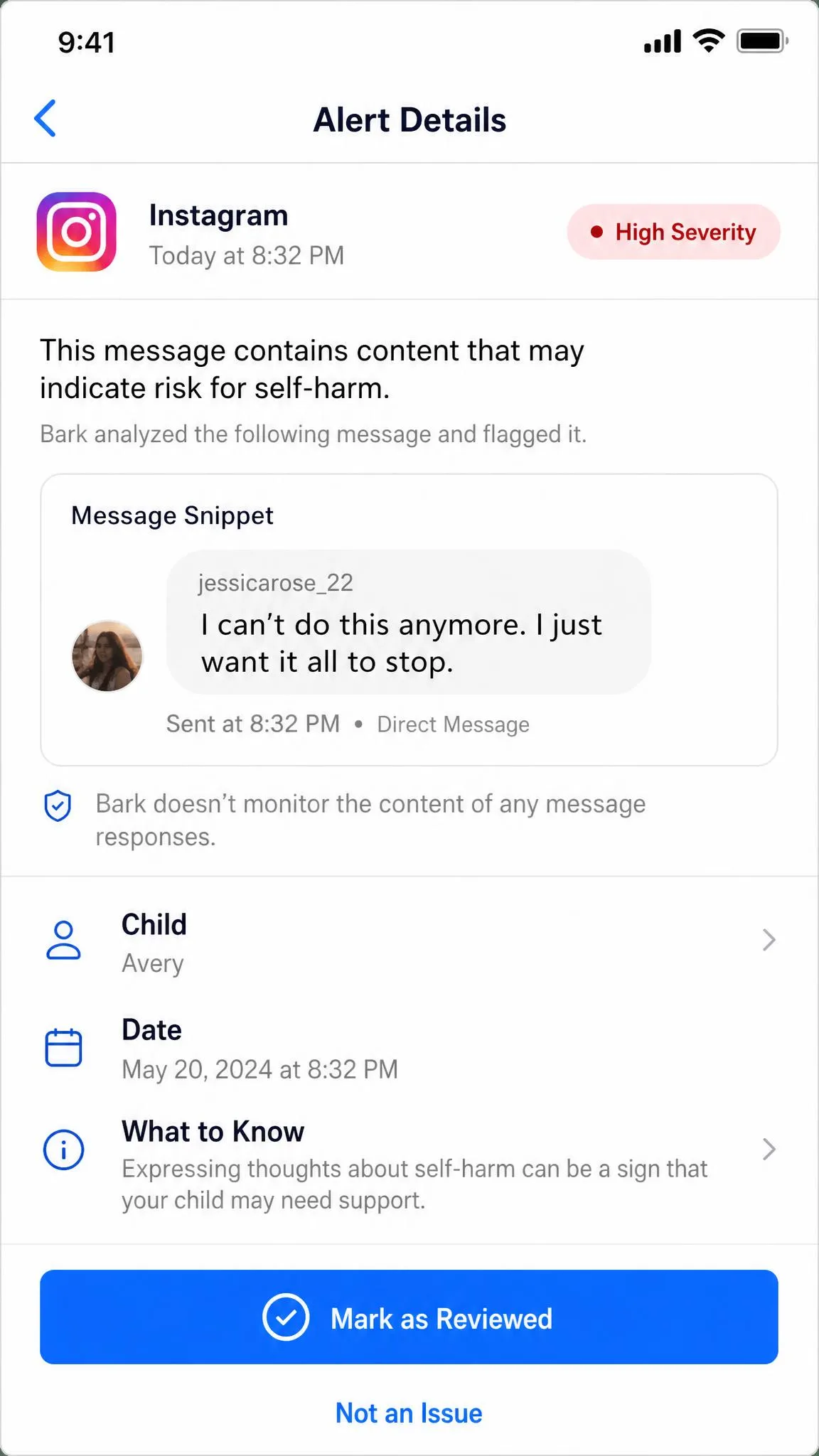
Bark and Qustodio are the two we keep coming back to. Bark runs AI content alerts across texts, email, photos and around 30 apps, with screen time schedules, web filtering, location check-ins and app blocking. Bark Jr starts at $5 per month and the full Bark plan is $14 per month billed month to month. Pricing on iOS can run higher, because that offer sometimes bundles hardware, so check the tier you are actually buying.
Qustodio Basic is $54.95 per year for up to 5 devices, including 30-day activity history, and Qustodio Complete is $99.95 per year with unlimited devices. Its feature list runs to web filtering, screen time schedules, app blocking, location tracking and geofencing, an activity timeline, YouTube monitoring and call and SMS monitoring on Android at the Complete tier.
Neither gives you full Instagram conversations, and the coverage gap between platforms is the thing to understand before you pay. On Android, Bark scans context inside Instagram, Snapchat, Discord, TikTok and Roblox and alerts on bullying, predator and self-harm language. On iPhone, Instagram is an app Bark can block but not scan, so iOS coverage is a fraction of what the same subscription delivers on an Android handset. Qustodio's Social Monitor raises alerts on concerning content in Instagram DMs rather than showing full threads.
5. Open conversation and shared account agreements
The lowest-tech method, and the one that survives when a teen gets around everything else. A shared account agreement means you both know the login exists, what you will look at, and when. It is the only approach that gives visibility into DMs without deception, and the only one that still fits as your child gets older.
Comparing Instagram Monitoring Methods and Tools
| Method | What it shows | DM visibility | Requires teen consent | Cost | Setup difficulty |
|---|---|---|---|---|---|
| Instagram Family Center | Followers, following, recent interactions, time totals, topic insights | No | Yes | Free | Low, invitation must be accepted |
| Device screen-time controls | App usage time, app blocking, downtime | No | No, device owner sets it | Free | Low |
| Instagram's own account tools | Restrict, Close Friends, login and activity history | Own account only | Yes | Free | Low |
| Third-party parental app | Content alerts, web history, location, app usage | Alert snippets only, Android best | Varies, install needed | $14/mo Bark or $54.95/yr Qustodio | Medium to high |
| Shared account access | Everything the teen sees | Yes | Yes | Free | Low |
What features to look for
Five things separate a tool worth paying for from a subscription you cancel in month two.
- Platform parity. Most iOS content coverage requires connecting the child's account logins, which turns a quiet install into a consent conversation you have to have first.
- Alert quality over alert volume. Bark's alerts throw false positives in our experience: a basketball conversation flagged as violence, and ordinary chat pulled into a serious alert category without enough context to act on.
- Day-to-day stability. Repeated setup prompts and connection drops make Bark feel fragile, and the parent app can fail to connect even with the child's device plugged into a laptop.
- Battery cost. Qustodio's GPS tracking and VPN profile can shorten battery life, measured at roughly 10 to 15 percent faster drain on some devices, though on newer handsets we saw no meaningful impact.
- History depth. A 30-day activity timeline is enough to identify a pattern. A 24-hour window only tells you about yesterday.
Weigh how easily the tool is defeated, too. Tech-savvy kids get around Qustodio by running a VPN, switching to an uncontrolled browser, or removing the app outright on Android with admin access.
Free vs. paid options
The free tier here is unusually good. Family Center, Screen Time and Family Link together cover time, app access, follower lists and privacy settings at no cost, which is most of what a parent of a younger teen needs.
Paid apps buy you one thing: alerting on concerning language across many apps at once. If that is your specific worry, the $14 per month is defensible. If your worry is hours lost to Reels, you are paying for a feature you already have. Support quality matters too, since Trustpilot reviews of Qustodio frequently cite slow response, billing problems and difficulty cancelling.
Step-by-Step: Setting Up Instagram Supervision
Whichever combination you settle on, the free layer comes first, so start here. Budget about fifteen minutes, and do it sitting next to your teen rather than on your own.
Step 1: Update the app and confirm the teen account
Update Instagram on both phones first, since supervision options move between releases, then check that your child's account is registered as a teen account. Accounts for under-18s are private by default, and teens under 16 need a parent's permission to switch a teen account to public or loosen the default restrictions.
Step 2: Send and accept the supervision invitation
On your phone, open Instagram, tap your profile picture, open the menu, then tap Settings and activity, and choose Supervision. Tap Create invite and send it to your teen. Supervision has to be accepted by the teen first, so setup stalls entirely if the invitation is ignored. Ask them to accept while you are both in the room.
Send the invitation from the account your teen already has in their contacts. Invitations from an unfamiliar handle get dismissed as spam more often than you would expect.
Step 3: Set daily limits and break reminders
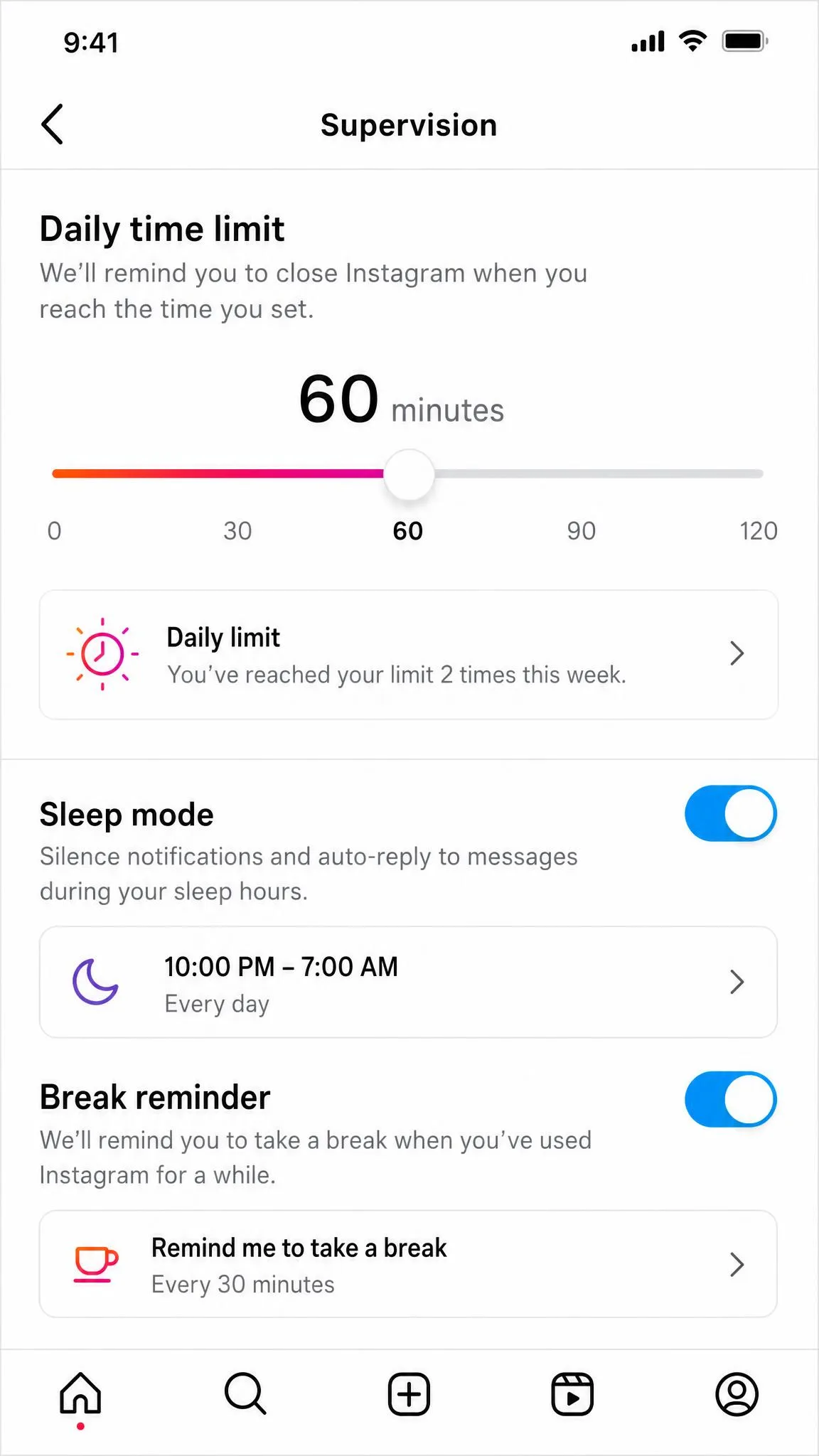
Inside the supervision dashboard, open Time spent and set a daily limit. Daily limit reminders fire after 60 minutes of use by default, so adjust that number to something you have actually agreed on. Turn on sleep mode to mute notifications overnight.
Step 4: Review followers and following
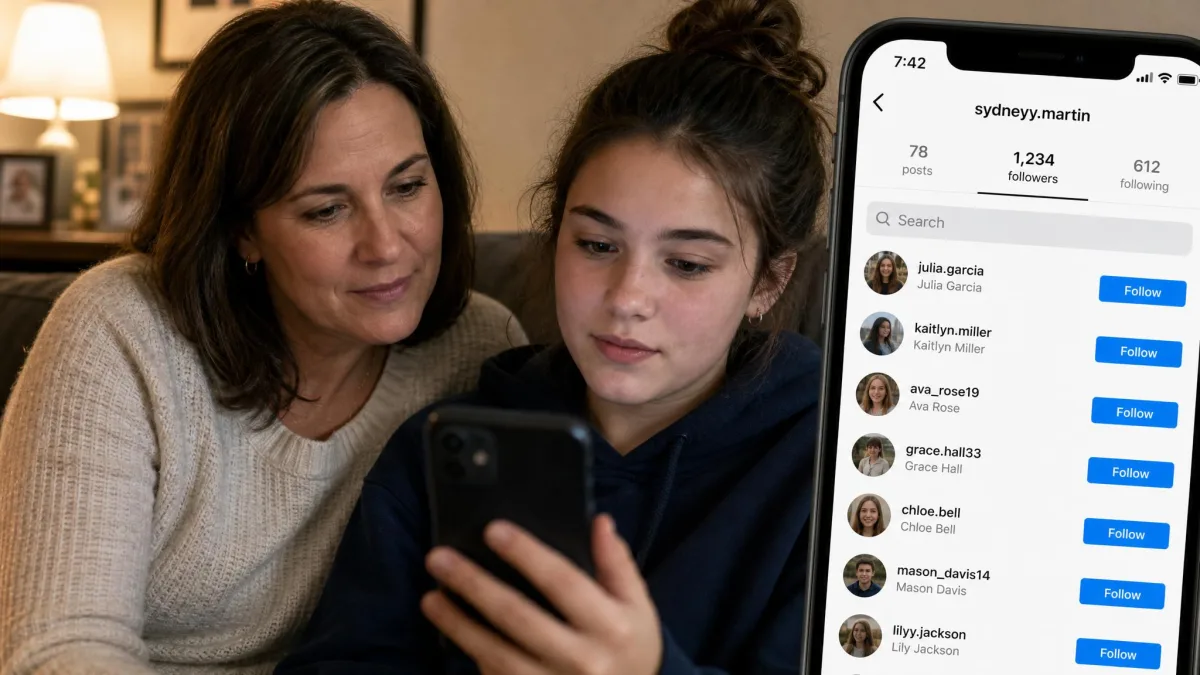
Open the followers and following lists together and scroll them properly. You are looking for adults your teen does not know offline, accounts with no posts, and sudden clusters of new followers. Do this monthly rather than daily.
Step 5: Turn on activity and mention alerts
Enable report notifications so you are told when your teen reports an account, and switch on the self-harm search alerts. Check the Meta AI topic summary and the algorithm topic insights, which show what the recommendation system is feeding into Explore and Reels.
What You Can and Can't See on Instagram
With supervision running, the next surprise is usually how much of the account it still leaves out of view.
Public activity: posts, follows, likes, stories
Anything on a public account is visible to anyone, including you. On a private teen account, you see posts, stories and comments only if you follow it. Supervision adds the follower and following lists plus recently interacted accounts, which is the most useful data it provides.
Private activity: DMs, close friends, vanish mode
Supervision does not expose message content. Parents see chat permissions, not chats, searches, or content not otherwise available to them. Close Friends stories, vanish mode messages and saved collections stay private as well. A third-party app can surface an alert snippet on Android, but Bark's Instagram scanning captures conversations as the child views them, so an alert can carry only part of an exchange rather than the full thread. Assume you will never see a complete DM history without the account login, and plan your approach around that.
Is Monitoring Instagram Legal and Ethical?
Those limits are partly technical and partly deliberate, which brings the law into the picture.
Monitoring a minor vs. monitoring an adult
Parents generally have legal standing to supervise a minor child's device and accounts, and children's data carries specific protection. COPPA covers the online personal information of children under 13 and has been in force since 2000; the FTC's amended COPPA Rule took effect June 23, 2025, with a full compliance deadline of April 22, 2026. The FTC's guidance on children's online privacy is the plainest summary available. Once your child turns 18, that standing disappears.
Monitoring an adult's account without their knowledge is a different legal question entirely, and it turns on consent law. The federal wiretap statute, 18 U.S.C. 2511, is a one-party consent rule: recording is permitted if at least one party to the communication consents. Roughly a dozen states go further and require every party to consent, including California, Florida, Illinois, Maryland, Massachusetts, Montana, New Hampshire, Pennsylvania and Washington. Tallies of that list differ, because several states apply all-party consent only to certain recording types or private settings, so the exact count depends on how those carve-outs are read. When participants sit in different states, the stricter all-party standard is generally the one that governs.
Covert monitoring of an adult's account, including a partner's or an adult child's, can create criminal exposure and civil liability under state wiretap statutes, and it surfaces routinely in divorce disputes. Check your own state's rule before installing anything on a device you do not own. The safe path is always the account holder's explicit agreement.
Automated tools face their own limits. Instagram's Platform Terms prohibit scraping and unauthorised data collection, which is why open-source projects like instagram_monitor track only publicly visible signals such as new posts and follower changes.
Consent, disclosure, and trust
Tell your teen what you are monitoring and why. Supervision is consent-based by design anyway, since a teen can disconnect their account at any time and the parent side simply stops reporting. Covert scanning of older children is a recurring source of friction over trust, and disclosure costs you nothing you were actually going to get.
Instagram Safety Settings Every Parent Should Change
Consent settled, the practical work is on the account itself. Work through this list on the teen's account in one sitting.
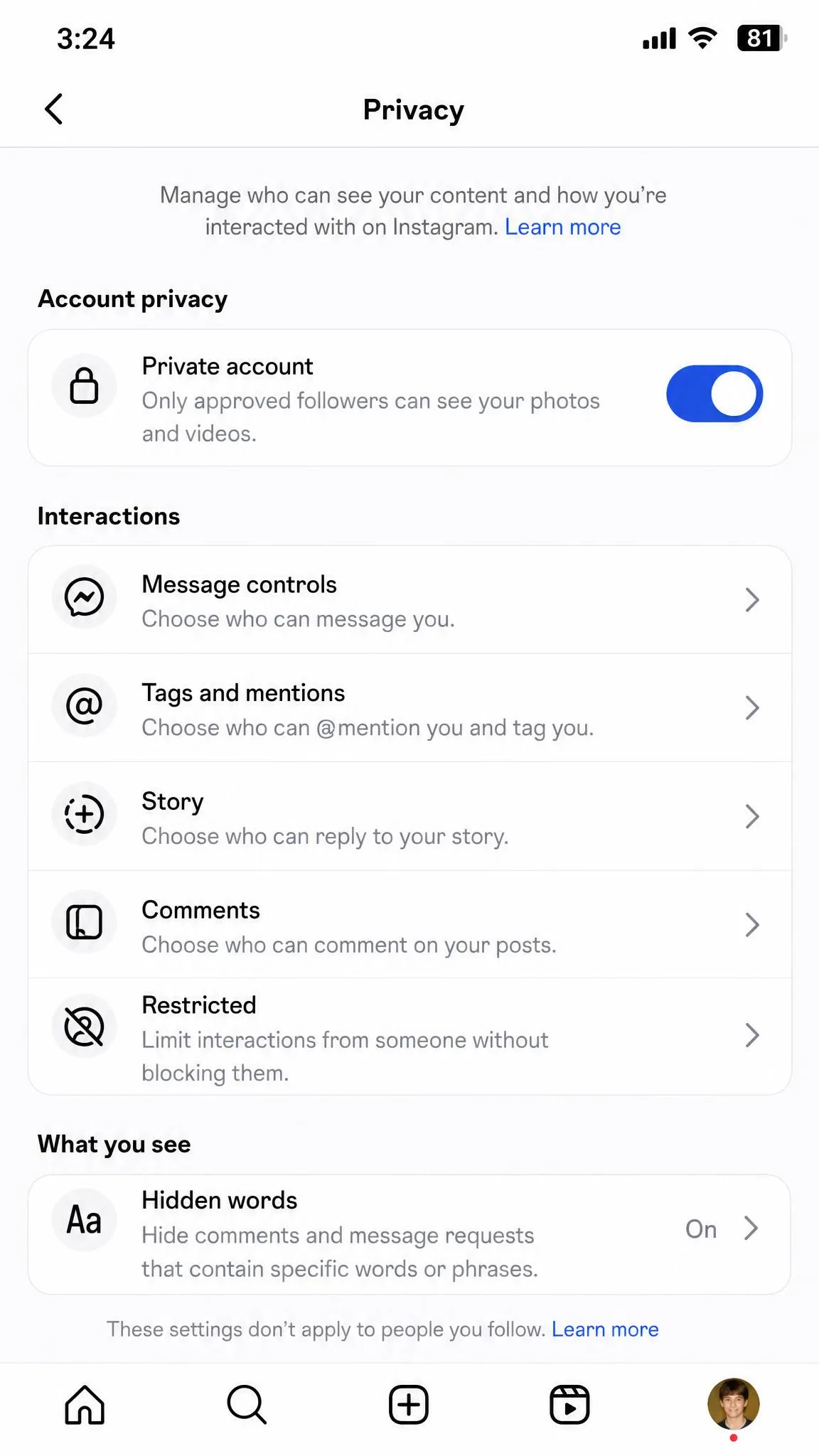
- Set the account to private, and confirm it stayed private after any app update.
- Restrict message requests so only followed accounts can send a DM.
- Turn off activity status so the account does not broadcast when it is online.
- Hide offensive comments and add a custom keyword filter.
- Remove location tagging from the camera roll defaults.
- Set story sharing to Close Friends by default.
- Turn on two-factor authentication.
- Review the Limited Content setting, which 96% of US parents said they appreciated having available.
Signs Your Teen Needs More Than Monitoring
Monitoring tools report behaviour. They do not fix it. Watch for withdrawal from friends, a sudden hostility to the phone being visible, secrecy about a specific person, sleep loss, or any reference to self-harm in a search alert. Any of those is a conversation, and possibly a professional one. No dashboard substitutes for it.
Frequently Asked Questions
What can I do if my teen refuses to share account access?
Is it legal to monitor my teen's Instagram?
Will my child know I'm monitoring their account?
What happens to supervision when my teen turns 18?
Does supervision survive a new phone?
Can I monitor a private Instagram account?
What age can a child have Instagram?
Do parental control apps require physical access to the phone?
The Bottom Line
The arrangement you set up at 13 is not the one you should still be running at 17. Around 15, the useful shift is from reviewing lists yourself to reviewing them together, since a teen who audits their own followers learns something a dashboard cannot teach them. By 17, with a legal cliff arriving on the eighteenth birthday, the honest move is to wind monitoring down deliberately rather than have it end for you.
One situation genuinely changes the recommendation: an all-Android household. Content alerting is a fraction of a product on iPhone, but on Android it does the job it advertises, which is the one case where paying from the start is defensible rather than optimistic.