ClearVPN is the consumer VPN from MacPaw, the Ukrainian software company best known for CleanMyMac. It trades the usual wall of server toggles for a one-tap, task-based design that anyone can figure out in a minute. That approach is the whole pitch, and it is also where the interesting tension lives.
Here is what we found after putting the current ClearVPN 2 build through our standard bench of speed runs, DNS/IP/WebRTC leak checks, and streaming tests. It is genuinely easy to live with, it streams Netflix reliably, and its leak tests come back clean. But it is not the safest or the best value VPN you can buy in 2026, and a couple of gaps stop us from recommending it over the big names. This review walks through every part of that verdict so you can decide whether the simplicity is worth the trade-offs.
Our testing team ran ClearVPN over roughly two weeks across macOS, Windows 11, and an iPhone, connecting from a home fibre line so the numbers reflect real daily use rather than a lab ideal. We paid for Premium ourselves and tested the free options separately.
ClearVPN at a glance: verdict, ratings, pros and cons
ClearVPN is a polished, beginner-friendly VPN that nails the basics and stumbles on the things privacy-focused users care most about. The apps are clean, streaming works, and the leak tests are clean. The security story, though, has a hole in it: there is no independent audit, and the kill switch is not dependable. For a casual streamer that may be fine. For anyone who treats a VPN as a serious privacy tool, it is a hard sell against audited rivals.
We rate it 6.5/10 overall. It earns its marks on ease of use and streaming, and loses them on the audit gap, the small network, and inconsistent speeds on distant servers.
Pros
- One-tap setup and a genuinely simple interface
- Reliable Netflix streaming across several libraries
- Clean DNS, IP, and WebRTC leak tests in our checks
- Based in Ukraine, outside the major surveillance alliances
Cons
- No independent security audit of the no-logs claim
- Kill switch is unreliable, especially on IKEv2
- No Linux app and no true Chrome VPN extension
- Small, curated server network with no city-level choice
We paid for ClearVPN Premium out of pocket and tested it the way a normal subscriber would: real streaming sessions, real speed tests over a two-week window, and back-to-back leak checks after every server switch. Nothing here is based on the marketing page.
What is ClearVPN? (MacPaw, ClearVPN 2, and how it's different)
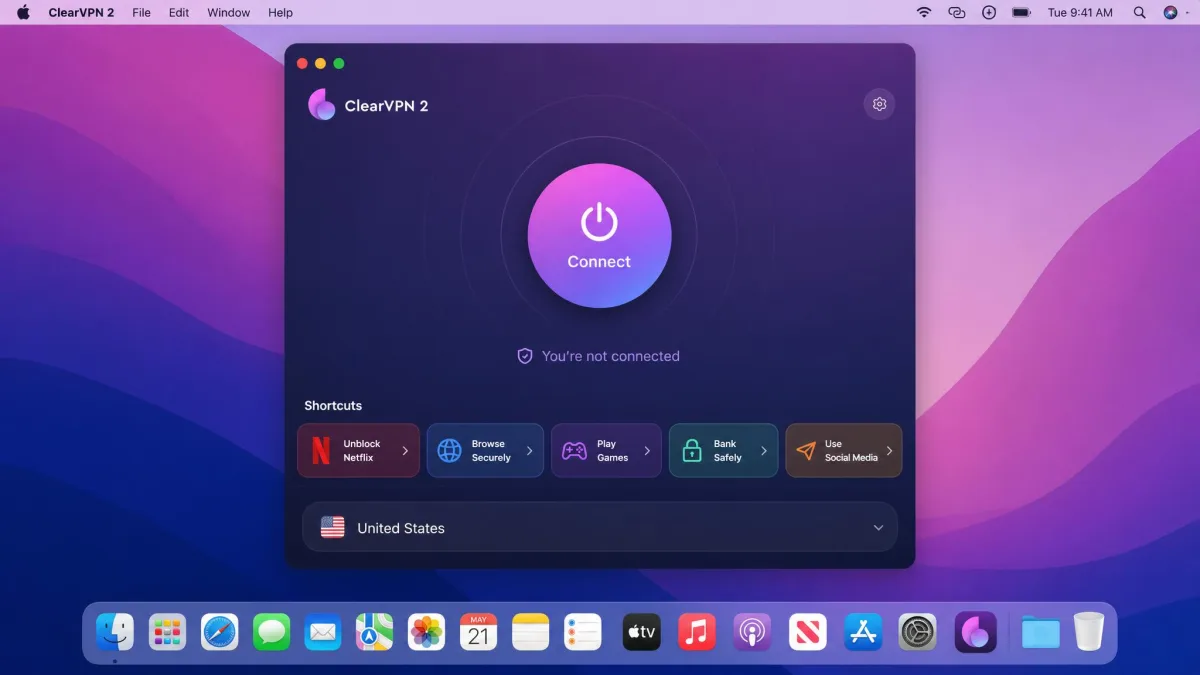
ClearVPN launched as MacPaw's answer to a simple question: why do VPN apps make everyone learn networking jargon? Instead of dropping you into a map of servers and protocols, the app leads with tasks. You tap a shortcut like "Unblock streaming" or "Browse securely," and it picks the connection for you. MacPaw is a Ukrainian company, which puts ClearVPN outside the Five Eyes and Fourteen Eyes intelligence-sharing groups, a point the brand leans on for privacy.
The current version, ClearVPN 2, is a full redesign around that one-tap idea. It keeps the task-based shortcuts but adds Siri Shortcuts, home-screen widgets, and a cleaner account system. The result feels less like a security appliance and more like a consumer app, which is exactly the point. If you have ever helped a relative install a VPN and watched them freeze at the server list, you can see who this is built for.
That said, the simplicity cuts both ways. There is no split tunneling and no user-facing protocol customization, so power users will quickly hit a ceiling. The short version is that this is a VPN designed to be used, not configured.
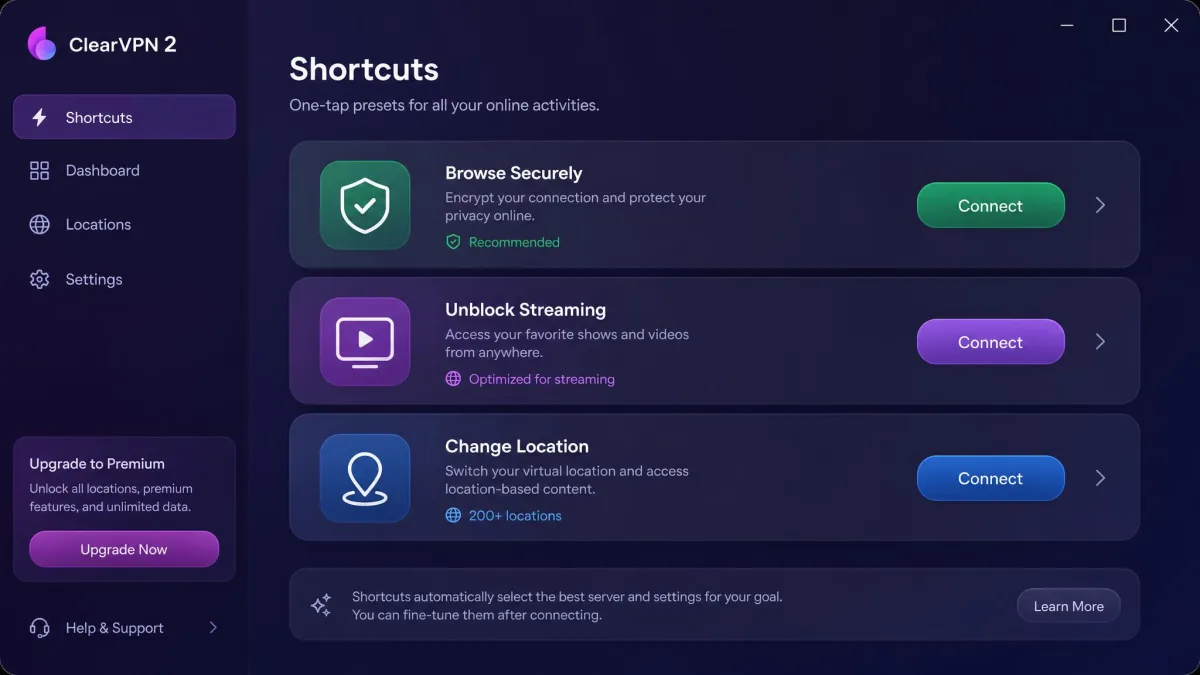
ClearVPN's task-based shortcuts are not a separate product from its servers. Each shortcut is just a preset that connects you to the right location for that job, such as a US server for American Netflix.
ClearVPN pricing and plans: 1-month vs 1-year (and promo codes)
ClearVPN uses the familiar VPN pricing ladder: pay a lot per month if you commit to nothing, or far less per month if you commit to a year. The 1-month plan runs $9.99, which is standard for a monthly VPN and clearly designed to push you toward the annual option. On the 1-year plan the effective rate drops to about $3.75/month, which is where ClearVPN actually competes on price.
The exact annual billed total varies by source and by whatever promo is running, so we treat the $3.75/month effective rate as the stable figure rather than quoting a single yearly number. ClearVPN and coupon sites regularly advertise discount codes, but the specific percentages are unstable and change often, so do not count on any one deal being live when you check. Buy direct through the ClearVPN pricing page and you also get the 30-day money-back guarantee, which applies to direct website and MacPaw Store purchases only.
Across every plan you get up to 6 devices per account, which is enough for a couple or a small household but well short of the 8, 10, or unlimited connections the bigger VPNs offer.
Is ClearVPN free? Free plan vs Premium (and the 3-day trial)
ClearVPN is not a free VPN, but it does give you two ways to try it without paying up front. There is a 3-day free trial of Premium, which unlocks the full service, and reviews also describe a limited free plan that acts as an on-ramp to paid. Whether a standing free plan is currently offered varies across sources, so the trial is the option we would rely on. Either way, the free experience is deliberately narrow: limited data, limited server access, and slower speeds meant to nudge you toward Premium.
Premium is where ClearVPN becomes a real VPN. It opens up the full server network, AES-256 encryption, streaming shortcuts, and the ability to connect all 6 devices. If you only want to check a geo-blocked page once, the free options will do. For anything ongoing, you are buying Premium.
Here is how the two tiers compare on the things that matter.
| Feature | Free / trial | Premium |
|---|---|---|
| Data cap | Limited (trial is full for 3 days) | Unlimited |
| Servers | Single or limited server | Full network |
| Streaming (Netflix) | Restricted | Reliable |
| Encryption | AES-256 | AES-256 |
| Price | Free (3-day trial) | From $3.75/month |
The 3-day Premium trial and the limited free plan are two different things. The trial gives you the full service briefly; the free plan is a permanently restricted tier. Reviews disagree on whether the standing free plan is always available.
Is ClearVPN safe? Protocols, encryption, logging, and the audit gap
This is the section that decides whether ClearVPN is right for you, so we tested it hard. The headline is that the encryption and leak protection are solid, but the trust story is incomplete. ClearVPN does the technical basics well and then leaves the single most important box unchecked.
Encryption and protocols (AES-256, IKEv2, OpenVPN)
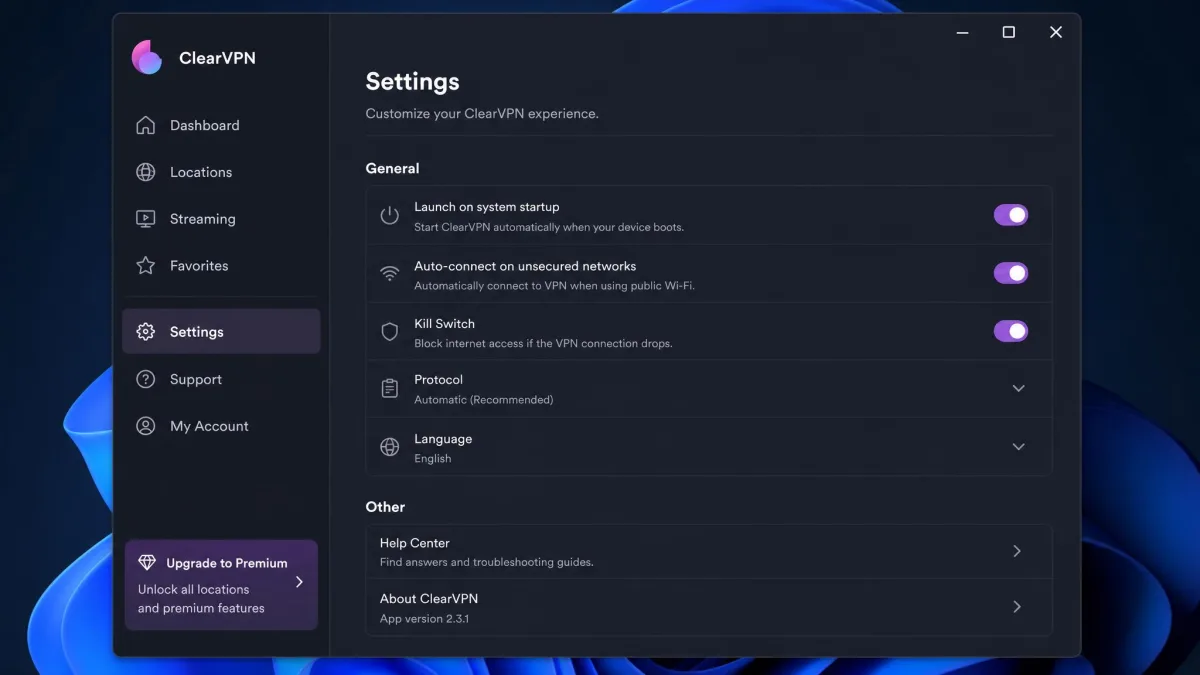
ClearVPN uses AES-256 encryption, the same cipher every serious VPN relies on, and connects over IKEv2/IPsec and OpenVPN. Those are two mature, well-regarded protocols, and for everyday browsing and streaming they are more than enough. What is missing is a modern WireGuard-based option, which the top VPNs now use to squeeze out more speed. You also cannot switch protocols manually in a meaningful way, since the app hides that choice behind its one-tap design.
No-logs policy and the missing independent audit
ClearVPN claims a strict no-logs policy and says it collects only anonymous analytics and crash data, and only with your permission. We take that claim seriously, but a claim is all it is. Unlike NordVPN, ExpressVPN, and Surfshark, ClearVPN has no independent third-party audit of its no-logs policy or its apps. That audit is the difference between "trust us" and "someone independent checked." An audit is how a provider proves that its servers keep no connection logs, no traffic logs, and no timestamps that could later tie an IP address back to you, and it is the one assurance ClearVPN's audited rivals can offer that it cannot. Until MacPaw commissions one, privacy-minded buyers are being asked to take the policy on faith. The Ukrainian jurisdiction genuinely helps, since it sits outside the major surveillance alliances, but jurisdiction is not a substitute for verification. A favourable legal home only matters if the no-logs promise behind it has actually been checked.
The absence of an independent audit is our biggest reservation about ClearVPN. The no-logs policy may well be honest, but with no outside verification and an unreliable kill switch, we would not choose it for high-stakes privacy work such as journalism or activism.
Kill switch and leak tests (DNS/IP/WebRTC)
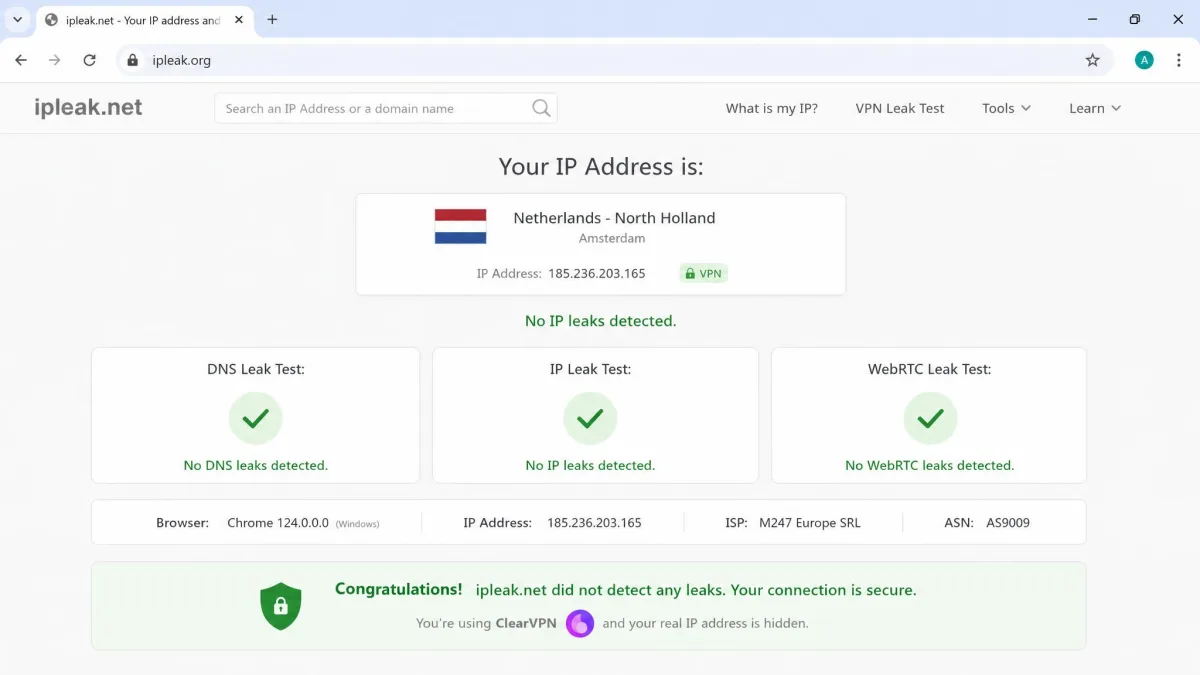
The good news first: our DNS, IP, and WebRTC leak tests came back clean, with nothing exposed on ipleak.org across repeated checks. That is exactly what you want, and it is a real point in ClearVPN's favour.
The kill switch is another story. A kill switch is supposed to cut your internet if the VPN drops, so your real IP never leaks. In our testing it was not dependable. When we switched servers, our real IP and location could briefly appear, and the feature glitched on IKEv2 while working more consistently on OpenVPN. A kill switch that only sometimes works is close to no kill switch at all, and this is the kind of gap an audit would normally catch.
ClearVPN speed and performance
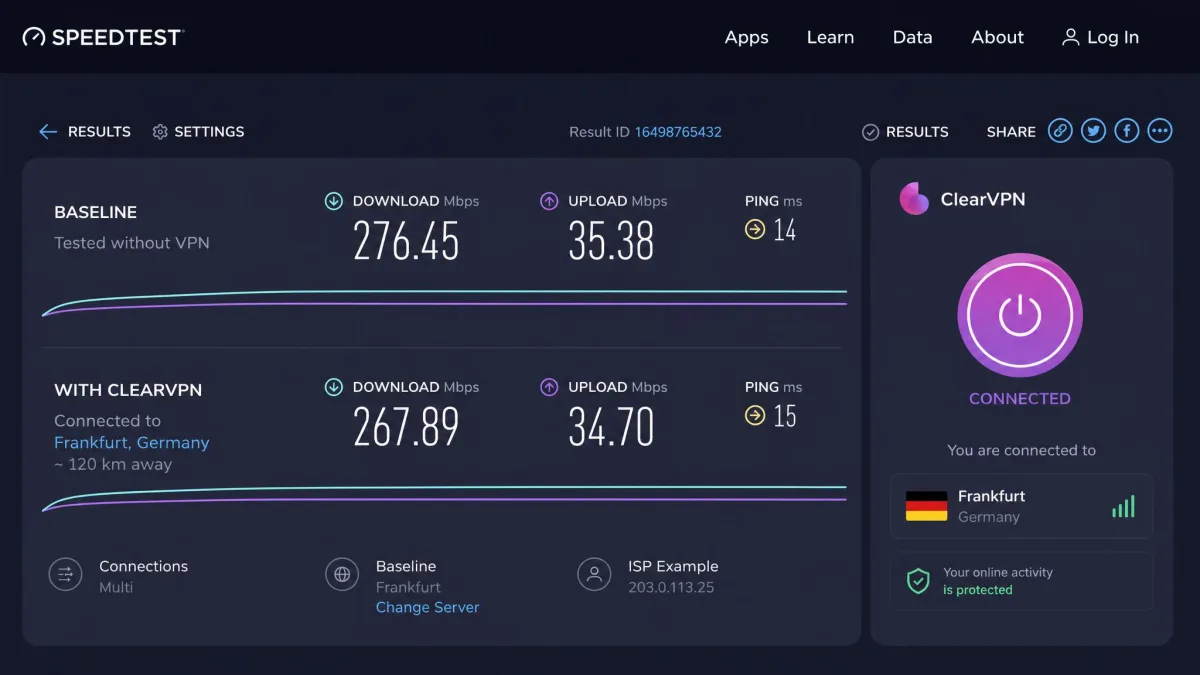
Speed is where ClearVPN's small, curated network shows its limits. On nearby servers it is quick, with only about a 9% drop from our baseline, which you would never notice while browsing or streaming. The problem is distance. On far-away servers our download speeds fell roughly 44% to 48%, and upload speeds dropped even more sharply on the most distant locations.
We measured everything with Speedtest.net on the same line across the day to keep the comparison fair. The takeaway is that ClearVPN is fast when you connect close to home and inconsistent when you reach across the world. For a US user streaming US Netflix, that is fine. For someone routinely connecting from one continent to another, the drop-off is real and worth planning around.
ClearVPN is fast when you stay close to home and inconsistent when you reach across the world, with distant servers costing us nearly half our download speed.
— From our hands-on speed tests
Streaming with ClearVPN: Netflix and beyond
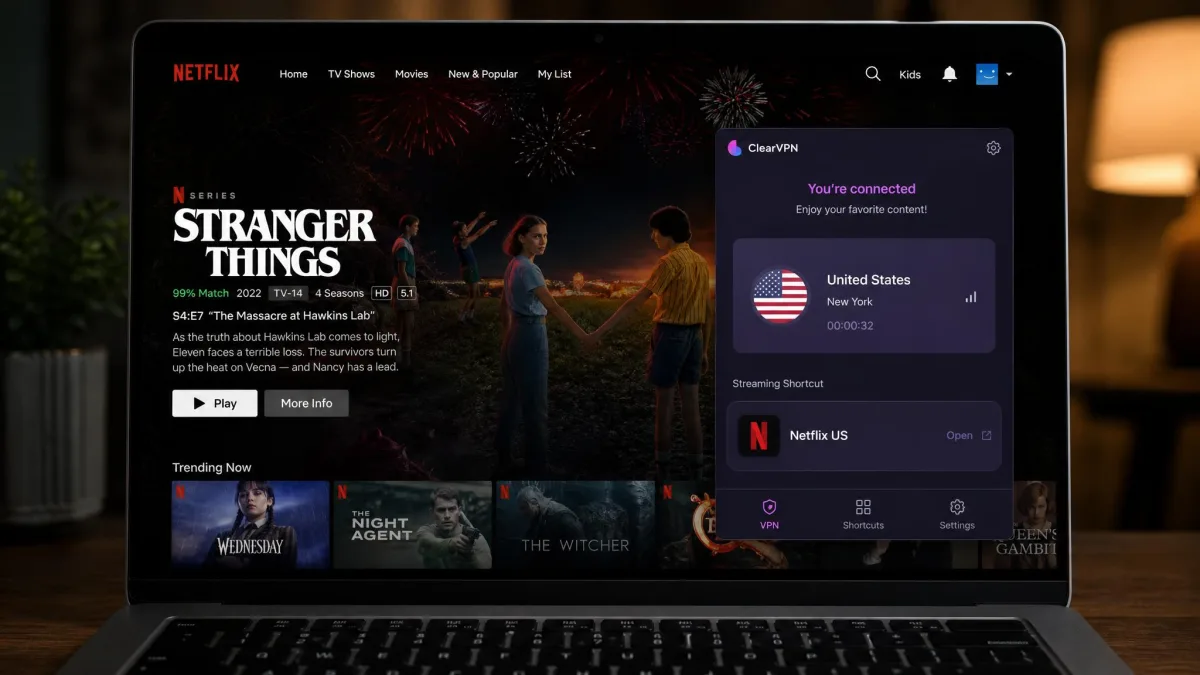
Streaming is ClearVPN's strongest everyday feature. Netflix unblocked reliably in our tests across the US, Canada, UK, and Australia libraries, with only a couple of seconds of initial buffering before playback settled. The dedicated streaming shortcuts make this painless, since you tap the service you want instead of guessing which server works. ClearVPN also unblocked Hulu, Amazon Prime Video, and HBO Max in our checks.
It is not flawless. BBC iPlayer failed to unblock for us even when we used the dedicated streaming shortcut, which is a common weak spot and worth knowing if British TV is your reason for subscribing. For the big US services, though, ClearVPN is dependable, and that reliability is a genuine reason to consider it if streaming is your main goal.
ClearVPN servers and countries: how big is the network?
ClearVPN runs a deliberately curated network rather than chasing a huge server count. In practice that means roughly 45 to 51 countries depending on which source you read, and you should treat that total as approximate. The "60+" figure that appears in some marketing is not backed up by the tested reviews we trust, so we would not count on it. The gap between the marketing number and the tested number is worth pausing on: when a provider rounds 45-51 up to "60+," it is the kind of small overstatement that makes the missing audit sting more, because you are again being asked to take a number on faith.
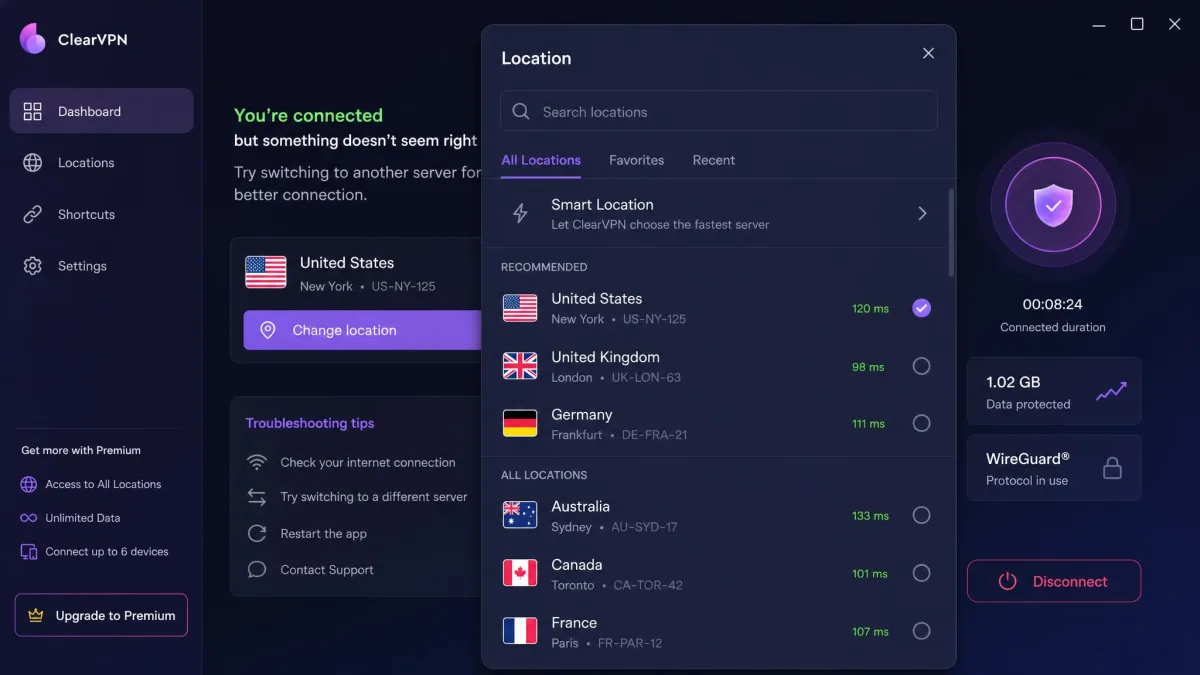
The network feels small in daily use. There is no city-level server selection, the servers are leased rather than owned, and there are real gaps, including no African locations. Some locations are also virtual, meaning the server you pick may sit somewhere else physically. A virtual India location, for example, is actually hosted in Singapore. That is normal in the industry and not dishonest, but it matters if you need your traffic to physically originate in a specific country, since latency and local content will follow the real hardware rather than the flag on the map. If your reason for a VPN is reaching a specific national library or service, check that ClearVPN lists a genuine, non-virtual server there before you commit.
Virtual server locations show you one country while the hardware sits in another. ClearVPN's India option is physically in Singapore. Your apparent location changes, but the physical routing does not match the flag.
ClearVPN on Apple TV, Android TV, and every platform (and where it's missing: Linux, Chrome)
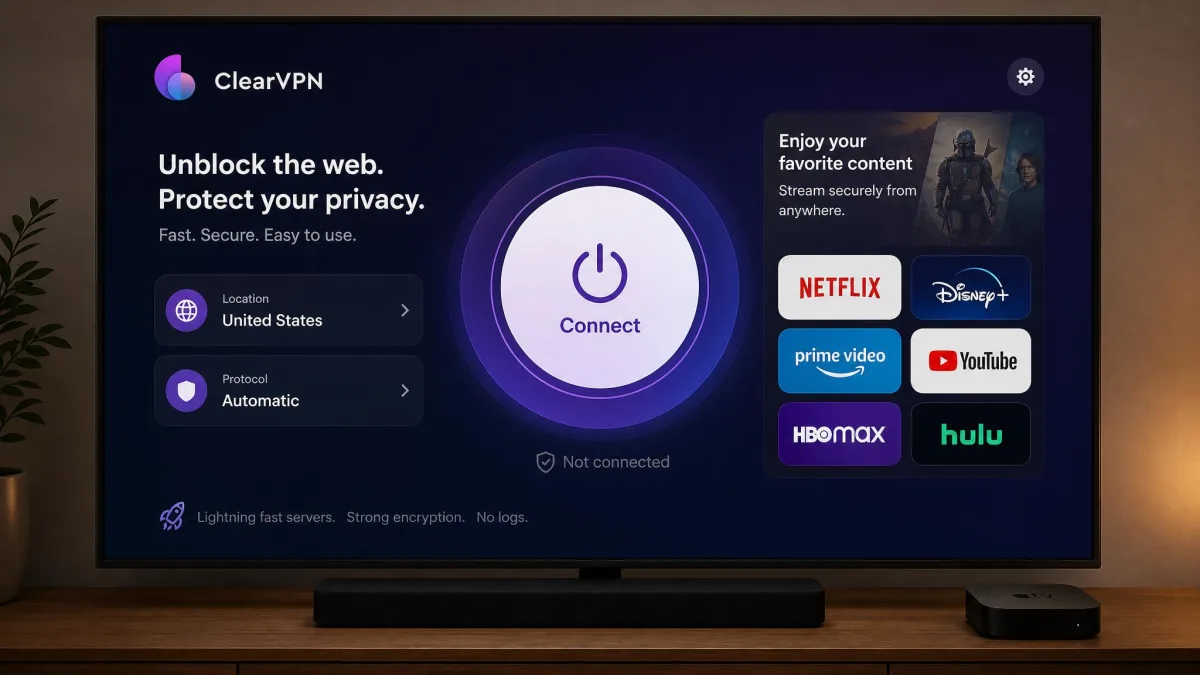
ClearVPN covers most of the mainstream platforms, and it recently closed one of its biggest gaps. It runs on macOS, iOS and iPadOS, Windows 10 and later, Android, and routers, and on June 24, 2026 MacPaw added dedicated Apple TV and Android TV apps. That makes it a legitimate option for big-screen streaming, which is where a lot of people actually want a VPN.
Supported platforms and device count (up to 6 devices)
The Apple TV app requires tvOS 18 or later, and the Android TV app needs Android TV 6 or later, so make sure your hardware is current before you count on TV support. Across all of these platforms a single account covers up to 6 devices at once. That is a reasonable allowance for one person or a couple, though it lags behind rivals that offer 8, 10, or unlimited connections.
No Linux app and no Chrome VPN extension (what ClearWeb actually is)
Two gaps stand out. First, there is no Linux app at all, which rules ClearVPN out for a lot of technical users. Second, there is no true Chrome VPN extension. ClearVPN does offer something called ClearWeb, and it is easy to mistake it for a browser VPN, but ClearWeb is a free standalone Chrome ad-blocker and tracker filter. It runs without ClearVPN installed and does not route your traffic through a VPN. It is a useful little tool, but calling it a VPN extension would be wrong, and you should not buy ClearVPN expecting one.
How to set up and use ClearVPN (one-tap connect, shortcuts, account sign-up)
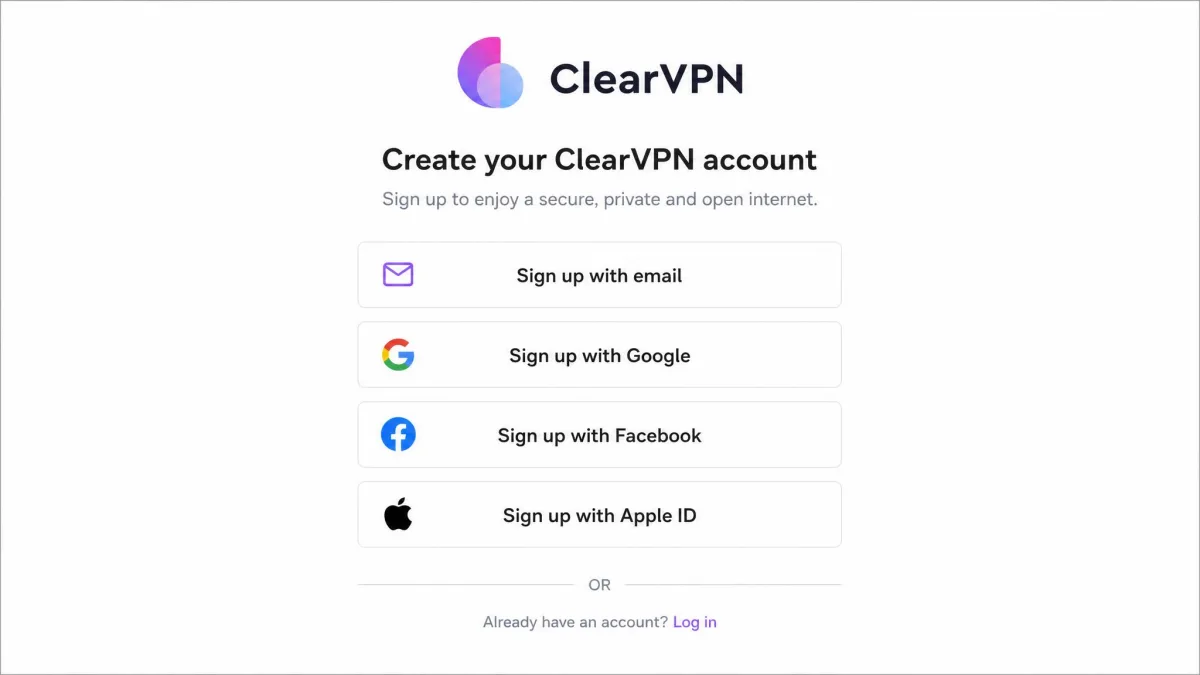
Setup is where ClearVPN shines. In our testing the download was quick, and registration took only an email address before we were connected with a single tap. You can also create an account through Google, Facebook, or your Apple ID if you prefer. Within a minute of installing, we were online through a VPN without touching a single setting.
Day to day, you connect either with the big one-tap button or through a task-based shortcut for a specific job like streaming or secure browsing. Siri Shortcuts and widgets make that even faster on Apple devices. The one caveat is that in our testing the shortcut-first interface felt cluttered and confusing at first, and we suspect first-time VPN users who expect a plain server list will feel the same. Once we understood that the shortcuts are just presets, it clicked, but the learning curve was real coming from a traditional VPN.
Torrenting and P2P support
ClearVPN is not built with torrenting front and center, and it is not the tool we would reach for if P2P is your priority. There is no split tunneling to route only your torrent client through the VPN, and the small network plus the unreliable kill switch make it a weak fit for privacy-sensitive downloading. The clean leak tests help, but without a dependable kill switch a dropped connection could expose your real IP mid-download. If torrenting is your main use case, an audited VPN with a solid kill switch is a safer bet.
ClearVPN customer support and reliability
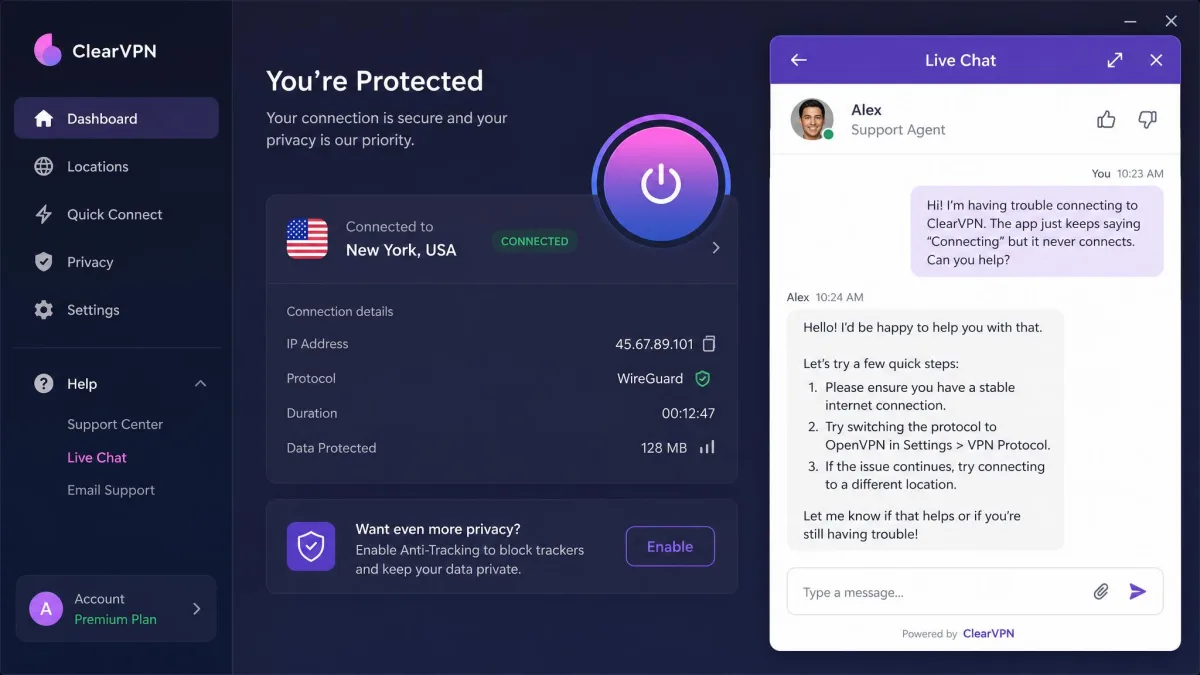
Support is a mixed bag. Live chat responded quickly and was genuinely helpful when we reached out, which is the experience most people will have with a simple question. Email support was less consistent. In one case a refund was processed the next day, while a more technical server question went unanswered for over a week. That unevenness is worth knowing if you expect to lean on support.
Reliability was mostly solid in our two weeks with the app, though app-crash reports do exist and we hit the occasional hiccup. The user community is sizeable, with Trustpilot's community reviews running to hundreds of ratings, so this is not a fringe product. It is a maintained, actively developed app from an established company.
ClearVPN not working? Common troubleshooting fixes
If ClearVPN stops connecting or a shortcut will not load, a few quick fixes clear up most problems. First, switch to a different server or shortcut, since a single overloaded location is often the culprit. Second, update the app, because MacPaw ships fixes regularly and an old build can misbehave. Third, if neither works, reinstall the app to reset a corrupted install. For streaming specifically, clearing your browser cache and reconnecting often fixes a library that suddenly stops unblocking. If none of that helps, live chat is the fastest way to reach a human.
How ClearVPN compares to top VPNs (NordVPN, ExpressVPN, Surfshark)
Lined up against the market leaders, ClearVPN's position is clear: easier and often cheaper up front, but behind on trust, network size, and features. NordVPN, ExpressVPN, and Surfshark are all independently audited, all have dependable kill switches, and all offer far larger networks with Linux support. ClearVPN's edge is purely the one-tap experience and clean streaming.
| Product | Buy | Price | Servers/countries | Audit | Streaming | Platforms | Kill switch |
|---|---|---|---|---|---|---|---|
 |
Check price → | $3.75/mo (1-yr) | ~45-51 countries | No audit | Reliable (BBC iPlayer weak) | No Linux | Unreliable |
 |
Read review → | ~$3.39/mo (2-yr) | 118+ countries | Audited | Reliable | All major + Linux | Reliable |
 |
Read review → | Higher tier | 105 countries | Audited | Reliable | All major + Linux | Reliable |
 |
Read review → | Low tier | ~100 countries | Audited | Reliable | All major + Linux | Reliable |
The pattern is consistent. If you want the simplest possible VPN and mainly stream US services, ClearVPN is pleasant to use. If you want proven privacy, a bigger network, unlimited devices, or Linux support, the audited rivals win. Surfshark in particular undercuts ClearVPN on devices with unlimited connections while still being audited, which makes ClearVPN's 6-device cap look tight.
The verdict: Is ClearVPN good and worth it in 2026?
ClearVPN is a good VPN for a specific person: someone who wants to press one button, stream Netflix, and never think about settings. It nails setup, streams the major US services reliably, and passed every leak test we ran. As a first VPN or a casual streaming tool, it is easy to recommend and easy to live with.
But "easy to live with" is not the same as "the safest or best value in 2026." The missing independent audit, the unreliable kill switch, the small curated network, and the lack of Linux and a real browser extension all hold it back. For serious privacy users, those are not small things. Against audited competitors that cost about the same, ClearVPN asks you to give up too much verification and flexibility for the sake of simplicity.