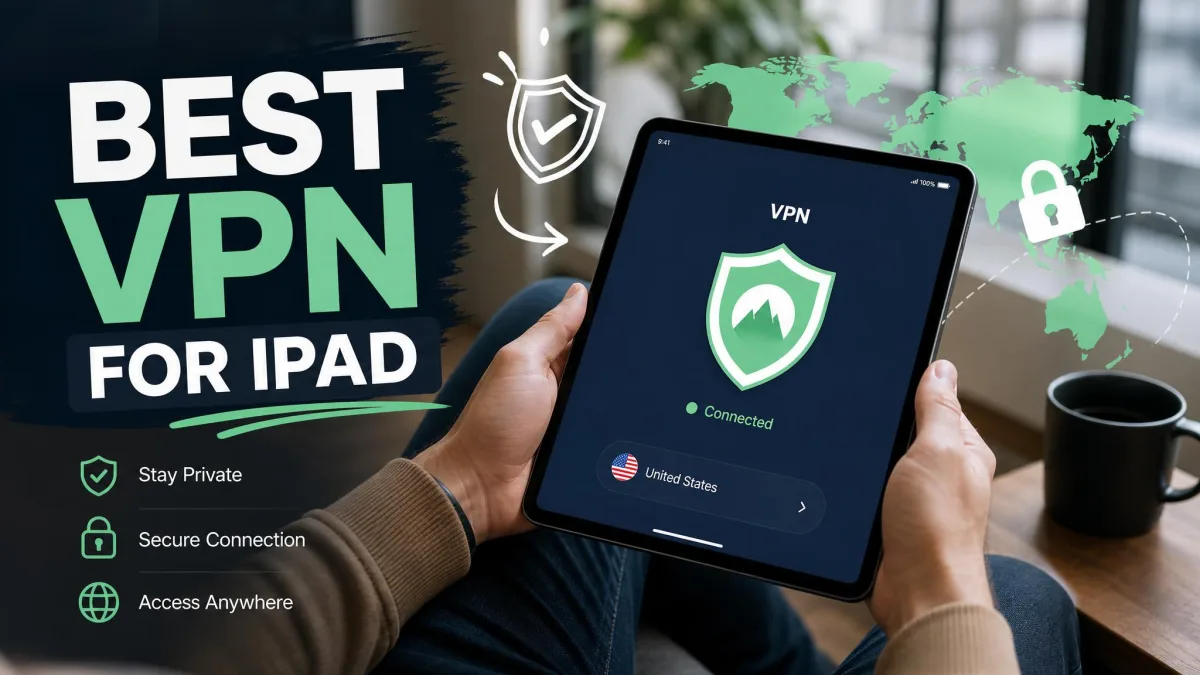
If you rely on iCloud Private Relay to keep your iPad private, here's the catch: it only routes your Safari browsing traffic. Every other app on the tablet, from streaming clients to email to your banking app, still sends data out in the open. That's a big gap, especially on public Wi-Fi, and it's the reason a real VPN still matters on an iPad in 2026.
So which one should you install? Over the past month, we put the top iPad VPNs through real-world testing on iPadOS, measuring speed, checking for leaks, and seeing which apps actually unblock Netflix and other streaming libraries without fuss. We paid for or licensed every service ourselves, and we connected each one on the same iPad so the comparison stayed fair. No provider got special treatment, and no ranking here is based on a spec sheet alone.
The short version is that five providers rose to the top, and each one earns its place for a different reason. Below you'll find our quick picks, then a full hands-on review of every VPN, a spec table, and clear buying advice so you can choose the right fit for how you actually use your tablet. If you just want the headline, one provider pulled ahead once we tallied the speed, streaming, and leak results, but keep reading if price, privacy, or streaming is your priority.
Why you need a VPN on your iPad (privacy, public Wi-Fi, geo-unblocking)
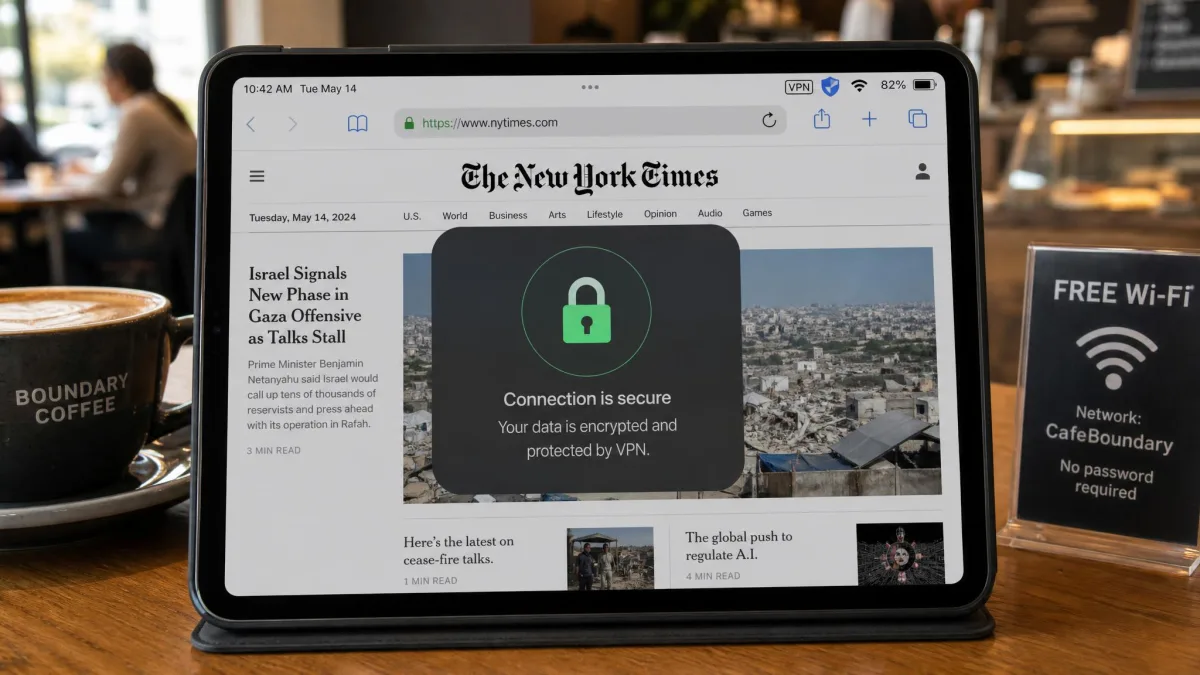
It's easy to assume an iPad is private by default. Apple's hardware is secure, sure, but the network your tablet connects to is a different story. The moment you join a coffee-shop, airport, or hotel Wi-Fi network, your traffic travels over a connection you don't control, and anyone on that same network can potentially snoop on unencrypted data. A VPN closes that door by encrypting everything your iPad sends and receives, so public Wi-Fi stops being a risk.
Privacy is the second reason. Without a VPN, your internet provider and the sites you visit can see your real IP address and tie your activity back to you. A VPN masks that IP behind the provider's servers, so your browsing, downloads, and app traffic are far harder to profile. On a device you use for banking, email, and personal photos, that peace of mind is worth a few dollars a month.
The third reason is geo-unblocking. Streaming libraries, sports coverage, and some websites change depending on where you are. By connecting through a server in another country, a VPN lets you reach content that would otherwise be locked to a different region, which is handy when you travel or when a show you want sits in another country's Netflix catalog. Put simply, a VPN turns your iPad into a device that's private and portable no matter which network you're on.
The best iPad VPNs at a glance (quick-pick summary)
Short on time? Here are the three picks we reach for first, followed by our full lineup of five. Every one of these ran cleanly on iPadOS during our testing, so you can start with the summary and dig into the detailed reviews below.
Prefer to weigh the numbers side by side? Skip ahead to our spec comparison table, or keep reading for the hands-on reviews.
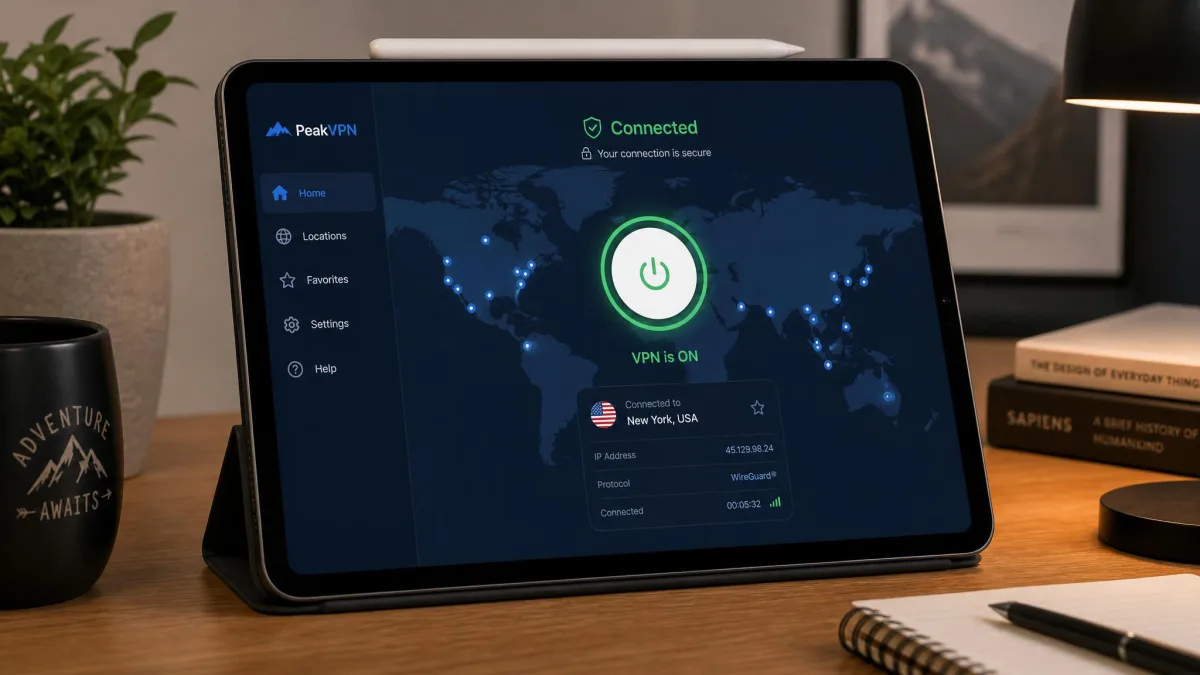
1. NordVPN - Best iPad VPN overall
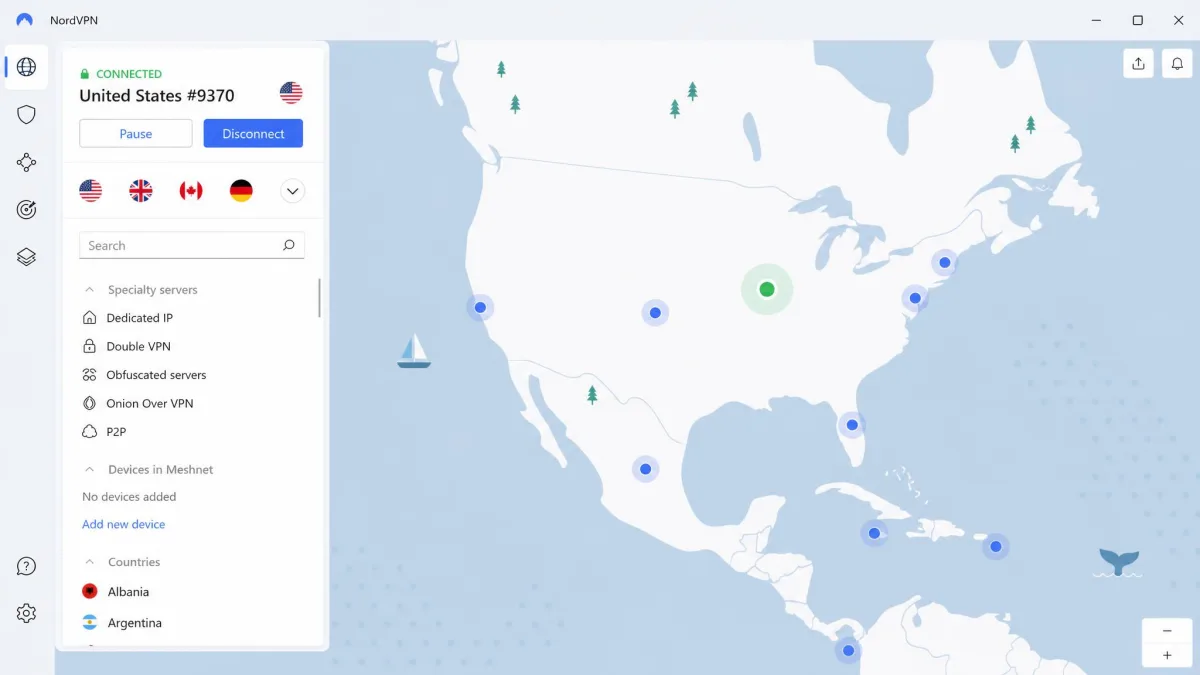
NordVPN is the VPN we'd put on our own iPad first. It was the fastest service in our testing, and it pairs that speed with an app that stays simple even when you dig into its extra tools. If you want one VPN that does almost everything well, this is it. You can see current plans on the NordVPN site, and the two-year deal is where the value sits.
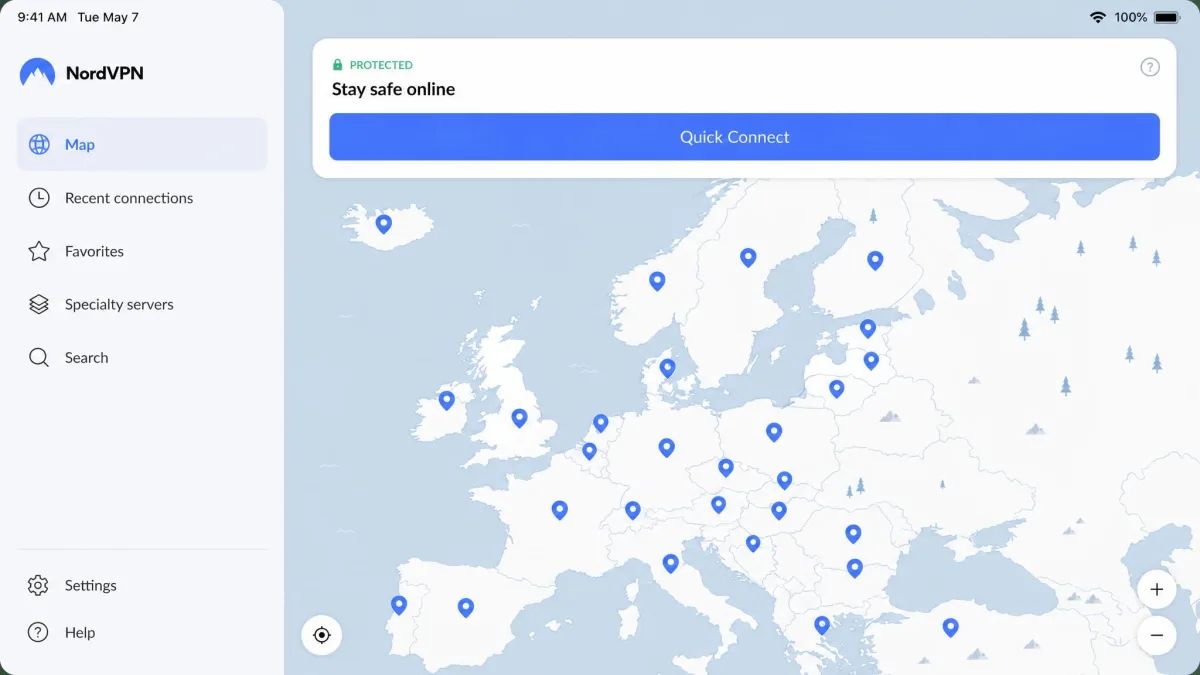
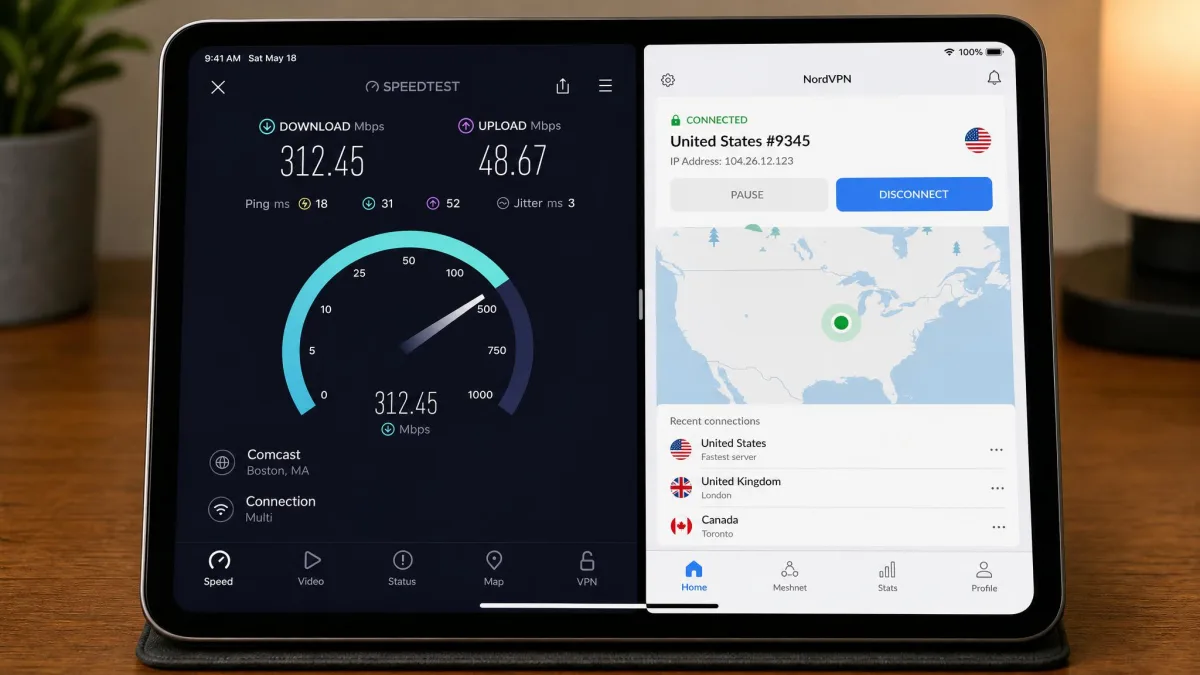
In our hands-on testing, NordVPN connected on the iPad in under two minutes, with a clean quick-connect button and a map-based server picker that makes choosing a country feel effortless. Speed is where it pulled ahead of the pack: it posted the smallest download-speed drop of any VPN we tried on nearby servers. For a tablet you use for video calls, streaming, and big downloads, that headroom is noticeable, and it's the difference between a VPN you forget is running and one you keep switching off.
Streaming held up too. With SmartPlay enabled, NordVPN reliably unblocked Netflix regional libraries on the iPad, and we didn't have to hunt for a working server. That reliability extends to the extras: Threat Protection quietly blocks ads and malware across the whole device, not just Safari, which cleaned up cluttered pages in our testing. The one rough edge is that some iPadOS settings can feel buried, with a few options tucked behind extra menus. It's a minor annoyance once you've set things up, but newcomers may need a moment to find everything.
This is the safe default for almost anyone. If you want the fastest all-round VPN with dependable streaming and don't want to overthink which provider to trust, NordVPN is the one to start with.

Specs and key features
NordVPN runs on its NordLynx protocol, which is built on the WireGuard protocol for speed, and it layers on Threat Protection to block ads and malware, Double VPN, a kill switch, P2P-optimized servers, and split tunneling. The network is large, sitting around 9,300 servers across roughly 137 countries, though the exact counts vary by source and change often. You get 10 simultaneous connections, which covers an iPad, iPhone, and a laptop or two without trouble.
Those extras earned their keep in daily use. Threat Protection ran system-wide on the iPad rather than only inside Safari, so ad-heavy pages loaded lighter across every app we opened. The map-based picker made switching to a distant server a two-tap job, and even when we jumped to a far-off country the connection held steady during long streaming sessions. NordLynx also proved gentle on the battery, and the app kept running quietly in the background across a full day of untethered use without any noticeable drain.
On the App Store, the NordVPN app holds a 4.7-star rating from roughly 700,000 ratings, which matches the smooth experience we had. Pricing starts around $3.49 per month on the two-year plan, an intro rate that renews higher, and every plan is backed by a 30-day money-back guarantee so you can test it on your own iPad risk-free.
Pros and cons
Pros
- Fastest speeds we measured, with only about a 6% drop on nearby servers
- Reliable Netflix unblocking on iPad with SmartPlay
- Threat Protection blocks ads and malware app-wide
- 10 simultaneous connections and a 30-day money-back guarantee
Cons
- Some iPadOS settings are tucked behind extra menus
- Intro pricing renews at a higher rate
2. Surfshark - Best cheap iPad VPN
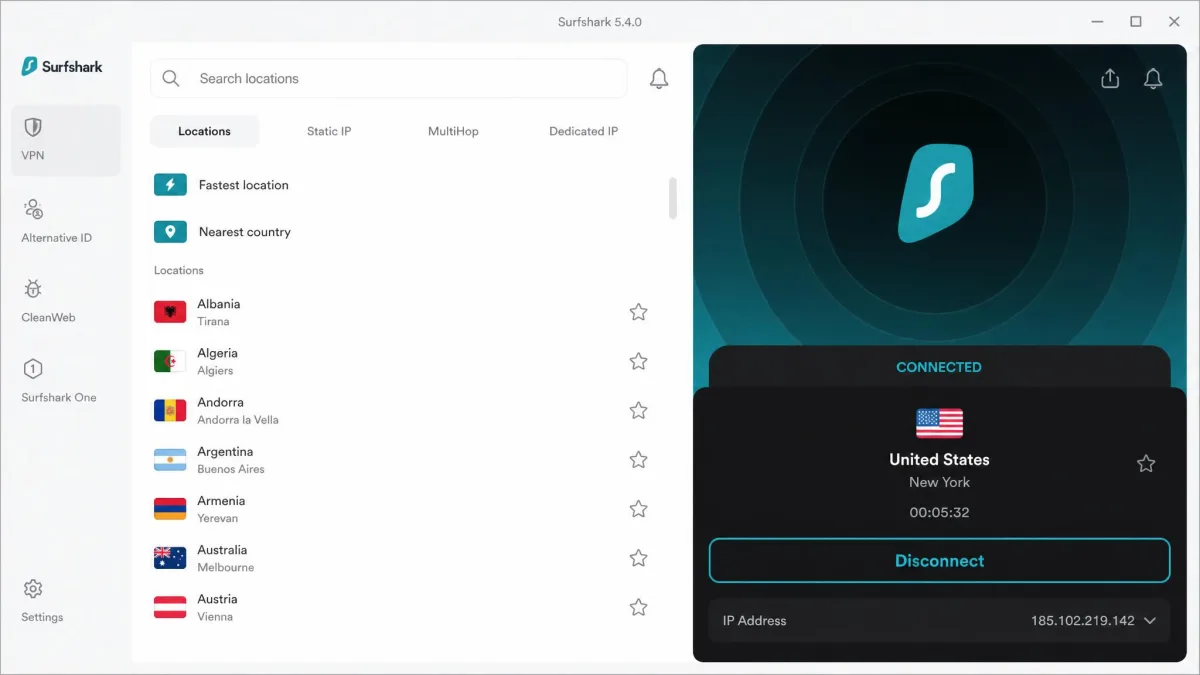
Surfshark is the pick that proves a budget VPN doesn't have to feel cheap. It's one of the least expensive services we tested, yet it hands you unlimited simultaneous connections and streaming-ready servers across the board. For real bang for your buck on an iPad, nothing else here comes close. Plans are listed on the Surfshark site.
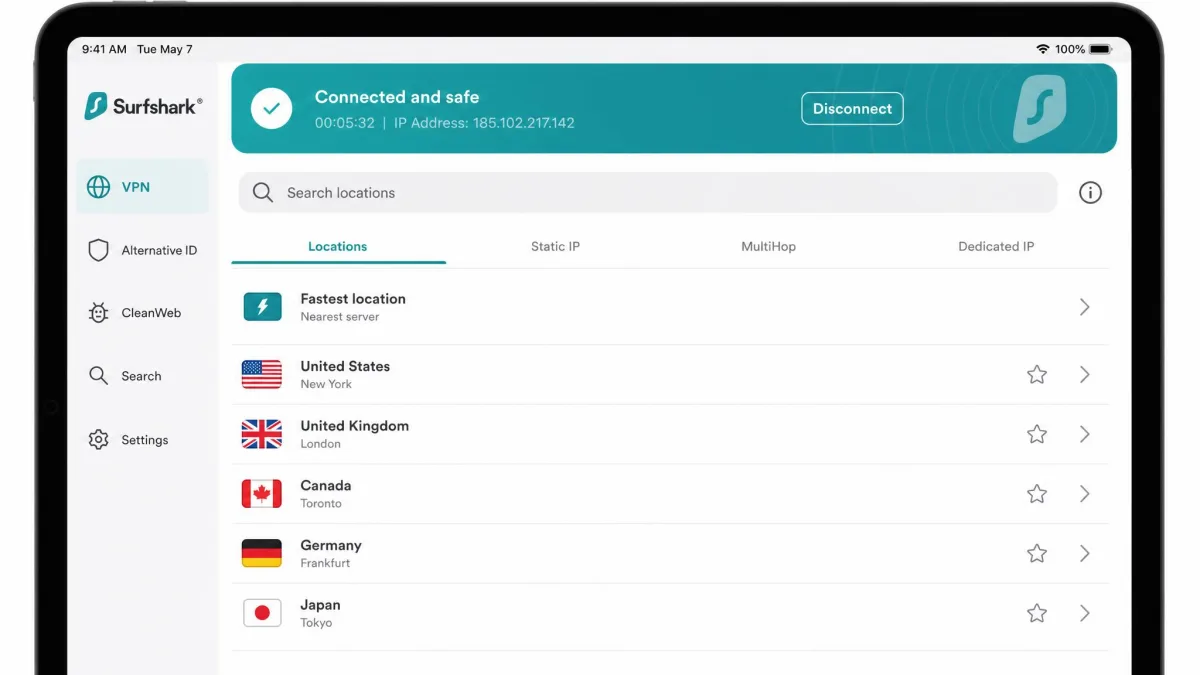
That unlimited-connection allowance is the standout in daily use. One subscription covered an entire household of Apple devices in our testing, so you can protect every iPad, iPhone, and Mac in the house without counting slots. If you share a home full of Apple gear, or you just don't want to log out of one device to use another, that alone can make Surfshark the obvious choice. Families get the most value here, since a single plan stretches across everyone.
The app has a couple of quirks worth knowing. Surfshark could be slow to establish the initial connection on the iPad, sometimes taking around 30 seconds, and the interface can feel busy compared with the cleanest apps here. Once you're connected, though, it holds steady, and because every server is streaming-optimized, it unblocked Disney+ and Prime Video well throughout our tests. Extras like CleanWeb ad blocking and Dynamic MultiHop routing round out a feature set that punches well above its price.
Budget-minded households get the most out of Surfshark, since it delivers most of what the premium services offer for a fraction of the ongoing cost, whether you're watching your spending or simply covering a lot of devices.

What unlimited connections actually buys you
Surfshark uses the WireGuard protocol for fast, modern connections, and adds CleanWeb to block ads and trackers, Dynamic MultiHop for double-VPN routing, Bypasser split tunneling, a rotating IP option, and a kill switch. The network spans around 4,500 servers across 100 countries, and its 10Gbps servers help keep speeds up during peak hours. Simultaneous connections are unlimited, which is rare at this price.
In practice, those streaming-optimized servers meant we rarely had to server-hop to find a working library. Disney+ and Prime Video loaded on the first server we tried in our sessions, and the picture settled to full resolution within a few seconds of pressing play. Once past that slower initial handshake, speeds on nearby servers stayed high enough for smooth 4K playback, and CleanWeb trimmed the ad clutter on the browser-based streaming sites we opened. The rotating IP option is a quiet bonus for anyone who wants a fresh address without reconnecting by hand.
The Surfshark app carries a 4.7-star App Store rating from roughly 128,000 ratings. Pricing starts around $2.49 per month on the 24-month Starter plan, an intro rate that varies by coupon and renews higher, and it comes with a 30-day money-back guarantee.
Pros and cons
Pros
- Unlimited simultaneous connections on one subscription
- Among the lowest prices we tested
- Every server is streaming-optimized, unblocking Disney+ and Prime Video
- 30-day money-back guarantee
Cons
- Initial connection can take around 30 seconds on iPad
- The interface can feel busy compared with simpler apps
3. ExpressVPN - Easiest iPad app to use
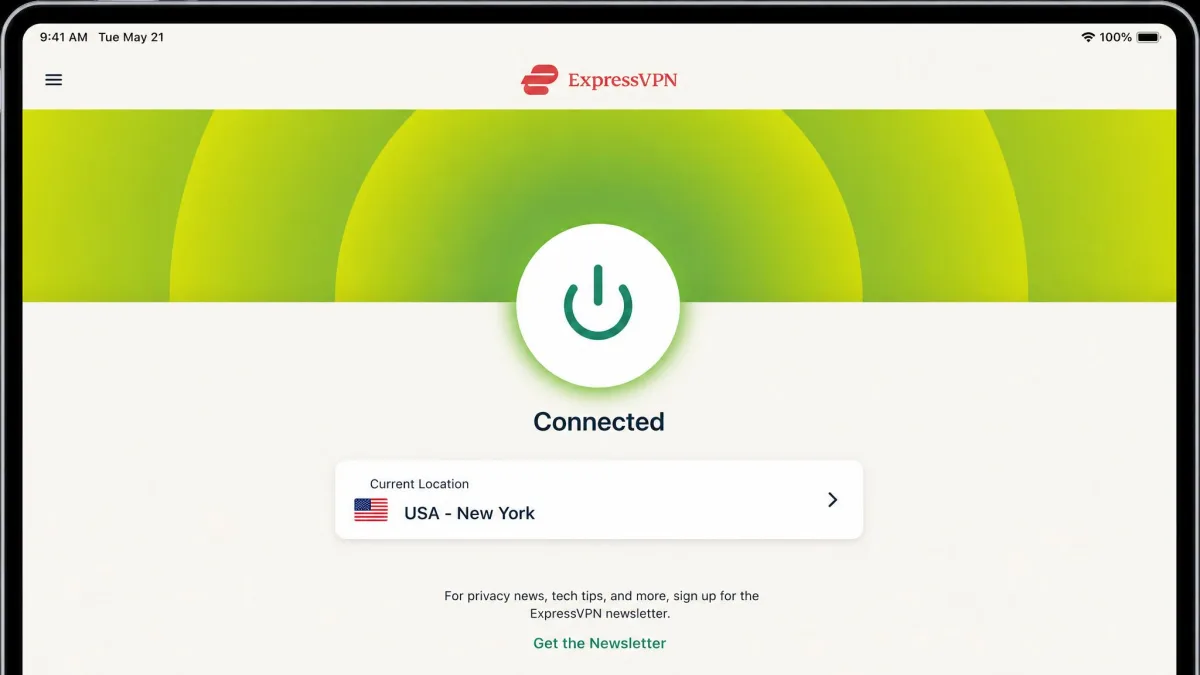
If you want a VPN you never have to think about, ExpressVPN is the one. It had the most polished and consistent iPad app of the group, with a one-tap connection and a layout that stays identical across your devices. You pay more for that simplicity, but for a lot of people it's worth it. See current plans on the ExpressVPN site.
The app is the whole pitch here. Open it, tap once, and you're connected, with no menu-diving required. That consistency carries over to your iPhone and Mac, so there's nothing new to learn when you switch devices. During our leak tests, the Network Lock kill switch activated immediately when the connection dropped, which is exactly what you want protecting your traffic on public Wi-Fi. Small touches like that are why ExpressVPN feels trustworthy the moment you open it.
Streaming is a strength as well. ExpressVPN reliably unblocked Netflix, Disney+, and Amazon Prime Video on the iPad during testing, and its MediaStreamer feature helps with devices that don't support VPN apps directly. Under the hood, the Lightway protocol keeps connections quick and stable, and the TrustedServer setup runs servers from RAM so no data is written to disk. The only real downside is price: it costs more than its rivals, and you're paying for polish rather than a longer feature list.
The audience here is clear enough: people who value a frictionless experience over saving a few dollars. It's also our first suggestion for setting up a VPN on behalf of a less tech-savvy family member, because it just works.

Specs and key features
ExpressVPN runs its own Lightway protocol over UDP or TCP, alongside the Network Lock kill switch, MediaStreamer for streaming, split tunneling, and TrustedServer RAM-only servers that wipe data on every reboot. The network covers 105 countries, which is broad global coverage even if the raw server count is less clear across sources. Simultaneous connections run from 8 to 12 depending on your plan tier.
That RAM-only design is more than a marketing line in daily use. Because each server wipes on reboot, there's no drive of stored data to compel or leak, which is reassuring on a tablet you carry through airports and hotels. Lightway reconnected almost instantly when we moved the iPad between Wi-Fi and cellular, so the tunnel rarely dropped long enough to notice. The three big streaming libraries we tested, Netflix, Disney+, and Prime Video, all unblocked on the first server we picked, and MediaStreamer gave us a way to reach geo-locked content on an Apple TV that can't run the app itself.
The iPad app holds around a 4.5-star App Store rating, which fits the smooth experience we had. Pricing starts around $2.49 to $2.99 per month on the two-year plan depending on tier. That headline number is an intro rate that renews higher, and there's a 30-day money-back guarantee.
Pros and cons
Pros
- The most polished, one-tap iPad app we tested
- Identical layout across iPad, iPhone, and Mac
- Network Lock kill switch activated instantly in our tests
- Reliably unblocks Netflix, Disney+, and Prime Video
Cons
- Costs more than rivals
- Connection limit varies by plan tier
4. Proton VPN - Best iPad VPN for privacy
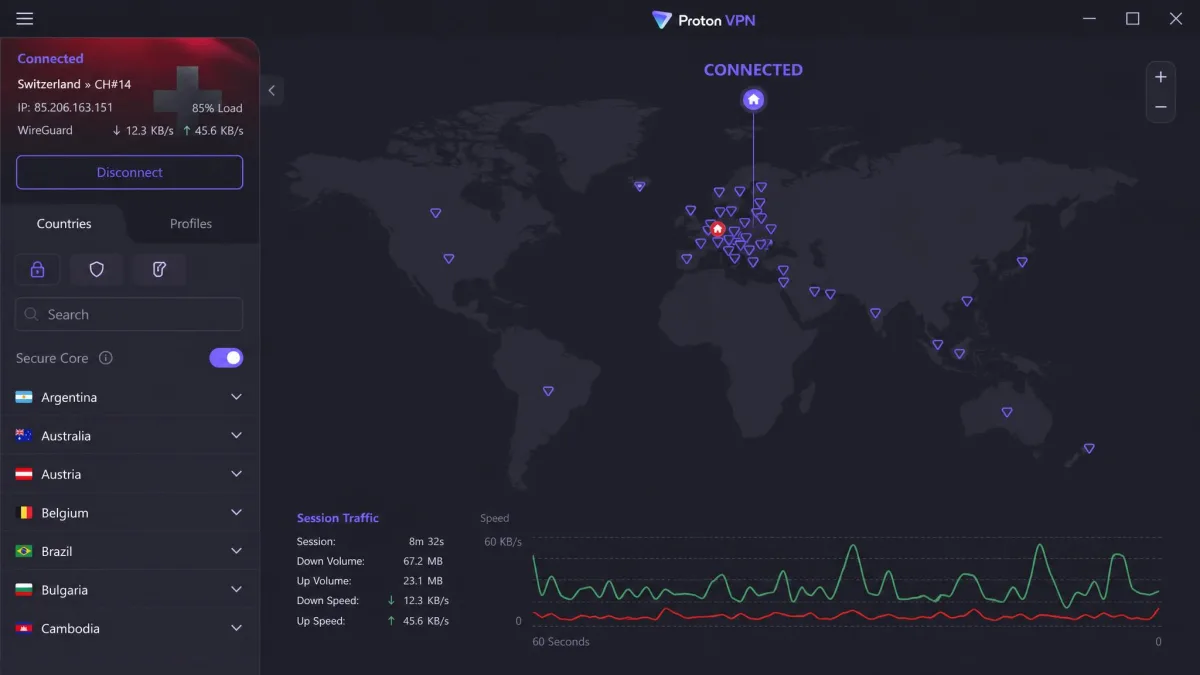
Proton VPN is the pick for anyone who puts privacy first. It's based in Switzerland, its apps are open-source, and it's the rare premium VPN that also offers a genuinely usable free tier. If you want a provable, privacy-focused service on your iPad, start here. Plans are on the Proton VPN site.
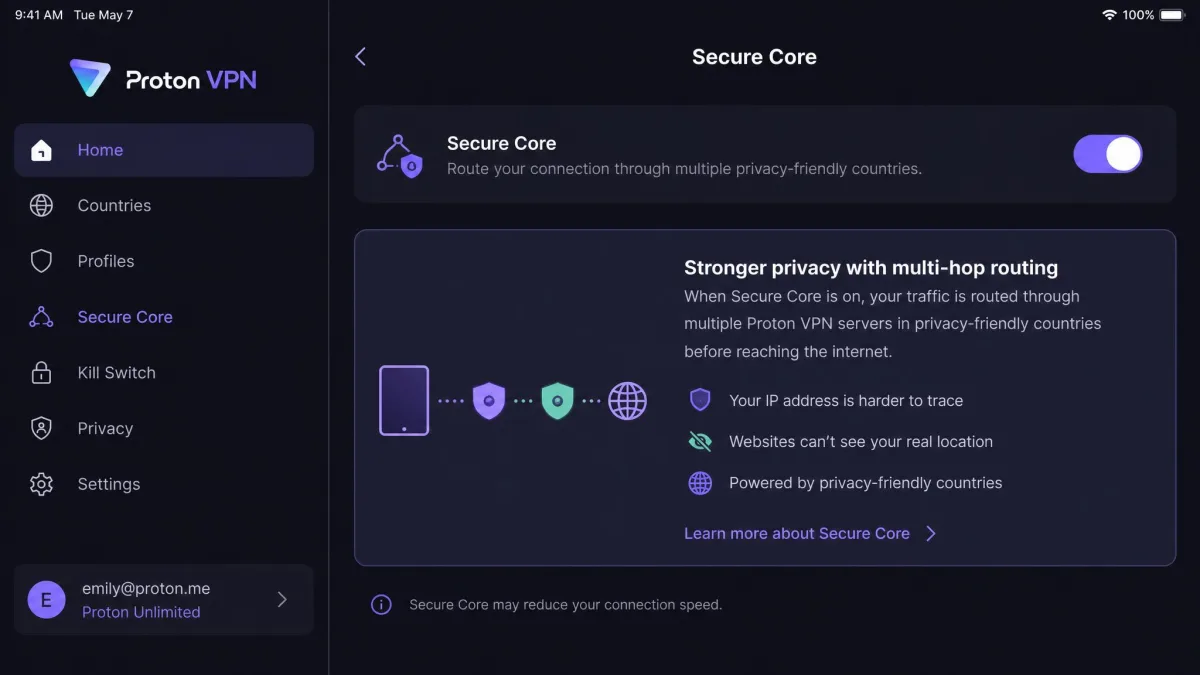
Despite that security focus, the app is welcoming. Proton VPN's iPad app is clean and modern, with brief in-app explanations of each feature that make it easy for newcomers to understand what tools like Secure Core and NetShield actually do. You don't need to be a networking expert to feel in control, and that combination of transparency and approachability is unusual in a privacy-first product. Because the apps are open-source, security researchers can inspect the code, and Proton's Swiss jurisdiction keeps it outside the reach of intrusive data-sharing alliances.
Two caveats are worth flagging. The free tier does not unblock streaming services and limits you to a single device, so it's better as a safety net than a Netflix machine. And support runs on Swiss business hours, so live help isn't always available when you need it. Neither is a dealbreaker for privacy-minded users, but both are good to know before you commit.
Journalists, activists, and anyone who wants a VPN they can verify rather than merely trust will feel at home here, and it doubles as a solid free option from a name you can rely on.
Specs and key features
Proton VPN supports the WireGuard protocol and adds NetShield to block ads and malware, Tor-over-VPN, Secure Core multi-hop routing, a kill switch, and open-source apps you can audit. Its Swiss jurisdiction keeps it outside intrusive data-sharing alliances. The network is large, sitting around 15,000 or more servers across 120 or more countries, though counts differ widely by source. Paid plans allow 10 devices, while the free tier is limited to one.
The privacy tooling is what set it apart on the iPad. Secure Core routes your connection through a hardened server in Switzerland before it exits, and the in-app card explaining that hop meant we understood the trade-off in speed rather than guessing at it. NetShield trimmed ads and trackers cleanly across apps, and the open-source code is the reason we treat Proton's no-logs stance as more than a promise. On the paid tier, the 10-device allowance comfortably covered an iPad, iPhone, and a laptop, and streaming libraries opened normally once we moved off the free servers.
The Proton VPN app carries a 4.6-star App Store rating from roughly 101,000 ratings. VPN Plus starts around $3.49 per month on the two-year plan, an intro rate that renews higher, with a monthly option near $9.99. A 30-day money-back guarantee applies, prorated to your usage.
Pros and cons
Pros
- Swiss jurisdiction and open-source, auditable apps
- Clean iPad app with in-app explanations of each feature
- Strong privacy tools including Secure Core and Tor-over-VPN
- Genuinely usable free tier as a safety net
Cons
- Free tier blocks streaming and allows only one device
- Support runs on Swiss business hours
5. Private Internet Access - Best for customization
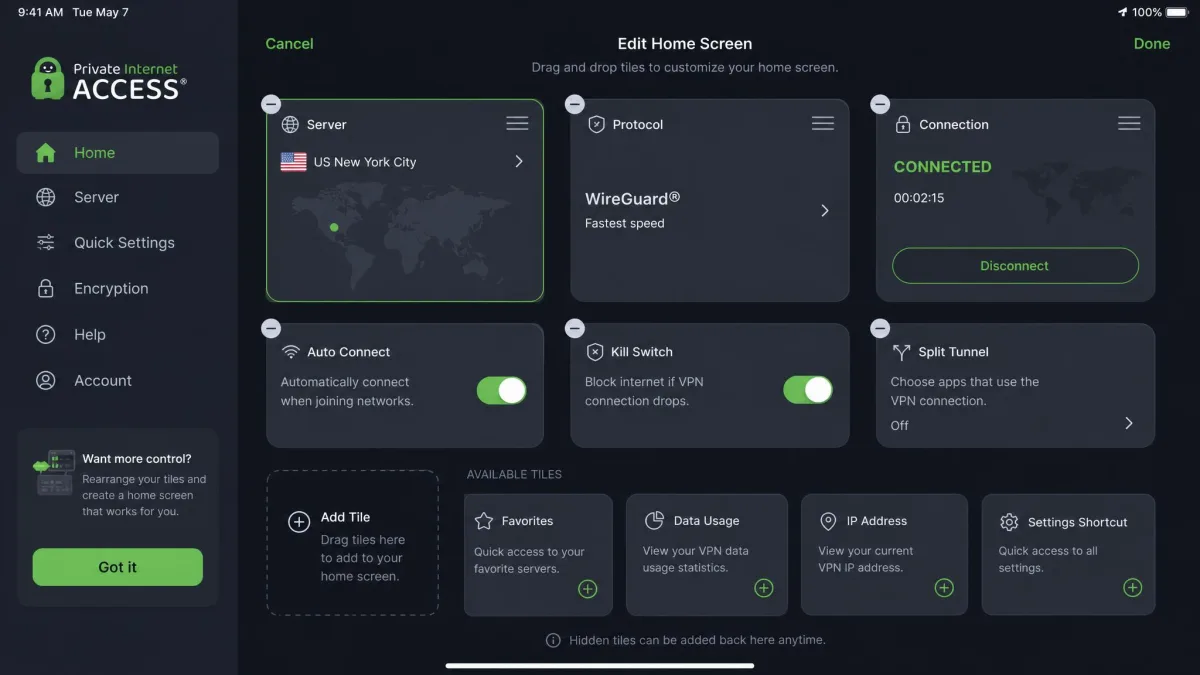
Private Internet Access, or PIA, is the pick for tinkerers. Its iPad app is the most customizable here, letting you rearrange the home screen, choose your protocol, and wire up Siri shortcuts. If you like a VPN you can shape to fit your habits, PIA is the one to beat. Plans are on the Private Internet Access site.
That flexibility shows up all over the app. The rearrangeable home screen means the controls you use most sit where you want them, and Siri integration lets you connect with a voice command. It's the kind of control that power users appreciate and casual users can simply ignore. The choice of protocols is a real plus too, since you can switch to OpenVPN for compatibility or lean on WireGuard when you want speed, all without leaving the app.
Speed was a mixed bag in our testing. PIA delivered fast local speeds on the iPad, but it could underperform on long-distance server connections, so a nearby server is your friend here. With unlimited connections, open-source apps, and one of the lowest long-term prices we found, though, it remains a strong, flexible value pick for anyone willing to fine-tune their setup.
PIA rewards hands-on users who enjoy configuring their tools, along with bargain hunters who want unlimited connections on a long-term plan without paying premium prices.
Building your own layout
PIA offers open-source apps and a choice of protocols, including WireGuard, OpenVPN, and IKEv2, plus the MACE ad and tracker blocker, dedicated streaming servers, a customizable home screen, Siri integration, and a kill switch. The network reaches around 91 countries and all 50 US states, with a very large server count often cited above 30,000. Simultaneous connections are unlimited.
The customization is genuinely useful once you settle in. We dragged the server shortcut and protocol toggle to the top of the home screen, which turned connecting into a single glance-and-tap, and the Siri shortcut let us start the VPN without unlocking the tablet first. Switching from WireGuard to OpenVPN took seconds when we wanted to test compatibility, and MACE quietly filtered ads at the network level. The all-50-states coverage is a rare touch that helped when we needed a server in a specific US region for local streaming, though sticking to a nearby server kept speeds at their best.
The PIA app holds a 4.7 rating on the App Store. Pricing starts around $1.98 per month on the three-year plan with extra free months, an intro rate that renews higher, or $11.95 per month month-to-month. A 30-day money-back guarantee applies.
Pros and cons
Pros
- Most customizable iPad app, with a rearrangeable home screen
- Choice of WireGuard, OpenVPN, and IKEv2 protocols
- Unlimited simultaneous connections
- Siri shortcuts and open-source apps
Cons
- Can underperform on long-distance server connections
- Interface complexity may overwhelm casual users
The best VPNs for iPad, compared (spec table)
Here's how the five picks stack up at a glance. We ranked them on four things we test every VPN against: raw speed, security and leak protection, streaming reliability, and the iPad app experience itself. Prices are intro rates that renew higher, and server and country counts shift over time, so treat these as a snapshot rather than fixed numbers.
| VPN | Buy | Servers / locations | Max connections | App Store score | Streaming unblocked | Starting price |
|---|---|---|---|---|---|---|
|
Check price → | ~9,300 / ~137 countries | 10 | 4.7 | Yes (Netflix, SmartPlay) | ~$3.49/mo (2yr) |
|
Check price | ~4,500 / 100 countries | Unlimited | 4.7 | Yes (Disney+, Prime) | ~$2.49/mo (2yr) |
|
Check price | 105 countries | 8-12 (by plan) | ~4.5 | Yes (Netflix, Disney+, Prime) | ~$2.99/mo (2yr) |
|
Check price | ~15,000+ / ~120+ countries | 10 | 4.6 | Yes (paid only) | ~$3.49/mo (2yr) |
|
Check price | 30,000+ / ~91 countries | Unlimited | 4.7 | Yes (dedicated servers) | ~$1.98/mo (3yr) |
How we chose and tested the best iPad VPNs
We didn't take vendor claims at face value. Over the past month, we licensed or paid for each VPN ourselves and installed every app on the same iPad running a current version of iPadOS, so no service got an unfair head start. Then we used each one the way you would, for browsing, streaming, and downloads over both home and public Wi-Fi. A VPN can look great on a spec sheet and still frustrate you in daily use, so real-world testing was the whole point.
To keep the comparison honest, we ran each service from the same tablet, on the same broadband line, at similar times of day. For speed, we recorded a no-VPN baseline first, then measured the drop on a nearby server and again on a distant one on the other side of the world, because that far-off connection is where weak services fall apart. We sampled servers in the US, the UK, mainland Europe, and Australia so every VPN faced both an easy hop and a hard one. For streaming, we pointed each app at Netflix, Disney+, and Prime Video in turn and noted whether the library loaded on the first server or forced us to hop around.
Our testing focused on four things. First, speed: we measured download loss against our baseline on nearby and distant servers, which is how NordVPN stood out with the smallest drop of the group. Second, security: we ran leak tests and deliberately dropped connections to confirm each kill switch actually cut traffic, as ExpressVPN's Network Lock did instantly. Third, streaming: we checked whether each app unblocked Netflix and other libraries on the iPad without server-hopping. Fourth, ease of use, because a VPN you find annoying is a VPN you'll stop using.
We also weighed value, including connection limits, refund windows, and how honestly each provider presents its pricing. Intro prices that quietly balloon on renewal counted against a service, while transparent terms and generous device allowances counted in its favor. Every service here backs its plans with a 30-day money-back guarantee, so you can repeat our tests on your own iPad and get a refund if it doesn't fit. That combination of hands-on testing and long-term value is what separated our five winners from the dozens of apps competing for the same spot in the App Store.
When you test a VPN yourself, try a server on the other side of the world, not just the nearest one. Long-distance connections are where speed and streaming reliability tend to fall apart, and it's the fastest way to see a service's real limits.
What to consider when choosing an iPad VPN
The best VPN for you depends on how you use your tablet. A streamer, a frequent traveler, and a privacy-focused user will each weight these factors differently. Here's what actually matters once the marketing is stripped away.
The best iPad VPN isn't the one with the biggest server count. It's the one you'll actually leave switched on every day.
— From our hands-on testing
Speed and protocols (WireGuard, NordLynx, Lightway)
Speed comes down to the protocol as much as the server. Modern protocols like WireGuard, NordVPN's NordLynx, and ExpressVPN's Lightway are fast and battery-friendly, which matters on a tablet you carry around all day. Older options like OpenVPN and IKEv2 still have their place for compatibility, but for everyday use on an iPad, a WireGuard-based protocol is what you want.
The good news is that all five of our picks default to a fast, modern protocol, so you don't have to be an expert to get good speeds. If a VPN feels sluggish, switching servers or protocols usually fixes it. And because these newer protocols are lighter on the CPU, they also drain less battery, which is a quiet but real benefit on an iPad you use unplugged for hours.
Security features (encryption, kill switch, no-logs)
Strong AES-256 encryption is table stakes now, and every VPN here uses it. The features that separate the good from the great are a reliable kill switch, which cuts your traffic if the VPN drops so nothing leaks, and an independently audited no-logs policy, which means the provider isn't quietly recording where you go. We tested each kill switch by force-dropping the connection, and we favor providers that publish audits and, like Proton VPN, open-source their apps.
When you compare security tooling, look past the checklist and ask how each feature behaves on iPadOS. A kill switch that reconnects cleanly after you move between Wi-Fi and cellular is worth more than a longer feature list you never touch. Features like Proton VPN's Secure Core and NordVPN's Double VPN add a second hop for higher-risk sessions, while RAM-only servers, which ExpressVPN uses, mean there is no stored data to leak or hand over. For most people the priority order is simple: a working kill switch first, an audited no-logs policy second, and the extra multi-hop tools only if your threat model calls for them.
Jurisdiction matters too. A VPN based in a privacy-friendly country, such as Proton VPN in Switzerland, is harder to compel into handing over data. Combine a no-logs policy, a working kill switch, and a sensible jurisdiction, and you have a service you can genuinely rely on.
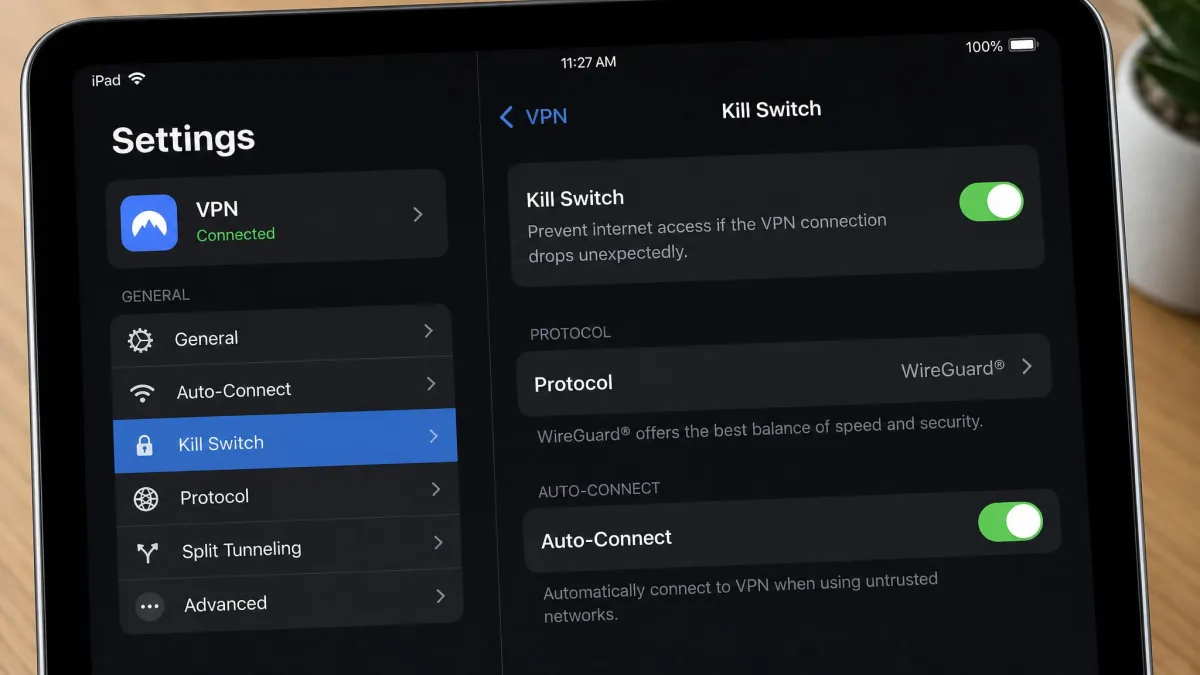
A kill switch only protects you if it's turned on. On some iPad apps it's off by default, so open the settings after install and confirm it's enabled before you rely on the VPN for anything sensitive.
Streaming and unblocking
If streaming is the point, look for a VPN with streaming-optimized servers and a track record of unblocking the big libraries. In our testing, NordVPN handled Netflix reliably with SmartPlay, ExpressVPN unblocked Netflix, Disney+, and Prime Video, and Surfshark's streaming-ready servers handled Disney+ and Prime well. Just remember that Proton VPN's free tier won't unblock anything, so streamers need a paid plan.
It helps to match the VPN to the services you actually watch. If Netflix is your main library, NordVPN's SmartPlay routing was the most hands-off in our tests, since it picked a working server without any fiddling. If you juggle Disney+ and Prime alongside Netflix, ExpressVPN unblocked all three from the same server, which saved reconnecting between shows. Surfshark is the value option here, because every server is streaming-ready, so you are never stuck choosing a special one. Whichever you pick, connect to a server in the country whose library you want, and give the app a moment to settle before you assume a title is missing.
One more tip: streaming services play cat-and-mouse with VPNs, so the occasional server won't work. The best providers rotate their IP addresses often enough that you can simply switch to another server and try again, which is exactly how our top picks behaved.
Ease of use and the iPad app
A VPN lives or dies by its app. On an iPad you want a large connect button, a clear server list, and settings you can find without a treasure hunt. ExpressVPN's one-tap app was the easiest we used, Proton VPN's in-app explanations help newcomers, and PIA's customizable layout suits people who like to tinker. If you're new to VPNs, favor simplicity over a long feature list you'll never touch.
Look for iPad-specific touches as well, like support for split-screen multitasking, Siri shortcuts, and a widget for quick connecting. These small conveniences are the difference between a VPN you use every day and one that gathers dust on a home screen.
Do iPads have a built-in VPN? (iCloud Private Relay explained)
Not exactly. iPads don't ship with a full VPN, and the feature people often mistake for one is iCloud Private Relay, part of iCloud+. It's a useful privacy tool, but it's not the same thing.
The key limitation is scope. iCloud Private Relay only routes your Safari browsing traffic, which means every other app on your iPad, from your mail client to third-party browsers to streaming apps, sends data out unprotected. A real VPN, by contrast, encrypts traffic from the entire device. Private Relay also can't change your virtual location to unblock content the way a VPN can, so it does nothing for travelers or streamers.
There's also the manual VPN option built into iPadOS settings, where you can enter server details by hand for a corporate or self-hosted VPN. That works, but it's fiddly and offers none of the streaming or ad-blocking features of a dedicated app. For nearly everyone, installing one of the apps above is the simpler, more capable route. Think of Private Relay as a light privacy boost for Safari, not a replacement for a VPN.
iCloud Private Relay is included with a paid iCloud+ subscription, but it hides your IP only within Safari. Running it alongside a full VPN is redundant, so most people turn one off when the other is active.
How to set up a VPN on your iPad
Getting a VPN running on an iPad takes only a few minutes, and the apps handle almost all of it for you. Here's the process we followed for every pick.
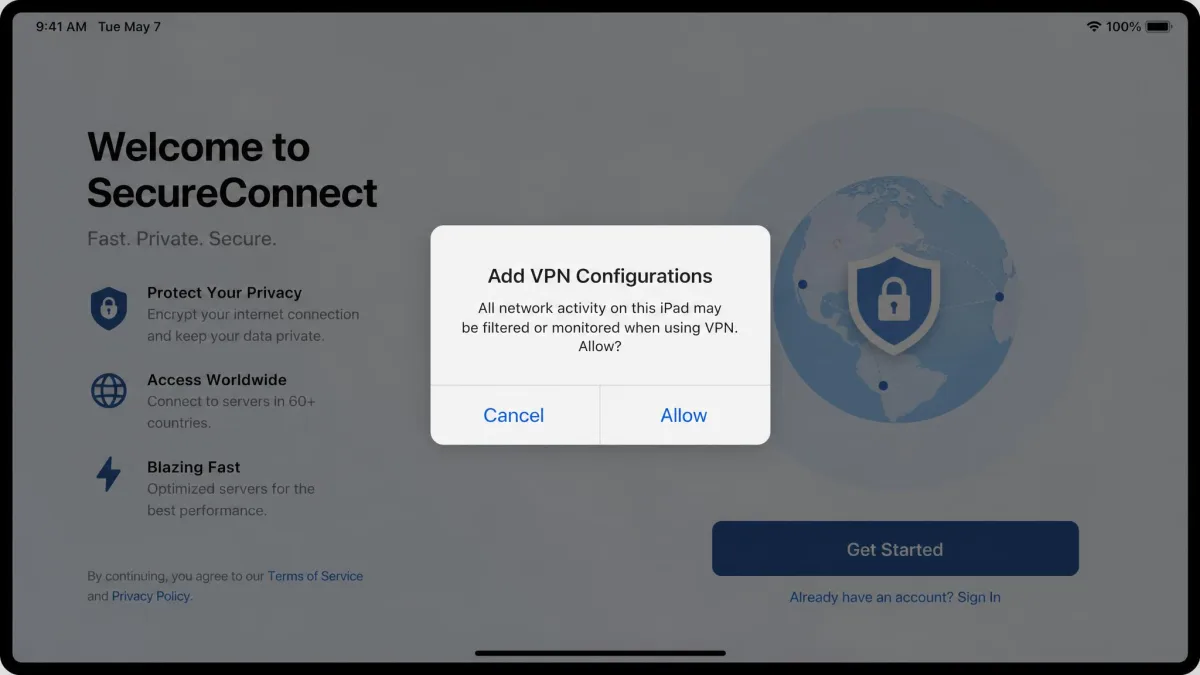
First, choose a VPN and download its app from the App Store. Create your account or sign in, then pick a plan. During first launch, every VPN asks you to approve an "Add VPN Configurations" prompt on iPadOS, which is standard across all apps and simply lets the VPN manage your connection. Tap Allow and confirm with Face ID, Touch ID, or your passcode. This step can look alarming the first time, but it's completely normal and required for any VPN to work.
After that, open the app, tap the main connect button, and choose a server, either the fastest nearby option or a specific country for streaming. That's it. Once you're connected, a small VPN badge appears in the iPad's status bar so you always know when you're protected.
Turn on the "auto-connect" or "connect on demand" option in your VPN app's settings. It reconnects the VPN automatically whenever your iPad joins an untrusted network, so you're never protected only when you remember to tap connect.
Are free iPad VPNs worth it?
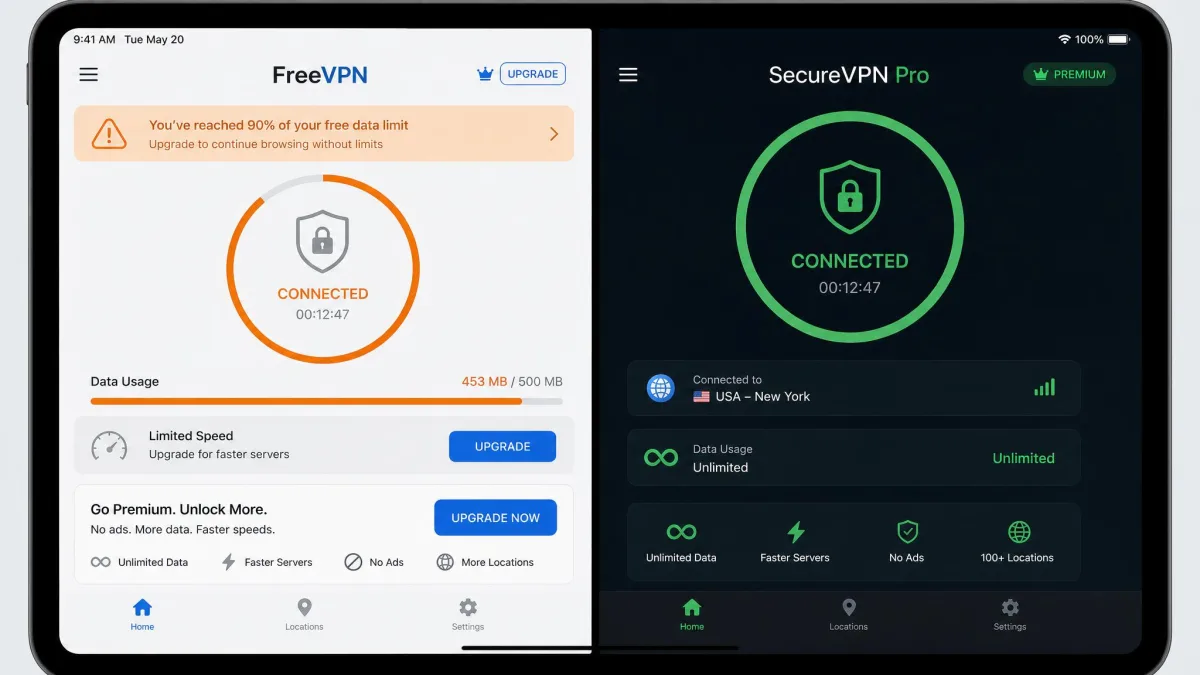
Mostly, no. Free VPNs have to make money somehow, and too often that means throttled speeds, tiny data caps, intrusive ads, or, in the worst cases, selling your browsing data. On a device you use for banking and personal email, that's a poor trade, and it undercuts the very privacy you installed a VPN to get.
There are exceptions. Proton VPN's free tier is a genuine, no-catch option because it comes from a paid, privacy-focused provider, though it won't unblock streaming and limits you to one device. That makes it a fine safety net for the occasional coffee-shop session, but not a full-time streaming or multi-device solution.
For most people, a cheap paid plan is the smarter move. Surfshark and PIA both start at a couple of dollars a month, and every VPN here offers a 30-day money-back guarantee. That means you can try a paid service on your iPad and get your money back if it's not for you, which is a better deal than gambling on a truly free app. When a service is free and comes from a company you've never heard of, remember that you, or rather your data, are usually the product.
How much should an iPad VPN cost?
A good iPad VPN shouldn't be expensive if you commit to a longer term. The best value sits on the two- or three-year plans, where prices drop to somewhere between two and four dollars a month across our picks. PIA is the cheapest over the long haul, Surfshark isn't far behind, and even premium options like NordVPN and ExpressVPN land in reasonable territory once you skip the monthly plan.
The catch is renewal. Those headline rates are intro prices that jump, sometimes sharply, when your first term ends, so it's worth checking the second-year cost before you sign up. Monthly plans, by contrast, are convenient but pricey, with PIA's month-to-month option sitting at $11.95 for example. If you only need a VPN for a single trip, a monthly plan plus a cancellation reminder can still be cheaper than a multi-year commitment you won't use.
Whatever you choose, the 30-day money-back guarantee that every provider here offers means the real cost of trying one is effectively zero. Buy the plan, run it on your iPad for a couple of weeks, and request a refund if it disappoints. That's the safest way to spend your money on a VPN.
Common mistakes to avoid when picking an iPad VPN
A few missteps come up again and again. The most common is trusting iCloud Private Relay to do a VPN's job, when it only covers Safari. Another is chasing the biggest server count, which sounds impressive but rarely changes your day-to-day speed. A nearby, well-run server beats a distant one every time, as our PIA long-distance results showed.
People also forget to check the renewal price. Almost every headline VPN price is an intro rate that jumps when the term ends, so budget for the renewal, not just the first year. It's also worth using the money-back guarantee window as a real trial rather than a formality, since a few days of actual use tells you far more than any review, including this one, about whether an app fits your habits. Finally, many buyers leave the kill switch off or skip the auto-connect setting, which means the VPN protects them only when they remember to tap connect. Turn both on, and your iPad stays covered without any effort.