NordVPN is our top pick for Facebook. Its obfuscated servers disguise VPN traffic as ordinary web traffic, so it gets past the kind of filtering that stops a standard VPN, and its audited no-logs policy keeps your browsing private while you're connected.
Facebook tends to get blocked in three places. School and office networks often filter social media at the firewall level. Some governments block it for the whole country. And if you travel, you can run into both problems on hotel or airport Wi-Fi in a place where Facebook isn't welcome. A VPN sends your connection through an encrypted tunnel to a server somewhere else, so the network in front of you sees scrambled traffic instead of a request for Facebook.
The catch is that not every VPN gets through, and Facebook itself adds friction when your login suddenly appears from a new country. Below, we rank six services on how well they handle both problems, what they cost, and which one fits your situation.
The Best VPNs for Facebook at a Glance
If you only have a minute, this is the short list. Each score matches the rating on our full review of that service.
Best Facebook VPNs Compared
The first table covers what most people check first: who each service suits, what it costs on its longest plan, and whether there's a free tier.
| Product | Buy | Best for | Starting price | Free plan |
|---|---|---|---|---|
 |
Check price → | Best overall | About $3.49/mo(2-year) | No |
 |
Check price | Value and unlimited devices | $2.49/mo(2-year) | No |
 |
Check price | Facebook video and live streams | About $2.99 to $3.49/mo(2-year) | No (7-day mobile trial) |
 |
Check price | Free Facebook access | $2.99/mo(2-year) | Yes (10 countries, 1 device) |
 |
Check price | Beginners | $2.19/mo(26-month) | No (24-hour desktop trial) |
 |
Check price | Customization | About $2/mo(3-year) | No |
The second table is the one that decides whether Facebook actually loads on a restrictive network. Pay the most attention to the obfuscation column.
| Product | Buy | Obfuscation/stealth servers | Kill switch | Simultaneous devices | Server countries | Money-back guarantee |
|---|---|---|---|---|---|---|
|
Check price → | Obfuscated Servers (NordWhisper) | Yes (Internet and App) | 10 | Well over 100 | 30-day |
|
Check price | Automatic on OpenVPN, plus NoBorders | Yes | Unlimited | 100 | 30-day |
|
Check price | Automatic on every server | Yes (Network Lock) | 10, 12 or 14 by plan | 113 | 30-day |
|
Check price | Stealth protocol (Free plan too) | Yes (Free plan too) | 10 (1 on Free) | 140+ | 30-day (prorated) |
|
Check price | None | Yes (on by default on desktop) | 7 | 100 | 45-day (14 days on monthly) |
|
Check price | Shadowsocks via Multi-Hop (not on iOS) | Yes (standard and advanced) | Unlimited | 91 | 30-day |
1. NordVPN: Best Overall VPN for Facebook
NordVPN earns the top spot because it pairs the strongest anti-blocking tool in this list with a clean privacy record. Its Obfuscated Servers now run on the NordWhisper protocol, which makes a VPN connection look like regular web traffic to the firewall inspecting it. That matters most on exactly the networks where Facebook is hardest to reach.
The company was founded in 2012 and is incorporated in Panama. Its no-logs policy has been audited by PwC in 2018 and 2020 and by Deloitte in 2022, 2023 and 2024. There is one incident worth knowing about: a single rented server in Finland was accessed through a flaw at the data-center provider between January and March 2018. NordVPN learned of it in April 2019, and no user credentials or billing data were exposed. We go through the audits and the app line-up in more depth in our full NordVPN review.
How NordVPN Performed on Facebook
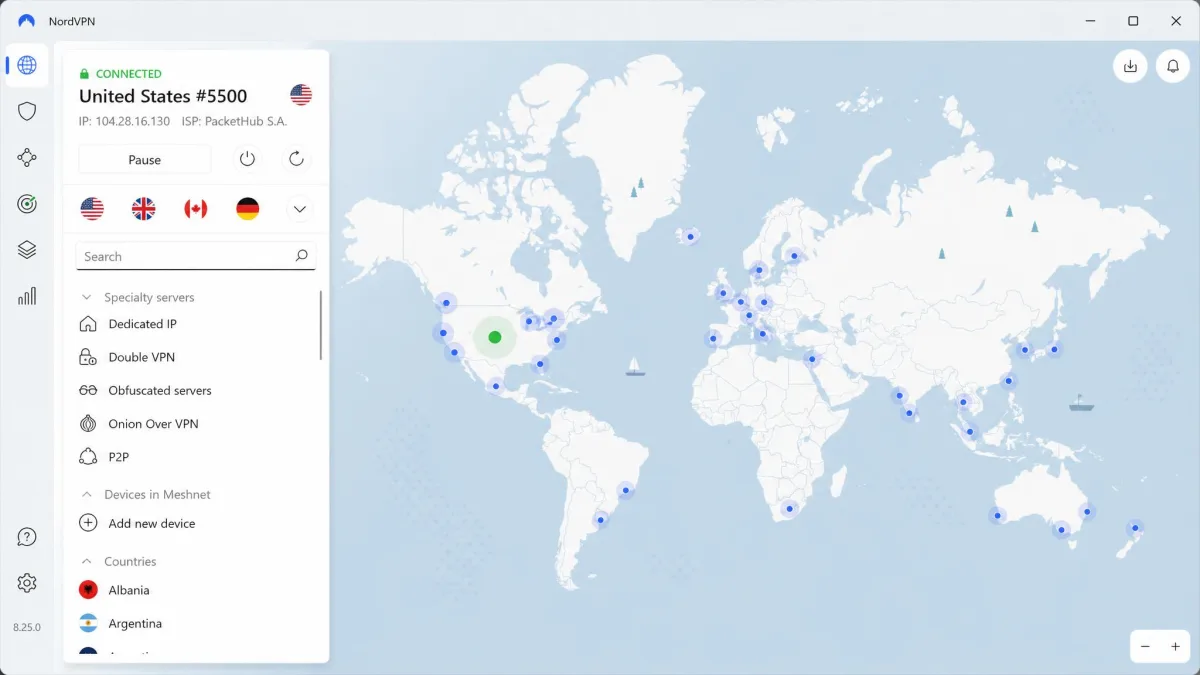
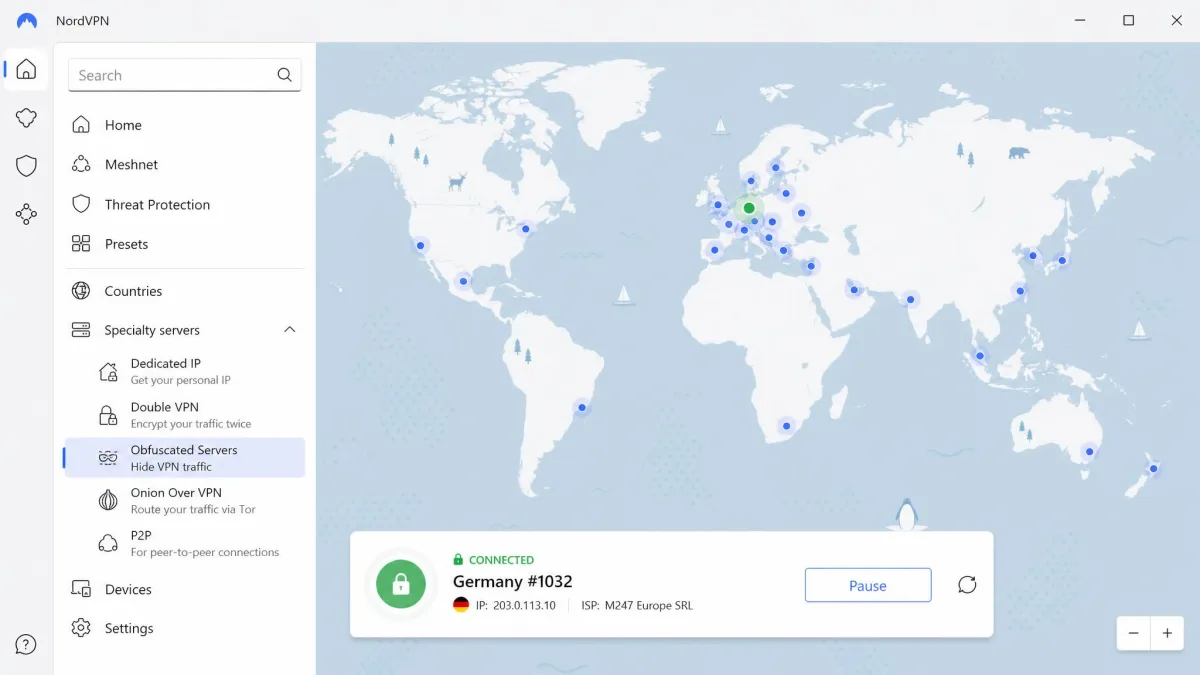
Picture a campus network that blocks both Facebook and known VPN protocols. With NordVPN, you open the app, choose Obfuscated Servers under Specialty servers, and connect. Because NordWhisper hides the tunnel, Facebook logins go through without the VPN itself being flagged and cut off by the network. Once you're in, the speed loss stays small in everyday use, so the feed, photos and Messenger don't feel sluggish.
There are two practical quirks. Manual OpenVPN configuration files no longer work on obfuscated servers since the move to NordWhisper, so you need the NordVPN app itself rather than a router or third-party client. The mobile app's map is also clunky, and picking a specific city on a phone hides behind a three-dot menu that's easy to miss. That's worth knowing if you want a server in your home city to keep Facebook's login checks calm.
For everyday privacy, Threat Protection blocks ads, trackers and malicious sites, and you get two kill switches. The Internet Kill Switch cuts all traffic if the VPN drops, while the App Kill Switch closes only the apps you choose, such as your browser or the Facebook app.
Pros
- NordWhisper obfuscated servers built for networks that block VPNs
- No-logs policy audited by PwC and Deloitte
- Two kill switches, including a per-app option
- Small speed loss for everyday browsing and video
- Threat Protection blocks trackers and ads
Cons
- Obfuscated servers need the official app, not manual configs
- Picking a city on mobile is buried in a menu
- Live chat always starts with a bot before a human
NordVPN Pricing and Value
The monthly Basic plan costs $14.99, which is steep if you only need Facebook for a short trip. The 1-year Basic plan works out to $5.49 a month on average. The 2-year Basic plan is the best value at about $3.49 a month, billed as roughly $94.23 for 27 months up front. That promo price moves with NordVPN's sales, so it can shift by a few tens of cents from week to week, and the plan renews at a higher rate after the first term.
Every plan covers 10 devices and comes with a 30-day money-back guarantee, which means you can try it risk-free on the network that's giving you trouble.
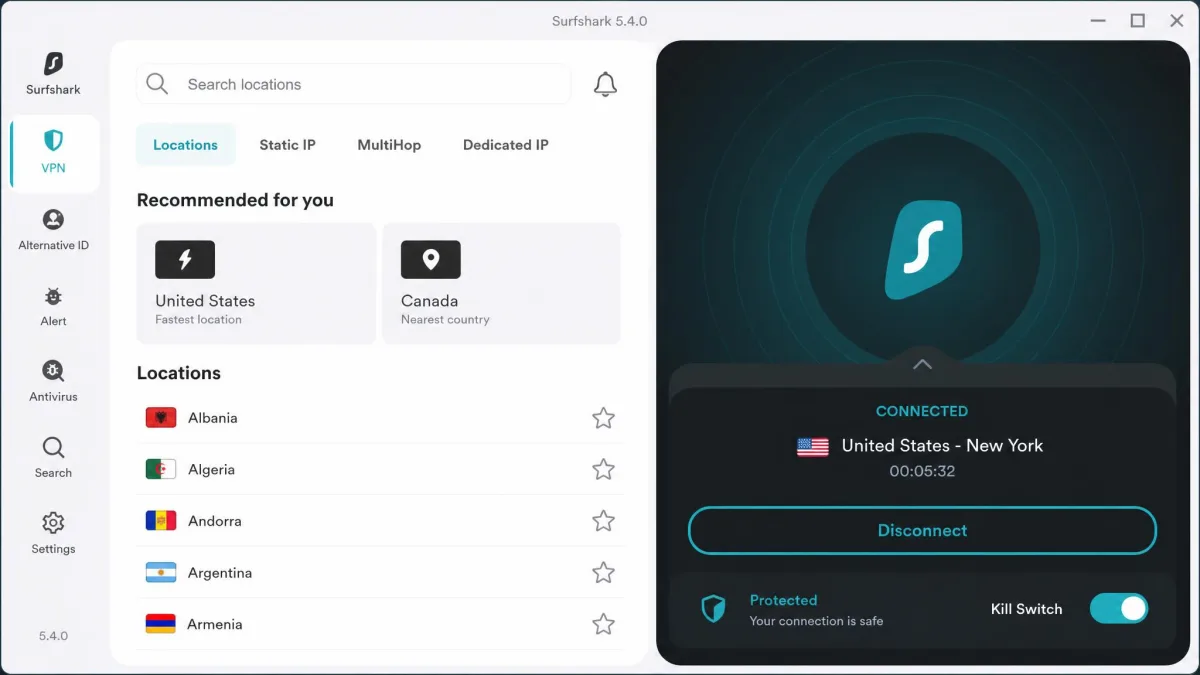
2. Surfshark: Best Value VPN for Multiple Devices
Where NordVPN leads on privacy credentials, Surfshark wins on sheer coverage for the money. Every plan allows unlimited simultaneous connections, so one subscription can cover your phone, laptop, tablet and the family's devices too. The network is smaller than NordVPN's but still broad, with 4,500+ servers in 100 countries.
Surfshark also has two tools aimed at restrictive networks. Camouflage mode is its obfuscation, and NoBorders mode is built for places that actively filter traffic. RAM-only servers, CleanWeb ad and tracker blocking, and Dynamic MultiHop round out the package. Our Surfshark review covers the full app in detail.
How Surfshark Performed on Facebook
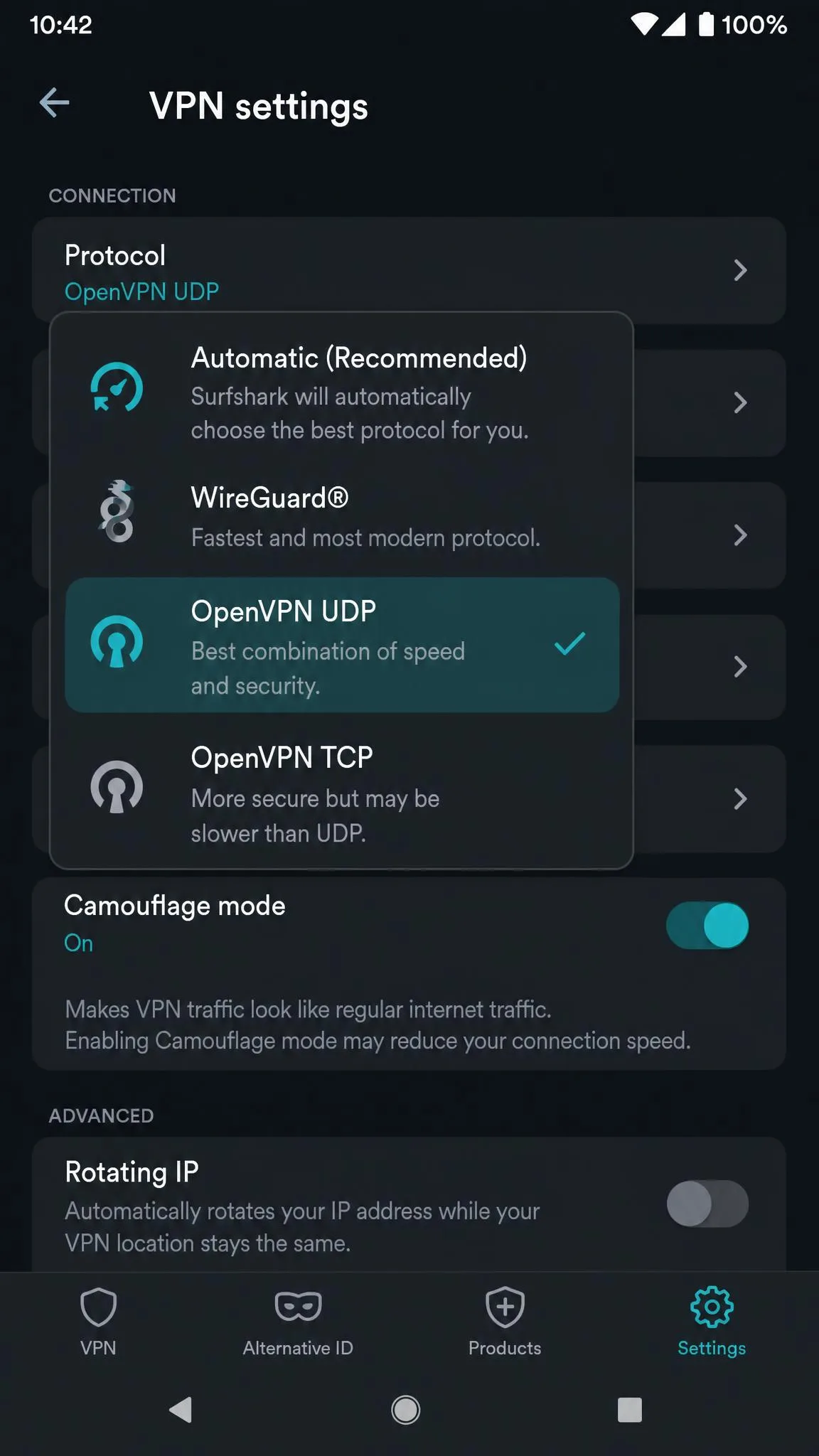
Getting started is quick. From download to a live connection takes under five minutes, and obfuscation turns on by itself whenever you pick OpenVPN (UDP or TCP) under Settings, VPN settings, Protocol. There's nothing extra to configure, which is handy if you're setting it up on a locked-down office laptop.
That said, Surfshark is the weakest of our top three for real-time use. Initial connections can take a while, sometimes over a minute. Latency also jumps noticeably even on nearby servers, which can make Messenger video calls feel laggy, and video quality can dip with slight blur when the network is busy. For scrolling the feed and posting, you won't notice much. For long video calls, NordVPN or ExpressVPN is the better fit.
Two smaller catches are worth a look. The macOS app lacks the split tunneling found in the Windows app. And despite the unlimited device policy, Surfshark can suspend accounts it judges are being shared beyond one household.
Pros
- Unlimited devices on every plan
- Obfuscation switches on automatically with OpenVPN
- NoBorders mode for restrictive networks
- Lowest 2-year price among the top three
- Setup from download to connected in under five minutes
Cons
- Initial connections can take over a minute
- Higher latency can make Messenger video calls lag
- No split tunneling in the macOS app
Surfshark Pricing and Value
Surfshark is the cheapest long plan among our top three. The 2-year Starter plan costs $2.49 a month, billed as $67.23 for 27 months. The 2-year Surfshark One plan, which adds extra security tools, costs $2.79 a month, or $75.33 up front. Month-to-month is $15.45, so the long plans are where Surfshark's value lies.
Keep in mind that Surfshark doesn't show its renewal amount at checkout, so expect the plan to renew at a higher standard rate once the intro term ends. A 30-day money-back guarantee applies to every plan.
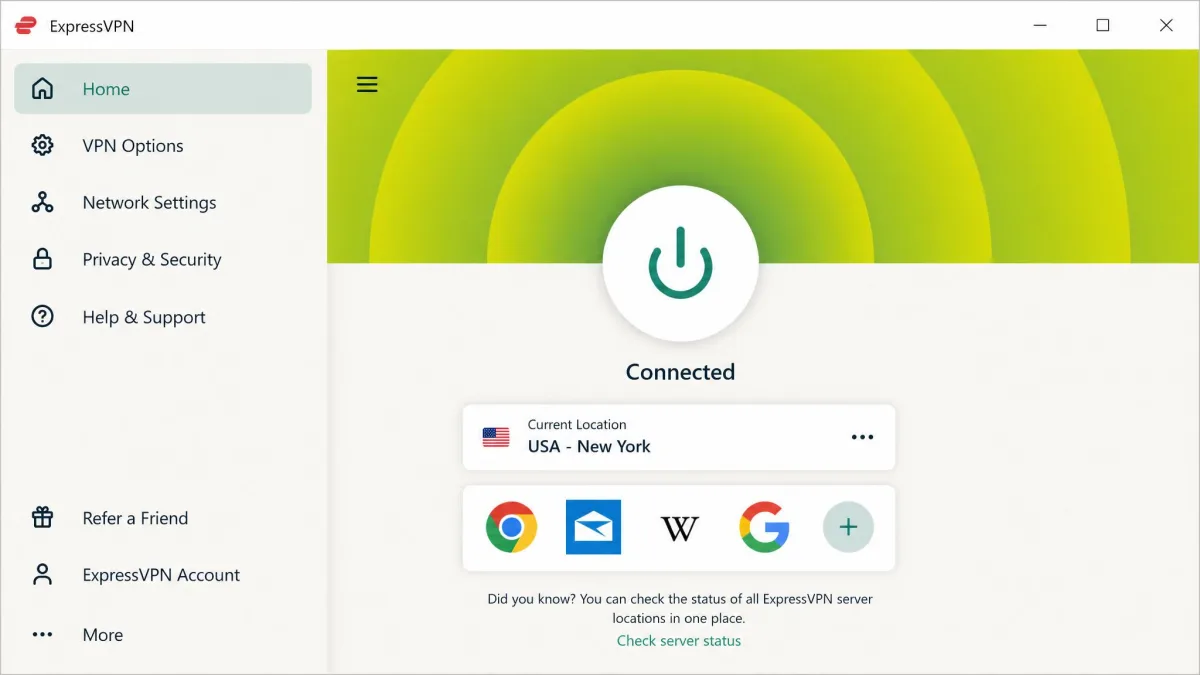
3. ExpressVPN: Best for Facebook Video and Live Streams
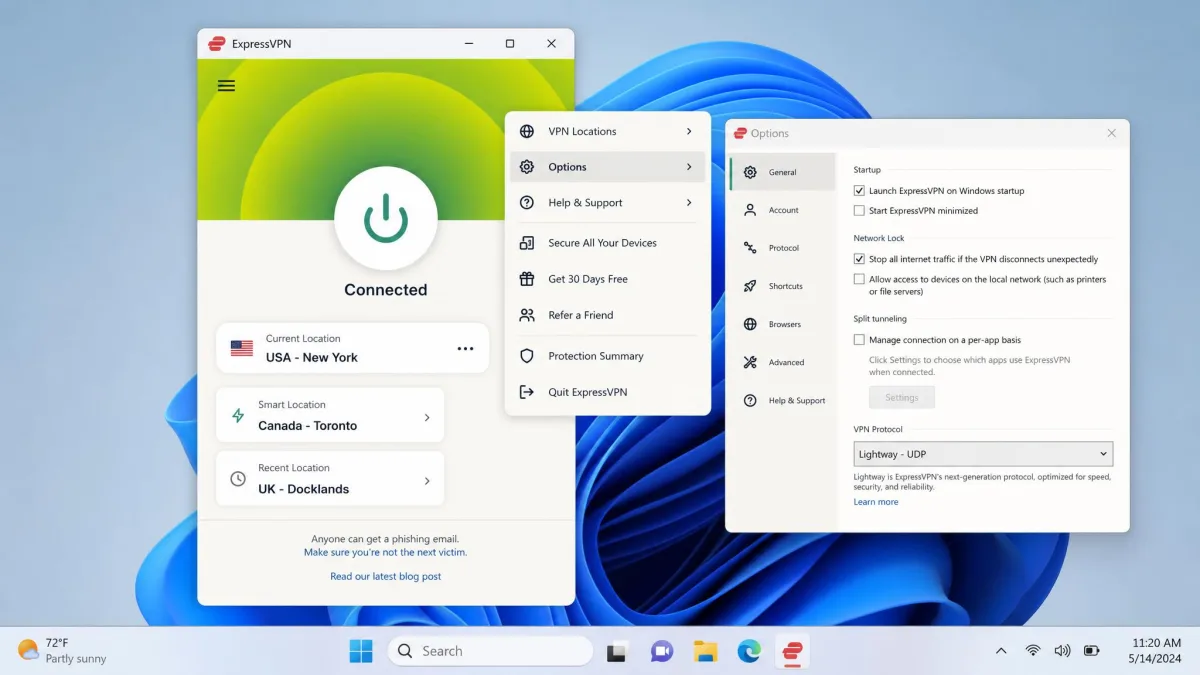
If Surfshark is the budget choice, ExpressVPN is the one you pay a little more for when video matters. It runs automatic obfuscation on every server, so you never have to find a special server list or flip a toggle before opening Facebook on a filtered network. Its Lightway protocol is built for fast connections, which shows most when you watch Reels or join a Facebook Live stream.
The privacy side is well documented. ExpressVPN runs TrustedServer, its RAM-only server setup, and has been audited by PwC, Cure53 and KPMG. It also has servers in all 50 US states and in 113 countries overall. Our ExpressVPN review breaks down each plan tier.
How ExpressVPN Performed on Facebook
ExpressVPN is the easiest pick for a blocked school or office network, because obfuscation is always on. You connect to any server and Facebook traffic already looks like normal web traffic. Connections complete very quickly, and the kill switch doesn't throw false positives, so you aren't knocked offline in the middle of a post for no reason.
Performance is where it stands out. Facebook pages load fast, and HD video plays close to your normal speed even on distant servers. That makes it our first choice for Facebook Live, long Reels sessions and Messenger video calls through a VPN.
There are limits. ExpressVPN almost never works in China, because the Great Firewall targets it directly, so it isn't the pick for that trip. Split tunneling is limited to Windows and older macOS versions. And the main drawback is price: it costs more than rivals for a similar core feature set.
Pros
- Obfuscation on every server, no setup needed
- Fast page loads and near-normal HD video on distant servers
- Very quick connections and a reliable kill switch
- Audited by PwC, Cure53 and KPMG
- Servers in all 50 US states
Cons
- Almost never works in China
- Split tunneling only on Windows and older macOS
- Costs more than rivals for a similar core feature set
ExpressVPN Pricing and Value
ExpressVPN now sells three tiers: Basic, Advanced and Pro. The 2-year Basic plan (2 years plus 4 months) has been priced between about $2.99 and $3.49 a month during 2026, as the promo changes. The bigger cost is renewal: Basic renews at $99.95 per year, Advanced at $119.95 and Pro at $199.95.
Device limits rise with the tier, from 10 on Basic to 12 on Advanced and 14 on Pro. There's no free plan, but mobile app stores offer a 7-day free trial, and new users get a 30-day money-back guarantee.
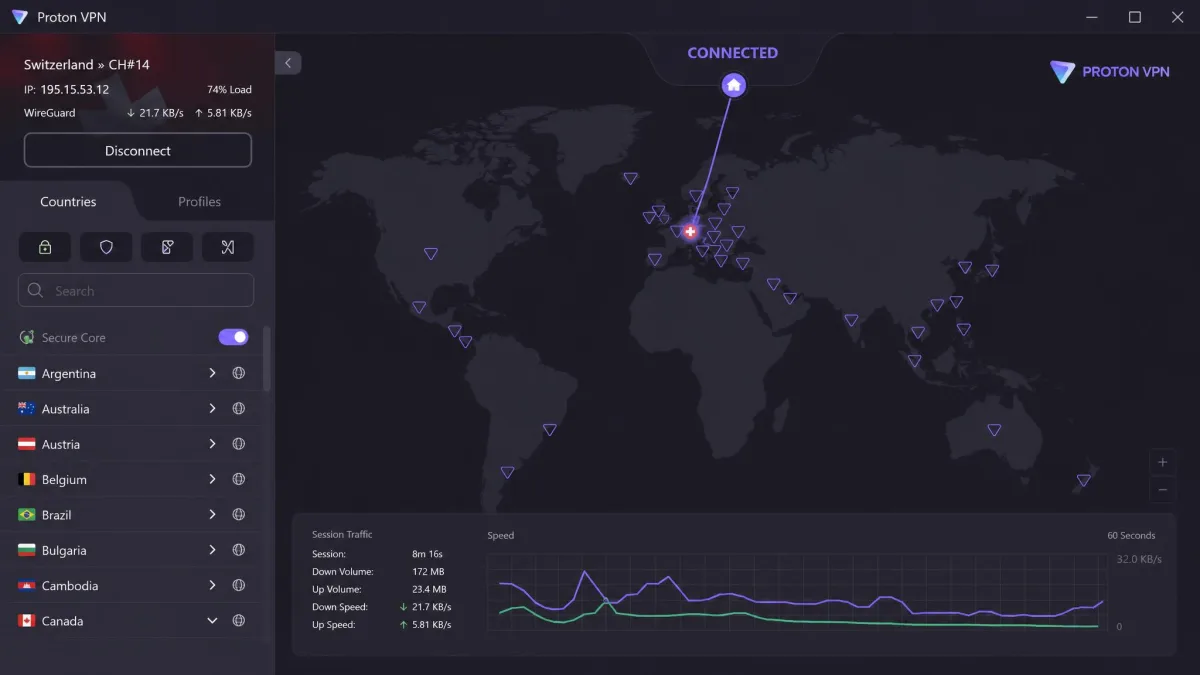
4. Proton VPN: Best Free VPN for Facebook
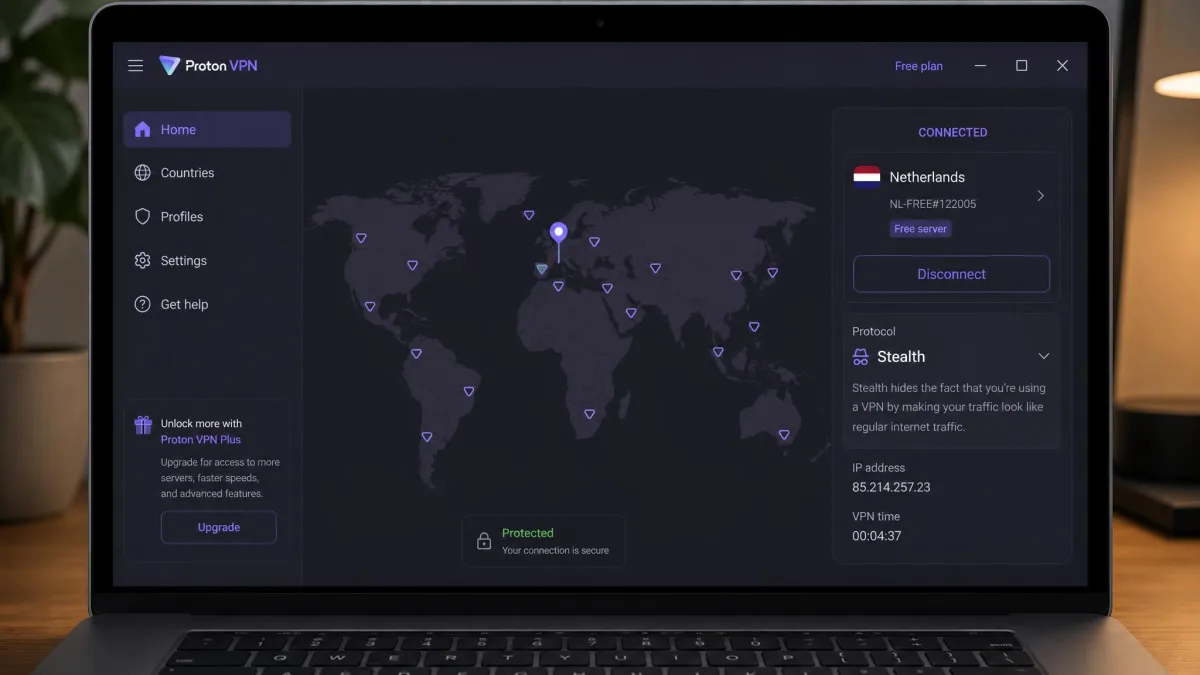
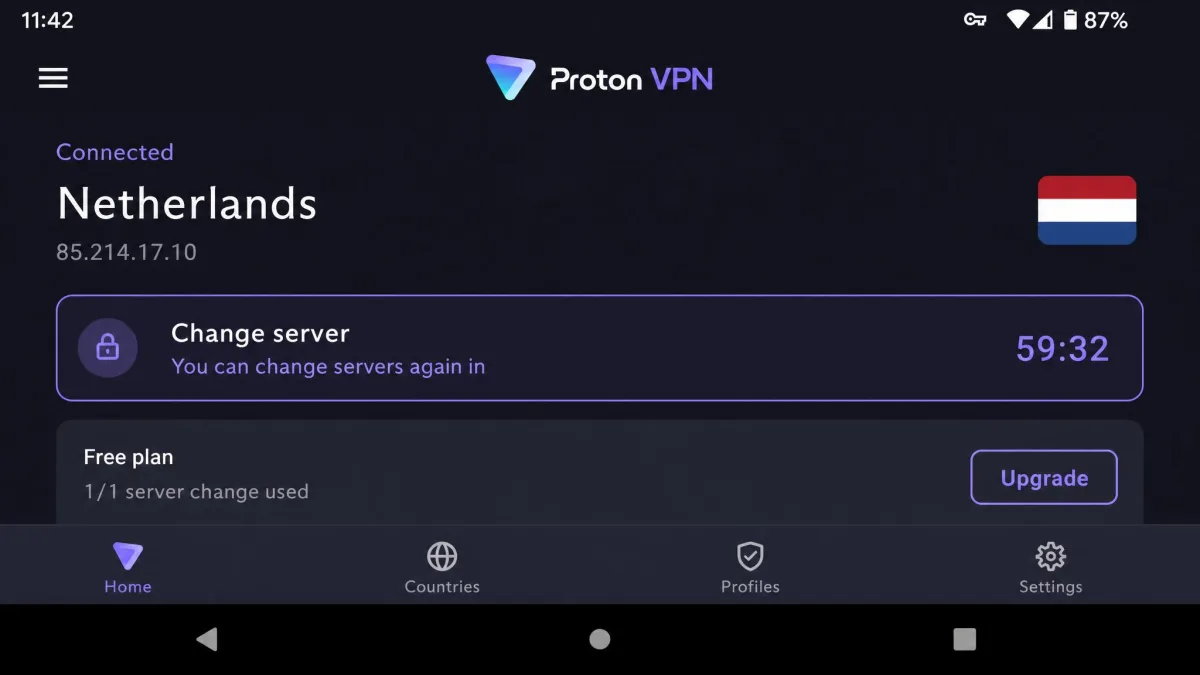
Proton VPN ties NordVPN on our review score, and it earns its place here for a different reason: it's the one free VPN we'd trust with your Facebook account. The free plan has no data limits and no ads, and it includes both the Stealth protocol and a kill switch. Stealth wraps the connection in obfuscated TLS over TCP, so even a free user on a network that blocks VPNs has an obfuscated option.
The free plan has servers in 10 countries: the US, Netherlands, Japan, Poland, Romania, Canada, Norway, Mexico, Singapore and Switzerland. Paid plans open up 140+ countries, Secure Core multi-hop servers, the NetShield ad and malware blocker, and split tunneling. The apps are open source. You'll find more on the paid tiers in our Proton VPN review.
How Proton VPN Performed on Facebook
Facebook stays reachable on Proton VPN, including on the free plan with its unlimited data. For someone who needs Facebook on a filtered school network and can't pay for a VPN, that's the key point: switch the protocol to Stealth, connect, and the feed loads.
The free plan does ask for patience. You can't choose the country. The app connects you to the fastest free server, and the Change server button picks a random free location. After your first change there's a 45-second cooldown, and after that you can only change again at 10-minute intervals. That matters on Facebook, because landing on a server in a different country from your usual one can bring a login check.
Free servers also get crowded at peak hours. Expect slower page loads and heavy video buffering compared with paid VPNs, so the free plan suits reading posts and Messenger chats better than Reels. Upgrading to Plus removes those limits and lets you pick a server in your own country.
Pros
- Free plan with no data limits and no ads
- Stealth protocol available on the free plan
- Kill switch included on Free
- 140+ countries on paid plans
- Open-source apps and a strict no-logs policy
Cons
- Free plan can't choose a country, and server changes have a cooldown
- Free servers slow down at peak hours
- Free plan is limited to one device, with no streaming or P2P
Proton VPN Pricing and Value
The free plan covers one device. VPN Plus costs $9.99 on the monthly plan and $2.99 a month on the 2-year plan, billed as $71.76 up front. The 1-year plan has been discounted on and off, so its monthly equivalent sits somewhere between about $3.99 and $4.99.
Paid plans cover 10 devices. Proton's 30-day money-back guarantee is prorated, which means you get back the unused portion of your plan rather than a full refund.
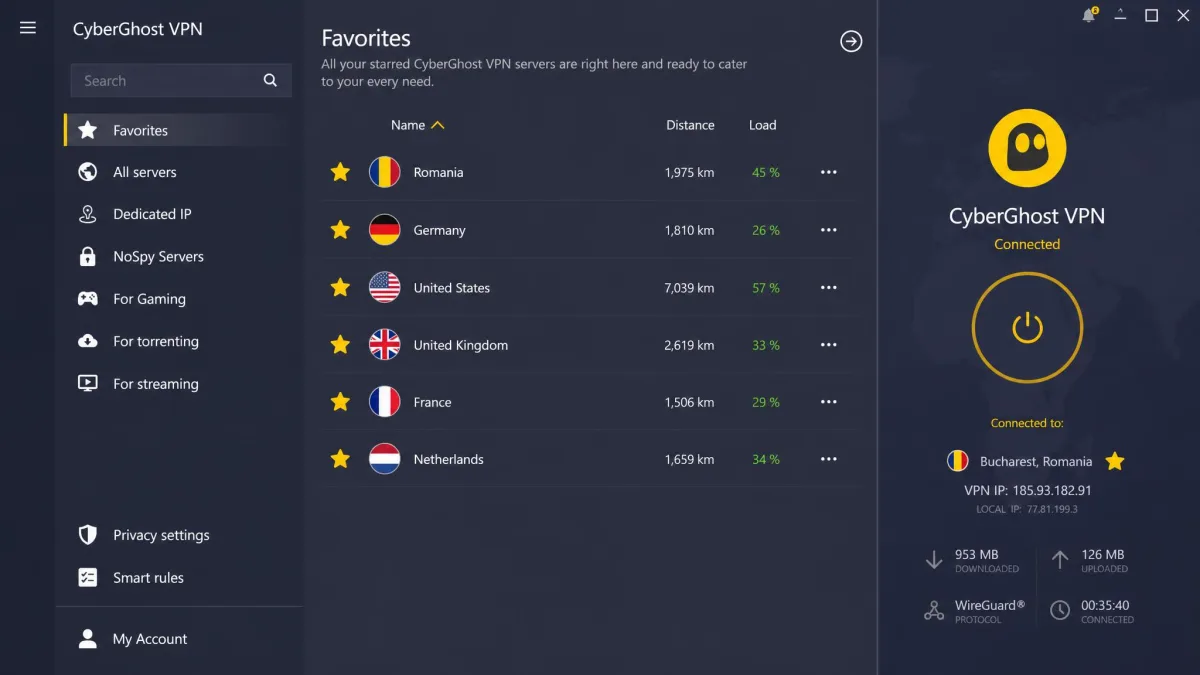
5. CyberGhost: Easiest Facebook VPN for Beginners
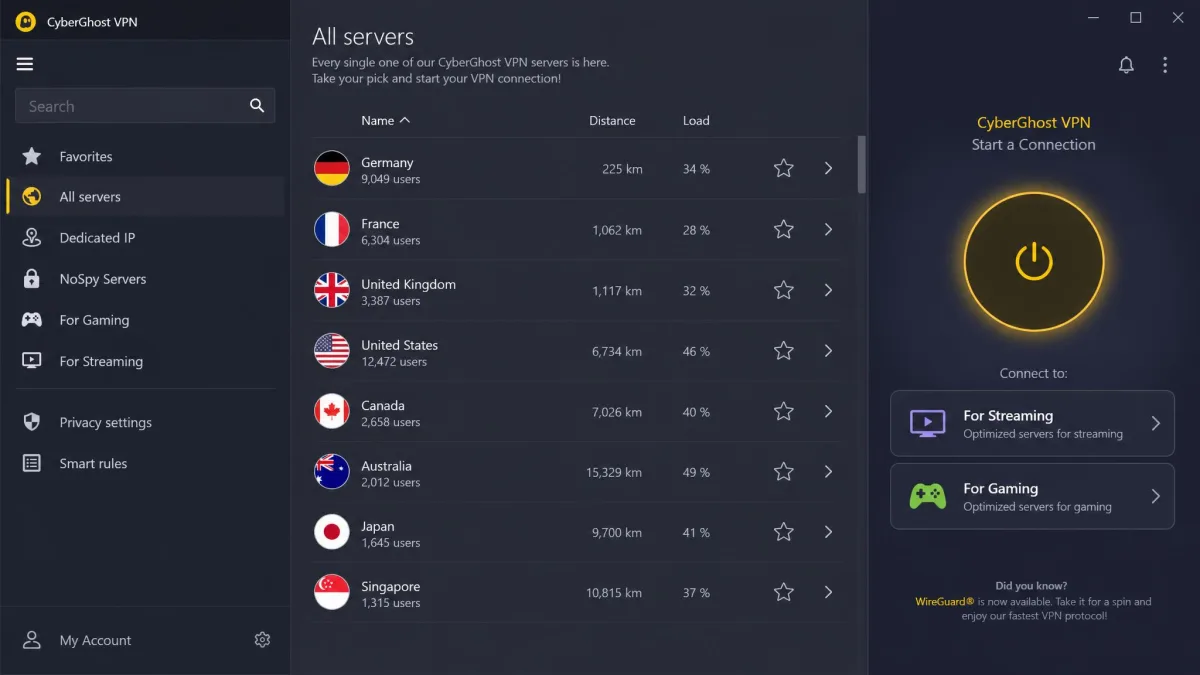
Unlike the four picks above, CyberGhost has no obfuscation at all, and that shapes who it's for. It's the right choice when the network isn't actively hunting for VPNs and you just want the simplest possible app. The apps are intuitive and nearly identical on Windows and Mac, which suits first-time VPN users who don't want to learn two layouts.
The network is large, with nearly 10,000 servers in 100 countries across 125 locations. You also get servers labelled for streaming, torrenting and gaming, and NoSpy servers in Romania. Our CyberGhost review covers the whole app.
How CyberGhost Performed on Facebook
On a home network, a café or a hotel that simply doesn't filter VPNs, CyberGhost is easy. The kill switch is on by default on desktop, and no DNS or WebRTC leaks show up across its servers, so your real location stays hidden from Facebook without you touching a setting.
Things change on a network that detects VPNs. With no obfuscation, CyberGhost struggles there, and it doesn't work in China. Getting through a school or office block usually becomes trial and error across several servers. If that's your situation, NordVPN, ExpressVPN or Proton VPN is the better fit.
Speed is the other trade-off. Download speeds are below average, and latency fluctuates, which you'll notice more on video than on text posts. Around 40% of its locations are virtual, which can hurt performance in parts of South America, India and Africa. Mobile apps also lack the Smart Rules and full split tunneling found on desktop. Support is a bright spot, with live chat answering in under a minute and email taking two to three hours.
Pros
- Simple apps that look the same on Windows and Mac
- Kill switch on by default on desktop
- No DNS or WebRTC leaks
- Longest refund window here, at 45 days on longer plans
- Fast live chat support
Cons
- No obfuscation, so it struggles on networks that block VPNs
- Doesn't work in China
- Below-average download speeds and uneven latency
CyberGhost Pricing and Value
CyberGhost is one of the cheapest long plans in this roundup. The 26-month plan costs $2.19 a month, billed as $56.94. The 6-month plan is $6.99 a month ($41.94), and the 1-month plan is $12.99.
The 45-day money-back guarantee on the 6-month and 26-month plans is the longest here, while the monthly plan gets 14 days. One subscription covers 7 devices. You can also start with a free trial of 24 hours on desktop or 7 days on iOS.
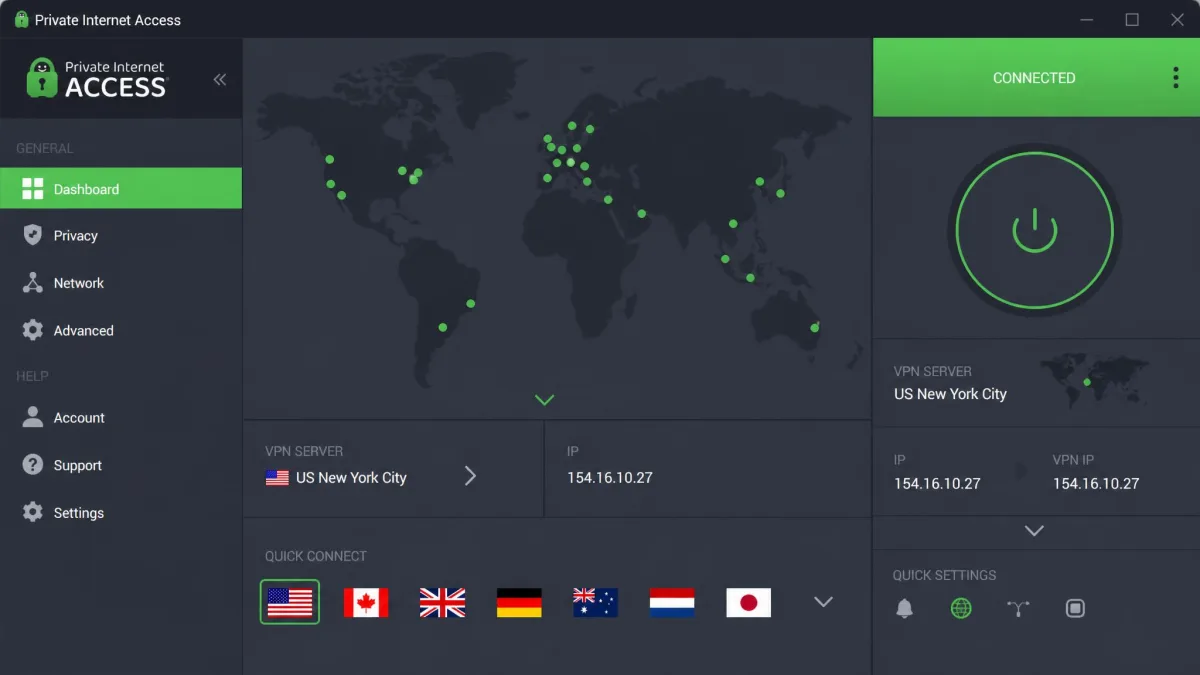
6. Private Internet Access: Best for Customization and Server Choice
Where CyberGhost hides the settings, Private Internet Access puts them all within reach. The main screen stays simple, but the settings go deep: standard and advanced kill switches, WireGuard or OpenVPN with a UDP or TCP choice, and split tunneling with an inverse mode. It also allows unlimited devices and covers 91 countries, including all 50 US states.
Extras include the MACE ad and tracker blocker, port forwarding and a dedicated IP add-on. That last one is useful on Facebook, because a dedicated IP makes CAPTCHA loops from shared VPN addresses less likely. Our Private Internet Access review goes through every setting.
How Private Internet Access Performed on Facebook
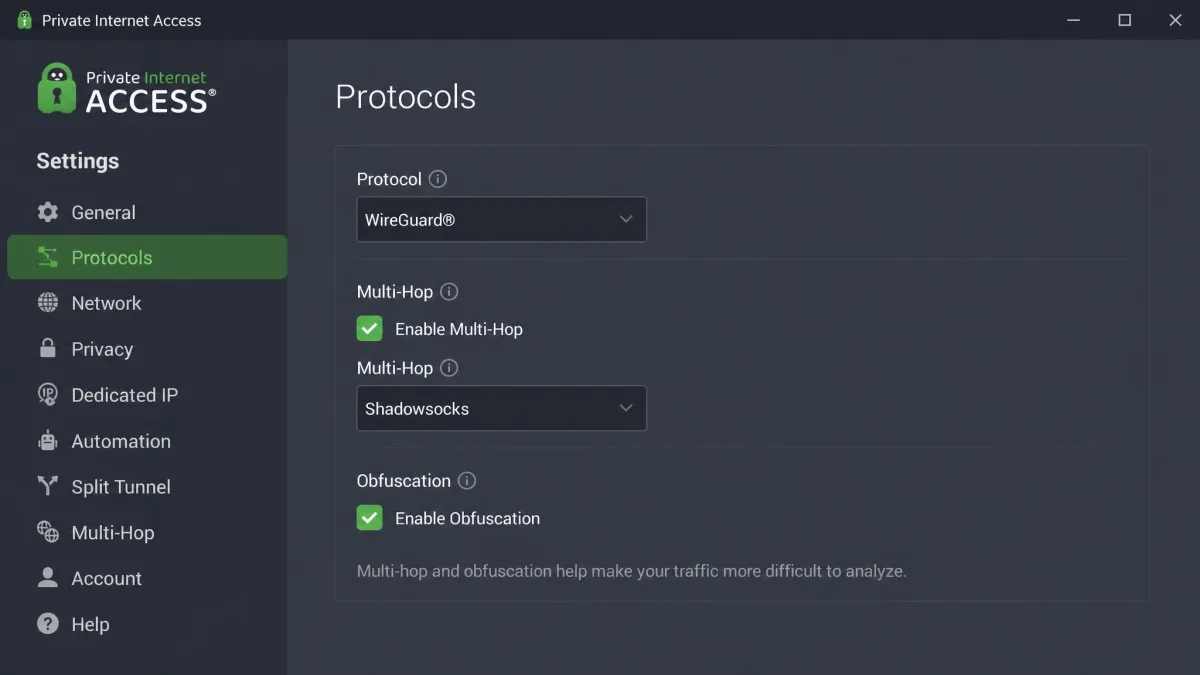
PIA's obfuscation takes a few clicks. On desktop, you go to Settings, then Protocols (OpenVPN), then Multi-Hop, and tick Multi-hop and Obfuscation. That routes your traffic through a Shadowsocks proxy, with exit locations in 6 countries: the US, UK, Netherlands, Switzerland, Japan and Canada. Obfuscation adds processing overhead, so these connections run slower than a plain VPN tunnel. The option is also missing from the iOS app, so iPhone users on a blocked network are better off with another pick.
Without obfuscation switched on, latency is notably low, lower than NordVPN or Surfshark. That's good news for Messenger calls on a nearby server. International download speeds lag behind US ones, though, and upload speeds are inconsistent and can drop sharply on some connections, which can slow down posting video to Facebook.
PIA can also stop working in countries with active VPN blocking, such as the UAE. It's a strong everyday tool, but not the one we'd count on for a heavily censored destination.
Pros
- Unlimited devices
- Deep settings behind a simple main screen
- Low latency for calls on nearby servers
- Servers in all 50 US states
- Dedicated IP add-on helps avoid shared-IP CAPTCHAs
Cons
- Obfuscation must be switched on by hand and isn't on iOS
- Uploads can drop sharply on some connections
- Can stop working in countries that actively block VPNs
Private Internet Access Pricing and Value
PIA's longest plan is the cheapest per month in this list at about $2 a month on the 3-year plan with 3 months added, billed as $79 up front. That promo price drifts by a few cents between sales. The 1-year plan costs $3.99 a month ($47.88), and the monthly plan is $11.95.
New subscribers get a 30-day money-back guarantee. If you buy through an app store, that store's refund terms apply instead.
How We Picked the Best VPNs for Facebook
We ranked these six services on how they handle the problems Facebook users actually hit, not on raw server counts. Each one has a full review on our site, and the scores in this guide match those reviews. We looked at everything from the network level up: how the tunnel appears to a firewall, whether it leaks your real location, and how the connection holds up under video.
Here are the criteria that carried the most weight:
- Getting through blocks: obfuscation or stealth options that work on school, office and national networks.
- Login friendliness: server choice close to home, and dedicated IP options, so Facebook's security checks stay quiet.
- Privacy: a no-logs policy, a kill switch and leak protection.
- Speed for video: fast protocols such as NordLynx, Lightway and WireGuard for Reels, Live and Messenger calls.
- Value: long-plan price, device limits and the money-back window.
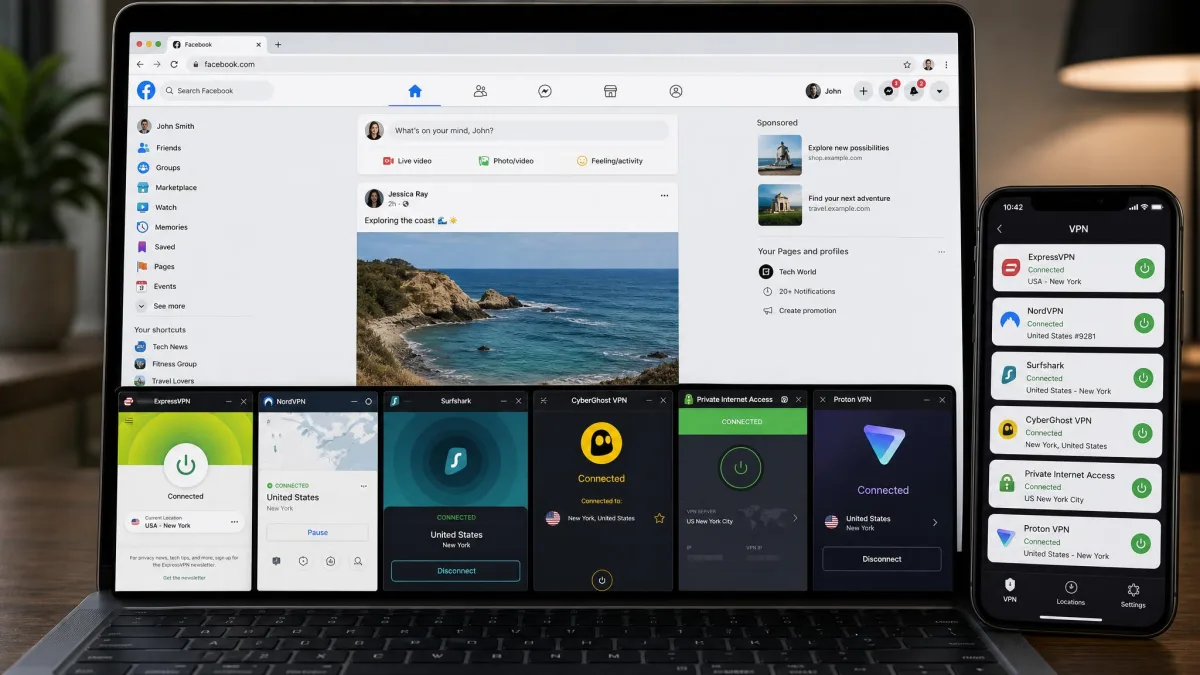
What to Look For in a Facebook VPN
Start with the network you're trying to get past. If it's your home Wi-Fi or a hotel that doesn't filter anything, almost any reputable VPN will open Facebook. If it's a school, an office or a country that blocks VPN traffic, obfuscation is the feature that decides whether you get in at all.
Next, think about location. Facebook ties account security to where you usually log in, so the best VPN for you is one with servers in or near your home country. That's why city-level choice matters, and why a service with thin coverage in your region can cause more login checks than it's worth.
Then weigh speed and devices. Text posts and chats need very little bandwidth, but Reels and video calls expose every millisecond of added latency. And if the whole household uses Facebook, an unlimited-device plan like Surfshark or PIA saves you from juggling connections.
A kill switch is worth turning on for Facebook. If the VPN drops on a filtered network, the kill switch stops your traffic instead of letting the app reconnect over your real connection and reveal your location.
Why Obfuscated Servers Matter When Facebook Is Blocked
A standard VPN encrypts your traffic, but the encrypted traffic still has a recognizable shape. Many school, office and national firewalls look for that shape and block it, which means Facebook stays blocked and so does the VPN. Obfuscation changes the shape so the connection looks like ordinary HTTPS web traffic instead.
Without obfuscated servers, getting through a Facebook block means trial and error across several servers. The second comparison table above shows how each of our picks handles it.
Obfuscation helps in China, but even obfuscated VPNs don't work there reliably. A VPN that works one month can be blocked the next, so install and test more than one before you travel.
How to Use a VPN to Unblock Facebook
Setting up a VPN for Facebook takes a few minutes. The steps below work with any of our picks.
- Choose a VPN with obfuscation if your school, office or country blocks VPN traffic. NordVPN is our first choice, and Proton VPN is the free option.
- Install the app before you need it. If you're traveling to a country that blocks Facebook, download and sign in at home, because getting the app once you arrive can be harder.
- Turn on obfuscation. Pick Obfuscated Servers in NordVPN, OpenVPN in Surfshark, Stealth in Proton VPN, or Multi-Hop with Shadowsocks in PIA. ExpressVPN does it automatically.
- Enable the kill switch so your real IP address isn't exposed if the connection drops.
- Connect to a server in your home country, or the closest country where Facebook isn't blocked, so Facebook's login checks stay quiet.
- Open Facebook and log in. If you get a security check, complete it calmly on your usual device rather than retrying repeatedly.
On a phone, set the VPN server close to where your phone's GPS says you are. In the Facebook app, a gap between your GPS location and the VPN's IP location can prompt extra verification.
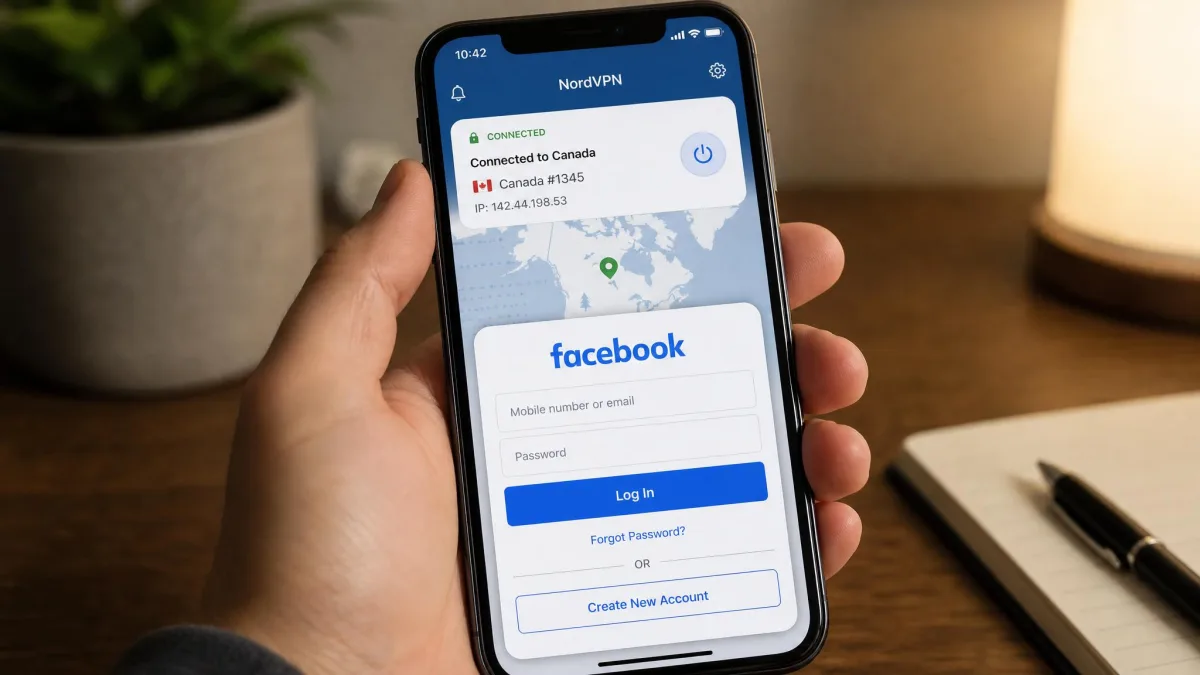
Can You Use a Free VPN for Facebook?
Yes, but choose carefully. Proton VPN's free plan is the one we recommend, because it has no data cap, no ads, a kill switch and the Stealth protocol for blocked networks. The trade-offs, covered in its review above, are fewer servers, one device and slower peak-hour speeds.
If you need more than that for a short period, a trial or a refund window is the better route. ExpressVPN offers a 7-day free trial through mobile app stores, and CyberGhost offers 24 hours on desktop or 7 days on iOS. Every paid pick here also has a money-back guarantee of at least 30 days. For a wider look at no-cost options, see our guide to the best free VPN services.
Most free VPNs have to pay for their servers somehow, often through ads or by collecting data about what you do online. Logging in to Facebook through a service like that hands your account credentials and browsing activity to a company you know little about. Stick with a free plan from a provider with a published no-logs policy, such as Proton VPN.
Why Use a VPN for Facebook?
Most people reach for a VPN for Facebook for one of three reasons: the network in front of them blocks it, the country they're in blocks it, or they want an extra layer of privacy between their location and Meta's data systems. Each case needs a slightly different setup.
Unblocking Facebook at School, Work, or While Traveling
School and office networks usually block Facebook with a firewall rule or a DNS filter. A VPN hides which sites you visit from that network, so the filter has nothing to match. The problem is that many of these networks also block VPNs, which is where obfuscation comes in. If a standard VPN won't connect, we explain how to get past a VPN blocker step by step.
Keep in mind that your school or employer may have an acceptable-use policy that covers VPNs. A VPN gets you past the filter, but it doesn't change the rules you agreed to. For campus networks specifically, see our best VPN for school Wi-Fi picks.
Travel adds a different wrinkle. Hotel, airport and café networks are often open, so the VPN's main job is protecting your login on shared Wi-Fi. If your destination blocks Facebook, you need a VPN that works there before you land. Our best VPN for travel guide covers that planning in more detail.
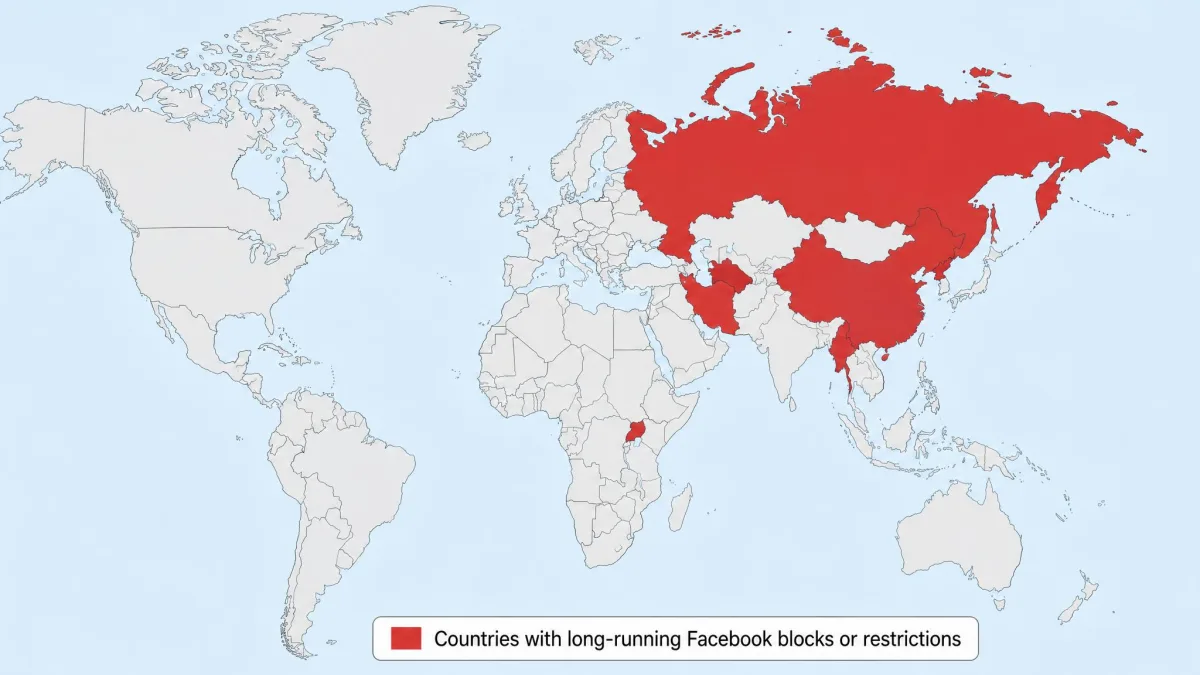
Countries Where Facebook Is Banned
Several governments block Facebook for everyone in the country. These are the main long-running bans:
- China: blocked since July 2009, after the Urumqi riots.
- Iran: blocked since 2009, after the presidential election protests.
- North Korea: blocked since 2016, and viewing it is a punishable crime.
- Russia: blocked since 2022, during the invasion of Ukraine, after Meta was labelled extremist.
- Myanmar: restricted since the 2021 military coup.
- Turkmenistan: blocks Facebook along with most outside social media.
- Uganda: blocked since the January 2021 general election, a long-running block that could change.
Temporary blocks happen too, often during protests or elections. Bangladesh (2015), Pakistan (2010 and 2017), Sri Lanka (2018 to 2019) and Syria (2008 to 2011) have all cut off access at some point.
For the two toughest destinations, we have dedicated guides to the best VPN for China and the best VPN for Iran. Some countries that block Facebook also restrict VPN use, so check local rules before you connect.
Limiting Facebook's Tracking of Your Location
A VPN hides your IP address, and your IP address is one of the main ways Meta estimates where you are. Meta says it can estimate location from IP address, Wi-Fi, check-ins and events even with Location Services turned off, and it uses location to spot suspicious logins from new places. In 2022, Meta offered a $37.5 million settlement in a class action over tracking users' location through their IP addresses after they had turned location tracking off.
So a VPN does help: Facebook sees the server's location instead of yours. That said, it doesn't stop Facebook tracking you while you're logged in. Everything you post, like, message and click on inside Facebook is still tied to your account, and a VPN can't change that. Given Facebook's history with data, from the Cambridge Analytica scandal onward, it's worth pairing a VPN with tighter privacy settings rather than treating it as a cure-all.
Why Facebook Flags VPN Logins (and How to Fix It)
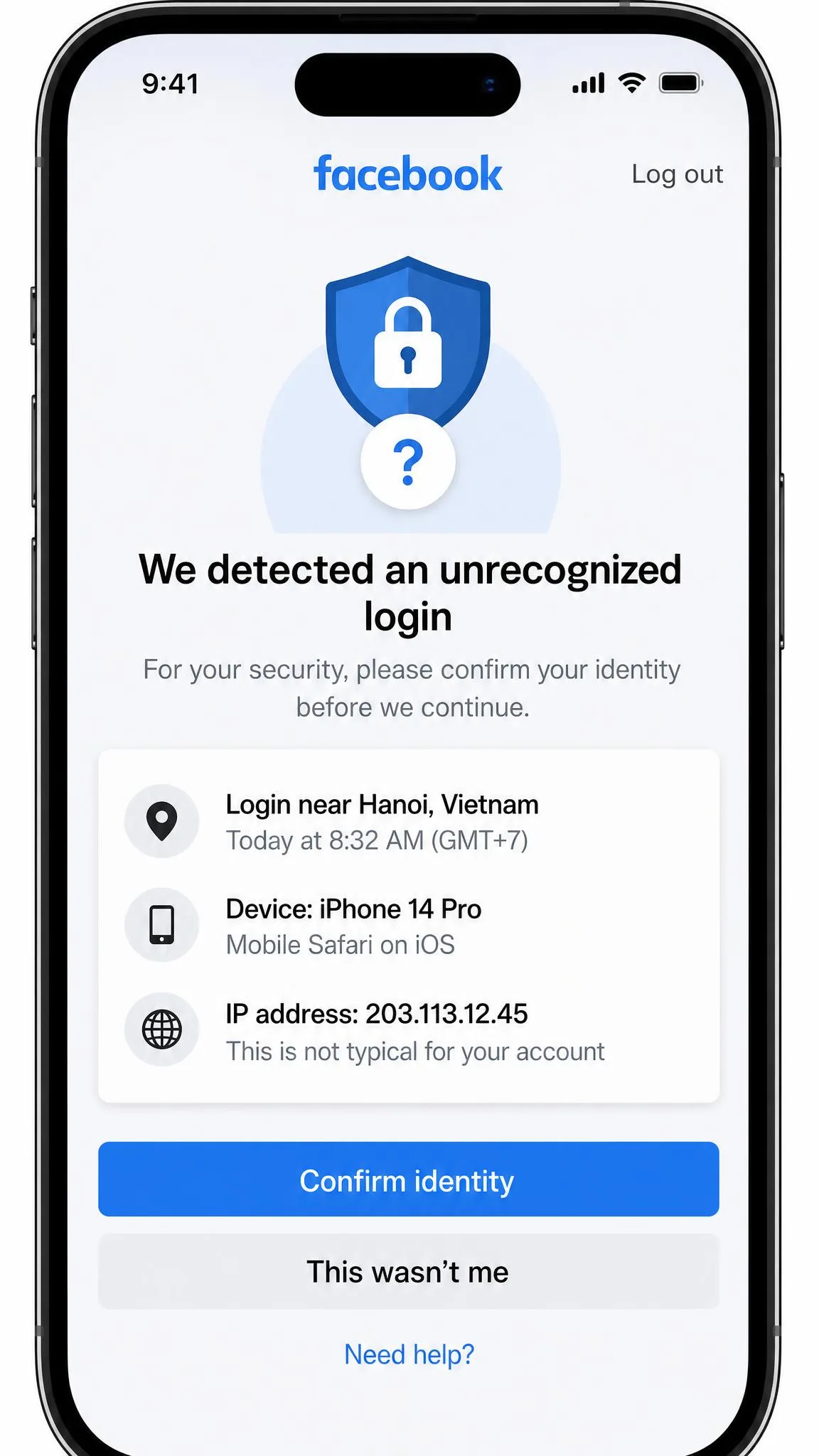
Facebook flags VPN logins because its fraud checks watch for logins that appear from different places in quick succession. A VPN makes exactly that happen: your login jumps from your home city to a server in another country, then maybe to a third when you switch servers. Facebook can tell a login comes from a VPN, but it rarely acts on it beyond extra checks.
Those checks show up in a few common ways:
- Two locations at once. Logging in on a laptop through a VPN while your phone uses its normal connection can trigger an identity-confirmation prompt.
- Country hopping. Moving between servers in different countries brings repeated verification prompts.
- CAPTCHA loops. A shared VPN IP that Facebook has flagged can drop you into a loop of CAPTCHAs.
- GPS mismatch. In the Facebook app, a gap between your phone's GPS location and the VPN's IP location can prompt extra verification.
The fixes are simple. Stick to one server, ideally in your home country, and the prompts stop. If you hit a CAPTCHA loop, clear your cookies and connect to a fresh server, which usually clears it. A dedicated IP, offered by NordVPN and PIA, makes these loops less likely because nobody else shares your address. If a login still fails, switching server or clearing the browser cache is the usual fix. For more ways to make your VPN harder to detect, we have a separate guide.
Facebook's own advice lines up with this. Facebook's help page on login alerts explains that it sends alerts for logins from unrecognized devices or browsers. Its help page on unfamiliar login locations also notes that it can only provide an approximate location, and that if a location looks unfamiliar you should log that session out and change your password.
Once a checkpoint loop starts, repeated rapid retries make it worse. Stop, turn the VPN off, and finish the verification from a trusted phone on your usual network. That is the cleanest way back into your account.
Using a VPN for Facebook Marketplace, Messenger, and Dating
Each of these features reacts to a VPN differently, because each one depends on location or real-time performance in its own way.
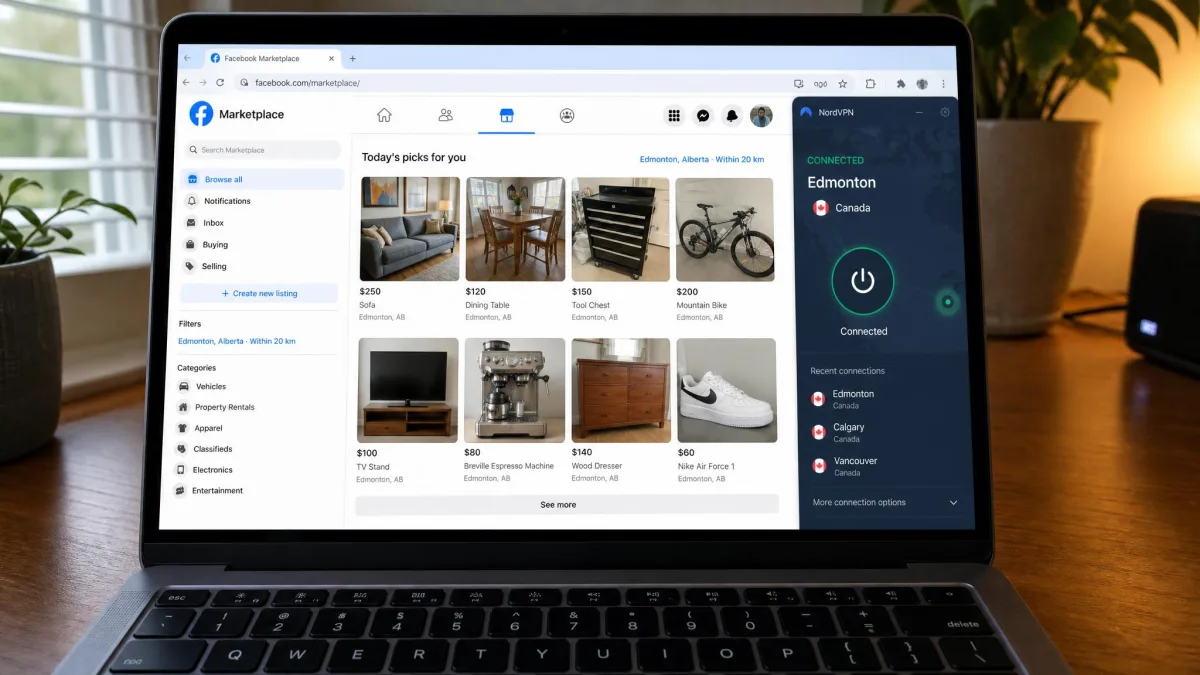
Marketplace. Listings follow the server's country. If you connect to a server abroad, Marketplace shows that region's listings instead of your local ones. That's useful when you're planning a move or checking prices elsewhere, but for buying locally, connect to a server in your own country.
Messenger. VPN overhead shows up most in Messenger video calls, and in Reels playback on the main app. Pick the nearest server and a fast protocol, such as NordLynx on NordVPN, Lightway on ExpressVPN or WireGuard on the others, to keep latency down. Text chats barely notice the VPN.
Dating. Facebook Dating matching depends on location, so the server should match the location on your Dating profile. A server in another country can leave you with matches you'd never be able to meet.
Final Thoughts
The right VPN for Facebook depends mostly on the network you're up against. On a filtered school or office network, or in a country with national blocks, obfuscation is the feature that counts, and NordVPN, ExpressVPN, Surfshark and Proton VPN handle it best. If you can't spend anything, Proton VPN's free plan with Stealth is the one to install. If the network is open and you just want privacy on public Wi-Fi, CyberGhost's simple apps or PIA's deep settings will do the job for less.
Whichever you pick, connect to a server in your home country before you log in. That single habit prevents most of the login checks, CAPTCHAs and checkpoints people blame on the VPN itself.