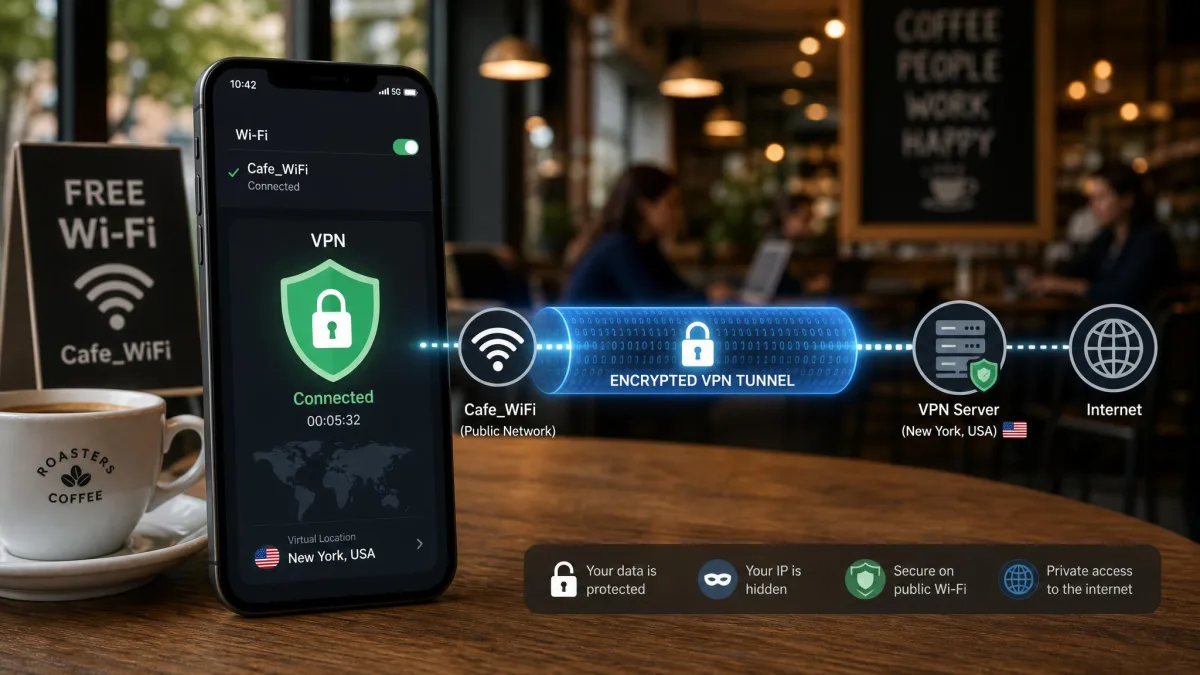
A mobile VPN routes your phone's internet traffic through an encrypted tunnel to a remote server, so the apps and sites you use see the server's address instead of yours. On a phone that hops between home Wi-Fi, cafe hotspots and cellular data all day, that encryption is what keeps a stranger on the same network from reading your traffic. It also lets you reach content tied to another region and stops your mobile carrier from logging every site you visit.
The catch is that a phone is not a laptop. Battery life matters, the screen is small, and iOS handles background connections differently from Android. A VPN that feels great on a desktop can drain your battery, drop its tunnel when you lock the screen, or bury its kill switch three menus deep on mobile. So we focused this guide on how each service actually behaves in your pocket, not on a spec sheet.
To get there, we ran all six of these VPNs side by side on a current Android flagship and a recent iPhone, keeping each app in daily use for several weeks rather than a quick one-day trial. That meant real streaming, browsing and commuting, with every app exercised the way you would actually use it, so we could see how each one held up once the novelty wore off.
Why bother on a phone specifically? Because your phone is the device most likely to connect to a network you do not control. A hotel lobby, an airport, a cafe down the street: each is a place where someone else on the same Wi-Fi could watch unencrypted traffic go by. A VPN closes that window, and it does double duty by stopping your carrier from building a profile of every site you load on cellular. The best mobile VPNs now do all of that with so little battery and speed cost that leaving one running all day is a reasonable habit.
Our Top Picks at a Glance
We ran six of the best VPNs on the market through daily phone use, leak tests and streaming checks. If you want the short version, these are the picks we kept coming back to. NordVPN took the top spot for the best all-round balance of speed, battery efficiency and app polish, while Surfshark is the one we hand to anyone on a budget who still wants every feature.
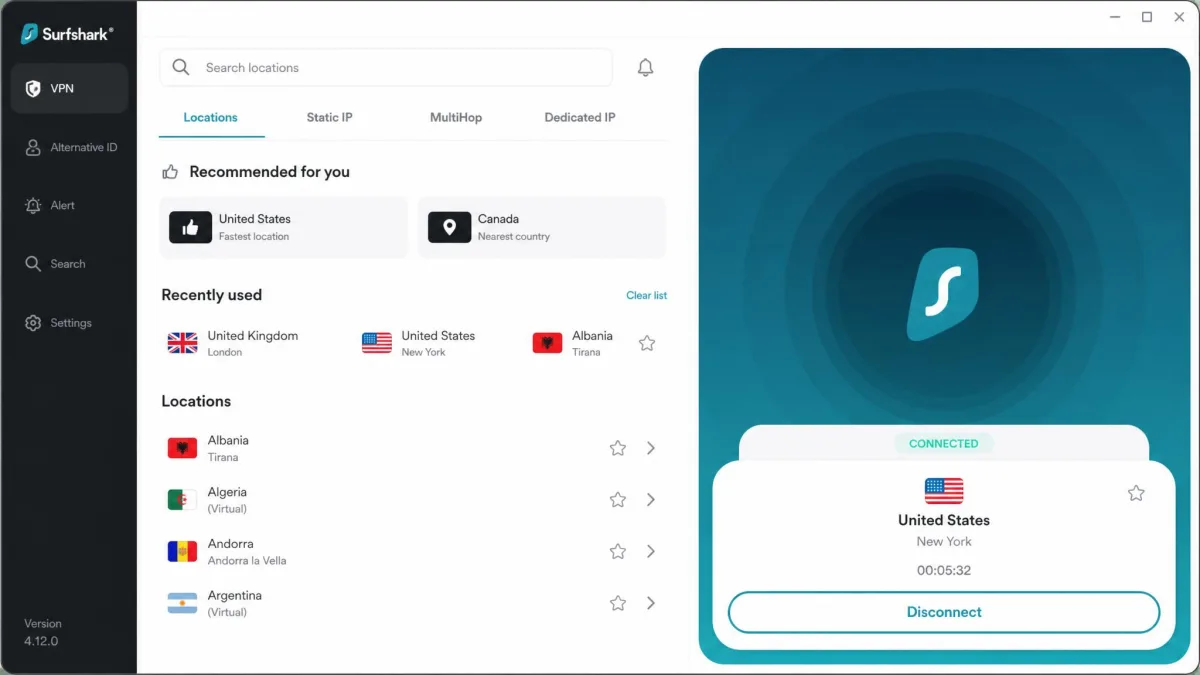
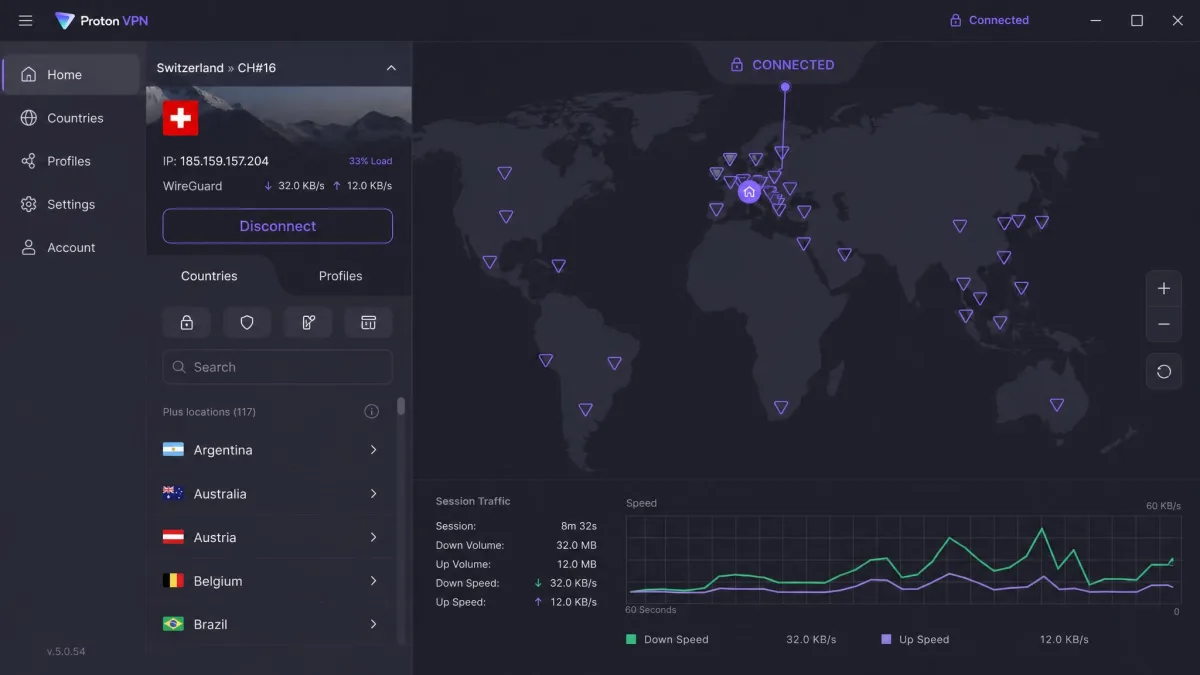
The Best VPNs for Phone in 2026
Every pick below is a service we installed, connected and lived with on a phone, not just read about. We scored each one on speed, battery impact, app quality on both platforms, privacy practices and value. Here is how the six shook out, starting with the one we would hand to almost anyone.

NordVPN
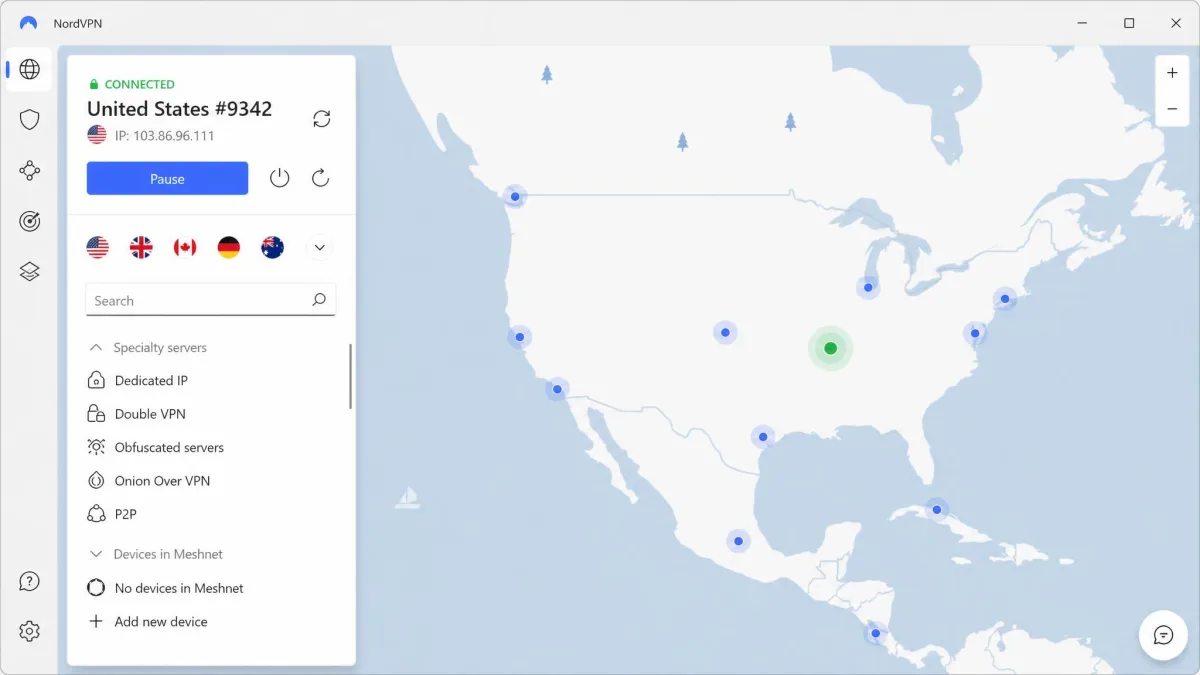
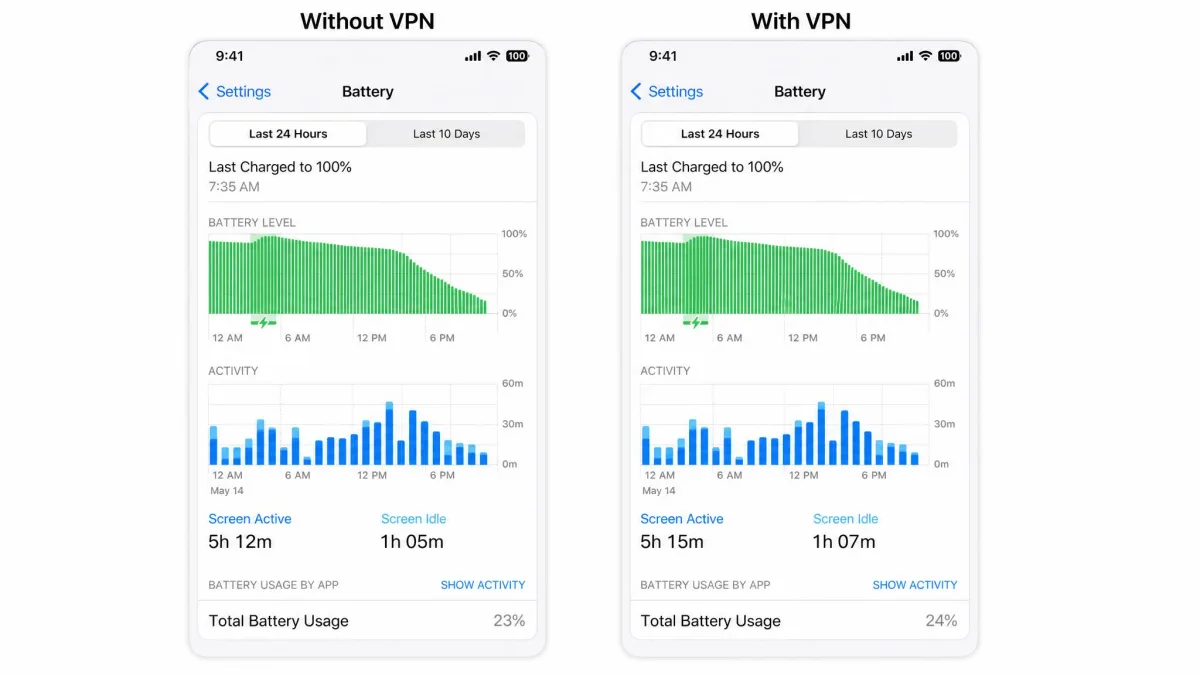
NordVPN is the phone VPN we reach for first, and it is the safe choice that works well on any phone. The clearest sign came at the end of a long day: we left it connected from the morning commute through to bedtime, and by the time we checked the battery screen that night the tunnel had barely moved the needle, never once leaving us anxiously watching the meter. That is the real test on a phone you carry everywhere. In practice the tunnel also reconnected in under a second whenever the phone switched between Wi-Fi and cellular, so it survived us wandering around on the go without dropping. The Android and iOS apps are clean, and Threat Protection blocks trackers and sketchy sites at the app level. A single account covers 10 simultaneous devices, which comfortably spans a phone, tablet and laptop, and the 30-day money-back guarantee applies to every plan if it does not click for you.
Pros
- Among the most battery-efficient protocols we tested on mobile
- Fast, reliable reconnects when switching between Wi-Fi and cellular
- Threat Protection blocks trackers and malicious sites
- 10 simultaneous devices and a no-logs policy
Cons
- Monthly plan is expensive if you do not commit to a longer term
- Published server and country totals vary by source
Best for: Anyone who wants the best overall balance of speed, battery life and app polish. Skip if: You only ever need one device and want a free tier.
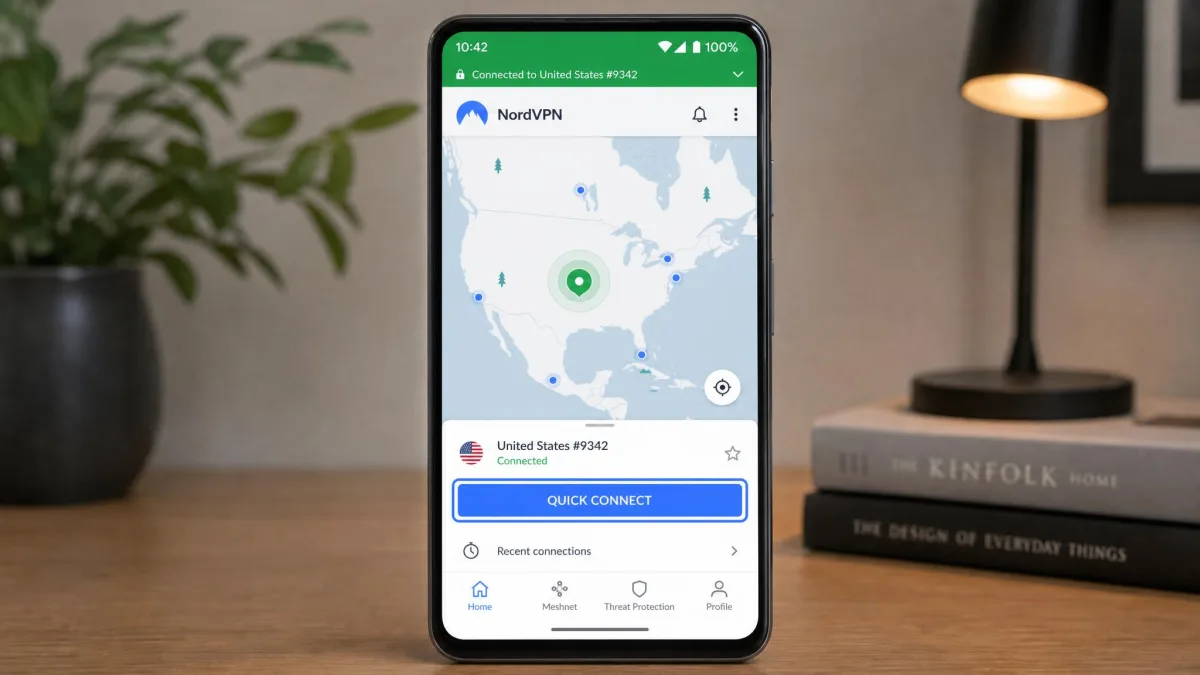
Server and country totals are worth a note here. Different sources list NordVPN's network differently, so rather than quote a fixed number we will say it runs thousands of servers across 110 or more countries, which is far more coverage than you will ever need on a phone. The monthly plan runs $14.99 if you refuse to commit to a term, which is the one spot where the price stings.

Surfshark
Surfshark is the best value VPN on the market for phones, and it does not feel like a budget tool in use. We put it through a full day of mixed mobile use, streaming, browsing and light gaming, on both Android and iOS, and it never pushed us toward the charger early or made pages crawl. That matters because a cheap VPN that quietly eats your charge is no bargain. One plan stretches across the whole household, which is where its device policy earns its keep. CleanWeb strips ads and trackers, and the Bypasser feature lets you route specific apps outside the tunnel, which is handy for banking apps that dislike VPNs. MultiHop routes you through two servers if you want an extra layer, and a 30-day money-back guarantee covers the trial.
Pros
- Cheapest intro pricing among our picks
- Unlimited simultaneous devices on one account
- CleanWeb ad and tracker blocking built in
- MultiHop and app-level Bypasser split tunneling
Cons
- Renewal rates rise above the promotional monthly figure after the first term
- No free tier to test before you commit
Best for: Households and anyone who wants every feature without paying premium prices. Skip if: You want a month-to-month plan with no long commitment.
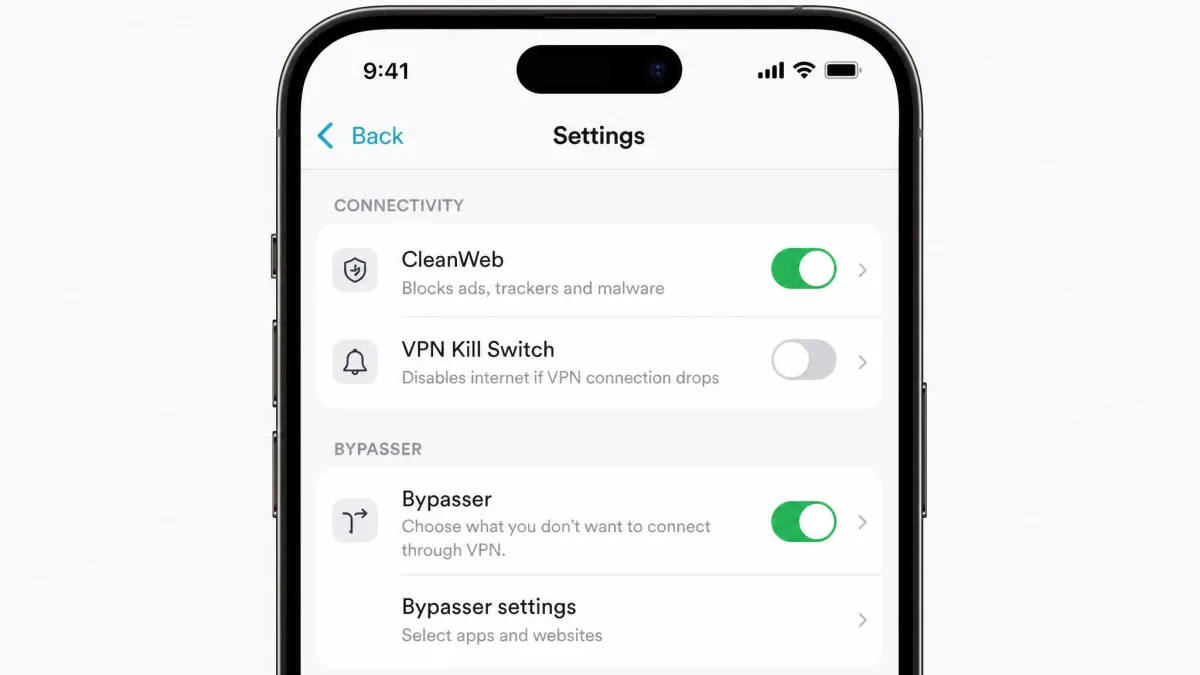
One honest caveat on the price: the headline monthly figure is the cost spread across a two-year term paid upfront, and it renews higher after that first period. That is true of nearly every VPN promo, but it is worth knowing before you assume the low rate lasts forever.

Proton VPN
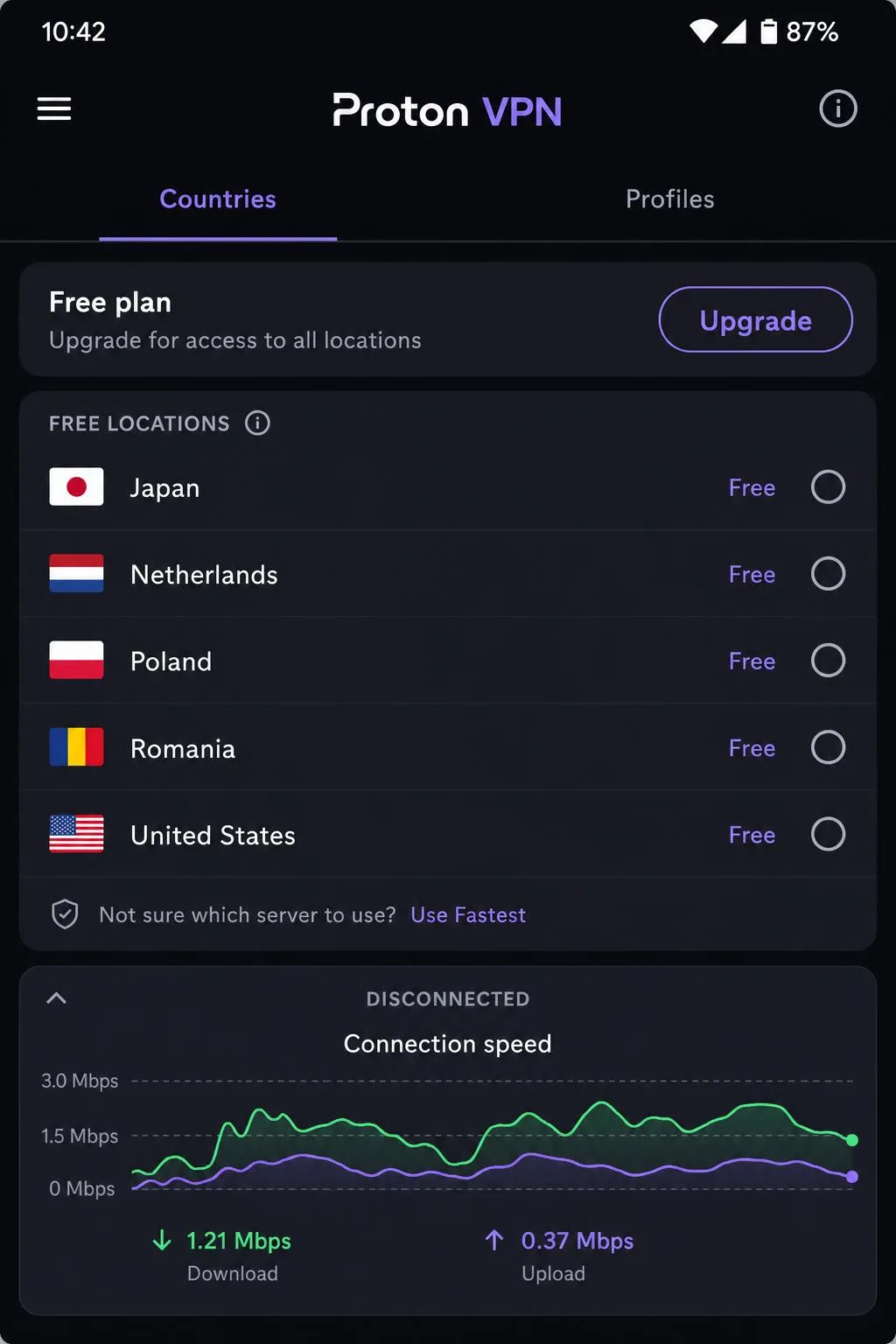
Proton VPN runs the only free tier we are comfortable recommending, and the reason is simple: it does not cap your data and it does not throttle your speed, which is almost unheard of among free apps. The trade-off is that the free plan covers one device at a time and a handful of server locations, and those free servers can sag during peak hours when more users share them. In the evenings we noticed video taking longer to hit full resolution on a free server, though it never stopped working. The paid plans open up the full network, 10 simultaneous devices and extras like Secure Core and the Stealth obfuscation protocol. Proton is Swiss-based with open-source, independently audited apps, which is why privacy-minded readers keep asking about it.
Pros
- Genuinely free tier with unlimited data and no speed caps
- Open-source, independently audited apps
- Swiss jurisdiction and a strong privacy record
- Stealth protocol helps in restrictive networks
Cons
- Free-server speeds can sag at peak hours
- Free tier is limited to one device and a few locations
Best for: Privacy-focused users who want a trustworthy free option or a paid plan with serious obfuscation. Skip if: You need the fastest possible streaming on the free tier.

ExpressVPN
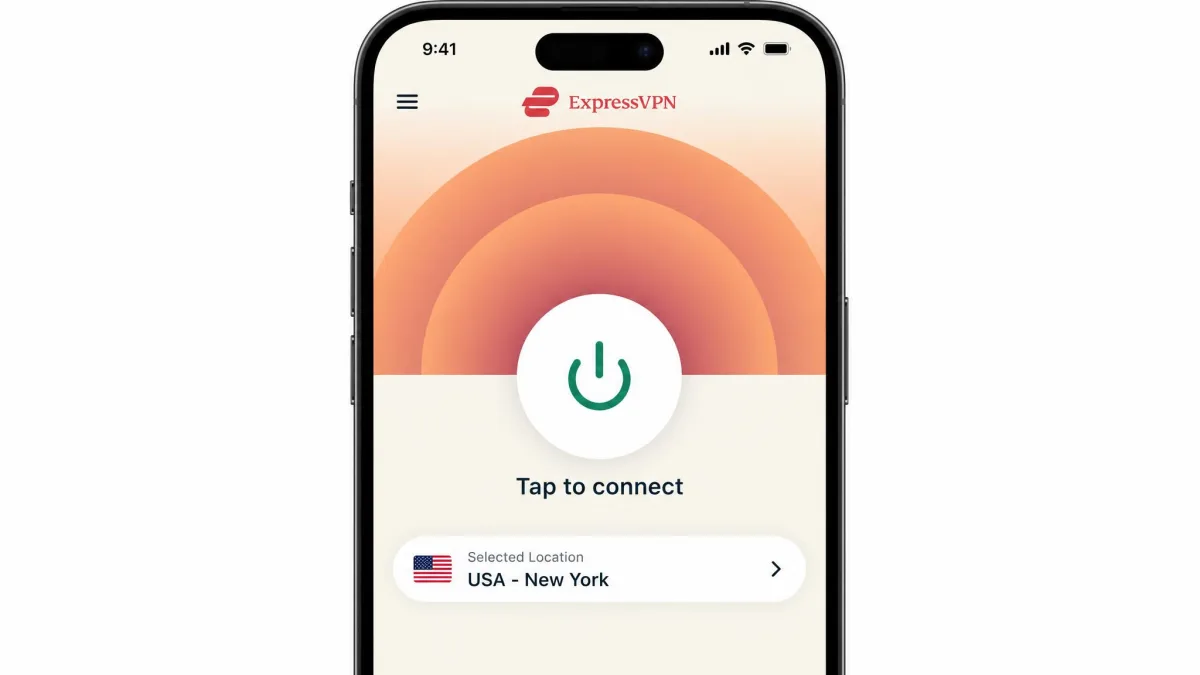
ExpressVPN is the pick we hand to someone who has never used a VPN before. Its mobile apps connect in about three seconds and keep the settings menu clear and uncluttered, so there is no hunting for the kill switch or the protocol picker. Under the hood it runs Lightway, an in-house protocol built for fast, stable mobile connections, plus TrustedServer RAM-only servers that wipe on every reboot. You get 24/7 live chat if something goes wrong, which beginners lean on more than they expect. The base tier covers 8 simultaneous devices, though that limit shifts by plan, and a 30-day money-back guarantee backs every purchase.
Pros
- Fastest, simplest setup of any app we tested
- Lightway protocol is quick and stable on mobile
- RAM-only servers and a solid no-logs record
- 24/7 live chat support
Cons
- One of the pricier services on the market
- Simultaneous-device limit differs by plan tier
Best for: First-time VPN users who want something that just works. Skip if: You are price-sensitive and want unlimited devices.

IPVanish
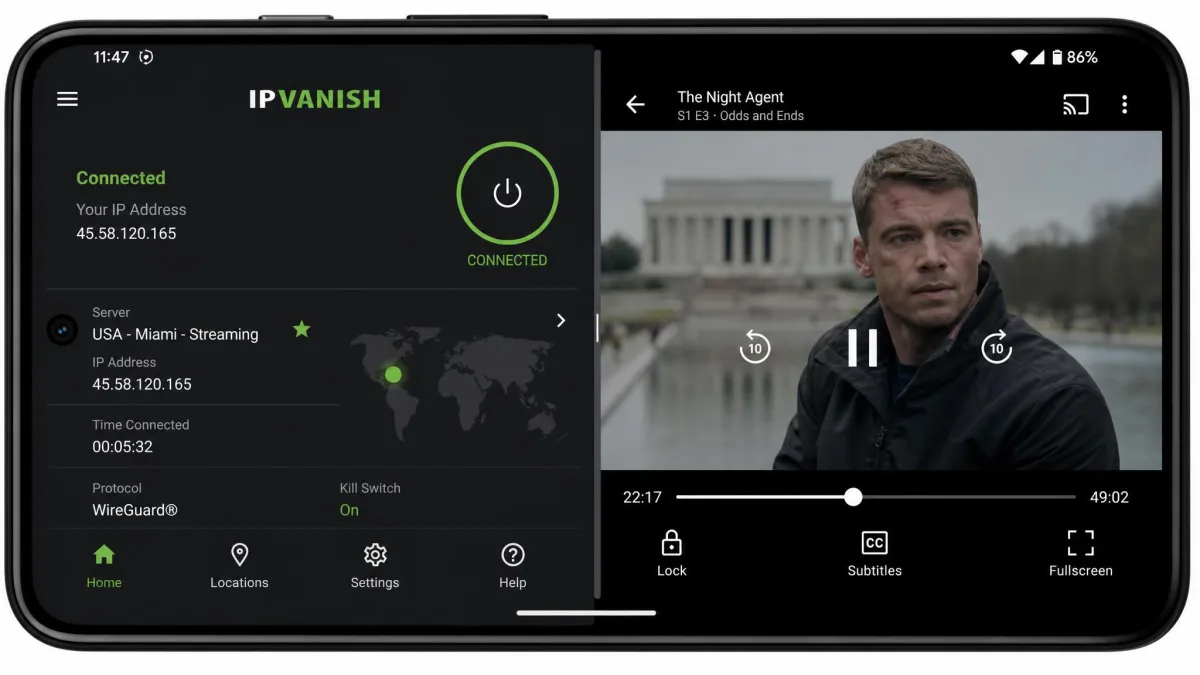
IPVanish earns its spot for streaming on the go, with one important caveat. Its Android app behaved reliably on a flagship phone throughout our testing, connecting cleanly and holding the tunnel, even though its desktop client can feel sluggish and slow to connect by comparison. That split is worth flagging, because the mobile experience is clearly the stronger half of the product, and the phone app is the one most people will actually live in. For mobile streaming it reached most of the regions we tried, loading region-locked catalogues without much fuss, but it can struggle to unblock US Netflix on a phone even while other services load fine. Unlimited simultaneous devices is a genuine perk if you want the whole household streaming at once, and the apps include a kill switch and split tunneling. One thing to note on value: the 30-day money-back guarantee applies to the annual and two-year plans, not the monthly one.
Pros
- Reliable, fast-connecting Android app
- Unlimited simultaneous devices
- Reaches most mobile streaming regions
- Kill switch and split tunneling included
Cons
- Can struggle to unblock US Netflix on mobile
- Money-back guarantee excludes the monthly plan
Best for: Households streaming across many phones and tablets at once. Skip if: US Netflix is your main reason for getting a VPN.

Private Internet Access
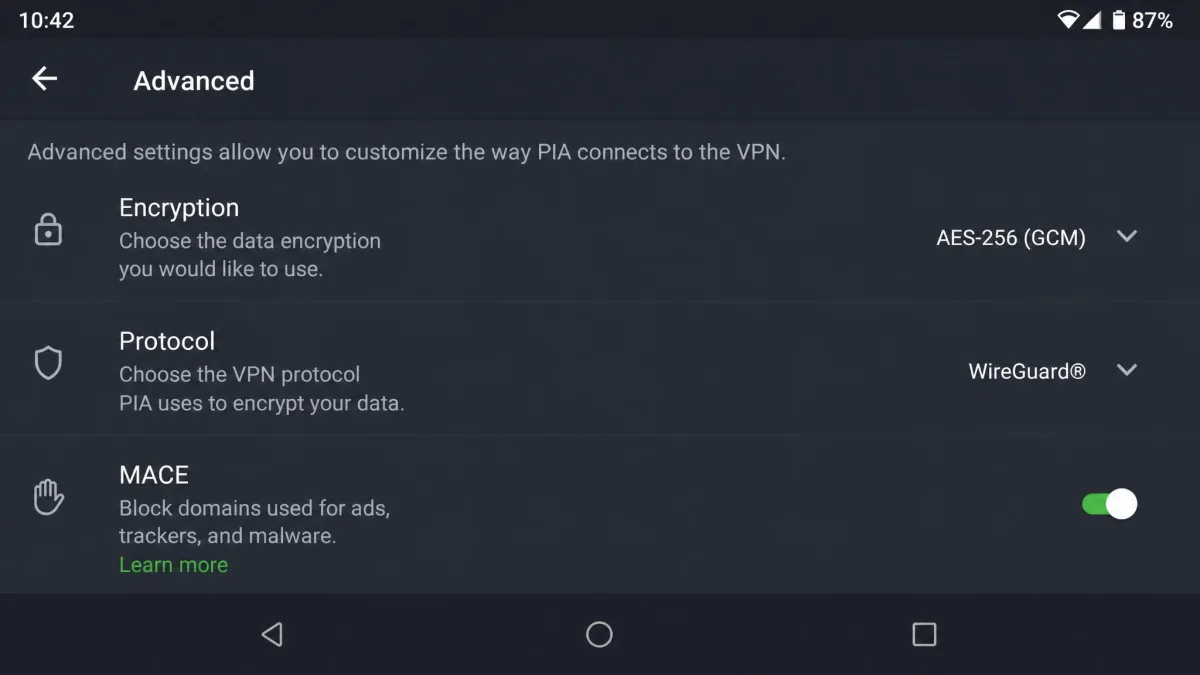
Private Internet Access is the pick for people who like to tinker. Its apps expose more manual settings than anything else here: you can pick your encryption strength, switch protocols, tune the MACE ad blocker and fine-tune the kill switch, all from the phone. It runs RAM-only NextGen servers, keeps a court-proven no-logs record, and offers unlimited simultaneous devices. Coverage spans 91 countries, including all 50 US states, which is unusually granular if you need a server in a specific region. Pricing is aggressive too: the annual plan lands at $3.99/mo, and a seasonal three-year promo drops well below that, all backed by a 30-day money-back guarantee for new subscribers.
Pros
- Deepest manual configuration options on mobile
- Court-proven no-logs record
- Unlimited simultaneous devices
- US server coverage in all 50 states
Cons
- The settings depth can overwhelm beginners
- Interface is more utilitarian than polished
Best for: Power users who want to control every connection setting from their phone. Skip if: You want the simplest possible one-tap experience.
Day to day, Private Internet Access stayed stable through our phone testing on both Android and iOS, with the kill switch cutting traffic correctly every time the connection dropped. The two apps are not identical twins, though: the Android app is the fuller of the pair, carrying per-app split tunneling and the MACE blocker, while the iOS version is narrower and swaps MACE for a Safari content blocker. On speed, downloads came in fast, but uploads lagged well behind the rest of our picks, which showed up whenever we sent large files or video over cellular. Battery landed squarely in the middle of the pack, costing us roughly 6% extra over a day on Android and about 7% on iPhone under WireGuard. The handy touches are the home-screen widgets for one-tap connecting, and once it is set up the apps are easy enough to navigate despite all the options buried inside.
How We Tested and Chose the Best Phone VPNs
We do not recommend a VPN we have not actually run on a phone. For this guide we installed each app on both Android and iOS, paid for or activated the plans ourselves, and used them through ordinary days: streaming, browsing, messaging and the occasional hotspot at a coffee shop. We watched how quickly each one connected, whether the tunnel survived switching between Wi-Fi and cellular, and how much battery it actually cost us over a full day.
Concretely, the testing ran on a current Android flagship alongside a recent iPhone, with the two handsets used side by side so we could compare the same app on each platform. Rather than a quick one-day trial, we kept every VPN in daily use for several weeks, long enough to catch the behavior that only shows up after the app has been living on your phone for a while. Exact model numbers and a precise day count are less important than the shape of the test: two modern phones, two operating systems, and weeks of genuine everyday activity.
Battery was a focus because it is where phone VPNs differ most from desktop ones. On modern WireGuard-based protocols the real cost over a day is small, roughly a few percent, even though a phone's battery screen often overstates it by blaming the VPN for background activity it did not cause. We checked each service's privacy claims against its published policy and audit history, ran leak tests to confirm the tunnel held, and scored streaming by trying to load region-locked content from the mobile app. We also paid attention to the things that only show up after days of use, like whether an app silently dropped its connection overnight or nagged us to reconnect every morning.
When you first install a VPN, run a quick leak check before you trust it. Connect the app, then load a DNS leak test and confirm the results show the VPN server's location, not your home network's.
We bought or licensed every service ourselves, and no vendor paid for placement or a better score. Pricing, device limits and feature notes reflect what we saw at the time of writing; VPN promos change often, so treat the headline intro rates as starting points rather than permanent prices. Where sources disagreed on a server or country count, we declined to print a precise figure, because those numbers drift constantly and matter little on a phone where a handful of nearby servers is all you ever touch.
What to Look for in a Mobile VPN
Choosing a phone VPN comes down to a handful of things that matter more on a small, battery-powered device than they do on a desktop. Here is what we weigh, and why each one moves the needle.
A phone VPN lives or dies on three things: how little battery it costs, how fast it reconnects when you move, and whether its app is good on both Android and iOS.
— From our hands-on testing
Speed and battery impact
Speed and battery are the two numbers you will feel every day. A slow protocol makes pages crawl and video buffer, while a heavy one nibbles at your charge. The good news is that modern WireGuard-based protocols, like NordVPN's NordLynx, have largely solved the battery problem: across a full day of use the extra drain is only a few percent. If a VPN still claims to be eating 20% of your battery, that is usually the phone misattributing background traffic, not real consumption.
Security and encryption
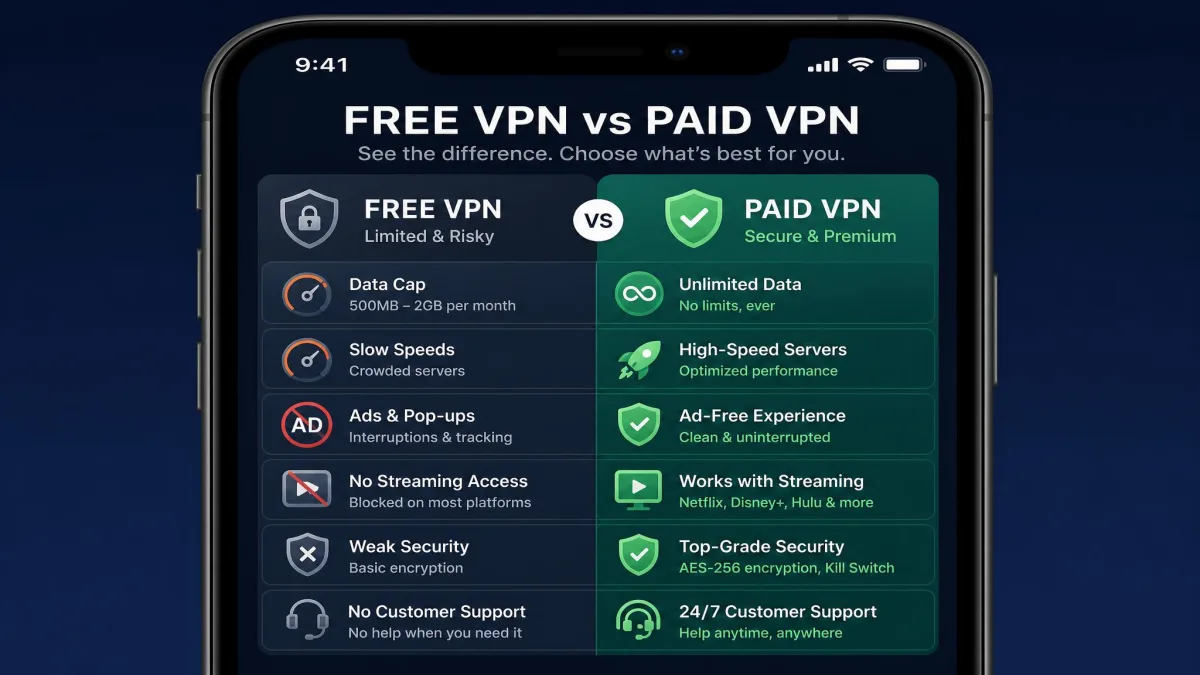
Every service here uses strong, modern encryption, so this is less about the cipher and more about the surrounding features. Look for a kill switch that cuts your traffic if the tunnel drops, split tunneling so apps like mobile banking can skip the VPN, and support for a current protocol such as WireGuard or an in-house equivalent. The underlying standard, AES-256, is the same one governments use, and you can read the details in NIST's encryption standards.
A kill switch is more important on a phone than a laptop. Phones constantly drop and regain connections as you move, and without a kill switch there is a brief window where traffic can leak outside the tunnel during each handoff.
No-logs privacy policy
A VPN can see everything you route through it, so its logging policy is the whole ballgame. We favor services with a clear no-logs policy that has been independently audited, and we give extra credit to providers whose no-logs claim has survived a real court request, as Private Internet Access's has. Jurisdiction matters too; Proton VPN's Swiss base is a genuine privacy advantage that puts it outside the reach of many data-sharing agreements.
Android and iOS app quality
The same brand can ship a great Android app and a mediocre iOS one, or the reverse, so we test both. A good mobile app connects in a few seconds, keeps the important controls one tap away, and reconnects quickly when you change networks. ExpressVPN set the bar here for newcomers, while Private Internet Access wins with power users who want every setting exposed.
Price and device limits
Price on a VPN is rarely what the big number on the homepage suggests. The cheap monthly rate almost always requires a multi-year commitment paid upfront, and it renews higher. Device limits matter just as much: if you want to cover a whole household, unlimited-device services like Surfshark, IPVanish and Private Internet Access stretch a single subscription a lot further than a 5- or 10-device cap.
Watch the renewal price, not just the intro rate. A VPN advertised at a few dollars a month on a two-year plan can more than double when that term ends, so set a calendar reminder before renewal and re-shop if the new price jumps.
Free vs. Paid VPNs for Your Phone
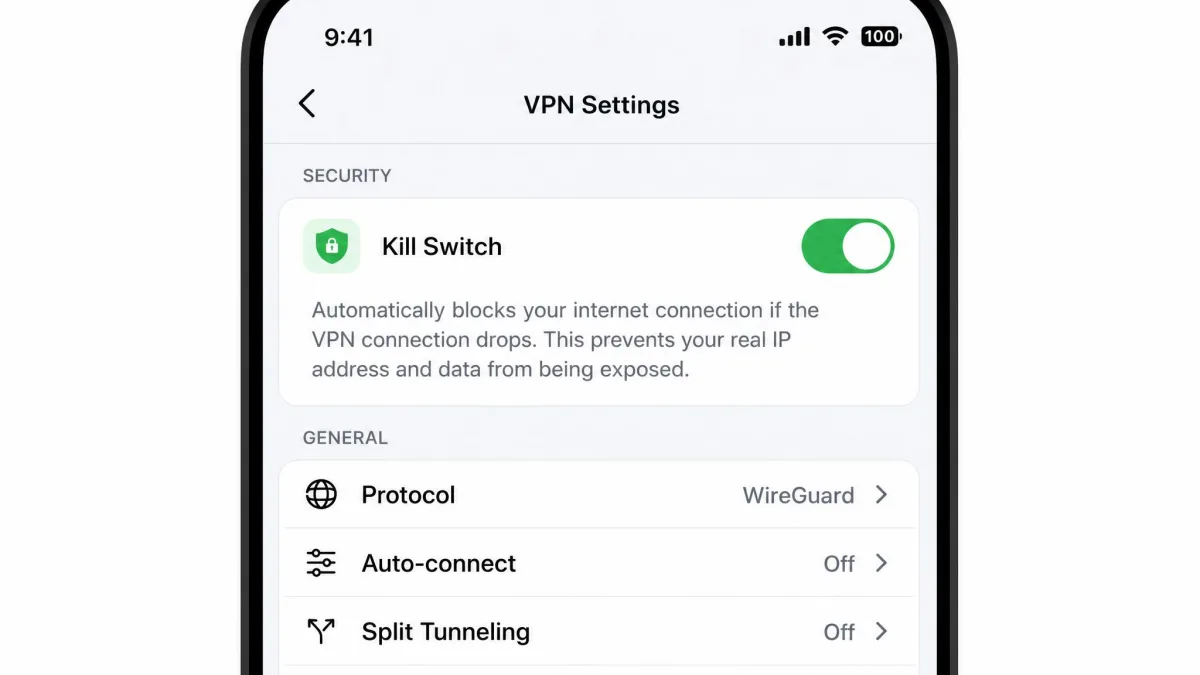
The honest answer is that most free VPNs are a bad deal, and some are a privacy risk. Running a server network costs money, so a service giving it away for free has to make that money somewhere, often by logging your activity, injecting ads, or capping your data to a few hundred megabytes a month. On a phone, where you browse and stream constantly, those caps evaporate in a day. Worse, a free app that asks for sweeping permissions the moment you install it is often harvesting more than it protects, and on mobile that data can include the networks you join and the apps you run.
Proton VPN is the exception that proves the rule. Its free tier has no data cap and no speed throttle, because the company uses it as an honest funnel toward its paid plans rather than a data-harvesting scheme. The limits are reasonable: one device at a time and a handful of server locations, and those free servers can slow down at peak hours when more people crowd onto them. For casual protection on public Wi-Fi, it is genuinely useful, and it is the one free app we are happy to install on a phone without hesitation. If a no-cost option is your priority, our guide to the best free Android VPNs digs deeper into which ones are safe to trust.
Paid VPNs earn their money in three ways that matter on a phone: faster and more numerous servers, better streaming access, and real features like a kill switch, split tunneling and multi-device support. If you use your phone for anything sensitive, the few dollars a month a paid plan costs buys noticeably better speed, reliability and privacy than even the best free option. It also comes with a 30-day money-back guarantee at every provider here, so there is no real risk in trying one. Our advice is to treat the free tier as a stepping stone: start on Proton VPN's free plan to get comfortable, then move to a paid service once you know a VPN belongs in your daily routine.
How to Set Up a VPN on Android
Setting up a VPN on Android is refreshingly simple, because the system was built with VPNs in mind. Here is the flow we follow on every Android phone, and it lines up with the picks in our guide to the best VPNs for Android.
First, install the provider's app from the Google Play Store and sign in with your account. Grant the VPN permission when Android asks; this is the system prompt that lets the app create the encrypted tunnel. Open the app, pick a server or tap quick-connect, and you are protected. Most apps drop a small key icon in the status bar so you can see at a glance that the tunnel is up, and tapping it will usually show you which server you are routed through.
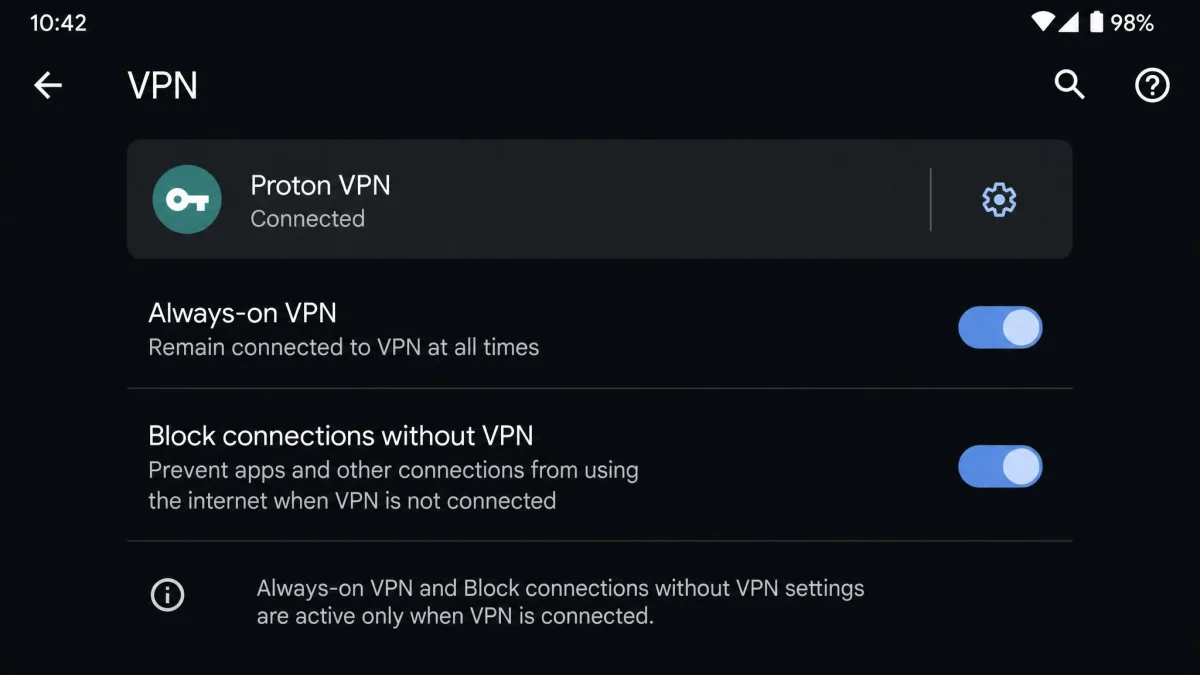
To make protection automatic, dig into the app's settings and enable auto-connect, then turn on the kill switch. Android also has its own always-on VPN and block-connections-without-VPN settings, available on Android 7.0 and higher, which act as a system-level kill switch. You will find them under Settings, then Network and internet, then VPN, behind the gear icon next to your installed app. One thing worth knowing: by design, those Android settings still let connectivity-check traffic slip outside the tunnel, so the provider app's own kill switch is usually the stronger guarantee. We run both together and have never had a leak slip through.
On Android, turn on both the app's kill switch and the system always-on VPN setting. The two work together, and the belt-and-braces approach means a crash in one layer does not leave you exposed.
How to Set Up a VPN on iPhone (and iOS Limitations)
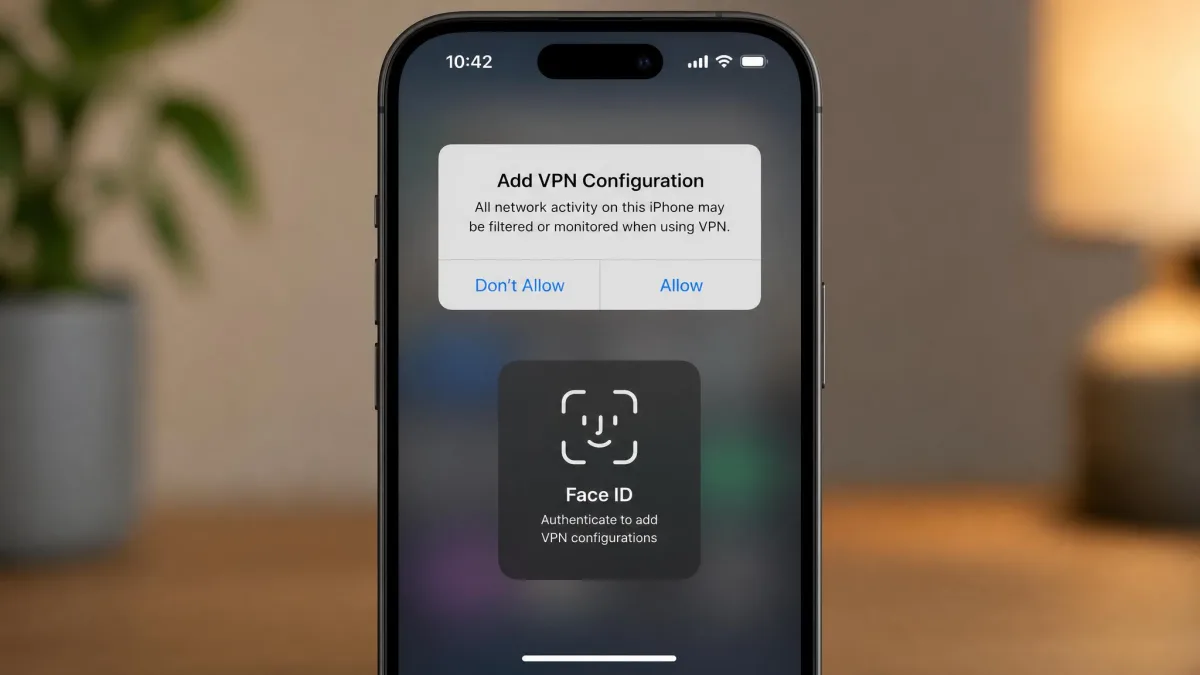
iPhone setup starts the same way: install one of the best iPhone VPNs from the App Store, sign in, and tap connect. The first time you connect, iOS asks you to add a VPN configuration and confirm with Face ID or your passcode; that is normal and only happens once per app. After that, connecting is a single tap, and a small VPN badge appears in the status bar to confirm the tunnel is live.
The important difference is that iOS has no user-facing always-on VPN toggle the way Android does. You cannot force the system to block all traffic until the VPN connects, so on iPhone you rely on the provider app's own auto-connect and kill switch instead. Most good apps handle this well, reconnecting automatically when you unlock the phone or rejoin a network, but the guarantee lives in the app rather than in iOS itself, which is why app quality matters more on iPhone.
The most common reason a VPN quietly disconnects on iPhone is Low Power Mode, which suspends background activity to save charge, followed by Background App Refresh being switched off for the VPN app. If you find your tunnel dropping when the screen is locked, check those two settings first. Leaving Background App Refresh on for your VPN app lets it maintain the connection while the phone sleeps, and we make a habit of verifying both are enabled right after install so the tunnel holds overnight.
If your VPN keeps dropping on iPhone, the culprit is almost always Low Power Mode. It pauses the background activity the VPN needs to hold its tunnel, so either disable it or accept that the connection may need a manual reconnect.
Comparison Table: Phone VPNs Side by Side
Here is how our six picks compare on the numbers that matter most when you are choosing a phone VPN. Prices are intro rates at the time of writing and renew higher.
| Provider | Buy | Intro price | Simultaneous devices | Countries | Free tier |
|---|---|---|---|---|---|
|
Check price → | ~$3.49/mo (2yr) | 10 | 110+ | No |
|
Check price | ~$2.49/mo (2yr) | Unlimited | 100 | No |
|
Check price | ~$2.79/mo (1yr) | 8 | 105 | No |
|
Check price | $3.99/mo (1yr) | Unlimited | 91 | No |
|
Check price | Free / paid | 10 (free: 1) | 110+ | Yes |
|
Check price | ~$3.33/mo (1yr) | Unlimited | 150 locations | No |
Frequently Asked Questions
What permissions should make me uninstall a free VPN?
Does a VPN slow my phone or drain the battery?
Will a VPN work on a locked-down work phone or an older OS?
Do I actually need a VPN on my phone?
Are phone VPNs legal?
How much should a mobile VPN cost?
Does a VPN hide my location?
Bottom Line: The Best VPN for Your Phone
Most phone shoppers do not need to overthink this, and the verdict below is where we landed after weeks of daily use. The one group we would steer away from our top pick is people who only ever use a single device and want something free, who are better served by Proton VPN's no-cap plan, and large households that need unlimited connections, who should look at Surfshark instead. For everyone else, the choice is straightforward.