A Windows PC can slow down for two very different reasons. Either junk files and startup bloat are piling up through normal use, or adware and browser hijackers quietly took control and are now working against you.
Ashampoo WinOptimizer and AdwCleaner each specialize in one of those jobs, so choosing between them starts with diagnosing your machine. We put both through full cleaning passes on our test machines, timing the scans and measuring what each removed.
We ran WinOptimizer for weeks across several test machines, and every one of them turned up gigabytes of junk, with boot-time improvements most noticeable on the older machines. AdwCleaner's testing followed a different rhythm, because it is a single-scan tool. We ran full deep scans on a Windows 11 machine where Chrome, Firefox, and Edge each carried months of accumulated tracking data, and the full deep scan finished in under four minutes.
Ashampoo WinOptimizer vs AdwCleaner at a Glance
Quick-verdict comparison table
| Feature | Ashampoo WinOptimizer | AdwCleaner |
|---|---|---|
| Purpose | All-in-one optimizer: cleaning, registry, startup, tuning, privacy | Free on-demand adware and browser-hijacker remover |
| Price and licensing | Free tier; one-time license from $14; 3-PC lifetime $49.99 | Free, with no paid tier |
| Free tier | Core cleaning and analysis; account required | The whole tool, free |
| Registry cleaning | Yes, with automatic backups (paid tier) | No; cleanup only during PUP removal |
| Adware and PUP removal | Secondary ability, not its focus | Primary purpose; 66.7% lab blocking score, best of 7 tools |
| Real-time protection | No | No, on-demand only |
| Defrag | Yes, Defrag Manager plus SSD wizard | No |
| Privacy and wiper tools | File Wiper, AntiSpy, telemetry controls | Optional reset of Windows settings (proxies, winsock, TCP/IP) |
| Platforms | Windows 10/11 64-bit | Windows 10/11; legacy builds for Windows 7/8 |
| Ease of use | One-Click wizard; 30+ modules can overwhelm | Scan, review the list, clean; restart required |
| Verdict | Choose for ongoing maintenance and real speed gains on older PCs | Choose for adware and hijacker removal |
What Is Ashampoo WinOptimizer?
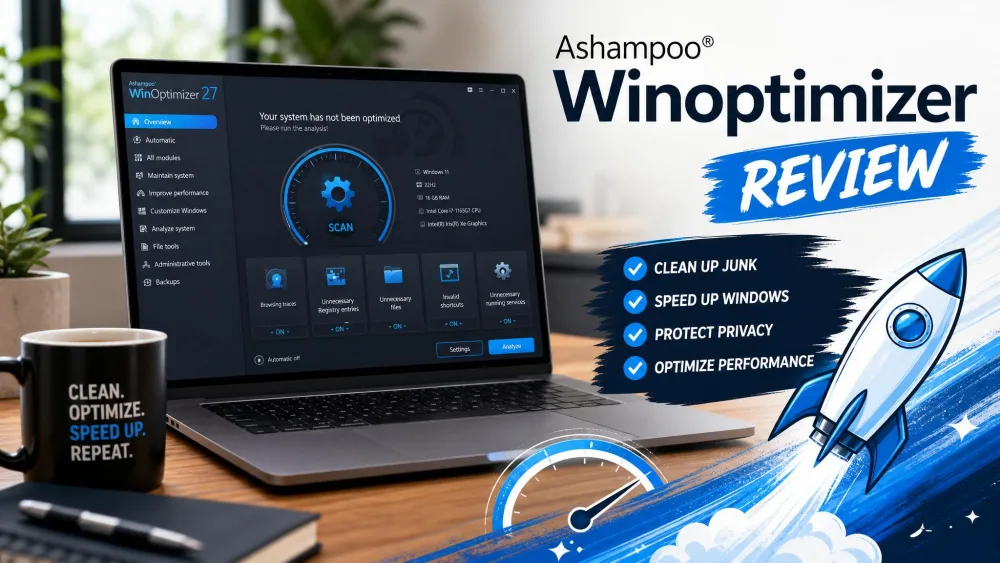
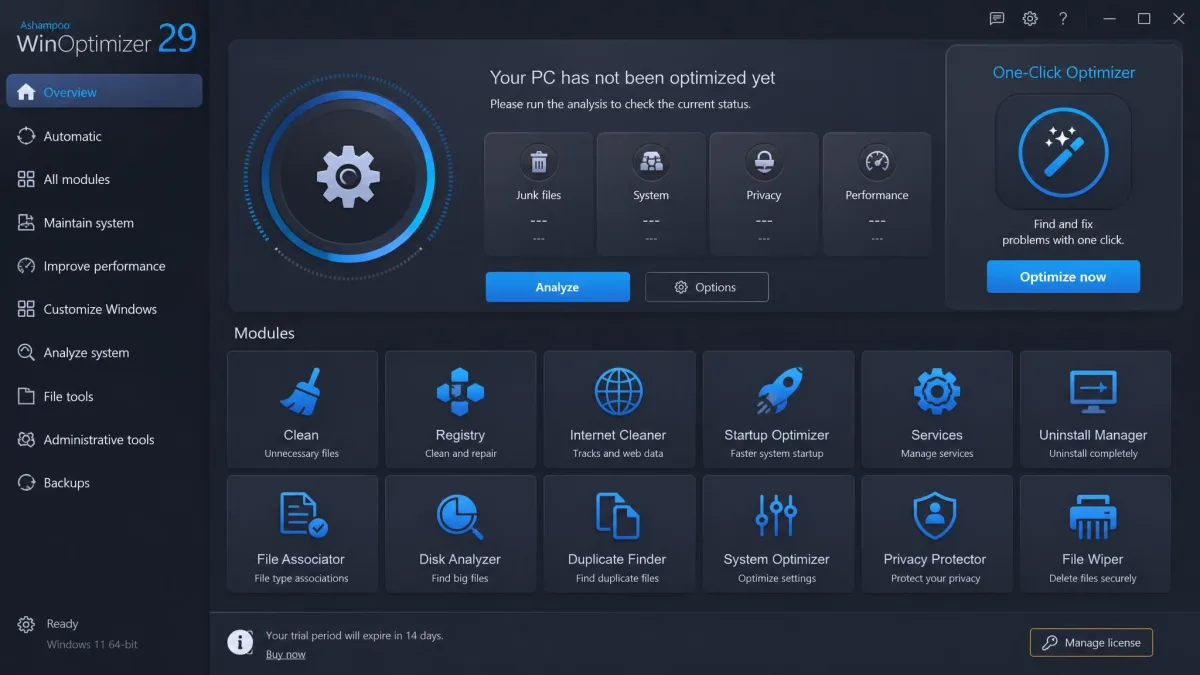
Ashampoo WinOptimizer is a full PC maintenance suite from Ashampoo GmbH, founded in 1999. Version 29 bundles more than 30 modules covering cleaning, registry, startup, tuning, privacy, and drive care, with the One-Click Optimizer running the three main cleaners as a single pass. We tested the paid tier; our Ashampoo WinOptimizer review goes deeper.
What Is AdwCleaner?
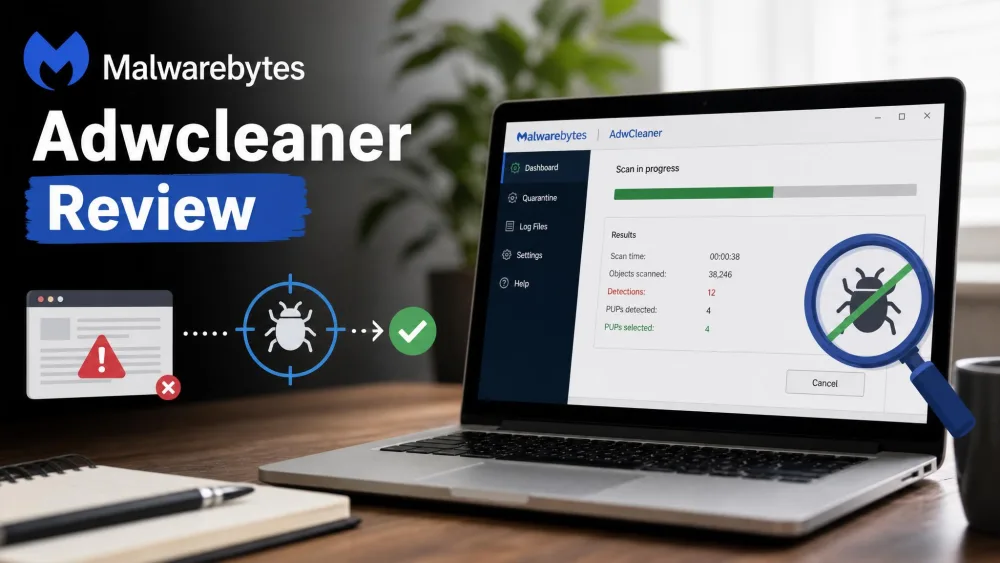
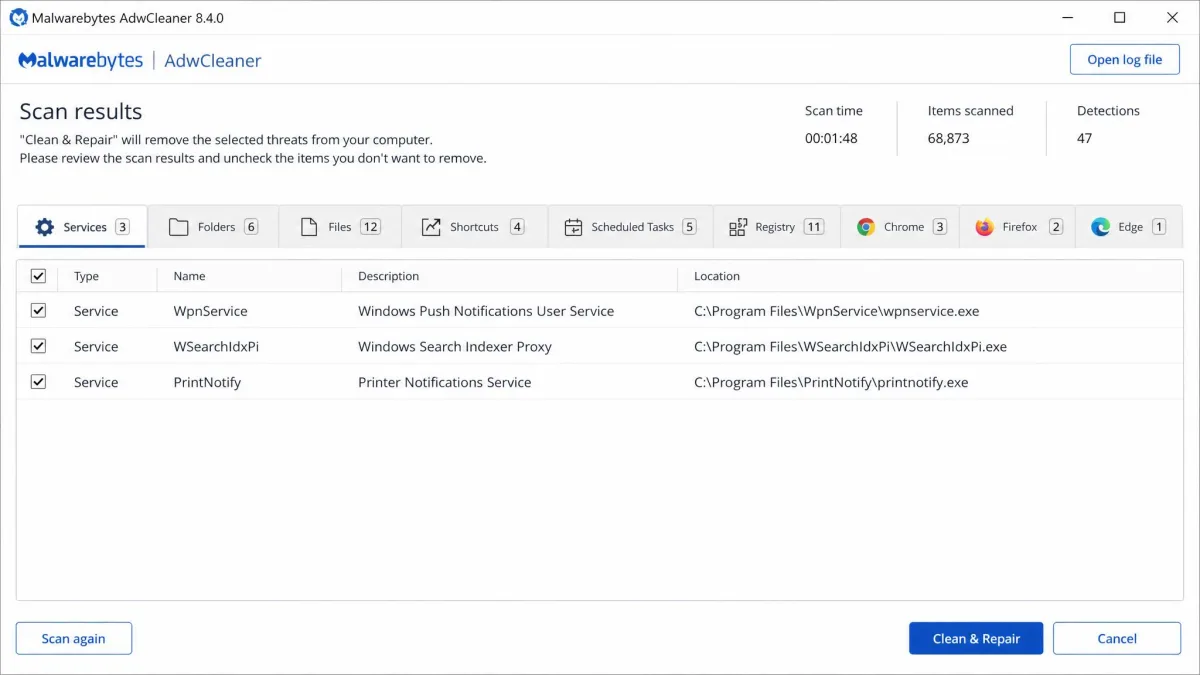
If WinOptimizer is the all-rounder, AdwCleaner is the specialist. It is a free, on-demand tool built to remove adware, potentially unwanted programs, and browser hijackers. Created in 2011 and acquired by Malwarebytes in 2016, it has stayed free. The current build, version 8.8.1, added multi-threaded scanning. Our Malwarebytes AdwCleaner review covers the scan engine in more detail.
Installation and Setup
Ease of installation
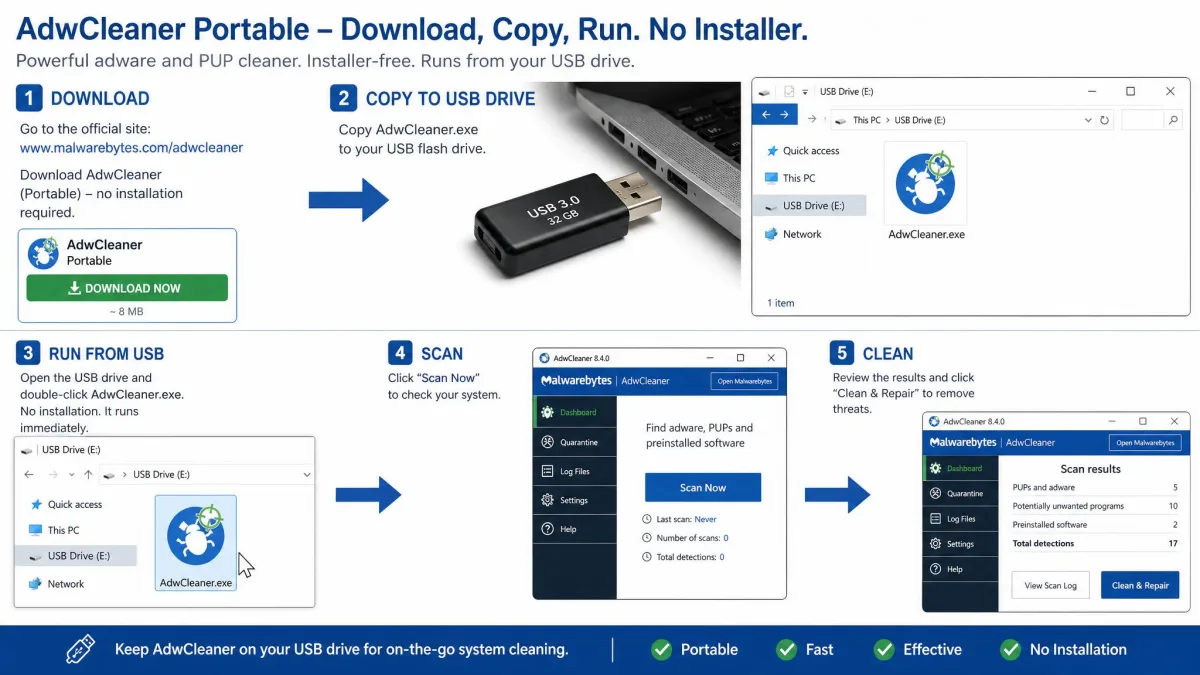
Setup is where the two tools diverge sharply: AdwCleaner has no installer at all, and the whole program is a single portable executable of about 8 MB that runs from a USB stick, while WinOptimizer installs like a normal Windows application. WinOptimizer's free tier also requires an Ashampoo account before the download starts, an extra step CCleaner does not require.
Registration and licensing
AdwCleaner asks for nothing: no account, no registration, no payment. WinOptimizer offers a 30-day trial, a 30-day money-back guarantee, and an account gate on its free tier.
Download AdwCleaner only from the official AdwCleaner page or the Microsoft Store listing. Fake downloads are common around free cleaners, so stick to official sources.
Interface and User Experience
The interfaces reflect the two philosophies. WinOptimizer opens to a modern dashboard with a grid of more than 30 modules and light and dark themes, while AdwCleaner is deliberately minimal, since its whole workflow is launch, scan, review, and clean.
Features: Optimization vs. Adware Removal
System and registry cleaning
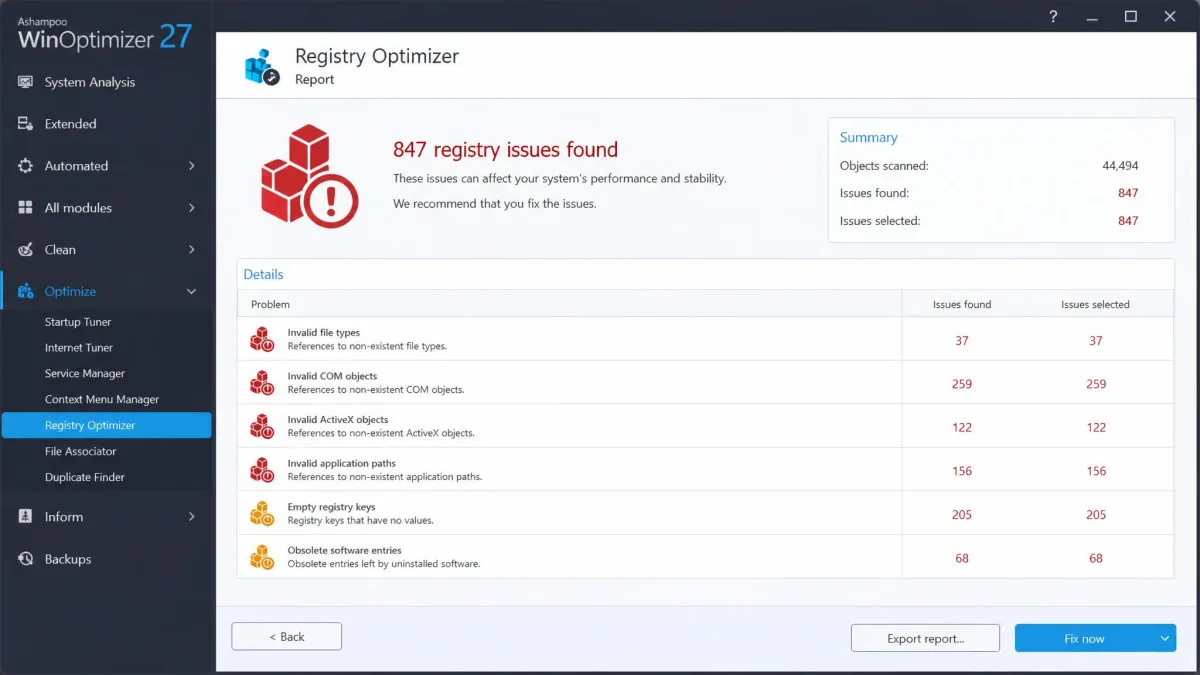
The feature sets barely overlap, and the difference shows in the cleaners, where the Drive Cleaner and Internet Cleaner sweep temp files, caches, and browser traces, while the Registry Optimizer sits in the paid tier, backs up before changes, and includes registry defragmentation. AdwCleaner has no registry cleaner, so cleanup happens only during PUP removal.
Adware and PUP detection and removal
This is the entire point of AdwCleaner. Its engine catches adware, PUPs, and browser hijackers, and removes toolbars and malicious shortcuts. WinOptimizer can remove adware it finds, but that is a secondary ability, not its focus.
Startup and performance tuning
Startup tuning is where WinOptimizer is strongest. The Startup Manager, Boot Center, and Service Manager control what loads at boot, while the Game Booster and tweaking modules adjust background behavior. AdwCleaner's only contribution is removing infected scheduled tasks and startup entries.
Privacy and file shredding
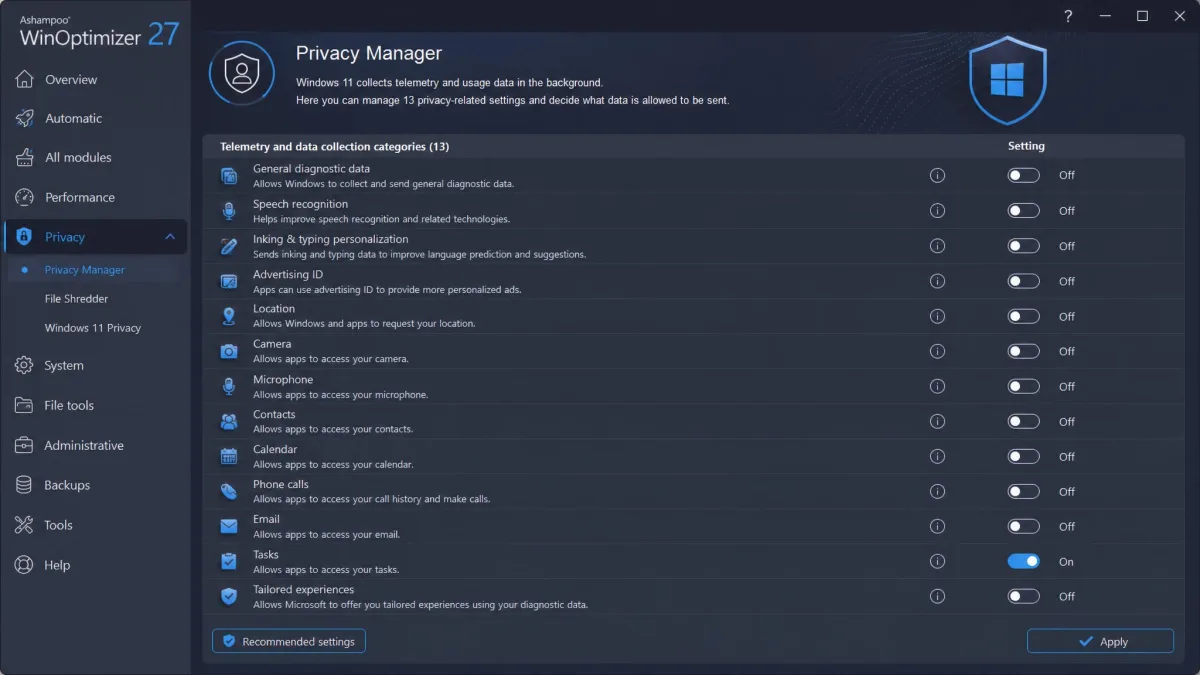
WinOptimizer bundles a File Wiper, Privacy Traces Cleaner, Encrypter, and AntiSpy, plus a Privacy Manager with 13 categories of telemetry switches. AdwCleaner can optionally reset hijacked Windows settings such as proxies, winsock, and TCP/IP rules, a privacy repair rather than a toolkit.
Performance and Effectiveness
Cleaning results
Cleaning results show the two tools' strengths differently. On our test PC, a single Disk Cleaner pass removed about 2.3 GB of junk, the Registry Optimizer flagged 847 issues and backed them up before fixing them, and the Duplicate File Finder turned up 156 duplicate files totaling 1.8 GB. When a tuning pass left one machine running slower, we restored it from the automatic backup and the change reversed cleanly.
On a test machine carrying a browser hijacker, the standard AdwCleaner scan finished in about a minute and grouped everything it found into its category tabs. Every item arrived pre-checked for removal, so we unticked the legitimate programs one by one before cleaning. The cleaning pass closed every open program and forced a restart to finish, and the hijacked homepage settings were restored.
Impact on system speed
The honest answer is that the speed gains are modest but measurable, and boot times improved most on older machines, while an already-fast modern PC showed little visible difference. Registry cleaning on a healthy system often finds little to fix, and one-click mode can remove browsing data you wanted to keep, so we ran the individual cleaners instead.
Safety, Trust, and Privacy
Is AdwCleaner safe to use?
Trust matters in this category, and the two tools earn it differently. AdwCleaner is safe to use with two conditions: download it from an official source, and read the report before cleaning.
The category has its own scars. In September 2017, a trojanized CCleaner build signed with a valid certificate reached about 2.27 million users through official servers before Cisco Talos exposed it. Neither tool here has that history, which is why we insist on official downloads.
Data handling and telemetry
WinOptimizer gives you unusual control over what Windows reports. The Privacy Manager switches telemetry off by category, AntiSpy targets tracking components, and the Privacy Traces Cleaner removes browsing and usage traces. AdwCleaner's privacy role is repair rather than reporting, since it resets settings hijackers alter, while Ashampoo's standing is solid too, at 4.7/5 across more than 15,800 Trustpilot reviews.
Pricing and Plans
Free versions compared
Both tools are free to start with, and then the pricing paths split. The WinOptimizer FREE tier is a genuine free tool, not a trial: startup cleanup, the Internet Cleaner, system analysis, benchmarks, AntiSpy, Windows 10 privacy controls, the File Wiper, file recovery, and registry defragmentation. The catch is the account, required before the download starts, and AdwCleaner is free with no catch at all.
Paid tiers and licenses
The paid version is a one-time lifetime license, the strongest pricing argument in this category. The deal price on the official Ashampoo WinOptimizer page starts at $14, a 3-PC lifetime license runs $49.99, and every purchase carries a 30-day money-back guarantee. Promotional pricing drifts between campaigns, so expect it to move. Paid buyers get email support; one reply arrived in about 17 minutes in our testing, while other requests took up to twelve hours.
Pros and Cons
After a full round of testing, here is where each tool stands. The pros and cons lists below reflect what the hands-on pass showed.
Ashampoo WinOptimizer: advantages and limitations
Pros
- One-time lifetime license, no subscription
- 30+ modules across maintenance, privacy, and drive care
- Automatic backups run before every optimization
- Real, measured speed gains on older machines
- Strong track record: 4.6/5 from 1,489 verified reviews
Cons
- The 30+ module list takes time to learn
- One-click mode can remove browsing data you wanted to keep
- Paid features such as the Registry Optimizer are locked behind the license
AdwCleaner: advantages and limitations
Pros
- Free for home users, with nothing to buy at any tier
- Deepest adware removal of the free tools we compared
- Portable executable runs from a USB stick without installation
- Restores hijacked browser and Windows settings during cleanup
Cons
- On-demand only, with no real-time protection
- Flags some legitimate programs alongside real adware
- Forces a restart to finish cleaning
- Current builds run only on Windows 10/11
Which One Should You Choose?
The honest answer is that it depends on your starting point. If your browser homepage changed overnight and pop-ups appear on sites that used to be clean, you have an adware problem, and AdwCleaner is the right first move. If the machine just feels slow and boots slowly, WinOptimizer is the tool built for that job.

How They Compare to Other Cleaners
CCleaner remains the best-known rival, but its Professional edition runs about $29.95 per year against WinOptimizer's one-time license. Our Ashampoo WinOptimizer vs CCleaner, AVG TuneUp vs Ashampoo WinOptimizer, Avast Cleanup vs Ashampoo WinOptimizer, and BleachBit vs Ashampoo WinOptimizer comparisons cover the WinOptimizer side, while Advanced System Optimizer vs AdwCleaner, Avast Cleanup Premium vs AdwCleaner, and AVG TuneUp vs AdwCleaner cover the AdwCleaner side.