If your Windows PC feels sluggish and cluttered with junk files, a cleaner like BleachBit or Ashampoo WinOptimizer promises to help. Both free up disk space and clear the temporary files that pile up over months of use. They differ sharply in approach.
BleachBit is a free, open-source cleaner built around one job: finding junk and wiping it thoroughly. Ashampoo WinOptimizer is a paid suite that bundles cleaning into a wider set of tuning and privacy tools. We put both through our before-and-after cleanup runs to see which earns a place on your machine in 2026.
BleachBit vs Ashampoo WinOptimizer at a Glance
Here is how the two tools line up before we dig into the detail. We added CCleaner as a third reference column, since it is the alternative most people weigh against both.
| Product | Price / licensing | Cleaning depth | Extra tools | Privacy shredding | Ease of use | Platforms |
|---|---|---|---|---|---|---|
 |
Free, open source ($0) | Deep junk, temp, cache, app-specific | Minimal (no registry or defrag suite) | Secure file shred and free-space wipe | Bare, technical, preview-first | Windows 10 and 11, Linux, Mac (experimental) |
 |
Paid Pro around $29.99 (free edition available) | Junk, duplicates, browser traces via one-click | 30-plus: registry defrag, startup, uninstaller | File Wiper plus Privacy Traces and AntiSpy | Guided, explains each issue, backup and undo | Windows 10 and 11 (Free adds 7 and 8) |
 |
Freemium | Junk and browser cleanup | Registry, startup, uninstaller | Secure delete (paid) | Polished, mainstream | Windows, Mac |
What Is BleachBit?
BleachBit is a free system cleaner long favored by privacy-minded Windows and Linux users. It is open source, so anyone can inspect the code, and it ships with no adware, no upsells, and no telemetry. The current stable release is 6.0.2, which added font-size adjustment, a full-screen mode, and new cleaners.
Key Features
BleachBit cleans cache and history for Chrome, Edge, Firefox, and apps like VLC and Discord. It clears system logs, temporary files, and cookies through a built-in cookie manager. For privacy, it offers secure file shredding and can overwrite free disk space so deleted files cannot be recovered.
Power users get more. A command-line interface lets you script cleanup runs, and the app can run portable from a USB stick. Extra cleaners load through winapp2.ini and CleanerML files, and it is available in 72 languages. Notably, BleachBit deletes Windows registry MRU keys but leaves out a full registry cleaner by design, a choice that lines up with Microsoft's own caution about registry cleaners.
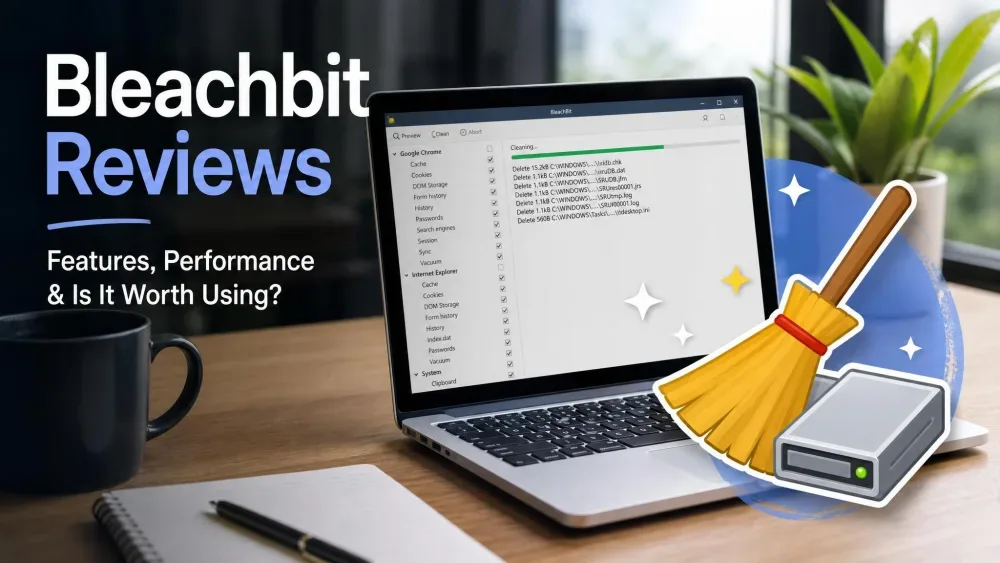
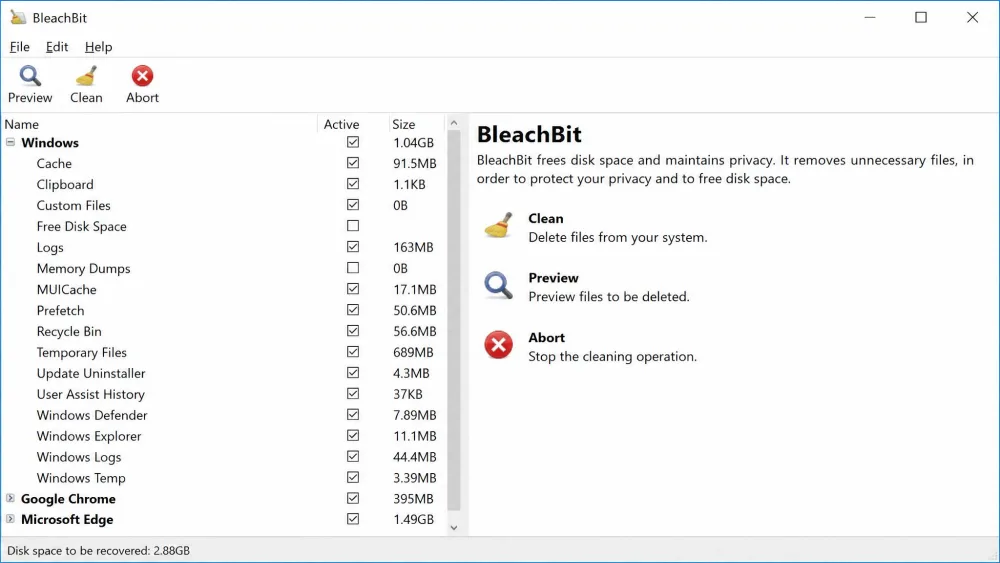
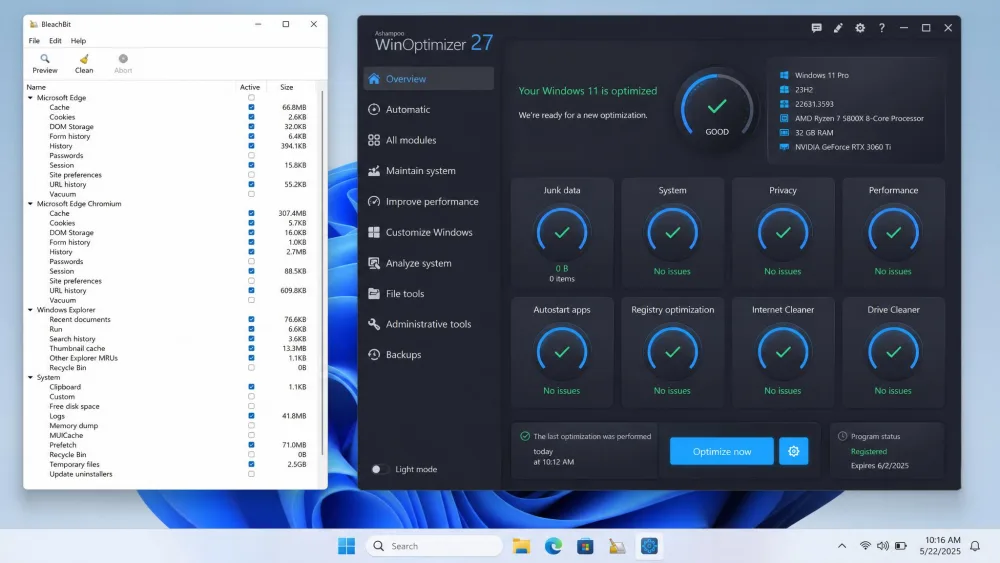
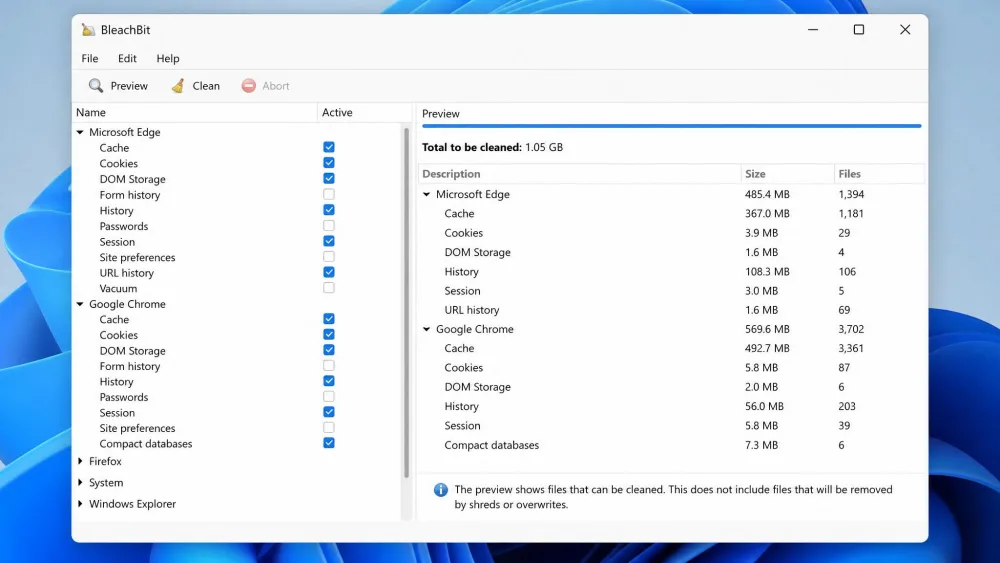
BleachBit runs a Preview before it cleans, showing exactly what will be removed. Running Preview first is the single best habit for avoiding an accidental deletion.
Pros and Cons
In our runs, BleachBit routinely recovered gigabytes. On one machine we cleared close to 11GB even after Windows Disk Cleanup had already done its pass, and a deep run surfaced nearly 150GB of hidden Windows junk that other tools had left behind. The trade-off is polish. The interface is bare: a left-hand list of apps plus Preview, Clean, and Abort buttons, and it feels dated. There is also no clean way to stop a cleaning run once it starts, so it rewards users who read each checkbox first.
Pros
- Completely free and open source, with no ads or telemetry
- Deep cleaning that recovers many gigabytes of space
- Secure file shredding and free-space wiping for privacy
- Command-line scripting and portable USB use for power users
Cons
- Bare, dated interface that assumes some technical comfort
- No way to cancel a cleaning run cleanly once it begins
- No registry, startup, or defrag tools built in
- Aggressive settings can remove wanted data if used carelessly
What Is Ashampoo WinOptimizer?
Ashampoo WinOptimizer takes the opposite approach. It is a paid optimization suite, currently at Pro 29, that packs cleaning into a much wider toolkit. You can read the full feature set on the Ashampoo WinOptimizer product page. Pro lists for around $29.99 for a single license, though the price varies by edition and license tier and is frequently discounted. A separate WinOptimizer Free edition is available too, and Pro comes with a 30-day trial plus a 30-day money-back guarantee. It carries a 4.6 out of 5 vendor rating that drifts as new reviews come in.
Key Features
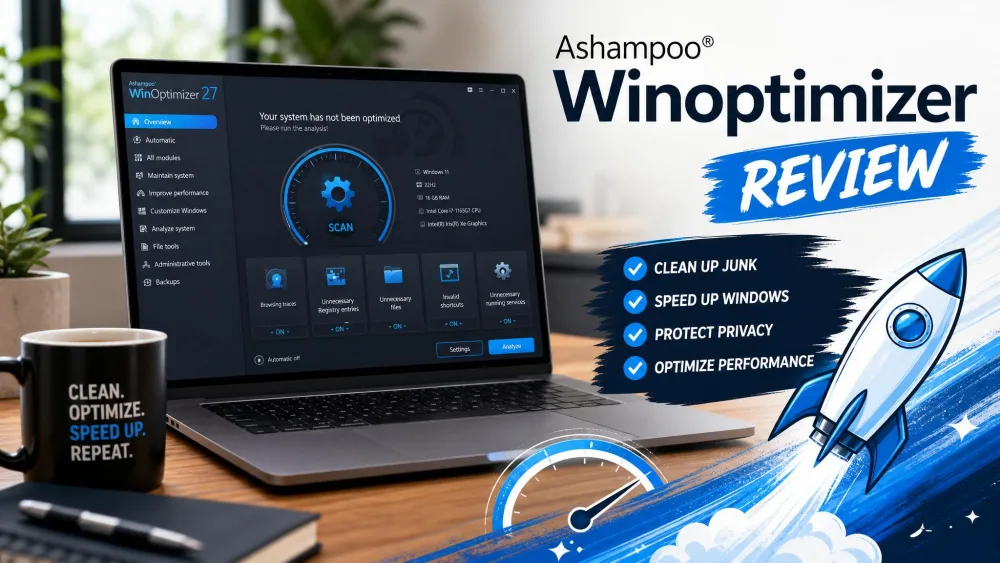
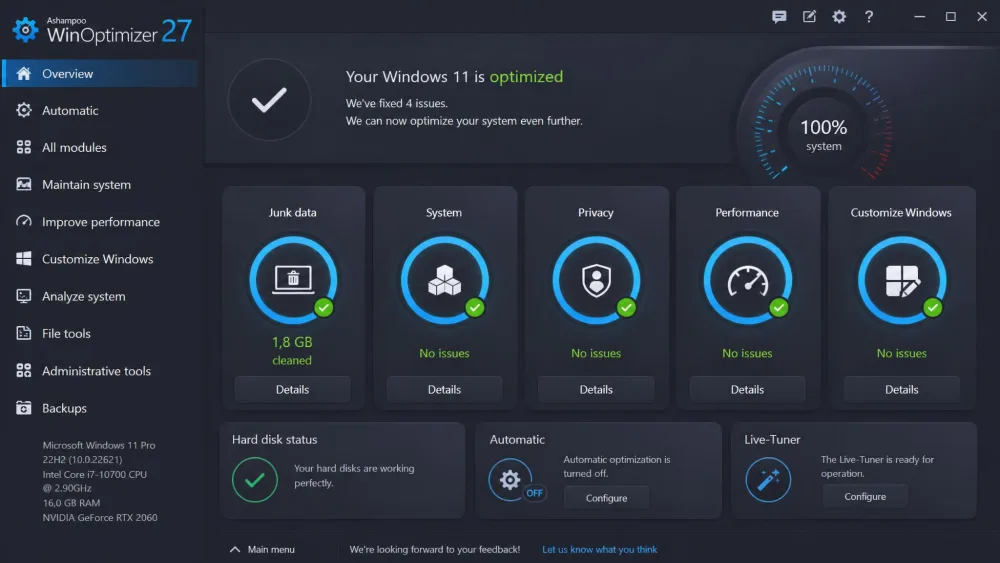
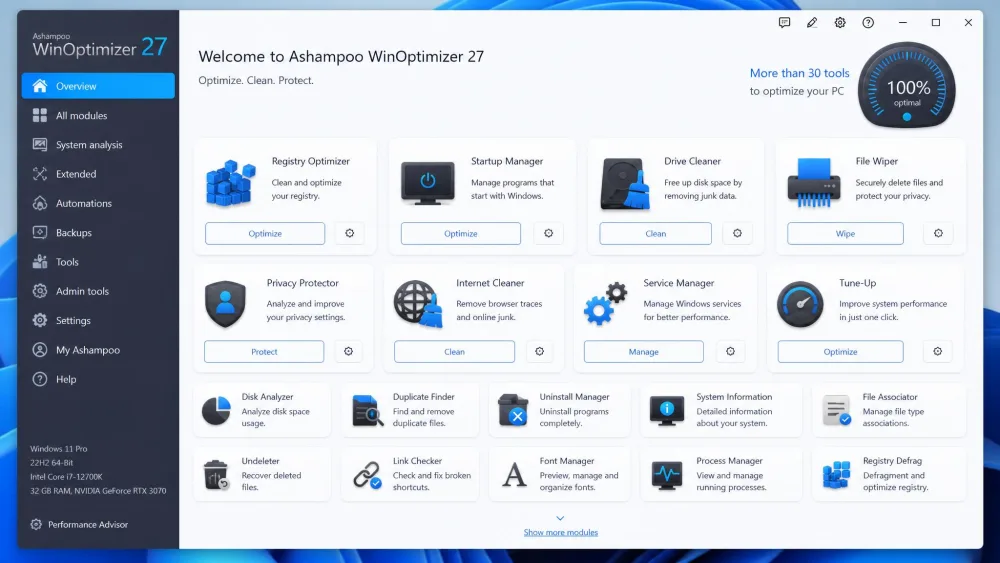
The headline is the One-Click Optimizer, which bundles a Drive Cleaner, Internet Cleaner, and Registry Optimizer into a single run. Beyond that, you get a Privacy Traces Cleaner, an AntiSpy control panel for Windows privacy settings, registry defrag, a Startup Manager, and a Service Manager. The utility bench runs deep: a DiskSpace Explorer, a File Wiper, Splitter, Encrypter, and Undeleter, an uninstaller, benchmarks, and a Live-Tuner. A built-in backup and undo system tracks the changes it makes.
If you want cleanup plus tuning without juggling several apps, a suite like WinOptimizer saves you from stitching together separate tools. The one-click run is the easiest place to start.
Pros and Cons
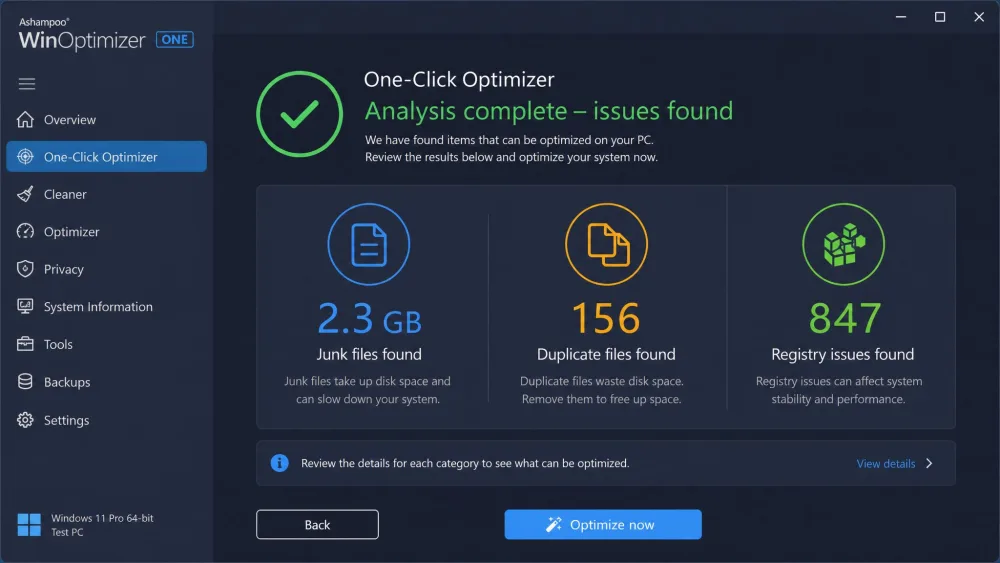
In our testing, WinOptimizer found roughly 2.3GB of junk files, 1.8GB spread across 156 duplicate files, and 847 registry issues on one test PC. The cleaners in version 29 felt near-instant, running about 50 percent faster than before and the first release to fully use multi-core CPUs. The suite is beginner-friendly because it explains each issue before it fixes anything. Real-world speed gains were modest, though, showing up most on older machines, and support is email-only, with replies taking us roughly 8 to 12 hours on weekdays.
Pros
- More than 30 tools in one suite, from cleaning to tuning
- Explains each issue and backs up changes before applying them
- Fast, multi-core cleaners with an easy one-click run
- Free edition and a 30-day trial to test before buying
Cons
- Paid product where BleachBit is free
- Speed gains are modest on newer, well-maintained PCs
- Email-only support with no phone option
- The wide toolset can feel like more than a light user needs
Head-to-Head Comparison
Feature lists only go so far. Here is how the two tools actually differ across the areas people care about when they pick a cleaner.
Cleaning Power and What Gets Removed
Both tools clear the usual junk files: temporary files, browser caches, and system logs. BleachBit reaches deeper into app-specific leftovers and can wipe free space, which is why our runs recovered so much room, from 11GB up to nearly 150GB depending on the machine's prior state. WinOptimizer covers the same core junk and adds duplicate-file detection, which BleachBit lacks, though its totals were smaller because it leans toward a conservative, guided sweep.
Performance and Speed Impact
Neither tool turns a slow PC into a fast one on its own. Freeing up space helps a nearly full drive breathe, and clearing startup clutter can trim boot time. WinOptimizer's Startup Manager and Live-Tuner give it more levers here, and its boot gains were most noticeable on older machines. On a newer, well-kept PC, the difference from either tool was modest.
Neither cleaner is a magic speed switch. The real win is a tidier, roomier drive, and the tool that fits your comfort level is the one you will actually keep using.
Interface and Ease of Use
This is the sharpest divide. BleachBit's window is a plain list of apps with Preview, Clean, and Abort buttons, and it expects you to know what you are ticking. WinOptimizer is guided from the first screen, explaining each issue in plain language and letting you undo changes from a documented backup. For a cautious beginner, WinOptimizer is far less intimidating. For someone who wants control, BleachBit's directness is a feature.
Privacy and Security Tools
Privacy is where BleachBit shines despite its price. Its secure shredding overwrites files so they cannot be recovered, and it can wipe free disk space on demand. WinOptimizer answers with a File Wiper, a Privacy Traces Cleaner, and the AntiSpy panel for Windows telemetry settings. Both cover the essentials, and BleachBit's open-source code gives privacy purists extra confidence about what happens under the hood.
Extra Tools: Registry, Startup, Uninstaller, Defrag
This round goes to WinOptimizer by design. It ships a registry defrag, a Startup Manager, a Service Manager, an uninstaller, a DiskSpace Explorer, and more. BleachBit deliberately skips a full registry cleaner and offers no startup or defrag modules, keeping its focus on cleaning alone.
Price and Licensing: Free vs Paid
BleachBit costs $0, with no premium tier and no registration. WinOptimizer Pro lists around $29.99 for a single license, though it varies by edition and license count and is often discounted. WinOptimizer also offers a free edition and a 30-day money-back guarantee. If budget is the deciding factor, this round is not close.
Platform and System Requirements
BleachBit runs on Windows 10 and 11, on Linux through .deb and .rpm packages, and on Mac OS X in an experimental build with limited features. WinOptimizer Pro requires Windows 10 and 11, while its Free edition also lists Windows 7 and 8. If you work across Windows and Linux, BleachBit's reach is a clear advantage.
How We Tested
We installed both tools ourselves on Windows 11 test machines and ran each through our standard before-and-after cleanup routine. That meant measuring free disk space before and after a full clean, running each tool's deepest supported sweep, and noting how the interface handled previews, cancellations, and undo. We licensed WinOptimizer Pro and downloaded BleachBit from its official site rather than relying on vendor claims. Our scoring weighed cleaning depth, safety, ease of use, extra tools, privacy features, and price.
Performance Test Results
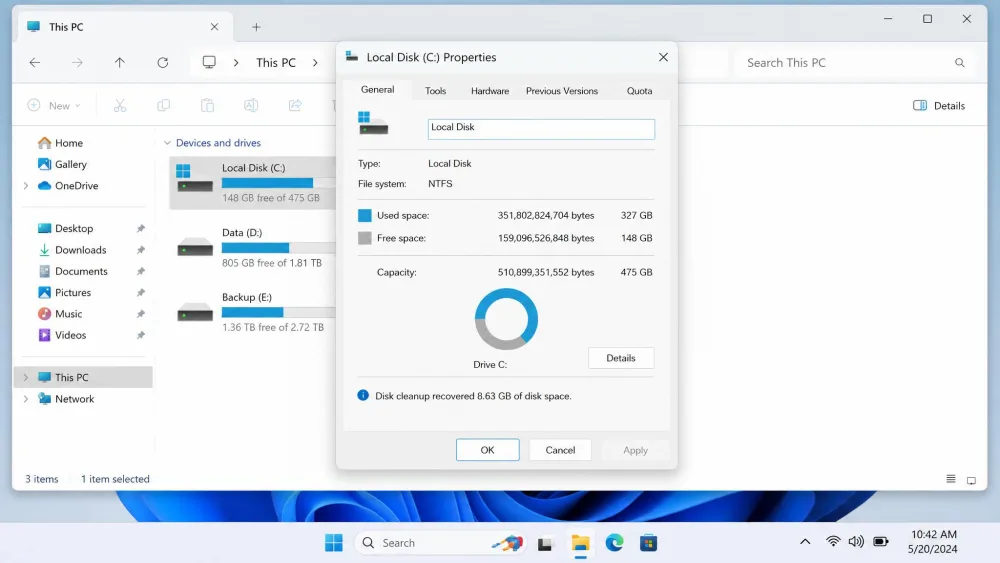
BleachBit was the space champion. On one machine it cleared close to 11GB even after Windows Disk Cleanup had run, and a deep pass surfaced nearly 150GB of hidden junk elsewhere. Its totals swing widely because they depend on how cluttered the system was to begin with. WinOptimizer's one-click run found roughly 2.3GB of junk, 1.8GB across 156 duplicate files, and 847 registry issues on our test PC, then cleaned them in a guided sweep with backups in place. Its version 29 cleaners felt near-instant, and boot-time gains were modest and clearest on older hardware. For raw space recovered, BleachBit led; for a broad, safe sweep with a record of what changed, WinOptimizer led.
Big space-freed numbers depend on how neglected the PC was. A drive that has never been cleaned will surrender far more than one you tidy every month, so treat any single figure as a starting point, not a guarantee.
Which One Should You Choose?
There is no single winner here, because the two tools answer different questions. Your choice comes down to whether you want a focused free cleaner or a guided paid suite.
Choose BleachBit If...
Pick BleachBit if you want maximum cleaning for $0, care about open-source transparency, or need secure shredding and free-space wiping. It suits users who are comfortable reading a checkbox list, who run Linux alongside Windows, or who want to script cleanup jobs. You can read the full manual in the BleachBit documentation before your first run.
Choose Ashampoo WinOptimizer If...
Pick WinOptimizer if you want guided cleanup plus a deep bench of tuning tools in one place, or if you would rather have the software explain each fix and keep a backup. It fits users who value safety nets and one-click simplicity over a rock-bottom price, and who want extras like a registry defrag, startup manager, and uninstaller without installing several apps.
Frequently Asked Questions
Is BleachBit safe to use?
Is Ashampoo WinOptimizer free?
Which is better for privacy?
Can I run both together?
Does BleachBit work on Windows 11?
Which frees more disk space?
Across our cleanup runs, the pattern held: BleachBit recovered the most raw space, from roughly 11GB to 150GB depending on the machine, while WinOptimizer found around 2.3GB of junk, 1.8GB in 156 duplicates, and 847 registry issues in a guided, reversible sweep.