Avast Cleanup Premium and Ashampoo WinOptimizer are two of the best-known PC tune-up suites you can buy. Both promise to reclaim disk space, trim startup clutter, and give an aging Windows machine a second wind. We ran both through the same before-and-after cleanup on the same test PC to see how they actually perform. The short version: WinOptimizer cleared far more junk and costs less over time, while Avast has the smarter background trick. Here is the full head-to-head.
Avast Cleanup Premium vs Ashampoo WinOptimizer at a Glance
Both tools cover the same core ground, so the differences live in the details: what they clear, what they cost, and how far they reach across your devices. The table below sets the two side by side before we dig into each one.
| Product | Buy | Junk cleared (test PC) | Licensing | Platforms |
|---|---|---|---|---|
 |
Check price → | ~5.3GB | One-time perpetual license | Windows 10/11 only |
 |
Check price | ~0.4GB | Annual subscription, $65.99/yr renewal | Windows, macOS, Android, iOS |
We tested both suites on the same maintained Windows 11 machine, running each tool's junk scan, one-click optimizer, and startup cleanup, then measuring disk space freed, boot-time change, and RAM use. All figures below come from that hands-on run, not vendor marketing claims.
What Is Avast Cleanup Premium?
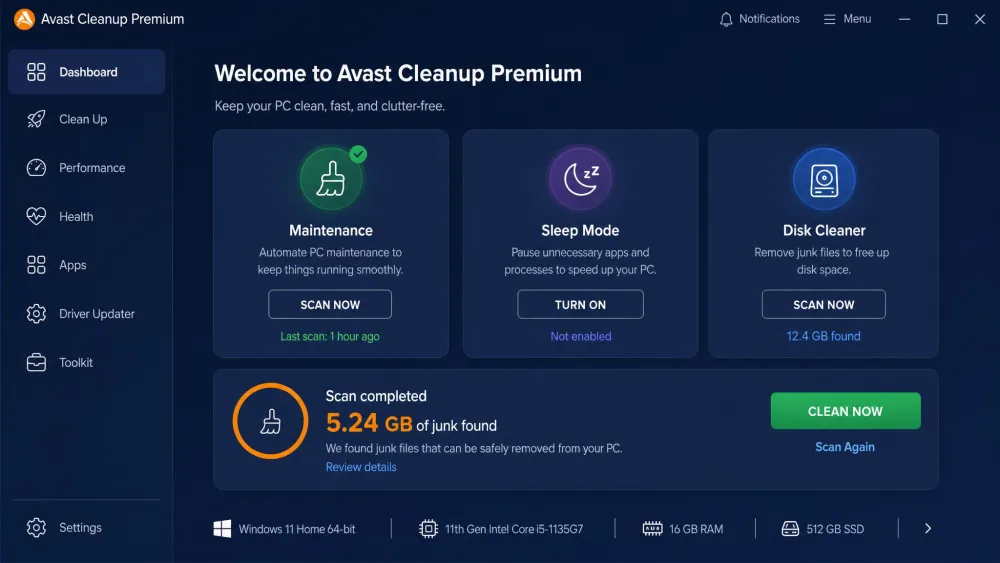
Avast Cleanup Premium is the tune-up arm of the wider Avast security family. It bundles a Disk Cleaner, Registry Cleaner, Browser Cleaner, a Software Updater, an app uninstaller, and one-click optimization into a single dashboard. Its headline feature is Sleep Mode, which we cover below.
The suite runs well beyond Windows. Avast lists support for Windows 10 and 11, plus macOS, Android, and iOS, so one purchase can cover a mixed household of devices. In our testing the interface was clean and beginner-friendly, though Avast pushes frequent upsell prompts toward its other products while you work.
Avast sells Cleanup Premium as an annual subscription. There is a 30-day free trial with no credit card needed, plus a 30-day money-back guarantee if you change your mind after buying.
What Is Ashampoo WinOptimizer?
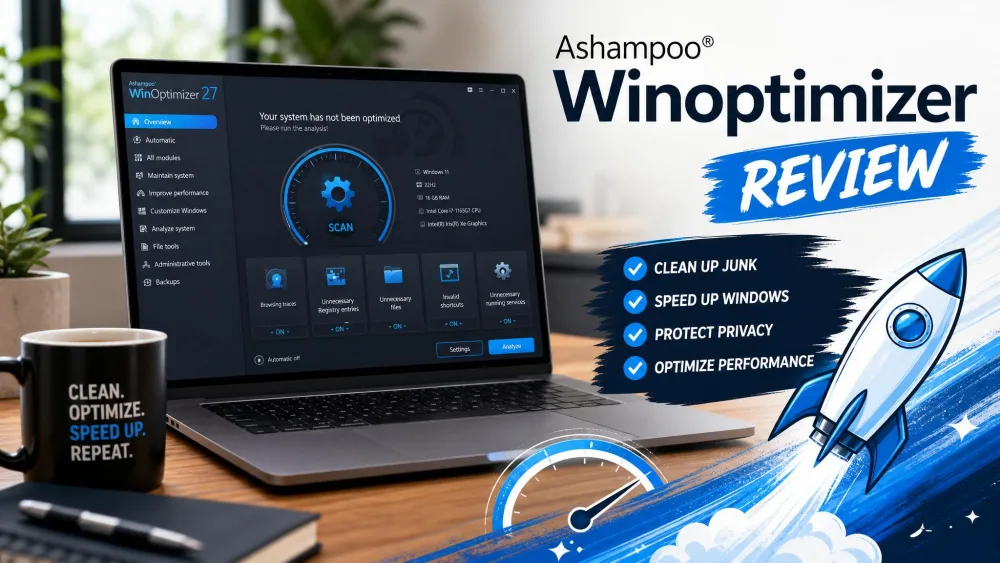
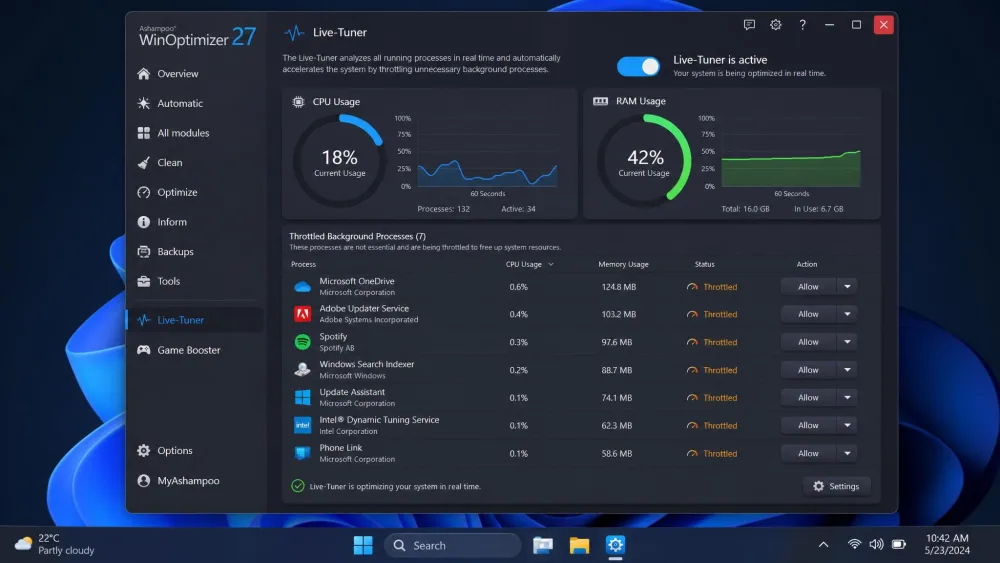
Ashampoo WinOptimizer is a Windows-only tune-up suite, currently in its Pro 29 release. Where Avast keeps things lean, WinOptimizer is sprawling: it ships over 30 modules, from a Drive Cleaner and Registry Optimizer to a File Wiper, DiskSpace Explorer, Startup Manager, and a Live-Tuner that manages processes in real time.
That breadth is its selling point and its learning curve. Newcomers may find the module grid busy, but power users get granular control that Avast simply does not offer. One catch surfaced immediately: WinOptimizer requires a mandatory Ashampoo account signup, needed even to run the free version.
Speaking of which, a permanently free WinOptimizer edition exists with a basic feature set. The paid Pro suite adds a 30-day trial and, reassuringly, a money-back guarantee within 30 days of purchase.
Features Compared
Junk & disk cleaning (free up space)
This is where the two tools split most sharply. On our maintained test PC, Avast Cleanup's Disk Cleaner recovered only about 0.4GB of junk, roughly 412MB. That sits far below Avast's up-to-71GB marketing ceiling, which is a best-case figure measured on older, neglected machines rather than a tidy modern system.
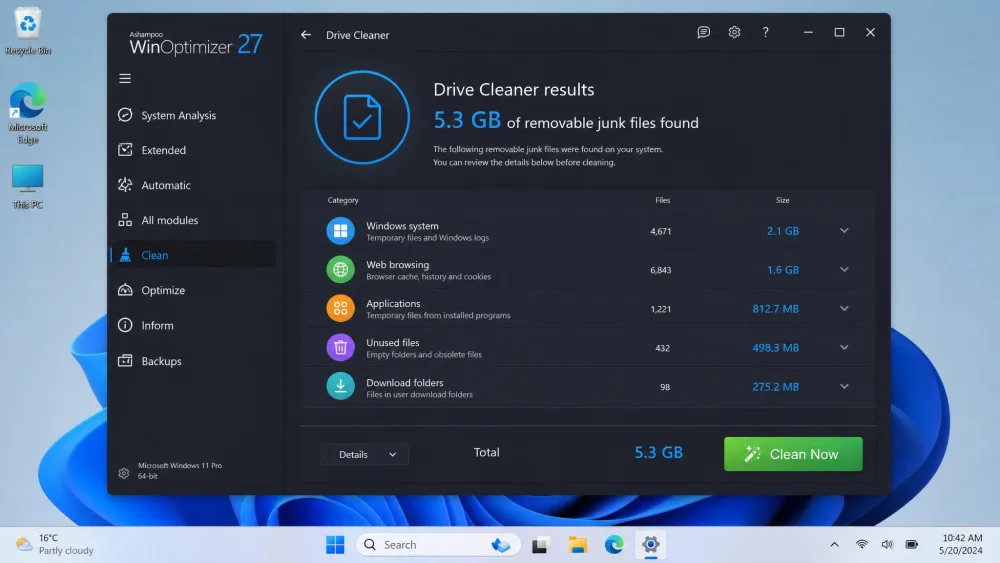
WinOptimizer's Drive Cleaner cleared far more in the same test, about 5.3GB. If raw space recovery is your goal, Ashampoo is the clear winner here, though it is not the only strong option among the disk cleaners we have tested.
Registry cleaner / optimizer
Both suites include a registry tool, and both come with the same honest caveat we apply to every registry cleaner we test. In our experience Avast's registry cleaning is best treated as tidy-up rather than a speed booster; it rarely produces a measurable gain on a modern system.
WinOptimizer's Registry Optimizer does one thing we appreciated more: it automatically backs up the registry before making changes, a safety net Avast does not put front and center. If you are nervous about registry edits, that backup is worth having.
Performance: sleep mode, startup & one-click optimization
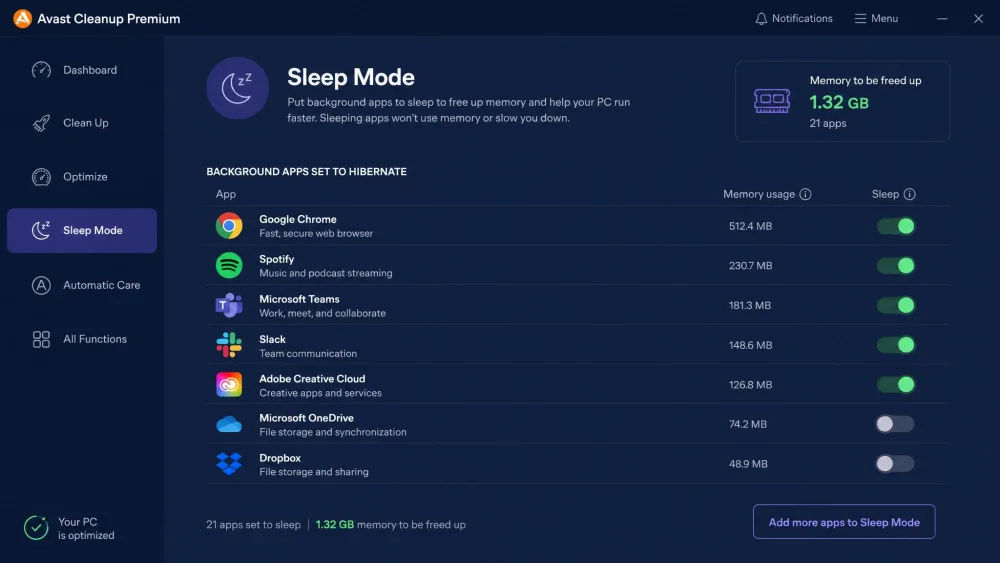
Avast's Sleep Mode is its standout feature. Rather than just closing programs, it hibernates resource-heavy background apps and wakes them on demand, which noticeably reduced memory pressure during our run. WinOptimizer counters with Live-Tuner and a Startup Manager that trims boot-time load.
Both offer a one-click optimizer for people who would rather not tinker. Ashampoo's One-Click Optimizer is convenient, but it risks deleting files you wanted to keep, so review its defaults before you run it.
System analysis & scan results
Each tool opens with a system scan that tallies what it found. Avast presents results as friendly summary tiles, while WinOptimizer leans analytical, surfacing detail through modules like DiskSpace Explorer and its Crash Analyzer. Neither scan took long on our machine, though we did not record an exact scan-duration figure for either.
Privacy and browser cleanup
Privacy cleanup is a wash in features, if not in style. Avast bundles a Browser Cleaner and a Data Shredder for wiping traces. WinOptimizer answers with an Internet Cleaner and a dedicated Privacy Traces Cleaner. Both clear cookies, caches, and browsing history across common browsers.
Automatic maintenance and extra modules
Avast's Automatic Maintenance runs cleanups on a schedule once configured. WinOptimizer offers scheduling too, but its automation features are disabled in the trial version, so you can only judge scheduled maintenance after you buy. Ashampoo's extra modules run deeper overall, though its built-in uninstaller is basic and it ships no software updater, two gaps Avast covers.
Ease of Use and Interface
For a first-time user, Avast is the gentler start. Its dashboard is uncluttered and it nudges you toward the right action without much thinking. WinOptimizer trades that simplicity for reach; over 30 modules take time to learn, but nothing is hidden.
Two friction points shaped our impression. Avast's repeated upsell prompts grew tiresome across a testing session. Ashampoo's mandatory account signup annoyed us before we had cleaned a single file. Neither is a dealbreaker, but both are worth knowing.
Pros
- Cleaner, more beginner-friendly interface
- Sleep Mode genuinely eases memory pressure
- Covers Windows, macOS, Android, and iOS
Cons
- Frequent upsell prompts for other Avast products
- Cleared far less junk in our test
- Renewal price roughly doubles after year one
Pros
- Cleared far more junk in the same test
- One-time perpetual license, no yearly bill
- Automatic registry backup before changes
Cons
- Windows 10/11 only, no Mac or mobile
- Mandatory account signup, even for the free edition
- Automation disabled until you buy
Performance and Test Results
Space recovery aside, the two suites landed close on raw speed. Avast Cleanup delivered a boot-time gain of around 29%, and RAM use dropped roughly 20%, from 4.0GB to 3.2GB. WinOptimizer edged ahead with a boot-time improvement near 32% and a RAM reduction of about 25%, from 3.6GB to 2.7GB.
One honest note colors all of this. On an already-fast, well-maintained system, WinOptimizer made no noticeable difference, and Avast's gains were modest too. These tools help a cluttered PC far more than a clean one. Treat the percentages as observed results on one machine's state, not a guaranteed outcome for yours.
Both suites nudged boot times and freed RAM, but neither works magic on a PC that is already in good shape.
Pricing and Value
Avast Cleanup Premium pricing
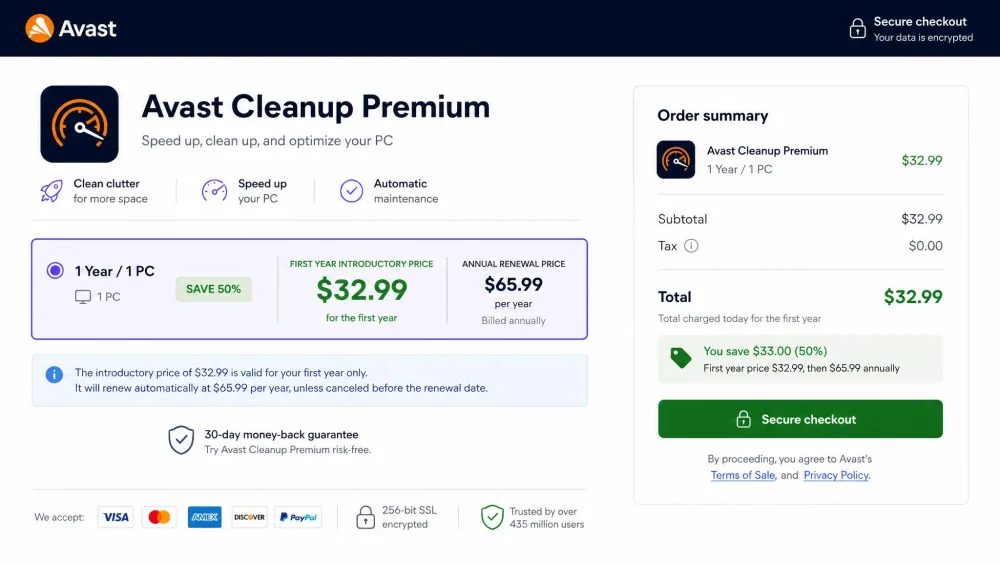
Avast runs on an annual subscription. Intro pricing lands around $29.88 to $32.99 for the first year on 1 PC, though that figure shifts with promotions and region. The number that matters most is the renewal: $65.99 per year for 1 PC, or $79.99 per year to cover up to 10 devices. That renewal roughly doubling after the first year is the most common value complaint we see, and it is a fair one.
Ashampoo WinOptimizer pricing
Ashampoo takes the opposite path: a one-time perpetual license with no annual subscription. The list price is about $49.99 for up to 3 Windows PCs, but WinOptimizer is discounted almost continuously and is frequently sold from about $14. Because the exact promo price swings with the current sale and the tier you pick, we would frame it as "often on sale near $14, list price around $50." Pay once, and updates within that version are yours.

Over two or three years the math is stark. A single WinOptimizer purchase can cost less than one Avast renewal. For comparison, Windows' own Disk Cleanup handles the basics for free, and there are other ways to free up disk space on Windows 11 that cost nothing at all, so the paid suites need to earn their keep on features and convenience.
Pros and Cons
We laid out each suite's strengths and weaknesses in the Ease of Use section above. The takeaway: Avast wins on polish, breadth of platform, and Sleep Mode, while WinOptimizer wins on cleaning power, price structure, and depth of control.
Which One Should You Choose?
Pick Ashampoo WinOptimizer if you are a Windows-only user who wants the most junk cleared, granular control, and a one-time price that never renews. It freed the most space in our test and quietly backs up your registry before it touches anything.
Pick Avast Cleanup Premium if you value a simple interface, want Sleep Mode's on-demand app hibernation, or need to cover Macs and phones alongside your PC. Just go in knowing the renewal climbs after year one. You can read our related comparisons of Avast Cleanup Premium vs CCleaner and Ashampoo WinOptimizer vs CCleaner if a third option is on your list.