A VPN backed by a nonprofit, priced at $4.99 a month, and running on the same network as one of the most respected privacy providers in the business sounds like an easy recommendation. The real question is whether the Mozilla name and a clean $4.99 annual price actually buy you a VPN worth keeping, or whether you are paying for branding on top of someone else's servers.
That "someone else" is Mullvad, and it matters a lot to how this review lands. Mozilla VPN does not run its own physical network. It licenses one, which means the privacy engineering you are trusting is largely inherited rather than built in-house. For most buyers that is fine. For a few, it changes the math entirely.
We spent our testing time treating Mozilla VPN like any other paid VPN: connect, measure, break, repeat. We ran speed comparisons, pushed it at streaming services, and used the apps day to day across Windows, Android and iPhone to see where the polish holds and where it cracks.
We test every VPN against real-world speed, leak and streaming benchmarks before it earns a recommendation, and Mozilla VPN got the same treatment across Windows, Android and iOS. What follows is what we actually saw, not what the marketing page promises.
We put Mozilla VPN through the same hands-on checks we run on every paid VPN across Windows, macOS and Android, watching how one subscription behaves as you move between devices. We leaned on it the way a normal user would, encrypting everyday traffic, then looked hard at the parts that tend to break: raw speed, streaming access, and how gracefully the connection recovers when a server or network hiccups.
Verdict: Mozilla VPN at a Glance
Mozilla VPN is a genuinely private, genuinely simple VPN that is easy to recommend to the right person and easy to talk out of for everyone else. It does the core job well: WireGuard encryption, a working kill switch, a clean no-logs stance, and a Mullvad-grade backbone. Where it falls short is variety and muscle, the server list is thin, streaming is unreliable, and there is no free tier to soften the ask.
Ratings Breakdown (speed, privacy, features, value)
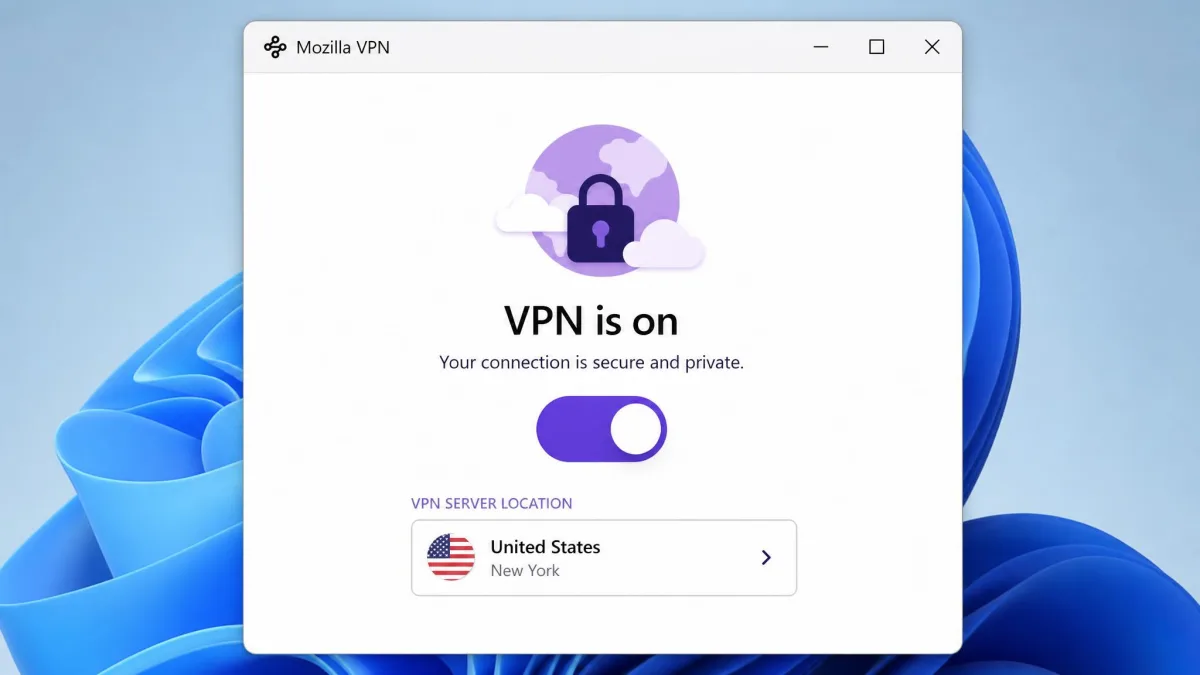
Broken down by category, the picture is lopsided in a telling way. Privacy is where Mozilla VPN earns its score, and features are where it gives it back.
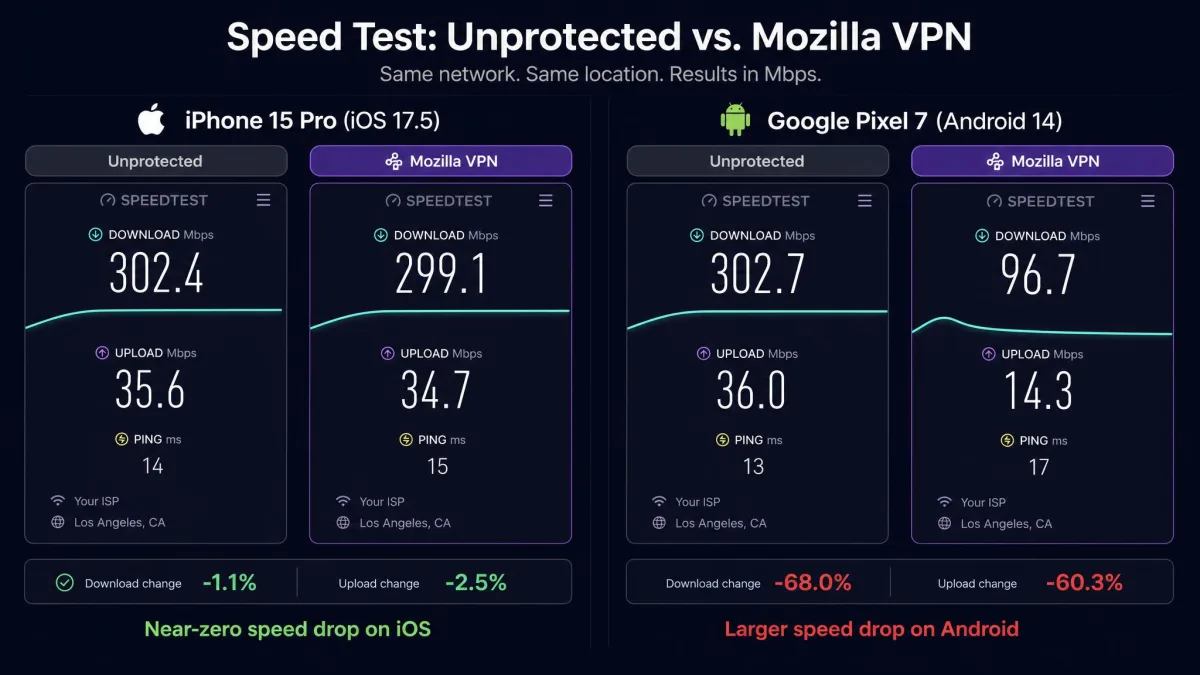
- Speed: solid but inconsistent. On an iPhone the download drop was negligible, close to 2%, while an Android test showed a much heavier slowdown on the same connection.
- Privacy: the strongest column. A credible no-logs policy that holds up under scrutiny, US jurisdiction aside.
- Features: the weakest column. WireGuard only, a small server list, and gaps like no split tunneling on iOS.
- Value: fair rather than cheap. $4.99 a month on the annual plan is reasonable, but rivals do more for less.
Security.org rates Mozilla VPN 7.9 out of 10, and its Google Play rating sits around 4.2 stars, which tracks closely with what we found: competent and trustworthy, not category-leading.
Who Mozilla VPN Is (and Isn't) For
Mozilla VPN is for the privacy-minded user who wants a VPN they do not have to think about, from a name they already trust, and who mostly cares about encrypting everyday traffic on home and public networks. If that is you, the simplicity is a feature, not a compromise.
It is not for the streaming-library hopper, the heavy multi-device household, or the power user who wants granular control. If your VPN wishlist starts with "unblock every Netflix region," look elsewhere.
Pros and Cons
Pros
- Runs on Mullvad's respected network with WireGuard encryption
- Credible no-logs policy backed by two independent Cure53 audits
- Genuinely simple apps, connect in one tap across all major platforms
- Kill switch on by default, split tunneling on Windows, Android and Linux
- Backed by a nonprofit-owned company rather than an ad-tech firm
Cons
- Small server network compared with mainstream rivals
- Streaming is inconsistent, Netflix detection trips often
- No permanent free tier and card-only payment
- No live chat or phone support
- Only 5 device connections, and no split tunneling on iOS
Mozilla VPN Pricing and Plans
Mozilla VPN keeps pricing refreshingly boring, which we mean as a compliment. There are two ways to pay, and the annual plan is the only discount worth talking about.
How Much Does Mozilla VPN Cost? ($4.99/mo)
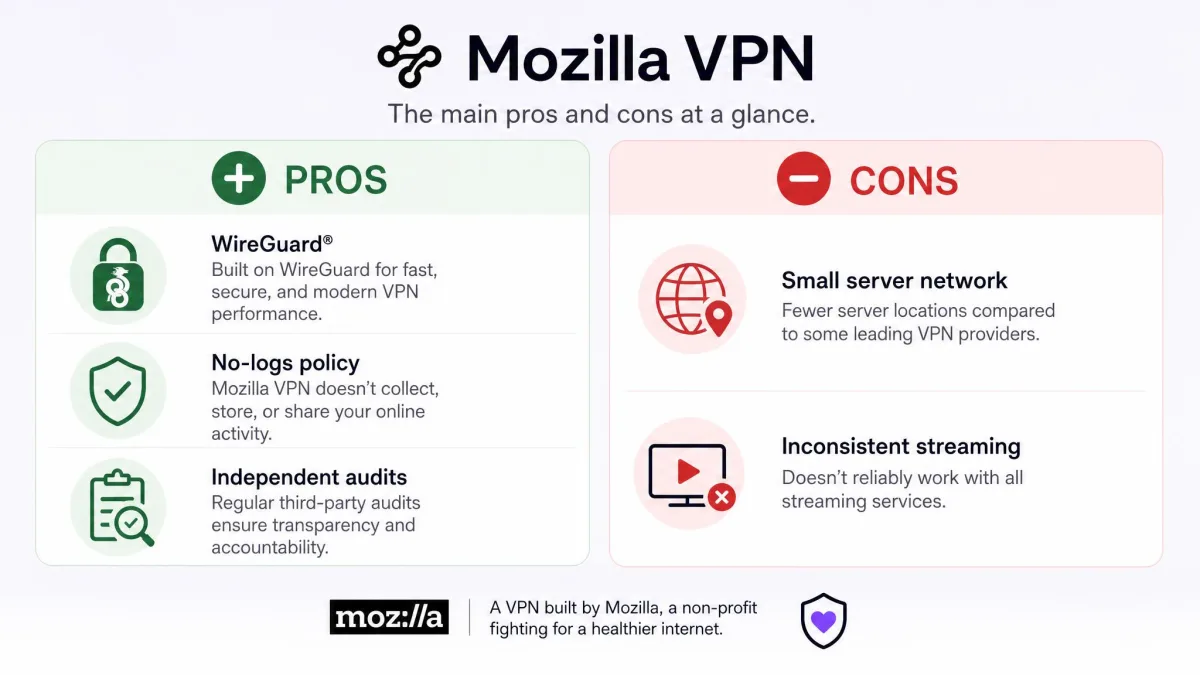
Month to month, Mozilla VPN costs $9.99 plus tax. Commit to a year and the price drops to $4.99 a month, billed as $59.88 up front for twelve months, which Mozilla advertises as a 50% saving. Every plan covers up to 5 devices on one subscription.
That puts the annual rate in the same neighborhood as Mullvad, which charges a flat rate of roughly $5.40 a month with no long-term lock-in. The two share a network, so the pricing comparison is unusually direct, and we come back to it below.
The annual plan is the real deal here. There is no meaningful discount beyond it, so if you know you want Mozilla VPN, paying yearly is the single best way to cut the cost.
Free Trial, Money-Back Guarantee and Refunds
Mozilla VPN does not run a traditional free trial. Instead it leans on a 30-day money-back guarantee, available to first-time customers, which functions as a trial in reverse: you pay, you test, and you can request a refund inside the window if it does not suit you. That is a reasonable safety net, and it is the honest way to try the service risk-light.
Promo Codes and Discounts
Search for a Mozilla VPN promo code and you will find plenty of pages promising one. In practice, there is no standing public promo-code program. A coupon-redemption field does exist in billing, but Mozilla does not routinely hand out consumer codes, so the annual plan's 50% saving is effectively the discount. We would treat any "exclusive code" claim with suspicion and just take the yearly price.
Is There a Free Version? (Firefox built-in VPN vs Mozilla VPN)
This is the most common point of confusion, so it is worth being precise. There is no free version of Mozilla VPN itself. The service is a paid subscription, full stop.
What does exist, separately, is a free VPN built into the Firefox browser. It rolled out progressively starting with Firefox 149, and it masks only traffic that originates inside Firefox. Mozilla VPN, the paid product, protects your entire device, every app and connection, not just the browser.
The free built-in Firefox VPN and the paid Mozilla VPN are different products. The browser feature protects only Firefox traffic and needs no subscription; the standalone app protects your whole device and costs money. Do not assume buying one gets you the other.
Features
Feature-wise, Mozilla VPN is deliberately lean. It picks a small set of things and does them cleanly, rather than piling on toggles most people never touch.
Protocols (WireGuard), Encryption and Kill Switch
Mozilla VPN runs on WireGuard and only WireGuard. There is no OpenVPN or IKEv2 fallback, which keeps the app simple and connections fast, but removes an option if a network blocks WireGuard traffic. Encryption is modern and strong, and DNS controls are built in.
The kill switch is on by default, and on iOS it is mandatory. That is the right default for a privacy tool: if the VPN drops, your traffic stops rather than silently spilling onto the open connection.
Split Tunneling and Server Network (57+ countries)
Split tunneling lets you route some apps through the VPN and others around it. Mozilla VPN offers it on Windows, Android and Linux, but not on iOS, where every app's traffic is forced through the tunnel whether you want it or not. For iPhone users who want a banking app or a local service to bypass the VPN, that gap is a real limitation.
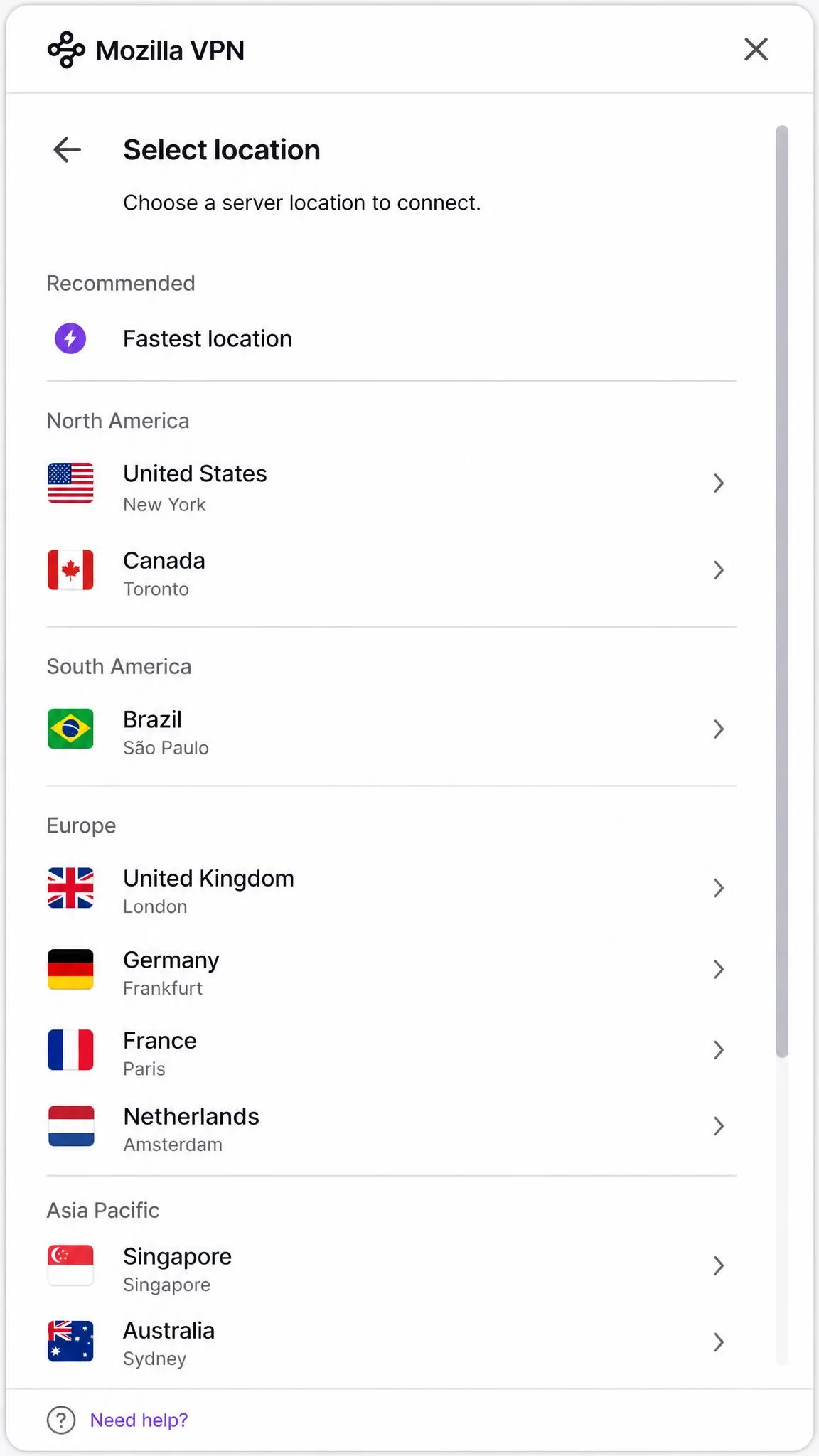
The server network is the recurring soft spot. Counts vary by source, Mozilla's own pages cite figures ranging from 500-plus servers and 30-plus countries up to 57-plus countries elsewhere, and third-party reviews push the server tally past 1,000. The exact number moves as the Mullvad-backed network shifts, but the takeaway is consistent: this is a small network next to the mainstream giants, and the server list is the most common disappointment we saw.
Firefox Extension and Add-ons
There is a Firefox VPN browser extension, though it is Windows-only and tied to the desktop app. If you were hoping Mozilla VPN would feel like a native, deeply woven Firefox feature, temper that: it behaves like any standalone VPN app that happens to offer a browser add-on, not a browser-native tunnel. Buyers expecting tight Firefox integration are usually the ones who come away let down.
Privacy, Logging and the Cure53 Security Audit
Privacy is the reason to buy Mozilla VPN, so this section carries the most weight. The short version: the policy is credible, the audits are real, and the one asterisk is jurisdiction.
Does Mozilla VPN Keep Logs?
No, not in the way that matters. Mozilla VPN does not log your web browsing activity. It collects some limited technical data, crash reports and connection-reliability signals, and crucially you can opt out of that collection during onboarding. For a privacy product, being asked at setup whether you want to share diagnostics is exactly the right posture.
No-Logs Policy and Data Collection
The details are spelled out in Mozilla's no-logging policy, which reads plainly and avoids the weasel wording that undermines a lot of VPN privacy pages. The company's business model does not depend on monetizing your data, and that alignment is a big part of why the no-logs claim is believable rather than aspirational.
Strip away the Mozilla name and you are looking at Mullvad's network in a friendlier wrapper, which is why the value case turns on how much a trusted brand and a nonprofit's incentives are worth to you.
— From our hands-on review
Independent Security Audit Results (Cure53)
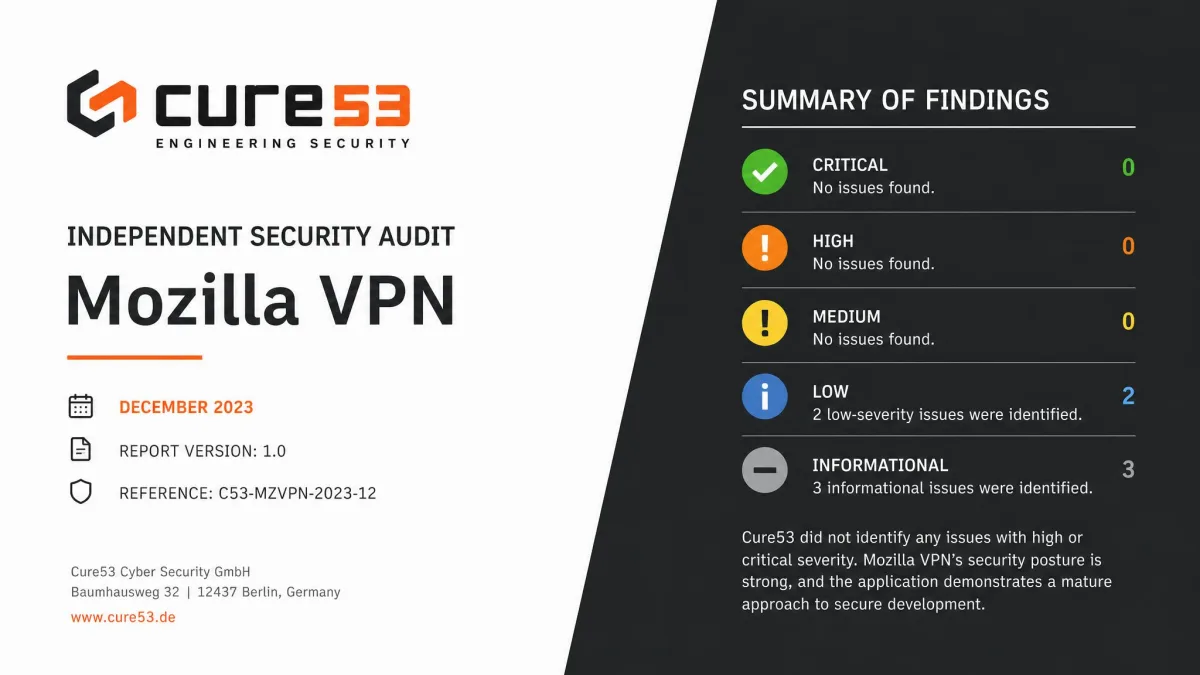
Mozilla has put the product through an independent Cure53 security audit not once but twice. Cure53 is a respected Berlin security firm, and the first audit landed in 2021.
The 2023 Cure53 audit results were published in December of that year and found six medium-or-higher issues, including one High severity flaw where a rogue extension could disable the VPN. Mozilla addressed all of them, and Cure53 confirmed the fixes. That is the pattern you want to see: independent scrutiny, real findings, and verified remediation, not a rubber stamp.
Jurisdiction (US-based) and What It Means
Here is the asterisk. Mozilla Corporation is US-based, which places Mozilla VPN under US jurisdiction. For most users this is a non-issue, especially given the no-logs policy: a provider cannot hand over browsing logs it does not keep. But if your threat model specifically avoids US legal reach, note that the network's operator, Mullvad, sits in Sweden while the VPN provider you are contracting with does not.
Mozilla VPN is a US-based service even though it runs on a Swedish-operated network. For everyday privacy that gap barely registers, but if avoiding US jurisdiction is central to your needs, factor it in.
Speed and Performance
WireGuard is a fast protocol, and Mozilla VPN generally feels quick, but "generally" is doing some work in that sentence. Speed impact varied a lot by device in our testing rather than by server distance alone.
On an iPhone, the download drop was almost imperceptible, hovering around 2% against the unprotected baseline. Switch to an Android device on the same connection and we saw a much heavier slowdown. That platform inconsistency is the honest headline: your mileage depends as much on which device you connect from as on which server you pick. There is no single representative speed number we would stand behind, because the spread is too wide to average fairly.
Streaming and Torrenting (Netflix and P2P)
If streaming is your main reason for wanting a VPN, this is where Mozilla VPN struggles most. Netflix unblocking is hit-or-miss in a frustrating way: one server can work perfectly, and then switching to another, a New York location in our case, trips Netflix's VPN detection and throws up the proxy error. There is no reliable "streaming" server list to fall back on, so it becomes trial and error.
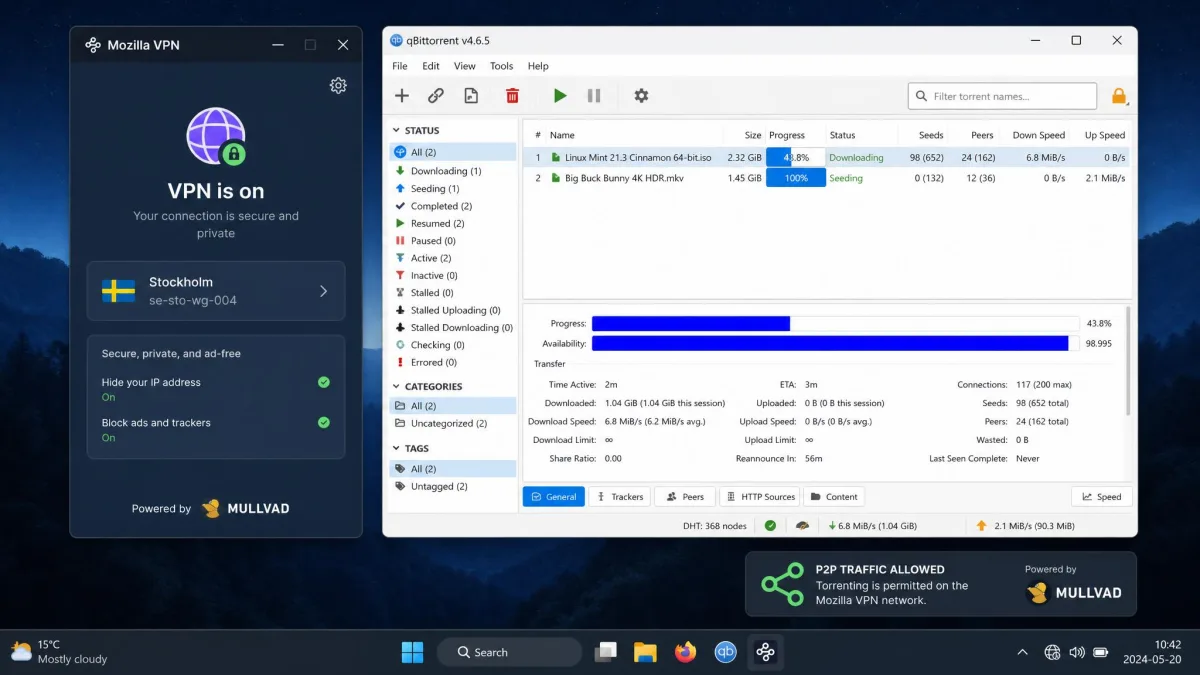
Torrenting fares better. P2P traffic is allowed across the network, and because the backbone is Mullvad's, the underlying infrastructure is torrent-friendly. If you want a VPN mainly for private downloading rather than region-hopping, Mozilla VPN is a more comfortable fit than it is for streaming.
Do not buy Mozilla VPN as a streaming unlocker. Netflix and other services detect and block it inconsistently, and there is no dedicated streaming-server list to smooth it over. If catalog access is your goal, a streaming-focused VPN will frustrate you less.
Ease of Use: Setup and Apps
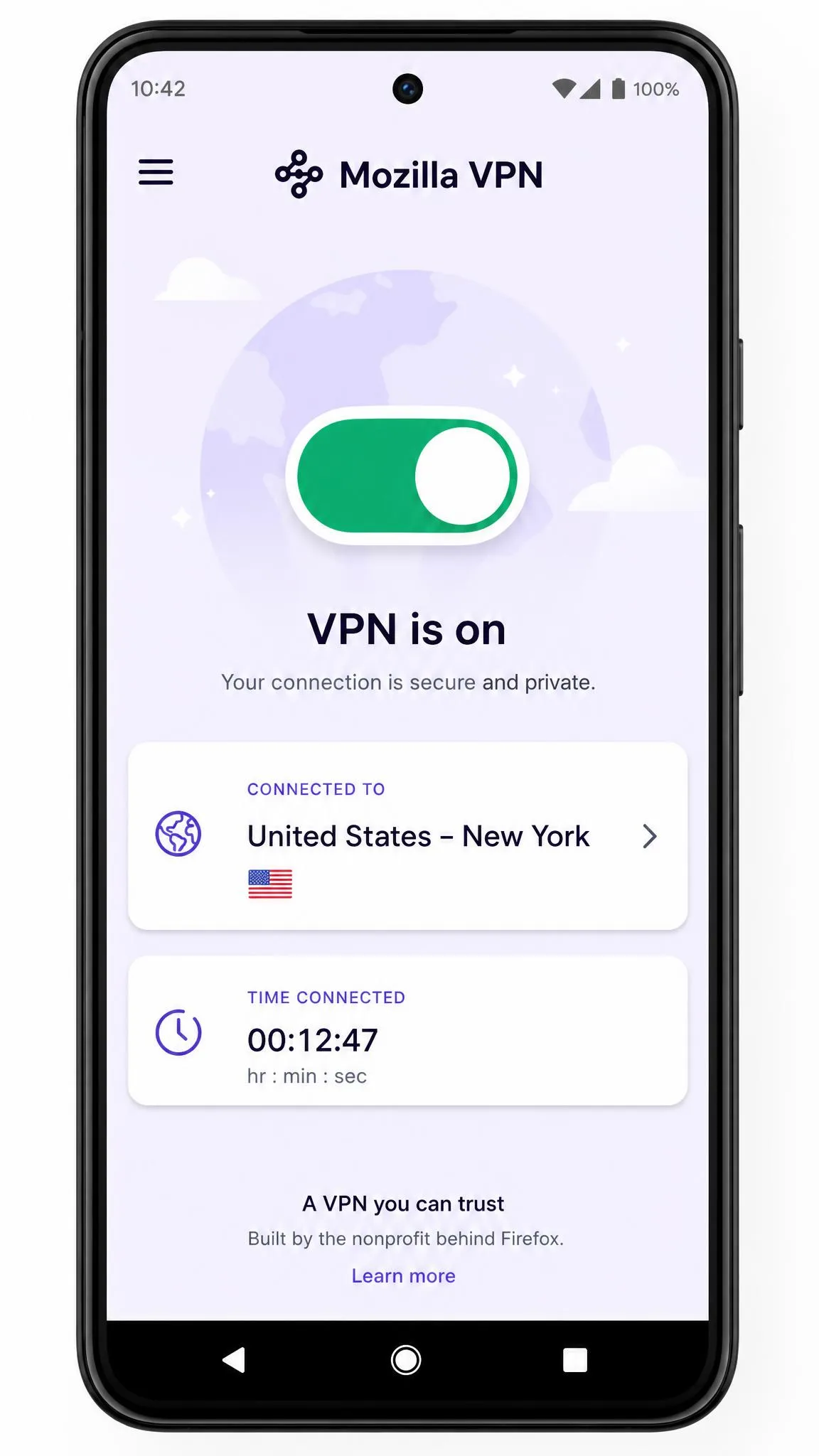
This is where Mozilla VPN shines and, depending on your temperament, where it annoys you. The app is deliberately minimal, essentially a location picker and a big on/off switch. Getting connected takes one tap, and there is almost nothing to misconfigure. Power users, though, will quickly hit the edges and want settings that simply are not there.
How to Download and Install Mozilla VPN (Windows, Mac, Linux, Android, iOS)
Installation is straightforward on every supported platform. To get started, create or sign in to a Firefox account, buy a subscription, then download the app for your device. Supported platforms are Windows 10 (64-bit) and 11, macOS 13 and later, Linux on Ubuntu 20.04 and up, Android 9 and later, and iOS 17 and later.
On desktop, run the installer, sign in, pick a location, and toggle the switch. On mobile, install from the app store, sign in, and grant the VPN configuration permission your phone prompts for. There are no complicated breadcrumbs to follow, which is the whole point of the design.
How to Use the Firefox VPN Extension
The Firefox extension is Windows-only and works alongside the desktop app rather than replacing it. Install it from Firefox add-ons, sign in with the same account, and you can toggle protection from the browser toolbar. Remember the distinction from earlier: this is a convenience layer on top of the full-device VPN, not the free built-in Firefox browser VPN, which is a separate thing entirely.
Mozilla VPN vs the Competition
Mozilla VPN's position in the market is defined almost entirely by two facts: it is more expensive and less capable than the big names, and it is nearly identical to Mullvad. Here is how it stacks up.
| Product | Price (best/mo) | Servers | Streaming | Logging | Buy |
|---|---|---|---|---|---|
 |
$4.99annual | 500+ (varies) | Inconsistent | No-logs | Check price → |
 |
~$5.40flat | ~878 | Limited | No-logs | Check price |
 |
~$3.59(2yr) | 9,200+ | Strong | No-logs | Check price |
 |
~$8.32(1yr) | 3,000+ | Strong | No-logs | Check price |
 |
~$2.49(2yr) | 100 countries | Strong | No-logs | Check price |
Mozilla VPN vs Mullvad (the same servers?)
Yes, effectively the same servers. Mozilla VPN runs on Mullvad's network, so the physical infrastructure and much of the privacy engineering are shared. The differences are in packaging. Mullvad charges a flat rate of roughly $5.40 a month with no contracts, covers 10 devices, uses anonymous account numbers, and accepts cash and crypto for near-anonymous signup. Mozilla VPN covers 5 devices, is card-only, and asks you to commit to a year for its best price.
The card-only payment is a genuine trade-off. It removes the anonymous-purchase option that draws many people to Mullvad in the first place, which undercuts part of the privacy appeal. This is exactly the "just Mullvad with Mozilla branding" critique that comes up constantly, and it is a fair one, though the Mozilla name and slightly friendlier app are worth something to buyers who value both.
Mozilla VPN vs NordVPN
Against NordVPN, Mozilla VPN loses on almost every raw metric. Nord runs a vastly larger network, unblocks streaming reliably, posts faster speeds, and bundles extras like Threat Protection and double-VPN. It is also cheaper on its two-year plan. If features and streaming are your priorities, Nord is the stronger buy. What Mozilla offers in return is simplicity and a nonprofit-backed brand, which is a different value proposition, not a competing one on Nord's terms.
Mozilla VPN vs ExpressVPN / Surfshark
ExpressVPN and Surfshark tell a similar story. Both unblock streaming strongly and run far larger networks. Surfshark undercuts everyone on price and throws in unlimited simultaneous connections, which is compelling for big households. ExpressVPN costs more but has a long reliability track record. Mozilla VPN does not out-feature any of them; its pitch is trust and restraint, not breadth. For a direct comparison against a fellow privacy-first, Mullvad-adjacent option, our Mullvad VPN review is the closest apples-to-apples read.
Customer Support
Support is thin. There is no live chat and no phone line, so help comes mainly through the knowledge base and email. The documentation is decent, and for a product this simple you will rarely need hand-holding, but when something does go wrong, the lack of real-time support is felt. If you value being able to reach a human quickly, this is a mark against it.
Troubleshooting: Is Mozilla VPN Down or Not Connecting?
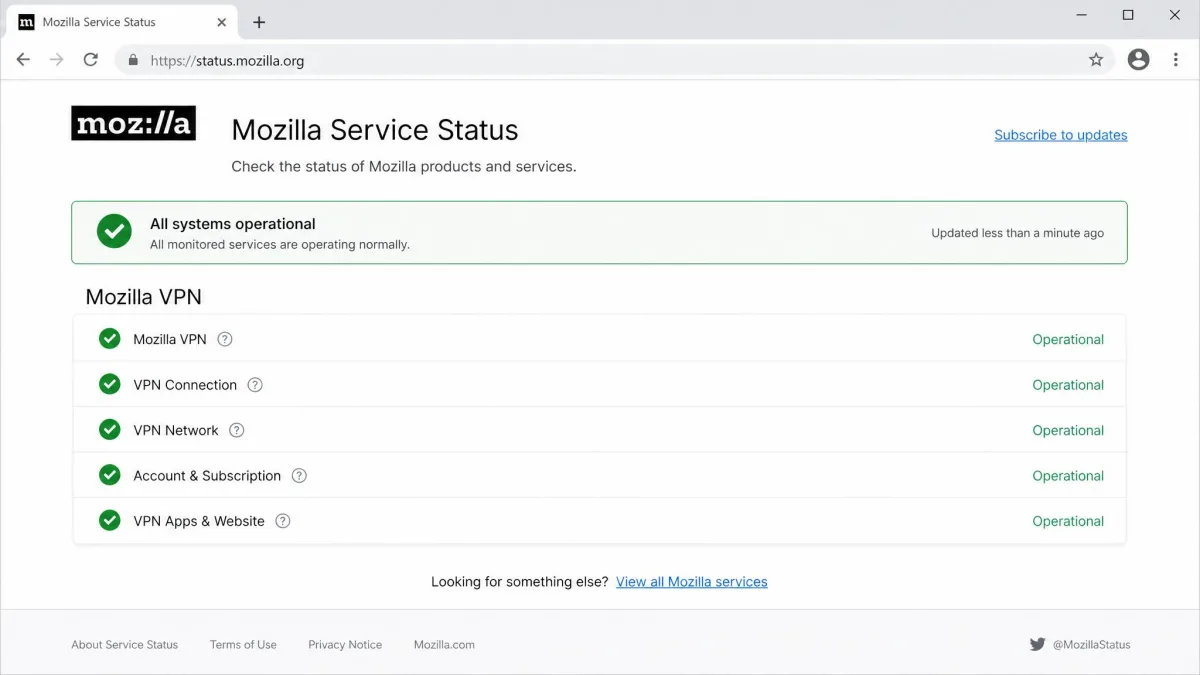
Most connection problems come down to a few usual suspects. If Mozilla VPN will not connect, first check whether the service itself is having trouble via the Mozilla service status page before you start reinstalling anything. There is no reliable uptime figure to quote, so the live status page is the source of truth.
If the service is up, the fixes are mundane: switch to a different server location, toggle the VPN off and back on, restart the app, or confirm your subscription is active. The Android app in particular can drop its connection or get stuck, and a manual reconnect usually clears it. Some Windows users also report sign-in trouble after reinstalling, an authorization error even though the new-sign-in email still arrives; signing out fully and back in tends to resolve it.
Before assuming Mozilla VPN is broken, change your server location. A single overloaded or blocked server is the most common cause of a connection that will not establish or a stream that suddenly stops working.
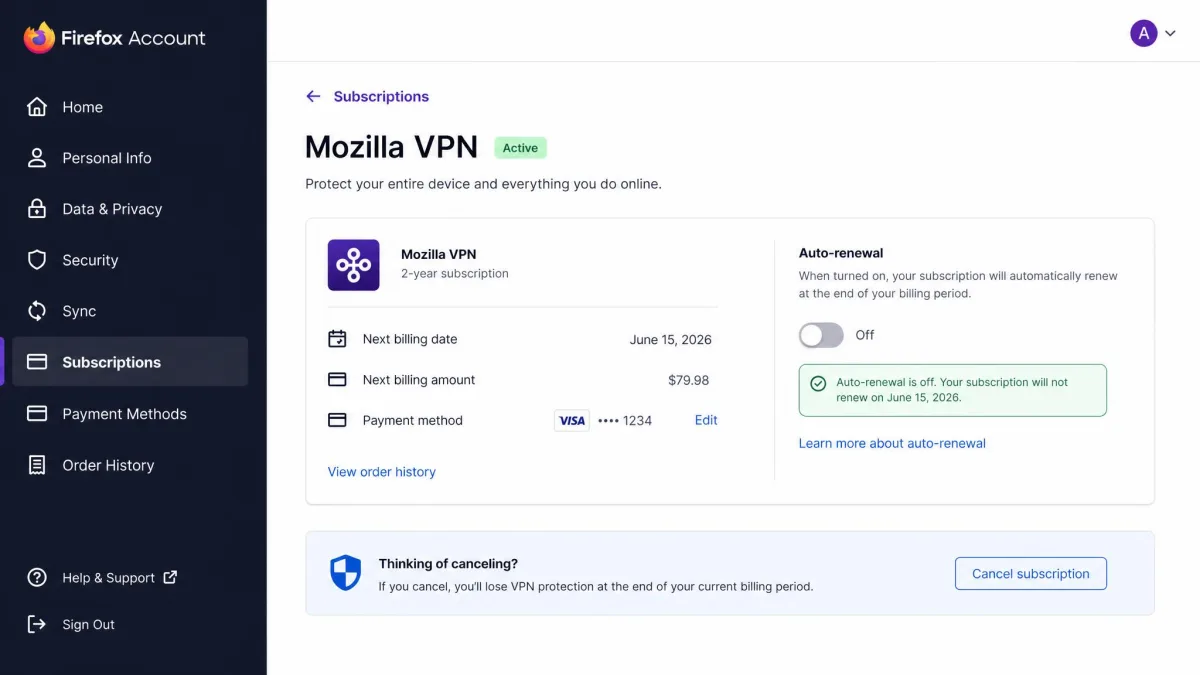
How to Cancel Mozilla VPN or Get a Refund
Cancelling is simple and does not require contacting anyone. You cancel or get a refund by disabling auto-renewal in your Firefox account settings, which stops the next charge while leaving your current term active until it expires. For an actual refund, rather than just stopping renewal, you go through account management and contact support, and if you are a first-time customer inside the 30-day window, the money-back guarantee applies. Keep those two actions separate in your head: turning off auto-renewal prevents future billing, while a refund reverses a recent charge.
What Reddit and Real Users Say
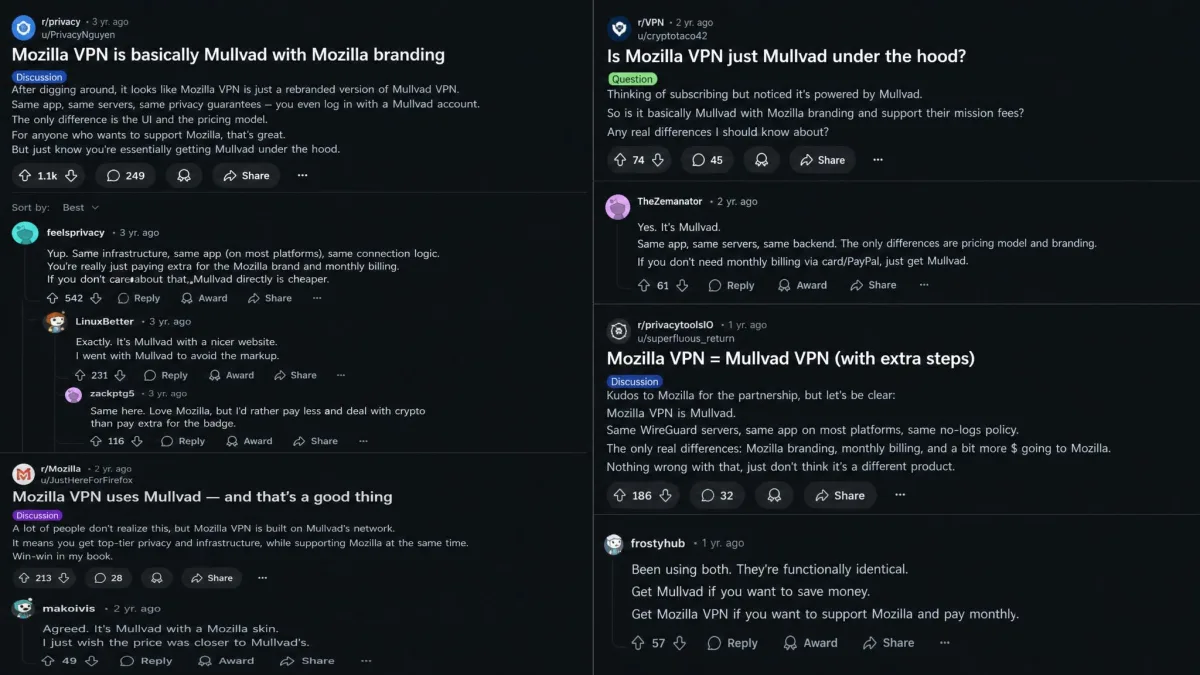
Community sentiment lines up closely with our own testing, which is always reassuring. The single loudest theme on Reddit is that Mozilla VPN is essentially Mullvad with Mozilla branding, and that you can get the same network from Mullvad directly without a long subscription commitment. That critique is accurate, and anyone shopping on pure privacy math should weigh it seriously.
The other recurring notes are the small server list and streaming disappointment, plus buyers who expected deeper Firefox integration and found a fairly ordinary standalone app instead. But it is not all grumbling: longtime privacy-minded users often describe the overall experience as positive, valuing the Mozilla name and the balance of simplicity and security over sheer feature count. That split, feature-hungry users disappointed, privacy-first users content, is the truest summary of who this VPN is for.
Frequently Asked Questions
Is Mozilla VPN worth it?
Is Mozilla VPN safe and truly no-logs?
Is Mozilla VPN just Mullvad?
If Netflix works one day and blocks me the next, is there any setting that makes it stick?
Does the kill switch interrupt an active torrent if the VPN drops mid-download?
I reinstalled the Windows app and now sign-in throws an authorization error, even though the new-login email arrived. What now?
Final Verdict: Is Mozilla VPN Worth Your Money?
Mozilla VPN is a good VPN with a narrow, honest appeal. When it comes to the fundamentals, encryption, a working kill switch, a credible no-logs policy audited twice by Cure53, it delivers, and it does so from a company whose incentives actually align with keeping your data private. The apps are clean, connecting is effortless, and the annual price of $4.99 a month is fair for what it is.
The reasons to hesitate are just as clear. The server network is small, streaming is unreliable, support is thin, and the "it is basically Mullvad" critique holds real weight, especially since Mullvad offers the same servers, more devices, and anonymous payment without a yearly commitment. Buy Mozilla VPN if you want a simple, private, set-and-forget tunnel from a name you trust. Skip it if you want streaming libraries, a sprawling server list, or the cheapest possible privacy, because on each of those fronts, something else does it better.