Plenty of people want a VPN but do not want to think about protocols, kill switches, or server maps. That is exactly the person DuckDuckGo VPN is built for. It is a bundled service that lives inside the DuckDuckGo browser and its Privacy Pro subscription, and it tries to make private browsing something you turn on once and forget.
We wanted to know whether that simplicity holds up. So we treated DuckDuckGo VPN the way we treat any VPN that asks for money: we looked at how it installs, how fast it runs, whether it leaks, and whether it unblocks the streaming libraries people actually care about. This review reflects the service as we found it at the time of writing, drawing on our hands-on notes and vendor documentation.
The short version is that DuckDuckGo VPN does the core job well and asks almost nothing of you. It also strips away most of the controls that power users expect. Whether that trade works depends entirely on who you are.
What is DuckDuckGo VPN? (part of the Privacy Pro subscription)
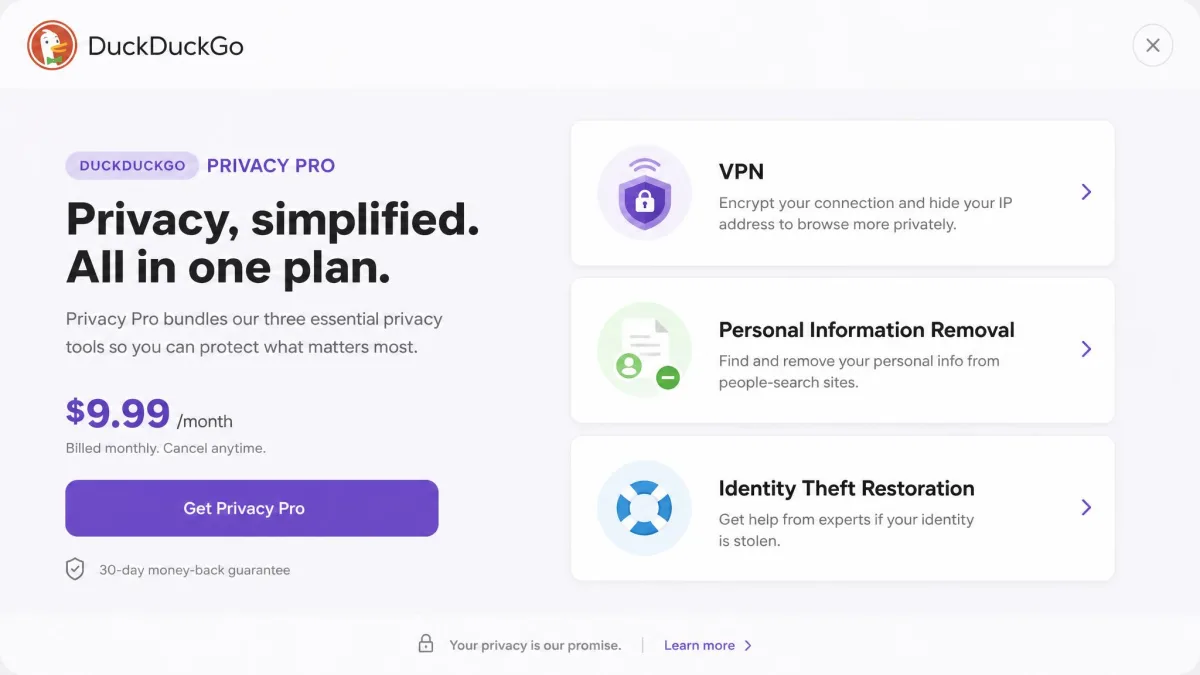
DuckDuckGo VPN is not sold on its own. It is one piece of the Privacy Pro subscription, the paid tier DuckDuckGo layers on top of its free private browser. Buy Privacy Pro and you get the VPN, a personal information removal tool, and identity theft restoration in a single package.
That framing matters. A standalone VPN is a networking product first. DuckDuckGo VPN is a privacy bundle where the VPN happens to be the headline feature. You reach it through the DuckDuckGo browser and its apps rather than a separate, standalone client, and it is designed for people already living inside that browser.
The company runs a stated no-logging policy and does not require a separate account tied to your browsing. For a brand whose entire identity is built on not tracking people, that positioning is consistent, and it is the main reason someone would pick this over a cheaper VPN-only service.
Ease of use and setup
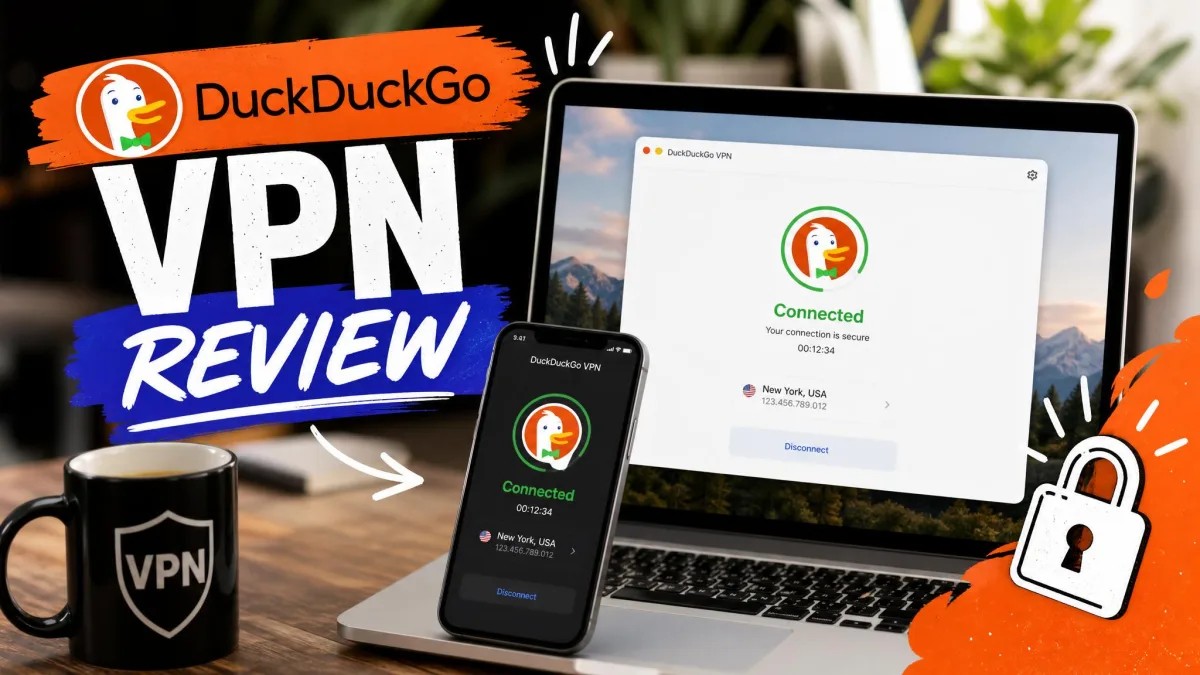
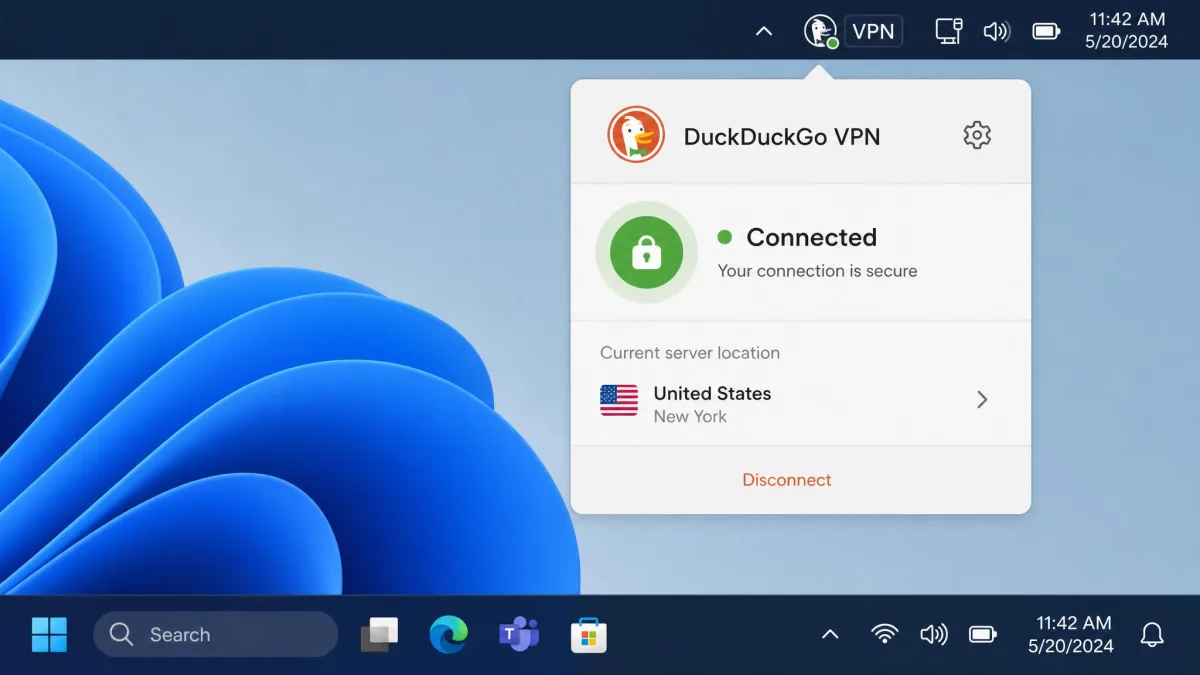
This is where DuckDuckGo VPN is at its best. Installation took only a few minutes on our test machines, and setup was straightforward with no manual configuration to work through. You subscribe, open the VPN from within DuckDuckGo, flip it on, and you are connected.
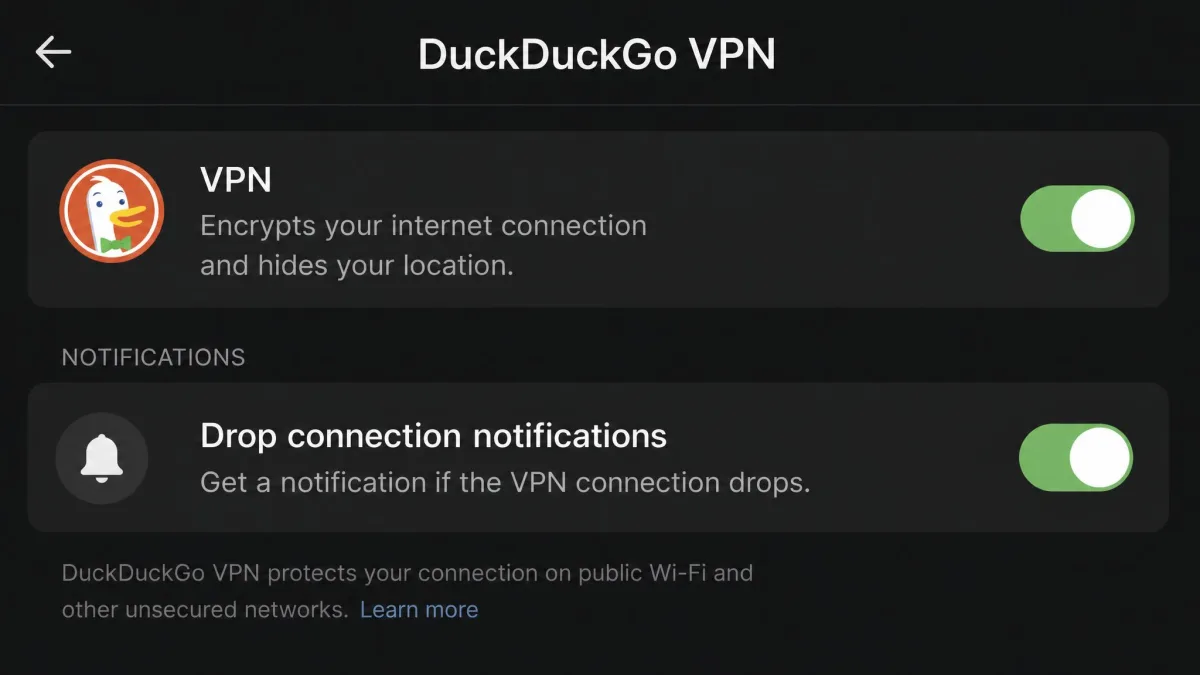
There are no protocol menus, no advanced toggles, and no server-tuning screens to get lost in. For someone who has been intimidated by a full VPN dashboard, that restraint is the entire appeal. The connection status sits in the menu bar on Windows and macOS, and in the app on mobile, so turning it on and off is quick.
The flip side of that simplicity showed up in daily use. The VPN really wants to run inside the DuckDuckGo browser environment, and there is no full standalone app interface beyond that menu-bar access. If you expect a rich control panel like a mainstream VPN client, you will not find one here.
On our test machines the whole install-to-connected flow ran in a few minutes with nothing to configure, which is about as gentle an onboarding as a paid VPN gets. The trade is that access lives inside the DuckDuckGo environment rather than a full standalone app.
Features and what's included
Where DuckDuckGo optimises for simplicity, most VPNs optimise for control, and the feature list makes the difference obvious. The core is a WireGuard VPN with a no-log policy, browser integration, and menu-bar or app access across Windows, macOS, iOS, and Android. Beyond the VPN itself, the subscription bundles personal information removal and identity theft restoration.
What is missing is just as important. There is no kill switch, only a notification when the connection drops. There is no multi-hop, no obfuscated servers, no Onion-over-VPN, and no bundled antivirus or malware protection. Split tunneling exists on Android but not on Windows. These are the extras a full standalone VPN treats as table stakes, and DuckDuckGo simply does not offer them.
VPN protocol (WireGuard) and device coverage
DuckDuckGo VPN runs on the WireGuard protocol only, with no option to switch protocols. WireGuard is a sound default: it is fast, modern, and secure, so most people will never miss the choice. Power users who want OpenVPN for a restrictive network, or a proprietary obfuscation mode to get through a firewall, are out of luck.
The subscription covers 5 simultaneous device connections, which is enough for a typical phone, laptop, and tablet setup. It is a middle-of-the-road allowance rather than a generous one, since some standalone services now offer more or drop device limits entirely.
Personal Information Removal and identity theft restoration
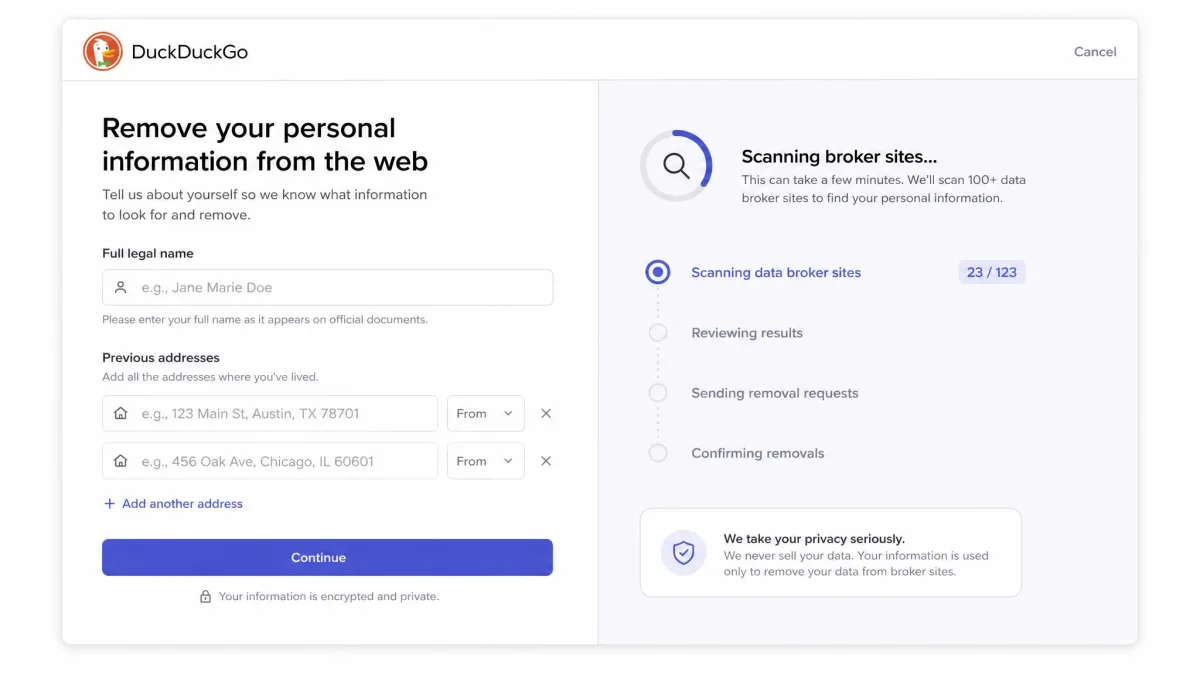
The bundle is what makes Privacy Pro more than a VPN. Personal Information Removal scans data-broker sites and requests takedowns of your details, and it is currently a US-only feature. Identity theft restoration gives you help recovering if your identity is stolen, which is the one area where live support actually exists.
We found the data removal signup refreshingly low-friction: it asks only for a full name and previous addresses, not a Social Security number, so starting the process does not feel like handing over your whole identity. For anyone whose real worry is data brokers rather than geo-blocking, this bundle is arguably the point, and the VPN is the bonus.
Pricing and plans: how much does DuckDuckGo VPN cost?
DuckDuckGo VPN is priced as part of the subscription, not per feature. The Plus plan, which is the VPN-inclusive tier, costs $9.99 per month or $99.99 per year. There is also a higher Pro plan at $19.99 per month or $199.99 per year that adds advanced Duck.ai AI models while keeping the same 5-device VPN.
Judged purely as a VPN, that price sits at the upper end. Standalone VPNs commonly run between $2 and $13 per month, and the cheapest long-term plans undercut DuckDuckGo comfortably. Judged as a privacy bundle, the math changes: you are also paying for data removal and identity theft restoration, and buying those separately would cost more.
We could not confirm a specific free-trial length or refund window from the vendor or reviews at the time of writing, so treat the subscription as a straight commitment and check the current terms before you buy.

Servers and server locations
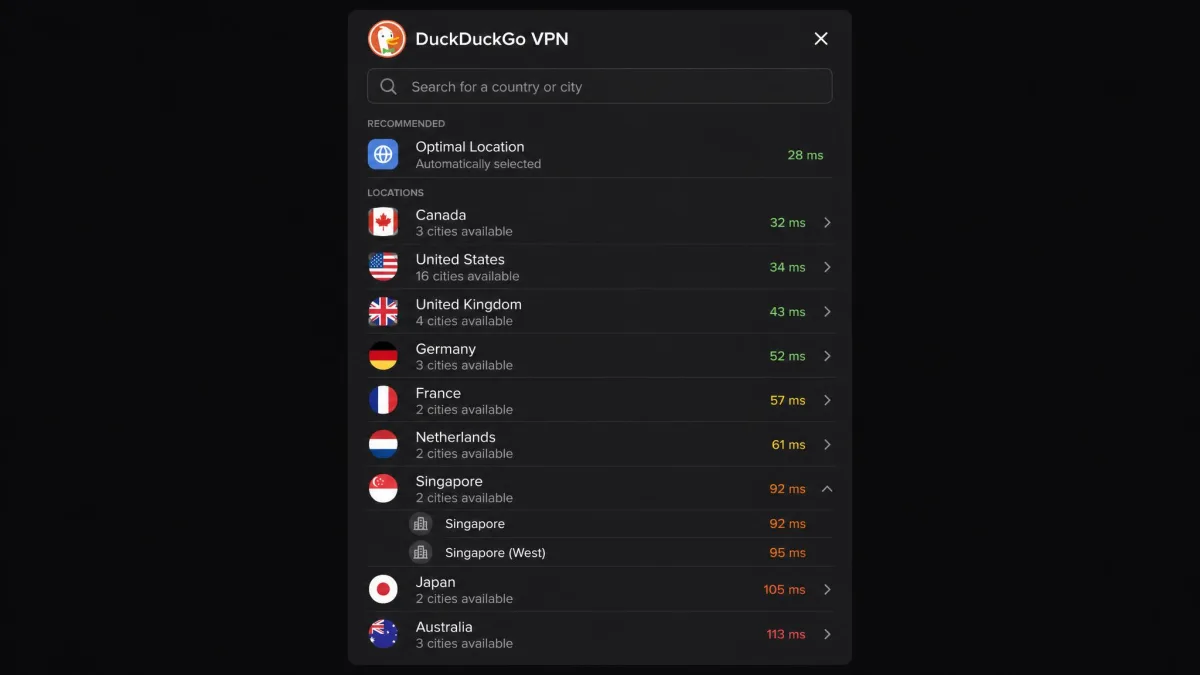
Server counts are the one number we would not pin down here. Depending on when a source was captured, DuckDuckGo has been described as running around 80 servers across a handful of countries, with the vendor's live list now spanning well over a dozen. You can check the current server locations directly, because the network is actively expanding and the exact figures drift over time.
What matters in practice is that the footprint is small next to a mainstream VPN. Full standalone services run thousands of servers across 60 to 90 or more countries. DuckDuckGo covers the major regions most people connect to, but if you need a server in a specific, less common country, the odds are worse here.
Because DuckDuckGo is still adding locations, any fixed server or country count you read is a snapshot. Check the vendor's live server list for the current footprint before you rely on a specific country being available.
Speed and performance
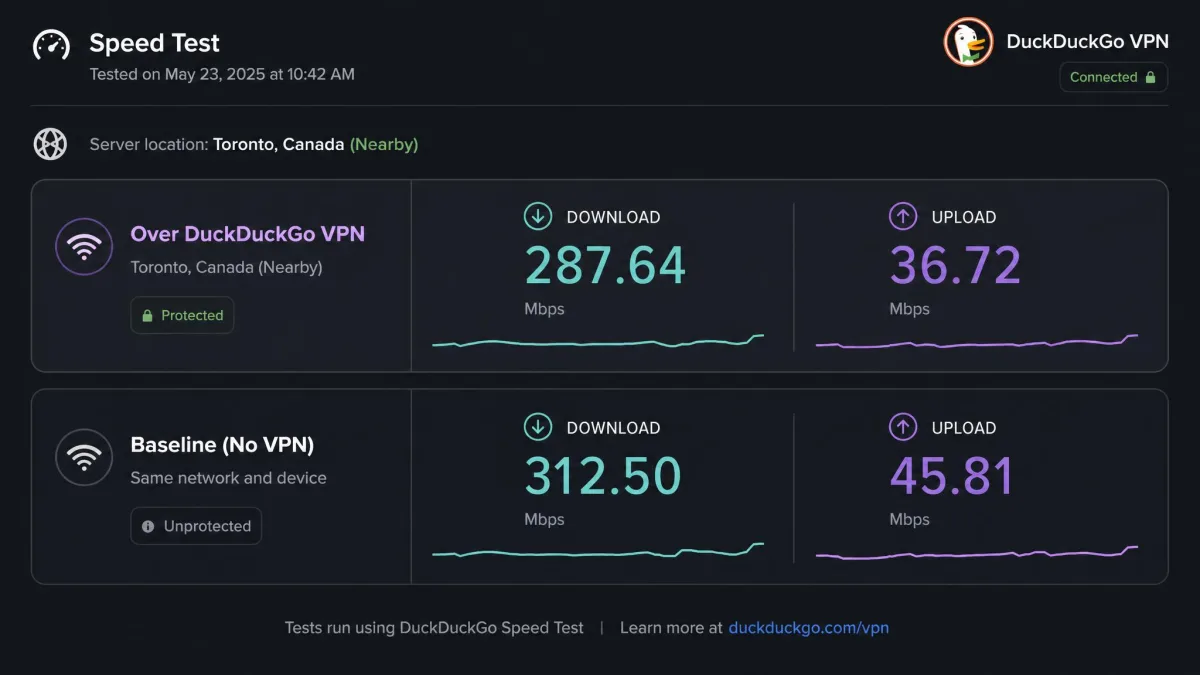
Speed is where DuckDuckGo VPN quietly does well, at least on nearby servers. WireGuard is efficient, and on connections close to home the download hit was modest, in the rough range of 11 to 12 percent in typical use. For browsing, downloading, and standard streaming, that is a loss you are unlikely to notice.
The weak spot is uploads and distance. Upload speeds degrade severely on international servers, and latency climbs on distant connections. In practice that made video calls and gaming feel sluggish when we routed through faraway servers, even while general browsing stayed fine. If you regularly connect across continents, set your expectations accordingly.
Nearby, DuckDuckGo VPN barely slows you down. Reach across an ocean and uploads and latency are where the simplicity starts to cost you.
— From our hands-on testing
Streaming and Netflix: does it work?
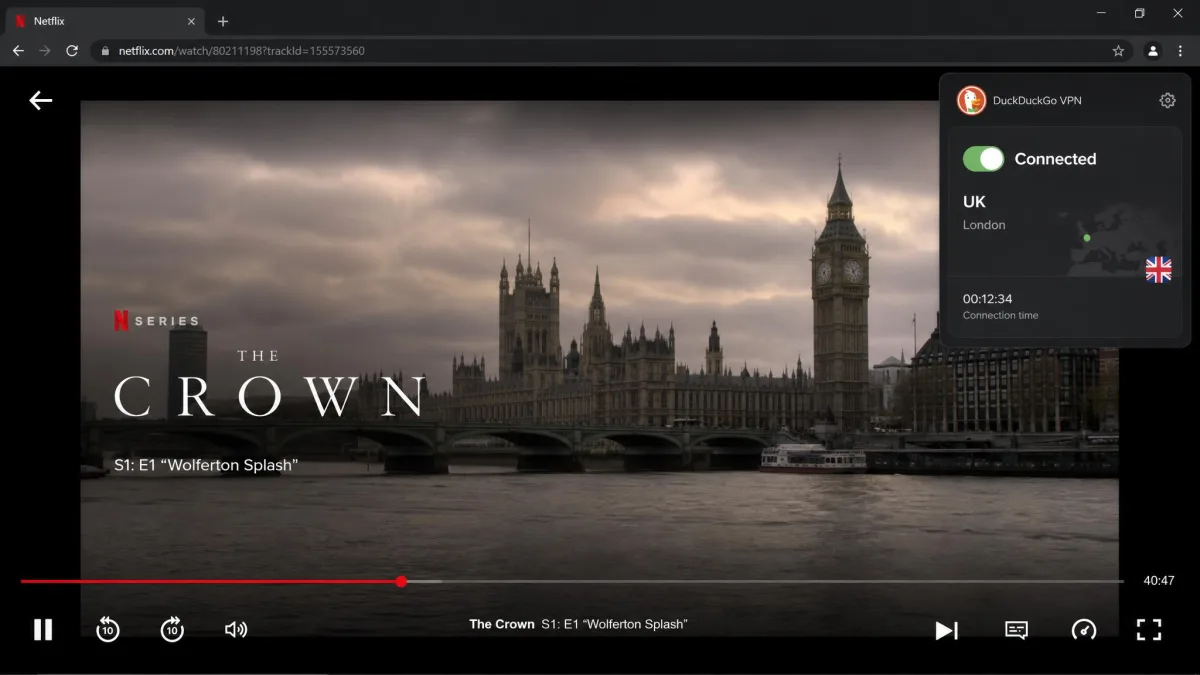
Streaming is often where simple VPNs fall apart, so we did not expect much. DuckDuckGo surprised us. It unblocked every Netflix library we tested, including the US, Canadian, UK, and Australian catalogs, with no real performance hit once the stream started.
The one wrinkle was consistency on US servers, where Netflix access was less reliable even though most other locations streamed without complaint. That is a common VPN quirk rather than a dealbreaker, and reconnecting or switching servers generally sorted it. For casual library-shifting, DuckDuckGo VPN is more capable than its stripped-down feature set suggests.
Privacy, no-logging policy and security
Privacy is the whole reason this product exists, and it mostly delivers. DuckDuckGo operates a no-log policy, and an independent Securitum audit in October 2024 found no critical vulnerabilities. In our own checks, DNS and WebRTC leak tests both passed, so your real IP and DNS queries were not slipping out during normal use.
The security caveats are structural rather than technical. The absence of a kill switch is the big one: when the connection drops, DuckDuckGo only shows a notification, so traffic can briefly fall back to your open connection before you notice. On a truly sensitive connection, that gap matters.
Jurisdiction is worth a thought too. DuckDuckGo is US-based, which places it inside the Five Eyes alliance. The stated no-log policy is the mitigation, and the audit supports it, but privacy-maximalists who avoid US services on principle should weigh that against the convenience.
There is no kill switch, only a drop notification. If the tunnel fails, your traffic can briefly use the open connection before you reconnect. For high-stakes privacy needs, that is a real gap to account for.
DuckDuckGo VPN vs a full-featured standalone VPN
Set DuckDuckGo next to a mainstream standalone VPN and the divide is clear. One is a privacy bundle that keeps things simple; the other is a networking tool built for control and coverage. Neither is strictly better, but they serve different people.
| Feature | DuckDuckGo VPN | Full standalone VPN |
|---|---|---|
| Servers | Small, growing footprint | Thousands across 60-90+ countries |
| Protocols | WireGuard only | WireGuard, OpenVPN, IKEv2, more |
| Kill switch | No, drop notice only | Yes, standard |
| Split tunneling | Android only | Yes, across platforms |
| Price | $9.99/mo or $99.99/yr bundle | Typically $2-13/mo VPN-only |
If you already use the DuckDuckGo browser and value the bundled data removal, the VPN is a sensible add-on you barely have to manage. If you want obfuscation, multi-hop, a kill switch, a huge server list, or the lowest possible price, a dedicated DuckDuckGo VPN alternative is the better tool. The feature set here feels bare-bones for VPN power users, and that is by design.
Verdict at a glance (rating, pros, cons, who it's for)
DuckDuckGo VPN is easy to recommend for one kind of user and easy to skip for another. Here is the balance sheet from our testing.
Pros
- Simple setup, connected in a few minutes with nothing to configure
- Solid nearby speeds on efficient WireGuard
- Strong streaming, unblocked most Netflix libraries cleanly
- No-log policy backed by an independent 2024 audit
- Passed our DNS and WebRTC leak checks
- Bundled data removal and identity theft restoration
Cons
- No kill switch, only a drop notification
- WireGuard only, with no protocol choice
- Split tunneling on Android but not Windows
- Small server footprint next to standalone rivals
- Uploads and latency suffer on distant servers
- Expensive judged purely as a VPN
Frequently asked questions
Does DuckDuckGo VPN hide your IP address?
Is DuckDuckGo VPN free?
Does it work with Netflix and other streaming?
What servers and countries are available?
Is Privacy Pro better than a standalone VPN?
Bottom line: is DuckDuckGo VPN worth it?
DuckDuckGo VPN is a clear, honest product that knows what it is. It sets up in minutes, keeps no logs, holds up in leak tests, runs quickly on nearby servers, and unblocks most streaming without fuss. For someone who wants private browsing without learning a new dashboard, that combination is genuinely appealing.
It is not the VPN for power users. No kill switch, no protocol options, split tunneling only on Android, and a small server list are real limits, and the price makes sense only when you value the bundled data removal and identity theft restoration. Buy it as a privacy package for the DuckDuckGo ecosystem and it delivers. Buy it expecting a full-featured VPN and you will feel the gaps.