Cheap VPNs force an awkward decision. You want privacy and streaming access without paying flagship prices. But bargain services often cut corners on the things that matter most. ZoogVPN sits right in that space. It advertises a long-term plan for a few dollars a month.
So we tested ZoogVPN the way we test any VPN before recommending it. We ran real speed benchmarks and leak checks. We tried it across streaming platforms and censorship-heavy networks like China. We ran the paid apps on Windows, macOS and Android, poked at the free tier, and checked whether the security features hold up in practice rather than on the marketing sheet.
The short version is that ZoogVPN is a genuinely budget-friendly service. It has a couple of real strengths and some caveats you need to know before you commit. Here is what we found.
Quick Verdict & Rating
ZoogVPN earns a cautious recommendation, and it earns it for one specific buyer. If you want UK streaming and everyday privacy on a rock-bottom long-term budget, it delivers real value. If Netflix, an audited privacy record, or a Mac kill switch you can lean on are non-negotiable, this is not your VPN. The full picture sits in the pros and cons below, and we unpack each point through the rest of the review.
Pros
- Cheap long-term pricing, around $2.49 per month on the 2-year plan
- Reliable BBC iPlayer, ITVX and Disney+ (UK) unblocking
- Fast speeds on nearby servers, roughly 4% loss
- AES-256 encryption, kill switch and ZoogShadowing obfuscation on paid plans
- A usable free tier and crypto payment options
Cons
- Netflix stays blocked across every library we tried
- Only a 7-day money-back guarantee, well short of the 30-day norm
- No published independent no-logs audit
- Kill switch leaked our real IP on macOS during server switches
- The free app bundles traffic-sharing and ad-targeting code
ZoogVPN at a Glance (key specs table)
Here are the headline specs before we get into the testing detail.
| Spec | Detail |
|---|---|
| Price (2-year) | About $2.49/month |
| Price (monthly) | $9.99/month |
| Free plan | Yes, 10 GB monthly, 1 device |
| Encryption | AES-256 (paid), AES-128 (free), plus ChaCha20 |
| Network | Roughly 100+ locations across a few dozen countries |
| Simultaneous devices | 10 on paid plans (reported inconsistently) |
| Jurisdiction | Greece (EU) |
| Money-back guarantee | 7 days |
| Netflix | Blocked |
| Our rating | 6.5/10 |
Pricing & Plans
Pricing is where ZoogVPN makes its pitch, and it is a strong one. According to ZoogVPN's pricing page, the 2-year plan works out to about $2.49 per month. It is billed as a single upfront charge that includes three free months. The 1-year plan runs closer to $3.39 per month. The rolling monthly plan is $9.99.
That $2.49 rate is competitive with the big names. The catch is the renewal. The 2-year plan reverts to the $9.99 regular rate once the intro term ends, so set a calendar reminder before it rolls over.
Payment is flexible. You can pay with a credit card, PayPal, or cryptocurrency. The crypto options include Bitcoin, Ethereum, Litecoin and a few stablecoins. That is a nice touch if you want to keep the purchase private.
Free vs Paid Plans
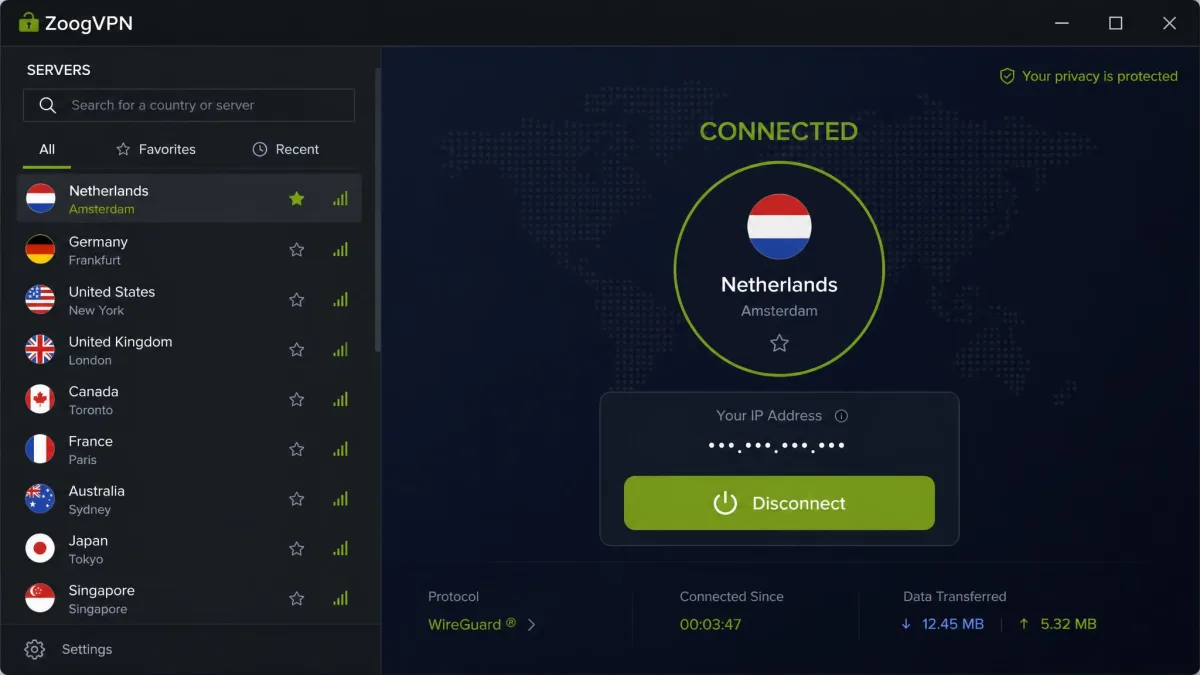
ZoogVPN offers a genuinely free plan, which is rarer than it sounds. The free tier is capped at 10 GB of traffic per month. It is limited to a single device and restricted to servers in five countries. Encryption on the free plan drops to AES-128 rather than the AES-256 you get when paying.
The free version is fine for occasional, light use. It is not the plan to trust with sensitive activity. In our testing the free app on Windows and Android bundled a Traffmonetizer SDK that routes third-party traffic through your real IP address. The Android build also carried ad-targeting code.
The free plan's 10 GB cap and single-device limit are the least of its problems. The bigger concern is the bundled traffic-sharing code on Windows and Android. It can route other people's traffic through your connection. If you care about privacy, pay for the service or pick a different free VPN.
Money-Back Guarantee & Payment Options
The refund policy is one of ZoogVPN's weaker points. You get a 7-day money-back guarantee. That is short next to the 30-day standard that NordVPN, ExpressVPN and Surfshark all offer. Seven days is barely enough time to run the service through its paces.
It is also worth flagging that refunds are not always smooth. We saw a pattern of refund requests being refused after auto-renewal kicked in, even inside the stated policy. Treat that 7-day window as a hard deadline and cancel early if you are unsure.
Privacy & Logging Policy
ZoogVPN advertises a no-logs policy, and its features support that on paper. There are no activity logs, connections are encrypted, and the standard privacy protections are in place. The problem is verification. No independent security audit has been published, so the no-logs claim rests on the company's word rather than a third-party review.
For a lot of VPN buyers that is a dealbreaker, and it should factor into your decision. The service has operated for more than ten years without a known logging scandal. That counts for something. It is not the same as an audited guarantee.
No-Logs Policy & Jurisdiction (Greece)
ZoogVPN is run by Zoog Services IKE, based in Patras, Greece. Greece is in the EU. It has no mandatory data-retention law for VPN providers, which is a privacy positive.
The nuance is that Greece falls within the 14 Eyes intelligence-sharing alliance. So it is not the fully offshore, no-data-retention haven that some rivals advertise. The ownership structure is also less clear than we would like.
Greece has no mandatory data-retention law, which is good for privacy. But it sits inside the 14 Eyes intelligence-sharing group. Combined with the absence of a published audit, that means you are trusting ZoogVPN's no-logs promise rather than verifying it. Our step-by-step guide covers what a no-logs policy actually protects.
Security Features
On features, ZoogVPN covers most of the essentials. You get a kill switch, IP and DNS leak protection, split tunneling, a SOCKS5 proxy on paid plans, and ZoogShadowing obfuscation. That is a solid list for a budget service, though the execution has one notable flaw.
Encryption
Paid plans use AES-256 encryption, the same military-grade standard the major VPNs rely on. There is also ChaCha20 as an alternative cipher. Free plans step down to AES-128, which is still secure but a clear tier below. For anyone paying, encryption is not a weak spot here.
VPN Protocols
The protocol lineup is a little murky. ZoogVPN supports OpenVPN over TCP and UDP, and current testing shows WireGuard available. Some sources still list older protocols like IKEv2 and L2TP instead. The exact WireGuard availability seems to vary. If a specific protocol matters to you, confirm it in the app on your platform before committing.
Kill Switch
The kill switch is meant to block all internet traffic if the VPN connection drops. On Windows it behaved as expected. On macOS, though, we watched it leak the real IP address during server switches. That is exactly the moment a kill switch is supposed to protect you. It is a meaningful flaw if you use a Mac and rely on the kill switch for privacy.
IP/DNS Leak Protection
Outside of the macOS kill-switch issue, leak protection held up. Standard connections did not leak DNS requests or expose the real IP in our checks. Day-to-day browsing on a stable connection is well protected.
ZoogShadowing (Obfuscation)
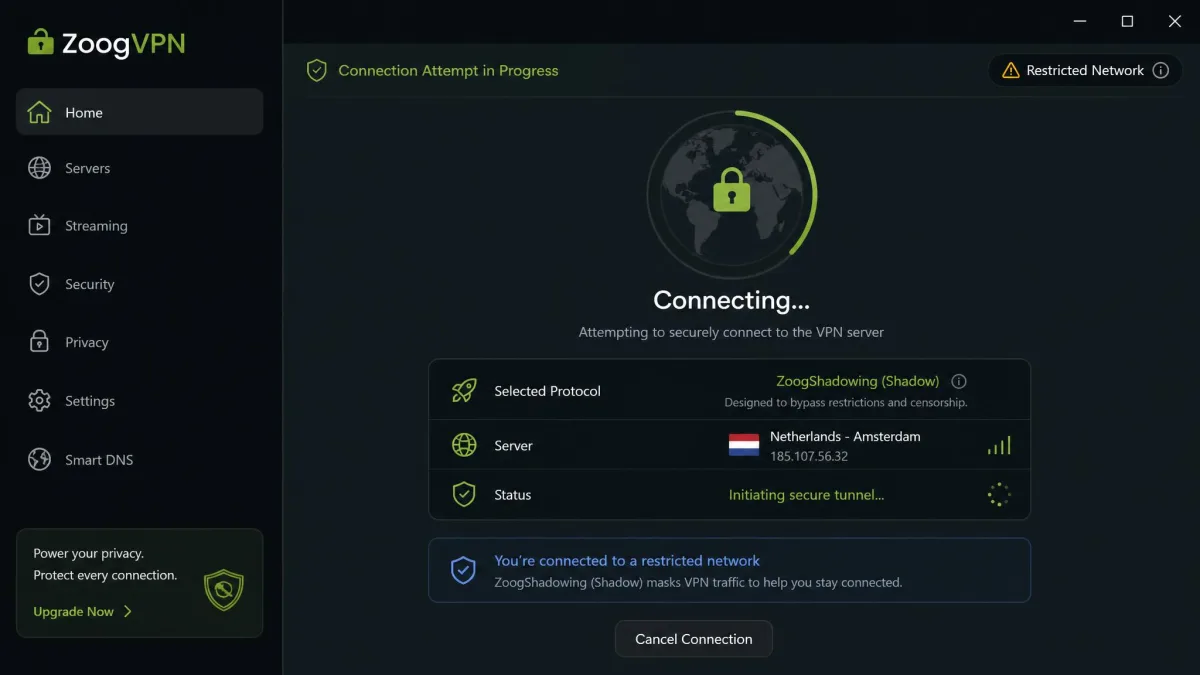
ZoogShadowing is ZoogVPN's obfuscation feature, built on what the service calls the Shadow protocol. It disguises VPN traffic as regular HTTPS traffic so it can slip past firewalls that block VPNs. This is the feature that makes ZoogVPN interesting for users in censorship-heavy regions. We cover how it performed in the China section below.
Speed & Performance (our test results)
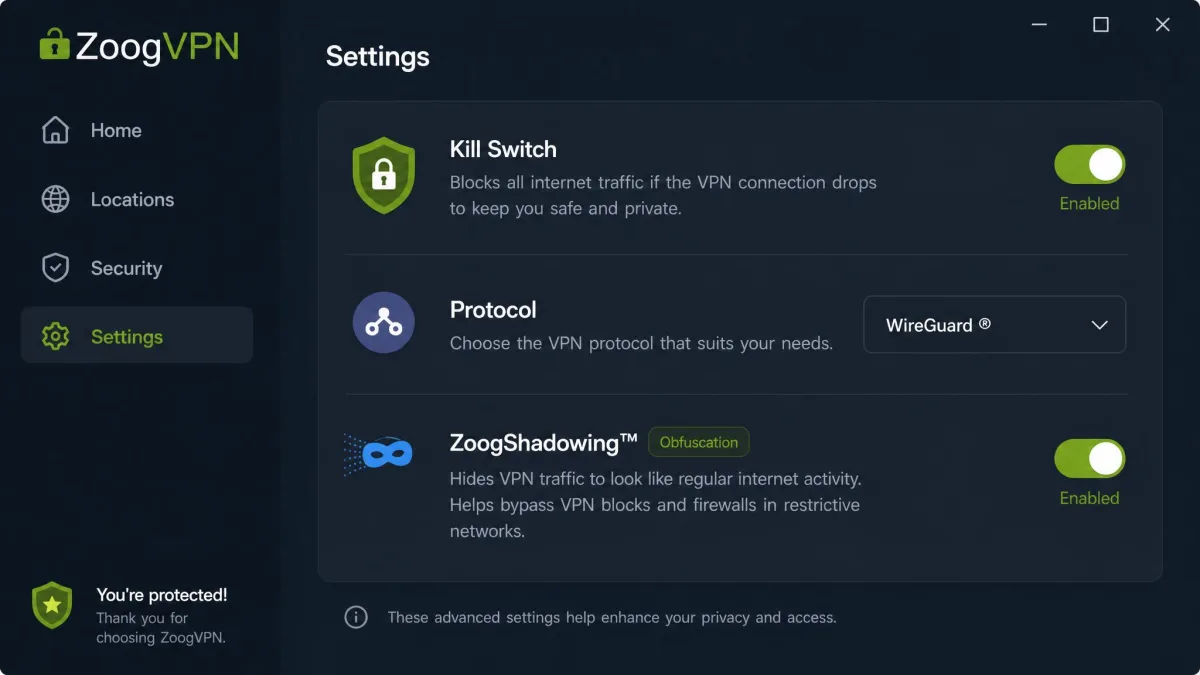
Speed is where ZoogVPN pleasantly surprised us, at least close to home. On nearby servers we measured only about a 4% drop from our baseline connection. That is fast enough that everyday browsing, video calls and HD streaming felt no different from an unprotected line.
Distance is the enemy, though. As we connected to servers further away, speeds fell off noticeably. We lost around 18% on mid-range hops and as much as 43% on the farthest servers we tested. That is a steeper decline than the top-tier services show. If you routinely connect across continents, expect a real slowdown.
For a budget VPN used mainly for local and regional connections, the performance is genuinely good. Push it to the far side of the world and the value proposition weakens.
Server Network & Locations
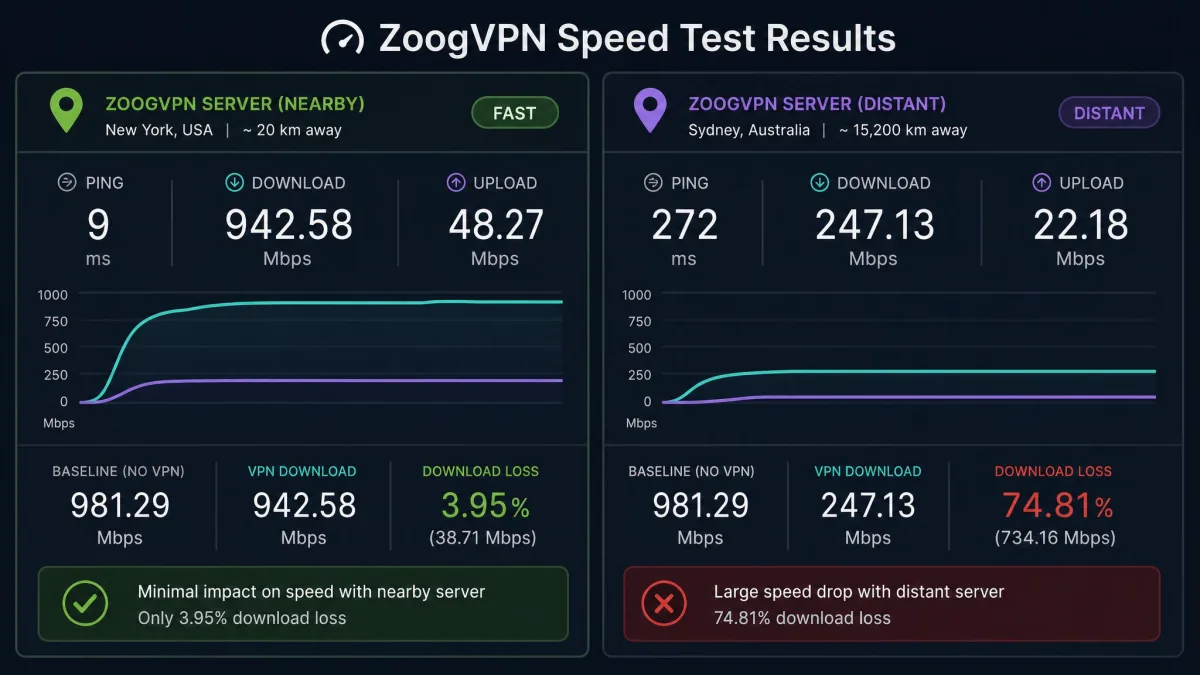
ZoogVPN's network is smaller than the giants and, frankly, hard to pin down. The company advertises 100 or more locations. Independent counts land anywhere from 35 to 80 countries depending on who is counting. Published server and country figures disagree widely, so treat the network size as approximate rather than exact.
What matters in practice is coverage of the regions you actually use. The core European and North American locations are well served and fast, which lines up with the strong nearby-server speeds. If you need a server in a specific, less common country, check the live list first.
Streaming (Netflix, BBC iPlayer, Disney+, Hulu)
Streaming results were the most split part of our testing. On the positive side, ZoogVPN reliably unblocked BBC iPlayer, ITVX, Disney+ in the UK, HBO Max in the US and Prime Video in the US. For UK-focused streaming in particular, it is a strong performer at this price.
Netflix is the glaring miss. It stayed blocked across every library we tried. Hulu, Sky Go and most other US platforms also failed to unblock. If Netflix is your main reason for wanting a VPN, ZoogVPN is not the tool for the job, so choose a VPN that works with Netflix.
ZoogVPN unblocks BBC iPlayer and Disney+ without fuss, but Netflix stayed locked across every library we tested. Match the service to what you actually watch.
Torrenting & P2P
ZoogVPN supports P2P and torrenting on dedicated servers, so it is functional for downloading. The kill switch and leak protection are the relevant safety features here. On Windows they worked as intended.
The macOS kill-switch leak is worth repeating in this context. If you torrent on a Mac and depend on the kill switch to hide your IP during a reconnect, that gap could expose you. On a stable connection the protection held. The reconnection behavior is the weak link.
Does ZoogVPN Work in China?
This is where ZoogShadowing earns its keep. The Shadow protocol is built to bypass censorship. It worked to get past the blocks in China, Russia, Iran, Turkey and the UAE in testing. For a budget VPN, working in China at all is notable, since many far pricier services fail there.
The experience is not seamless, though. Connecting from China on the paid plan was inconsistent. It sometimes took five minutes or more to establish. The free plan could not connect from China at all. So ZoogVPN can work behind the Great Firewall, but plan for patience and pay for the service if China access is your goal.
Apps & Device Compatibility
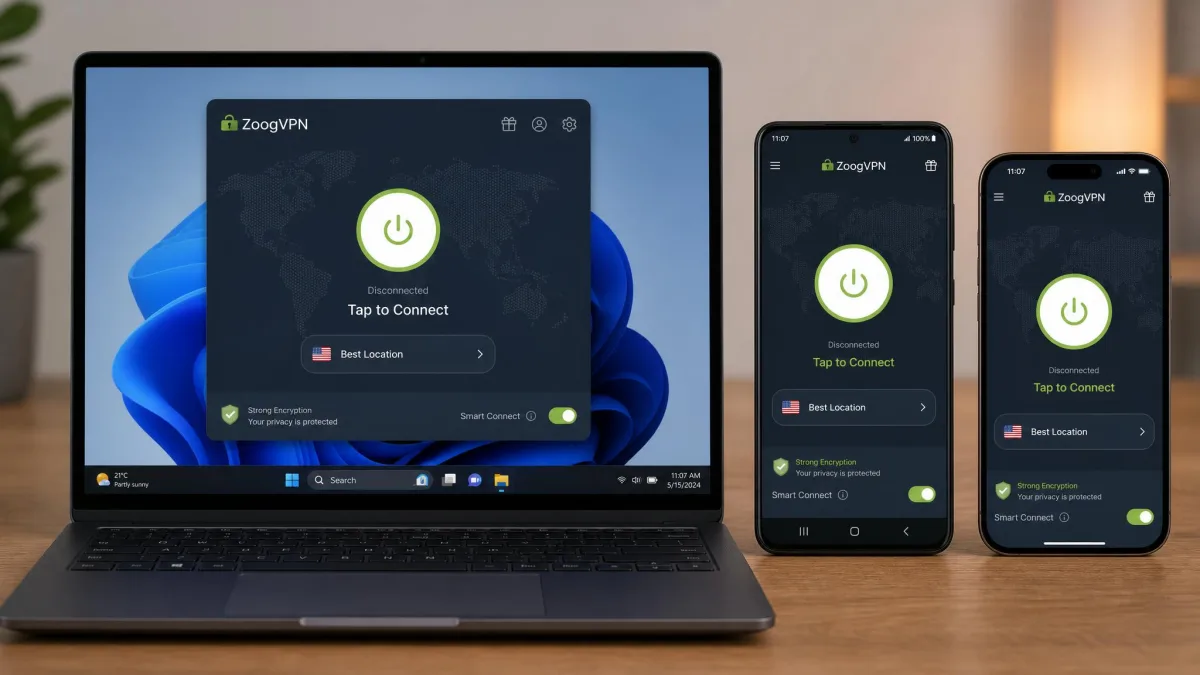
The apps are straightforward and beginner-friendly to set up across Windows, macOS, Android and iOS. Getting connected took a couple of clicks. The interface does not bury the important settings, which is welcome for newcomers.
There are gaps in the ecosystem, though. There is no dedicated Apple TV app. Linux requires manual configuration. The Fire TV app could not bypass geo-blocks in our testing. Paid plans support 10 simultaneous device connections according to the pricing page, though some sources report the paid limit as unlimited, so the exact cap is unsettled.
Customer Support
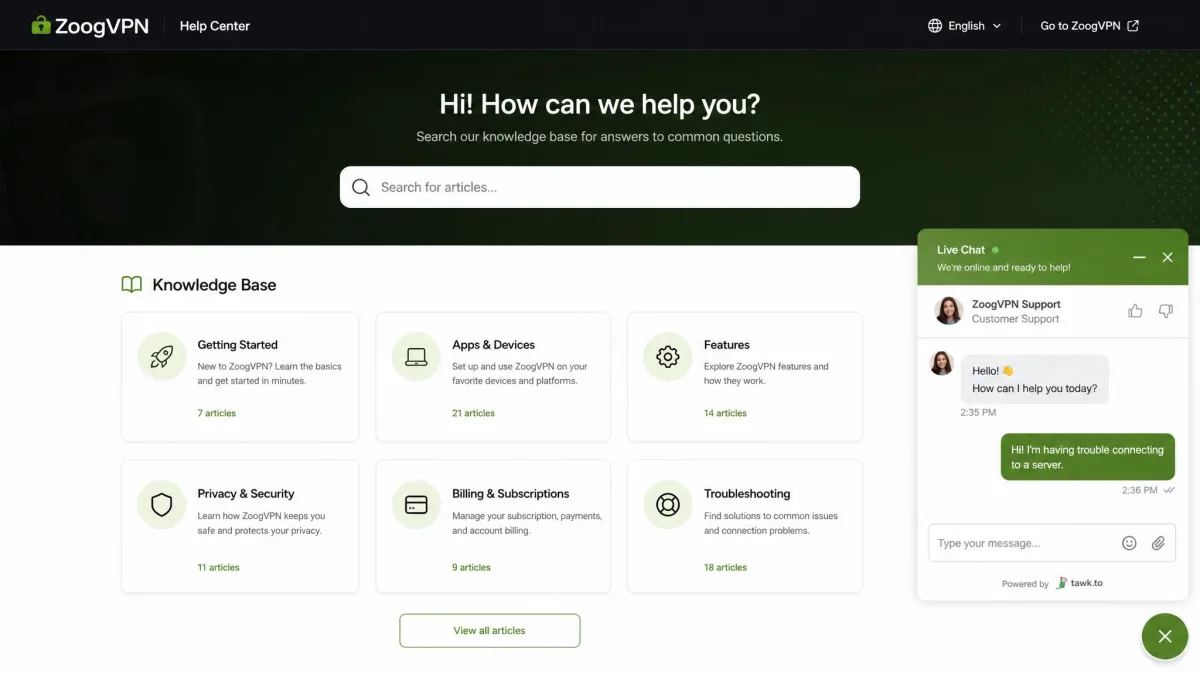
Support is available, but it is not ZoogVPN's strongest area. Setup and pre-sales questions were handled fine, and the knowledge base covers the basics. The concern shows up after purchase.
When technical issues arose, support could go unresponsive. That pattern lines up with the refund friction we noted earlier. On a well-behaved connection you may never need to contact them. If something breaks, temper your expectations on response time.
ZoogVPN vs Alternatives (NordVPN, ExpressVPN, Surfshark)
ZoogVPN competes on price, not breadth. Against the big names it gives up network size, audited privacy, Netflix access and refund length. It undercuts or matches them on the monthly cost. Here is how it stacks up.
| Product | Buy | Price (long-term/mo) | Servers | Countries | Devices | Netflix | No-logs | China | Money-back |
|---|---|---|---|---|---|---|---|---|---|
 |
Check price → | ~$2.49 | ~100+ locations | 35-80 (varies) | 10 | Blocked | Yes (unaudited) | Yes (inconsistent) | 7-day |
 |
Read review → | ~$3.49 | ~8,400+ | 110-167 | 10 | Reliable | Yes (audited) | Yes | 30-day |
 |
Read review → | ~$2.79 | 3,000+ | 105 | 8 | Reliable | Yes (audited) | Yes | 30-day |
 |
Read review → | ~$2.49 | 4,500+ | 100 | Unlimited | Reliable | Yes (audited) | Yes | 30-day |
The takeaway is simple. Surfshark matches ZoogVPN's price while beating it on Netflix, audited no-logs and a 30-day safety net. ZoogVPN's case is UK streaming and China access on a rock-bottom budget.
Who Should Use ZoogVPN?
ZoogVPN makes sense for a specific buyer. If you mainly want UK streaming, occasional privacy on nearby servers, and the lowest possible long-term price, it delivers real value. The speeds back it up.
It is the wrong pick in several cases. Skip it if Netflix is essential. Skip it if you need an audited no-logs guarantee. Skip it if you are a Mac user who leans on the kill switch. Skip it if you want a generous refund window to test risk-free. For those needs, one of the audited big names is worth the small extra cost.
Final Verdict
ZoogVPN is a decent budget VPN that knows what it is. The value case rests on the price, the nearby-server speeds and the censorship-bypassing Shadow protocol that many pricier rivals lack.
The compromises are just as clear, and the macOS specifics deserve one more mention. The kill switch leaked during server switches on the Mac, which undercuts the app on that platform in particular. China access works, but it is inconsistent enough that we would not rely on it for daily use behind the Great Firewall.
Is it worth it? For the budget-conscious UK streamer who wants peace of mind on everyday connections, yes. For everyone chasing Netflix or audited privacy, spend a little more elsewhere.