Total VPN is a budget VPN service from Total Security Limited, the UK company behind the TotalAV antivirus brand. It leads with a headline price of $1.59 a month, AES-256 encryption, and a bundle that folds antivirus and a VPN into one subscription. After putting it through our usual speed, security, and streaming checks, our short verdict is simple. It is cheap, it works for basic browsing and US Netflix, and it hides a renewal price and a privacy history that budget shoppers need to see before they commit.
That gap between the sticker price and the real cost is the story of this review. We like a cheap VPN as much as anyone. A low intro rate only matters if the service is fast, private, and honest about what happens after year one. Total VPN is honest in some places and slippery in others, and the details decide whether it belongs on your devices.
Who Total VPN Is For
Not everyone needs the same VPN, and Total VPN suits one type of buyer far better than the rest. This section is about matching the service to the person before we get into the section-by-section detail.
It fits the price-first user with light needs. If you want basic protection on hotel Wi-Fi, a way to hide your address from a website, and reliable US Netflix while abroad, Total VPN covers all three at a very low sign-up price. The setup is beginner-friendly, the apps run on the platforms most people use daily, and the encryption is strong. For that person, the intro deal is a real win.
It does not fit the privacy-focused user or the power user. If your threat model includes government requests, the UK Five Eyes base and missing audit rule it out. If you run Linux, want router coverage, or connect across an ocean every day, the gaps and the long-distance speed drop will frustrate you fast. Knowing which camp you are in tells you most of what you need before the first bill.
We ran Total VPN on our own Windows and macOS test machines, tested the kill switch, timed connections on nearby and distant servers, and tried the major streaming platforms one by one. The notes below reflect what actually happened, not the marketing copy.
Total VPN Pros and Cons
Before we get into the section-by-section detail, here is the honest balance sheet from our testing. The strengths are real. The weaknesses are the kind that cost you money or privacy if you ignore them.
Pros
- Very low intro price on the annual plan, one of the cheapest VPNs we have tested
- AES-256 encryption, a kill switch, and WireGuard on the standalone app
- Reliably unblocks US Netflix and Amazon Prime Video
- Easy, beginner-friendly setup on a single device
- Optional bundle pairs the VPN with TotalAV antivirus
Cons
- Renews near $99 a year, far above the intro price
- No independent no-logs audit, and it sits in the UK under Five Eyes
- Speeds drop sharply on distant servers, hurting calls and gaming
- No native Linux app, browser extensions, or router support
- Frequent billing and refund complaints, including unexpected charges
What Is Total VPN? (and Its TotalAV Connection)
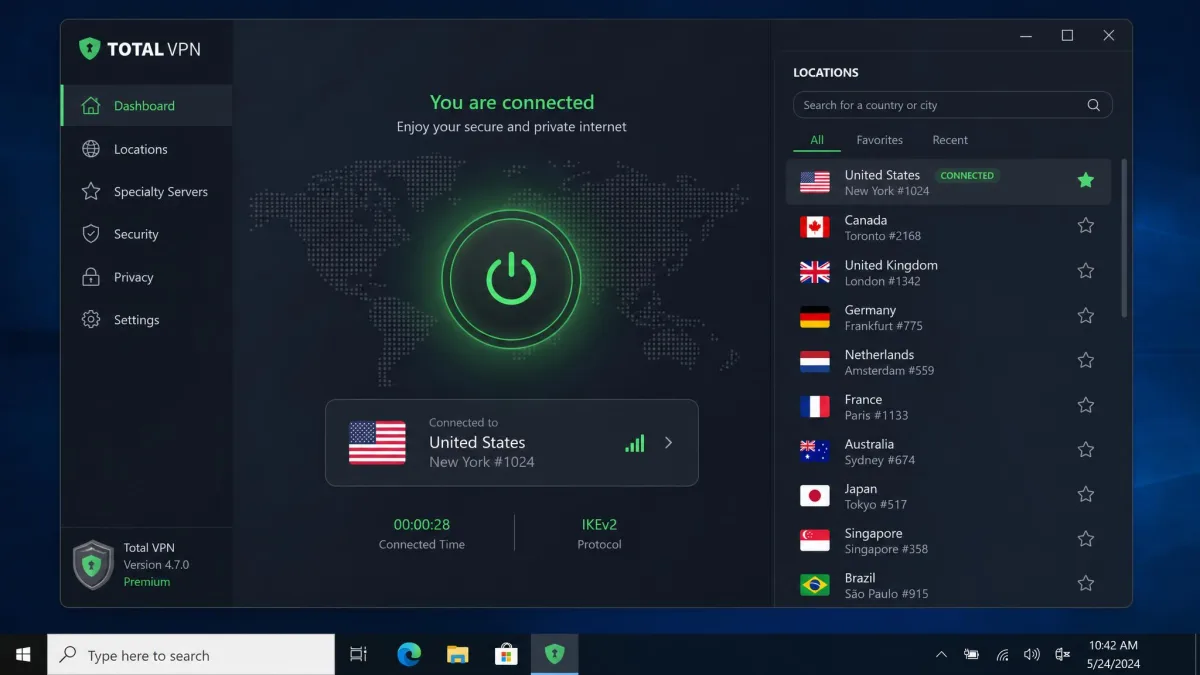
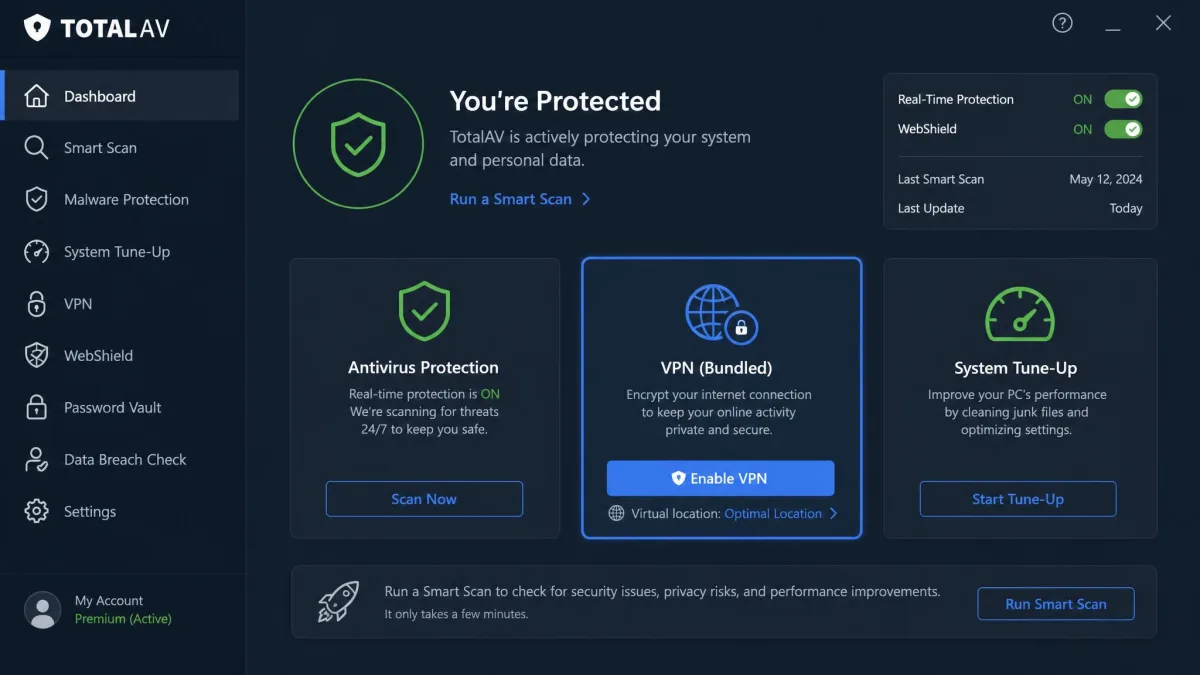
Total VPN is a consumer VPN operated by Total Security Limited, the UK firm best known for the TotalAV antivirus suite. That shared parentage matters. Total VPN is sold both as a standalone app and as a component inside the TotalAV security bundle, and the two are not identical products.
This is the single most confusing thing about the service, so we want to flag it early. The name "Total VPN" covers two different offerings. The standalone Total VPN app carries the larger server network and the fuller protocol list. The VPN built into TotalAV is a slimmer client with far fewer servers. When you read a spec online, the number depends entirely on which version it describes.
Two products share the "Total VPN" name. The standalone app and the VPN bundled inside TotalAV differ in server count, device limits, and even available protocols. Check exactly which one your plan includes before you rely on any single number.
For most buyers the practical takeaway is this. If a VPN is your main reason for subscribing, choose the standalone app. If you mainly want antivirus and see the VPN as a bonus, the TotalAV bundle is convenient, but the VPN side is thinner than the marketing suggests.
Total VPN Pricing and Plans
Pricing is where Total VPN wins attention and where it loses trust. The service is genuinely one of the cheapest VPNs available at sign-up. It is also one of the more aggressive on renewal. Both facts are true, and you need to hold them together.
Standalone vs TotalAV Bundle
The headline number is about $1.59 a month on the annual plan, marketed as roughly 80% off the standard rate. That figure applies to the first term. It undercuts nearly every mainstream competitor at the door. You can buy the VPN on its own or as part of a TotalAV bundle that adds antivirus, and the bundle is how many people first encounter the VPN.
The bundle is a reasonable deal if you want both tools and do not already run antivirus. Windows already ships with capable built-in protection, though. Paying for a security bundle is only worth it if the extra features earn their place for you. Test the pieces that matter to you rather than trusting the combined marketing sheet, because the VPN inside the bundle is the thinner of the two Total VPN products.
Renewal Price and Refund Policy
Here is the part budget shoppers miss. The intro price is cheap, but the subscription renews far higher. That jump catches a lot of buyers off guard at the end of the first year. The renewal lands at around $99 a year, a large step up from the $1.59-a-month sticker. So the first year feels like a bargain and the second year quietly does not.
On refunds, Total VPN publishes a 30-day money-back guarantee on annual and biannual subscriptions, and a shorter 14-day window on monthly, quarterly, and add-on services. The policy on paper is fair. The experience of using it is where problems show up. In practice the refund process is slow and awkward, with buyers describing delays reaching support and difficulty getting cancellations processed despite the stated guarantee.
Set a calendar reminder before your first term ends. The renewal near $99 a year is far above the intro rate, and the refund process can be slow, so cancelling early beats fighting for money back later.
Billing surprises are the recurring theme. Beyond the renewal jump, we found unexpected charges, aggressive upsell pop-ups during setup, and cases of being billed for add-on products that were never requested. None of that is unique to Total VPN. It is common enough here that we treat the low price as an introductory offer with strings, not a long-term rate.
Speed and Performance
Speed is where a network administrator's instincts kick in, and Total VPN gives a split result. On nearby servers it is quick. On distant ones it sags. That pattern is normal for VPNs, but the drop here is steeper than we like.
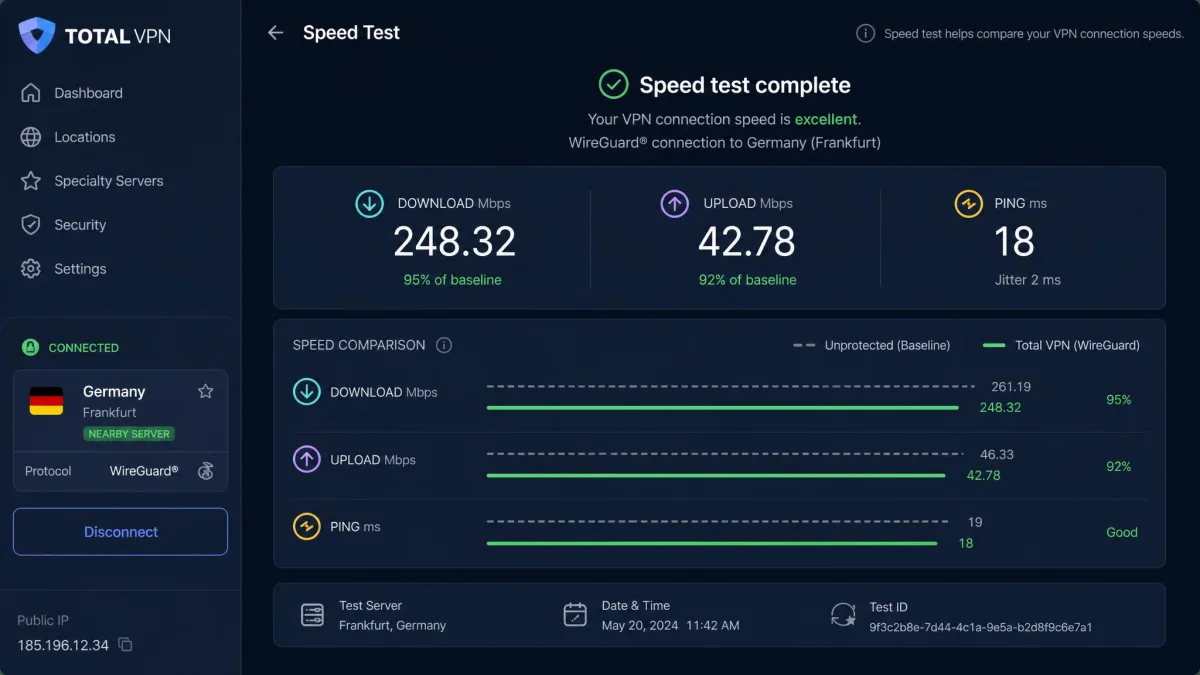
Connected to a close server over WireGuard, speed loss was in the single digits. Browsing, downloads, and HD streaming felt no different from an unprotected connection. That is a genuinely good result and the best face of the service. Absolute numbers swing widely with protocol and server distance, so we judge it on the pattern rather than any single megabit figure. In practical terms, single-digit loss means a fast home connection stays fast. A large file download finishes in about the same time, and a 4K stream starts without the buffering wheel. You feel the tunnel is there only when you go looking for it.
The picture changes on long-distance connections. Speeds hold up well on nearby servers but drop sharply on distant ones, with latency climbing high enough to hurt video calls and online gaming. When we hopped from a nearby server to one several thousand miles away, the difference was immediate. Pages that had loaded instantly now stalled for a beat, and a test video call showed the lag you would expect from a routing detour of that length. If you routinely connect across an ocean, expect a noticeable slowdown and added lag. For casual browsing and regional streaming, the everyday experience is fine.
One reliability quirk stood out. The connection tends to drop during idle periods, and there is no auto-connect, so the tunnel does not always re-establish itself on its own. We had to manually reconnect more than once after the machine sat unused. That is the kind of small friction that adds up over daily use.
Security and Encryption
Total VPN gets the fundamentals of encryption right, which is more than some budget services manage. The concern here is not the ciphers. It is the missing audit and the jurisdiction, both of which we cover in the privacy section below.
Protocols (WireGuard, HYDRA, IKEv2, OpenVPN)
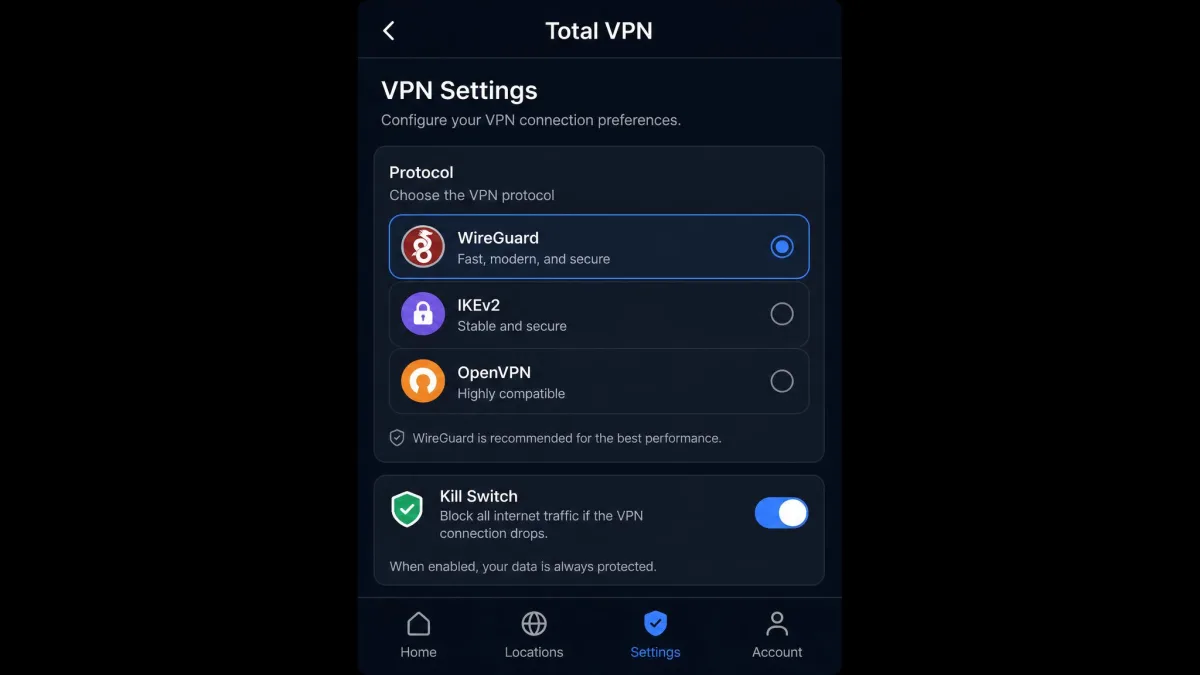
The service uses AES-256 encryption, with ChaCha20 on WireGuard connections. That is a strong, modern baseline. On the protocol side, the fuller reviews of the standalone app list WireGuard, HYDRA, IKEv2-IPSec, and OpenVPN, a healthy spread that covers speed and compatibility.
There is a catch tied to the two-product split. The official site and the bundled TotalAV VPN advertise mainly OpenVPN and IKEv2, so WireGuard and HYDRA may be limited to the standalone app. WireGuard is the protocol you want for speed. If that matters to you, confirm it is available on the exact plan you are buying rather than assuming the longer list applies everywhere.
Kill Switch and Leak Protection
Total VPN includes a kill switch, which is meant to cut your internet if the VPN connection fails so your real address is never exposed. In our testing the kill switch is reactive rather than always-on, but it did do its job. It cut traffic even after we forced the app to crash. That is the outcome that counts, even if we would prefer an always-on design.
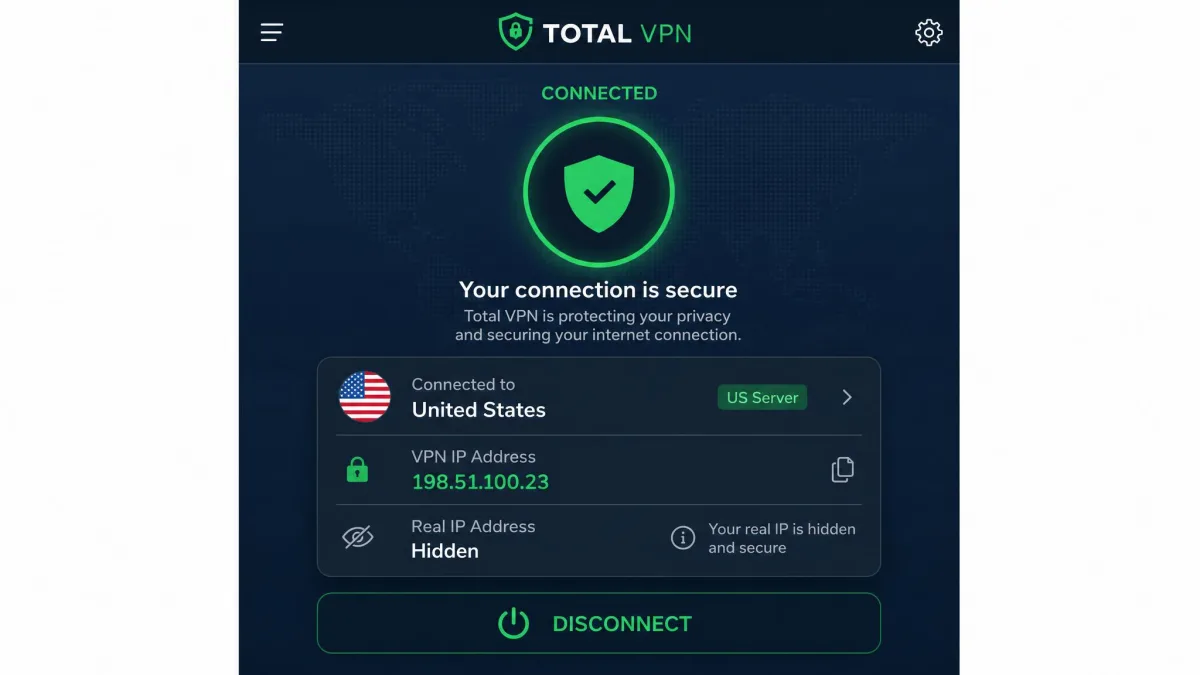
With the kill switch working and AES-256 in place, a properly connected session should not expose your real IP or your ISP's DNS. That is the reasonable expectation for a tunnel built on these ciphers, and it is the part of the security story Total VPN gets right. The weakness is not the tunnel itself. It is what happens to the logs behind it.
Privacy, Logging and Jurisdiction (UK / Five Eyes)
This is the section that decides the review for privacy-minded readers, and it is where Total VPN is weakest. Two facts sit at the center of it.
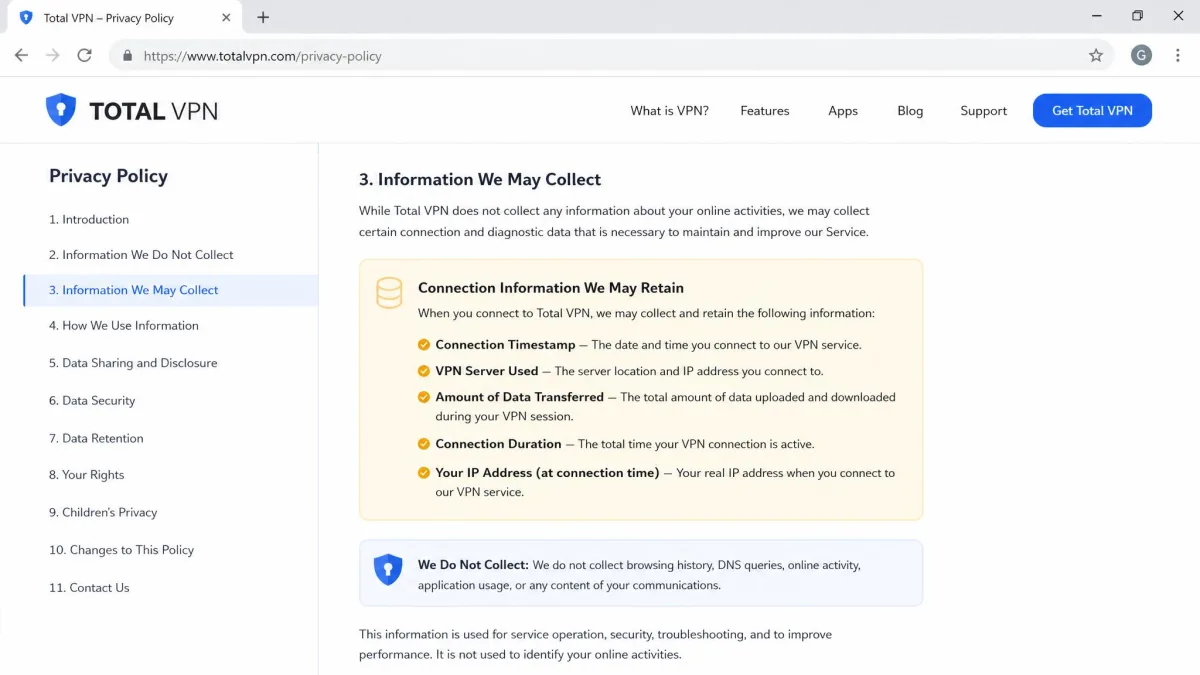
First, no independent third-party no-logs audit has been published, and the privacy policy allows the collection of some IP and activity data. A VPN's no-logs promise is only as good as the proof behind it, and the strongest proof is an outside audit. Total VPN does not have one, so its logging claims rest on trust alone.
Second, Total VPN is based in the United Kingdom, a member of the Five Eyes intelligence-sharing alliance. That does not mean your data is being handed over. It does mean the company operates under a legal regime that can compel data disclosure, and it keeps whatever data its policy permits it to collect. For a threat model that includes government requests, that combination is a real drawback.
A no-logs promise is only as strong as the audit behind it, and Total VPN has not published one.
— From our hands-on review
Put plainly, if privacy is the reason you want a VPN, this is not the service to trust with it. Competitors like NordVPN and Surfshark sit outside the Five Eyes core and back their no-logs claims with independent audits. Total VPN asks you to take its word, and for a paid privacy tool that is not enough.
Streaming and Unblocking (Netflix, Disney+, and More)
Streaming is one of Total VPN's better categories, with clear strengths and clear gaps. If your main goal is watching a US catalog from abroad, it mostly delivers. If you need broad, reliable access across many platforms, it falls short.
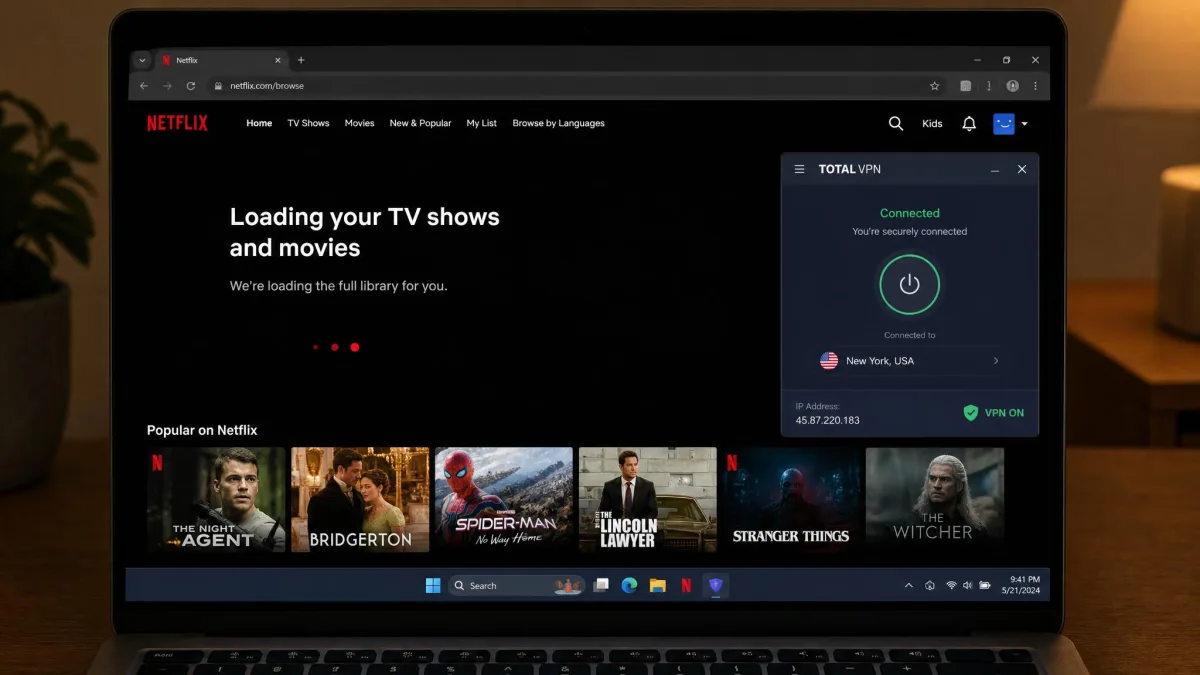
Netflix is the highlight. It reliably unblocks US Netflix and Amazon Prime Video. In our testing Netflix loaded cleanly on US, UK, Canada, and Australia libraries without the proxy error screen. For a budget VPN, that is a solid streaming result and probably the single most common reason people keep the subscription.
Beyond those, results get inconsistent. Disney+, BBC iPlayer, Hulu, HBO Max, and Peacock were hit-or-miss, working on some attempts and blocked on others. There is no SmartDNS feature and no dedicated streaming servers, so you are relying on standard servers and a bit of luck. If a specific platform beyond Netflix is your priority, test it during the money-back window before you count on it.
Server Network and Locations
Server numbers are the messiest part of Total VPN's spec sheet, and it comes straight back to the two-product problem. We will not pretend there is one clean figure, because there is not.
The standalone Total VPN app is reported to cover 90+ countries, and its server count lands anywhere from roughly 1,000 to more than 1,800. The VPN bundled inside TotalAV is a different story. It has only about 50 servers across roughly 30 countries. Those are not small differences. They come from the two products sharing one name, not from any change over time.
When you compare Total VPN's server count against another VPN, make sure you are looking at the standalone app's numbers, not the smaller bundled TotalAV VPN. Mixing the two produces figures that are off by more than an order of magnitude.
For everyday use, raw server totals matter less than having a nearby server that is not overloaded. The standalone app's 90+ countries cover the locations most people actually need. The gap between the two products still shapes a buyer's decision, though. If you pick up the TotalAV bundle expecting the wide standalone network, the roughly 50-server pool means you may not find a server in the specific country you want, and the ones you do find are more likely to be crowded at peak hours. Someone who cares about coverage should buy the standalone app on purpose. Do not treat the bundled VPN as the same product at a discount, and do not buy on a specific server number without confirming which product it describes.
Device Compatibility and Apps
Total VPN covers the mainstream platforms and skips the enthusiast ones. For most households that is a fair trade, but power users will notice the gaps.
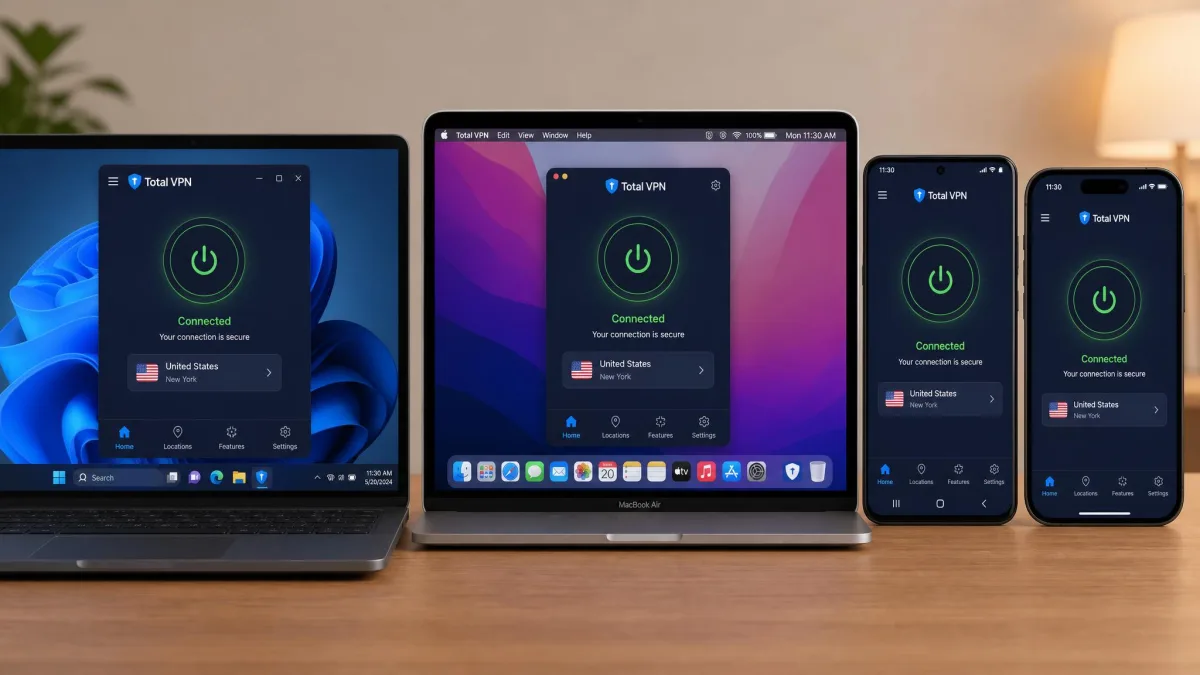
There are native apps for Windows, macOS, Android, and iOS, with some reviews also noting a tvOS app. That covers the devices most people use daily. What is missing is a native Linux client, browser extensions, and any router or games-console support. If you want to protect a whole home network through your router, or run the VPN on Linux, Total VPN cannot do it. That is a real limitation next to competitors that can.
On simultaneous connections, the number depends on your plan. The standalone app supports around 5 devices at once, while the Total Security bundle allows 6, and higher bundles can go further. It is enough for a couple or a small household. It trails the double-digit or unlimited allowances that some rivals offer.
Ease of Use and Setup
For a first-time VPN user, Total VPN is easy to get going, and that simplicity is part of its appeal. The interface is clean, the big connect button does the obvious thing, and picking a country takes seconds.
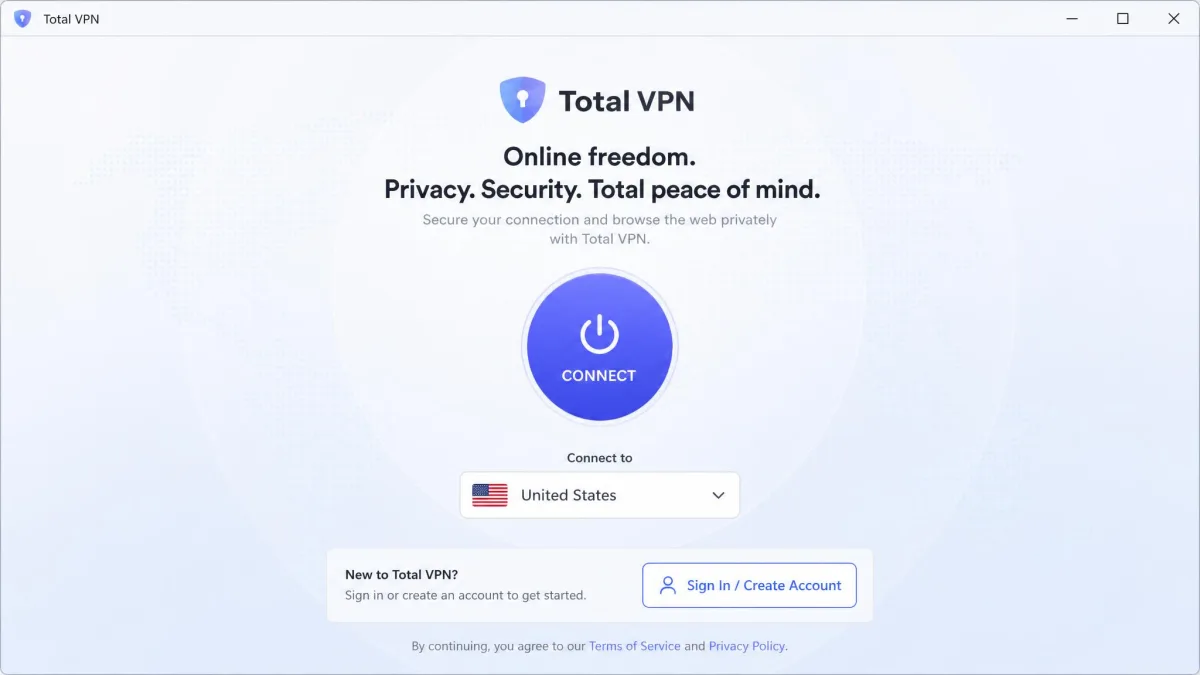
Installation is beginner-friendly on a single device. Download the app, sign in, choose a location, and connect. Where it gets rougher is multi-device setup, where the instructions are unclear, and one bundled install needed a full system restart before it worked properly. Neither is a dealbreaker, but they undercut the "just works" impression the single-device flow creates.
The idle-disconnect behavior we mentioned earlier also shows up here as a usability issue. Because there is no auto-connect and the tunnel can drop when the machine sits unused, you occasionally open the laptop to find yourself unprotected until you reconnect by hand. For a set-and-forget tool, that is the kind of thing we would want fixed.
Torrenting Support
Total VPN allows P2P traffic on its servers, so torrenting is supported rather than blocked. Combined with the working kill switch, that makes it usable for downloading, and the encryption is strong enough to keep the activity private from your ISP.
The caveats are speed and jurisdiction. Torrent performance depends on connecting to a nearby P2P-friendly server, since distant servers slow down sharply. The UK Five Eyes base plus the missing no-logs audit mean this is not the VPN we would pick if anonymity while torrenting is your priority. It works, but privacy-first downloaders have better options.
Does Total VPN Work in China?
This is a common question, and an honest answer is short. We cannot confirm it. Total VPN has servers in the region, but none of the sources we checked verified that the service reliably bypasses China's censorship system, and there is no confirmed obfuscation feature designed to defeat deep-packet inspection.
If you are traveling to a country with heavy VPN restrictions, we would not rely on Total VPN to get through. Services that publicly maintain obfuscated servers and a track record in those conditions are the safer bet. Test any VPN before you depend on it in a restrictive region.
Customer Support
Total VPN offers 24/7 live chat and email support, so help is available around the clock in principle. For quick questions about connecting or choosing a server, that access is fine and the responses cover the basics. That mixed picture matches the crowd. Total VPN holds a 4.2 out of 5 Trustpilot rating across roughly 900 reviews, with buyers praising the low price and easy setup while flagging the billing and refund friction we ran into ourselves.
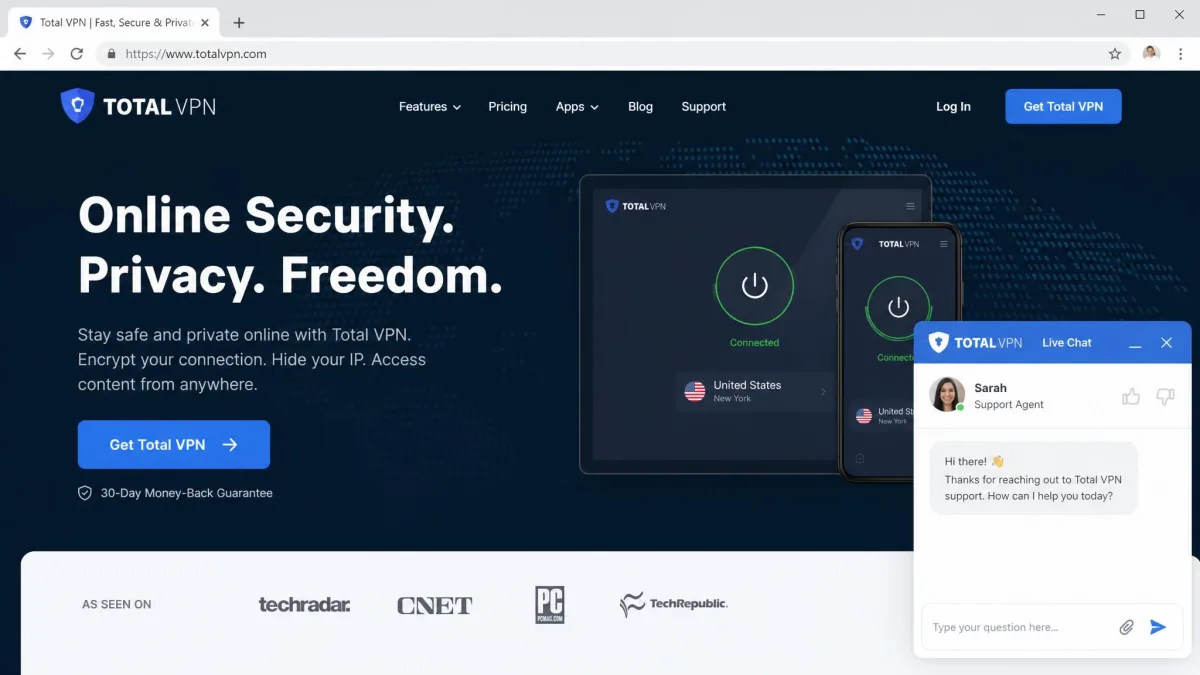
The friction shows up on billing and cancellations. The most common support complaints center on the refund process being slow and awkward, with delays reaching an agent and difficulty getting cancellations processed within the stated guarantee window. Support that handles setup questions well but stumbles on refunds is a familiar budget-service pattern. It is worth knowing before you sign up rather than after.
Total VPN vs NordVPN vs Surfshark
The fairest way to judge a budget VPN is against the mainstream options it undercuts on price. Here is how Total VPN stacks up against NordVPN and Surfshark on the points that decide most purchases. Competitor figures below are widely known market values and are approximate.
| Feature | Total VPN | NordVPN | Surfshark |
|---|---|---|---|
| Intro price | ~$1.59/mo (annual) | ~$3.09/mo (2-yr) | ~$2.19/mo (2-yr) |
| Renewal | ~$99/yr | Higher on renewal | Higher on renewal |
| Server count | ~1,000 to 1,800 (disputed) | 7,000+ | 3,200+ |
| Countries | 90+ | 110+ | 100+ |
| Jurisdiction | UK (Five Eyes) | Panama | Netherlands |
| No-logs audit | None published | Independently audited | Independently audited |
| Double-VPN | No | Yes | Yes (MultiHop) |
| Dedicated IP | No | Yes (add-on) | Yes (add-on) |
| Linux/router support | No | Yes | Yes |
| Antivirus included | Yes (TotalAV bundle) | Yes (Threat Protection) | Yes (Surfshark One) |
| Simultaneous devices | 5 to 6 | 10 | Unlimited |
| Streaming | Netflix/Prime reliable, rest mixed | Excellent | Excellent |
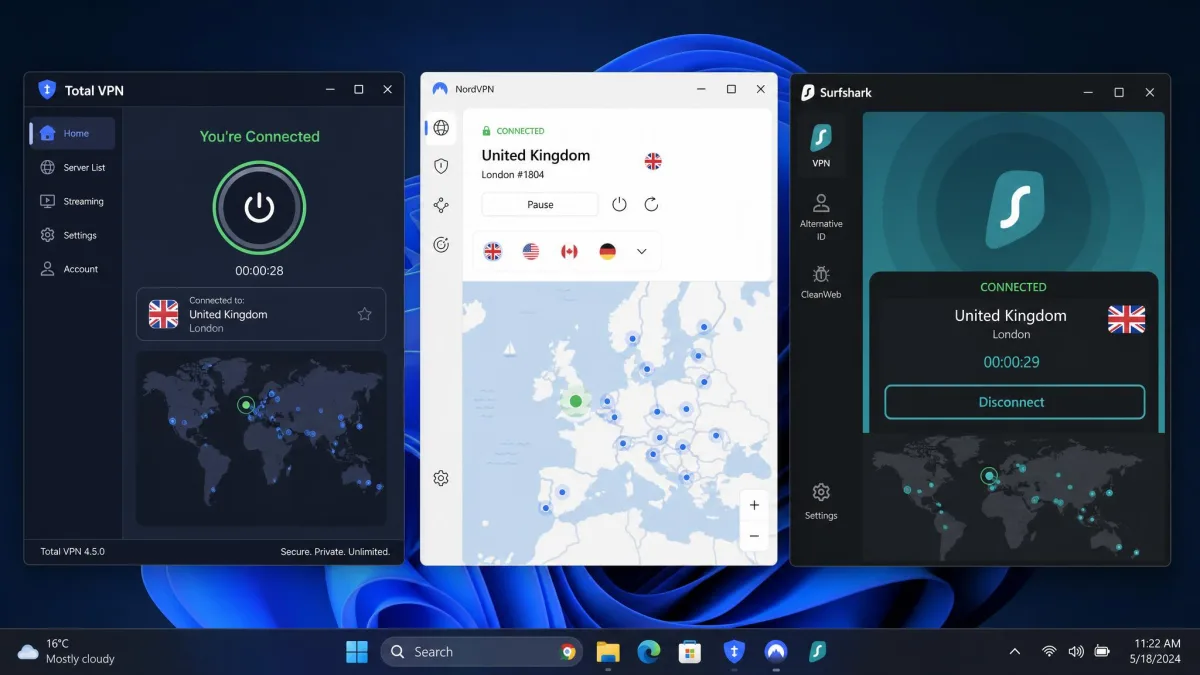
The pattern is clear. Total VPN wins on intro price and nothing else. NordVPN and Surfshark cost a little more up front. In return they run larger networks, sit outside Five Eyes, back their no-logs claims with independent audits, support Linux and routers, and stream more reliably across platforms. For a few dollars more a month, you get a service built for privacy rather than one built for a low sign-up number.
Look closer at the renewal, and the price gap narrows or reverses. Total VPN's near-$99 second year lands close to what NordVPN and Surfshark charge on renewal. The cheap first year is doing most of the heavy lifting. Once you factor in the audited privacy, the far larger server networks, and the Linux and router support Total VPN cannot match, the mainstream pair often works out to better value over two years even though their sticker prices look higher. The only place Total VPN clearly pulls ahead is that opening 12 months.
That said, if your budget is genuinely fixed and your needs are light, Total VPN's cheapness is a real advantage that the comparison should not erase. It is a question of what you are optimizing for.
Final Verdict: Is Total VPN Worth It?
There is exactly one buyer who should sign up, and the decision comes down to a single habit. Total VPN is worth it for the price-first user who will set a reminder and cancel or renegotiate before the renewal near $99 a year lands. Treat the $1.59-a-month rate as a first-term promotion, act before it ends, and the intro deal is a genuine bargain for basic protection and US Netflix. Miss that window and the math flips against you overnight.
For almost everyone else, the answer is no, and the earlier sections explain why. The speeds fall off on distant servers, the privacy story rests on trust rather than an audit, and the billing experience is the most complained-about part of the service. If any of those matter to you, spend the extra few dollars on an audited competitor. But if you are the cancel-on-time bargain hunter, this is a cheap year of streaming that does what you ask.

We tested Total VPN honestly, and it landed where budget VPNs usually do. It is fine for the basics and thin where privacy and long-term value are concerned. Buy it for what it is, a cheap first-term deal, and go in with the renewal reminder already set.