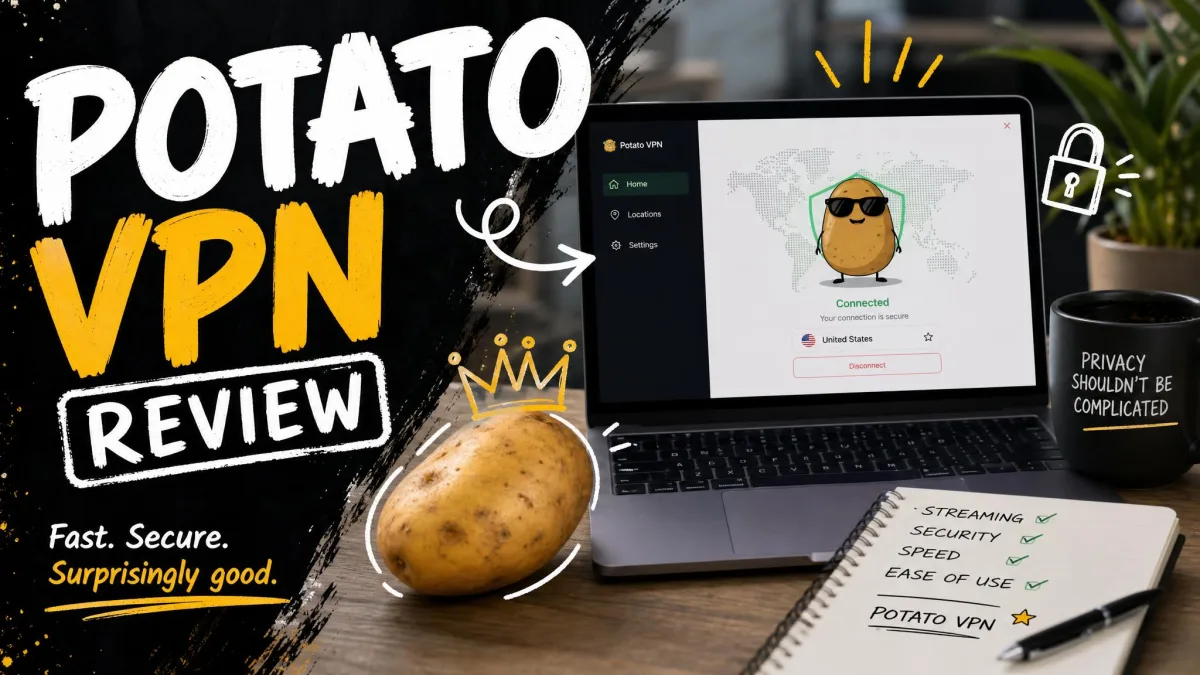
PotatoVPN is a freemium VPN app built by Fastpotato PTE. LTD., a developer based in Singapore. It launched in 2020 and now runs on Windows, macOS, Android, iOS, and Amazon Fire TV. The pitch is simple: a free tier with no account required, plus a paid plan that unlocks more locations and, in theory, better speeds. That freemium model is exactly why so many people search for it, because free VPN apps account for a large slice of all VPN downloads worldwide, as VPN adoption data shows.
We put PotatoVPN through our standard bench: speed runs against an unprotected baseline, leak checks, streaming tests across the major platforms, and a close read of its privacy and logging claims. We ran the desktop client and the mobile apps side by side over several days to see how the connection held up in daily use. What follows is our honest, skeptical account of where it helps and where it falls short.
PotatoVPN at a Glance (Pros and Cons)
PotatoVPN gets the basics of a consumer VPN right and struggles with almost everything that separates a good VPN from a placeholder. It is genuinely easy to install and it connects on locked-down networks where some rivals stall. But the speed loss is severe, the streaming support is thin, and the privacy story does not hold together under scrutiny.
Pros
- Free tier with no signup, easy enough for a first-time VPN user
- AES 256-bit encryption on every connection
- Connects on restricted networks where some free rivals fail
- Broad device support, including Amazon Fire TV
Cons
- Download speeds collapse on nearby and distant servers alike
- No kill switch, split tunneling, or WireGuard
- No-logs claim is contradicted by short-term data retention
- Email-only support with slow response times
Features
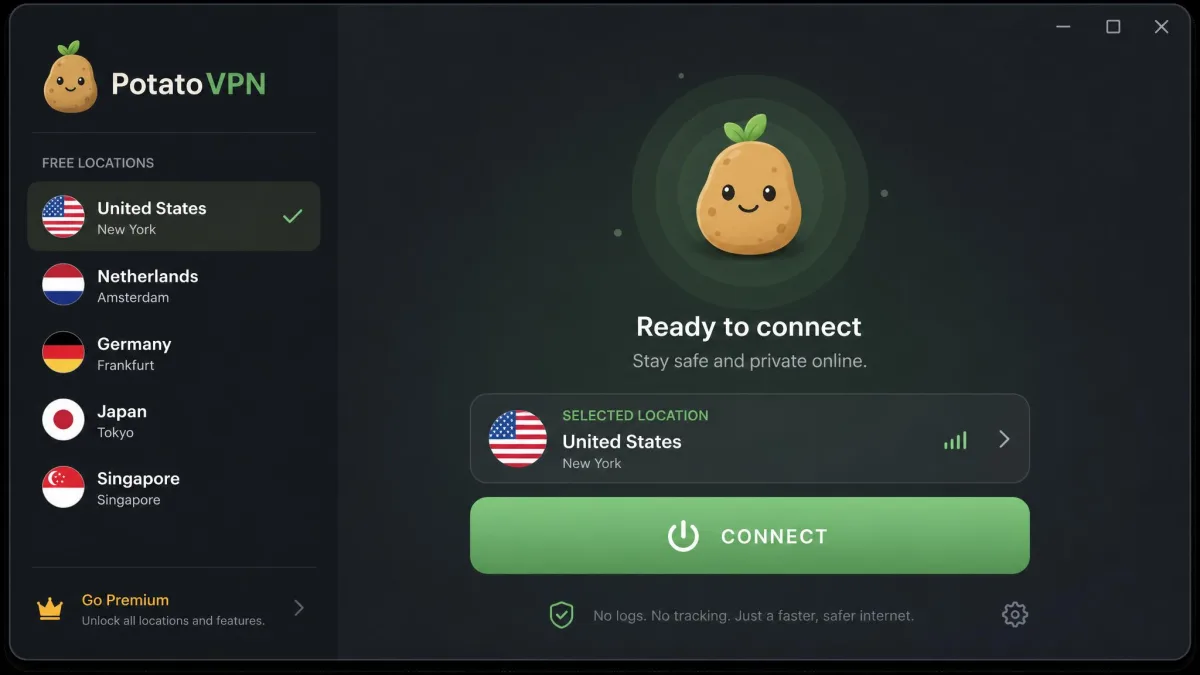
PotatoVPN keeps its feature set deliberately narrow. Every connection uses AES 256-bit encryption, and the app runs on a virtual server network with dedicated streaming servers aimed at Netflix, Prime Video, and Max. It offers a multi-protocol stack built on UDP, TCP, and TLS variants, though it does not expose OpenVPN or WireGuard, the two protocols most privacy-focused users expect in 2026.
The gaps matter more than the inclusions. There is no kill switch, so a dropped connection can expose your real IP without warning. There is no split tunneling, no port forwarding, no dedicated IP, and no browser extension. Linux and router support are both absent. This is a phone-first VPN that also happens to run on a desktop, not a full toolkit.
If a kill switch matters to you, and for most privacy use cases it should, PotatoVPN cannot cover you. The app has no way to block traffic when the tunnel drops.
Speed and Performance
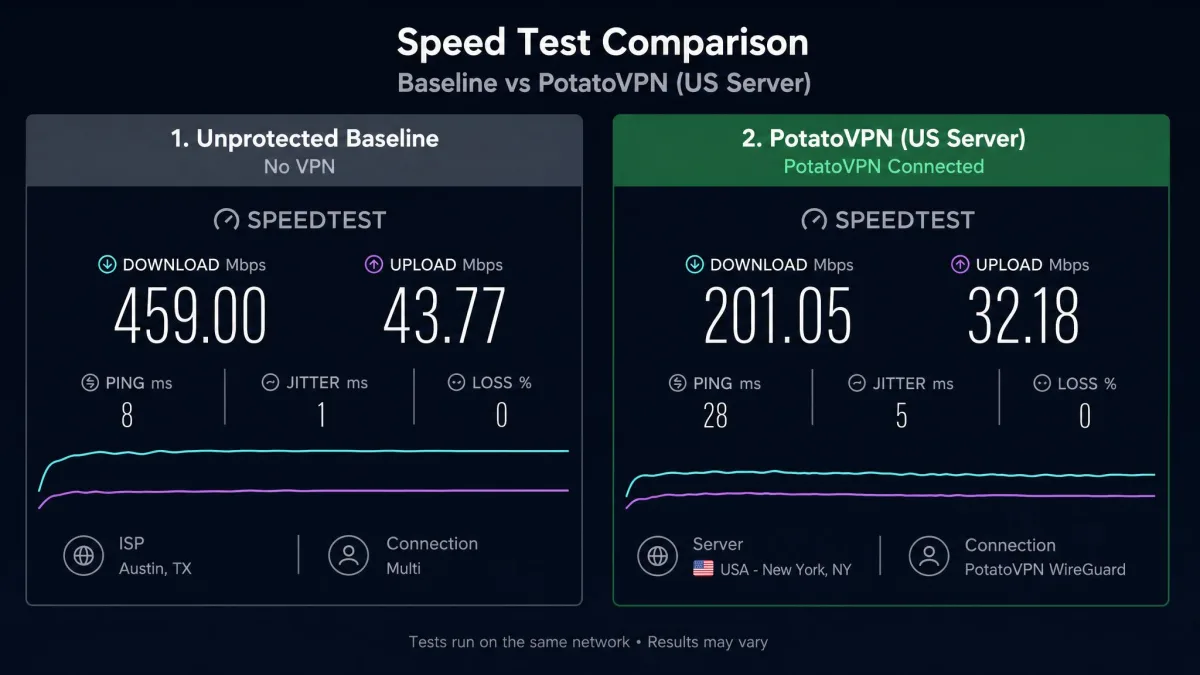
Speed is where PotatoVPN lost us fastest. On our test connections the download loss was steep across the board, and nearby servers were barely faster than distant ones, which is the opposite of what a healthy network should do. A US East Coast route measured roughly 201 Mbps against a 459 Mbps unprotected baseline, and on other servers the drop pushed well past 90 percent.
The desktop app added a second problem. It dropped the connection every couple of minutes with no notification, so we would look up to find ourselves unprotected mid-task. On Android, the first connection attempt was consistently slow to establish, which turns a quick "protect me now" tap into a wait. Speeds like these are usable for light browsing on a good day, but they leave no headroom for large downloads or video calls.
On our bench a nearby server barely outran a distant one, which tells you the network, not the distance, is the bottleneck.
Streaming and Unblocking
Streaming results were mixed at best and mostly disappointing. Netflix did load on the dedicated streaming servers, but it buffered constantly and dropped to standard definition, so what you get is technically Netflix and practically unwatchable for anything you care about. That is a poor showing given how prominently the app markets its streaming servers.
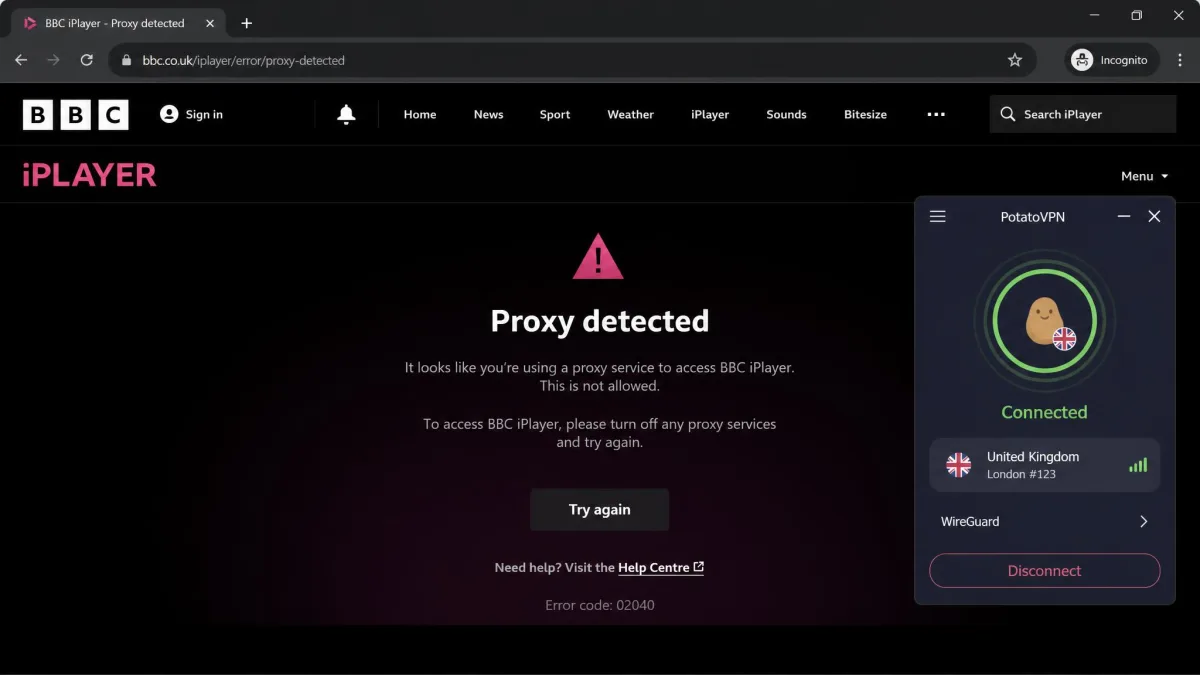
The blocked platforms were worse. Disney+, Hulu, and BBC iPlayer all stayed locked, and BBC iPlayer detected the VPN outright and served its proxy error. If a specific streaming library is your reason for paying, PotatoVPN is not a safe bet, and we would steer you toward a service built for unblocking instead.
Security and Encryption
On paper the encryption is fine. PotatoVPN uses AES 256-bit encryption on every connection, which is the same cipher standard the best VPNs rely on. Encryption strength is not where this app falls down.
The weaknesses are structural. Without OpenVPN or WireGuard, you are trusting proprietary protocol variants that have not been independently vetted. We found no evidence of any third-party security audit, so there is no outside confirmation that the apps do what they claim. Add the missing kill switch and the frequent desktop drops, and the practical security picture is shakier than the 256-bit badge suggests.
No independent audit means no outside party has verified PotatoVPN's privacy and security behavior. For a VPN, that is a meaningful gap, not a technicality.
Privacy and Logging Policy
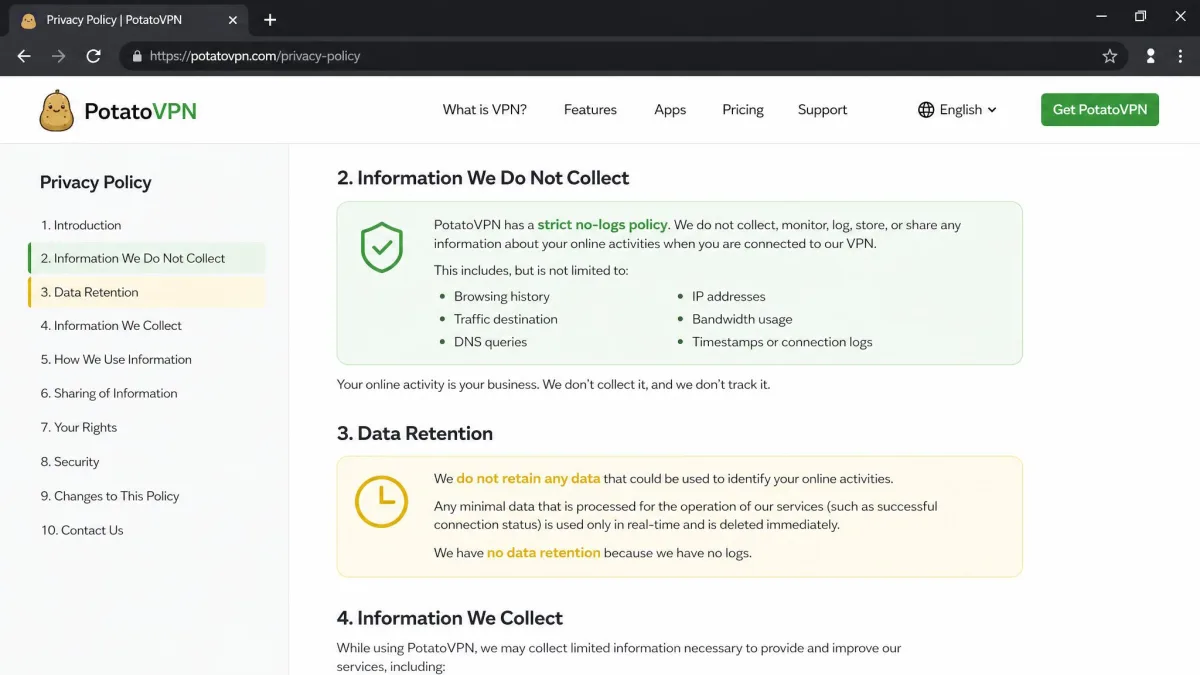
This is the section that decides the review. PotatoVPN advertises a no-logs policy and says it does not store your original IP address or usage logs. Its Singapore base sits outside the 14 Eyes intelligence-sharing alliance, which is a genuine point in its favor for jurisdiction.
The problem is that the no-logs claim does not match the behavior. Connection metadata, including protocol details, timestamps, and network information, appears to be retained for a day or two before deletion. Short-term retention is not the same as no logs, and the gap between the marketing and the practice is exactly the kind of thing a privacy-first user cannot ignore. A no-logs promise is only worth as much as the audit behind it, and here there is none.
Server Network and Locations
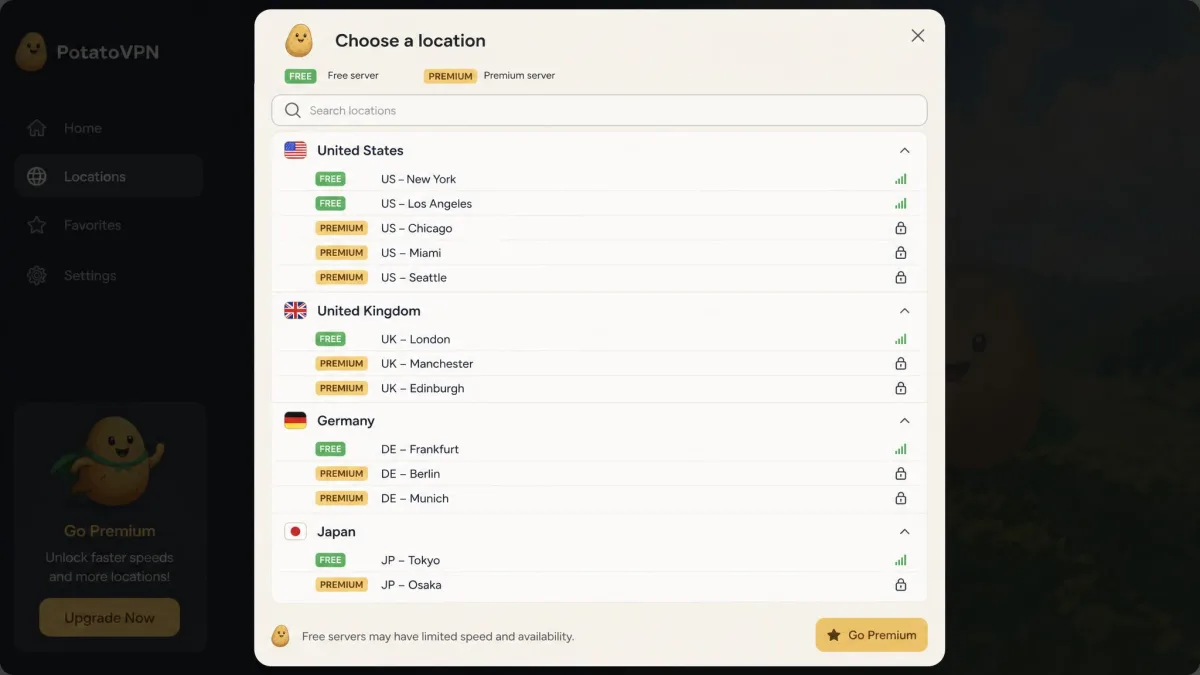
PotatoVPN does not publish a clear server or country count, and the figures that circulate do not line up, so we treat the size of the network as unconfirmed. The free tier gives you a handful of locations, and the exact number is not clearly stated either. Practically, expect enough free locations to change your apparent country a few times over, but not the sprawling global map that premium VPNs advertise.
For a service that leans on location count as a selling point, the lack of a published, verifiable footprint is a red flag. We prefer VPNs that tell you exactly how many servers and countries you are paying for.
Free vs Premium: Pricing and Value
The free tier is the real draw, and it is also where most complaints land. The recurring gripes are weak free-tier value, undisclosed data caps, and a steady push toward a paid upgrade. The app is easy and it connects, but the free experience is engineered to make you want out of it.
Premium pricing runs $11.99 on a monthly plan, dropping to an effective $5.99 per month if you pay $71.99 for a year up front. A premium subscription covers five or six simultaneous connections, depending on the plan. The refund policy is not clearly stated, so we would not count on getting your money back if the service disappoints. At these prices, PotatoVPN competes directly with established VPNs that outperform it on nearly every metric we test.
Ease of Use and Apps (Installation & Device Support)
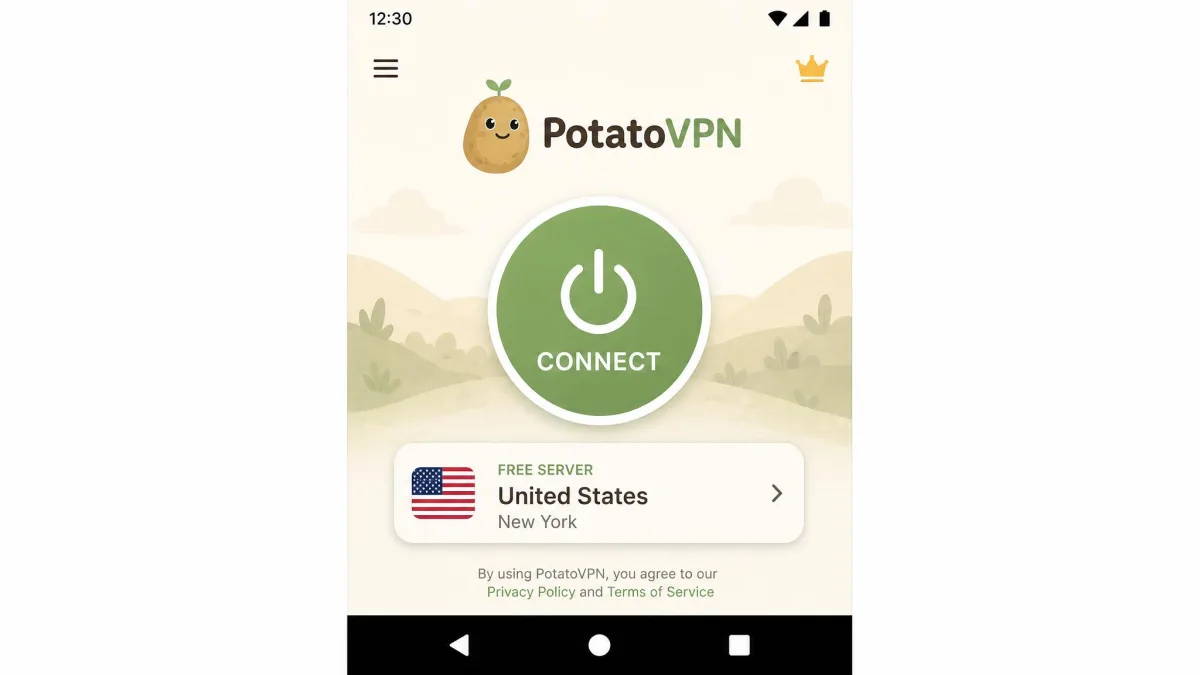
Credit where it is due: this is a friendly app to live with. Installation was quick on every platform we tried, and the one-tap connect screen is about as approachable as VPNs get, which is why buyers consistently praise how easy it is to use. PotatoVPN also connected on restricted networks where some rivals simply fail, and that reliability on locked-down Wi-Fi is a legitimate strength.
Device coverage is broad for a free app, spanning Windows, macOS, Android, iOS, and Amazon Fire TV. The Fire TV support in particular is a nice touch for casual streaming. The catch, again, is the desktop client's habit of dropping the connection silently, which undercuts the otherwise smooth experience. If you are new to VPNs and setting one up feels daunting, our guide on getting a VPN running walks through the basics.
Customer Support
Support is email-only, with no live chat, which already puts PotatoVPN behind the VPNs that staff round-the-clock chat. When we needed answers, the replies were knowledgeable but slow, and anything involving a refund dragged noticeably.
For a casual user this may be tolerable, since most sessions never need support at all. But if you hit a billing problem or a connection issue you cannot solve yourself, be prepared to wait. Slow support plus an unclear refund policy is an uncomfortable combination.
Is PotatoVPN Safe and Legit?
PotatoVPN is a real, widely used app, not a scam. It has passed 10 million downloads, holds a 4.5-star rating on Google Play, and sits at 4.7 stars across roughly 107,000 App Store ratings. Those numbers reflect an app that installs cleanly and does what most casual users expect.
"Safe," though, is a higher bar than "legit." Free VPNs deserve extra caution as a category: a well-known study of free VPN apps found that a large share carried tracking libraries or worse. PotatoVPN's own no-logs claim is undercut by short-term data retention, and there is no independent audit to reassure you. It is safe enough for low-stakes browsing on public Wi-Fi. It is not the VPN we would trust with anything sensitive.
The strongest case for PotatoVPN is a casual one: free, easy, and reliable on restricted networks. The moment your needs turn to streaming, privacy, or speed, the case falls apart.
PotatoVPN Alternatives
If PotatoVPN's limits rule it out, the good news is that there are stronger PotatoVPN alternatives in the free VPN field. The table below sets PotatoVPN's headline specs next to the trade-offs to weigh when you shop around.
| Feature | PotatoVPN |
|---|---|
| Monthly price | $11.99 |
| Annual price | $71.99/yr ($5.99/mo) |
| Free tier | Yes, limited locations |
| Encryption | AES 256-bit |
| Kill switch | No |
| WireGuard | No |
| Jurisdiction | Singapore |
| Simultaneous devices | 5 to 6 |
| Support | Email only |
For streaming and privacy, a paid mainstream VPN will outclass PotatoVPN on every axis we test. If free is non-negotiable, look for a free tier that publishes its data cap, offers a kill switch, and has submitted to an independent audit, none of which PotatoVPN currently does. Our roundup of the best free VPNs we have tested is a better starting point than settling here.
Quick Verdict & Rating
PotatoVPN earns its downloads on ease of use and free access, then loses the argument on speed, streaming, privacy, and support. It is a fine "I just need to look like I am somewhere else for a minute" tool and a poor choice for anything that matters. Independent test labs have ranked it near the bottom of the field, and our own testing lands in the same place.