McAfee's VPN is easy to switch on, and it comes bundled with software many people already pay for. The trouble starts once you ask more of it. Streaming libraries fail to load, the kill switch is missing on iPhone, and turning off auto-renewal shrinks your data allowance to 500 MB a month. For a VPN that is supposed to keep your online activity private, those gaps add up.
We put McAfee's VPN side by side with seven dedicated services and checked what matters in daily use: speed loss, leak protection, streaming, device limits, audits and real pricing after the first year. Our scores come from our own review pages, and the section on how we tested explains exactly what we compared.
Quick Picks: Best McAfee VPN Alternatives
Here is the full ranked list, with the reasons each one earned its spot:
- NordVPN - best overall, 9.0/10
- Surfshark - best for unlimited devices, 8.6/10
- Proton VPN - best free plan and privacy, 9.0/10
- ExpressVPN - best for streaming and ease of use, 8.8/10
- Private Internet Access - best budget option, 8.4/10
- CyberGhost - best for beginners, 8.4/10
- Bitdefender Premium VPN - best antivirus-bundled alternative, 7.2/10
Why Look for a McAfee VPN Alternative?
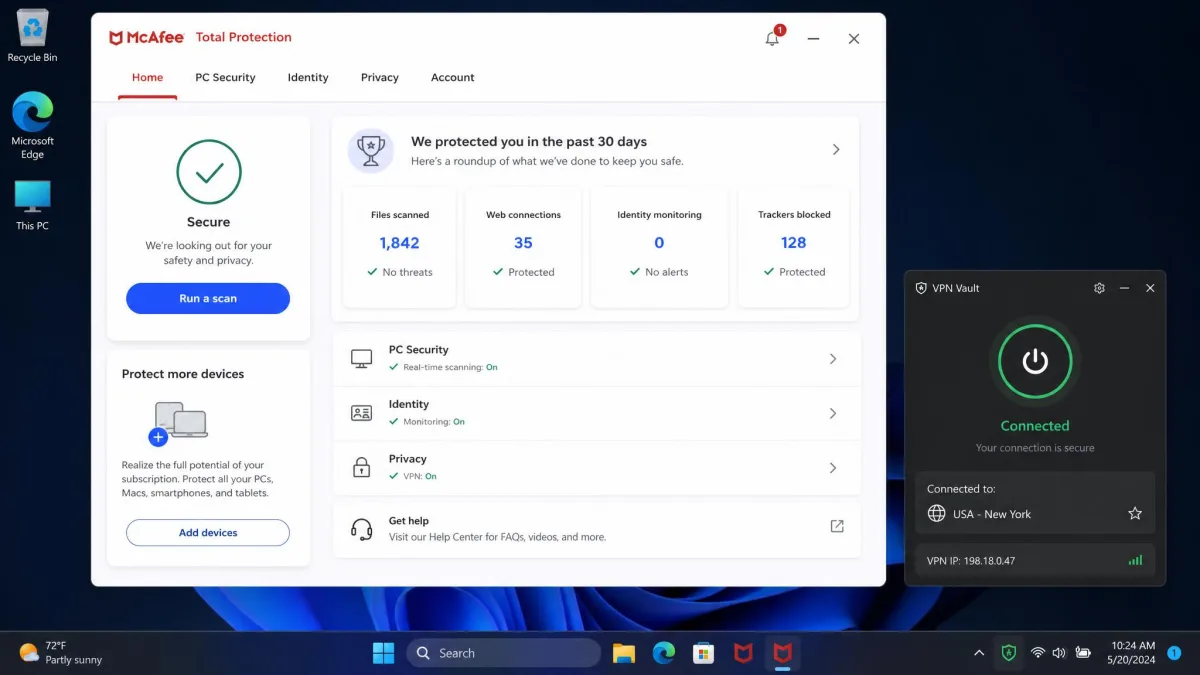
McAfee's VPN has shipped under two names: the standalone Safe Connect app and Secure VPN inside McAfee+ and Total Protection bundles. It is the same service either way, and in our McAfee VPN review it scored 6.0/10. The good parts deserve a mention. Connecting takes a single tap and finishes in under three seconds, there is no protocol menu to learn, and IP, DNS and WebRTC leak tests came back clean. It uses AES-256 encryption, the same standard every pick below relies on.
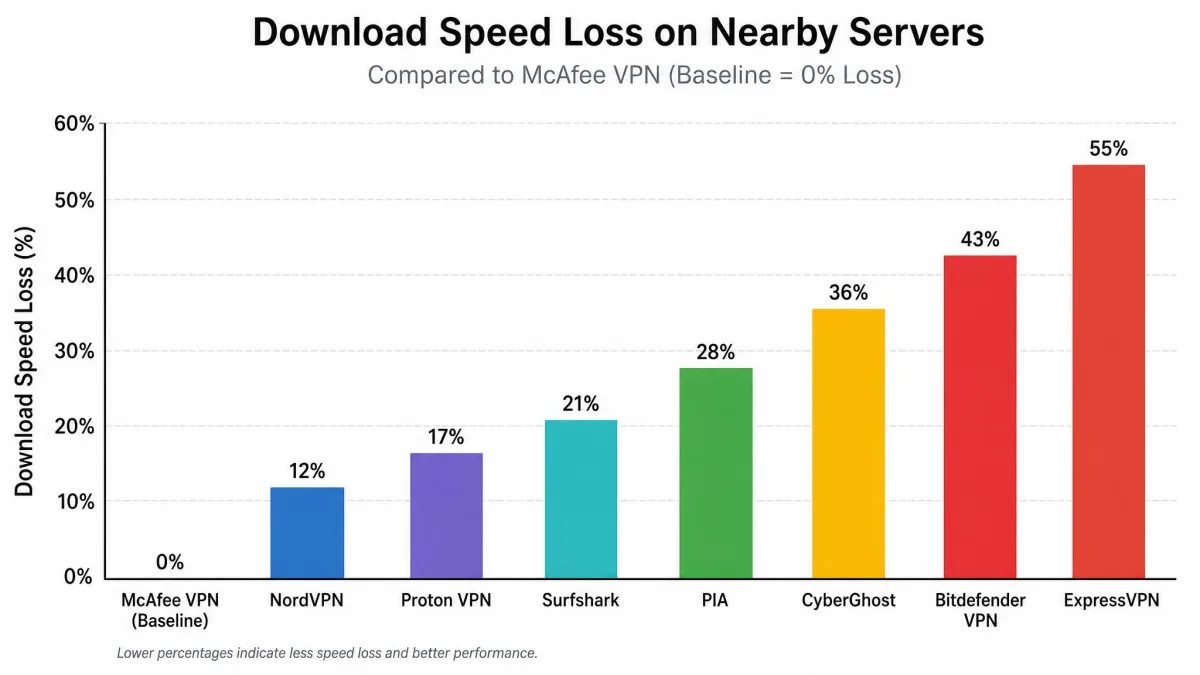
The weak spots show up quickly, though. Speed swings widely by route and by day. On some routes the loss is small, about 2 percent locally and 11 percent internationally. On others it collapses: from a fast line, we lost about 54 to 60 percent to Asian and US endpoints. UK and Australian servers cost around 97 percent. That inconsistency is a problem when you need a steady connection.
Streaming is the bigger disappointment. Netflix unblocked only about 40 percent of the time for us, and Disney+, BBC iPlayer and Prime Video frequently failed. Hulu, Max, DAZN and ITVX can all block the connection too.
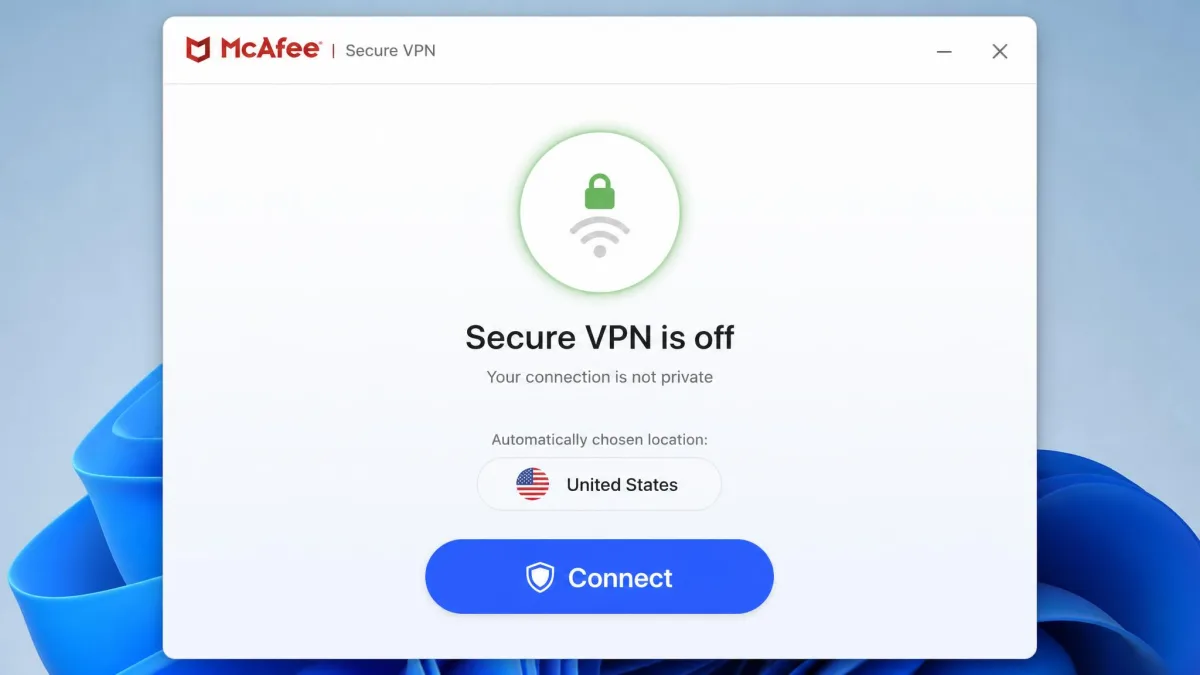
Those are the performance issues. Security and policy gaps round out the list.
- No kill switch on iOS. The kill switch works on Windows and Android only. The connection can drop at random, and on an iPhone your real IP address is exposed when it does.
- No independent no-logs audit. McAfee has published no audit and no transparency report, and it is headquartered in San Jose, California, inside the Five Eyes alliance. McAfee's privacy policy is broad and vague about VPN connection data, so it is unclear exactly what it keeps.
- Limited device support. There are no Linux, Fire TV, Android TV, Apple TV, router or browser-extension apps. Standard plans allow 5 devices, which is tight for a family.
- Auto-renewal pressure. According to McAfee's Total Protection plan terms, unlimited VPN data applies only while auto-renewal stays on. Switch it off and you drop to 500 MB a month.
- Support built for antivirus. When we asked VPN-specific questions, support staff gave generic answers geared to malware issues.
Pricing also moves around. Entry VPN access starts from $29.99 for the first year and renews at $89.99, about triple. McAfee sells the VPN inside several bundles with promotional first-year prices that change often and renew much higher, so the number on your invoice depends on which bundle you bought.
McAfee's VPN is fine for a quick layer of protection on café Wi-Fi. It falls short as soon as you want to stream, torrent, or protect an iPhone with a kill switch.
How We Tested These VPNs
We scored every VPN on this page with the same criteria we use across our VPN reviews, and the ratings below come directly from those review pages.
For each one, we compared six things.
- Speed loss on nearby and distant servers, measured against the unprotected connection on the same line.
- Leak protection, including IP, DNS, IPv6 and WebRTC checks, plus whether the kill switch actually cut traffic when the tunnel dropped.
- Streaming, by trying Netflix in several regions along with Disney+, Hulu, Prime Video and BBC iPlayer.
- Privacy, covering jurisdiction, published no-logs audits and whether the apps are open source.
- Apps and usability, including platform coverage, TV support, device limits and how quickly a new user can connect.
- Pricing, looking at monthly cost, long-term intro rates, renewal jumps and refund terms.
McAfee's VPN served as the baseline, so every pick had to beat it clearly on at least one of these areas without falling behind on the rest.
Best McAfee VPN Alternatives
Each pick below lists pricing, pros and cons, and who it suits best. We ranked them by how well they fix McAfee's specific weak spots, not just by raw score.
1. NordVPN - Best Overall McAfee VPN Alternative
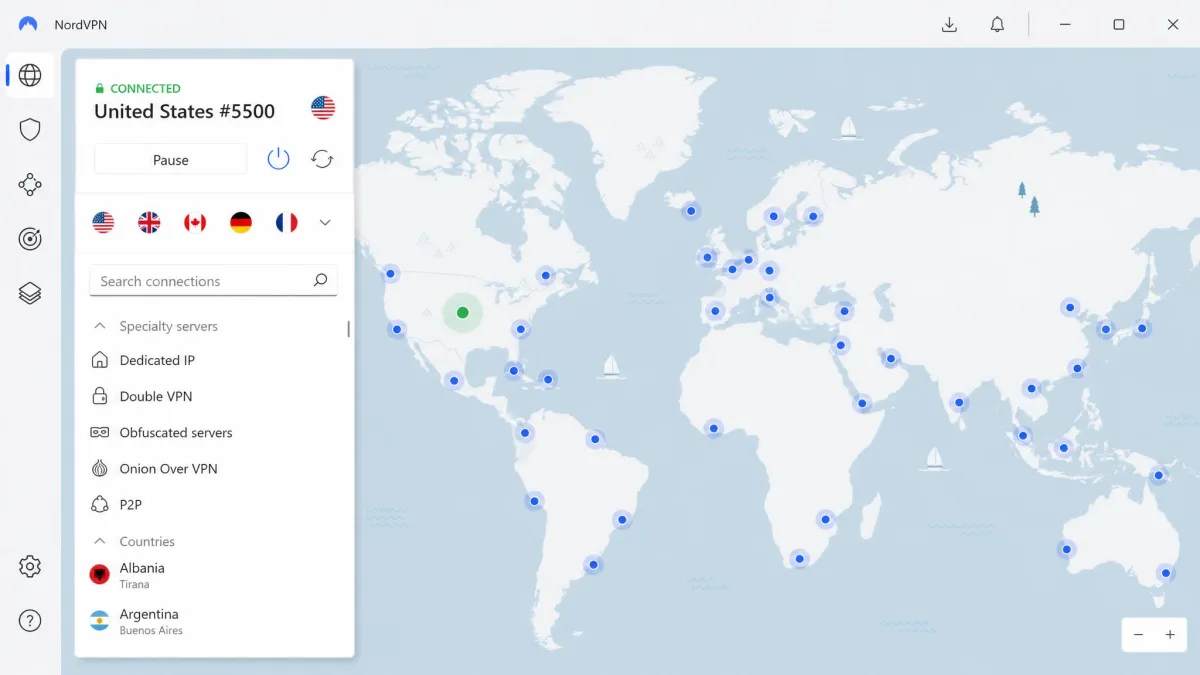
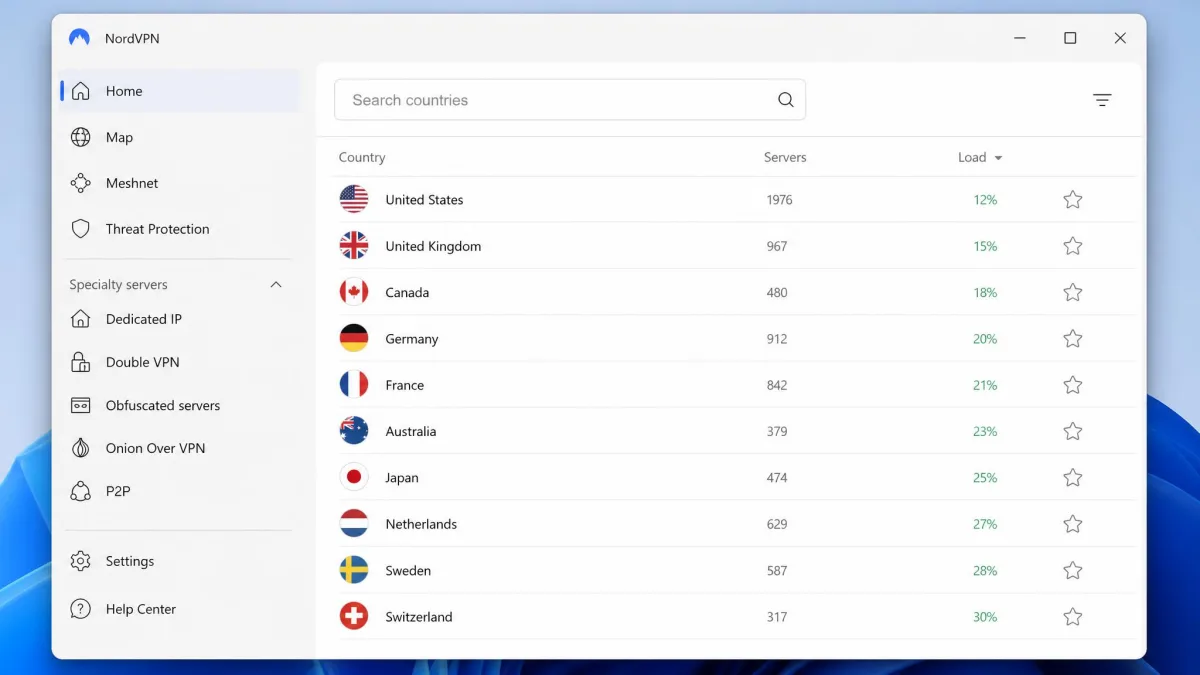
NordVPN scored 9.0/10 in our review, and it fixes nearly every complaint we had about McAfee. On nearby servers we lost only about 4 percent of download speed and 7 percent of upload, and 4K streams played without buffering. Netflix, Hulu, BBC iPlayer and Prime Video unblocked reliably, which is the gap McAfee users feel most keenly.
Privacy is on firmer ground too. NordVPN is based in Panama and runs RAM-only servers. It has also completed a sixth Deloitte no-logs assurance engagement, with fieldwork in late 2025. The feature list goes well past McAfee's. It includes NordLynx (WireGuard-based), obfuscated servers, P2P servers, Onion Over VPN, post-quantum encryption, and Threat Protection Pro, which blocks malware downloads, trackers and ads. Double VPN is available on preset server pairs. It cut our speed by around 80 percent, though. We keep it for sensitive sessions only.
A few things take some getting used to. The map view needs zooming before you can pick a server, and we found the list view quicker. Live chat opens with a chatbot before a human takes over. App-based split tunneling works on Windows, Android and Android TV, but not on macOS or iOS. There is also no inbound port forwarding, which matters to some torrent users.
Pros
- Small speed loss on nearby servers and smooth 4K streaming
- Reliable unblocking for Netflix, Hulu, BBC iPlayer and Prime Video
- Sixth Deloitte no-logs audit and RAM-only servers
- 10 devices, twice McAfee's standard allowance
Cons
- Double VPN cuts speed by around 80 percent
- No split tunneling on macOS or iOS
- No port forwarding
Pricing: $14.99 on a monthly term. The 2-year Basic plan runs about $3.39 to $3.49 a month, since NordVPN's frequent promotions move that rate. It includes a 30-day money-back guarantee, and you can pay with cards, Google Pay, Apple Pay or Bitcoin.
Who it suits: Anyone who wants one VPN that streams, stays fast and has an audited privacy record.

2. Surfshark - Best for Unlimited Devices
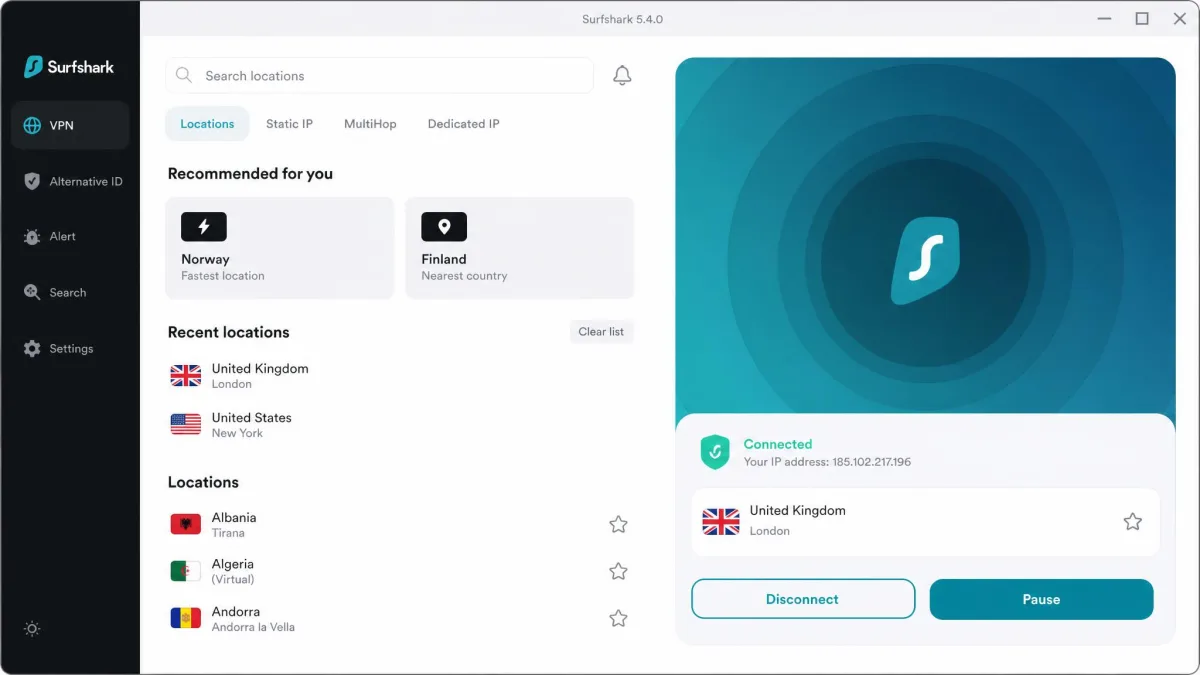
McAfee caps standard plans at five devices. Surfshark allows unlimited simultaneous connections on every plan, so one subscription covers every phone, laptop and TV in the house. It scored 8.6/10 with us.
Performance held up well. Downloads slowed by only about 10 percent on a transatlantic server on macOS, although the Windows app showed bigger slowdowns and occasional ping spikes. WireGuard connections reached 637 to 752 Mbps on US servers on a fast line. Netflix opened in more than 15 regional libraries, along with Max, Disney+, Hulu and BBC iPlayer. The native Android TV, Apple TV and Fire TV apps made TV setup simple, which McAfee cannot match at all.
The kill switch held in our checks, and we saw no IPv4, IPv6, DNS or WebRTC leaks. Surfshark is registered in the Netherlands, and Deloitte verified its no-logs policy in 2023 and again in 2025. Extras include the CleanWeb ad and tracker blocker, Camouflage obfuscation, Dynamic MultiHop, Nexus IP rotation and Bypasser split tunneling. MultiHop slows connections significantly, though, and the apps are not open source.
Pros
- Unlimited devices on every plan
- Native apps for Android TV, Apple TV and Fire TV
- Clean leak tests and a kill switch that held
- Deloitte-verified no-logs policy
Cons
- Month-to-month plan is among the priciest in the category
- Windows app showed ping spikes
- Crypto checkout only on the website, not in the mobile apps
Pricing: Starter costs $2.49 a month on the 2-year plan, billed $67.23 for 27 months, and renews at $79 a year. Month-to-month runs roughly $15 to $16, since the price differs by region and tax. A 30-day money-back guarantee applies, including crypto payments via CoinGate.
Who it suits: Families and households with lots of devices, plus anyone who wants a VPN on a smart TV.

3. Proton VPN - Best Free Plan and Privacy
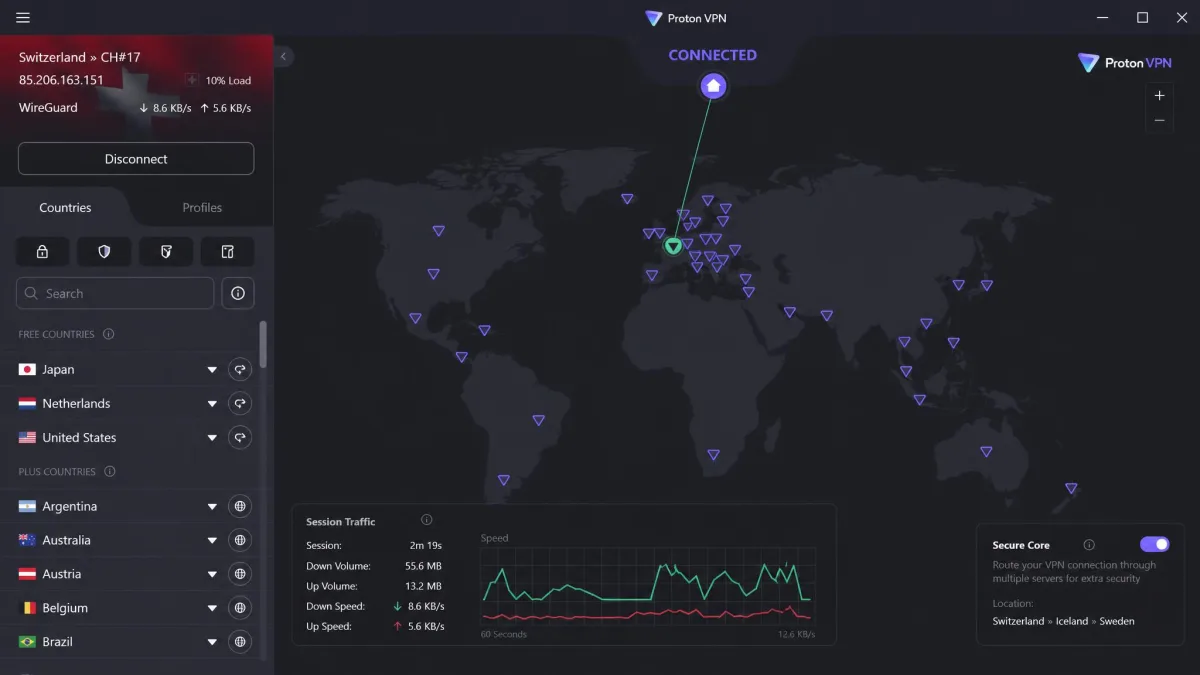
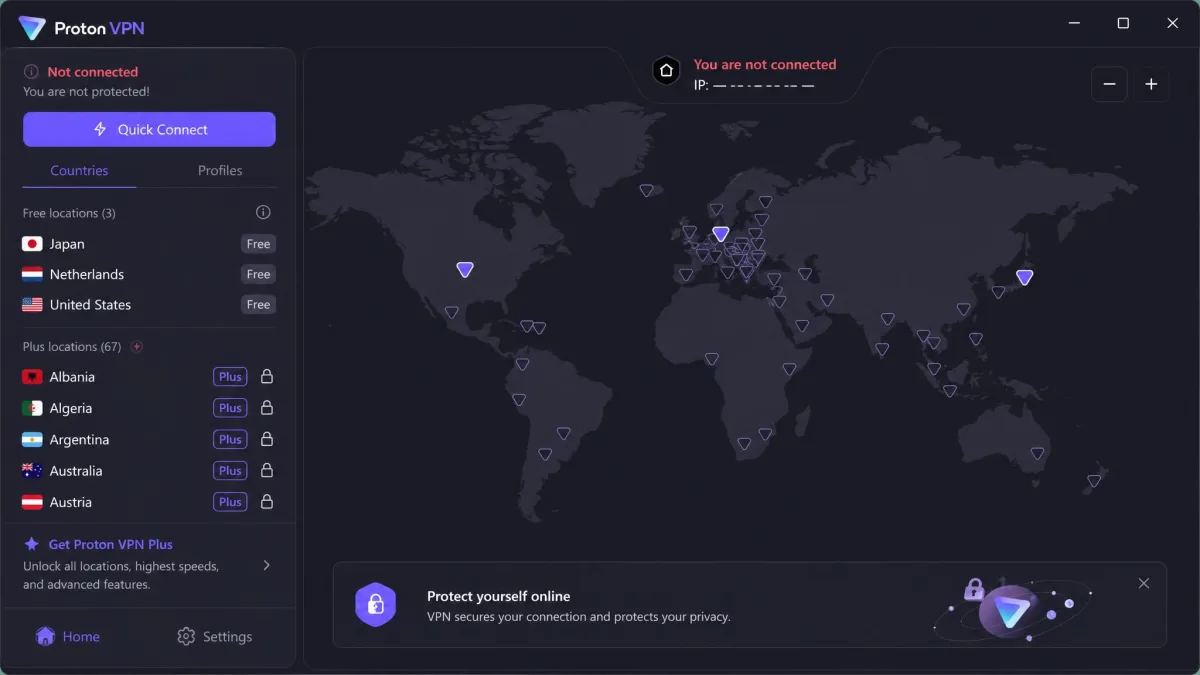
McAfee's free tier stops at 500 MB a month on one device. Proton VPN's free plan has no data limit and no ads, with servers in 10 countries that are picked for you. That makes it the obvious free replacement for McAfee, and the paid VPN Plus plan scored 9.0/10 in our review.
Proton is the strongest privacy pick here. It is run by Proton AG in Switzerland. Its apps have all been open source since 2020, and Securitum audits its no-logs policy every year, most recently in 2026 for the fifth time. Secure Core sends traffic through entry servers in Iceland, Switzerland or Sweden first, and it is on all paid plans. NetShield blocks ads, trackers and malware domains.
On nearby servers we kept about 90 percent or more of our baseline download speed, and distant servers averaged around three-quarters. Upload speeds trail NordVPN. The US Netflix library loaded without server-hopping, and DNS, IPv6 and WebRTC leak tests stayed clean across dozens of countries. Built-in profiles made a torrenting setup quick, and port forwarding works on P2P servers in the Windows, macOS and Linux apps. Live chat is not 24/7, running roughly 9am to midnight CET.
Pros
- Free plan with no data cap and no ads
- Open-source apps and annual Securitum audits
- Swiss jurisdiction and Secure Core multi-hop
- Port forwarding on P2P servers
Cons
- Upload speeds trail NordVPN
- Live chat is not available around the clock
- Free plan covers 1 device and picks the server for you
Pricing: VPN Plus costs $9.99 a month on the monthly plan, $3.99 a month on 1 year, or $2.99 a month on 2 years. Renewal runs about $83.88 a year, though Proton's renewal rates shift with regional pricing and currency. Paid plans cover 10 devices and carry a 30-day money-back guarantee. You can pay with cards, PayPal, cash, bank transfer or Bitcoin.
Who it suits: Privacy-first users, and anyone who wants a free VPN that does not run out of data.
4. ExpressVPN - Best for Streaming and Ease of Use
ExpressVPN has the most polished apps of the group, and it scored 8.8/10 with us. If you liked McAfee's one-tap simplicity, this is the closest experience with far more under the hood. Netflix libraries in several countries, ESPN+ and Hulu streamed without issues.
Speed is its trade-off. Downloads fell by roughly 37 to 39 percent on nearby servers, more than NordVPN or Proton VPN. The Network Lock kill switch cut traffic as it should when a server timed out or our network changed. KPMG gave the privacy policy an ISAE 3000 assurance in 2025. The company is based in the British Virgin Islands and owned by Kape Technologies, which also owns CyberGhost and Private Internet Access. Features include the Lightway protocol, RAM-only TrustedServer technology, split tunneling, automatic obfuscation, and apps for routers, Apple TV, consoles and browsers.
Pros
- Most polished apps in this roundup
- Strong streaming across Netflix regions, ESPN+ and Hulu
- Kill switch fires reliably
- Apps for routers, consoles and browsers
Cons
- Bigger speed loss than NordVPN or Proton VPN
- Costs more than NordVPN and Surfshark on comparable terms
- No free plan
Pricing: Basic costs $12.99 billed monthly. The 2-year rate sits around $2.79 a month, though it moves with promotions and bonus months and renews at about $99.95 a year. Basic covers 10 devices (Advanced 12, Pro 14), with a 30-day money-back guarantee.
Who it suits: Streamers and less technical users who want an app that just works.

5. Private Internet Access - Best Budget Option
PIA scored 8.4/10 and gives you more for less than any other pick. It allows unlimited simultaneous connections. Its apps are open source, and Deloitte completed its third no-logs assurance in December 2025. Speed loss was small, about 4 percent on local servers and 18 percent internationally, though mobile upload speeds dropped to around 70 percent of baseline.
Power users get plenty here. Port forwarding works on all servers except US locations. Torrenting with it cost us only about 4 percent of speed. The forwarded port does change on every reconnect. PIA covers 91 countries plus all 50 US states, and encryption is customizable between AES-128 and AES-256. Multi-Hop routes you through a Shadowsocks or SOCKS5 proxy first, which makes it unsuitable for gaming or video calls.
The catch is streaming. US and UK Netflix no longer worked for us, and Disney+ and Hulu detected the VPN. The desktop app's long settings list can overwhelm beginners at first, but it gets easier once you have tuned it.
Pros
- Unlimited devices at a low price
- Open-source apps and a Deloitte no-logs audit
- Port forwarding outside the US
- Servers in all 50 US states
Cons
- Weak streaming for Netflix, Disney+ and Hulu
- US jurisdiction
- Auto-renewal is on by default and refunds need a support request
Pricing: $11.95 for one month, $3.99 a month on 1 year, and about $2.03 a month on the longest deal. PIA rotates its long-term deal length and bonus months, so the intro rate and term differ by date and region. New subscribers get a 30-day money-back guarantee, and you can pay by card, PayPal or crypto through BitPay.
Who it suits: Budget-conscious users, torrenters and tinkerers who care more about control than streaming.

6. CyberGhost - Best for Beginners
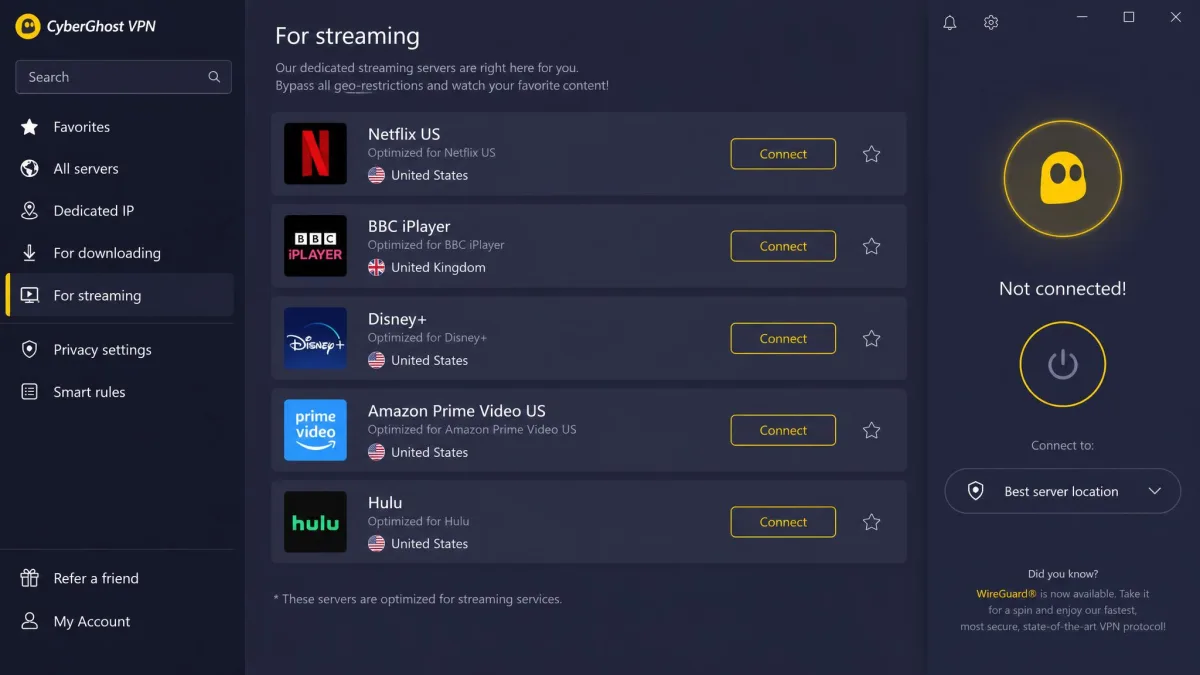
CyberGhost scored 8.4/10 and is the easiest step up from McAfee for someone who does not want to think about settings. The app connected to a nearby server in under ten seconds on first launch, and switching protocols took about four seconds without dropping the connection. Dedicated streaming servers are labelled by platform, and Netflix US, BBC iPlayer, Disney+ and Prime Video loaded on the first try.
The kill switch tripped within about two seconds on Android and triggered reliably across repeated disconnects. Deloitte has audited the no-logs policy three times, most recently in a report published in February 2026. CyberGhost is operated from Romania and has been owned by Kape Technologies since 2017. It also offers NoSpy servers, dedicated torrenting servers and 24/7 live chat.
Long-distance connections are its weak spot. Downloads dropped by more than 55 percent on Australia and South Africa servers, while nearby servers lost about 20 percent. Streaming servers also threw CAPTCHA checks on websites fairly often.
Pros
- Labelled streaming servers that work on the first try
- Fast, reliable kill switch on Android
- 45-day money-back guarantee on longer plans
- Three Deloitte no-logs audits
Cons
- Large speed drops on long-distance servers
- 7-device cap fills up quickly in a busy household
- First renewal roughly doubles the effective monthly rate
Pricing: $2.19 a month on the 26-month plan, billed $56.94 up front, with Privacy Guard and ID Guard included. That plan renews at $56.94 per 12 months, about $4.75 a month. The auto-renew toggle is easy to miss. The 6-month plan costs $6.99 a month and the monthly plan $12.99. The 6-month and 26-month plans carry a 45-day refund window. The monthly plan gets 14 days.
Who it suits: First-time VPN users who want streaming to just work with minimal setup.
7. Bitdefender Premium VPN - Best Antivirus-Bundled Alternative
If you want to keep a VPN inside your antivirus suite, Bitdefender is the closest like-for-like swap, and it scored 7.2/10 in our review. Premium VPN covers up to 10 devices, twice McAfee's standard allowance. It runs on Hotspot Shield's Catapult Hydra protocol and network alongside WireGuard, so Bitdefender does not operate its own servers.
The apps are clean, install quickly, and the dashboard recommends a server automatically. Nearby servers cost roughly 10 to 23 percent of download speed, which is fine for browsing and HD streaming. Ping on Windows spiked sharply on distant servers, though, making video calls feel laggy. Netflix US, Canada, UK and Australia unblocked on Premium along with Hulu, Disney+ and BBC iPlayer, but access is inconsistent, and a library that loads one session can fail the next.
Its kill switch is a weak point. It can fail to cut traffic when the tunnel drops and is not always on by default. Bitdefender says an independent no-logs audit took place in 2025, but it names no auditor and publishes no report, so the scope cannot be checked. The free tier gives 200 MB a day, which runs out after roughly 10 minutes of video. If Bitdefender still does not fit, our guide to Bitdefender VPN alternatives covers the next options.
Pros
- Easy switch for suite users who want antivirus and VPN together
- 10 devices on Premium VPN
- Clean, quick-to-install apps
- 7-day free trial with no credit card
Cons
- Kill switch can fail when the tunnel drops
- Streaming access is inconsistent
- No Linux app or browser extensions
Pricing: Premium VPN costs $6.99 billed monthly. The first year on the annual plan is roughly $2.50 to $3.33 a month, since Bitdefender's promotional price changes with regional sales. It renews at about $5.83 a month. Paid plans carry a 30-day money-back guarantee, and Android 5.1 or later is required on phones.
Who it suits: People who want antivirus and VPN from one company and one bill.

McAfee VPN vs the Alternatives: Comparison Table
This table lines McAfee's VPN up against all seven picks on the features that matter most when you switch.
| Product | Buy | Price | Devices | Servers/countries | No-logs audit | Kill switch | Streaming | Free plan |
|---|---|---|---|---|---|---|---|---|
|
Check price → | ~$3.39/mo (2 yr) | 10 | ~9,300 servers | Deloitte (6th) | Yes | Strong | No |
|
Check price | $2.49/mo (2 yr) | Unlimited | 4,500+ / 100 | Deloitte 2023 + 2025 | Yes | Strong | No |
|
Check price | $2.99/mo (2 yr) | 10 | 140+ countries | Securitum (annual) | Yes | Good | Yes, no data cap |
|
Check price | ~$2.79/mo (2 yr) | 10 (Basic) | 105-113 countries | KPMG 2025 | Yes | Strong | No |
|
Check price | ~$2.03/mo (long plan) | Unlimited | 91 countries + 50 US states | Deloitte 2025 | Yes | Weak | No |
 |
$2.19/mo (26 mo) | 7 | 100+ countries | Deloitte (3rd, 2026) | Yes | Strong | No | |
|
Check price | ~$2.50-$3.33/mo (1st yr) | 10 | 3,000+ servers | Unnamed, no report | Mixed | Mixed | 200 MB/day |
 |
$29.99 1st yr | 5 | ~2,000 servers | None | Windows/Android only | Poor | 500 MB/mo |
Prices are intro rates on the longest standard term, and most renew higher. McAfee's VPN runs on about 2,000 servers; McAfee does not publish an official country count.
How to Choose a McAfee VPN Alternative
With the table in mind, the right choice depends on why McAfee stopped working for you. Start with the problem, then match it to a feature.
Streaming. If failed Netflix or BBC iPlayer sessions pushed you away, favor NordVPN, ExpressVPN, Surfshark or CyberGhost. PIA is the one pick here we would not buy for streaming.
Device count. Count every phone, laptop, tablet and TV stick in your home. Five devices goes fast, and even CyberGhost's seven can fill up. Surfshark and PIA remove the limit entirely.
Privacy proof. A no-logs claim means little without an audit. Every pick except Bitdefender has a named independent auditor, which McAfee's VPN lacks entirely.
Kill switch on every device. If you use an iPhone, check that the kill switch actually works there. It is the feature that stops your real IP from leaking when the tunnel drops.
Renewal price. Look past the first-year rate. Most VPNs, McAfee included, renew higher, and CyberGhost's effective rate roughly doubles at the first renewal.
Use the money-back guarantee as your test period. Install the VPN on every device you own in the first week, try your usual streaming services, and request a refund within the window if it does not fit.
Before you cancel McAfee, open your McAfee account, go to your subscription settings, and check whether the VPN is part of a bundle with antivirus you still want. Turning off auto-renewal can also cap the VPN at 500 MB a month right away.
Do You Need a VPN If You Have McAfee?
Several picks above come as standalone apps, which raises a fair question. McAfee antivirus and a VPN do different jobs. Antivirus software scans files and blocks malware on your device. A VPN encrypts your internet traffic and hides your IP address from the networks and sites you connect to. One does not replace the other.
If your McAfee plan already includes Secure VPN, you have basic protection for public Wi-Fi at no extra cost. For light browsing on a laptop at a café, that may be enough. A dedicated VPN earns its cost if you want reliable streaming, need a working kill switch on an iPhone, use more than five devices, torrent and want port forwarding, or want a no-logs policy backed by an audit.
Many people keep McAfee for antivirus and add a separate VPN. That works fine, since most dedicated VPN apps run alongside security software without conflict. The one exception worth knowing is that running two VPN apps at once usually fails, so switch McAfee's VPN off before connecting to a new one.
Final Verdict
Your next step depends on what you keep. If you are staying with McAfee antivirus, add a standalone VPN rather than a second suite. Swapping to Bitdefender only makes sense if you plan to replace McAfee's antivirus too. Switch in a sensible order. Install the new VPN first and test it inside its refund window. Then turn off McAfee's VPN so the two apps do not clash. Cancel McAfee's renewal last, once you know which parts of the bundle you still use.