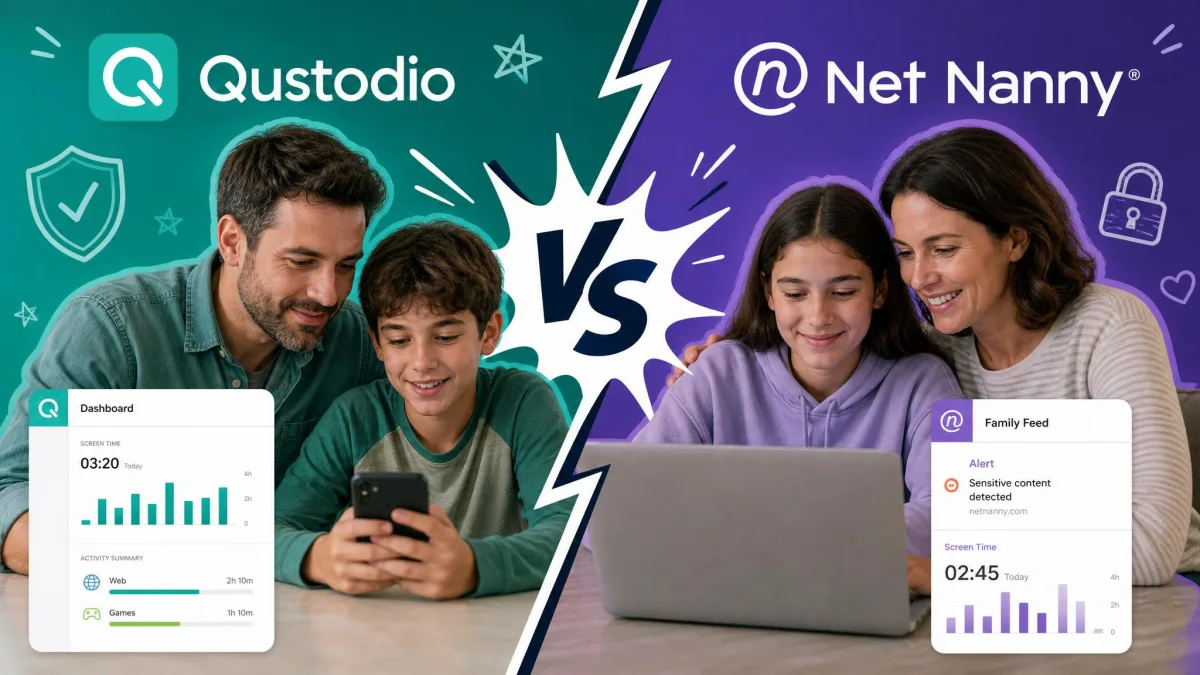
Trying to decide whether Net Nanny or Aura is the right guardrail for your family's devices? You are weighing two very different tools that happen to share a shelf. Net Nanny is the long-running web filter that parents have trusted for years. Aura is the newer, mobile-first app that bundles parental controls with full identity protection.
We set both up on real family devices and lived with them the way any parent would. We ran the filters against the sites children actually stumble onto, tested screen time schedules, checked whether alerts arrived when they should, and dug into the fine print on price. We also looked at how each app tracks daily activities and how easily a determined kid could avoid the controls. This guide walks through everything we found, feature by feature, to help you settle on the best fit for your household.
The short version: these apps solve overlapping problems in almost opposite ways. One leans on deep web filtering and location, the other on modern app monitoring and a security bundle. Which one wins depends entirely on the devices in your house and what you most want to keep an eye on.
Net Nanny vs Aura at a Glance (Quick Verdict)
If you want the fast answer, here it is. Aura is the app we would hand most families in 2026. It sets up in minutes, its filtering is genuinely hard for kids to sidestep, and it layers on per-app time limits and identity protection that Net Nanny simply does not offer. In our rating it lands well ahead of Net Nanny overall.
Net Nanny is not out of the running, though. Its web filtering evaluates individual pages, not just whole sites, and it caught inappropriate content Aura's category approach can also handle but from a different angle. It is also the only one of the two that tracks your child's location. If your kids are on iPhones, Macs, or Windows laptops, Net Nanny fits where Aura cannot reach.
The deciding factors usually come down to three things: which devices your kids use, whether you need location tracking, and whether an identity-protection bundle matters to you. Keep those in mind as you read the breakdown below. It is also worth deciding early whether you want an app that filters browsing or one that watches app activity, since that is another split between these two.

Side-by-Side Comparison Table
Here is how the two apps line up across the features parents ask about most. We built this from our own hands-on testing plus each vendor's current plans, so you can compare them at a glance.
| Product | Buy | Platforms | Price | Key spec |
|---|---|---|---|---|
 |
Check price → | iOS 16+, Android 12+ (mobile only) | $10/mo (Kids), $32/mo (Family) | Per-app limits + $5M identity protection |
 |
Check price | Windows, macOS, iOS (no Android) | $49.99–$129.99/yr | Deep per-page web filtering + location |
A quick note on reading that table. Aura's price is monthly and Net Nanny's is yearly, so the raw numbers are not directly comparable at a glance. We break the real annual cost down in the pricing section below.
Pricing and Plans
Price is where these two apps diverge most, and not just on the number. Net Nanny sells yearly device passes. Aura sells monthly subscriptions that get cheaper when billed annually. Comparing them fairly means looking at what a full year actually costs. As a rough rule, Net Nanny wins on raw yearly cost for a couple of devices, while Aura's price only makes sense once you want app-level control or the identity bundle under one bill.
Net Nanny Pricing
Net Nanny keeps its lineup simple with three device tiers billed once a year. The single-desktop plan runs Net Nanny's list price of $49.99 per year. The 5 Devices Family Protection Pass is $79.99 per year, and the 20 Devices pass is $129.99 per year. Net Nanny frequently discounts these, often around 30% off, so you may see lower numbers at checkout.
There is a catch worth flagging. Net Nanny offers only a 3-day free trial, and there is no permanent free version available. If you buy direct from the site, you do get a 14-day money-back guarantee on top of that trial, so you have a real return window if the app does not work out. Purchases made through the App Store or Google Play follow those stores' refund policies instead.
One more thing from our own billing experience: watch your card statement. Our review team was charged four separate times for a single subscription after disabling auto-billing, with charges showing up under both "Net Nanny" and "CW Acquisition Corp." It sorted out, but it took effort.
Aura Pricing
Aura's parental controls come two ways. The Kids or standalone parental-controls plan sits around $10 per month billed annually, though the exact standalone figure moves with promotions and plan naming, so confirm it on Aura's parental controls page at checkout. The Family plan is $32 per month billed annually and covers 5 adults plus unlimited kids and devices, and it is the tier that includes identity protection.
Over a full year, Aura's Kids plan works out to roughly $120, noticeably more than Net Nanny's single or 5-device passes. What you pay extra for is the app monitoring and, on the Family plan, the security bundle. Aura also gives you far more room to try it: a 14-day free trial and a 60-day money-back guarantee on annual plans, which is one of the most generous safety nets in the category.
Content and Web Filtering
Filtering is the core job, and both apps do it well, just differently. In our testing, Net Nanny's category-based web filtering blocked pornography, violence, and hate content consistently. Its standout trick is that it evaluates individual pages rather than whole sites, so a single risky article on an otherwise fine site still gets caught.
That page-level smarts is not flawless. We found that Net Nanny's custom content filters can miss explicit language in song lyrics and articles even after we configured them. More concerning, searches for terms like "suicide" and "gambling" did not always show up in the monitoring reports, which means genuinely worrying browsing activity can stay invisible to a parent.
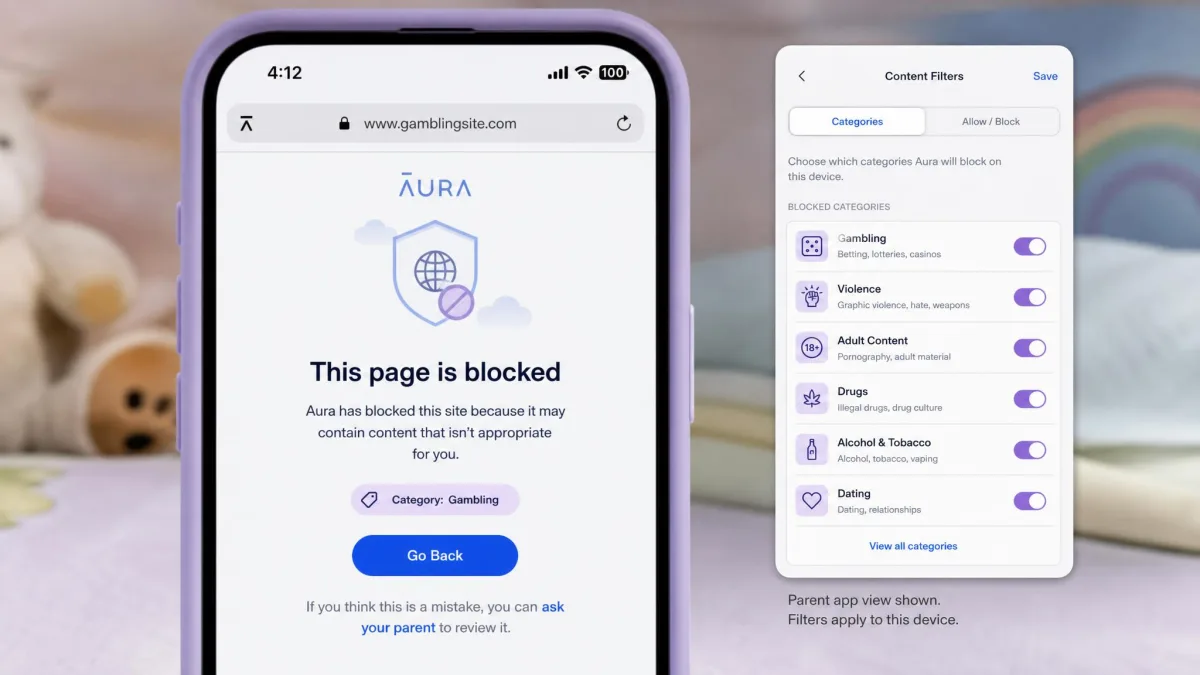
Aura takes a different route. It filters through a local VPN that intercepts traffic before it reaches the browser, across 28 content categories. Because the filtering happens at the network layer, it is harder to bypass than browser-extension approaches, and it worked reliably to block every category we tested.
The scarier failure in our tests was not a blocked page slipping through. It was a search for "suicide" or "gambling" that never surfaced in Net Nanny's monitoring report at all.
— From our hands-on testing
Screen Time and App/Time Limits
This is where Aura pulls clearly ahead. Net Nanny handles screen time by letting you schedule allowed hours by day of the week. That works for setting a homework window or a bedtime cutoff, but it stops there. Net Nanny has no per-app screen time limits, so you cannot cap a single game or app while leaving the rest alone.
Aura was built for exactly that kind of granular control. It lets you allow or restrict individual apps, with per-app screen time limits across more than 100 apps, plus bedtime scheduling and an instant pause button that freezes the device on demand. During testing the app blocking occasionally glitched, but the core limits held and the instant pause was genuinely handy at dinner. Because limits are grouped by app categories, changes you make roll out quickly without editing each app one by one.
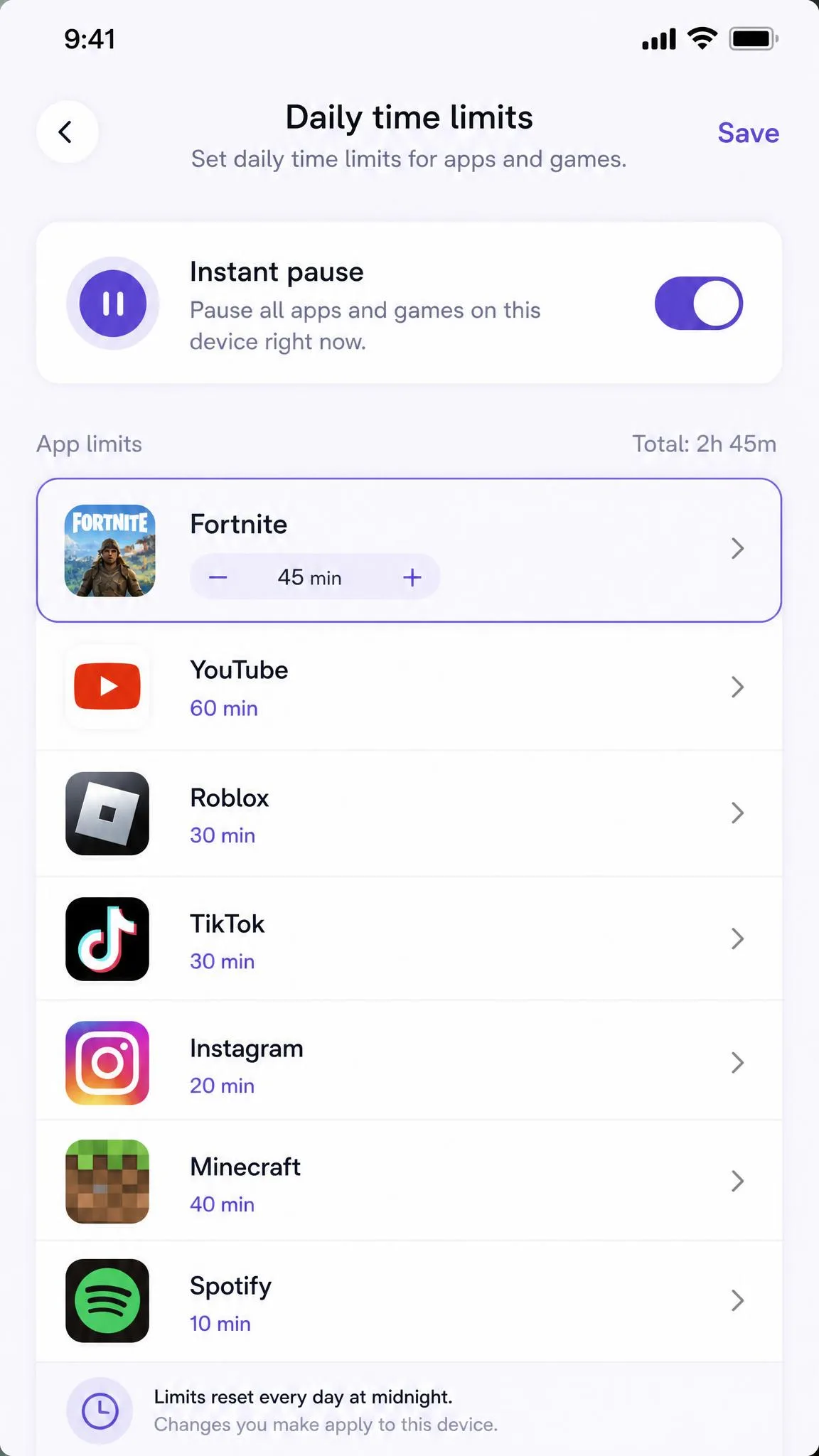
If your struggle is one specific app eating hours, Aura's per-app limits solve it directly. Net Nanny's day-based scheduling is better suited to broad "screens off after 9pm" rules.
Monitoring: Texts, Social Media, and Alerts
Neither app reads your child's private message content, and that is worth stating plainly up front. What differs is how each keeps an eye on social activities. Net Nanny filters social media feeds on Facebook, Instagram, and Pinterest, and monitors YouTube, so it works by screening what shows up rather than flagging tone.
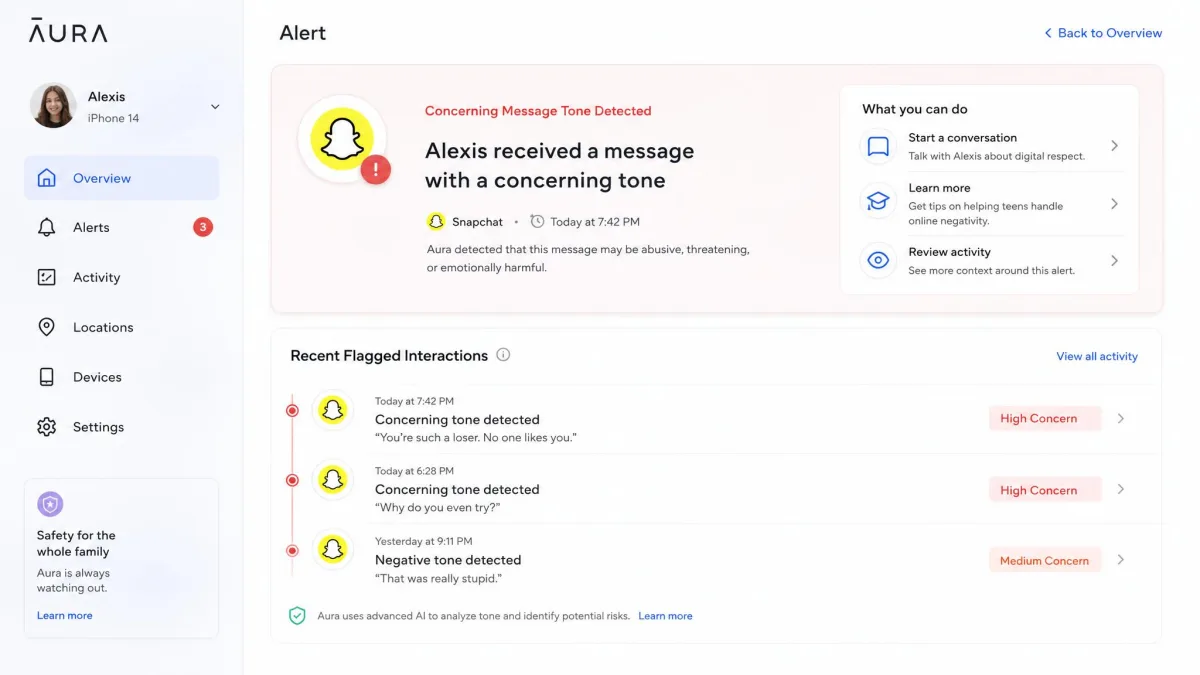
Aura is more modern here. It watches messaging tone on Instagram, Messenger, and Snapchat, and sends gaming harassment alerts from Discord and Fortnite. Its Online Wellbeing feature runs behavioral analysis to surface patterns rather than single messages. If you have compared these to a dedicated alert tool like Bark, Aura's approach lands somewhere between Bark's tone alerts and Net Nanny's feed filtering. Neither app reads the actual text of messages or email, so both respect a degree of privacy while still flagging risk.
One limitation caught us out with Aura. Its Safe Gaming reports are only released weekly, every Tuesday, with no way to check progress in between. If you want same-day access to gaming activity, that delay matters.
Location Tracking
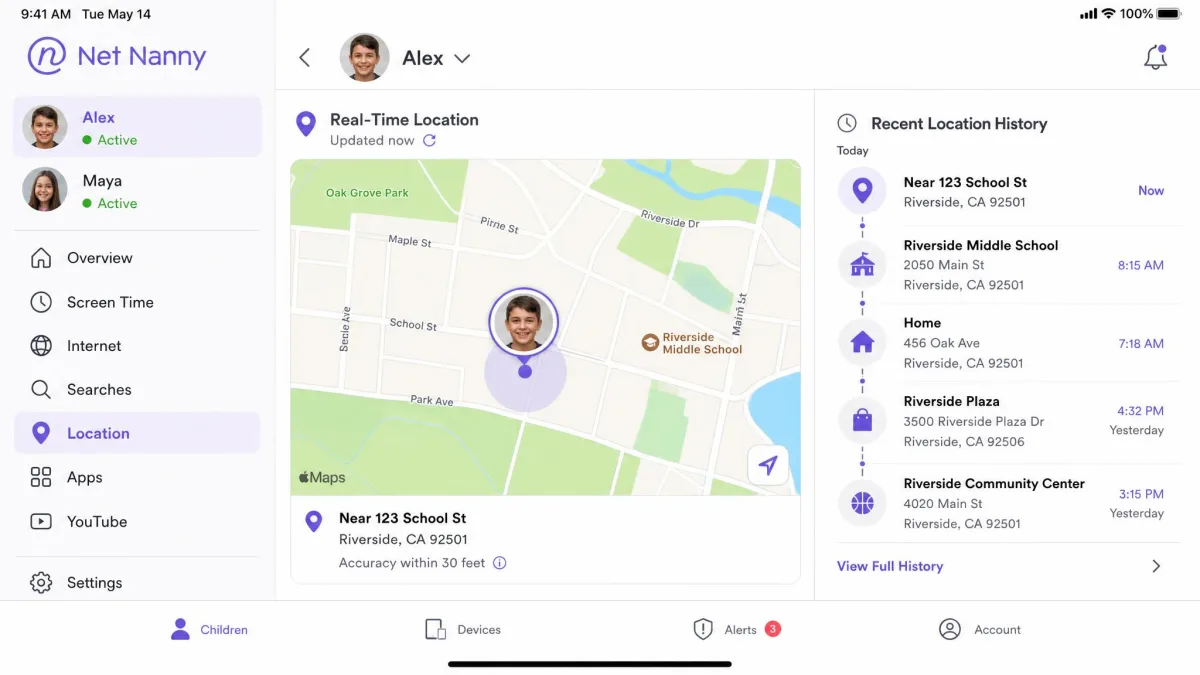
This one is short and decisive. Net Nanny includes real-time location tracking, and in our testing it stayed accurate on iOS even when the child's device was offline. If knowing where your kid is ranks high on your list, that is a real point in Net Nanny's favor.
Aura has no location tracking and no geofencing at all. For an app at its price point, that is a meaningful gap, and it is one of the clearest reasons a family might choose Net Nanny instead. If location is a must-have, Aura is off the table.
Identity Protection and Extra Features
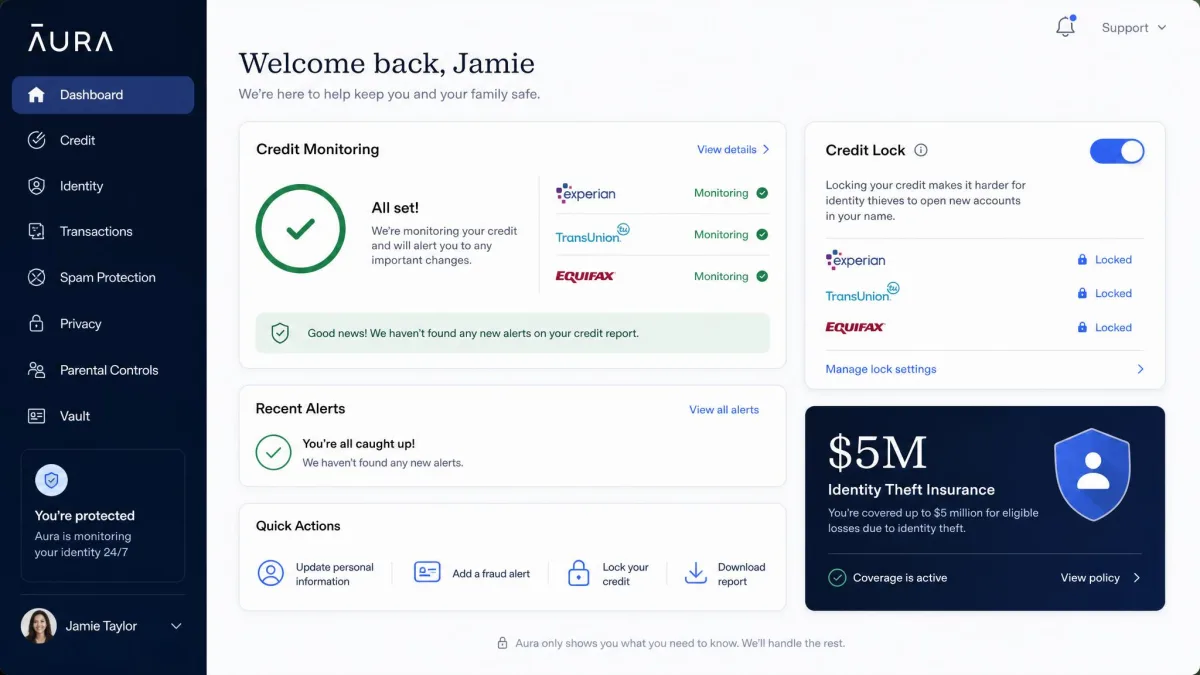
Here the roles reverse. Identity protection is Aura's signature differentiator, and Net Nanny has nothing to compete with it. On the Family plan, Aura bundles $5M in identity theft insurance, 3-bureau credit monitoring, a credit lock, title monitoring, and financial transaction alerts.
For families who want online safety and financial protection under a single subscription, that bundle is a genuine reason to pick Aura on its own merits. Net Nanny stays focused purely on parental controls, so if you already have identity protection elsewhere, you may not value Aura's bundle as highly. One thing to note if you are budgeting: the identity features are tied to the Family plan, so a household that only wants the cheaper Kids plan for filtering will not see any of that protection.
Both apps have weak tamper protection. Net Nanny's iOS MDM profile can be removed in a few clicks with no alert to the parent, and deleting the child app triggers no notification. On Android, deleting the Aura app can also go undetected. Check the child's device periodically rather than assuming the app is still active.
Ease of Use and Setup
Aura is one of the simplest apps we have set up in this category. It took about 5 to 10 minutes across both iOS and Android, and the dashboard is clean and easy to read. If a fuss-free start matters to you, Aura earns the point.
Net Nanny is more awkward. Registration is limited to the parent app on a mobile device, and the dashboard opens blank until the child's activities start registering. Confusingly, the parent dashboard shows Android-specific features even though the current version does not support Android, which made setup harder to trust. Net Nanny works on Windows 10/11, macOS, and iOS 11+, while Aura requires iOS 16+ or Android 12.0+ and stays mobile-only, with no Mac or browser support.
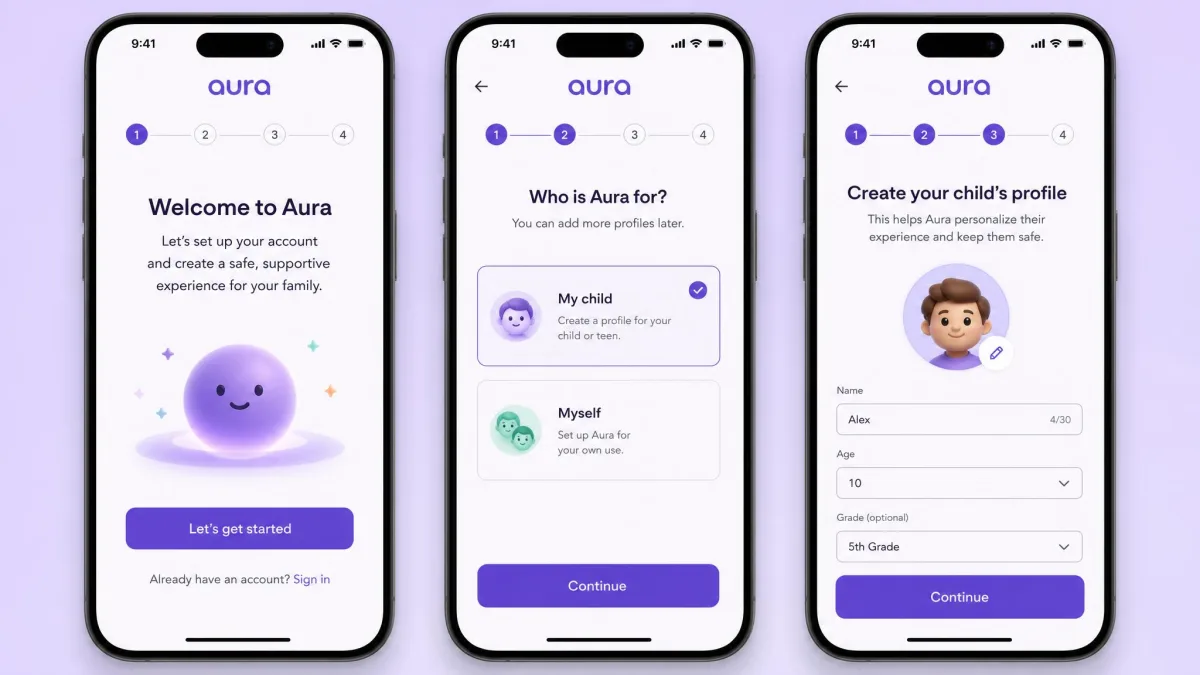
We set both apps up on our own family devices and ran them for daily use, filtering real sites, testing time limits, and watching whether alerts actually landed. The observations here reflect what happened on our test phones and laptops, not marketing claims.
Net Nanny: Pros and Cons
Pros
- Deep web filtering that evaluates individual pages, not just whole sites
- Real-time location tracking that stayed accurate on iOS, even offline
- Yearly device passes that often cost less than Aura over a full year
- Works on Windows, Mac, and iOS
- Strong controls for filtering children's browsing across platforms
Cons
- No Android support on the current version
- No per-app screen time limits
- Some worrying searches did not appear in monitoring reports
- Weak tamper protection and slow customer support
Aura: Pros and Cons
Pros
- Per-app screen time limits across 100+ apps, plus instant pause
- Hard-to-bypass local-VPN filtering across 28 categories
- Modern social and gaming alerts, including message-tone monitoring
- $5M identity-protection bundle on the Family plan
- Fast, clean setup in about 5 to 10 minutes
Cons
- No location tracking or geofencing
- Mobile-only, with no Mac, Windows, or browser support
- Safe Gaming reports only arrive weekly
- Costs more per year than Net Nanny's basic plans
Which One Should You Choose?
Map the choice to the devices in your house, because that decides it faster than any feature list. An all-iPhone family can go either way, so let the extras break the tie: pick Aura if per-app limits and the security bundle appeal, Net Nanny if location tracking is the priority. A home with Macs or Windows laptops in the mix has only one option that reaches those screens, and it is Net Nanny. An Android household flips the other way entirely, since Net Nanny's current version cannot install there at all, leaving Aura as the default.
Budget and monitoring style settle the rest. If you mostly want to block risky sites on a couple of devices for the least money, Net Nanny's yearly passes are the thriftier route. If your real worry is one app eating hours or the tone of your kid's group chats, Aura's granular limits and message-tone alerts are built for that. Match the app to your devices first, then to the one feature you would miss most, and the winner for your family usually settles itself.