You want to hide your browsing on public Wi-Fi, reach a website that is blocked, or keep your Mac private online, but you do not want to hand over a credit card to do it. That is the exact problem a free VPN is supposed to solve, and it is also where most free apps quietly fall apart. Some throttle your speed to a crawl. Some cap your data at a few hundred megabytes a day. A few log the very traffic you paid nothing to hide.
We wanted to know which free plans actually hold up on macOS in daily use, so we put the leading options on our test Macs and used them the way you would. This guide ranks the six best free VPNs for Mac in 2026, tells you exactly what each free tier gives you, and flags the trade-offs before you download anything. A VPN, or what a VPN is in plain terms, routes your connection through an encrypted tunnel so your internet service provider and the network you are on cannot read your traffic. The best free ones do that without selling you out.

How We Tested and Chose These Free Mac VPNs (Methodology)
We do not recommend a VPN until it earns the spot, and free VPNs get extra scrutiny because a bad one can cost you more than money. We licensed or signed up for every plan ourselves, installed each native macOS app on our test Macs, and ran the same checks on all of them so the comparison stays fair.
Our testing focused on four things that matter most on a Mac. First, speed: we measured download and upload rates on the nearest free server and compared them against the unprotected baseline. Second, leaks: we ran DNS and IP leak checks on every connection, because a VPN that leaks your real address is worse than no VPN at all. Third, streaming: we tried to load Netflix, BBC iPlayer, and other services to see what the free servers could actually unblock. Fourth, everyday fit on macOS: how cleanly the app installed, whether it clashed with the built-in Firewall, and how many devices and locations the free tier really allowed.
We treat a free VPN's privacy policy as part of the test, not a footnote. A no-logs claim only counts when the apps are independently audited, so an unaudited free VPN that asks for broad permissions on macOS does not make our list no matter how fast it looks.
We scored each service on those results, weighed the free-tier limits against what you get, and ranked them for real Mac use rather than spec-sheet promises. Where a provider recently changed its free terms, we tested the current version of the app and noted what shifted.
Comparison Table of the Best Free Mac VPNs
Here is how the six picks stack up at a glance. Use it to shortlist, then read the full reviews below for the detail that decides it.
| VPN | Free data cap | Free locations | Speed | Streaming | Devices | Best for | Buy |
|---|---|---|---|---|---|---|---|
|
Unlimited | ~5 countries | Very fast | Unreliable on free | 1 | Unlimited free data | Visit site → |
 |
10GB/mo | ~11 countries | Fast | Good (unblocks Netflix) | Unlimited | Free streaming | Visit site |
 |
Unlimited | 8 locations | Slow/congested | Poor | 1 | Privacy, no signup | Visit site |
 |
2GB/mo | Auto-assigned | Moderate | Fails Netflix | Varies | Beginners | Visit site |
 |
500MB/day | ~4 (mostly US) | Capped low | Limited | 1 | Quick browsing | Visit site |
 |
30-day refund | Full network | Very fast | Full | 8 | Risk-free full trial | Visit site |
The Best Free VPNs for Mac in 2026 (Reviewed & Ranked)
We ranked these by how well the free tier serves a real Mac user, balancing data, speed, privacy, and how much the app fights you. Proton VPN takes the top spot because it removes the one limit that breaks most free VPNs.
1. Proton VPN, Best Free VPN for Mac With Unlimited Data
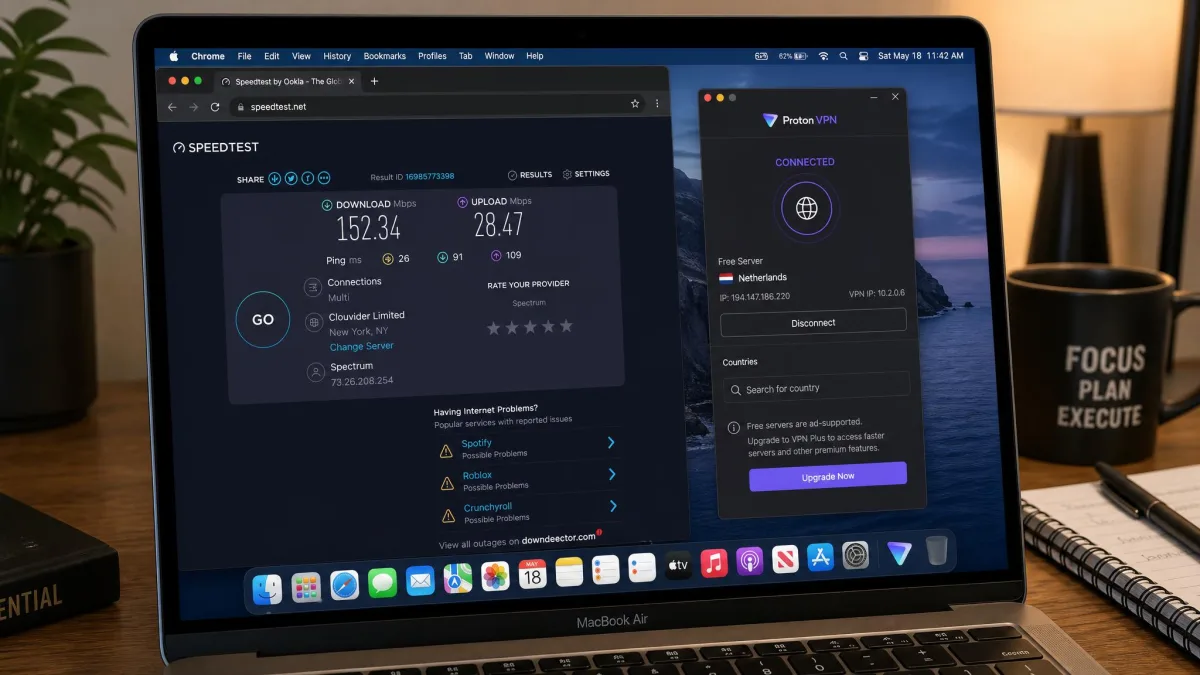
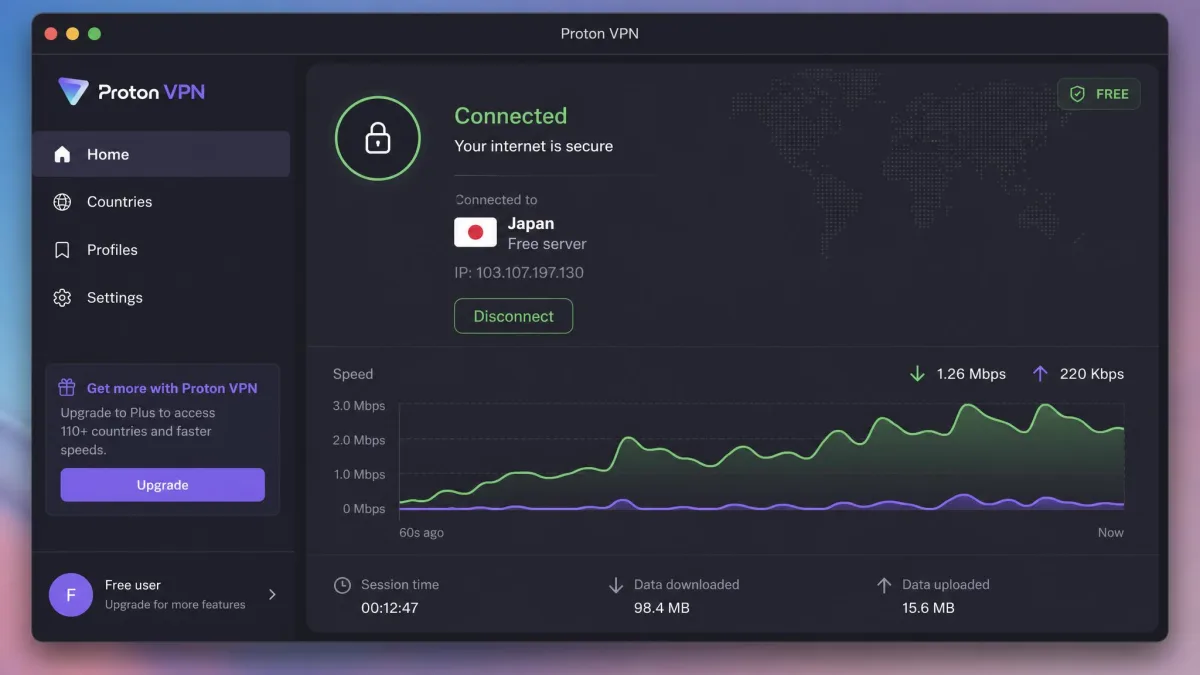
Proton VPN is the free plan we would install first on any Mac, and the reason is simple: the free tier has no data or speed cap at all. That word matters, because almost every other free VPN limits how much you can move or how fast you can move it. Proton gives you Unlimited free bandwidth, which means you can browse, work, and download all month without watching a meter. On our test Macs the free servers delivered genuinely fast raw speeds, well above what streaming or a video call needs, so the connection never felt like the compromise a free plan usually is.
The app itself is clean and native on macOS. It installed cleanly on our test Macs without clashing with the built-in Firewall, which is more than we can say for a couple of other free apps we tried. Proton runs its own audited, open-source apps, keeps a no-logs policy, and includes a kill switch and its Stealth protocol for networks that try to block VPNs. You get WireGuard and OpenVPN under the hood.
The trade-offs are the ones you would expect from a free tier. It covers 1 device, and the free servers span roughly 5 countries, though the exact count shifts as Proton adds free locations, so do not treat that number as fixed. Streaming is the real weak spot. Dedicated streaming servers are a paid-only feature, and in our testing Netflix frequently blocked Proton's free server IPs, so the plan is unreliable for streaming despite how fast it is. If you want to see the current free terms straight from the source, Proton VPN lists them on its official Mac page.
Pros
- The only truly Unlimited free data plan we tested, with no speed cap
- Very fast free servers on macOS, fast enough for HD and video calls
- Audited, open-source apps with a no-logs policy and kill switch
- Installs cleanly on macOS without Firewall conflicts
Cons
- Free plan covers only 1 device
- Netflix and most streaming services block the free servers
- Free locations limited to about 5 countries
2. Windscribe, Best Free Mac VPN for Streaming
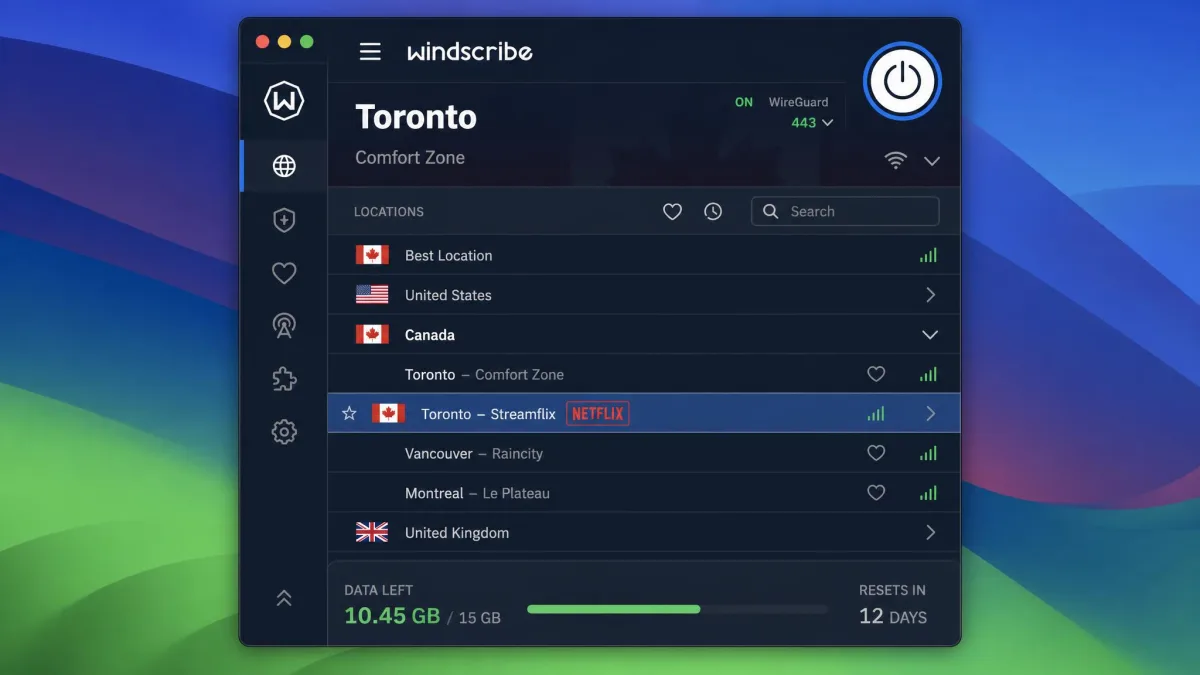
If your reason for wanting a free VPN is watching something, Windscribe is the one to try first. Its free plan gives you 10GB a month when you confirm your email, which is enough for a fair amount of video, and it climbs to 15GB a month if you tweet about Windscribe. That is a generous ceiling for a free tier, and it is paired with the trick most free VPNs cannot manage: it actually unblocks streaming. The macOS app is user-friendly and unblocked several Netflix regions in our testing, though you often have to try a few different servers before one gets you in.
Windscribe also holds its speeds well. Download and upload rates stayed steady on the free servers, which made it the most usable free pick for streaming and video calls rather than just browsing. Unusually for a free plan, it does not limit how many gadgets you connect: the free tier supports unlimited simultaneous device connections, so your Mac, phone, and tablet can all run it at once. The macOS app supports macOS 10.12 (Sierra) and later.
The catch is the data ceiling itself. 10GB stretches for browsing and the odd episode, but a heavy streaming week will burn through it. Free access covers servers in about 11 countries, though counts vary a little by source. The full feature set is what sells it: you get the R.O.B.E.R.T. ad and tracker blocker, Double Hop, static IPs, port forwarding, and MAC spoofing even on the free tier, with WireGuard, OpenVPN, and IKEv2 to choose from. You can grab the app from Windscribe directly.
Pros
- Generous 10GB a month free, rising to 15GB with a tweet
- Actually unblocks several Netflix regions on the free plan
- Unlimited simultaneous device connections, rare for a free tier
- Full feature set including R.O.B.E.R.T. ad and tracker blocking
Cons
- 10GB disappears fast during a heavy streaming week
- You often have to switch servers to get a stream working
- Free country count varies and is smaller than the paid network
3. hide.me, Best Free Mac VPN for Privacy
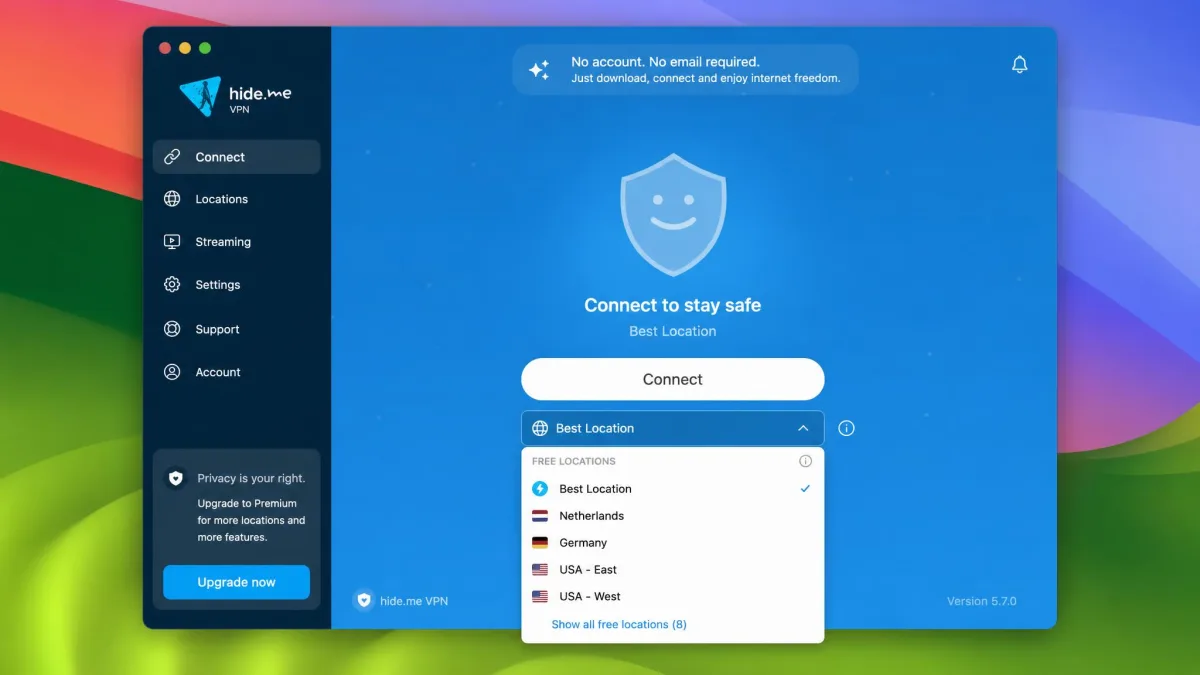
hide.me earns its place on privacy grounds. You can start using the free plan with no email or card required, which means there is no account tying your identity to your traffic from the moment you install it. For a free VPN, that is a meaningful privacy stance rather than a marketing line. The service keeps a no-logs policy and offers a solid protocol lineup on macOS, including WireGuard, OpenVPN, and IKEv2, plus a kill switch.
The data side has improved, too. The free plan now offers unlimited data, up from the 10GB monthly cap older reviews still cite, so hide.me has changed its free terms recently and your mileage may vary if you are reading an older writeup. Free access covers 8 server locations, raised from the 5 you will see in older reviews. On paper that is a strong free package for anyone who cares about anonymity first.
Speed is where you pay for all that privacy. The free servers can be very slow, dropping to around 1.3 Mbps in our testing, which makes streaming painful and even heavy browsing sluggish. The free servers also get congested, so speeds are inconsistent during peak hours. If your priority is a private, no-signup connection for email, messaging, and light browsing on your Mac, hide.me is a strong free choice; if you want speed, look higher up this list. You can sign up at hide.me without handing over any details.
Pros
- No email or card required to use the free plan
- Free data is now unlimited on the current terms
- Strong protocol choice with a no-logs policy and kill switch
- 8 free server locations, up from 5
Cons
- Free servers can be very slow, around 1.3 Mbps in testing
- Speeds get inconsistent and congested at peak hours
- Poor for streaming
4. TunnelBear, Most Beginner-Friendly Free Mac VPN
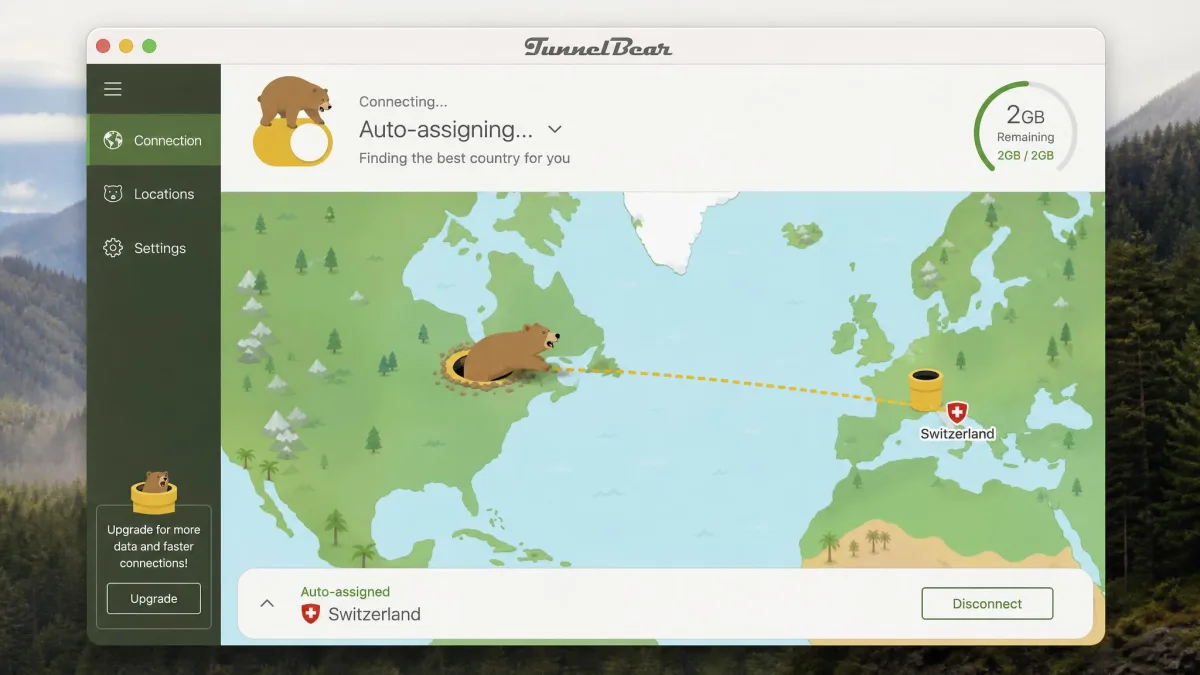
TunnelBear is the app we would hand to someone who has never used a VPN and just wants one button that works. The macOS app is friendly and playful, the connection is a single tap, and the whole thing hides the technical detail that scares off first-timers. It is also genuinely trustworthy under the hood, with open-source audited apps, GhostBear obfuscation, and the VigilantBear kill switch.
The limits are what keep it out of the top three. The free plan gives you 2GB a month, up from the old 500MB, and that cap disappears fast. In our testing 2GB is roughly two hours of Netflix, so it suits light browsing rather than streaming. There is a 10GB monthly anti-censorship bonus in countries TunnelBear deems censorious, which is a thoughtful touch if you are somewhere that restricts the open internet. TunnelBear's full network runs around 5,000 servers across 47 countries.
Two recent changes matter for free users. As of 26 January 2026, free users can no longer choose their server or country; a location is auto-assigned instead. Server selection and split tunneling are now paid-only. Losing free server selection makes TunnelBear feel more restrictive than it used to, and in our streaming tests it could not unblock Netflix, BBC iPlayer, Amazon Prime Video, or Hulu across repeated attempts. Treat it as a friendly, private companion for everyday browsing on a Mac, not a streaming tool. You can download it from TunnelBear.
Pros
- The friendliest, simplest app on this list for beginners
- Open-source audited apps with GhostBear obfuscation and a kill switch
- 10GB anti-censorship bonus in restrictive countries
- Trustworthy no-nonsense privacy
Cons
- Only 2GB a month, roughly two hours of video
- Free users can no longer choose their server as of 26 January 2026
- Could not unblock Netflix, iPlayer, Prime Video, or Hulu in testing
5. Hotspot Shield, Fast Free VPN for macOS Browsing
Hotspot Shield's free tier is built around its proprietary Hydra protocol, and it can feel quick for short bursts of browsing on a Mac. It is a reasonable pick if you want an occasional privacy layer on public Wi-Fi and you are not planning to do much beyond checking email and reading. Beyond that, the free plan asks a lot of patience.
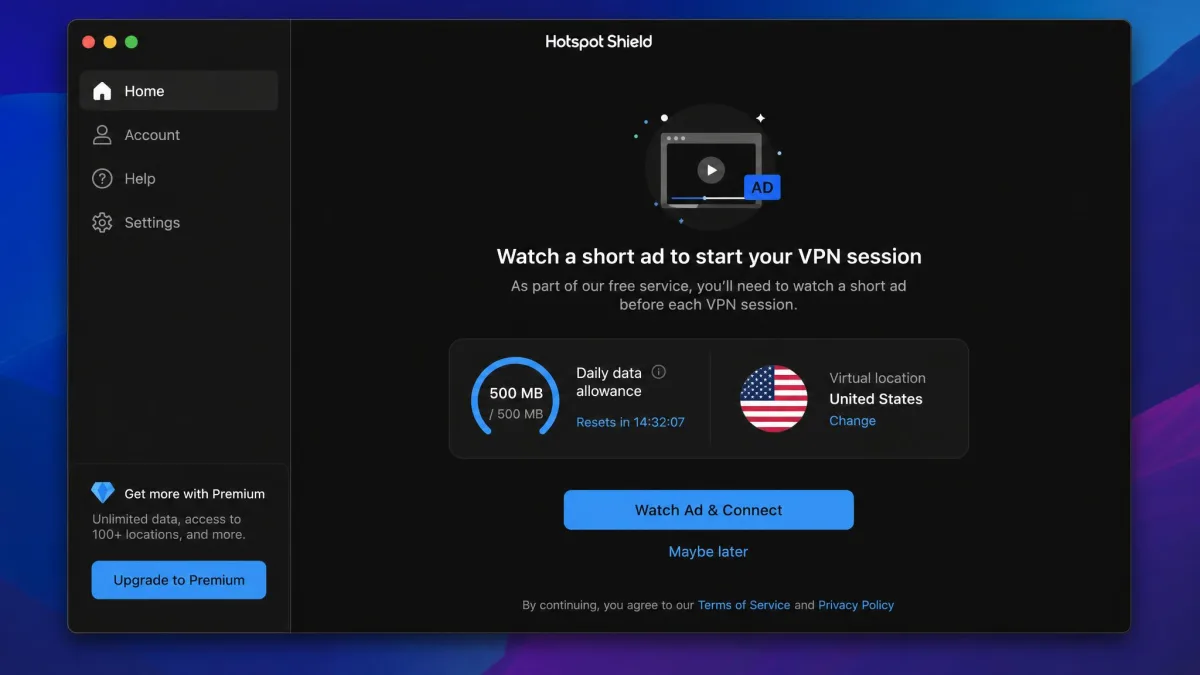
The limits stack up quickly. The free plan gives you 500 MB per day, which resets daily but is gone in an afternoon of normal use. The free tier also caps connection speed low and forces an ad before each short session, and in our testing that ad interrupts everyday use in a way the other apps here do not. Each ad unlocks roughly 15 minutes of use before you are prompted again. The free plan covers 1 device.
Free users are limited to about 4 server locations, mostly in the US, though reviews disagree on whether you get four or are effectively US-only. There is no Linux, router, or smart TV support on the free tier, and streaming is limited at best. Malware protection is reserved for the paid plan. It works for quick, light browsing on a Mac, but the daily cap and the ad interruptions make it hard to recommend over the free plans above it. You can find it at Hotspot Shield.
Pros
- Hydra protocol can feel fast for short browsing sessions
- Daily data resets, so you get a fresh allowance each day
- Simple to install and connect on macOS
Cons
- Only 500 MB per day and a low speed cap on the free tier
- An ad before each session unlocks only about 15 minutes of use
- Roughly 4 locations, mostly US, and weak streaming
6. ExpressVPN, Best Free-Trial VPN for Mac (Risk-Free 30 Days)
ExpressVPN is not a free VPN, and we want to be upfront about that. There is no standing desktop free trial on Mac. What there is instead is a 30-day money-back guarantee, which lets you use the complete, unrestricted app on your Mac and then claim a full refund before the 30-day window closes. If you want the full experience of a top-tier VPN without committing, that is the closest thing to free, and it is why it makes this list at the bottom.
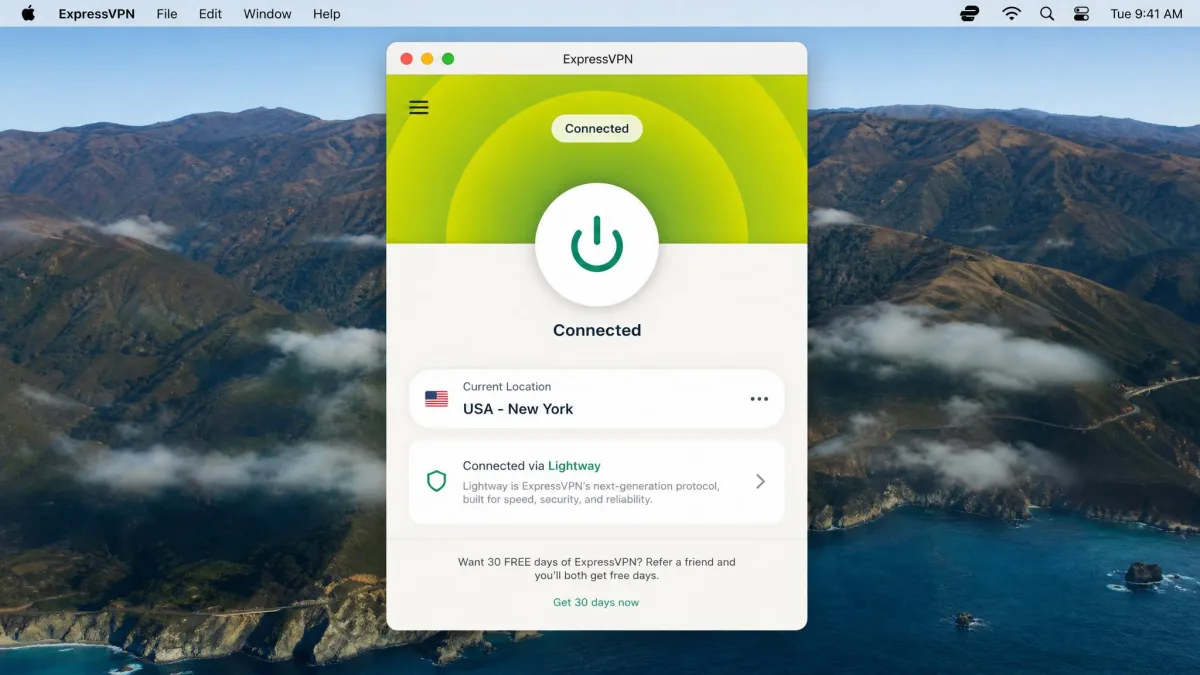
On macOS the payoff is real quality. ExpressVPN's Mac app is one of the simplest to set up and navigate, connecting in a couple of taps, and it ran fast and clean on our test Macs. You get the Lightway protocol, TrustedServer RAM-only servers that keep nothing on disk, split tunneling, a malicious-site blocker, and 24/7 support. It supports up to 8 devices at once, so a whole household can ride the same subscription. Streaming works fully, which is the opposite of every free plan above. Its official ExpressVPN Mac page lays out the app in detail.
The honest downside is the mechanics of getting it "free." You pay upfront and have to remember to claim the refund before day 30, and that friction is something some users dislike. There is also a 7-day free trial on Android and iOS, but it is region-dependent and not offered everywhere, so do not count on it. As a way to test a premium VPN on your Mac at no lasting cost, though, the 30-day guarantee is the safest bet on this page.
Pros
- 30-day money-back guarantee gives full risk-free access
- One of the simplest, fastest Mac apps we tested
- Full streaming support and TrustedServer RAM-only servers
- Up to 8 devices at once with 24/7 support
Cons
- Not actually free; you pay upfront and claim a refund
- Easy to forget the refund deadline before day 30
- The 7-day mobile trial is region-dependent
Risks and Limitations of Free VPNs on Mac
A free VPN is a real service run at real cost, and someone has to pay for the servers. With the reputable names on this list, you pay with tighter limits: less data, fewer locations, one device, no streaming. That is a fair trade. The danger is the other kind of free VPN, the one that pays its bills by monetizing you.
Unknown free VPNs have been caught logging browsing activity, injecting ads, and even selling user bandwidth. On macOS, be wary of any free VPN that asks for broad system permissions or is not backed by an independent audit. If a service does not publish a clear no-logs policy and let outside auditors check it, do not trust it with your traffic.
The practical limits matter, too. Most free tiers cover 1 device, so protecting your Mac may leave your phone exposed. Data caps mean a free VPN is rarely a full-time connection; it is a tool for specific moments like public Wi-Fi or reaching a blocked site. Free servers are shared by many users, so speeds sag at peak hours even on good services. And because free plans rarely include dedicated streaming servers, Netflix and similar services will often block them. Know those limits going in and a free VPN is genuinely useful. Expect it to replace a paid one and you will be let down.
Free vs. Paid VPNs for Mac: Which Should You Choose?
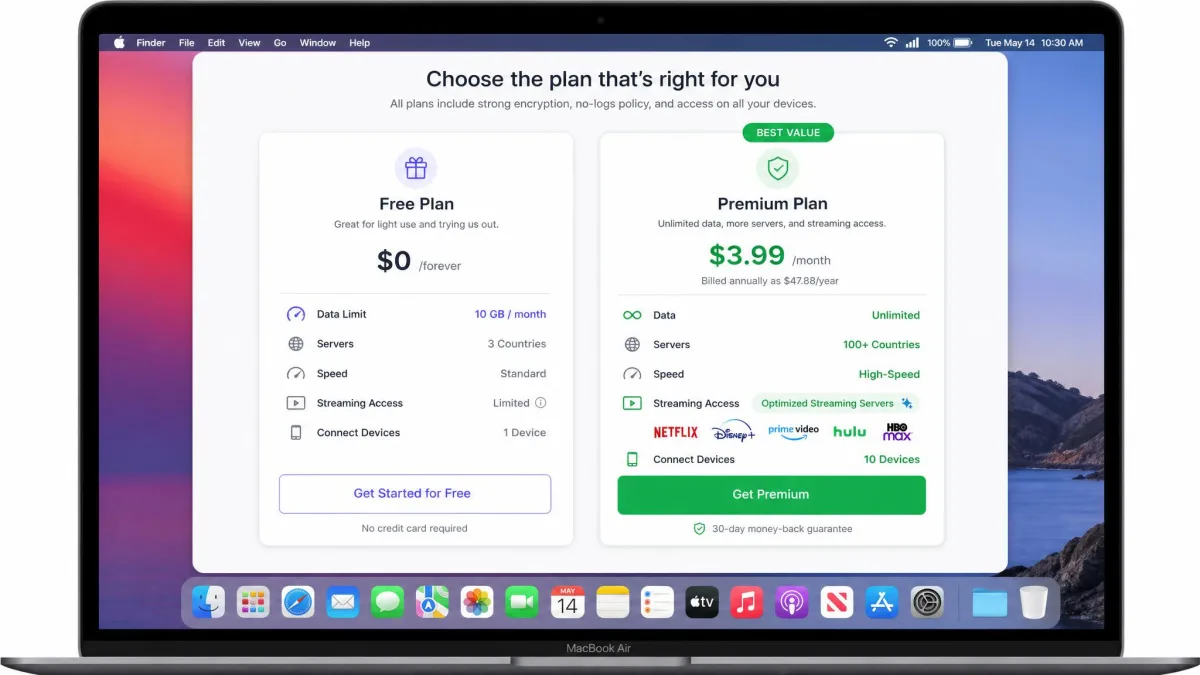
The honest answer depends on how you use your Mac. A free VPN is the right call when your needs are occasional and light: securing your connection on café Wi-Fi, hiding your browsing from your internet provider now and then, or reaching a site that is blocked. For that, Proton VPN's unlimited free plan or Windscribe's 10GB will serve you well without costing a cent.
A paid VPN earns its keep when you want the things free tiers hold back. Reliable streaming across services, unlimited data with no meter, connections for every device you own, the fastest servers in the most countries, and features like split tunneling all come with a subscription. Prices have fallen a long way, too. Long-term plans from the major providers often land in the low single digits per month, so the gap between free and paid is smaller than it looks. If you find yourself hitting a data cap every week or fighting to load a stream, that is the signal to move up. Otherwise, a good free plan is a perfectly sensible place to stay.
Free VPNs for Mac to Avoid
Not every free VPN belongs on your Mac, and the ones to skip usually share the same tells. Avoid any free VPN that will not tell you who owns it or where it is based, because privacy claims mean nothing without accountability. Steer clear of apps with no independent security audit, since an unaudited no-logs promise is just a promise.
Be especially cautious with free VPNs that appear on the Mac App Store with glowing but vague reviews and demand permissions far beyond what a VPN needs. A VPN needs to create a network connection; it does not need access to your contacts or the ability to inject content into pages you visit. Free VPNs that show aggressive ads, bundle other software, or push you to "upgrade" at every tap are optimizing for revenue, not your security. When a free VPN's business model is unclear, assume you are the product. The six services above are named precisely because they are transparent, audited where it counts, and safe to run on macOS.
How to Set Up a Free VPN on Your Mac (Step by Step)
Getting a free VPN running on a Mac is quick, and the native apps do most of the work for you. Here is the path we follow on every install.
- Choose your VPN from the list above and download the macOS app from the provider's official site, not a third-party mirror. Downloading from the source avoids tampered installers.
- Open the downloaded file and follow the installer. macOS will ask you to approve a system extension or a VPN configuration; approve it in System Settings when prompted, since the VPN cannot route traffic without it.
- Sign in or, in the case of hide.me, connect without an account. Free plans usually ask you to confirm an email to unlock the full free allowance.
- Pick a server location and connect. For general privacy, choose the nearest server for the best speed; to reach region-locked content, pick the country you need.
- Confirm it is working. Check that your IP address has changed and run a quick DNS leak test so you know your real location is hidden.
macOS also has a built-in VPN client for manual configurations. If you ever need to enter server details by hand, you can set up a connection in macOS built-in VPN settings. For the free services here, the native app is easier and adds the security features you actually want.
Do Macs Need a VPN? (And Why Use One)
Macs are well built, but a Mac cannot encrypt the network around it. macOS protects the files on your machine; it does not stop the coffee-shop Wi-Fi, your internet provider, or the sites you visit from watching where your connection goes. That is the gap a VPN fills. It wraps your traffic in encryption so the network you are on sees only that you are connected to a VPN, not what you are doing.
The everyday reasons to use one are practical. On public Wi-Fi, a VPN keeps your logins and data private on a network you do not control. At home, it stops your internet provider from building a profile of your browsing to sell or throttle. Travelling, it lets you reach the services and sites you use back home. And it hides your IP address from the websites and trackers that would otherwise log it. None of that requires paying, either, as long as you pick a free service that respects your privacy rather than mining it. For a lot of Mac users, a good free VPN covers exactly these moments.
Frequently Asked Questions
Does macOS have a built-in or free VPN?
Is there a 100% free unlimited VPN for Mac?
Do free VPNs work with Netflix on Mac?
Is there a free VPN extension for Safari?
Can I use a free Mac VPN on my other devices?
Are free VPNs for Mac safe and legal?
Final Verdict: The Best Free VPN for Mac
If you want one recommendation, install Proton VPN. It is the only free plan we tested that removes the limit which cripples the rest, giving you Unlimited data at genuinely fast speeds on macOS, from a provider whose apps are open-source and audited. It will not stream Netflix on the free tier, but for private, everyday browsing on a Mac nothing else free comes close.
Choose Windscribe instead if streaming is your goal, since its 10GB a month and Netflix-capable servers make it the best free entertainment pick. Reach for hide.me when privacy and a no-signup connection matter more than speed. TunnelBear is the gentle on-ramp for beginners, and Hotspot Shield covers quick browsing in a pinch. And if you would rather test a premium VPN with no strings, ExpressVPN's 30-day money-back guarantee lets you run the full app on your Mac and walk away for free. Pick the plan that fits how you actually use your Mac, and you will be private online without spending a thing.