A PC that took thirty seconds to reach the desktop last year now takes two minutes, and nothing obvious explains it. The junk has simply piled up: leftover installer files, browser caches, a startup list nobody curated, and a dozen background apps that never really stop running. AVG TuneUp and Systweak Advanced System Optimizer both sell themselves as the fix for exactly that condition, and both have been doing it for a long time.
They are not the same kind of product, though, and the gap between them shows up in price, platform support and how much you have to babysit them. This comparison settles which one is worth your money in 2026, and who each one actually suits.
We ran both on our own licensed copies, put each through a full scan-and-clean cycle on a cluttered Windows 11 machine, and checked what they removed against what we wanted kept.
AVG TuneUp vs Advanced System Optimizer at a Glance
The decision in front of you is narrower than the feature lists suggest. You are choosing between a product that quietly keeps a machine tidy on its own schedule, and a product that hands you a drawer full of utilities and expects you to open them. The tables and sections below work through what that choice costs and what it buys.
| Product | Buy | Platforms | Free trial | Price (1 PC / yr) | Bundled tools |
|---|---|---|---|---|---|
 |
Check price → | Windows, Mac, Android | 7-day, no card | Around $65 list | About 11 core modules |
 |
Check price | Windows only | 24-hour | $69.95 list, $49.95 offer | 16 to 20+ modules |
Advanced System Optimizer vs Advanced SystemCare: Which One You Actually Mean
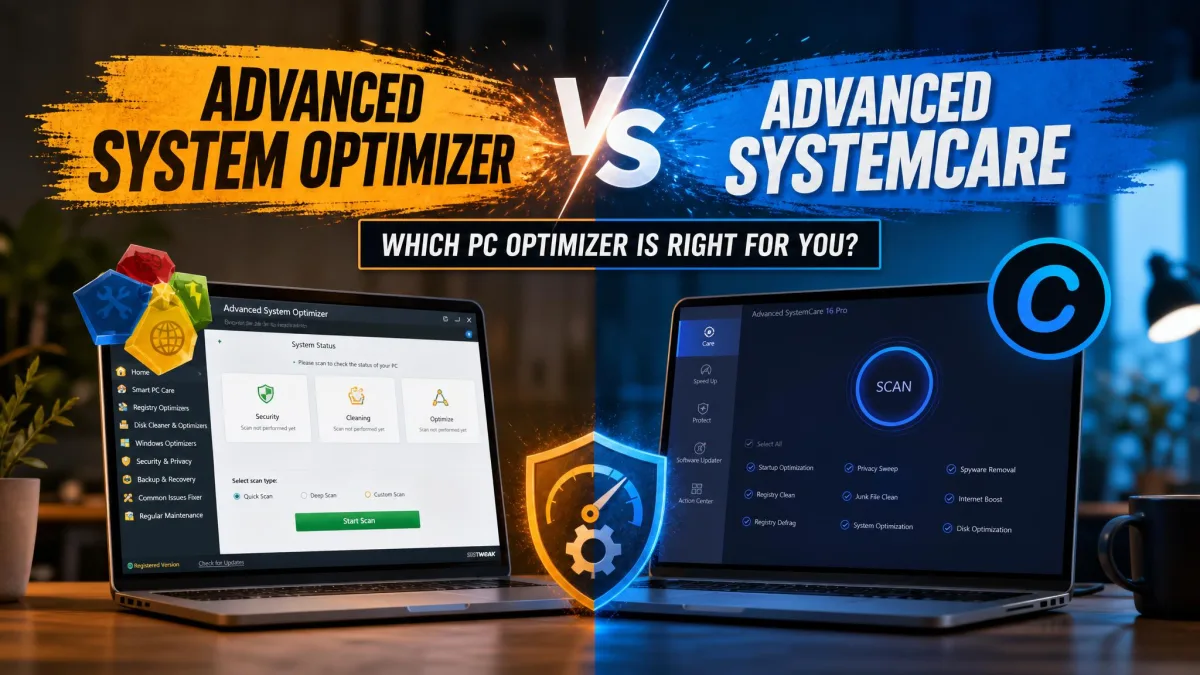
A lot of people searching for one of these products land on the other. Advanced System Optimizer is made by Systweak. Advanced SystemCare is made by IObit, a completely separate company with a completely separate codebase. The names are close enough that the confusion is understandable, but the two products differ in licensing, tooling and price.
The quickest tell is the free tier. IObit ships a permanently free edition, currently at version 19, and upsells a Pro upgrade from inside it. Systweak does not: Advanced System Optimizer is paid software with a short trial attached. If the tool you remember using for free forever was one of these, it was IObit's.
If you are comparing prices and one product seems to have a generous free version, check the publisher name in the installer. Systweak and IObit are different companies, and only IObit ships a free edition you can keep using indefinitely.
How We Compared Them
With the right two products finally on the bench, here is how we put them through their paces. We bought and licensed both ourselves and ran them on the same cluttered Windows 11 machine, then repeated the key passes on a second, better-maintained PC to see how much headroom each tool actually needs. We scored on five things: how much junk each one removed, what it wrongly proposed removing, how long a full cycle took, what the machine felt like during the run, and what the licence costs over a year.
Vendor performance claims in this category are close to meaningless. AVG markets figures like faster startup and improved performance that nobody has independently reproduced, so we ignored them entirely and measured what changed on our own hardware instead.
What Each Tool Is
Before the scores, it is worth being clear about what each product is actually built to do, because their designs pull in opposite directions.
AVG TuneUp
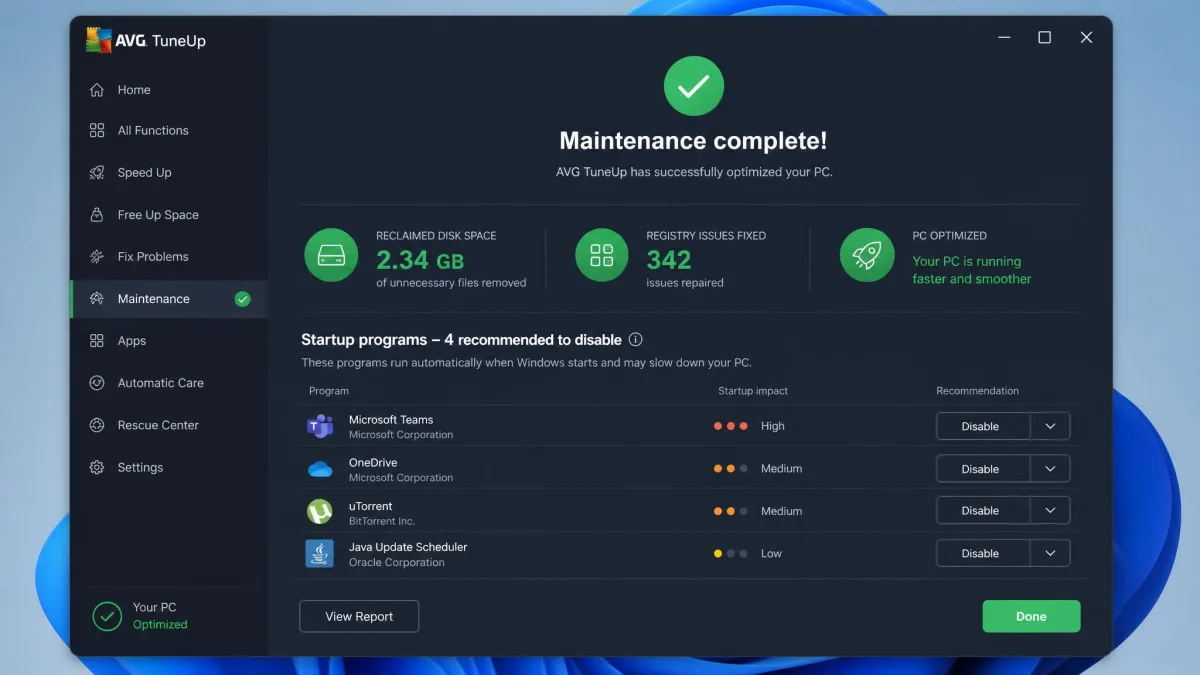
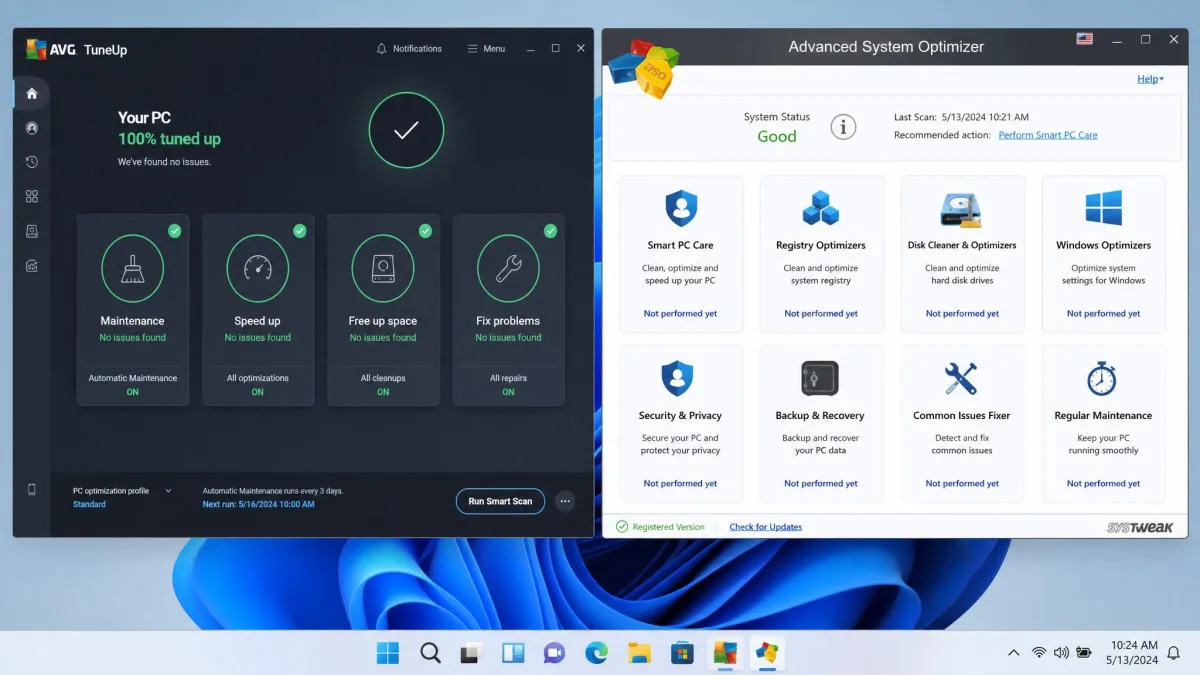
AVG TuneUp is the maintenance product from AVG Technologies, a company founded in 1988 in the Czech Republic and now part of the Avast and Gen group. The dashboard splits into four categories: Maintenance, Speed Up, Free Up Space and Fix Problems. Underneath sit a disk cleaner, browser cleaner, registry cleaner, software uninstaller, software updater, startup optimizer, disk defragmentation and real-time monitoring.
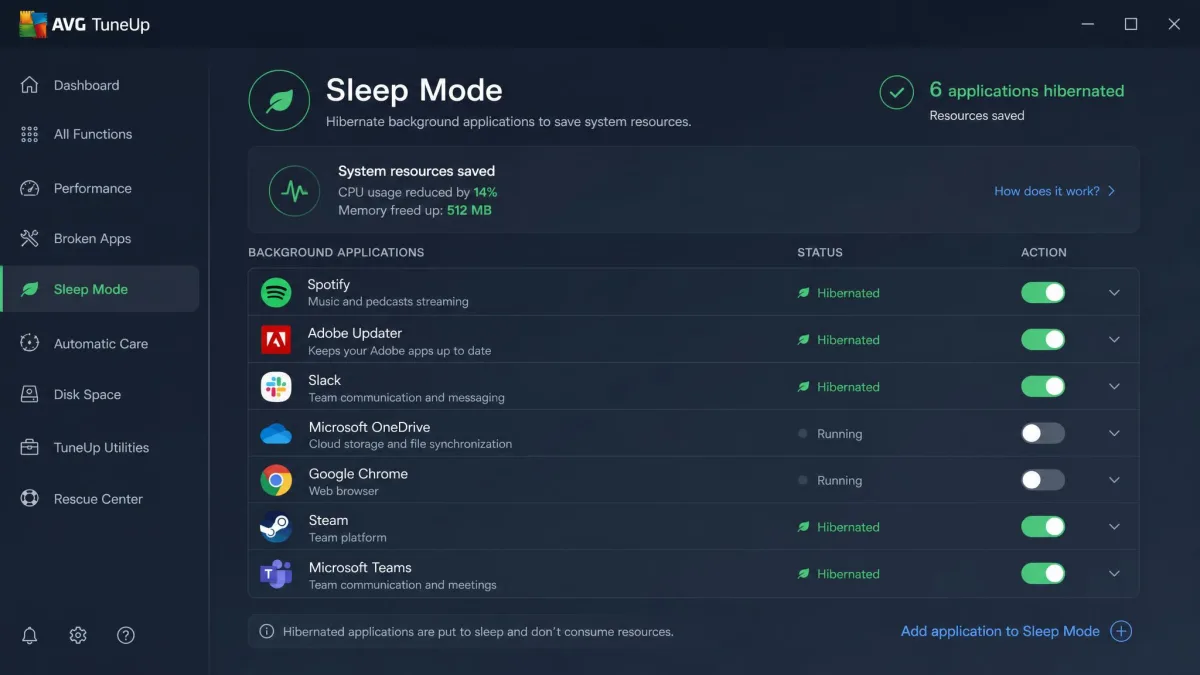
The signature feature is Sleep Mode, which hibernates background apps you are not using and wakes them on demand. Paired with automatic weekly maintenance, it means the product does most of its work without you opening it. That design choice explains a lot about who AVG TuneUp suits.
Systweak Advanced System Optimizer
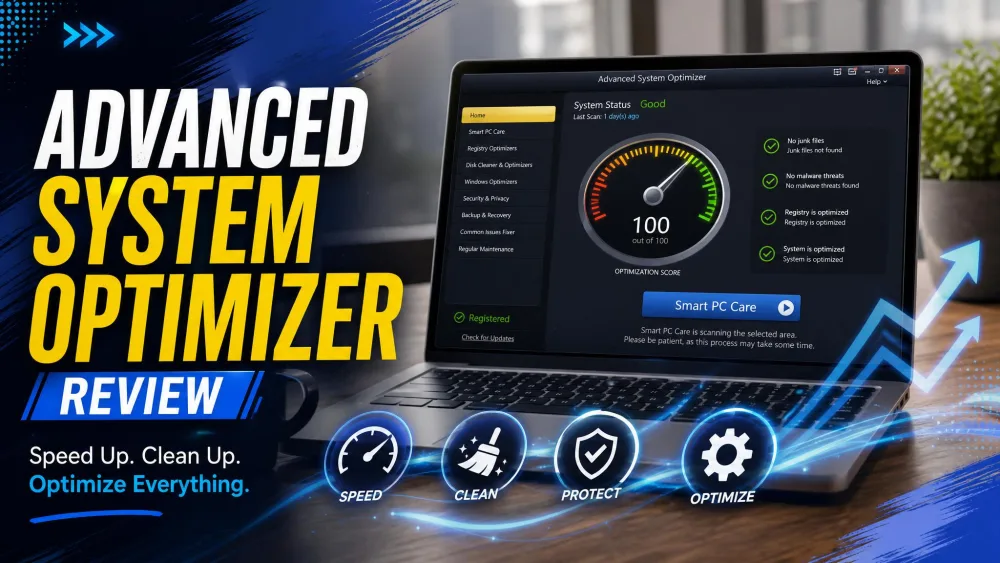
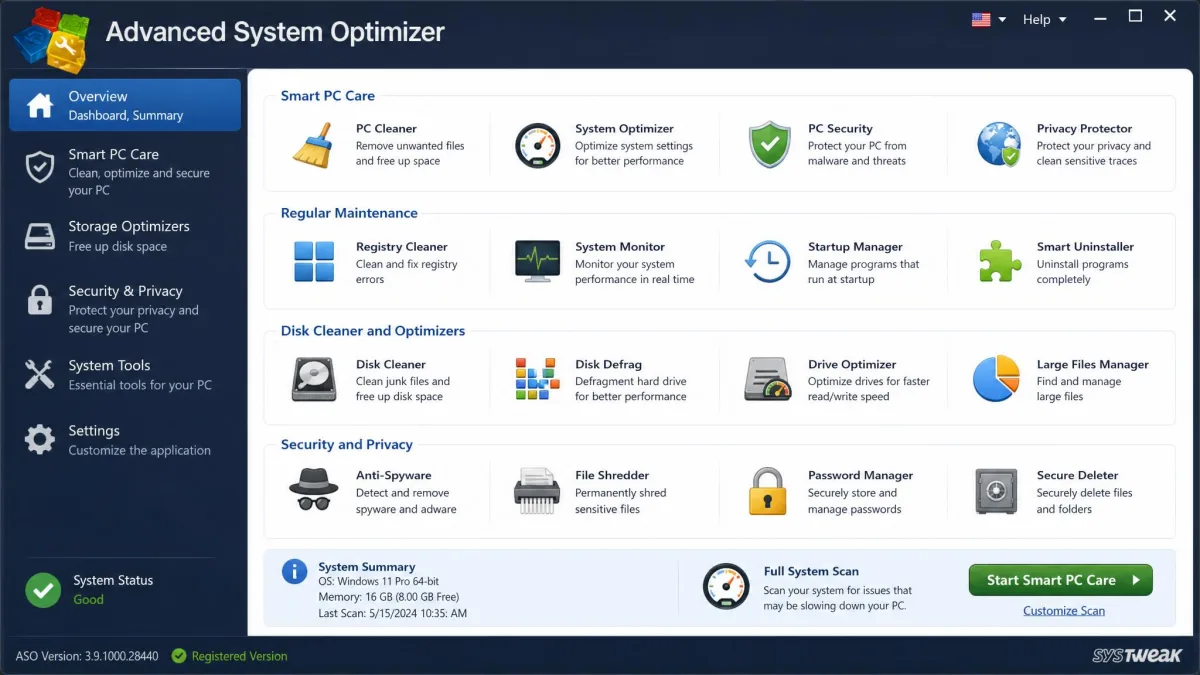
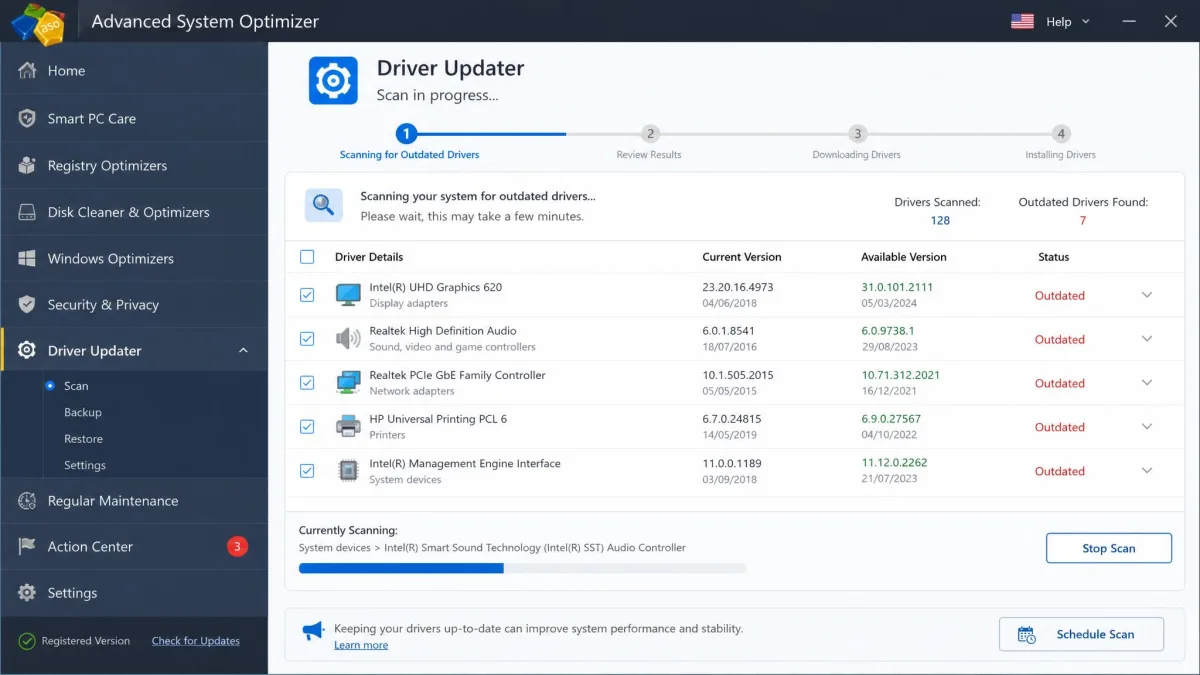
Systweak's Advanced System Optimizer comes from Systweak, Inc., established 1999, and it takes the opposite approach. Instead of four friendly categories, you get a grid of individually launched modules: One Click PC Cleanup, registry cleaner and optimizer, system cleaner, disk optimizer, disk explorer, duplicate file remover, startup manager, uninstall manager, a System Protector malware scan, privacy protector, secure delete, secure encryptor, game optimizer, memory optimizer, driver updater, undelete, and a backup manager.
That breadth is the selling point. Several of those modules, notably the driver updater, the file undelete and the encryption tools, have no equivalent anywhere in AVG TuneUp.
AVG TuneUp: Pros and Cons
The moment that told us most about AVG TuneUp came on the disk cleaner screen. We pointed it at the cluttered Windows 11 machine and let it build its removal list, and among the caches and installer leftovers it proposed clearing the entire Downloads folder. We unticked that entry before confirming anything, and the rest of the pass went through cleanly. Even with that manual review in the middle, the full scan-and-clean cycle finished in minutes rather than the best part of an hour.
That combination is the product in miniature. AVG TuneUp's strongest quality is restraint: it stays light while it works, so the machine remains responsive during scanning and background maintenance rather than grinding for the duration. The cleaning itself is not always as careful, and there is a recurring problem where a PC sits at 100% disk usage after a run, with an awkward path back out of that state. User sentiment reflects the split: Trustpilot reviews of AVG sit at 4.3 out of 5 while Sitejabber sits at 2 out of 5.
Pros
- Runs on Windows, Mac and Android under one product line
- Sleep Mode and automatic weekly maintenance need no supervision
- Light on resources, so the PC stays usable during a scan
- Clear four-category dashboard that non-technical users navigate easily
- 7-day free trial with no credit card required
Cons
- Disk cleaner over-reaches and can target your Downloads folder
- Subscription pop-ups and renewal reminders appear during normal use
- No driver updater, file recovery or encryption
- Speed gains are small on a PC that is already well kept
Both products auto-renew by default. AVG TuneUp backs its purchase with a 30-day money-back guarantee, and Systweak allows 60 days, so diary the renewal date the moment you buy rather than discovering the charge later.
Advanced System Optimizer: Pros and Cons
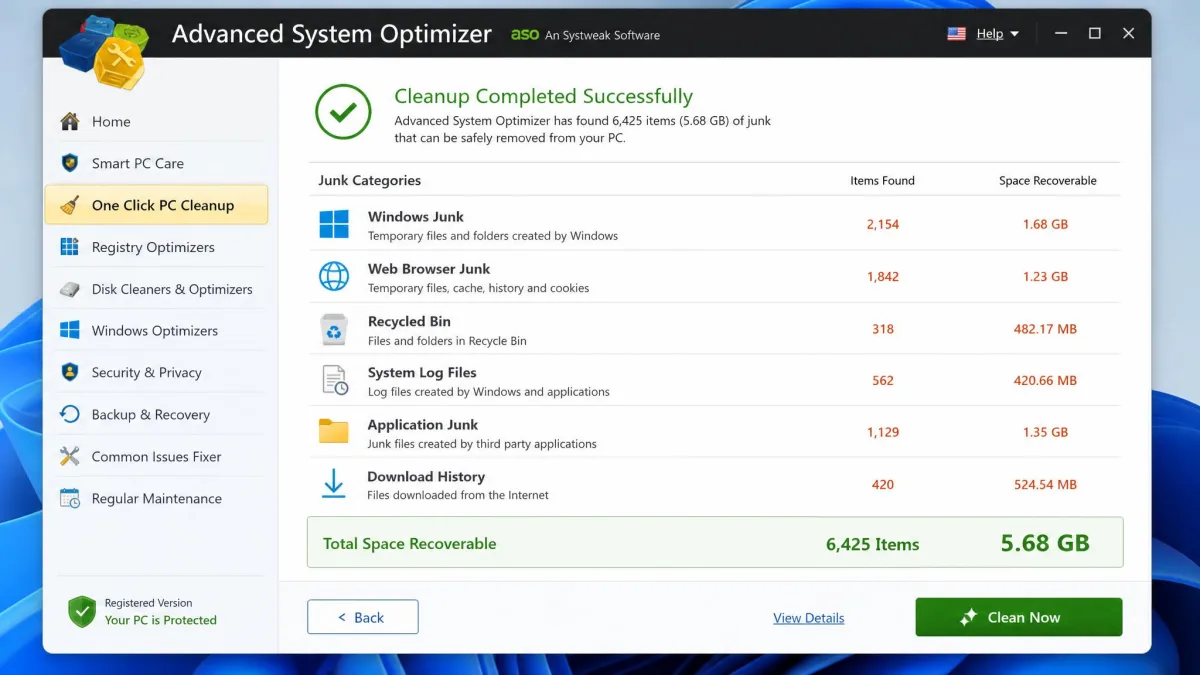
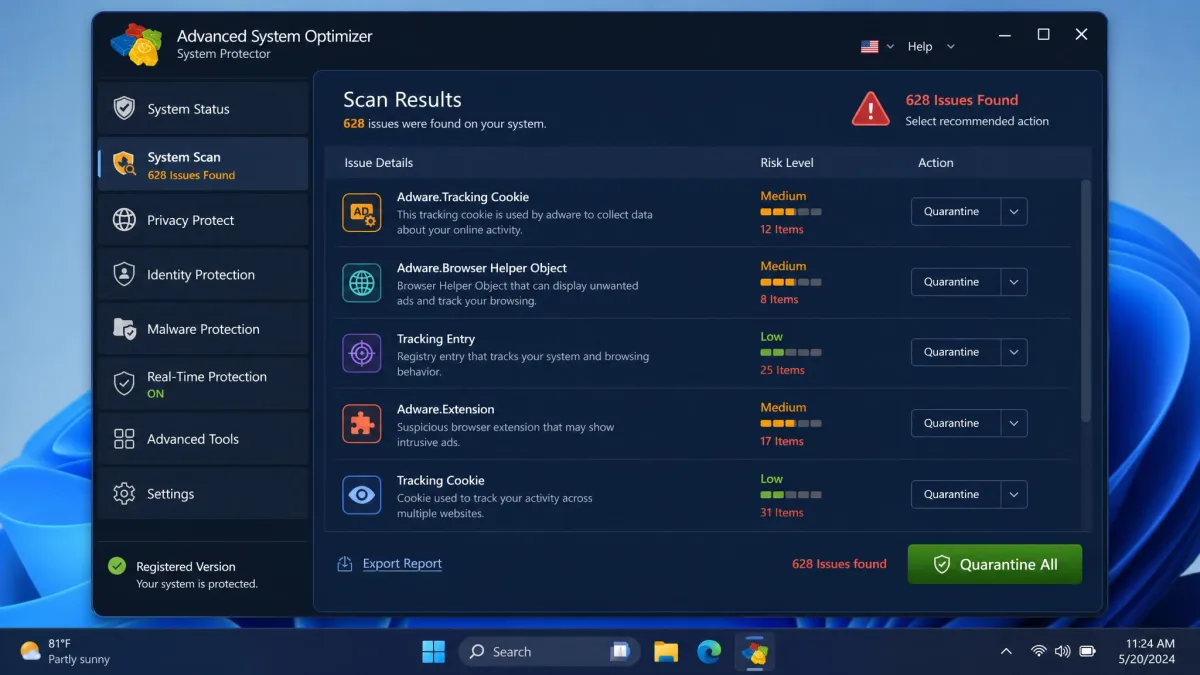
Systweak's product announced itself differently. We opened One Click PC Cleanup on the neglected machine, and the total it came back with ran into multiple gigabytes, in the 4GB to 6GB range that this kind of never-maintained PC tends to hold. Running System Protector afterwards surfaced adware that the machine's mainstream antivirus had left in place, which was not what we expected from a tune-up utility. Then we set Deep Scan going, and it ran and ran with nothing useful on screen to tell us how far through it was.
Those three runs frame the trade-off. Advanced System Optimizer earns its place on volume and depth, and it is genuinely thorough where AVG is quick. The weak points cluster around speed and paperwork: a slow Deep Scan is no use as a pre-work maintenance run, and licensing is the bigger issue, because activation keys can fail to arrive after purchase and billing corrections are slow. SourceForge's listing rates the product 4.0 out of 5, while PissedConsumer's community rates Systweak Software 2.4 out of 5 across 15 reviews, with licence-key delivery and refund handling as the top themes. Both scores are real, and the gap between them is about buying, not about the software.
Pros
- Far more bundled modules, including driver updater, undelete and backup
- One-click cleanup reclaims several gigabytes on a neglected PC
- System Protector catches adware other scanners let through
- Privacy tools include secure delete and file encryption
- 60 days to claim a refund
Cons
- Windows only, with no Mac or Android build
- Deep Scan is slow and gives poor progress feedback
- Interface looks dated next to AVG's dashboard
- Activation and billing problems are a recurring complaint
- Email and knowledge base support only, with no live chat
Pricing and Licensing Compared
Those two very different packages are also sold in very different ways, and the pricing is where the extra modules stop looking like a free bonus. AVG does not publish a price on its own product page, so every figure here comes from resellers and promotions. AVG's list price for a single-PC year sits around $65 and moves with regional and promotional pricing. The 10-device tier is quoted between $76 and $80 per year depending on where and when you buy, which makes it the clear choice for a household with several machines. The first-year discount is a rotating promotion, so the entry price swings between roughly $26 and $35.
Systweak is more transparent. Advanced System Optimizer carries a regular list price of $69.95 for a one-year license, sold for one year and billed annually. In practice it is almost always sold below list, with the running discount price quoted anywhere from about $40 to $50 a year. What Systweak does not publish is a multi-PC tier. The standard purchase is a one-PC, one-year licence, and the store page lists no 3-PC or family option, so covering a second computer means a second purchase. A 5-computer licence for around $69 has been mentioned by the vendor, but it is not a published self-serve tier and we could not confirm that price on the Systweak store.
Trials differ sharply too. AVG gives you a 7-day free trial with no card required. Systweak gives you a 24-hour fully functional trial, after which only a few features work. In unregistered mode the software still detects problems but will not apply fixes until a license is entered.
Features Compared
| Comparison12 key features |
Our pick
AVG TuneUp
★8.2/10
~$65 /yr
|
Advanced System Optimizer
★7.4/10
$49.95 /yr
|
|---|---|---|
| Cleaning | ||
| Junk and disk cleanup | ✓Yes | ✓Yes |
| Browser and cache cleaning | ✓Yes | ✓Yes |
| Duplicate file remover | ✗No | ✓Yes |
| Optimization | ||
| Registry cleaner | ✓Yes | ✓Yes |
| Startup manager | ✓Yes | ✓Yes |
| Disk defragmentation | ✓Yes | ✓Yes |
| Memory optimizer | ✗No | ✓Yes |
| Automation | ||
| Automatic background maintenance | Sleep Mode plus weekly | Scheduled scans only |
| Extras | ||
| Driver updater | ✗No | ✓Yes |
| Backup and file recovery | ✗No | ✓Yes |
| Privacy and encryption tools | Browser cleanup only | Secure delete and encryptor |
| Malware scanning | ✗No | System Protector |
| Check price → | Check price | |
Cleaning and Junk File Removal
Both tools clean up junk files well, and both will free up space you did not know you had. Advanced System Optimizer's One Click PC Cleanup is the heavier hitter on a genuinely neglected machine, where multi-gigabyte hauls are normal. AVG TuneUp's Disk Cleaner and Browser Cleaner are quicker but less aggressive by default, and as noted above, the list it proposes deserves a read before you approve it.
The practical difference is supervision. Systweak's cleanup expects you to sit and watch a slow pass finish. AVG's expects you to walk away.
Registry and Startup Optimization
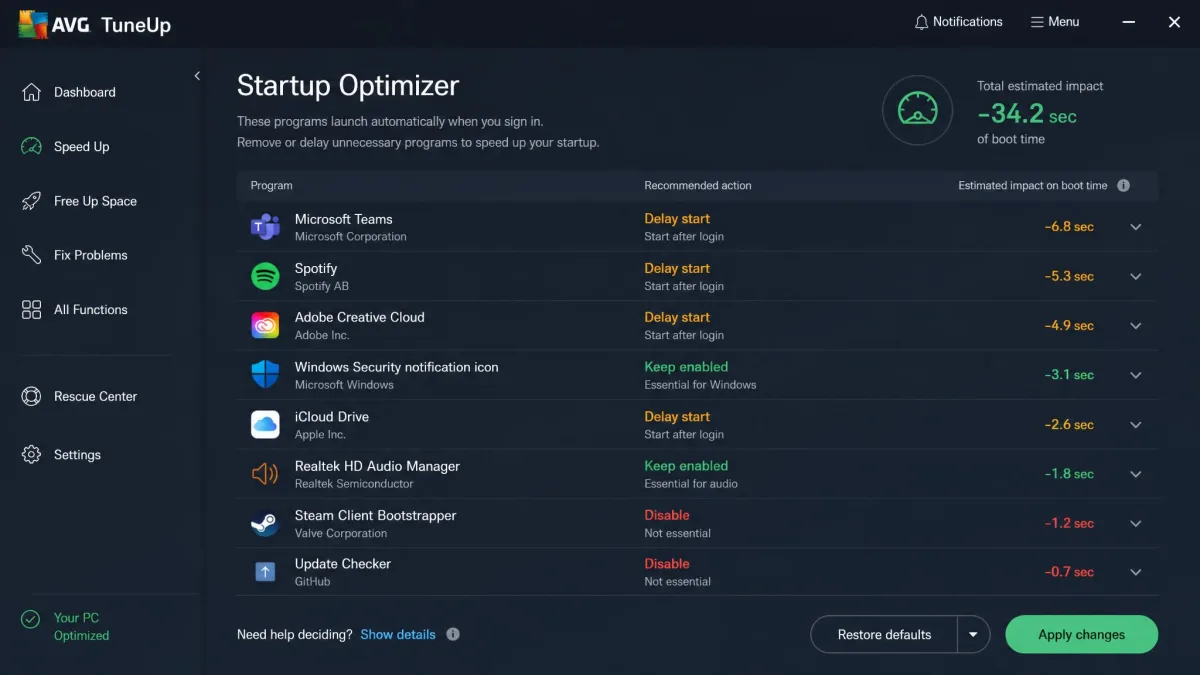
Both include a registry cleaner and a startup manager, and the startup manager is the module that actually changes your boot experience. Trimming what loads at sign-in is the single most reliable way to speed up a slow start, which is why Microsoft's own guidance on startup apps covers the same ground natively in Windows.
Registry cleaning is the most oversold feature in this category. Removing orphaned registry entries tidies the database, but on a modern Windows install it rarely produces a speed change you can feel. Treat it as housekeeping, not as a performance fix.
Disk Defragmentation and Drive Health
AVG TuneUp includes disk defragmentation, and Advanced System Optimizer ships Disk Optimizer along with a disk explorer for finding what is eating space. On a mechanical hard drive both are worth running. On an SSD, neither should be defragmenting anything, and modern Windows handles SSD maintenance itself.
Systweak's disk explorer is the more useful of the two here, because seeing which folders are actually large tells you more than any automatic pass.
Automatic Maintenance and Background Modes
This is where AVG TuneUp pulls clearly ahead. Sleep Mode hibernates background applications until you need them, and automatic weekly maintenance runs the routine tasks without prompting. Advanced System Optimizer offers scheduled scanning, which is a schedule rather than a background mode, and it still expects you to launch modules yourself.
If you want a tune-up tool you configure once and forget, that gap is decisive.
Extras: Driver Updater, Backup, Privacy Tools
Here the advantage flips. Advanced System Optimizer includes a driver updater, a backup manager, system files backup and restore, an undelete tool for recovering deleted files, secure delete, and a secure encryptor for locking down individual files. AVG TuneUp has a software updater for applications, but no driver updater, no backup and no encryption at all.
Interface and Ease of Use
All those extra modules have to live somewhere, and the two apps solve that problem very differently. AVG TuneUp's dashboard is the better piece of design: four labelled categories, plain-English descriptions, and a one-click path from opening the app to a finished clean. Someone who has never used a maintenance tool can work it out in a minute.
Advanced System Optimizer's interface is functional and easy to navigate, but it looks dated next to AVG's dashboard, and long operations lack clear progress indicators. You are also making more decisions, because the modules are separate and none of them holds your hand.
Neither is difficult. AVG is friendlier, Systweak is denser, and which you prefer depends on whether you enjoy poking at settings.
Whichever you choose, create a Windows restore point before your first registry clean or driver update. It takes a minute and it turns an awkward rollback into a two-click fix.
Platform Support and System Requirements
The extra utilities come at a cost that has nothing to do with the interface: Systweak spends its development effort on one operating system, and AVG spreads it across three. AVG TuneUp runs on Windows 11, 10, 8 and 7. The Mac build requires macOS 10.10 or above, and there is an Android version covering Android 10 or later. One product line, three platforms.
Advanced System Optimizer is Windows only: Windows 11, 10, 8.1, 8 and 7, in both 32 bit and 64 bit builds. There is no Mac or Android release, and there is no sign of one coming. Systweak's own pages list only OS compatibility and publish no RAM, CPU or disk space minimums, which is a small transparency gap on an older machine. The figures that circulate elsewhere are modest: 512MB of RAM, 500MB of free hard disk space and a Pentium 4 or later processor, so almost any machine still running Windows 7 or later will clear the bar.
Performance: What Changed on Our Test PC
The honest finding is that neither product transforms a working PC. On an already-lean machine, AVG TuneUp's measurable speed gain is small, and the visible wins are reclaimed disk space and a shorter startup list. Advanced System Optimizer's benchmark speed gain measured around 3%, with the bigger payoff again being reclaimed storage, a trimmed startup list and a tidier registry.
Where the two diverge is what the cleanup costs you in patience. AVG's cycle completes in a few minutes and leaves the machine usable throughout. Systweak's Deep Scan takes considerably longer and gives you less to look at while it works, but on a neglected PC it reclaims more, in the 4GB to 6GB range rather than a few hundred megabytes.
Which One Should You Buy?
Choose AVG TuneUp If...
You want the PC looked after without thinking about it, you own a Mac or an Android phone as well as a Windows machine, or you are covering several computers under one licence. The 10-device plan is where AVG's value case is strongest, and the 7-day trial with no card gives you a proper look before paying. This is also the right pick for anyone buying on behalf of a less technical relative.
Choose Advanced System Optimizer If...
You have one Windows PC, you like having every utility in one place, and you specifically want a driver updater, file undelete or file encryption without buying separate software. It also suits a genuinely neglected machine, where the one-click cleanup has the most to reclaim. Go in knowing the trial is only 24-hour and the support channel is email.
Alternatives Worth Considering
If neither of the two suits the machine you have in mind, three others solve the same problem from different angles.
IObit Advanced SystemCare
Where both of our main picks charge from day one, IObit's free edition covers registry cleaning, disk cleaning, startup optimization and browser protection, which is enough for many people to skip paying entirely. Our IObit Advanced SystemCare review covers what the Pro upgrade adds.
Iolo System Mechanic
If it is the multi-device maths that brought you here, System Mechanic is a long-standing tune-up pick whose licence covers all the home computers you own rather than a fixed device count. That makes it a direct threat to AVG's multi-device plan. See our iolo System Mechanic review.
Ashampoo WinOptimizer
Closer in spirit to Systweak, this is a Windows-only all-in-one optimizer, but it ships a free edition alongside the paid release and a cleaner interface than most of this category. Our Ashampoo WinOptimizer review has the detail.
Frequently Asked Questions
Is AVG TuneUp worth it in 2026?
Is Advanced System Optimizer safe to use?
Is Advanced System Optimizer the same as Advanced SystemCare?
Do PC optimizers actually speed up a computer?
Can I run both at the same time?
Do I still need a tune-up tool with Windows 11 built-in cleanup?
Which is better value for multiple PCs?
The Verdict