A decentralized VPN turns the usual model inside out. A normal VPN routes your traffic through servers the provider owns and runs. A dVPN like Mysterium routes it through a peer-to-peer network of nodes that ordinary people run from their own connections, and those node operators get paid in cryptocurrency for the bandwidth you use. The pitch is appealing: no single company holds every server, exit traffic looks like a real residential connection, and you pay closer to what you actually consume.
We wanted to know whether that architecture holds up in daily use, so we treated Mysterium the way we treat any VPN. We ran it through speed, leak, and streaming tests, connected across near and far nodes, and paid attention to the rough edges. The short version is that Mysterium is one of the more interesting products in this space and one of the more inconsistent. This review walks through what the decentralized network actually does for you, where it stumbles, and who should consider it.
Short on Time? Key Findings at a Glance
If you only read one section, read this one. Mysterium VPN is a decentralized service that works, but it asks for patience. Connection quality changes depending on which node you pick, and you effectively shop for a node the way you would shop for a listing, checking each one's price and quality indicator before you connect.
Streaming is the standout use case because the residential IPs behind many nodes are hard for services to flag. Speed is the weak spot, and privacy is a genuine mixed bag: excellent anonymity at signup, real questions about who sits at the other end of your connection. For context on where the wider review community lands, vpnMentor scores Mysterium 4.7/10, top10vpns rates it 5.5/10, and BestGuide gives it 4.2/5. Our own testing puts it in similar territory: promising, uneven, and not yet a mainstream pick.
We judge a VPN on how it behaves when you actually rely on it, not on its feature sheet. With Mysterium that meant living with the node-by-node lottery: some connections were quick and clean, others failed outright because the person running that node had gone offline. That unpredictability is the honest story here.
What Is Mysterium VPN? (How the Decentralized Node Network Works)
Mysterium is built on a decentralized node network rather than a fleet of company data centers. Each node is a computer or server that someone else runs and rents out, and your connection routes through whichever one you choose.
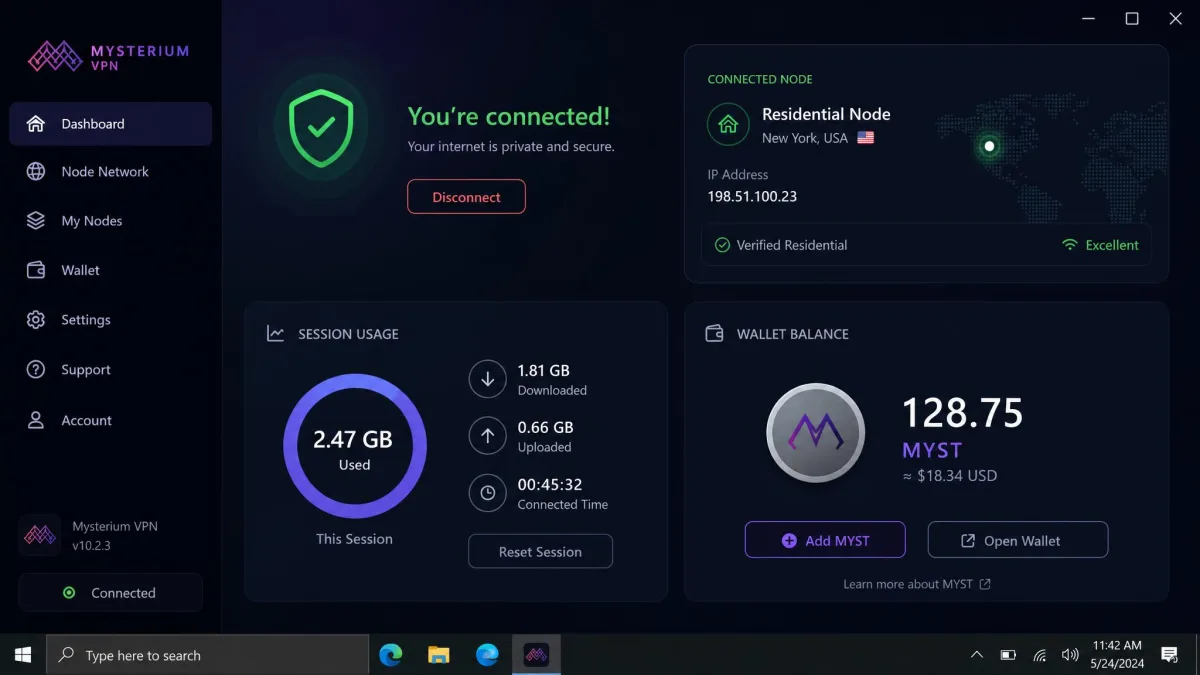
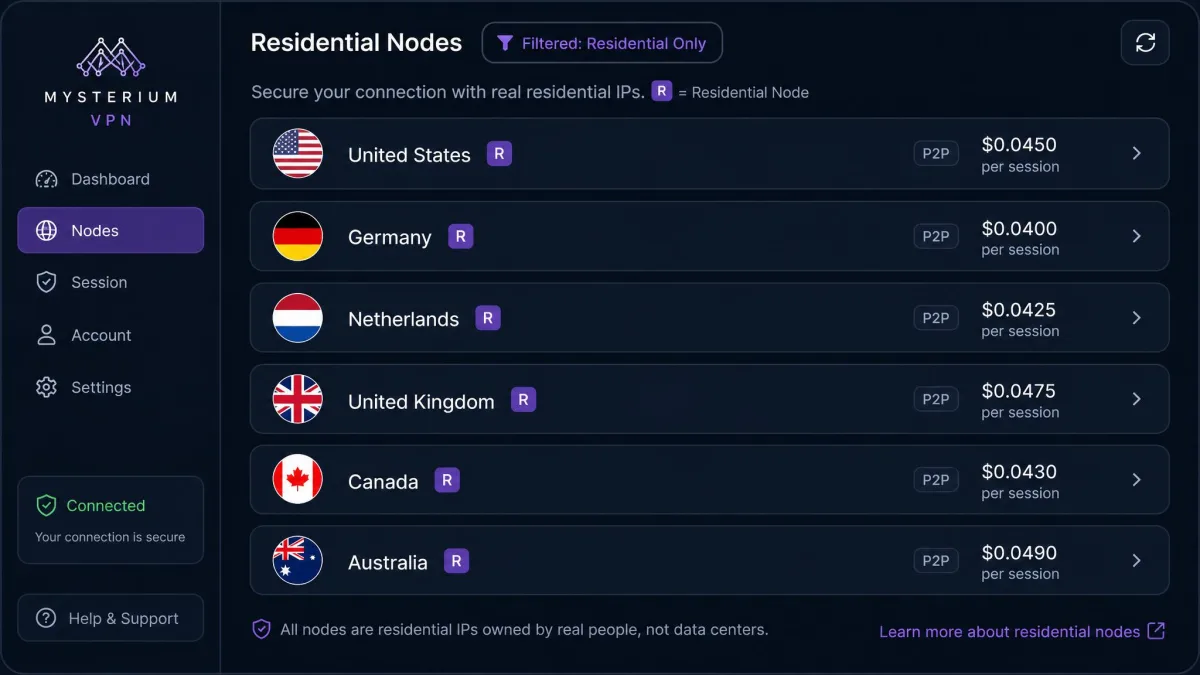
The practical effect is that there is no central server list in the usual sense. Instead, the app shows you individual nodes, each with its own price and a quality indicator, so you are picking a specific operator every time you connect. Residential nodes carry an "R" marker and cost a little more than standard ones, and in our testing those were consistently the nodes that unblocked streaming.
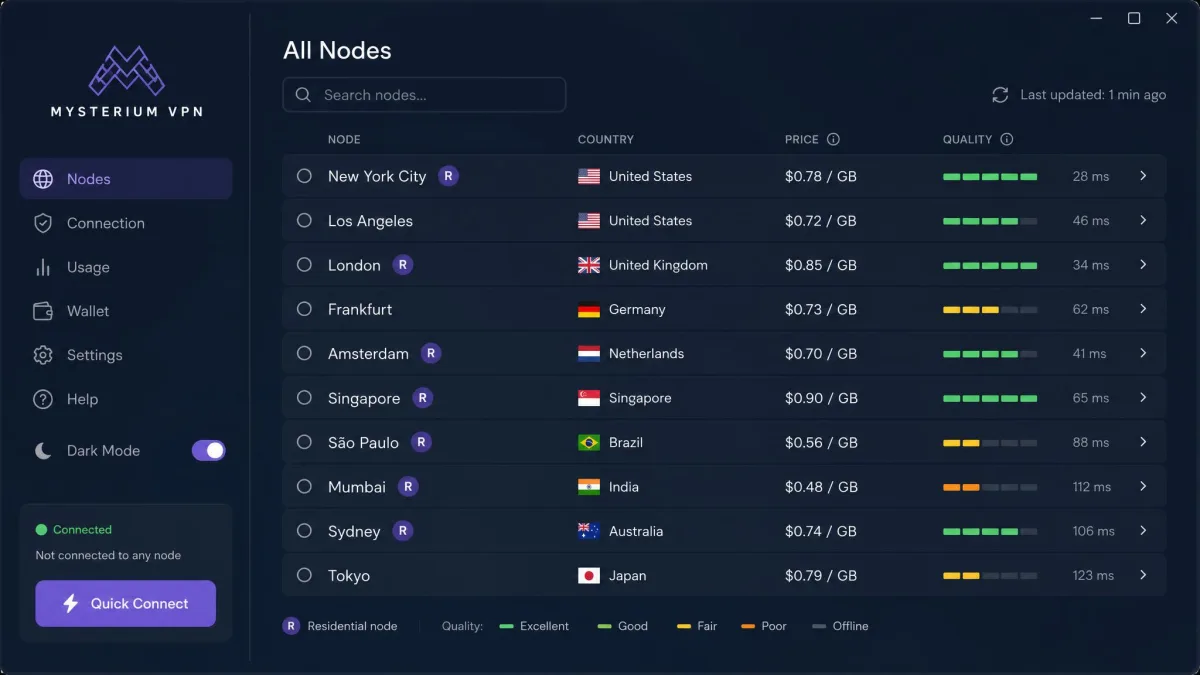
The company behind the network is based in Lithuania, which sits outside the Five and Nine Eyes intelligence-sharing alliances. That location matters for a privacy product, though as we cover below, jurisdiction is only one piece of Mysterium's trust picture. The bigger difference from a conventional VPN is philosophical: you are trusting a distributed crowd of operators rather than one provider, and that changes both the strengths and the risks.
Streaming (Netflix, Disney+, and More)
Streaming is where the decentralized model pays off. Because many nodes route through genuine residential connections, the exit IPs look like ordinary home broadband, and streaming services are far slower to block those than they are to block a known data-center range. In our testing the residential nodes unblocked Netflix's US catalog reliably, and Mysterium has also handled Disney+, Hulu, HBO Max, BBC iPlayer, and DAZN in review testing.
The catch is stability. A stream that starts cleanly will periodically drop, and getting it back means switching to a fresh node every few hours. That is the trade you make for residential IPs: they are hard to detect, but they are also individual connections that can go quiet without warning. For a movie night it is a minor annoyance. For a long binge it means keeping the app within reach.
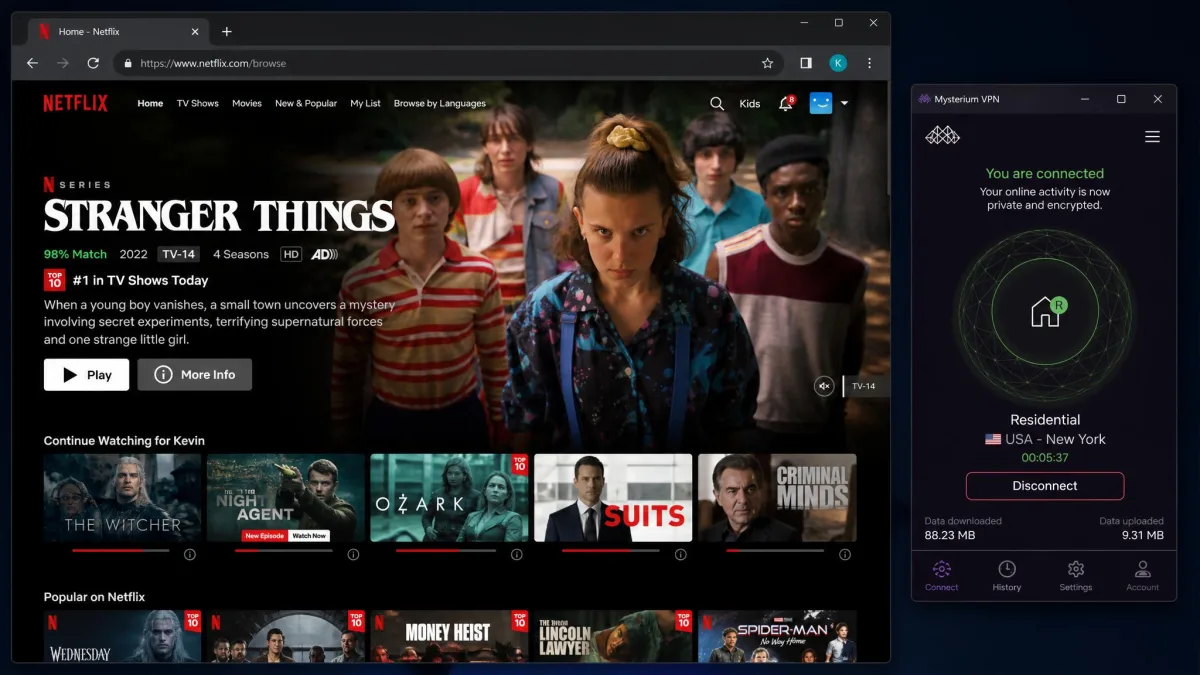
If streaming is your main reason for looking at Mysterium, target the residential nodes specifically. They cost slightly more per session, but the standard nodes are the ones that tend to get caught. When you find a residential node that plays cleanly, it is worth noting which one it is so you can return to it.
Speed and Performance
Speed is the single biggest thing you trade for the decentralized model, and it is where Mysterium struggles most. Because every node is a different person's connection, throughput is not a property of the service so much as a property of whichever operator you land on. That makes the experience genuinely unpredictable from one session to the next.
Local Speeds
Even close to home, the overhead is heavy. Connecting to a nearby node cut our download speed by roughly 70%, dropping from a 74.81 Mbps baseline to about 22.8 Mbps. On a good node we saw around 47 Mbps against a 103 Mbps line, which is more workable. The spread between those two results, on connections that should both count as "local," tells you how much the specific node matters.
For everyday browsing and standard-definition streaming, a local node is fine. If you are pulling large files or running anything latency-sensitive, the loss is enough to notice, and you may find yourself testing two or three nodes before one feels quick.
Long-Distance Speeds
Distance makes the swing worse. Long-distance connections rarely beat 13 Mbps in our testing, and on far nodes the numbers fell off a cliff: roughly 13 Mbps on a California node and as low as 1 Mbps on a node in Japan, both off a 103 Mbps baseline. Ping climbed to 325ms on an Australian node, which is high enough to make interactive tasks feel sluggish.
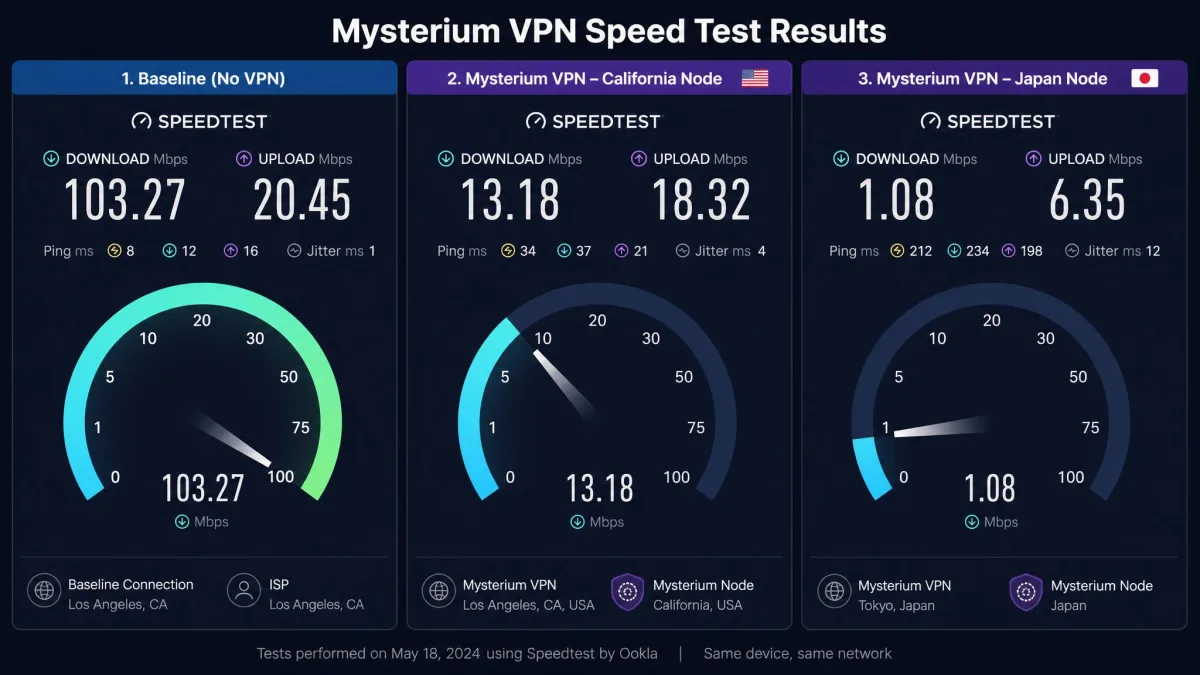
The honest read is that Mysterium is not built for speed-critical work over long distances. If your use case is reaching a specific far-off region for streaming, the residential nodes can still get you in. If you need consistent throughput to the other side of the world, this is not the tool for that job.
Server Network and Nodes
Counting a decentralized network is harder than counting a normal one, because the numbers move as operators come and go. Reported totals vary widely across sources, from roughly 3,000 nodes across 80 countries at the low end to figures in the 20,000-plus range with a smaller set of distinct locations. Treat any single node count as a snapshot rather than a fixed spec, since the live total genuinely fluctuates.
What matters more than the headline number is how you interact with the network. Each node shows its own price and a quality indicator, so connection quality is uneven and you are effectively shopping per node. That is a different mindset from a normal VPN, where you tap a country and trust the provider to route you well.
On a decentralized network, node availability changes constantly. A node that worked yesterday may be offline today because the person running it turned their machine off. Build in a habit of checking two or three nodes rather than expecting your favorite to always be there.
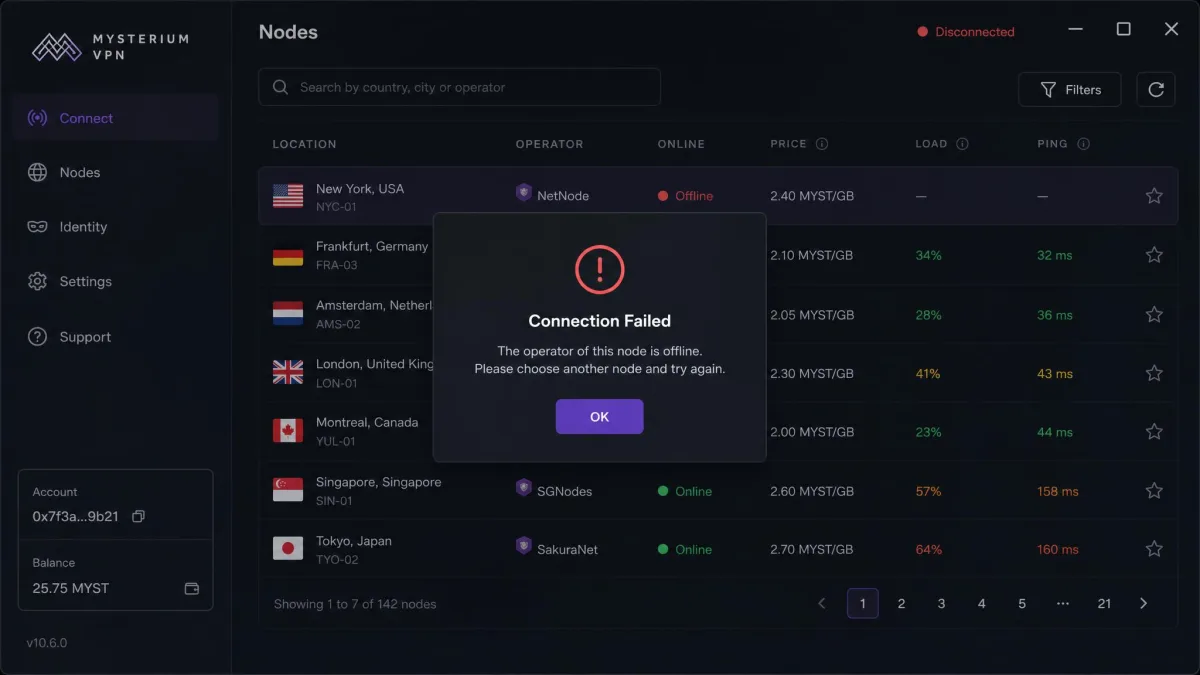
The app occasionally throws "connection failed" messages, apparently because some user-run nodes have gone dormant. It is not a crash so much as a dead end, and the fix is simply to pick another node. Once you accept that rhythm, the network is usable. If you want a static, always-there server list, the dVPN model will feel unfamiliar.
Security and Privacy
Privacy is where Mysterium is most interesting and most divided. On the anonymity side, it is genuinely strong. There is no account registration and no email required: the app generates a cryptographic key for you, so there is no personal profile tying you to the service. Mysterium also states a no-logs policy, and the company's Lithuanian base keeps it outside the main intelligence-sharing alliances.
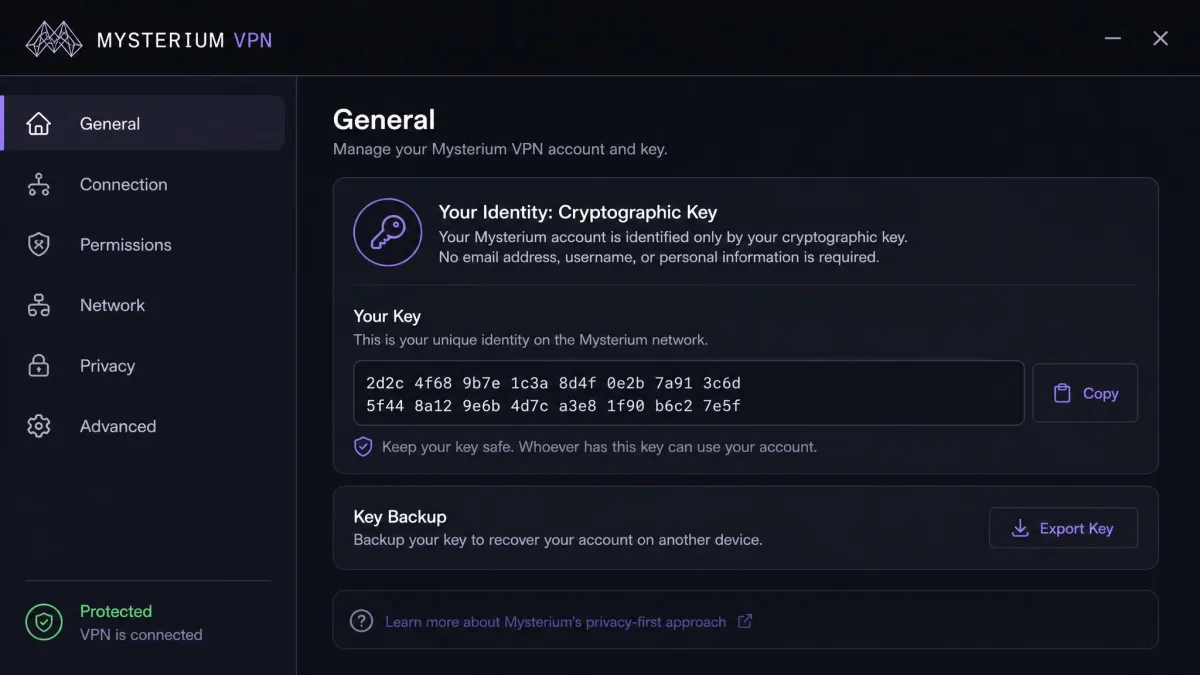
For encryption, Mysterium supports WireGuard and OpenVPN with ChaCha20, which are the modern, well-regarded protocols you want to see. There is no multi-hop option, and it is worth knowing that no independent third-party security audit of Mysterium has been published, so the no-logs and leak-protection claims rest on the vendor's word rather than an outside verification.
DNS and Leak Testing
We always run leak tests, and Mysterium gave us a mixed result. On several nodes the connection behaved as expected, but a DNS leak surfaced on a US node in Florida during testing. We also saw the app sometimes display the wrong location or even the original IP, even when the underlying connection had in fact changed. That interface confusion is not the same as a leak, but it undermines confidence when you are trying to confirm you are protected.
Run your own leak test after you connect, and do not rely on the app's location display alone to confirm your IP has changed. We saw a DNS leak on one US node and occasional mismatches between what the app reported and the actual connection state. Verify with an independent leak-test site before you trust it with anything sensitive.
A kill switch would help here, but its presence is inconsistent across the versions and sources we checked, so we would not count on one being reliably active. If a kill switch is essential to your threat model, confirm it is working in your build before you depend on it.
Node Reputation and Trust
Here is the trade at the heart of the dVPN model. Because your traffic exits through a stranger's residential connection, you are trusting individual node operators, any of whom could in principle monitor the traffic passing through their node. A conventional VPN asks you to trust one company. Mysterium asks you to trust whichever operator you happen to route through, and that set changes every time you switch nodes.
Encryption protects the contents of your traffic in transit, so this is not a reason to panic. It is a reason to be deliberate. For general browsing and geo-unblocking, the model is reasonable. For highly sensitive activity, the fact that you cannot vet the person behind a node is a genuine consideration that centralized providers do not carry in the same way.
A normal VPN asks you to trust one company. A dVPN asks you to trust whichever operator you route through, and that set changes every time you switch nodes.
— From our hands-on testing
Is Mysterium VPN Safe to Use?
For everyday browsing and geo-unblocking, Mysterium is reasonably safe. Your traffic is wrapped in WireGuard or OpenVPN with ChaCha20 encryption, so the contents stay protected in transit even as they pass through a node run by someone you will never meet. The no-account signup adds a genuine layer of safety at the front door, since there is no email or personal profile to leak in a breach.
The honest caveats are the two we hit in testing. A DNS leak surfaced on a US node in Florida, which means your safety is not automatic on every connection, and there is no published independent audit to back the vendor's no-logs and leak-protection claims. Combined with the node-operator trust trade-off, our verdict is that Mysterium is safe enough for casual and streaming use if you run your own leak test after connecting, but we would not lean on it for anything genuinely sensitive.
Pricing (Pay-Per-GB and Crypto Payments)
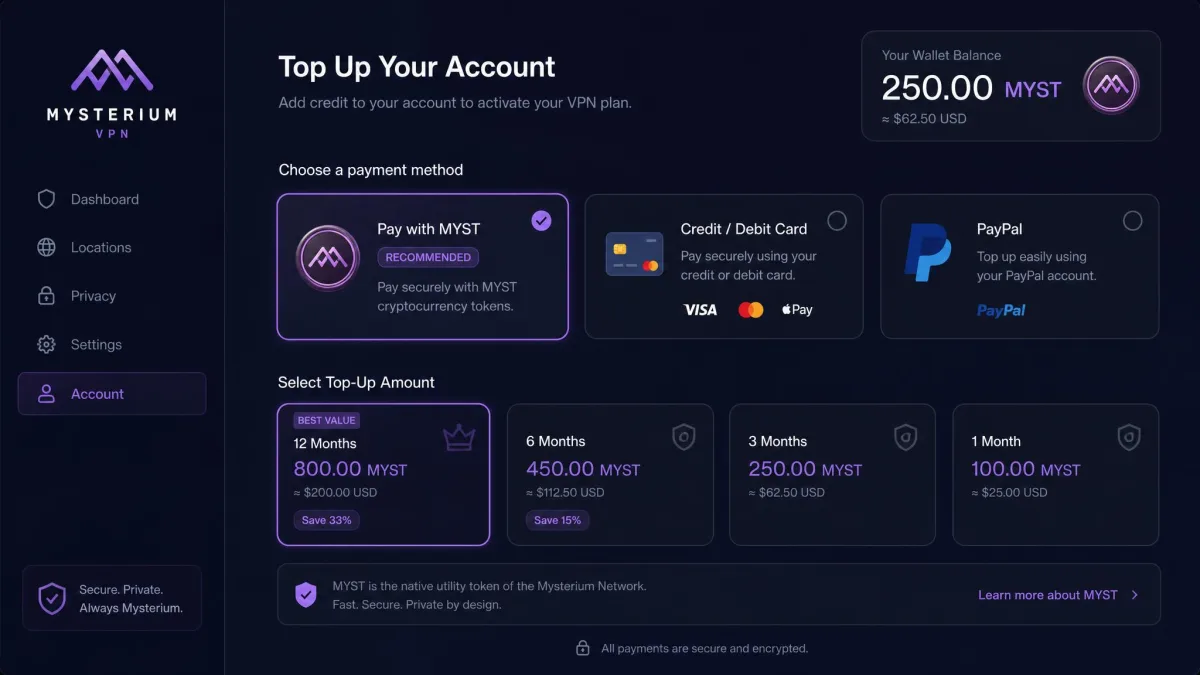
Pricing is the part of Mysterium in the most flux, so treat any exact figure carefully. The product has moved between a usage-based, pay-per-GB approach and flatter subscriptions, and the advertised entry rate has shifted with it. At the time of writing, subscriptions are advertised from around $2.99/mo, though that number is unstable and varies by term, and different sources report different starting prices.
The payment mechanism is where Mysterium differs most from the pack. You can pay with MYST cryptocurrency tokens, funded through card or PayPal, or use a standard subscription, and the network's roots are in probabilistic crypto nano-payments that charged you for the bandwidth you actually used. There is no reliably published current per-GB rate, so if the usage-based model is your reason for signing up, confirm the live rate in the app before you commit.
Two things temper the low headline price. First, Mysterium offers a 30-day money-back guarantee, which on paper lowers the risk of trying it. Second, and less comfortably, refunds and subscription cancellations are a recurring pain point, with buyers reporting refused refunds and difficulty cancelling. Trustpilot's 141 reviewers give Mysterium a 3.0/5 TrustScore, and the split is telling: about 41% five-star and 49% one-star, with very little in between. That polarization matches our overall read, so budget for the possibility that getting your money back is not as smooth as the guarantee suggests.
Torrenting and Extra Uses
The residential-IP model that helps with streaming also makes Mysterium interesting for peer-to-peer traffic, since exit connections look like ordinary home broadband rather than flagged VPN endpoints. If you torrent, the same node-quality lottery applies: throughput depends entirely on the operator you connect through, so expect to test a few nodes to find one with usable speed.
There is a real responsibility angle worth naming plainly. Because you route through someone else's connection, and because you might yourself run a node one day, the traffic flowing through a node is tied to a real person's home IP. That is a reason to be thoughtful about what you route and, if you ever operate a node, about what you are willing to relay. For most people the practical extra use is simply reaching region-locked content with an IP that services do not immediately block.
Device Compatibility and Setup
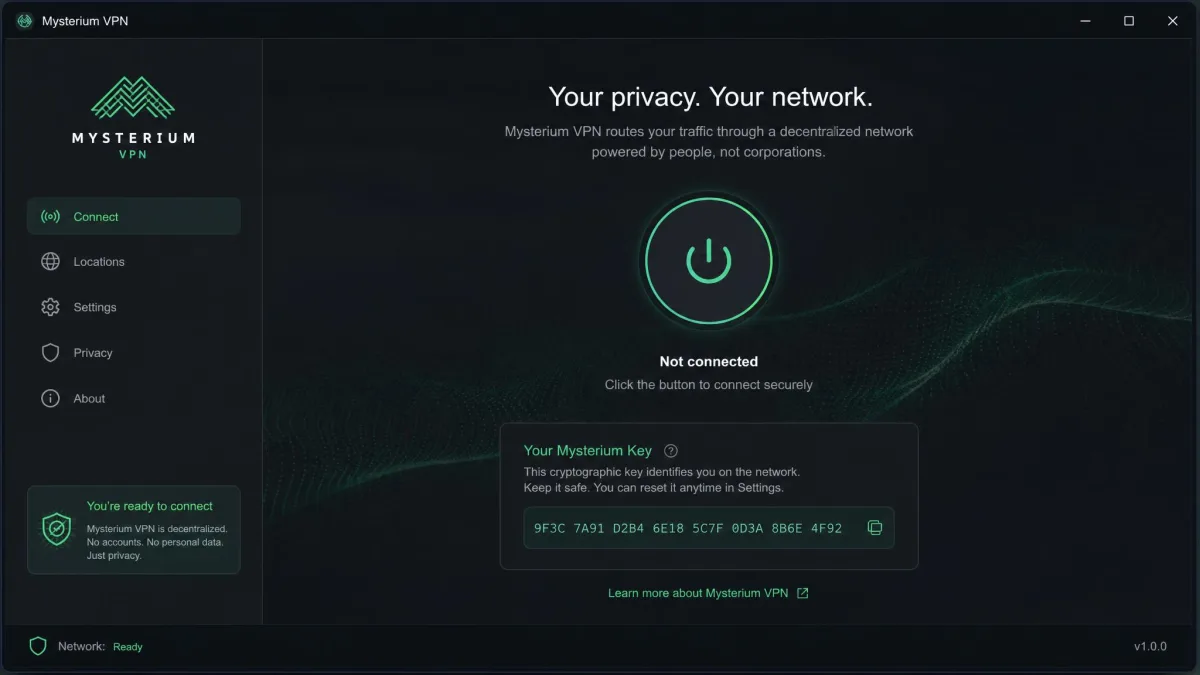
Setup is one of Mysterium's genuine bright spots. The Windows app installs straightforwardly, and because no account or email is required, you are connected in a couple of minutes with just the generated cryptographic key standing in for a login. For a product with this much technical ambition, the first-run experience is refreshingly low-friction.
On platform coverage, Mysterium runs on Android, Windows, macOS, and Linux, and it extends to Docker, Raspberry Pi, and Avado for people who want to run their own node. iOS is the unsettled part: historically there was no iOS app, but an App Store listing has since appeared, and coverage is reported inconsistently. If you are an iPhone user, confirm current iOS availability directly before you assume it is supported.
Support is more of a weak point than setup. Help runs through a web-form ticketing system rather than true live chat, and responses take roughly 12 hours in our experience. That is workable for a non-urgent question and frustrating when you are mid-problem and want an answer now. Set your expectations toward email-paced help rather than instant chat.
Pros and Cons
Weighing Mysterium comes down to how much you value the decentralized model against how much inconsistency you can tolerate. Here is how the trade-off shook out for us.
Pros
- Residential-IP nodes unblock Netflix and other streaming services that block ordinary VPNs
- No account or email required, so signup anonymity is excellent
- Modern protocols (WireGuard and OpenVPN with ChaCha20)
- Crypto payment options and a Lithuania base outside the main surveillance alliances
- Low-friction install and a 30-day money-back guarantee on paper
Cons
- Speeds swing wildly by node, and long-distance throughput is poor
- Traffic exits through strangers' connections, so you cannot vet node operators
- DNS leak seen on one node, disputed kill switch, and no published independent audit
- Refunds and cancellations are a recurring complaint
- Support is web-form only with roughly 12-hour responses
Final Verdict: Who Should Use Mysterium VPN?
Mysterium is a fascinating product that is not yet a default recommendation. If you are curious about decentralized technology, want residential IPs for streaming that ordinary VPNs cannot deliver, or like paying with crypto, it earns a look, and the no-account signup is genuinely private. If you want fast, consistent, set-and-forget performance with responsive support, a mature centralized VPN will serve you better today.