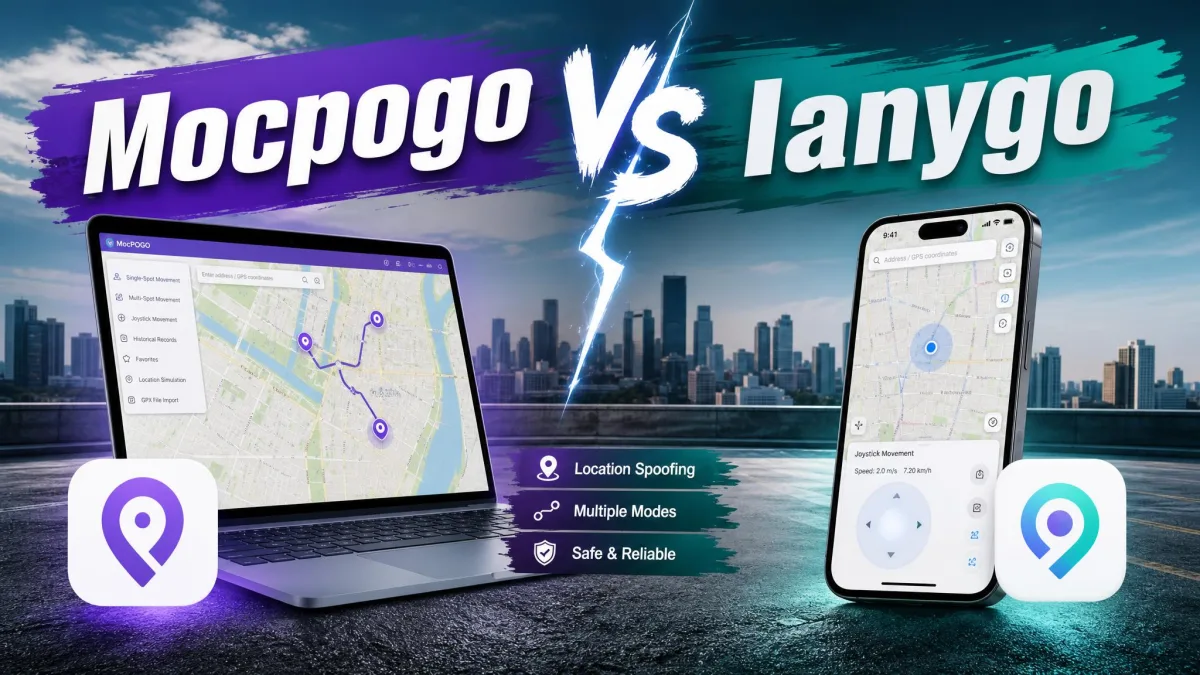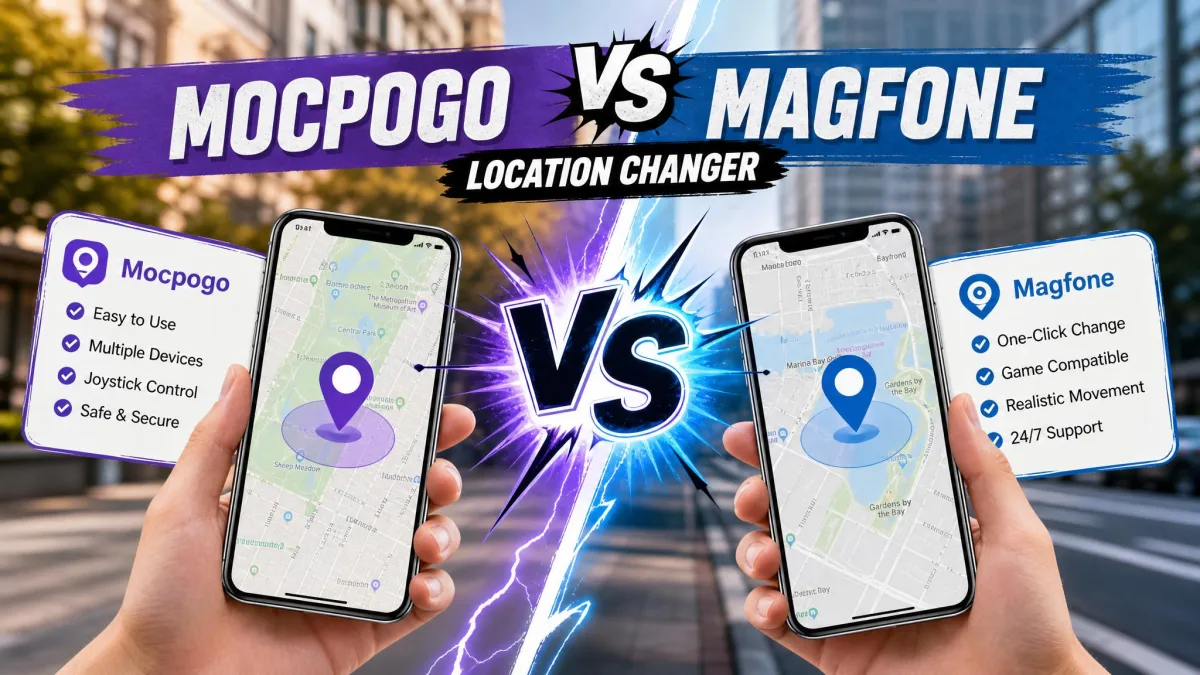
Picking a location changer is harder than it should be, because both vendors promise the same thing in almost the same words: change your GPS position on iPhone or Android with ease, without jailbreak or root. MocPOGO and MagFone Location Changer are the two names that keep landing in front of buyers, and on a feature list they look nearly identical. We worked through both tools' current builds, purchase pages and documented behaviour, then compared them on the things that decide the purchase. Movement modes matter, so does device support, so does the price per licence, and so does the way each app handles the cooldown that keeps Pokemon GO players out of trouble. MocPOGO takes the win overall. MagFone is the one we would hand to someone who wants the shortest path from install to a changed location.
MocPOGO vs MagFone at a Glance
Both are desktop apps that talk to your phone and rewrite the location your apps see, and both cost $9.95 for a single month. The differences show up at the edges. Device ceilings differ, the movement modes are built differently, and the price of keeping the software forever is not the same.
| Product | Buy | Supported platforms | Movement modes | Joystick | Devices at once | Connection | Jailbreak | Free trial | 1-month | Lifetime | Refunds |
|---|---|---|---|---|---|---|---|---|---|---|---|
 |
Check price → | iOS 13 and newer, Android 8.0 and newer | Teleport, two-spot, multi-spot, joystick | 360-degree with keyboard control | 15 | USB, Wi-Fi, Bluetooth on iOS | Not required | Free download, paid to move | $9.95 | $79.95 | 30-day |
 |
Check price | iOS 12 and newer, Android 6.0 and newer | Direct change, 2-spot, multi-spot, jump teleport, joystick | 360-degree with WASD and arrow keys | 10 | USB, Wi-Fi | Not required | Free download, paid to move | $9.95 | $89.95 | 30-day |
How We Tested Both Tools
We compared the two on the same terms. We worked from current vendor documentation, the movement modes each one ships, the platform floors published for iOS and Android, and the reliability patterns we could verify as consistent rather than one-off. Pricing came from each vendor's own checkout, which matters because those pages render prices in JavaScript and rotate coupons, so headline figures drift.
Two things shaped our ranking more than any feature list. MocPOGO can go unstable during longer sessions, with the app crashing or dropping out mid-route, and activation or licence-key failures after purchase are a recurring complaint that gets cleared only through customer support. MagFone has its own version of that problem: it drops the connection to the phone occasionally and needs a reconnect mid-session.
With that method in mind, here is what each tool actually is.
What Is MocPOGO?
MocPOGO is a desktop location changer for iOS and Android that sets a fake GPS position and, if you want, walks your phone along a route you draw. It is a GPS spoofing tool with a games-first personality, and its feature set reads like it was designed around Pokemon GO first and everything else second.
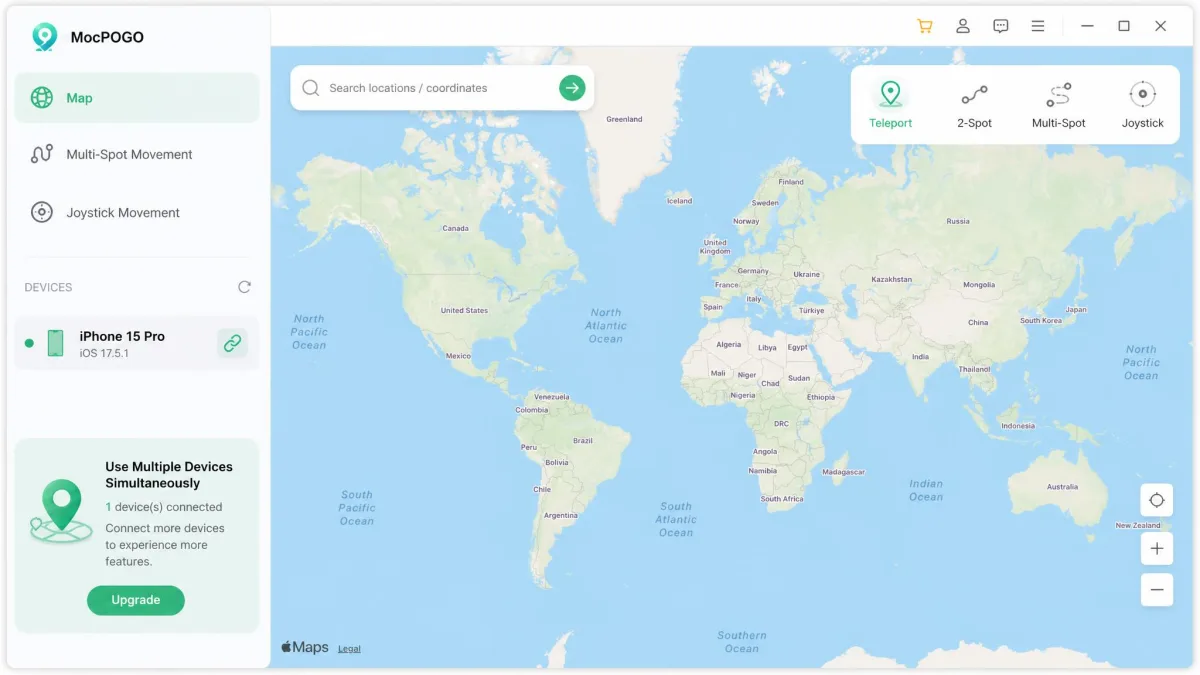
MocPOGO's Key Features
- Teleport mode for an instant jump to any pin on the map
- Two-spot movement between a start and an end point
- Multi-spot route planning with custom speed
- A 360-degree joystick you can drive with the keyboard
- An on-screen cooldown timer that counts the wait between jumps
- GPX route import and auto route following
- USB, Wi-Fi and Bluetooth connection options
Who MocPOGO Is Built For
MocPOGO suits the player who is deep in a location-based game and wants control over speed, route shape and timing. The trade-off is a steeper learning curve than teleport-only tools, because the route, speed and mode controls are all exposed at once rather than hidden behind a wizard.
What Is MagFone Location Changer?
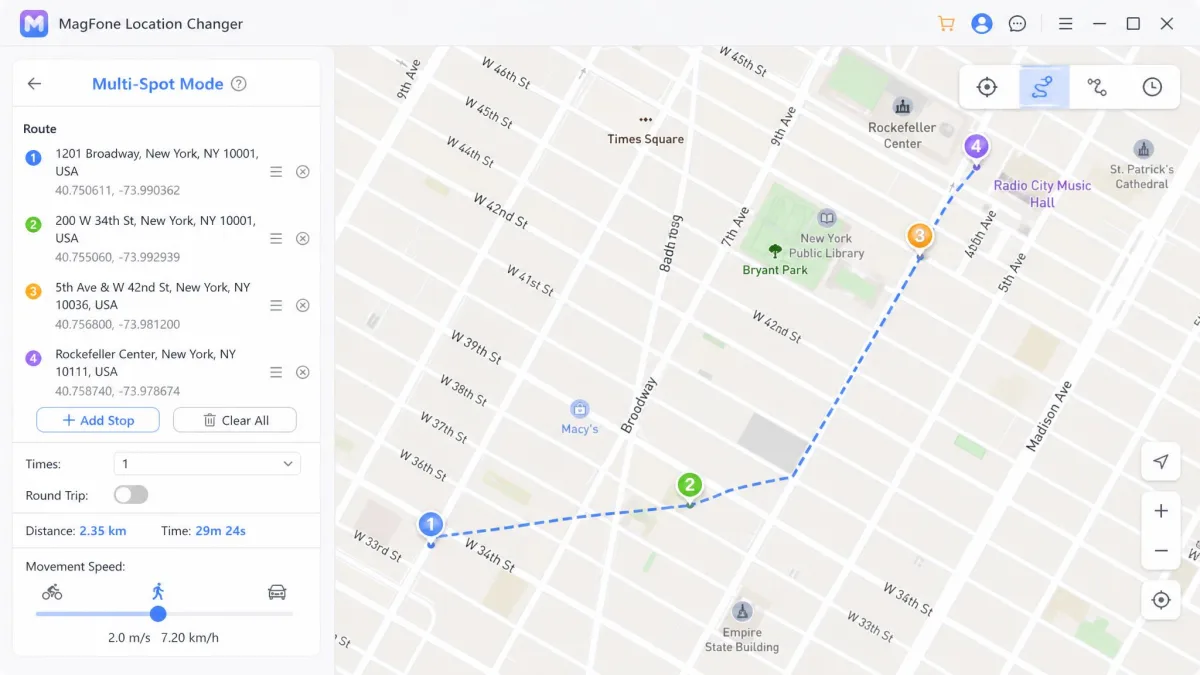
MagFone Location Changer does the same core job with a narrower, calmer interface. It offers five movement options: direct location change, 2-spot movement, multi-spot movement, jump teleport, and joystick movement. It is the more predictable of the two in daily use, and the one we found easier to hand to someone who has never spoofed a location before.
MagFone's Key Features
- Five movement modes, including a distinct jump teleport
- Multi-spot routes with a speed you can set per leg
- A joystick that responds to WASD or the arrow keys
- USB and Wi-Fi connection, plus GPX support
- Control of up to 10 iOS and Android devices at once
Who MagFone Is Built For
MagFone fits the person who wants to change one phone's location and get on with the day. Its per-leg speed control is the feature we would miss most, because setting a slower pace on one section is what makes a simulated walk look less mechanical than a straight teleport.
Head-to-Head: Feature Comparison
On paper the two overlap heavily. In practice the differences cluster around movement realism and how many phones you can drive at once.
Movement Modes: Joystick, Two-Spot, Multi-Spot and Teleport
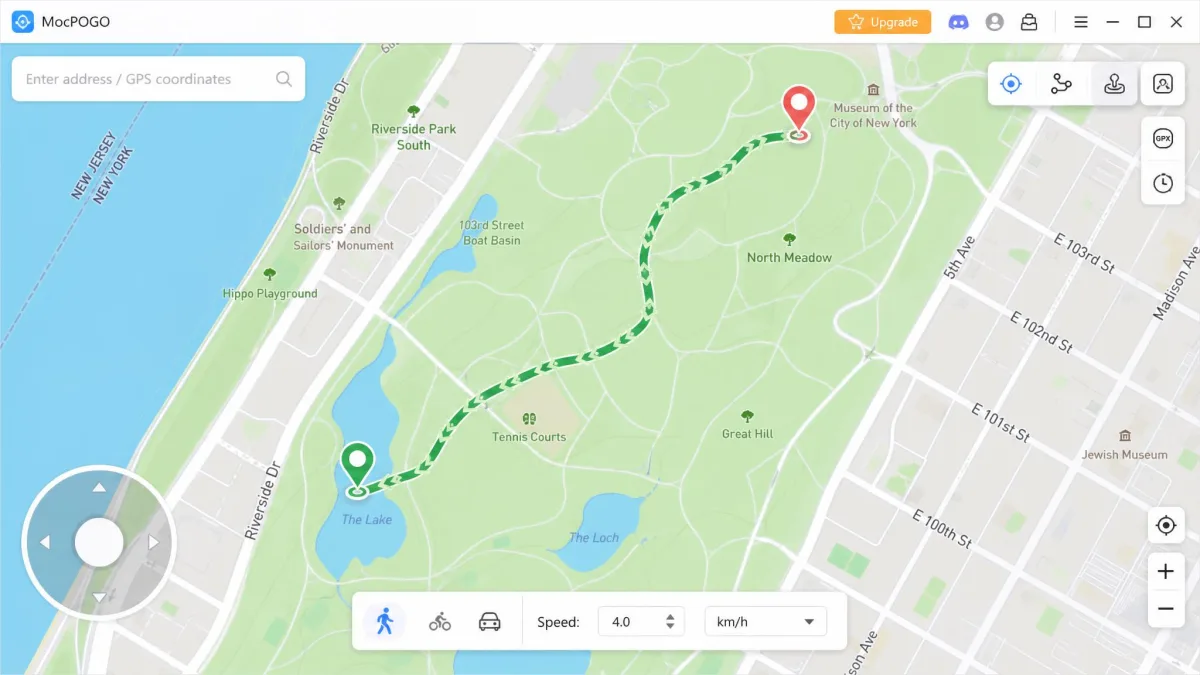
MagFone counts five modes to MocPOGO's four, but the extra one is a naming split rather than new capability, because direct location change and jump teleport are two flavours of the same instant move. In the MagFone interface those five modes are not five buttons either. Four icons sit in the corner of the map, and the jump teleport option lives inside the same instant-move control as the direct change. Both apps give you two-spot movement for an A-to-B walk, multi-spot movement for a route with waypoints, and a 360-degree joystick you can drive from the keyboard.
Simulated Speed and Route Realism
This is where MagFone earns its place. Setting speed per leg of a multi-spot route is the difference between a walk that looks human and one that looks scripted. MocPOGO answers with auto route following and GPX import, so you can load a real recorded track instead of drawing one by hand.
Whichever tool you use, vary your pace. A route walked at one exact speed for an hour is the easiest pattern in the world for an app to notice, and both tools let you avoid it in about ten seconds of setup.
Multi-Device Control
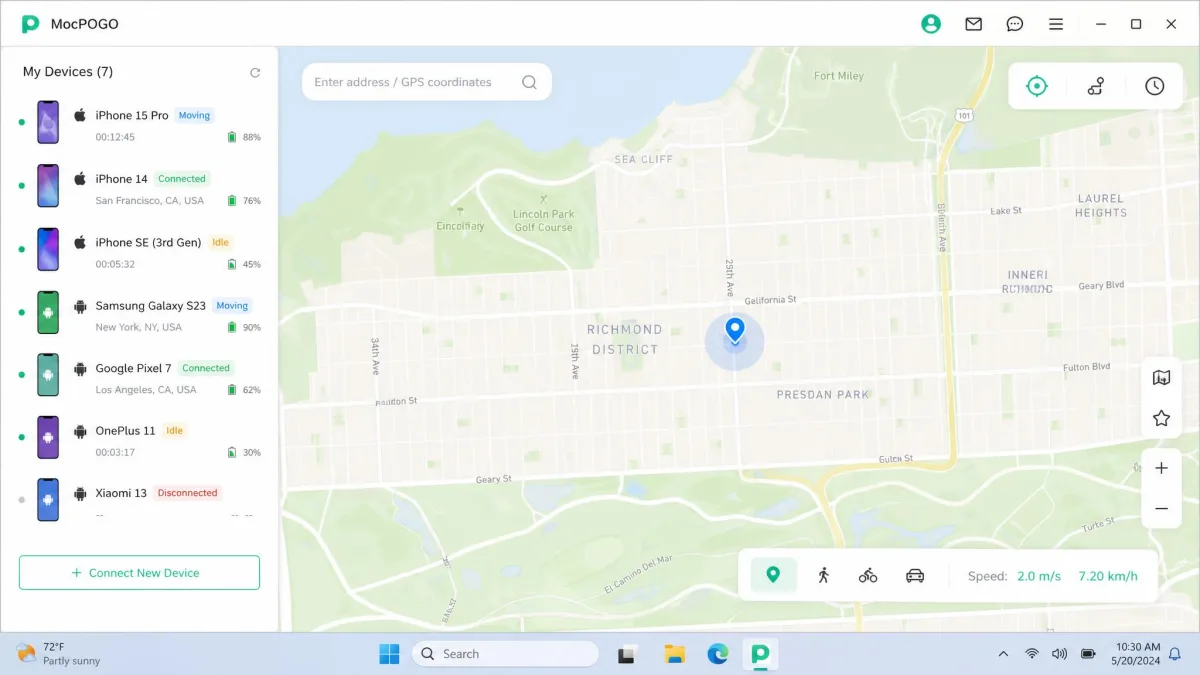
MocPOGO controls up to 15 iOS and Android devices at once from one computer. MagFone tops out at 10. If you are running a household of accounts or a set of test phones, that gap is the whole argument.
Connection Options: USB vs Wi-Fi
Both connect over USB or Wi-Fi. MocPOGO adds a Bluetooth mode for iOS, which is useful when you want the phone off the cable and off the network. The joystick works the same way whichever link you use, so a Bluetooth session feels no different from a wired one.
Device and OS Compatibility
Neither tool supports every phone, and the published ranges disagree more than either vendor admits.
iPhone and iOS Version Support
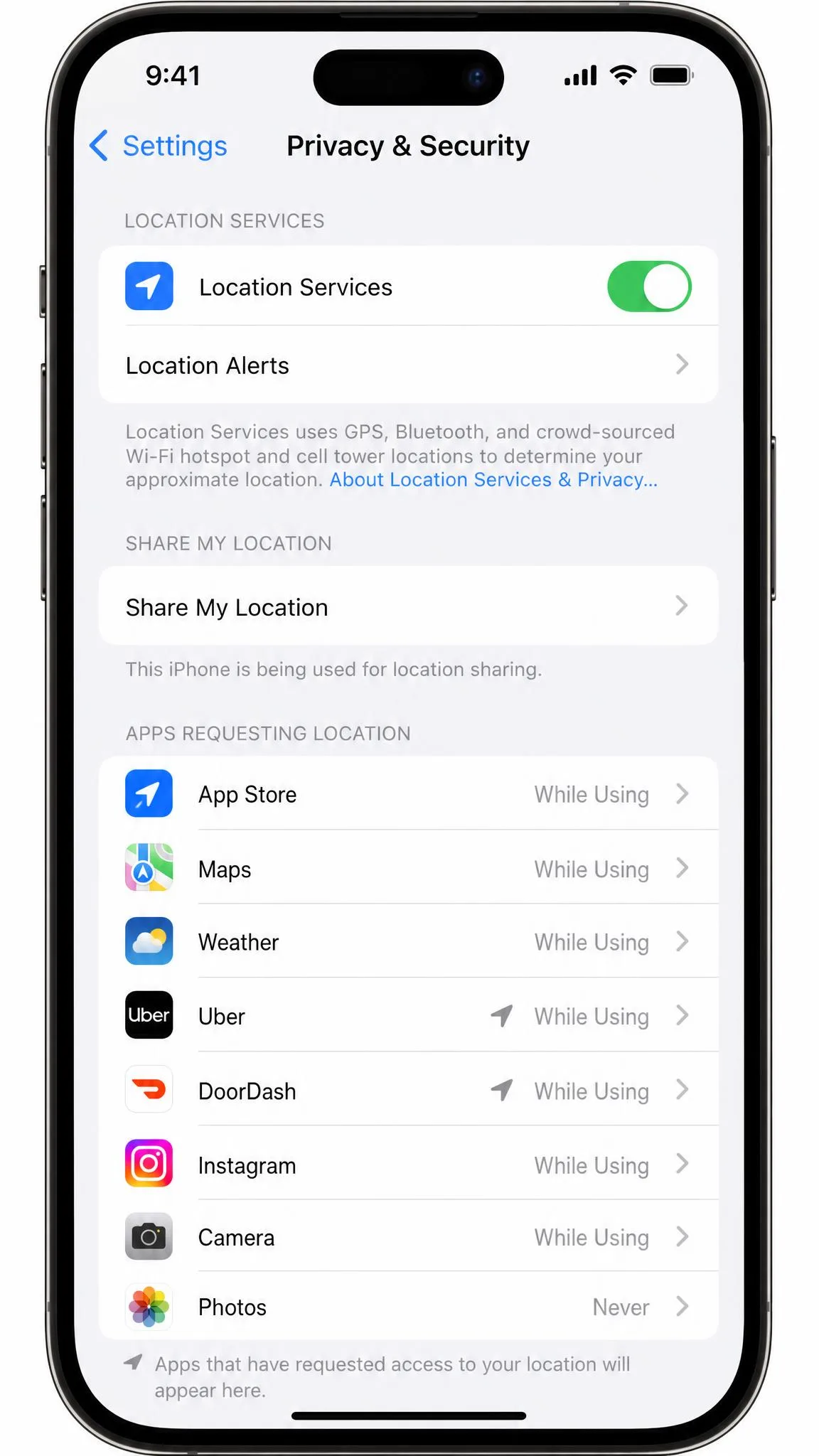
MocPOGO covers iOS 13 and newer, though the top of that range moves with each Apple release, so the newest builds may lag by an update or two. MagFone starts lower at iOS 12 and newer, with the same caveat, and its compatibility in particular can lag on the newest release, so a freshly updated iPhone may not spoof until the app catches up. If you rely on a spoofed position, delay the iOS update. Both tools sit on the same Apple Core Location framework that every location-aware app reads from, and you can check what your phone reports in Apple's Location Services settings.
Android Version Support
MocPOGO's floor is Android 8.0 and newer, though the upper bound is claimed differently across vendor and review pages. MagFone claims Android 6.0 and newer, but the vendor page and the software directories state different floors, so the practical minimum depends on which build you download. Neither ships through the Play Store, since mock-location utilities sit awkwardly against the Google Play developer content policy.
Do You Need to Jailbreak or Root?
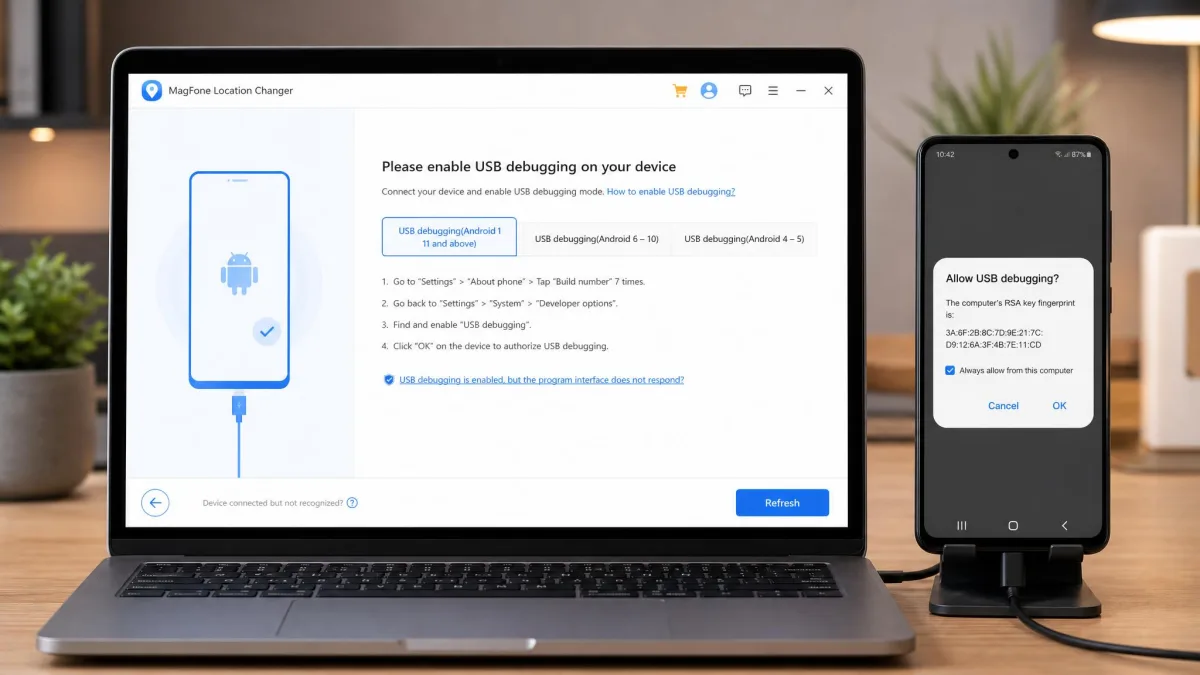
No. Both work without jailbreaking or rooting, which is the question buyers ask most. There are two footnotes. Getting MocPOGO running on an iPhone can involve a TestFlight-style app install rather than a plain download, and MagFone will not see an Android phone at all if USB debugging is off or the computer has not been trusted. That second one is the most common first-run stumble.
Supported Apps and Games
Compatibility lists are where the two tools quietly diverge, because each vendor has chased a slightly different audience.
Pokemon GO and Other LBS Games
Both list Pokemon GO, Ingress Prime and Minecraft Earth. MocPOGO adds Pikmin Bloom, Wizards Unite and STEPN, while MagFone adds Jurassic World Alive. For Pokemon GO spoofing specifically, MocPOGO's on-screen cooldown timer counts down the wait between jumps, which is the practical guard against soft bans.
Dating and Social Apps
Both cover the obvious dating and social names. MocPOGO supports WhatsApp, Tinder, Bumble, Snapchat, Instagram, Uber, Google Maps, Life360 and Netflix, and MagFone covers Tinder, Bumble, Instagram, Snapchat, Life360, Spotify, TikTok and Netflix.
Ease of Use and Interface
Setup is short on both, but the number of decisions the app puts in front of you is not the same, and that is what separates them.
Setting Up MocPOGO Step by Step
- Install MocPOGO on Windows or Mac and open it.
- Connect the phone by USB, Wi-Fi or, on iOS, Bluetooth, and trust the computer when prompted.
- On iPhone, complete the extra install step if your plan routes you through a TestFlight-style app.
- Pick a mode from the top-right icons for teleport, two-spot, multi-spot or joystick.
- Click the map, set your speed, start the move, then watch the cooldown timer before your next jump.
Setting Up MagFone Step by Step
- Install MagFone Location Changer and open it.
- Connect over USB, with USB debugging on for Android, and trust the computer.
- Choose one of the five movement modes from the icon row in the corner of the map.
- Click a spot on the map, or drop waypoints for a route and set the speed for each leg.
- Click Start.
MagFone's path is genuinely shorter. Connect, open, pick a spot, click Start, and the location changes in seconds.
Pricing and Plans Compared
MocPOGO Pricing
The Windows licence runs $9.95 for one month, $19.95 for a quarter and $79.95 for a lifetime key. A one-year Windows licence sits around $49.95, though that tier is frequently discounted and the figure moves with the running coupon. Mobile plans are priced separately at about $19.95 per month for iOS, which also unlocks the Windows and Mac builds, and $14.95 per month for Android. There is a 30-Day money-back guarantee, granted only under the listed refundable circumstances, and approved refunds take 7-10 business days to land.
MagFone Pricing
MagFone charges $9.95 for one month, $19.95 for a quarter, $39.95 for a year and $89.95 for a lifetime licence covering 1 PC and 10 devices. A $107.95 lifetime bundle adds a Mac. Every tier carries a 30-day money-back guarantee.
Which Offers Better Value?
At one month they tie. At a year, MagFone's $39.95 undercuts MocPOGO. For a lifetime key, MocPOGO is $10 cheaper and controls five more devices. One warning on MocPOGO: its licence is locked to one operating system, so a Windows key will not activate the Mac build, and a hardware upgrade means asking support to move it.
Both tools let you download for free, and neither lets you actually move your phone until you pay. Treat the free build as a look at the interface, not a trial of the feature you are buying.
Safety, Account Risk and Cooldown Handling
Changing your GPS position breaks the terms of service of most apps that read it, and games enforce that hardest. Pokemon GO applies escalating soft bans and strikes rather than an instant permanent ban, and the rules are set out in Niantic's player support material. The mechanic that matters is the cooldown, because after a long jump your account has to sit still before actions register properly again.
No location changer makes spoofing safe. MocPOGO's cooldown timer reduces the odds of tripping a soft ban, but it cannot protect an account from a strike, and neither vendor publishes any figure for how often users get banned. Do not spoof on an account you are not willing to lose.
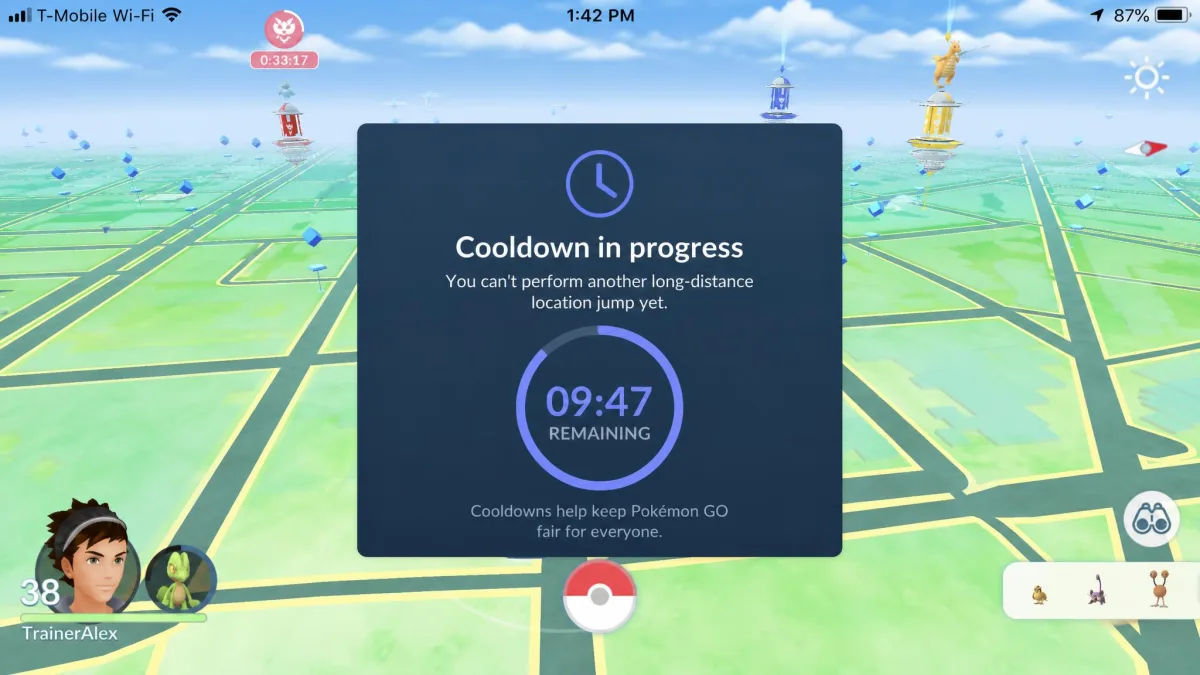
MocPOGO's other risk is staleness. The app needs frequent updates because game anti-cheat detection keeps changing, and an out-of-date build can simply stop working.
Pros and Cons of Each Tool
MocPOGO Pros and Cons
Pros
- Controls up to 15 devices at once, five more than MagFone
- On-screen cooldown timer built for Pokemon GO players
- Cheapest lifetime Windows key at $79.95
- Bluetooth connection on iOS as well as USB and Wi-Fi
- GPX import and auto route following
Cons
- Can go unstable during longer sessions and drop out mid-route
- Activation and licence-key failures after purchase are a recurring complaint
- Licence is locked to one operating system
- iPhone setup can involve an extra TestFlight-style install
- Steeper learning curve than teleport-only tools
MagFone Pros and Cons
Pros
- Shortest path from install to a changed location
- Speed set per leg of a multi-spot route for realistic movement
- Lowest platform floors at iOS 12 and Android 6.0
- Yearly licence is $39.95, well under MocPOGO's
- Five movement modes, including a jump teleport MocPOGO does not name
Cons
- Drops the phone connection occasionally and needs a reconnect
- Lifetime licence costs $89.95 for 1 PC and 10 devices
- No cooldown timer of its own
- Compatibility can lag on the newest iOS release
- Free download is look-only, with the location change gated behind payment
Which One Should You Choose?
Choose MocPOGO If...
You play a location-based game seriously, want the cooldown timer in front of you, run more than 10 devices, or want the cheapest permanent Windows licence. Our full MocPOGO review goes deeper on the route tools.
Choose MagFone If...
You want one phone moved with the least fuss, you are on an older iPhone or Android handset, or a yearly licence suits you better than a lifetime key. Our MagFone Location Changer review covers its route tools in more detail.