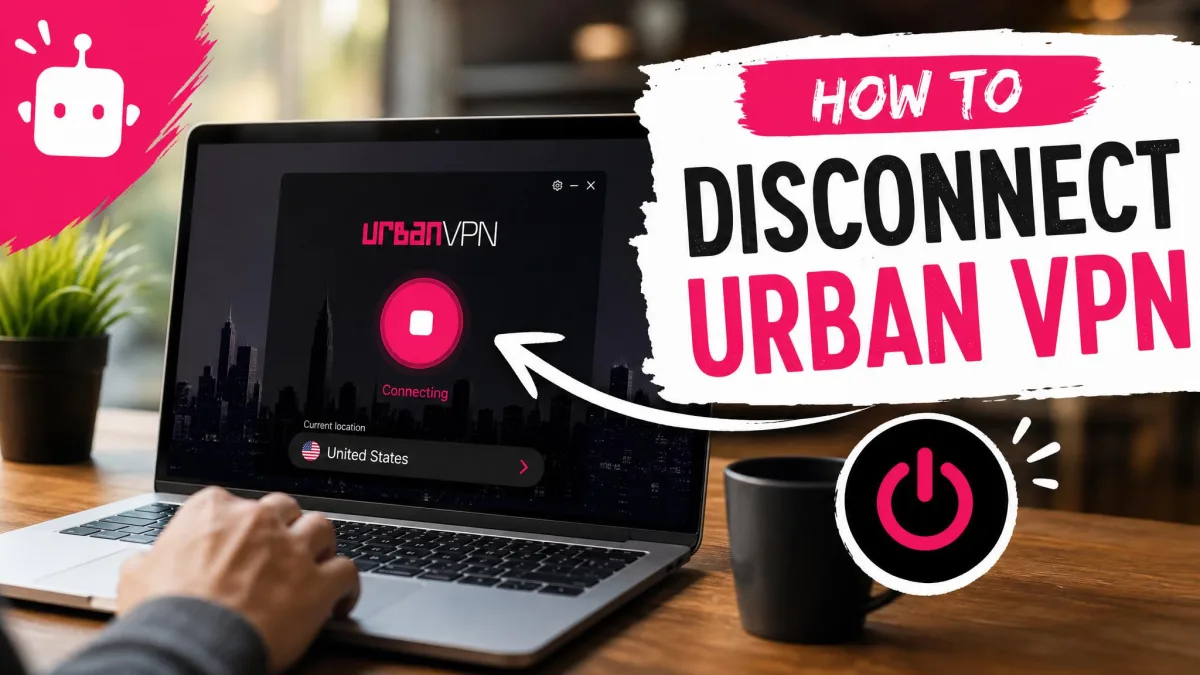
If a site suddenly crawls, a bank login refuses to open, or you just want your own IP address back, you'll need to switch Urban VPN off. It only takes a click or two. In the browser you press the extension's on/off button, and on desktop and mobile you use the app's connection control or your system's VPN settings. We'll walk you through each device step by step, then show you how to confirm it's really off.
Quick answer: how to disconnect Urban VPN
- In Chrome, Edge or Firefox, click the Urban VPN toolbar icon and press the on/off button in the popup.
- On Windows, open the Urban VPN app and click Disconnect.
- On a Mac, switch the connection off from the app or its menu bar icon, or open System Settings > VPN and toggle it off.
- On Android, tap the connection button in the app, or go to Settings > Network & internet > VPN and switch it off.
- On iPhone or iPad, open Settings and turn the VPN toggle off.
Urban labels this control differently across the extension and apps (pause, Disconnect, on/off), so the exact wording depends on the surface and version. For other VPN apps, our guide to disconnecting any VPN, step by step covers the same ground.
Disconnect, pause, disable or uninstall: which do you need?
We use four terms below. To disconnect (Urban's help page calls it pausing) stops routing traffic through Urban while the app keeps running in the background. To disable an extension turns it off in your browser without deleting it. To uninstall removes it from the device.
Most people only need to disconnect. Urban VPN's FAQ lists the usual reasons: showing your own IP, no longer needing a different location, diagnosing network issues, and reaching your home or office network.
| Option | What it does | When to use it | Is your real IP exposed? | Reversible? |
|---|---|---|---|---|
| Disconnect or pause | Stops routing traffic; the app or extension keeps running | Quick checks, local network access, login pages that block VPNs | Yes, while disconnected | Yes, reconnect any time |
| Disable extension | Stops the proxy, ad blocker and background scripts | Occasional use | Yes, in that browser | Yes, toggle it back on |
| Remove extension | Deletes it from that one browser | You're done with it, or Defender flagged it | Yes, in that browser | Only by reinstalling |
| Uninstall the app | Removes the app; the VPN profile or adapter may need deleting separately | You're done with Urban on that device | Yes, whole device | Only by reinstalling |
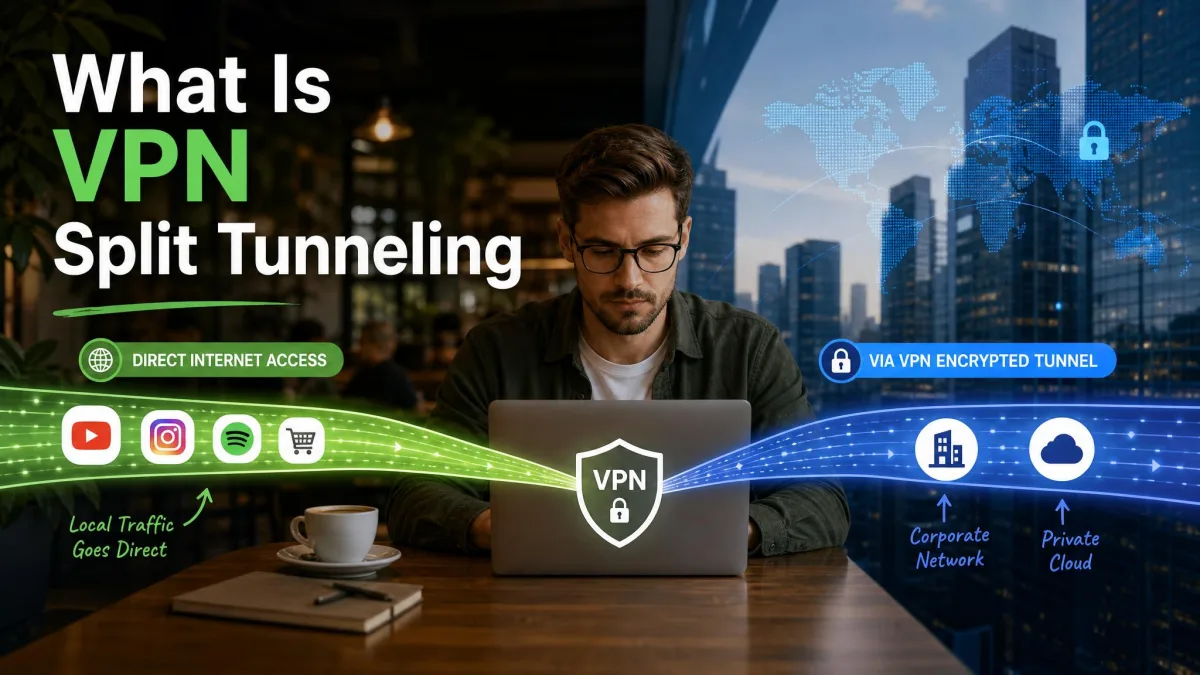
If you only want some apps outside the tunnel, split tunneling is an alternative to switching off. Urban lists it as a Premium feature on Android and says it is still rolling out to Windows, Mac and iOS, so availability is changing. Our explainer on how VPN split tunneling works shows when it helps.
How to disconnect the Urban VPN browser extension (Chrome, Edge, Firefox)
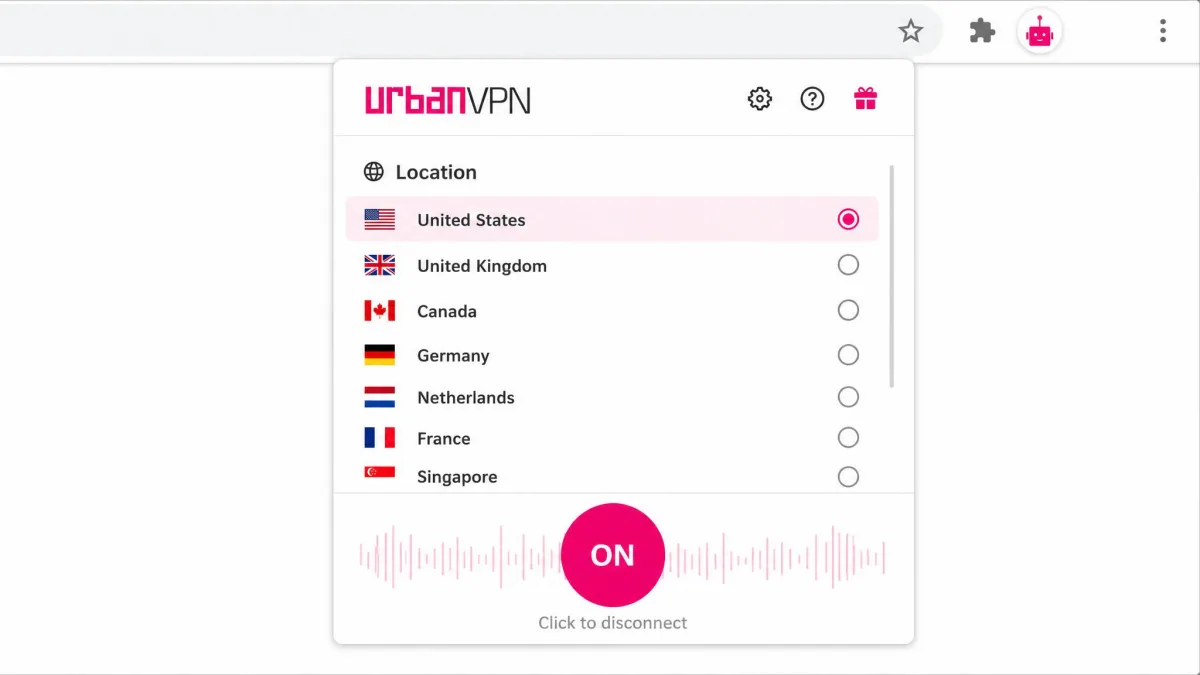
The extension is Urban's main product. It is a proxy that covers browser traffic only, without encryption, and when we opened the popup, it was just a location list plus a single on/off button.
Turn the extension off without removing it
- Click the puzzle-piece icon in the toolbar, then click Urban VPN.
- Press the on/off button so the connection shows as off.
- To stop the extension entirely, open the browser menu > Extensions > Manage extensions and switch Urban VPN off. In Firefox, open Add-ons and themes > Extensions instead.
That third step matters. In our testing, turning the proxy off left the rest of the extension running, because the built-in ad blocker kept working on its own.
If you use the extension only now and then, disable it rather than leaving it installed and merely disconnected. Nothing runs between sessions, and it's one click to bring back.
Remove the extension completely
- In Chrome, click the puzzle-piece icon, click the three dots next to Urban VPN, choose Remove from Chrome, and confirm.
- In Edge, click the puzzle-piece icon, click the three dots and choose Remove from Microsoft Edge. Hidden extensions appear under Manage extensions.
- In Firefox, open the menu > Add-ons and themes > Extensions, click the three dots next to Urban VPN and choose Remove.
Google's instructions for removing a Chrome extension also cover the right-click route on the toolbar icon. Repeat the removal in every browser you use, since each one holds its own copy.
How to disconnect Urban VPN on Windows
Disconnect from the app or the system tray
The app runs on Windows 7 through Windows 11, and the steps below use the Windows 11 menus. When we opened the client, we could pick a location or disconnect, and it showed how long we'd been connected, and there was nothing else to configure.
- Open Urban VPN from the Start menu or its system tray icon.
- Click Disconnect.
- If the window won't respond, open Settings > Network & internet > VPN, select the Urban connection and click Disconnect.
Right-clicking the tray icon brings up the location list. Because the client has no auto-reconnect option, a manual disconnect stayed disconnected for us. Our guide to turning off a VPN on a computer covers other Windows clients.
Stop Urban VPN from starting with Windows
The desktop app's only startup control is whether it launches automatically.
- Open the Urban VPN app's settings and turn off the launch-at-startup option.
- For a second layer, open Settings > Apps > Startup and switch Urban VPN off if it's listed.
How to disconnect Urban VPN on Mac
The Mac App Store build needs macOS 13 or later, so your System Settings will match these steps.
- Click the Urban VPN menu bar icon, or open the app, and switch the connection off.
- If you can't find the control, open System Settings > VPN and toggle the Urban connection off.
- Quit Urban VPN from the menu bar so it stops running in the background.
How to disconnect Urban VPN on Android
The Android app shows both your original and current IP address. That let us confirm the tunnel was off after disconnecting.
- Open the app and tap the connection button on the main screen.
- If it reconnects, go to Settings > Network & internet > VPN (Connections on Samsung) and tap the gear icon next to Urban VPN.
- Switch off Always-on VPN, then toggle the VPN off.
With Always-on VPN enabled, Android reconnects the VPN until you switch that setting off. Our guide on turning off a VPN on Android shows the same menus on other brands.
How to disconnect Urban VPN on iPhone and iPad
The iPhone app requires iOS 16.0 or later (iPadOS 16.0 on iPad).
- Open the app and tap its on/off control, or skip the app.
- Go to Settings and switch the VPN toggle off. On some iOS versions, open Settings > General > VPN & Device Management > VPN instead.
- Check the status bar. When the VPN icon is gone, you're disconnected.
We found the iPhone app drops often on its own and needs reconnecting by hand every few hours, so it may already be off. For menus that vary by iOS version, see our guide to disabling a VPN on iPhone.
How to check that Urban VPN is really off
Three signals confirm it. The VPN icon leaves the status bar, the app offers Connect rather than Disconnect, and an IP checker shows your internet provider's address and home location. Our guide on how to check if your VPN is on or off explains how to read an IP and DNS leak page.
Once Urban VPN is disconnected, your real IP address and traffic no longer pass through it. That's the point of switching it off, but sites and your network provider can see your connection normally again.
Urban VPN won't disconnect or keeps reconnecting? Fixes
Start with the simplest cause. Connections drop mid-session without any warning, so the app may already be disconnected when you go to turn it off. Connections are also slow to establish, often taking more than 10 seconds, so a half-finished attempt can look stuck.
If the control won't respond, force-close the app (Task Manager on Windows, Force Quit on Mac). On Windows, then run ipconfig /flushdns in Command Prompt. Reopening the app or restarting the device confirms the change took. If Urban won't connect at all, see our fixes for Urban VPN not connecting.
Kill switch is blocking your internet
Urban VPN's own help page says its kill switch blocks the internet if the VPN drops unexpectedly, and that you can turn it on or off in the settings menu. Urban does not say which platforms or plans include it, and the desktop version has been listed as coming soon, so whether it's present depends on device and plan. If a drop has cut you off, switch the kill switch off in the app's settings, then disconnect cleanly. Our explainer on what a VPN kill switch does covers the general behavior.
No internet after disconnecting
Leftover VPN profiles, saved connections and virtual adapters can cause connection problems after a VPN is switched off or removed. Restart the device first. If that doesn't clear it, remove the leftovers with the uninstall steps below.
VPN profile left behind in system settings
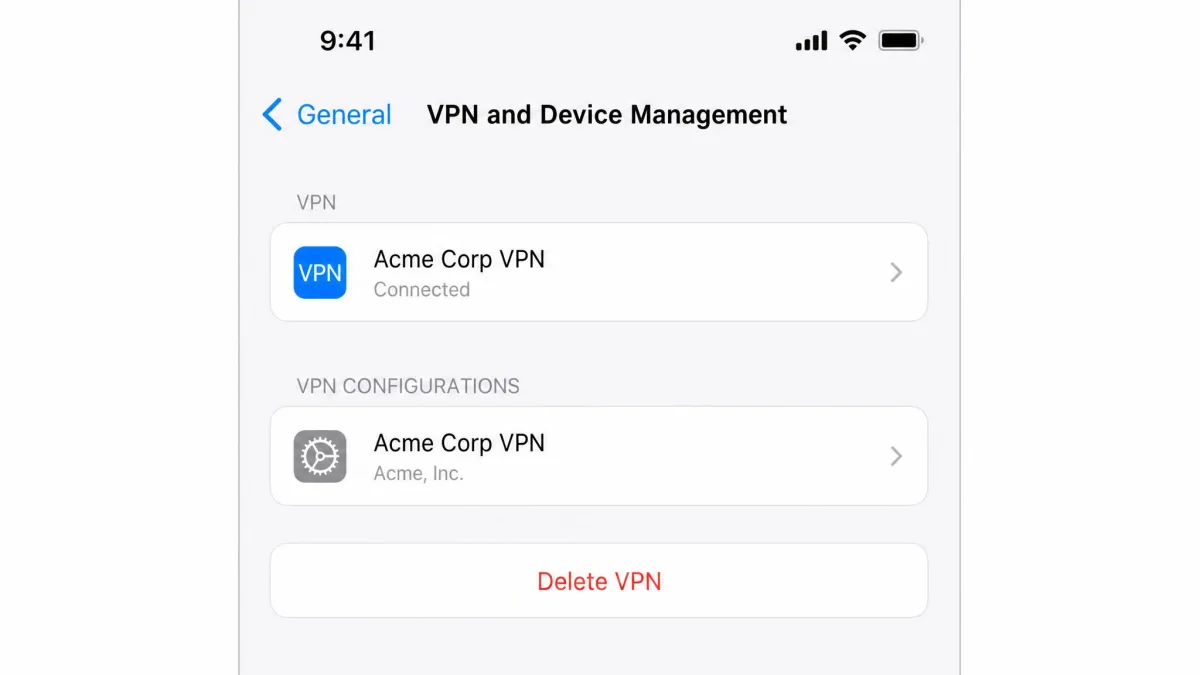
Deleting the iPhone app can leave the Urban VPN profile behind. Open Settings > General > VPN & Device Management, tap Urban VPN and choose Delete VPN. On Android, tap the gear icon next to the VPN entry and choose Forget VPN.
How to uninstall Urban VPN completely
Uninstalling the desktop app does not remove the browser extensions, so clean each browser separately with the steps above.
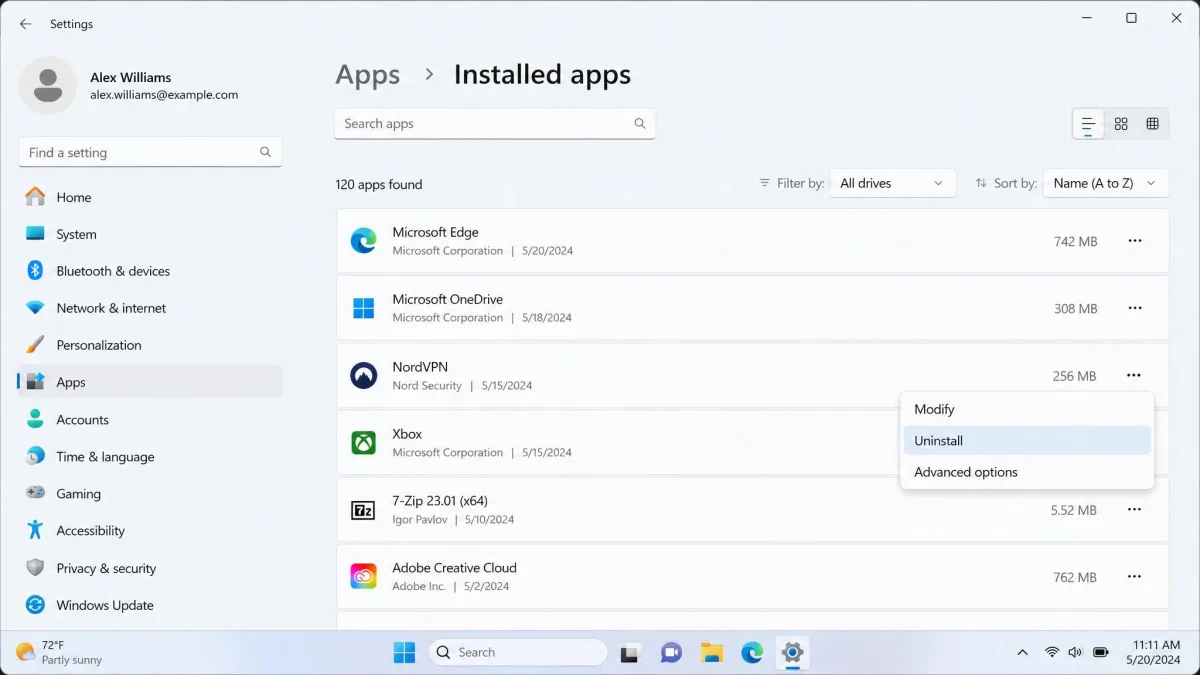
- Windows: Open Settings > Apps > Installed apps, find Urban VPN and click Uninstall. It can appear under a slightly different name, such as "Urban-VPN", or another publisher name.
- Windows leftovers: Open Network Connections and delete any leftover Urban connection. In Device Manager > Network adapters, uninstall the VPN adapter with "Attempt to remove the driver for this device" ticked, then restart.
- Mac: Quit Urban VPN, drag it from Applications to the Trash, then open System Settings > Network, select the VPN configuration and click the minus button.
- Android: Long-press the app icon, tap Uninstall, then forget any leftover VPN entry.
- iPhone and iPad: Touch and hold the icon, tap Remove App > Delete App, then delete the profile as above.
Premium covers up to 8 devices, so repeat this on every device you signed in on. Deleting the app and ending a subscription are separate steps, which matters if you started the 3-day free trial that comes with the 1-year plan on Android or iOS.
Should you keep using Urban VPN?
We don't recommend it, and our Urban VPN safety verdict explains why. Urban VPN Proxy version 5.5.0 added code that collected AI chat conversations, and the same code turned up in 8 extensions from the publisher with more than 8 million users across Chrome and Edge. That collection kept running while the VPN was disconnected and with the "AI protection" feature off. Only removing the extension stopped it. Trustpilot's community rates Urban VPN 1.7 out of 5.
Disconnecting is fine for a quick task, but uninstalling is the cleaner choice once you're finished with it. Our Urban VPN review covers the rest of our findings, and our list of the best free VPNs is a sensible place to start if you still want one.
FAQ
Is it safe to turn off Urban VPN?
Why does Urban VPN keep turning back on?
Why is my internet not working after I disconnected Urban VPN?
Does removing the extension remove Urban VPN from my computer?
Is Urban VPN a virus?
Final thoughts
For a quick break, the extension's on/off button or the app's Disconnect button is all you need. If Urban keeps coming back, check Always-on VPN on Android and the startup option on Windows. If you're done with it, remove the extension from every browser, uninstall the app, and delete any leftover VPN profile or adapter so nothing keeps running in the background.