Picking a GPS location changer comes down to two practical questions. Will it actually work on your phone, and will it cost you your account?
FonesGo Location Changer and PoGoskill both answer those questions differently enough to matter. One is cheaper and covers far more devices per licence. The other has the cleaner interface and the more generous route planner.
We compared the two across the axes that decide the purchase: platform and device support, the location-changing modes each one offers, movement realism, supported apps and games, setup, safety, and price. Below you will find the head-to-head table, a step-by-step walkthrough for each tool, pros and cons, and a clear verdict.
FonesGo vs PoGoskill at a Glance
Both products do the same core job. They run on a Windows or Mac computer, connect to your phone, and feed a virtual GPS location to every location-based app on the device.
The differences show up in price and coverage. FonesGo Location Changer starts at $9.95 per month and covers up to 15 devices plus one computer on a single licence. PoGoskill sits higher, at roughly $14.95 per month for a one-PC licence, with the device ceiling disputed between its own homepage and its storefront tiers.
| Feature | FonesGo Location Changer | PoGoskill GPS Location Changer |
|---|---|---|
| Entry price | $9.95 / month | around $14.95 / month (1 PC) |
| Annual plan | $39.95 | $59.95 |
| Lifetime licence | $79.95 | $95.95 (1 PC) |
| Free trial limits | Free download, limited number of uses | One hour of full use, all modes |
| iOS support | Through iOS 26 | iOS 12.5 to iOS 18, plus iOS 26 |
| Android support | Through Android 16 | Android 4 to Android 16 |
| Jailbreak or root required | No | No |
| Teleport mode | Yes | Yes |
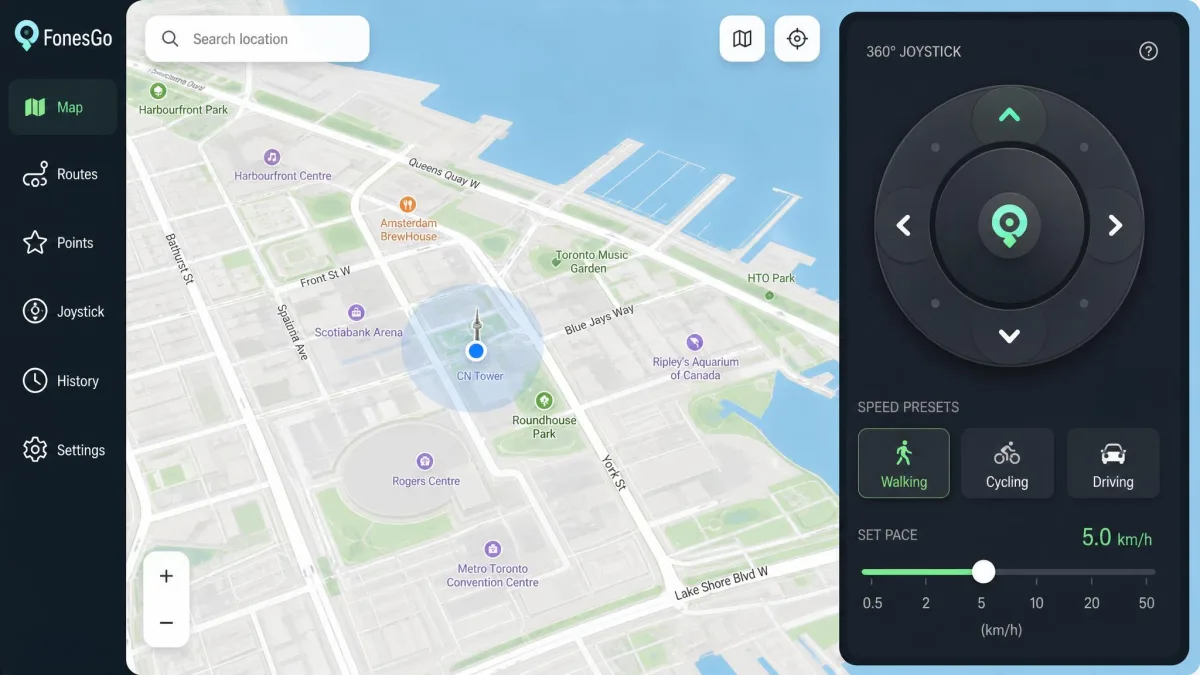
| Joystick mode | Yes, 360-degree | Yes |
| Multi-spot route | Yes | Yes, up to 24 waypoints |
| GPX import / export | Import | Import and export |
| Max simulated speed | 100 km/h | 108 km/h |
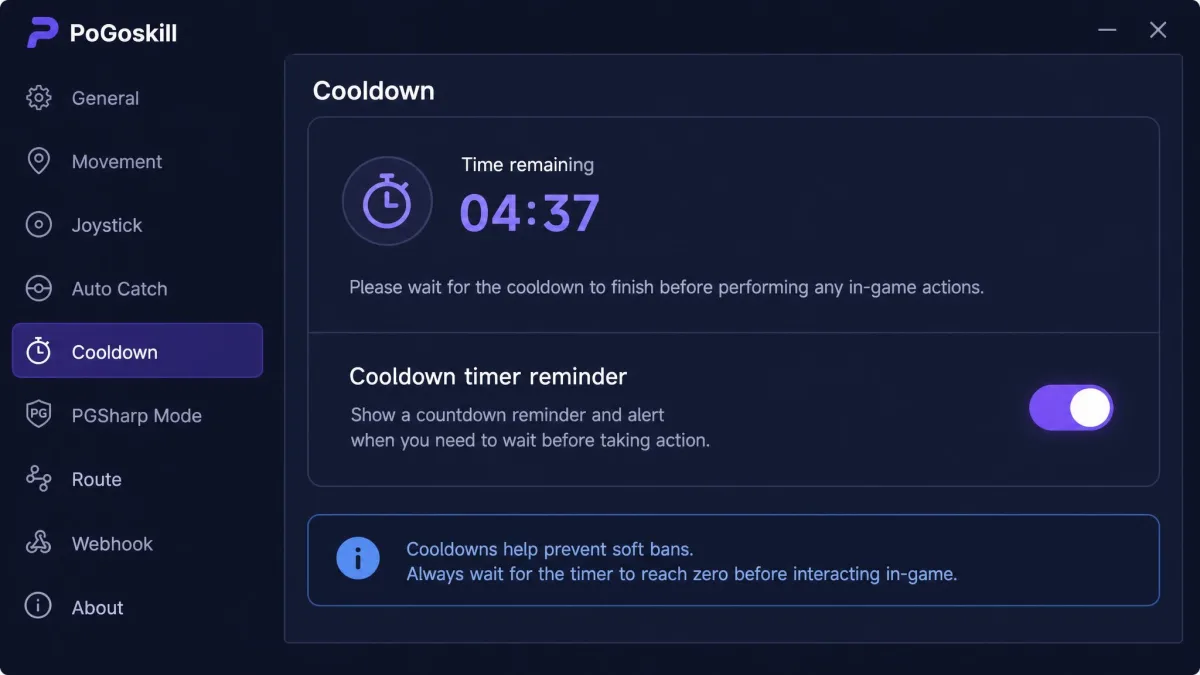
| Cooldown timer | On-screen timer display | On by default, can be disabled |
| Devices per licence | 15 devices plus 1 PC | 5 mobile devices (vendor page claims 15) |
| Connection | USB, Wi-Fi, Bluetooth 5.0 adapter | USB, Wi-Fi on iOS only |
| Supported apps | Pokemon GO, Monster Hunter Now, dating and social apps | Pokemon GO, Monster Hunter Now, Tinder, Instagram, WhatsApp, Facebook, Snapchat |
| Refund policy | Not published in plain terms | Not published in plain terms |
| Support channels | Support centre, online support | Help section, Discord community |
Quick verdict: who should pick which
FonesGo is the better buy for most people. It costs less at every tier and it spreads one licence across a household of devices.
PoGoskill earns its premium in two narrow cases. You want route planning with up to 24 waypoints, or you want GPX export as well as import.
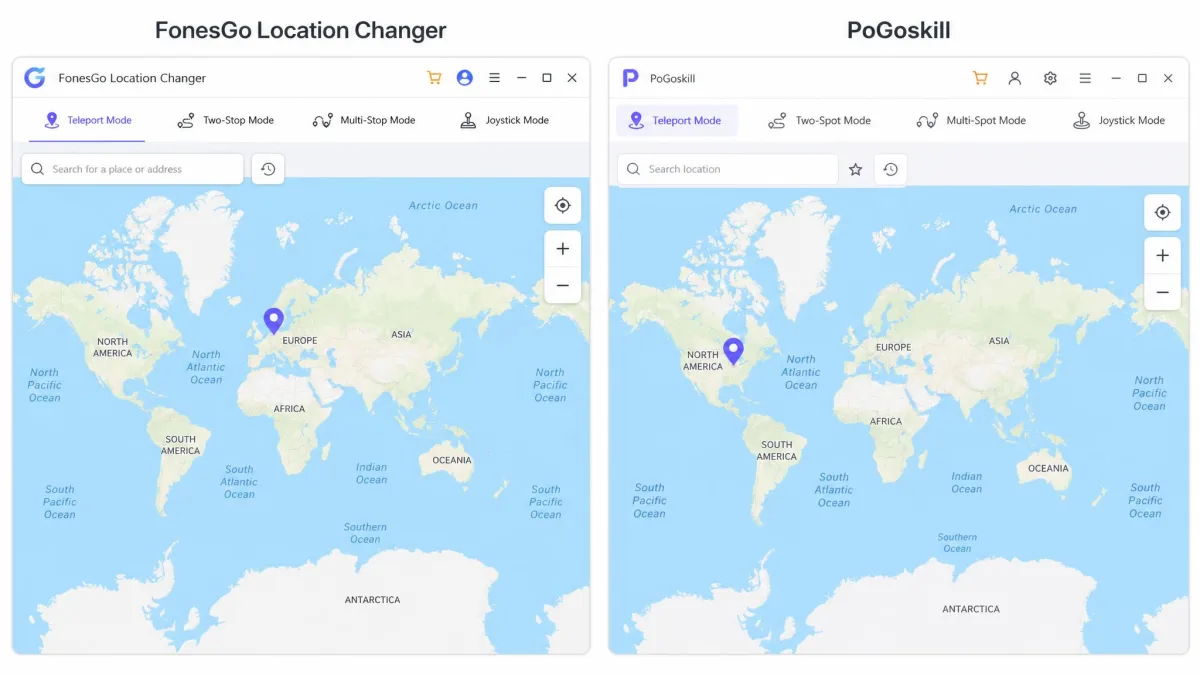
Platform and Device Support
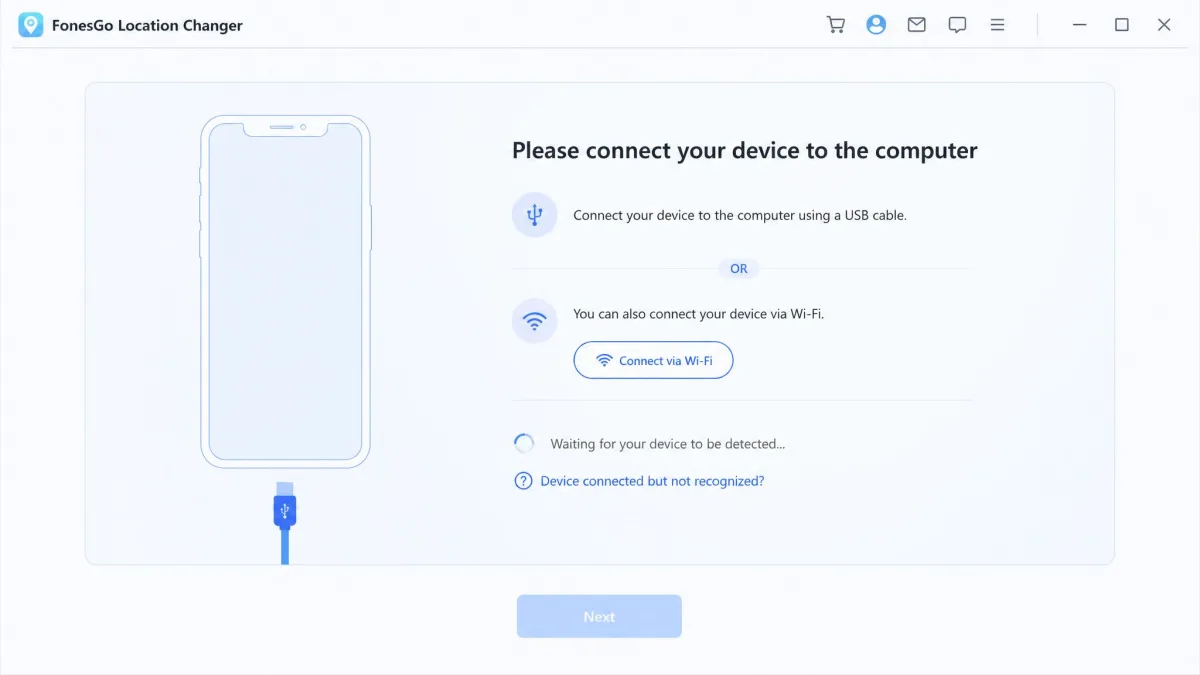
Neither tool runs on the phone alone. Both are desktop-tethered, so nothing happens until the handset is connected to a Windows or Mac computer by cable or Wi-Fi.
That surprises people who expect a phone-only app. Plan on having a laptop nearby whenever you want to change your GPS location.
iOS support and iOS version limits
PoGoskill publishes the wider iOS range. It covers iOS 12.5 through iOS 18 plus iOS 26, on devices from the iPhone 5s to the iPhone 17 series.
FonesGo supports iOS 26 as its stated ceiling, though the top supported release moves with each Apple update, and beta releases are only partly handled. If you keep an older iPhone in service, PoGoskill is the safer bet.
Android support, root requirements and Android 14+
Both tools support Android 16. PoGoskill reaches further back, all the way to Android 4.
Neither requires root. That matters, because rooting an Android device voids warranties and breaks banking apps.
On Samsung handsets running Android 14, PoGoskill can move the avatar around but fail to join time-limited in-game events. It is a narrow issue, but it hits exactly when players care most.
USB vs Wi-Fi connection to your computer
FonesGo is more flexible here. It connects by USB cable, over Wi-Fi, or through a Bluetooth 5.0 or higher adapter.
PoGoskill's Wi-Fi mode only works on iOS, and only after a first USB pairing. Android users stay on the cable permanently.
Keep the original cable that shipped with your phone for the first connection. Third-party cables that only carry power are the most common reason a device never appears in either app.
Core Location-Changing Modes Compared
Both tools ship five modes, and the naming barely differs between them. What separates them is how much control each mode gives you.
Teleport mode: one-click location change
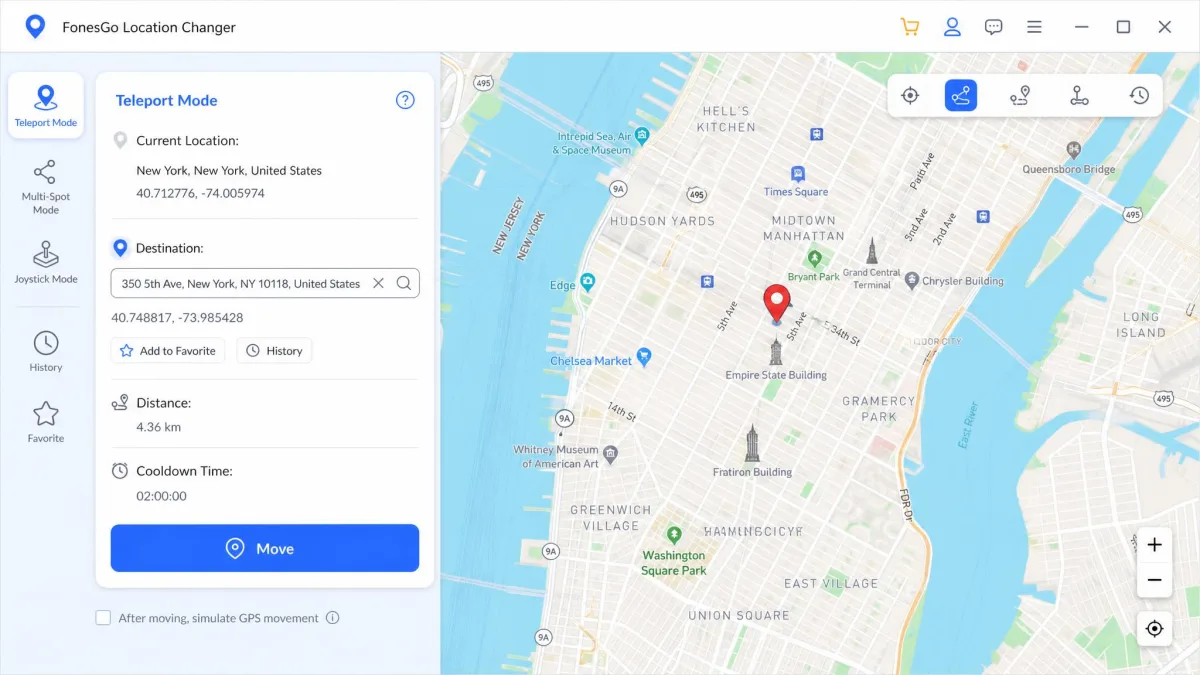
Teleport is the mode most people use. Enter an address or drop a pin on the map, confirm, and your device reports the new GPS location instantly.
Both apps do this well, and both make it a one-click action once the connection is live. There is no meaningful difference to report.
Joystick mode: manual walking control
Joystick mode gives you an on-screen pad for free movement in any direction. FonesGo offers 360-degree joystick control, which is the smoother of the two for fine steering.
PoGoskill's joystick is simpler but slightly faster at the top end. Its speed slider reaches 108 km/h against FonesGo's 100 km/h.
Two-spot and multi-spot route simulation
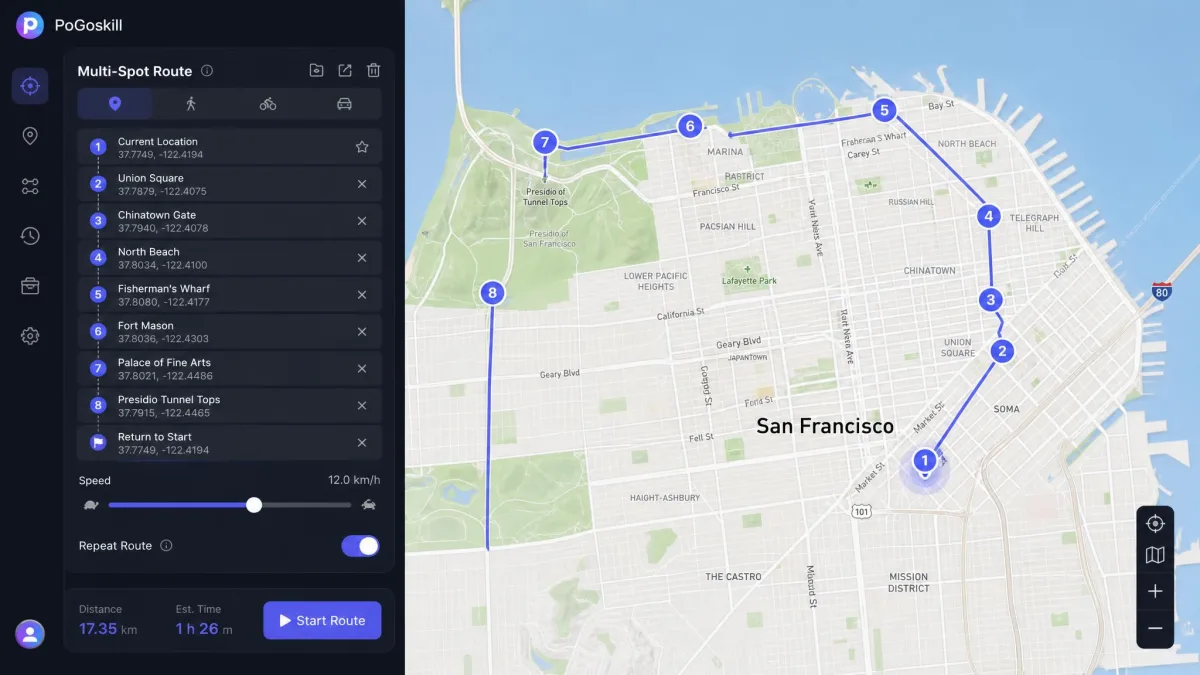
Two-spot mode walks a straight line between a start and an end point. Multi-spot mode strings several stops together into a repeatable route.
PoGoskill is the stronger planner. Its multi-spot mode accepts routes with up to 24 waypoints, and it adds a navigation mode that follows roads rather than cutting across them.
Jump mode and GPX import/export
Both apps include a jump teleport mode for hopping between saved points. Both also import GPX files, so you can reuse a route someone else mapped.
PoGoskill exports GPX as well, so a route you build in the planner can be saved out and shared. FonesGo is import-only: the GPX control sits in the top-right of the desktop map and loads a file to walk, but there is no matching way to save a route back out, so routes you build inside the app stay inside the app. That import control is also desktop-only, and the FonesGo mobile apps for iOS and Android do not carry it. Once a file is loaded, you set how many times the route should repeat and start it.
Speed, Realism and Movement Control
A spoofed location is only convincing if the movement between points looks human. Both tools handle this with adjustable speed presets.
Adjustable speed and route smoothing
FonesGo offers walking, cycling and driving speed presets, adjustable up to 100 km/h. PoGoskill's joystick reaches 108 km/h and adds General Mode and Game Mode presets that change the default movement profile.
Set the speed to match the story you want your route to tell. A driving pace on a footpath is the kind of detail that stands out in a game's own logs.
Cooldown timer and how each tool handles it
Pokemon GO enforces a waiting period after any large jump in position. Both apps surface this.
FonesGo shows an on-screen cooldown timer. PoGoskill enables its cooldown reminder by default and lets you switch it off in Settings, which we would leave alone.
Supported Apps and Games
The virtual location both tools set is system-wide. Any app that reads GPS sees the fake position, not just the one you had in mind.
Pokemon GO and other AR games
Pokemon GO is the headline use case for both, and both also name Monster Hunter Now. FonesGo's cooldown display and PoGoskill's route planner are aimed squarely at that audience.
Neither vendor can promise a game will keep working after an update. Both tools can break compatibility for a while after a major iOS or Android release, and performance varies by device model and OS version.
Snapchat, Instagram, Facebook and dating apps
PoGoskill names the longest list: Tinder, Instagram, WhatsApp, Facebook, Snapchat, Apple Maps and Google Maps. FonesGo covers Snapchat, Instagram and Facebook plus most dating apps.
For social and dating use, either works. Pick on price rather than app coverage.
Multi-Device Control and Extra Features
This is FonesGo's clearest win. One licence covers up to 15 devices plus a PC or Mac, which suits families and anyone running several phones.
PoGoskill's position is muddier. Third-party licence terms describe five mobile devices, while the vendor's homepage claims up to 15 simultaneous devices, and that gap is unresolved.
PoGoskill does add a Discord community, which is a genuinely useful support channel when a game update breaks something. FonesGo has no equivalent.
Ease of Use and Interface
PoGoskill's interface is clean and beginner-friendly, and the mode picker is obvious on first launch. If you have never used a location changer before, it asks less of you.
FonesGo's four-step wizard, download, connect, calibrate, then enter a destination, is easy to follow on a first run. It is a little denser on screen, but nothing about it is confusing.
Stability is where FonesGo slips. It occasionally throws bugs mid-session, its map can fail to load, and it can stall in an "Executing" status loop that needs a reconnect to clear.
Both apps behave differently from one phone model to the next. FonesGo in particular does not act the same way on every handset, so test your own device inside the trial before you commit to a paid year.
How to Change Your Location: Step-by-Step With Each Tool
FonesGo takes four steps. Download and install the app on your computer, connect the phone by USB cable or Wi-Fi, let the app calibrate and load the map, then enter a destination and confirm the change.
PoGoskill is similar. Install the desktop app, connect by USB, enable developer mode on the phone, then pick a destination on the map. Its USB connection setup takes roughly 30 seconds.
Once you are connected, both apps get started the same way. Choose your mode from the top row, place a pin, and press the button that moves you.
Safety, Ban Risk and Privacy
Location spoofing is against the terms of service of most games and many apps. That is the honest starting point for both tools.
Does either tool require jailbreak or root?
No. Neither FonesGo nor PoGoskill needs a jailbroken iPhone or a rooted Android device.
That is a meaningful safety point. Older spoofing methods required both, and both left the device permanently more exposed.
Account and ban-risk considerations
Google Play's own policy treats mock-location tools as a category apps are allowed to detect and refuse, and games do exactly that. No credible figure exists for how often spoofing with either tool ends in a ban, and any vendor claiming a guarantee is guessing.
The behaviour that gets accounts flagged is impatience. Teleporting and acting immediately triggers a soft ban in Pokemon GO, because the game compares your last position against your new one.
Wait out the full cooldown before you spin a stop, catch anything, or open a gift at a new location. Leave the cooldown timer switched on in PoGoskill's Settings rather than disabling it, and read Google Play's mock location policy before you spoof anything tied to a paid account.
Pricing and Free Trial Compared
FonesGo is cheaper at every tier we could verify. The gap widens as the commitment lengthens.
FonesGo plans and what the free trial limits
FonesGo runs $9.95 per month, roughly twenty dollars for three months, $39.95 for a year, and $79.95 for a lifetime licence. Every tier includes the 15-device allowance.
The free trial is a normal download with a limited number of uses. The vendor never publishes the exact number of free uses the trial allows, so treat it as a look around rather than a real evaluation.
PoGoskill plans and what the free trial limits
PoGoskill lists $22.95 per quarter, $59.95 per year, and $95.95 for a one-PC lifetime licence, with $119.95 covering two PCs. Prices depend on which product you buy, because PoGoskill prices its desktop, iOS and Android versions separately and runs rotating promotional rates.
Its free trial gives one hour of full use across all five modes. That hour covers everything, but it expires as a single block, so it does not survive a stop-and-start evaluation session.
The "free" framing is misleading in practice. The trial runs out fast and funnels straight into a weekly or monthly subscription, and a bundled seven-day trial add-on auto-renews into a recurring monthly charge unless you cancel first.
Customer Support and Refund Policy
Neither vendor publishes a plain refund window or cancellation instructions on the pages reachable from its homepage. Assume you are buying without a stated money-back guarantee and budget accordingly.
FonesGo answers through a support centre, and FonesGo's location changer FAQ resolves most connection issues without a ticket. Its support quality is inconsistent from one contact to the next.
Pros and Cons of Each Tool
FonesGo pros and cons
Pros
- Cheapest at every tier, from $9.95 monthly to $79.95 lifetime
- One licence covers 15 devices plus a PC or Mac
- USB, Wi-Fi and Bluetooth 5.0 adapter connection options
- 360-degree joystick with walking, cycling and driving speeds
- No jailbreak or root needed on iOS or Android
Cons
- Occasional mid-session bugs and an "Executing" status stall
- Map sometimes fails to load and needs a reconnect
- GPX import only, with no confirmed export
- Support quality varies from contact to contact
- Thin independent user feedback online to sanity-check claims
PoGoskill pros and cons
Pros
- Cleanest interface of the two, with an obvious mode picker
- Multi-spot routes with up to 24 waypoints and a navigation mode
- GPX import and export
- Widest device range, from iOS 12.5 and Android 4 upward
- Active Discord community for update breakages
Cons
- Costs more at every tier, up to $95.95 for one PC
- One-hour trial expires as a single block
- Trial add-on auto-renews into a monthly charge unless cancelled
- Wi-Fi connection is iOS only, after a USB pairing
- Login authorisation failures, worst during limited-time events
Alternatives Worth Considering
If neither fits, the category is crowded. iMyFone AnyTo and iAnyGo cover the same ground with larger support teams behind them, and MocPOGO is worth a look if route automation is your priority.
Our PoGoskill review goes deeper on that tool alone. For a broader field, compare a few before you commit to any annual plan.
Final Verdict: FonesGo or PoGoskill?
FonesGo wins on value, and value is what decides this matchup. It is cheaper every month, cheaper every year, cheaper for life, and it covers 15 devices where PoGoskill covers a disputed handful.
PoGoskill is the better-built app. If you plan long multi-stop routes, export GPX files, or run an older iPhone or Android handset, pay the premium and take it.
For everyone else, start with FonesGo's trial on your own phone. If it behaves on your device, there is no argument for spending more.