A cluttered Windows drive slows startup, wastes storage, and leaves a trail of browsing history you may not want kept. Two free tools promise to fix that: BleachBit and Wise Disk Cleaner. BleachBit is an open-source cleaner built around privacy and secure file shredding. Wise Disk Cleaner is a Windows-only tool built around fast, one-click junk removal. We ran both through everyday cleanup work to see which free cleaner earns a spot on your PC.
BleachBit vs Wise Disk Cleaner at a Glance
| Feature | BleachBit | Wise Disk Cleaner |
|---|---|---|
| Platform / compatibility | Windows 10/11 and Linux; experimental macOS | Windows only (11/10/8/7) |
| Price / licensing | Free and open source (GPLv3) | Free, with no paid tier |
| Junk / temp cleanup | Yes | Yes |
| Secure deletion / privacy shredding | Yes, overwrite shred plus free-space wipe | No dedicated shredder |
| Browser / cache cleaning | Yes | Yes |
| Registry cleaning | No | No |
| Scheduling / automation | Command line and scripting only | Yes, built-in AutoClean scheduler |
| Portable version | Yes | Yes |
| Ease of use / UI | Functional, steeper learning curve | Simple, one-click, light and dark themes |
| Support | Community forums and docs | Email and knowledge base |
| Space freed in our test | No published figure | 141 files and 157.6 MB in seconds |
What Is BleachBit?
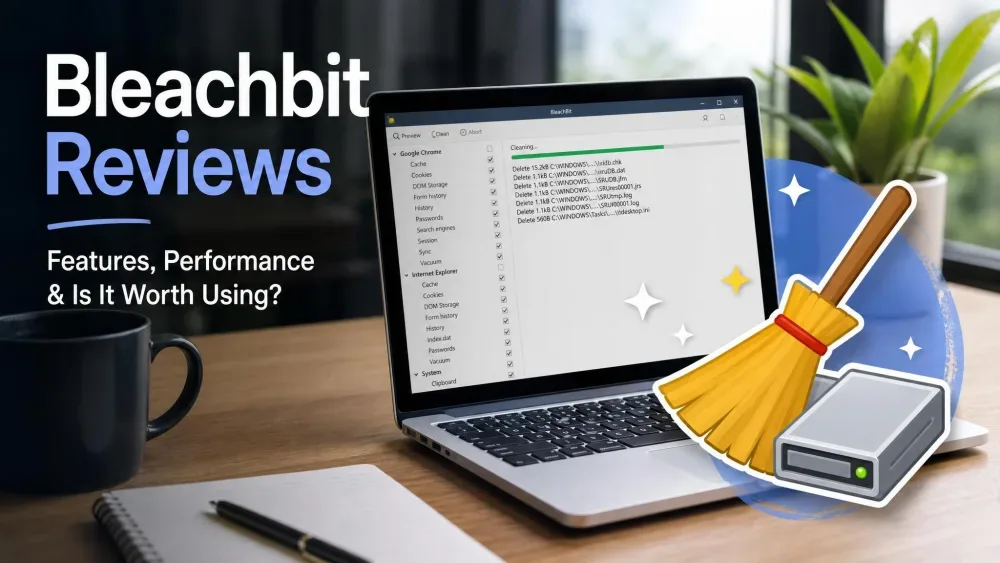
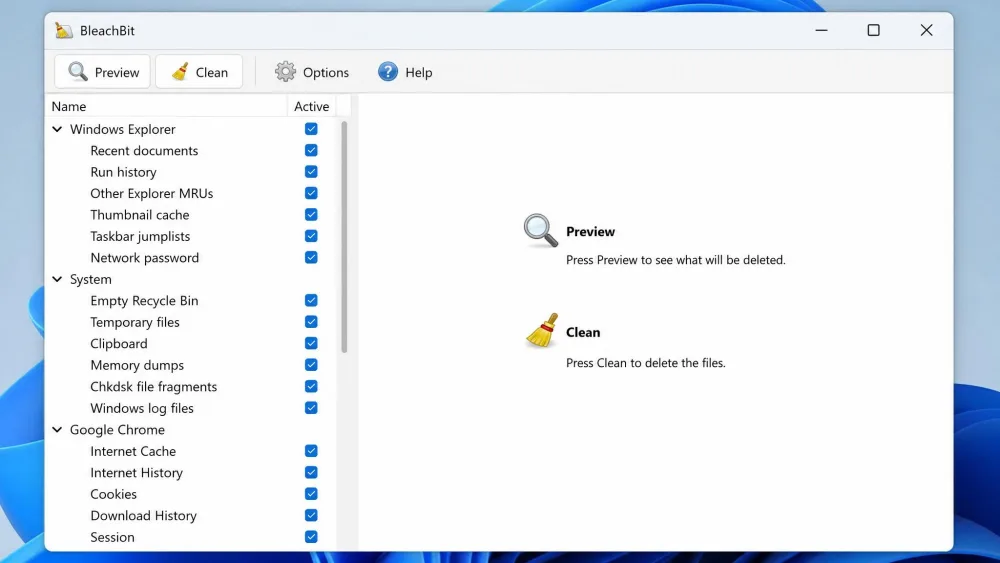
BleachBit is a free, open-source cleaner first released in 2008 and still in active development. It removes junk files, clears browser cache and history, wipes temporary files, and securely shreds sensitive data. The current stable build is version 6.0.2, released July 4, 2026, and it comes in more than 70 languages.
It runs on Windows 10 and 11 and on Linux, and a portable Windows edition needs no install. You pick exactly which apps and folders to clean before it scans. For a closer look, see our standalone BleachBit review.
Pros and Cons
Pros
- Free and open source under the GPL
- Real secure shredding and free-space wiping
- Runs on both Windows and Linux
- Granular control over what gets cleaned
- No ads and no telemetry
Cons
- Dated interface with a steeper learning curve
- Some option labels are cryptic
- Community-forum support only
What Is Wise Disk Cleaner?
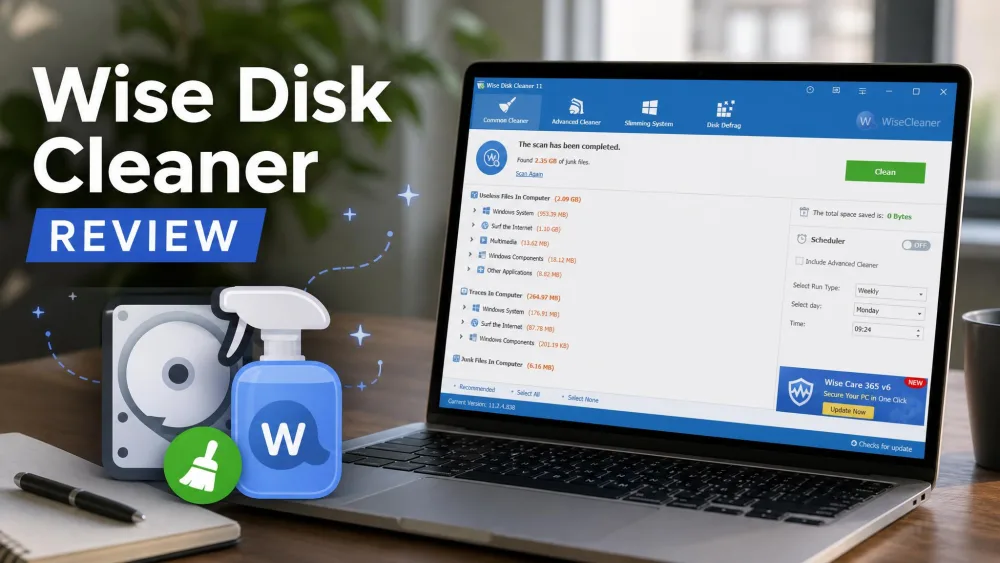
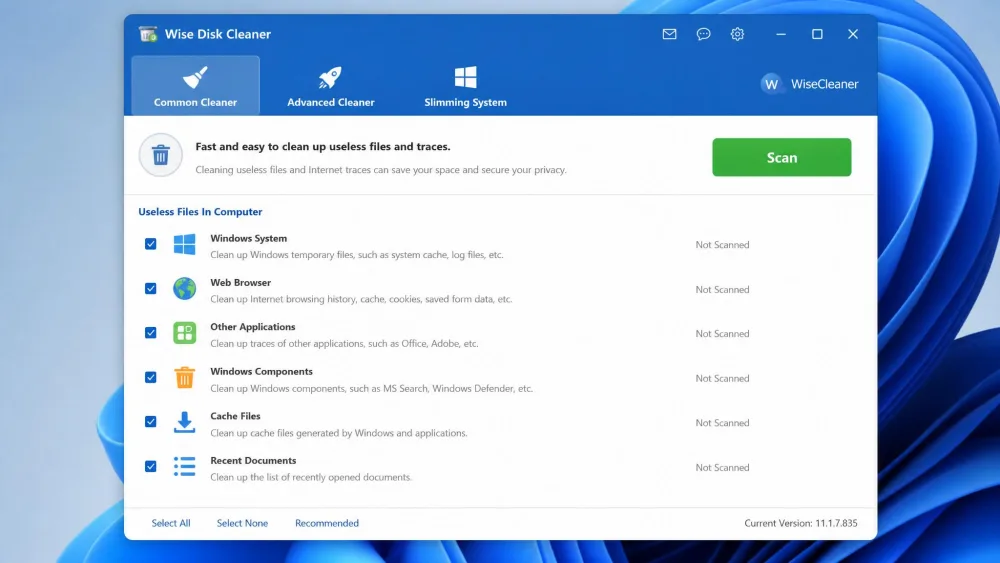
Wise Disk Cleaner is a free Windows cleaner from WiseCleaner, built for speed and simplicity. Its Common Cleaner clears everyday junk, the Advanced Cleaner digs deeper, and extra tabs handle system slimming and disk defragmentation. The current release is version 11.3.6, and it ships in 22 languages.
It is Windows-only, supporting Windows 7 through 11. The download is light, well under 12 MB, and installs in seconds. For the full breakdown, read our full Wise Disk Cleaner review.
Pros and Cons
Pros
- Simple, fast one-click cleaning
- Built-in AutoClean scheduler
- Portable edition available
- Completely free with no locked features
Cons
- Windows only, no macOS or Linux
- No secure file shredding
- Shows in-app ads for other WiseCleaner products
Features Compared Head-to-Head
Cleaning Scope: Junk, Cache and Browser Data
Both target temporary files, logs, and browser cache, cookies, and history across Chrome, Edge, and Firefox. BleachBit reaches further into individual apps and can vacuum SQLite databases for extra space. Wise Disk Cleaner splits the work between a quick Common Cleaner and a deeper Advanced Cleaner.
Privacy and Secure Deletion
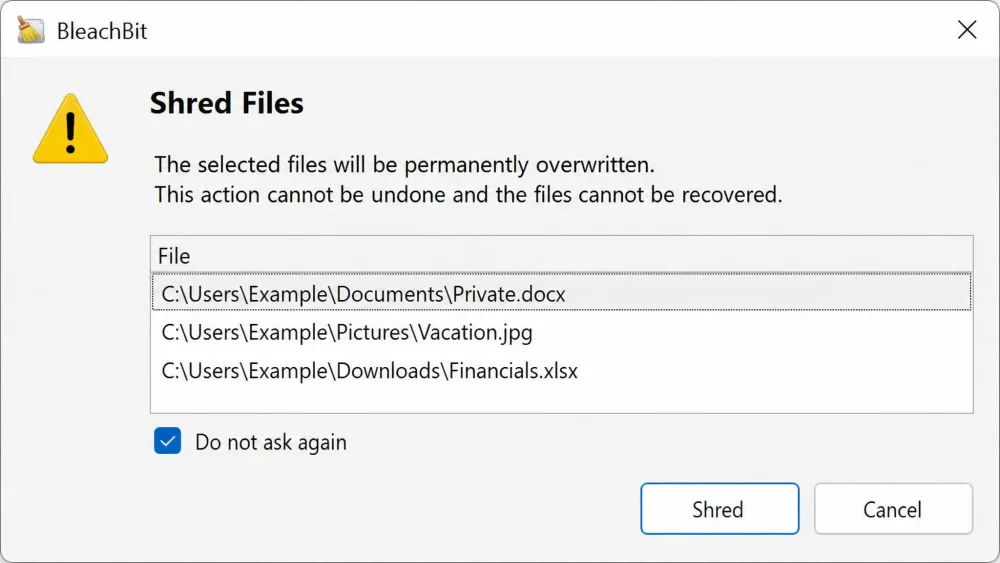
This is where the two part ways. BleachBit can securely shred files and wipe free disk space, overwriting the data so it cannot be recovered. In our testing, files erased this way could not be brought back, and wiping free space left previously deleted files unrecoverable too. Wise Disk Cleaner has no secure shredder; its "Safe Deletion" mode governs cleanup safety, not irreversible overwriting. If wiping sensitive data to a recognized standard matters to you, the NIST media-sanitization guidelines explain why overwriting is the benchmark.
BleachBit's secure wipe permanently overwrites files, so there is no undo. Back up anything you might still need before you shred it, and run a preview pass first.
Scheduling and Automation
Wise Disk Cleaner wins on hands-off cleaning. Its AutoClean scheduler runs daily, weekly, or monthly, at logon or when the PC is idle, and a desktop widget cleans with one click without opening the app. BleachBit has no built-in scheduler. You can automate it, but only through its command line and CleanerML scripting.
Platform Support and Portability (Windows-only vs Windows + Linux)
BleachBit runs on both Windows and Linux, with an experimental macOS build, so it fits mixed setups. Wise Disk Cleaner is Windows-only. Both offer a portable version.
Ease of Use and Interface
Wise Disk Cleaner is the friendlier tool. Navigation sits in a simple top menu bar, settings use plain checkboxes, and it offers light and dark themes. BleachBit is more utilitarian: its interface is less polished, and beginners need time to settle in, though power users value the fine-grained control. The right-side activity log can feel busy, and a few labels are cryptic, such as "Vacuum" under Firefox.
Speed, Performance and Safety
Both cleaners are light on resources, and Wise Disk Cleaner in particular suits older or low-spec PCs. BleachBit's install package is about 11 MB and sets up in seconds. It was once criticized for slow updates, but version 6.0.2 shipped in July 2026, so development is clearly active.
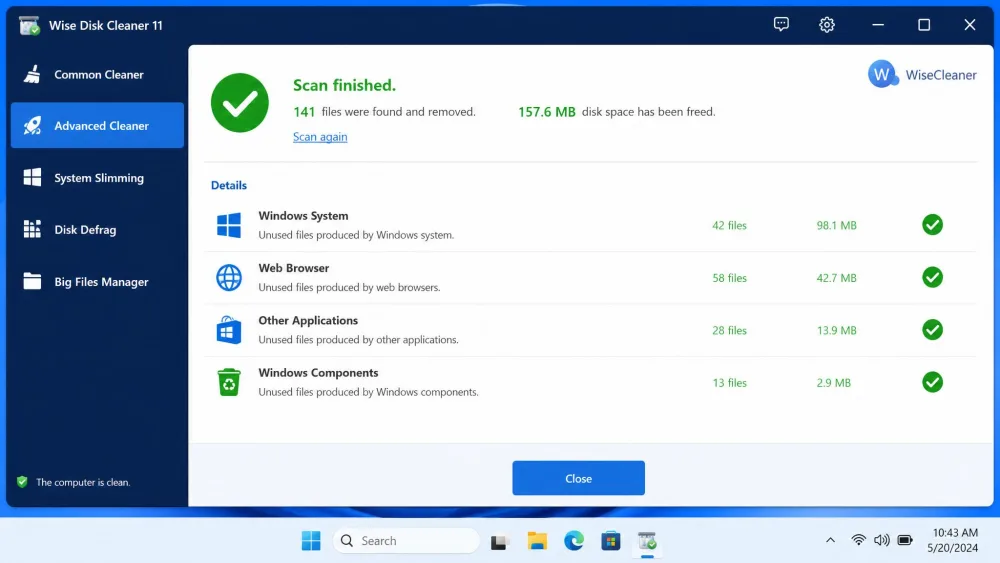
In our testing, Wise Disk Cleaner's Advanced Cleaner removed 141 files and freed 157.6 MB in a few seconds, and its light build barely touched system resources. BleachBit reports no comparable space-freed figure; its shredder is built to overwrite each file in a single pass, which is enough to defeat recovery on today's drives without the wasted time of extra passes.
Pricing and Licensing (Both Completely Free)
Neither tool costs anything. BleachBit is free and open source under the GPL, with no ads and no telemetry. Wise Disk Cleaner is also 100% free, with no paid Pro tier and no locked features; every capability ships in the free build. It does show in-app promotions for other WiseCleaner products. Any paid "Pro" version you see belongs to a separate WiseCleaner product, not to Wise Disk Cleaner.
Which Should You Choose?
Your choice comes down to privacy versus convenience.
Choose BleachBit If…
You want secure shredding, cross-platform support, or open-source transparency. It is the better pick for wiping sensitive files, cleaning a Linux machine, or controlling exactly what gets removed. If you are weighing it against another popular cleaner, our CCleaner vs BleachBit comparison covers that matchup.
Choose Wise Disk Cleaner If…
You want fast, hands-off Windows cleanup with the least fuss. Its one-click design, scheduler, and friendly interface make routine maintenance easy, especially on older PCs.