Austria has one of the freest internets in Europe. Freedom House scores the country 94/100 and rates it Free, and nothing you browse at home is likely to be blocked. The problems start when you leave the country or sit down on a public network. Much of ORF ON stops playing outside Austria, and Netflix shows a different library depending on where you connect from. Meanwhile, the open Wi-Fi in cafés, hotels and airports lets anyone on the same hotspot read unencrypted traffic.
A good VPN fixes all three. It gives you an Austrian IP address when you're abroad, a foreign one when you want a different streaming catalogue, and an encrypted tunnel on every network you join. For most people, NordVPN is the best all-round choice, with fast servers in Vienna, reliable streaming and six independent no-logs assessments behind it.
We connected each of the six VPNs below to its Austrian location and tried Austrian TV on every one of them. We also checked Austrian download and upload speeds for five of them. CyberGhost is the only one without an Austrian speed result. We explain how we scored them in "How We Chose the Best VPN for Austria" further down.
Best VPNs for Austria: Quick Picks
If you only have a minute, these are our top three, ranked by the scores they earned in our full reviews.
The rest of the list covers more specific jobs:
- Surfshark (8.6/10): unlimited devices on one plan, with a Vienna location tagged for P2P.
- CyberGhost (8.4/10): the easiest apps for beginners and a 45-day refund window.
- Private Internet Access (8.4/10): port forwarding on its Vienna servers, which makes it our torrenting pick.
Best VPNs for Austria Compared
The table puts the numbers side by side. Speeds are the download and upload results we recorded on each provider's Austrian servers. Server counts change often, so treat the Austrian figures as approximate.
| Product | Buy | Austrian servers | Total network | Austrian speed (down / up) | Streaming | Devices | Starting price | Money-back |
|---|---|---|---|---|---|---|---|---|
 |
Check price → | About 50, Vienna | Well over 100 countries | About 146 / 30 Mbit/s | ORF ON, ServusTV, ATV, Netflix, BBC iPlayer | 10 | About $3.09 to $3.49/mo (2-yr) | 30-day |
 |
Check price | Vienna, paid plans only | 20,000+ servers, 140+ countries | About 155 / 23 Mbit/s | ORF ON, ServusTV, ATV, Netflix | 10 (1 on Free) | About $3/mo (2-yr) | 30-day (prorated) |
 |
Check price | One Austria location | 113 countries, 214 locations | About 134 / 25 Mbit/s | ORF ON, ServusTV, MediaStreamer smart DNS | 10 / 12 / 14 by tier | $2.99/mo (2-yr) | 30-day |
 |
Check price | Vienna, P2P tagged | 4,500+ servers, 100 countries | About 145 / 29 Mbit/s | ORF ON, ServusTV, ATV, Netflix | Unlimited | $2.49/mo (2-yr) | 30-day |
 |
Check price | Several hundred, Vienna | 9,500 servers, 100 countries | Not measured in Austria | ORF ON, Netflix, BBC iPlayer on streaming servers | 7 | $2.19/mo (2-yr + 2 mo) | 45-day |
 |
Check price | Vienna, standard and streaming regions | 110+ countries | About 118 / 14 Mbit/s | ORF ON, ServusTV, ATV, BBC iPlayer | Unlimited | $2.03/mo (3-yr) | 30-day |
The Best VPNs for Austria, Reviewed
Every VPN on this list gave us an Austrian IP address that opened Austrian TV from outside the country. What separates them is speed, privacy, price and how much fiddling you'll tolerate. One caveat applies to all six. ORF actively blocks VPN traffic on its Austria-only videos, so no provider can promise that a given server will play ORF ON next month.
1. NordVPN
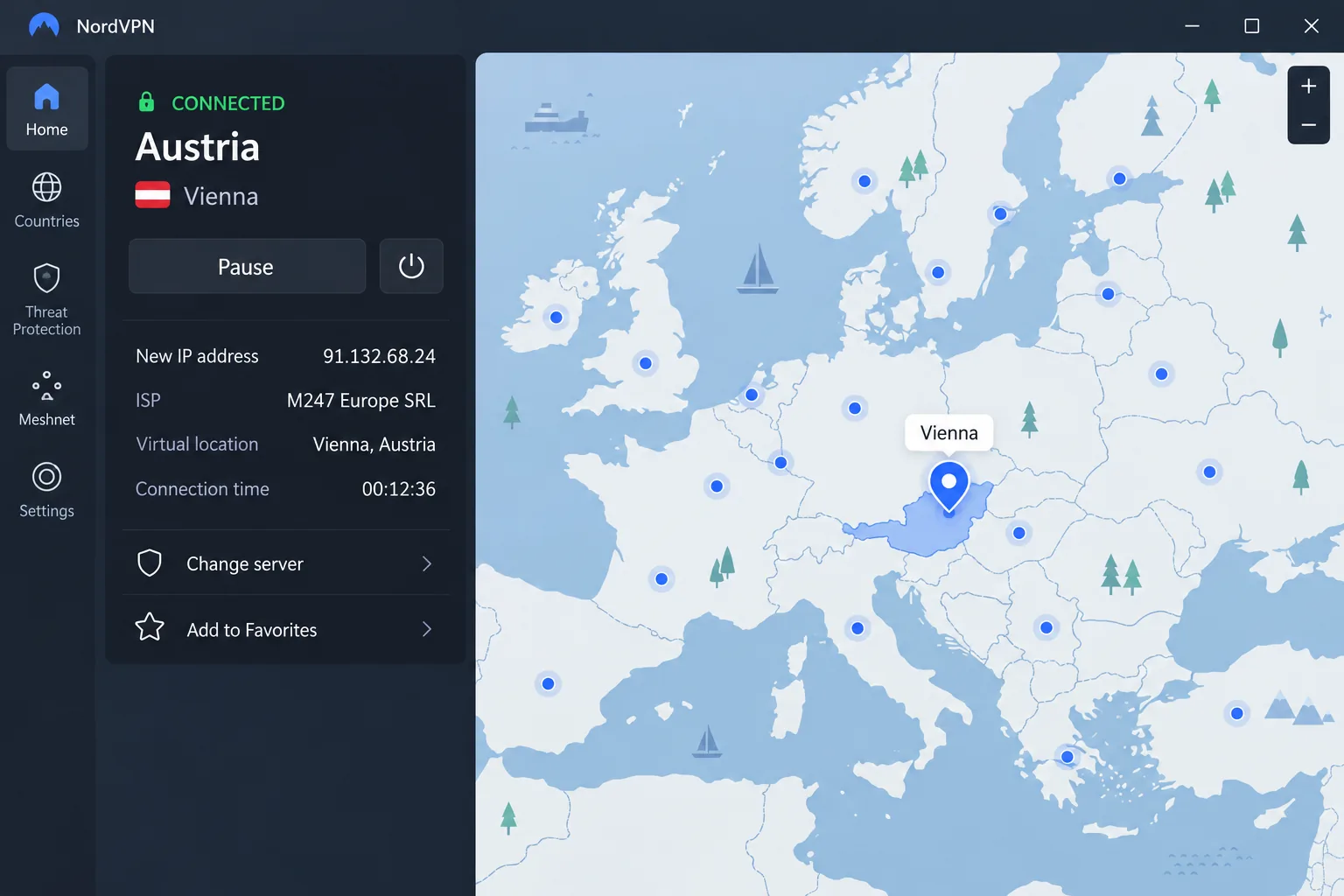
NordVPN is our top pick because it gets the Austrian basics right without a weak spot elsewhere. It runs about 50 servers in Vienna, though the count moves as NordVPN adds and retires hardware. You can pick the city from a drop-down or a map pin.
On our Vienna connection, ORF ON, ServusTV and ATV all loaded on a stable Austrian IP address. There we recorded about 146 Mbit/s down and 30 Mbit/s up, second only to Proton VPN and well above what HD streaming needs. Not every server was that quick. Some delivered only average download speeds, and switching to another Vienna server fixed most slow sessions. From the same app, Netflix, BBC iPlayer, Prime Video, Disney+ and HBO Max all unblocked.
NordVPN was founded in 2012 and is incorporated in Panama. Its no-logs policy has passed six independent assessments, from PwC in 2018 and 2020 and then Deloitte every year from 2022 to 2025. NordLynx also offers optional post-quantum encryption.
Basic costs about $3.09 to $3.49 a month on the 2-year plan, a figure that shifts with NordVPN's sales. Month to month it's $12.99, and either way it covers 10 devices. A 30-day money-back guarantee lets you try it risk-free, though the refund can take up to 30 days to arrive.
Pros
- Vienna servers with P2P, Double VPN and dedicated IP options
- Threat Protection blocks ads and malware
- SmartPlay smart DNS for smart TVs
Cons
- City selection on mobile hides behind a three-dot menu
- Routers need manual configuration
2. Proton VPN
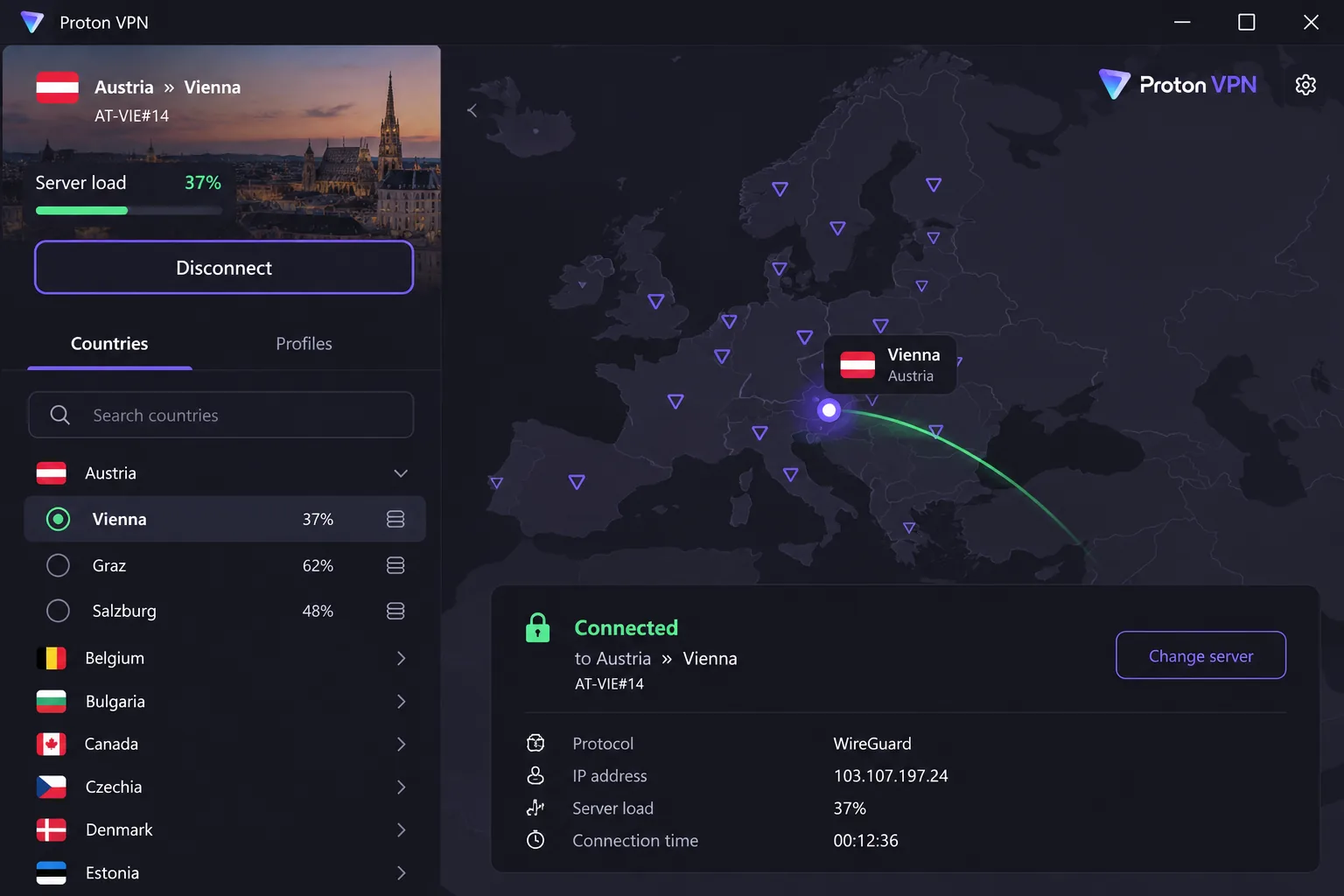
Where NordVPN wins on all-round polish, Proton VPN wins on raw Austrian speed and privacy credentials. It was the fastest provider in our Austrian server checks at about 155 Mbit/s down and 23 Mbit/s up. Proton advertises 10 Gbps servers in Austria, all housed in Vienna.
We tried ORF ON, ServusTV and ATV from Proton's Austrian servers, and all three played. It gives ground under heavy streaming at peak hours, though, so it isn't the strongest option for a busy evening of viewing. The other catch is that Austrian servers are paid-plan only.
Proton launched in 2017 and is run by Proton AG in Switzerland. Securitum has audited its no-logs policy five years running, from 2022 to 2026. Its Stealth protocol helps on networks that try to block VPN traffic.
VPN Plus costs $9.99 month to month, or from about $3 a month on the 2-year plan, a rate that changes between sales. It covers 10 devices, offers servers in 140+ countries, and its 30-day money-back guarantee is prorated to your unused time.
Pros
- Swiss jurisdiction and open-source apps
- Secure Core and NetShield on paid plans
- Free plan with unlimited data and no ads
Cons
- Austrian servers are paid-plan only
- Refunds are prorated
- Live chat can take several minutes to answer
3. ExpressVPN
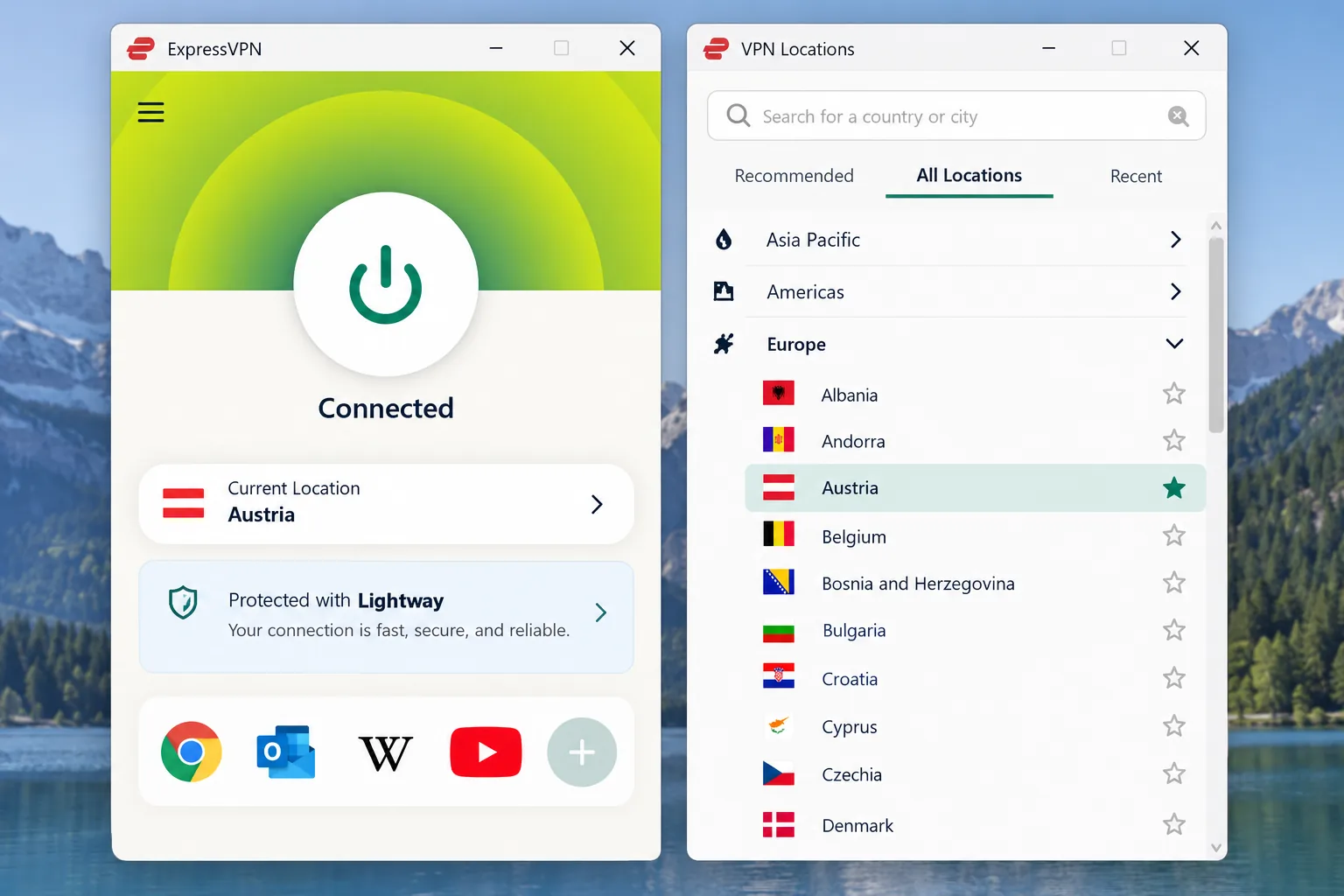
If Proton is the speed pick, ExpressVPN is the consistency pick. Its single Austria location is a country-level entry, so when we connected there was no city or specific server to choose. It isn't marked virtual, though, and it works on every protocol. ORF ON and ServusTV both streamed from it with no significant buffering. Our speed check recorded about 134 Mbit/s down and 25 Mbit/s up, a speed loss of only around 10 percent.
The feature that sets ExpressVPN apart for Austrian TV is MediaStreamer. It's a smart DNS service that gets streaming onto Fire TV, Apple TV, Roku and smart TVs that can't run a VPN app. If you want ORF ON on the living-room TV rather than a laptop, that matters.
ExpressVPN was founded in 2009, is registered in the British Virgin Islands and has been owned by Kape Technologies since 2021. KPMG assessed ExpressVPN's TrustedServer setup in a report published in 2025. TrustedServer runs every server from RAM, so data is wiped on reboot.
Price is the drawback. Basic costs $2.99 a month on the 2-year plan, Advanced $4.49 and Pro $7.49, but they renew at $99.95, $119.95 and $199.95 a year. Device limits run 10, 12 and 14 by tier, and new users get a 30-day money-back guarantee.
Pros
- RAM-only servers assessed by KPMG
- Post-quantum protection on Lightway
- Automatic obfuscation
Cons
- No city or server choice inside Austria
- Steep renewal prices
- Split tunneling isn't available on iOS
4. Surfshark
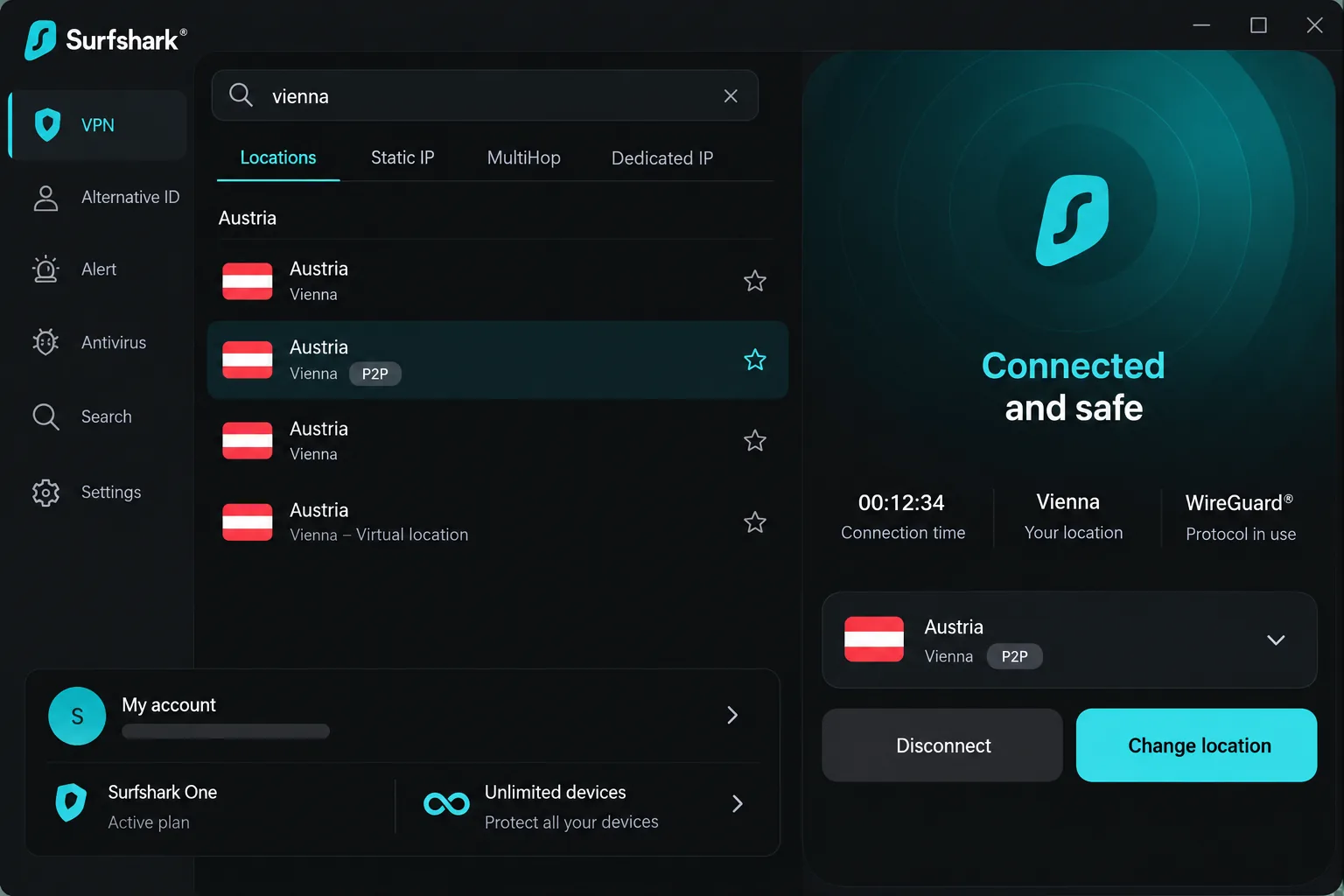
ExpressVPN makes you choose a device tier, while Surfshark skips the question entirely. It puts no cap on simultaneous connections, so every phone, laptop and smart TV in the house can share one subscription. Surfshark was founded in the Netherlands in 2018 and merged with Nord Security in 2022. Its single Austrian location is in Vienna and is tagged for P2P.
Surfshark's Vienna servers ran close behind NordVPN in our checks, at about 145 Mbit/s down and 29 Mbit/s up. ORF ON, ServusTV and ATV all played from the Austrian location. Two quirks came up. The Fastest server option didn't always pick the fastest available server, so we got better results by choosing Vienna by hand. Latency also jumped even on nearby servers, which you'll notice on video calls and in games but not while browsing.
Starter costs $2.49 a month on the 2-year plan, billed as $67.23 for the first 27 months. It renews at about $79 a year, though the exact amount varies by term and currency. A 30-day money-back guarantee applies. For that price you get 4,500+ RAM-only servers in 100 countries and a no-logs policy that Deloitte verified in 2023 and again in 2025.
Pros
- CleanWeb ad blocker and Dynamic MultiHop
- Camouflage mode hides VPN traffic
- Smart DNS for devices without a VPN app
Cons
- Only one Austrian location
- Fastest server option isn't always fastest
- Higher latency on calls and gaming
5. CyberGhost
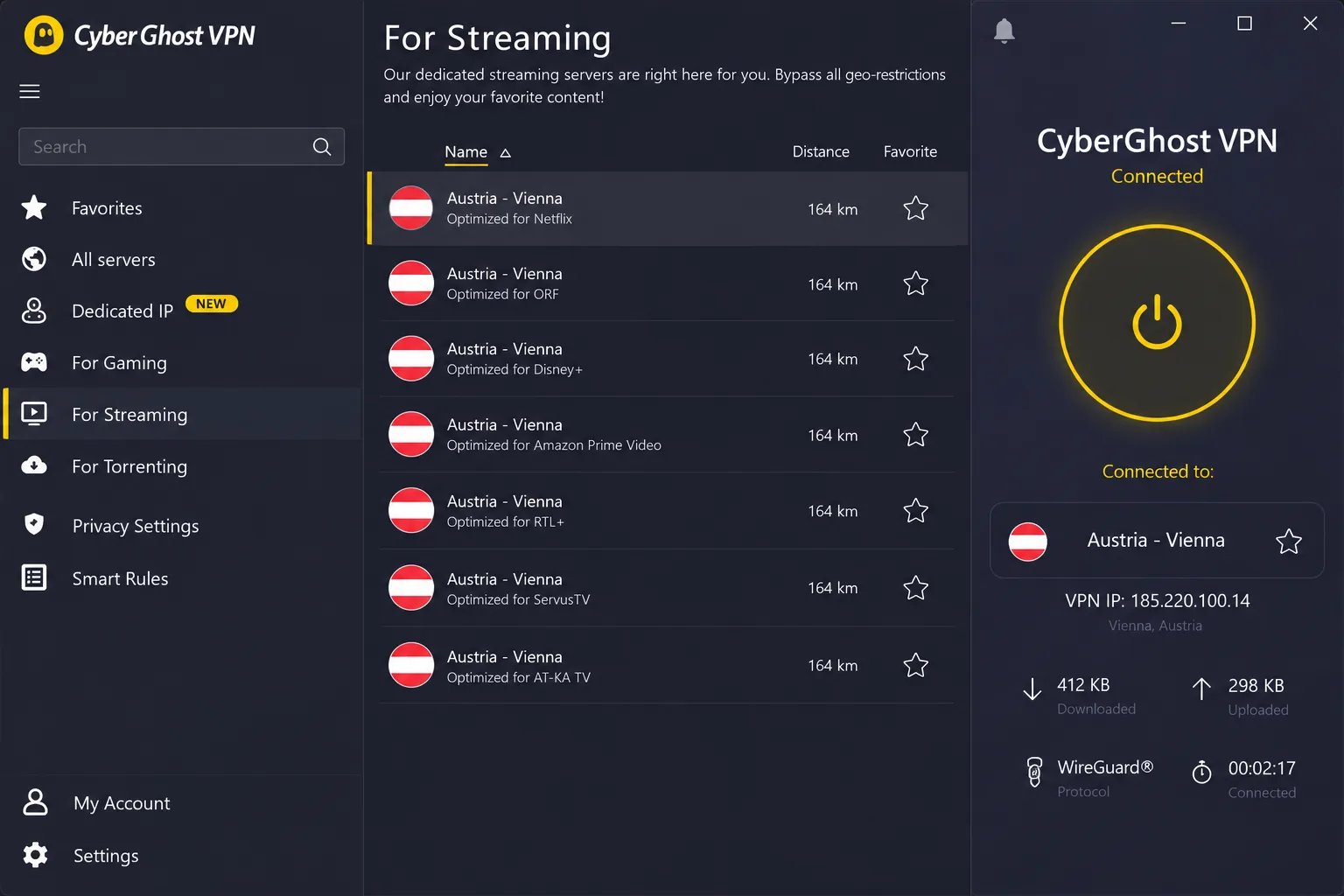
How well CyberGhost streams depends on which of its servers you pick. Its general Austrian location in Vienna is physical rather than virtual, supports P2P and holds several hundred servers, by far the biggest pool here. We used those Austrian servers to open ORF ON and Netflix, and both worked. Disney+, HBO Max and Prime Video only played reliably once we switched to CyberGhost's dedicated streaming servers, and some popular streaming sites didn't unblock at all.
In exchange for that patchier streaming you get the friendliest apps on this list. On mobile, choosing a server connects you straight away, and the kill switch is on by default. Moving between locations briefly dropped the tunnel before the new connection settled. Download speeds were also inconsistent, and far-away servers slowed down at peak hours. On macOS, watch for one flaw: the app can leak an IPv6 address through WebRTC, so run a leak check after you connect.
CyberGhost is run from Bucharest, Romania, and has been owned by Kape Technologies since 2017. Deloitte issued no-logs assurance reports in 2022, 2024 and 2025, and the apps use military-grade AES-256 encryption on RAM-only servers. It costs $2.19 a month on the 2-year plan with 2 extra months, billed as $56.94 for the first term, and covers 7 devices. The 45-day money-back guarantee applies to plans of 6 months or longer.
Pros
- Simple apps that suit beginners
- Dedicated streaming and torrenting servers
- Kill switch on by default
Cons
- Some streaming sites don't unblock
- macOS app can leak IPv6 through WebRTC
- No obfuscation and only 7 devices
6. Private Internet Access
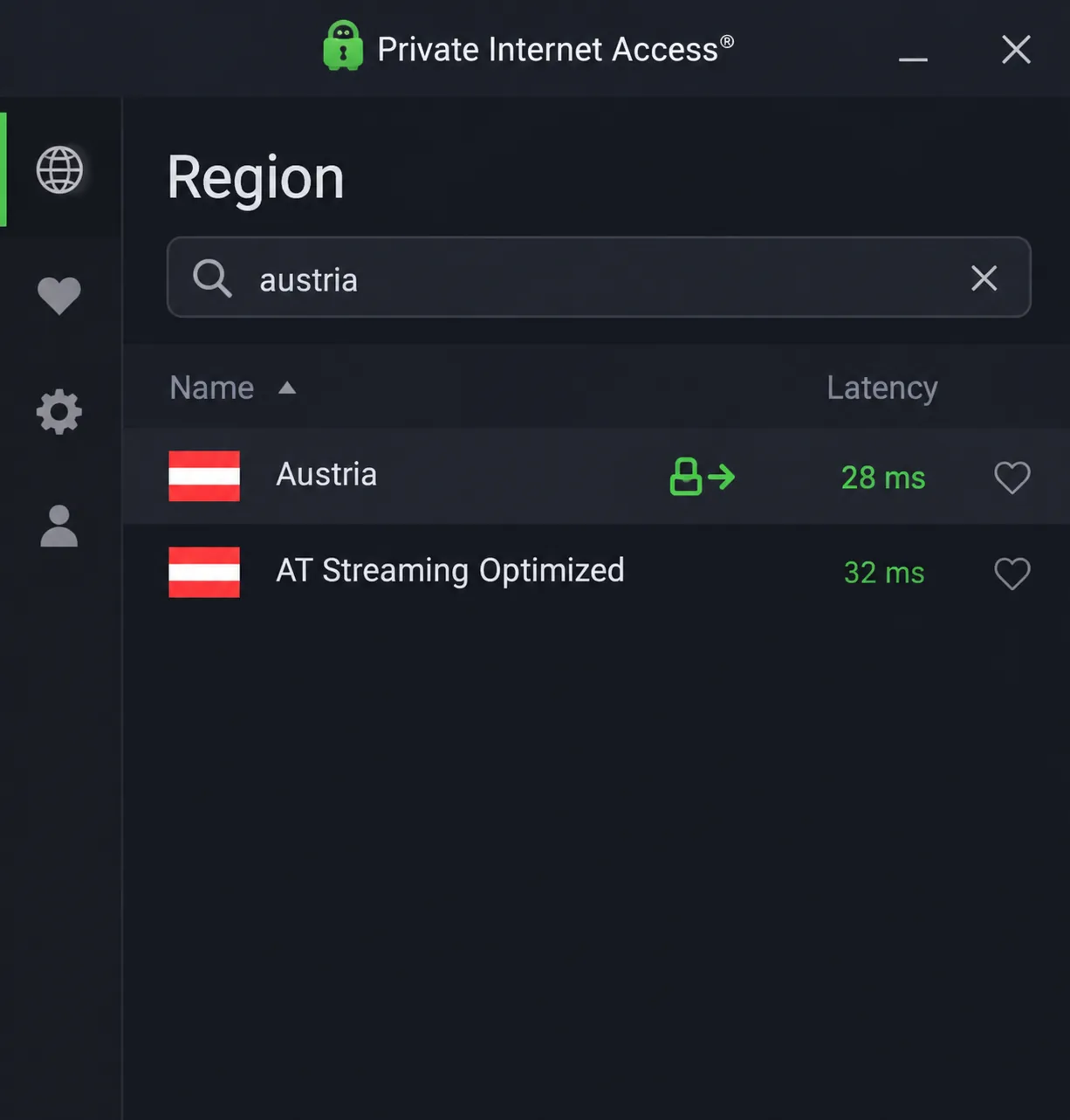
Private Internet Access is the opposite of CyberGhost: powerful, but busy. Its apps carry so many settings that newcomers can feel lost. If you know what you want, though, PIA gives you more control in Austria than anyone else. It runs a standard Austria region in Vienna plus a separate AT Streaming Optimized region, and the standard region supports port forwarding.
PIA played ORF ON, ServusTV and ATV for us, but streams loaded slowly. It was the slowest Austrian connection we measured, at about 118 Mbit/s down and 14 Mbit/s up. That's still enough for HD, yet the upload figure will hurt if you send large files. Privacy is where PIA shines. We closed the app mid-session and the real IP address never showed. IP, DNS and WebRTC leak checks also came back clean. The one gap is at startup, because traffic can leak after a reboot before the tunnel comes up. Switch on the advanced kill switch (the Always setting) to close it.
PIA also includes a SOCKS5 proxy for torrent clients and advertises a 10-Gbps network. It uses RAM-only servers and open-source apps, and covers more than 110 countries.
The 3-year plan (plus 3 extra months) costs $2.03 a month, billed as $79 upfront and renewing at $79 every 3 years. Month to month, PIA costs $11.95. Device connections are unlimited, and a 30-day money-back guarantee covers new subscribers.
Pros
- Separate streaming-optimized Austria region
- Clean leak checks with the app closed
- Cheapest long-term price
Cons
- Busy apps for VPN newcomers
- Slowest Austrian upload we measured
- Advanced kill switch needs switching on
How We Chose the Best VPN for Austria
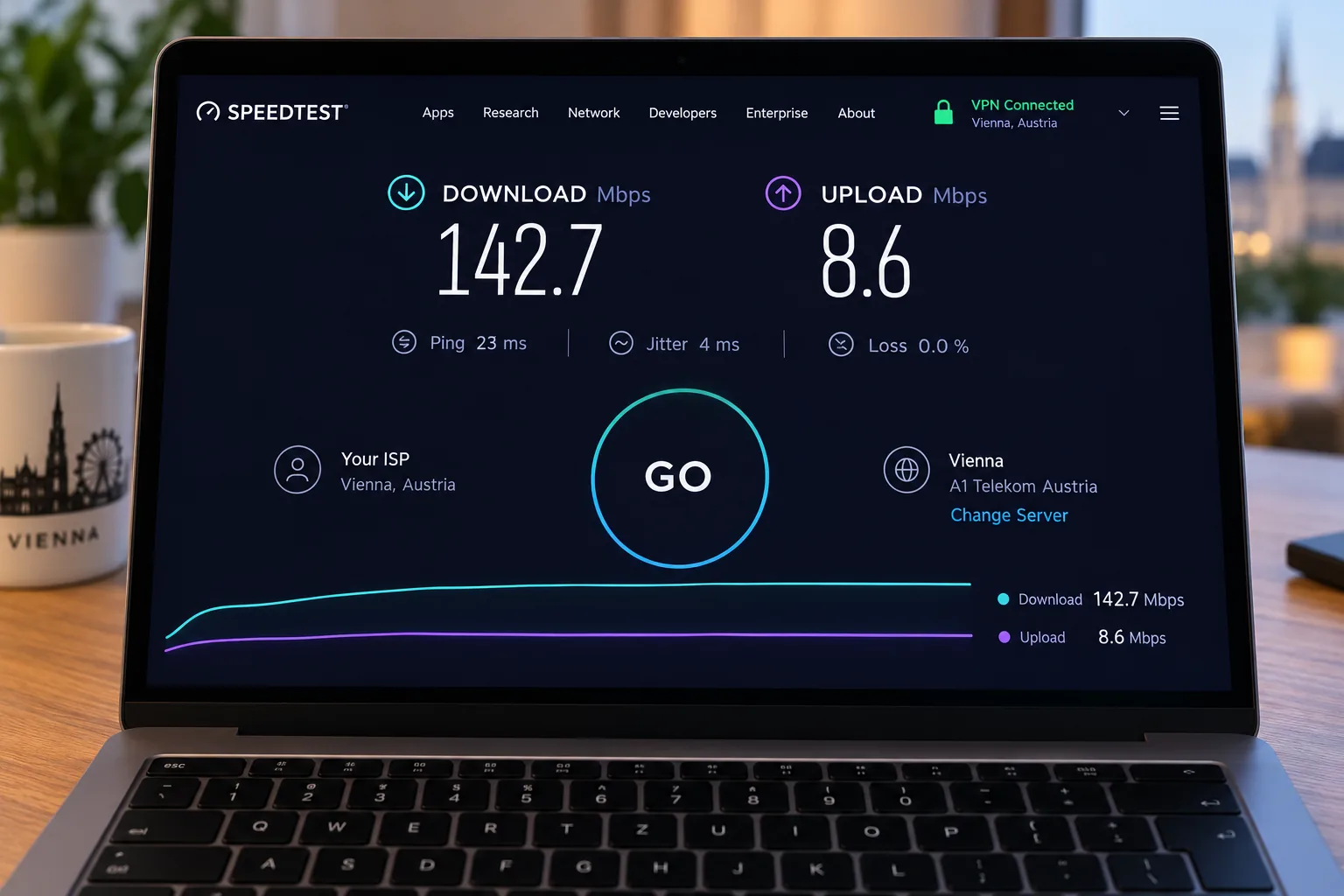
We started with the location that matters most for this article. We connected five of the six VPNs to their Austrian servers and recorded download and upload speeds on those connections, so the numbers reflect what you'd see when you need an Austrian IP. CyberGhost is the exception, and its Austrian speed isn't in our results. Downloads landed between roughly 118 and 155 Mbit/s across the five, which is comfortably above HD streaming needs. Uploads dropped much further, to about 14 to 30 Mbit/s, and upload speed matters more for video calls than for watching TV.
Next we checked streaming. On each Austrian connection we tried ORF ON, plus ServusTV and ATV where the provider supported them. We also switched several of them to other countries to check Netflix and BBC iPlayer. We don't treat any result as permanent. Streaming access through a VPN is never guaranteed, and a service that works one month can block a server the next.
Privacy features came third. We favoured providers with recent independent no-logs audits, a working kill switch and clean leak results. Finally, we weighed price, renewal costs, device limits, apps across the major platforms and the money-back window. The final order follows the scores each VPN earned in our full reviews, so this roundup never contradicts them.
Do You Need a VPN With Servers in Austria?
You need one if you want Austrian content from abroad. ORF ON, ServusTV and ATV check your IP address, and only a server in Austria gives you an Austrian one. Every pick on this list has servers in Vienna or a dedicated Austria location.
If you live in Austria and just want privacy or a different Netflix library, Austrian servers matter less. For everyday browsing, connect to a nearby server to keep speeds high. For a US or UK catalogue, you'll connect to that country instead. That's why the size of the overall network counts as much as the Austrian presence.
Why Use a VPN in Austria?
Austria doesn't censor the internet, and Freedom House's internet-specific Freedom on the Net report doesn't even cover the country. Its Constitutional Court also struck down the national data retention law in 2014, and Austria has had no general data retention law since. The reasons to use a VPN here are practical rather than political: streaming, safer public Wi-Fi, and keeping access to home services while you travel.
Watch ORF ON and Austrian TV From Abroad
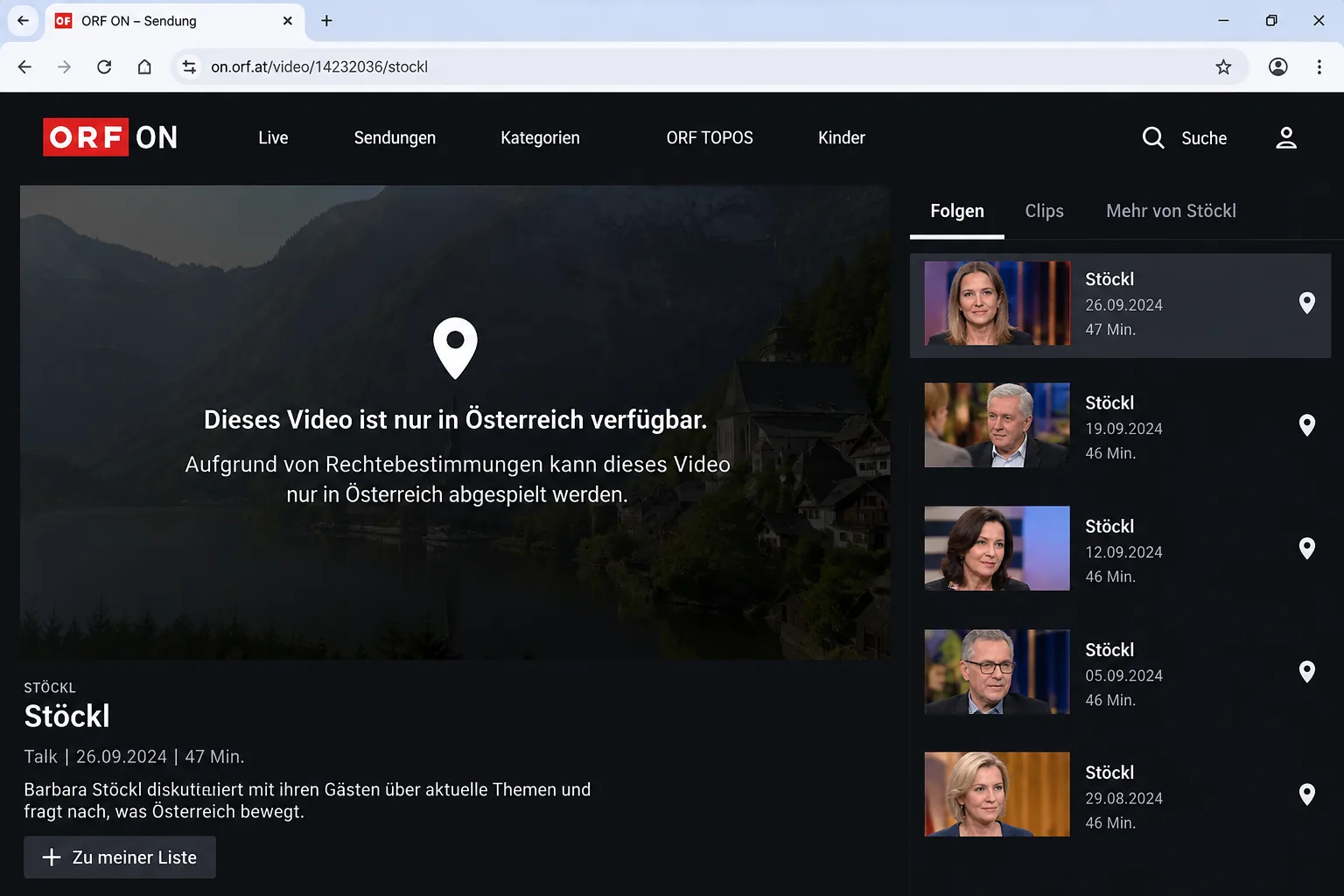
ORF only holds the rights to show some programmes in Austria. Open one of them from abroad and ORF shows a notice that the video is only available in Austria. Those programmes play only on an Austrian IP address. Sport and licensed films and series are the usual reasons. In the tv.ORF.at listings, a small location icon next to "ORF ON" marks the broadcasts that are Austria-only.
Not everything is locked. ORF's own news programmes are often viewable worldwide without a VPN, so the block mostly hits licensed content. ServusTV and ATV/PULS 4 streams are restricted outside Austria too.
ORF also states that VPNs can't reach its geo-protected videos for licensing reasons, and it backs that up by blocking VPN traffic. A server that plays ORF ON today can show the Austria-only notice later. That's why we value providers with several Austrian servers to rotate through.
Change Netflix Libraries and Unblock Streaming
Netflix shows a different catalogue in each country, so the films and series available on an Austrian connection aren't the same as in the US or UK. Connecting to a server in another country shows you that country's library. NordVPN and CyberGhost both handled Netflix in our checks, and Proton VPN unlocks streaming on its paid plans. NordVPN opened BBC iPlayer too, and CyberGhost runs dedicated streaming servers for iPlayer. We walk through the steps in our guide to using a VPN with Netflix.
Stay Safe on Public Wi-Fi
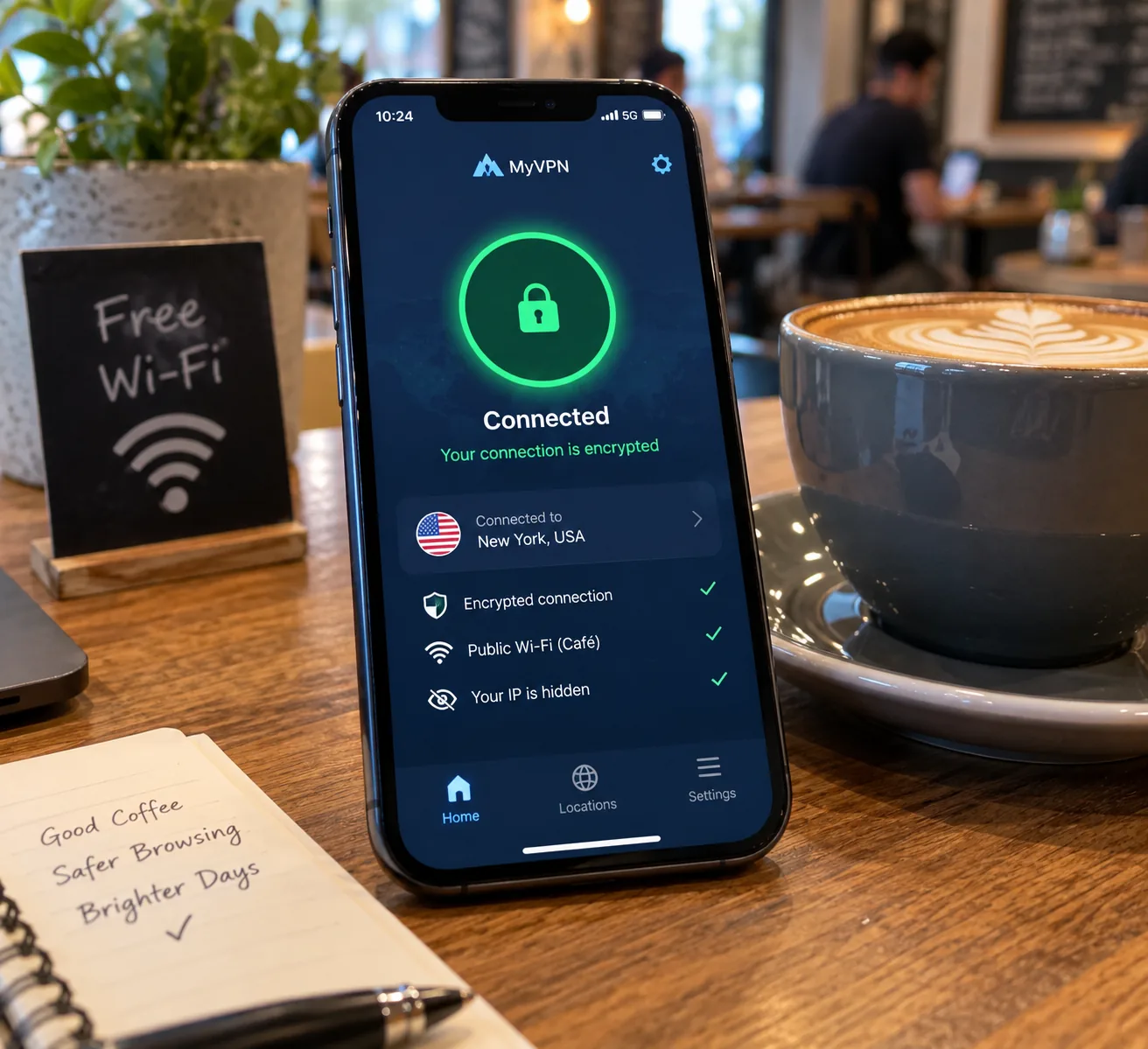
Free public Wi-Fi is everywhere in the tourist areas of Vienna, Salzburg, Innsbruck and Graz, and in cafés, airports and hotels across the country. Many of these networks are open, so anyone on the same hotspot can read unencrypted traffic. A VPN encrypts everything between your device and the VPN server, which keeps your logins and messages away from prying eyes. We explain the risks in more detail in our guide to whether a VPN protects you on public Wi-Fi.
Remote Work and Travel
Austria has a growing remote-work community, centred on Vienna. If you work for a company abroad, a nearby Central European server keeps latency low for video calls. Split tunneling lets local Austrian services use your normal connection while work traffic goes through the VPN. Austrians abroad face the reverse problem: they need an Austrian IP for home services. For more on picking a VPN for trips, see our roundup of the best VPNs for travel.
How to Get an Austrian IP Address
Getting an Austrian IP takes a few clicks with any of the paid VPNs above.
- Sign up for a VPN with servers in Austria. NordVPN is our top pick, and every provider here has a money-back guarantee.
- Download the app for your device and log in.
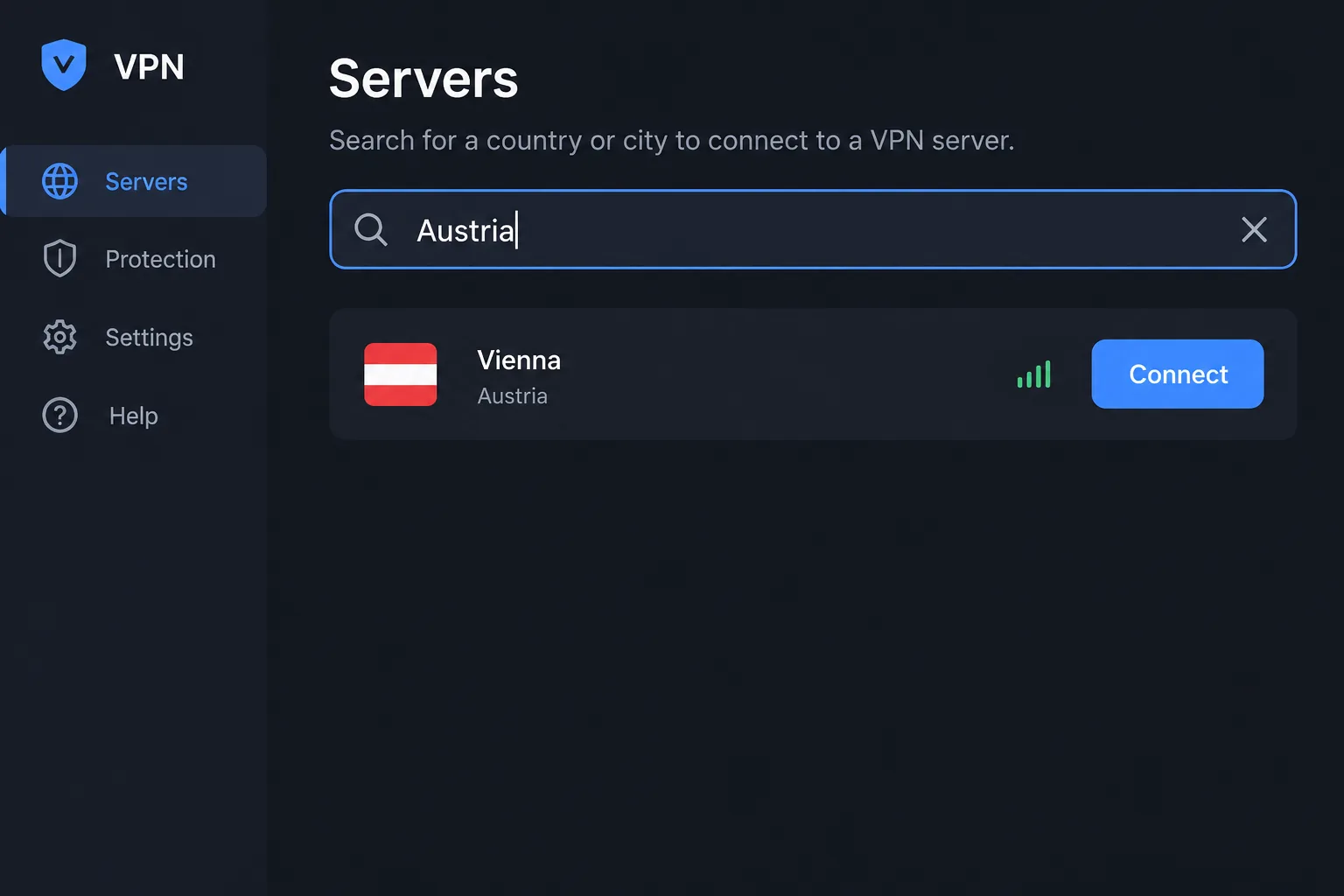
- Open the server list and search for Austria. Choose Vienna if your app offers a city.
- Connect, then open ORF ON, ServusTV or another Austrian service.
- If a stream still says it's blocked, try another Austrian server before you give up on the provider.
Check Your Connection for Leaks
Once you're connected, open ipleak.net in your browser. It shows the country of your visible IP address along with DNS and WebRTC leak results. You want to see Austria as the location and no sign of your real IP or your ISP's DNS servers. If your real address appears, turn on the VPN's kill switch and leak protection, then reconnect and check again.
Is It Legal to Use a VPN in Austria?
Yes. No Austrian law bans or restricts VPNs. Austria has no statute that addresses VPNs directly, so their legality rests on the absence of any ban rather than an explicit permission. Anything illegal without a VPN stays illegal with one.
Using a VPN to get around ORF's geo-block breaches the service's terms, but it's generally treated as a contract issue rather than a crime. No court ruling or ORF statement addresses VPN viewers directly. Downloading copyrighted files is a separate legal question. Section 42 of Austria's Copyright Act allows private copies, but not copies made from an obviously unlawful source.
Should You Use a Free VPN in Austria?
We don't recommend it. Free VPNs tend to run small, congested networks, show ads or log what you do online. Most offer no Austrian server at all. Austrian broadcasters often block them, so they're unreliable for ORF ON and other Austrian TV.
Proton VPN's free plan is the only free option we'd trust, and it can't connect you to Austria. It assigns a server automatically in one of 10 countries, so it suits public Wi-Fi protection but not Austrian streaming.
A free VPN that logs your activity or sells data defeats the point of using one. If you need an Austrian IP, a paid plan with a money-back guarantee costs little more than a coffee each month and comes with an audited no-logs policy.
FAQ
Is torrenting legal in Austria?
Does paying the ORF-Beitrag unlock ORF ON abroad?
Can I watch ORF ON in another EU country without a VPN?
Why does ORF ON still say a video is only available in Austria?
Does a VPN slow down my internet in Austria?
Can I use a proxy instead of a VPN in Austria?
Do I need a dedicated IP for Austrian banking?
Final Thoughts
Austria's internet is open, but a VPN still earns its place once you travel, stream or sit down on café Wi-Fi. The box below matches each pick to the job it handles best.