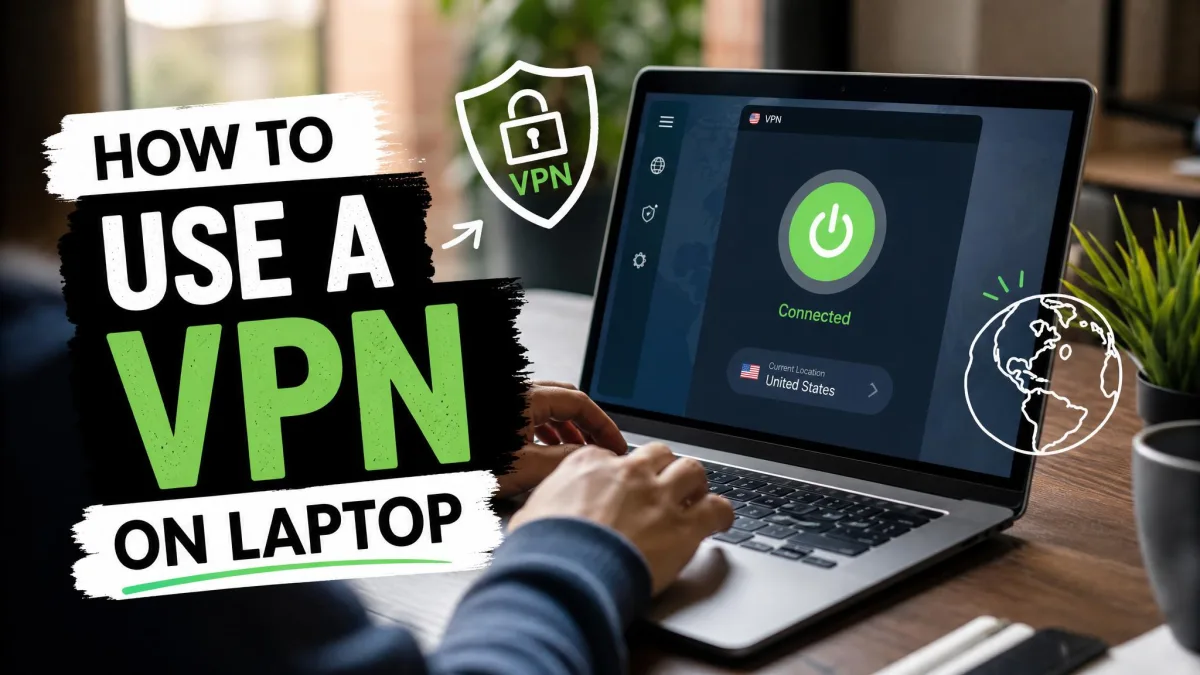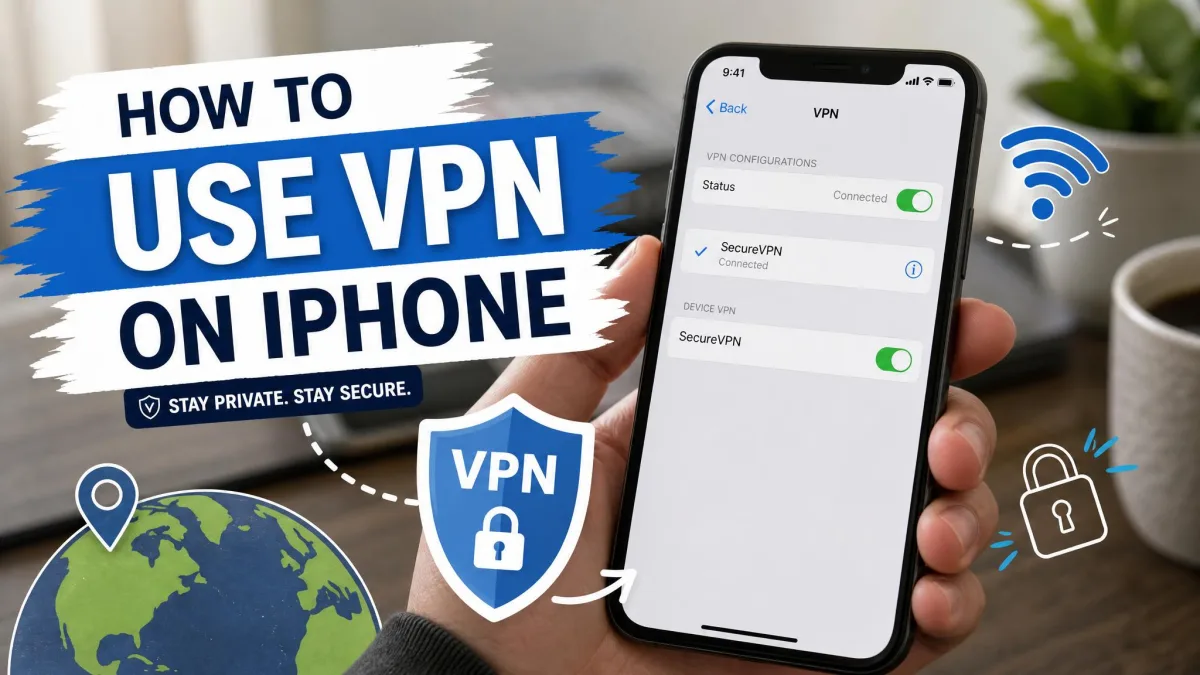
Open Netflix in two different countries and you get two different homepages. A show that streams in the UK may be missing in the US, and a film that headlines in Japan may never appear in Canada. Those gaps are not bugs. Netflix licenses content country by country, so every region gets its own catalog.
A VPN is how most people get around that. It routes your connection through a server in another country and hands you an IP address from that region, so Netflix serves you the local library instead of your own. The catch is that Netflix actively looks for VPN traffic and blocks it, which is why the tool you pick and the way you set it up both matter.
This guide walks through the whole process. We cover what a VPN actually does for streaming, the exact steps to connect, the services that still work in 2026, how to set things up on every device, and the fixes we reach for when Netflix throws a proxy error. Along the way we lean on the VPNs we tested against Netflix rather than marketing claims.
What a VPN Does for Netflix (and why libraries differ by country)
Netflix does not run one global catalog. It buys streaming rights per territory, and those deals differ from country to country. The result is that the same subscription unlocks a different set of shows depending on where you appear to be connecting from.
A VPN sits between your device and the internet. It encrypts your traffic and sends it through a server you choose, so the websites you visit see that server's IP address and location instead of your own. Connect to a server in another country and Netflix reads you as a local viewer there.
That is the whole trick behind using a VPN to unblock Netflix. You are not hacking anything or accessing hidden content. You are asking Netflix to show you the regional library that matches the server you connected through.
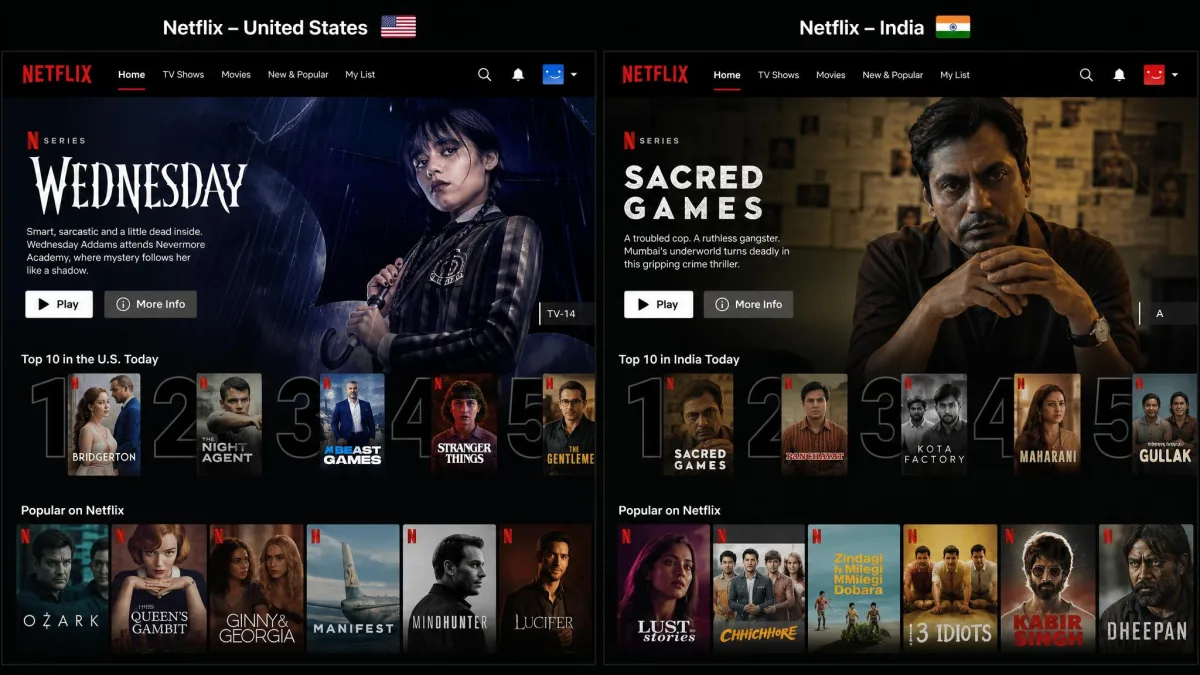
Content differs by region because of licensing, not censorship. A studio may sell UK streaming rights to Netflix and US rights to a competitor, so the title only appears in one country's catalog. If you want the concept in more depth, see the overview of geo-blocking on Wikipedia.
The libraries themselves vary a lot in size. Catalog counts shift constantly as licenses expire and renew, so treat any single figure as a snapshot rather than a fixed number. If you are curious about the scale of the differences, Statista tracks library size by country.
How to Watch Netflix With a VPN: Step by Step
The process is short once you know the order. Here is how we connect on a fresh machine.
Step 1: Choose a Netflix-compatible VPN
This is the step that decides everything else. Most VPNs cannot get past Netflix at all, so start with a service that is known to work. In our testing, NordVPN, ExpressVPN, and Surfshark all unblocked Netflix reliably, while many smaller and free VPNs failed at the first proxy check. We cover all three in detail below.
Step 2: Install and sign in
Download the app from the provider's own site or your device's official app store, then sign in with the account you created. Avoid third-party download mirrors, which often bundle outdated or tampered builds. Installation takes a couple of minutes on any platform.
Step 3: Connect to a server in your target country
Pick the country whose library you want and connect to a server there. If your VPN offers streaming-optimized servers, use those rather than a random node, because they are tuned for the kind of steady throughput Netflix needs. A major-city server usually performs better than a rural one.
Connect to a server that is geographically close to the content you want, not to some far-off country you do not need. The nearer the server, the lower the latency and the less buffering you will see.
Step 4: Open Netflix and start streaming
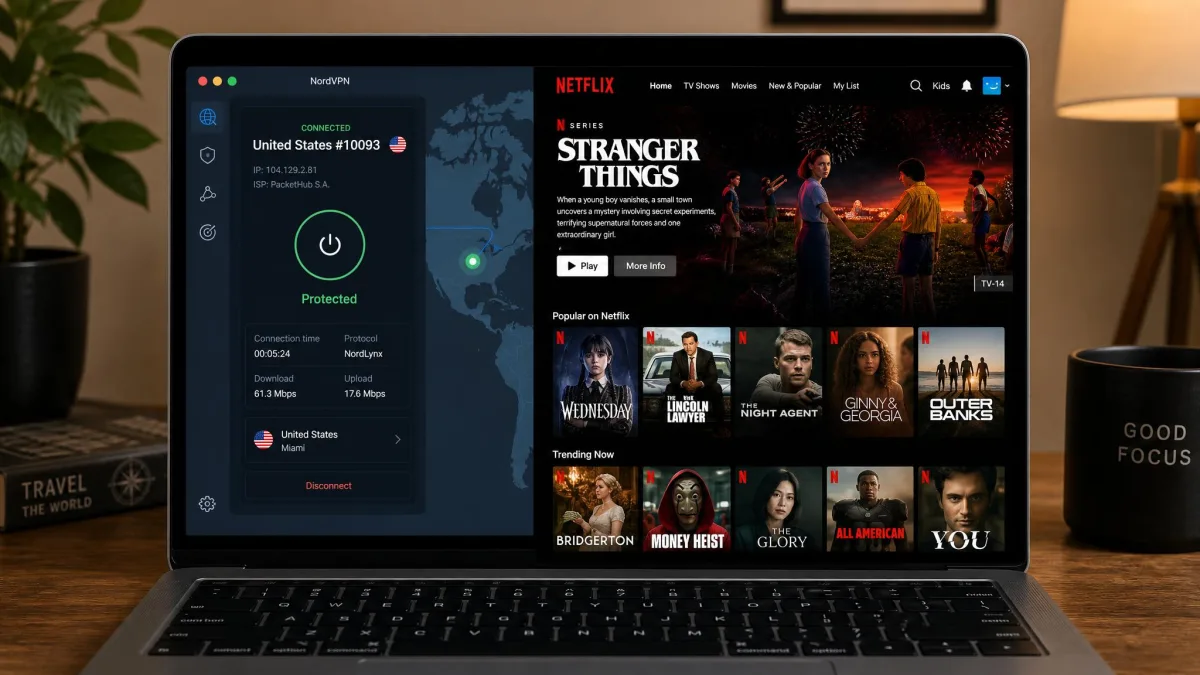
With the tunnel up, open Netflix in your browser or app. You should now see the catalog for the country you connected through. If you had Netflix open already, refresh the page or restart the app so it re-reads your new location. Give it a moment to load and pick your show.
Best VPNs That Still Work With Netflix
We keep coming back to the same three services because they clear Netflix's blocks consistently, stream in HD without stalling, and run on every device we tested. Here is how they compare before the individual write-ups.
| VPN | Buy | Netflix libraries | Streaming speed | Connections | Price |
|---|---|---|---|---|---|
 |
Check price → | ~25 regions | 9.0/10 | 10 devices | ~$3.49/mo (2-yr) |
 |
30+ regions | 8.7/10 | Unlimited | $2.49/mo (2-yr) | |
 |
~15 regions | 8.5/10 | 8-14 by plan | ~$3.49-$4.99/mo |
We connect each VPN to Netflix ourselves rather than trusting a provider's "works with Netflix" badge. Blocks change month to month, so a service that sails through in spring can stumble by autumn. The picks below are the ones that held up across repeated sessions and multiple regions.
NordVPN
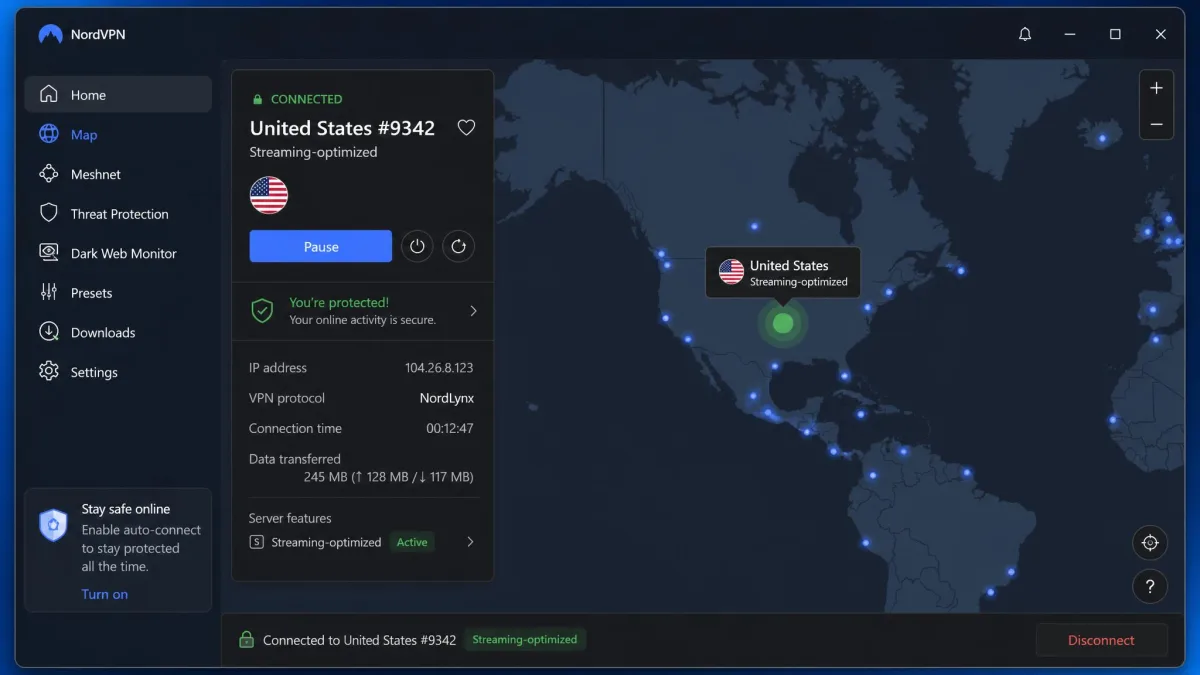
NordVPN was our steadiest performer against Netflix. It unblocks roughly 25 regional libraries, including the US, UK, Japan, Canada, Australia, and Italy, though the exact count shifts as Netflix updates its blocks. Its SmartPlay Smart DNS works quietly in the background, which is part of why it rarely stumbles.
Speed comes from the NordLynx protocol, built on WireGuard, and the streaming-optimized servers kept our HD playback smooth without the mid-show drops we saw on weaker services. It covers a large network of servers across well over a hundred countries, runs on Windows, Mac, iOS, Android, and Fire TV, and connects up to 10 devices at once. The 2-year plan works out to about $3.49 per month, and there is a 30-day money-back guarantee if it does not fit.
Pros
- Most reliable Netflix unblocking in our tests
- Fast NordLynx speeds with streaming-optimized servers
- SmartPlay Smart DNS for TVs and consoles
- 10 simultaneous connections
Cons
- Longest savings need the multi-year commitment
- Dedicated IP is a paid add-on
Best for: Anyone who wants the highest chance of Netflix just working, on any device.
Skip if: You need more than 10 devices connected at once.
Surfshark
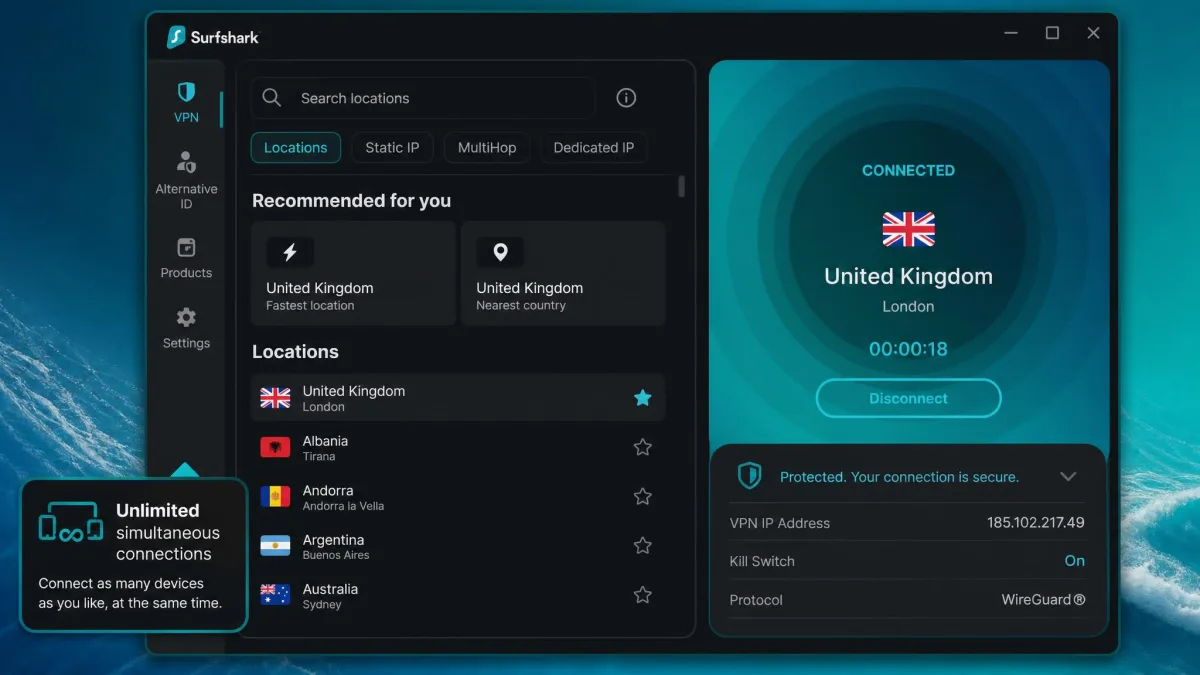
Surfshark is the value pick, and it punches above its price with Netflix. It officially supports 15 libraries, but in testing it opened more than 30 regional catalogs, so its real reach is wider than the label suggests. Playback stayed smooth on its WireGuard connections.
Its standout feature is unlimited simultaneous connections, so one subscription covers every device in a household. It runs on Windows, Mac, iOS, Android, and Fire TV, includes Smart DNS for TVs and consoles, and offers MultiHop for extra routing. The Starter plan is $2.49 per month on the 2-year term with three bonus months, then renews at $79 per year, and it carries the same 30-day money-back guarantee.
Pros
- Unblocked 30-plus Netflix regions in testing
- Unlimited simultaneous connections
- Cheapest intro price of our three picks
- Smart DNS for TVs and consoles
Cons
- Renewal price jumps after the intro term
- Official supported-library list understates its reach
Best for: Households that want to cover every device on one cheap plan.
Skip if: You would rather pay a flat rate every year with no renewal jump.
ExpressVPN
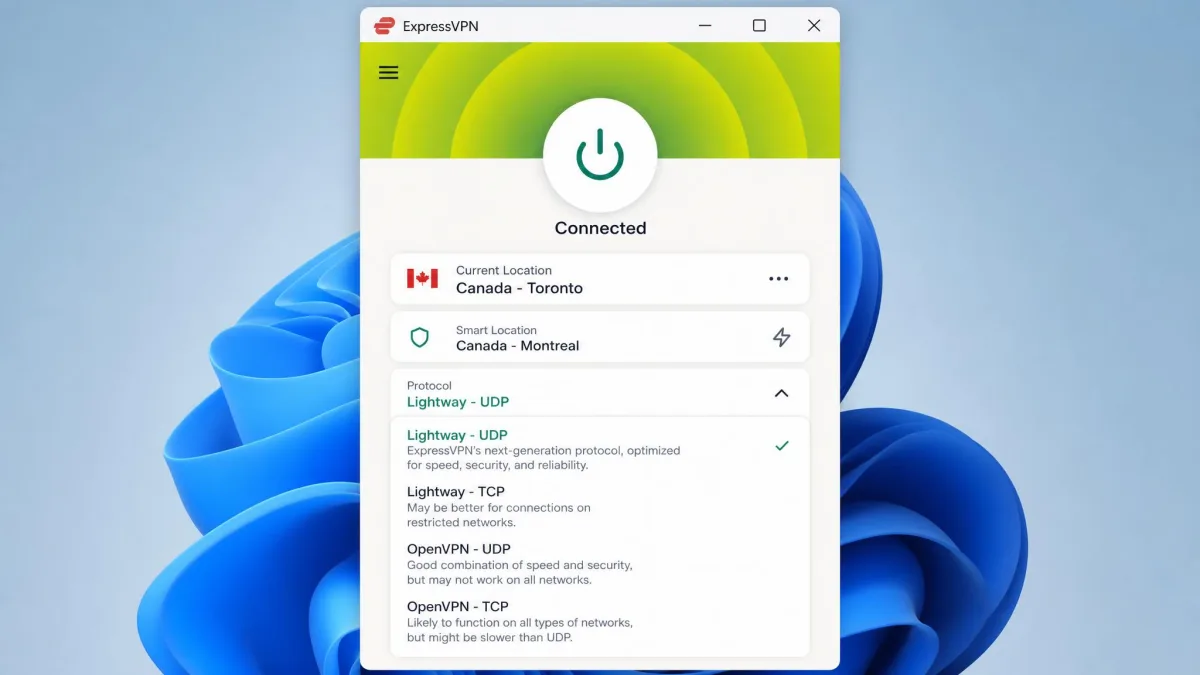
ExpressVPN has servers in 105 countries and a strong reputation for streaming, and it unblocked roughly 15 Netflix libraries when we connected through it. Reliability here is genuinely mixed: it ranks among the most consistent unblockers in some rounds of testing, yet at other times it needed a server switch before Netflix cooperated. We keep it on the list because when it works, it is fast and clean.
Its Lightway protocol is quick and light on battery, and the MediaStreamer Smart DNS gets Netflix onto devices that cannot run the full app. It runs on Windows, Mac, iOS, Android, routers, and Fire TV, uses RAM-only TrustedServer infrastructure, and connects 8 to 14 devices depending on the plan. Long-term pricing starts around $3.49 to $4.99 per month, with a 30-day money-back guarantee.
Pros
- Wide server presence across 105 countries
- Fast, efficient Lightway protocol
- MediaStreamer Smart DNS for streaming devices
- RAM-only servers for privacy
Cons
- Netflix reliability can vary session to session
- Pricing runs higher than Surfshark
Best for: Streamers who want broad server coverage and router support.
Skip if: You want the most predictable Netflix unblocking, where NordVPN edges ahead.
How to Use a VPN With Netflix on Any Device
The connect-then-stream routine is the same everywhere, but the setup differs by hardware. Here is what changes across the devices people ask us about most.
Windows & Mac
Desktops are the easiest case. Install the VPN app, sign in, connect to your target country, then open Netflix in a browser or the Windows app. If you had a browser tab open before connecting, clear the cookies or reload so it picks up the new location. Our laptop VPN walkthrough covers the desktop flow in more depth.
iOS & Android
Phones and tablets use the same app-store apps. Install, sign in, connect, then open the Netflix app rather than a mobile browser for the best playback. On iPhone the VPN needs permission to add a configuration the first time you connect, which is normal. See our iPhone VPN guide if you get stuck on the permission prompt.
Smart TVs, Fire TV & streaming sticks
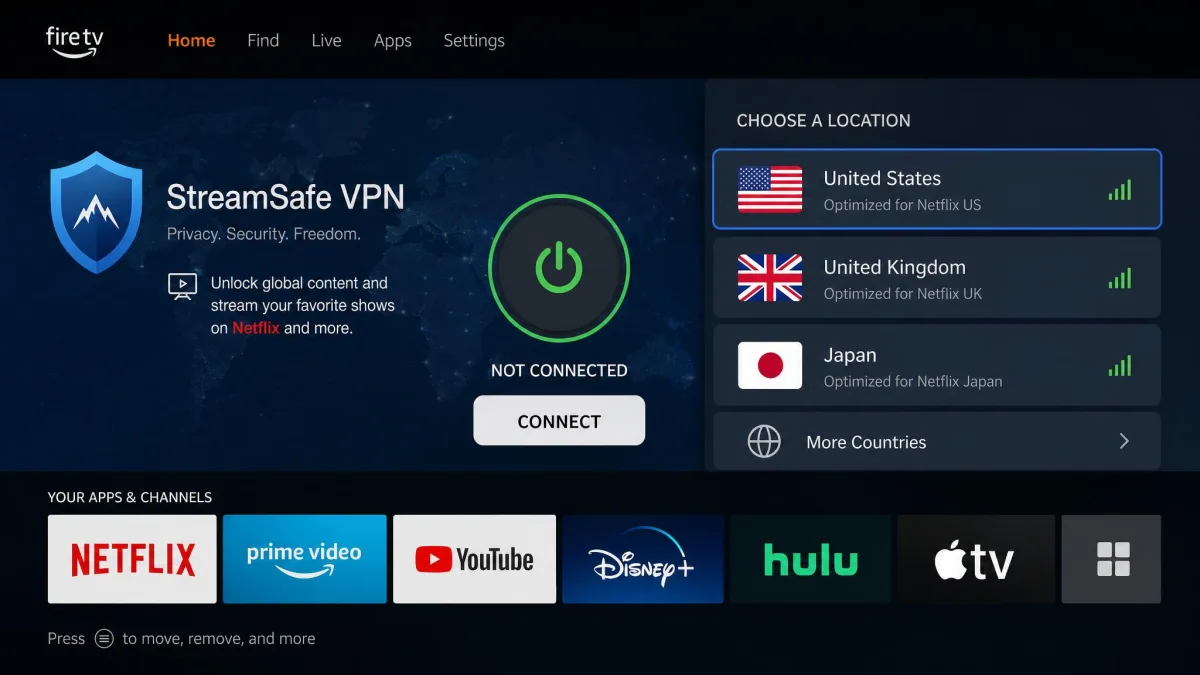
Amazon Fire TV devices can run VPN apps directly from the app store, so those are the simplest smart-TV path. All three of our picks offer Fire TV apps. Other smart TVs often cannot install a VPN, and that is where Smart DNS earns its keep: you enter the provider's DNS settings on the TV and it routes streaming traffic without a full tunnel.
Game consoles (via router or Smart DNS)
Consoles like PlayStation and Xbox will not run a VPN app at all. You have two routes. Install the VPN on your router so every connected device is covered at once, or use the provider's Smart DNS, which is often the easier option for a single console. Changing the console's DNS or network region settings then points it at the country you want. Our region-change guide explains the location-switching side.
Why Netflix Blocks VPNs (and how it detects them)
Netflix blocks VPNs because its licensing deals require it to. If a studio sells Netflix the UK rights to a show, Netflix is contractually bound to keep it out of other regions, and VPNs undermine that. So it invests heavily in detection.
The main tactic is spotting IP addresses that belong to data centers. VPN servers live in commercial hosting facilities, and when Netflix sees many accounts hitting its service from a single data-center IP, it flags that address as a proxy and blocks it. It also watches for DNS mismatches, where your DNS location does not match your IP location, and for IPv6 traffic that leaks your real region outside the tunnel.
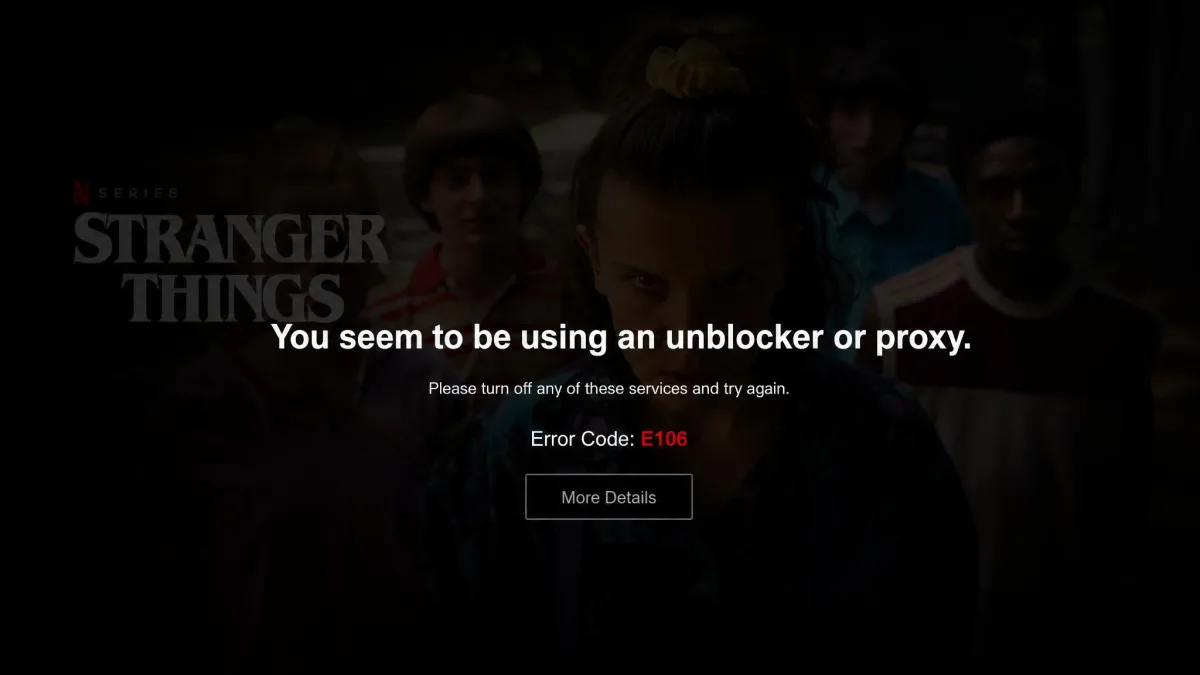
When detection triggers, you get a proxy error. The current message is Netflix error E106, which reads "You seem to be using an unblocker or proxy." Older guides cite the code M7111-5059, and both point to the same VPN block. Netflix's own help page on VPNs simply tells you to turn the VPN off. Sometimes, instead of an error, Netflix quietly shows only its own globally available Originals rather than the full local catalog.
Even a premium VPN can get flagged mid-stream, so a proxy error sometimes pops up after a show has already started playing.
— From our hands-on Netflix testing
Fix: Netflix VPN Not Working - Troubleshooting Tips
When Netflix throws a proxy error, do not panic and do not assume your VPN is broken. Work through these in order. The first two clear the problem the vast majority of the time.
Connect to a different server
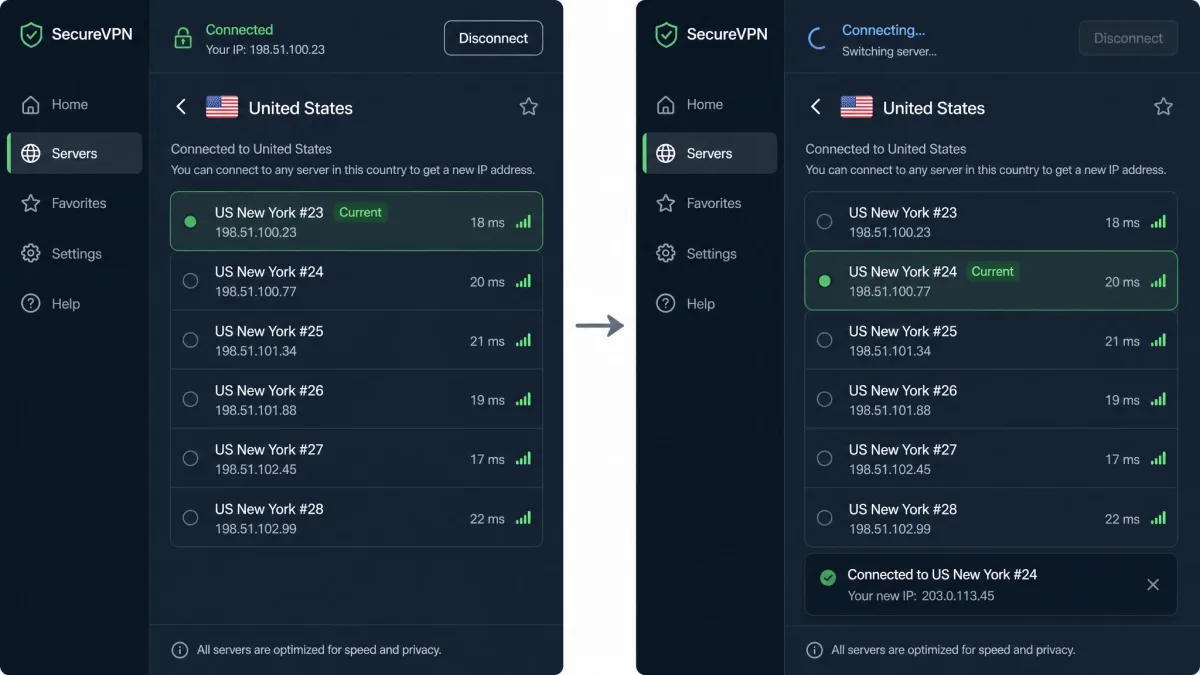
This is our first move every time. Switching to another server in the same country hands you a fresh IP that Netflix has not flagged yet, and access usually returns immediately. If the first alternate is also blocked, try a third; providers rotate IPs faster than Netflix can catch them all.
Clear cache and cookies
Leftover browser cookies can leak your real location even with the VPN running, which is enough to trigger the block. Clearing your cache and cookies, or opening Netflix in a private window, is a reliable fix. Our incognito VPN guide explains why a fresh session helps.
Change the VPN protocol
The protocol shapes how your traffic looks on the wire. Switching between WireGuard and OpenVPN in the app settings changes how Netflix reads the connection, and that alone can restore access when a server swap does not.
Try Smart DNS
Smart DNS routes only your streaming traffic and skips full encryption, which can slip past Netflix more reliably than a standard tunnel. It does not hide your IP, so it is not a privacy tool, but for pure unblocking it is often steadier. All three of our picks include it.
Disable IPv6
VPNs frequently route IPv6 traffic outside the encrypted tunnel, and that leak can expose your real location. Turning off IPv6 in your device's network settings, or enabling the VPN's IPv6 leak protection, closes that gap and can stop the block.
Update or switch your VPN
If nothing above works, update the app to the latest build, since providers push fixes when Netflix tightens detection. If your VPN still cannot get through after that, it may simply have lost the arms race, and moving to one of our picks is the honest fix.
If you get an "Incorrect password" error when signing in with the VPN active, it is not your credentials. Turn the VPN off, log in, then reconnect. Netflix sometimes rejects logins that arrive through a flagged proxy IP.
How to Optimize VPN Speed for Smooth Streaming
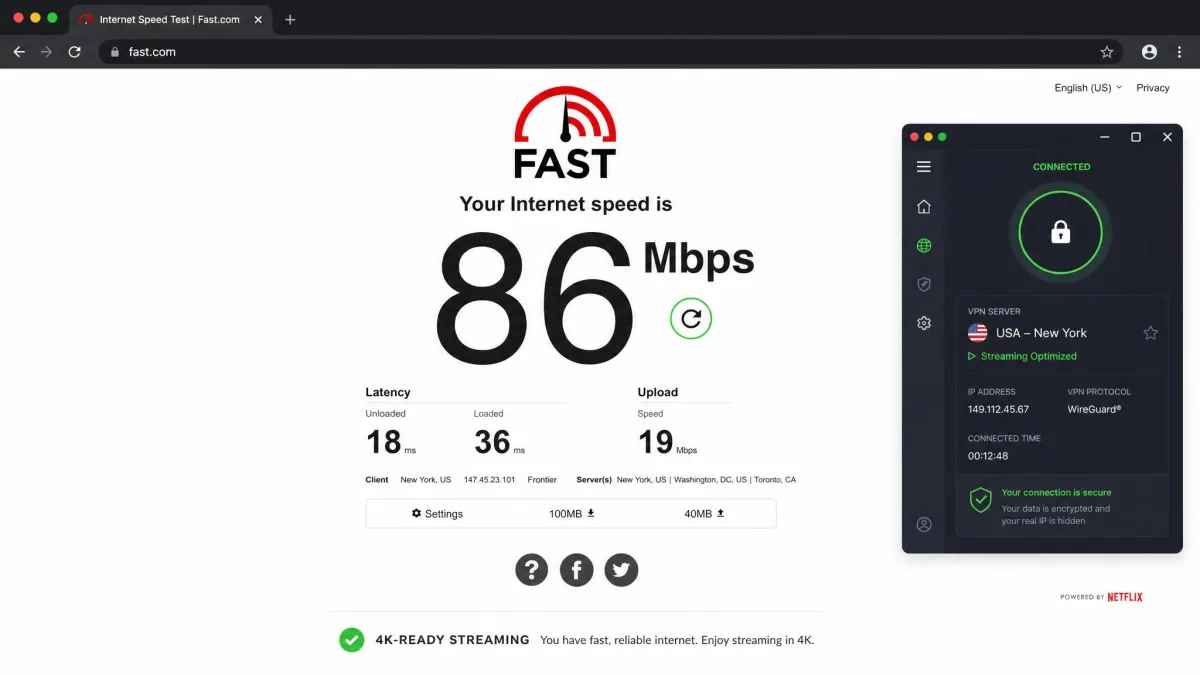
A VPN always adds some overhead, but good setup keeps the hit small enough that you will not notice it. Netflix recommends at least 5 Mbps for HD and 25 Mbps for 4K, so those are the numbers your connection needs to clear after the VPN is on.
Start with a nearby server. The shorter the physical distance, the lower the latency and the higher your throughput. If your provider offers streaming-optimized servers, use them, because we saw noticeably less buffering on those than on random nodes. Choosing a fast protocol like WireGuard, Lightway, or NordLynx helps too, since they are lighter than older OpenVPN connections.
If you want to confirm what you are getting, run a quick test on fast.com, which is Netflix's own speed tool, with the VPN connected. If the result comfortably beats 25 Mbps, 4K will hold. If it dips near 5 Mbps, drop to HD or switch servers.
Can You Use a Free VPN for Netflix?
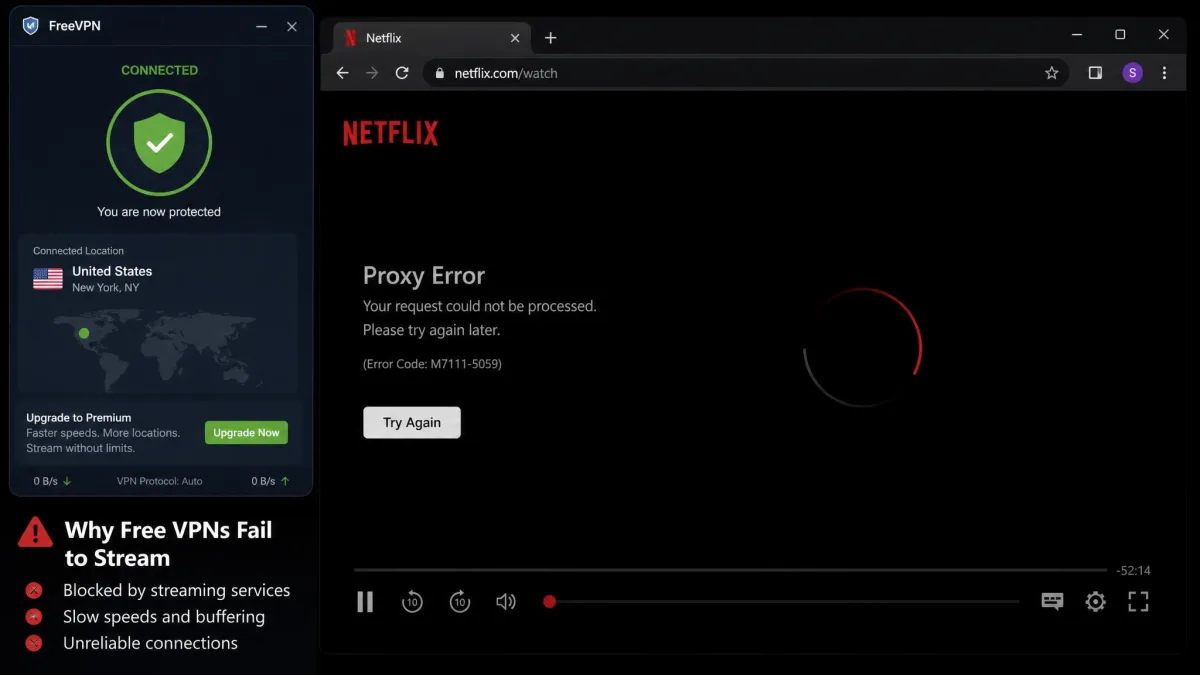
In our experience, almost never. Free VPNs run small server networks with a handful of heavily used IP addresses, and Netflix blocks those quickly because so many people share them. Services like TunnelBear, Mozilla VPN, and IVPN all failed to get past Netflix in testing.
Free tiers also throttle speed and cap data, so even on the rare occasion one connects, you are looking at buffering and an early cutoff mid-episode. Some free VPNs monetize by logging and selling browsing data, which is a real privacy cost for a tool you are using to protect your connection.
If budget is the concern, a cheap paid plan on a long term is the better route. Surfshark's intro pricing lands close to the cost of a coffee per month and actually unblocks Netflix, which no free option in our testing managed to do consistently.
Is It Legal to Use a VPN With Netflix? Will You Get Banned?
Using a VPN is legal in most countries, and using one with Netflix is not a crime. It does, however, go against Netflix's terms of service, which ask you not to bypass regional restrictions. That is a contract matter between you and Netflix, not a legal one.
In practice, Netflix does not ban accounts for VPN use. When it detects a proxy, it blocks that stream or limits your catalog, then lets you watch normally the moment you disconnect. We have never seen it suspend an account over a VPN, and Netflix has publicly signaled it enforces with blocks rather than bans.
A short list of countries restrict or regulate VPN use in general. Those rules govern the VPN itself, not Netflix specifically, so check your local law if you are traveling somewhere with tight internet controls.
Frequently Asked Questions
Will I get banned for using a VPN on Netflix?
Is it legal to use a VPN with Netflix?
Do free VPNs work with Netflix?
Can I use a VPN on my TV or phone?
Why does Netflix still show an error when my VPN is off?
Which VPNs still work with Netflix in 2026?
Conclusion
Watching Netflix through a VPN is straightforward once you have the right tool. Install a Netflix-capable service, connect to the country whose catalog you want, and open the app. When a proxy error interrupts you, a quick server switch or a cache clear almost always gets you back to streaming.
The choice of VPN is what makes or breaks it. NordVPN, Surfshark, and ExpressVPN are the services we saw beat Netflix's blocks in 2026, and any of the three will open up regional libraries you cannot reach on your own connection. Pick one, follow the four steps, and the whole world's Netflix catalogs are available from anywhere.