Snap VPN is a free, ad-supported Android app that promises unlimited data and one-tap privacy. After putting it through our usual checks, we came away unable to recommend it. The speeds are slow, the security is thin, and the ownership trail is murky enough to worry anyone who actually cares about privacy.
That last point matters most. A VPN is a tool you trust with every packet of data your phone sends, so who runs it is not a footnote. We spent our testing time confirming what Snap VPN does, what it hides, and whether "free" is worth the trade. The short answer is no, and the rest of this review shows why.
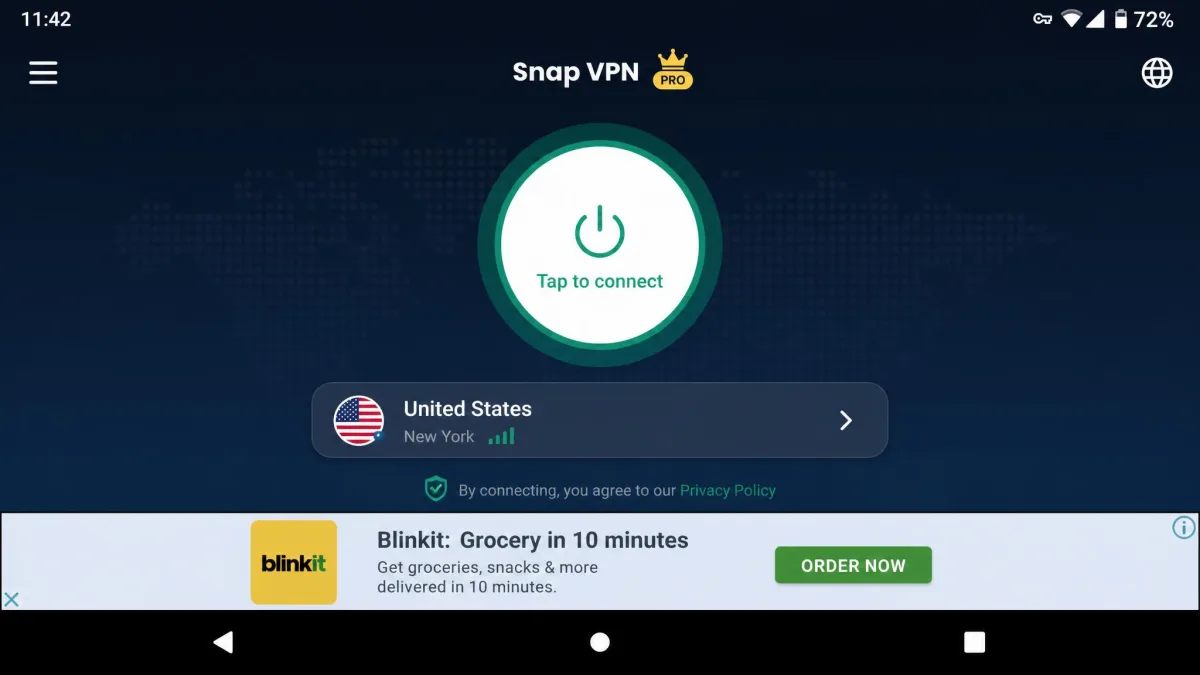
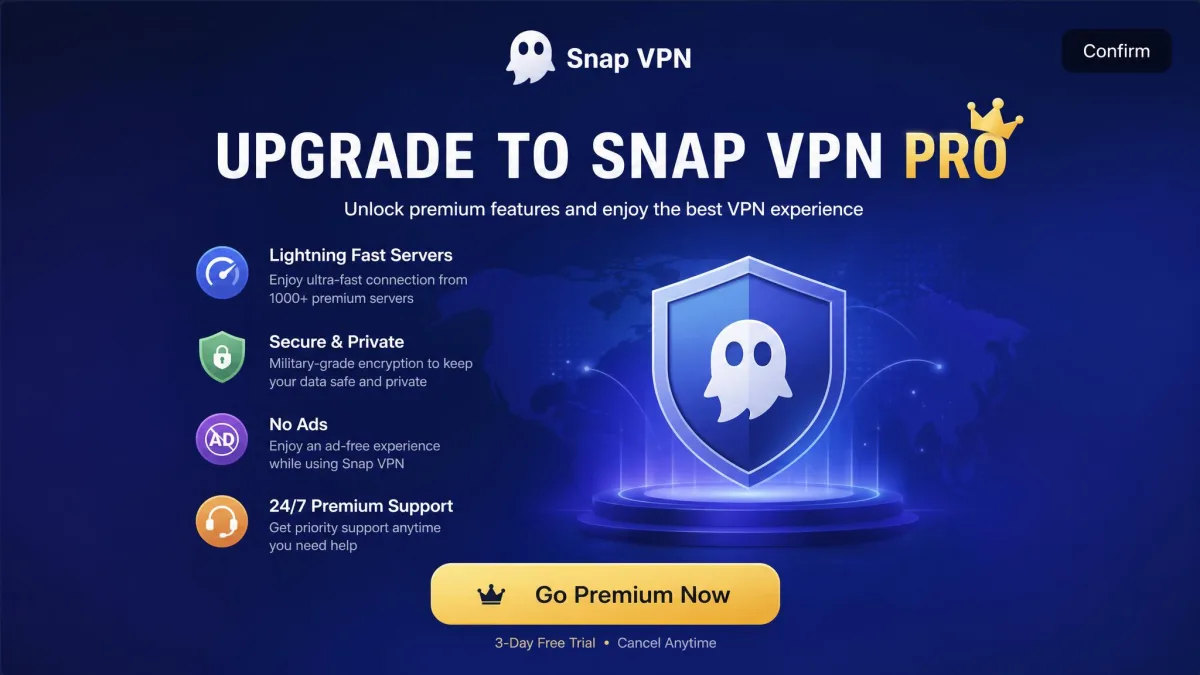
We test every VPN the same way: we install the current app, connect to multiple locations, and watch how it behaves on real connections before we judge it. On the free tier, a full-screen video ad played on almost every connection attempt, and even disconnecting forced a pop-up we had to confirm first. That friction shaped the whole experience.
Snap VPN at a Glance
Snap VPN is a mobile-first free VPN with more than 50 million downloads, built around a single tap-to-connect screen. It runs on Android 6.0 or later and offers AES-128 and AES-256 encryption, split tunneling, and unlimited simultaneous connections. There is no kill switch, no WireGuard, and no independent security audit.
The app has real reach and a simple interface. What it lacks is the transparency and performance that make a VPN worth trusting. Top10VPN scored it 2.0 out of 10 and ranked it 52nd of the 59 VPNs it tested, and our own experience lines up with that low placing.
Pricing and Plans
Snap VPN's free tier is ad-supported, and a paid premium tier removes the ads while unlocking more server locations and the OpenVPN protocol. The free version is the one most of its 50 million-plus users actually run, so it is the version we focused on.
Premium pricing is where things get slippery. Published figures range from around $11.99 a month down to roughly $3 a month on a longer annual plan, depending on the source, the plan length, and your region. We would not treat any single number as reliable here. If you are weighing the paid tier, check the in-app price on the day you buy, because it moves.
A "free" VPN still has to make money somewhere. When the product is free and ad-supported, your connection data and attention are often the real payment. That is the lens to keep on Snap VPN's free tier.
Company Ownership and Jurisdiction
Who Owns Snap VPN?
Snap VPN is developed by Autumn Breeze PTE Ltd, a Singapore-registered company that was previously listed as Lemon Clove PTE Ltd. The same operator also runs VPN Robot and Hot VPN, so this is one app in a wider family of free VPNs rather than a standalone product.
The trail gets murkier from there. Snap VPN sits in the same cluster as Turbo VPN and VPN Proxy Master, with Singapore-registered front companies whose ultimate ownership has been linked to China. That link is an inference from ownership research rather than a company disclosure, and the operating entity is named variously across investigations. Even so, the fact that it takes this much digging to answer "who runs this VPN?" is itself the warning.
Privacy and Logging Policy
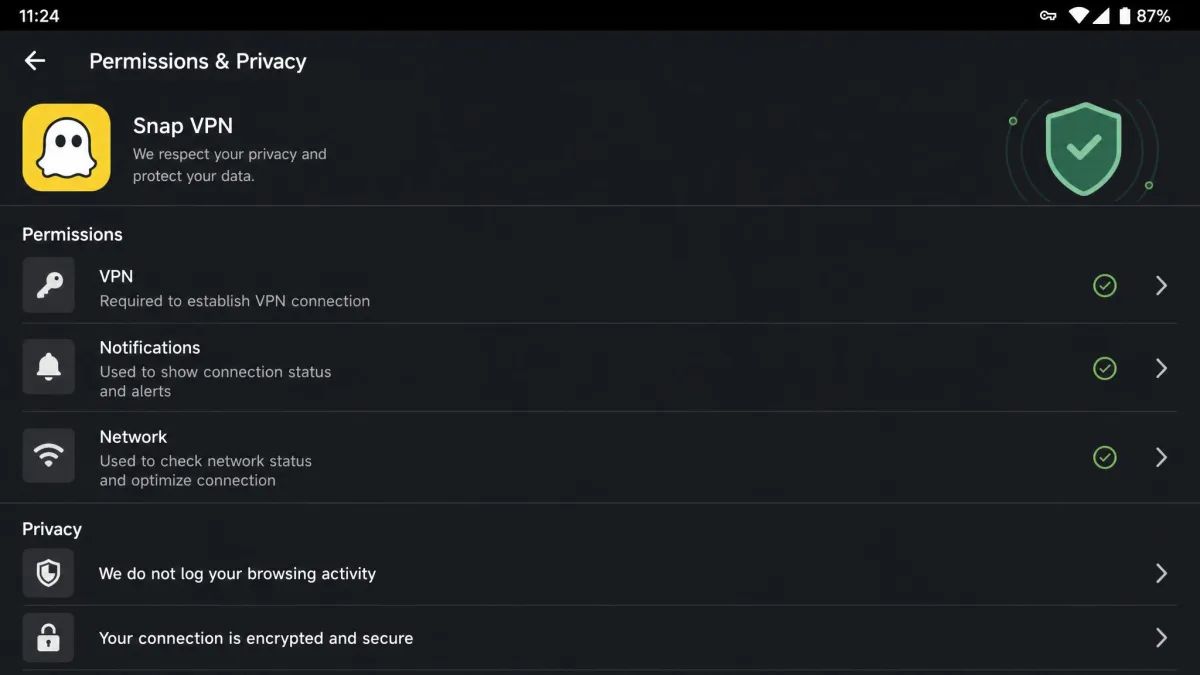
Snap VPN advertises a no-logs policy, but that claim is not backed by an independent audit, and it is disputed by ownership researchers. Reviewers report that the app retains connection metadata such as bandwidth use, ISP, and server location, so the effective logging behavior is unclear. The app also embeds ad SDKs like AdMob and Unity, which can place tracking cookies.
In practice, we could not find a clear, accessible privacy policy, and the app never states plainly who operates it. For a tool whose entire job is protecting your data, that opacity is disqualifying. A no-logs promise is only as good as the audit behind it, and here there is none.
Server Network and Locations
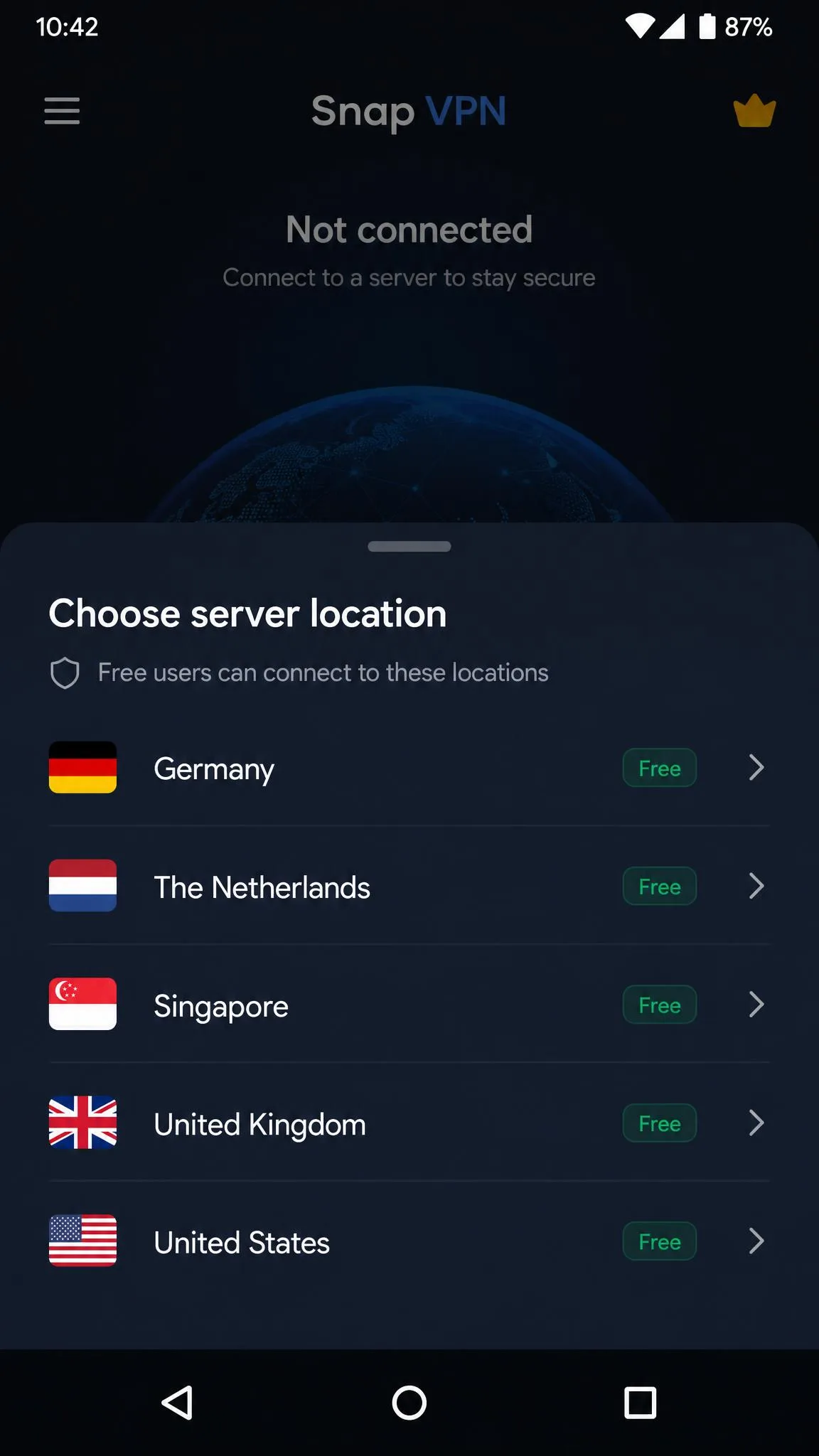
Snap VPN's server network is small and inconsistently reported. The free tier covers only a handful of locations, commonly listed as places like Germany, the Netherlands, Singapore, the UK, and the US, while the premium tier expands the list. Exact counts swing widely between reviews, from five or six countries to a claimed 16 or more, so no single figure is dependable.
What we can say is that the free network is thin and the popular locations get crowded. When a VPN funnels 50 million users through a short server list, congestion is the predictable result, and that shows up directly in the speeds below.
Security Features
Encryption and Protocols
On paper, Snap VPN uses AES-128 and AES-256 encryption, which is standard and fine. The problem is everything around it. The app relies on IPSec on the free tier and hides OpenVPN behind the paywall, and it lacks WireGuard, RAM-only servers, obfuscation, and multi-hop. There is no independent security audit to confirm any of it.
The app also labels its protocols cryptically as "Protocol A" and "Protocol B," which left us unsure what encryption we were actually connected with at any moment. Good security tools tell you exactly what is protecting you. Snap VPN makes you guess.
Kill Switch and Leak Tests
There is no kill switch, and that is a real gap. Without one, if the VPN connection drops, your phone can fall back to its normal connection and expose your real IP address without warning. Split tunneling is available, which lets you route some apps outside the tunnel, but a split-tunnel feature does not make up for a missing kill switch.
No kill switch means a dropped connection can silently leak your real IP address. On mobile, where you switch between Wi-Fi and cellular constantly, connections drop often, so this is not a rare edge case.
Speed and Performance
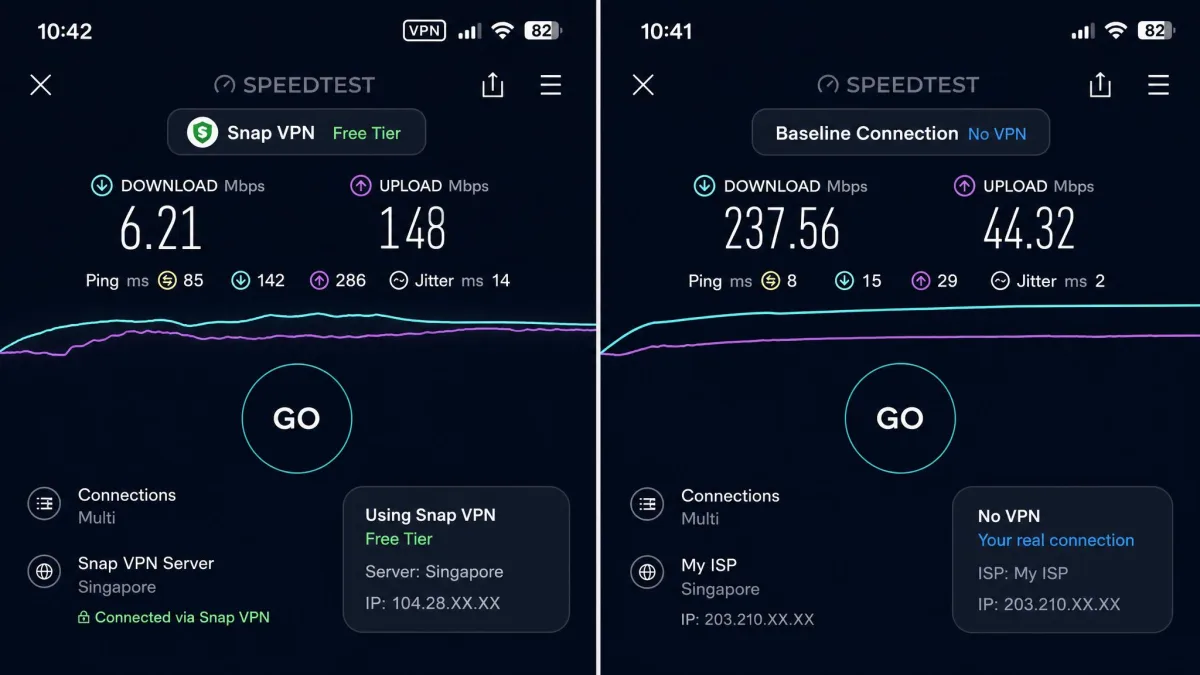
Speed is where Snap VPN's free tier really falls apart. Independent testing has measured very heavy speed loss on free connections, often more than 90 percent, dropping real throughput to only a few megabits per second. Results vary a lot by location and time of day, and one test saw more usable numbers, but the low end is near-unusable.
That matched our experience. Free-tier speeds dropped low enough to make video and large downloads painful, and US server connections were unstable, sometimes slowing to a crawl or failing to connect at all. Top10VPN scored its speed at 0.6 out of 10, and after using it, we understand why.
Streaming (Netflix and Others)
If your goal is streaming, Snap VPN is a poor pick.
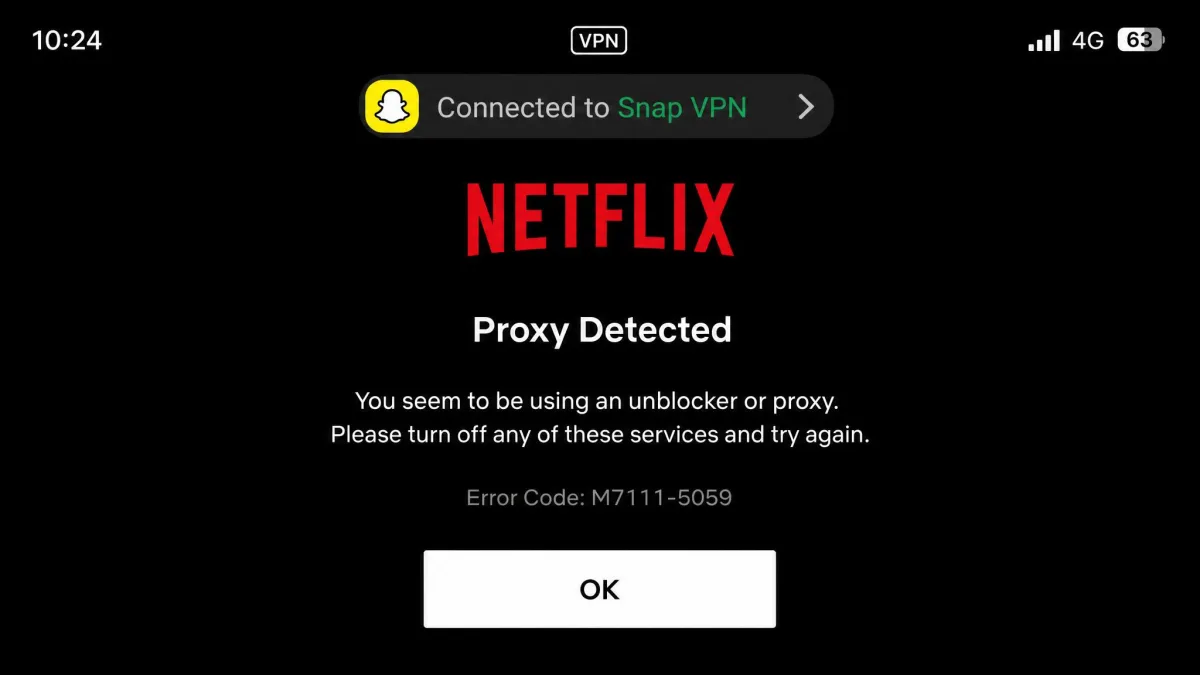
Most reviews report that the free tier fails to unblock Netflix and other major services, though at least one test got Netflix running, so access is inconsistent. We would not rely on it for streaming at all.
Even when a connection held, streaming stuttered badly, with constant buffering that made watching anything a chore. Between the unreliable unblocking and the low speeds, the free tier simply does not have the headroom that smooth streaming needs.
Torrenting and P2P
Torrenting is similarly unreliable. P2P support is not consistently offered, and test downloads failed in most reviews, though one test did complete. Given the missing kill switch and the murky logging picture, we would not run P2P traffic through Snap VPN even if it worked. The privacy risks outweigh any convenience.
Device Compatibility (Android-only)
Snap VPN is Android-only and needs Android 6.0 or later. There are no native Windows, Mac, iOS, Linux, or browser apps. If you want it on a desktop, you would have to run it through an Android emulator like BlueStacks, which is a clumsy workaround rather than real support.
That single-platform limit rules Snap VPN out for most people from the start. If you have an iPhone, a laptop, or a router you want to protect, this app cannot help you. A modern free VPN usually spans several platforms, and this one does not.
Ease of Use and Setup
The one place Snap VPN does well is basic setup. Install the app, tap once, and you are connected, which is genuinely simple. The problem is the ads layered on top of that simplicity.
Ads appeared at nearly every step, including a pop-up we had to confirm just to disconnect. Disconnecting took an awkward two-step flow: tap, wait for the pop-up, then confirm. A one-tap connect loses its charm when every action comes wrapped in an ad.
Customer Support
Support is email-only, with no live chat. In practice, responses can take up to a week, which is a long wait if a connection problem leaves you without protection. For a free product, thin support is expected, but a week-long turnaround is still a mark against relying on it for anything important.
Snap VPN vs Alternatives
Snap VPN does not hold up well against other free options. The table below puts it next to two safer free-tier peers so you can see where it lands on the things that matter: speed, logging, a kill switch, and platform reach.
| Product | Price | Free speed | Logging | Platforms |
|---|---|---|---|---|
 |
Free (ad-supported) + paid | Very slow, often 90%+ loss | Unaudited, disputed no-logs | Android only |
 |
Free (ad-supported) + paid | Moderate | Independently reviewed | Android, iOS, Windows, Mac, browsers |
 |
Free (data-capped) + paid | Moderate (capped) | Independently reviewed | Android, iOS, Windows, Mac, browsers |
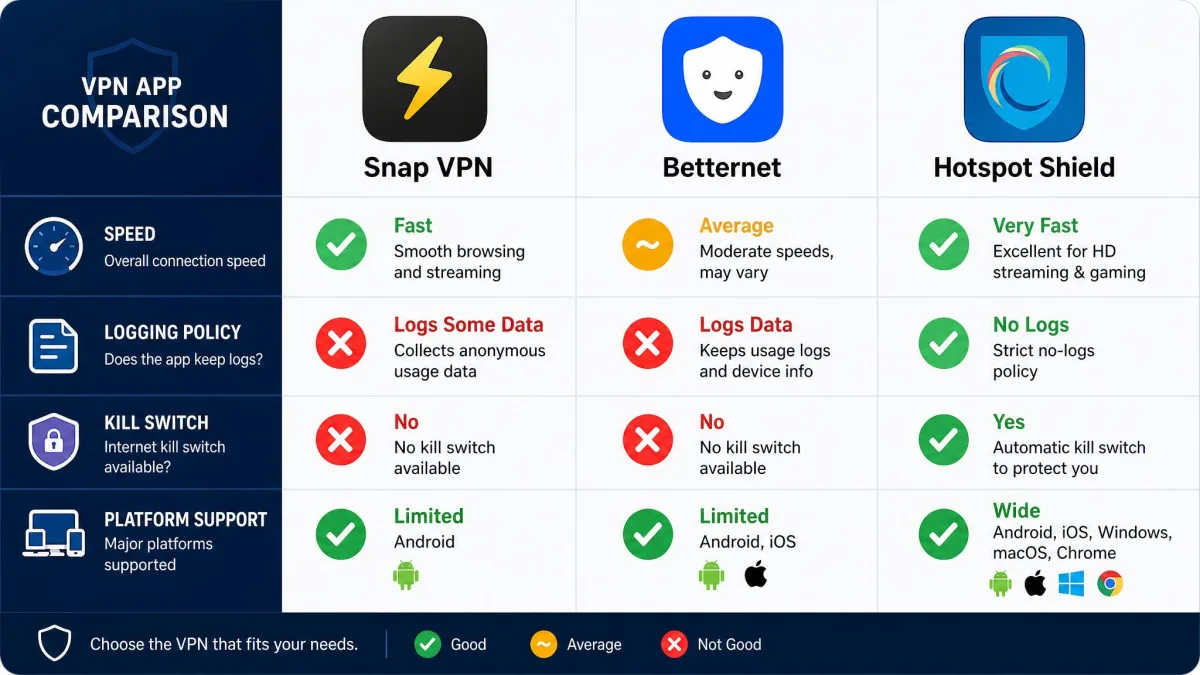
Both Betternet and Hotspot Shield run on more platforms, offer more usable free speeds, and carry a clearer logging story. Neither free VPN is flawless, and both come with their own trade-offs, but each gives you more than Snap VPN does on the fundamentals. If you want the widest set of vetted free picks, our roundup of the best free VPN apps is a better starting point than any single free app.
Frequently Asked Questions
Is Snap VPN safe to use?
Who owns Snap VPN?
Does Snap VPN keep logs?
Is Snap VPN really free?
Does Snap VPN work with Netflix?
Verdict: Should You Use Snap VPN?
Snap VPN is easy to install and genuinely free, but almost everything that matters in a VPN is missing or compromised. The speeds are painful, the security is incomplete, the ownership is unclear, and it only runs on Android. There are better free options that ask less of your trust.
Pros
- Genuinely free with unlimited data on the ad-supported tier
- Simple one-tap connection screen
- AES-256 encryption available
- Unlimited simultaneous connections
Cons
- Very slow free-tier speeds, often 90 percent or more loss
- No kill switch, so dropped connections can leak your IP
- No independent security audit and murky, disputed ownership
- Android-only, with no native desktop, iOS, or browser apps
- Constant ads, including a pop-up just to disconnect