If you are choosing between MocPOGO and PoGoskill to change GPS location on an iPhone or Android phone, the decision comes down to three things: what you pay, how the app connects to your device, and how much movement simulation you actually need. Both tools do the same core job. Both let you drop a pin anywhere on a map and have your phone report that spot to Pokemon GO, Instagram or Google Maps, without moving and without jailbreak or root.
Where they split is in the details. MocPOGO leans on standalone mobile apps and a cheaper entry price. PoGoskill leans on a desktop app, a deeper licence ladder and a slightly wider set of route tools. We pulled apart the pricing pages, the platform requirements and the reported failure modes of both, and the winner is clearer than the marketing copy suggests.
MocPOGO vs PoGoskill at a Glance
MocPOGO sells itself on a low monthly price and phone-only convenience. PoGoskill sells itself on a licence ladder that ends in a one-time purchase, plus support for older handsets. Feature-for-feature, they are closer than either vendor admits.
| Product | Buy | Price (entry) | Free trial | Best for |
|---|---|---|---|---|
 |
Check price → | $9.95/modesktop | Limited free tier, single device | Multi-device spoofing on the widest app list |
 |
Check price | $14.95/mo1 PC | Free download; bundled 7-day trial auto-renews | Paying once, and older iPhones and Android phones |
Feature by feature, the split looks like this.
| ComparisonKey features |
Our pick
MocPOGO
★7.9/10
$9.95 /mo
|
PoGoskill
★7.4/10
$14.95 /mo
|
|---|---|---|
| Pricing | ||
| Price (entry) | $9.95/mo desktop | $14.95/mo, 1 PC |
| Lifetime option | ✗No | $95.95 (1 PC) |
| Free trial | Limited free tier, single device | 7-day bundled trial, auto-renews |
| Refund policy | 30-day money-back | 30-day money-back |
| Platforms | ||
| iOS support | iOS 13 and later | iOS 12.5 and later, iPhone 5s to 17 |
| Android support | Standalone app | Android 4 and later |
| Jailbreak or root required | ✗No | ✗No |
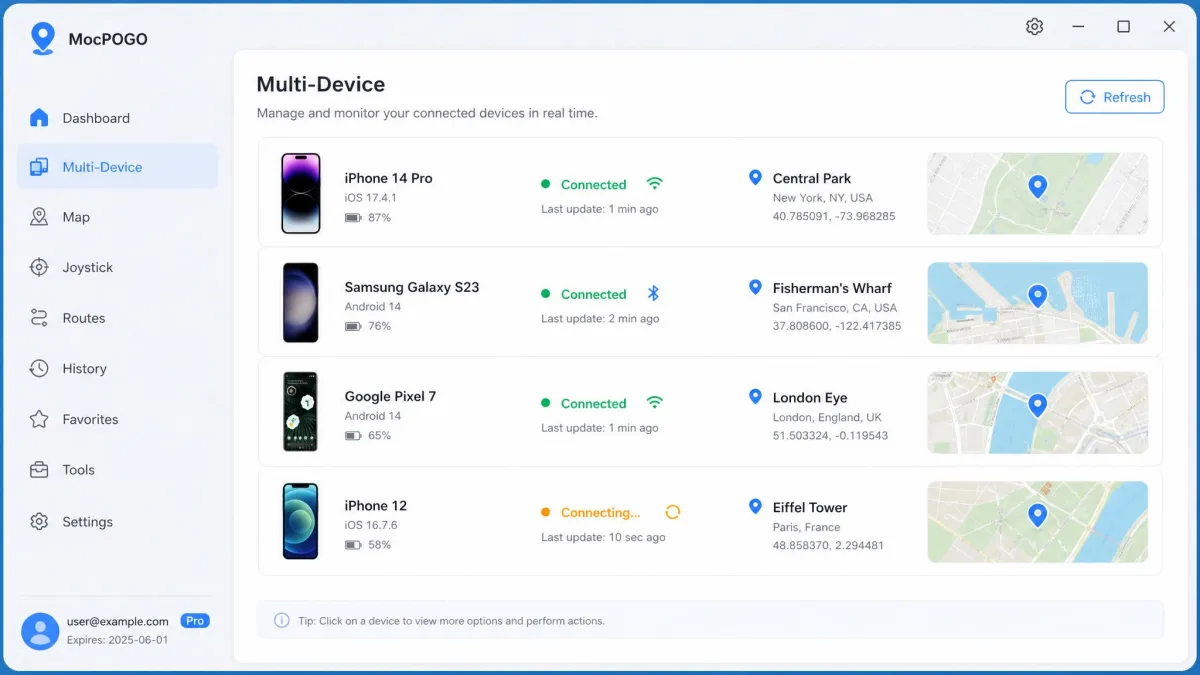
| Multi-device control | Up to 15 devices | 5 per licence |
| Movement | ||
| Teleport mode | ✓Yes | ✓Yes |
| Joystick mode | 360-degree | ✓Yes |
| Two-spot and multi-spot routes | ✓Yes | ✓Yes |
| GPX files | Import | Import and export |
| Adjustable speed | ✓Yes | Walk, cycle, drive |
| Cooldown timer | ✓Yes | ✓Yes |
| Compatibility | ||
| Supported games and apps | Pokemon GO, Monster Hunter Now, Ingress, Pikmin Bloom, Tinder, Snapchat, Life360 | Pokemon GO, Monster Hunter Now, TikTok, Tinder, Bumble, Instagram |
| Check price → | Check price | |
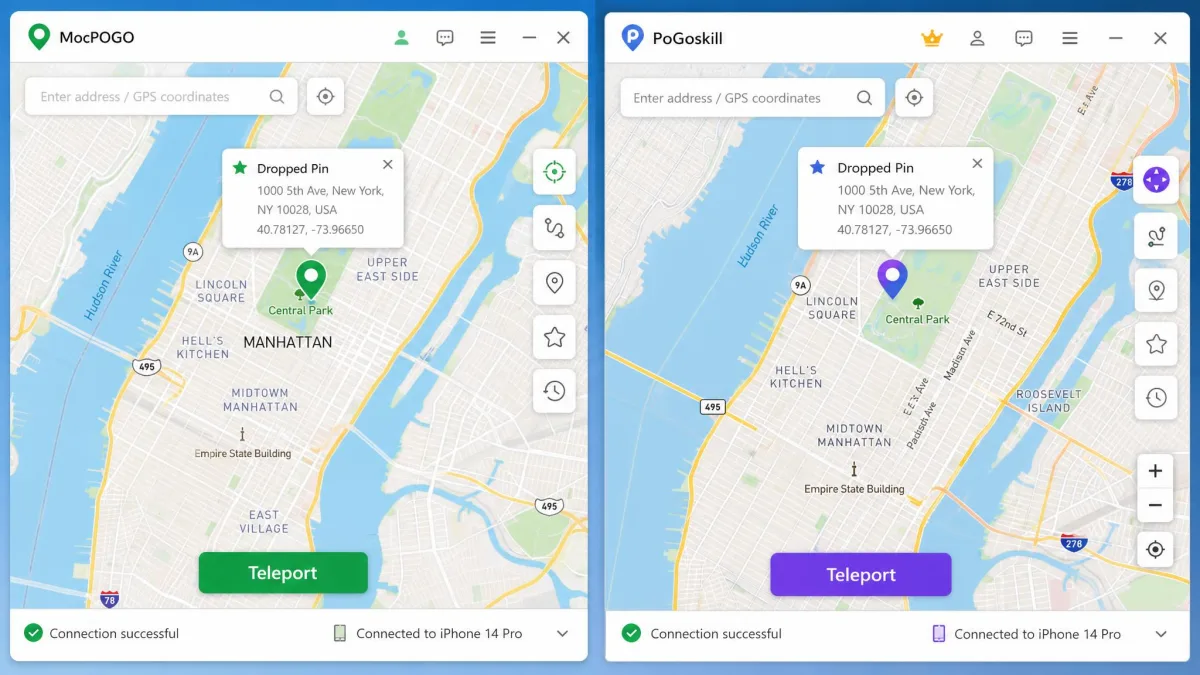
PoGoskill has one clear specification advantage: it supports older hardware, going back to iOS 12.5 and Android 4. MocPOGO's floor is iOS 13. If you are spoofing on a hand-me-down phone, that gap decides it before anything else does.
Location Changing Modes and Movement Simulation
Specifications tell you whether an app will run at all; movement tells you whether it will convince anything. Both apps cover the same four modes, so the difference is in the polish.
Teleport mode
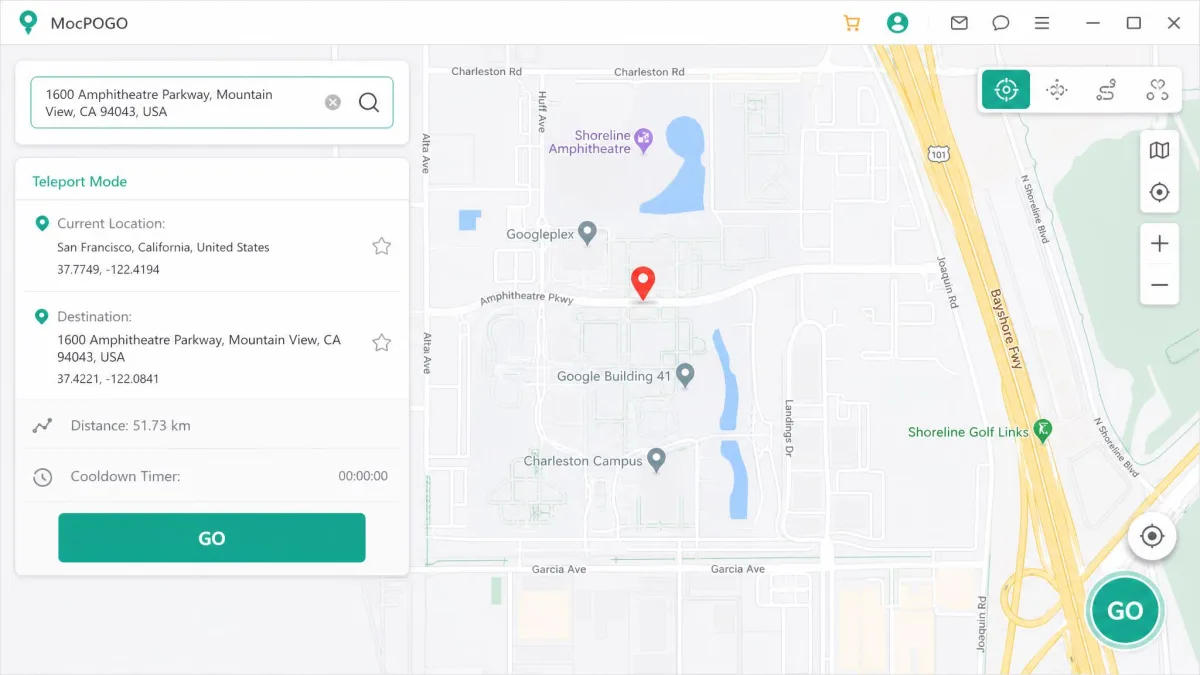
Teleport is the mode most people use most of the time. You search an address or click the map, confirm, and your device reports the new GPS location within a second or two. PoGoskill markets this as 1-click teleport, and that is a fair description of the flow. MocPOGO's version is just as direct, and its interface is plain enough to work without a tutorial: pick a spot on the map and hit GO.
Joystick, two-spot and multi-spot movement
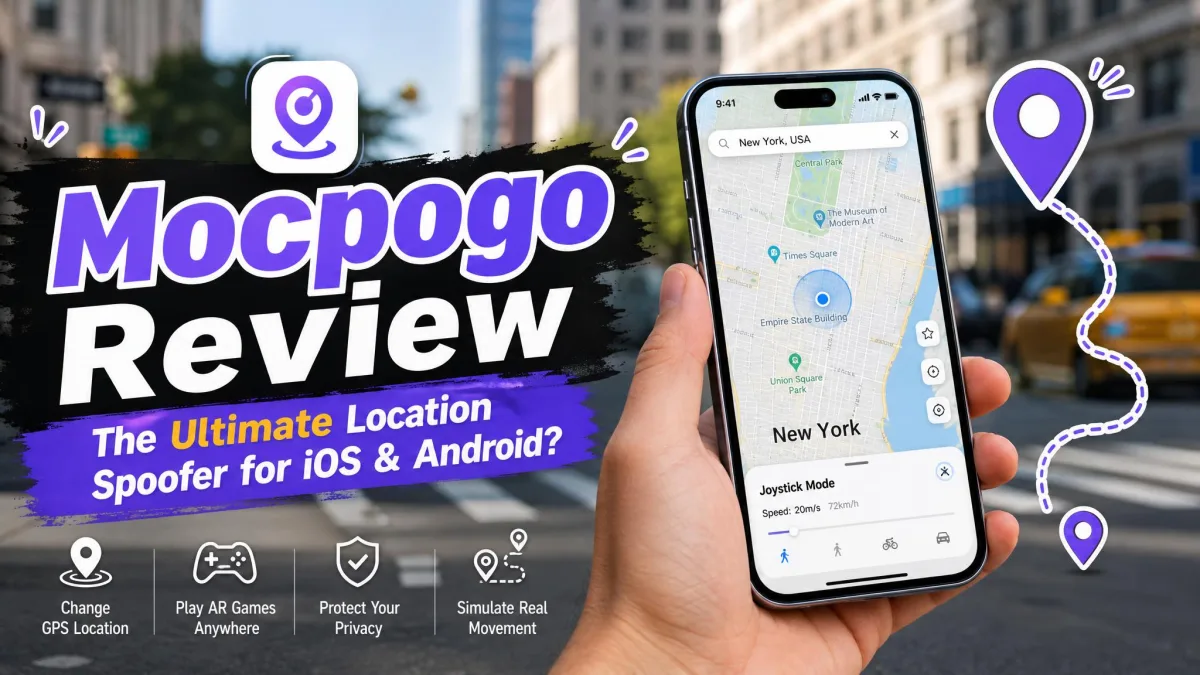
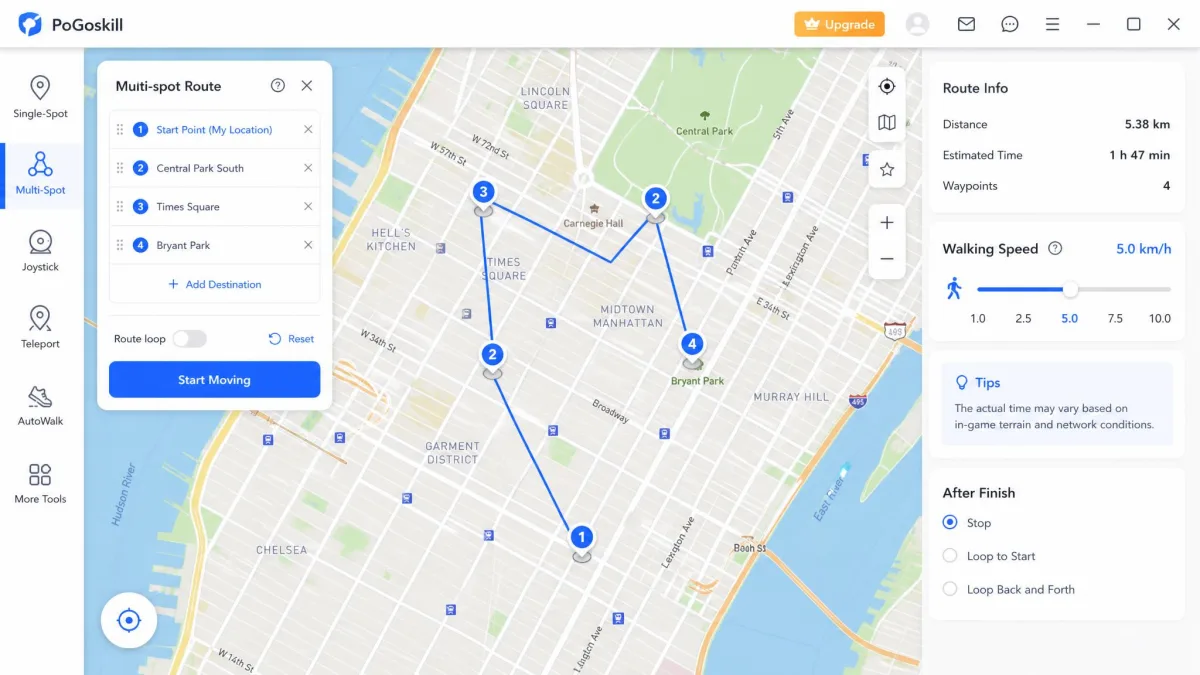
Both tools ship a joystick for free-form walking, a two-spot mode that walks a straight line between two points, and a multi-spot mode that strings several stops into one path. MocPOGO's joystick is a full 360-degree control and can also be driven from the keyboard, which is easier than dragging a mouse for a long session. PoGoskill's joystick feels smooth in daily use, and location swaps happen quickly once the desktop connection holds.
One caution on MocPOGO: occasional lag and stutter show up during its movement simulation rather than during teleports. Standing still is reliable; walking a long multi-spot route is where the stutter appears.
Custom routes, GPX files and adjustable speed
Both apps import GPX files, so you can reuse a route someone else recorded. PoGoskill goes a step further and exports them too, which matters if you want to save a good loop and share it or move it to another machine. PoGoskill also labels its speed presets by activity, walking, cycling and driving, while MocPOGO exposes an adjustable speed slider you set yourself.
Keep simulated speed inside a believable band for the activity. A route that covers ground faster than a person can walk is the easiest pattern for any location-based game to notice.
Supported Devices and Platforms
Smooth movement counts for nothing if the app will not talk to your handset, so the next question is what each one supports and what it demands before it will connect.
iOS support and jailbreak requirements
Neither app needs a jailbreak. That is the single most important compatibility fact for iPhone owners, and both vendors deliver on it. MocPOGO supports iOS 13 and later. PoGoskill covers iPhone 5s through iPhone 17 on iOS 12.5 and later, which is the broader window by several years.
MocPOGO's homepage also advertises support for OS versions ahead of what has actually shipped, so treat the floor as the reliable half of that claim rather than the ceiling.
Android support and root requirements
Root is not required on either app. On Android, MocPOGO offers a standalone app you can run on the handset itself, available as MocPOGO's Android app on Google Play. PoGoskill lists support for Android 4 and later across Samsung, Sony, LG, Huawei and Pixel devices, and is also listed as PoGoskill on Google Play.
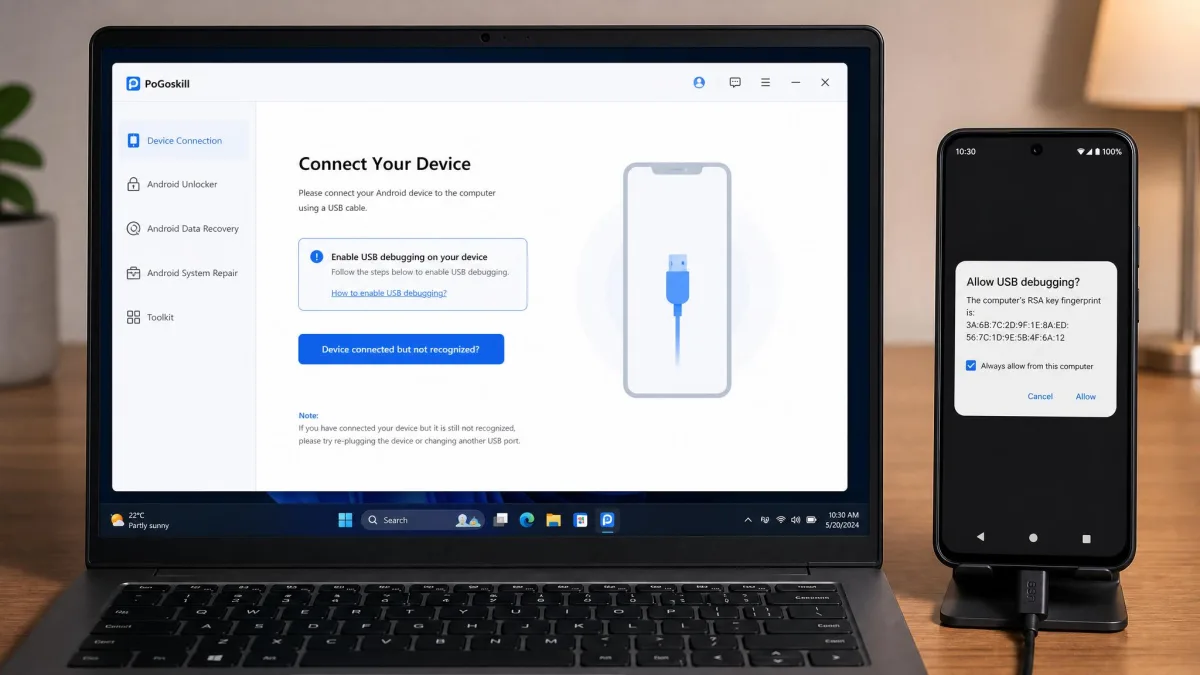
There is a practical catch with PoGoskill. Before your first spoof, the phone has to be tethered to a computer over USB with developer mode and USB debugging switched on. That is a one-time chore, but it is a chore, and it rules PoGoskill out if you have no computer handy.
Desktop app vs mobile app
Both vendors ship Windows and Mac desktop apps. MocPOGO covers Windows 11, 10, 8 and 7 plus macOS 10.12 or later. PoGoskill covers Windows 7 through 11 and macOS 10.14 or later. MocPOGO connects over USB, Wi-Fi or Bluetooth; PoGoskill connects over USB or Wi-Fi.
Getting MocPOGO's Wi-Fi connection working is fiddly, because the device has to be paired over USB once before Wi-Fi mode becomes available. Its Bluetooth mode is worse: it can stall on the screen asking you to connect the iOS device and computer via Bluetooth and never finish pairing. USB first, wireless second, is the order that works.
Game and App Compatibility
Hardware support settles which phones can run each tool, and the app list settles what you can point them at.
Pokemon Go and other LBS games
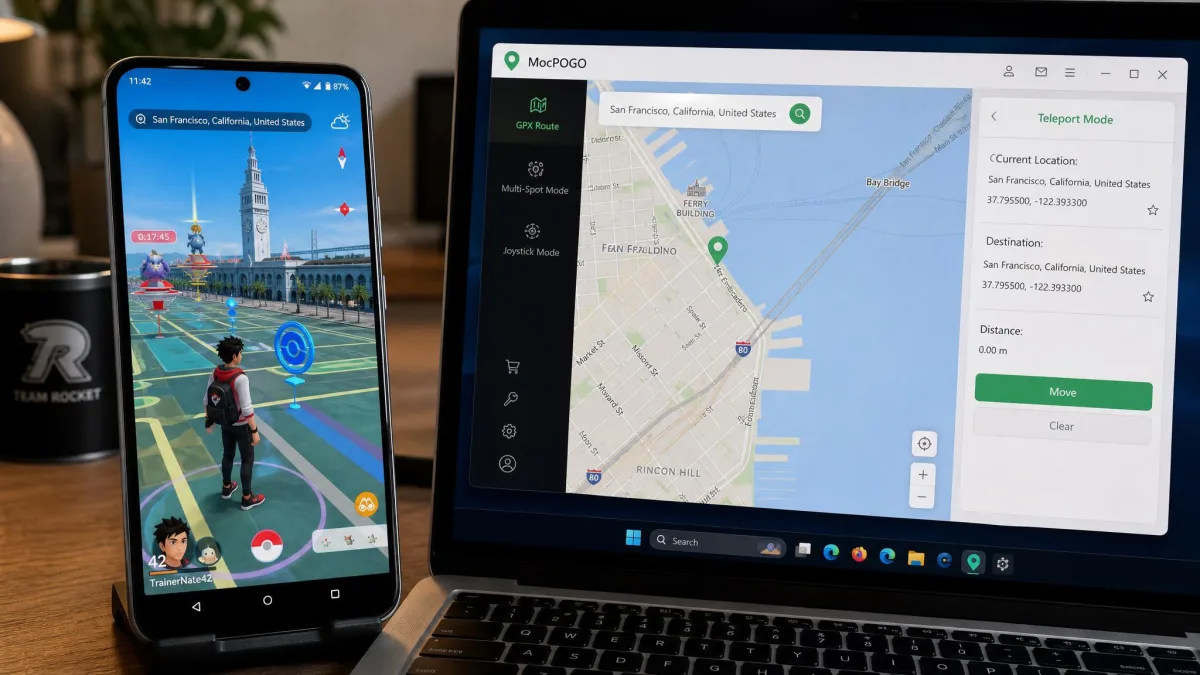
Pokemon GO spoofing is the reason most people land on either product, and both support it, along with Monster Hunter Now. MocPOGO adds Ingress Prime, Pikmin Bloom and STEPN to its list, which is the wider coverage if you play more than one location-based game.
Social and dating apps
Both tools change the location that social and dating apps read. MocPOGO lists WhatsApp, Instagram, Tinder, Snapchat, Google Maps, Apple Maps, Waze, Life360 and Uber. PoGoskill lists Facebook, Instagram, TikTok, Snapchat, Tinder, Bumble, Apple Maps and Google Maps. If TikTok or Bumble is your target, PoGoskill names them directly; if family-tracking apps like Life360 are, MocPOGO does.
Ease of Use: Setup in Three Steps
Both apps follow the same three-step shape, and neither takes more than a few minutes once drivers are in place.
Setting up MocPOGO
- Install MocPOGO on your computer, or install the standalone app directly on your Android or iOS device.
- Connect the phone over USB and trust the computer when prompted, then switch to Wi-Fi later if you prefer wireless.
- Search for a destination or click the map, then press the teleport button to change GPS location.
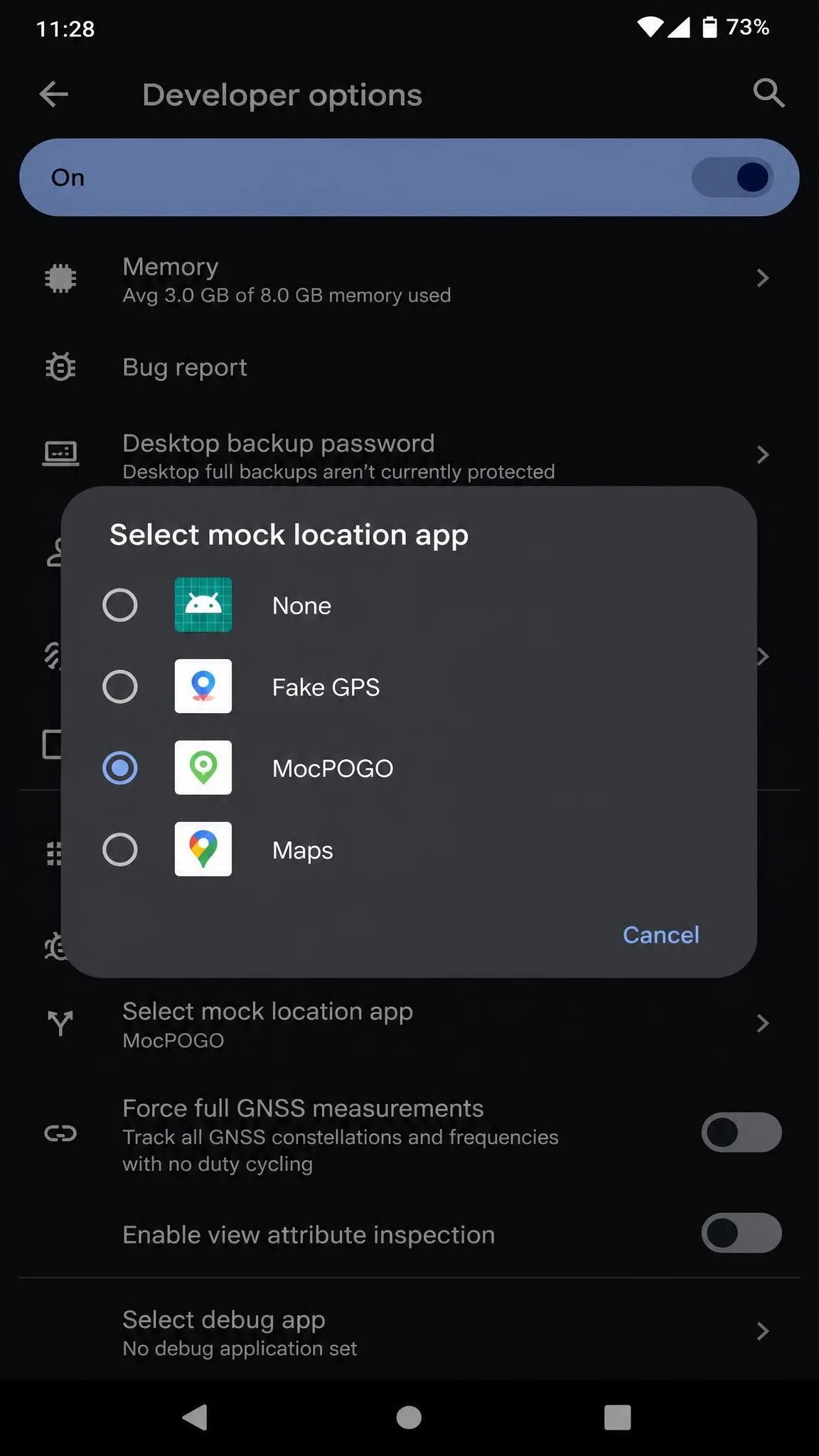
On Android there is a fourth step people forget: open Developer options and set MocPOGO as the mock location app. Skipping it is the most common cause of the errors in the troubleshooting section below.
Setting up PoGoskill
- Download PoGoskill on Windows or Mac and install it.
- On the phone, turn on developer mode and USB debugging, then connect over USB for the first pairing.
- Choose teleport, joystick, two-spot or multi-spot mode, pick your destination, and start.
Do the first pairing on a cable you know carries data. A charge-only cable will connect power but never hand the phone to the desktop app, and both tools present that as a vague connection failure.
Pricing and Plans Compared
Setup effort is a one-off cost; the licence is the one that repeats, and this is where the two products diverge most.
MocPOGO pricing
MocPOGO's desktop version starts at $9.95 per month against a $19.95 list price. The iOS app plan sits around $19.95 per month and bundles Windows and Mac access, though MocPOGO's per-platform prices are shown as marked-down promo figures and change between campaigns. The Android app plan runs around $14.95 per month against a $29.95 list, and that too is a discounted campaign figure rather than a stable rate. MocPOGO’s own purchase pages list only auto-renewing 1-month, 3-month and 1-year plans, so there is no lifetime tier on offer there; one-time lifetime figures quoted elsewhere vary by platform and campaign, so we would not count on one. Every plan does include free updates for as long as you hold it, which is an update entitlement rather than a lifetime licence.
MocPOGO's free tier is limited to a single device and a thin slice of features, so you cannot really evaluate premium behaviour before paying.
PoGoskill pricing
PoGoskill's ladder is easier to read. A 1-PC licence is $14.95 per month, $22.95 quarterly, $59.95 yearly or $95.95 for lifetime. Two-PC pricing runs $19.95 per month and $119.95 for lifetime.
The catch is at checkout. PoGoskill bundles a PoGo Wizard 7-day free trial that auto-renews at $14.95 per month unless you cancel it, which quietly adds a second monthly charge and can push the real first-year cost to roughly double the sticker price.
Uncheck the bundled trial at PoGoskill's checkout, or set a calendar reminder for day six. Auto-renewal is the single biggest source of billing complaints on both products, and neither refund policy covers a renewal charge you failed to cancel.
Which offers better value
The crossover is arithmetic, so it is worth doing once. At $14.95 a month, PoGoskill's own subscription pays for the $95.95 lifetime licence in about six and a half months, and the $59.95 yearly plan crosses it inside two years. Measured against MocPOGO's $9.95 monthly desktop plan, the lifetime licence takes just under ten months to come out ahead. Anything shorter than that window favours renting; anything longer favours buying outright.
Safety, Ban Risk and the Cooldown Timer
Spoofing violates Niantic's Pokemon GO terms of service, and no third-party tool changes that. Neither app removes account risk, and ignoring the cooldown timer between distant jumps is the fastest route to a soft ban.
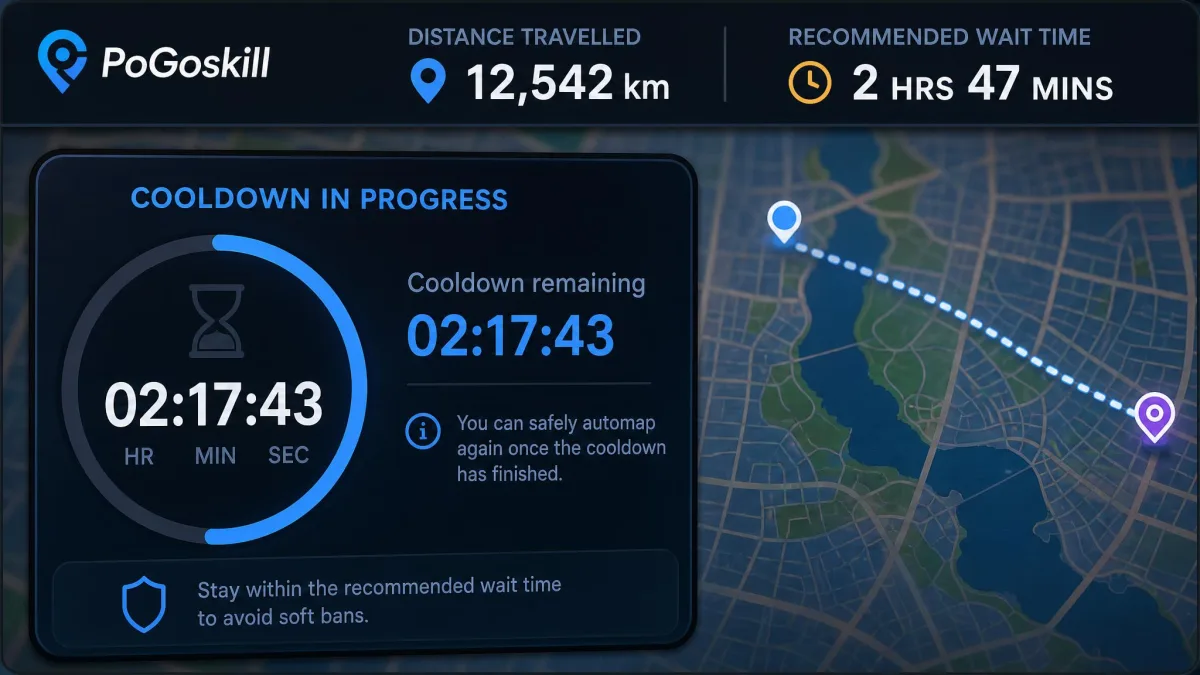
The cooldown timer is the safety feature that actually matters. After you move a long distance, the game expects a waiting period before you interact with anything again, scaled to the distance jumped. Both MocPOGO and PoGoskill build a cooldown timer into the interface so you can see how long to wait rather than guessing.
The cooldown timer is not a nice-to-have. It is the difference between a location change that reads as travel and one that reads as teleportation.
There is no credible published figure for spoofing ban rates, because Niantic does not publish one. Anyone quoting a percentage is guessing. What we can say is that account actions are typically graded, starting with a warning and escalating with repeat detections. Discussion in the r/PokemonGoSpoofing community tracks the current enforcement mood better than any vendor page will.
Reliability and Common Problems
Both apps have rough edges, and they are different rough edges.
MocPOGO failed to detect location
The "failed to detect location (12)" error in Pokemon GO is MocPOGO's signature complaint. It usually traces back to one of three things: MocPOGO not being set as the Android mock-location app, Wi-Fi and Bluetooth scanning left switched on in location settings, or a second location app fighting for control. Clearing the Pokemon GO cache and re-selecting the spoofed location clears most of these failures without a reinstall.
MocPOGO can also crash mid-session, and some devices refuse to connect or fail to change location at all. Its Trustpilot score sits at about 3.5 out of 5 across roughly 48 reviews, though a score on a review base that small moves noticeably as new reviews land. Crashes, failed charges and slow refunds dominate the negative entries in MocPOGO's Trustpilot reviews.
PoGoskill connection issues
PoGoskill's failures cluster around authorisation rather than mapping. It has shown login and authorisation failures during limited-time in-game events, which is exactly when spoofing matters most to the people using it. Bugs have also turned up on Samsung handsets running Android 14, blocking event participation outright.
The fix path is usually the same: reconnect over USB, confirm developer mode and USB debugging are still enabled after an OS update, and re-authorise the desktop app.
Pros and Cons of Each Tool
MocPOGO pros and cons
Pros
- Cheapest monthly entry of the two
- Widest multi-device ceiling
- Standalone Android and iOS apps, so no computer needed for everyday use
- Widest game list, including Ingress Prime, Pikmin Bloom and STEPN
- Plain interface that works without a tutorial
Cons
- Bluetooth pairing can stall and never complete
- Crashes and failed connections reported on some devices
- Lag and stutter during movement simulation
- Free tier is one device and too thin to evaluate the paid product
- No lifetime licence listed
PoGoskill pros and cons
Pros
- Lifetime licence removes the subscription entirely
- Broadest hardware support, from iPhone 5s and Android 4 upward
- GPX import and export, not just import
- Speed presets for walking, cycling and driving
- Joystick control feels smooth once connected
Cons
- Requires a computer, developer mode and USB debugging for first setup
- Bundled 7-day trial auto-renews and can double first-year cost
- Login failures reported during limited-time events
- Device ceiling is inconsistent: 5 per licence, but the homepage claims 15
- No standalone phone-only workflow
Alternatives Worth Considering
If neither tool fits, the category is crowded. iMyFone AnyTo is the most polished of the mainstream options and the usual recommendation for people who want the fewest connection problems. Tenorshare iAnyGo is the closest match to MocPOGO's feature set and pricing shape. PoKeep is worth a look if multi-device control is your priority. iLocGo rounds out the group as a budget pick.
Verdict: Which Should You Choose?
Choose MocPOGO if...
You want the lowest monthly cost, you spoof on more than one device, you play something beyond Pokemon GO, or you want an app that runs on the phone without a computer attached. Accept that you may spend an evening getting the connection stable, and start with USB rather than Bluetooth.
Choose PoGoskill if...
You are on older hardware, you want GPX export as well as import, or you would rather pay once than rent a location changer forever. You will need a computer for setup, and you must uncheck the bundled trial at checkout.
Frequently Asked Questions
Is MocPOGO safe to use on my main account?
How long do refunds actually take?
What happens to my licence if I change computers?
Does a soft ban clear on its own?
Will either app survive an iOS or Android point update?
Which works better on Android?