You want your iPhone to report a different spot on the map, and the two names that keep coming up are MockGo and UltFone iOS Location Changer. Both change your GPS location without jailbreaking, both run from a Windows PC or a Mac, and both cost real money once the free trial runs dry. Their feature lists read almost identically, so the marketing pages will not pick for you. We spent this comparison on the parts that genuinely differ: what each one charges, which iOS versions each still supports, how believable the simulated movement looks, and how each behaves when you leave it running. Every claim below is tied to a published figure or an observed behaviour.
MockGo vs UltFone at a Glance
MockGo is the cheaper lifetime buy and reaches much further back through iOS history. UltFone covers Android as well as iPhone, and exports routes as well as importing them.
| Product | MockGo | UltFone iOS Location Changer |
|---|---|---|
| Price / license | Lifetime $59.95, 5 devices on 1 PC or Mac; from $9.95 a month | Windows lifetime $69.95; Mac lifetime about $79.98; from $9.95 a month |
| Platforms | Windows 11 back to XP, macOS 10.12 to 15 | Windows 11 back to 7, macOS 10.10 and above |
| iOS versions supported | iOS 9 to iOS 26 | iOS 14 and later |
| Jailbreak required | No | No |
| Speed range | 3.6 km/h to 108 km/h | 72 km/h on some builds, 108 km/h on others |
| Teleport | Yes | Yes, jump teleport |
| Joystick | Yes, 360 degree with keyboard control | Yes |
| Single-spot route | Yes | Yes |
| Multi-spot route | Yes | Yes |
| GPX import | Import only | Import and export |
| Android support | No, iOS only | Yes |
| Simultaneous devices | 5 devices | 5 devices |
| Free trial | Yes, limited to 3 uses of teleport | Yes, free download with limited features |
| Refund window | 30-day money-back guarantee | 30-day money-back guarantee |
Pricing and Licensing Compared
MockGo is the cheaper product at every tier that matters. A lifetime license is $59.95, down from a list price of $79.95, and it covers 5 devices tied to one PC or Mac. A 1-month license is $9.95, a 3-month license is $19.95, and a 1-year license is $39.95. Business plans stretch the same tool across 15 devices, from $19.95 for a month up to $59.95 for a year.
UltFone splits its pricing by platform, which is where the comparison turns. UltFone's current pricing puts the Windows lifetime license at $69.95 for 5 devices on one computer, with a month at $9.95 and a year at $39.95. The Mac side runs higher, and a year for one Mac is $59.98. The Mac lifetime price sits at roughly $80 and the exact figure shifts with promotions, so check the Mac buy page before ordering.
Both vendors back purchases with a 30-day money-back guarantee, the most useful line on either checkout page. If spoofing will not hold on your particular iPhone, and on newer builds that is a live risk, you have a month to ask for your money back.
Buy the shortest license that covers your actual need. For one trip or one weekend of play, the $9.95 month costs less than a sixth of the lifetime tier, and both tools sell the same features at that price.
What Each Tool Is Built For
MockGo (Foneazy) in Brief
MockGo is Foneazy's iPhone-first GPS changer. Foneazy MockGo offers teleport mode for one-click relocation, a 360 degree joystick you can drive with the keyboard, single-spot and multi-spot route simulation, GPX file import, and a Realistic Mode that varies walking pace. One license controls up to 5 devices at once. There is no jailbreak requirement and no Android client, so this is a tool for people whose whole problem is an iPhone or an iPad.
UltFone iOS Location Changer in Brief
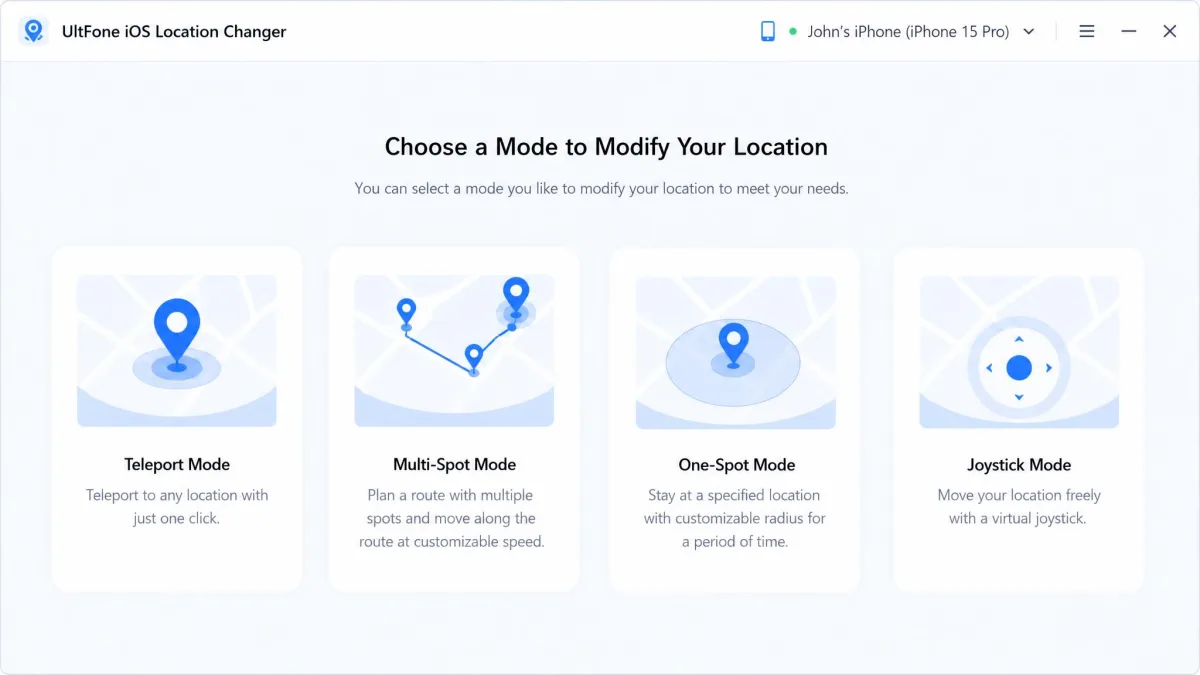
UltFone iOS Location Changer covers the same ground and adds range. Alongside one-click location change, jump teleport between saved points, joystick movement and both route modes, it imports and exports GPX files, keeps an automatic history of saved spots, shows a cooldown timer, and works on Android as well as iOS. It also ships a fix for the Pokemon Go Error 12 failed-to-detect-location message, which tells you plainly who the target user is.
Head-to-Head: Features Compared
Teleport and One-Click Location Change
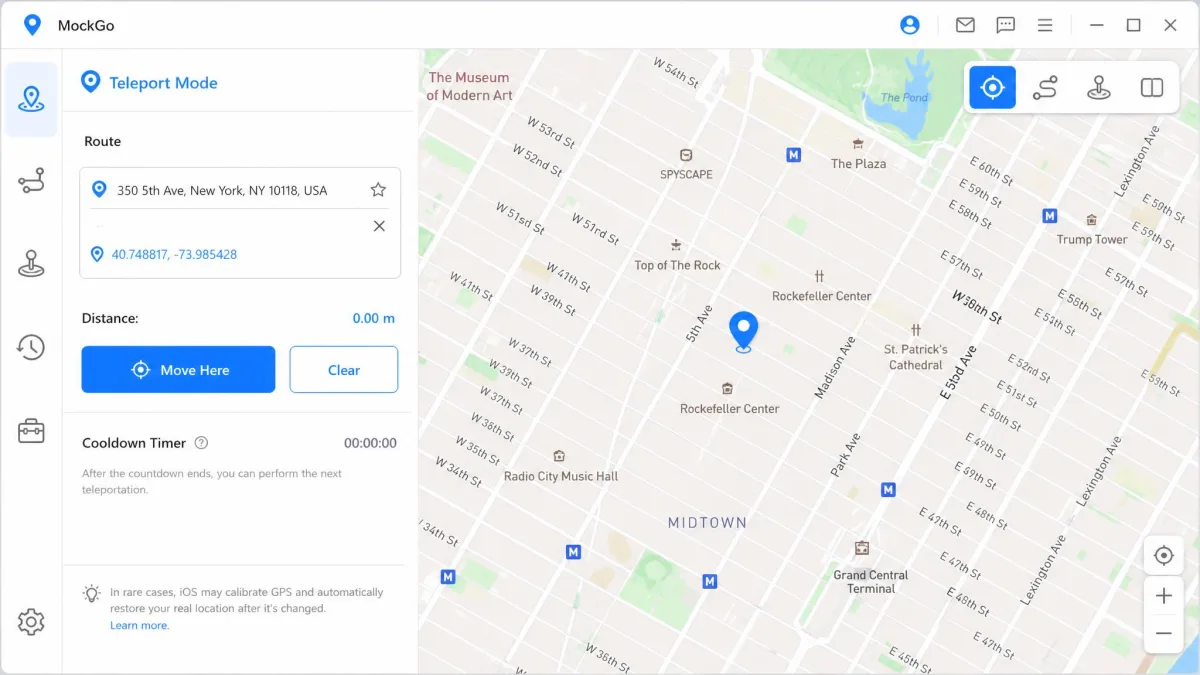
Teleport is the mode most people use and the one both tools do well. You type an address or a pair of coordinates, the map jumps, and your phone's GPS location follows. UltFone's teleport works instantly on the first attempt, and the interface is clean enough that nobody needs a manual to find it. MockGo's flow is four steps end to end: connect the device, choose a mode, type an address or coordinates, then click Move Here. UltFone's saved-spot history is the small advantage, because returning to a place you already faked takes one click instead of a retyped address.
Joystick Control
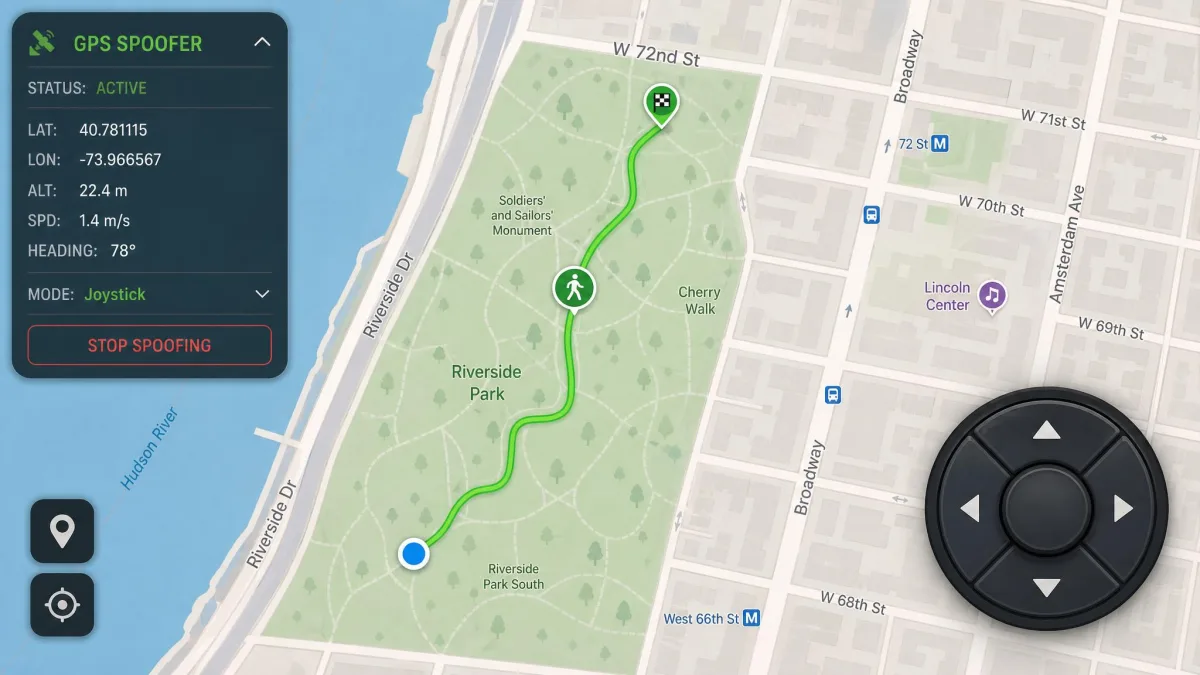
Both apps give you a joystick for free walking, and both let you steer with the keyboard rather than dragging a mouse. This is the mode that matters for location-based games, where you need to wander rather than jump. UltFone's joystick has a habit of resetting mid-session, which is disruptive during gameplay because your avatar stops until you grab the control again. No equivalent reset behaviour is documented for MockGo's joystick, which is the whole of the difference here.
Single-Spot and Multi-Spot Route Simulation
Single-spot mode walks a straight line between two points along real roads. Multi-spot mode lets you set several waypoints and have the app route between them, so you can trace a loop around a park rather than a suspicious diagonal through buildings. Both tools offer both modes, and both let you set how many times a route repeats. Route simulation on UltFone can drop out after roughly four minutes of continuous movement, which is the practical limit you plan around, and continuous routes bring noticeable battery drain on the phone.
Movement Speed and Route Realism
Speed is where the marketing gets slippery. MockGo's movement speed is adjustable from 3.6 km/h to 108 km/h, covering a slow walk up to highway pace. UltFone's official page states the same span, but expect a ceiling of 72 km/h on some builds and 108 km/h on others. The advertised top simulated speed has moved between roughly 72 km/h and 108 km/h across product revisions, so treat the ceiling as version-dependent.
Realism matters more than the top number. MockGo's Realistic Mode varies the pace slightly instead of holding one fixed speed, which makes a simulated walk look less mechanical than a perfectly constant 5 km/h line.
A perfectly constant walking speed is the tell. The believable route is the one that never repeats the same number twice.
Multi-Device Support and GPX Import
Both products cover 5 devices per license, so a household with several iPhones is served either way. UltFone ties its 5 devices to one computer and sells two-computer tiers separately, while MockGo's lifetime license covers 5 devices plus one PC or Mac. MockGo imports GPX routes but will not import a Google Maps route, so a custom path has to be drawn in the app or supplied as a GPX file. UltFone imports and exports GPX, so you can save a route you like and reuse it later.
Ease of Use and Setup
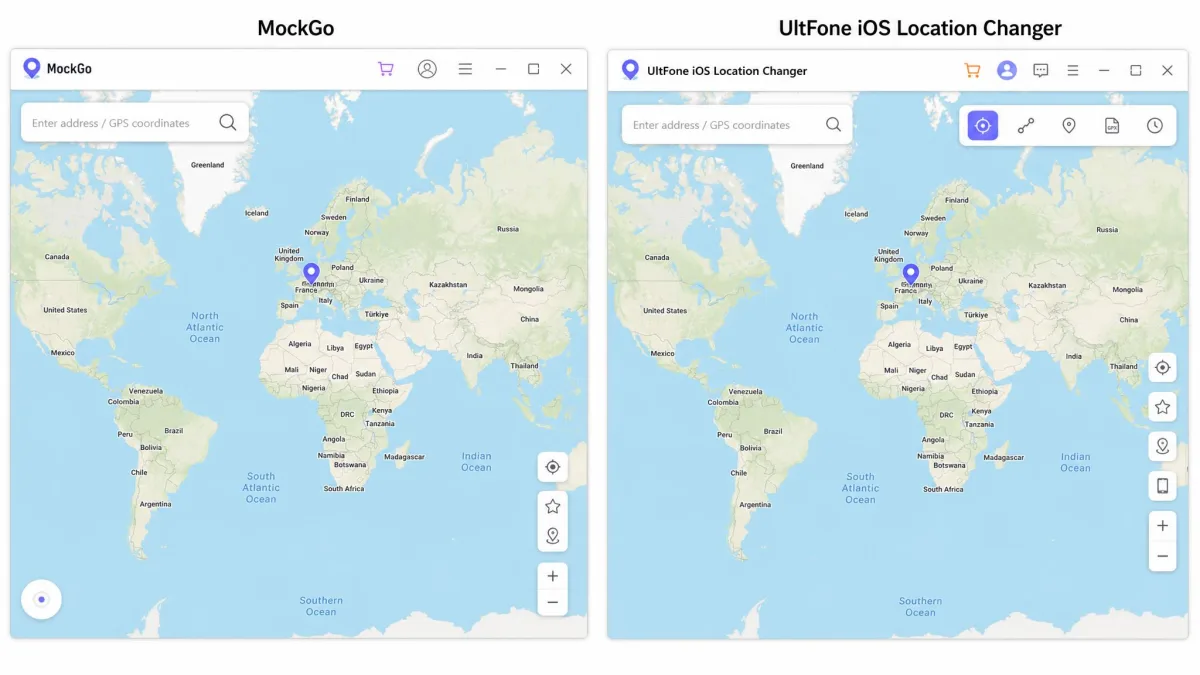
None of those feature differences matter if the setup defeats you, and here the two products behave alike. Neither is an app you install on the phone and tap once. Both require a USB connection to a Windows PC or a Mac for the first setup, and there is no standalone iPhone-only path with either one. Beyond that, both interfaces are genuinely user-friendly: a map, a search box, a row of mode icons and a start button.
How to Change Your Location with MockGo
Install MockGo on your Windows PC or Mac and open it. Connect your iPhone with a USB cable and trust the computer when the phone asks. Choose the mode you need from the icons across the top, then enter an address or a coordinate pair in the search field. Click Move Here to commit the change, and check the result in Apple Maps before you open anything else. MockGo's setup is more involved than a one-tap phone app, and lag has been noted during longer sessions, so give it a moment before assuming a click did not land.
How to Change Your Location with UltFone
Download and install UltFone iOS Location Changer, then launch it. Connect your iPhone by USB and accept the trust prompt. Pick a location on the map or type one into the search bar, then click Start to Modify. The saved-spot history fills in as you go, so your regular destinations become one-click returns.
Device and OS Compatibility
Setup is a wash between the two, but compatibility is not, and this is the clearest win on the page. MockGo supports iOS 9 through iOS 26, so an old iPad or a hand-me-down iPhone still works. UltFone is compatible with iOS 14 and later. If your device is stuck below iOS 14, UltFone is not available to you and the comparison ends there.
On the desktop side, MockGo runs on Windows 11 back through XP and on macOS 10.12 through macOS 15. UltFone runs on Windows 11 back through 7 and on macOS 10.10 and above. Neither needs a jailbreak on the phone, and UltFone needs no root on Android either.
One caveat about the newest builds: UltFone's page claims support up to iOS 27, but the newest releases are unstable rather than cleanly supported, so treat the top of that range as unproven. On newer iOS builds a spoofed location can hold for only three to five minutes before snapping back to the real position, which is the behaviour to watch for on day one of your refund window. Apple's Location Services documentation explains how the system decides where you are.
App Compatibility: Games, Dating, and Social Apps
Once your device clears the OS floor, the question becomes which apps you are pointing the spoof at, and the use cases are the same for both tools. Users change their GPS location to play location-based games from home, to widen the search radius on dating apps, to access geo-restricted content, or to post on social media from somewhere they are not. UltFone names Facebook, WhatsApp and dating apps directly, and includes that Pokemon Go Error 12 fix for when a game refuses to detect your position at all.
For games, joystick stability decides your experience, and that is where UltFone's mid-session resets cost it. For dating and social apps, teleport alone usually does the job, and both tools land a pin anywhere in the world with a single click. If all you need is a static fake location, the two are hard to tell apart.
Safety, Detection Risk, and Legality
Those same apps are the ones with rules about all of this, which brings us to the risk side. Changing your own device's reported location is not itself illegal in most places, but it frequently breaks the terms of the services you point it at. Niantic's cheating policy treats GPS spoofing as a bannable offence, with warnings escalating to suspensions and then permanent bans. The App Store terms of service sit behind every app you feed a fake position to.
The mechanism that gets people flagged is worth understanding, because it is not the fake location itself. A sudden GPS drop back to your real position is exactly the pattern game servers look for, so a spoof that keeps failing and reverting is more dangerous than one that holds. That is another reason the three-to-five-minute stability problem on newer iOS builds is more than an annoyance.
UltFone's cooldown timer is a reminder, not a technical block. It will not stop you teleporting 500 miles in a minute, which is precisely the jump that triggers a soft ban. Watch the timer yourself, and let it run down before you move again.
Privacy is the quieter concern. Both tools run on your computer with your phone attached, which is a level of access worth thinking about before you install anything. Two tips: stick to the official download pages, and do not grant either app more than it needs.
MockGo Pros and Cons
Pros
- Cheapest lifetime license of the two at $59.95
- Supports iOS 9 through iOS 26, so older devices still work
- Realistic Mode varies walking pace for more believable routes
- 360 degree joystick with keyboard control
- Controls up to 5 devices per license
- 30-day money-back guarantee
Cons
- No Android support at all
- GPX import only, with no export and no Google Maps route import
- Free trial is use-limited to 3 uses each of teleport and joystick
- Setup is more involved than a one-tap phone app
UltFone Pros and Cons
Pros
- Works on Android as well as iOS, with no root or jailbreak
- GPX import and export, not just import
- Automatic history of saved spots for one-click returns
- Dedicated Pokemon Go Error 12 fix
- Teleport works instantly through a clean interface
- Support replies within 48 hours
Cons
- Costs more: $69.95 on Windows and about $80 on Mac
- Starts at iOS 14, so older iPhones are excluded
- Joystick can reset mid-session during gameplay
- Route simulation can drop out after roughly four minutes
- Continuous routes bring noticeable battery drain
Which One Should You Choose?
Choose MockGo If...
You want the lower price and you only care about iPhone or iPad. You have an older device below iOS 14. You want believable walking routes more than shared, reusable ones.
Choose UltFone If...
You need to change an Android phone's location as well as an iPhone's. You want to export a route and reuse it later. You want a saved-spot history for places you fake often, or you are fighting Pokemon Go Error 12 and want the built-in fix.

Alternatives Worth Considering
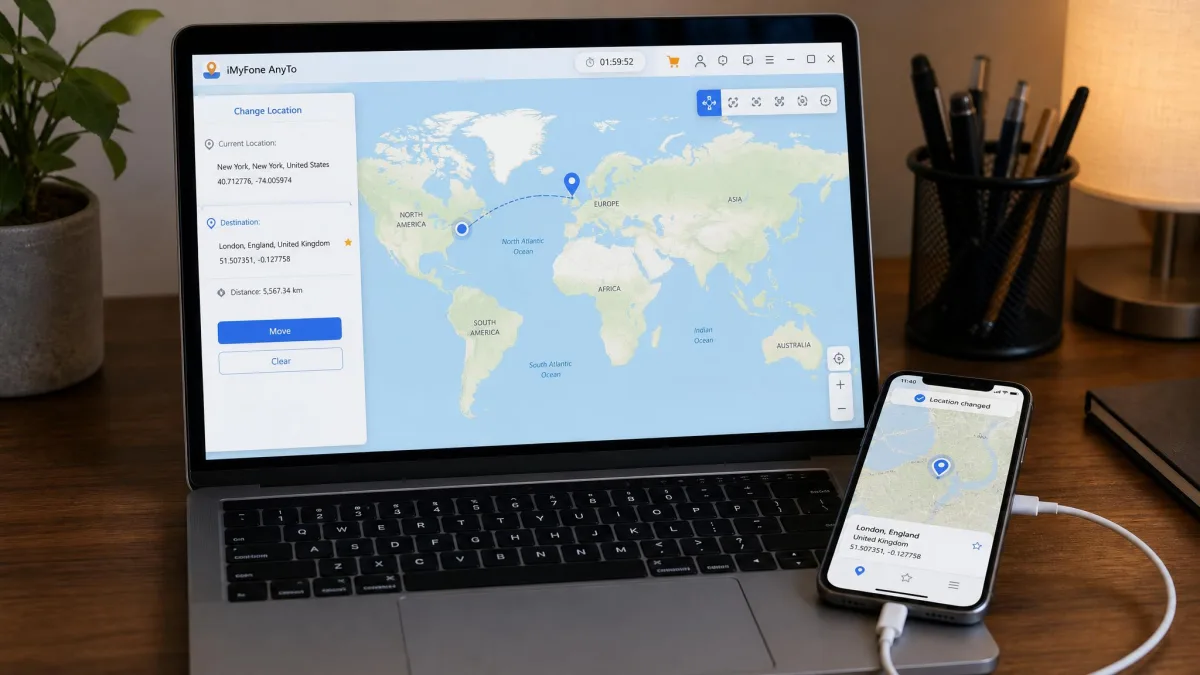
If neither fits, the category is crowded. iMyFone AnyTo and iAnyGo are the closest rivals on features and price, both offering teleport, joystick and route modes with a similar desktop-first setup. LocaChange and iMoveGo aim at the same buyer with different trial terms, MocPOGO leans hardest into the games audience, and FonesGo and MagFone round out the field. None of them is the best choice for everyone, so the buying test stays the same: check the iOS version floor, check whether the license is per-computer, and confirm the refund window before you pay.
Frequently Asked Questions
Is MockGo or UltFone safer for Pokemon Go?
What happens to the spoofed location when I unplug the USB cable?
Do either require a jailbreak?
Can I move my license to a replacement computer?
Which offers a refund, and how long is the window?
Is changing your iPhone location legal?
Does the monthly license renew on its own?
The Bottom Line
The buying test is short, and it works for every tool in this category, not just these two. Check the iOS floor on the device you actually own before you look at anything else. Check whether the license is tied to one computer, because that decides what a new laptop costs you. Then start on the month rather than the lifetime tier, so the guarantee is a safety net you never have to use.