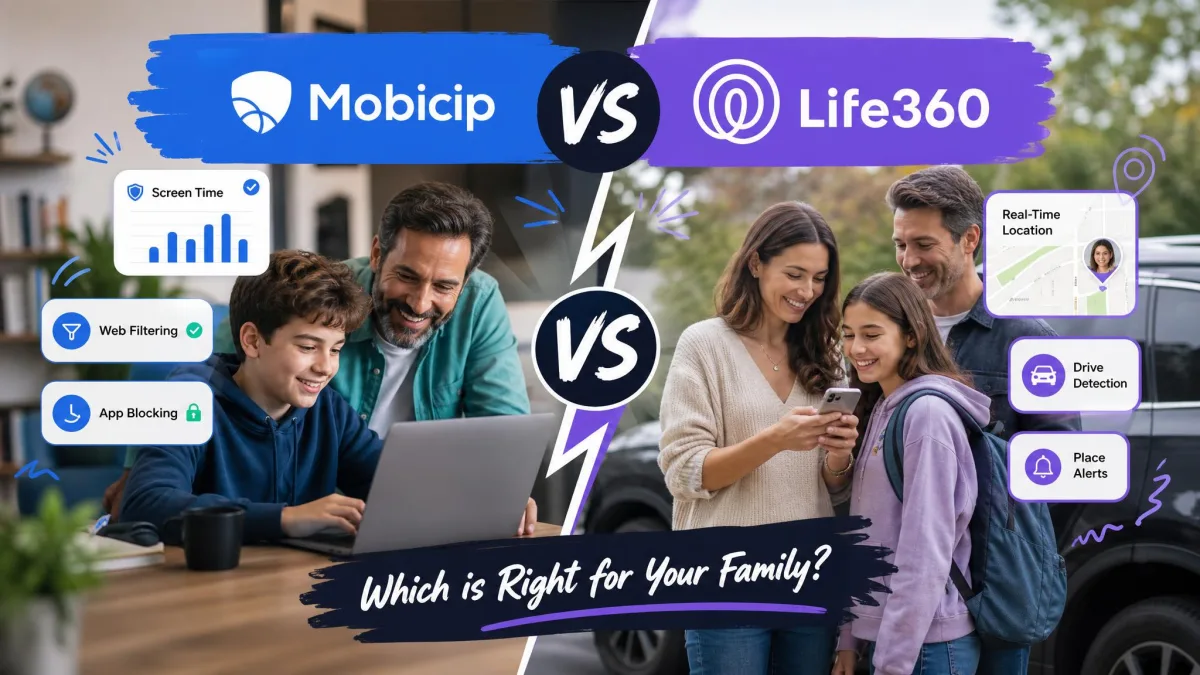
We compared Mobicip and Life360 across the features families actually use every day: real-time location and geofencing, screen time limits and app blocking, web content filtering, activity reports, platform support and the full price of each paid tier. We worked from the current plan lineups on both sides, the App Store listings that set the minimum operating system versions, and the practical behaviour each app shows once it has been living on a child's phone for a while.
The short answer is that these are not really the same product. Mobicip is a parental control suite that happens to include a family locator, and Life360 is a family location and driving safety network that does not do screen time at all. That single difference decides most families' choice before price ever comes up. The rest of this comparison shows where each app is genuinely strong, where each one frustrated us, and when paying for both makes more sense than forcing one to do a job it was never built for.
Mobicip vs Life360 at a Glance
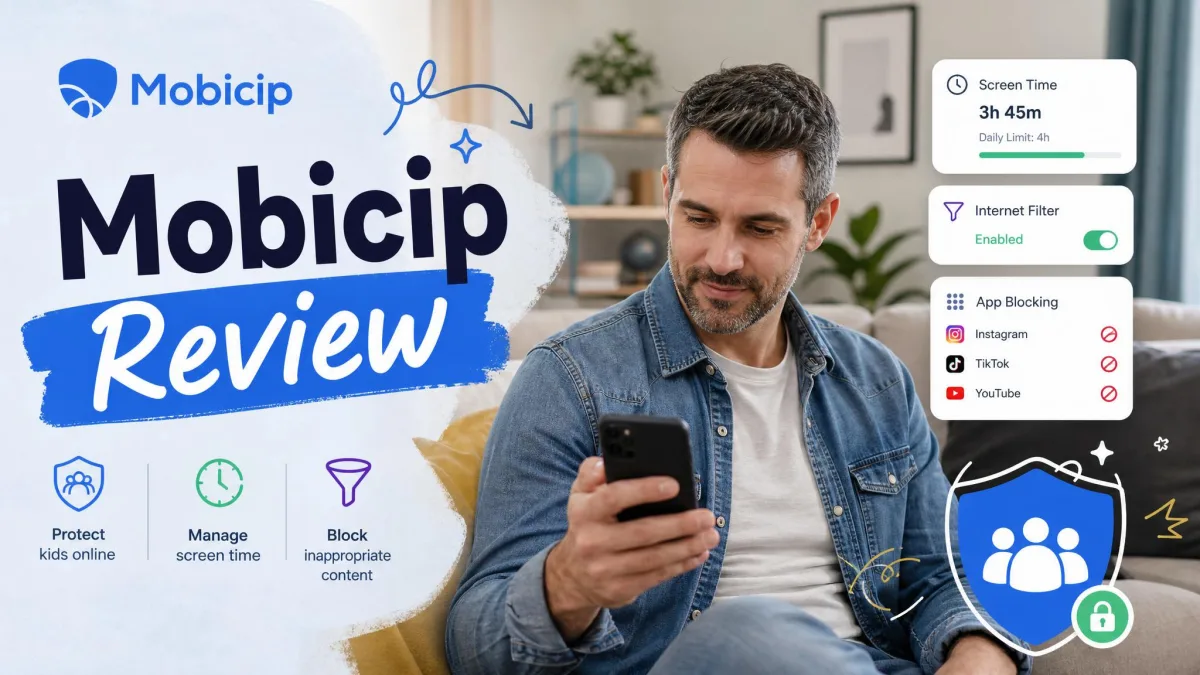
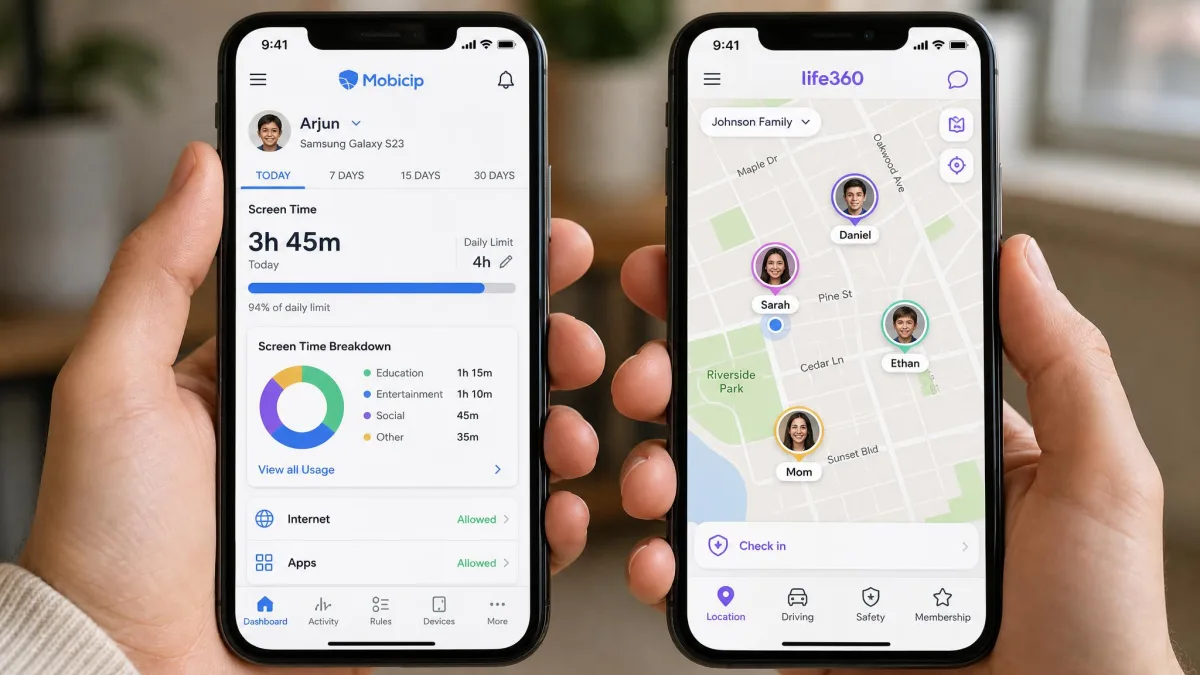
Mobicip sells a set of parental controls that work across more platforms than almost anything else in this category, and it starts cheaper than Life360's first paid tier. Mobicip runs on iOS, Android, Windows, macOS, Chromebook and Kindle Fire, which matters a lot if your children use a school laptop as well as a phone. Its paid plans start at $2.99 per month billed annually for five devices.
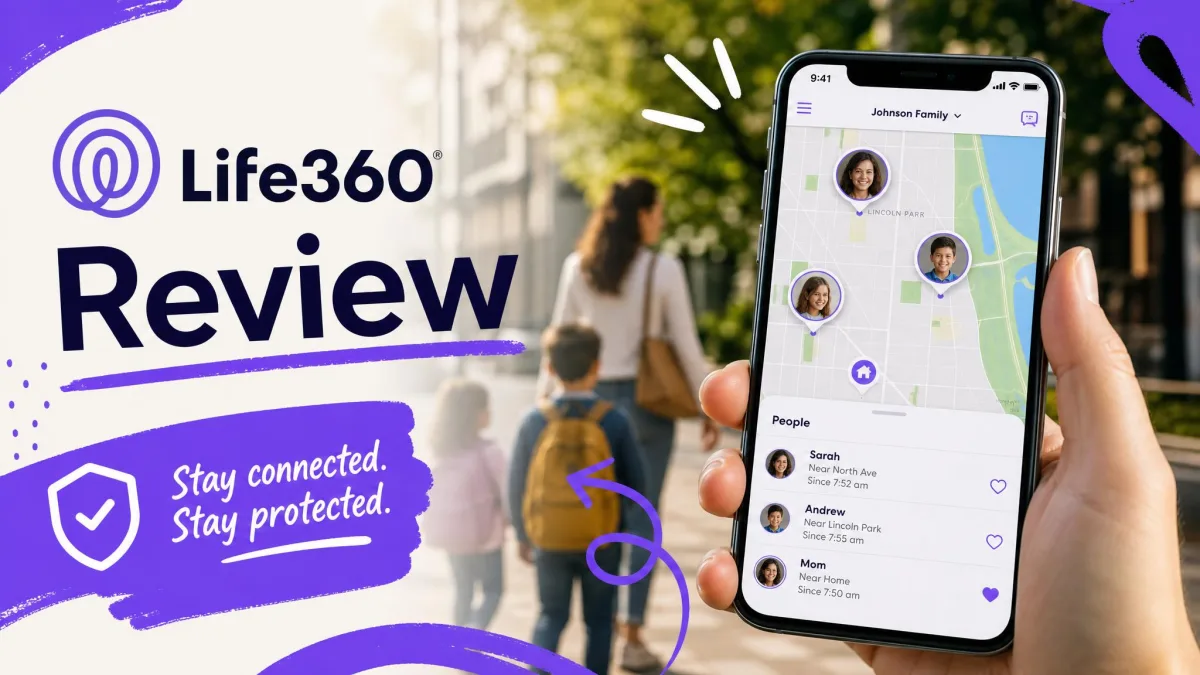
Life360 does one job and does it with far more polish. Live location for everyone in the Circle, arrival and departure alerts on saved Places, crash detection and SOS all sit in a map-first app that families keep open. Its App Store rating is 4.8 out of 5 across roughly 3 million ratings, well ahead of Mobicip's 3.3 from about 1.9K ratings, and that gap reflects how much narrower and more polished Life360's job is.
Mobicip was built as a content filter and screen time manager, and location was added to it. Life360 was built as a location network, and safety services were added to that. Neither app is trying to become the other, which is why the feature lists barely overlap.
Comparison Table: Mobicip vs Life360 Side by Side
| Feature | Mobicip | Life360 |
|---|---|---|
| Real-time location | Yes, via Family Locator | Yes, the core function |
| Location history | Activity based, not a mapped timeline | 2 days free, 7 days Silver, 30 days Gold and Platinum |
| Geofencing | Yes, entry and exit alerts | Places: 2 free, 5 Silver, unlimited Gold and Platinum |
| Screen time limits | Yes, daily limits and multiple schedules | No |
| App blocking | Yes, by app or category | No |
| Web filtering | Yes, VPN based website blocker | No |
| Social media monitoring | Yes, flags harmful content | No |
| Activity reports | Yes, daily app by app feed with time stamps | Driving summary and driver reports |
| Driving and crash detection | No | Crash detection on all tiers, driver reports on Gold and above |
| SOS | No | Yes, on all tiers |
| Platforms supported | iOS, Android, Windows, macOS, Chromebook, Kindle Fire | iOS and Android |
| Free tier | 7-day trial of all premium features | Permanent free plan |
| Starting paid price | $2.99 per month billed annually | $7.99 per month |
| Coverage cap | 5 to 20 devices depending on plan | One price covers the whole Circle |
How We Compared These Two Apps
We set up both apps the way a parent would, on a mix of iOS and Android hardware, and then judged them on the jobs the marketing promises. For Mobicip that meant running the guided install, turning on web filtering, setting daily limits and schedules, blocking specific apps, and reading the activity reports the next morning. For Life360 that meant building a Circle, saving Places, watching the map through a normal day of school runs and errands, and checking what the driving summary recorded afterwards.
We also weighed the things that only show up after the novelty wears off: how much battery each app costs, whether a child can quietly defeat it, how quickly support answers when something breaks, and what happens to your settings after an app update. Both apps are paid products with public pricing, and we worked from the vendors' own current plan pages rather than reseller listings, with one caveat noted below.
Neither of these apps is a set-and-forget purchase. Both needed adjustment after the first week, and the families who get value from them are the ones who keep checking the settings rather than the ones who install and walk away.
What Mobicip Does
Mobicip is a full parental control suite: an app blocker with uninstall protection, a website blocker, screen time limits, managed schedules, a family locator with geofencing, remote device locking, activity reports, social media monitoring, per-app time limits and a stream of parenting tips. It is a broad set of controls for one subscription, and that breadth is what keeps it competitive against apps with better polish.
Core features: screen time, app limits, schedules
Screen time in Mobicip is more flexible than a single daily allowance. You can set daily limits, cap individual apps, and run multiple schedules rather than one blanket rule, so a school night and a Saturday can behave completely differently. That per-app control is the feature we would miss most if we switched away, because "two hours of homework apps and forty minutes of games" is a rule children actually accept.
Schedules are not tamper proof, though. Mobicip's schedule blocks can be defeated by changing the device clock, and a determined teenager finds that out quickly. Settings can also reset after an app update, which has left devices unlocked at times they should have been blocked. Check your schedules after every update.
Web content filtering and app blocking
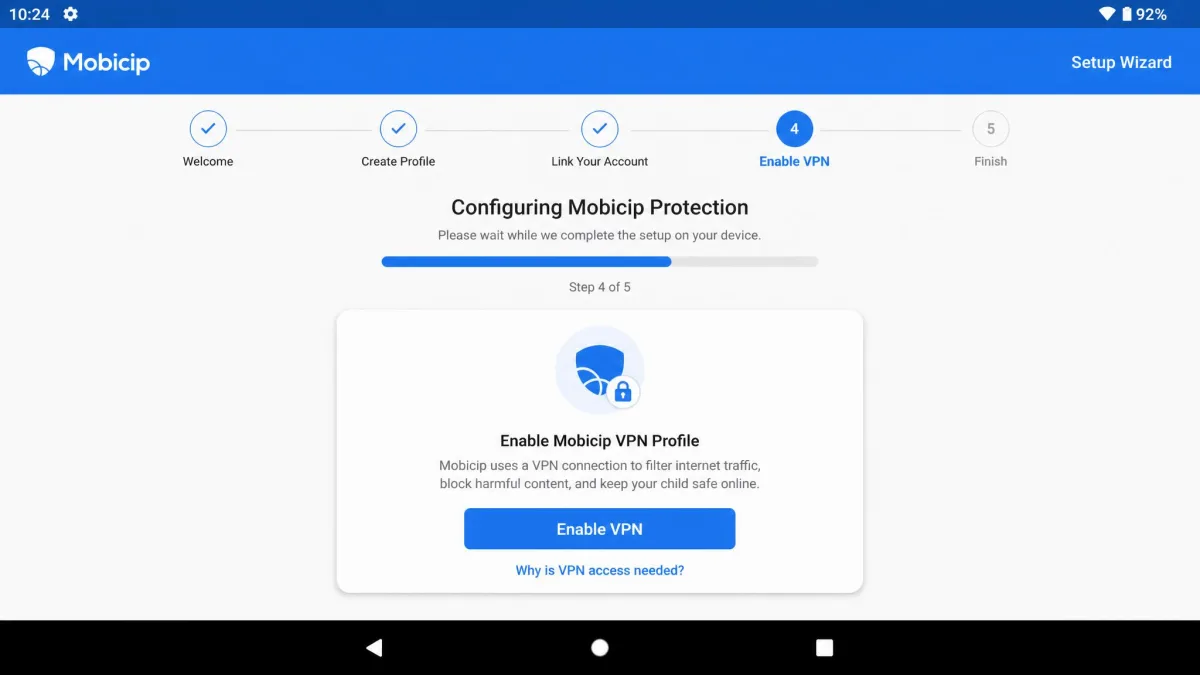
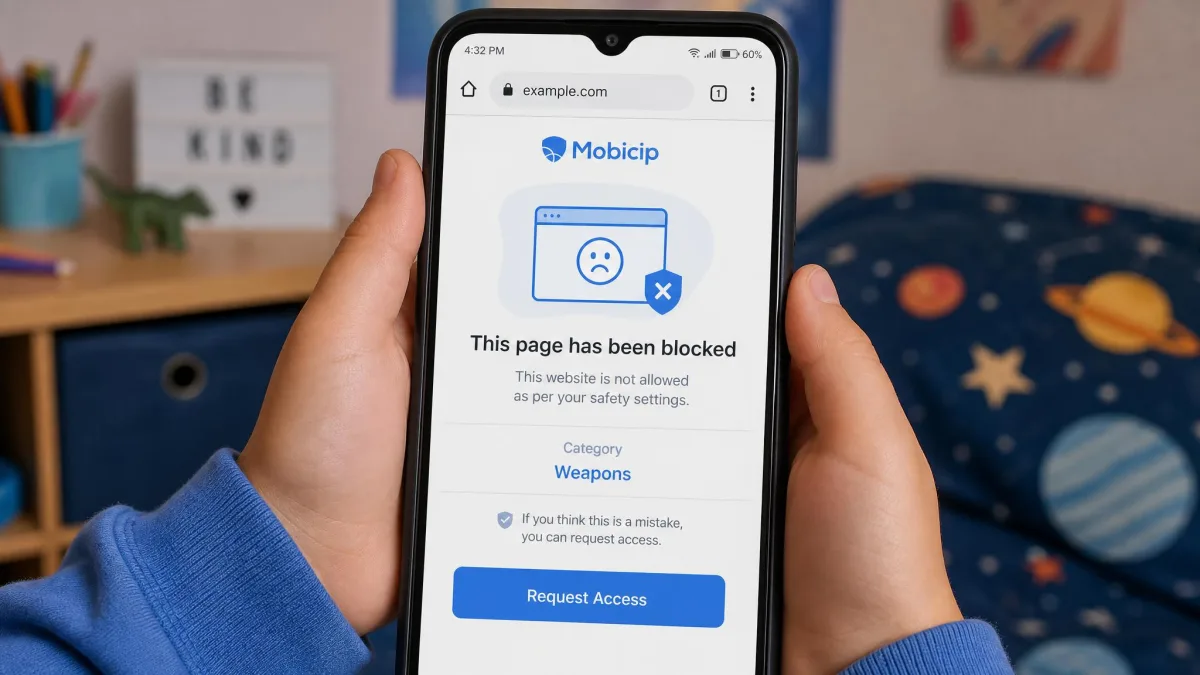
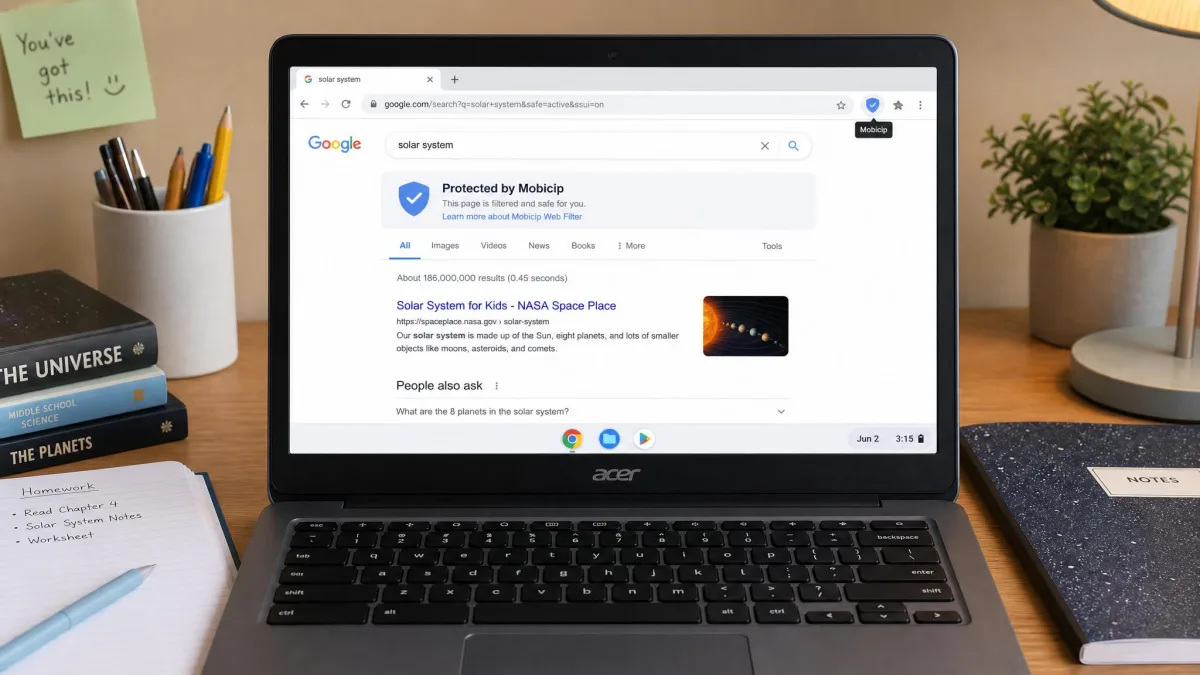
Filtering runs device-wide through a VPN profile, which is why it can cover browsers and apps rather than only Safari or Chrome. When the connection holds it is genuinely effective, and blocked pages stay blocked. The phone sometimes fails to activate the VPN, though, and a restart is the only reliable fix we found. Turning the VPN off in the phone's own settings also disables the app's filtering.
Fine-tuning is not optional. Out of the box the filters over-block legitimate sites, and that is the most common early annoyance: a homework research page or a sports site gets caught in a category rule. On iPhones the web filter has occasionally shut down internet access altogether. Budget an evening to loosen the categories your children actually need.
Social media monitoring and activity reports
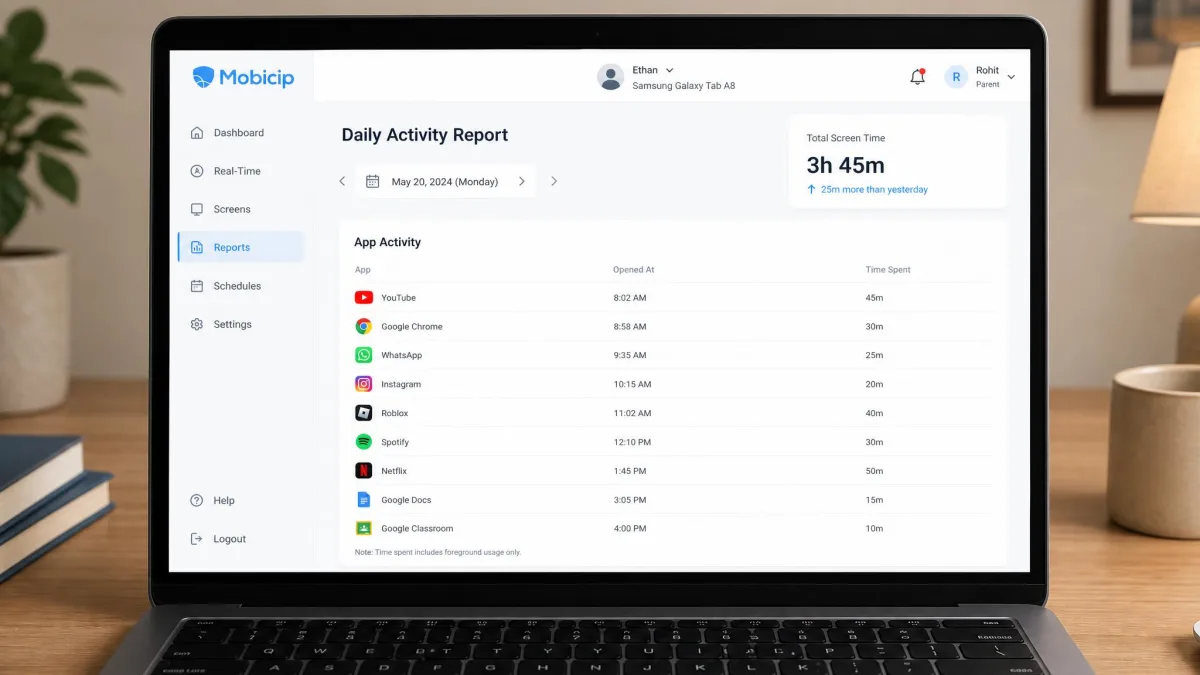
Mobicip monitors social media content and flags material it considers harmful, and it pairs that with a daily activity feed listing each app the child used with a time stamp. That feed is the single most useful thing on the parent dashboard, because it turns a vague sense of "too much phone" into a specific list you can talk about at dinner.
Pros
- Screen time limits, app blocking and web filtering in one subscription
- Uninstall protection, remote device locking and social media flags included
- Daily app by app activity feed with time stamps
- Multiple schedules rather than one blanket daily limit
- Website purchases carry a 30-day money-back guarantee
Cons
- Installation can stall on Android, and permission handling can block it outright
- VPN based filtering raises battery usage and causes occasional slowdowns
- Over-blocks legitimate sites until you tune the categories
- Schedules can be beaten by changing the device clock
- Support response times are inconsistent
What Life360 Does
Life360 is a location network with safety services layered on top: real-time location sharing, location history, Places with arrival and departure alerts, crash detection, SOS alerts, driving summaries and driver reports, roadside assistance, identity theft protection, stolen phone coverage and emergency dispatch. There is no screen time control anywhere in it, and no content filtering.
Core features: location tracking and place alerts
The map earns its trust most days and then quietly loses some of it. On one ordinary afternoon we watched a member's pin sit at an address the family had moved away from, hours after the phone had plainly left it, while the battery and signal readings on that handset showed nothing wrong. We opened the app again after the school run and the pin snapped forward across half a mile to the correct street, trailing a short drive in the history that nobody had actually taken. That is the pattern worth planning around: the live view is usually right, occasionally stale, and never something to confront a teenager with on its own.
Underneath that, the feature inventory is straightforward. Everyone in the Circle appears as a live pin, saved Places fire arrival and departure alerts so you know a child reached school without texting to ask, and the history lets you scroll back through the day. It is that combination that keeps families opening Life360 daily rather than forgetting they installed it.
Driving safety, crash detection and SOS
Life360 tracks vehicle speed and flags driving events, and for parents of new drivers that is what the subscription ends up being for. Crash alerts reach the Circle on every plan including the free one, but the emergency dispatch that actually calls 911 requires Gold or Platinum. That distinction is worth knowing before you assume the free tier covers you in a crash.
Digital safety add-ons
The upper tiers bundle services that have nothing to do with children: roadside assistance, identity theft protection and stolen phone coverage, with Platinum adding towing plus stolen funds reimbursement of up to $1 million. Whether that is good value depends on what your household insurance already covers.
Pros
- Best in class real-time location with a map families actually check
- Permanent free plan rather than a countdown trial
- Crash detection on every tier, including free
- One membership price covers the whole Circle
- Driving reports that suit families with a new teen driver
Cons
- Needs iOS 17.2 or Android 10, and does not run on tablets or desktops
- Continuous GPS is heavy on battery
- Location pins go soft indoors and slow down in weak-signal areas
- Emergency dispatch is locked to the top two tiers
- Collects precise location and other identity-linked data for advertising
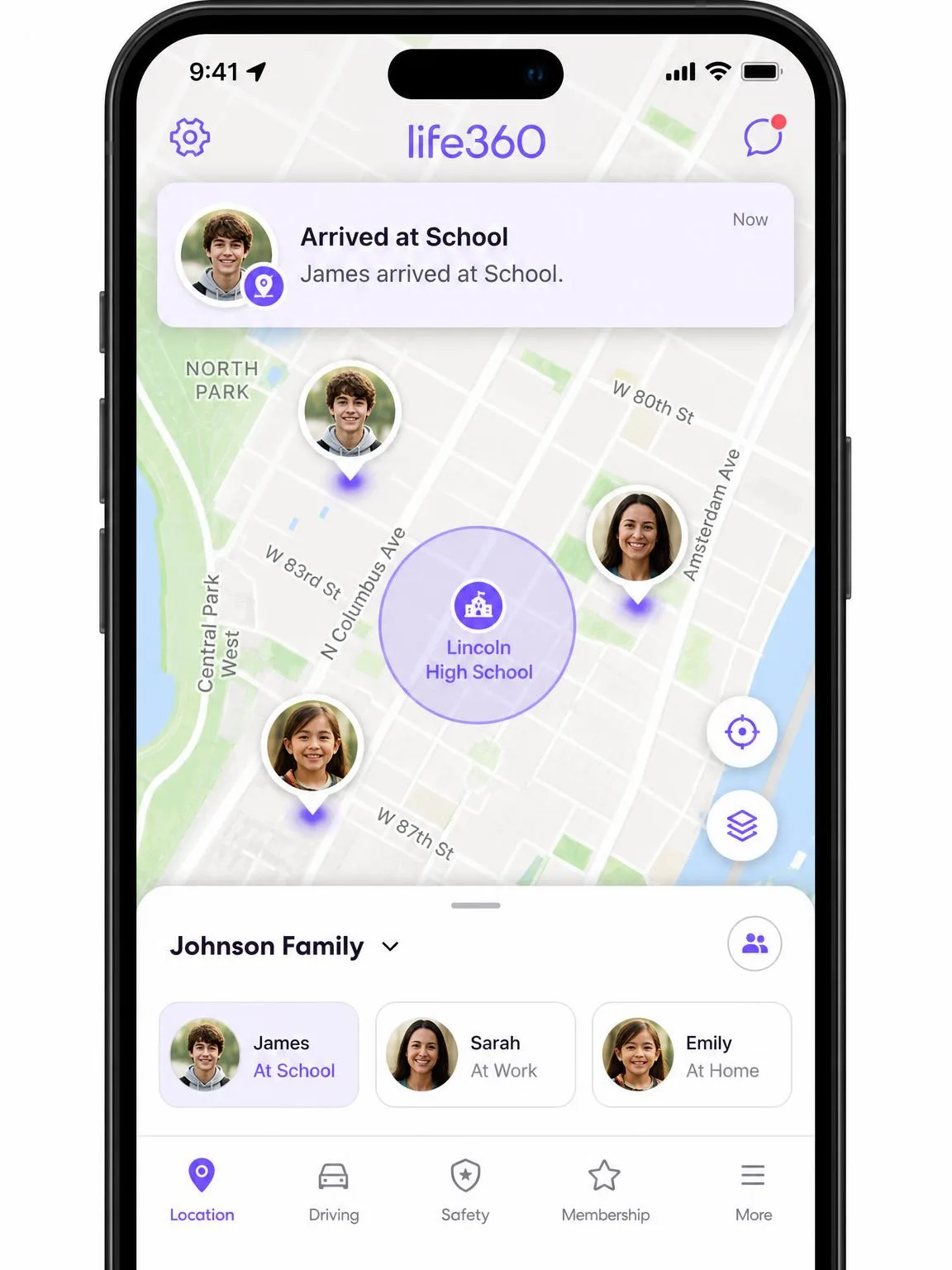
Location Tracking: Life360 vs Mobicip Family Locator
Both apps show you where your children are. Only one of them is built around that.
Real-time location and location history
Mobicip's Family Locator shows live location and is perfectly adequate for a quick check. What it does not give you is a mapped timeline: its history is activity-based rather than a scrubbable record of the day's movements. Life360 keeps 2 days of location history on the free plan, 7 days on Silver, and 30 days on Gold and Platinum, so you can answer "where were they on Tuesday afternoon" instead of only "where are they now".
Life360's accuracy is better in the open and imperfect everywhere else. Pins go soft indoors, where GPS struggles to resolve an exact position inside a building, and in weak-signal or rural areas the update rate slows until the map stops behaving like a real-time view. It can also go plainly wrong: pins land up to half a mile off, a member can freeze at an old address for hours, and phantom drives sometimes appear in the history that nobody took. Treat the map as a strong signal rather than proof.
Geofencing and arrival/departure alerts
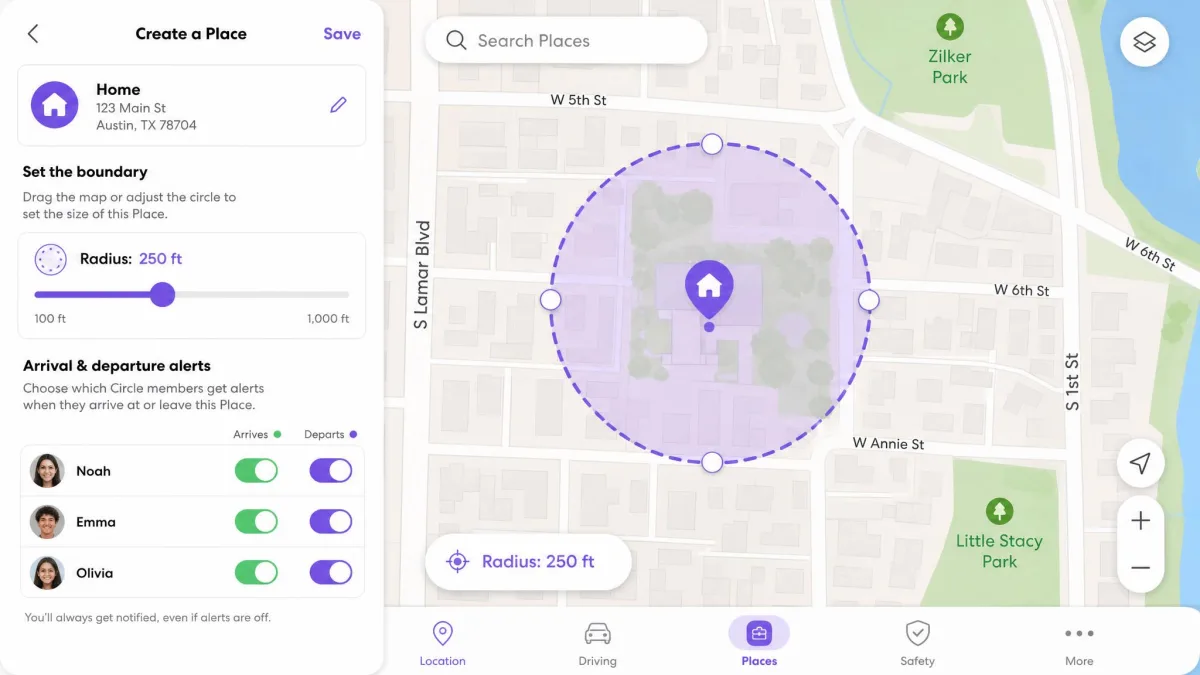
Mobicip lets parents create geofences that alert on entry and exit. Life360 calls them Places and meters them by tier: 2 on the free plan, 5 on Silver, unlimited on Gold and Platinum. Two Places covers home and school and nothing else, which is exactly why families typically move off the free tier when they need a third or fourth Place, or want driving reports for a new driver.
Screen Time and App Control: Where Mobicip Wins
There is no contest here, because Life360 does not compete. If screen time is the reason you are shopping, Life360 cannot help you at any price.
Daily limits, schedules and downtime
Mobicip gives you a daily cap, per-app limits and multiple named schedules. In practice you can keep one schedule for school days, one for weekends and one for holidays, and the app switches between them without further attention. Downtime works as a scheduled block rather than a separate feature, so bedtime is simply a schedule with everything switched off.
Blocking specific apps and websites
You can block by individual app or by category, and uninstall protection is meant to stop a child removing Mobicip afterwards. It is not absolute: Mobicip can still be uninstalled from the child's device, and the parent gets a notification, but only after the fact. That is a reasonable safety net for a younger child and a thin one for a determined teenager.
Set the app blocks with your child in the room and explain each one. Rules that arrive without warning get worked around, and the workarounds for both of these apps are widely shared online.
Content Filtering and Web Safety
Mobicip's website blocker is the reason many families pick it, and its device-wide reach through the VPN is a genuine advantage over browser-only filters. It is also the part that needs the most maintenance, because category filters are blunt instruments and the first week produces a steady trickle of "this site is blocked and I need it for school".
Rely on Life360 alone and your web safety comes from whatever is built into the operating system and the browser, which on both iOS and Android is useful but limited. Apple's Screen Time and Google's Family Link will both restrict adult sites, and neither of them tells you what was searched or which app the searching happened in. That is a defensible arrangement for older teenagers, where location matters more than filtering, and a poor one for a nine year old with a tablet.
Monitoring, Alerts and Daily Reports
Mobicip's reporting is the more detailed of the two: a daily feed listing each app the child used with a time stamp, plus social media flags for content it judges harmful. You get a picture of activity rather than a single number, which makes the reports worth reading instead of dismissing.
Life360's alerts are event-driven instead: arrival and departure notifications, crash alerts, SOS and a driving summary after each trip. They arrive in the moment rather than as a report you sit down to read, and that changes how each app fits into a day. Mobicip asks for ten minutes over breakfast, while Life360 asks for two seconds whenever your phone buzzes.
Device and Platform Compatibility
iOS, Android, Windows, macOS, Chromebook and Kindle Fire
Mobicip covers all six of those platforms. Life360 is iOS and Android only, which is consistent with a phone-centric location app but rules it out entirely for a school-issued Chromebook or a family Windows laptop. If your children's screen time happens on a computer, only one of these apps is available to you.
Minimum operating system versions differ in Mobicip's favour on older hardware. Mobicip requires iOS 15.0 or later, while Life360 requires iOS 17.2 or later. A hand-me-down iPhone that is a few generations old is more likely to run Mobicip than Life360. Mobicip on the App Store lists the current requirements if you want to check against a specific device. On Android the gap narrows: Life360 requires Android 10 or later, and Mobicip publishes no minimum Android version, so an older Android handset is worth testing with the free trial before you commit.
Pricing and Plans Compared
Free tiers and what they actually include
Life360's free plan is permanent rather than a trial, and it is more generous than free tiers usually are: live location sharing for the whole Circle, 2 Places, 2 days of history, SOS alerts, crash detection and a driving summary. Plenty of families never pay at all.
Mobicip's free offer is a 7-day trial with access to all premium features, after which you are on a basic tier that covers a single device. That is a trial rather than a free product, so treat the subscription price as the real price.
Paid plan costs per family
Mobicip's website pricing runs $2.99 per month billed annually for Lite covering 5 devices, $4.99 for Standard covering 10 devices, and $7.99 for Premium covering 20 devices. Website purchases carry a 30-day money-back guarantee. In-app App Store pricing runs higher than the annual website rate, so the figure you see depends on where you subscribe.

Life360 sells Silver at $7.99 per month or $79.99 per year, Gold at $14.99 per month or $149.99 per year, and Platinum at $24.99 per month or $249.99 per year. One membership price covers the whole Circle rather than billing per member, which softens the sticker shock for larger families. Regional lineups vary, and Silver is not offered everywhere.
| Plan level | Mobicip | Life360 |
|---|---|---|
| Entry paid tier | Lite, $2.99/mo billed annually, 5 devices | Silver, $79.99/yr |
| Mid tier | Standard, $4.99/mo billed annually, 10 devices | Gold, $149.99/yr |
| Top tier | Premium, $7.99/mo billed annually, 20 devices | Platinum, $249.99/yr |
| Free option | 7-day trial of all features | Permanent free plan |

Privacy, Consent and Trust
Both apps ask you to collect data about your own children, and that deserves a moment's thought rather than a reflexive click. Life360 collects precise location, fitness data, contact information and purchase history linked to identity, and uses it for third-party advertising, analytics and personalization. Mobicip's monitoring reaches further into content but is sold as a parental control product rather than an advertising-supported network.
Talking to your kids before you install either app
Surveillance your child does not know about damages trust more than the behaviour it catches. Tell them what the app sees, what it does not, and what would make you turn it off. The AAP's family media plan gives you a structure for that conversation that is more useful than improvising it. Heavier screen use in preteens has been linked to later depression and anxiety, which is a reason to agree limits together rather than a reason to install controls in secret.
Battery drain and data use
Life360 runs continuous GPS in the background, and daily drain of roughly 15 to 20 percent is typical on a phone that keeps it running all day. Life360's own guidance sets the expectation at about 10 percent shorter battery life over 24 hours, which is lower than what phones tend to show in daily use. Mobicip's VPN-based filtering also pushes battery usage up and causes occasional slowdowns, most noticeably on Android. No single test has measured both apps on the same device, so there is no like-for-like drain figure to quote.
A flat phone is a phone that reports no location. Whichever app you choose, a child who is out all day needs a charging habit or a battery pack, or the safety feature you paid for stops working exactly when it matters.
Which Should You Choose?
Choose Mobicip if...
- Screen time limits, app blocking or web filtering is your actual goal
- Your children use computers or Chromebooks as well as phones
- You want a daily report of which apps were used and for how long
- You are covering several devices and want a low annual price
Choose Life360 if...
- Knowing where everyone is, in real time, is the point
- You have a new driver and want driving reports and crash detection
- You want a capable free tier rather than a trial
- Your family is phone-only and on recent iPhones or Android handsets
When to use both together
Mobicip Lite billed annually alongside Life360's permanent free plan costs no more than the Mobicip subscription on its own, because the Life360 side stays free until you need a third Place or driver reports. Upgrade whichever side you outgrow first rather than paying for both at once.

Common Mistakes Families Make With These Apps
The most common mistake is buying the wrong category of app. Parents who want to curb gaming buy Life360 because everyone at school uses it, then discover there is no screen time control in it anywhere. Parents who want to know their teen arrived safely buy a full parental control suite and find the locator is the weakest part of it.
The second mistake is skipping steps during setup. Mobicip's install is guided and includes video tutorials for some steps, but it is easy to skip installing the Mobicip VPN, and several features depend on it. Installation can also stall on Android, where progress bars barely move through a ten-minute tablet install and permission handling can block installation on a child's phone outright. Work through it on a quiet evening rather than five minutes before school.
The third is assuming the app cannot be beaten. Both can be worked around, and both tend to tell you afterwards rather than in the moment. Treat either one as a conversation aid backed by data, not as a lock.
Alternatives to Mobicip and Life360
If Mobicip's filtering frustrates you, Bark, Qustodio and Norton Family cover similar ground with different trade-offs, and our Mobicip vs Bark and Mobicip vs Qustodio comparisons go through them in detail. Google Family Link is free and reasonable for Android households, though it is worth reading what data Family Link collects before you commit. For location alone, the location sharing already built into iOS and Android costs nothing and covers the basics that most families need.
Frequently Asked Questions
Is Mobicip or Life360 better for teens?
Can you use Mobicip and Life360 together?
Does Mobicip track location as accurately as Life360?
Life360 is showing an old location for my child. What should I check first?
What happens to our location history and saved Places if a paid membership lapses?
Will Mobicip work on a school-issued or MDM-enrolled Chromebook?
Can my child tell the app is installed?
How much does each cost per year?
Final Verdict
The bullets above tell you which app to buy today. What they do not tell you is how that answer moves as your children get older, and the age pattern turned out to be the clearest thing to come out of our testing. Under about eleven, the daily problem is the screen in front of them, and controls earn their keep every evening. Somewhere around fourteen the balance tips, because the rules that mattered have become habits or arguments by then, and the thing you genuinely cannot see any more is where they are and how fast the car is going.
Knowing that, we would do two things differently from the way most families start. We would buy the cheapest tier that covers the job rather than the tier that covers every device in the house, because the device count matters far less than whether the app does the job at all. And we would put an annual reminder in the calendar to reassess, since the subscription that was obviously right for a ten year old is often the wrong one two birthdays later.
These apps are not rivals so much as neighbours. Mobicip watches the screen, Life360 watches the road, and the family that needs both should stop trying to pick one.