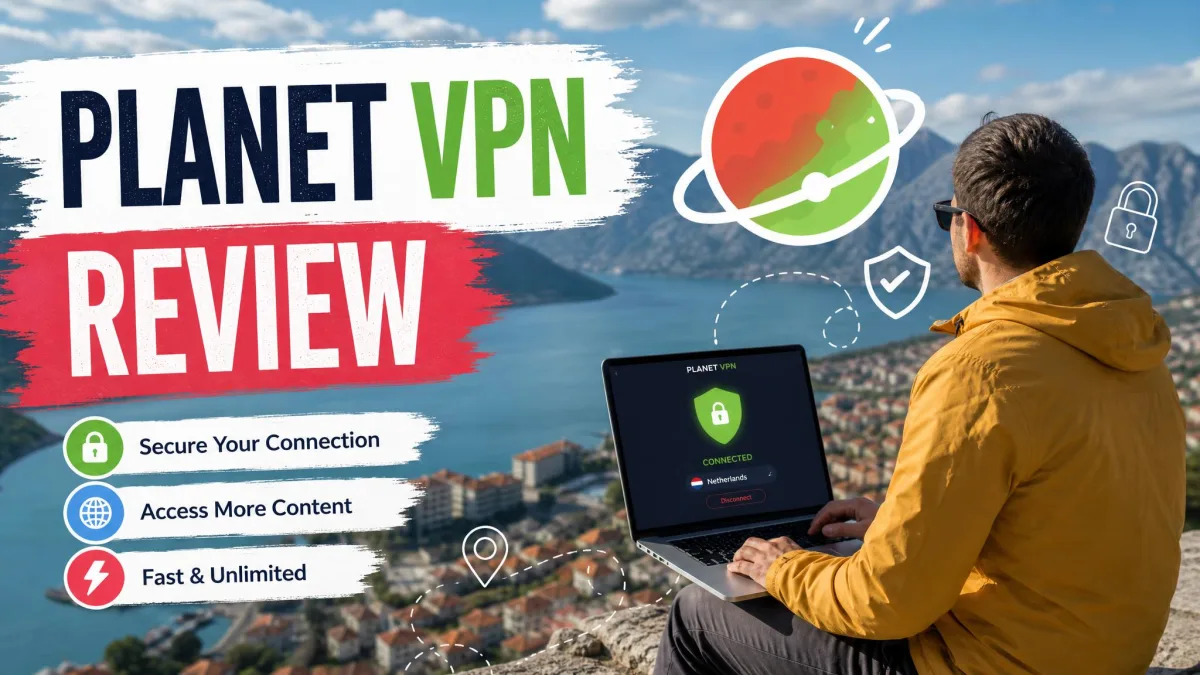
Planet VPN is a freemium VPN run from Bucharest, Romania, and it launched in 2017 under the name RUSVPN. It is safe enough for casual browsing on public Wi-Fi, but we would not trust it with anything sensitive. Its no-logs policy has never been independently audited, the free plan is funded by ads, and its privacy policy lists more data collection than the "no logs" headline suggests.
We checked the apps for IP, DNS, WebRTC and IPv6 leaks, read both of its privacy documents line by line, and tested the kill switch, speeds and streaming on free and premium plans. Here is what held up and what did not.
Is Planet VPN safe? The short answer
Four things decide whether a VPN deserves your trust: which authorities the company answers to, what it logs, whether anyone has checked its claims, and how it pays its bills. Planet VPN passes the first test and struggles with the other three.
| Safety check | Planet VPN |
|---|---|
| Jurisdiction | Romania, outside the 5/9/14 Eyes alliances |
| Logging | No-logs claim; privacy policy lists device, location and diagnostic data |
| Encryption | AES 256-bit |
| Kill switch | Premium only, off by default |
| Leak test | No IP, DNS, WebRTC or IPv6 leaks |
| Independent audit | None published |
Romania is a reasonable home for a VPN, and the company's registration is public. The trouble starts with verification and funding, which the sections below walk through one at a time. Neither problem makes Planet VPN malware, but both deserve a closer look before you install it.
Who owns Planet VPN? Romania, RUSVPN, and the Russia question
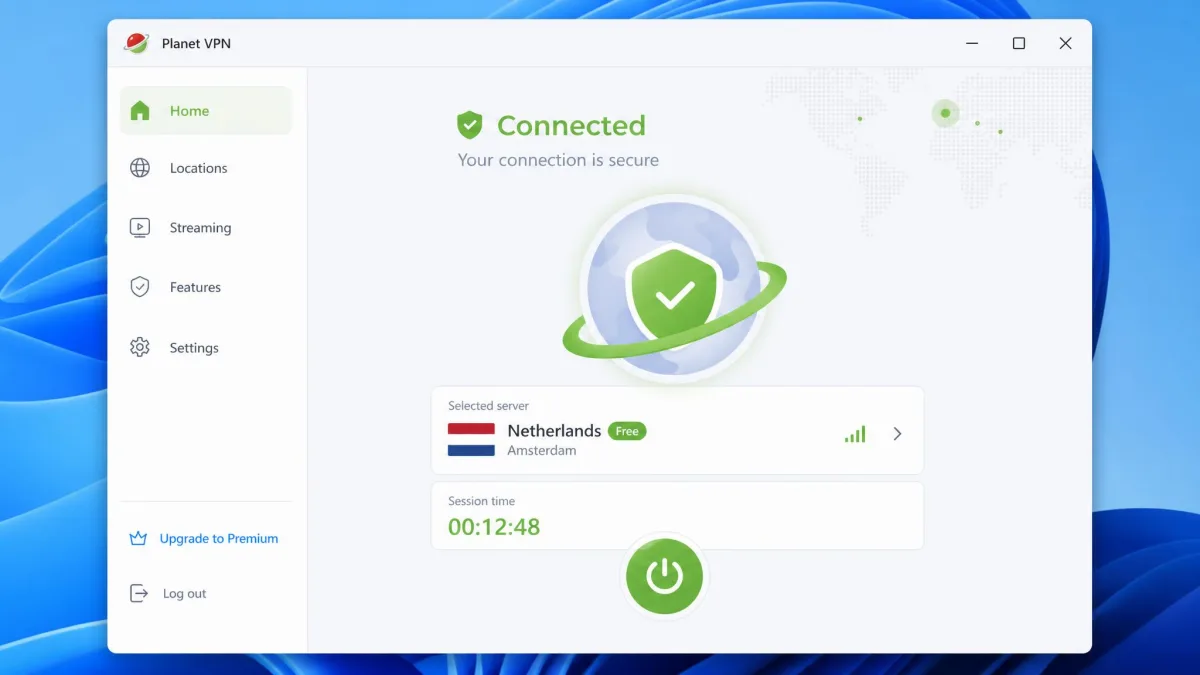
Start with who actually runs the service. Planet VPN is operated by a Romanian limited company with the registration number 44667783. Its listed address is the Hermes Business Campus on Bulevardul Dimitrie Pompeiu in Bucharest. The vendor's own pages spell the operating company's name two ways, "FREE VPN PLANET S.R.L." on the no-logs page and "FREE PLANET VPN S.R.L." in the privacy policy, so the exact registered name is not settled.
The service launched in 2017 as RUSVPN and has operated under the Planet VPN name since 2022. That old name is where most of the Russia questions come from. RUSVPN stood for "Reliable, Unlimited, Secure," not Russia.
Is it Russian, then? The legal entity and headquarters are Romanian, and Planet VPN is independent rather than part of a VPN conglomerate such as Kape Technologies. Its team is international, with staff from Egypt, Russia, Turkey and Spain. Having staff in Russia is not the same as being subject to Russian law; the company answers to Romanian courts.
The company has at times described RUSVPN and Planet VPN as separate entities with minimal staff overlap. No corporate filing we could find confirms that, so we treat Planet VPN as the continuation of the RUSVPN service.
Planet VPN publishes no transparency report, and we found no breach, data leak or court case involving either brand. That absence is mildly reassuring, though it does not prove good practice.
Encryption, protocols, and kill switch
Ownership aside, the technical basics are mostly standard, with the same security features most mainstream VPNs use. The weak points are the proprietary protocol and the kill switch.
Encryption and protocols
Traffic is protected with AES 256-bit encryption, the standard used by nearly every reputable VPN. If you want the background, our explainer on how VPN encryption works covers why that cipher is considered safe.
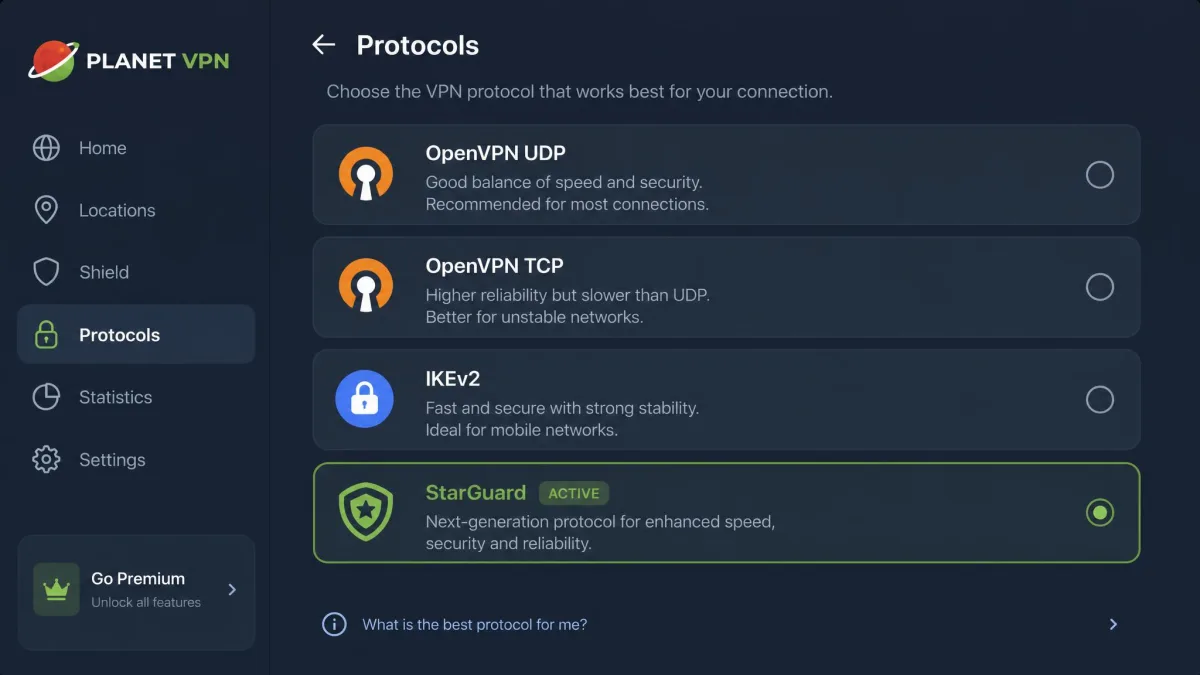
Protocol choice depends on the app. You get OpenVPN over UDP or TCP, IKEv2, and a proprietary protocol called StarGuard. Some platforms still include older L2TP/IPSec and PPTP, and router setup is limited to L2TP. There is no WireGuard on Windows or Android.
StarGuard is closed source, and no public security review of it has been published. We would stick with OpenVPN or IKEv2 for anything sensitive and avoid PPTP, whose encryption is long broken.
Kill switch
A VPN kill switch cuts your internet if the tunnel drops, so your real IP never leaks during a reconnect. Planet VPN limits this feature to premium plans, which means free users have no protection when a connection fails.
Even paid users need to act. The kill switch is off out of the box and has to be switched on manually: open Settings, find Network Kill Switch and toggle it on. On Windows the toggle was there and worked once enabled. The Android app showed no kill switch toggle at all, so availability varies by platform as well as plan.
Does Planet VPN leak your IP, DNS, or WebRTC data?
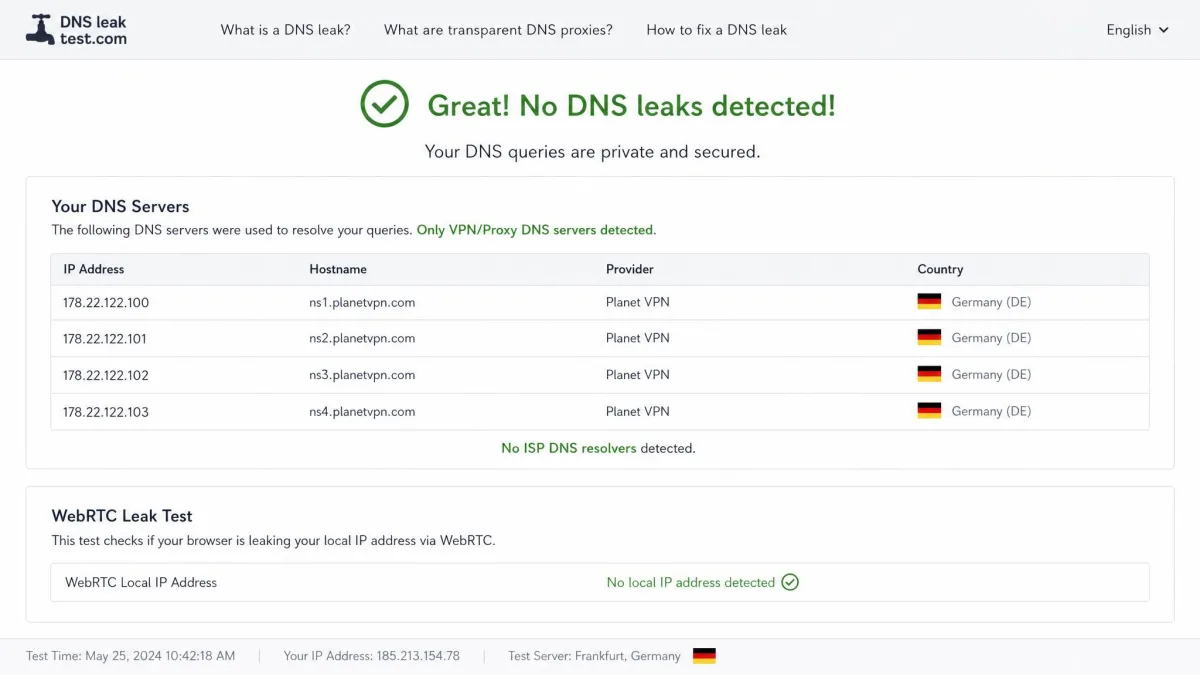
Leak protection is where Planet VPN performs best. In our leak tests, IP, DNS, WebRTC and IPv6 checks came back clean across multiple servers and protocols. Your real address and your ISP's DNS servers stayed hidden in the browser and at the system level.
That matches the DNS and IP leak protection the vendor advertises. Our guide to what a DNS leak is explains how a misconfigured VPN can expose every website you visit.
Those results only hold while the tunnel is up. Without the kill switch, a dropped connection sends traffic out unprotected.
Planet VPN's no-logs policy and what data it collects
Clean leak tests show the tunnel works, but they cannot tell you what the company keeps on its side. Planet VPN markets itself as a no-logs service. The policy language is strong, but the company's own privacy policy describes a wider set of collected data.
What the privacy policy says
Planet VPN's no-logs policy makes a broad promise:
We don't collect, store, or share any logs or your internet activity.
It lists browsing history, IP addresses, session details, DNS queries, connection logs, metadata and device information as data it does not collect or log. The vendor also says all sessions run on RAM-only servers, but that claim appears only in its marketing and has not been independently inspected.
Retention of connection IPs is less clear-cut. The vendor states session data vanishes at disconnect, but the evidence we found points to connection IPs being held for a few hours before deletion.
Planet VPN's FAQ says its policy can be verified by "independent audit," but it names no auditor and publishes no report. We found no independent no-logs audit, so the promise rests entirely on the company's word.
What you hand over to sign up
The free plan needs no registration at all, and premium asks only for an email address. You can also pay with Bitcoin and other cryptocurrencies as well as cards, which keeps your identity further from the account.
Its privacy policy tells a fuller story than the no-logs page, though. It lists the following:
- VPN connection status and the server location you use
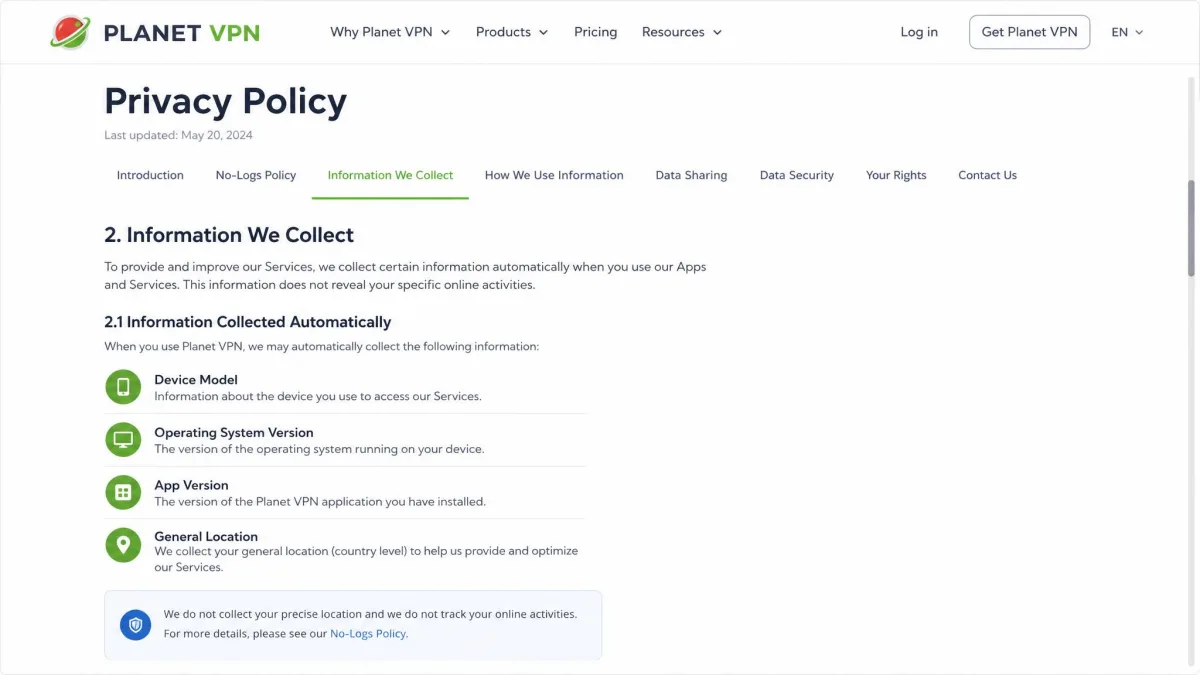
- Device model, OS version and app version (which the no-logs page says it does not collect)
- General location at country or city level, plus your ISP
- Diagnostic and performance data, described as anonymized on collection
- Payment email, plan, status and transaction details, with no card data retained
- Cookies, support messages and an optional email
The same document names third-party services for analytics (Google Firebase, Adjust, Google Analytics, GrowthBook), support, payments, fraud checks and advertising. None of this records the sites you browse, but it is more data flowing to more companies than the "zero-logging" label implies.
Is the free version of Planet VPN safe?
The free plan uses the same encryption and leak protection as premium, so your traffic is protected in transit. What changes is how the service earns money from you and what it holds back.
How the free plan is funded: ads, limits, and server locations
Planet VPN's free tier is ad-supported. The privacy policy names six advertising partners: AdMob, Meta, InMobi, ironSource, Mintegral and Unity Ads. On the free mobile apps, ads appeared a few times a day in our use, and their length quickly became annoying.
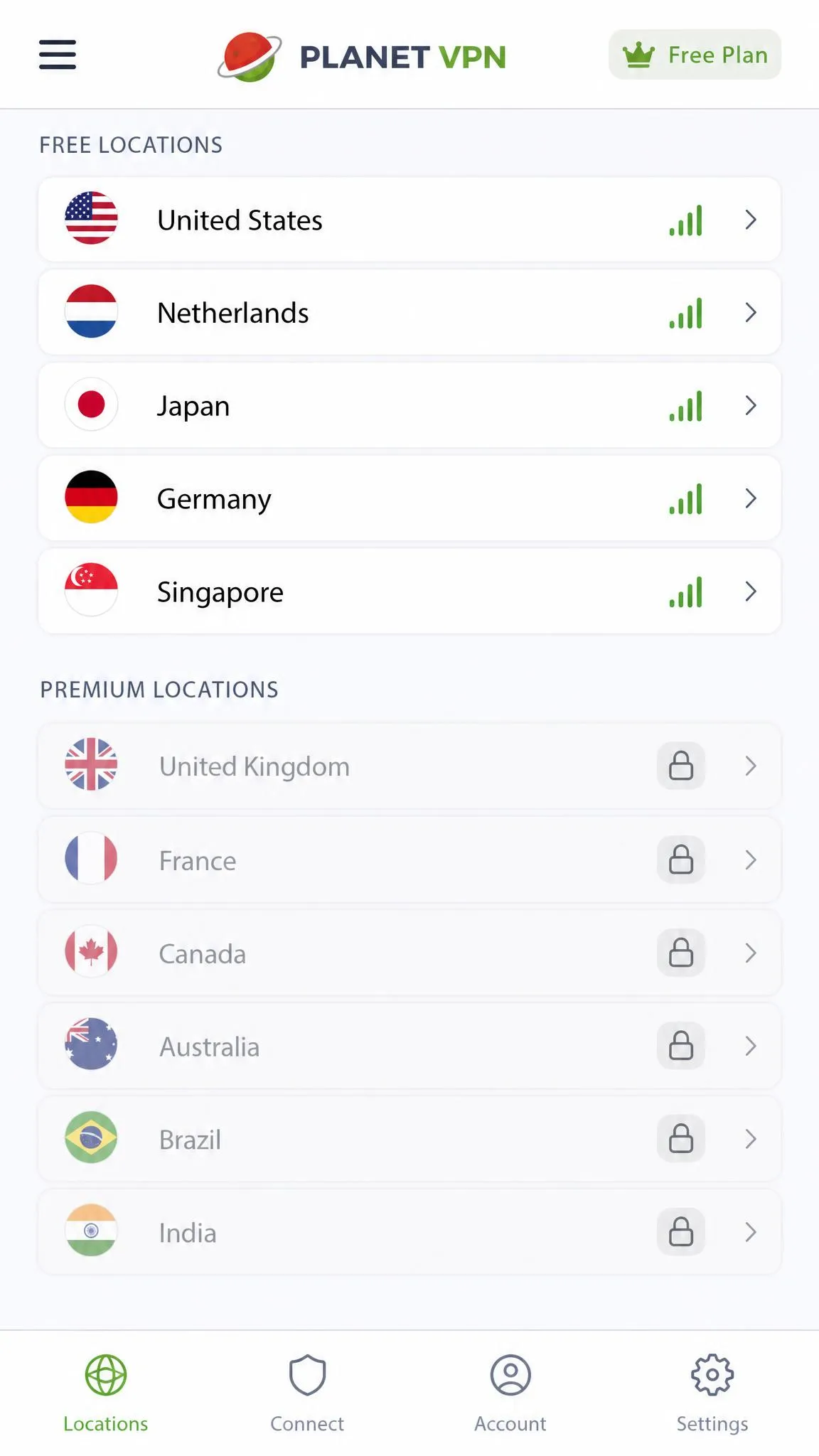
The free network is small. You get 6 servers across 5 countries, typically the US, UK, France, Germany and the Netherlands, though the free country set has changed over time and your app version may show a different five. There is no data or bandwidth cap. The homepage promises no time limits, while the vendor's plans table lists a connection time limit on free.
Free users also give up P2P, streaming support, Double VPN, split tunneling and 24/7 support. Setup is easy, though: the free app installed and connected with no account and a single tap.
The wider free-VPN market is a reason for caution. A CSIRO-led study of 283 Android VPN apps from 2016 found that 38% contained some malware and 75% used third-party tracking libraries. That study predates Planet VPN's current apps and says nothing about Planet VPN specifically, but it shows why an ad-funded model deserves scrutiny.
Free vs premium: what paying changes for safety
Paying removes the ads and unlocks the kill switch, the single biggest safety upgrade. Premium also opens 1,260+ servers and allows up to 10 devices at once. The vendor counts 100+ locations, which span about 60 distinct countries.
Prices run $9.99 per month, $3.99 per month billed yearly, or $1.99 per month on the longest plan. The vendor now bills that cheapest tier over 48 months, while older listings describe it as a 3-year plan. Our full Planet VPN review covers plans, speed figures and value in more depth.
Speed and connection reliability
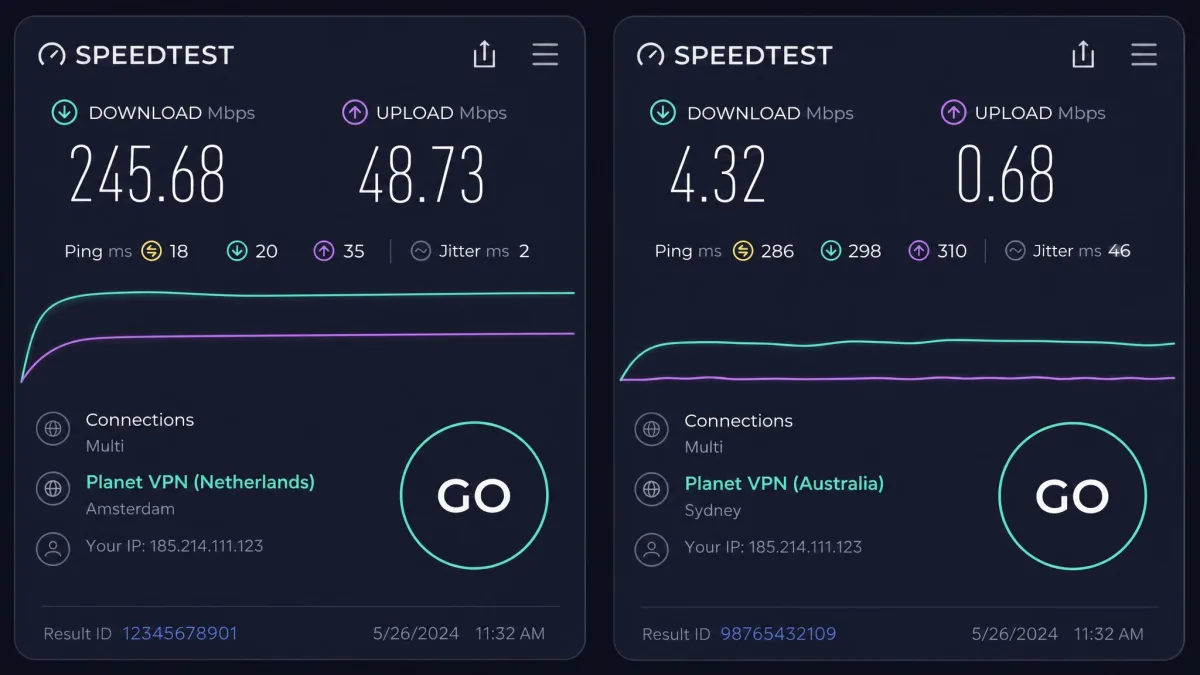
Reliability matters for safety because every dropped connection is a moment when your traffic can leave the tunnel. On nearby servers, Planet VPN's speeds held up well in our testing. On long-haul routes such as Australia they fell off sharply.
StarGuard was the fastest protocol on European routes, but on distant routes IKEv2 could outrun it. The desktop app also lost far more speed than the mobile app on the same route.
Stability is the bigger concern. Connections dropped mid-session, including repeatedly during streaming. Some servers took over 30 seconds to connect or never connected at all. On Windows, the app installed inconsistently, and the server list stopped responding to clicks after a disconnect. The server list on paid plans also felt smaller in practice than the headline figure, which adds congestion at peak hours.
Is Planet VPN safe for torrenting and streaming?
Those connection drops matter most when torrenting, where a single lapse can expose you. P2P is premium-only, and the free servers block it. When we opened a torrent client on a free server, the connection was refused with an error message. On premium, downloads worked but ran slower than on P2P-optimised VPNs, and there is no port forwarding to improve them.
For torrenting safety, a drop mid-download would expose your IP to the swarm unless you have enabled the kill switch on a platform that supports it.
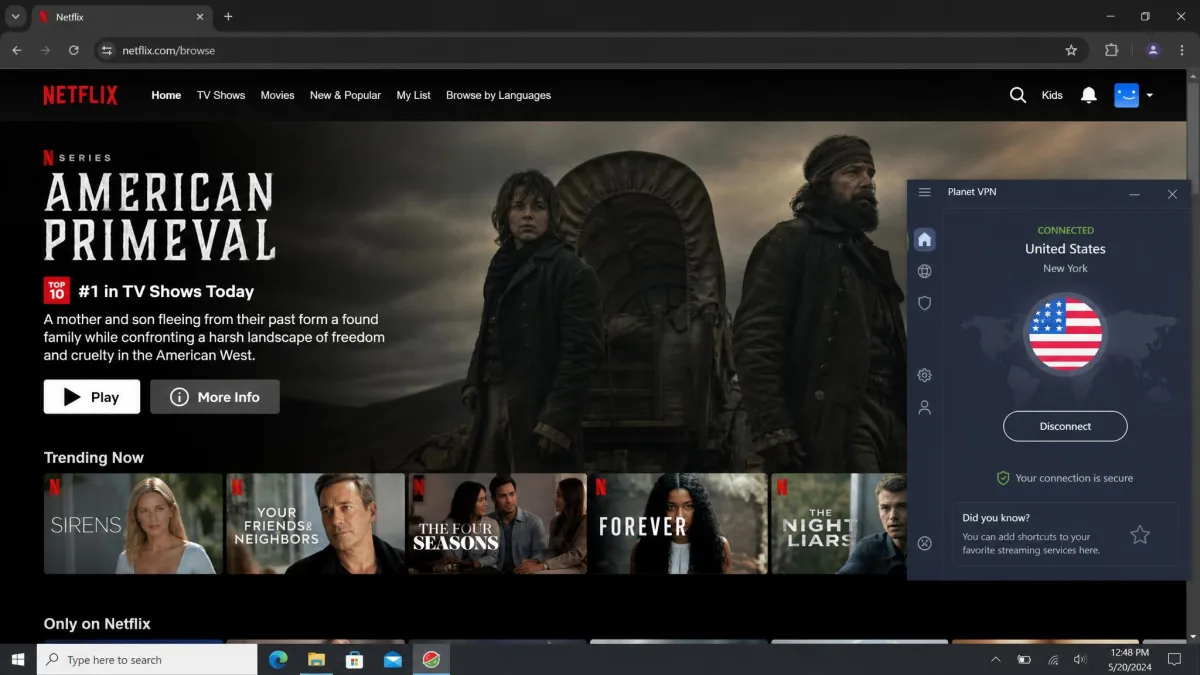
Streaming is patchy. The free servers failed to unblock Netflix, Hulu, Disney+ and BBC iPlayer. On premium, Netflix US loaded on some servers but not all, so finding a working one took several attempts. BBC iPlayer stayed blocked even after we switched UK servers and protocols. Streaming unblocking changes server by server and week by week, so these results are not stable either way.
Is Planet VPN safe to use in China and restricted countries?
Streaming blocks are an inconvenience, but blocks in restricted countries carry higher stakes. Planet VPN is not marketed for China, and we have no independent confirmation that it works there. The company's support team says it does, recommending L2TP or StarGuard and advising you to install the app before you arrive. StarGuard has some obfuscation ability, but China access rests on the support team's word, and Great Firewall blocking changes frequently.
Using an unapproved VPN in China and some other countries can carry legal risk. Check local rules before you travel, and never rely on one unverified VPN when access to work or banking depends on it.
What Reddit and Trustpilot users report
Planet VPN's Trustpilot page shows a TrustScore of 4.1 out of 5 from 337 reviews when we checked, a total that keeps rising. The spread is polarised: 65% of reviews give five stars and 24% give one star. The company replies to 100% of negative reviews.
Trustpilot reviewers mostly praise easy installation, a usable free tier and competitive pricing. The complaints centre on disconnections, streaming failures, long free-tier ads, and cancellation and billing problems. Cancelling a subscription and getting a refund can involve friction, including charges that continue after a cancellation attempt.
The current refund page gives a single 14-day window, while a 30-day window on longer plans appears only in older descriptions. Support troubleshoots first, asks for a reason and generally does not refund crypto payments.
Planet VPN pros and cons
Pros
- Romanian base outside the 14 Eyes alliances, with a public company registration
- Accepts cryptocurrency, and premium asks only for an email
- Free plan with no data cap and no account needed
- Quick setup with one-tap connect on every major platform
Cons
- No independent no-logs audit or transparency report
- Kill switch is premium-only, off by default and missing on Android
- Free tier is funded by ads from six advertising partners
- Frequent connection drops and slow long-haul servers
The apps cover Windows, macOS, Android, iOS, Android TV and Chromebook, plus browser extensions for Chrome, Firefox, Edge and Opera. Linux support appears to be a manual OpenVPN setup rather than a full native app. They can feel slow and unresponsive, especially on mobile.
Customer support is uneven. During business hours we got helpful replies within minutes. Outside them, email answers took around a day, the 24/7 live chat was not always reachable, and replies sometimes showed a language barrier.
Safer alternatives to Planet VPN
If an unaudited no-logs policy is a deal-breaker, two services close the gaps that matter most. Proton VPN has a free plan with no ads and a kill switch, and Mullvad is a low-cost paid pick with a proven track record.
| Product | Buy | Jurisdiction | Audited no-logs | Free plan | Kill switch | Leak test | Price |
|---|---|---|---|---|---|---|---|
 |
Romania (outside 14 Eyes) | No published audit | No data cap, ads, 5 countries | Premium only, manual | No leaks | Free; from $1.99/mo | |
 |
Check price → | Switzerland | 5th consecutive Securitum audit | Unlimited data, no ads, 10 countries, 1 device | Yes, on free | No leaks | Free; paid plans available |
 |
Sweden | Audits in 2023 and 2024 | No free plan | Yes, built in | Not retested here | EUR 5/month flat |
Proton VPN is the closest like-for-like swap and a better free option for privacy. Its no-logs policy passed its 5th consecutive annual audit by Securitum in 2026, and the free plan covers 10 countries on 1 device. Our article on whether Proton VPN is safe covers its audits and free plan in depth.
Mullvad, on the other hand, has no free plan but costs a flat EUR 5/month on every term. It needs no email, only an account number, and supports up to 5 devices with a 14-day money-back guarantee. Infrastructure audits by Radically Open Security and Cure53 (the latter in 2024) back its claims, and a 2023 Swedish police search of its office left with no customer data because none was stored.
For more options, our roundup of the best free VPNs compares other no-cost services, and our look at Hola VPN's safety record shows how much worse a free VPN can get.