Roku can't run a VPN app, and there's no VPN setting hidden anywhere in its menus. You can still put your Roku behind a VPN, though. The VPN just has to run on something the Roku connects through: a VPN router, a Windows or Mac hotspot, or a Smart DNS service set on your router. Our top pick is NordVPN, because it works with a wide range of routers, keeps its speed loss low and includes SmartDNS in the same subscription.
The rest of this guide covers the four other VPNs we'd trust on a Roku, how they compare, and how to connect each one. We set every service up the way you would at home, through a router and through a laptop hotspot, then checked the result with IP and DNS leak tests before we let a single show play. Along the way you'll see where each route breaks, because a Roku that quietly falls back to your real location is the most common failure we found.
The best VPNs for Roku at a glance
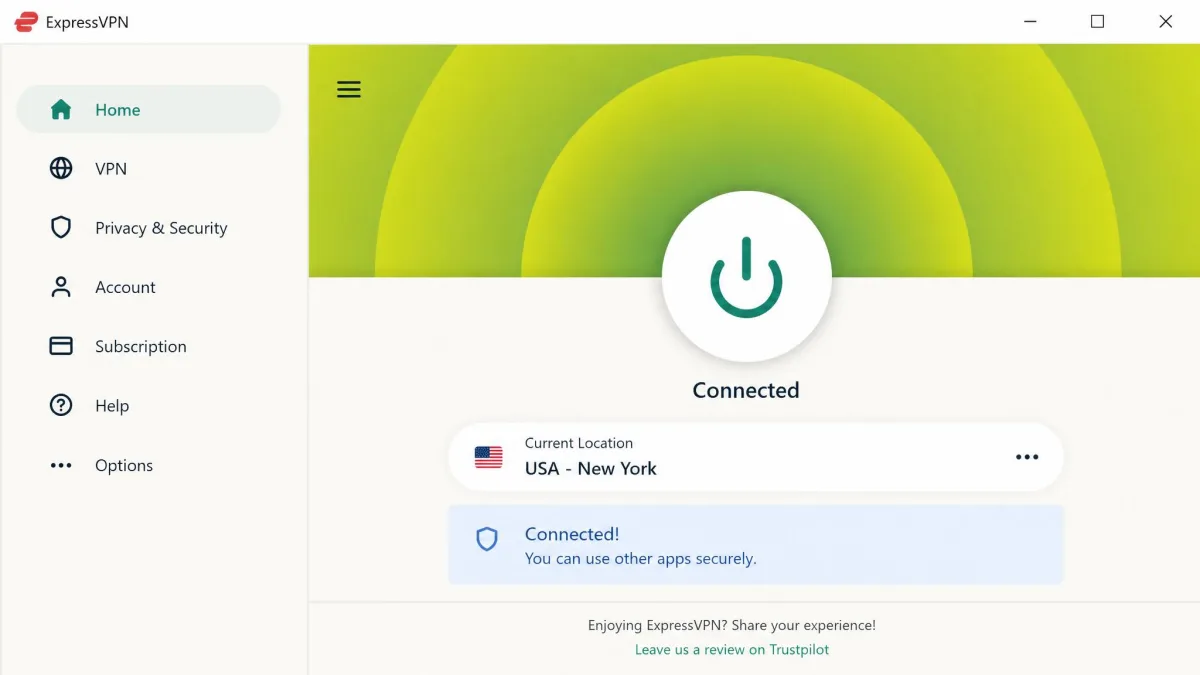
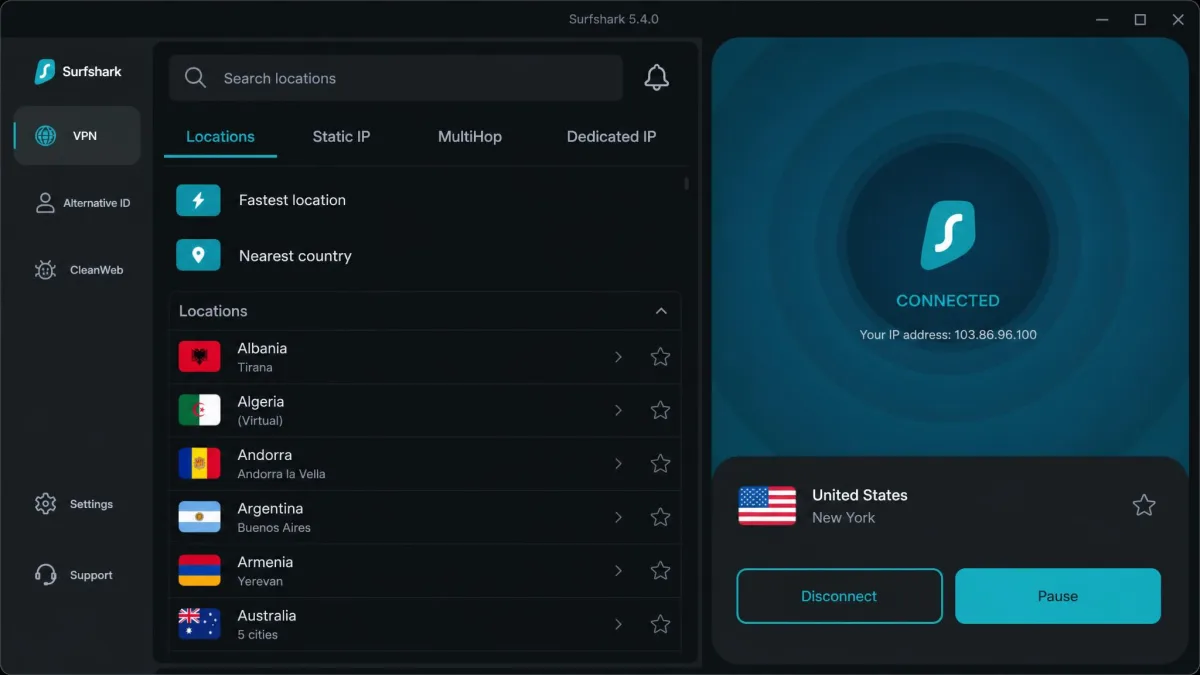
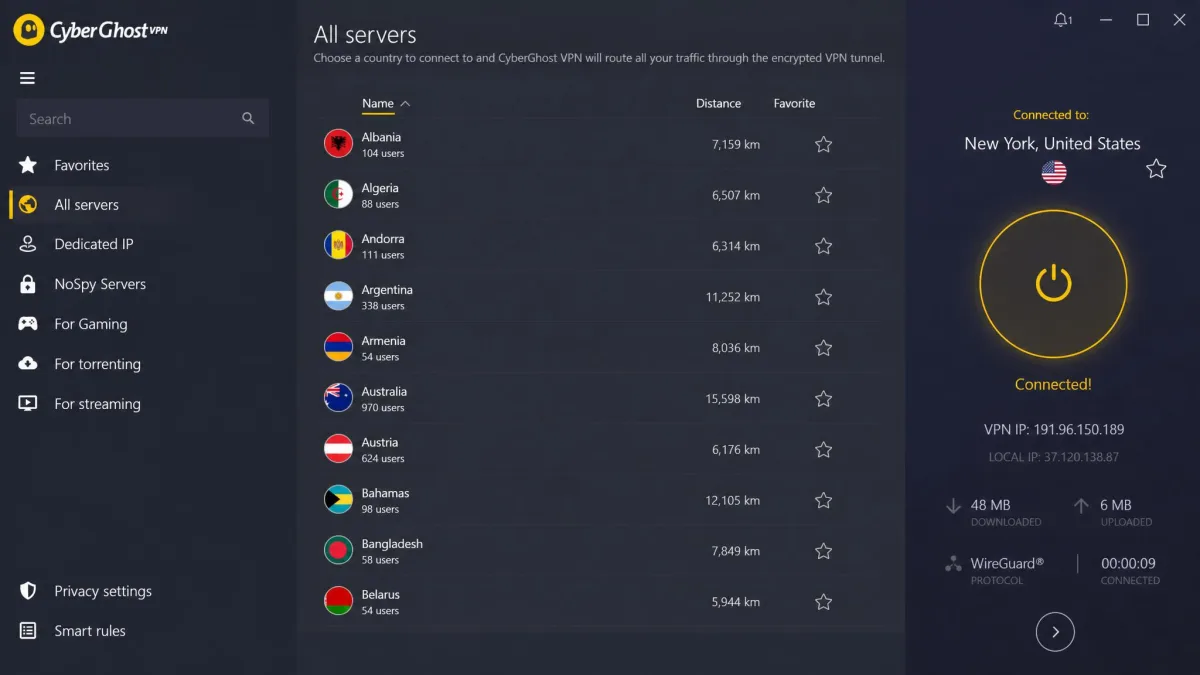
Can you install a VPN directly on Roku?
No. Roku OS is a closed, Linux-based operating system, not a version of Android, and every channel runs in its own sandbox. A channel can't create the kind of network interface a VPN needs, so there's no VPN app in the Roku channel store and no built-in VPN client in the settings. In the more than two decades since Roku was founded in 2002, it has never added a VPN setting, and the VPN providers' own support pages confirm there's still no way to run a VPN on the device itself.
That's why every working route pushes the job somewhere else. A router with VPN client support encrypts traffic for everything on your network, including the Roku. A Windows or Mac computer can run the VPN app and share that protected connection over Wi-Fi. Smart DNS skips encryption entirely and only reroutes the lookups streaming services use to guess your location.
So why bother? The biggest reason is content. Streaming libraries change from country to country, and a VPN lets you reach your favorite shows from anywhere, including your home catalog when you travel. It also hides your streaming from your internet provider, which matters if your ISP slows down video traffic at busy times of day. And because the Roku never touches the VPN itself, the service you pick decides your whole streaming experience.
How we picked and tested the best Roku VPNs
Since the VPN has to live on a router, a computer or your DNS settings, we didn't judge these services on their apps alone, but on how well they work through the routes a Roku actually uses. That meant setting each VPN up on a router where the provider supports it, sharing it from a Windows laptop hotspot, and trying Smart DNS where the provider still offers one.
We scored each service on six things:
- Router support. How many routers and firmware types it works with, whether it offers a dedicated router, and how long a manual configuration takes.
- Hotspot compatibility. Whether its Windows app exposes an adapter you can share with the Roku.
- Streaming access. Whether it unblocks Netflix, Disney+, Hulu, Max, BBC iPlayer and Amazon Prime Video through a Roku connection.
- Speed. How much of the unprotected connection's speed survives once the VPN is running.
- Privacy and security. Independent no-logs audits, RAM-only servers and kill-switch behavior.
- Value. Price, renewal cost, device limits and the length of the money-back guarantee.
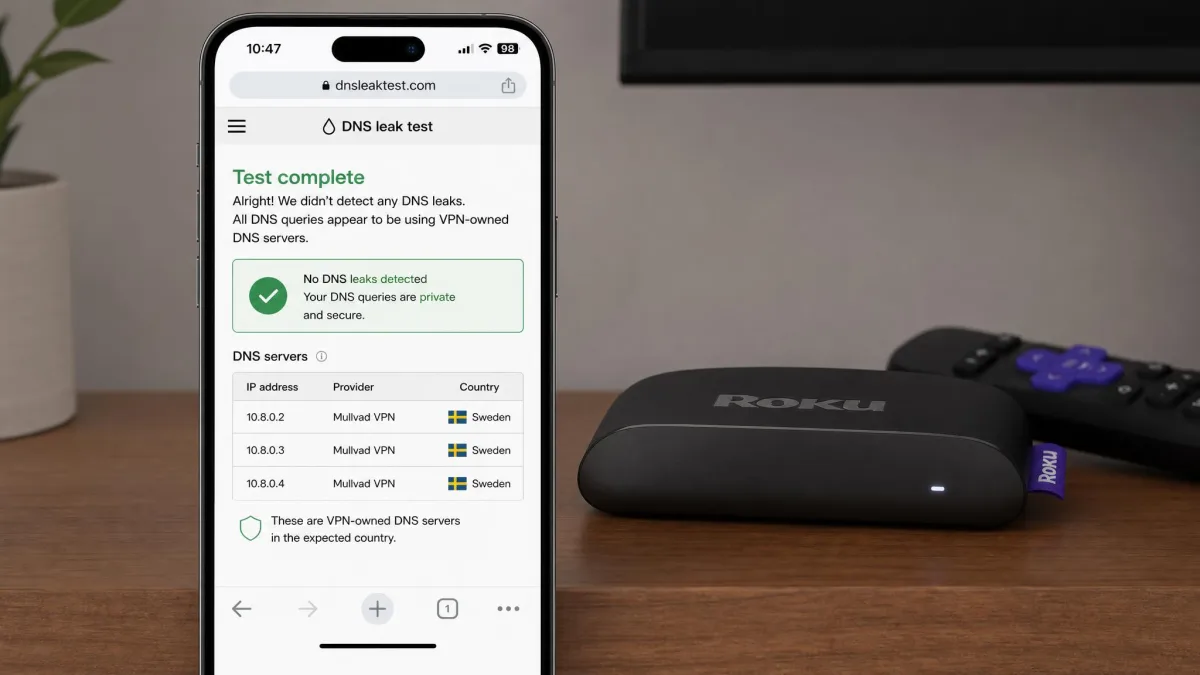
We checked every Roku result from a phone on the same network. An IP lookup and a DNS leak test there reflect what the Roku sees, which is far easier than trying to test from the Roku itself. If the phone showed our real location, the Roku was exposed too, whatever the VPN app claimed.
The most useful habit we picked up is to check your IP from a phone after any router reboot, before you press play. The VPN tunnel doesn't always reconnect on its own, and the Roku will keep streaming from your real location without any warning.
The scores below come from our full review of each provider, so the ranking here matches the rest of the site. We also looked at less streaming-focused VPNs. PureVPN, VyprVPN and Mullvad failed to unblock US Netflix, Hulu or Disney+ through a Roku connection, and some router options were poorly maintained, including VyprVPN's dropped router app and PureVPN's outdated instructions. None of them made the list.
1. NordVPN - Best VPN for Roku overall
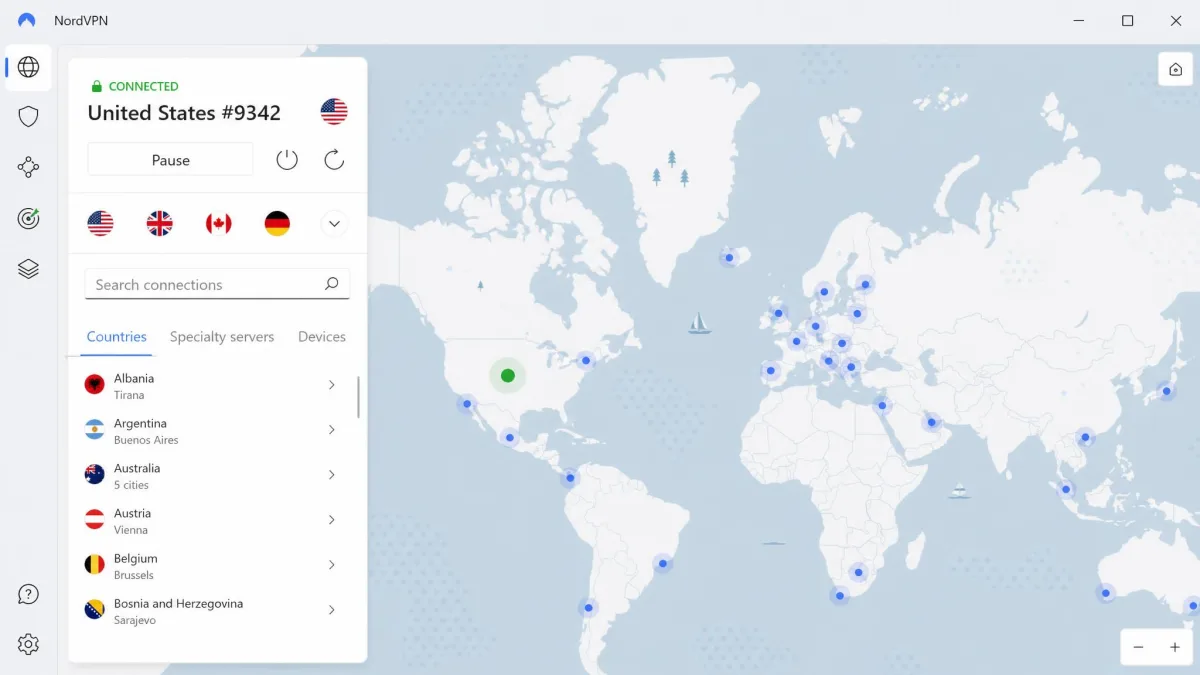
NordVPN earns the top spot because it handles every Roku route well, not just one. It has no dedicated router app, but it supports manual configuration on a wide range of routers and firmware, including popular models such as the ASUS RT-AX58U and RT-AX88U Pro. You can also buy a router with NordVPN pre-flashed through its partners if you'd rather not touch firmware at all. That breadth makes the router route less of a gamble than it is with some rivals.
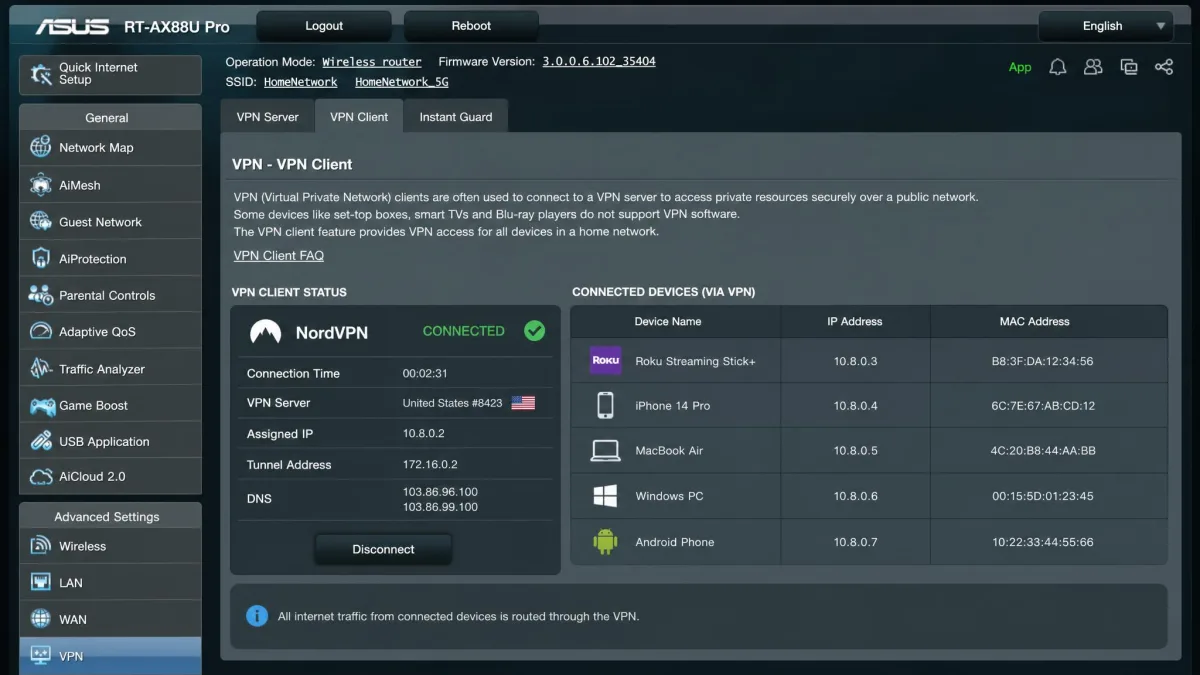
Speed was one of NordVPN's strongest results in our testing. With NordVPN running on the router, our Roku lost only about 6% to 12% of the unprotected connection's speed, a low, dependable drop that only Proton VPN matched. A few NordVPN servers run slower than the rest, so when a stream turned sluggish, switching to a different server in the same country usually fixed it.
Disney+ is the service that fights VPNs hardest, and NordVPN's obfuscated servers helped there when regular servers were blocked. It also works with Netflix in the US and other regions, plus Hulu, Max, BBC iPlayer, Peacock and Amazon Prime Video.
On the privacy side, NordVPN's no-logs policy has passed six independent assessments: PwC in 2018 and 2020, then Deloitte from 2022 to 2025, with the latest results announced on February 6, 2026. You also get the NordLynx protocol (built on WireGuard), a kill switch, split tunneling, Threat Protection and Meshnet. If you ever move from a Roku to a Fire TV, Android TV or Apple TV, NordVPN has a native app for each. Our full NordVPN review covers the rest of our results.

The $3.49 rate is the Basic plan on a 2-year term. NordVPN's 2-year promo moves with sales, and it renews at a noticeably higher rate after the intro term. Month-to-month runs roughly $13 to $15. Every plan covers 10 simultaneous connections and comes with a 30-day money-back guarantee.
Pros and cons
Pros
- Low speed loss (about 6% to 12%)
- Works with a wide range of routers and firmware
- SmartDNS included at no extra cost
- Obfuscated servers help with VPN-wary services like Disney+
- No-logs policy independently assessed six times
Cons
- No dedicated router app, so router setup is manual
- A few servers run noticeably slower than the rest
- Renewal price climbs well above the intro rate
2. Proton VPN - Best for manual WireGuard router setup
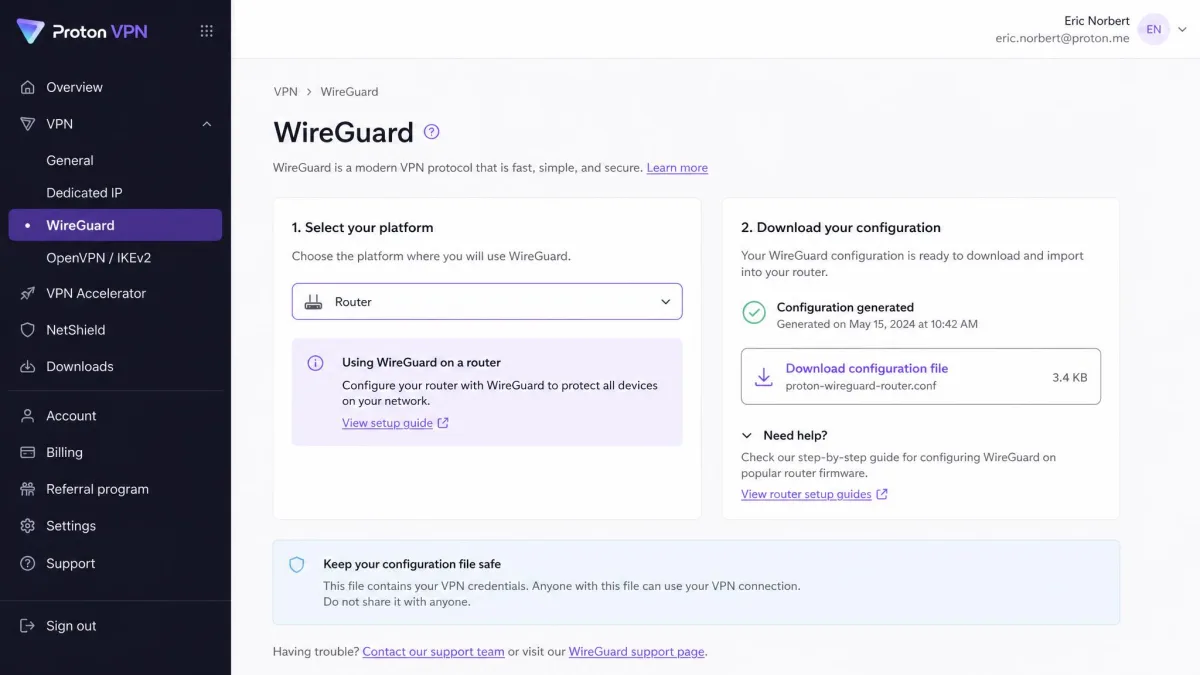
Proton VPN ties NordVPN on our score, and it wins outright if you already own a capable router and want to set it up yourself. Where NordVPN leans on breadth of compatible hardware, Proton leans on clear instructions. It publishes router configs for AsusWRT, AsusWRT-Merlin, DD-WRT, FreshTomato, GL.iNet Flint, MikroTik, OpenWrt, OPNsense, pfSense, Vilfo and the Ubiquiti Dream Machine. The only requirement is that your router supports OpenVPN or WireGuard as a client.
Setting up Proton VPN on a WireGuard router
Proton's router tutorials walk you through each screen with screenshots, and it paid off. Following the WireGuard guide on a supported router, we had Proton running for the whole network in under 15 minutes, faster than any other manual router job in this roundup. Once the Roku joined that network, 4K streams played without buffering, and our speed loss sat around 8%. What impressed us more was the consistency, because speeds stayed very stable from one session to the next.
Router connections work on every Proton plan, including Proton Free, and a router takes just one of your 10 device slots on the paid plans. The free plan won't help much on a Roku, though, because it doesn't support streaming.
The weak spot is Disney+. Proton's Disney+ unblocking was inconsistent for us, even though it labels its streaming servers by platform and works with more than 90 streaming services, including Netflix, Max and Hulu. Proton also has no Smart DNS service. It offers Custom DNS and NetShield DNS filtering instead, which block ads and trackers but won't change your streaming region.
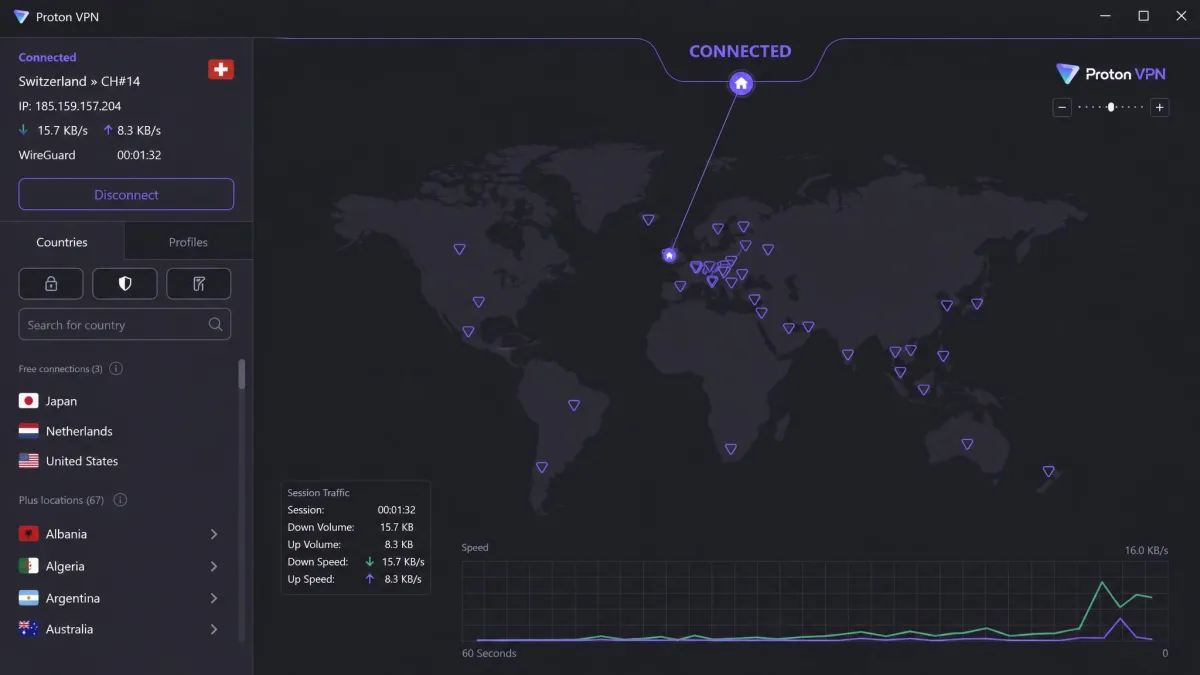
Privacy is where Proton stands out. It's based in Switzerland, its apps are open source, and its no-logs policy has been audited by Securitum five years running, from 2022 through 2026. Paid plans reach 20,000+ servers in 140+ countries, with Secure Core, the Stealth protocol, port forwarding and split tunneling on top. Our Proton VPN review goes deeper on those.

Proton's 2-year rate changes between sales, so think of it as "from about $3 a month" rather than a fixed figure. VPN Plus costs $9.99 month-to-month, and both come with a 30-day money-back guarantee.
Pros and cons
Pros
- Router configs for a wide range of firmware, with screenshot guides
- Very stable speeds from session to session
- Router connections work even on the free plan
- Swiss-based with open-source apps and yearly audits
Cons
- Disney+ unblocking is hit or miss
- No Smart DNS option for routers that can't run a VPN
- VPN Accelerator made little measurable speed difference for us
3. ExpressVPN - Best for a VPN router setup
If Proton is the pick for people who like configuring routers, ExpressVPN is the pick for people who don't. It's the only provider in this roundup with its own purpose-built router, which removes the manual configuration step from a Roku setup entirely.
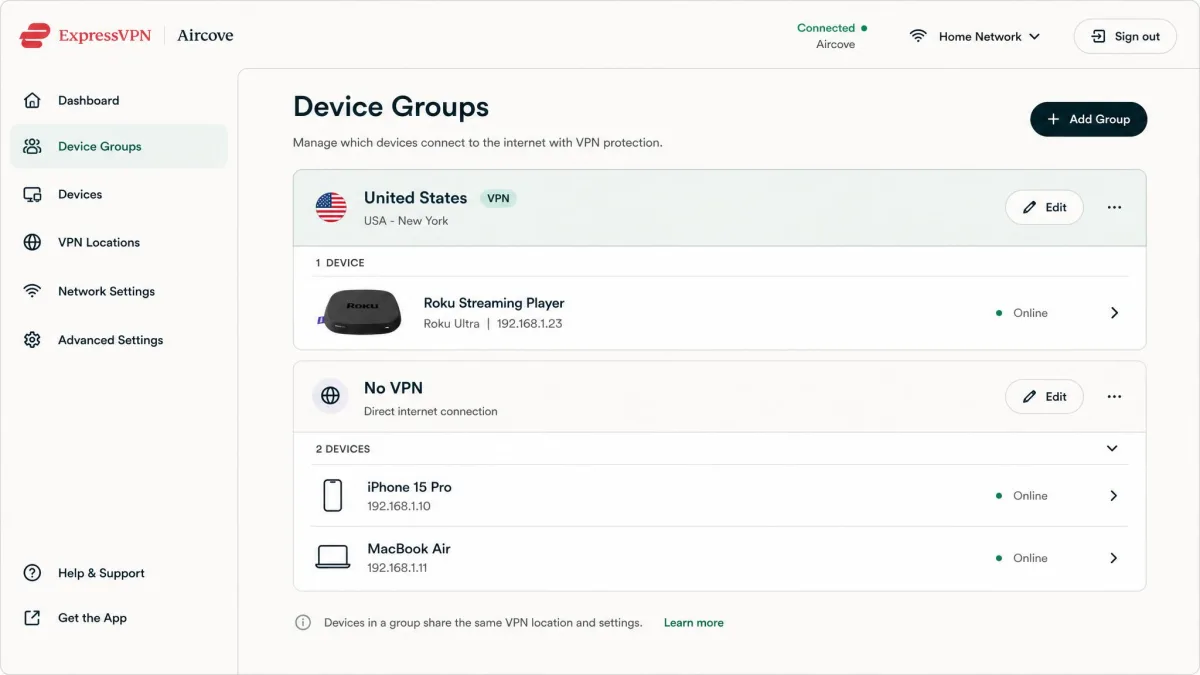
There are two models to know. Aircove splits your devices into up to 5 groups, each on its own VPN location, so the Roku can sit on a US server while your laptop stays local. Fortify is ExpressVPN's Wi-Fi 6 (AX6000) router built with GL.iNet. It costs $199.99, including a 12-month ExpressVPN Advanced plan, and covers about 1,600 sq ft. Either one is ready in a few minutes. Manual router configuration usually took us 20 minutes to over an hour with the other providers, and Proton's WireGuard guide was the only manual job we finished in under 15 minutes.
One warning before you buy anything else. ExpressVPN's own Roku setup guide still lists its router app for select Asus, Linksys and Netgear routers, but security updates for the router app on those models have ended. Aircove AX1800 receives updates through 2027, Aircove Go AXG1800 through 2028, and Fortify follows GL.iNet's own lifecycle. If you want the ExpressVPN router route, buy one of its routers rather than loading the old app onto a third-party model.
Speeds were the least predictable part of our testing. The drop varied a lot by connection and server location, from the low teens to more than a third of our baseline, so it pays to pick the closest server that unlocks the catalog you want. ExpressVPN works with Netflix, Disney+, Hulu, Max and BBC iPlayer, and it has servers in all 50 US states, which helps when a channel wants a local US connection.
The interface is the easiest to use of the five, and the feature list is excellent: the post-quantum Lightway protocol, automatic obfuscation, the Network Lock kill switch, RAM-only TrustedServer hardware and MediaStreamer Smart DNS. ExpressVPN lists 113 countries, having expanded its location list during 2026, so older counts undercount it. See our ExpressVPN review for the full test results.

ExpressVPN now prices by tier and changed its promo several times in 2026, so treat that as "about $3 a month on the 2-year Basic plan." You get 10 devices on Basic, 12 on Advanced and 14 on Pro, and a router counts as one. New users get a 30-day money-back guarantee.
Pros and cons
Pros
- Its own Aircove and Fortify routers remove manual configuration
- Aircove can put different devices on different countries
- Easiest interface of the group
- Servers in all 50 US states
Cons
- Speed loss swings widely by server location
- Old router app on Asus, Linksys and Netgear no longer gets security updates
- Costs more than the budget picks, especially once you add a router
4. Surfshark - Best budget Roku VPN
Surfshark costs less than NordVPN, Proton or ExpressVPN, and unlike them it never makes you count devices. Every plan includes unlimited simultaneous connections. In practice, that meant the router, the laptop running a hotspot and every phone in the house could all sit on Surfshark at once without competing for device slots.
Our speed results were more variable than NordVPN's. Connected through the router, Surfshark's speed loss moved anywhere from about 8% to 17% depending on the server, and latency ran high on some servers. That range is still comfortable for most Roku streaming, but it's worth trying a second server before you blame your connection. Surfshark works with Netflix (20 to 30+ libraries), Hulu, Max, Amazon Prime Video, BBC iPlayer and Peacock.
Surfshark supports Roku through a manual router configuration or a Windows virtual router, with no dedicated router app. Its customer support can be slow to respond, which is worth knowing if you're configuring a router for the first time and hit a snag.
What Surfshark dropped in 2026
If you've read older guides that recommend Surfshark's Smart DNS for Roku, they are out of date. Surfshark discontinued its SmartDNS feature, and it has not been supported since 2 February 2026. For a Roku, that leaves the router or hotspot route, both of which encrypt your traffic anyway.
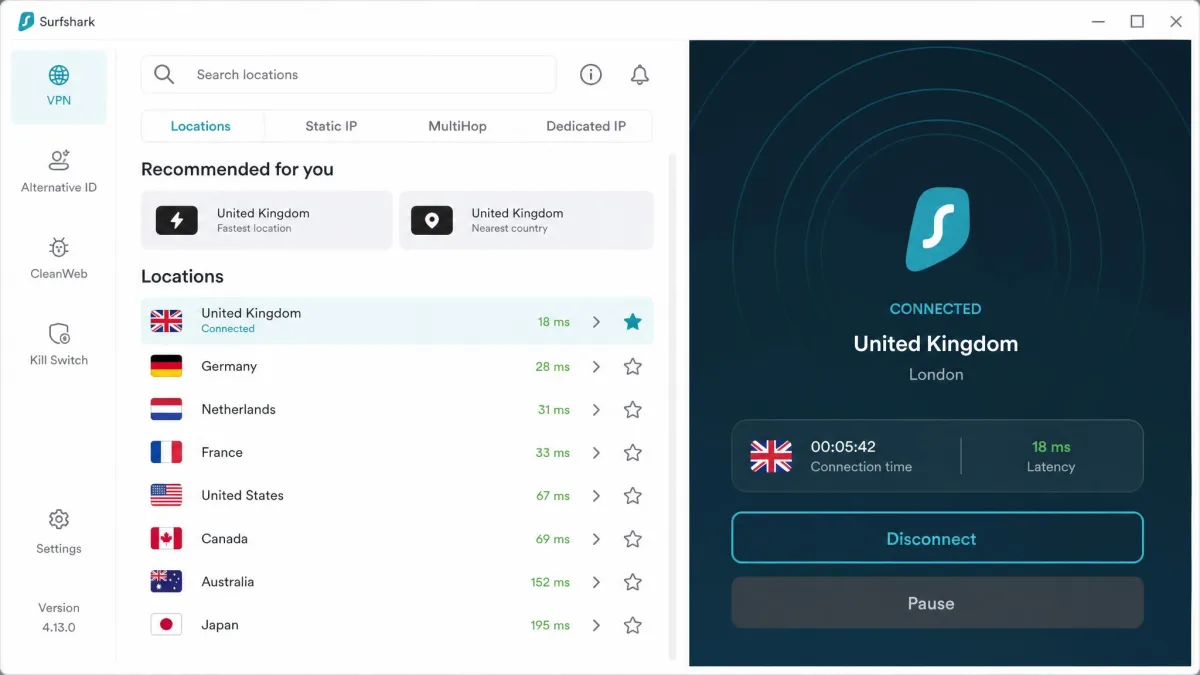
The rest of the package is strong for the money. Surfshark runs 4,500+ RAM-only servers in 100 countries, with WireGuard (post-quantum), Camouflage Mode obfuscation, NoBorders mode, CleanWeb, Dynamic MultiHop, Rotating IP and Bypasser split tunneling. Deloitte verified its no-logs policy in 2023 and 2025, and it has been through several Cure53 security audits, including one in 2026. Our Surfshark review covers its apps in more detail.

The Starter plan is billed as $67.23 for the first 27 months, with a 30-day money-back guarantee. It renews at around $79 a year after that, though Surfshark doesn't print the renewal amount at checkout and the rate varies by currency and plan.
Pros and cons
Pros
- Lower price than NordVPN, Proton VPN and ExpressVPN
- Unlimited simultaneous connections on every plan
- RAM-only servers and repeat independent audits
- Wide range of privacy features for the price
Cons
- Speeds vary more than NordVPN's
- High latency on some servers
- No Smart DNS fallback since February 2026
- Support can be slow to respond
5. CyberGhost - Best for streaming-optimized servers
CyberGhost is a narrower pick than the four above, so we'll be clear about why it's here. It isn't the best on router support or speed. Its strength is picking the server for you.
In our testing, its streaming list names servers by country and service, so we never had to guess which server would unlock a given Roku channel. The server list was convenient, but speeds were less steady: across our runs, CyberGhost's losses ranged from about 10% to 18%.
The router route is where CyberGhost falls behind. It works with fewer routers than the other picks, and router-level WireGuard is limited, so OpenVPN config files are the usual route. To get them, go to your account dashboard, then Devices, then Configure a new device, then Other. CyberGhost documents setup for DD-WRT, AsusWRT, Tomato and OpenWrt, and it recommends router setup as the simplest and most stable option for Roku, with a shared computer connection as the alternative.
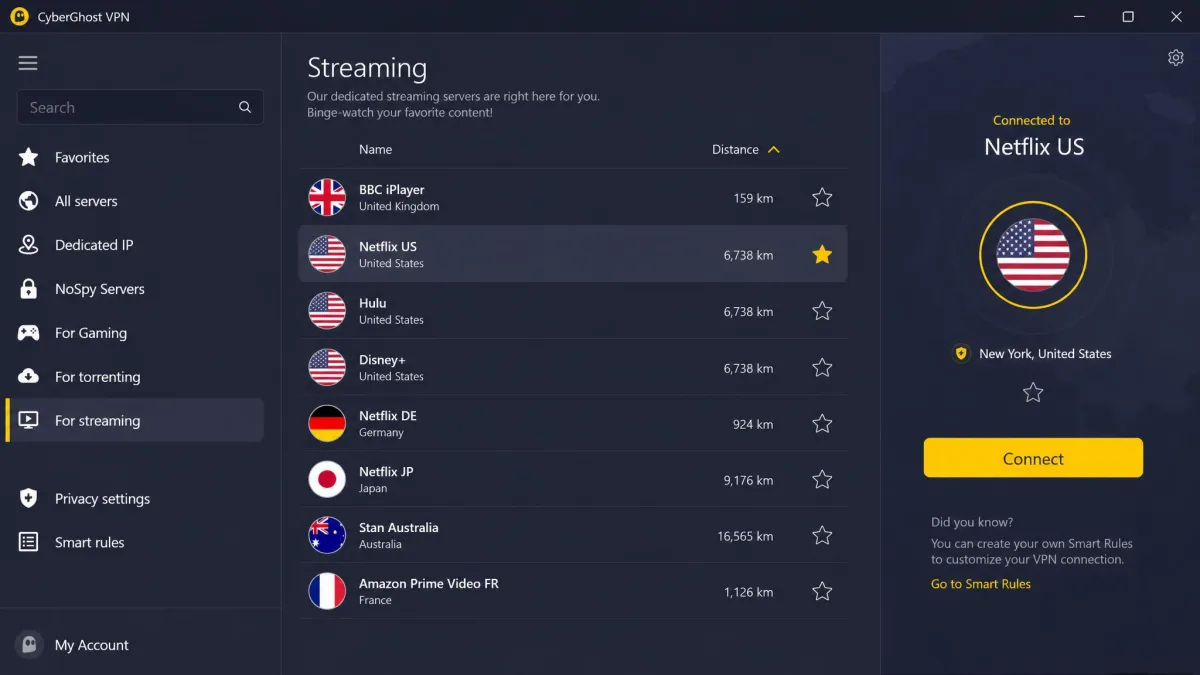
You may find CyberGhost recommended elsewhere as the quick Smart DNS option for Roku. We don't recommend buying it for that. CyberGhost's own support center now says its Smart DNS is no longer compatible with streaming services and works for general DNS use only, so any Smart DNS streaming claim may already be out of date.
Its other features include NoSpy servers, a kill switch, WireGuard and OpenVPN, 24/7 live chat and a no-logs policy that passed its third audit in 2025. Servers cover 100 countries, with more than 9,900 servers by CyberGhost's own count, though the total shifts as it adds and retires hardware. Our CyberGhost review has the rest.

That rate is billed as $56.94 up front and covers 7 devices. You get a 45-day money-back guarantee on the 6-month and 26-month plans, but only 14 days on the monthly plan.
Pros and cons
Pros
- Streaming servers sorted by service make picking one easy
- Lowest intro price of our five picks
- 45-day money-back guarantee on longer plans
- 24/7 live chat
Cons
- Works with fewer routers, and router WireGuard is limited
- Speeds are inconsistent
- Smart DNS no longer works for streaming
- Only 7 devices per account
Best VPNs for Roku compared
Here's how the five line up on the things that decide a Roku setup. The ratings come from our full reviews of each service, and prices are long-term (24- to 27-month) promo rates that all renew higher.
| Product | Buy | Router option | Smart DNS | Devices | Money-back | Starting price |
|---|---|---|---|---|---|---|
|
Check price → | Manual config, pre-flashed via partners | Yes (SmartDNS) | 10 | 30-day | About $3.49/mo |
|
Check price | WireGuard/OpenVPN configs for 11 firmwares | No | 10 | 30-day | About $2.99/mo |
|
Check price | Aircove and Fortify routers, manual config | Yes (MediaStreamer) | 10 / 12 / 14 by plan | 30-day | About $2.99/mo |
|
Check price | Manual config | No (discontinued Feb 2026) | Unlimited | 30-day | $2.49/mo |
|
Check price | OpenVPN configs, fewer routers | Not for streaming | 7 | 45-day | $2.19/mo |
The table leaves out speed because the numbers need context. Any of the five can stream HD on a decent connection. For 4K through a router, NordVPN and Proton VPN were the most dependable in our testing, while ExpressVPN depended most on how far away the server was. On streaming, all five work with Netflix, Hulu and BBC iPlayer, and Proton is the one whose Disney+ results let us down.
How to set up a VPN for Roku
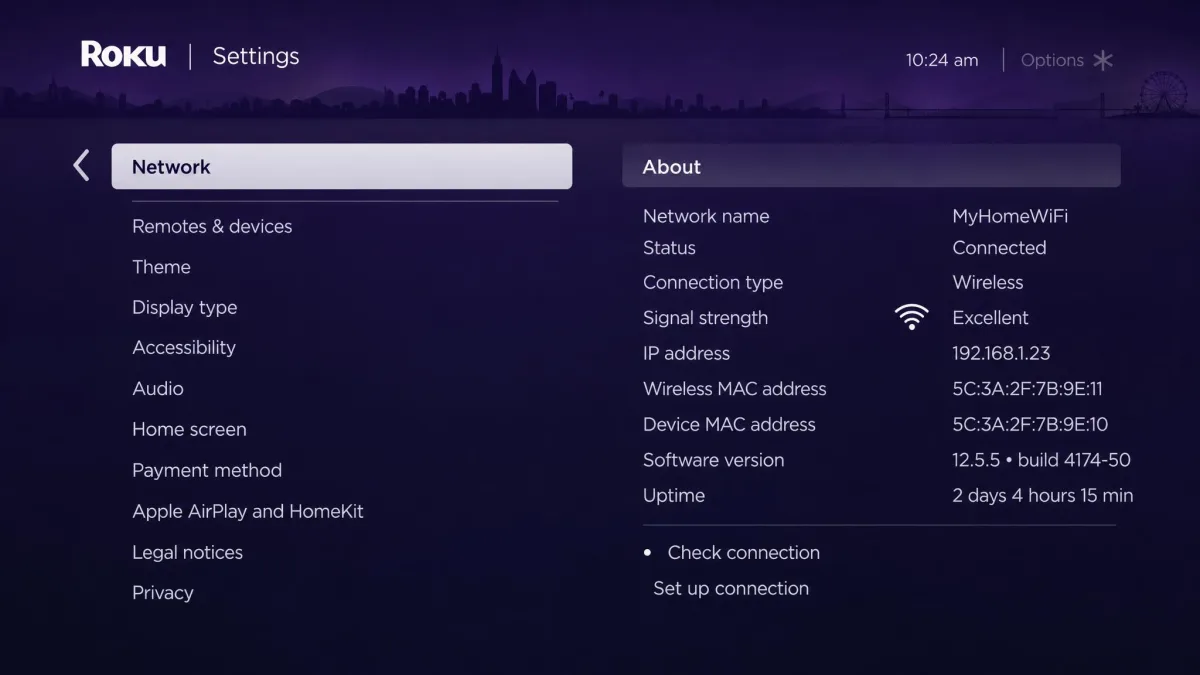
Once you've picked a VPN, you still need to get it onto your Roku. The last step is always the same. On the Roku, go to Settings, then Network, then Set up connection, then Wireless. Pick the VPN router's network or your computer's hotspot and enter its password, and the Roku is connected.
What changes is the device doing the VPN work. The sections below give a summary of each route and its trade-offs. For screen-by-screen instructions, follow our full Roku setup walkthrough.
Use a router if the Roku is a permanent part of your living room and you rarely change countries. Use a laptop hotspot if you want to try a VPN first, switch countries often, or travel with your Roku.
Install a VPN on your router
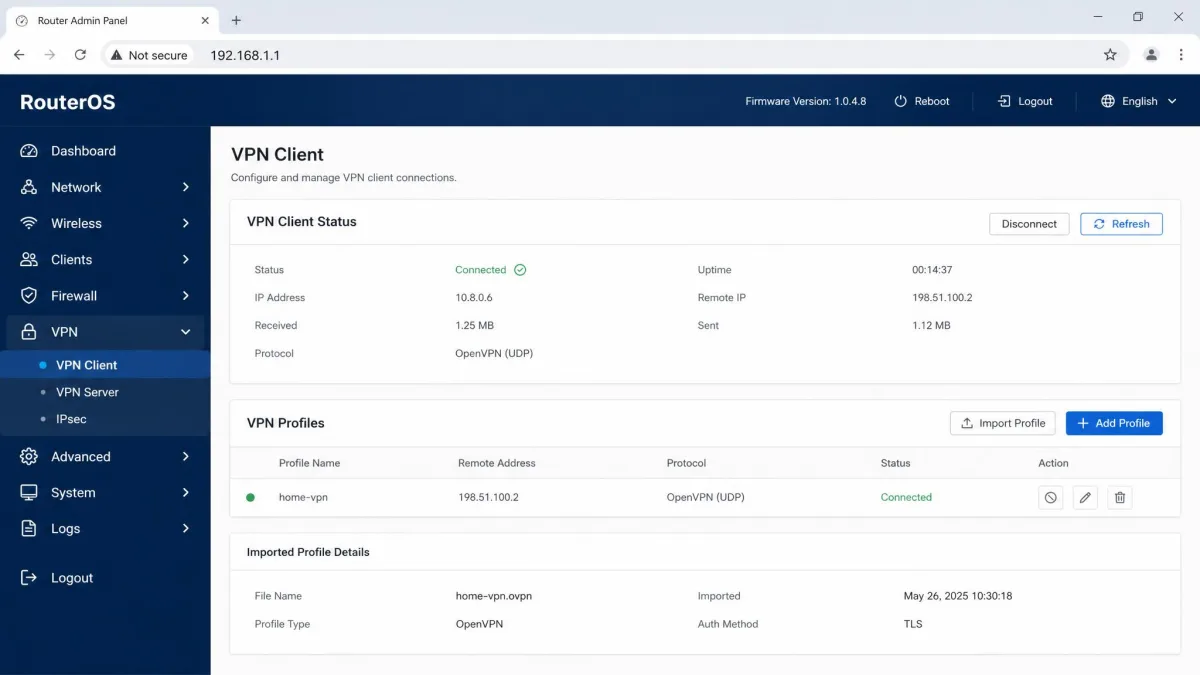
A router VPN is the set-and-forget option. Once it's running, every device on the network is covered, including the Roku, and the whole router counts as a single connection against your plan. The trade-off is flexibility. Changing server country means logging back into the router's admin panel, which usually sits at 192.168.1.1 or 192.168.0.1.
Your router has to support VPN client mode, and most ISP gateways don't. Your options are a router running DD-WRT, OpenWrt or Tomato firmware, a router sold pre-flashed with that firmware, or a VPN-branded router such as ExpressVPN's Aircove or Fortify. Some mesh systems, such as Eero Wi-Fi 6, can't run a VPN client at all. Most routers that do support it use OpenVPN or WireGuard, so check which protocols your model handles before you pick a provider. If you're shopping for new hardware, our roundup of the best VPN routers is a good place to start.
How long it takes depends on the hardware. A VPN-branded router is ready in a few minutes, while manual configuration usually took us about 20 minutes to over an hour, depending on the router model, firmware and the provider's config files. Proton's WireGuard guide was the one exception, at under 15 minutes. Our guide on how to set up a VPN on your router walks through the manual process.
Flashing DD-WRT or OpenWrt onto a router to add VPN support can brick it if anything goes wrong. If you're not comfortable with that risk, buy a pre-flashed or VPN-branded router instead.
If you don't want every device slowed down, set up a separate VPN network name (SSID) or use your router's split tunneling. That keeps the Roku on the VPN while your other devices stay at full speed.
Share a VPN connection from a Windows or Mac hotspot
If you already run a VPN app on a laptop, the hotspot is the quickest route. It's also the most flexible, because you can switch server countries from the laptop at any time without touching a router.
On Windows 11, open Settings > Network & internet > Mobile hotspot. Choose the connection to share, set it to share over Wi-Fi, and set the network name, password and band under Properties. Then turn Mobile hotspot on. Windows 10 uses the same path under Settings > Network & Internet > Mobile hotspot.
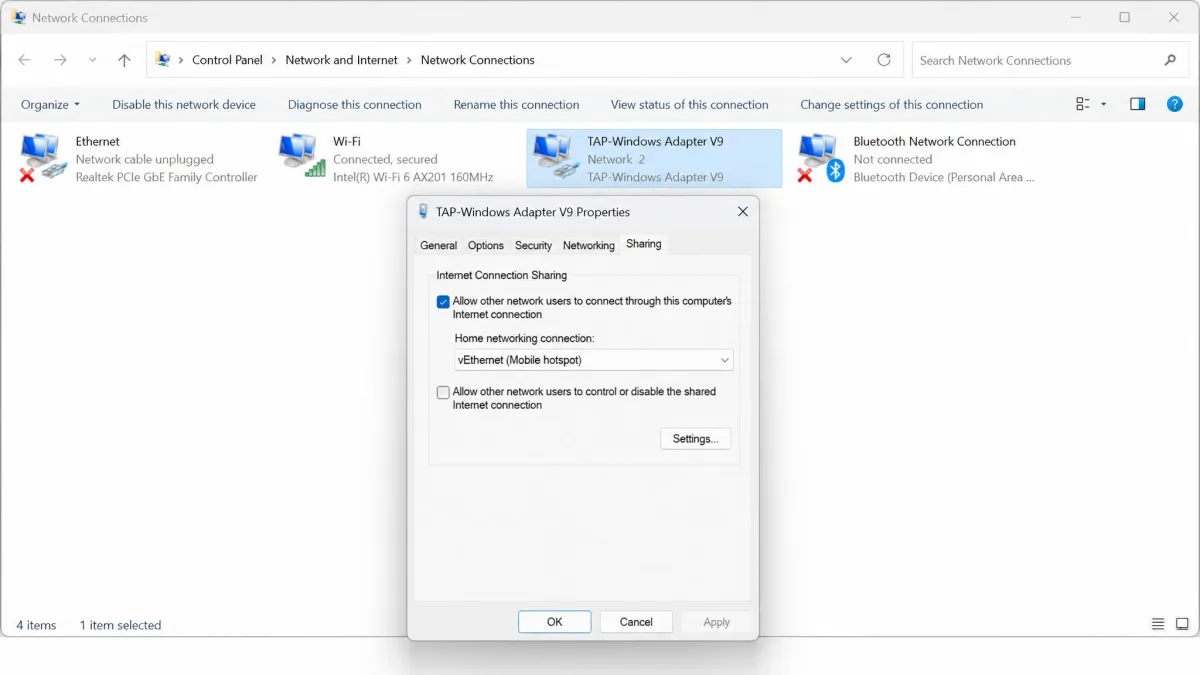
The part most people miss comes next. Open Network Connections (type ncpa.cpl in the Start menu), right-click the VPN adapter and open Properties, then the Sharing tab. Allow other network users to connect through it and pick the hotspot's virtual adapter from the list. If you skip that step, the Roku joins the hotspot fine but still shows your real location. OpenVPN is the protocol that most reliably exposes a shareable adapter, so switch your VPN app to OpenVPN if the adapter doesn't appear.
A Mac can do the same job, with a catch. Go to the Apple menu, then System Settings, then General, then Sharing, and turn on Internet Sharing. Apple's guide to share your Mac's internet connection covers the settings: share the Ethernet connection to Wi-Fi, then set a network name, password and WPA2/WPA3 security. The Mac has to get its own internet on a different port, usually Ethernet, from the Wi-Fi it shares.
Whether macOS passes a third-party VPN app's tunnel through to shared devices depends on the app and protocol. The same steps work with one provider's macOS app and leak your real location with another, depending on how the app builds its tunnel. Natively configured L2TP/IPSec or IKEv2 VPNs are the reliable path, which is why we found the router or Windows route simpler for most people.
Use Smart DNS
Smart DNS is the lightest option. It doesn't route your traffic through a VPN server at all. It only reroutes the DNS lookups that streaming services use to work out where you are.
Smart DNS does not encrypt your traffic. Your internet provider can still see what you stream, and you get none of the privacy benefits of a VPN.
Because nothing is encrypted, Smart DNS is fast, but it's also less reliable than a full VPN, because streaming services are getting better at spotting DNS rerouting. Roku has no manual DNS or proxy setting either, so you have to change DNS at the router.
Among our picks, only NordVPN and ExpressVPN still offer Smart DNS that works for streaming:
- NordVPN SmartDNS is included with your subscription. You allowlist your IPv4 address in Nord Account, and activation takes up to 10 minutes. IPv6 isn't supported. You then enter NordVPN's SmartDNS servers, 103.86.96.103 and 103.86.99.103, in your router's DNS settings. It covers services such as US Prime Video, US Disney+, Netflix Originals, Paramount+ and Peacock.
- ExpressVPN MediaStreamer requires you to register your public IP on ExpressVPN's DNS settings page, with a DDNS hostname if your IP changes. ExpressVPN's own Roku tutorial doesn't use it, which tells you where the company thinks the reliable route is.
Surfshark discontinued its SmartDNS in 2026, Proton VPN doesn't offer one, and CyberGhost's support center says its Smart DNS no longer works with streaming services.
There's one more catch. Some Roku channels, Netflix in particular, have used hard-coded Google DNS (8.8.8.8 and 8.8.4.4), which can bypass router Smart DNS unless the router blocks those addresses. This behavior depends on Roku firmware and channel version and has changed across Roku OS releases, so it may or may not affect your device.
Methods that won't work on Roku
Phone hotspots and screen casting come up constantly in other guides, and neither does what you want.
A phone hotspot seems like the obvious answer: run the VPN on your phone and share its connection. On most setups, though, the phone's hotspot doesn't carry the VPN tunnel to connected devices. Your Roku gets internet, but it gets it from your real location.
Screen casting has a different problem. Mirroring from an Android phone or an iPhone just shows whatever the source device is playing, and it ties that device up the whole time. AirPlay needs Roku OS 9.4 or higher on most Roku players and TVs (10.0 on some older models, such as the Roku Express and Roku 4), and Netflix doesn't support AirPlay at all. When we mirrored from an Android phone, the picture looked noticeably softer than native Roku playback, and every notification on the phone showed up on the TV too. It's a workaround for a single video, not a way to watch a season.
Can you use a free VPN with Roku?
You can try, but free VPNs rarely work well with Roku. Their servers get blocked by streaming services, speeds are capped, and most can't be installed on a router at all, which rules out the most practical route before you start. Data caps are the other problem. A 10GB monthly cap, like the one on PrivadoVPN Free, covers only a few hours of HD streaming.
Proton Free is the one honest exception, and even it only half works. It runs on routers and has no data cap, but it offers servers in 10 randomly selected countries, allows 1 device, and doesn't support streaming. It's fine for privacy on a router. It won't open a different Netflix library on your Roku.
Some free services cost you in other ways. Hola's free VPN extension sold users' bandwidth to a botnet, which is a good reminder that a free service still needs to make money somehow. If you want to try a paid VPN without committing, a money-back guarantee is the safer route. All five of our picks offer at least 30 days on their longer plans.
Is it legal to use a VPN with Roku?
In most countries, yes. VPNs are legal across most of the world, though they're restricted in places such as China, Russia and Iraq. Nothing about using one with a Roku changes that.
The streaming side is less clear-cut. Using a VPN to reach another region's catalog usually breaches the streaming service's terms of use. In practice, the realistic consequence is a blocked stream or an error message, not legal action. If you're using a VPN to watch your own home library while you travel, or simply to keep your viewing data private from your internet provider, you're on much firmer ground.
Troubleshooting a Roku VPN connection
Most Roku VPN problems come down to a handful of causes, and each has a quick check.
The Roku shows your real location. Start with the router. After a reboot, the VPN tunnel doesn't always reconnect on its own, and the Roku quietly falls back to your real location. On a Windows hotspot, check that the VPN adapter is still shared. A VPN app reconnect can silently reset that sharing, and the laptop going to sleep drops the hotspot entirely, so set it to stay awake while you stream.
The Roku won't join the laptop hotspot. Move the Roku and laptop closer together, or set the hotspot to the 2.4 GHz band under Properties. In our experience, one of those usually gets it connecting.
Channels are missing. This is an account-region problem, not a network problem. The Roku channel store follows your Roku account's country, whatever the VPN says, so the VPN only changes what apps inside those channels see.
Netflix keeps showing your home catalog on Smart DNS. Your router may be letting the channel reach Google DNS directly. Block 8.8.8.8 and 8.8.4.4 on the router, then restart the Roku.
Streams keep buffering. Switch to a closer server, or a different server in the same country. On a router VPN, the router's own hardware can also be the bottleneck, which we cover in the FAQ below.
Final verdict
Picking a Roku VPN is really picking a route first. If you want one subscription that handles a router, a laptop hotspot and a Smart DNS fallback well, NordVPN is the safest choice.
The alternatives each win a narrower case. Proton VPN is the one to choose if you already own a router that supports WireGuard and value privacy audits. ExpressVPN is worth the extra cost if you'd rather buy a router that works out of the box, as long as you buy Aircove or Fortify rather than relying on its old router app. Surfshark makes the most sense if you want to cover every device in the house on a budget. CyberGhost suits people who want the right streaming server picked for them and the longest money-back window.