X-VPN is one of the easiest VPNs to start using, and one of the hardest to fully recommend. It hands you unlimited data on a free tier, asks for no signup, and installs on almost anything with a screen. It also runs a closed-source protocol, ships telemetry to ad platforms on its free apps, and posts speed and privacy behavior that we found uneven across platforms.
So the honest answer to the headline question is a split one. X-VPN is safe enough for casual browsing and genuinely free to try, but it is not fast everywhere and not private in the way its marketing implies. This review walks through what we found on speed, streaming, security, privacy, and value, and where each of those lands against the VPNs most people compare it to.
X-VPN Review: Quick Verdict
X-VPN, established in 2017, is a freemium VPN aimed at people who want protection without a credit card or a learning curve. The free tier is the hook, and it works: you download the app, tap connect, and you are online through a tunnel in seconds. What you trade for that convenience is control, transparency, and consistent speed.
The paid tier is where X-VPN earns its keep. It unblocks major streaming platforms, opens P2P servers, and drops the ads. Even then, it sits behind the big audited names on the things that matter most for trust. We rate it a middle-of-the-pack option: fine as a free safety net, worth a look on a cheap long-term plan, but not the VPN we would hand someone who needs guaranteed privacy.
X-VPN Pros and Cons
Pros
- Unlimited data, even on the free mobile tier
- No signup or account required to start
- Wide device support, from phones to Fire TV and routers
- Genuinely easy to use out of the box
Cons
- Closed-source, proprietary Everest protocol
- Patchy streaming that needs trial and error
- Free apps share telemetry with third-party ad platforms
- No manual server picker on the free desktop app
X-VPN Ratings at a Glance
Here is how X-VPN scored across the categories we test, from strongest to weakest.
| Category | Our rating |
|---|---|
| Ease of use | 8.5/10 |
| Value (paid plans) | 7.0/10 |
| Streaming (paid) | 6.5/10 |
| Security features | 6.0/10 |
| Speed | 5.5/10 |
| Privacy and logging | 5.0/10 |
We test every VPN the same way: real speed runs on nearby and long-distance servers, leak checks on each platform, streaming trials across several regions, and a look at what the privacy policy actually says versus what the homepage promises. X-VPN was run on Windows, macOS, and Android so we could see how consistent it is across devices, because a VPN that behaves well on a phone and badly on a laptop is really two different products.
X-VPN Pricing and Plans (Free vs Premium)
X-VPN sells one product at two price points: free, and premium. The free tier is the reason most people install it. It asks for no account and no payment, and on mobile it comes with unlimited data. The catch is ads, and the free desktop app strips out the manual server picker, so you take whatever location it gives you.
The premium tier is billed monthly or on longer commitments. Month to month, X-VPN runs about $11.99 according to the X-VPN website, which is expensive for what you get. The value only appears on the long plans: roughly $3.99 a month on the annual plan, dropping to around $2.99 a month if you commit to two years. Premium covers 5 simultaneous device connections, which is average and well behind rivals that offer more.
That pricing structure tells you who X-VPN is really for. The monthly price is high enough to steer you toward a long commitment, and the free tier is generous enough to keep you from ever paying. Anyone in between, the person who wants premium for a single month of travel, gets the worst deal. The information you need to choose well is the length of your commitment, not the headline monthly figure.
The reported free-tier data allowance is inconsistent. X-VPN and some reviews describe unlimited data with ads on mobile, while others found the free tier capped at 500MB. Treat "unlimited free data" as a best case rather than a guarantee, and check the current terms before you rely on it.
X-VPN advertises a 30-day money-back guarantee, but the refund is not the clean no-questions promise the phrase suggests. In practice, eligibility is applied on a usage and time-prorated basis, so how much you get back depends on how much you used and how long you waited. That matters, and we cover the refund experience in more detail further down.

Speed and Performance
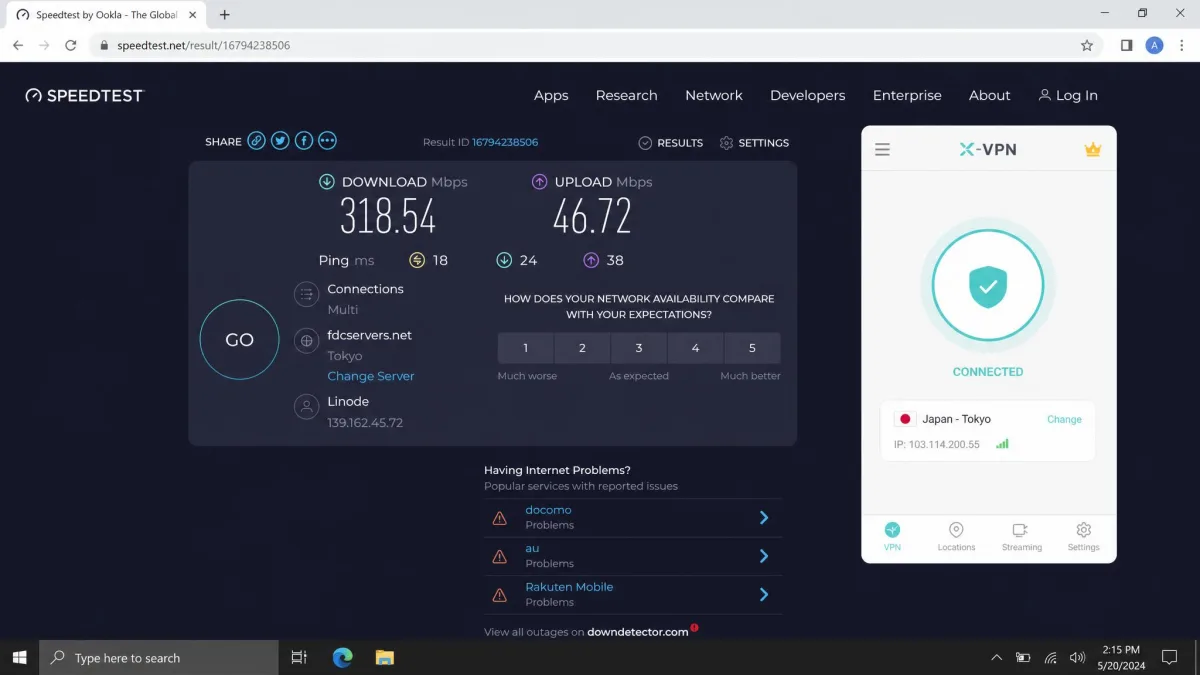
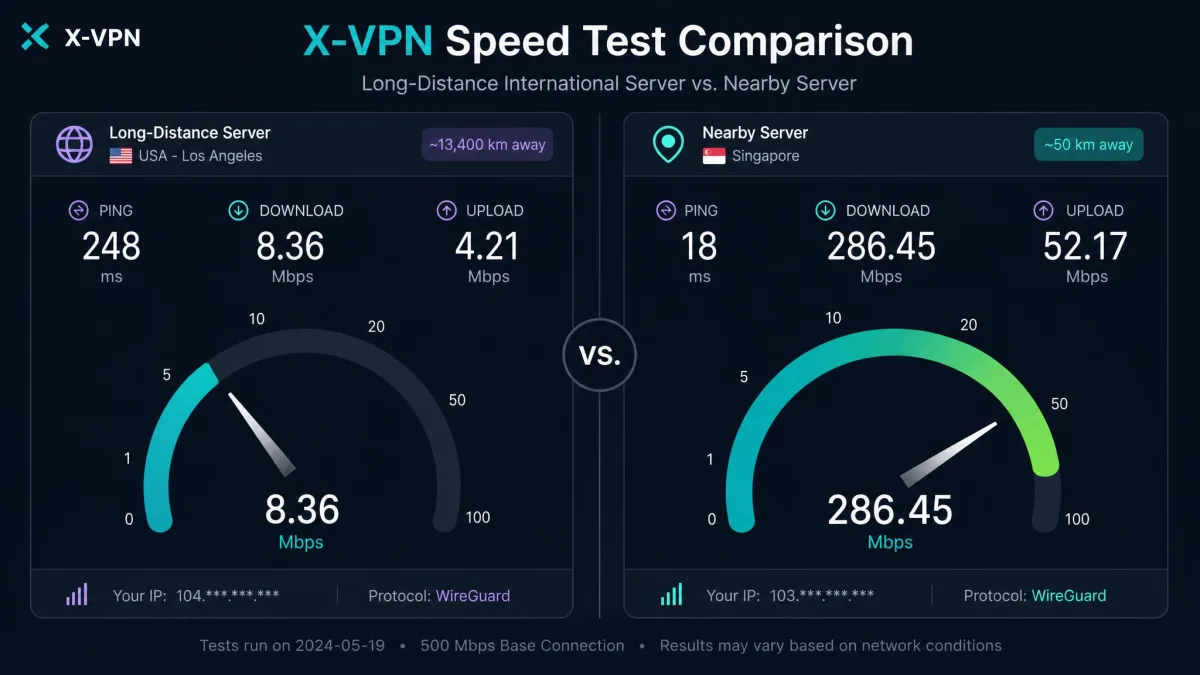
Speed is where a VPN either disappears into the background or gets in your way, so it is the first thing we benchmark. X-VPN's results depend heavily on distance. On nearby servers, our connection held up reasonably well, with a speed loss in the range of 35 percent on local hops. In one nearby test that left us with roughly 65 Mbps of usable throughput, which is enough for browsing, video calls, and most streaming, and in day-to-day use we barely noticed the drop on a local server.
A number like 65 Mbps only means something with a baseline, so it helps to know how we read these runs. We measure the unprotected line first, connect through the VPN, and compare the two on the same server within a few minutes. A 35 percent loss on a fast home line still leaves plenty of headroom, but the same percentage on a slower connection can push you below comfortable streaming speed. That is why we talk in percentages rather than raw megabits whenever we can, because the percentage travels better between different starting lines.
The picture changes on long-distance servers. International connections lost roughly two-thirds of their baseline speed in testing, which is a steep drop and enough to make large downloads and 4K streams struggle. Published per-server Mbps figures swing so widely between reviewers, from around 35 Mbps on one review bench to more than 300 Mbps on another, that we would not trust any single number. Those gaps almost certainly reflect different baselines and test cities rather than a stable property of the network. Treat X-VPN as fast enough nearby and slow far away, and connect to the closest server that meets your need.
Gaming exposed the biggest weakness. On our test connection, sessions dropped roughly every 15 to 20 minutes, which is fine for casual play but a dealbreaker for anything competitive. A dropped tunnel mid-match means a dropped game, and no amount of nearby-server speed makes up for a connection that will not stay up. If speed and stability are your priority, this is not the VPN's strong suit.
Streaming and Netflix Unblocking
Streaming is a clear line between X-VPN's two tiers. The free tier unblocks nothing. Every time we pointed it at a geo-restricted catalog, we hit the proxy error, so if streaming is your reason for wanting a VPN, the free version will not help.
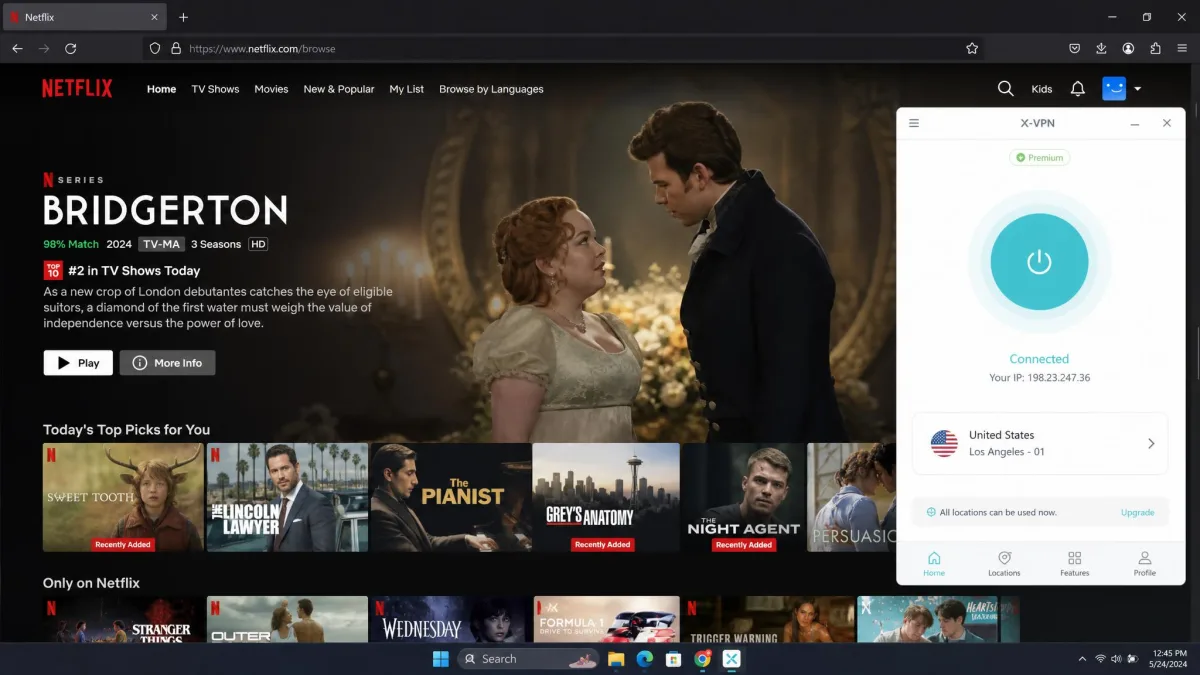
The paid tier is a different story. It reliably loads US Netflix, Disney+, and BBC iPlayer in our testing, and it handles Hulu and Prime Video as well. The frustration is getting there. Only a few servers per region actually unblock content, so streaming took trial and error: connect, test, disconnect, try another server until one works. Once you find a working server it holds, but the first-time setup is fiddlier than it should be.
There is a knack to it. When a stream refused to load, the fix was almost never a different country, it was a different server in the same country. That is worth knowing before you write X-VPN off, because a single blocked attempt is not the whole story. For casual viewers the payoff is genuine access to big catalogs; for anyone who wants to sit down and press play without fuss, the trial-and-error will grate.
If streaming is your main use case, do not judge X-VPN by its first attempt. A blocked stream often just means you picked the wrong server in the right country. Cycle through a few before deciding it does not work.
Security: Encryption, Protocols, and Kill Switch
X-VPN gets the encryption basics right. It uses AES-256, the same cipher standard as every serious VPN, and it has added post-quantum, TLS-based encryption for future-proofing. On paper the cryptography is sound, and there is nothing in the core encryption that should worry an everyday user.
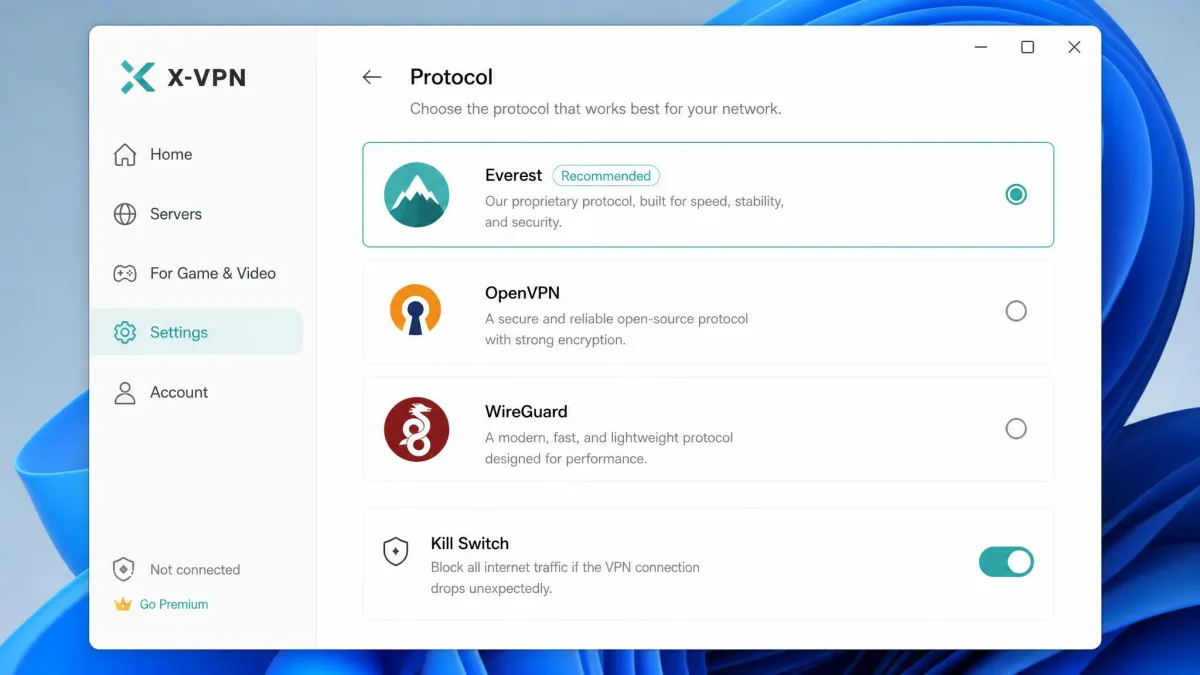
The protocol story is more divisive. X-VPN's default is Everest, a proprietary, closed-source protocol it built in-house. It also offers OpenVPN and WireGuard, which are open and independently reviewed. The problem with Everest is that no one outside the company can inspect it, so you are trusting X-VPN's word on how it behaves. When open alternatives exist, a closed-source default is a hard sell for anyone who cares about verifiable security.
Everest is closed-source, so its security cannot be independently verified. If that matters to you, switch the protocol to OpenVPN or WireGuard in the settings, both of which are open and audited by the wider community.
The kill switch, which cuts your internet if the VPN drops so your real IP never leaks, worked as intended on Windows and mobile. On macOS, though, it leaked data during our testing, which undercuts the whole point of the feature. Leak-test results for X-VPN are inconsistent across platforms, so this is a case where the app you use changes how safe you actually are. A DNS or IP leak on the one platform where you assumed you were covered is exactly the failure a kill switch is supposed to prevent.
Privacy and Logging Policy
Privacy is where X-VPN's marketing and its fine print pull in different directions. The homepage sells a no-logs, privacy-first product. The privacy policy tells a more complicated story: it lists collection of connection timestamps, device information, and city-level location. That contradiction is the single biggest reason we hold this VPN at arm's length, because a no-logs claim only means something if the policy backs it up.
There is genuine effort on the transparency side. X-VPN has commissioned an independent audit of its logging policy and publishes a warrant canary and a transparency report. Those are real, positive signals, and more than many free VPNs offer. But it is worth understanding what that audit does and does not cover, because the word "audit" carries a lot of weight it has not fully earned here.
A logging-policy audit checks whether the written policy is coherent and whether stated practices line up with it. It is a document review more than a stress test of the live network. The full no-logs infrastructure audits that top providers commission go further, with assessors inspecting running servers, configuration, and data handling to confirm that nothing is being kept in practice. Firms like Deloitte, PwC, and Cure53 repeat those engagements year after year, so the assurance is both broader and continuous rather than a one-time snapshot.
X-VPN's audit sits at the lighter end of that scale, and it does not resolve the contradiction inside the policy itself. So we read the transparency effort as a step in the right direction rather than proof of no-logs behavior. Until an infrastructure-level audit confirms what the servers actually retain, the safe assumption is that some connection metadata exists, exactly as the policy admits.
Jurisdiction adds another layer of doubt. X-VPN describes itself as Singapore-based, having recently moved from Hong Kong, but sources disagree, and there are reported ownership ties to a company in Chengdu, China. Because the effective jurisdiction is contested, we would not treat X-VPN as a safe choice for anyone whose threat model includes a nation-state. For that use case, jurisdiction is not a footnote, it is the whole question.
On the free apps, X-VPN shares telemetry with third-party ad platforms such as AdMob and InMobi. That is common for ad-supported free software, but it means the free tier is not the private option it appears to be. The paid apps drop the ads and the associated tracking.
Servers and Server Network
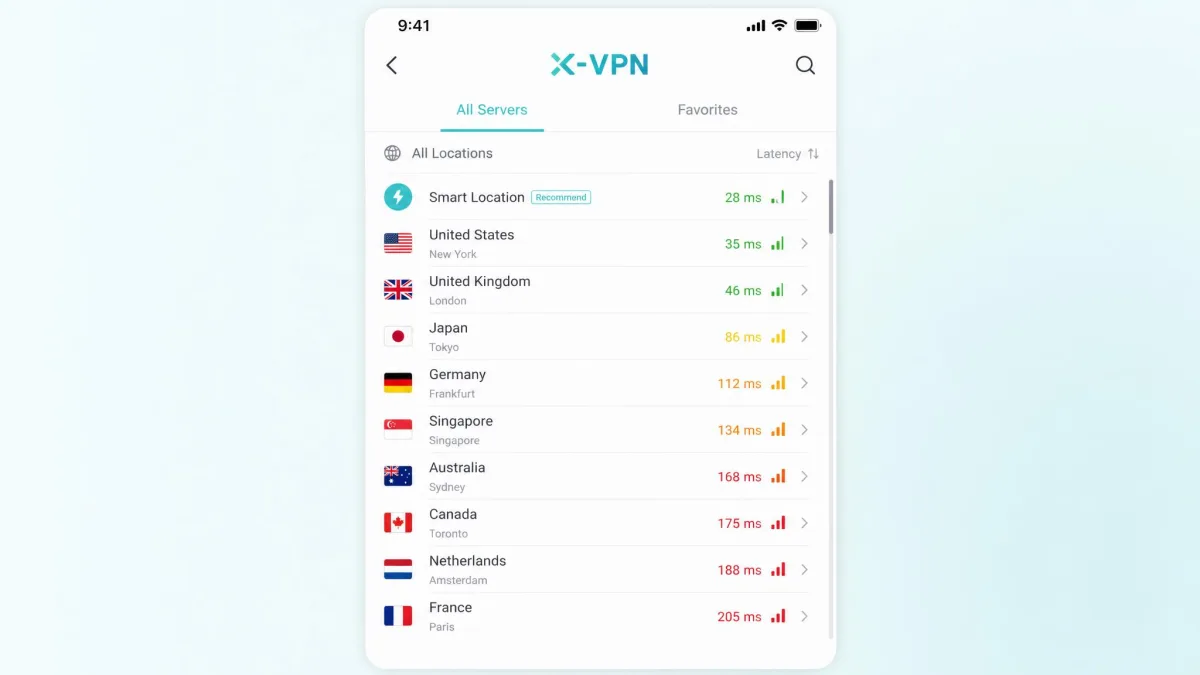
X-VPN advertises a large network, but the numbers are slippery. Depending on the source, the server count lands somewhere between 8,000 and more than 10,000, and the country coverage ranges from around 50 to as many as 95. Those are wide gaps, and many of the servers are suspected to be virtual, meaning the server behaves as if it is in one country while physically sitting in another.
Virtual servers are worth pausing on, because they change what a country count really tells you. When a listed location is virtual, your traffic may exit from hardware in a neighboring region rather than the flag on the label. That has two practical effects. Latency can be higher than the location implies, since the physical distance is longer than the map suggests. And the legal exposure of your data follows the hardware, not the label, so a server marked for a privacy-friendly country may sit under a different set of laws entirely.
None of that makes virtual servers useless. Many reputable providers use them to reach places where hosting is scarce, and X-VPN is not alone in doing so. But it does mean the headline country figure overstates how much real-world choice you have, and it is one more reason to treat the disputed counts as marketing rather than a spec. For a privacy tool, knowing where your traffic actually exits is not a detail you want left vague.
For everyday use, the raw count matters less than whether there is a nearby, working server, and there usually is. The bigger limitation is control. On the free desktop app there is no manual server picker, so you cannot choose your location at all. Premium restores that choice, which is one more reason the free tier is better thought of as a demo than a daily driver. If you care where your traffic exits, and streaming and privacy both give you reasons to, the free desktop app takes that decision out of your hands.
Torrenting and P2P Support
X-VPN supports P2P, but only on the paid tier and only on dedicated BT servers rather than across the whole network. If you route torrent traffic through a standard server, you are not getting the intended setup, so this is one to configure deliberately.
There is no port forwarding, which more advanced users rely on to improve connection speeds and seeding. Combined with the heavy speed loss on long-distance servers, that makes X-VPN a workable but unremarkable choice for torrenting. It gets the job done on a nearby BT server; it will not win any speed contests, and power users will feel the missing features quickly.
Apps, Device Compatibility, and Ease of Use
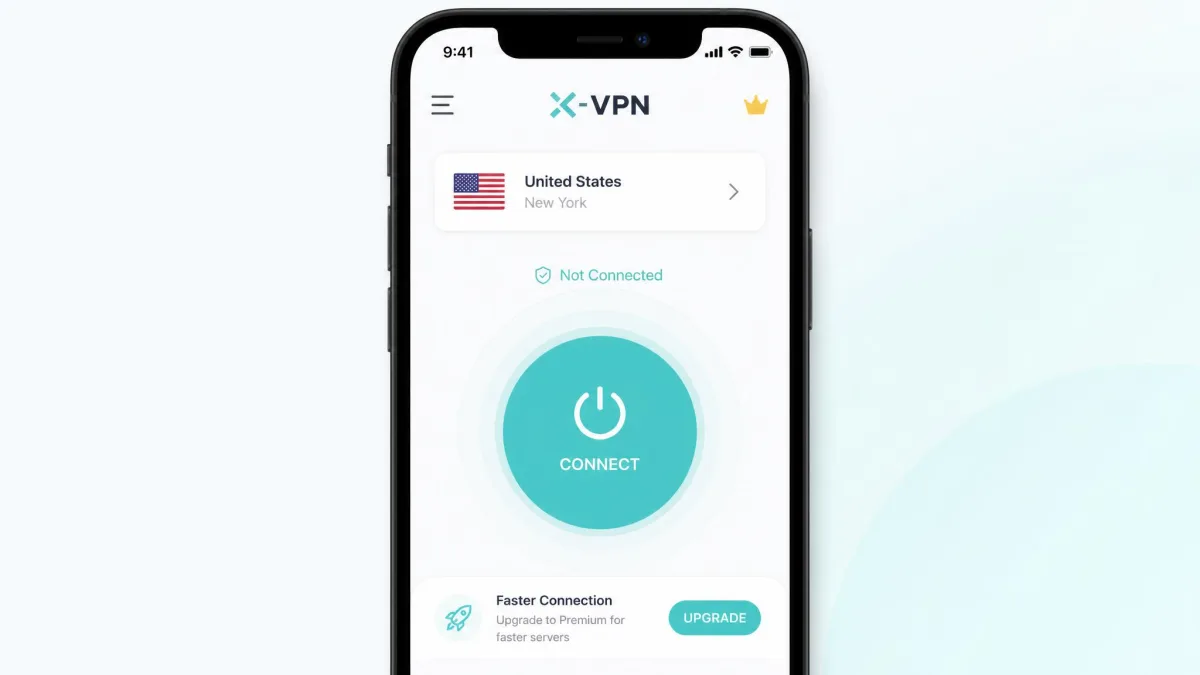
Ease of use is X-VPN's genuine standout. The app is clean, the connect button is the first thing you see, and no signup is required to start on the free tier. For a first-time VPN user, that friction-free start is exactly right, and it is the main reason casual users like the product. You can go from download to protected connection without ever making an account.
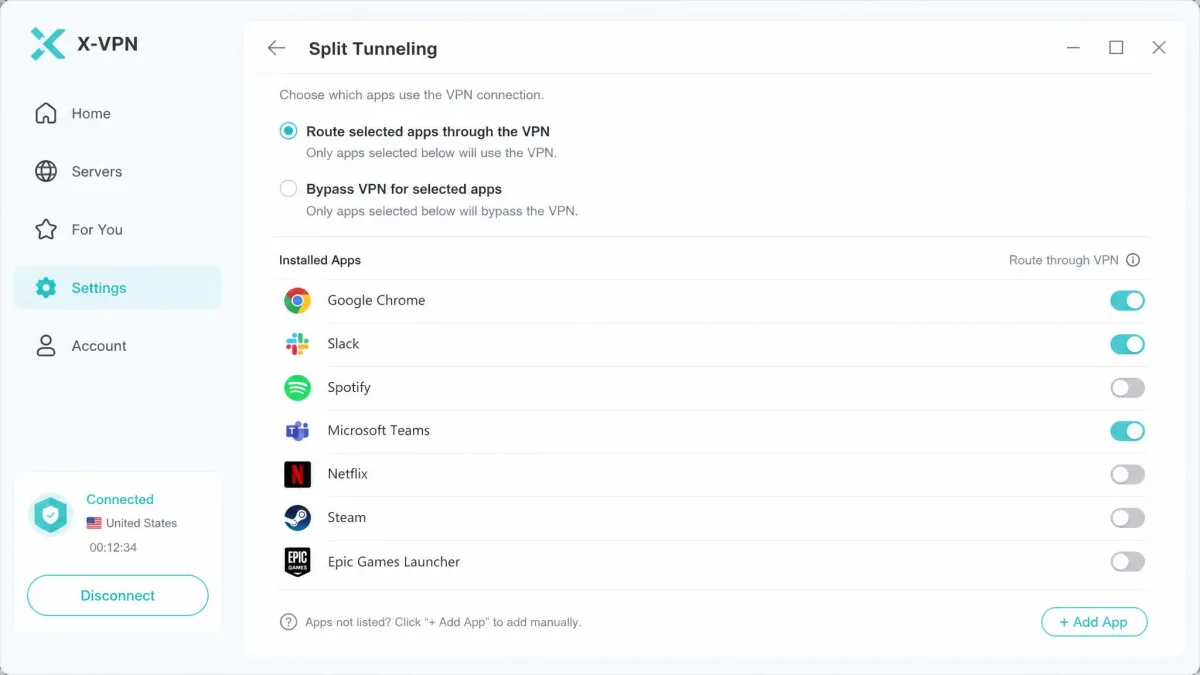
Device support is broad. X-VPN runs on Windows, macOS, Linux, iOS, Android, Chromebook, and Chrome as an extension, plus routers, game consoles, Fire Stick, Apple TV, and Android TV. It also carries the modern feature set you would expect: split tunneling to route only some apps through the VPN, multi-tunnel, an ad blocker, a kill switch, and diskless RAM-only servers. On features alone it competes with the majors.
The weak spot is consistency. The desktop experience was noticeably worse than mobile, and on macOS the app ran unresponsively during testing. Router setups over OpenVPN also proved unstable for us. X-VPN feels polished on a phone and rougher on a computer, so your impression of the app will depend a lot on where you install it. If the phone app is the only one you touch, you will probably like it; the desktop and router story is where the cracks show.
Does X-VPN Work in China?
No. X-VPN does not work in China. The country's filtering blocks it, so if you are traveling to or living in mainland China and need reliable access, this is not the VPN to depend on. Pick one of the VPNs that still work in China instead.
VPN performance behind national firewalls changes constantly as blocking methods evolve. If China access is your specific need, choose a provider with a current, proven track record there and always install and test it before you travel, since app stores may be restricted once you arrive.
Customer Support and Refund Policy
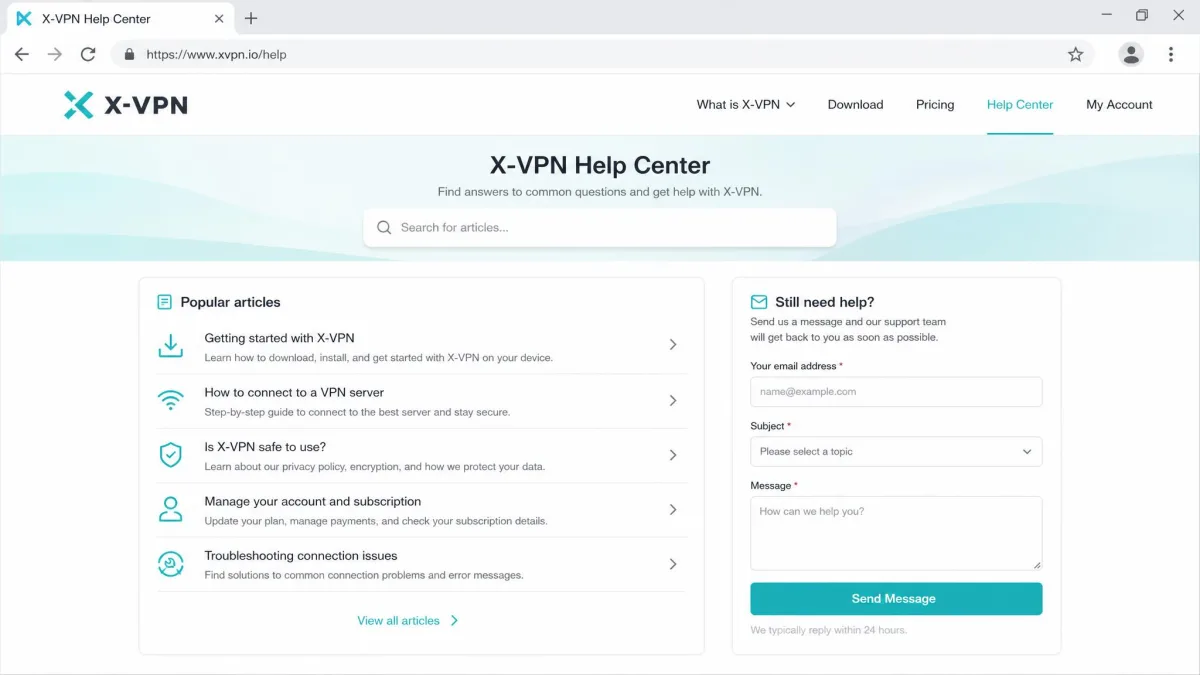
Support is thin. The help site is sparse, and responses can be slow. One clarification we sought took around 13 hours to come back, which is a long wait when you are locked out of a connection you paid for. For a product aimed at beginners, the support experience does not match the beginner-friendly app.
The gap matters more than it might for a power-user tool. Beginners are exactly the people who hit a wall and need a fast, clear answer, and they are the audience X-VPN courts hardest. A sparse help center pushes those questions into a slow queue, and a 13-hour turnaround is long enough that many users will simply give up and disconnect. We would like to see the same care that went into the connect screen applied to the documentation behind it.
The refund policy is the most common complaint we found, and it lines up with what buyers report publicly. Refund processing can run well past the stated 30-day window, with some buyers waiting more than 20 days for money back. Crypto-payment subscriptions are a particular trouble spot: several payments went unactivated despite being confirmed, forcing repeated trips to a support queue that is already slow. If you pay, use a payment method with strong buyer protection, and do not assume the refund will be quick or automatic.
Our practical advice is to favor a card or a payment platform that lets you file a chargeback, and to keep the confirmation email from your purchase. Because eligibility is prorated by usage and time rather than granted cleanly at any point in the first month, the sooner you decide, the more you are likely to recover. Test the paid tier hard in the first few days, before the prorating eats into what you can claim back.
X-VPN holds a 3.8 out of 5 rating across 176 reviews on Trustpilot, where support and reliability draw praise from some users while activation and refund delays drive the negative reviews. That split rating matches our own read: the product works, but the payment and support experience can sour it.
How X-VPN Compares to Other VPNs
Against the VPNs people most often weigh it against, X-VPN's position is clear. It is the only one here with a free tier, and usually the cheapest to try. On servers, audits, and device limits, the audited names pull ahead.
| Product | Buy | Lowest price | Servers / countries | Streaming | No-logs audit | Devices | Free tier |
|---|---|---|---|---|---|---|---|
 |
$2.99/mo (24-mo) | 8,000-10,000+ / 50-95 (disputed) | Paid unblocks major; free none | Logging audit + warrant canary | 5 | Yes (with ads) | |
 |
Check price → | $3.49/mo (2-yr) | 9,300+ / 137 | Reliable | Deloitte-verified six times | 10 | No |
 |
Check price → | $1.78/mo (2-yr) | 4,500+ / 100 | Reliable | Deloitte-verified (2025) | Unlimited | No |
 |
Check price → | $2.79/mo (2-yr) | 105-113 countries | Reliable | 27 audits (PwC, KPMG, Cure53) | 8 (up to 14) | No |
Where X-VPN offers a logging-policy audit and a warrant canary, NordVPN, Surfshark, and ExpressVPN publish repeated, independent no-logs audits from firms like Deloitte, PwC, and Cure53. That is a meaningful gap in verifiable trust. Surfshark also undercuts X-VPN on price while adding unlimited connections, and all three unblock streaming more reliably. X-VPN's honest advantage is the free tier; on almost everything else, the audited rivals win.
Final Verdict: Should You Use X-VPN?
The bottom line is that X-VPN is a good free safety net and a mediocre premium VPN. If you want a no-signup app to encrypt an occasional coffee-shop connection, the free tier does that job with unlimited data and real ease of use, as long as you accept the ads and the ad-platform telemetry that ride along with it.
If you are paying, the case is weaker. The premium tier streams well and opens P2P servers, and the two-year plan is cheap, but you are buying into a closed-source default protocol, a privacy policy that contradicts the marketing, a contested jurisdiction, and a refund process that frustrates buyers. For similar money, the audited names deliver more provable privacy and steadier speeds.
So use X-VPN's free tier freely as a backup tool. Before you commit real money, look hard at whether a fully audited rival serves you better, because in 2026 the price gap that once justified X-VPN has mostly closed.