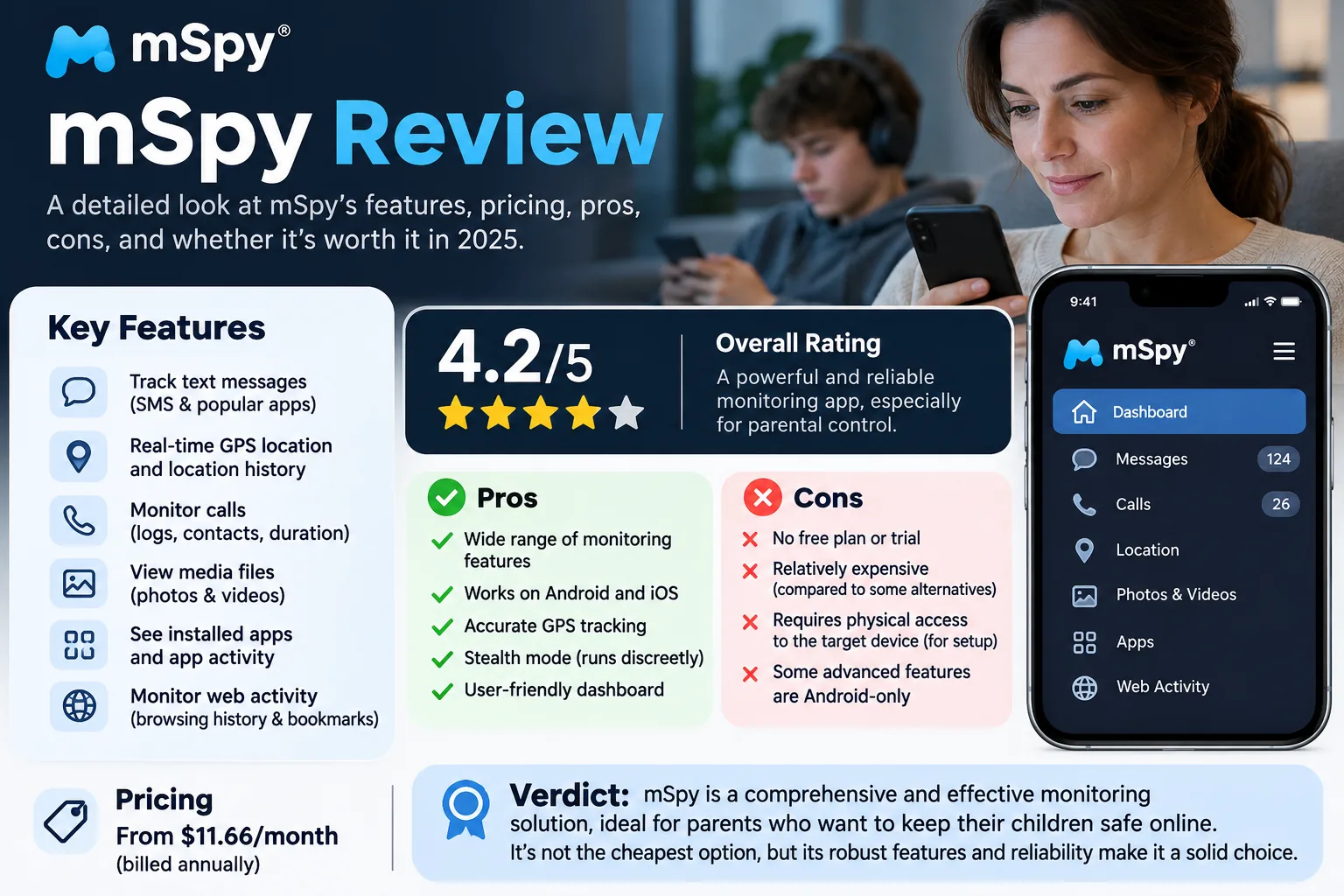
Parentaler is a paid parental monitoring app for Android phones, iPhones and iPads that lets parents read texts, check call logs, follow GPS location and block apps from a web dashboard. It fits parents who want deep visibility into a child's phone and can get hold of that phone to install it. We went through its signup funnel, dashboard, compatibility rules and refund terms the way a parent would before paying.
If you are weighing Parentaler for your child's phone, two facts decide it: the full feature set needs rooting on Android, and the refund is conditional.
Parentaler review: the quick verdict
Pros
- One dashboard for calls, texts, social media, web history and location
- Keyword alerts in chats and web searches
- Every plan length includes the same full feature set
- Little learning curve once installed
Cons
- Messenger, Gmail and Wi-Fi monitoring need a rooted Android phone
- Prices stay hidden until you answer a questionnaire
- No free trial, and refunds carry conditions plus a 9% deduction
- Trustpilot rating of 2.1/5 with recurring billing complaints
What is Parentaler, and who should use it?
Parentaler is a monitoring service rather than a screen-time app. You install it on the child's phone, and activity flows to a web dashboard you can open from any device or browser. Its homepage promises you can "keep monitoring of any phone remotely with full confidentiality," a stronger pitch than most parental control apps make.
It suits parents of children on Android who are comfortable rooting the phone and checking the dashboard regularly. It can feel heavy if you only want occasional insight. Skip it if your child's iPhone is out of your reach and has two-factor authentication on, or if you need a plan you can cancel for an unconditional refund.
What Parentaler monitors: key features
If that profile fits your family, the next question is what you actually get for the money. All subscription lengths unlock the same features, so there is no premium tier to upgrade to.
Messages, calls and contacts
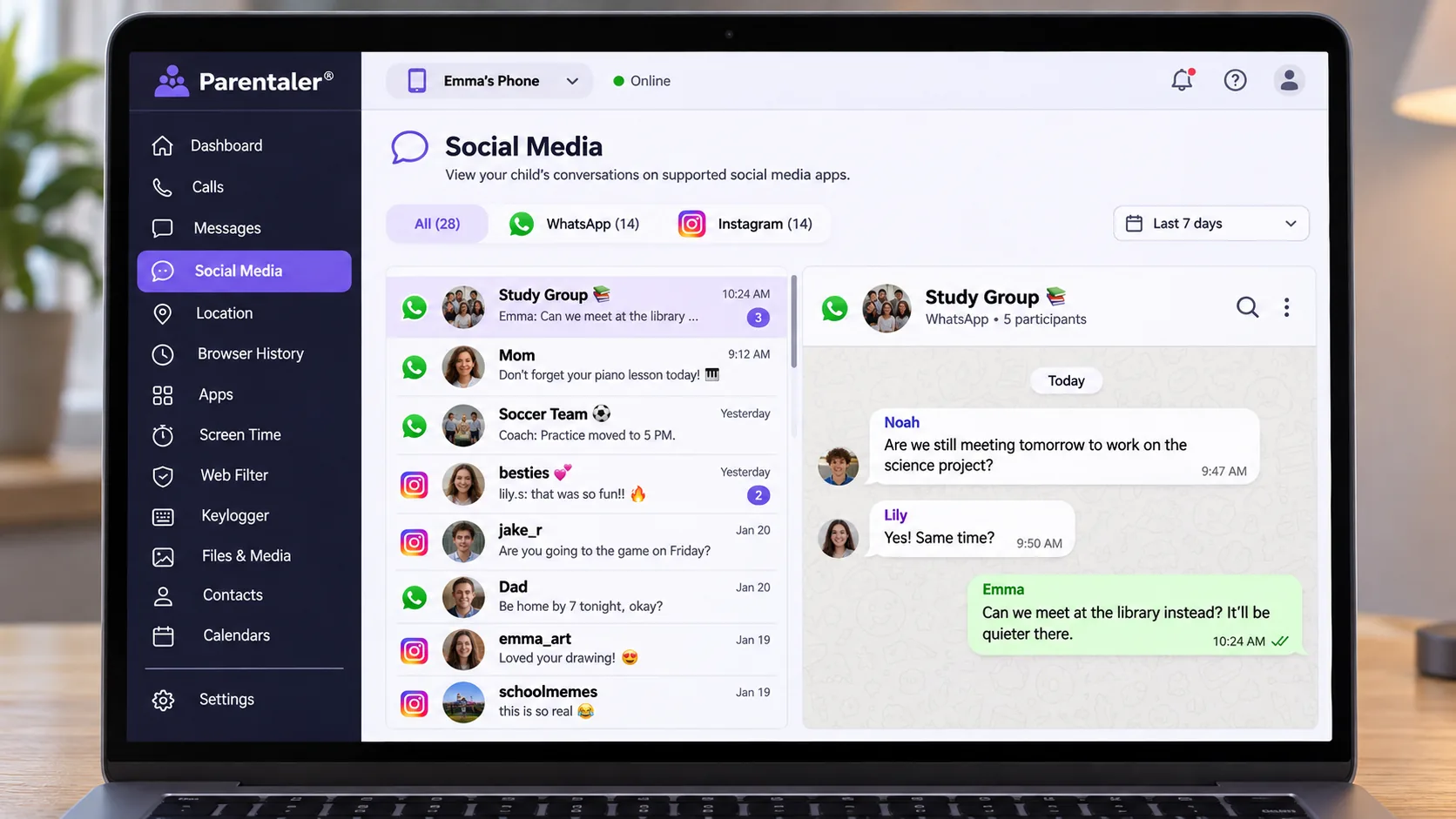
Parentaler logs sent and received SMS messages with attachments and links, plus emails and, on iPhone, iMessage. Call logs show the time and duration of every call, and contacts sync to the dashboard. A call log is not a call recording, though. Text reports also do not guarantee that deleted or disappearing messages show up, so an empty section is not proof of no activity.
Social media monitoring
Parentaler lists monitoring for WhatsApp, Facebook, Instagram, Snapchat, Telegram, Viber, Kik and TikTok. Rooting is the catch on Android: on an unrooted phone, messenger tracking for WhatsApp, Facebook, Viber and Skype stays off, along with Gmail. The data you collect also includes friends' and relatives' messages, so the deeper the access goes, the heavier the privacy burden.
GPS location tracking and geofencing
GPS tracking shows location history with coordinates, timestamps and street addresses. Geofencing alerts you when the child enters or leaves a zone you draw, and a most-visited-places report summarizes routines. Location reports can arrive late or not at all, so we learned to check the timestamp and connection status before trusting the pin.
Web filtering, app blocking and Wi-Fi limits
You can see browser history and bookmarks and switch on a porn blocker and content filter. The apps and games blocker also catches hidden and deleted apps. A website block does not cover content inside other apps, so a blocked site can still reach your child through a social feed. Wi-Fi viewing and blocking needs a rooted Android phone.
Keyword alerts, screen capture and other features
Keyword (slang) alerts flag chosen words in chats and web searches, which saves you from reading every thread. Screen capture sends snapshots of the phone to the dashboard, alongside photos, videos and the calendar. Per-app screen-time limits and scheduled downtime may be available, but they do not appear on Parentaler's homepage feature list, so confirm them before committing.
Android and iPhone compatibility
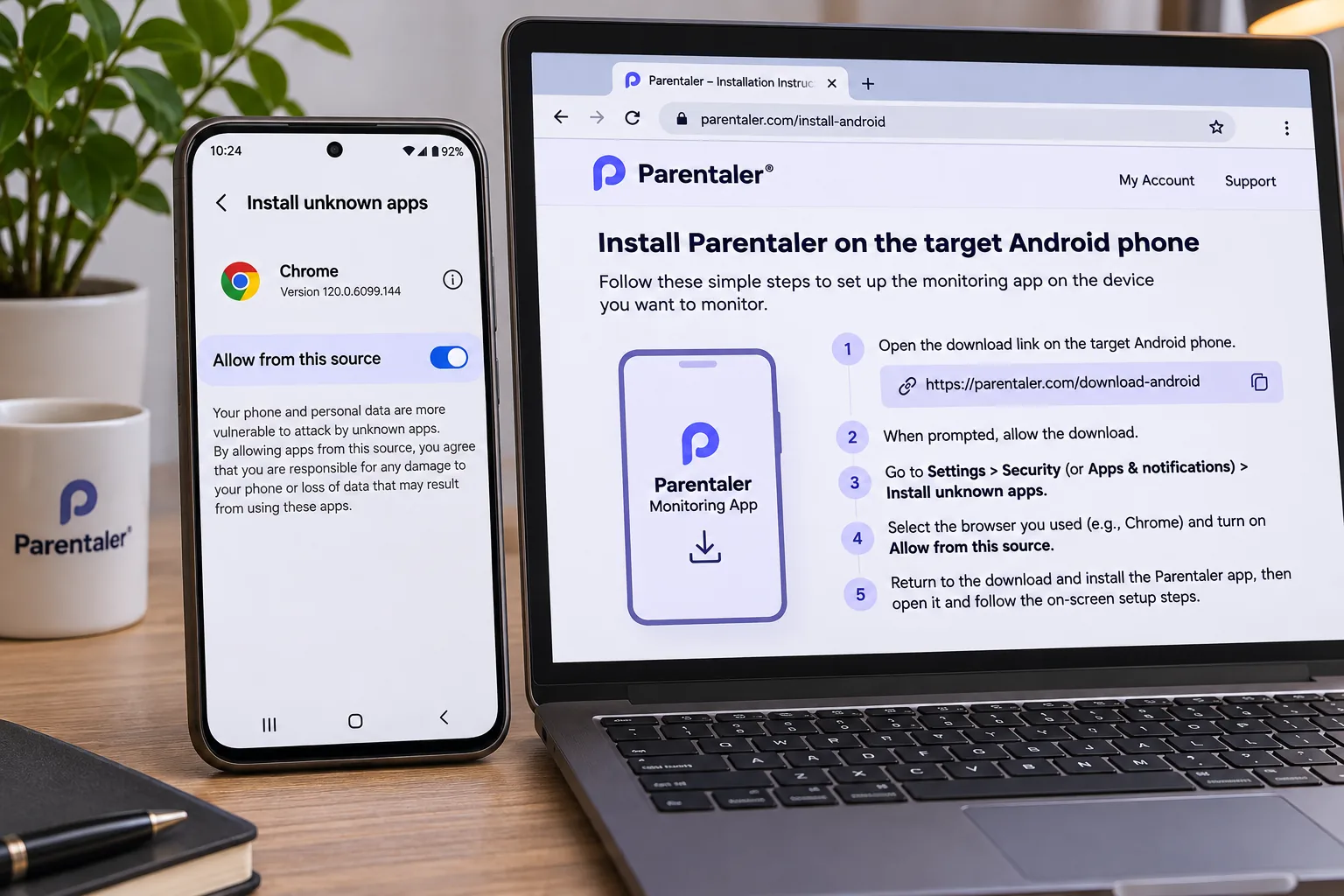
Whether you get those features depends on the phone your child carries. Parentaler's compatibility policy, last updated 27.01.23, sets the rules. The target phone must run Android 4 or later, and you need physical access to the Android device, which must be online while you install the software. Instant-messenger tracking works on rooted Androids only.
On iPhone and iPad, you can skip physical access if you already have the device's iCloud credentials and two-factor authentication is off. If 2FA is on, or iCloud backup is not enabled, you need the phone in hand. The policy says "iOS 7 – 13+ without Jailbreak" in one block and "Compatible with all iOS versions" in the next, so current per-version support is unclear.
The policy also says features may not run correctly even on compatible devices, and incompatible devices are excluded from refunds. On iPhone, the no-jailbreak route can leave little beyond location tracking.
How to install and set up Parentaler
Once you know your child's phone qualifies, installation starts on Parentaler's site. You click "Try now," answer the questionnaire, pick a plan and pay by card (Visa, Mastercard, Amex, Discover or JCB). Then you follow the emailed instructions to install the app on the child's Android phone, or enter the iCloud details for an iPhone.
Getting the app running on the child's phone is not complicated, but it takes hands-on attention, and rushing the preference settings causes confusion later. Installation can fail outright too: the app may not download or appear, and the same goes for iCloud or cable transfers to an iPhone. Monitoring can stop after an OS update, a password change, a lost connection or a new phone, and then you set it up again.
Ease of use and customer support
Day-to-day use takes little learning; installation is the real hurdle. Once the app was running, the dashboard put call logs, social media, texts, web history and location on a single page, with settings on the same screen. Each feature opens in one click, and none of it needs technical knowledge.
Support before you buy is thin. We found only a contact form, with no live chat button, phone line or dedicated email, and the form sends an automated reply promising a response within 24 hours. Live chat is advertised but was not visible pre-purchase, so it may only appear after you buy. Setup help can also come as a paid remote-assistance add-on.
Parentaler pricing, plans and refund policy
Once support and setup are out of the way, price is the next surprise: it is hidden behind a multi-question signup funnel. We only saw the cost after answering questions about the child's age and our reasons for monitoring. Standard plans are shown at 39% off, and each covers 1 device.
| Plan | Buy | Price per month (first term) | Billed first term | Renews at | Devices | Refund window |
|---|---|---|---|---|---|---|
 |
$42.69 | $42.69 | $69.99 | 1 | 14 days, conditional, minus 9% | |
 |
$24.40 | $73.19 | $119.99 | 1 | 14 days, conditional, minus 9% | |
 |
$10.17 | $121.99 | $199.99 | 1 | 14 days, conditional, minus 9% |
The discount covers the first term only, and full price applies from the next renewal. The annual plan renews at $199.99, and $69.99 is the 1-month plan's undiscounted list price. A 3-device Family Kit (from $28.00 per month on 12 months) appears in only one branch of the questionnaire, so whether you are offered it varies.
There is no free trial or demo. Parentaler's refund policy allows claims within 14 days of purchase, on the first subscription only, and only once. Renewals, change of mind, purchases by mistake, plan changes, incompatible devices and the Phone Support add-on are excluded. Parentaler also deducts 9% of each transaction for processing fees, and requests must go to the Billing Department by email.
Privacy, legality and your child's trust
Price is only part of the cost, because monitoring a child also carries legal and family obligations. Parentaler's disclaimer says the software is intended for legal use only. Installing it on a device you do not own is illegal, and the law generally requires notifying device owners. For parents of minors, that points to an honest conversation rather than covert monitoring.
Trust matters as much as legality, because deep access means reading your child's private conversations and their friends' messages. We would lean on keyword alerts and location for peace of mind about specific risks, and save full message reading for real warning signs.
What real users say about Parentaler
Parentaler's Trustpilot page shows a TrustScore of 2.1/5, rated "Poor," from about 41 reviews on the .com listing (localized pages show a higher count). Around 78% are 1-star, and the company does not reply to negative reviews. Top10.com scores it 8.4, though the site discloses that commissions influence its listings.
The complaints repeat: duplicate charges, upfront multi-month or annual charges on what buyers believed was a monthly plan, and merchant names that banks flagged. Checkout emails can carry mSpy branding and the plan records are named mSpy subscriptions, though no public statement explains whether the link reflects ownership or licensing. Refund requests inside the 14-day window are often refused unless a technical issue is unresolved, sometimes with extra subscription time offered instead. The positive reviews praise keyword alerts, app blocking, screen-time control and fast help during setup.
Parentaler alternatives
If rooting or the refund terms rule Parentaler out, our Eyezy review covers our top monitoring pick, and our Qustodio review suits parents who want screen-time limits and content filtering over message reading. For a wider field, see our roundups of parental monitoring apps for Android and parental monitoring apps for iPhone.

Final verdict: is Parentaler worth it?
Parentaler is worth it in a narrow case: your child uses an Android phone, you can hold it long enough to install the app, and you are willing to root it. Then you get messages, social apps, location and filtering in one easy dashboard, and the 12-month plan is cheapest per month.
Outside that case, the value drops quickly. On iPhone you need either the phone in hand or iCloud credentials with 2FA off, and you may get little beyond location. Check compatibility before paying and set a reminder before the first full-price renewal.