On paper, these two GPS location changer apps look like the same product with different logos. Both teleport your GPS location with one click, both offer a joystick for simulated walking, both run a built-in cooldown timer, and both promise all of it without jailbreaking your iPhone.
The differences only surface once you look at what each one charges, which iOS versions it actually supports, how it connects to your device, and what happens when something goes wrong. That is where the two split, and it's a wider gap than the feature lists suggest.
Here is the short version, then the full breakdown.
MockGo vs PoGoskill at a Glance
MockGo is the simpler, iOS-only option, built around a desktop app that drives an iPhone over a USB cable. PoGoskill GPS Location Changer is the broader tool: it covers Android as well as iPhone, connects over Wi-Fi as well as USB, and adds extras such as GPX export and a Bluetooth game mode. If you want the long-form take on either app on its own, we cover them in our full MockGo review and our PoGoskill review.
Here are the headline specs side by side, followed by the full feature matrix.
| Spec | MockGo | PoGoskill |
|---|---|---|
| Best for | iPhone owners who want the lowest price | Android owners and anyone who wants Wi-Fi |
| Platforms | iOS only | iOS and Android |
| Connection | USB only | USB or Wi-Fi |
| Jailbreak or root | Not needed | Not needed |
| Feature | MockGo | PoGoskill |
|---|---|---|
| Monthly price | $9.95 | $14.95 |
| Quarterly price | $19.95 | $22.95 |
| Yearly price | $39.95 | $59.95 |
| Lifetime price | $59.95 | $95.95 |
| Free trial | Limited free download, teleport and joystick capped at 3 uses | Time-limited free access, plus a 7-day paid trial add-on that auto-renews |
| Supported iOS | iOS 9 to iOS 26 | iOS 12.5 to iOS 18, plus iOS 26 |
| Supported Android | Not supported | Android 4 to Android 16 |
| Jailbreak needed | No | No |
| Teleport | Yes | Yes |
| Joystick | Yes | Yes, 360-degree |
| Route simulation | Two-spot and multi-spot | Two-spot and multi-spot |
| Speed control | Yes, 3.6 to 108 km/h | Yes, walking, cycling and driving presets |
| Devices at once | 5, or 15 on business plans | 5 per license tier, site claims up to 15 |
| GPX import/export | Import | Import and export |
| Cooldown timer | Yes | Yes |
| Connection | USB only | USB or Wi-Fi |
| Refund policy | 30-day money-back guarantee | 30-day money-back guarantee |
| Trustpilot | Not published | 4 stars from 98 reviews |
Features Head to Head
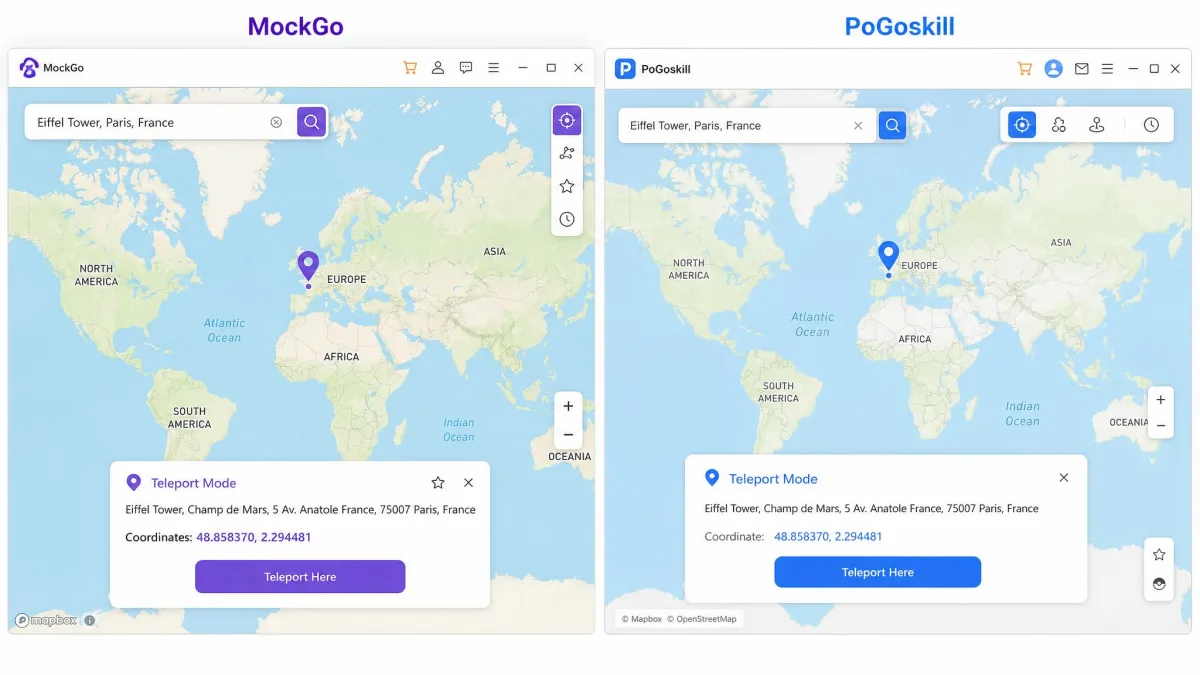
Both apps are desktop programs that drive a connected phone, the same pattern we saw in our MockGo vs MocPOGO GPS spoofer comparison. You pick a spot on a map, confirm, and every app on the handset that reads GPS sees the new coordinates.
Teleport and one-click location change
Teleport is the core function in both. Type an address or paste coordinates, click the pin, and the phone reports the desired location instantly.
MockGo's setup is short. You download the app, connect the device, search for a location, and confirm the teleport, with no configuration steps in between. PoGoskill calls its version one-click teleport and behaves the same way.
Joystick and simulated movement
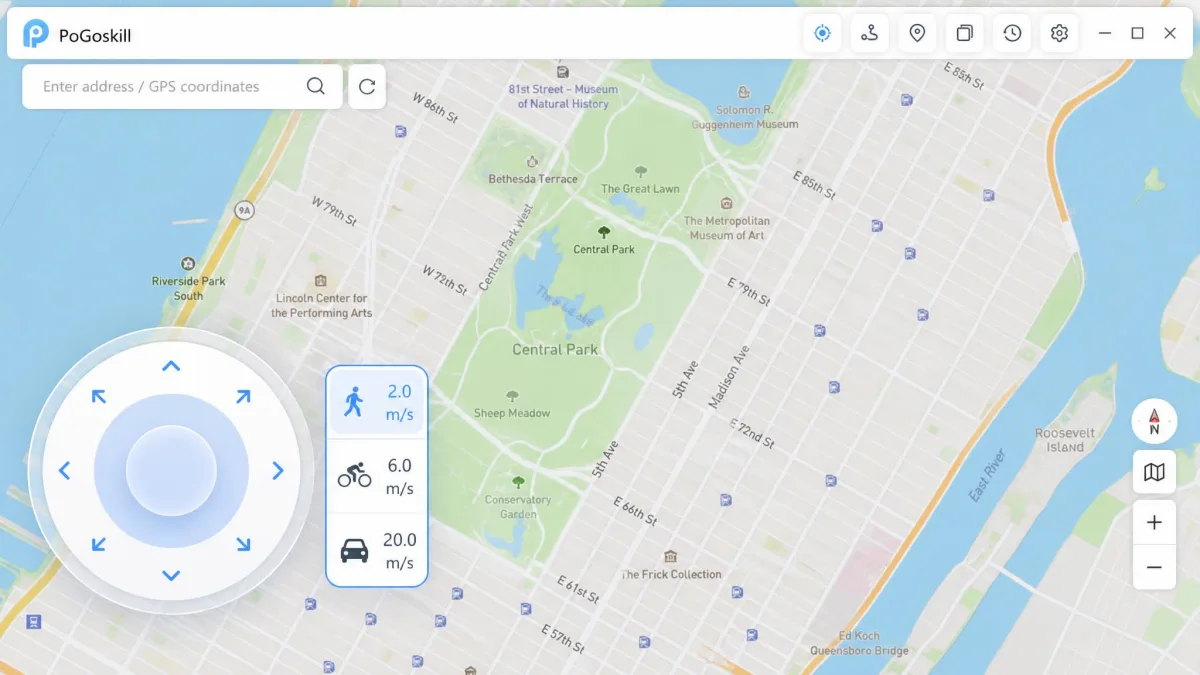
Both include a joystick for real-time movement. PoGoskill's is a 360-degree control, which makes turning easier than nudging a direction key.
MockGo's movement simulation can lag or stutter mid-route rather than gliding smoothly, which matters if you're trying to look like a walking player rather than a teleporting one.
Multi-device support
MockGo changes location on up to 5 iOS devices at once on the individual plans, and its business tier raises that to 15 devices plus one PC or Mac.
PoGoskill's numbers are less settled. The device ceiling differs between PoGoskill's product page, which claims up to 15, and the plan you actually buy, which lists 5, so check the license tier before assuming more than 5.
Route planning, speed control and the cooldown timer
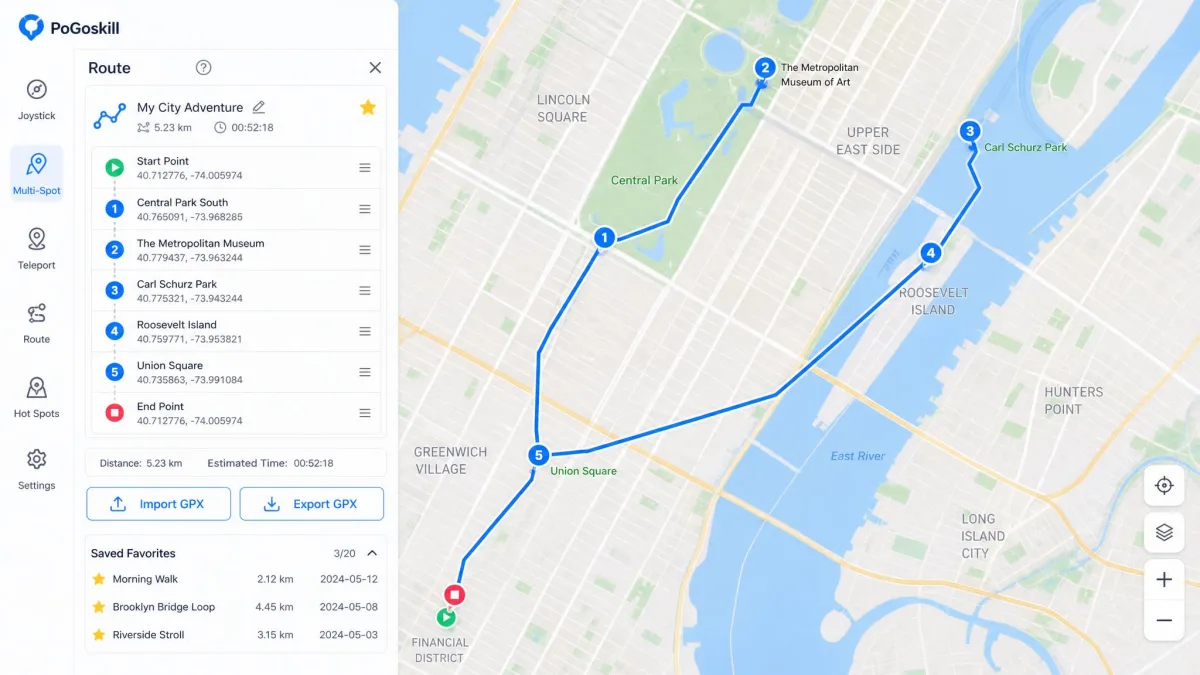
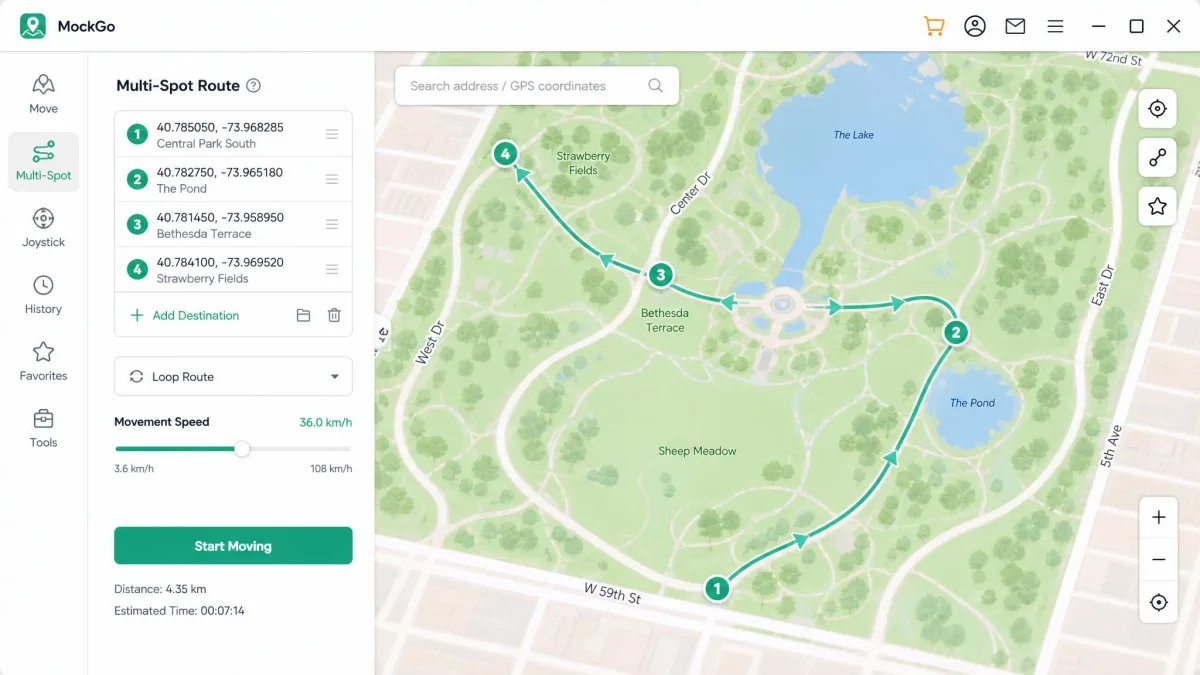
Both apps offer two-spot and multi-spot routes, so you can draw a path and let the phone walk it.
MockGo exposes speed as a slider from 3.6 to 108 km/h, which is the more precise control of the two. PoGoskill instead gives you walking, cycling and driving presets, which is faster to set but less exact.
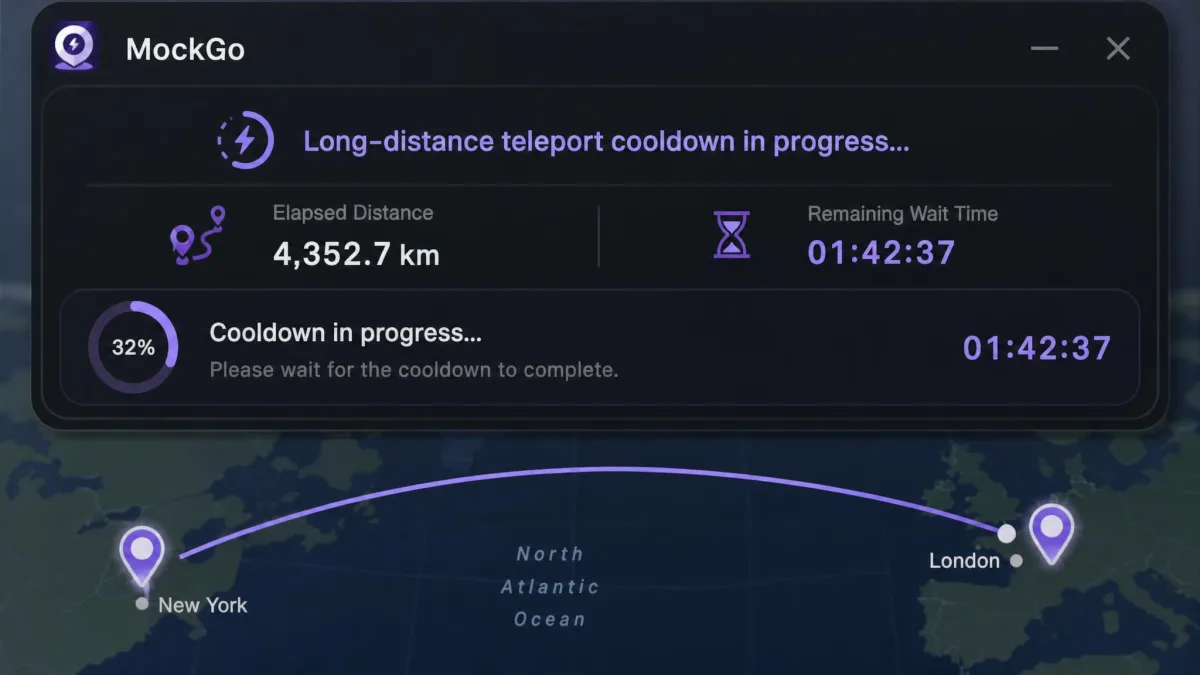
Each app ships a cooldown timer that counts down after a jump so you know when it's safe to interact with a game again.
Import/export GPX and saved favorites
Both keep a favorites list and a history of past locations, and both accept GPX files so you can replay a route someone else recorded.
PoGoskill goes one step further and will also export GPX, so you can save a route you built and share it. MockGo imports only.
GPX export is a small feature with an outsized effect on group play. If your friends trade routes, the app that can only import will always be the one borrowing.
Pricing: What Each One Actually Costs
Price is where the gap opens, and it widens the longer you commit.
MockGo pricing plans
MockGo's current plans start at $9.95 for one month, down from a $14.95 list price, covering 5 devices plus one PC or Mac. Three months costs $19.95 and carries the Best Seller label, a year runs $39.95, and the lifetime license is $59.95 one time.
The business tier is $19.95 monthly, $39.95 quarterly and $59.95 yearly, and it covers 15 devices plus one computer.
PoGoskill pricing plans
What PoGoskill charges on its 1-PC license is $14.95 monthly, $22.95 quarterly, $59.95 yearly and $95.95 for lifetime access. The 2-PC lifetime license is $119.95, and the 2-PC subscriptions run $19.95 monthly, $32.95 quarterly and $69.95 yearly.
Which is the better value
MockGo is cheaper at every single plan length. The starkest comparison is lifetime access: $59.95 against $95.95, a $36 difference for tools that do broadly the same job. PoGoskill's yearly price, $59.95, is exactly what MockGo charges once, forever, and that single line settles the value question for most iPhone owners. The pattern holds against most rivals too, as we found in MockGo vs iMyFone AnyTo.
PoGoskill's checkout can attach a 7-day trial add-on that quietly renews at a monthly rate, so the first charge on your card may be larger than the plan price you clicked. Check the cart total line by line before you confirm.

Compatibility: iOS, Android and Desktop
This section decides the winner for a lot of people, because one of these apps simply will not run on half the phones out there.
Supported iOS and Android versions
MockGo supports iOS 9 through iOS 26, which is an unusually long span and useful if you keep an old iPhone around as a dedicated spoofing device. It has no Android support at all.
PoGoskill supports iOS 12.5 through iOS 18, plus iOS 26, and it also covers Android 4 through Android 16. If your phone runs Android, PoGoskill is the only choice here, and our best location spoofers for Android list covers the wider field.
On the desktop side, MockGo runs on Windows 11 down to XP and on macOS 10.12 or later.
Do you need to jailbreak?
Neither app requires a jailbreak, and PoGoskill does not require root on Android either. Both change GPS coordinates through a desktop connection rather than by modifying the phone's system.
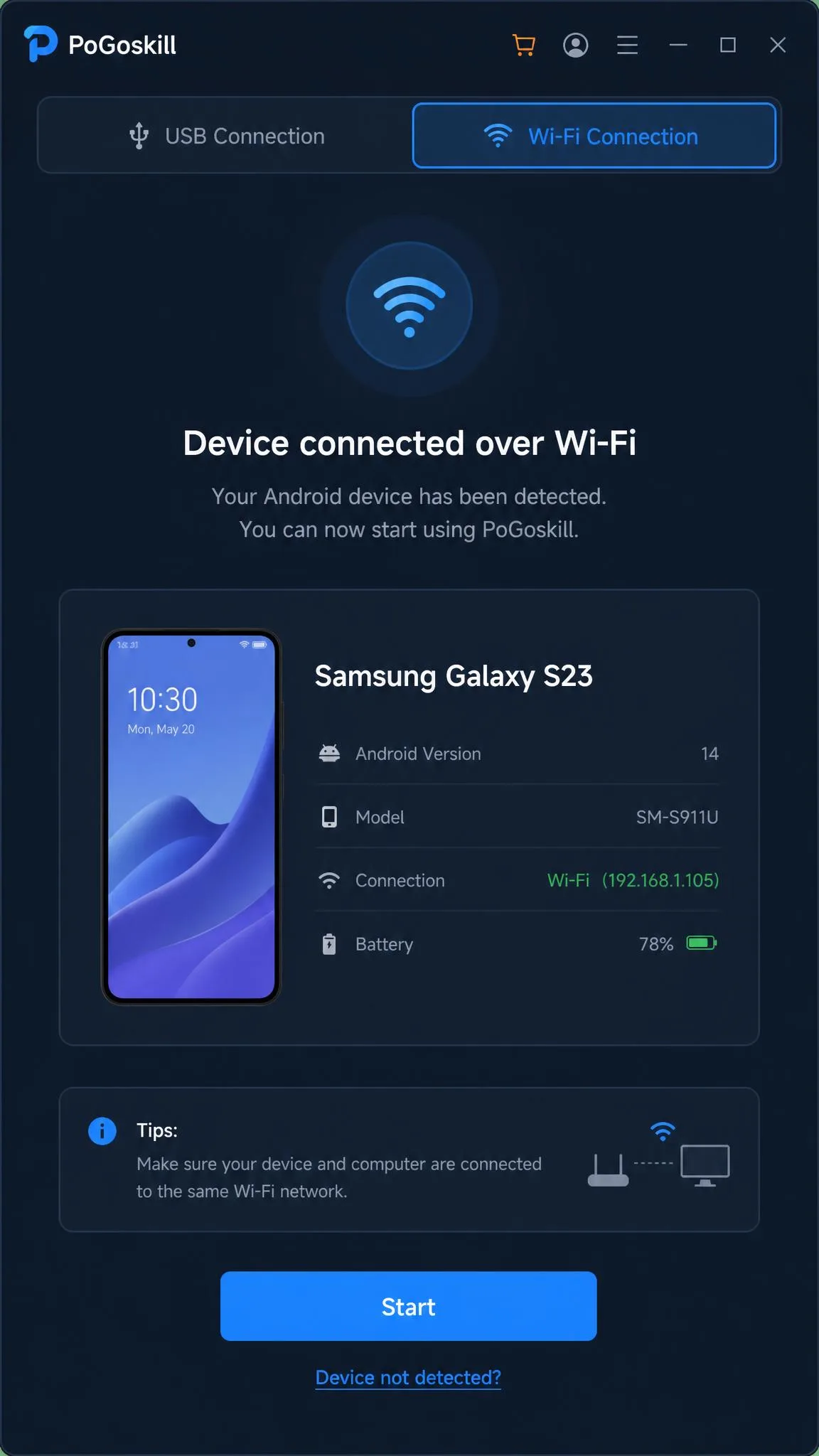
MockGo only talks to the iPhone over a USB cable, so there is no wireless option and the phone stays tethered to the computer for the whole session. PoGoskill works over USB or Wi-Fi, which is genuinely more comfortable if you want to walk around holding the handset.
Which apps and games each one works with
Because both change the system location, any app that reads GPS follows along, including maps, dating apps, weather apps and location-gated streaming.
Pokemon GO is the headline use for both, and PoGoskill adds a Bluetooth Game Mode aimed specifically at the Pokemon GO Error 12 failure that hits some spoofing setups. That said, Samsung handsets on Android 14 can move around with PoGoskill but still fail to join in-game events, so compatibility is not uniform across the whole feature set.
Ease of Use and Setup
Neither app asks much of you. Both follow the same shape: install on the computer, connect the phone, pick a spot, confirm.
Installing and connecting your device
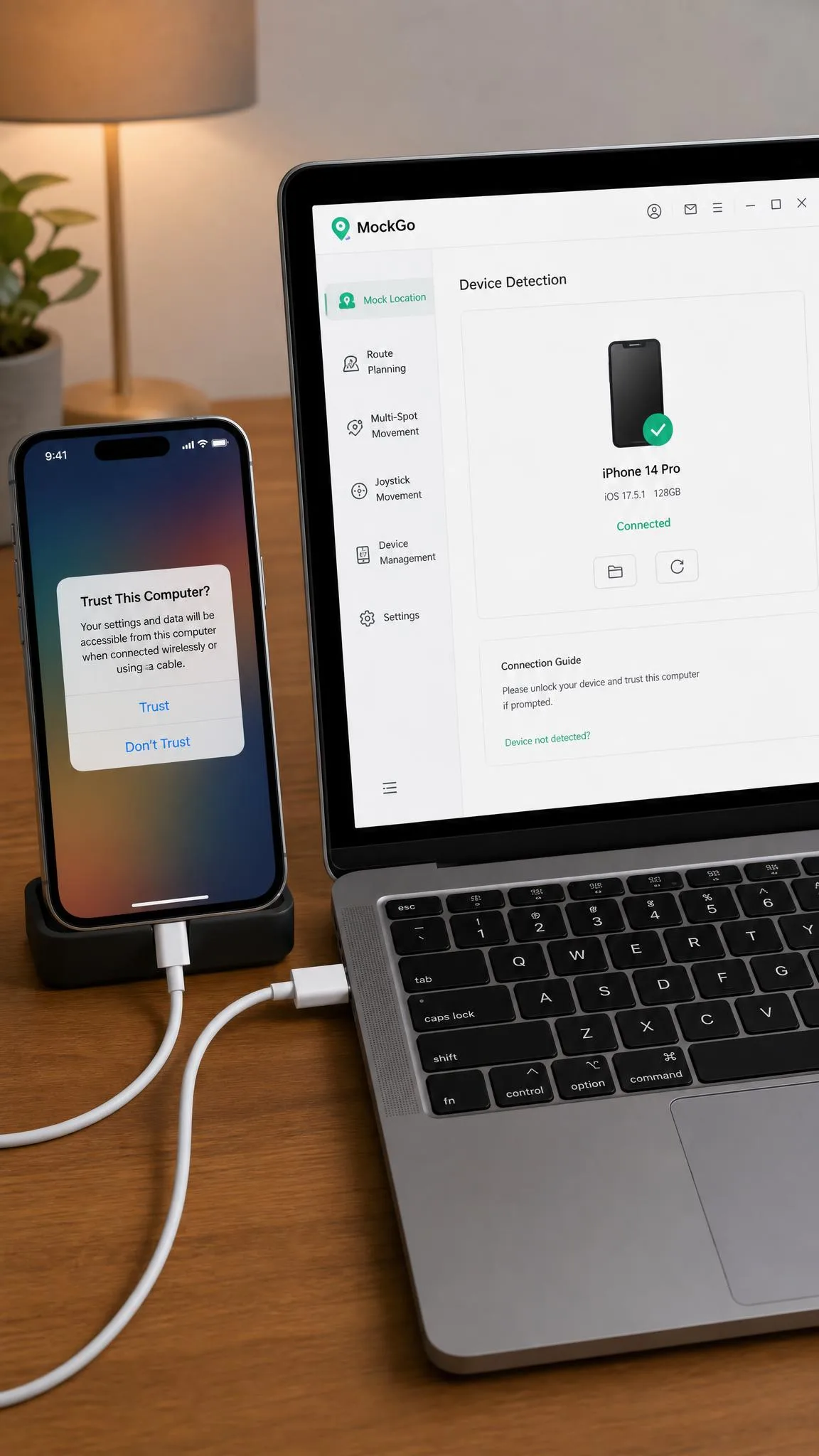
MockGo's free download installs in a couple of minutes, then asks you to plug the iPhone in and trust the computer. Connection to MockGo can break after an iOS upgrade, and re-pairing the phone is the usual fix, so if the app suddenly can't detect your handset after an update, unplug and re-trust before you assume the license failed.
PoGoskill's connection step is more flexible thanks to Wi-Fi, but its activation is not flawless: login authorization can fail on activation, blocking access to a paid license.
Your first location change, step by step
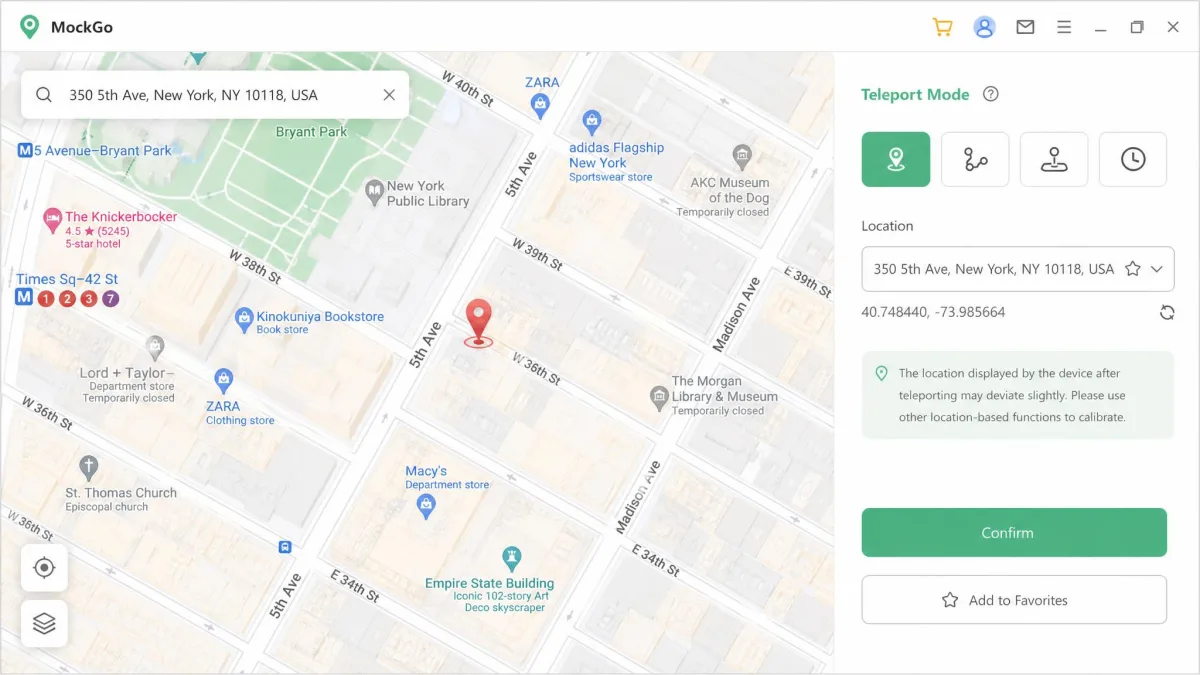
Open the app, connect the phone, and let it detect the device. Search for the place you want, or paste coordinates directly. Click the pin, confirm the move, and the phone reports the new location.
Turn the joystick on if you want to explore on foot from there rather than sitting still.
Close Pokemon GO before you connect the spoofer, then reopen it once the new location is set. Teleporting while the game is still running causes problems, and this order is the workflow that behaves.
Safety, Ban Risk and the Pokemon GO Cooldown
Spoofing breaks Niantic's terms of service, and no app changes that. Neither tool removes account risk in Pokemon GO. Observing the cooldown between jumps is the only thing that reliably reduces it.
The cooldown is the enforced waiting period after you move a long distance, and it scales with how far you jumped: about a minute for a 1 km hop, roughly 30 minutes at 100 km, and around an hour and 40 minutes at 1,000 km. It tops out at 120 minutes, so any jump beyond roughly 1,500 km costs you the same two-hour wait. Both apps count it down for you, which is the single most useful safety feature either one ships.
Teleporting a long distance makes nearby spawns flee immediately unless the cooldown has fully elapsed, so a stampede of vanishing spawns is your first sign that you jumped too soon.
Treat every jump as a risk to the account, not a free move. There is no published ban-rate data for either app, and any hunter who tells you a specific tool is undetectable is guessing.
Reliability, Refunds and Support
Both vendors advertise the same guarantee. What differs is what happens after you ask for help.
Free trial and refund policy
MockGo's free download is capped rather than timed: one-stop and multi-stop modes work once, and teleport and joystick are limited to 3 uses. It's enough to confirm the app runs on your setup, not enough to play with.
PoGoskill describes its free access two different ways depending on the page, and the paid trial rolls into a monthly charge automatically, so treat the trial as a purchase decision rather than a look around.
Both carry a 30-day money-back guarantee. Foneazy asks you to contact support within 30 days of purchase with the specific problem, troubleshoots first, and refunds if the issue cannot be fixed.
Support responsiveness and user reviews
PoGoskill's Trustpilot rating is 4 stars from 98 reviews, and support responsiveness is the most common piece of praise in them. Against that, PoGoskill lifetime licenses have been reported blocked after several weeks, and refund requests have been refused.
Foneazy's side is thinner. Trustpilot reviews for Foneazy were not retrievable when we checked, so there's no published score to weigh. Foneazy's support can be slow or hard to reach once something goes wrong, though its documentation is thorough, with step-by-step guides on the product pages that cover the whole setup.
One more MockGo quirk worth knowing: the app can refuse to close normally, leaving you to stop the process from the operating system's task manager.
Where MockGo Wins
Pros
- Cheapest option here at every plan length, including a one-time lifetime license
- Widest iOS coverage of the two, from iOS 9 to iOS 26
- Precise speed control from 3.6 to 108 km/h rather than fixed presets
- Business plan covers 15 devices plus one computer
- Thorough step-by-step documentation on the product pages
- Free download lets you confirm compatibility before you buy
Cons
- USB only, so the phone stays tethered for the whole session
- No Android support at all
- Movement simulation can stutter mid-route
- Support can be slow to reach when something breaks
- GPX import only, no export
Where PoGoskill Wins
Pros
- Runs on Android handsets as well as iPhones
- Connects over Wi-Fi or USB, so no cable required
- 360-degree joystick is easier to steer
- GPX import and export, not just import
- Bluetooth Game Mode targets the Pokemon GO Error 12 problem
- 4-star Trustpilot rating from 98 reviews, with support responsiveness praised
Cons
- Costs more at every plan length
- Narrower iOS range than MockGo
- Checkout can attach an auto-renewing 7-day trial
- Device count is stated inconsistently across the site
- Activation authorization can fail, and some lifetime licenses have been reported blocked
Which One Should You Buy?
Platform decides this before price does. If the handset you want to move is an Android phone, PoGoskill is your only option here, and the rest of the argument is academic. Everyone else is choosing an iPhone tool, and there the order you buy in matters more than the sticker.
Start with MockGo's capped free download rather than a plan. Three teleports and three joystick sessions is not a trial, but it is enough to confirm that your particular iOS version connects and that the app detects the phone over your cable. Once you have seen a successful teleport, the lifetime tier is the only plan worth clicking, because it costs less than a single year of the alternative and nothing about this category improves with a subscription.
If you already own an old spare iPhone, dedicate it to this and leave your daily handset out of it entirely. That is the change we would make first, ahead of any software choice: the account risk lands somewhere you can afford to lose, and an older device that can no longer update is exactly the case MockGo's long iOS range was built for.
If you need PoGoskill's Wi-Fi connection or its GPX export, buy the quarterly plan rather than the monthly one. It is the only sane way to trial the app given the auto-renew add-on at checkout, since it gives you a real stretch of use inside the 30-day guarantee window without the trial converting behind your back. And if neither one fits, there are other options worth weighing in our best Pokemon GO spoofer roundup.

Frequently Asked Questions
Is MockGo or PoGoskill safer for Pokemon GO?
Do either of them require a jailbreak?
Can you get banned for GPS spoofing?
Is there a free version of either app?
Which one supports the latest iOS?
How many devices can each one change at once?
Can I get a refund?
Our comparison is built from both vendors' current published pricing and specification pages, plus independent reviews and user reports. We have not run a long-term account-safety test on either app, and we will not publish a ban-rate figure that no credible source supports.