If you're heading to China, the first question on your list is probably this: does ExpressVPN work in China once you land? As of September 2026, it still connects for many people, but it's unreliable at times, and how well it holds up depends on your city, your network and the week you travel.
The bigger point is timing: almost everything that makes ExpressVPN usable in China has to happen before you travel, because the website and app stores are blocked once you're inside. Below is our ExpressVPN China setup checklist, what we found about connecting through the Great Firewall, and the fixes to try when the app stops cooperating.
Does ExpressVPN work in China right now?
Yes, for many people, but not every day and not on every network. We treat any "it works" status as a snapshot rather than a guarantee, and so should you.
Where things stand in 2026
ExpressVPN's own China status page was last updated on February 4, 2026. It doesn't say "works" or "doesn't work." Instead, it lists troubleshooting steps: keep the app current, try protocols in a set order, and give each connection attempt time to finish.
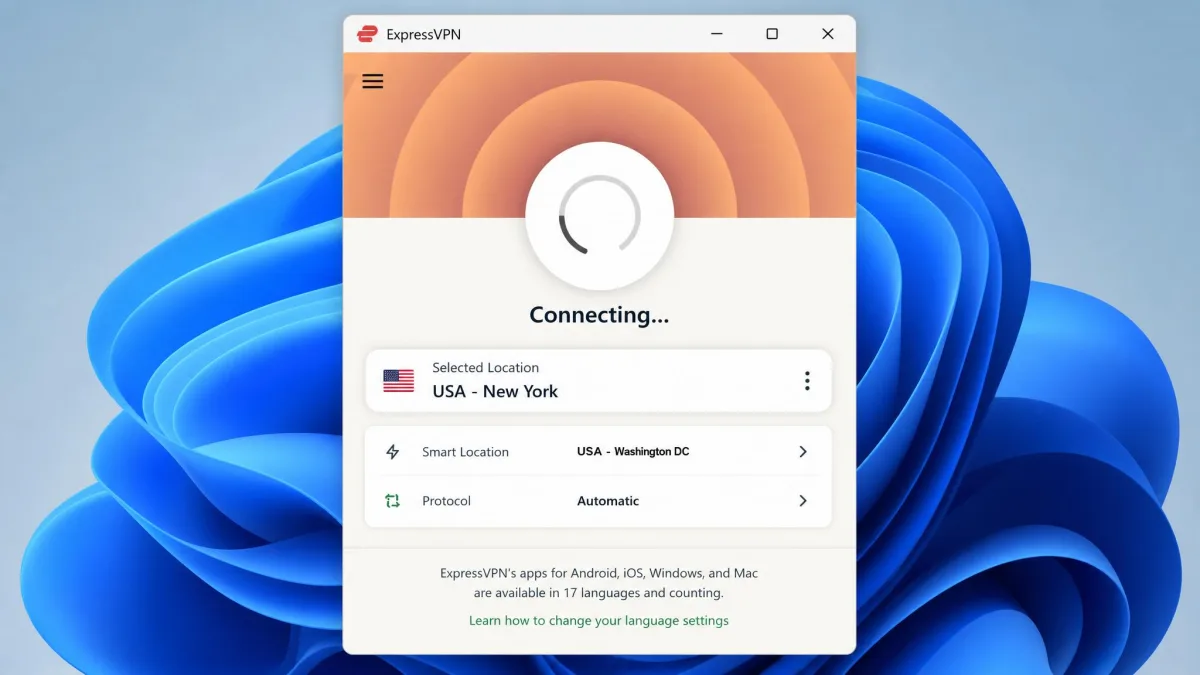
That matches what we found: connecting from China is noticeably slower than connecting anywhere else. A connection that takes 3 to 4 seconds at home can need 30 to 60 seconds to finalize, and sometimes 2 to 3 minutes. If you tap retry too early, you interrupt the attempt and start over.
We also found that a green "connected" status doesn't always mean you're online. The app can report a live tunnel while no web pages load, and shortly afterward it drops to disconnected. We care about what the tunnel is doing, not what the icon says, and this behavior confuses first-time visitors most.
Performance also depends on the city and carrier. Connecting on China Mobile can be hard in one city while other cities have no trouble at all. Mobile data has degraded more than home broadband: a phone that used to connect cleanly can now show connected without loading sites.
Why connections come and go (Great Firewall crackdowns)
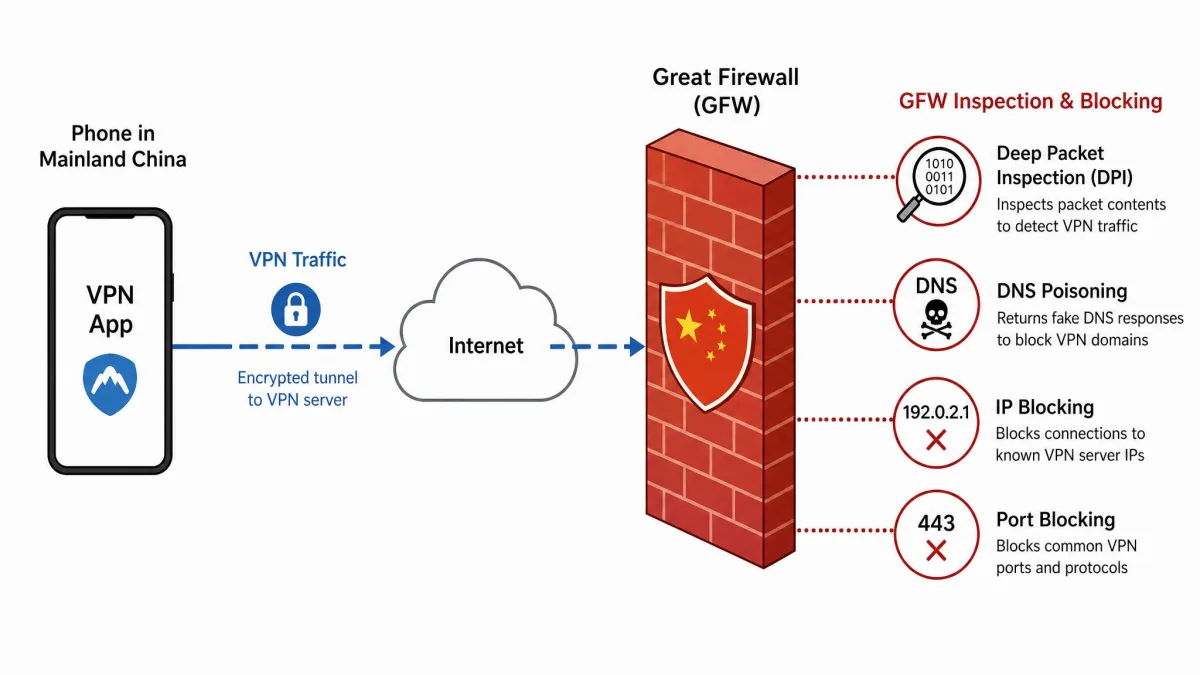
The Great Firewall uses several techniques at once. Deep packet inspection looks for traffic patterns that identify a VPN, DNS poisoning sends lookups to the wrong place, and IP and port blocking shut down known VPN servers and protocols.
ExpressVPN answers each block with new server IPs and new app builds, and China answers back. It's a game of cat and mouse, and neither side stays ahead for long.
Timing matters too. In our experience, connections get harder and slower during important government meetings, major holidays and sensitive anniversaries, then recover afterward.
Why ExpressVPN is used for China: what helps and what doesn't
ExpressVPN's appeal in China comes down to three things: automatic obfuscation, a large pool of nearby server locations, and frequent app updates that counter new blocks. None of those guarantee a connection, but together they give you several ways to get around the Great Firewall. For the wider picture on speeds, streaming and privacy, read our full ExpressVPN review.
Automatic protocol and Lightway obfuscation
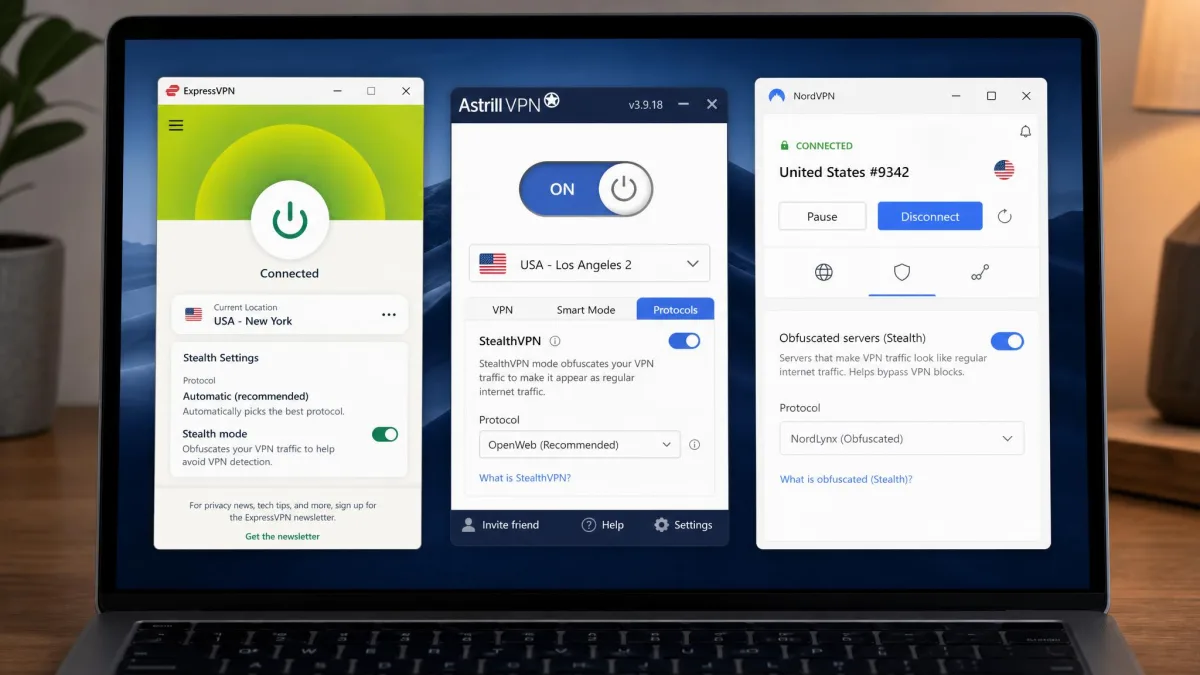
ExpressVPN turns on obfuscation automatically on its servers, which makes VPN traffic look like ordinary HTTPS web traffic. There's no separate stealth toggle to find, and you don't have to change any settings first.
The Automatic protocol usually picks Lightway, ExpressVPN's open-source protocol released in 2020 and built on wolfSSL. We found that setting the protocol to Automatic is the most reliable starting point, because the app cycles through protocols on its own when one is blocked.
Under the hood, ExpressVPN uses AES-256 VPN encryption, runs TrustedServer RAM-only servers, and adds post-quantum protection on Lightway. Those features protect your data, but they aren't what gets you past the firewall. Obfuscation and fresh server IPs do that job.
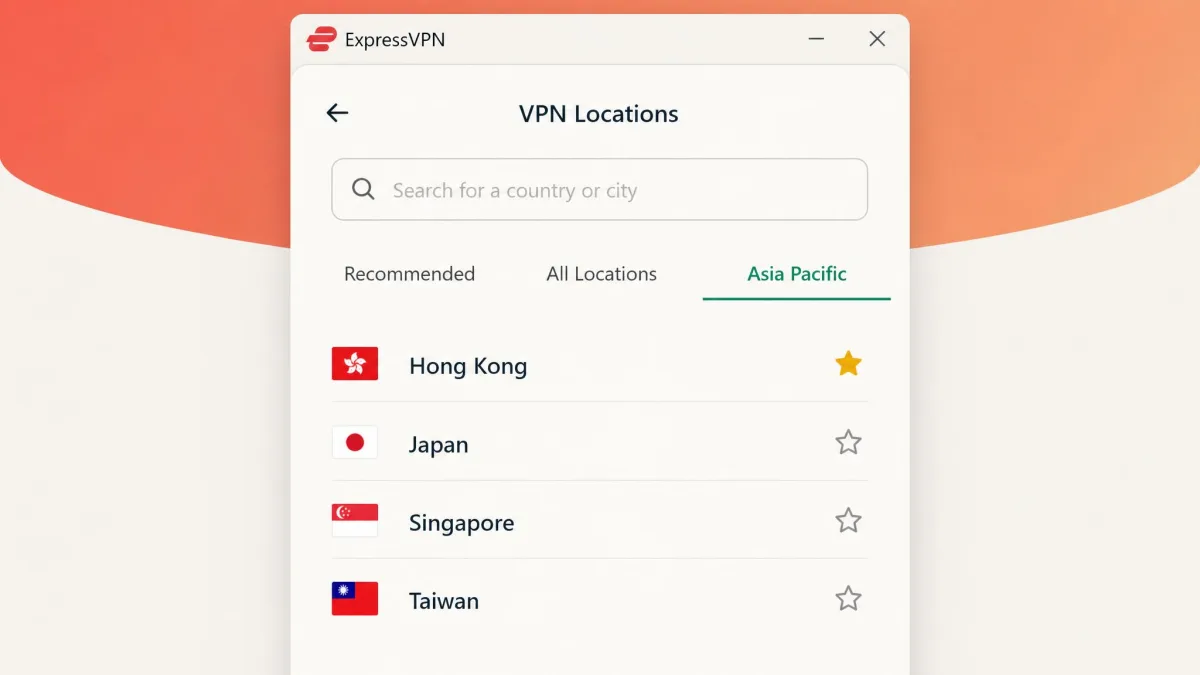
Server locations to use from China (Hong Kong, Japan, Taiwan, Singapore, US)
ExpressVPN runs servers in 113 countries, and mainland China isn't one of them. The nearby options are Hong Kong, Japan, Taiwan and Singapore, with US West Coast servers as a strong second tier.
In our checks, Hong Kong, Japan, Singapore and US West Coast locations tend to connect first and hold best. That said, the best locations shift as individual server IPs get blocked, so any named location can stop working without notice. The official status page names no specific servers and tells you to test "Fastest location" instead.
Speeds you can expect
Expect slower speeds than you get at home. Speeds measured from China in mid-2024 averaged about 132 Mbps to North America, 110 Mbps to Europe and 89 Mbps to Hong Kong and the rest of Asia. Speeds through the Great Firewall depend heavily on city, ISP, time of day and crackdown periods, and those figures predate 2026, so read them as a best case.
On a phone, plan for less: expect up to about 8.2 MB/s (roughly 66 Mbps) on home broadband and about 4.5 MB/s (roughly 36 Mbps) on 4G, and less during crackdown periods or on congested networks.

How to set up ExpressVPN for China before you travel
Do all five steps at home, on your home internet connection, and leave a day or two of slack in case something needs a second try.
Install ExpressVPN before you arrive. The ExpressVPN website is blocked in mainland China, and VPN apps don't appear in local app stores, so a device without the app already on it is much harder to fix once you're there.
1. Subscribe and install the apps on every device before you leave
Sign up, then install ExpressVPN on every phone, tablet and laptop you plan to carry. The Basic plan covers 10 devices, which is plenty for a couple or small family. Sign in on each device and connect once before you pack it.
2. Save the mirror site link and support contact
ExpressVPN keeps mirror sites that stay reachable from China, but the links change often, in some periods almost daily. Rather than saving a link that may go stale, save ExpressVPN's support contact details from its website and plan to request a current mirror link if you need one. Only take mirror links from an official ExpressVPN channel.
While you're saving things, bookmark ExpressVPN's China status page too. When connections start failing, that page is where the current protocol and location guidance shows up first.
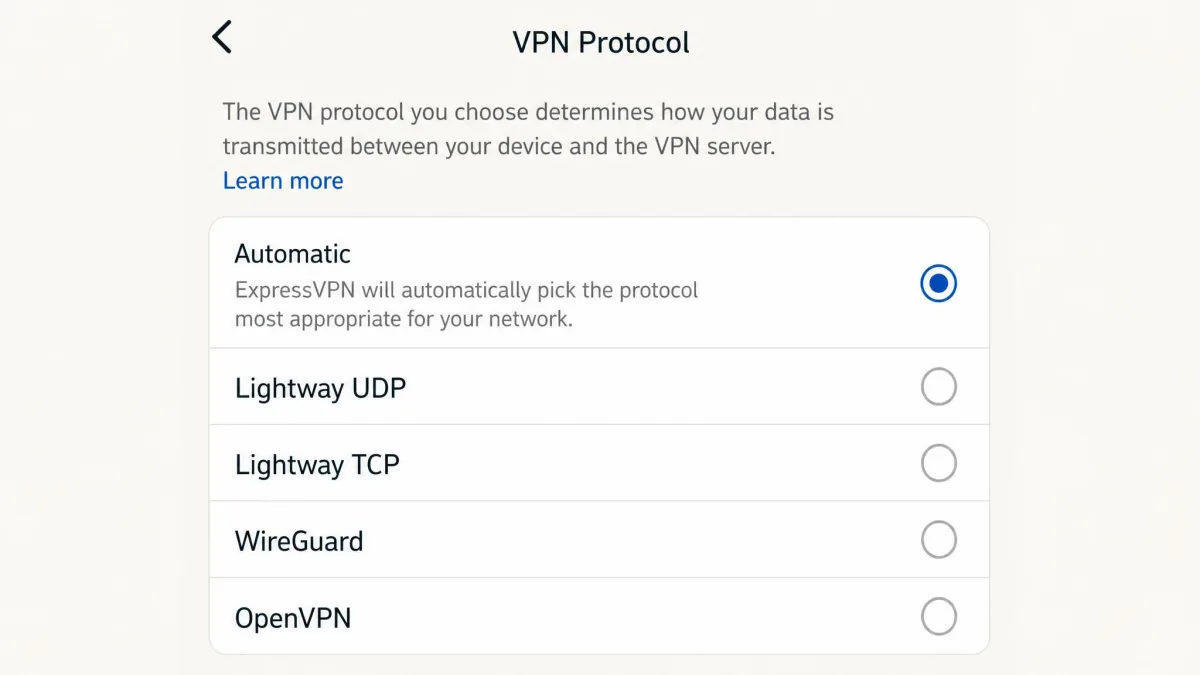
3. Set the protocol to Automatic
Open Options (or Settings on mobile), go to Protocol and choose Automatic. This is the first protocol on ExpressVPN's official China list for every platform.
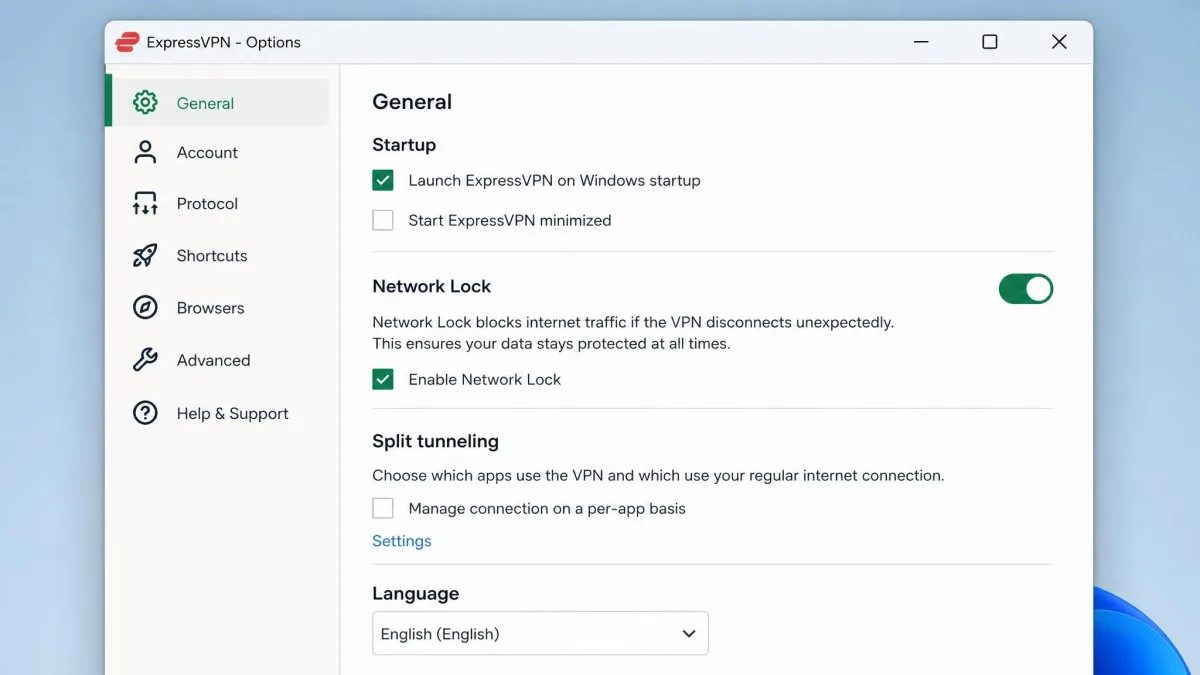
4. Turn on Network Lock
Network Lock is ExpressVPN's kill switch. It blocks all internet traffic if the VPN drops, so your apps don't quietly fall back to the filtered local connection. Turn it on in Options and leave it on for the whole trip.
5. Update the apps and test a connection
Update every copy of the app the day before you leave. Updating matters more in China than anywhere else: new builds are how ExpressVPN counters fresh blocks, and an out-of-date app is a common reason connections fail. Then connect to a Hong Kong or Japan location and load a few sites.
How to use ExpressVPN in China on your phone and laptop
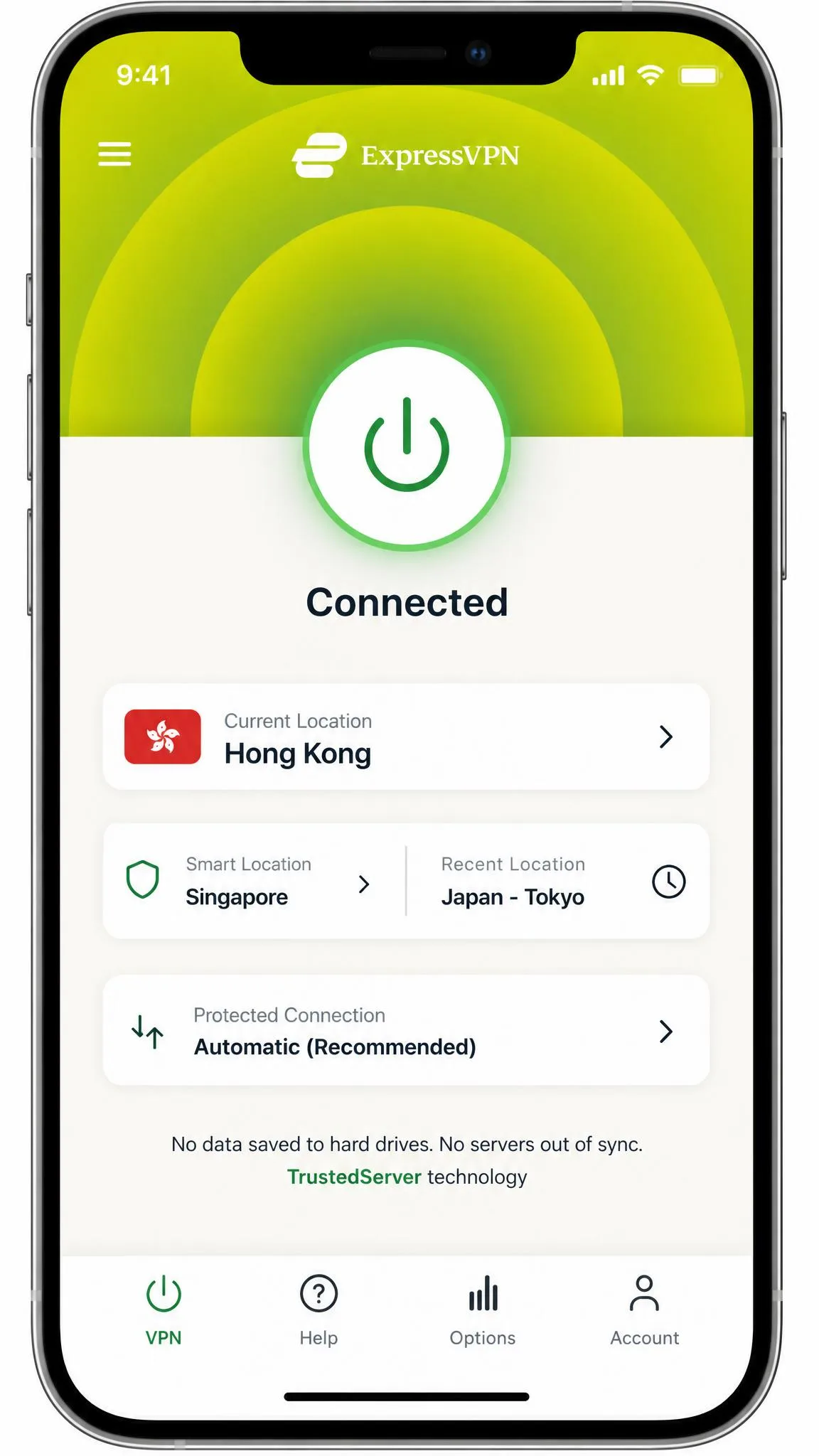
Once you're in China, open the app, wait about a minute after launching an updated version, and then connect. Give each attempt time to finish before you tap anything else.
iPhone and Android
On iOS, the official protocol order is Automatic, Lightway UDP, Lightway TCP, WireGuard, then OpenVPN. On Android, the China list is shorter: Automatic, then Lightway TCP only. If you use Threat Manager, only Automatic and Lightway are available on any device, so that list is short by design.
The Android app needs Android 7.0 or higher. When a phone connection hangs, switch to hotel or café Wi-Fi with the VPN on, and come back to mobile data later.
Windows and Mac
On Windows, Mac and Linux, the order is Automatic, Lightway UDP, Lightway TCP, WireGuard, then OpenVPN. After each protocol change, test "Fastest location" before moving on to the next protocol.
Keep Network Lock on for laptops. Split tunneling is useful for sending Chinese apps outside the tunnel on Windows, but it isn't available on recent versions of macOS.
How to get ExpressVPN if you're already in China
If you're already in China without the app, you still have options. Getting the app after arrival is the main friction point, but three routes still work.
Use the mirror site or email support for the download link
Email ExpressVPN support or use live chat and ask for the current mirror link for your device. We don't print mirror addresses here because they change so often. Check ExpressVPN's China status page for any current notes before you start.
On iPhone, you'll need an Apple ID set to a region outside mainland China, such as the US, because Apple removed VPN apps from its China App Store in July 2017 at the Chinese government's request.
Sideload the Android APK
Google Play is blocked in mainland China, so Android users install the APK directly. Get it only from ExpressVPN through support or an official mirror link. ExpressVPN warns that third-party APK sites may carry malware, and we'd never install a VPN from one.
Use roaming data from your home SIM
This is the easiest workaround. Home-carrier roaming and travel eSIMs route your data out of mainland China before it's filtered, so you can reach the normal ExpressVPN site and download the app. We found that roaming gets Google, WhatsApp and Instagram working without a VPN at all. Hotel Wi-Fi and local Chinese SIM cards stay behind the Great Firewall.
ExpressVPN not working in China? Fixes to try
Even with everything installed before the trip, connections will sometimes fail. Most failures come down to an old app, a blocked server or an impatient retry. Work through these in order, and check ExpressVPN's China connection status page for the latest guidance.
1. Switch back to the Automatic protocol
If you changed protocols earlier, go back to Automatic first. If it still fails, step through the platform's protocol list one at a time and test "Fastest location" after each change.
2. Update the app
An outdated app is one of the most common reasons connections fail. The in-app update link runs on a domain other than ExpressVPN's main website, and we found it keeps working from inside China even though the main site is blocked, so you can still upgrade an installed app. After updating, wait one minute before connecting.
3. Try a different server location
When a server location refuses to connect, we found that switching to a different location and trying again is often enough to get back online. Try Smart Location, then Hong Kong, Japan, Singapore and US West Coast. If the app shows "connected" but nothing loads, disconnect and move to another location rather than waiting it out.
4. Clear your cache and restart the device
Clear your browser cache, close the app fully and restart the device.
5. Contact ExpressVPN live chat support
If nothing works, open live chat. Support is available 24/7, and live chat can suggest current server and protocol settings for China when the defaults stop working.
Is it legal to use ExpressVPN in China?
Before you lean on any of these fixes, know where the law stands: only government-approved VPNs are legal in China. The US State Department's China travel advisory says VPN use there is illegal in most cases and may result in device confiscation, a fine or detention.
In practice, enforcement has targeted VPN sellers and providers far more than individual foreign visitors. There are no publicized cases of foreign visitors being penalized solely for personal VPN use. That said, the absence of known cases doesn't create a legal right, and enforcement can change without notice.
Fines against individuals are rare but not unheard of. In a 2019 case, one person was fined 1,000 yuan (about $146) for VPN use. Keep a low profile, don't sell or share VPN access, and follow local rules.
What's blocked in China and why you need a VPN
Without a VPN or roaming data, many services you use every day won't load. The list of sites blocked in mainland China includes Google services (Search, Gmail, Maps and YouTube), WhatsApp, Instagram, Facebook and many Western news sites.
VPNs are heavily restricted for local residents. In fact, only about 3% of Chinese citizens were estimated to use VPNs as of 2022. For visitors, a VPN is how you keep work email, maps and family chats running.

ExpressVPN vs Astrill, NordVPN and other VPNs for China
ExpressVPN isn't the only option, and for long stays it may not be the best one. Some long-term residents who hit repeated connected-but-no-internet failures have moved to NordVPN or Surfshark.
Astrill is the specialist. It builds its own StealthVPN and OpenWeb protocols for censorship, offers China-routed private IP add-ons, and covers unlimited devices in your household. It costs far more: $12.50 a month on the 2-year plan and $30.00 month to month, and its network covers 50+ countries. Read our Astrill VPN review for the full breakdown.
NordVPN relies on obfuscated servers, and Surfshark offers NoBorders and Camouflage modes. We cover both in our NordVPN review and our Surfshark review. If you're weighing a switch from another provider, we've also looked at whether Proton VPN works in China. For a ranked list, see the best VPNs that still work in China.
ExpressVPN China FAQ
Does ExpressVPN have servers in China?
Is ExpressVPN owned by a Chinese company?
Will hotel WiFi work with ExpressVPN in China?
Do free VPNs work in China?
Can I get a refund if ExpressVPN doesn't work for me in China?
Which ExpressVPN plan do I need for a trip to China?
Bottom line: is ExpressVPN worth it for China?
ExpressVPN is worth it for short trips if you install it before you leave and accept that some days will be harder than others. The Automatic protocol, frequent app updates and nearby Asian locations give you a good chance of staying connected, and roaming data makes a solid backup.
For a long stay, the picture changes. Months of phone-heavy use are where the rough patches add up, so you may want Astrill or another China-focused VPN as a second option. We score ExpressVPN 8.8/10 overall in our ExpressVPN review, and China is the one place where that score comes with a clear asterisk.