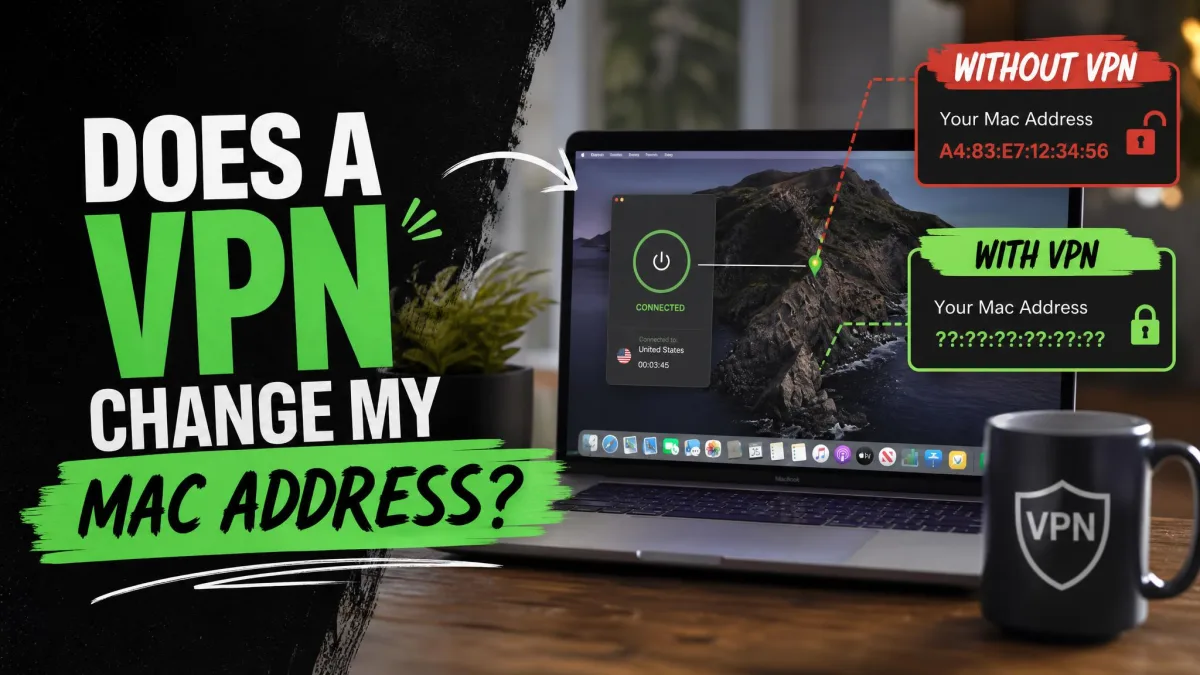
No, a VPN does not change your MAC address. A VPN swaps your public IP address for one of its servers and encrypts your traffic, while your MAC address never leaves your local network in the first place.
It's an easy mix-up. Both are called "addresses," both identify your device, and VPN apps promise to hide who you are. This guide explains what each address does, who can still see your MAC with the VPN on, and how to change or randomize it if you want that privacy too.
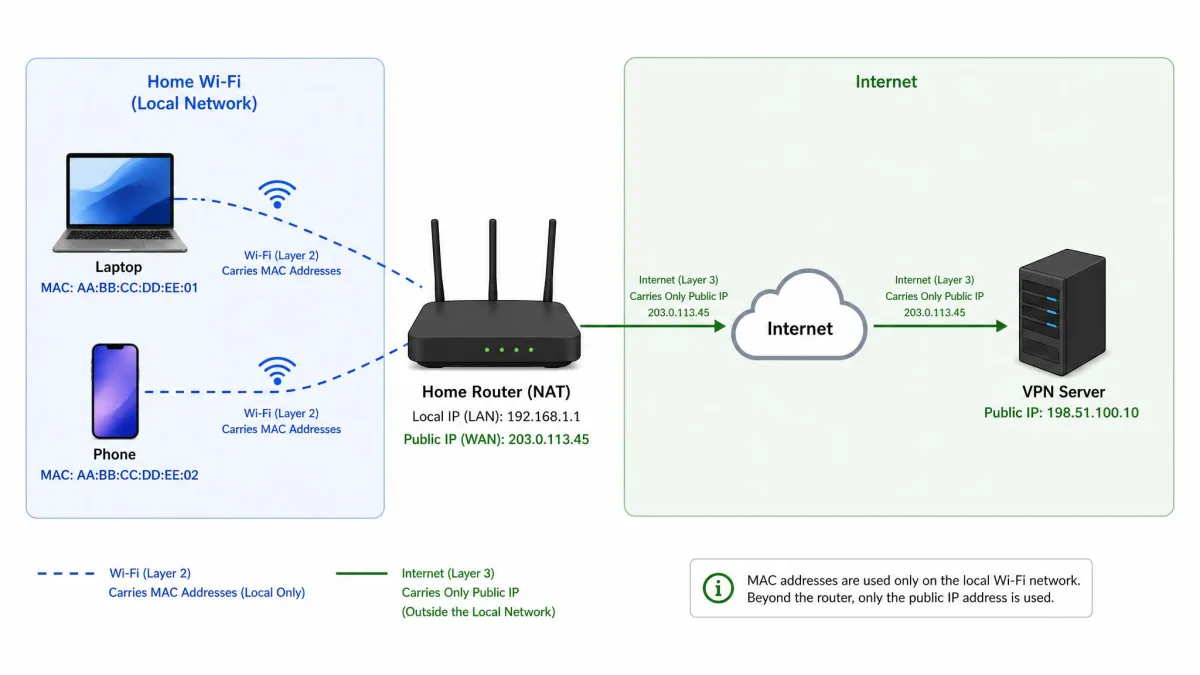
Your MAC address only travels as far as the first router it meets. The router strips it off before your traffic heads out to the internet, so no VPN server or website ever receives it, and a VPN has nothing to change.
What is a MAC address?
A Media Access Control address is a hardware identifier assigned to each network adapter in your device. A laptop has one for its Wi-Fi card and another for its Ethernet port. Devices on the same network use these addresses to find and talk to each other.
A MAC address is a 48-bit number, usually written as six groups of two hexadecimal digits, like 01-23-45-67-89-AB. That allows for about 281 trillion possible addresses, and the IEEE now calls the format EUI-48. The first 24 bits are the organizationally unique identifier (OUI), a manufacturer prefix the IEEE assigns to companies like Apple or Intel.
When the second-least-significant bit of the first byte is set to 1, the address is "locally administered," meaning software assigned it rather than the factory. Randomized MAC addresses set that bit.
MAC address vs IP address
Your MAC address works at Layer 2, the local link between your device and whatever it connects to directly. Your IP address works at Layer 3, the layer that routes traffic from one network to another across the internet.
Think of your MAC address as a name tag you wear inside your office building, so the front desk knows who you are. Your IP address is the mailing address on an envelope. The name tag never goes in the mail.
Inside your home network, devices use ARP (Address Resolution Protocol) to match a local IP address to the right MAC address. Once traffic passes your router, only the IP address carries on.
Why can't a VPN change your MAC address?
Because a VPN works at a different layer. Protocols such as WireGuard and OpenVPN operate at Layer 3 and route traffic by IP address. The encrypted tunnel rides on top of your normal connection, so your adapter still talks to your router using its own MAC address.
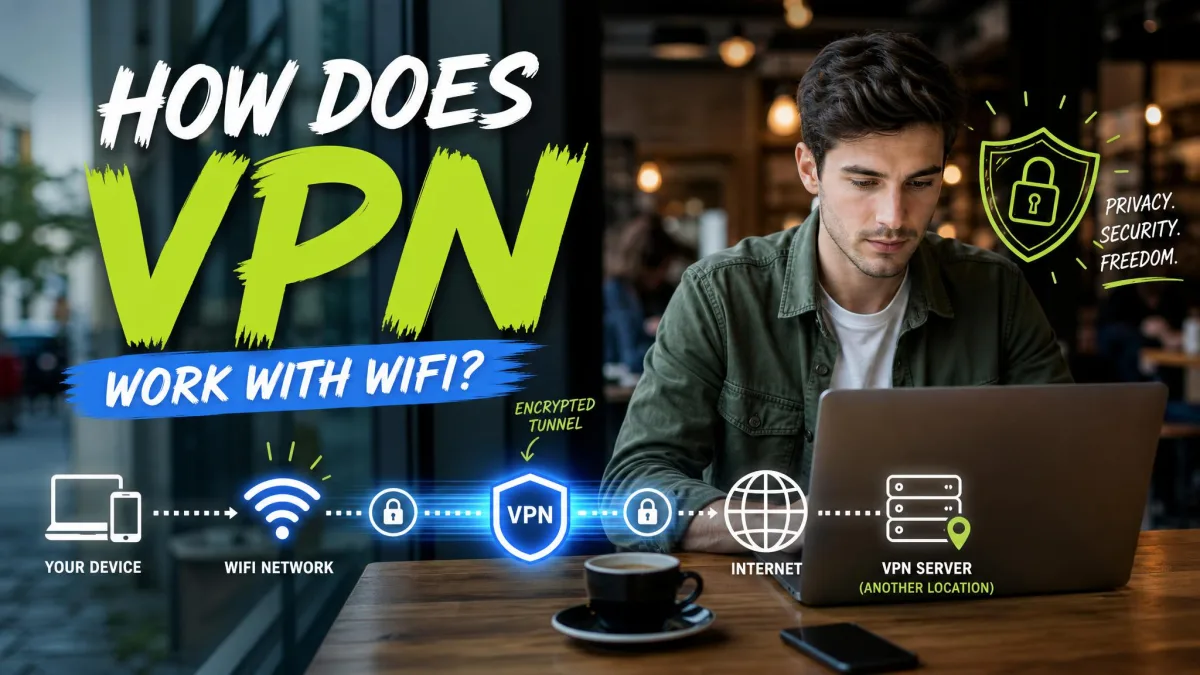
The router then strips the MAC from each packet before forwarding it. The next hop, whether that's your ISP or a VPN server abroad, never sees your adapter's hardware address. Our guide on how a VPN works with Wi-Fi walks through that tunnel step by step.
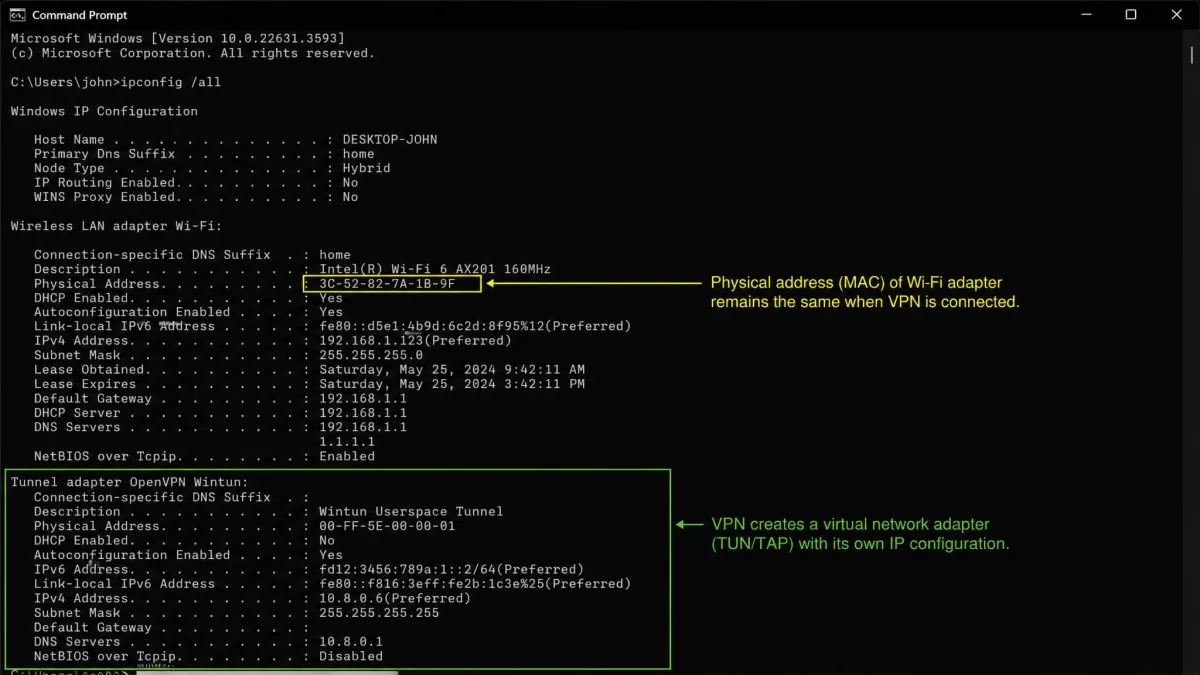
On a Windows laptop, we ran ipconfig /all, noted the Physical Address under the Wireless LAN adapter, connected a VPN, and ran the command again. The VPN showed up as its own virtual adapter entry, while the Physical Address under the Wi-Fi adapter stayed exactly the same.
We then switched to a different VPN server and checked once more. Nothing changed. The only things that ever changed that address were MAC randomization or a manual change, both covered below.
What does a VPN actually change?
It changes what the outside world sees, as this table shows.
| Identifier | Does a VPN change it? | Who can still see it |
|---|---|---|
| Public IP address | Yes, replaced by the VPN server's IP | The VPN provider; websites see only the server IP |
| MAC address | No | Devices on your local network: router, Wi-Fi owner, hotspot operator |
| DNS requests | Yes, when the VPN handles DNS | The VPN provider's resolver |
| Approximate location (IP-based) | Yes, it appears as the server location | GPS and Wi-Fi location services on your device still work |
| Browser fingerprint | No | Websites and trackers |
| Traffic contents (ISP view) | Hidden inside the encrypted tunnel | Your ISP sees the VPN connection and data volume, not the sites |
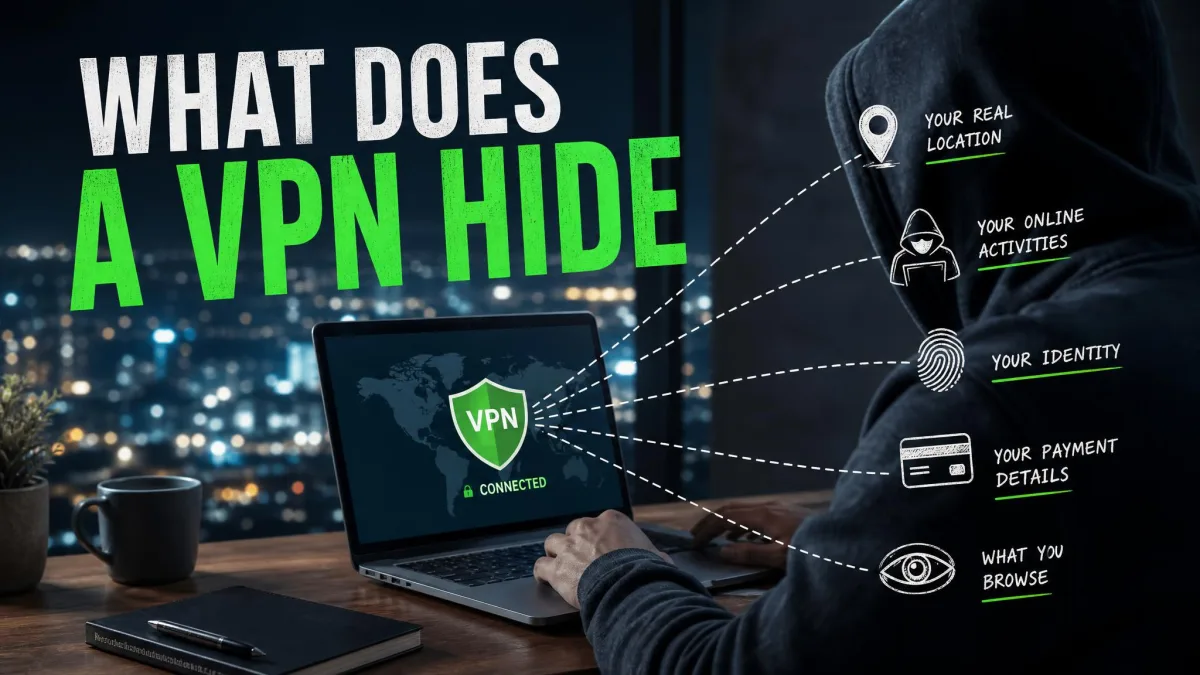
A VPN protects what travels across the internet. It does nothing for identifiers that stay on your device or your local network. We cover that split in our guide to what a VPN hides and what it can't.
Who can see your MAC address when you use a VPN?
Only devices on your local network. That list is shorter than most people expect.
Websites and apps
No. Websites never receive your MAC address, with or without a VPN, because it is stripped away at your router long before your request reaches their servers.
The tracker that actually follows you across sites is browser fingerprinting. Sites combine your screen resolution, time zone, language settings, installed fonts, Canvas and WebGL behavior, and extensions into a surprisingly unique profile. A VPN changes none of those, so it doesn't stop fingerprinting.
Your router, the Wi-Fi owner, and public hotspots
Yes. Your router needs your MAC address to deliver traffic to you, so whoever runs it can see it. With a VPN on, the router still sees your device's MAC, its local IP, how long it has been connected, and how much data it has moved. It can't see where that data is going.
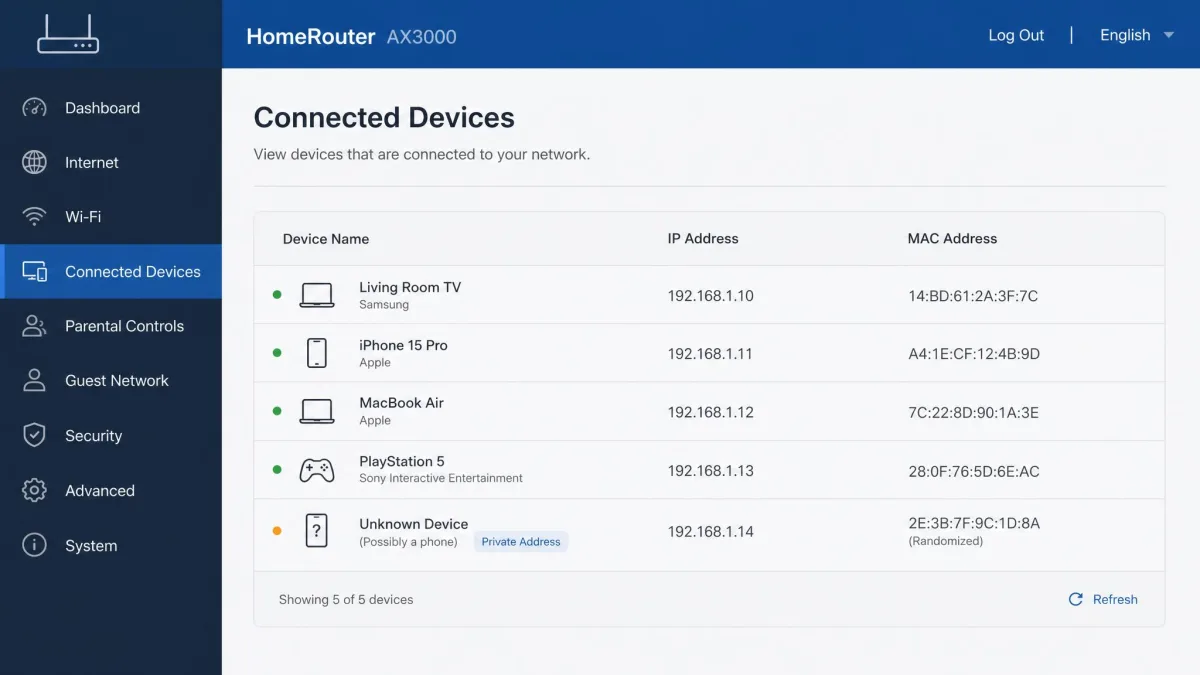
A hotel, café, campus or employer can log your MAC, and captive portals (the login pages at airports and hotels) remember your device by its MAC after you sign in. Routers list devices by MAC, as our guide on how to see what is connected to your Wi-Fi shows.
Your ISP
Usually not for individual devices. Your MAC addresses stop at your home router, so your ISP doesn't see each phone or laptop behind it. It may see the MAC of the modem or router facing its network, depending on whether you use the ISP's gateway or your own router.
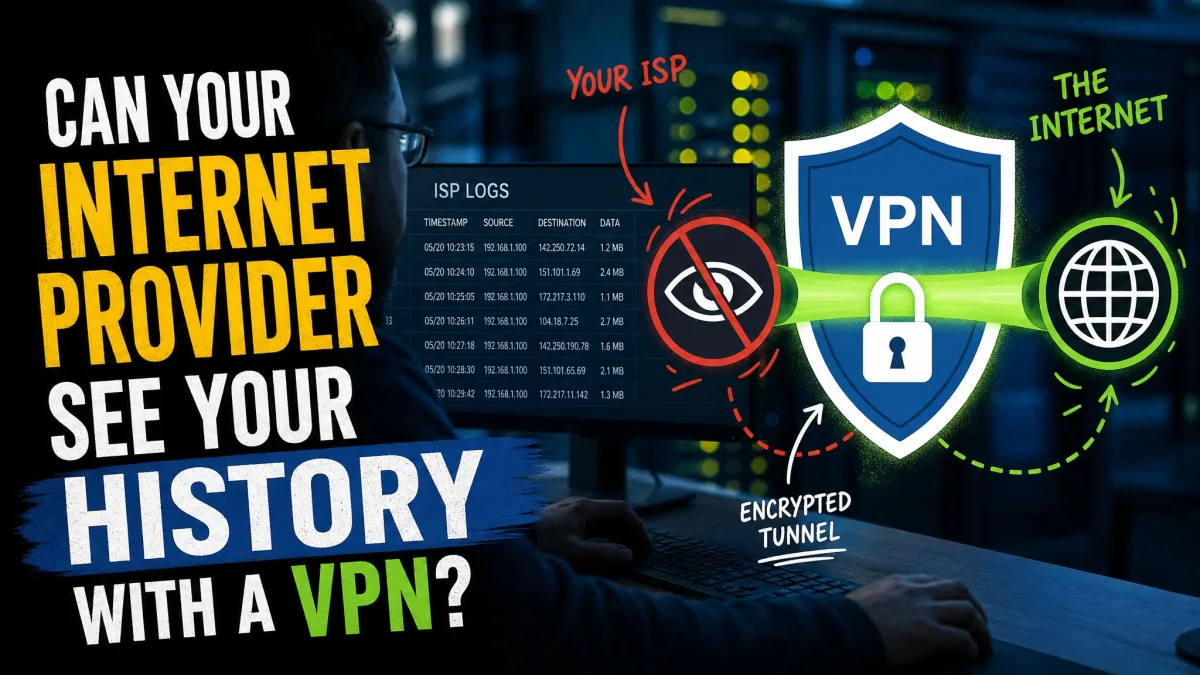
With a VPN on, your ISP can tell you're connected to a VPN and how much data you move, but not the sites inside the tunnel. Our guide on whether your ISP can see your history with a VPN covers that view.
How to actually change or hide your MAC address
A VPN won't do it, but your device probably can. You have three routes: built-in randomization, a manual change on Windows, or spoofing software.
Turn on MAC randomization (iPhone, Android, Windows, macOS)
Randomization gives your device a different, software-assigned MAC for each Wi-Fi network, so a café and an airport can't match your visits by one hardware address.
Android. Android 10 and later use a randomized MAC by default, according to Android's MAC randomization documentation. The address is generated per network and stays the same for that network until a factory reset. From Android 12, the system can also use a fresh address in some cases, re-randomizing when the current one is more than 24 hours old or when the DHCP lease has expired and 4 hours have passed since you disconnected. Each randomized address sets its locally administered bit, and the other 46 bits are random. To check it, open Settings → Network & internet → Internet, tap the gear next to your network, and look under Privacy for "Use randomized MAC." Menu paths and wording vary by phone maker and Android version.
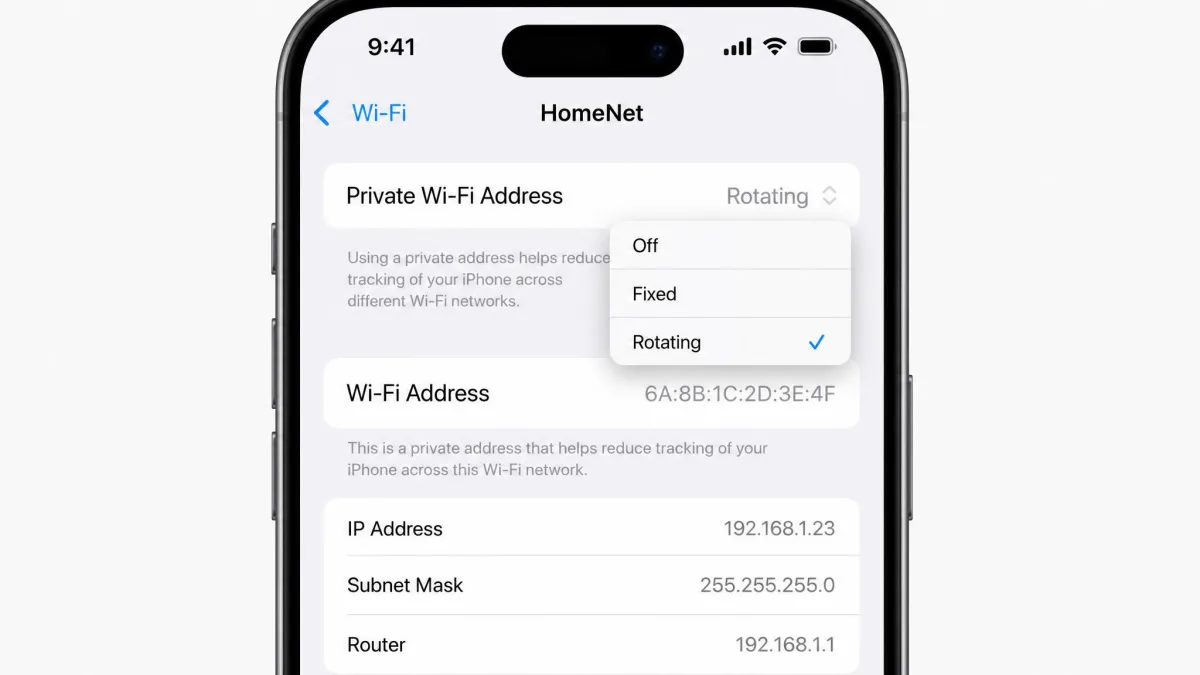
iPhone and iPad. Apple's private Wi-Fi address feature needs iOS 14 or later (watchOS 7 on Apple Watch). Open Settings → Wi-Fi, tap the info button next to your network, and tap Private Wi-Fi Address. On iOS 18 and later you can choose Off, Fixed or Rotating, and Rotating switches to a new address every 2 weeks. Your device picks Fixed by default on networks with WPA2 or stronger security, and Rotating on weak or open ones.
macOS. Private Wi-Fi address needs macOS Sequoia 15 or later. Choose Apple menu → System Settings → Wi-Fi, click Details next to your network, and pick an option from the Private Wi-Fi Address menu.
Windows. On Windows 11, open Settings → Network & internet → Wi-Fi and turn on Random hardware addresses. Microsoft's Wi-Fi settings guide also covers the per-network version, where you can pick On, Off or Change daily. The setting is typically off by default, though that can differ by laptop maker and build. On some laptops the toggle is simply missing because the Wi-Fi adapter or driver doesn't support it.
Randomization has side effects. A rotating address can force a fresh sign-in on hotel, campus or workplace captive portals, and it keeps locking a phone out of a home router that uses a MAC allow-list. DHCP reservations break, which gives the device a different local IP. Routers also tend to label randomized devices "Unknown," because the address carries no real manufacturer prefix.
Choosing Fixed instead of Rotating avoids most of that trouble while still hiding your hardware MAC. If one network still misbehaves, turn randomization off for that network only.
Change your MAC address manually on Windows
If you want a specific address, set it in Device Manager:
- Right-click the Start button and open Device Manager.
- Expand Network adapters, right-click your Wi-Fi or Ethernet adapter, and choose Properties.
- Open the Advanced tab and select "Network Address" (some drivers say "Locally Administered Address").
- Enter exactly 12 hexadecimal digits in the Value box, with no separators.
- Disable and re-enable the adapter, or restart the PC.
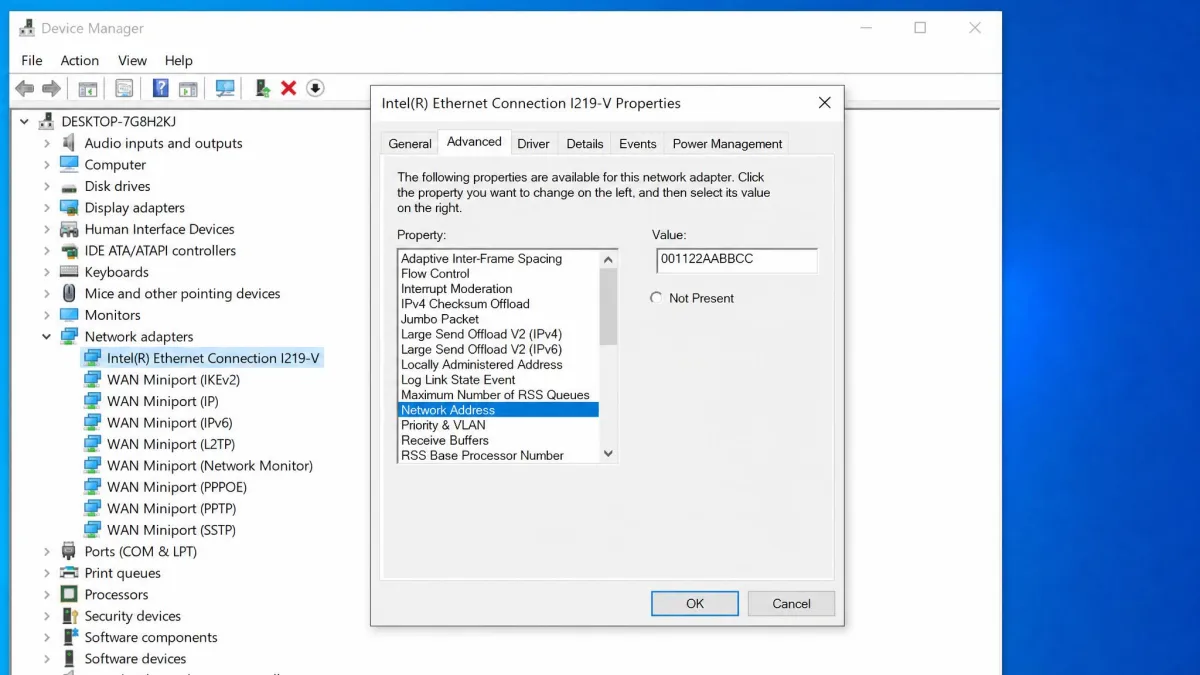
On Wi-Fi adapters, a manual address often fails to apply unless its second character is 2, 6, A or E. Whether the change survives later reboots depends on the adapter driver, so recheck it with ipconfig /all after your next restart.
Use MAC spoofing software
Spoofing tools wrap the same change in a friendlier interface. Technitium MAC Address Changer is free, with version 6.0.7 the latest listed. It changes the MAC per adapter and can generate a random address from its manufacturer database. Its official compatibility list stops at Windows 10, so Windows 11 support isn't officially stated. On macOS, ifconfig en0 ether <mac> in Terminal does the same job.
Spoofing a MAC can cost you access on office, campus and some ISP networks that use MAC-based access control. Using it to get around a network's access rules may also break that network's terms of use.
How to find your MAC address
Where it appears depends on your device:
- Windows: Run
ipconfig /allin Command Prompt and look for "Physical Address" under your adapter. Thegetmaccommand works too. - macOS: Open System Settings → Wi-Fi, click Details and look under Hardware, or Option-click the Wi-Fi menu icon.
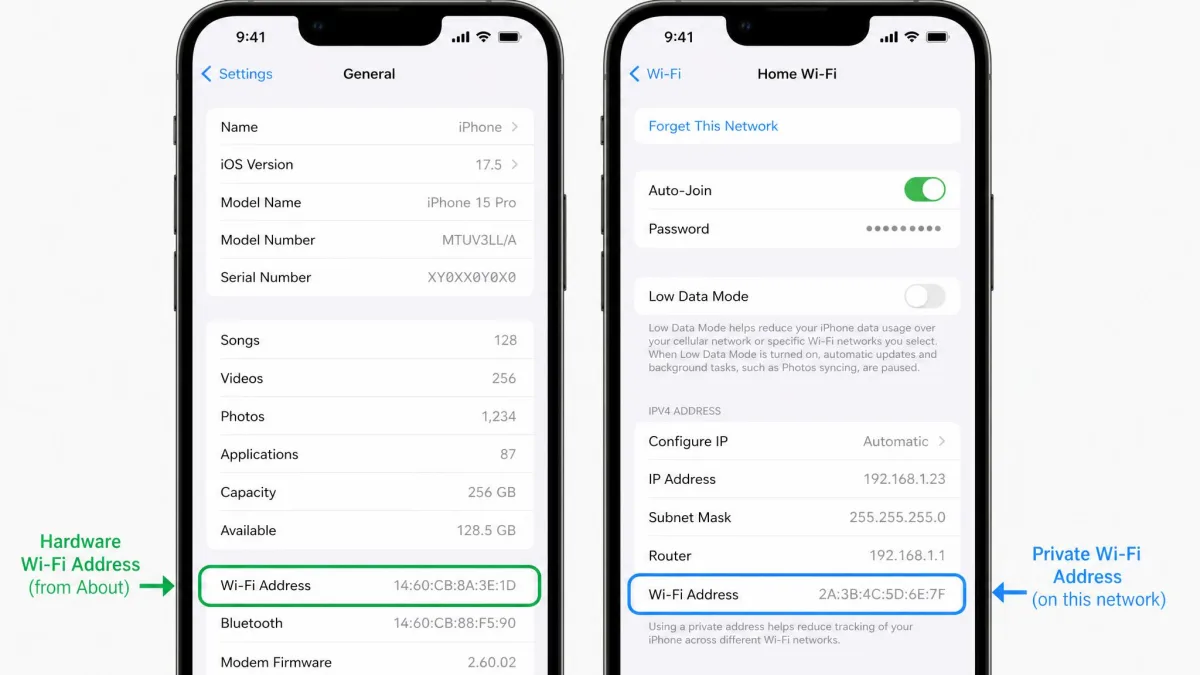
- iPhone: Open Settings → General → About and find Wi-Fi Address.
- Android: Open Settings → About phone → Status for the Wi-Fi MAC.
When we compared two iPhone screens, they showed different addresses. About lists the hardware Wi-Fi address, while the network's info screen shows the private address in use. It looks like a mismatch, but it simply means Private Wi-Fi Address is working.
Does a router VPN change your MAC address?
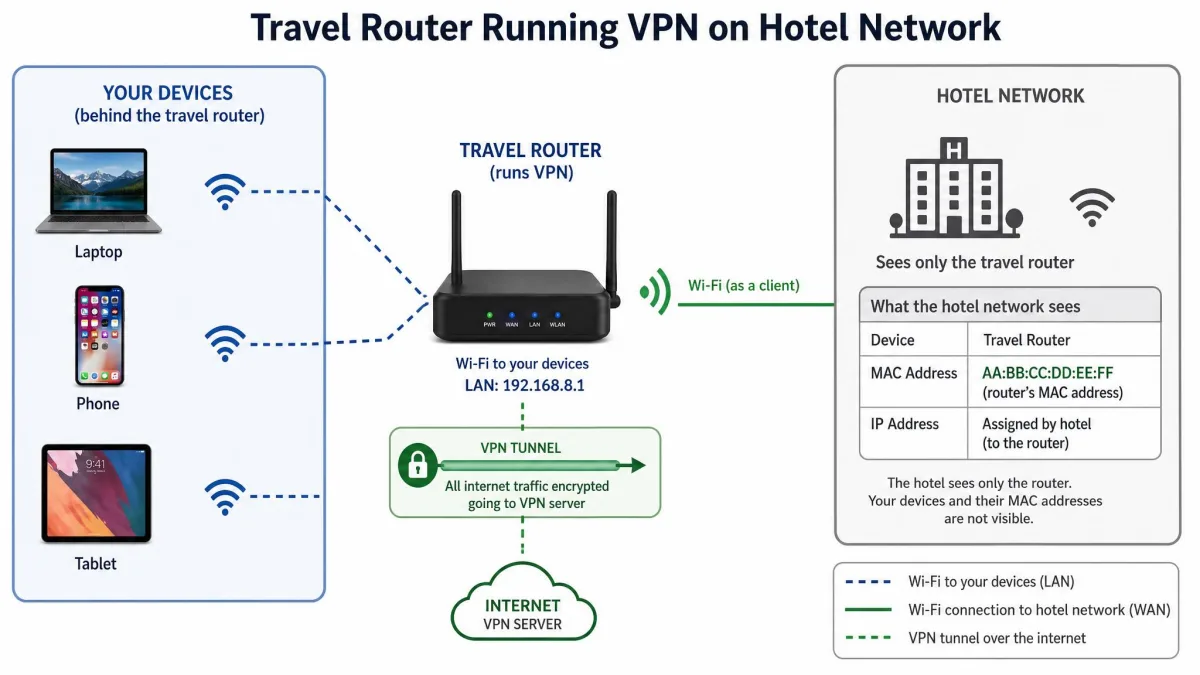
No. A VPN on your router doesn't alter the MAC of any connected device, and it doesn't change the router's own MAC either. The router simply routes household traffic through the tunnel, so every device gets the VPN's public IP.
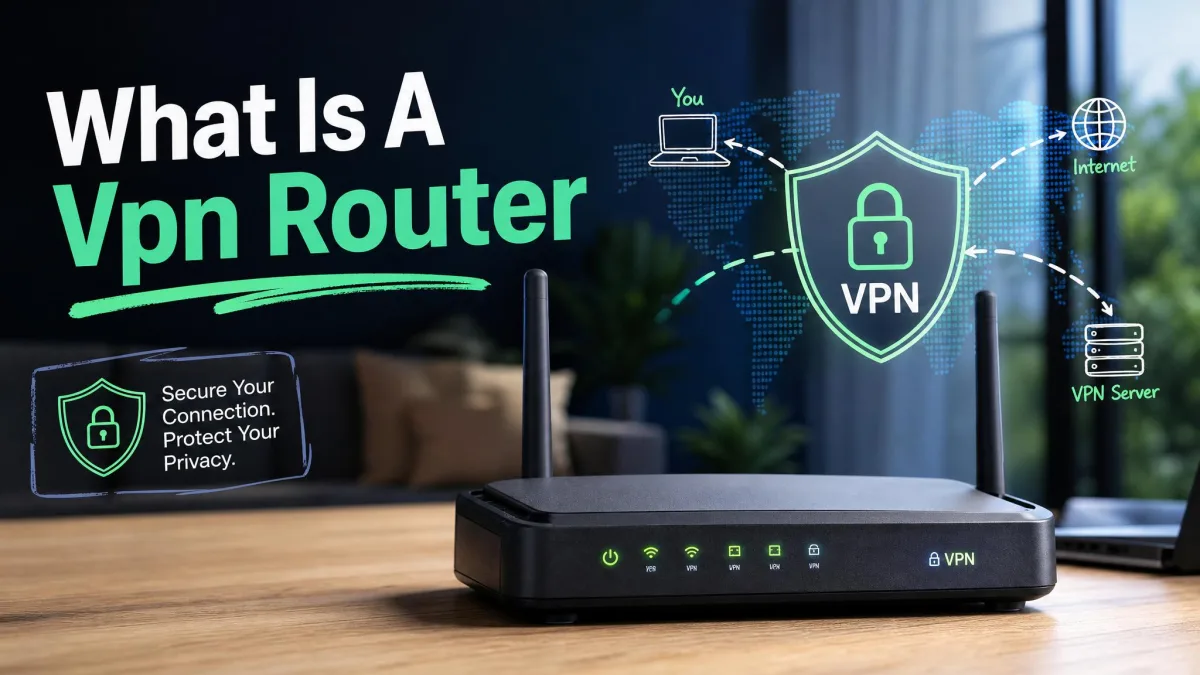
What does change your exposure is putting a personal router in front of someone else's network. In a dorm or hotel, the upstream network then sees one MAC, the router's, no matter how many devices connect behind it. That comes from the router, not the VPN. Our explainer on what a VPN router is covers the setup.
Should you still use a VPN?
Yes, for the jobs a VPN is built for. It hides your public IP from websites, encrypts your traffic on public Wi-Fi, keeps DNS lookups away from your ISP, and stops a hotspot owner from seeing which sites you visit. None of that depends on your MAC address.
For most people, a visible MAC on their own home network is no risk, though it matters more on shared networks you visit often. Our guide on whether you can be tracked with a VPN covers the other gaps a VPN leaves open.
Best privacy setup: VPN plus MAC randomization
The two tools cover different layers. Randomization handles your local network, and the VPN handles everything past your router.
Turn on Private Wi-Fi Address or random hardware addresses, and keep your VPN connected on any Wi-Fi you don't control. Pick Fixed rather than Rotating on networks with captive portals.
Common misconceptions about VPNs and MAC addresses
"A VPN hides everything about my device." That's a fair assumption given how VPNs are marketed, but a VPN hides your internet-facing identity and traffic, not the identifiers your local network needs.
"Websites can track me by MAC address." The word "address" makes this sound plausible. Sites rely on cookies, logins and fingerprinting instead.
"Changing VPN servers gives me a new MAC." Switching servers gives you a new public IP, not a new MAC. We watched the adapter's MAC stay put across server changes.
Frequently asked questions
Does a VPN hide my MAC address from the Wi-Fi owner or router?
Does a VPN change my device ID?
Does incognito mode hide my MAC address?
Does Tor hide my MAC address?
Does my router's MAC address change when I connect to a VPN?
Is MAC randomization the same as a VPN?
Can a VPN prevent browser fingerprinting?
Do I even need to hide my MAC address?
The bottom line
A VPN changes your public IP, encrypts your traffic, and keeps your browsing away from your ISP and hotspot operators. It never touches your MAC address, because that address stays on your local network and gets stripped off at your router. Only whoever runs the network you join can see it. If you don't want venues recognizing your device, turn on Private Wi-Fi Address, Android's randomized MAC or Windows random hardware addresses, and keep the VPN on for everything beyond the router.