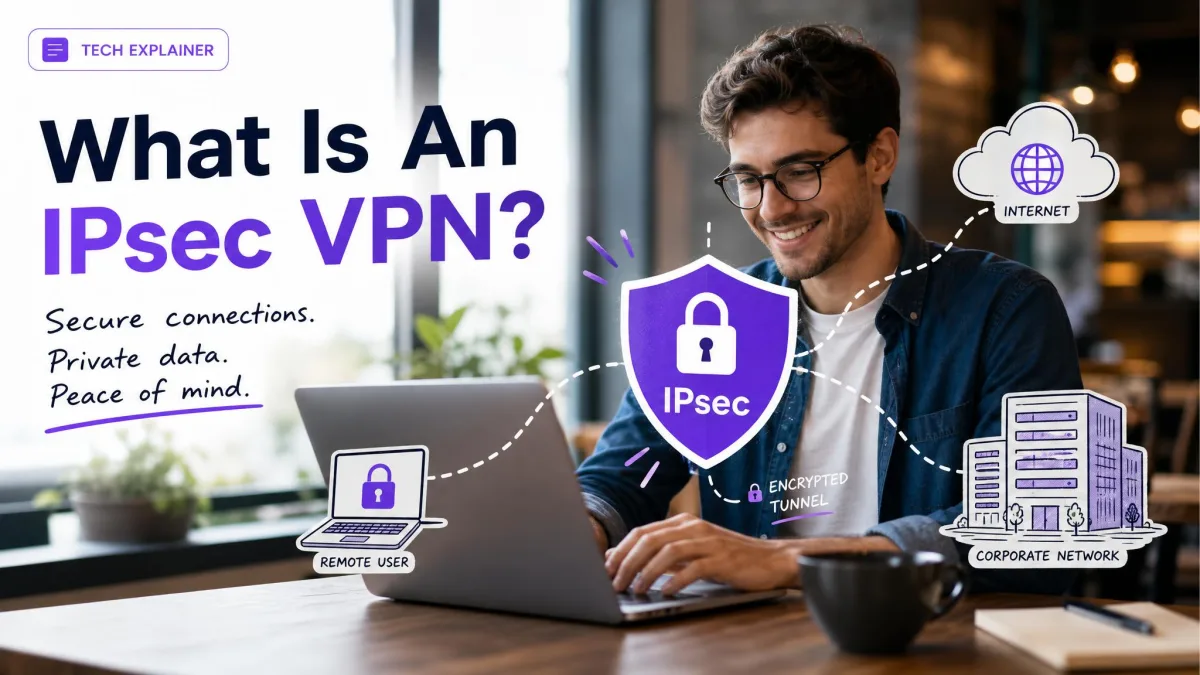
An IPsec VPN is a virtual private network built on IPsec, a suite of protocols that authenticate and encrypt each IP packet to secure communication at the network layer. In plain terms, it wraps your traffic in an encrypted tunnel so that data moving between two points over the public internet stays private and tamper-proof.
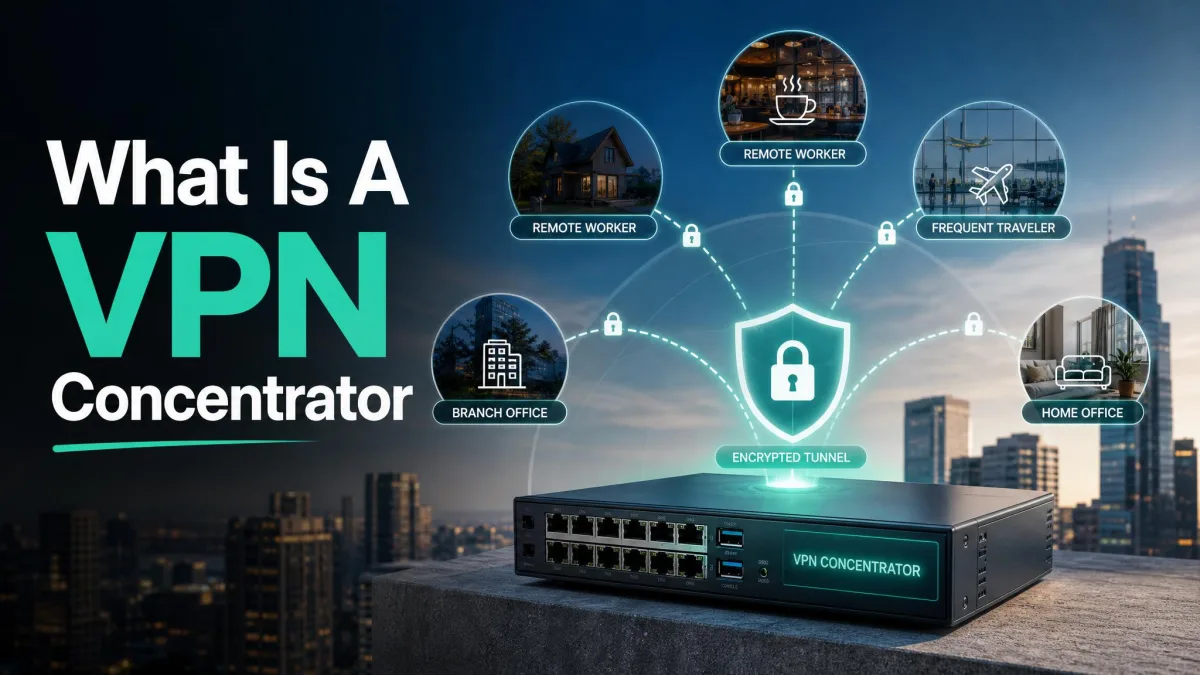
You will find IPsec running quietly behind many of the connections you already use. It links branch offices to headquarters, connects remote workers to a corporate network, and secures traffic between cloud environments. Because it operates at Layer 3, it protects everything above it without each application needing to know the tunnel is there.
This guide walks through what IPsec is, how the handshake and encryption actually work, the protocols and modes involved, and how an IPsec VPN compares with an SSL VPN. We have spent years setting up and troubleshooting these tunnels, so along the way we flag the places where they tend to break in practice.
What Is an IPsec VPN?
IPsec, short for Internet Protocol Security, is a suite of protocols that secures communication at the network layer of the IP stack. It authenticates the source of each packet, encrypts the contents, and verifies that nothing was altered in transit. Because it works on individual IP packets rather than on a single application's session, it can protect every kind of traffic that travels over IP.
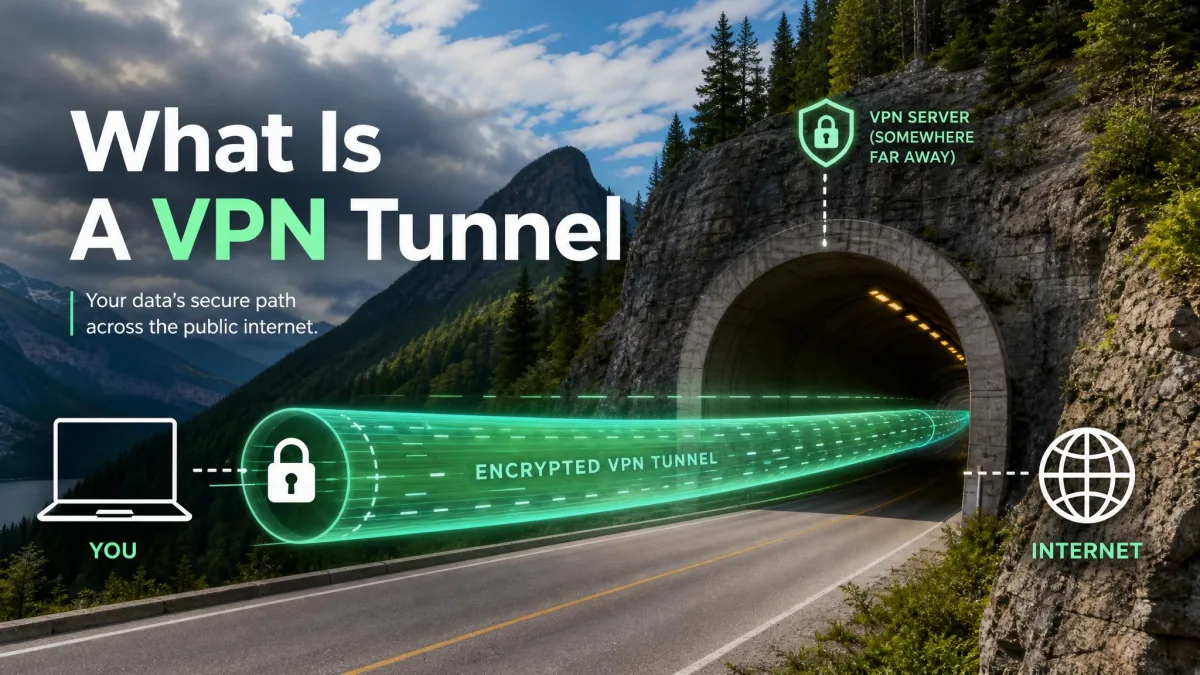
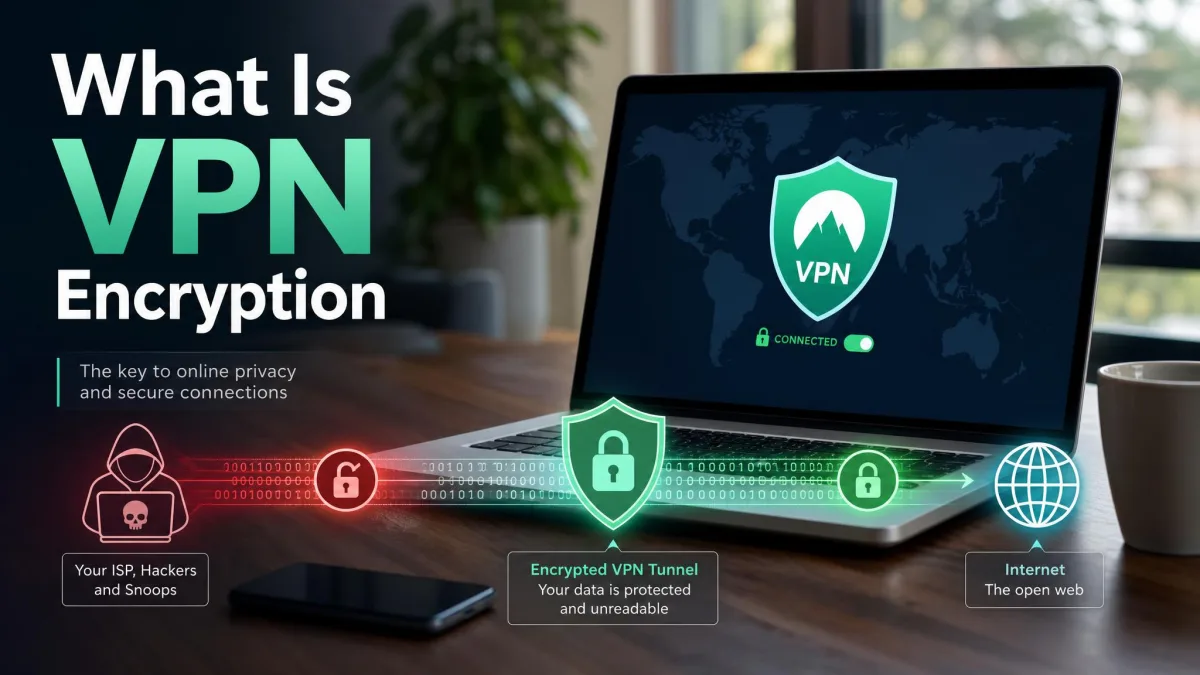
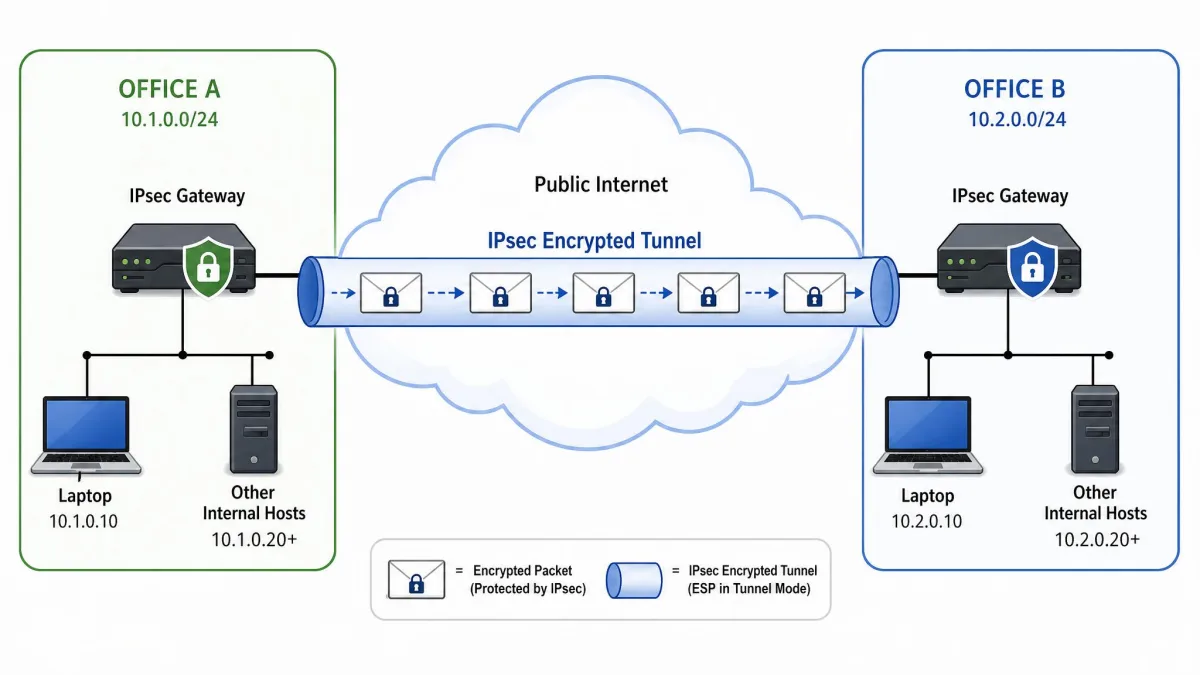
An IPsec VPN puts that protocol suite to work. It creates encrypted tunnels over the internet and provides end-to-end encryption between two endpoints, whether those are two office routers or a laptop and a company gateway. Once the tunnel is up, packets leaving one side are sealed, sent across the public network, and opened only by the peer on the other side.
The design goal is simple: give any two systems a private conversation across a network they do not control. IPsec delivers confidentiality through encryption, integrity so data cannot be quietly changed, data-origin authentication so you know who sent a packet, and anti-replay protection against captured traffic being resent.
IPsec is not new. The Internet Engineering Task Force formed the IP Security Working Group in 1992, and the first standards appeared as RFC 1825 through 1827 in 1995. The current core architecture is defined in RFC 4301, the IPsec security architecture. That long track record is part of why IPsec remains a trusted standard decades later.
IPsec vs. a VPN: How They Relate
People often use "IPsec" and "VPN" as if they mean the same thing, but they sit at different levels. A VPN is the general idea of a private, encrypted connection across a shared network. IPsec is one specific way to build that connection.
Put another way, IPsec is the engine and the VPN is the vehicle. You can build a VPN with other technologies, such as SSL/TLS or the WireGuard protocol, and you can use IPsec for purposes beyond a classic user VPN. When the two terms appear together as "IPsec VPN," it simply means a VPN whose security is handled by the IPsec protocol suite.
Why IPsec Matters (What It Protects)
The value of IPsec comes from where it sits. Operating at the network layer means it secures traffic transparently to the applications above it. A browser, an email client, or a database connection does not need any special awareness of the tunnel; their packets are protected automatically once IPsec is in place.
That transparency is why IPsec became the backbone of so many corporate and government networks. It protects all IP traffic between the protected endpoints, not just one program's data, so a single tunnel can carry file transfers, voice calls, internal web apps, and management traffic at once.
Because IPsec protects everything at Layer 3, it is a strong fit for connecting entire networks. A site-to-site tunnel between two offices lets every device on both sides communicate as if they were on one private network, without installing VPN software on each machine.
In our experience, IPsec also earns its place because it holds up under load. It is a proven choice for finance, healthcare, and government deployments, where connections carry heavy, continuous traffic and cannot afford to fall over.
How Does an IPsec VPN Work?
An IPsec connection comes together in a set order. First the two peers agree on how they will protect traffic and prove who they are, then they authenticate, and only then do they start encrypting real data. That agreement is captured in a Security Association.
A Security Association, or SA, defines the algorithms and keys that two peers have agreed to use. Each SA is identified by a Security Parameters Index, or SPI, combined with the destination IP address, so a device can look up the right settings for every incoming packet. IPsec uses SAs in each direction, which is why the handshake matters: it is where those associations are built.
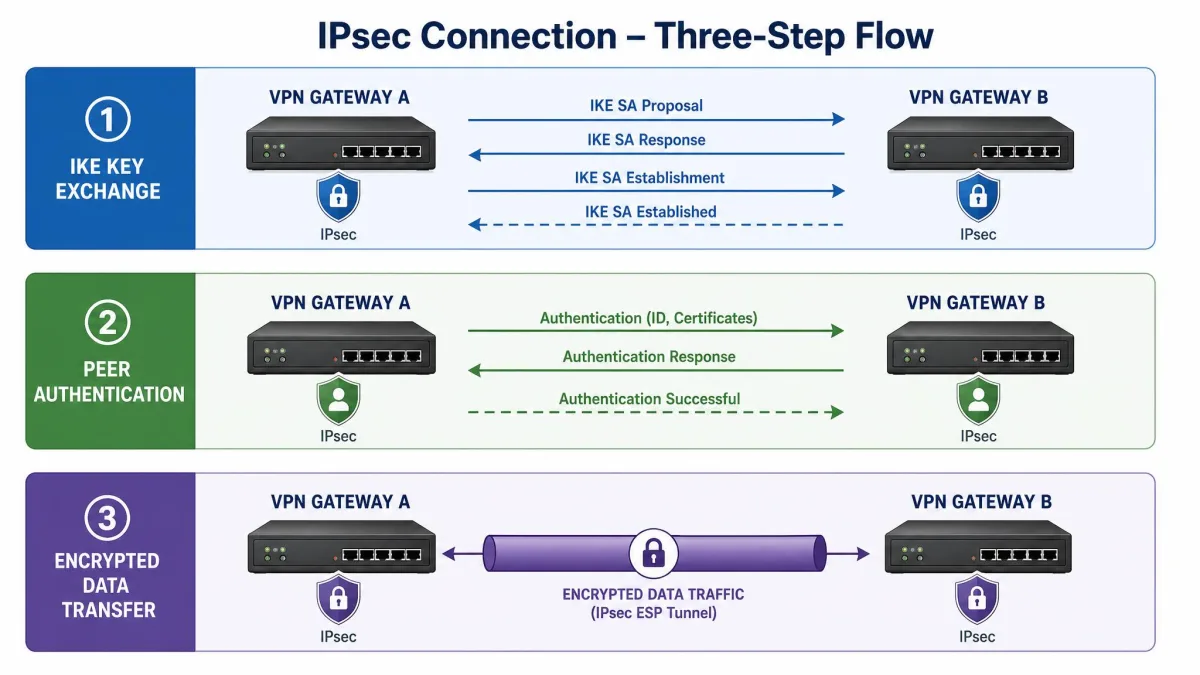
Step 1: Security Association (SA) and Key Exchange (IKE)
Before any data flows, the peers run the Internet Key Exchange, or IKE. This is the negotiation phase. The two sides agree on which encryption and integrity algorithms to use, authenticate each other, and derive shared secret keys using Diffie-Hellman so that no key ever travels across the wire.
IKE runs in two phases. Phase 1 establishes a secure, authenticated channel between the peers and protects the negotiation itself. Phase 2 then uses that protected channel to negotiate the IPsec SAs that will carry your actual traffic. IKE comes in two versions, IKEv1 and the newer IKEv2, and modern deployments almost always use IKEv2 for its cleaner design and better handling of network changes.
Step 2: Authentication
Authentication is how each peer proves it is who it claims to be. IPsec supports two common methods: pre-shared keys, where both sides hold the same secret, and digital certificates, where a trusted certificate authority vouches for each peer. Certificates scale better for large deployments, while pre-shared keys are quicker to set up for a small number of tunnels.
Certificate and clock problems bite hard in the field. A device whose time is set wrong, or that is missing the right certificate, will fail IPsec authentication outright, and the tunnel simply will not come up. When a new tunnel refuses to connect, the system clock and the certificate are the first two things we check.
Step 3: Encryption of Traffic
Once the SAs are in place and both peers are authenticated, IPsec starts protecting real traffic. Each outgoing packet is encrypted so its contents stay private, and it is stamped with an integrity check so the receiver can confirm nothing changed on the way. Anti-replay protection ensures a captured packet cannot be resent later to trick a peer.
From this point the tunnel is live. Data keeps flowing under the agreed keys until the SA expires or is renegotiated, at which point IKE quietly refreshes the keys so protection continues without a manual reset.
IPsec Protocols
IPsec is not a single protocol but a small family of them. Three do the heavy lifting: the Authentication Header, the Encapsulating Security Payload, and the Internet Key Exchange. Each handles a different part of the job.
Authentication Header (AH)
The Authentication Header provides connectionless data integrity, data-origin authentication, and anti-replay protection. It proves that a packet came from the claimed source and was not altered, but it does not encrypt anything. AH uses IP protocol number 51.
Because AH offers no confidentiality, it is rarely used on its own today. Its lack of encryption also makes it fragile across devices that rewrite packet headers, so most modern deployments favor ESP.
Encapsulating Security Payload (ESP)
The Encapsulating Security Payload is the workhorse of IPsec. ESP provides confidentiality through encryption, and it can also supply integrity, authentication, and anti-replay protection. That combination is why nearly every IPsec VPN you meet in practice is built on ESP. It uses IP protocol number 50, and it is defined in RFC 4303 (ESP).
Where AH only vouches for a packet, ESP both hides and vouches for it. In tunnel mode, ESP wraps the entire original packet inside a new, encrypted one, which is exactly what a site-to-site or remote-access VPN needs.
Internet Key Exchange (IKE / ISAKMP)
The Internet Key Exchange is the protocol that sets up everything else. IKE, which uses the ISAKMP framework, handles the negotiation and authentication described earlier and produces the shared keys that AH and ESP rely on. Without IKE, there would be no agreed Security Association and no keys to encrypt with.
IKEv2 is the current version, defined in IETF RFC 7296 (IKEv2). It is faster to negotiate than IKEv1 and includes MOBIKE, a feature that lets a tunnel survive a change of network. That single capability matters more than it sounds, as we explain in the modes and limitations sections below.
IPsec Modes: Tunnel Mode vs. Transport Mode
IPsec can protect traffic in two modes, and the difference comes down to how much of each packet gets wrapped up. Choosing the right one depends on whether you are connecting whole networks or just two hosts.
In tunnel mode, the entire original IP packet, both payload and header, is encrypted and encapsulated inside a new IP packet with a new header. This hides the original source and destination, which is why tunnel mode is the standard for network-to-network, site-to-site, and remote-access VPNs across public networks.
In transport mode, only the packet payload is encrypted and authenticated, while the original IP header stays visible. This is lighter weight and is used for device-to-device, or host-to-host, communication, typically on networks that are already trusted.
| Feature | Tunnel Mode | Transport Mode |
|---|---|---|
| What's encrypted | Entire original IP packet (payload plus header) | Payload only |
| Header handling | Encapsulated in a new IP packet with a new header | Original IP header left in place |
| Typical use case | Site-to-site and remote-access VPNs over public networks | Host-to-host on trusted networks |
For almost every VPN scenario, tunnel mode is the answer. Transport mode shows up in narrower cases, such as securing a specific management protocol between two servers, where the endpoints are the true source and destination and there is no need to hide the header.
IPsec Encryption and Authentication Algorithms
IPsec does not lock you into one cipher. It supports a range of encryption algorithms, including AES-CBC, AES-CTR, AES-GCM, ChaCha20-Poly1305, and the legacy TripleDES-CBC. In current deployments, AES-GCM is the common choice because it delivers both encryption and integrity in a single efficient step.
For integrity and authentication, IPsec uses HMAC-SHA1 and the stronger HMAC-SHA2 family, with RSA, ECDSA, or EdDSA available for authenticating the peers themselves. Key agreement happens through Diffie-Hellman and its elliptic-curve variant ECDH, and newer builds are beginning to add ML-KEM for post-quantum key exchange.
When you configure an IPsec tunnel, prefer AES-GCM with an HMAC-SHA2 integrity option and an elliptic-curve Diffie-Hellman group. Avoid TripleDES and SHA1 where you can; they remain in the specification for compatibility, but modern algorithms are both safer and faster on current hardware.
The flexibility is deliberate. Because the algorithms are negotiated during IKE rather than fixed in the protocol, IPsec can adopt stronger ciphers over time without changing how the tunnel works.
Which Ports Does IPsec Use?
IPsec relies on a specific set of ports and protocol numbers, and knowing them saves a lot of troubleshooting. IKE key negotiation runs over UDP port 500. When the connection has to cross a device performing NAT, NAT traversal encapsulates the IPsec traffic in UDP on port 4500 instead.
Alongside those, the data protocols use their own IP protocol numbers rather than ports: ESP is protocol number 50 and AH is protocol number 51. A firewall that filters only by TCP and UDP ports can quietly drop ESP and AH because they are not TCP or UDP at all.
Firewalls that allow only the usual ports are a frequent cause of failed IPsec tunnels. The connection needs UDP 500 and UDP 4500 open, plus the ESP and AH protocols permitted, before it can establish. If a tunnel negotiates and then stalls, blocked UDP 4500 is a prime suspect.
Benefits and Limitations of IPsec VPNs
IPsec has stayed in wide use for good reasons, but it is not effortless. It rewards careful setup and punishes sloppy configuration, so it helps to weigh the trade-offs before you commit.
Pros
- Strong, standards-based encryption applied at the network layer
- Protects all IP traffic transparently, with no per-application changes
- Widely supported across routers, firewalls, and operating systems
- Well suited to both site-to-site and remote-access connections
- A proven, decades-old standard that holds up under heavy load
Cons
- Complex to configure, and small mistakes break the tunnel
- Can struggle to cross NAT and restrictive firewalls without NAT-T
- Usually requires a dedicated client for remote-access users
- Adds some processing and packet overhead compared with plain traffic
The complexity is the honest downside. IPsec setup is easy to get wrong: manual configuration demands real networking knowledge, and a single mismatched setting on either side stops the tunnel from forming. When we build a new tunnel, most of the effort goes into making both ends agree on every parameter.
IPsec rewards precision. Get the ports, keys, and clocks right and it runs for years without complaint; get one of them wrong and the tunnel simply refuses to speak.
Two practical hurdles come up again and again. Routers that modify packets in transit through NAT can break an IPsec tunnel unless NAT traversal wraps the traffic in UDP 4500. And switching from Wi-Fi to mobile data changes the client's IP address, which can drop the tunnel; IKEv2 with MOBIKE is what keeps the connection alive across that switch. Knowing about both in advance turns two confusing outages into quick fixes.
IPsec VPN vs. SSL VPN
IPsec is not the only way to build a VPN. The other approach you will meet most often is the SSL VPN, which secures traffic using TLS rather than IPsec. They solve overlapping problems in different ways, and the right choice depends on what you are protecting.
The core difference is the layer. IPsec operates at the network layer using IKE, so it can encrypt all host and network traffic. An SSL VPN operates at the transport or application layer using TLS, and it typically secures browser-to-application traffic only. IPsec runs over UDP 500 and UDP 4500, while an SSL VPN usually rides on TCP port 443, the same port as ordinary HTTPS.
| Feature | IPsec VPN | SSL VPN |
|---|---|---|
| Layer / technology | Network layer (L3), IKE | Transport/application layer, TLS |
| Typical use case | Site-to-site plus remote access; protects all IP traffic | Remote access to specific apps; browser-to-app traffic |
| Ports / transport | UDP 500 and UDP 4500 (NAT-T); ESP proto 50 / AH proto 51 | TCP, usually 443 |
| Ease of setup | More complex; usually needs a client | Easier; often clientless or browser-based |
| Scope of protection | Entire host or network traffic | Browser-to-server session only |
There is a real ease-of-use gap. SSL VPNs run over TCP and are often clientless, so a user can connect from a browser with nothing to install. IPsec usually needs a client and more configuration, but in return it protects the entire network rather than a single application session. When you need whole-site connectivity, IPsec wins; when you need quick, per-app remote access, an SSL VPN is often the simpler path.
Frequently Asked Questions
Is IPsec the same as a VPN?
What ports does IPsec use, and why does that matter for a home router?
What is the difference between IPsec and SSL/TLS beyond the network layer?
Is IPsec still secure and still used in 2026?
What are the three IPsec protocols, and which one should I actually configure?
Why does my IPsec tunnel drop when I switch from Wi-Fi to mobile data?
Conclusion
An IPsec VPN is a private, encrypted connection built from the IPsec protocol suite, working at the network layer to authenticate and encrypt every IP packet between two endpoints. It sets up through IKE, protects data with ESP, and most often runs in tunnel mode to link whole networks across the public internet.
Its strengths are strong encryption, broad support, and the ability to protect all traffic transparently, which is why it still anchors so many corporate and government networks. Its costs are a more involved setup and a handful of well-known snags around NAT, firewalls, and changing networks. If you know to open UDP 500 and UDP 4500, keep clocks and certificates in order, and reach for IKEv2, IPsec gives you a durable, trusted tunnel that has earned its place over three decades of use.