If you want a private connection on Singapore's public Wi-Fi, or you want a Singapore IP address so your home streaming apps work while you travel, the VPN you pick matters more than the price tag suggests. NordVPN is the one we would start with, and the review below shows why.
Those two needs are different jobs, and mixing them up is the most common way people end up with the wrong plan. Using a VPN in Singapore means your traffic leaves through a server somewhere else, often a nearby country or a US city. Getting a Singapore IP address means you connect to a Singapore server from abroad. Most paid VPNs do both. Free plans mostly do neither well, and we explain why further down.
We compared seven providers on Singapore server access, speed on near and far routes, privacy features, streaming behavior, device allowance and what you actually pay. Prices below are the offers we saw on checkout pages, quoted in the currency each page displayed, so treat them as a snapshot and not a quote for your own region.
Best VPNs for Singapore at a glance
The order below is our editorial order, not a measured speed ranking. Review measurements use different routes, hardware and protocols, so no honest fastest-to-slowest list exists. We ordered the seven by how well each meets a typical Singapore buyer's needs: a selectable local server, steady speed, broad streaming access, clear privacy practices and sensible device limits.
- NordVPN for the best all-round balance of local speed and streaming.
- Surfshark for unlimited devices and mobile controls.
- Proton VPN for the only permanent free plan and strong privacy design.
- ExpressVPN for simple apps and stable nearby connections.
- Private Internet Access for connection customization.
- CyberGhost for easy server labels and automation.
- IPVanish for device coverage, with leak caveats you should read first.
Singapore VPN comparison: servers, privacy, speed and price
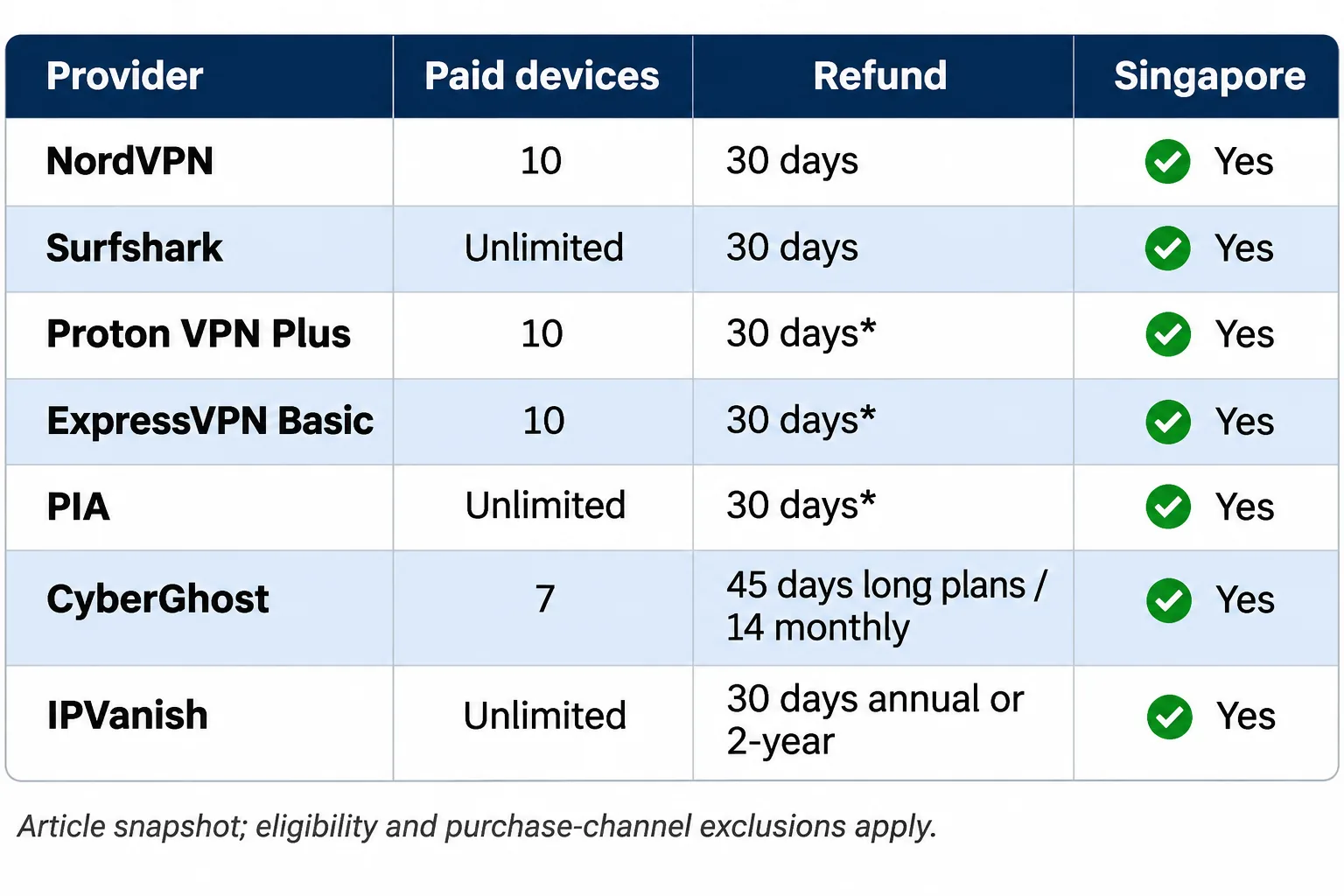
The table below keeps Singapore access, free-plan behavior and price terms side by side. Monthly figures are equivalents of prepaid terms, not monthly instalments, and bonus months, taxes, currency and renewal charges change the real bill. Refund windows are not the same as free trials.
| Product | Buy | Selectable Singapore server | Protocols | Devices | Free plan | Intro offer seen at checkout |
|---|---|---|---|---|---|---|
 | Check price → | Yes | NordLynx, obfuscation options | 10 | No | CHF 94.23for 27 months |
 | Yes | WireGuard, OpenVPN, IKEv2 | Unlimited | No | $67.23for 27 months | |
 | Yes on paid plans | Smart Protocol, Stealth | 10 paid, 1 free | Yes, random location | $83.76for 24 months | |
 | Yes (CBD, Jurong, Marina Bay) | Lightway, WireGuard, OpenVPN | 10 on Basic | No | $84for 28 months | |
 | Yes | WireGuard, OpenVPN | Unlimited | No | EUR 1.80a month, long plan | |
 | Yes | WireGuard, OpenVPN, IKEv2 | 7 | No | $61.32upfront | |
 | Yes | WireGuard, SOCKS5 proxy | Unlimited | No | Not confirmed |
Two rows deserve a note. Proton VPN's free plan includes Singapore in its location pool, but assigns your location automatically. You can never choose a Singapore server on the free plan. And IPVanish's checkout total could not be confirmed, so we do not quote one.
Free access from Singapore is not the same as a free Singapore IP. A free plan lets you browse privately while you are physically in Singapore. A free Singapore IP, which you would want when you are abroad, means choosing a Singapore server without paying. None of the seven providers lets you choose a Singapore server for free.
1. NordVPN
NordVPN is the provider we would install first on a Singapore trip or a Singapore home network. It combines a selectable Singapore endpoint, the NordLynx protocol, unlimited bandwidth and P2P support across desktop and mobile apps, with browser extensions for quick use.
Singapore servers, speed and streaming
Local and nearby connections were fast in our testing. Connecting from Singapore to a US endpoint produced a larger slowdown, as distance slows any VPN. That matters if your main goal is a US streaming library. NordVPN's Singapore page lists 72 Singapore servers, although a server count never guarantees capacity at your busiest hour.
We would not promise any single streaming title, because services block VPN addresses at their own pace and checks vary with the account and the location. If a service refuses one server, switching to another often helps.
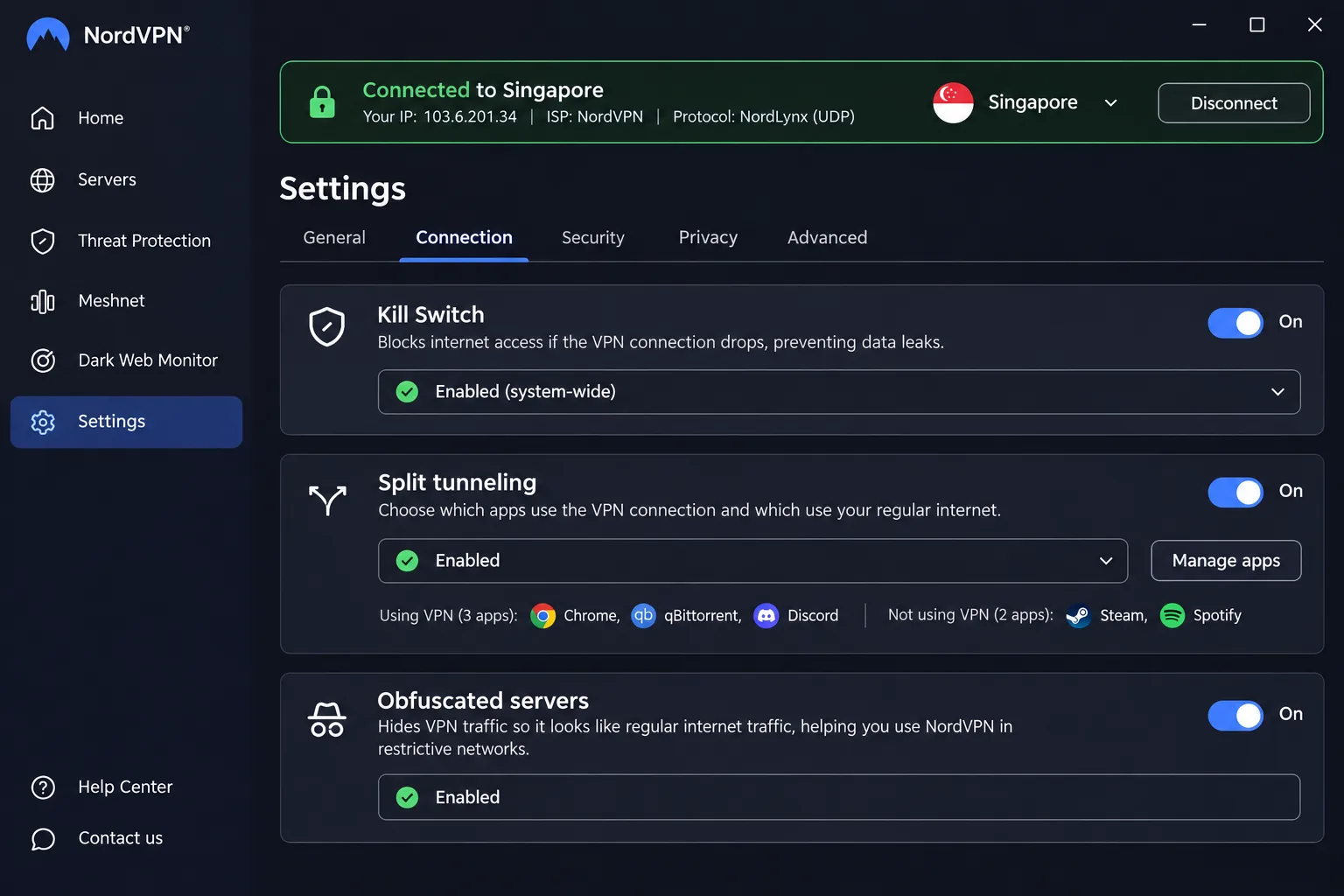
Two settings are worth knowing about before you need them. Obfuscated servers help when a network or service is fussy about VPN traffic, and NordLynx is the protocol we would leave on by default. NordVPN also lists SmartPlay among its features, so check how it behaves on your streaming device. Features differ by platform and plan, which means the toolkit you see on a laptop may not match what appears on a phone.
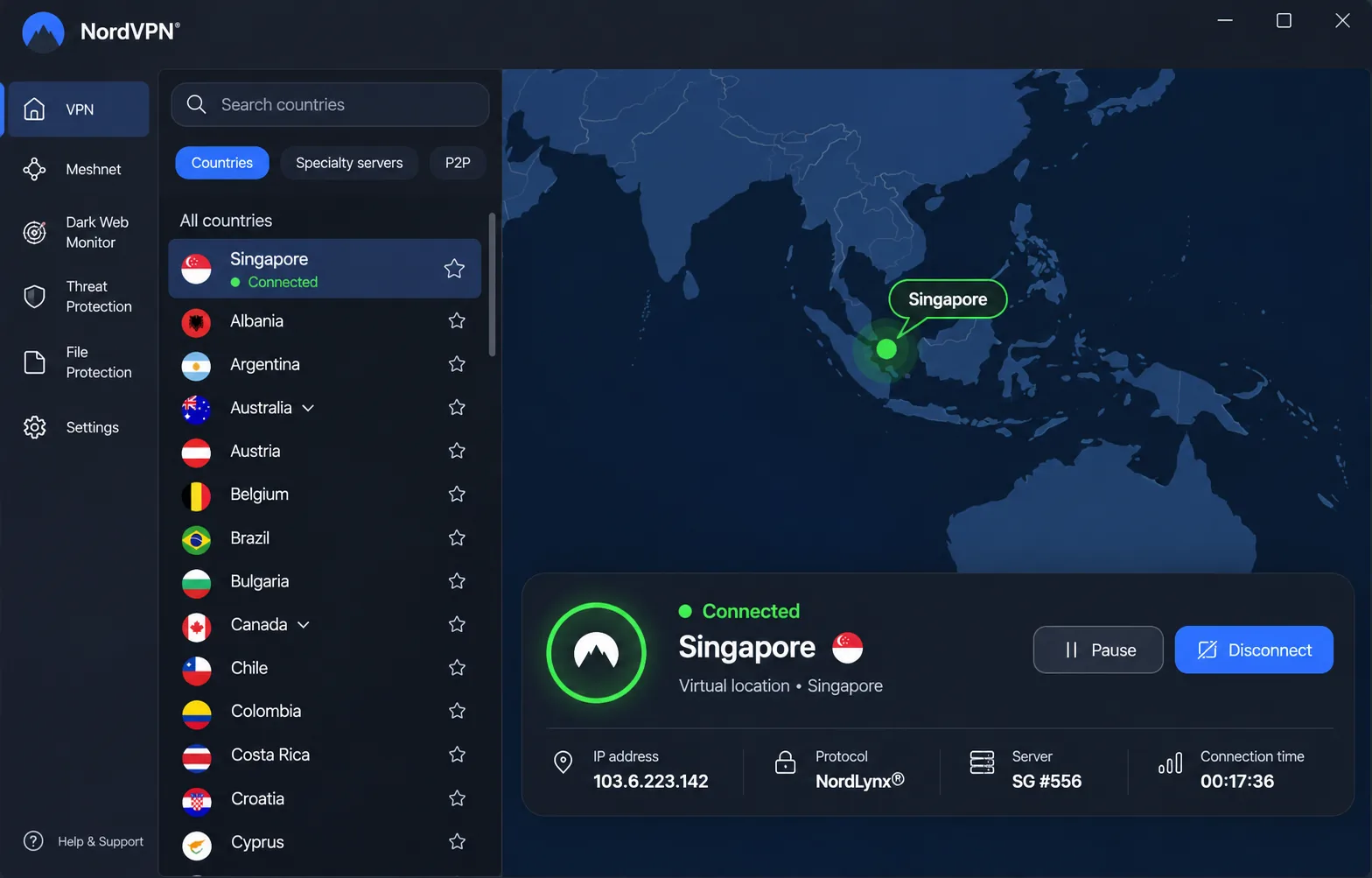
Setup is straightforward. Install the app, sign in, pick Singapore and connect. The app can lag when you move between screens, and getting help can mean a long wait in the live chat queue. On a phone, the screens feel cramped once you open the extra controls.
Privacy features, pricing and limitations
NordVPN supports 10 simultaneous connections, which covers most households. The security toolkit includes a kill switch, private DNS, split tunneling on supported apps, Double VPN, Onion Over VPN, obfuscated servers, an optional dedicated IP and a no-activity-logging policy. Higher tiers add antivirus and bundled security services, so check what a plan includes before you pay.
The plan names matter more than they seem to. Basic supplies the VPN itself, Complete adds antivirus and bundled security services, and Ultra adds further services including Incogni. If all you want is a Singapore server and a kill switch, Basic is the plan to price first. An optional dedicated IP is available if a service insists on a fixed address, though you pay for it separately.
The checkout price we saw was equivalent to CHF 3.49 a month: CHF 94.23 upfront for 27 months, renewing at CHF 133.08 a year. That offer was in Swiss francs and is not a Singapore-dollar quote, so your own checkout will differ. Backing it is a 30-day money-back guarantee. The current Windows app needs Windows 10 64-bit (1607 or later) or Windows 11, iOS needs version 17 or newer, and Android needs version 9 or newer, with a separate sideload for Android 7 and 8.
Pros
- Fast on local and nearby routes
- Streaming works across many popular services
- 10 connections and a 30-day refund window
- Deep security toolkit with obfuscation options
Cons
- App can lag and live chat queues can be long
- Slower on US routes from Singapore
- Mobile screens feel cramped
Best for: Most people who want one VPN for private browsing in Singapore and streaming when they travel. Skip it if you need unlimited devices on a single plan.
2. Surfshark
Surfshark is the pick for crowded households. It offers a selectable Singapore endpoint, unlimited simultaneous connections and bandwidth, RAM-only infrastructure and no activity logging, with apps for Windows, macOS, iOS, Android and routers. You can choose WireGuard, OpenVPN or IKEv2.
Device connections and Singapore performance
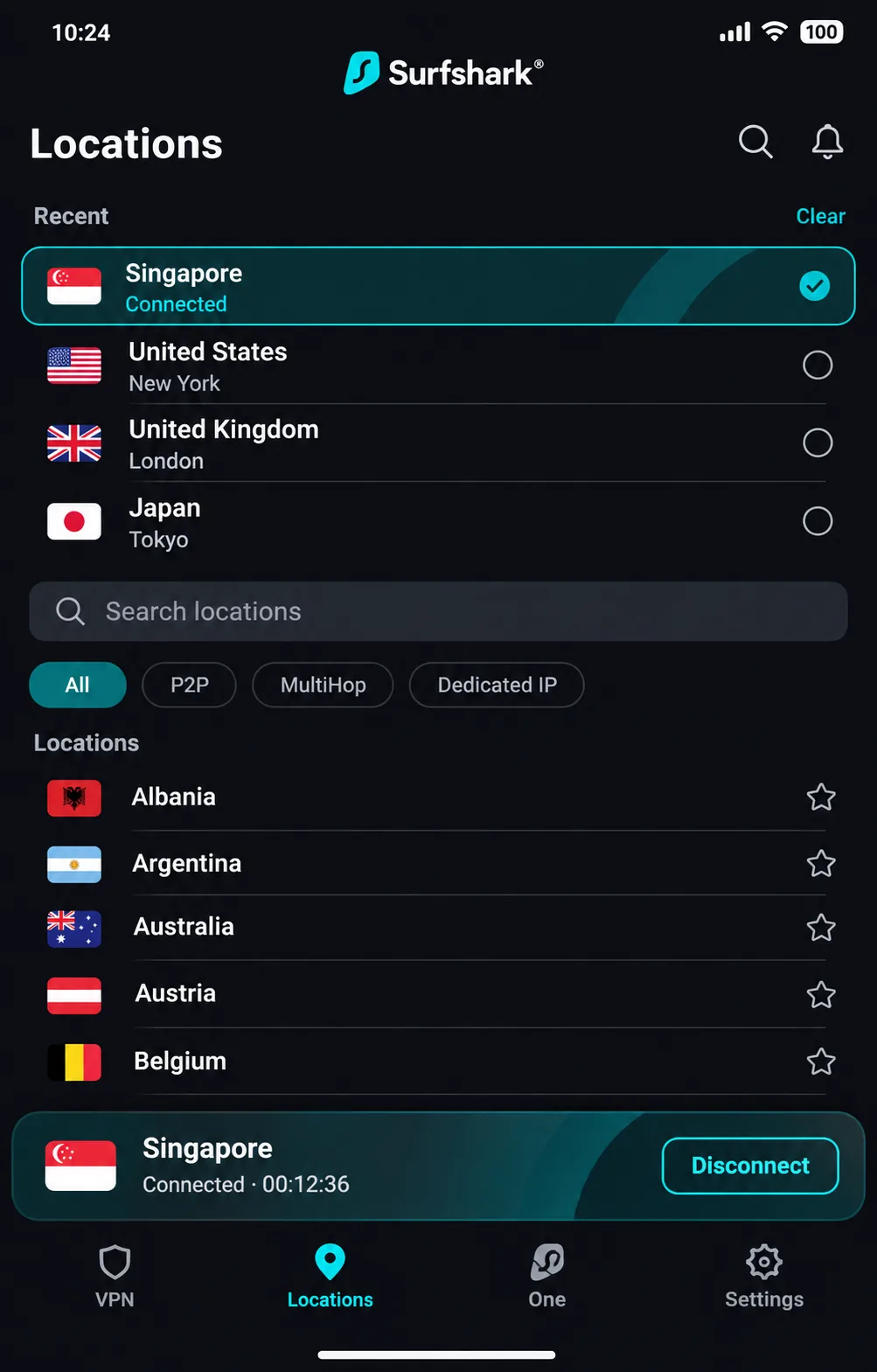
Unlimited connections change how you set up your family's devices. Every phone, tablet, laptop and streaming box can stay protected on one account, so nobody has to decide which device to leave unprotected. Recent-server shortcuts also make it easy to hop between countries you have used before.
The plan structure is worth a read before you buy. Starter, One and One+ are distinct bundles, and the pricing page presents the VPN and Alternative ID alongside optional security and data-removal services. Identical introductory prices do not mean identical renewal terms, so confirm what you are buying and what year two will cost.
Singapore endpoints can become crowded, and long-distance speeds fluctuate. Latency can stay high even when throughput looks usable. High latency matters more for calls and games than for downloads. Shared static-IP endpoints slowed browsing substantially, so we would use them only when a service needs a fixed address. On mobile, connections sometimes took noticeably longer to establish. The small-packet option can reduce jitter on weak mobile signals, which helps on a bad train connection.
Security features, pricing and limitations
Extras include Dynamic MultiHop, a rotating IP, a shared static IP and an Android GPS override. The Starter promotion was equivalent to $2.49 a month, or $67.23 for the first 27 months, with VAT possibly applying. Surfshark's One plan shows the same introductory total, but renewal terms differ, and we could not find a renewal amount on the page we checked. A 30-day money-back guarantee applies.
The Bypasser feature on Android requires Android 7.0 or newer, and users on Android 6 are directed to the APK route. Administrator permissions may be needed on a locked-down PC, and browser extensions help on restricted devices because they cover browser traffic. Our Surfshark VPN review covers the plans in more detail.
If you run Linux, native installation is documented for Debian, Ubuntu and Mint, including the supported desktop environments and architectures. That makes Surfshark one of the easier picks for a Linux laptop in a mixed household.
Pros
- Unlimited simultaneous connections
- Recent-server shortcuts and mobile small-packet setting
- RAM-only infrastructure and no activity logging
Cons
- Singapore endpoints can get crowded
- Latency can stay high on long routes
- Renewal price not shown on the page we checked
Best for: Families and heavy device owners. Skip it if you rely on shared static IP addresses for speed.
3. Proton VPN
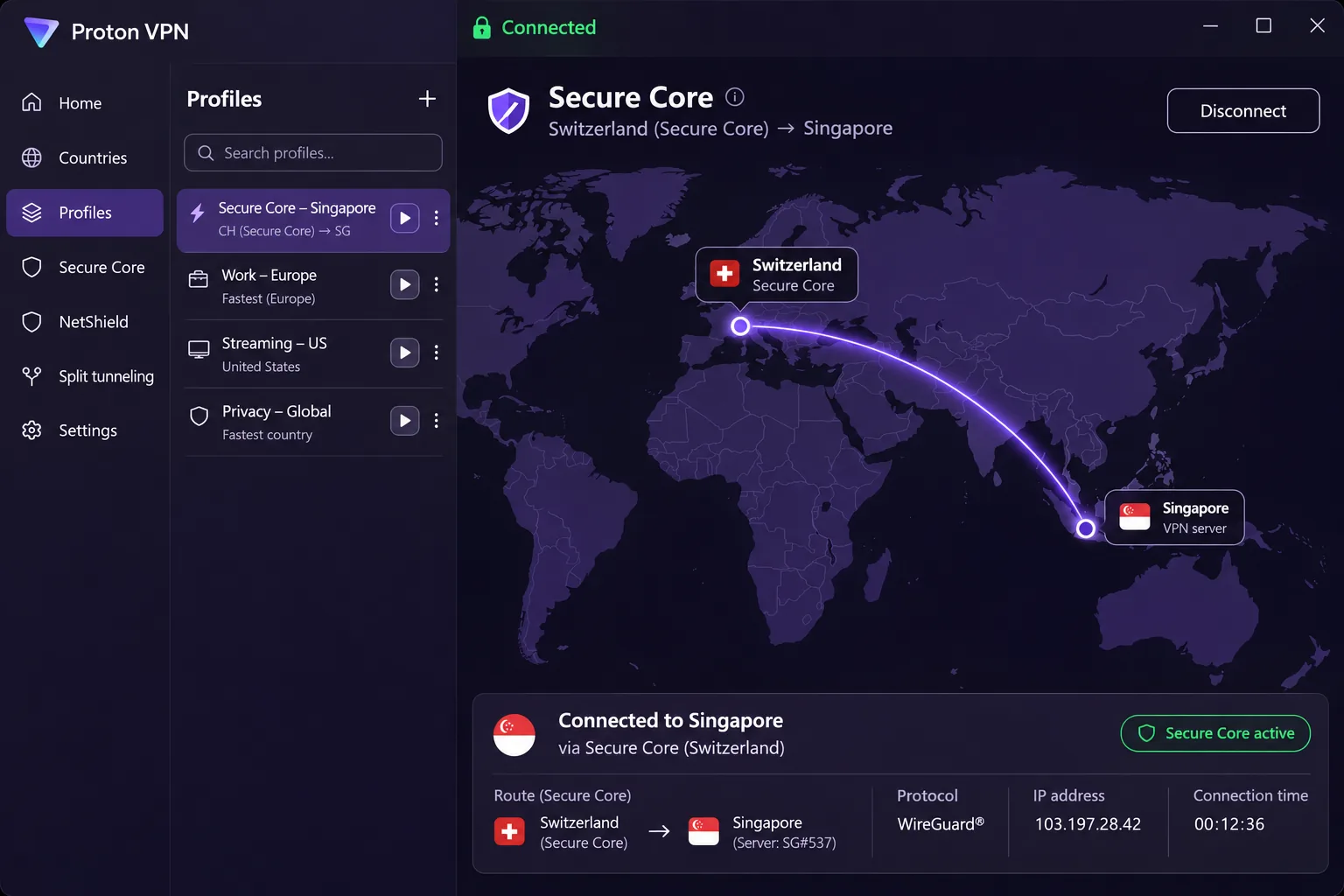
Proton VPN is the only provider in this group with a permanent free plan. On paid plans you can select Singapore servers, use Secure Core to route traffic through Switzerland or Sweden before Singapore, and rely on Smart Protocol, Stealth and a kill switch across desktop, mobile and TV apps.
Privacy and Singapore server access
Secure Core adds a hop, which makes sense when the threat you care about is a hostile network and not raw speed. Paid plans also unlock streaming support, P2P and NetShield. Connection profiles save you from repeating the setup for a favorite server or activity, saving time when you switch between work and streaming. Our Proton VPN review goes deeper on the privacy design.
Streaming is the weak point. Disney+ access can be troublesome, so check that service before you commit if it matters to you. Enabling port forwarding can improve torrent speeds on supported paid setups.
Proton publishes a lifecycle table that separates supported, deprecated and end-of-life app and OS combinations. Desktop, Android, iOS and Linux clients do not share one minimum version, so look up your own device before you pay. Paid plans also add NetShield, which is worth switching on for shared networks.
Free versus paid plans and limitations
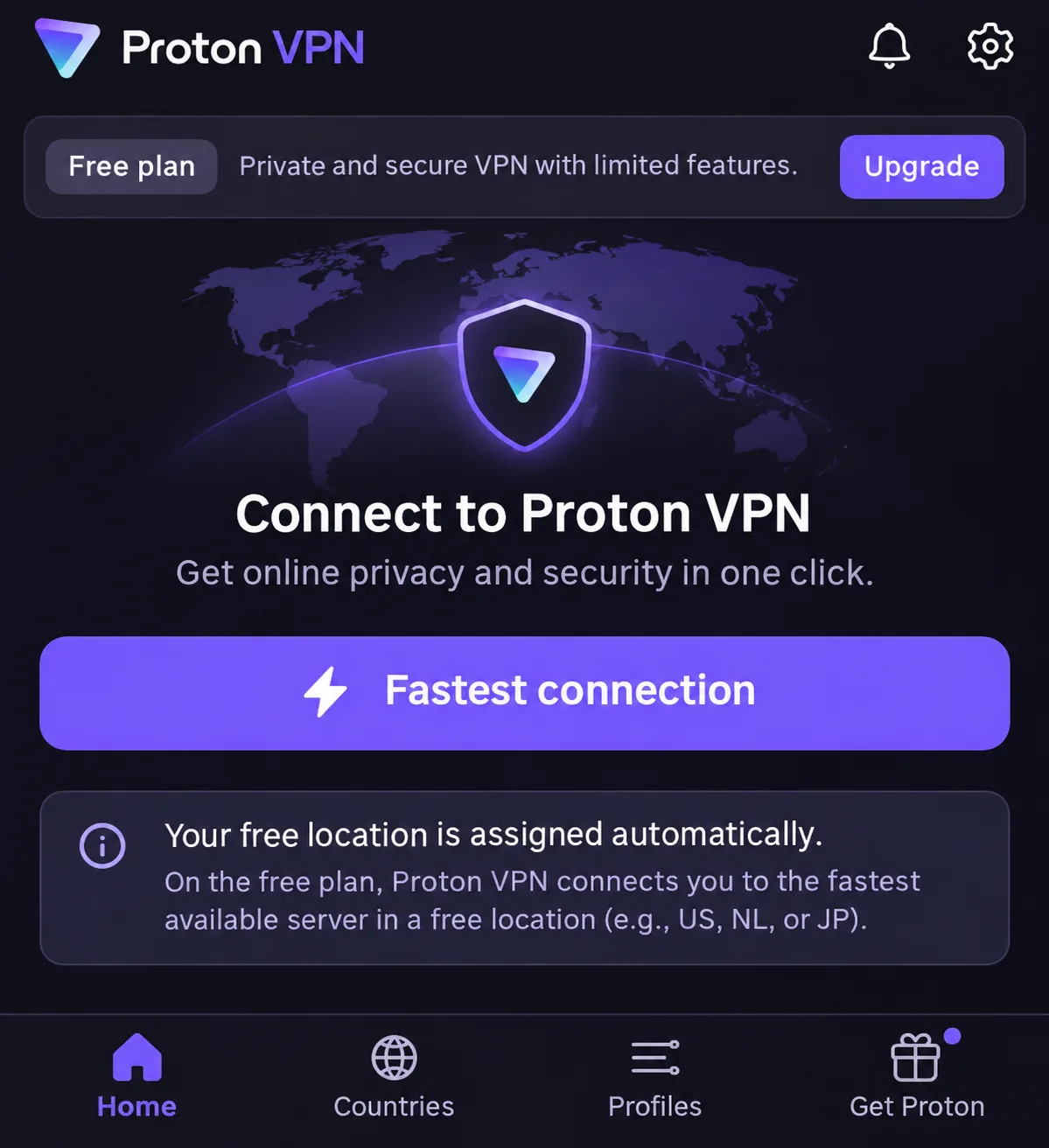
The free plan has unlimited data, no ads, no activity logs, a kill switch and Stealth, and it supports 1 device at a time. The free pool includes Singapore among 10 countries, yet connections are randomly selected. That is awkward if you need a particular country, and it is why Proton's free tier cannot give you a dependable Singapore IP from abroad. Treat it as a private-browsing tool while you are in Singapore.
The refund terms carry conditions. Each user can request a refund once. Cash and bank-transfer payments are excluded, and purchases through third parties follow the seller's own policy. If you plan to test Singapore access during the window, pay by card directly with Proton so none of those exclusions apply.
Paid VPN Plus supports 10 simultaneous devices and shows $3.49 a month equivalent, $83.76 billed for the first 24 months, with renewal at $83.88 every 12 months. Promotional pricing and renewal billing use different terms, and taxes and currency can vary. Official terms offer a full refund when cancellation and the refund request happen within 30 days of the first purchase, with exclusions for cash and bank transfers and for purchases made through third parties. The Windows app lists Windows 11 and Windows 10 64-bit build 19045 as supported, and other clients follow their own lifecycle tables.
Pros
- Permanent free plan with unlimited data
- Secure Core and strong privacy design
- Connection profiles save repeat setup
Cons
- Free locations are assigned at random
- Disney+ access can be troublesome
- Free plan allows 1 device
Best for: Privacy-first users and anyone who wants a free fallback. Skip it if you need a manual free Singapore server.
4. ExpressVPN
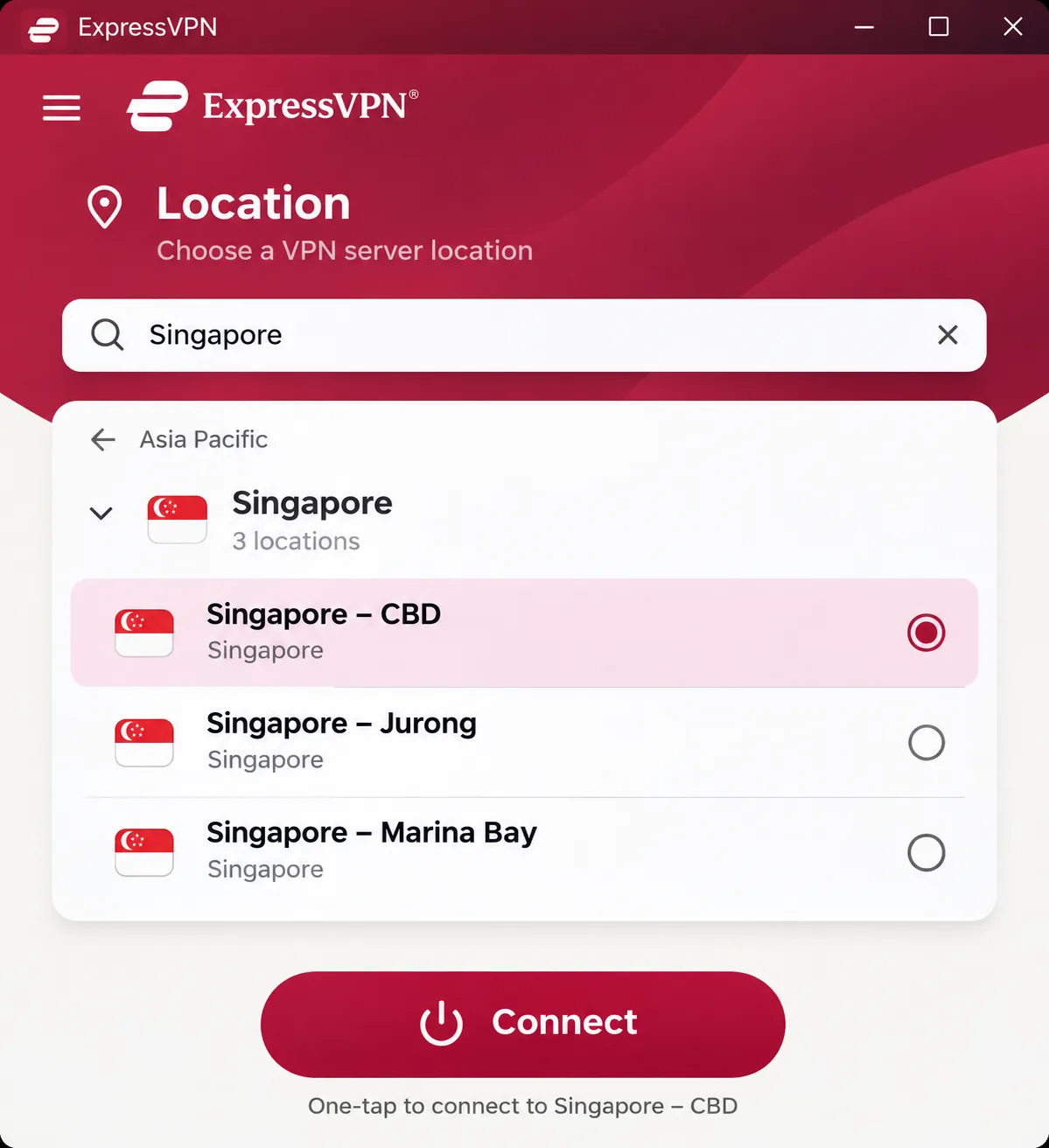
ExpressVPN is the easiest VPN to hand to someone who dislikes settings, but the trade-off is fewer advanced controls than most rivals here. Singapore appears as three selectable locations (CBD, Jurong and Marina Bay), and the location list shows which protocols each supports, including Lightway, WireGuard, OpenVPN and IKEv2.
Apps, local connections and streaming
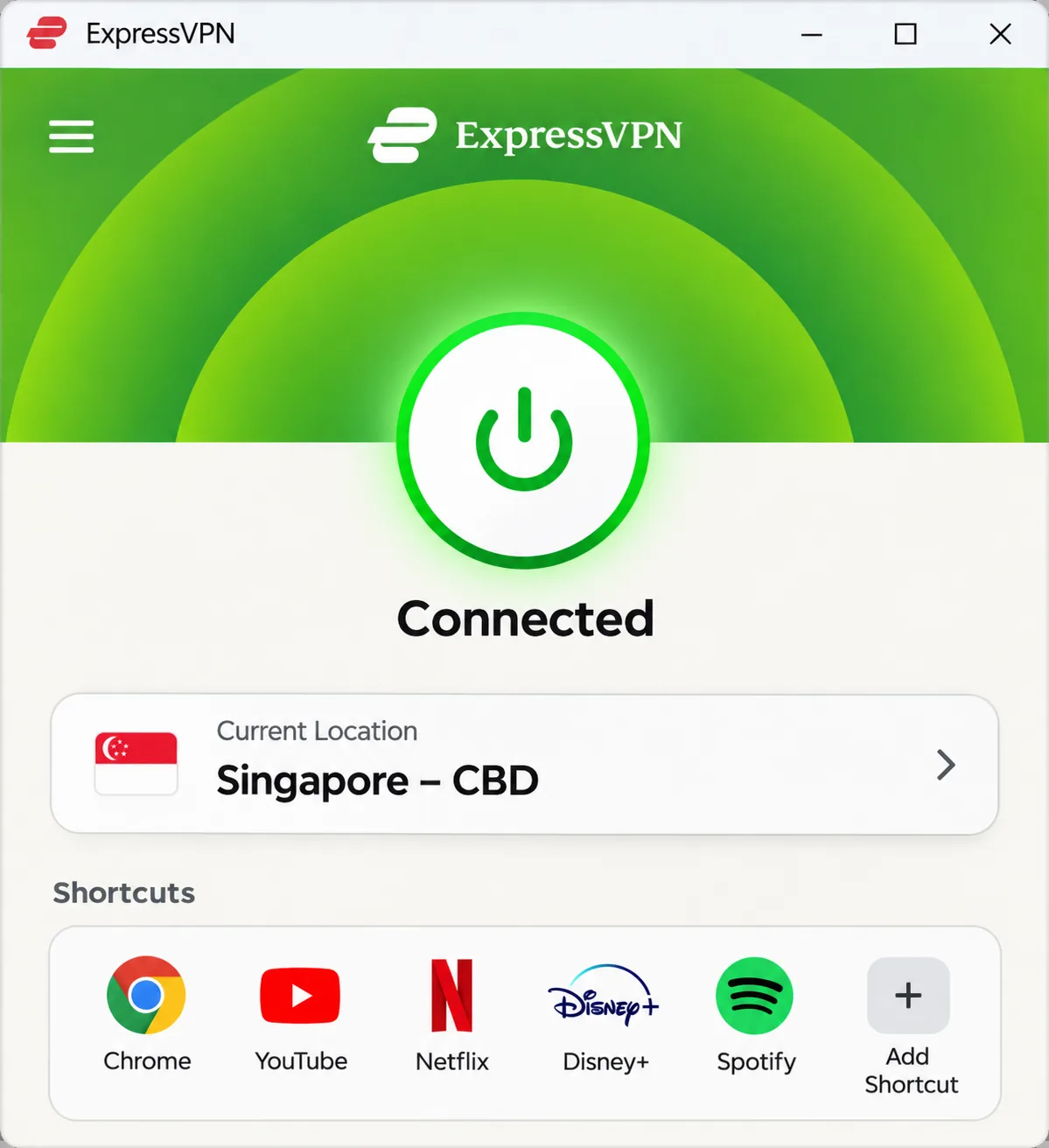
The apps are easy to navigate, and switching to a Singapore IP is smooth. Nearby Asian connections maintained low latency and stable throughput in our testing, so it suits video calls and general browsing from Singapore. Streaming unblocking and the simple interface are practical strengths. Installation is straightforward, although a first launch can require a computer restart, so do not install it five minutes before a call.
The three Singapore locations give you a practical way to try a different endpoint when one is misbehaving. The location list shows each endpoint's supported protocols, so you can check that Lightway, WireGuard, OpenVPN or IKEv2 is available there before choosing it. Basic also includes Advanced Protection, which blocks ads, trackers, malicious sites and adult sites. Advanced adds services including ExpressKeys, and Pro includes a dedicated IP.
Apps are available for Windows, macOS, Android, iOS and other device types, with native Apple Silicon support on the current Mac download. The current Windows app needs Windows 10 or later, while legacy apps, including a legacy Mac build for macOS 10.13, follow separate compatibility rules. Our ExpressVPN review covers the apps in more depth.
Pricing, privacy and limitations
Privacy features include TrustedServer RAM-only servers, a no activity or connection logs policy, private DNS, leak safeguards, a kill switch, split tunneling on supported platforms, automatic obfuscation, unlimited bandwidth and independent audits. We did not verify the scope of each audit, so read the audit summaries before you rely on them.
Basic supports 10 simultaneous devices, Advanced supports 12 and Pro supports 14, with a dedicated IP included in Pro. The displayed USD Basic offer was $3 a month equivalent, $84 for the first 28 months, then $99.95 annually, and sales tax can apply. New users get a 30-day money-back guarantee.
Pros
- Simple apps and smooth Singapore switching
- Three selectable Singapore locations
- Stable, low-latency nearby connections
Cons
- Fewer advanced controls than some rivals
- First launch can require a restart
- Higher renewal cost on Basic
Best for: People who want it to just work. Skip it if you enjoy tuning connection settings.
5. Private Internet Access
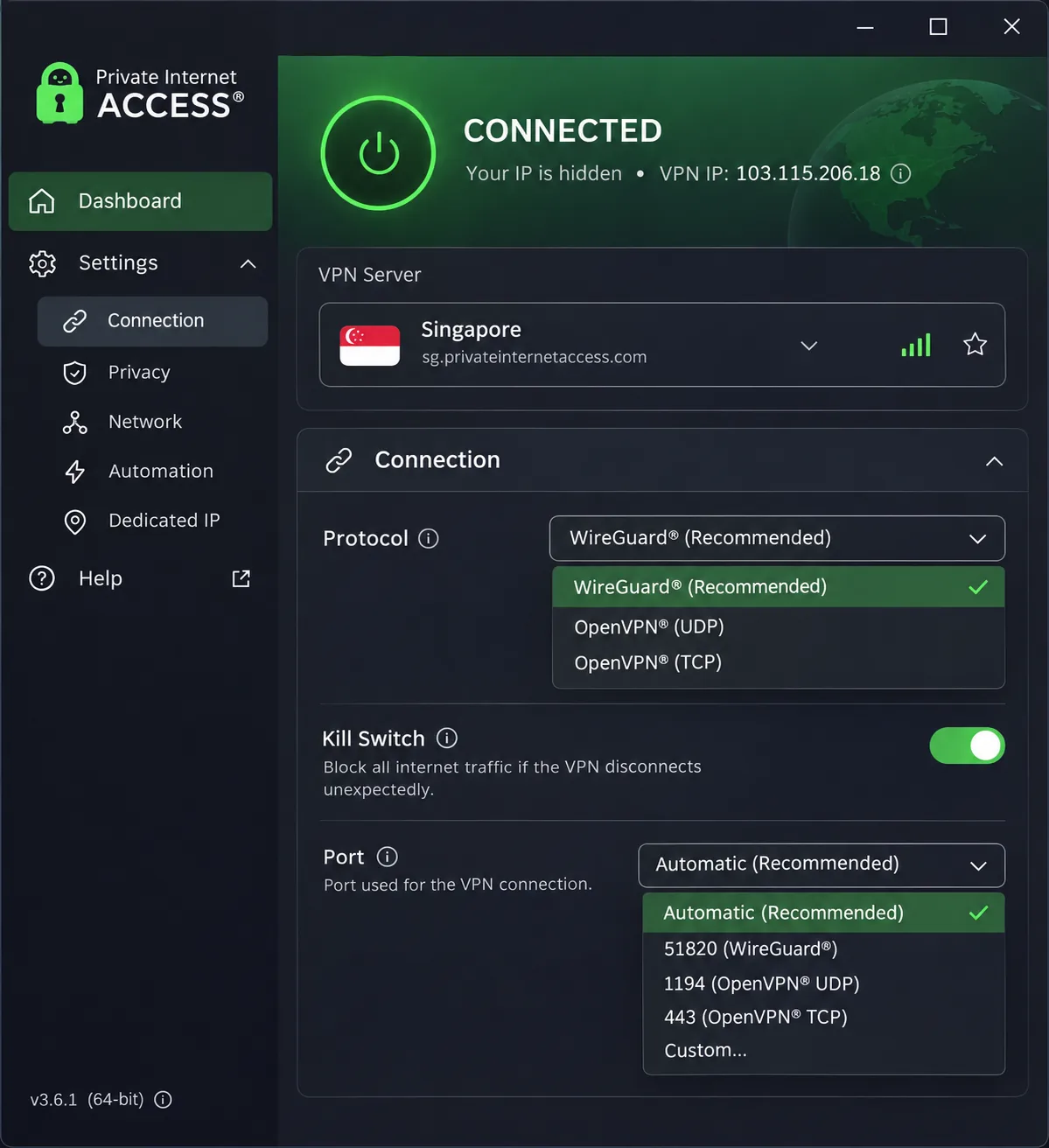
Private Internet Access, usually shortened to PIA, is for people who like control. It offers a selectable Singapore endpoint, open-source apps, WireGuard and OpenVPN, an advanced kill switch, proxy-assisted multihop and obfuscation, a no-logs policy and unlimited bandwidth.
The compact interface expands to expose detailed connection controls, which is useful once you know what you want. The interface is less polished than ExpressVPN's, however, and email support can be slow. Downloads and streaming stay responsive, but uploads can lose more speed, which matters if you back up files or send large videos.
Proxy-assisted multihop and obfuscation are the features that set PIA apart from the simpler apps here. They are options for people who already know why they want them, and the open-source apps mean the code behind the client can be inspected. RAM-only server infrastructure and a no-logs policy round out the privacy side, and the advanced kill switch is worth enabling before you leave home.
Streaming results are mixed. Hulu can work through a US endpoint from Singapore, yet Hulu and BBC iPlayer can fail to unblock, and uploads can be inconsistent. Streaming access varies by endpoint, service and testing time, so use PIA mainly for privacy and customization. Our PIA VPN review covers the settings in detail.
PIA supports Windows, macOS, Linux, Android, iOS, smart TVs and routers, with unlimited simultaneous connections on RAM-only server infrastructure. We could not confirm exact minimum operating-system versions from the download page.
The checkout we saw was in euros. It offered EUR 1.80 a month for 3 years plus 4 months, renewing at EUR 72 every 3 years, and an annual option of EUR 41.88 upfront and EUR 41.88 annually after that. We did not confirm the exact total for the long plan, so check it at checkout. New subscribers get a 30-day guarantee, and purchases through app stores follow the store's own refund terms. Dedicated IP and antivirus are paid add-ons.
Read the renewal line before you pay, because the long plan and the annual plan renew on different terms. If you buy through an app store, the store's refund terms apply in place of PIA's own guarantee, which is a reason to buy direct when you want the 30-day window.
Pros
- Open-source apps and deep connection controls
- Unlimited simultaneous connections
- Low long-term monthly cost on the long plan
Cons
- Interface is less polished
- Uploads can lose more speed and be inconsistent
- Hulu and BBC iPlayer results are mixed
Choose PIA if you like control and have many devices; pass if streaming reliability matters more.
6. CyberGhost
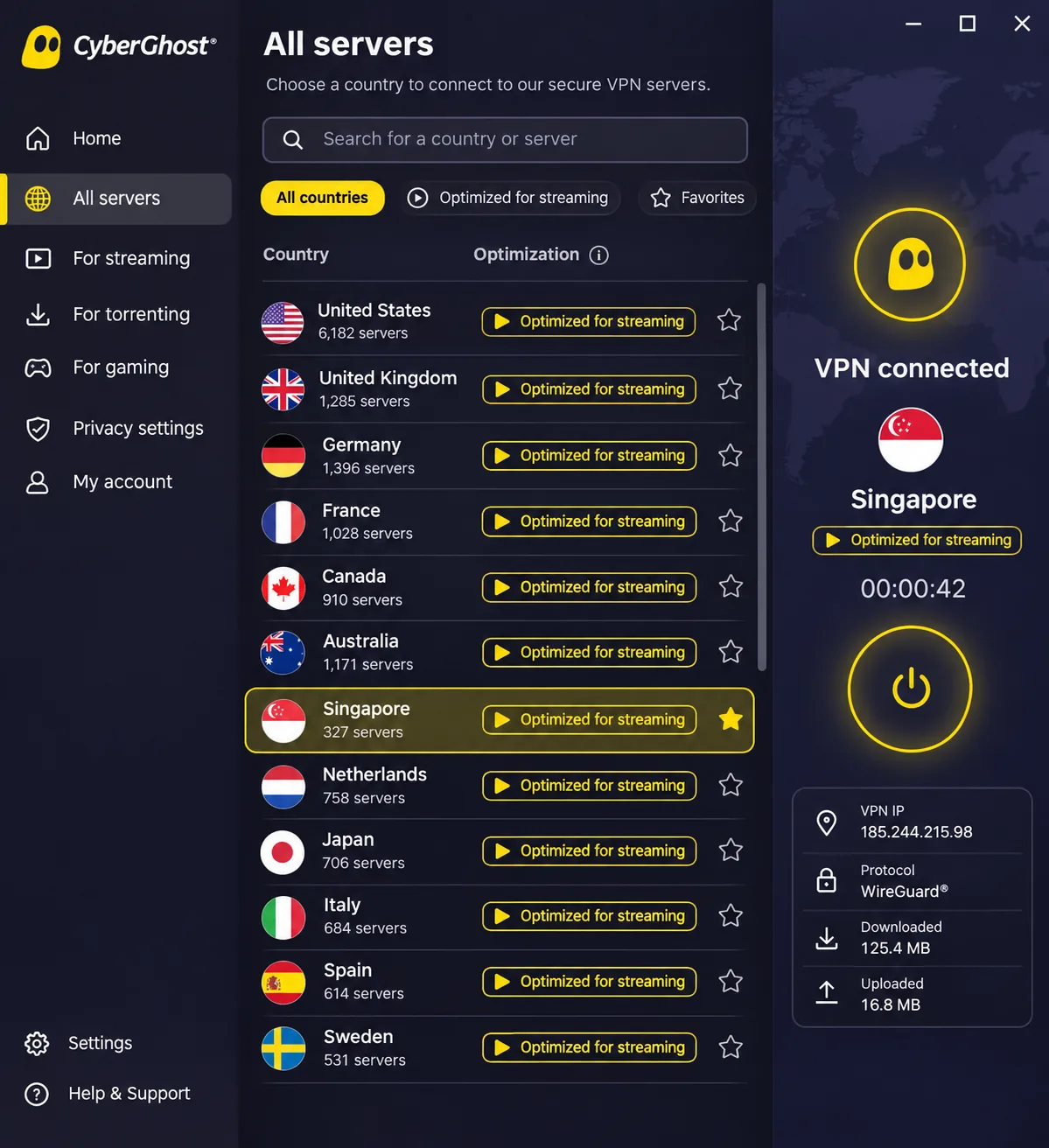
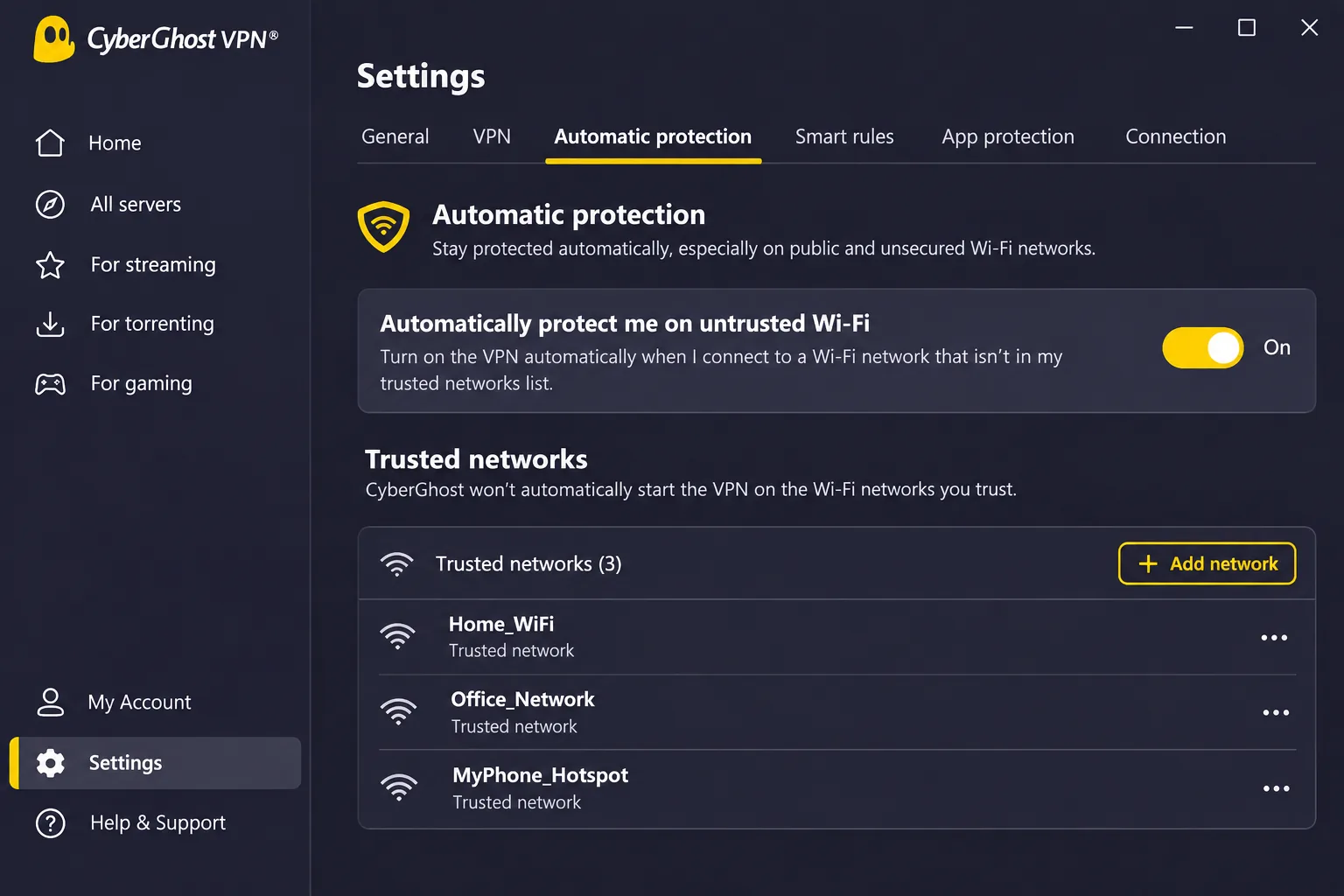
CyberGhost works well for first-time VPN users. Across desktop, mobile and TV apps, it offers a selectable Singapore endpoint, WireGuard, OpenVPN and IKEv2, a kill switch, DNS and IP leak protection, automatic protection on untrusted Wi-Fi, optimized servers and an audited no-logs policy.
Server choices and streaming features
The interface makes server selection easy, and automation reduces the routine steps you repeat each day. The automatic protection on untrusted Wi-Fi is a useful default for shared networks such as food courts and transit hubs, because you do not have to remember to switch it on. US Netflix played without buffering from Singapore. Streaming access can still be less reliable than on the leading alternatives, and overall speeds are slower than the best options on this list.
Features include a kill switch and DNS and IP leak protection, but we would draw a cautious beginner's attention to the audited no-logs policy. Optimized servers are labeled, so you do not have to guess which Singapore server suits streaming.
Distant servers occasionally fail to connect, so keep a nearby fallback in mind. CyberGhost supports 7 simultaneous connections, the lowest device allowance here. The Windows app requires Windows 10 version 1903 or later or Windows 11, and the support guide excludes ARM-based Windows processors. The Mac guide specifies macOS 10.13 or later, and the Linux app is a command-line tool, not a graphical one. Our CyberGhost VPN review has the full app rundown.
Pros
- Easy server selection and helpful automation
- Longest refund window on long plans
- Audited no-logs policy
Cons
- Fewer connections than most rivals
- Streaming access can be less reliable
- Distant servers occasionally fail to connect
Pricing, privacy and limitations
CyberGhost has the most generous refund policy here, a 45-day money-back guarantee on six-month and longer offers and a 14-day guarantee on the monthly plan. The long-term checkout showed $2.19 a month and $61.32 upfront, renewing at $61.32 annually. The same page showed inconsistent 26-, 27- and 28-month introductory labels, so confirm the initial term before you pay. The monthly plan was listed at $12.99, and the six-month plan at $41.94 every six months, with taxes possibly applying.
The monthly plan carries only a 14-day refund window, so if you want the 45-day safety net you have to commit to the six-month or longer offers. That is a genuine trade-off for a trial run, and the six-month plan is the cheapest way to get the longer guarantee without a multi-year commitment.
Beginners who value a long refund window will get the most from it, but it is not the pick for top speeds.
7. IPVanish
IPVanish is the last pick because of its leak findings, and we want that caveat in front of you before the feature list. It offers Singapore endpoints, unlimited simultaneous connections, WireGuard, individual server selection, a SOCKS5 proxy, kill-switch control, desktop and mobile apps and manual router installation.
Device support and Singapore connections
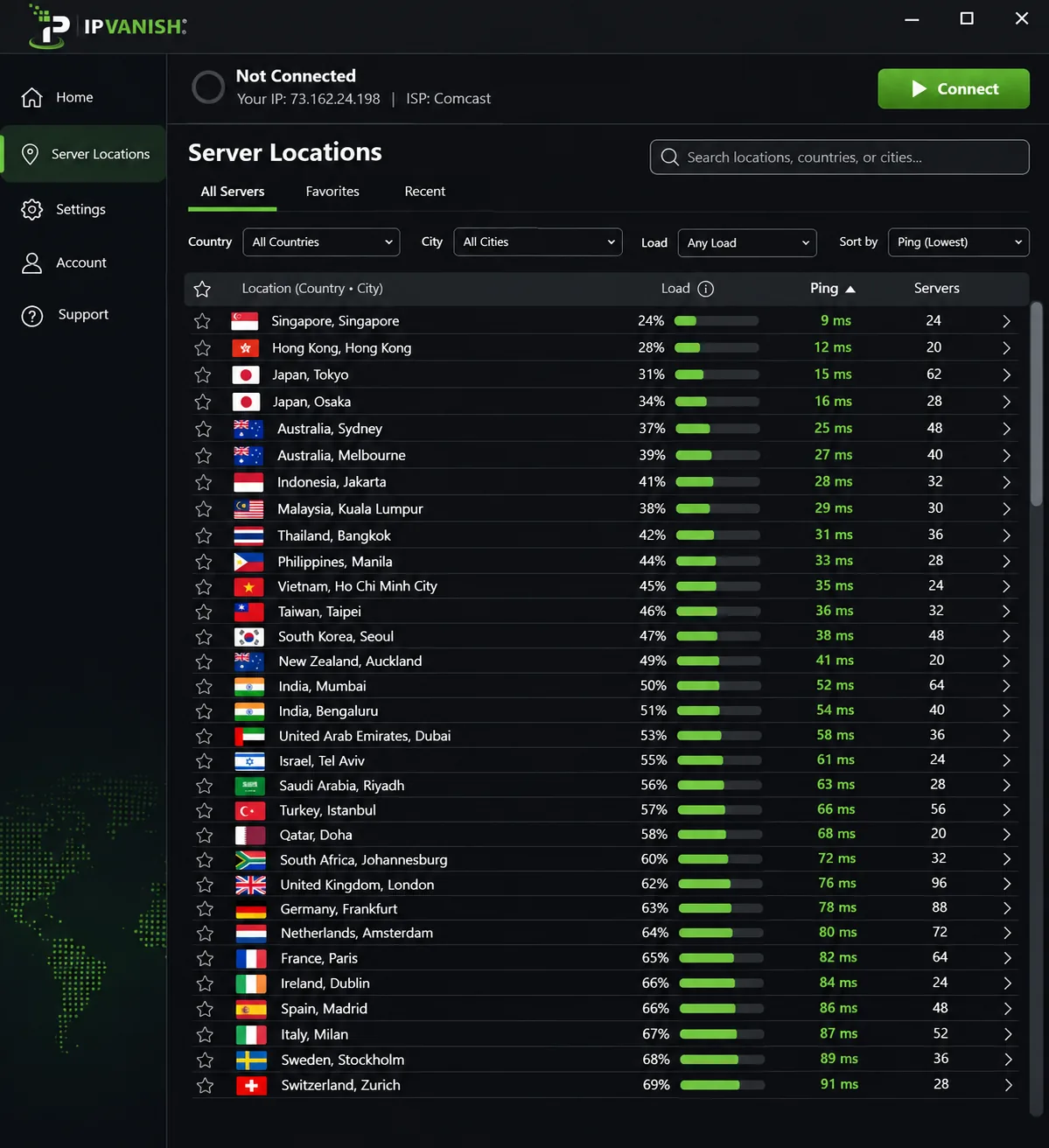
Nearby endpoints preserve download speed better than distant ones. Singapore endpoints can provide steady throughput for streaming and calls, and can successfully unblock Netflix, Hulu, Prime Video and BBC iPlayer. The dense locations interface and occasionally stuck connections create friction. The unlimited device allowance is the strongest reason to consider it. Our IPVanish review covers the plans.
The SOCKS5 proxy is a separate proxy option, not part of the main tunnel, so do not assume it carries the same protection. Individual server selection lets you pin a particular Singapore endpoint, and manual router installation covers households that want every device behind the VPN. Essential and Advanced provide the VPN itself, with Advanced adding encrypted cloud storage and a secure browser.
Pricing, privacy and limitations
Independent testing found system DNS queries bypassing the tunnel even when browser IP and DNS tests showed no leak. Traffic could also escape the tunnel after a reboot, an app crash or an interrupted internet connection, and DNS leakage can occur during ordinary connections. Audits exist. A third no-logs audit by Schellman is reported, with the full report available through the subscriber portal. An audit of logging policy does not test what an app does when it crashes, so the leaks and the audit are separate facts.
If you use it purely for streaming or gaming, those leaks may not worry you. For private browsing on public Wi-Fi, they should. Recent promotions quote $2.19 or $2.39 a month for Essential and $3.29 for Advanced, and the exact upfront bill and renewal were not confirmed. A 30-day guarantee applies to annual and two-year plans, and monthly subscriptions are excluded. Advanced adds encrypted cloud storage and a secure browser, and we did not establish a permanent free plan.
Pros
- Unlimited simultaneous connections
- Steady throughput on Singapore endpoints
- Wide streaming unblocking
Cons
- DNS and tunnel leaks in independent testing
- Dense interface with occasionally stuck connections
- Current checkout total not confirmed
Best for: Households that want unlimited devices for streaming and calls. Skip it if you rely on a VPN for private browsing on public networks.
How we selected the best VPNs for Singapore
We started with providers that let you pick a Singapore server, then compared them on factors that affect everyday use in Singapore: speed on near and far routes, privacy practices, streaming behavior, device support and the price you pay over time. We worked from provider documentation and our own use of the apps, and we kept source differences visible instead of smoothing them over.
Singapore servers, nearby locations and speed evidence
A selectable Singapore server was the entry requirement. Nearby locations matter because latency rises with distance. Local and nearby connections kept good speed on the leading apps, while US routes from Singapore slowed down more. We did not rank speed numerically because routes, baselines, hardware and protocols differ between tests, and a ranking built on those would mislead you.
We assessed each app by how quickly it connected to Singapore, whether its location list identified nearby servers, and whether its protocol choices were visible. Apps that buried the Singapore option or hid protocols lost points, since a traveler on a hotel network does not want to dig through menus.
Privacy policies, audits and leak protection
We looked at logging policies, RAM-only servers, kill switches, DNS handling and independent audits. An audit proves something about a provider's logging policy at a point in time. It does not prove that an app never leaks when it crashes. IPVanish is the example: audited, yet leaks appeared in independent testing.
We also noted whether a kill switch was described plainly and whether DNS handling was explained. RAM-only servers matter because nothing persists when a server restarts. Independent audits count for more when the scope is public, which is why we flagged where we could not verify what each audit covered. Where a provider's own documentation and outside testing disagreed, we gave the outside testing more weight on leaks.
Streaming, device support and subscription value
We checked which services unblock, how many devices each plan allows and what the offers look like at checkout. We could not establish a common, current test of Singapore services such as meWATCH, Viu, Singtel TV and StarHub across all seven providers, so we do not promise any of them. Value is more than the headline monthly price. Intro terms, bonus months and renewal charges decide what you pay in year two, which is why we list renewals wherever we could verify them.
Device allowance counted because Singapore households tend to have several phones, laptops and TVs. Refund windows counted because they are the only practical way to test your own apps. We treated them as distinct from free trials, since app-store trial eligibility and cancellation timing were not verified evenly across providers.
Can you use a free VPN in Singapore?
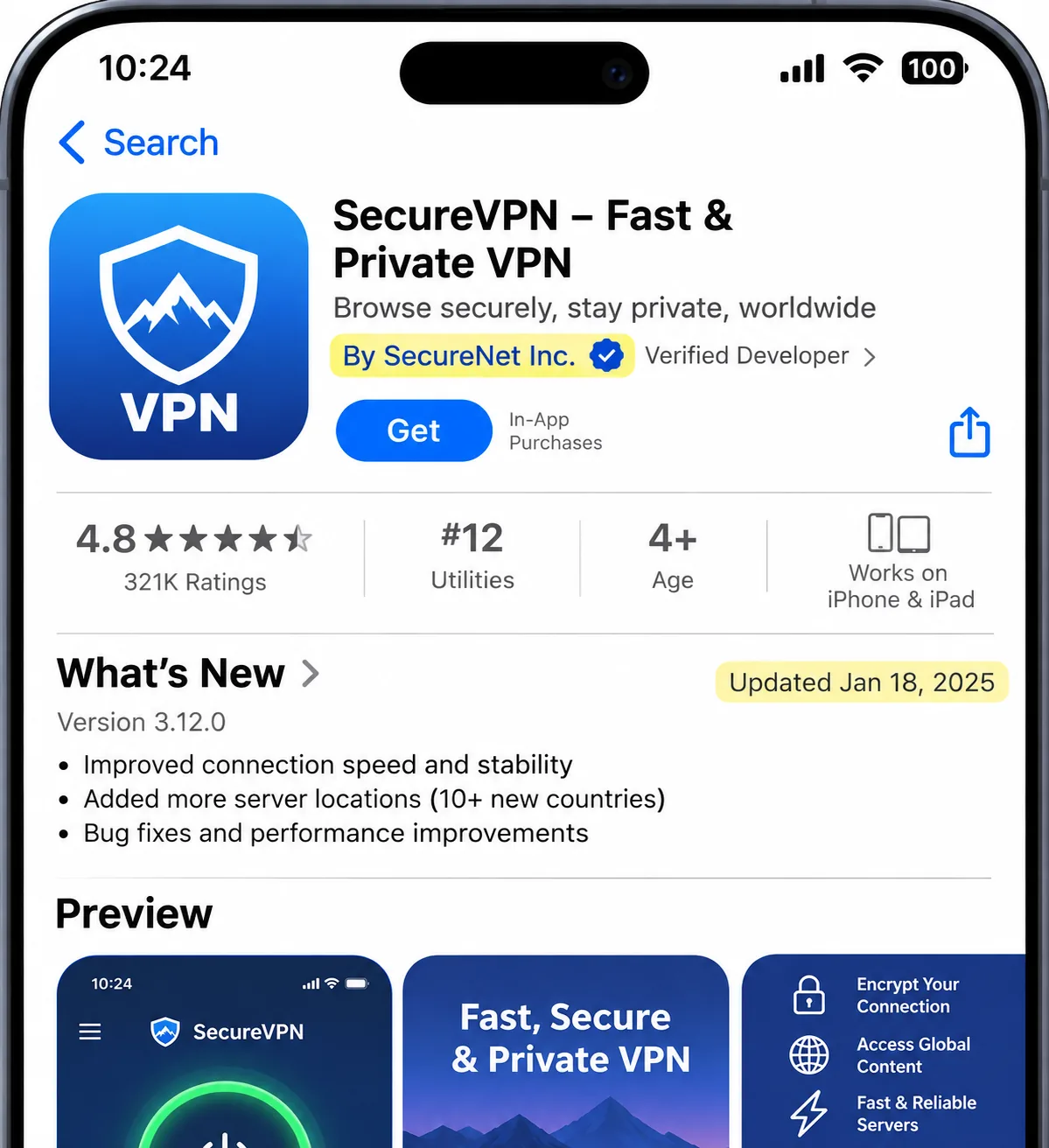
Yes, with limits. The answer depends on which of the two jobs you need the VPN to do, so we address them separately here. A free VPN can give you private browsing from inside Singapore. It is a poor way to get a Singapore IP while you are abroad, because the free tiers we checked do not let you choose a Singapore server. Our guide to the best free VPNs covers the wider field.
Free Singapore servers versus free access from Singapore
Proton VPN Free is the only permanent free plan we established among the seven. It has unlimited data, no ads, no activity logs, a kill switch and Stealth, but it supports 1 device at a time. The free pool includes Singapore among 10 countries, and the assignment is random. Random assignment makes it awkward to get an IP address in a particular country, so Proton's free plan is for private browsing, not accessing Singapore-only services from overseas. The other six providers require a paid plan and rely on refund windows, not free tiers.
A useful test is to ask what the free plan lets you choose. If the app picks the server, you have a privacy tool for the country you are standing in. If you can pick Singapore from the list, you have a Singapore IP. None of the seven providers we checked lets you choose a Singapore IP for free. The warning signs below appear most often in unfamiliar apps' free tiers.
Data limits, server selection and free VPN warning signs
Caps on data and speed are the most visible limits of free services, but the hidden ones matter more. Singapore's Cyber Security Agency warns in its advisory on VPN risks that malware can masquerade as a free VPN and turn devices into residential proxies, and that privacy policies can permit logging or sale of data. Watch for these signs:
- The app comes from somewhere other than the official store or the provider's own site.
- The privacy policy allows logging or selling your data, or it is vague about both.
- The provider shows no clear update practice or says little about how data is used.
- The service asks for permissions that a VPN has no reason to need.
Treat that last sign as a hard stop. A VPN needs network permissions, but it has no reason to want your contacts, messages or location history. Check the developer name against the provider's own website, and look at when the app was last updated before you install.
A VPN encrypts the link between your device and the VPN server and masks your source IP for onward traffic. The provider remains a point of trust, and a compromised server can undermine confidentiality. That is a good reason to prefer an established provider, free or paid.
Why use a VPN in Singapore?
Singapore has fast and reliable internet, so a VPN is not about rescuing a slow line. It is about privacy on networks you do not control and access to services that depend on your location.
Public Wi-Fi, privacy and the limits of VPN protection
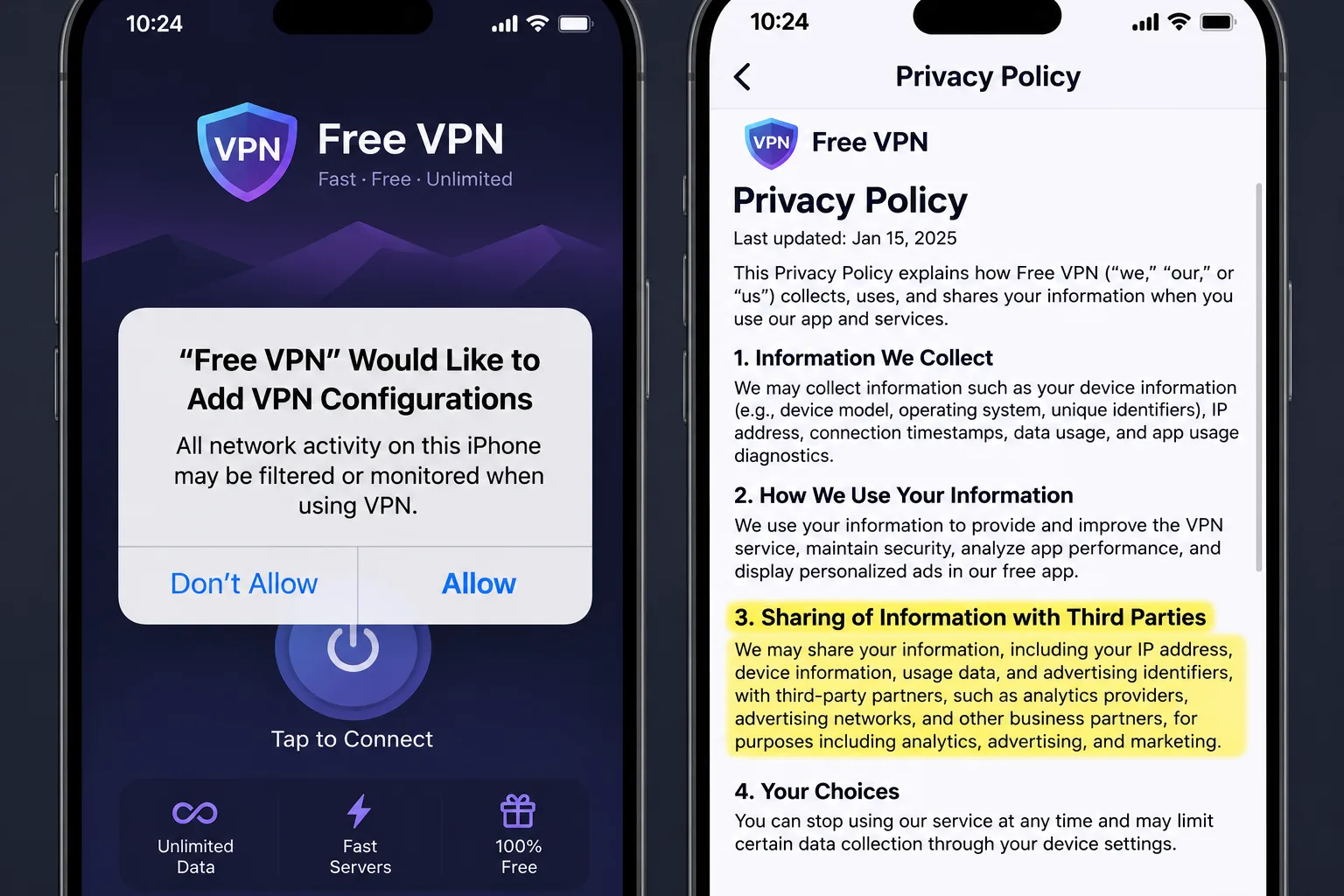
Cafes, airports, malls and hotel networks are shared spaces. A VPN encrypts traffic between your device and the VPN server, which stops other people on that network from reading it. It also hides your real IP from sites you visit. It does not make you anonymous, stop a phishing page from fooling you or protect a device that already carries malware. Freedom House's 2024 Singapore internet-freedom report rated the country Partly Free at 53/100, which gives some context for readers who care about online content control.
Streaming and accessing home services while travelling
A Singapore IP can enable access to Singapore services while you are abroad. No universal guarantee exists, because services can block VPN addresses, and account, entitlement and location checks vary. We would not buy a plan based on one title, and we would use the refund window to test the services you care about. For residents who want other countries' libraries, the reverse applies: you connect to a foreign server, and distance affects speed.
How to use a VPN in Singapore and get a Singapore IP address
The steps are the same on all seven providers. What changes is the server you choose, and that depends on your goal.
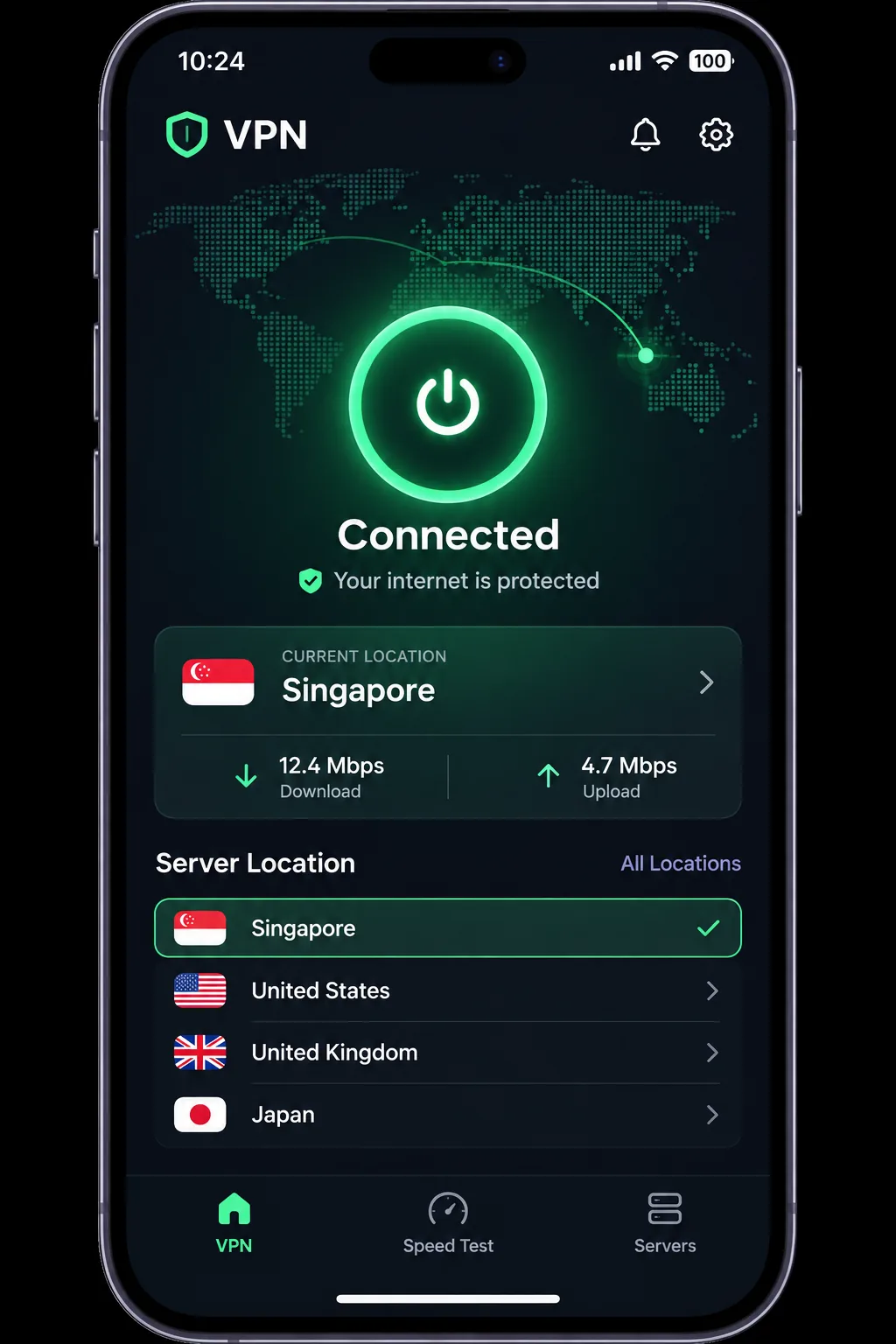
Install the app and choose the right server location
Download the app from the provider's official site or the official app store. Create an account with a strong password and turn on multi-factor authentication where it is offered, as the Cyber Security Agency recommends. Sign in and choose a location.
- To browse privately while you are in Singapore, pick a nearby server for the lowest latency.
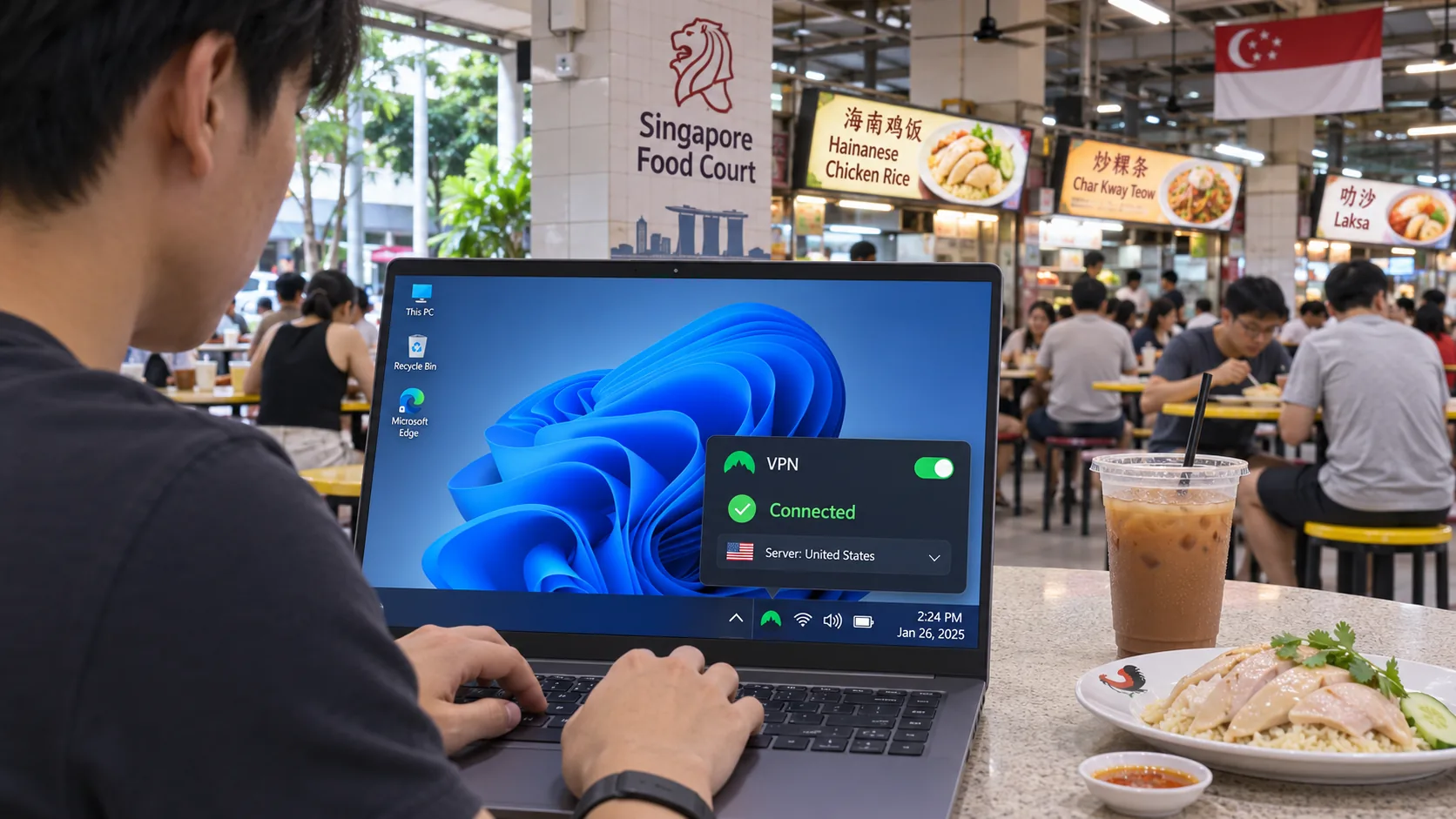
- To get a Singapore IP address while abroad, pick Singapore and connect.
- To reach a foreign service from Singapore, pick a server in that country and expect slower speeds on long routes.
Check your IP address and troubleshoot connections
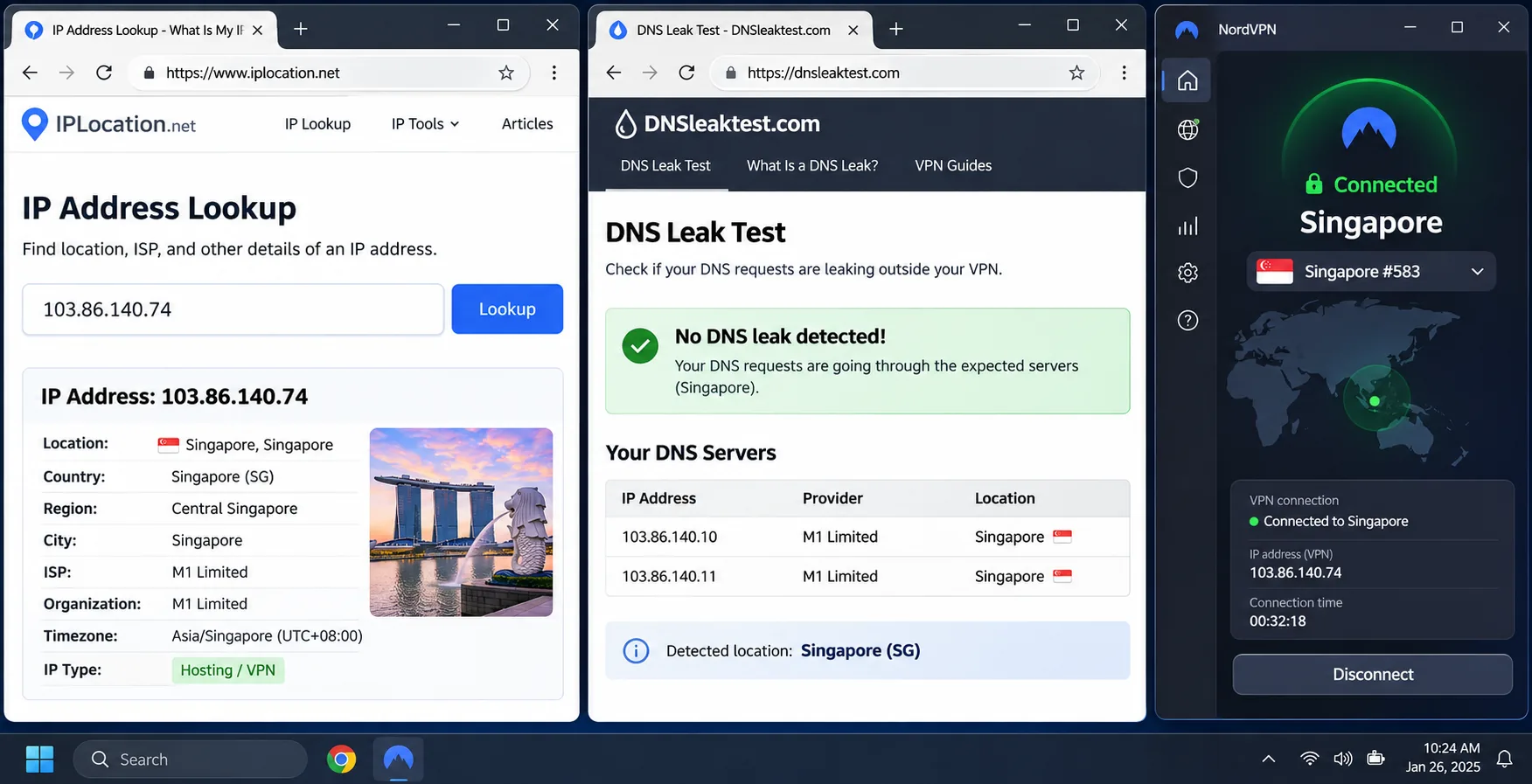
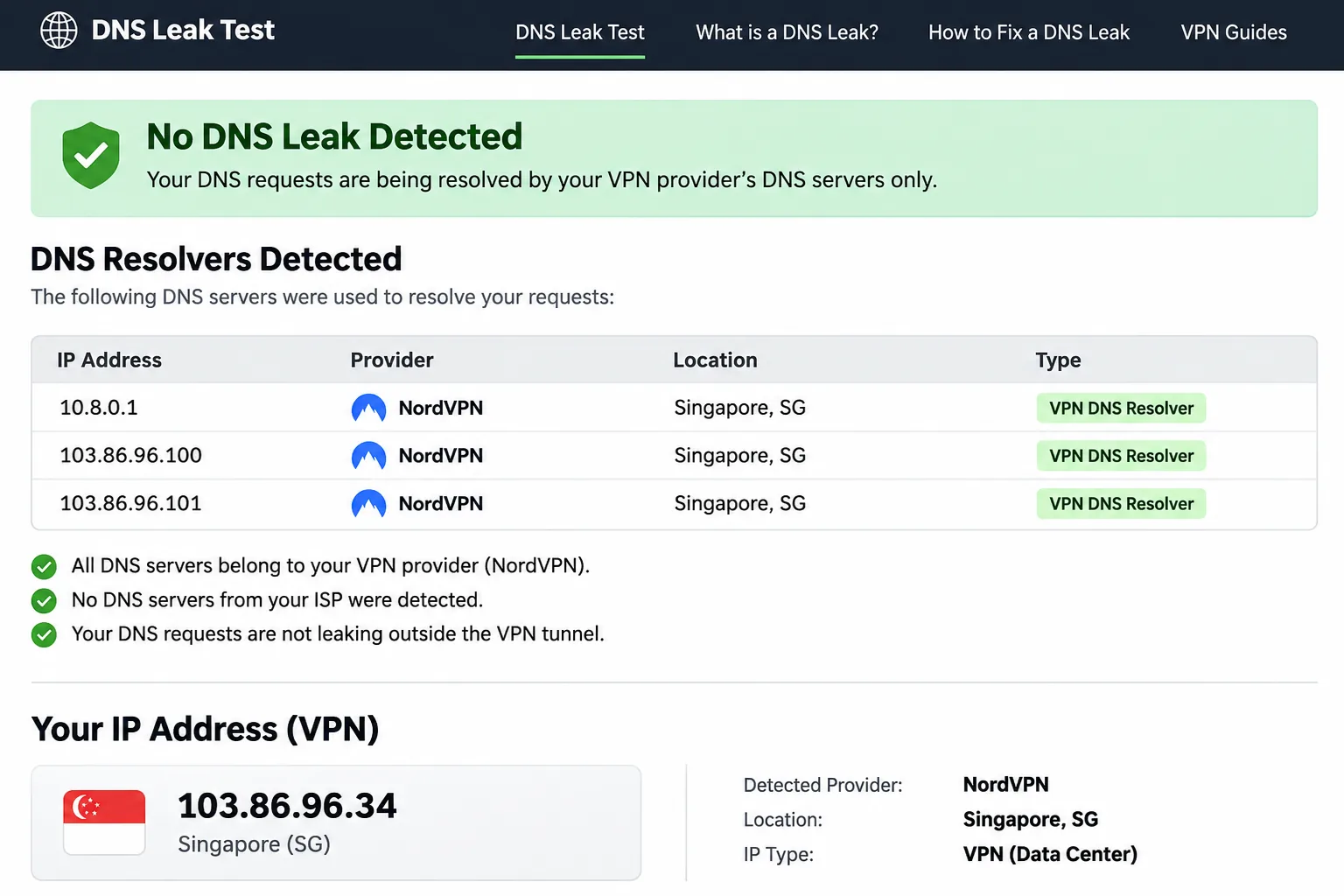
After you connect, open an IP lookup and a DNS leak test. If the connection works, the IP lookup shows Singapore as your location, and the DNS test should list your VPN provider's resolvers rather than your ISP's. If a service refuses you, switch servers within the same country, then try another protocol. Slow speeds usually improve when you move to a closer server, restart the app or change protocol. If the connection hangs, quit the app and reconnect. An app that reconnects slowly after an interruption is worth testing before you trust it with sensitive traffic.
Run the checks in a fresh browser window so a cached page does not mislead you. If the IP lookup still shows your home address, disconnect and reconnect before you assume the server is at fault. If the DNS test lists your ISP's resolvers, switch protocol or turn on the app's DNS leak protection and test again. Repeat both tests after you switch servers, because a new endpoint is a new connection. Keep a nearby fallback server in mind for the days a distant one refuses to connect.
Are VPNs legal in Singapore?
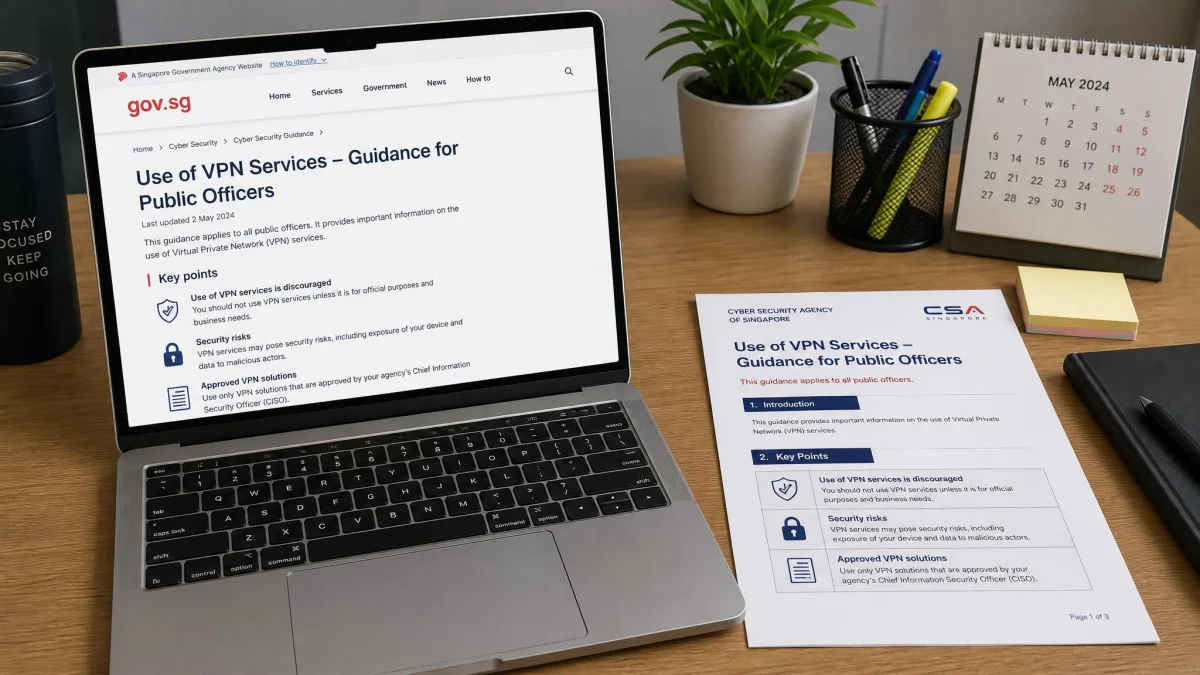
Personal VPN use is generally legal in Singapore. GovTech's guidance on why you need a VPN says so, and also makes clear that illegal activities stay unlawful whether or not a VPN is used. Restrictions can still apply to specific activities or under organizational policies, such as an employer's network rules.
Singapore regulates internet service providers and content providers through the Broadcasting (Class Licence) Notification. That framework governs content, and it is not a prohibition on VPNs. We are not lawyers, so check current rules if you are in a regulated workplace.
Frequently asked questions
What if a Singapore server is refused partway through the refund window?
Does a Singapore TV app care who my VPN provider is?
Will my ISP know I am using a VPN?
Should I pay in Singapore dollars?
Does a VPN improve gaming speed?
Can I use a VPN for torrenting or online banking?
Final verdict: choosing a Singapore VPN
Pick by need. Surfshark and PIA reward households with many devices, ExpressVPN rewards anyone who wants the least friction, CyberGhost suits beginners, and Proton VPN suits privacy-first users who also want a free fallback. Whichever you choose, run an IP check and a DNS leak test after your first connection, and confirm the Singapore server works with your apps before the refund window closes.