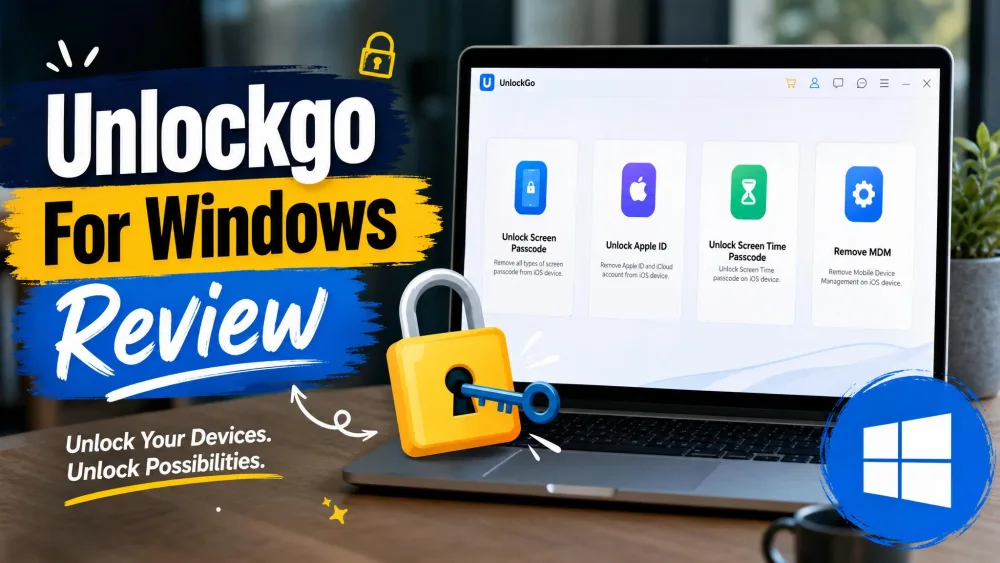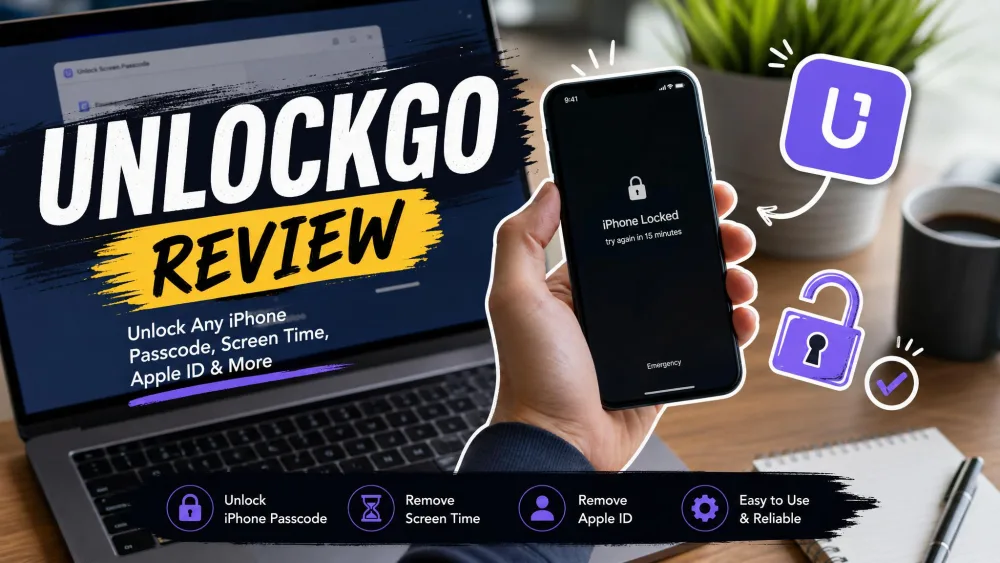
Being locked out of your own iPhone is a special kind of stress. Maybe you forgot a passcode, inherited a second-hand device, or hit an Apple ID prompt you can't clear. iToolab UnlockGo promises to fix all of that from your computer. So we ran it through every lock type it claims to handle, on real devices, and watched what happened.
This is a hands-on review, not a spec-sheet rewrite. We put the passcode remover, Apple ID removal, Activation Lock bypass, Find My iPhone toggle, and Screen Time reset through their paces, then checked the Android side too.
We test unlock and recovery tools the way a locked-out user would: on genuinely locked hardware, timing each step and noting every data-loss warning. Our notes here come from putting UnlockGo through real screen-lock, Apple ID, Activation Lock, and Android FRP scenarios rather than trusting the marketing copy.
Quick Verdict: UnlockGo at a Glance
UnlockGo does what it sets out to do for the common cases. Basic screen passcodes and Screen Time locks came off quickly and reliably. The harder jobs, like Activation Lock and Find My iPhone, are where the caveats stack up. Know both sides before you pay.
Rating & Who It's For
UnlockGo is for the non-technical user who is locked out of an iPhone, iPad, or iPod touch and wants a guided fix from a PC or Mac. It is not the right pick if you need a guaranteed bypass on the very newest iOS release, or if losing your data is not an option.
Pros & Cons
Pros
- High success rate on screen passcodes and Screen Time locks
- No technical skill needed; the four-step flow is clear
- Broad lock coverage across iOS and, in a separate edition, Android
- Free trial download and a money-back guarantee lower the risk
Cons
- Paid, and pricing tiers shift with frequent promotions
- Several unlock modes wipe all data on the device
- Device and iOS-version limits mean the newest releases are not always bypassable
- Activation Lock bypass required jailbreaking, and support responses were hit or miss
What Is iToolab UnlockGo?
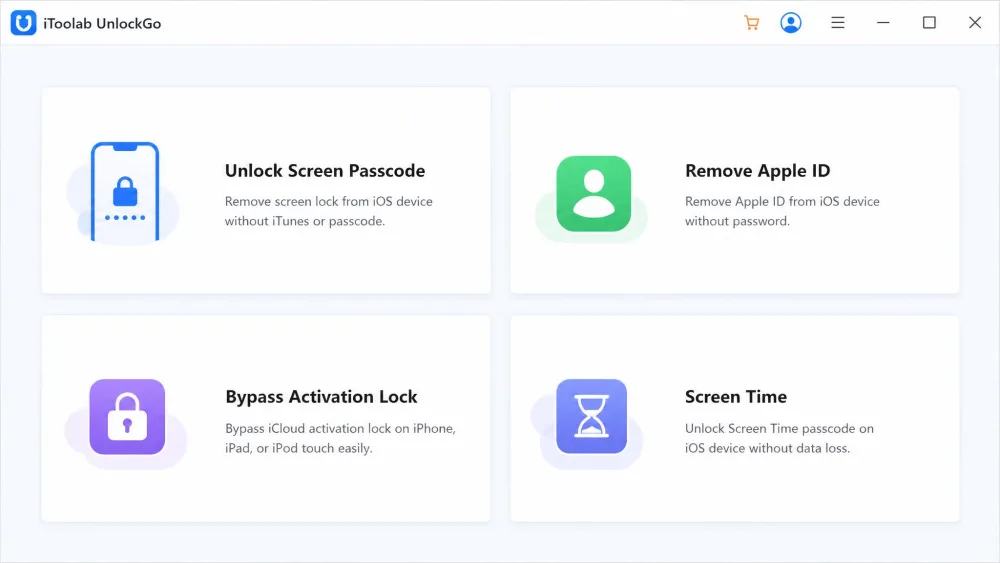
iToolab UnlockGo is a desktop tool that clears a range of iPhone locks without the original passcode or Apple ID. You install it on a computer, connect the locked device by cable, pick the lock type, and follow the on-screen steps. The design is built around people who are not comfortable digging through recovery mode on their own.
The feature set is broad. UnlockGo removes a screen passcode, whether it is a 4 or 6-digit PIN, a custom numeric code, or an alphanumeric password, and works around Face ID and Touch ID. It also removes an Apple ID without the password, bypasses iCloud Activation Lock, disables Find My iPhone, resets a Screen Time passcode, and strips an MDM management lock. A separate Android edition handles Google FRP and lock-screen removal.
Supported Devices & iOS/Android Versions
On the Apple side, UnlockGo covers iPhone, iPad, and iPod touch. It runs on Windows 11, 10, 8.1, 8, and 7, and on the Mac from macOS 10.11 (El Capitan) through macOS 14 (Sonoma). The vendor lists support up to iOS 27, with iCloud Activation Lock bypass referenced for recent releases. That top-end iOS figure drifts as Apple ships new versions, and the newest releases are not always bypassable at launch, so treat the very latest support claims as a moving target.
| Spec | iToolab UnlockGo |
|---|---|
| Apple devices | iPhone, iPad, iPod touch |
| Windows | Windows 11, 10, 8.1, 8, 7 |
| Mac | macOS 10.11 through macOS 14 |
| iOS support | Up to iOS 27 (newest not always bypassable) |
| Android | Separate edition (FRP / lock-screen) |
| Guarantee | 30 Days money-back |
Pricing & Plans
UnlockGo is paid, and the entry price is reasonable. The iOS edition starts at $19.95 for a 1-month license covering one device on Windows. A 1-year license lists around $35.95, though that figure moves with frequent promo cycles, so the checkout price often lands lower. A lifetime license is shown at $49.95 for five devices, but the site displays two lifetime tiers at once, and the exact price shifts with device count and promotions. The Android edition is sold separately and priced lower, starting around $14.95.
You can download the trial from the official iToolab product page before paying. The "TRY IT FREE" build for Windows and macOS lets you confirm your device is detected and see the flow, though you still need a license to finish an unlock. iToolab also backs purchases with a 30 Days money-back guarantee.

How We Tested UnlockGo
We approached UnlockGo the way a stressed, locked-out owner would. We connected genuinely locked iPhones, ran each unlock mode end to end, and timed the real work once firmware finished downloading. We noted every data-loss warning and every step that needed a specific device state. Where a mode failed, we recorded why.
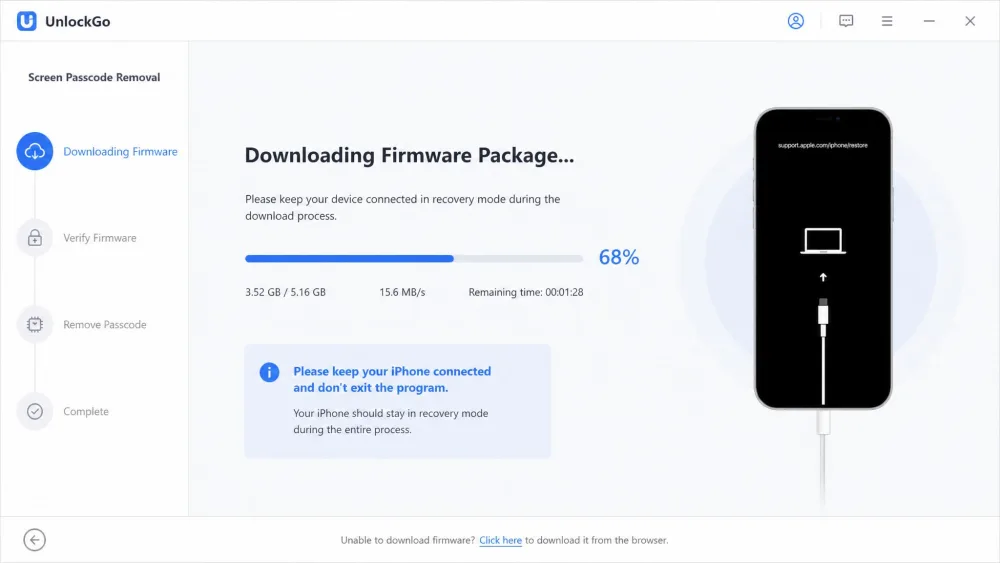
Most unlock modes follow the same rhythm. You put the device into DFU or Recovery mode, the app downloads a firmware package, and you keep the phone connected throughout. That process is time-intensive, but the on-screen steps are clear enough that we never felt lost. We scored the results across five criteria below.
Our Testing Criteria (Effectiveness, Security, Ease of Use, Value, Support)
Effectiveness was moderate overall, landing in the 75 to 80 percent range in our runs. UnlockGo handled basic screen locks and older iOS well, and struggled with iCloud Activation Lock on newer devices. On security, the Activation Lock path raised a flag because it required jailbreaking. Ease of use was a genuine high point: the guided, four-step interface is easy for non-technical users. Value is fair given the entry price, and support was the weak link, with several slow or unhelpful responses when problems came up.
UnlockGo Features Put to the Test
Unlock Screen Passcode
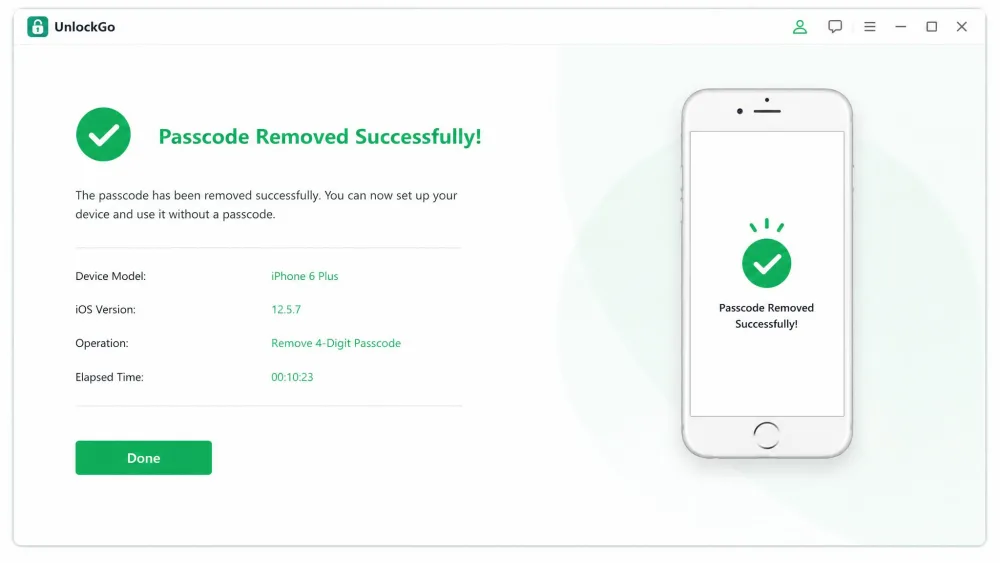
This is UnlockGo's strongest suit. We removed a 4-digit screen passcode from an iPhone 6 Plus in about ten minutes, once the firmware package finished downloading. It clears 4 and 6-digit PINs, custom numeric codes, and alphanumeric passwords, and it works around Face ID and Touch ID along the way. If a forgotten passcode is your whole problem, this mode delivers. Apple's own path for that situation is a full erase, described in Apple's forgotten-passcode support.
Remove Apple ID Without Password
Removing the Apple ID succeeded within minutes in our test, which is fast. The catch is severe: it wiped all data on the iPhone and forced a full restart and re-setup. That is the single most important thing to understand about this mode. It is useful for a device you own but cannot sign out of, and it is the wrong tool if the data still matters and you have no backup.
Bypass iCloud Activation Lock
The Activation Lock bypass worked on our iPhone 6 Plus, but it required mandatory jailbreaking, which we flag as a real security risk. Jailbreaking removes protections Apple builds in and can leave a device more exposed. This mode also weakens on newer hardware, so success is far from guaranteed. If you are dealing with a genuine second-hand purchase, read Apple's Activation Lock support first, because the legitimate fix is the previous owner removing the device from their account.
Turn Off Find My iPhone (FMI)
Find My iPhone gave us mixed results. An older iOS 12 device was simply incompatible, while an iPhone 8 on iOS 13 and above succeeded. During our testing window the FMI feature was later marked temporarily offline, so this capability may not be live when you try it. Treat it as situational rather than a sure thing.
Remove Screen Time Passcode
Screen Time removal was the fastest operation we ran, around five minutes, with no data loss. That makes it the friendliest mode in the whole suite. One dependency tripped us up, though: Screen Time unlock only worked when Find My iPhone was already disabled, which is a frustrating requirement to discover mid-task.
Bypass MDM / Android FRP Lock
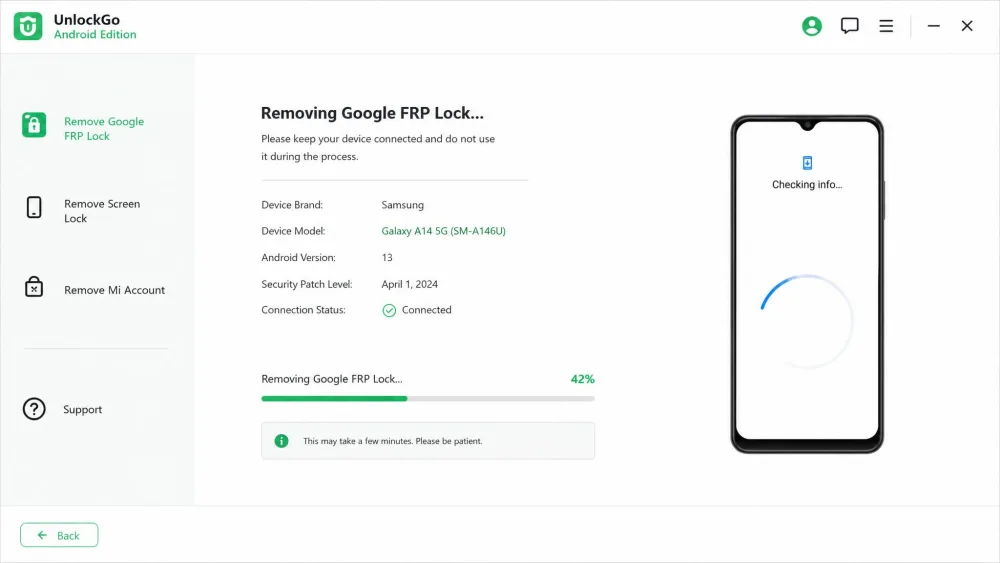
UnlockGo also removes MDM management locks, and a separate edition tackles Android. FRP results were inconsistent across brands. It removed FRP on Samsung models cleanly, but failed on a TECNO device and ran long on a Xiaomi phone. Some Samsung models unlocked without data loss, but data retention is not supported on every model. For the full picture, see our UnlockGo for Android review.
How to Use UnlockGo (Step by Step)
The workflow is the same shape for most locks, and it is simple.
- Download and install UnlockGo on your Windows PC or Mac, then launch it.
- Choose the lock type you need to clear, such as Unlock Screen Passcode.
- Connect your iPhone with a cable and follow the prompts to enter Recovery or DFU mode.
- Let the app download the matching firmware package, then confirm to start.
- Keep the device connected until the step-by-step process finishes and the lock is gone.
None of these steps demand technical knowledge. The prompts tell you exactly which buttons to hold and when, which is why non-technical users get through it.
Is UnlockGo Safe and Legit?
UnlockGo is a legitimate product from an established vendor, and in our testing it did what it claimed on supported devices. That said, "safe" needs two asterisks. Several unlock modes erase your data, and the Activation Lock path relies on jailbreaking, which lowers your device's built-in security.
Only use UnlockGo on a device you own. Removing an Apple ID or a passcode wipes the phone on several modes, so back up first if any data still matters. And because Activation Lock bypass requires jailbreaking, weigh that security trade-off carefully before you start.
There is also an ethical and legal line here. These tools are for owners who are locked out, not for accessing devices that are not yours. Used within those limits, UnlockGo is a reasonable and honest tool.
What Real Users Say About UnlockGo
Public sentiment tracks our own experience. iToolab is rated "Great" at 4.1 out of 5 on Trustpilot, though that score and review count vary by regional storefront and shift over time. You can check the current figure on iToolab's Trustpilot rating page.
The recurring praise is for the easy, guided interface. The most common complaint, by a wide margin, is data wipe on Apple ID and passcode unlocks, which is why a backup beforehand is essential. Support is the other sore point: responses are often slow when something goes wrong. Independent reviewers land in a similar place: AnyMP4 gave UnlockGo an average safety score of 8/10.
The basics come off in minutes, but the hard cases carry real caveats. Back up first, and treat Activation Lock claims with healthy skepticism.
UnlockGo Alternatives
UnlockGo is not the only unlocker in this space. Two names come up constantly: Tenorshare 4uKey and iMyFone LockWiper. Both cover similar ground with similar guided workflows, so the deciding factors are lock coverage, data-loss behavior, and price.
Tenorshare 4uKey vs UnlockGo
4uKey matches UnlockGo on the core jobs: screen passcode, Apple ID, Screen Time, MDM, and activation-lock support across iOS and Android. Each license activates on up to 5 devices from one PC. Its entry price lists higher, around $35.95 for a month, though heavy coupons push that below list. UnlockGo's $19.95 starting point makes it the cheaper way in.
iMyFone LockWiper / Dr.Fone vs UnlockGo
LockWiper focuses on iOS lock types: Apple ID and iCloud account removal, screen passcode, Screen Time, and MDM. Its pricing is the murkiest of the three, with sources splitting between roughly $29.99 and much higher list tiers, so we would confirm the checkout price before buying. On coverage, UnlockGo's broader lock list and lower entry price give it the edge for most people.
| Feature | iToolab UnlockGo | Tenorshare 4uKey | iMyFone LockWiper |
|---|---|---|---|
| Supported lock types | Passcode, Apple ID, iCloud Activation Lock, Screen Time, MDM, FMI, Android FRP | Passcode, Apple ID, Screen Time, MDM, activation lock | Apple ID, passcode, Screen Time, MDM |
| iOS/Android support | iOS + Android (separate editions) | iOS + Android | iOS (separate Android edition) |
| Success rate (tester) | ~75-80%, strong on older iOS | High on passcode, varies by model | Varies by model |
| Data-loss behavior | Wipes on Apple ID/passcode; Screen Time no loss | Wipe on most unlocks | Wipe on most unlocks |
| Price (entry) | $19.95 (1-month) | ~$35.95 (1-month) | ~$29.99 (1-month) |
| Ease of use | Guided 4-step, non-technical friendly | Guided, similar workflow | Guided, similar workflow |
Frequently Asked Questions
Is iToolab UnlockGo legit and safe?
Is UnlockGo free?
How much does UnlockGo cost?
Does UnlockGo really bypass iPhone Activation Lock?
Does UnlockGo erase my data?
Conclusion: Is UnlockGo Worth It?
UnlockGo earns its place for the common lock-out. Screen passcodes and Screen Time locks came off quickly and reliably, and the entry price of $19.95 plus a 30 Days money-back guarantee keeps the risk low. For a forgotten passcode on a supported device, it is an easy recommendation.
The harder cases are where you should temper expectations. Apple ID removal wipes the phone, Activation Lock bypass leans on jailbreaking, Find My iPhone was inconsistent, and support can be slow. Go in with a backup and a clear sense of which mode you need, and UnlockGo is a fair, capable tool. Push it toward the newest iOS or a guaranteed Activation Lock bypass, and its limits show. You can start with the free trial on the official iToolab product page and lean on that guarantee if it does not fit your device.