Locked out of your Windows PC and can't remember the password? It's one of the most stressful moments a computer can hand you. The usual fix is to reinstall Windows, which often wipes your files along the way. iToolab UnlockGo (Windows) promises a friendlier route: reset or remove the password without a reinstall and without the old password.
In this review we cover what the tool does, how the reset works, whether it's safe, what it costs, and how it compares to the alternatives.
What Is iToolab UnlockGo for Windows?
UnlockGo (Windows) is a password recovery utility from iToolab, built for one job: getting you back into a Windows account when the password is lost or unknown. Because a locked PC won't run software inside Windows, the tool works from a bootable USB or disc you prepare on another computer.
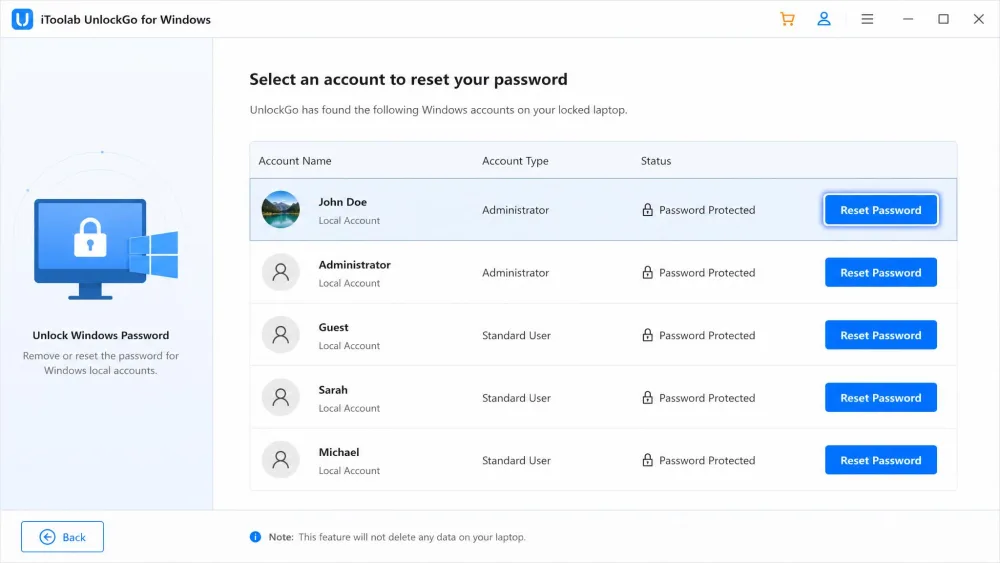
Once that disk boots the locked machine, UnlockGo reads the local accounts and lets you reset or remove a password. It works offline, so you don't need internet or the current password.
Who Is It For (and What It Does)
This tool is aimed at everyday users, not IT professionals. If you inherited a used PC with an unknown password, forgot a rarely-used login, or got locked out after a password change, it fits. Administrators get extra reach too, since it handles admin, guest, and domain accounts. What it will not do is bypass encryption, which we cover in the safety section.
Key Features
UnlockGo covers more than a single reset trick, spreading across account types, media creation, and account management.
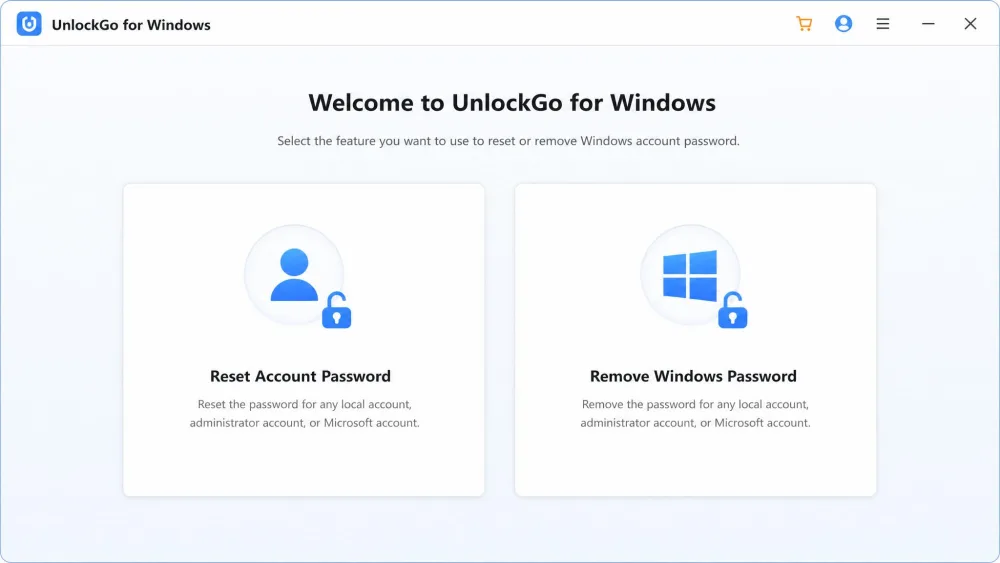
Reset or Remove Local & Microsoft Account Passwords
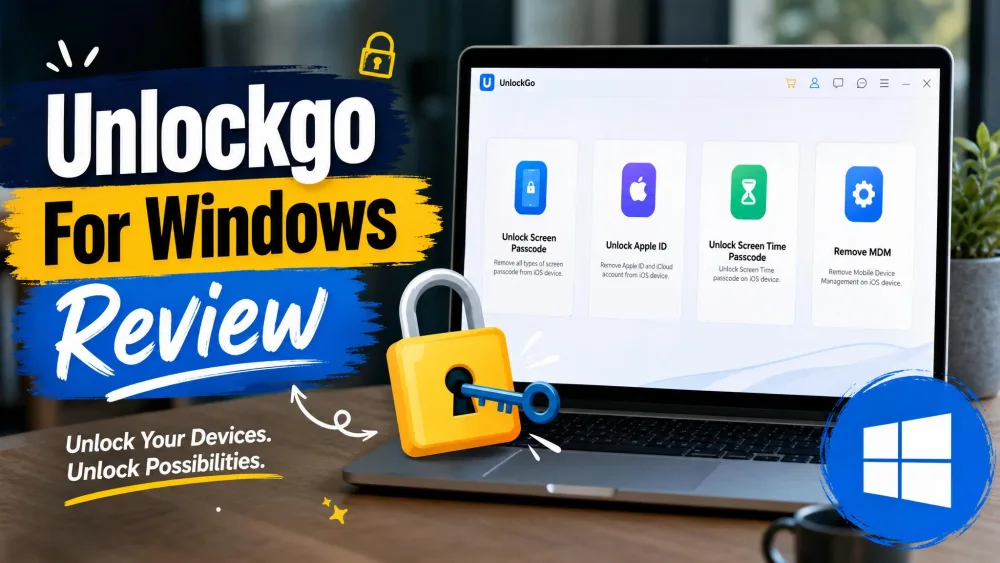
The headline feature resets a local, admin, or guest password so you can sign in again, or removes it for a blank login. Microsoft account passwords are supported on the higher tier, and the tool can clear a PIN, fingerprint, or facial-recognition lock too.
Create a Password Reset Disk (USB/CD/DVD)
Because the software cannot run inside a locked Windows, its first step is building bootable media on a USB stick, CD, or DVD. That media carries the whole toolkit onto the locked PC.
Delete or Create Windows Accounts
Beyond passwords, UnlockGo can delete a local admin or guest account, or create a brand-new local admin account. That second option is a quiet lifesaver when every existing account is inaccessible.
Wide Windows & Server / PC Compatibility
Compatibility is broad. The tool supports Windows 11, 10, 8.1, 8, 7, Vista, and XP, on 32-bit and 64-bit systems. It also runs against Windows Server 2022 and earlier editions, and reads common file systems including NTFS.
How We Tested UnlockGo for Windows
We approached UnlockGo the way a locked-out owner would, starting from a second working computer because the software cannot launch on the locked machine. That constraint shapes the whole experience, so we treated the disk-burning step as part of the test.
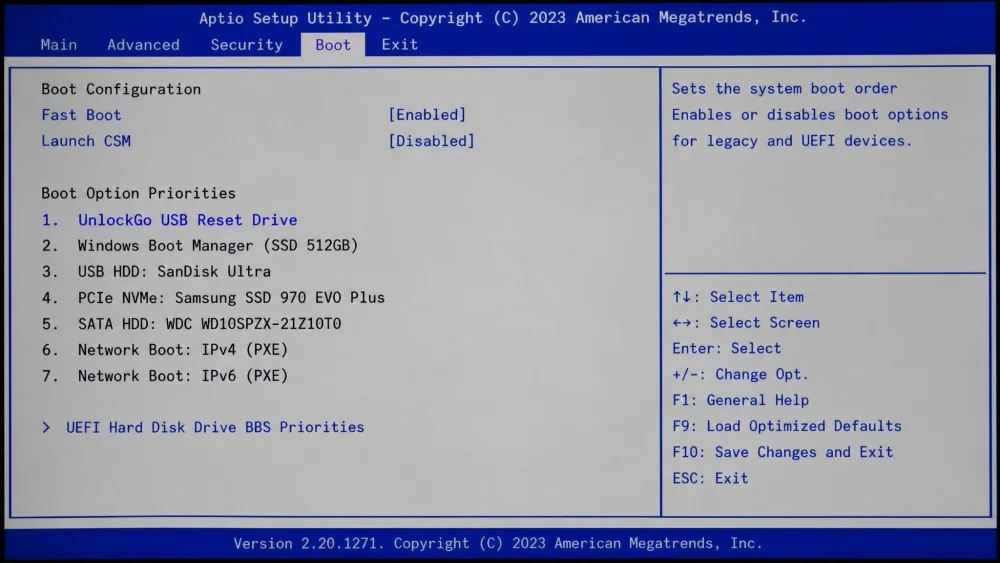
From there we followed the full path: creating the bootable USB, entering the target PC's firmware, changing the boot order, and running the reset. The core promise held. The account came back without a wipe and without a reinstall. The one genuine hurdle is the boot step, which asks a non-technical user to enter the boot menu, use the arrow keys to reprioritise the USB, and press F10 to save. That trips people up more than the reset does.
Setup needs a second working computer plus a spare USB stick, the real catch if the locked machine is your only PC. Line those two things up before you start, and the rest is smoother than it looks.
How to Use UnlockGo for Windows: Step-by-Step
Three stages take you from a locked screen to a working login.
Step 1: Burn the Reset Disk on an Accessible PC
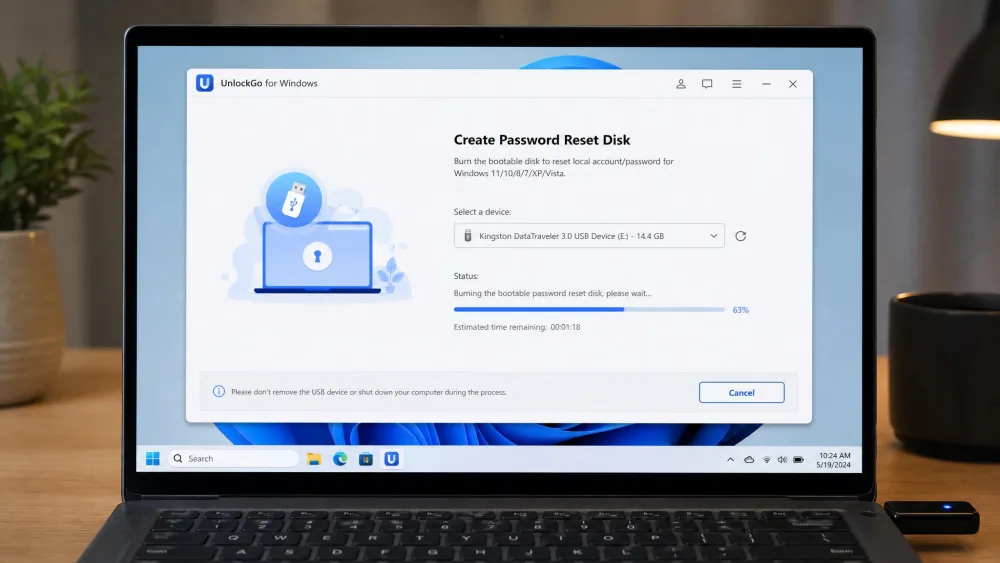
Install UnlockGo on any working Windows computer, insert a USB stick or blank disc, and let the tool write the bootable reset media. This is where you need that second machine.
Step 2: Boot the Locked PC From the Disk
Plug the reset drive into the locked computer and power it on. Open the boot menu, set the USB or disc as the first boot device, and save with F10. This firmware step is the fiddly one, and it varies by manufacturer, so check your PC brand's boot-menu key if the screen flashes past.
Step 3: Reset or Remove the Password
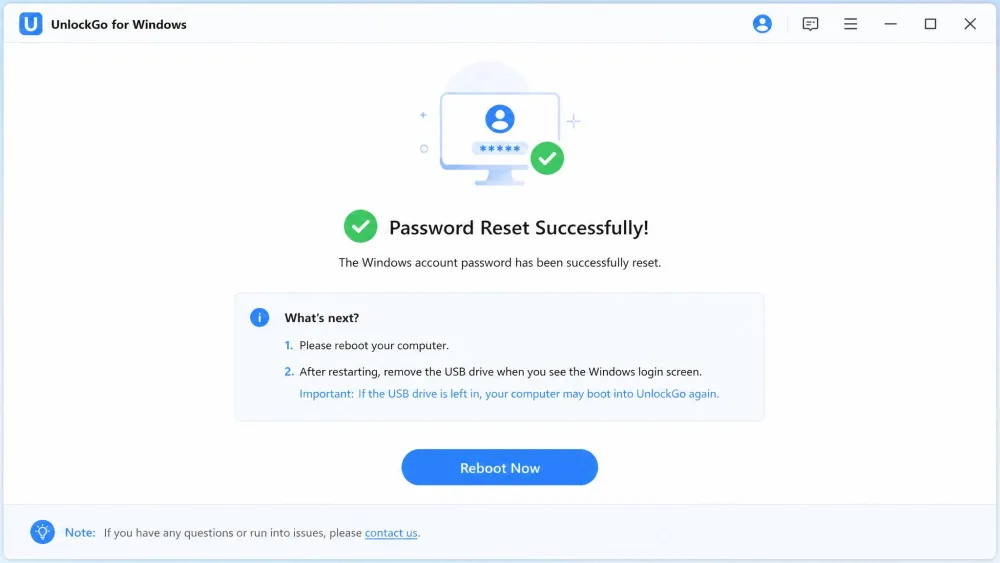
Once the disk boots, the interface is self-explanatory. Pick the account, choose to reset or remove the password, and confirm. In our run the reset finished in a few minutes, matching the "takes minutes" claim iToolab makes. Reboot, remove the USB, and sign in.
Performance and Ease of Use
Performance is the tool's strong suit. Once the disk was booted, the interface was clear enough to use without prior technical knowledge, and resetting an account took only a couple of clicks. Ease of use stays high right up until the BIOS step. A confident user will breeze through it, while a nervous one may pause at the firmware screen, which looks intimidating even though the keystrokes are simple.
The reset was never the hard part. The only real friction is the firmware boot step, and it lasts about thirty seconds.
Is UnlockGo for Windows Safe and Trustworthy?
Safety comes down to two questions: does it harm your data, and can you trust the vendor? On data, a reset with UnlockGo does not touch your files. It changes the account credential, not the drive contents, so your documents, photos, and programs stay in place.
The trust question is more nuanced. iToolab is an established developer, and its brand sits near 4 out of 5 stars in user reviews on Trustpilot, though that score covers the whole product line rather than the Windows tool alone. There is also a hard boundary. UnlockGo cannot read a drive protected by BitLocker full-disk encryption, so it cannot reset a login on a BitLocker-locked system. That is a limitation, not a flaw, but it will stop some users cold.
Only reset a PC you own or are clearly authorised to access. Using a password reset tool on someone else's computer without permission can cross legal lines, so keep it to your own machines.
Pricing and Plans
UnlockGo (Windows) is sold as an annual subscription that renews after 1 Year, with no monthly option. Pricing is tiered, and the differences matter because the cheapest plan does less than many buyers expect.
At the time of writing, promotional pricing runs from roughly $19.95 per year for the Standard plan, which resets local passwords only, up to about $29.95 for Professional, which adds Microsoft account resets, and around $59.95 for Ultimate with full functionality. These are promotional annual prices that renew at higher list rates, and discounts shift over time, so confirm the current figures on the UnlockGo Windows pricing page. Every plan carries a 30-Day money-back guarantee.
Pros and Cons
Pros
- Resets or removes a forgotten password with no Windows reinstall
- Works fully offline, without internet or the current password
- Broad support across Windows versions and Server editions
- Fast, simple interface once the disk boots
- 30-day money-back guarantee on every plan
Cons
- Paid annual license, and the cheapest tier is limited
- Needs a second working PC plus a spare USB stick
- The BIOS boot step can intimidate non-technical users
- Cannot touch a BitLocker-encrypted drive
UnlockGo for Windows vs Alternatives
UnlockGo is not the only way back into a locked PC. It competes with a close paid rival, a free open-source cracker, and the free options Windows already includes.
| Tool | Buy | Price | Windows support | Bootable USB | Account types | Ease of use |
|---|---|---|---|---|---|---|
 |
Check price → | $19.95-$59.95/yr | 11/10/8/7/Vista/XP + Server | Yes | Local, admin, Microsoft, domain | Simple, needs BIOS boot step |
 |
Check price | $15.95/mo-$39.95 lifetime | 11/10/8/7/Vista/XP + Server | Yes | Local, admin, Microsoft, domain | Simple, 3 steps |
 |
Check price | Free | XP and Vista/7 tables | Yes (LiveCD) | Local hashes only | Technical |
 |
Free | Current Windows only | Reset disk only | Microsoft + local (prior setup) | Built-in but limited |
PassFab 4WinKey
PassFab 4WinKey is the closest match to UnlockGo. It resets local, admin, Microsoft, and domain passwords, builds bootable media, and covers the same range of Windows versions. Its pricing includes a lifetime license, which can beat an annual subscription over time. The two are near-twins, so the choice often comes down to price and interface.
Ophcrack and Free Options
Ophcrack takes a different approach. Instead of resetting a password, it recovers it by attacking the stored hashes with rainbow tables, and it ships as a bootable LiveCD. It is free and open source, but success depends on password complexity and the tables you have. The free tables mainly cover XP and Vista/7, so treat it as a technical option for older or simpler passwords.
Built-in Windows Reset
If your login is a Microsoft account, you may not need a paid tool at all. You can reset that password online at account.live.com from any device, for Free. Local accounts are harder: they recover only through preset security questions or a reset disk made in advance, and otherwise the fallback is a reinstall that risks your data. That gap is where UnlockGo earns its keep.
What Real Users Say
Independent feedback on the Windows tool specifically is thin, so we lean on the brand-level picture. Across iToolab's product line the sentiment is broadly positive, landing near 4 stars, with praise for the intuitive interface and the relief of getting back in without a reinstall.
The most common gripe is about packaging, not performance. The lower tiers unlock less than some buyers expect, which pushes people toward a pricier plan. That is why we suggest matching the tier to your account type before you pay.
Frequently Asked Questions
Does UnlockGo work on Windows 11, 10, 8, and 7?
Is UnlockGo (Windows) safe, and does it delete my files?
Will resetting the password remove my data?
Does it work without internet or the current password?
Is UnlockGo free?
What can it not do?
Verdict: Is UnlockGo for Windows Worth It?