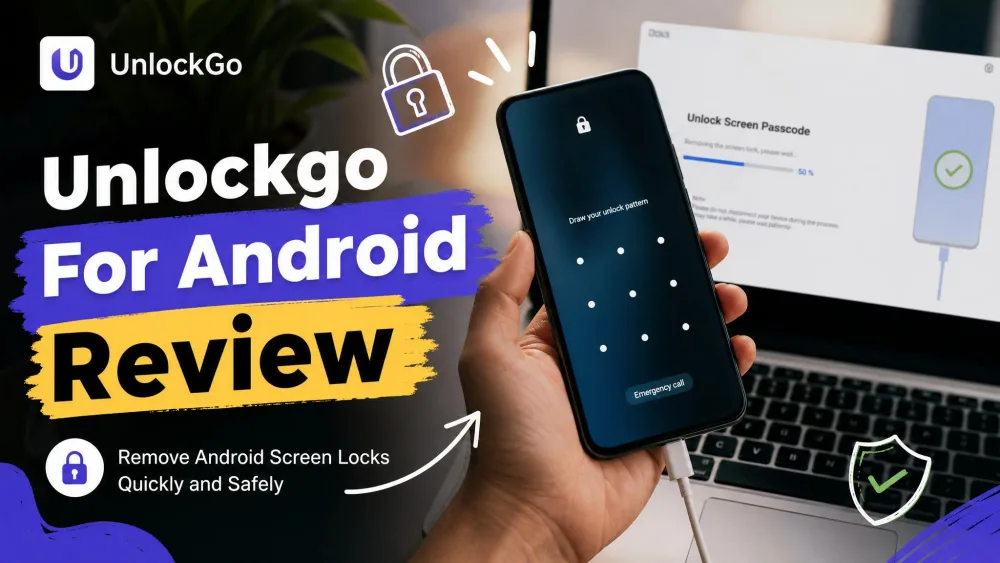
You bought a used phone, powered it on, and hit a Google account screen you cannot pass. Or you forgot the PIN on a phone that sat in a drawer for a year. That locked-out moment is exactly what iToolab UnlockGo for Android promises to solve, without a password and without a repair-shop trip.
We wanted to know if it delivers or just markets the dream. So we put it through the two jobs people buy it for: bypassing Factory Reset Protection and stripping a forgotten screen lock. The short version is that it works, but not universally. Your brand and Android version decide most of the outcome.
What Is iToolab UnlockGo for Android?
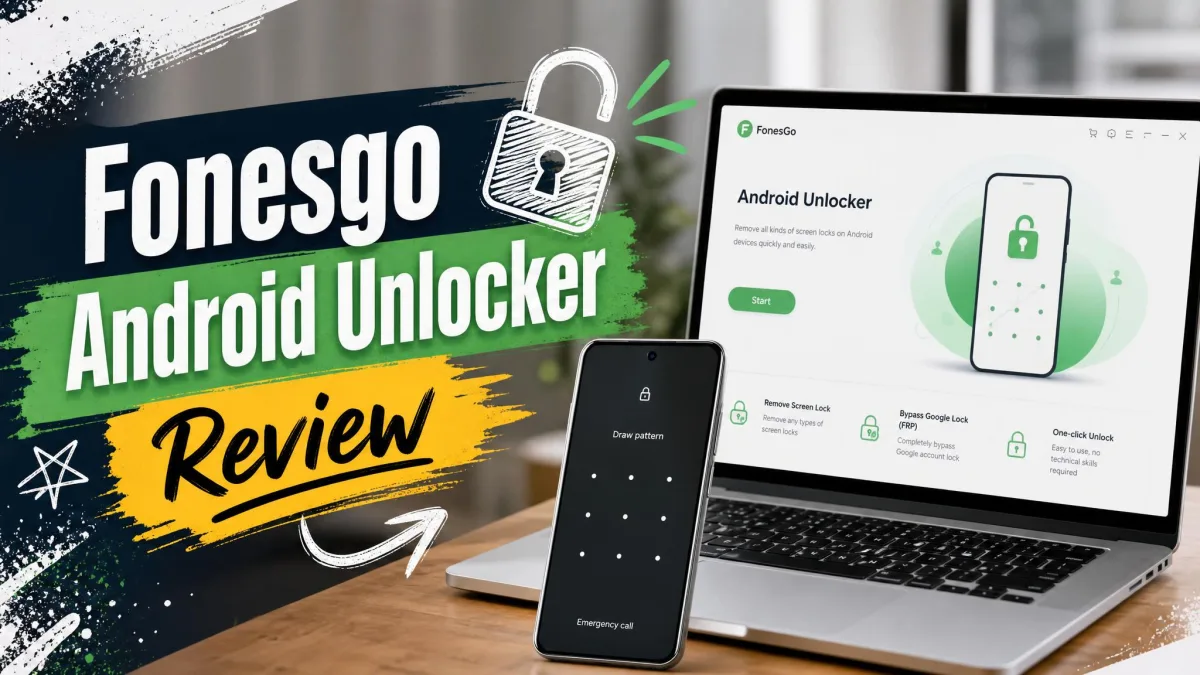
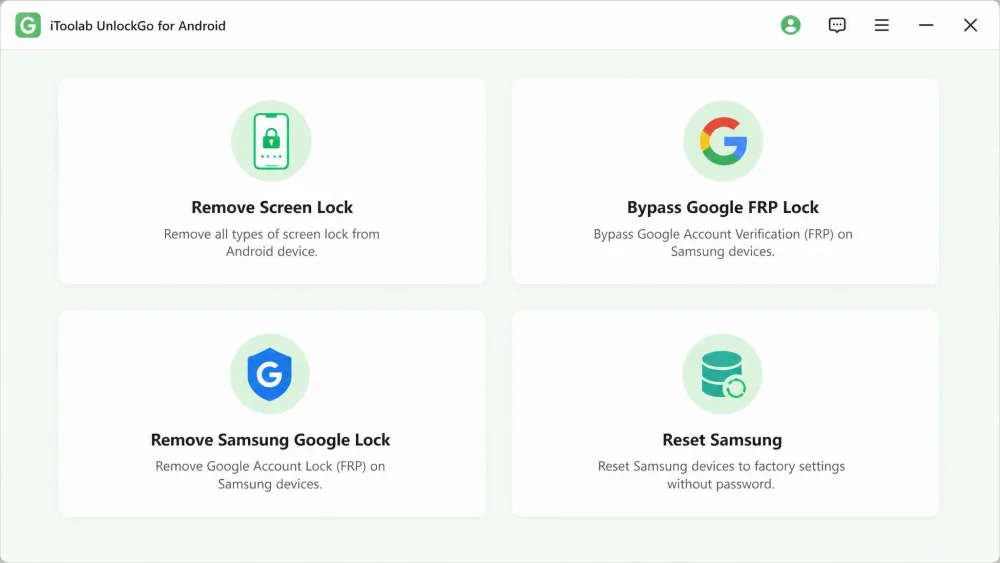
iToolab UnlockGo for Android is a desktop tool that removes Android screen locks and bypasses Google account verification after a factory reset. You install it on a Windows or Mac computer, connect the phone by USB, pick a mode, and follow the prompts. No root access or technical background is required.
The download is free, but full unlocking functions need a paid license. The interface is deliberately plain: one screen, a few large buttons, and clear instructions for each mode.
Who It's For
This tool is for owners locked out of their own device: a forgotten PIN, pattern, password, fingerprint, or face lock. It also helps with a second-hand phone stuck on the previous owner's Google account, assuming you have the legal right to reset it.
It is not for getting into someone else's phone. Bypassing FRP on a device you do not own may be illegal in your region, so keep it to hardware you can prove is yours.
Supported Devices and Android Versions
Coverage is broad. iToolab lists 6000+ Android phones and tablets across 15+ brands, including Samsung, Xiaomi, vivo, OPPO, Motorola, Realme, OnePlus, Huawei, Google Pixel, Sony, Lenovo, and Micromax. Samsung gets the deepest feature set, which matters later.
Stated Android coverage differs by source. The vendor page claims Android 2.0 and up, while reviewers scope real-world coverage to around Android 15. Treat Android 15 as the sensible ceiling, not a guarantee on the very newest models.
On the computer side it runs on Windows 11, 10, 8.1, 8, and 7, and on macOS 10.11 (El Capitan) through macOS 14 (Sonoma).
How We Tested (Our Hands-On Setup)
We ran UnlockGo across several brands rather than a single friendly Samsung, because a used-phone drawer is never one brand. We timed each unlock, watched where the process stalled, and noted every step where a first-timer would get stuck.
We focused on the two headline jobs: removing a forgotten screen lock, and bypassing FRP after a factory reset. We watched detection reliability, timing, and whether data survived. Results are device-dependent. Samsung unlocks ran cleaner and more predictably than other brands, and FRP bypass is where coverage gaps show up on newer hardware.
Key Features
Bypass Google FRP Lock
FRP is the security layer that asks for the last Google account after a reset. UnlockGo's FRP mode targets exactly this, and it is why most buyers show up. iToolab advertises a 99% success rate, but that is a vendor claim, not our finding. In practice, success varies by brand, model, and Android version, and FRP bypass can fail outright on newer devices.
It is genuinely useful on supported hardware and unreliable at the bleeding edge. FRP removal on a TECNO device failed in our testing, exposing the coverage gaps behind that large device count. If you own a mainstream Samsung, your odds are good. On the newest flagship from a less common brand, temper expectations.
Remove Screen Locks (PIN, Pattern, Password, Fingerprint, Face)
The screen-lock mode removes every common lock type: PIN, pattern, password, fingerprint, and face. This is the most consistent function across brands, and where beginners have the smoothest run. The tradeoff is speed. Screen-lock removal is slow in practice, with long load times and extra waiting while a firmware package downloads.
Most unlocks finish within a few minutes. Some do not. On certain devices we watched progress bars sit past the 30-minute mark before completing, so patience is part of the process.
One-Click Samsung Factory Reset
For Samsung specifically, a one-click reset mode wipes the device and its locks in a single guided flow. It is the most reliable path in the whole tool, which fits the pattern of Samsung getting the best engineering attention. It has cleared Samsung hardware that rival tools repeatedly errored out on, including a Galaxy Note 8 that other software could not clear.
Unlock Samsung Without Data Loss
This is the feature to read carefully. The "unlock without data loss" claim is real but narrow. It applies only to older Samsung Galaxy models, roughly the Galaxy S7 and earlier.
Data loss is the norm, not the exception, outside those few older Samsung models. Back up anything you can reach before you start, because most unlock paths erase the device completely.
How to Use UnlockGo for Android: Step-by-Step
The flow is short and mostly beginner-friendly, with one genuinely tricky step.
Step 1: Download and Install
Download the installer from iToolab UnlockGo (Android) and install it on Windows or Mac. Launch it and you land on the single mode-selection screen.
Step 2: Connect Your Device and Choose a Mode
Pick the mode that matches your problem: remove screen lock, bypass FRP, or reset Samsung. Connect the phone by USB. This is where the most common snag appears. "Device not detected" is the number one setup problem, and the fixes are simple: try a different USB port or cable, and enable USB debugging where the mode allows it.
Step 3: Follow On-Screen Prompts to Unlock
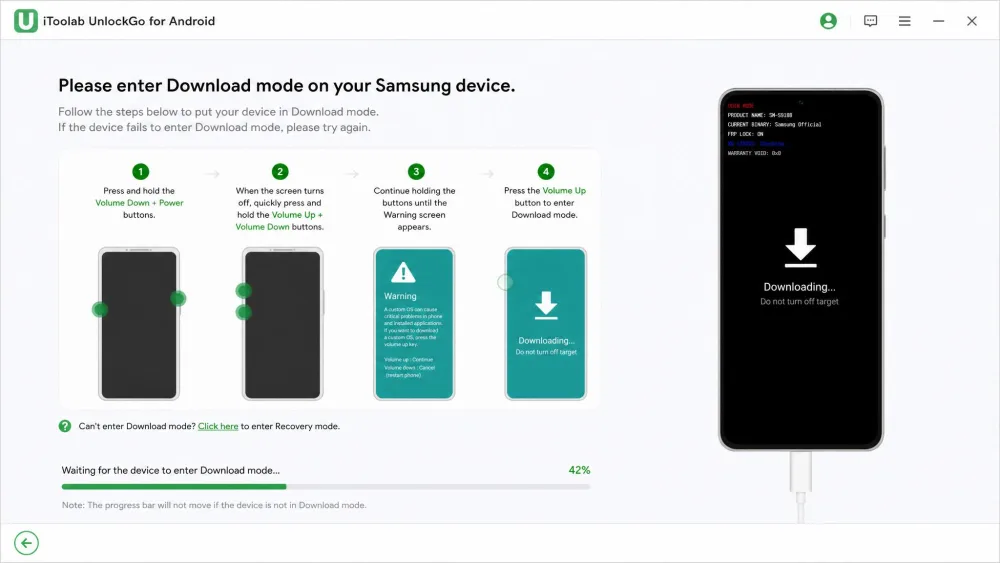
The app walks you into Recovery or Download mode and then runs the unlock. Entering that mode is the hardest step for beginners, because the key combination differs by brand and model. Once you are in the right mode, the rest is mostly waiting. Restart when it finishes.
Is UnlockGo for Android Safe and Legit?
Data Privacy and Security
iToolab is an established vendor with a real support presence and a standard desktop installer, so the software itself is legitimate rather than a fly-by-night download.
The honest caveat is legal, not technical. FRP bypass is a security-defeating action. Use it only on a phone you own or have clear permission to reset.
When Data Loss Can Happen (and How to Avoid It)
Assume your data will be erased. The only exception is that narrow older-Samsung path. There is no reliable "keep my files" unlock for a modern locked device, so recover any accessible backup first.
Pricing and Plans
UnlockGo is free to download, and paid to finish an unlock. Pricing is per license, covering up to 5 devices on the main tiers.
| Plan | Price | Devices |
|---|---|---|
| 1-Month | $29.95 | Up to 5 |
| 1-Year | $39.95 | Up to 5 |
| Lifetime | $49.95 | Up to 5 |
| Entry | $14.95 | Single device |
The Lifetime plan is $49.95 as a one-time purchase, the obvious value pick if you expect to unlock more than one phone. The 1-Year plan is $39.95 and the 1-Month plan is $29.95. There is also a lower entry tier around $14.95, though its exact scope is unsettled; sources describe it as either a one-device license or a monthly rate, so confirm the billing period at checkout. Every plan carries a 30-day money-back guarantee.
Because success is not guaranteed on every device, that 30-day money-back guarantee is your real safety net. Test your specific phone early in the window so you can request a refund if FRP bypass fails on your model.
Pros and Cons
Pros
- Broad device support: 6000+ models across 15+ brands
- Beginner-friendly, single-screen interface with no root required
- Removes every screen-lock type without the password
- Strong, reliable results on Samsung, including one-click reset
- 30-day money-back guarantee lowers the risk
Cons
- Paid license required to complete any unlock
- Data loss on most unlock types outside older Samsung models
- FRP bypass can fail on newer phones and less common brands
- Screen-lock removal is slow, with long package downloads
- Entering Recovery or Download mode confuses first-timers
What Users Say (User Reviews)
User sentiment tracks our own experience closely. Owners praise it most on Samsung, where the reset and unlock flows are dependable. The recurring complaint is inconsistency across other brands, plus the wait times when a firmware package downloads mid-unlock. iToolab maintains a Trustpilot profile, though we could not confirm its current score during this review.
Common Problems and Fixes
Device Not Detected
This is the most frequent snag, and it is almost always a connection issue rather than a broken install. Swap the USB cable, move to a rear USB port on a desktop, and enable USB debugging in Developer Options where the mode permits it. Reconnecting after that clears most detection failures.
Stuck During Unlocking
If a progress bar stalls, give it real time before you panic, because some operations legitimately run long past the 30-minute mark. If it is truly frozen, disconnect, reboot both devices, and restart the specific mode from the beginning. Getting the phone properly into Recovery or Download mode fixes most mid-run stalls, since a half-entered mode is the usual culprit.
Best Alternatives to UnlockGo for Android
UnlockGo is not the only tool here. If your device is unsupported or an FRP attempt fails, three names are worth trying. Tenorshare 4uKey for Android is the closest direct competitor. Dr.Fone Screen Unlock for Android is a broader toolkit that bundles unlocking with other repair features. iMyFone LockWiper for Android is another lock-removal specialist. We did not benchmark their success rates or pricing this round, so treat them as options to test rather than ranked winners. If you are on Apple hardware instead, our iToolab UnlockGo for iOS review covers the iPhone equivalent.