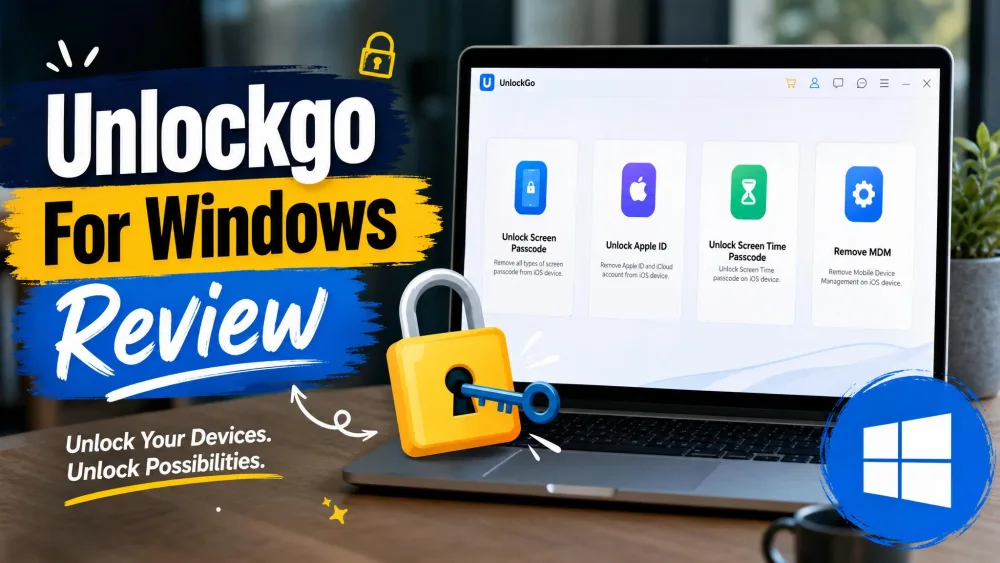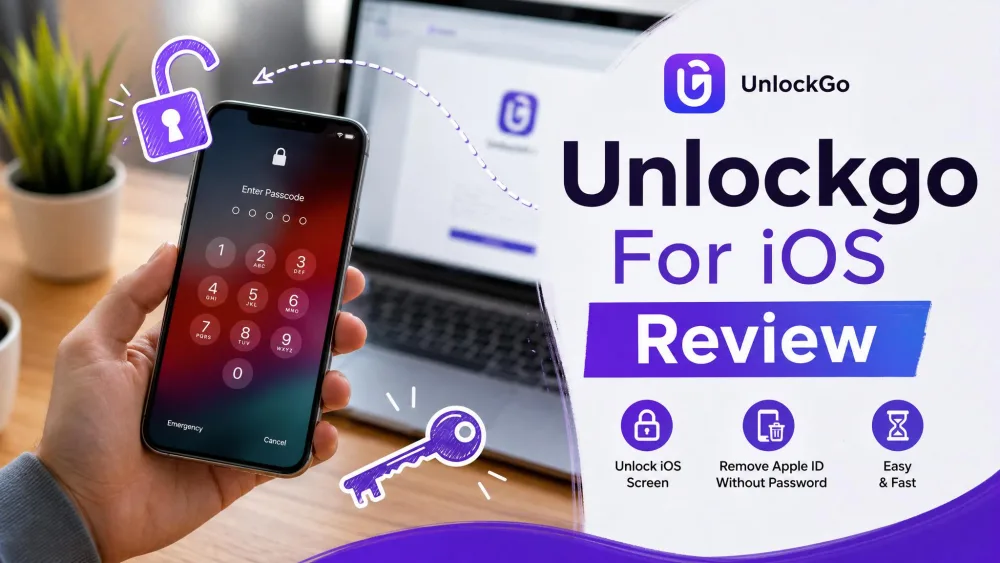
We spent a week running iToolab UnlockGo 4.0.0 against real iPhones, not a spec sheet. We tested five devices: an iPhone 6 Plus locked with a 4-digit passcode, an iPhone 8, an iPhone 12, an iPad, and an iPad mini 4. We ran every lock type the app offers. This review covers what worked, what stalled, and whether the license earns its price.
The promise is simple if you are locked out of an iPhone you own. UnlockGo says it clears the lock in a few clicks on your own computer. The reality is more mixed. A few of those clicks come with a data-wipe warning you need to read first. We bought the license ourselves and ran each mode on hardware we control.

Who Should Buy UnlockGo
One thing decides whether this tool is for you. Do you own the device, and can you reach a backup? If yes, UnlockGo is a genuine option. It suits non-technical users who want a guided flow, not a manual DFU-mode rescue, plus repair shops and hand-me-down owners with a legitimate device. If you expect it to open a phone tied to an account you cannot reach, look elsewhere.
What Is iToolab UnlockGo for iOS?
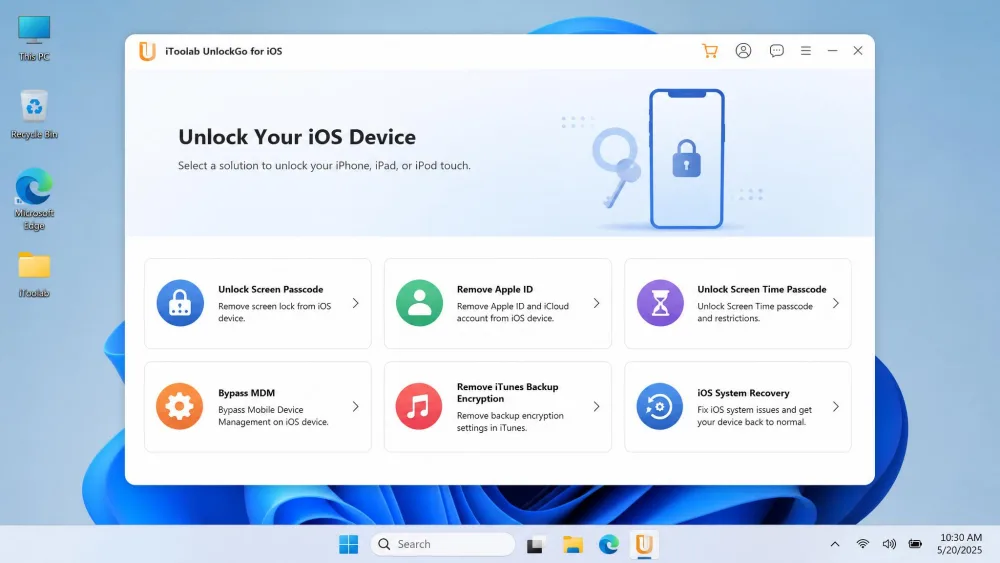
UnlockGo for iOS is a desktop app that removes the common lock screens on an iPhone or iPad. You connect the device by cable, pick a lock type, then download the matching firmware and let the tool work. iToolab markets it as an all-in-one unlocker, and the version we reviewed is UnlockGo 4.0.0.
iToolab claims 25M+ downloads and advertises a 99% success rate. We treat that 99% as an advertised figure, not a measured one, because no independent test confirms it. What we can say is narrower: most modes we tried did complete on supported hardware.
Supported Devices and iOS Versions
UnlockGo covers a wide range of hardware. Screen passcode, Apple ID, MDM, and Screen Time all reach from the iPhone 5s up to the newest models. The iOS ceiling is a moving target. Reviewer pages list support up to roughly iOS 26, while iToolab's own page lists higher. Expect the top end to shift as Apple ships new versions. The app is desktop-only. You need Windows 11, 10, 8.1, 8, or 7, or a Mac running macOS El Capitan (10.11) through Sonoma.
Pricing and Plans
Pricing is clear at entry level. The 1-Month plan is $19.95 and the 1-Year plan is $39.95. The Lifetime plan sits around $49.95, though coupon pages sometimes show closer to $39.95. iToolab backs purchases with a 30 Days money-back guarantee. There is a free download for Windows and Mac, but the trial cannot complete an unlock.
How We Tested UnlockGo
We licensed UnlockGo ourselves and ran it on our own Windows and Mac test machines, against the five devices above. For each lock type we timed the process, noted whether the device was wiped, and logged every failure or compatibility block. We also contacted support to gauge response time. Our goal was not to confirm the marketing. We wanted to see which modes finish and where the tool quietly hands the problem back to you.
A note on scope: we only ever unlock hardware we own or are authorized to test. UnlockGo cannot and should not be used to get into someone else's phone, and the Activation Lock limits below exist partly for that reason.
Back up anything you can still reach before you run a screen passcode or Apple ID removal. Once the unlock starts, there is no undo. A backup is the difference between a locked phone and a lost one.
What UnlockGo Can Unlock (Features Tested)
UnlockGo covers six lock types: remove screen passcode, remove Apple ID without a password, bypass iCloud Activation Lock, turn off Find My iPhone, remove a Screen Time passcode, and bypass MDM or remote management. We ran each one.
Remove Screen Passcode (4/6-digit, Touch ID, Face ID)
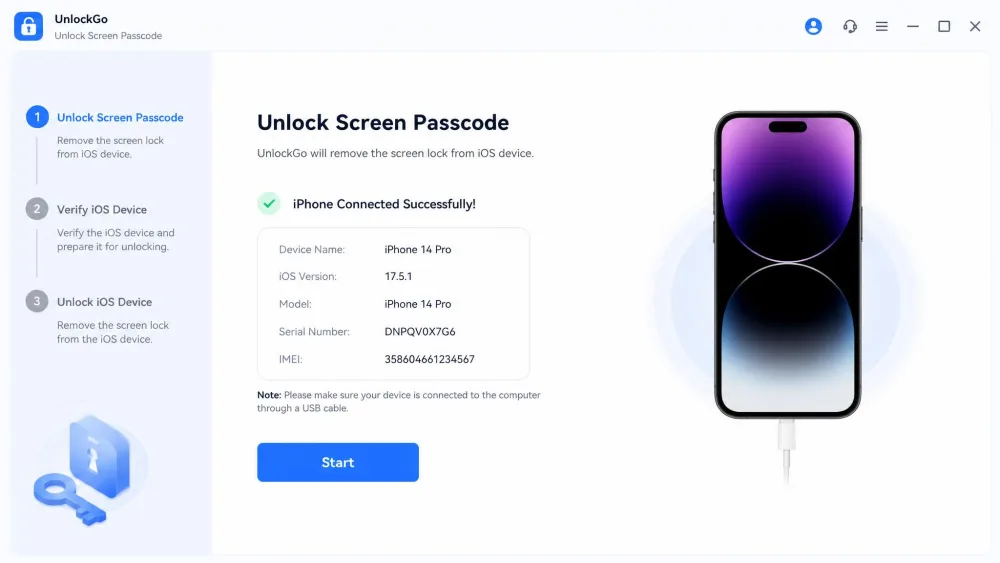
This is the headline feature, and it worked best. A 4-digit passcode on our iPhone 6 Plus cleared in about 10 minutes once the firmware finished downloading. The mode handles 4 and 6-digit codes, custom numeric, alphanumeric, plus Touch ID and Face ID. Plan on a backup restore afterward.
Remove Apple ID Without Password
Removing the Apple ID without the password worked in a few minutes on an iPhone 12, and it completed on older units too. One caveat surfaced. On a unit running iOS 17.4, the mode was reported incompatible, so the newest releases can lock it out.
Bypass iCloud Activation Lock
This is where expectations need managing. The Activation Lock bypass is jailbreak-assisted and limited to A8 through A11 chipsets, meaning the iPhone 5s through iPhone X. It cannot touch an iPhone that still has Find My enabled. If your recent iPhone is stuck on Activation Lock, UnlockGo will not solve it. Apple's own Activation Lock support page explains why that lock is so hard to remove by design.
Turn Off Find My iPhone
This mode was the weakest in our testing. The Turn Off FMI feature was unavailable on our iPhone 8 and incompatible with iOS 12 on the iPhone 6 Plus, with the tool itself saying it will return soon. Treat it as a maybe for your device, not a sure thing.
Remove Screen Time Passcode
The Screen Time passcode removal was the pleasant surprise. It took about 5 minutes and left the phone intact. Forgotten a Screen Time code and want to keep the device as-is? This is the mode most likely to make you happy.
Bypass MDM / Remote Management
The MDM profile bypass on our iPad completed and cleared the remote-management lock screen. Paired with the clean Apple ID removal on the iPhone 12, this was where UnlockGo felt like the all-in-one tool it claims to be. The interface stayed easy throughout.
How to Use UnlockGo (Step-by-Step)
The flow is a simple three steps.
- Install UnlockGo on your Windows PC or Mac, then pick the lock type from the home screen.
- Connect the iPhone or iPad by cable. If the app does not recognize it, put the device into Recovery or DFU mode manually. We had to do this more than once before the tool would proceed.
- Download the matching firmware, confirm your device model, then start the unlock and wait.
That is genuinely all there is to it for most modes. The friction is the firmware download and the occasional recovery-mode nudge, not the interface itself.
If UnlockGo does not detect your iPhone, do not restart the whole process. Put the device into Recovery or DFU mode first, then reconnect. That single step cleared most of our detection problems.
Does It Really Work? Our Hands-On Results
Four of the six modes finished cleanly for us. The failures were just as telling. The firmware download froze during a Screen Time removal on an iPad mini 4, forcing a restart, and Find My iPhone removal was unavailable on two units. So the 99% claim looks optimistic once you count the modes missing for your hardware.
Screen passcode, Apple ID, Screen Time, and MDM all finished cleanly in our testing. Activation Lock and Find My removal are where the promises thin out.
Is UnlockGo Safe and Legitimate?
UnlockGo is a legitimate iToolab product, not malware, and the download behaved normally on our machines. It is safe in the sense that it does what it says on hardware you own. The real risk is data loss, not a threat to your computer. The bigger honesty point is legal, not technical. The Activation Lock path cannot touch a phone with Find My enabled, and Apple ties that lock to an account. So this is not a tool for getting into a device that belongs to someone else. Used on your own iPhone with a backup ready, it is safe to run.
Pros and Cons
Pros
- Broad lock coverage: screen passcode, Apple ID, Screen Time, and MDM in one app
- Handles 4 and 6-digit codes plus Touch ID and Face ID setups
- Simple three-step flow that stayed easy for non-technical users
- Wide device support from the iPhone 5s through the newest models
- Screen Time passcode removal completed with no data loss
Cons
- Paid license with no free unlock; the trial cannot finish a job
- iCloud Activation Lock limited to A8 to A11 chipsets and requires a jailbreak
- Most modes wipe the device during the unlock
- Desktop-only, Windows and Mac, with no standalone iPhone app
- Support was slow, roughly a two-day wait in our experience
What Real Users Say (Trustpilot and Reddit Feedback)
Outside sentiment tracks our own experience. iToolab's Trustpilot rating sits around 4 out of 5, though the review count is reported inconsistently. The recurring complaints match what we saw: high price, no guaranteed success, vague compatibility docs, and a free version that unlocks nothing. Support came up again and again as a weak point, and our two-day wait lined up with that.
Best Alternatives to UnlockGo
Maybe UnlockGo cannot handle your device, or you want a no-jailbreak Activation Lock path. Three tools are worth a look. Tenorshare 4uKey markets no-jailbreak Activation Lock removal for the iPhone 6S through iPhone X on iOS 12 to 16.7.10, at around $35.95 a month once coupons cut the list price. iMyFone LockWiper starts at $29.95 a month for screen passcode removal, with a 99% official claim that one independent test measured closer to 93%. Wondershare Dr.Fone Screen Unlock runs $34.95 a month or $49.95 a year across a wide iOS 7 to current range. None is a clear winner. The right pick depends on your device, your iOS version, and whether you need Activation Lock help.
UnlockGo vs. Alternatives (Comparison Table)
| Product | Buy | Lock types | Activation Lock | Price |
|---|---|---|---|---|
|
Check price → | Passcode, Apple ID, Activation Lock, FMI, Screen Time, MDM | Jailbreak, A8 to A11 (iPhone 5s to X) | $19.95/mo |
 |
Passcode, Apple ID, Screen Time, MDM, Activation Lock | iPhone 6S to X, iOS 12 to 16.7.10, no-jailbreak claimed | $35.95/mo | |
 |
Read review → | Passcode, Apple ID, Screen Time, MDM, Activation Lock | Requires jailbreak | $29.95/mo |
 |
Read review → | Passcode, Apple ID, MDM, SIM, Screen Time, Activation Lock | Some models, no-jailbreak claimed | $34.95/mo |
Frequently Asked Questions
Can I unlock a second-hand iPhone if I do not know the previous owner's Apple ID password?
Can an unlock be reversed once it is done?
What happens if an unlock fails partway through?
Does one license cover more than one device?
How does the 30-day refund actually work?
Final Verdict
UnlockGo for iOS is a solid, honest unlocker for the common cases: a forgotten screen passcode, a lingering Apple ID, a stuck Screen Time code, or an MDM profile on a device you own. Those modes worked in our testing, and the flow is easy enough for anyone. At $19.95 a month or $39.95 a year, with a 30-day guarantee, the entry price is fair.
Just go in clear-eyed. Back up before you start, and do not count on Activation Lock or Find My removal for a modern iPhone. On those terms, UnlockGo earns its place on our recommended list.