![MagFone iPhone Unlocker Review 2026: Does It Really Work? [Tested]](magfone-iphone-unlocker-review.webp)
Locked out of your iPhone, and your passcode suddenly doesn't work? Or you bought a used phone still tied to the previous owner's Apple ID. Two questions matter: does MagFone iPhone Unlocker actually work, and is it safe?
We tested it on a Windows machine. The test devices were an iPhone 16 Pro on iOS 26.1, an iPad Air 4 on iPadOS 18.2, and an iPhone 11 on iOS 15.4. This review covers what the tool does, what it costs, and how our unlocks went.
The short answer: passcode removal works but wipes your data, and the iCloud bypass is a narrow jailbreak-only affair.
What Is MagFone iPhone Unlocker?
MagFone iPhone Unlocker is a desktop tool for Windows and macOS that removes the locks iOS puts between you and your phone. Connect the device over USB, pick the lock type, and the app walks you through the unlock.
Its angle is the all-in-one option: one license covers five unlock features, where some rivals sell separate products. MagFone also makes a separate location-changer tool, which we put through its paces in our MagFone Location Changer review.
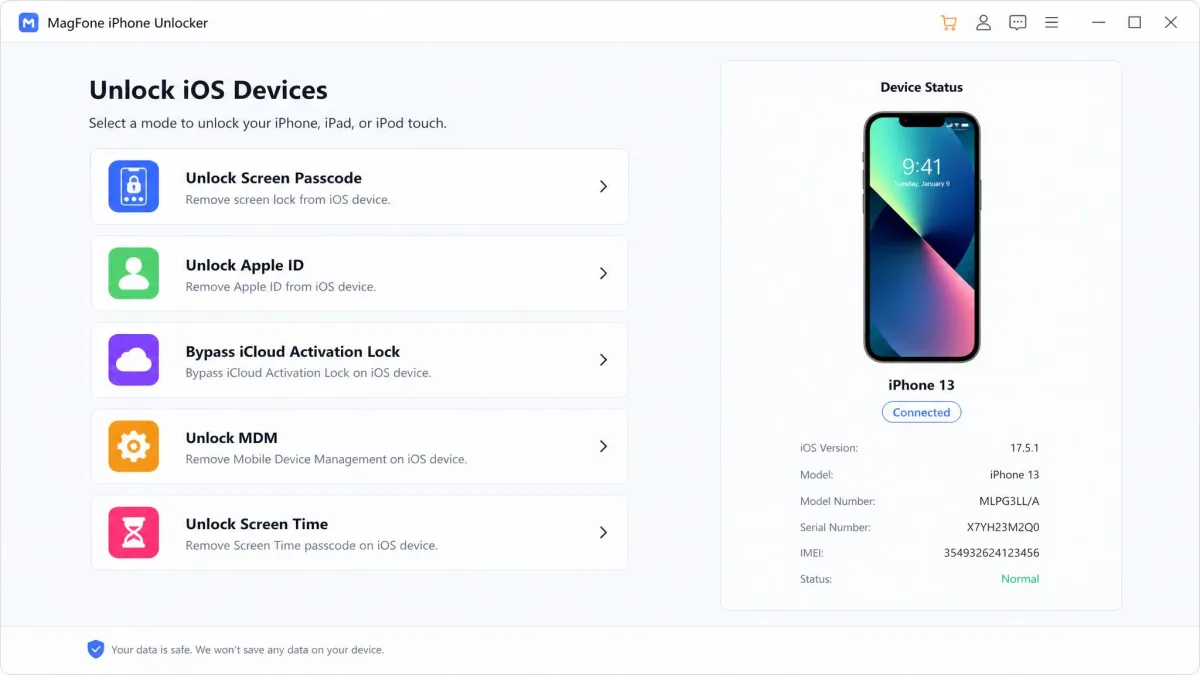
Key Features and Capabilities of MagFone iPhone Unlocker
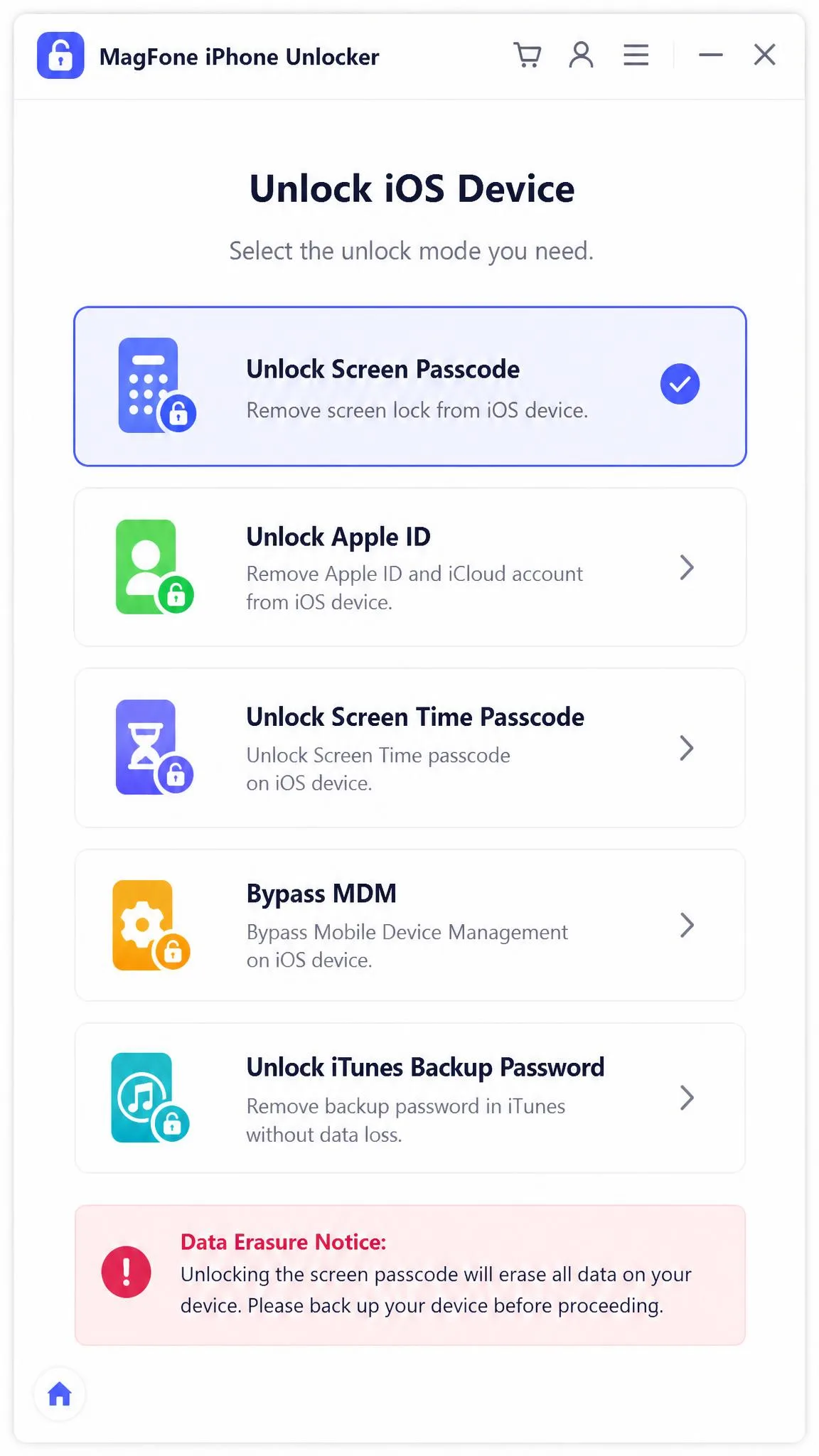
Each unlock type has different rules, so we break them down below:
- Removes 4-digit, 6-digit, and alphanumeric passcodes, plus Touch ID and Face ID
- Removes an Apple ID without the password
- Bypasses iCloud Activation Lock, Lost Mode, and Locked-to-Owner states
- Removes Screen Time passcodes with no data loss
- Removes MDM profiles from supervised devices
- Extras like iTunes backup encryption removal and saved-password export
Unlock Types: Screen Passcode, Apple ID, iCloud Activation Lock, MDM, Screen Time
- Screen passcode. Wipes the device and installs the latest iOS. The mode most people need.
- Apple ID. Removes the account without the password; with Find My on, only on iOS 11.4 and later.
- iCloud Activation Lock. Only on iOS 12.0 to 16.7.5, and it requires jailbreaking.
- MDM. Removes management profiles from supervised devices.
- Screen Time. Clears the restriction passcode without touching your data.
Is MagFone iPhone Unlocker Safe and Legit?
Legitimacy checks out. MagFone has a real product page, published refund terms, and a TrustPilot rating of 4.4 out of 5, labeled "Excellent". Safety needs nuance: erasure in some modes is expected behavior, not a malfunction. Bypassing an Activation Lock on a phone that is not yours sits in a legal gray area.
Only unlock phones you own. Passcode and Apple ID removal erase everything not backed up, and success is never guaranteed: a phone locked to a previous owner stays locked.
Does MagFone iPhone Unlocker Work? Our Hands-On Testing
We ran the four scenarios most people face. Screen passcode removal on an iPhone 16 Pro running iOS 26.1 took 10 to 15 minutes after a firmware download of roughly 5 GB. The catch: the process wiped the device and installed the latest iOS, much like a free factory reset of a locked iPhone.
Apple ID removal on an iPad Air 4 with Find My off finished in 8 to 12 minutes and set the device up as new. An iPhone 11 on iOS 15.4 took about 30 minutes. Screen Time removal cleared in 3 to 5 minutes with no data loss, and MDM removal finished in minutes with data intact.
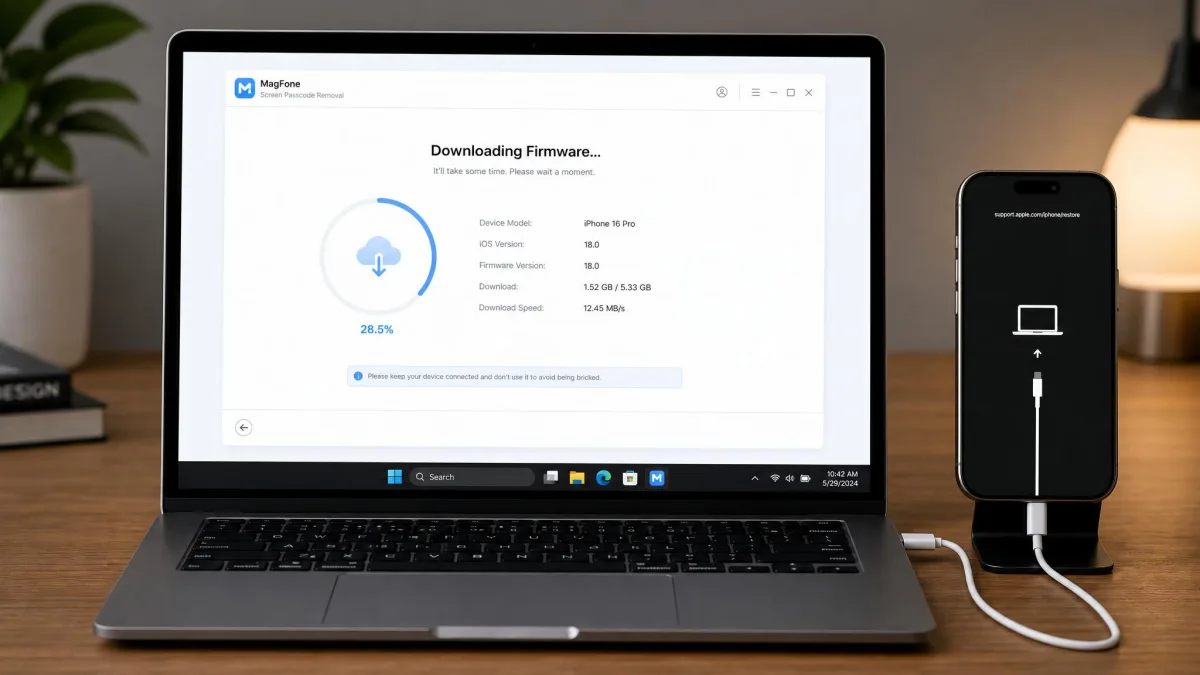
We tested the Windows build and timed every run from connection to restart. Firmware downloads of up to roughly 5 GB were the slowest part: about 5 minutes in one run, closer to 10 in another.
Two caveats emerged. Getting into Recovery or DFU mode is where most attempts fail, especially with Find My on. MagFone also feels slower than rival unlockers, with no success guarantee. The iCloud bypass needs a jailbreak on iOS 12.0 to 16.7.5; on Windows you boot the PC into a jailbreak environment.

How to Use MagFone iPhone Unlocker (Step-by-Step Guide)
The step-by-step process is nearly identical across modes. Here is the walkthrough we followed.
Step 1: Download and Install MagFone iPhone Unlocker
Download the Windows or macOS installer and run it. Setup is standard: next, next, done. The free trial installs the same way and doubles as a compatibility check.
Step 2: Connect Your iPhone and Choose an Unlock Mode
Plug the device into your computer with a USB cable and tap Trust when the phone asks, then pick the matching mode.
Step 3: Put Your iPhone into Recovery or DFU Mode
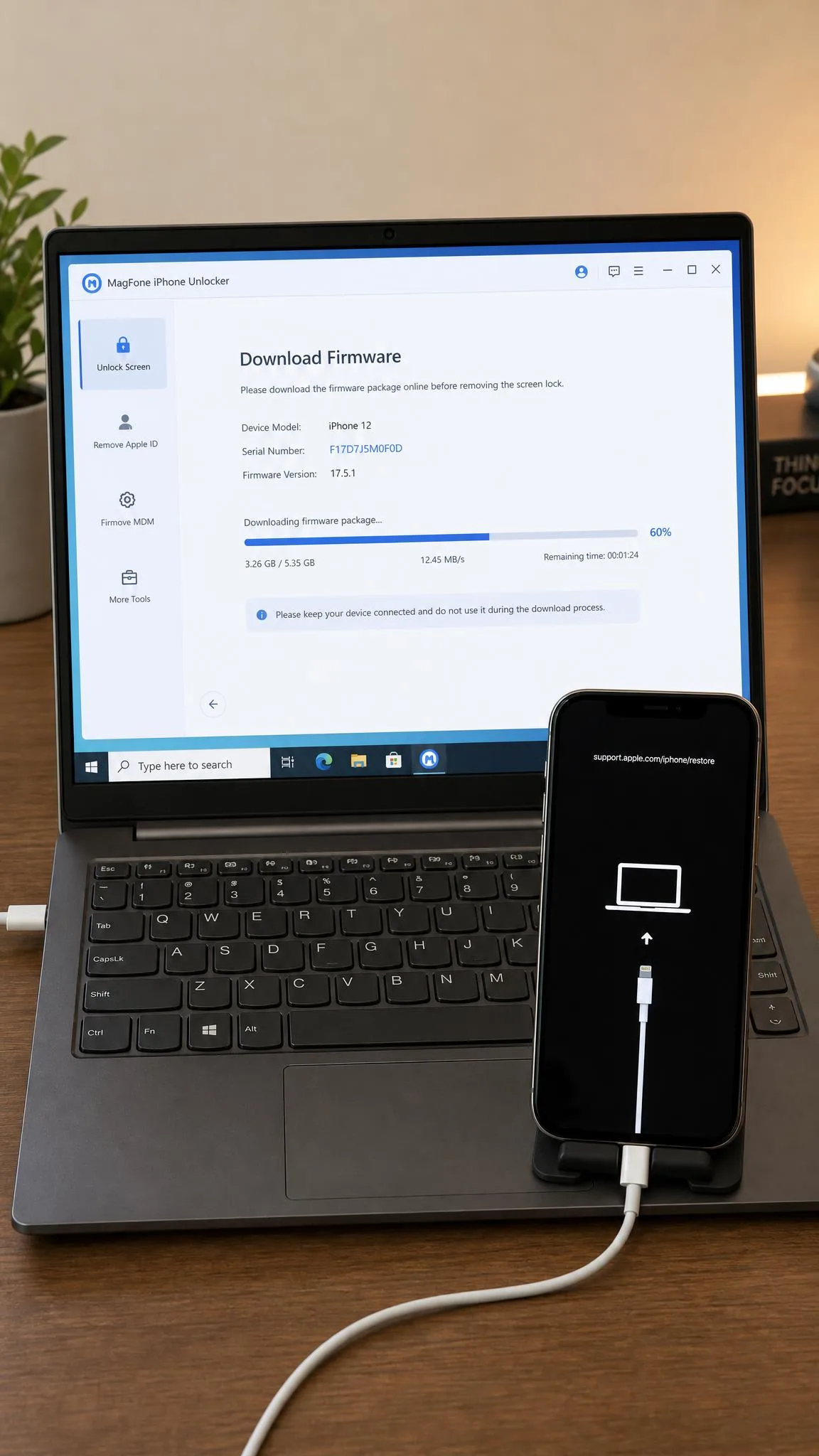
The app shows on-screen instructions for Recovery and DFU modes. This is the step where most attempts fail, so follow the button sequence exactly.
Step 4: Download the Firmware and Unlock Your iPhone
The tool downloads the matching firmware, up to roughly 5 GB, then flashes the unlock. Leave the phone connected until the app reports success.
Pricing and Compatibility
MagFone sells three plans, and every license covers 1 PC and up to 5 iOS devices. Prices move with promotions, so the figures below may shift:
| Plan | Price | Refund window |
|---|---|---|
| Monthly | $34.95 (from $69.95) | 5 days |
| Yearly | $49.95 (from $99.95) | 30 days |
| Lifetime | $59.95 (from $129.95) | 30 days |
Earlier 2026 listings show $29.95 monthly and $39.95 to $45.95 yearly, so check the purchase page first. Refund quirk: monthly licenses get 5 days, while the purchase page advertises 30 days on every plan.
Compatibility covers iPhone 4 through the iPhone 17 series, all iPad models, and iPod touch 2 through 7, on iOS 7 and later. The spec page claims support up to iOS 27; earlier 2026 reviews list iOS 26.
Run the free trial first. It only checks compatibility, but that confirms your iPhone is supported before you pay.
What Real Users Say About MagFone iPhone Unlocker
MagFone's TrustPilot page is small but mostly positive. The praise clusters around easy unlocks, quick support replies, and help moving licenses to new computers. The complaints that surface most often are failed unlock attempts and surprise at data erasure.
The clearest pattern: if the phone is locked to the previous owner, the unlock fails and the purchase is wasted. A Reddit thread titled "Do Not Purchase Any Phone-Unlock Software - My Rookie Mistake" makes the same point.
Pros and Cons of MagFone iPhone Unlocker
Here is the short version in one grid:
Pros
- One license covers all five unlock types
- Screen Time and MDM removal finish in minutes with data intact
- Modest system requirements
- Lifetime price of $59.95 matches the closest rivals
Cons
- Passcode and Apple ID removal wipe the device
- iCloud bypass needs iOS 12.0 to 16.7.5 and a jailbreak
- Monthly plan gets a 5-day refund window
- Nothing is guaranteed on owner-locked phones
MagFone iPhone Unlocker Alternatives (Compared)
MagFone is not the only unlocker on the market. TunesKit iPhone Unlocker, iMyFone LockWiper, and Tenorshare 4uKey cover the same core locks at similar prices:
| Product | Buy | Entry price | Supported lock types | iOS compatibility | Success rate | Free trial / refund |
|---|---|---|---|---|---|---|
|
Check price → | $59.95 lifetime; from $34.95/month | Passcode, Apple ID, iCloud Activation Lock, MDM, Screen Time | iOS 7 to iOS 27 (official spec) | Not guaranteed; passcode is the reliable mode | Compatibility check only; 30-day refund |
 |
$34.95/month; $59.95 lifetime | Passcode, Apple ID, Activation Lock, MDM, Screen Time | iOS 7 to iOS 26 | Vendor claims; no official rates | 30-day money-back | |
 |
$29.95/month; $59.95 lifetime | Passcode, Apple ID, iCloud, MDM, Screen Time | iOS 7 and up; latest iOS claimed | iCloud bypass inconsistent on iOS 16+ | 30-day refund | |
 |
$35.95/month | Passcode, Apple ID, MDM, iTunes backup password | Up to iOS 27 (official); Apple ID capped at iOS 15-16.6.1 | Vendor limits; no official rates | 30-day refund |
Two more names appear in the same searches: iMobie AnyUnlock and BuhoUnlocker. Treat the table as a shortlist, not a full test.
MagFone iPhone Unlocker FAQ
Is MagFone iPhone Unlocker safe?
Does MagFone iPhone Unlocker really work?
Is MagFone iPhone Unlocker free?
Can MagFone iPhone Unlocker remove the iCloud Activation Lock?
Can I get a refund if MagFone iPhone Unlocker doesn't work?
What devices and iOS versions are supported?
Final Verdict: Is MagFone iPhone Unlocker Worth It?
Before you buy, run the free trial and back up the phone. The $59.95 lifetime license pays for itself in under two months of monthly billing.