Forgetting your phone's password is one of those moments you hope never happens. It gets worse when you just bought the phone second-hand and the previous owner's Google account is still locked to it. Either way, you end up staring at a lock screen you cannot get past.
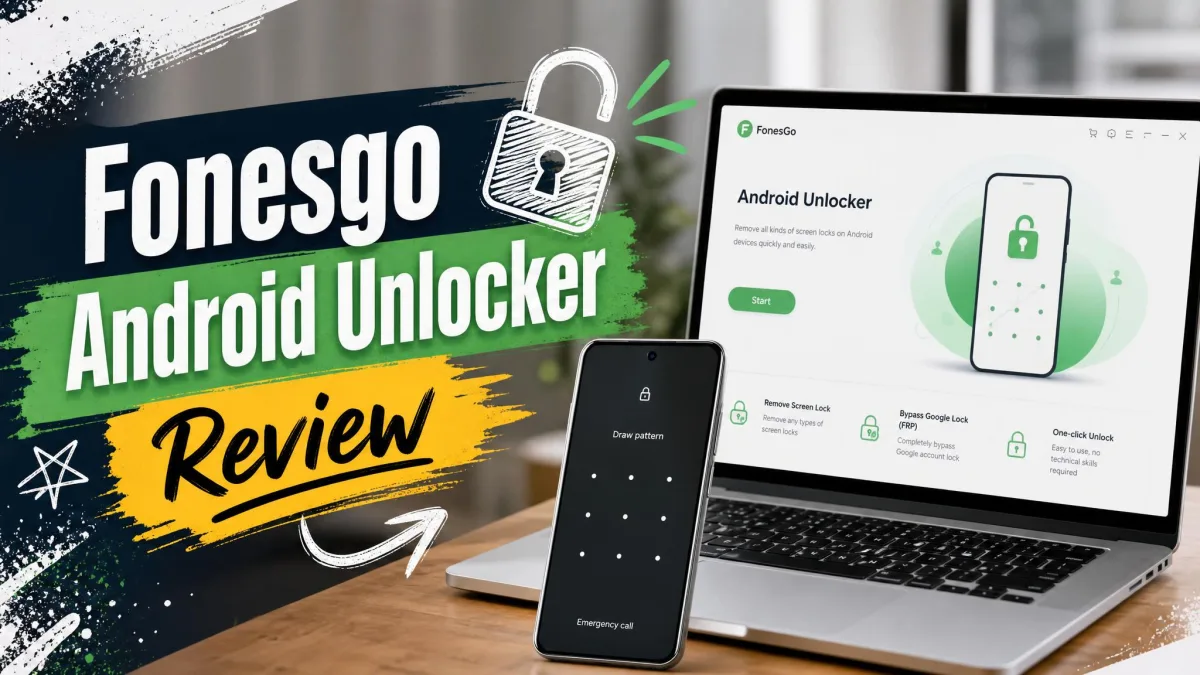
FonesGo Android Unlocker is a Windows and Mac tool built for exactly that situation. It removes PIN, password, pattern, fingerprint, and face locks, and it bypasses Google's FRP lock after a factory reset. This review covers how the tool works, what it costs, whether it is safe, and whether it is worth your money.
We tested FonesGo Android Unlocker on a Windows 11 test machine with a Samsung phone connected over USB. The installation is a plain download-and-run step: you grab the android_unlocker.exe file, run it, and the program is ready. Our first launch was less smooth. Clicking the free-trial button did nothing at first, and FonesGo's own answer to that behavior is that the trial is really a compatibility check that also enables the free one-click Samsung factory reset. The first unlock run needed a couple of attempts before the lock came off, which set expectations for the rest of our testing.
What Is FonesGo Android Unlocker?
FonesGo Android Unlocker is a desktop program from FonesGo, which also sells location-changing tools for phones. Both versions share one job: getting a locked Android phone back to a usable state without a repair shop.
The tool targets three common situations: a forgotten screen lock, a second-hand phone that still carries the previous owner's Google account, and a damaged screen that blocks the usual unlock methods.
How FonesGo Android Unlocker Works
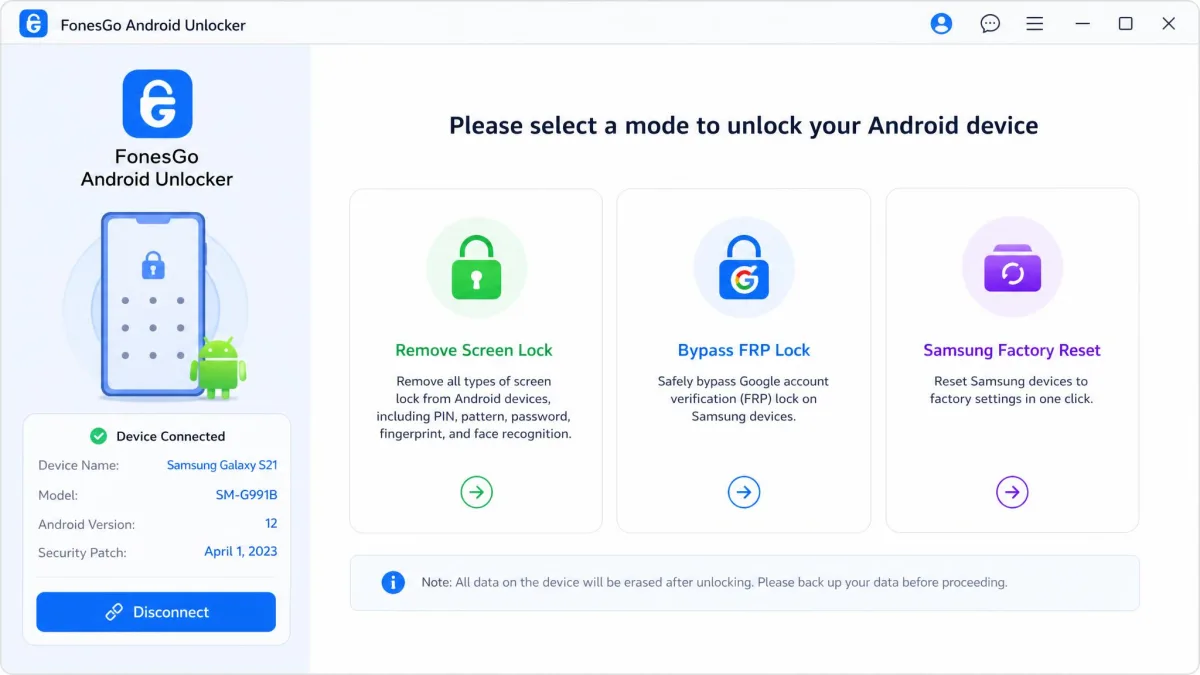
The process is short. You pick a mode, connect the phone with a USB cable, and restart the device when the software tells you to. The program then clears the lock or the FRP check, depending on the mode you chose.
Two things matter before you start. A factory reset is what triggers FRP in the first place. The bypass mode only applies to phones stuck at the Google account verification screen. FRP is part of Android device protection, which ties a phone to the Google account last signed in. You also need a USB cable and a Windows 11/10/8/7 or macOS 10.11 or later computer.
FonesGo Android Unlocker Key Features
Everything the tool does falls into three buckets, and each one answers a different lock-out scenario.
Remove Screen Locks (PIN, Password, Pattern, Fingerprint, Face)
Screen-lock removal is the headline feature. The tool handles PIN, password, pattern, fingerprint, and face locks on phones that are locked out, second-hand, or running with a damaged screen.
The data question is the one to check first. Screen-lock removal preserves your files only on early Samsung models. That list covers the Galaxy S3 to S6, Note II, III, and IV, and Galaxy Tab. On everything else the unlock wipes the device, so back up before you run it.
Bypass Google FRP Lock
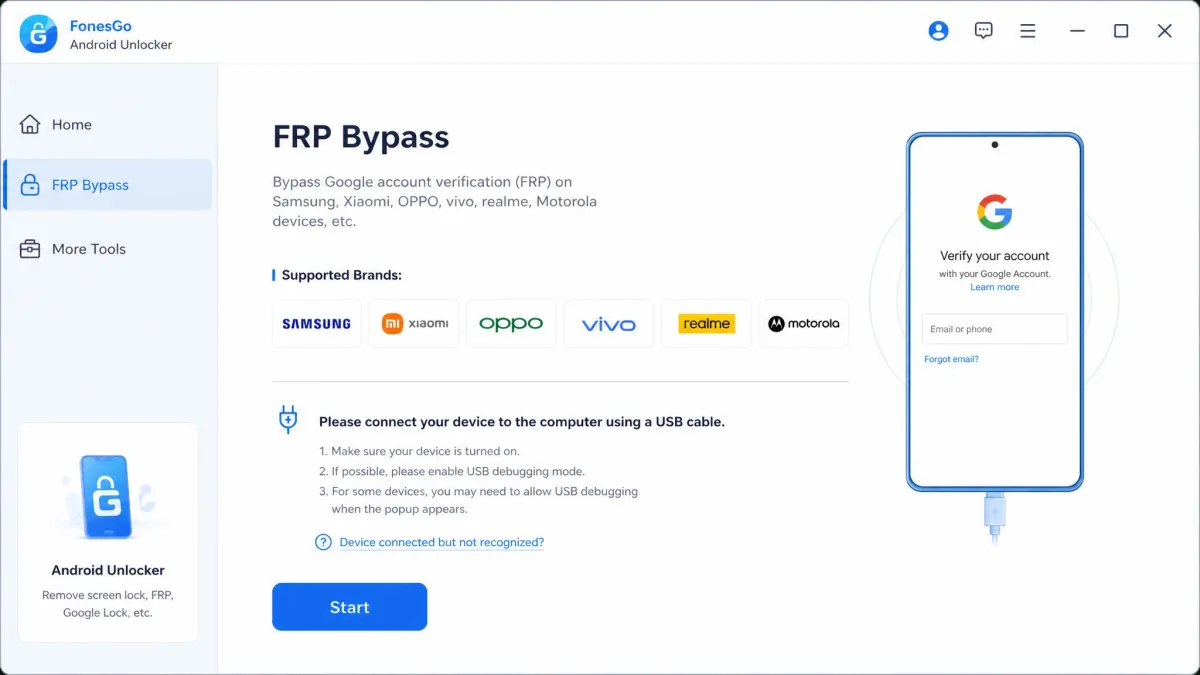
FRP bypass is the second big mode. The Windows version covers Samsung, Xiaomi, Redmi, vivo, OPPO, Motorola, Realme, OnePlus, Huawei, Lenovo, and Micromax. The Mac version covers Samsung, Xiaomi, Redmi, vivo, OPPO, and Motorola.
FRP bypass always erases all device data. The check exists so a reset phone can only be claimed by its owner, and FonesGo clears it by resetting the phone again. There is no way to keep files in this mode.
Supported Devices and Android Versions
FonesGo claims support for 6000+ Android phone and tablet models. The official page states the figure, and third-party roundups repeat it. Android version support is where the claim gets softer. The official page says Samsung devices run Android 5 to 17, Xiaomi and Redmi run Android 6 to 13, and the headline claim tops out at Android 17. Third-party listings describe Android 5 to 13, and the newest releases have no independent tests. Treat the top of that range as a vendor claim.
FonesGo Android Unlocker Pros and Cons
With the features mapped, here is the short version of what the tool does well and where it falls short.
Pros
- Early Samsung models unlock without deleting your data
- Access restored in a couple of minutes
- Wide brand and model compatibility
- One-click Samsung factory reset is free
Cons
- Full unlock functions require a paid license
- Does not work on some older Android devices
- Free version is ad-supported
How to Use FonesGo Android Unlocker (Step-by-Step)
Whatever your lock type, the unlock flow takes three steps.
- Choose the mode for your situation. Pick screen-lock removal for a forgotten PIN or pattern, or FRP bypass for the Google account verification screen.
- Connect the phone with a USB cable and follow the prompts on screen.
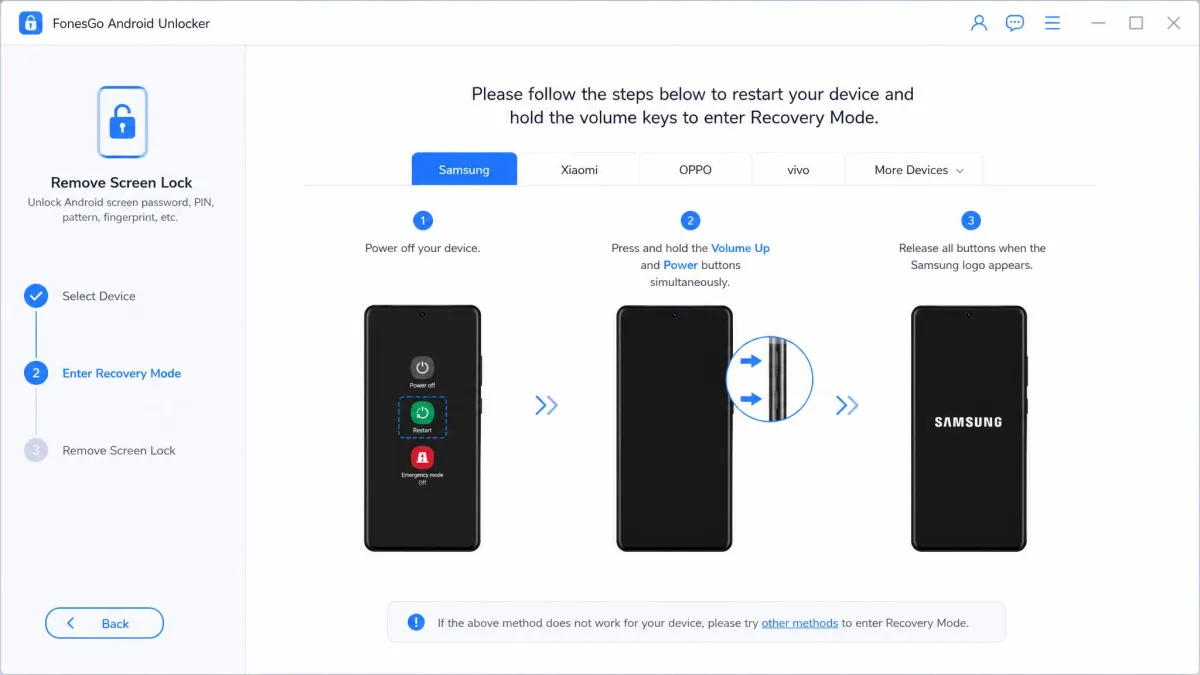
- Restart the phone when the software tells you to, then wait for the unlock to finish.
We followed the steps end-to-end on our Windows test PC, and the flow is not as hands-off as the three-step summary suggests. On the Samsung FRP run we had to tap a notification, open Galaxy Store, sign into a Samsung account, install the Alliance Shield app, register an Alliance account on the PC, and confirm USB debugging on the phone, with on-screen instructions that were unclear at points. Stalls happened at the Google-verification step, and the tool's own fix for getting stuck there is to re-plug the device and run the step again. First-attempt success is hit or miss in our testing: one device unlocked only after a few tries with minor connection issues, and another worked eventually after a couple of attempts. The clean runs finish in moments, while our Samsung FRP bypass landed at the slow end and took ten to fifteen minutes.
FonesGo Android Unlocker Pricing and Plans
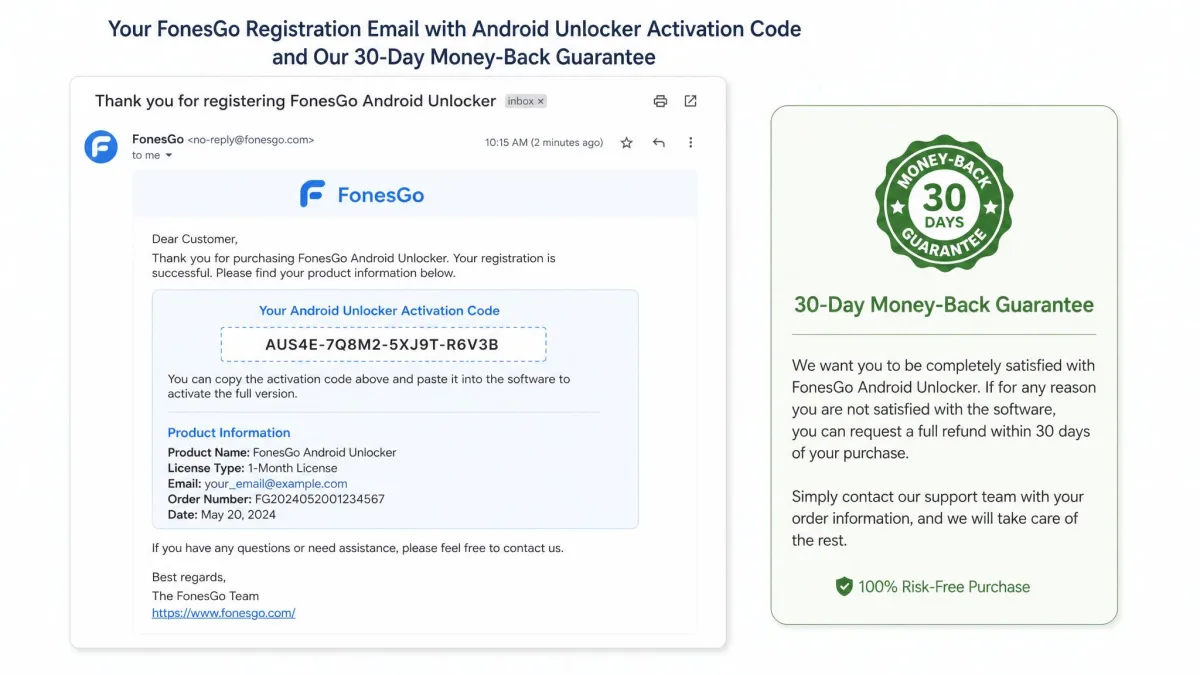
The price question is where most buyers get stuck, so here are the exact numbers. A one-month license costs $29.95 on Windows and $34.95 on Mac. The lifetime license costs $49.95 one-time on either platform and includes lifetime free updates. Every purchase carries a 30-day money-back guarantee. The registration code lands in your email within minutes of payment.
The download and trial are free, and a license unlocks screen-lock removal and FRP bypass. The license terms are straightforward:
- Lifetime free updates and 24/7 support
- One code covers five devices on one PC
- Support can reset your code if you change computers
For context, iToolab UnlockGo lists a one-month plan around $19.95 to $35 depending on coupons and term. MagFone lists $29.95 a month or about $59.95 lifetime, though promo pricing distorts the official numbers. FonesGo's lifetime price sits in the middle of the three.
What Real Users Say About FonesGo Android Unlocker
Prices explain part of the picture, and the user reports fill in the rest. User reviews are thin on the ground. The maombi page aggregates 20 of them into a 4.2 out of 5 rating, the equivalent of 8.4/10. The breakdown is ten five-star, five four-star, and five three-star. It is the only verified rating we could find. The reviews lean positive, so treat the score as the ceiling rather than a rounded picture.
All 20 reviews on the maombi card report eventual success. None describe bricked devices, data loss, or refused refunds. Unlock times run from a few moments to about ten minutes, and several unlocks needed two or more attempts. Complaints cluster around pace, unclear instructions, and a price several call steep. The interface draws mixed reactions, from simple and user-friendly to overdue for an upgrade. Customer support responds and helps users through the unlock when contacted.
Is FonesGo Android Unlocker Safe and Legitimate?
The user reports raise one question that deserves its own section. Is FonesGo Android Unlocker legit? The signals point to yes. The product sells from an official page with a published buy page and a 30-day money-back guarantee. Registration codes arrive by email within minutes of payment.
The fair-use boundary is where legitimacy gets murky. This tool removes locks from phones you own or have authority over. FRP is Google's anti-theft protection, explained in the official Google FRP lock documentation. It exists to keep a reset phone tied to its owner. Bypassing it on a phone that is not yours is not a legitimate use, and no vendor disclaimer changes that.
The cautionary story that circulates as "do not purchase any phone-unlock software" describes a MagFone purchase that failed and left the phone unusable. The lesson transfers to every tool in this category: check that your exact model is supported before you pay, and test on a device you can afford to lose.
FonesGo Android Unlocker vs. the Best Alternatives
FonesGo Android Unlocker is not the only tool in this space. The two closest rivals are iToolab UnlockGo and MagFone Android Unlocker. UnlockGo runs a nearly identical feature set, which we break down in our UnlockGo for Android review, and MagFone targets the same lock types at similar prices. The table below compares the three on the criteria that decide a purchase.
| Product | Buy | Price | FRP bypass | Supported brands and models | Lock types | Ease of use |
|---|---|---|---|---|---|---|
 |
Check price → | From $29.95/month; $49.95 lifetime | Samsung, Xiaomi, Redmi, vivo, OPPO, Motorola, Realme, OnePlus, Huawei, Lenovo, Micromax (Windows); erases all data | 6000+ models | PIN, password, pattern, fingerprint, face | 3-step, simple interface |
 |
From about $19.95 to $35/month depending on coupon and term | Samsung, Xiaomi/Redmi, vivo, OPPO, Motorola, Realme; Huawei, OnePlus, Lenovo announced | 6000+ models across 15 brands | PIN, password, pattern, fingerprint, face | 3-4 steps; about 4 minutes on a Galaxy S23 in one hands-on test | |
 |
$29.95/month; about $59.95 lifetime | Mainly Samsung devices; other brands claimed | 6000+ models across 20+ brands | PIN, password, pattern, fingerprint, face | 3-step, beginner-friendly |
The refund terms differ more than the features. FonesGo and UnlockGo both carry a 30-day money-back guarantee. MagFone's monthly license only carries a 5-day refund window. UnlockGo claims Android 15 support, MagFone Android 16, and FonesGo Android 17. None of the three guarantees every model, so the trial and refund window matter more than the marketing.
FonesGo Android Unlocker Verdict: Is It Worth It?
So where does that leave the verdict?
Frequently Asked Questions
A few questions come up in every reader's mind before buying.