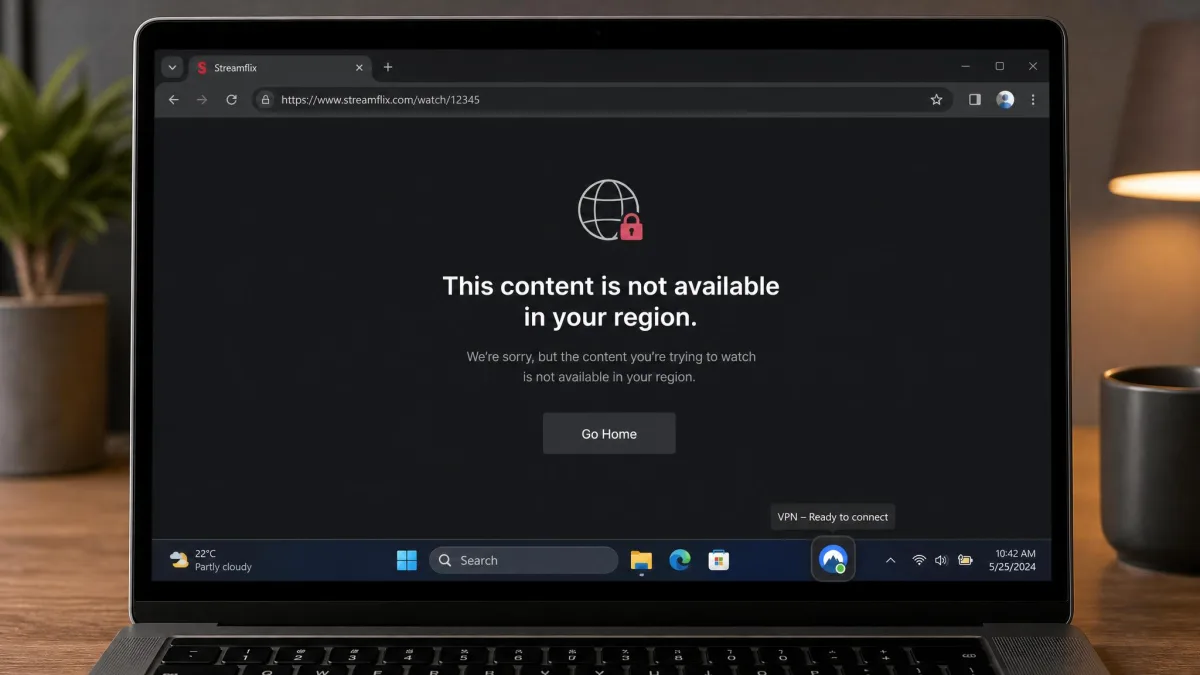
You click a link, and instead of the page you get a wall. Maybe it is a school filter, an office firewall, or a "this content is not available in your region" notice. The website is not broken. Something on the network between you and the site has decided you should not reach it.
The fix is almost always the same: change where your traffic appears to come from. A VPN does exactly that. It routes your connection through a server somewhere else, hides your real IP address, and hands the blocked network an encrypted tunnel it cannot read or filter. To the website, you look like an ordinary visitor from wherever that server sits.
We test VPNs the way a network administrator would, against real speed, leak, and streaming benchmarks, before any tool earns a place here. This guide walks through the exact steps to unblock a site with a VPN, the four services we trust most, and the free proxy and DNS methods worth knowing when a VPN is not an option. We also flag where free tools quietly cost you your privacy.
How to Unblock Websites With a VPN (Step by Step)
Unblocking a website with a VPN takes about two minutes once you have an account. The process is the same on a laptop, a phone, or a tablet. Here is the workflow we use every time we test an unblocking claim.
1. Choose and install a reputable VPN. Pick a paid service with a money-back guarantee, or a trustworthy free tier like Proton VPN. Download the app from the official site or your device's app store, not from a random mirror. If you need help getting set up on your device, our guide on how to get a VPN on any device covers each platform.
2. Sign in and open the app. Create your account, log in, and let the app finish its first-run setup. Most apps ask permission to add a VPN configuration to your device. That is normal and required for the tunnel to work.
3. Connect to a server in the right location. To beat a school or work filter, any server works, since the goal is simply to hide traffic from the local network. To reach a geo-restricted site, pick a server in the country where the content is available. Want a US library catalog? Connect to a US server.
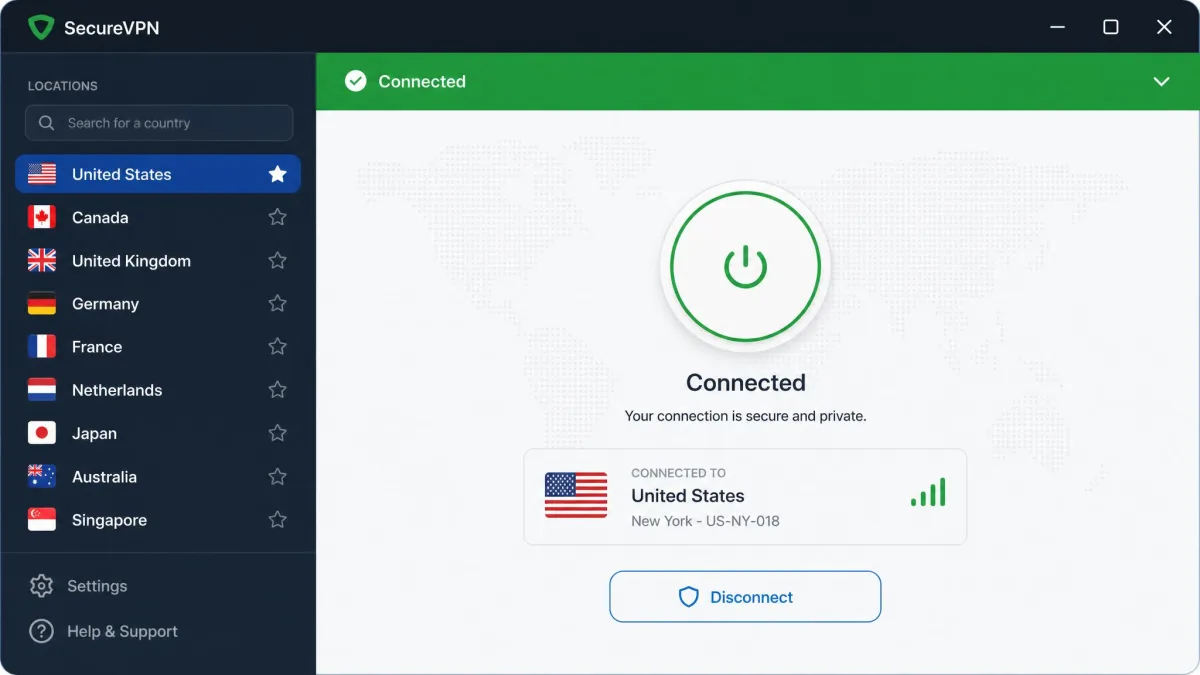
4. Load the blocked website. Once the app shows "connected," open your browser and visit the site. In our testing, this is where most blocks simply disappear. Your traffic now leaves the network encrypted, so the filter has nothing to match against.
5. If it still will not load, switch servers. Some sites block known VPN IP addresses. Disconnect, choose a different server in the same country, and try again. This one step clears the large majority of stubborn cases.
Connect the VPN first, then open the website. If you load the page before the tunnel is up, your browser may cache the blocked response and keep showing it. Refresh once you are connected, or open a private window.
That is the whole method. The harder question is which VPN to trust with it, because the speed, server count, and streaming support that separate a good unblocking experience from a frustrating one vary widely. That is what we tested next. If you want the underlying mechanics first, our explainer on how a VPN works breaks down the encryption and tunneling in plain terms.
The Best VPNs to Unblock Websites
We benchmarked these four services on the things that actually matter for unblocking: how reliably each one slips past blocks, real download speed, streaming support, and price. The table below is the short version. The reviews under it explain what each one is like to live with.
| Product | Buy | Free tier? | Servers | Streaming | Price |
|---|---|---|---|---|---|
 |
Check price → | No (30-day refund) | 5,000-9,000+ | Netflix HD/4K | $3.49/mo |
 |
Check price | No (30-day refund) | 4,500+ | Yes, all major | $2.49/mo |
 |
Check price | No (30-day refund) | 105 countries | Yes, easy | $2.49/mo |
 |
Check price | Yes (unlimited data) | 140+ countries | Plus only | Free / paid |
NordVPN
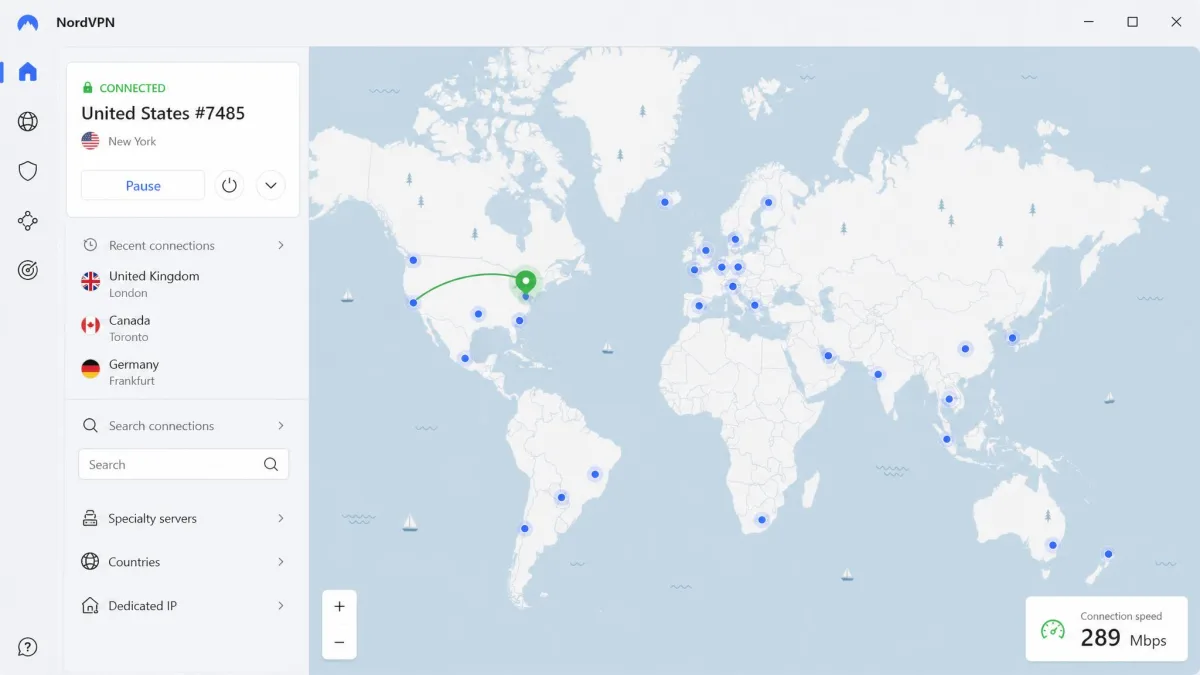
NordVPN is the service we reach for first when a site refuses to load. Nearly every server we connect to slips past geoblocks, so unblocking rarely takes more than one server switch. That reliability is the whole game when you are staring at a blocked page and want it gone.
Speed backs it up. NordVPN holds download speeds around 289 Mbps in our testing, which is fast enough for Netflix in 4K without buffering. It ran clean on every leak test we threw at it, and the obfuscated servers help on restrictive networks that try to detect and block VPN traffic outright. Pricing starts at $3.49 per month on the two-year Basic plan, an introductory rate billed up front, and every plan carries a 30-day money-back guarantee.
Server and country totals are reported inconsistently, somewhere between 5,000 and 9,000 plus servers, because Nord updates them often. The exact number matters less than the coverage, which spans over 100 countries and gives you plenty of exits for geo-restricted content.
Pros
- Slips past almost every block on the first or second server
- Around 289 Mbps in testing, ample for 4K streaming
- Obfuscated servers help on networks that hunt for VPN traffic
- 30-day money-back guarantee on all plans
Cons
- Advertised rate is introductory and rises at renewal
- Server and country counts are reported inconsistently
Best for: Anyone who wants one VPN that unblocks almost anything without fuss.
Skip if: You need a genuinely free option with no time limit.
Surfshark
Surfshark is the value pick that does not feel like a compromise. It performs almost identically to premium rivals on speed, around 288 Mbps down in our tests, while costing far less. If price is steering your decision, this is where we point people first.
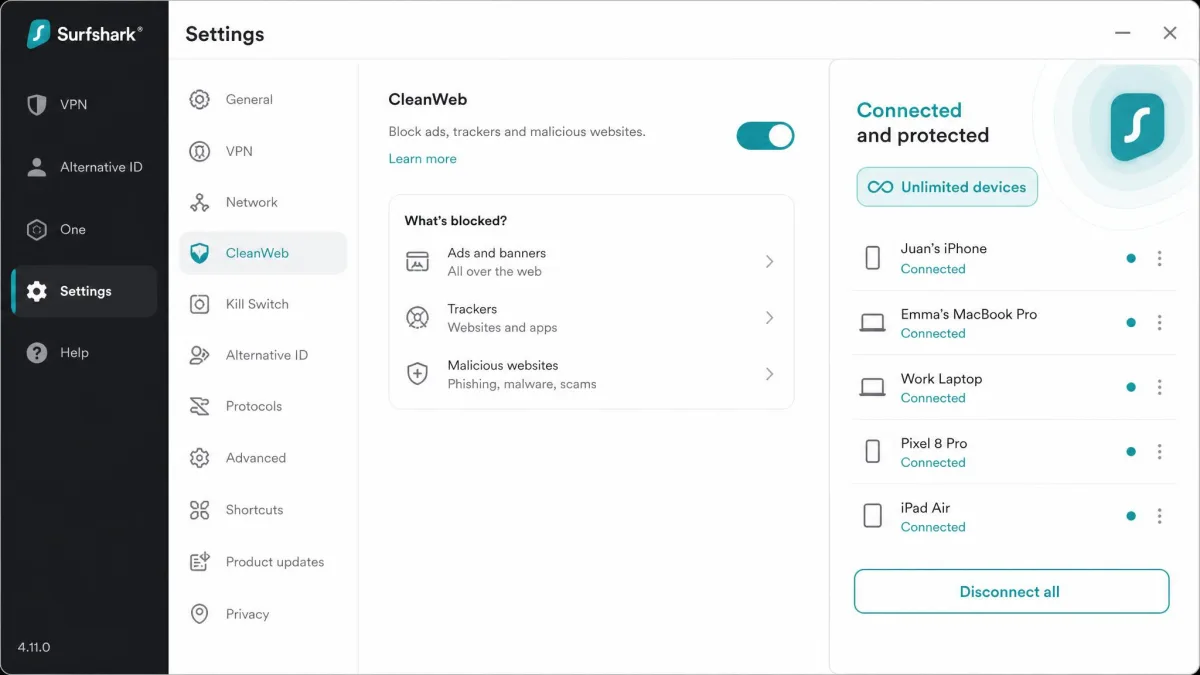
It unblocked every streaming service and region-locked site we tried, and the CleanWeb feature strips ads and trackers on the way. The standout perk is unlimited simultaneous device connections, so one subscription covers a whole household of phones, laptops, and tablets. Surfshark runs 4,500 plus servers across 100 countries, which is more than enough spread for reliable geo-unblocking.
Pricing starts at $2.49 per month on the two-year Starter and One plans, an intro rate that adds three free months, with a 30-day money-back guarantee. As with every VPN here, the renewal rate is higher than the intro price, so mark your calendar before the term ends.
Pros
- Nearly premium speed at a budget price
- Unlimited simultaneous device connections
- CleanWeb blocks ads and trackers
- Unblocked every streaming service we tested
Cons
- Renewal price is well above the intro rate
- No free tier, only a refund window
Best for: Households and anyone who wants top-tier unblocking for the lowest ongoing cost.
Skip if: You want a service with the longest track record; ExpressVPN edges it there.
ExpressVPN
ExpressVPN is the easiest of the group to set up and get unblocking on the first try, which makes it our pick for first-time VPN users. The apps are clean, the connect button is obvious, and it just works. If you have never used a VPN and do not want to think about servers or protocols, start here.
Under the hood it runs the fast Lightway protocol and TrustedServer technology, which keeps servers RAM-only so no data is written to disk. It has servers in 105 countries and handled streaming smoothly in our tests. Pricing starts around $2.49 per month on the two-year Basic plan, with tiers running up to $22.99 monthly depending on term and features.
One caveat worth flagging: sources disagree on whether ExpressVPN still offers its long-standing 30-day money-back guarantee. Some report it is unchanged, others say the trial terms have shifted. Check the current terms on the checkout page before you commit.
Pros
- The simplest apps to set up and use
- Fast Lightway protocol with RAM-only servers
- Reliable streaming and unblocking out of the box
Cons
- Among the pricier options at monthly rates
- Money-back guarantee terms are disputed across sources
Best for: First-time VPN users who want the least friction.
Skip if: You are price-sensitive; Surfshark delivers similar results for less.
New to VPNs entirely? Our walkthrough on how to set up and use a VPN covers installation, protocol choices, and the kill switch on every major platform.
Proton VPN
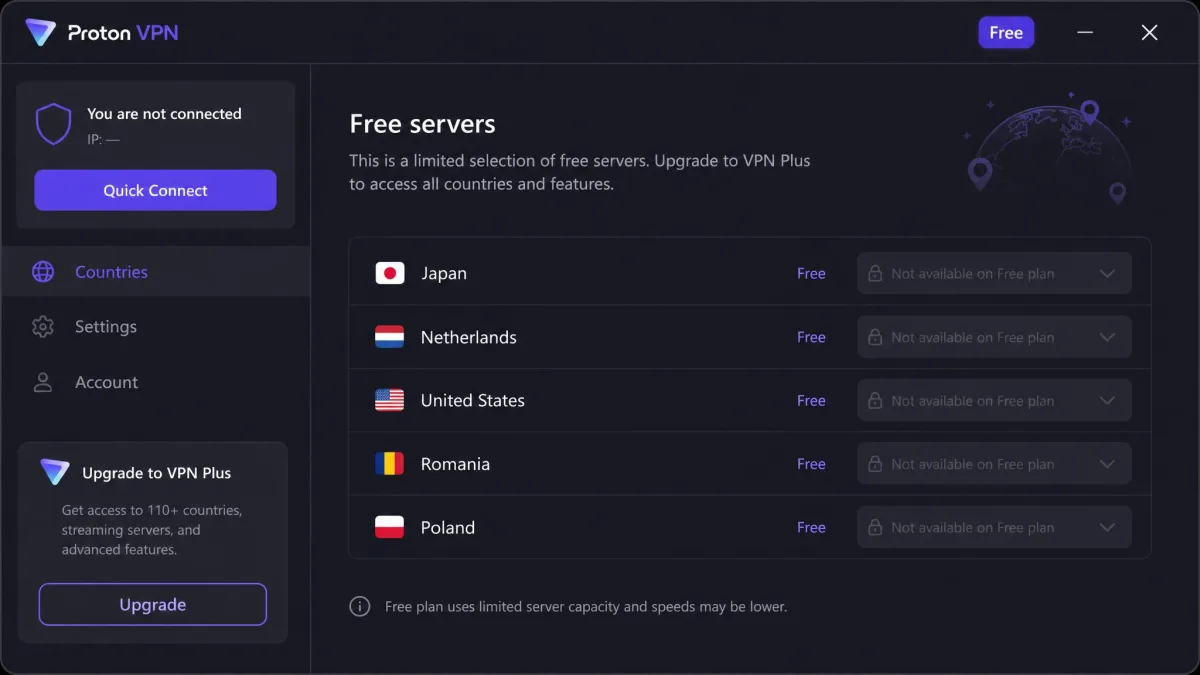
Proton VPN is the one service here with a genuinely useful free tier. It offers unlimited data on the free plan with no ads and no speed throttling, which is rare. The free tier reliably hides your IP address, so for beating a school or work filter it is a legitimate no-cost option.
The catches show up with streaming and speed. On the free plan you cannot pick a server, and Netflix and other streaming sites frequently refuse the free-server IP addresses. Free speeds can also sag to roughly 8 Mbps after heavy use, even though there is no hard data cap. The free plan is limited to a handful of countries and one device at a time.
The paid VPN Plus plan lifts all of that: streaming-labelled servers for Netflix, Disney Plus, and Prime Video, 10 simultaneous devices, and a 30-day money-back guarantee. Proton is Swiss-based and no-logs, with Secure Core multi-hop and the NetShield ad and malware blocker. Its total server count is reported inconsistently on Proton's own page, listed as both 2,000 plus and 20,000 plus, so treat that figure as unstable.
Pros
- Genuinely free tier with unlimited data and no ads
- Reliably hides your IP for beating filters
- Swiss-based, audited, strict no-logs
- Secure Core multi-hop on paid plans
Cons
- Free tier struggles to unblock streaming
- Free speeds can drop sharply under load
- Free plan cannot choose a server or country
Best for: Anyone who needs a free, private way to unblock ordinary websites.
Skip if: Your main goal is streaming; free servers rarely get past Netflix.
What "Unblocked VPN Sites" Really Means
The phrase "unblocked VPN sites" gets used two ways, and it helps to keep them straight. Sometimes people mean websites that a VPN lets you unblock. Other times they mean the VPN provider's own site, which a school or workplace has blocked to stop you downloading the app in the first place.
Both problems have the same root. Someone controls the network between you and the internet, and they maintain a list of addresses to allow or deny. A VPN defeats that list by wrapping your traffic in encryption and sending it to a server the filter is not watching. The network sees one steady connection to a VPN server and nothing about the sites you actually visit.
When the provider's own site is blocked, the trick is to get the app before you are on the restricted network. Download it at home, install it on your phone using mobile data, or grab it from an app store that the filter has not blocked. Once the app is installed and connected, the filter cannot see or stop it.
A VPN does not "hack" past a block. It simply gives the network nothing to filter, because your real destination is hidden inside an encrypted tunnel.
— From our hands-on testing
Why Websites Get Blocked (School, Work, and Geo-Restrictions)
Blocks are not all the same, and knowing which kind you are facing tells you whether a VPN will help. There are three broad types, and a VPN handles two of them cleanly.
Network-level blocking
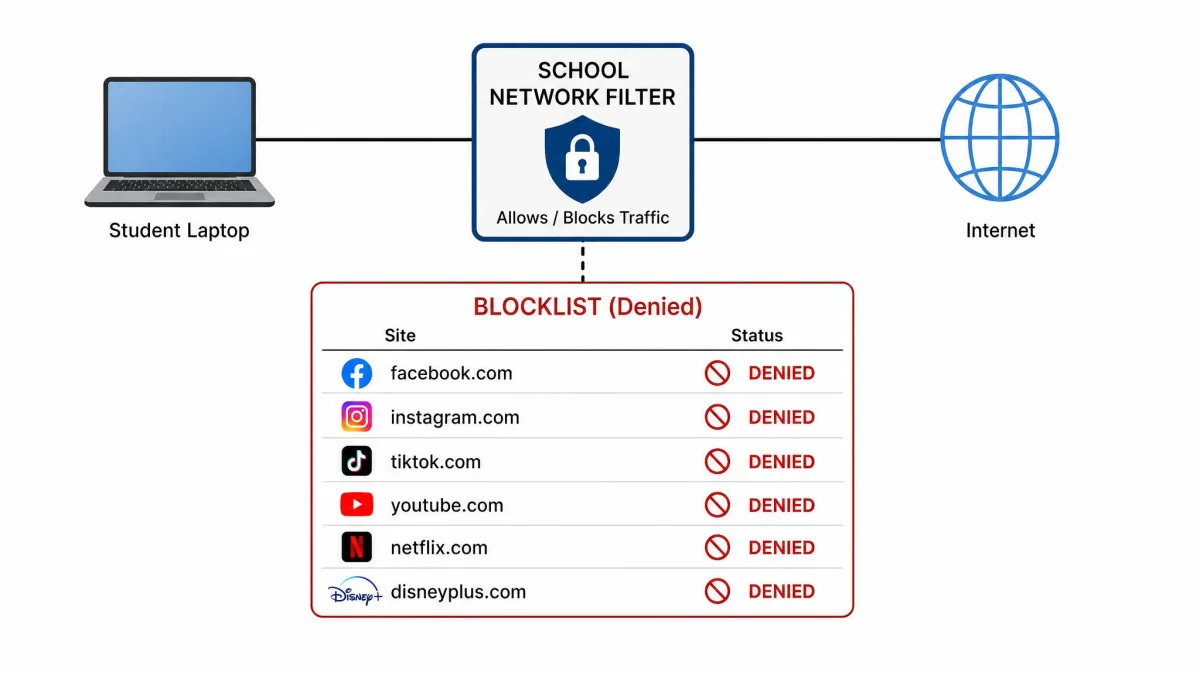
This is the classic school or office filter. The network administrator maintains a blocklist and drops any traffic headed for those addresses. Social media, gaming, and streaming sites are common targets. Because the filter works at the network level, it cannot see inside an encrypted VPN tunnel, so a VPN reliably bypasses this kind of block. This is the situation where unblocking is easiest and most consistent.
Account / user-based blocking
Some blocks follow your account rather than your network. A site might ban your login, or a service might restrict what your specific user profile can access. A VPN changes your IP address and location, but it does not change who you are logged in as. If the block is tied to your account, switching servers will not help, and you may need a different account or to contact the service directly.
Location-based (geo) blocking
Geo-blocking decides what you can see based on where your IP address says you are. Streaming libraries, news sites, and shopping deals all vary by country. A VPN is the direct answer here: connect to a server in the country where the content is available, and the site sees a local visitor. This is the everyday use case for travelers and anyone reaching region-locked content.
A quick test tells you which block you are facing. If a site loads on mobile data but not on the office Wi-Fi, it is network-level, and a VPN will fix it. If it fails everywhere but works for a friend abroad, it is geo-blocking, which a VPN also fixes by changing your apparent location.
Other Ways to Unblock Websites Without a VPN
A VPN is the most reliable tool, but it is not the only one. When you cannot install an app, or you just need to open a single blocked page, these methods can help. Each has real limits, so we have been honest about where they fall short.
Free proxy sites
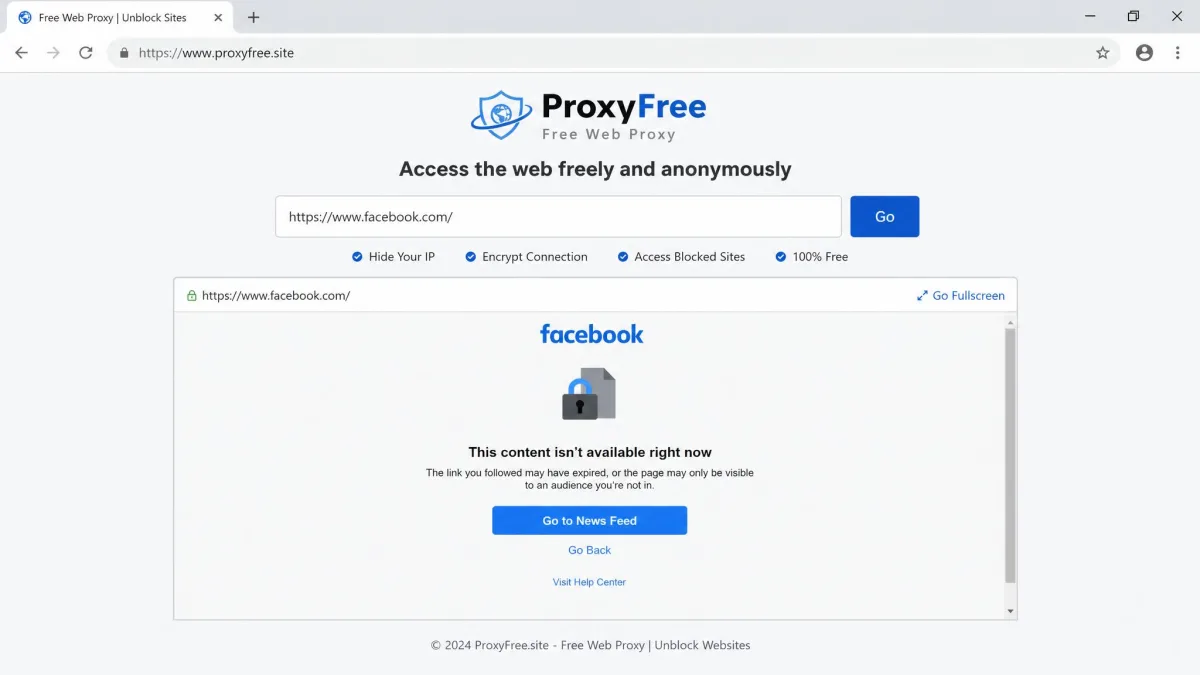
A web proxy loads a blocked site through its own server and shows you the result inside your browser, with no install required. Popular ones include ProxySite, CroxyProxy, VPNBook, and the hide.me proxy. They are handy for opening a plain blocked page in a pinch.
The trade-offs are real. In our testing, free proxy sites feel slow, drop connections often, and are best kept to casual browsing rather than logins or streaming. They rarely get past streaming blocks, and because your traffic passes through someone else's server unencrypted, they are a poor choice for anything sensitive.
Tor Browser
The Tor Browser routes your traffic through several volunteer-run relays, hiding your origin behind layers of encryption. It is free, open-source, and strong for privacy and censorship circumvention. The cost is speed: all that relaying makes browsing noticeably slow, and streaming is effectively off the table. Reach for Tor when anonymity matters more than speed.
Smart DNS
Smart DNS reroutes only the part of your connection that reveals your location, leaving the rest at full speed. That makes it popular for unblocking streaming on devices like smart TVs and game consoles that cannot run a VPN app. The catch is that it does not encrypt your traffic or hide your IP address, so it unblocks without protecting your privacy. It is a streaming convenience, not a security tool.
Try the IP address or a cached version
Sometimes the simplest tricks work. If a filter blocks a domain name but not its underlying IP address, typing the IP directly can slip through. And if you only need to read a page rather than interact with it, a cached copy from a search engine or an archive service may load when the live site will not. Neither is reliable, but both are worth a try before anything heavier.
VPN vs Proxy: Which Should You Use?
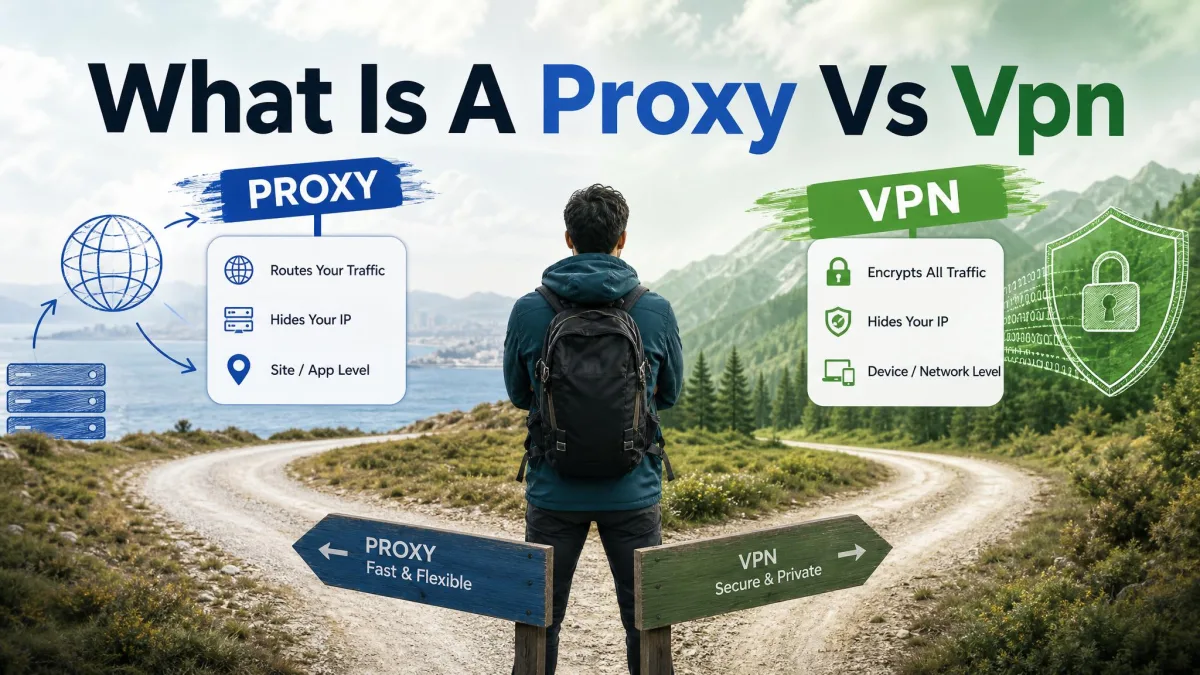
People often treat VPNs and proxies as the same thing. They overlap, but the difference matters for both privacy and reliability. A proxy reroutes a single app or browser tab through another server. A VPN encrypts and reroutes your entire device's traffic.
That encryption is the deciding factor. A proxy can change your apparent location, but it usually leaves your traffic readable and covers only the browser you set it up in. A VPN protects everything, resists the filters that detect and block plain proxy traffic, and holds up for streaming, downloads, and logins. For a one-off blocked page, a free proxy is fine. For anything you do regularly or care about keeping private, a VPN wins.
| Method | Encrypts traffic | Covers whole device | Good for streaming | Best use |
|---|---|---|---|---|
| VPN | Yes | Yes | Yes | Daily private, reliable unblocking |
| Web proxy | No | No (browser only) | Rarely | Opening a single blocked page |
| Smart DNS | No | Streaming apps only | Yes | Region-unblocking on TVs and consoles |
| Tor | Yes | Browser only | No | Anonymity and censorship circumvention |
For a deeper breakdown of when each one makes sense, see our guide on proxy vs VPN, which to use.
Can a Free VPN or Free Proxy Unblock Sites Safely?
Free tools are tempting, and some are fine for light use. Proton VPN's free tier is the standout example, since it reliably hides your IP address with unlimited data and no ads. For opening a blocked website, that is genuinely useful and genuinely free.
The problem is the rest of the market. Many free VPN and proxy apps make their money from your data instead of a subscription. A 2024 study found that 88% of free Android VPNs leaked user data, which defeats the entire point of using one for privacy. Some go further and log your browsing to sell it on. Hola, for instance, resells free users' bandwidth and IP addresses as a residential proxy network, which means strangers can route their traffic through your connection.
So the honest answer is: a reputable free tier like Proton VPN can unblock ordinary sites safely, but most free VPNs and proxies cannot be trusted with anything sensitive. If you are logging in, banking, or handling personal data, use a paid VPN or a vetted free tier, never a random free proxy.
Free proxies and many free VPNs may log, leak, or sell your data. If a tool costs nothing and shows no clear business model, assume your browsing is the product. Never enter passwords or payment details through a free proxy site.
Unblocking Streaming and Region-Locked Services
Streaming is where cheap and free methods fall apart. Services like Netflix, Disney Plus, and Prime Video actively detect and block VPN and proxy IP addresses, so unblocking a region-locked library takes a tool built for it. In our testing, free proxies almost never get past these blocks, and free VPN servers are little better.
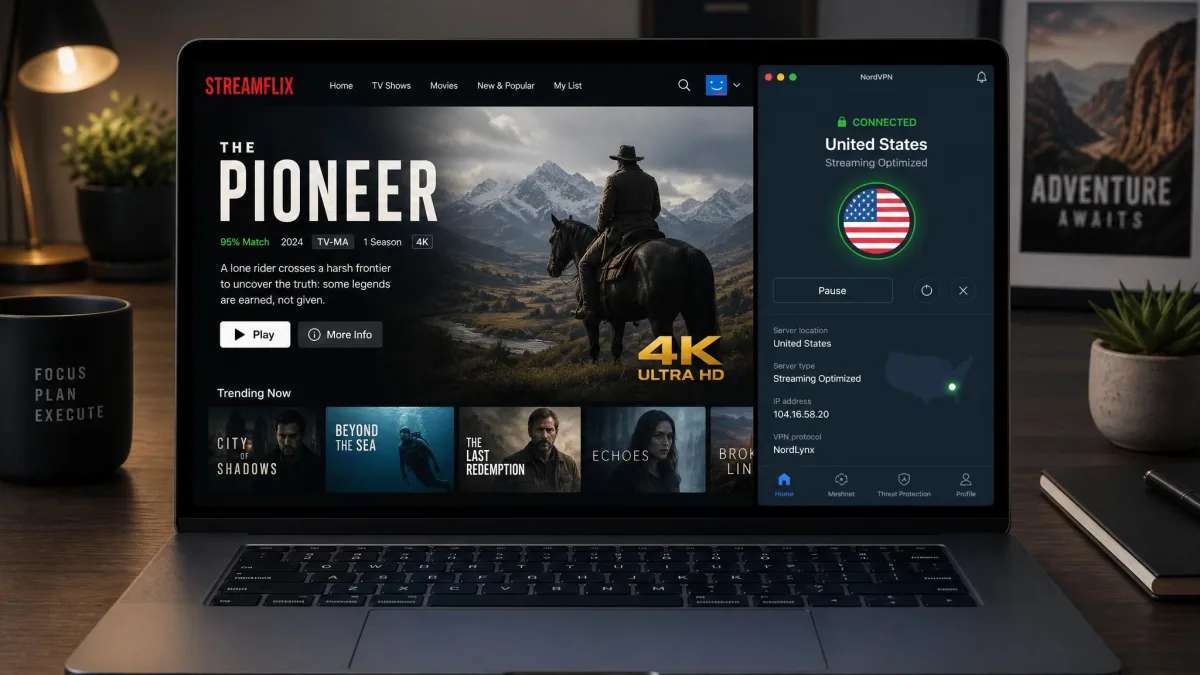
A paid VPN with dedicated streaming servers is the method that works. NordVPN got past geoblocks on every server we tested and streamed Netflix in HD or 4K. Surfshark and ExpressVPN handled the major services just as smoothly. On Proton VPN, streaming works on the paid Plus plan with its streaming-labelled servers, but the free tier frequently refuses to load Netflix at all.
The workflow is simple. Connect to a server in the country whose library you want, wait for the connection, then open the streaming app or site. If the service shows a proxy error, switch to a different server in the same country, since streaming platforms rotate their blocklists constantly and a fresh IP usually clears it.
For the smoothest streaming, choose a server labelled for the service you want if your VPN offers one, and connect before you open the app. Loading the app first can lock in a proxy-error screen that a reconnect and refresh will clear.
Risks and Drawbacks of Free Unblocking Tools
We are enthusiastic about the right tools, but free unblocking has real downsides worth stating plainly. Knowing them helps you decide when a free method is fine and when it is a mistake.
Speed and reliability. Free proxies drop connections often and crawl under load, and free VPN speeds can sag to a fraction of what you started with. That is tolerable for reading a blocked article and painful for anything more.
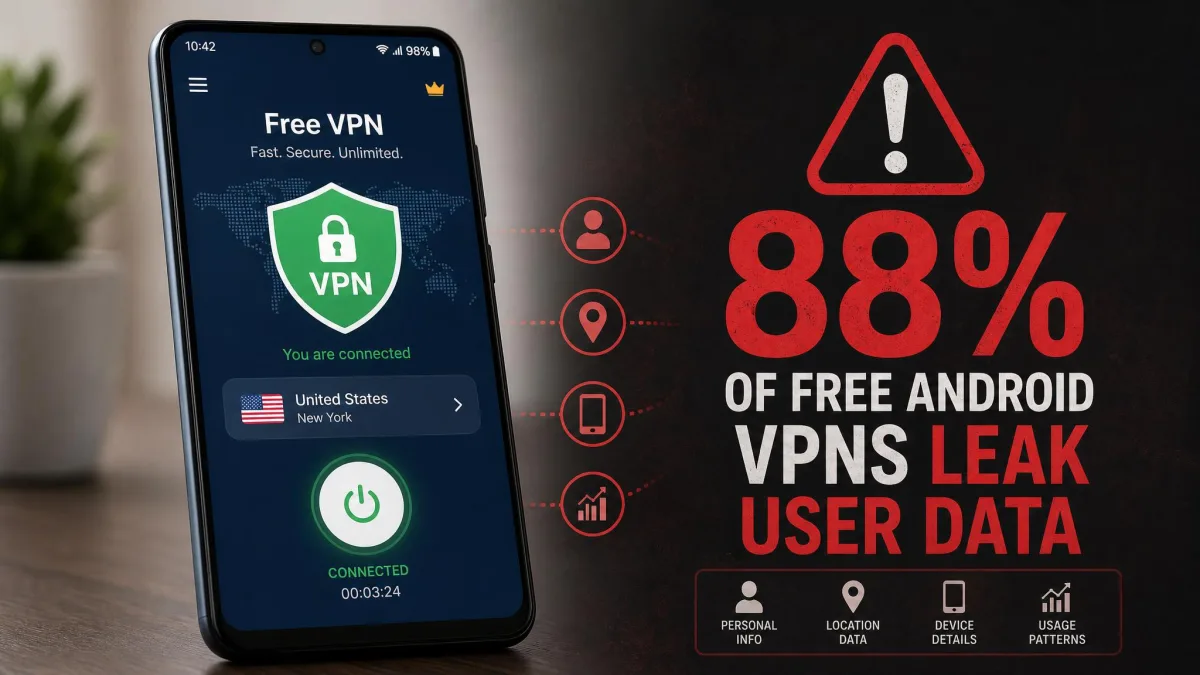
Privacy and data selling. The biggest risk is the one you cannot see. Free tools that log or resell your traffic turn a privacy tool into a surveillance one. When the majority of free Android VPNs leak data, the odds are not in your favor with an unknown app.
Streaming failure. Free servers rarely get past streaming blocks, so if region-locked video is your goal, free tools will mostly disappoint.
No support or guarantees. Free tools rarely offer help when something breaks, and there is no refund to fall back on. A paid VPN with a 30-day money-back guarantee lets you test risk-free and walk away if it does not deliver.
The practical takeaway: use a trusted free tier like Proton VPN for casual, no-stakes unblocking, and step up to a paid VPN the moment privacy, speed, or streaming enters the picture. If budget is the concern, our roundup of the best cheap VPN picks shows how little a reliable paid service now costs, and our best free VPN picks vet the free options worth trusting.
We run every VPN here through real speed, leak, and streaming tests before recommending it. The numbers and behavior described above come from that hands-on testing, not from marketing pages.
Frequently Asked Questions
Can a free VPN unblock websites?
Will a VPN work on school Wi-Fi or in a country like China?
Why isn't my VPN unblocking a site?
Can I unblock Netflix and other region-locked streaming?
Is using a free proxy site safe?
Do I need a fast VPN to unblock websites?
Final Thoughts
Unblocking a website comes down to one idea: give the network nothing it can filter. A VPN does that better than anything else, by encrypting your traffic and swapping your IP address for one somewhere the block does not reach. Connect, load the page, and switch servers if the first one is blocked. That routine clears almost every case we test.
For most people, NordVPN is the surest bet, with reliable unblocking and speed to spare. Surfshark matches it for less, ExpressVPN is the gentlest introduction, and Proton VPN's free tier is the safe no-cost choice for basic sites. Free proxies, Tor, and Smart DNS all have their moments, but each trades away speed, privacy, or streaming to get there. Whichever route you take, protect your data first, and let the block be the only thing you leave behind. If you are still deciding whether you need one at all, start with our plain-language explainer on what a VPN is.