Most people go looking for a SuperVPN alternative for the same handful of reasons: the ads, the broad app permissions, a no-logs claim nobody has audited, and a publisher whose identity is hard to pin down. SuperVPN's Google Play listing shows more than 100 million downloads, so this is not a niche problem. A lot of Android phones are routing their traffic through a service that has already leaked user data once.
The good news is that safer options exist at every budget, including two with genuinely useful free plans. Below we cover Proton VPN, Windscribe, NordVPN, Mullvad VPN, Surfshark, Private Internet Access and Hotspot Shield, and we explain what each one does better than SuperVPN and where each one falls short.
We judged every pick the way we judge any VPN before it earns a recommendation: on speed against a clean baseline, on DNS, IPv6 and WebRTC leak tests, on whether the kill switch holds, and on whether the no-logs policy has been checked by someone other than the company selling it.
Quick Comparison: The Best SuperVPN Alternatives
Here is how the seven picks stack up on the points that matter most when you leave a free, ad-supported app behind. Prices are the cheapest advertised rate, which usually means a long-term plan.
| Provider | Buy | Free plan / data cap | Starting price | Protocols | Logging / audit | Simultaneous devices | Best for |
|---|---|---|---|---|---|---|---|
 |
Check price → | Free, no data cap | $2.99/mo (2-yr); $9.99 monthly | WireGuard, OpenVPN, IKEv2, Stealth | Securitum annual audit | 10 (free: 1) | Best free alternative |
 |
10GB/month with email | $69/yr; $9 monthly | WireGuard, OpenVPN, IKEv2, Stealth | Packetlabs infrastructure audit; court-tested | Unlimited | Free plan with split tunneling | |
 |
Check price | No free plan | About $3.39-$3.49/mo (2-yr); $14.99 monthly | NordLynx, OpenVPN, NordWhisper | Deloitte (6th assurance) | 10 | Paid all-rounder |
 |
No free plan | EUR 5/mo flat | WireGuard only | Cure53 and others | 5 | Anonymous sign-up | |
 |
No free plan | $2.49/mo (2-yr) | WireGuard, OpenVPN, IKEv2 | Deloitte | Unlimited | Unlimited devices | |
 |
No free plan | About $2.03/mo (long plan); $11.95 monthly | WireGuard, OpenVPN | Deloitte | Unlimited | Customization and servers | |
 |
Free Basic, 1 device, limited | $12.99 monthly | Hydra, WireGuard, IKEv2 | Logs some data; no no-logs audit | 10 (free: 1) | Speed on a free tier |
Why Replace SuperVPN?
SuperVPN's appeal is easy to understand. The connect button is fast, it needs no account, and that one-tap simplicity is the main reason the app is so popular. The trouble is everything underneath that button. We cover the app in depth in our SuperVPN review, but four problems drive most people to switch.
The 2023 SuperVPN Data Exposure
In 2023, security researcher Jeremiah Fowler found a publicly exposed, non-password-protected database linked to SuperVPN that held more than 360 million user records and 133 GB of data. The database was closed after his notification.
The records included email addresses, original IP addresses, geolocation, server usage records, secret keys, unique app user IDs, device models, operating systems, connection types and app versions. Refund requests and paid-account details were in there too. A VPN that logs original IPs and usage records is not a no-logs VPN, whatever its policy says.
If you used SuperVPN before mid-2023, assume your email address and original IP could have been in the exposed records. Change any password you reused with that email, and watch for phishing that mentions VPN refunds or subscriptions.
Privacy Policy, Logging and Ownership Concerns
The exposure was not the first incident. Google removed SuperVPN from the Play Store on 7 April 2020 after VPNpro reported a critical man-in-the-middle flaw: a hard-coded decryption key exposed server certificates and credentials. The developer named at the time, SuperSoftTech, did not respond to the researchers.
A listing under the same package name is live on Google Play again, now under a different developer name. The app was removed in 2020 and has come back, so the publisher identity is unclear. For a service that sees all of your internet traffic, not knowing who runs it is a serious gap. There is also no independent audit published for SuperVPN, so its no-logs claim rests on its word alone.
Ads, Permissions and Security Risks
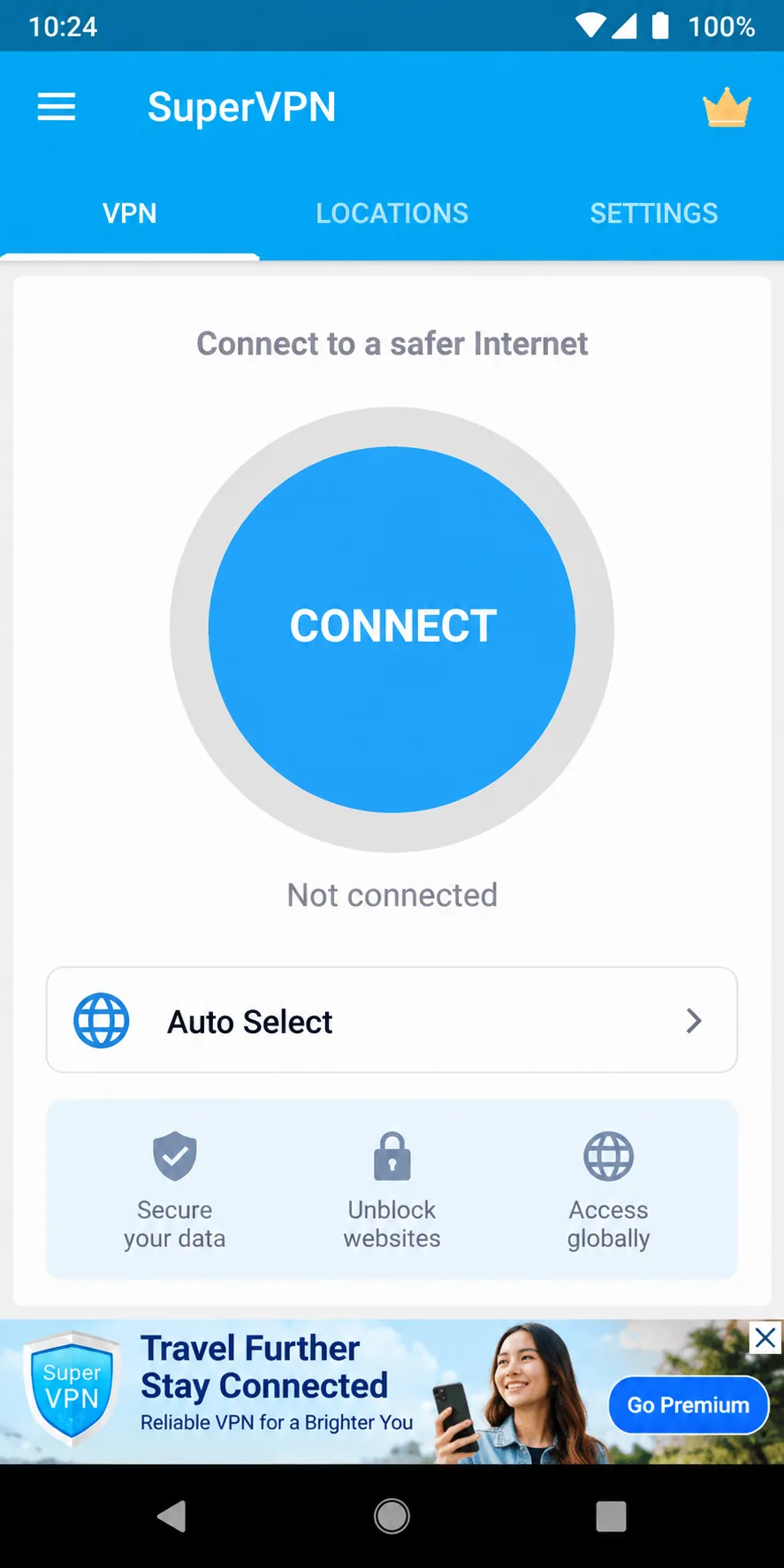
The free app shows a banner ad across the bottom of the main connect screen. Ad-supported VPNs need an advertising business behind them, and that sits awkwardly next to a promise of privacy. The Play data-safety section says no data is shared with third parties, while personal info and device IDs may be collected. Data-safety labels are self-declared by the developer and are not independently checked, so we give that label little weight.
Support is another weak spot. We found no reliable support channel for the free Android app, and the developer did not answer researchers' vulnerability reports in 2020. If something goes wrong, you are on your own.
Data Caps, Speed and Reliability Problems
SuperVPN advertises unlimited bandwidth on its free tier, with a paid VIP tier on top. Unlimited is not the same as fast or consistent, though, and the app does not disclose which protocols it uses. Without WireGuard or OpenVPN named anywhere, you cannot judge how your connections are encrypted. Every pick below documents its protocols, and most publish speed-friendly WireGuard as the default.
How We Picked These Alternatives
We approached this list the way we approach any VPN shortlist: start with the network, then the paperwork. On speed, we looked at how much of a baseline download speed each service keeps on nearby servers and how much it loses on distant ones. On privacy, we ran DNS, IPv6 and WebRTC leak checks, confirmed whether the kill switch actually blocks traffic when the tunnel drops, and checked for independent no-logs audits.
We also weighed the things SuperVPN users care about most. That means a usable free plan or a cheap long-term price, a clean Android app, and no ads. Jurisdiction, payment options, device limits and refund windows rounded out the scoring. We left streaming as a secondary factor, because most people leaving SuperVPN want safer public Wi-Fi first.
The Best SuperVPN Alternatives
1. Proton VPN - Best Free Alternative With Unlimited Data
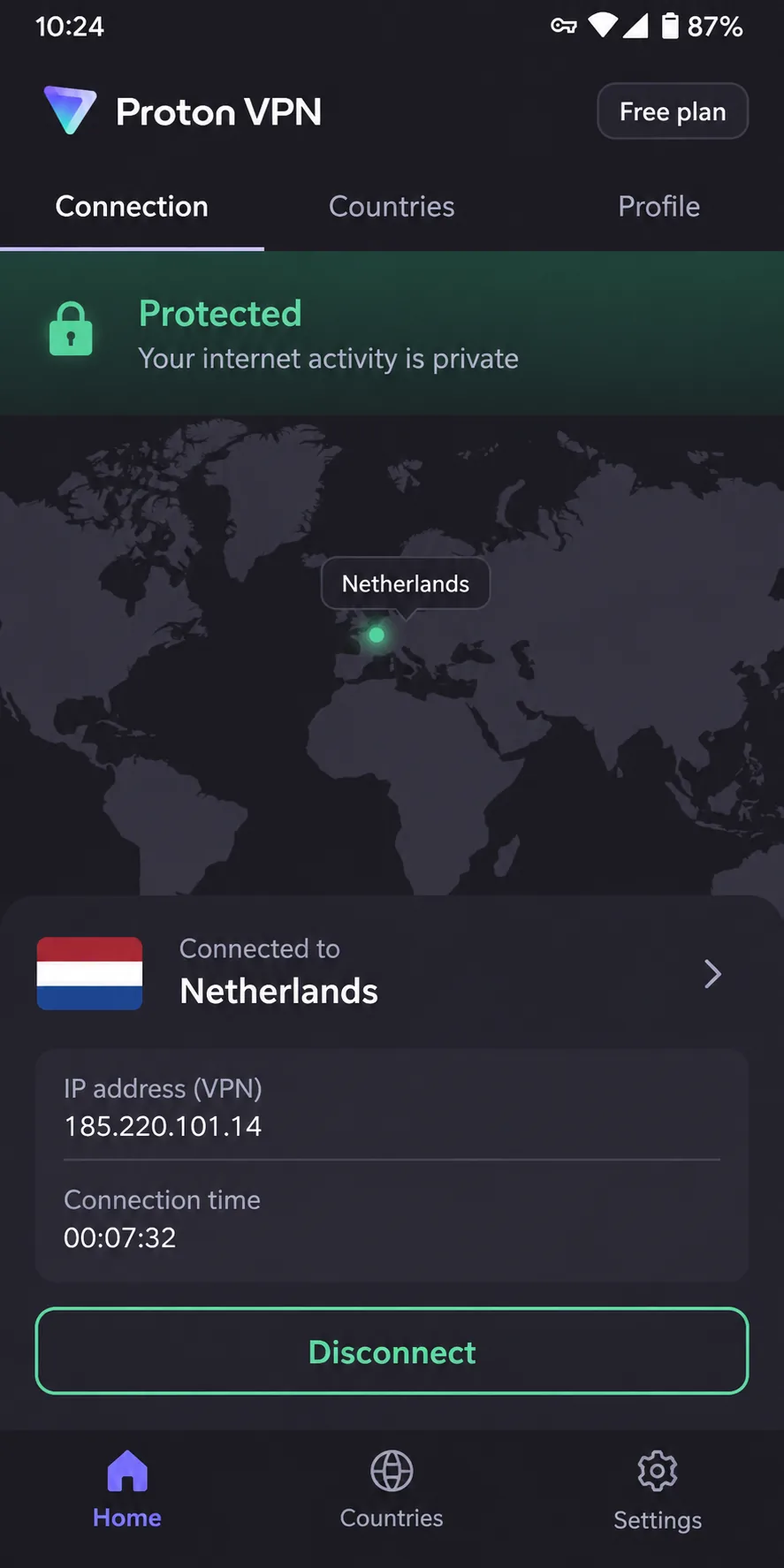
Proton VPN is the clearest upgrade for anyone who liked SuperVPN because it was free. Proton VPN's free plan covers 1 device with servers in 10 countries, no data limits and no ads. That combination is rare. Most free VPNs cap your data or fund themselves with advertising, and Proton does neither.
The speed results back it up. Nearby servers keep about 90% or more of baseline download speed, and distant servers average around three-quarters. Leak tests for DNS, IPv6 and WebRTC stay clean across dozens of countries. The catch on the free tier is control: the app picks the server for you, so you cannot choose a specific free country.
Proton AG is based in Switzerland, every app has been open source since January 2020, and Securitum audits its no-logs policy every year, with the fifth report published in 2026. Paid VPN Plus costs $9.99 per month on the monthly plan, $3.99/month on a 1-year plan or $2.99/month on 2 years. It covers 10 devices, servers in 140+ countries, Secure Core multi-hop, the NetShield blocker, the Stealth protocol, port forwarding, a kill switch and split tunneling. Long plans renew at about $83.88 per year, though Proton's renewal rates shift with regional pricing and currency. You also get a 30-day money-back guarantee. Read our Proton VPN review for the full breakdown.
Pros
- Free plan with no data cap and no ads
- Clean DNS, IPv6 and WebRTC leak tests
- Annual Securitum no-logs audits and open-source apps
Cons
- Free plan picks your server for you
- Live chat is not 24/7, and email replies can take two days or more
2. Windscribe - Best Free Plan With Split Tunneling
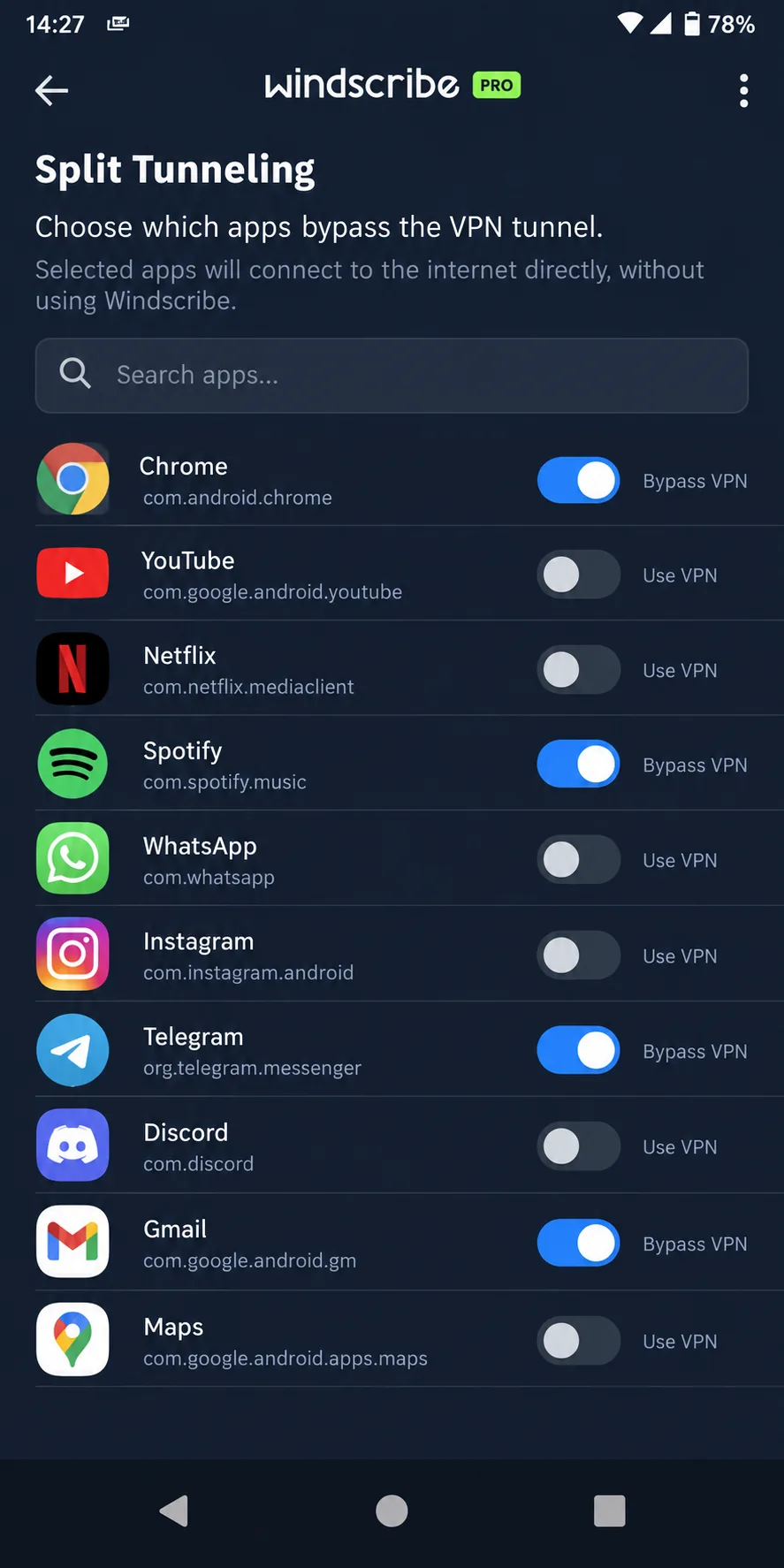
Windscribe is the free option for people who want more control than Proton's free tier gives them. The free plan includes 10GB per month with a confirmed email (2GB without) and servers in 10 countries, and you can pick the location yourself. Split tunneling lets you send only certain apps through the VPN, which helps on a phone where banking apps dislike VPN IP addresses.
US connections keep about 91% of download and 90% of upload speed, and no IP, DNS or WebRTC leaks show up in repeated leak tests. Two things hold it back. The free plan's monthly data runs out quickly if you use it for streaming, and the app interface is cluttered, with icons that confuse beginners. Netflix also needs several server switches before it loads.
Pro costs $9 per month or $69 per year, and the Build-A-Plan option starts from $3, at $1 per location. Pro covers 69+ countries with unlimited simultaneous connections. Windscribe passed a Packetlabs infrastructure audit in June 2024 and had Leviathan app audits in 2021 and 2022. It has no dedicated no-logs audit, but its no-logs claim held up in a 2025 Greek court case. The company is based in Canada, and its home country may change if Canada's Bill C-22 passes the Senate. Refunds are available within 7 days of first purchase if you have used under 10GB. See our Windscribe review for more.
Pros
- 10GB free each month with a confirmed email
- Unlimited devices and split tunneling
- Open-source apps and court-tested no-logs claim
Cons
- Cluttered interface for beginners
- Short 7-day refund window
3. NordVPN - Best Paid All-Rounder
If you are ready to pay, NordVPN is the safest bet for doing everything well. Nearby servers lose only about 4% download and 7% upload speed, with no buffering in 4K streams. Netflix, Hulu, BBC iPlayer and Prime Video unblock reliably, which matters if streaming abroad was half the reason you installed SuperVPN.
Its feature list runs long: NordLynx (built on WireGuard), OpenVPN, NordWhisper, Double VPN, Onion Over VPN, obfuscated servers, Threat Protection Pro, RAM-only servers, a kill switch and split tunneling. Double VPN cuts speed by around 80%, so we keep it for the rare session that needs it. The map view also needs zooming to pick a server, and the list view is quicker.
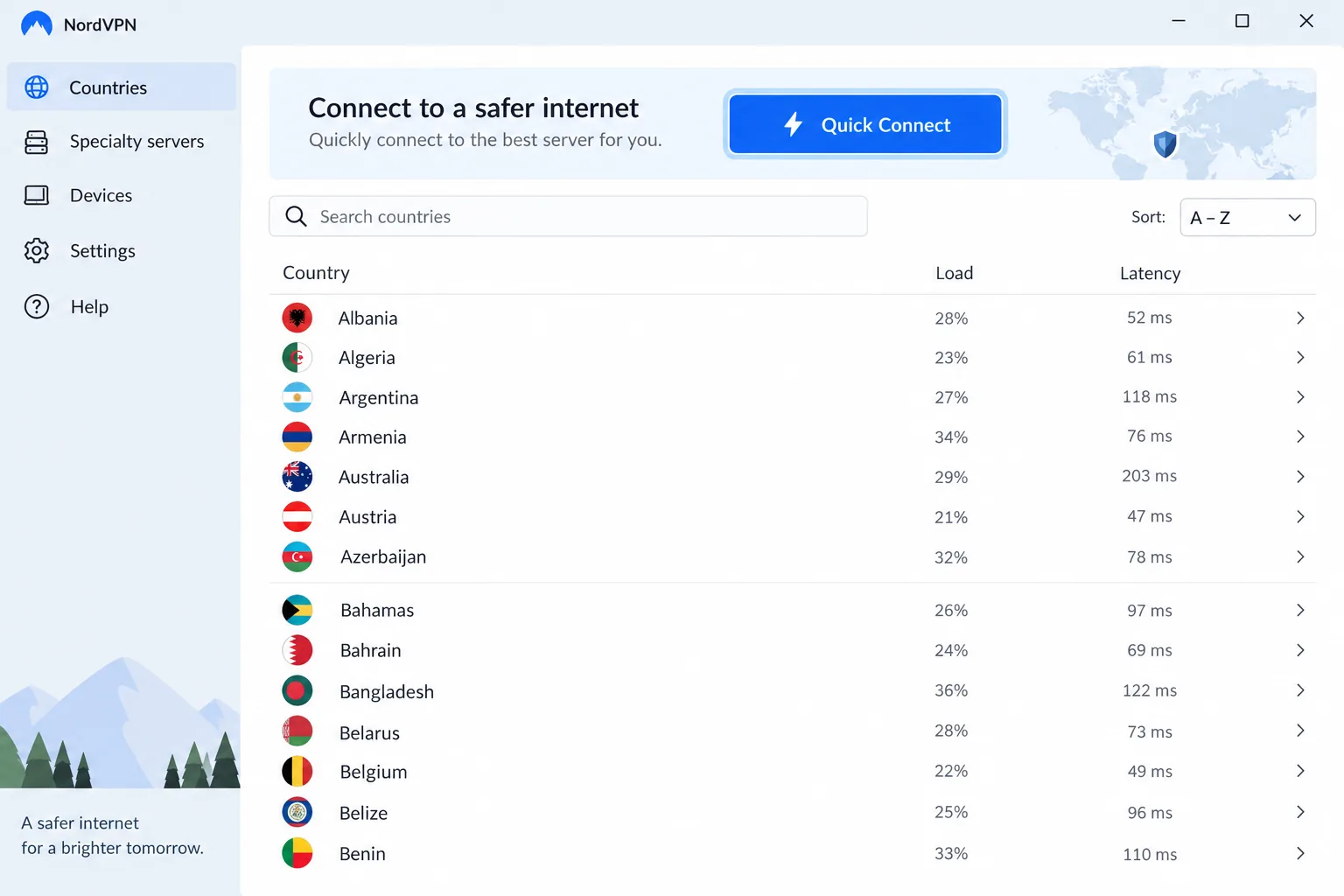
NordVPN is based in Panama, and its sixth Deloitte no-logs assurance was announced in February 2026. Basic costs $14.99 monthly, and the two-year Basic rate moves between about $3.39 and $3.49 a month because of frequent promotions. You get 10 simultaneous connections and a 30-day money-back guarantee, which is the only no-cost trial path since there is no free plan. Its network runs to about 9,300+ servers, though NordVPN counts virtual locations differently across its own pages, so the totals disagree.
4. Mullvad VPN - Best for Anonymous Sign-Up
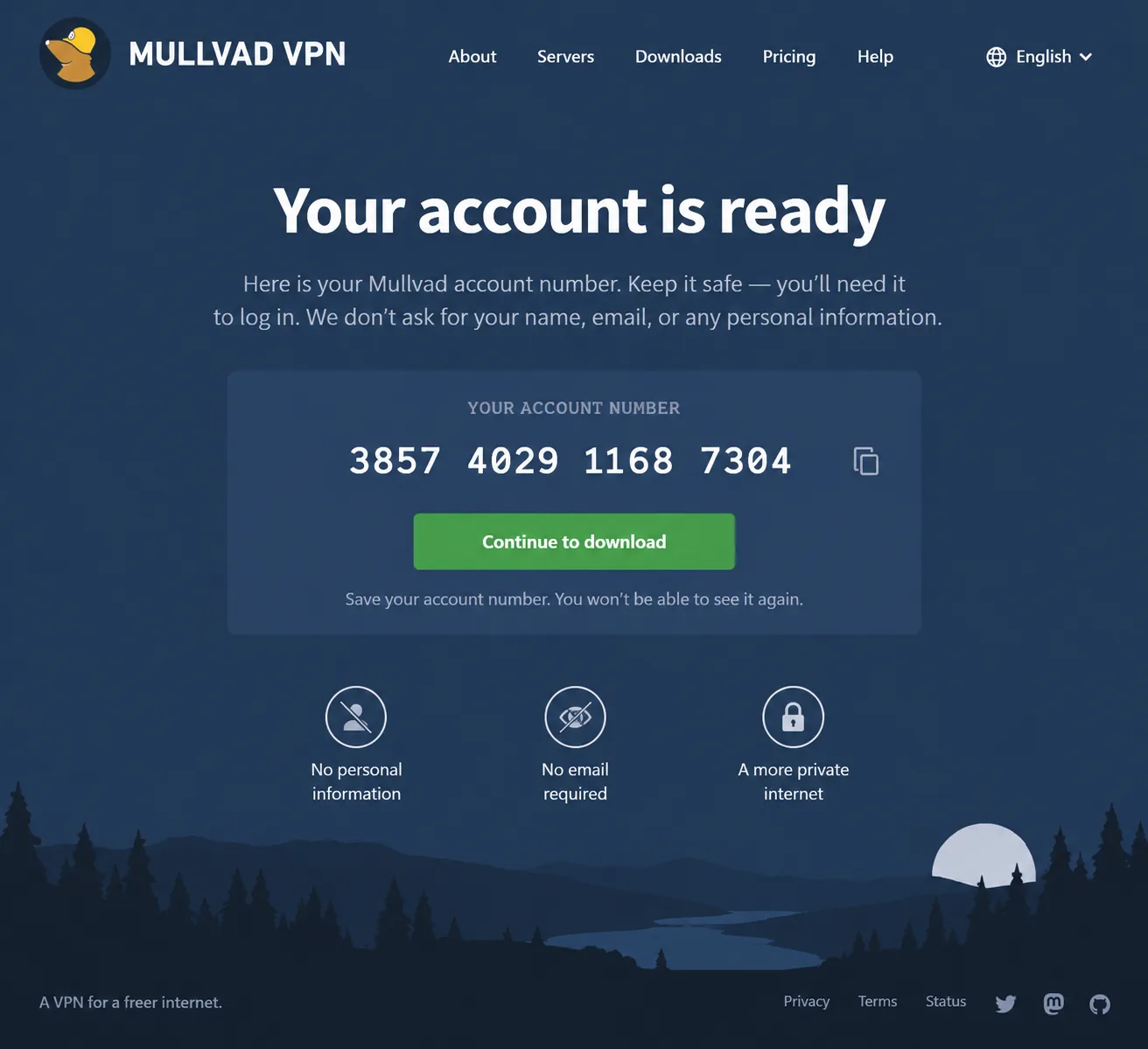
Mullvad is the opposite of SuperVPN on the question of identity. Sign-up takes seconds: the site issues a random account number and asks for no email or name. You can pay with cash or Monero, so there is very little to tie the account to you, and true anonymity is closer here than with any other pick.
Nearby servers hold almost all of baseline speed, with predictable slowdowns on distant servers. Mullvad runs WireGuard only, after shutting down its OpenVPN servers on 15 January 2026, and it adds obfuscation, DAITA, multihop, RAM-only servers and a kill switch. Split tunneling exists, but not on macOS or iOS. Streaming access is unreliable, with Netflix and Disney+ working inconsistently, and there is no live chat, since support is by email only.
Mullvad is based in Sweden and has had more than ten independent audits since 2018, including a Cure53 infrastructure audit in 2024. Pricing is a flat EUR 5 per month for any length, for up to 5 devices, with a 14-day money-back guarantee (cash excluded). The live list showed 566 servers in 50 countries, but Mullvad's list changes as servers go on and offline, so treat that as a snapshot. More in our Mullvad VPN review.
5. Surfshark - Best for Unlimited Devices
Surfshark makes sense for a household that wants to cover every phone, laptop and TV on one plan. It allows unlimited simultaneous connections, and Starter costs $2.49/month on the 2-year plan. The month-to-month plan is among the priciest, at about $15.45 to $16.45 depending on region and tax, so the value shows up on the 2-year plan.
The kill switch holds, and no IPv4, IPv6, DNS or WebRTC leaks appear. Netflix unblocks in 15+ regional libraries, plus Disney+, Hulu and BBC iPlayer. The Windows app shows bigger slowdowns and occasional ping spikes than the macOS app, which is worth knowing if your main machine is a Windows PC.
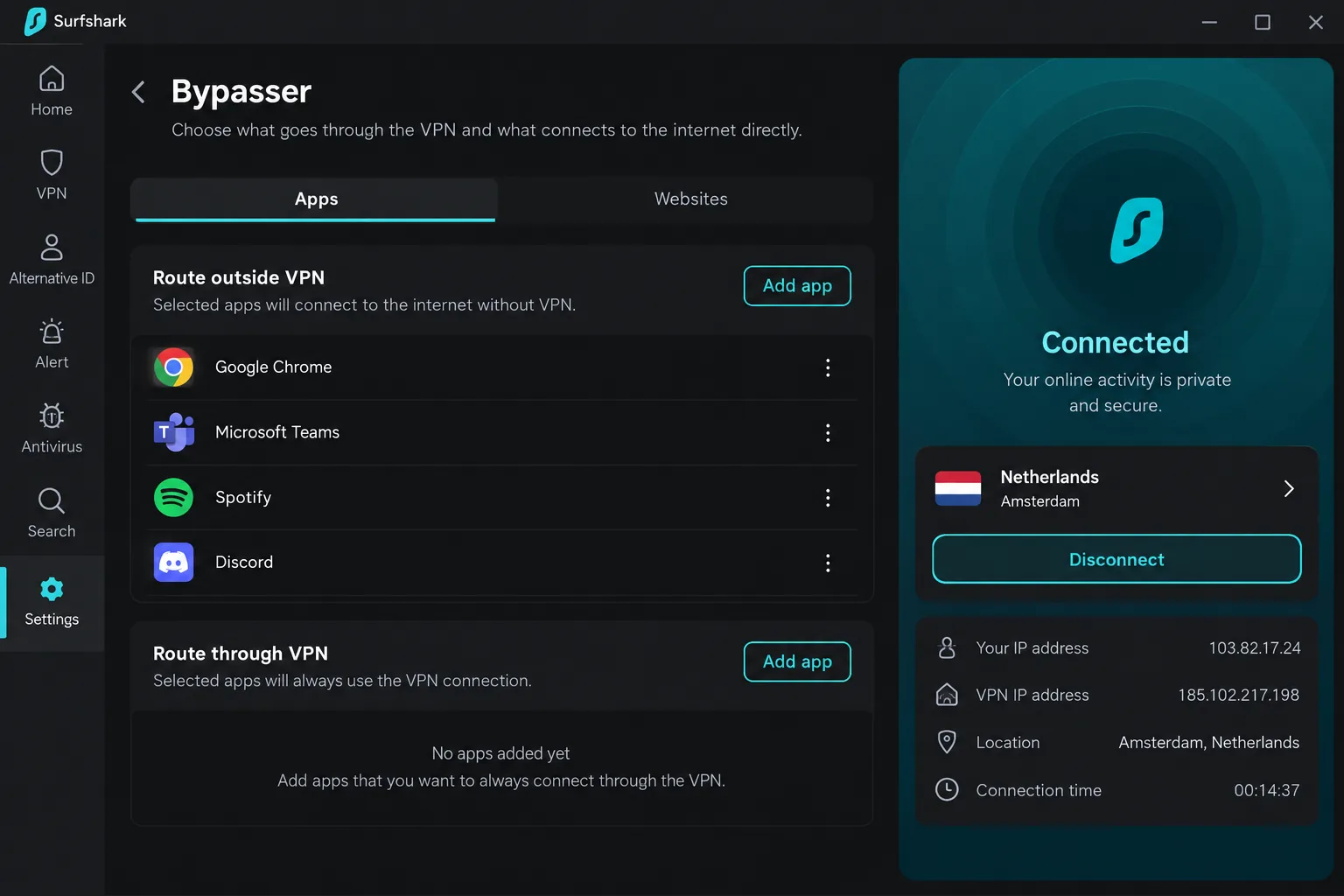
Surfshark runs 4,500+ servers in 100 countries, is based in the Netherlands, and had its no-logs policy verified by Deloitte in 2023 and 2025. Features include CleanWeb, MultiHop, Camouflage obfuscation, NoBorders, Nexus IP rotation, RAM-only servers and Bypasser split tunneling, over WireGuard, OpenVPN or IKEv2. It carries a 30-day money-back guarantee.
6. Private Internet Access - Best for Customization and Servers
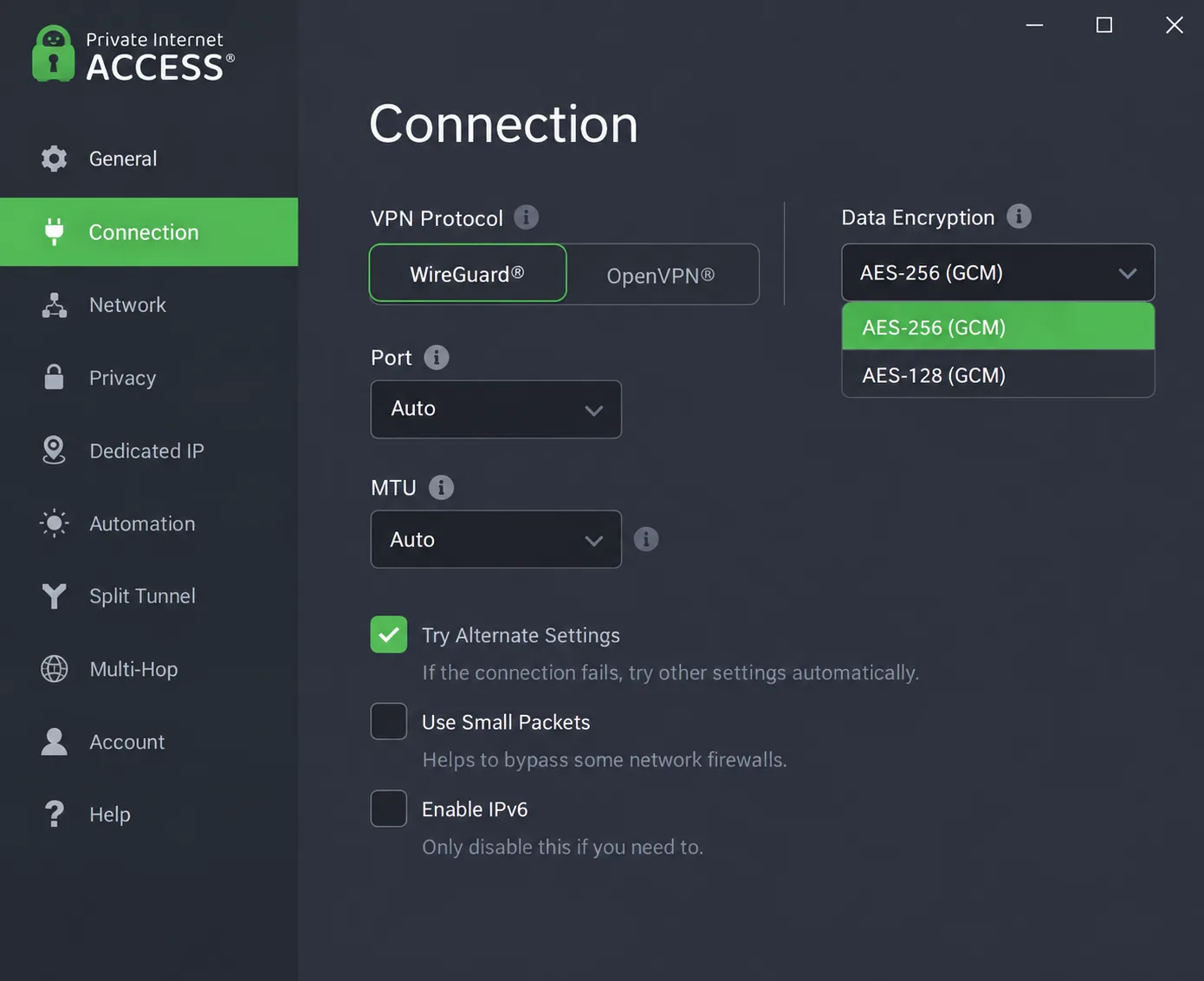
Private Internet Access suits people who like to tune their setup. You can choose AES-128 or AES-256 encryption, use port forwarding on non-US servers, route through Multi-Hop with Shadowsocks or SOCKS5, and set up split tunneling, all over WireGuard or OpenVPN. The desktop app's long settings list can overwhelm beginners at first, but every option is there for a reason.
Speed loss is small: about 4% on local servers and 18% internationally. Streaming is the weak spot, as US and UK Netflix no longer unblock, and Disney+ and Hulu detect the VPN. PIA has servers in 91 countries plus all 50 US states, unlimited simultaneous connections, open-source apps and RAM-only servers.
PIA is based in the United States and has been owned by Kape Technologies since 2019. Deloitte completed its third no-logs assurance in December 2025. Pricing is $11.95 for one month, $3.99/month on a year, and about $2.03/month on the longest plan, though PIA rotates its deal length and bonus months, so the intro rate differs by date and region. Auto-renewal is on by default, and refunds under the 30-day money-back guarantee need a manual support request.
7. Hotspot Shield - Best for Speed on a Free Tier
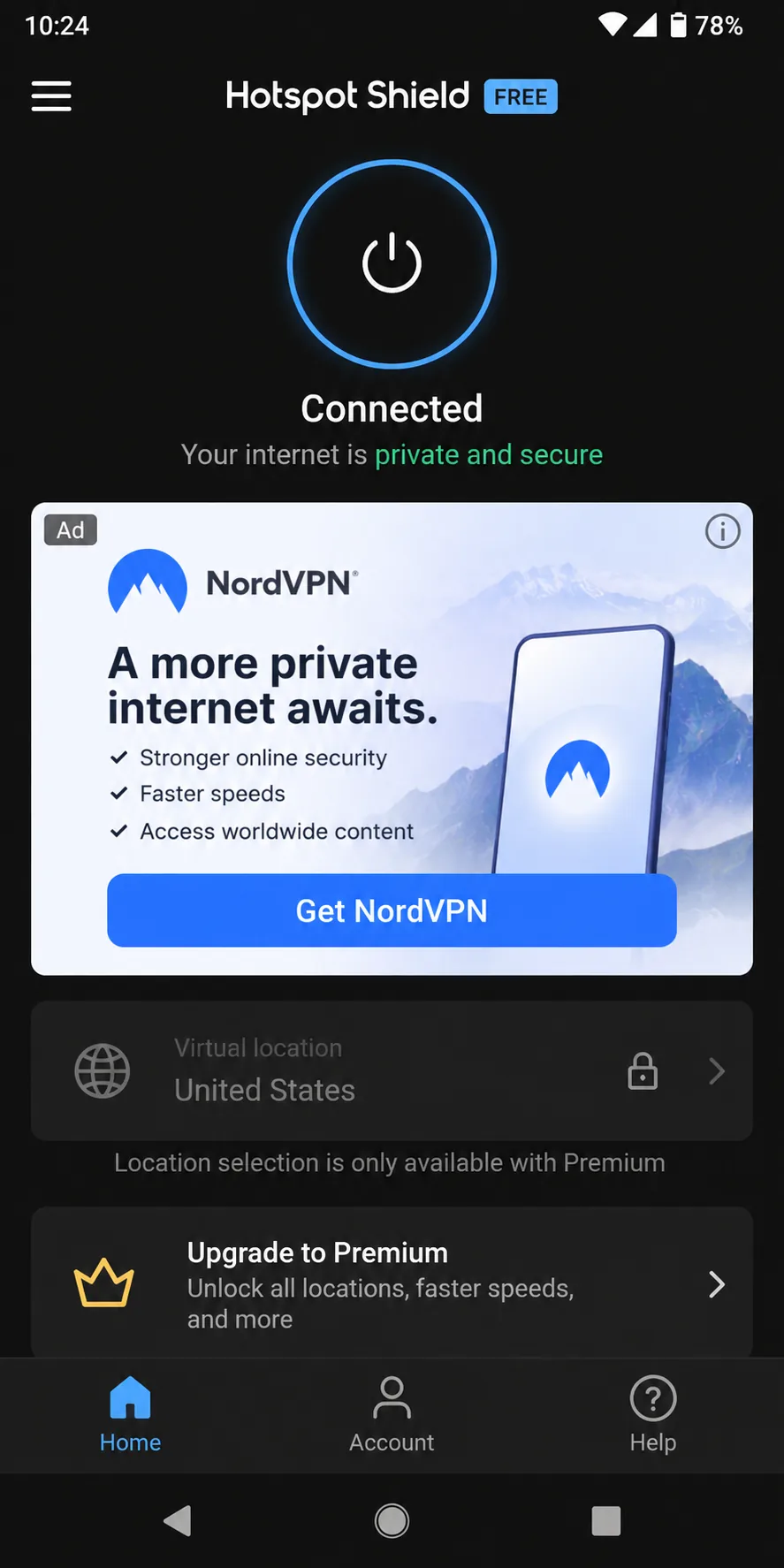
Hotspot Shield is the free alternative for people who mostly care about speed. Its free tier is the quickest among free VPNs, with browsing that feels unchanged, and the interface is simple enough for non-technical users. Free Basic covers 1 device, shows ads on mobile and offers no real country choice. Its limits differ by platform and have changed over time, so the cap may be a daily data budget or a speed throttle.
It comes with clear trade-offs for a SuperVPN refugee. DNS, WebRTC and kill switch tests pass on Windows, but the Android app can leak the IP address, and Android is where most SuperVPN users live. Hotspot Shield also logs some connection data, such as session duration and data usage, and we found no independent no-logs audit. The Center for Democracy and Technology filed an FTC complaint over its data handling in 2017.
The service is based in the United States and is owned by Pango, now Point Wild. Premium costs $12.99 per month on the monthly plan, while the yearly rate lands anywhere from about $6 to $8 a month depending on promotions and region. Premium covers 10 simultaneous devices, uses the proprietary Hydra protocol plus WireGuard and IKEv2, and carries a 45-day money-back guarantee when bought direct. Payment is by card or PayPal only. See our Hotspot Shield review for our full take.
What to Look For in a SuperVPN Replacement
The lesson from SuperVPN is that a free connect button tells you nothing about what happens to your traffic. Before you install any replacement, check three things.
A no-logs policy only means something once an outside auditor has looked behind it. SuperVPN's own records showed why.
Protocols: WireGuard and OpenVPN
WireGuard is the modern default: it is fast, light on battery and built on a small, reviewed codebase. OpenVPN is older and slower but widely trusted, and it is useful on networks that block newer protocols. A good VPN names its protocols openly. Proton, Windscribe, Surfshark and PIA offer both, NordVPN wraps WireGuard in NordLynx, and Mullvad now runs WireGuard only. If a service will not tell you what it uses, as with SuperVPN, move on.
No-Logs Policy, Audits and Jurisdiction
Anyone can write "no logs" in a privacy policy. Look for an independent audit by a named firm such as Deloitte, Securitum or Cure53, and check how recent it is. Then look at where the company is based, because local law decides what it can be forced to hand over. A clear owner, a clear address and a public audit history are the minimum we expect from a service that sees your whole online life.
A court case can test a no-logs claim too. Windscribe's no-logs claim held in a 2025 Greek court case, even though it has no dedicated no-logs audit.
Kill Switch, Split Tunneling and Leak Protection
A kill switch blocks your internet access if the VPN tunnel drops, so your real IP never slips out on public Wi-Fi. Split tunneling lets selected apps skip the VPN, which keeps local network devices and fussy banking apps working. Leak protection covers DNS, IPv6 and WebRTC.
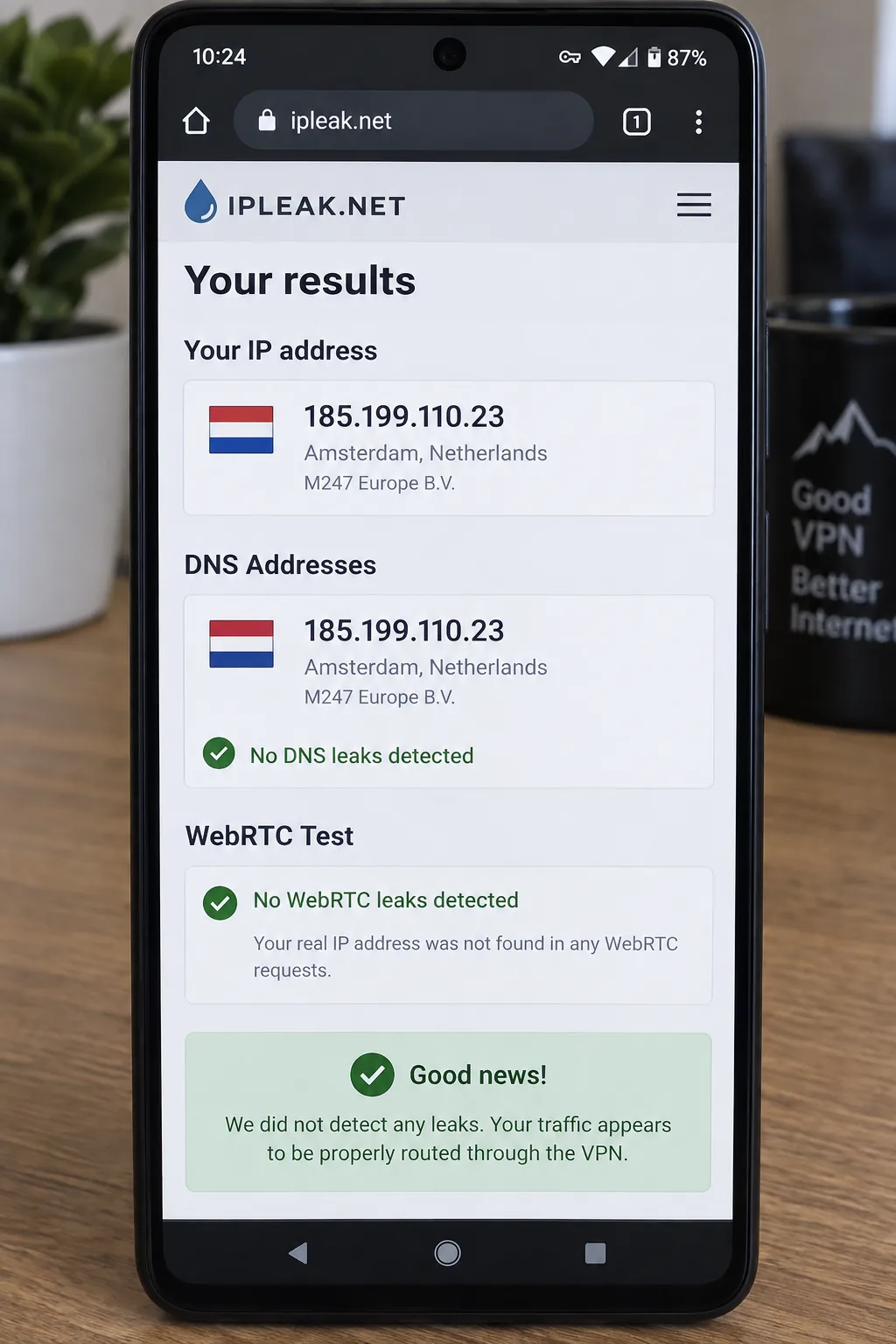
Do not take any of this on trust. After you connect, open ipleak.net and confirm it shows only the VPN server's IP and DNS. Our guide on how to run a DNS leak test walks through what a clean result looks like and what to do if your ISP's resolver shows up.
Run the leak check on both Wi-Fi and mobile data. Some apps behave differently when the phone switches networks.
How to Uninstall SuperVPN Safely on Android
Removing SuperVPN takes a couple of minutes. Do it before you install the replacement, so two VPN profiles do not fight over the connection.
- Open SuperVPN and tap Disconnect so the tunnel is closed.
- Open Settings, go to Network and internet, then VPN, tap the gear next to SuperVPN, and turn off Always-on VPN if it is enabled.
- Open Settings, go to Apps, select SuperVPN, then tap Storage and choose Clear storage.
- Return to the app page and tap Uninstall.
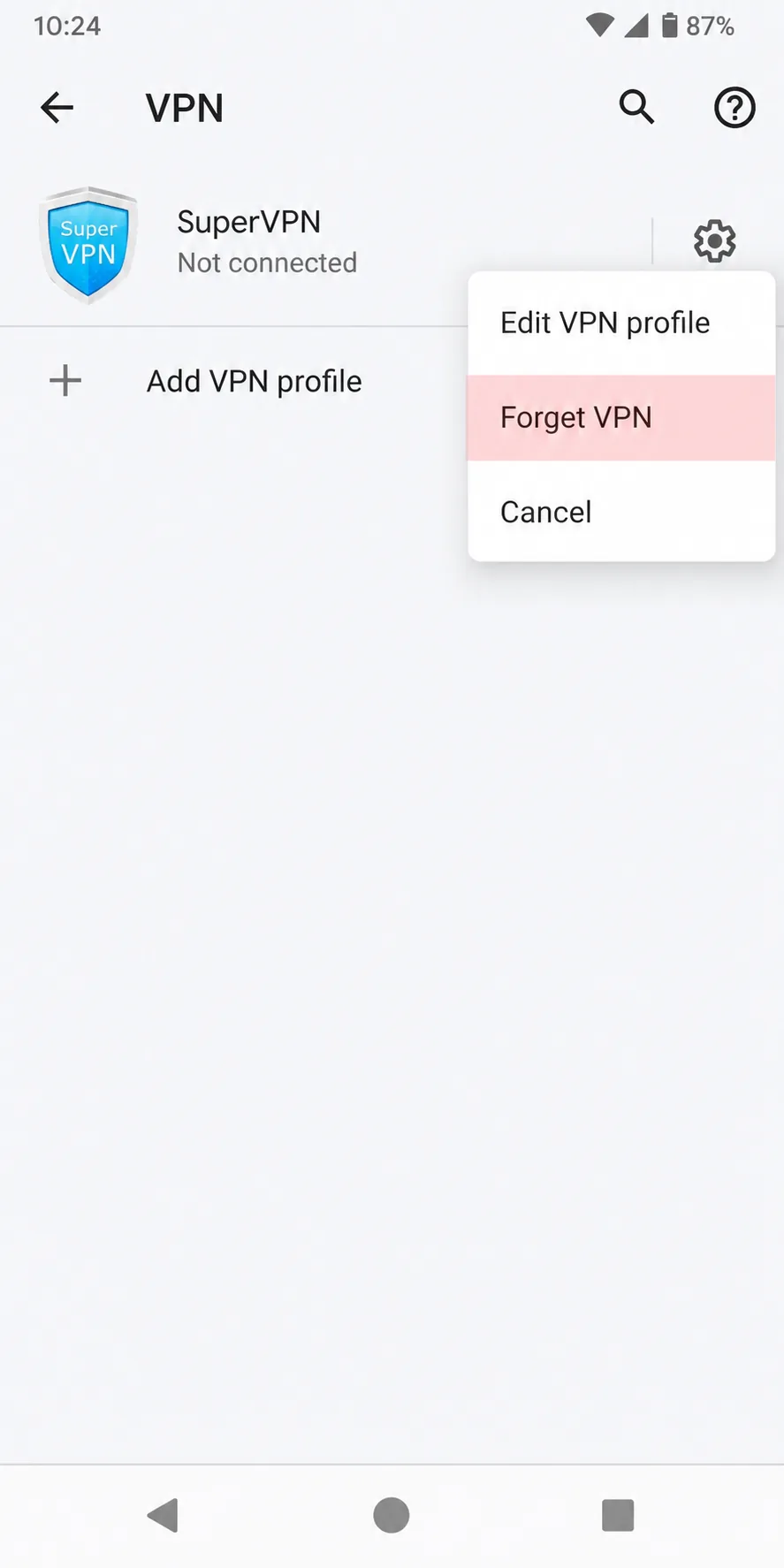
- Check Settings, then VPN again, and remove any leftover SuperVPN profile with Forget VPN.
- If you paid for the VIP tier, open the Play Store, tap your profile, go to Payments and subscriptions, and cancel it there.
Menu names vary slightly between phone makers, but every Android version has the same path through Apps and VPN settings. Once your new VPN is installed and connected, run a leak test to confirm the switch worked.
Free vs Paid SuperVPN Alternatives
Free VPNs are fine for checking email on hotel Wi-Fi, and Proton VPN shows a free service can be private without ads or data caps. Every free plan still has limits, though. Proton gives you 1 device and no server choice, Windscribe caps you at 10GB a month, and Hotspot Shield's free tier shows ads on mobile and logs some connection data.
Paid plans buy you more servers, more devices, steadier speeds, streaming support and stronger features like multi-hop and obfuscation. The cheapest long-term plans, such as Surfshark at $2.49/month or Proton at $2.99/month, cost less than a coffee each month. CyberGhost is another paid option some readers ask about, but the seven picks above cover every budget. If you are unsure, start with a free plan, then use a 30-day money-back guarantee to try a paid service without risk.